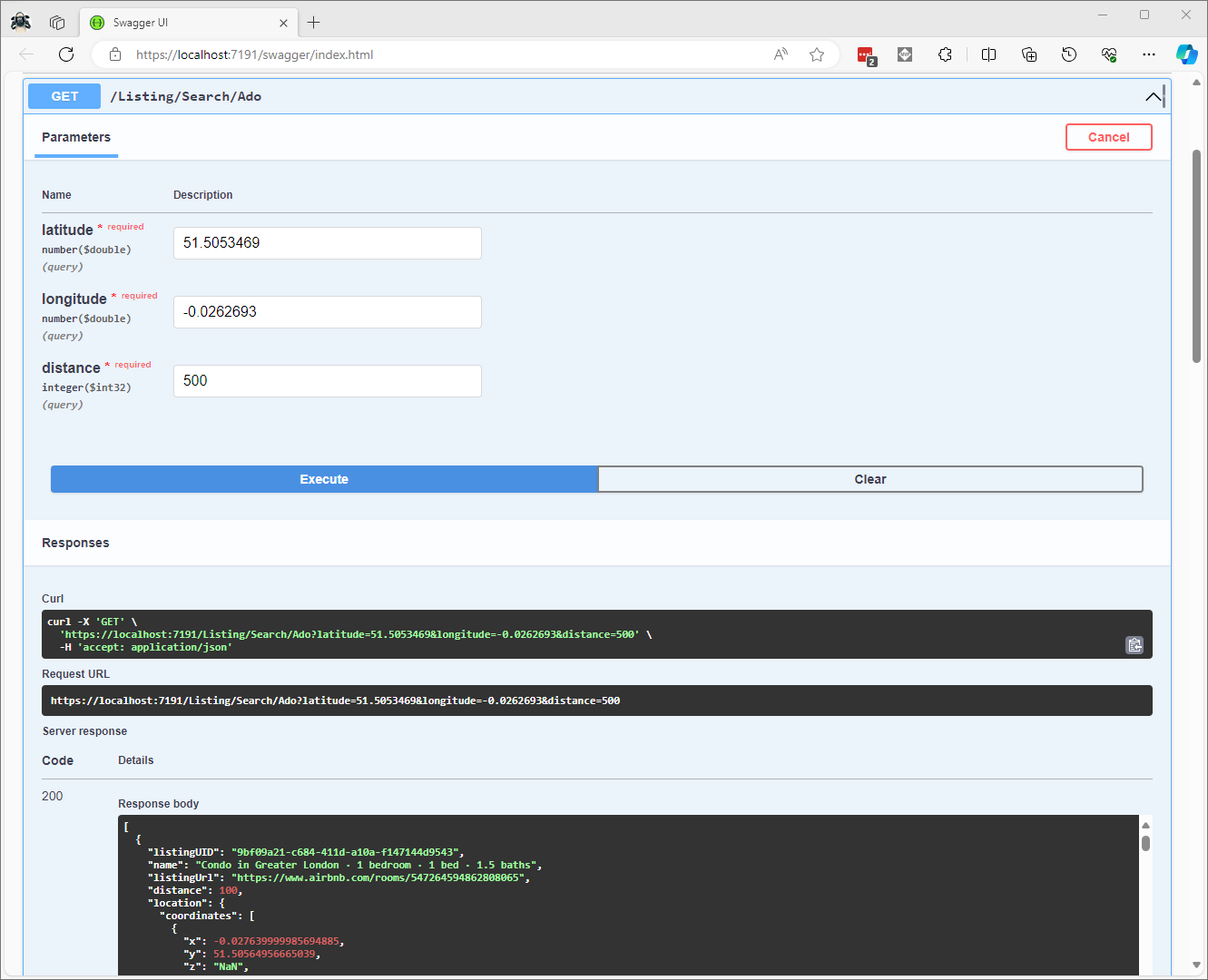
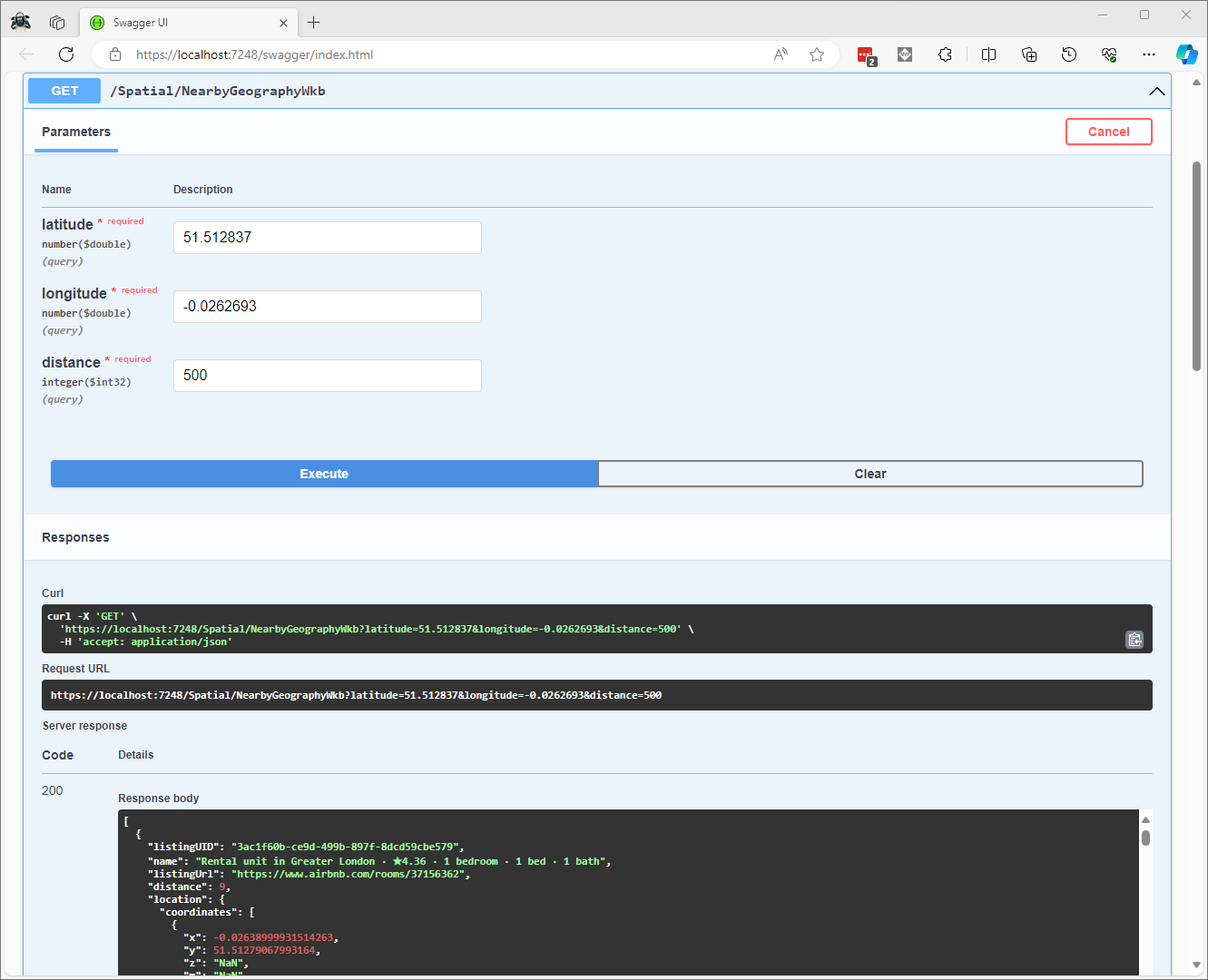
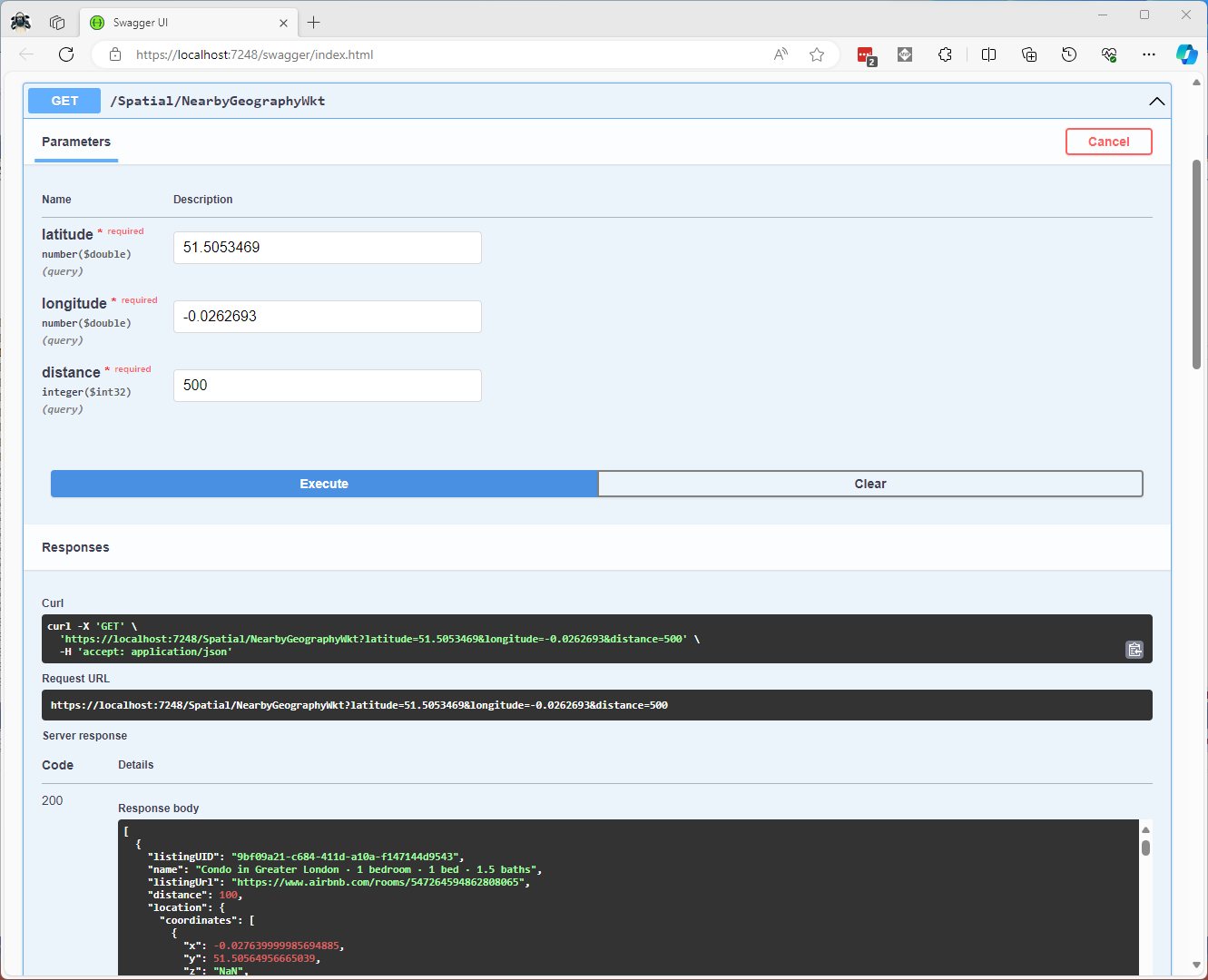
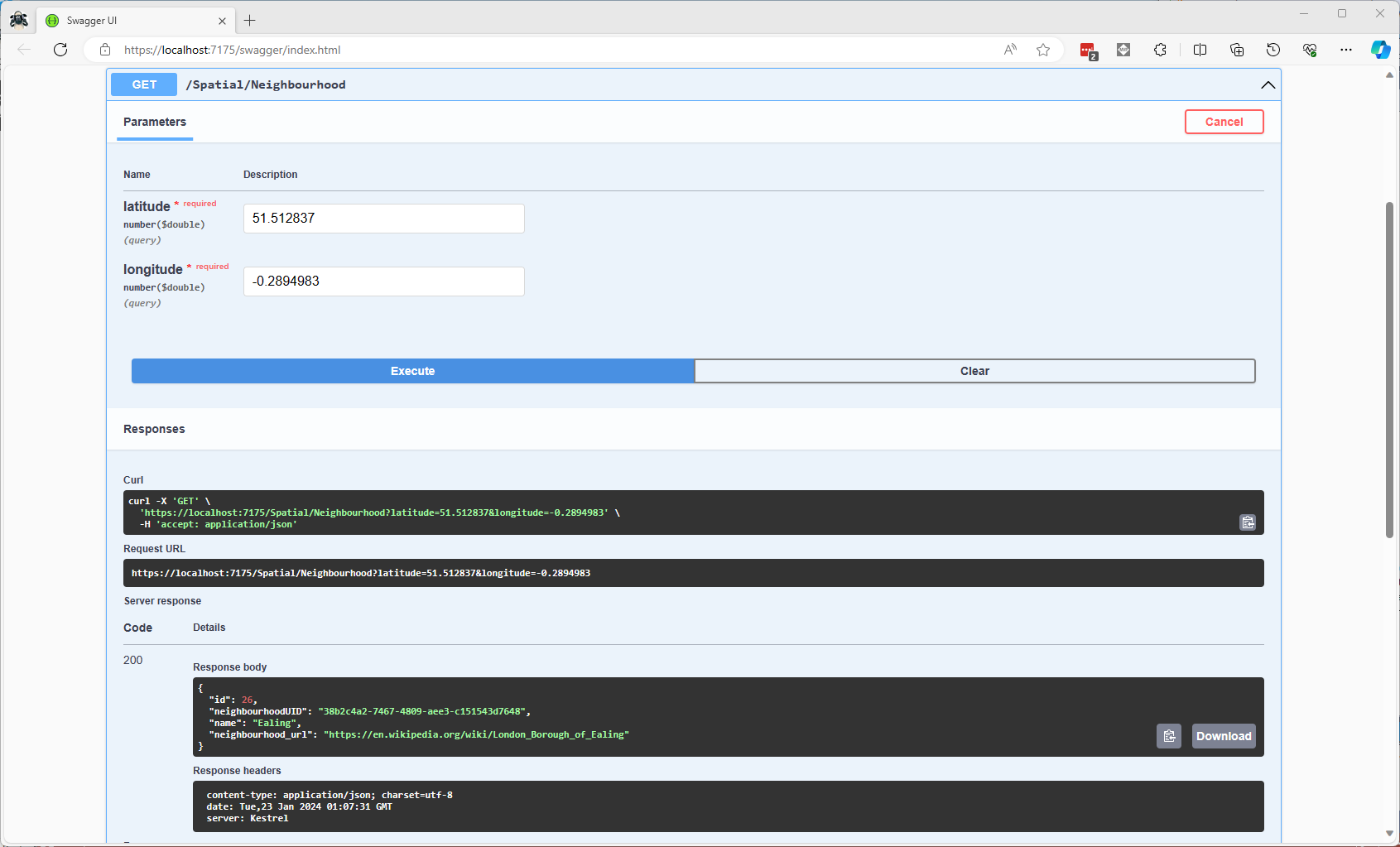
Airbnb Dataset – JSON Long Integer Issue

The Inside Airbnb London dataset has 87946 listings and the id column (which is the primary key) has a minimum value of 13913 and maximum of 973895808066047620 in the database.

Back in the early 90’s I used to live next to the Ealing Lawn Tennis Club in London

I used “Ealing” as the SearchText for my initial testing and tried different page numbers and sizes

Testing the search functionality with SwaggerUI

The listings search results JSON looked good but I missed one important detail…

[
  {
    "id": 32458423,
    "name": "Bed and breakfast in Ealing  · ★5.0 · 1 bedroom · 1 bed · 1 private bath",
    "listingURL": "https://www.airbnb.com/rooms/32458423"
  },
  {
    "id": 7905935,
    "name": "Guest suite in Ealing Broadway · ★4.93 · 1 bedroom · 1 bed · 1 private bath",
    "listingURL": "https://www.airbnb.com/rooms/7905935"
  },
  {
    "id": 5262733,
    "name": "Home in Ealing · ★4.97 · 1 bedroom · 1 shared bath",
    "listingURL": "https://www.airbnb.com/rooms/5262733"
  },
  {
    "id": 685148830257321200,
    "name": "Home in Ealing London · ★5.0 · 4 bedrooms · 8 beds · 2.5 baths",
    "listingURL": "https://www.airbnb.com/rooms/685148830257321258"
  },
  {
    "id": 10704599,
    "name": "Home in ealing, london · ★4.47 · 3 bedrooms · 4 beds · 1 bath",
    "listingURL": "https://www.airbnb.com/rooms/10704599"
  }
]

To “smoke test” to the lookup functionality I tried a couple of the listing ids

Swagger user interface successful lookup listing 7905935
Swagger user interface unsuccessful lookup of listing 685148830257321200

The HTTP GET method routing parameter and the response Data Transfer Object(DTO) the Airbnb listing Id properties are long values (ulong might have been a better choice) which should have sufficient range

string LookupByIdSql = @"SELECT Id, [Name], Listing_URL AS ListingURL
                     FROM ListingsHosts
                     WHERE id = @Id";

public record ListingLookupDto
{
   public long Id { get; set; }
   public string? Name { get; set; }
   public string? ListingURL { get; set; }
};

//...

app.MapGet("/Listing/Results/{id:long}", async (long id, IDapperContext dappperContext) =>
{
   using (var connection = dappperContext.ConnectionCreate())
   {
      ListingLookupDto result = await connection.QuerySingleOrDefaultWithRetryAsync<ListingLookupDto>(LookupByIdSql, new { id });
      if (result is null)
      {
         return Results.Problem($"Listing {id} not found", statusCode: StatusCodes.Status404NotFound);
      }

      return Results.Ok(result);
   }
})
.Produces<ListingLookupDto>(StatusCodes.Status200OK)
.Produces<ProblemDetails>(StatusCodes.Status404NotFound)
.WithOpenApi();

The id values in the search response and lookup DTOs were correct

Visual Studio 2022 Debugger inspecting listing id value

I had missed the clue in the search response JSON the listing id and the listingURL id didn’t match.

{
 "id": 685148830257321200,
 "name": "Home in Ealing London · ★5.0 · 4 bedrooms · 8 beds · 2.5 baths",
 "listingURL": "https://www.airbnb.com/rooms/685148830257321258"
},

The JavaScript Object Notation (JSON) Data Interchange Format(RFC7159) specification for numbers explains the discrepancy.

This specification allows implementations to set limits on the range
and precision of numbers accepted. Since software that implements
IEEE 754-2008 binary64 (double precision) numbers [IEEE754] is
generally available and widely used, good interoperability can be
achieved by implementations that expect no more precision or range
than these provide, in the sense that implementations will
approximate JSON numbers within the expected precision.
Airbnb listing from listingURL

Airbnb Dataset – Querying the Raw Listings

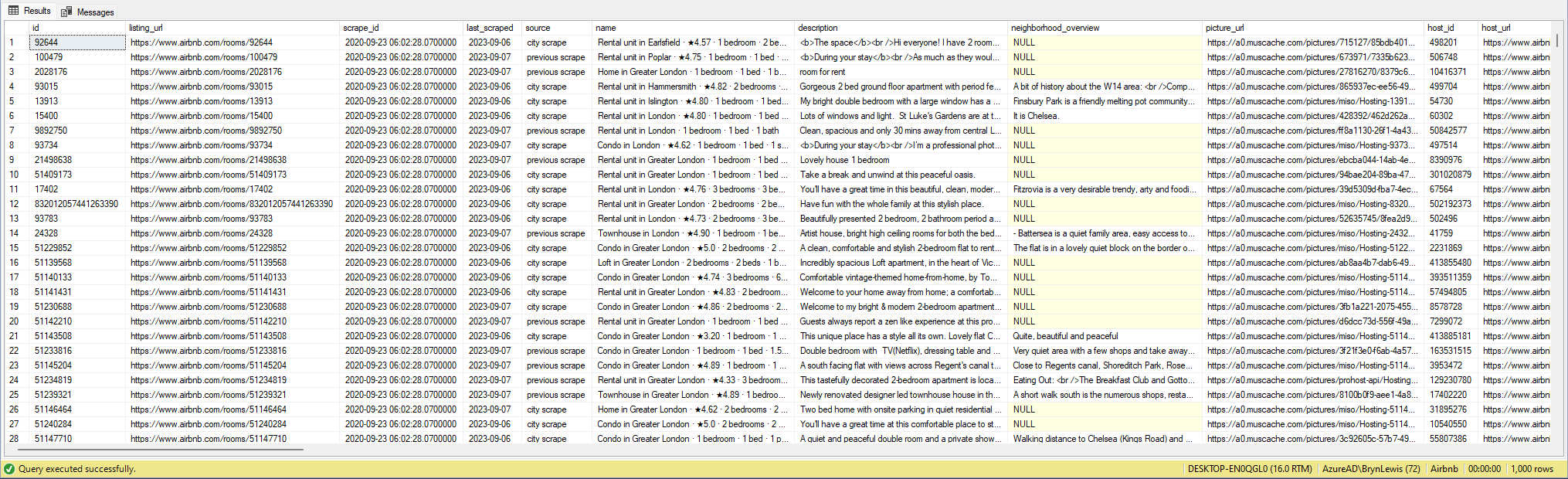
My initial ASP.NET Core Minimal AP exploration uses the Inside Airbnb London dataset which has 87946 listings. The data is pretty “nasty” with lots of nullable and wide columns so it took several attempts to import.

CREATE TABLE [dbo].[listingsRaw](
	[id] [bigint] NOT NULL,
	[listing_url] [nvarchar](50) NOT NULL,
	[scrape_id] [datetime2](7) NOT NULL,
	[last_scraped] [date] NOT NULL,
	[source] [nvarchar](50) NOT NULL,
	[name] [nvarchar](max) NOT NULL,
	[description] [nvarchar](max) NULL,
	[neighborhood_overview] [nvarchar](1050) NULL,
	[picture_url] [nvarchar](150) NULL,
	[host_id] [int] NOT NULL,
	[host_url] [nvarchar](50) NOT NULL,
	[host_name] [nvarchar](50) NULL,
	[host_since] [date] NULL,
	[host_location] [nvarchar](100) NULL,
	[host_about] [nvarchar](max) NULL,
	[host_response_time] [nvarchar](50) NULL,
	[host_response_rate] [nvarchar](50) NULL,
	[host_acceptance_rate] [nvarchar](50) NULL,
	[host_is_superhost] [bit] NULL,
	[host_thumbnail_url] [nvarchar](150) NULL,
	[host_picture_url] [nvarchar](150) NULL,
	[host_neighbourhood] [nvarchar](50) NULL,
	[host_listings_count] [int] NULL,
	[host_total_listings_count] [int] NULL,
	[host_verifications] [nvarchar](50) NOT NULL,
	[host_has_profile_pic] [bit] NULL,
	[host_identity_verified] [bit] NULL,
	[neighbourhood] [nvarchar](100) NULL,
	[neighbourhood_cleansed] [nvarchar](50) NOT NULL,
	[neighbourhood_group_cleansed] [nvarchar](1) NULL,
	[latitude] [float] NOT NULL,
	[longitude] [float] NOT NULL,
	[property_type] [nvarchar](50) NOT NULL,
	[room_type] [nvarchar](50) NOT NULL,
	[accommodates] [tinyint] NOT NULL,
	[bathrooms] [nvarchar](1) NULL,
	[bathrooms_text] [nvarchar](50) NULL,
	[bedrooms] [tinyint] NULL,
	[beds] [tinyint] NULL,
	[amenities] [nvarchar](max) NOT NULL,
	[price] [money] NOT NULL,
	[minimum_nights] [smallint] NOT NULL,
	[maximum_nights] [int] NOT NULL,
	[minimum_minimum_nights] [smallint] NULL,
	[maximum_minimum_nights] [int] NULL,
	[minimum_maximum_nights] [int] NULL,
	[maximum_maximum_nights] [int] NULL,
	[minimum_nights_avg_ntm] [float] NULL,
	[maximum_nights_avg_ntm] [float] NULL,
	[calendar_updated] [nvarchar](1) NULL,
	[has_availability] [bit] NOT NULL,
	[availability_30] [tinyint] NOT NULL,
	[availability_60] [tinyint] NOT NULL,
	[availability_90] [tinyint] NOT NULL,
	[availability_365] [smallint] NOT NULL,
	[calendar_last_scraped] [date] NOT NULL,
	[number_of_reviews] [smallint] NOT NULL,
	[number_of_reviews_ltm] [int] NOT NULL,
	[number_of_reviews_l30d] [tinyint] NOT NULL,
	[first_review] [date] NULL,
	[last_review] [date] NULL,
	[review_scores_rating] [float] NULL,
	[review_scores_accuracy] [float] NULL,
	[review_scores_cleanliness] [float] NULL,
	[review_scores_checkin] [float] NULL,
	[review_scores_communication] [float] NULL,
	[review_scores_location] [float] NULL,
	[review_scores_value] [float] NULL,
	[license] [nvarchar](max) NULL,
	[instant_bookable] [bit] NOT NULL,
	[calculated_host_listings_count] [int] NULL,
	[calculated_host_listings_count_entire_homes] [int] NOT NULL,
	[calculated_host_listings_count_private_rooms] [int] NOT NULL,
	[calculated_host_listings_count_shared_rooms] [int] NOT NULL,
	[reviews_per_month] [float] NULL
) ON [PRIMARY] TEXTIMAGE_ON [PRIMARY]

There are other data quality issues e.g. the host information is duplicated in each of their Listings e.g. host_id, host_name, host_since, host_* etc. which will need to be tidied up.

Swagger user interface for Raw Listings search functionality.

I have implemented basic (“incomplete”) OpenAPI support for functionality and stress testing.

Swagger user interface parameterised search functionality.

The search results are paginated and individual listings can be retrieved using the Airbnb listing “id”.

const string SearchPaginatedSql = @"SELECT Uid,Id,[Name], neighbourhood
                     FROM listings
                     WHERE[Name] LIKE N'%' + @SearchText + N'%'
                     ORDER By[Name] 
                     OFFSET @PageSize *(@PageNumber - 1) ROWS FETCH NEXT @PageSize ROWS ONLY";

public record ListingListDto
{
   public long Id { get; set; }
   public string? Name { get; set; }
   public string? Neighbourhood { get; set; }
};
Swagger user interface search functionality with untyped response.

The first HTTP GET implementation returns an untyped result-set which was not very helpful.

app.MapGet("/Listing/Search", async (string searchText, int pageNumber, int pageSize, [FromServices] IDapperContext dappperContext) =>
{
   using (var connection = dappperContext.ConnectionCreate())
   {
      return await connection.QueryWithRetryAsync(SearchPaginatedSql, new { searchText, pageNumber, pageSize });
   }
})
.WithOpenApi();
Swagger user interface search functionality with typed response

The second HTTP GET implementation returns a typed result-set which improved the “usability” of clients generated from the OpenAPI definition file.

app.MapGet("/Listing/Search/Typed", async (string searchText, int pageNumber, int pageSize, [FromServices] IDapperContext dappperContext) =>
{
   using (var connection = dappperContext.ConnectionCreate())
   {
      return await connection.QueryWithRetryAsync<ListingListDto>(SearchPaginatedSql, new { searchText, pageNumber, pageSize });
   }
})
.Produces<IList<ListingListDto>>(StatusCodes.Status200OK)
.WithOpenApi();

The third HTTP GET method uses the Listing id specified in a routing parameter to lookup a Listing

string LookupByIdSql = @"SELECT Id,[Name], neighbourhood
FROM ListingsHosts
WHERE id = @Id";

public record ListingLookupDto
{
public long Id { get; set; }
public string? Name { get; set; }
public string? Neighbourhood { get; set; }
};
Swagger user interface Listing lookup functionality
app.MapGet("/Listing/{id:long}", async (long id, IDapperContext dappperContext) =>
{
   using (var connection = dappperContext.ConnectionCreate())
   {
      ListingLookupDto result = await connection.QuerySingleOrDefaultWithRetryAsync<ListingLookupDto>(LookupByIdSql, new { id });
      if (result is null)
      {
         return Results.Problem($"Listing {id} not found", statusCode: StatusCodes.Status404NotFound);
      }

      return Results.Ok(result);
   }
})
.Produces<ListingLookupDto>(StatusCodes.Status200OK)
.Produces<ProblemDetails>(StatusCodes.Status404NotFound)
.WithOpenApi();

The lack of validation of the SearchText, PageSize and PageNumber parameters allow uses to enter invalid values which caused searches to fail.

Swagger user interface search functionality with an invalid page number

My initial approach was to decorate the parameters of the ValidatedQuery method with DataAnnotations to ensure only valid values were accepted.

const byte SearchTextMinimumLength = 3;
const byte SearchTextMaximumLength = 20;
const byte PageNumberMinimum = 1;
const byte PageNumberMaximum = 100;
const byte PageSizeMinimum = 5;
const byte PageSizeMaximum = 50;

app.MapGet("/Listing/Search/ValidatedQuery", async (
   [FromQuery,Required, MinLength(SearchTextMinimumLength, ErrorMessage = "SearchTextMaximumLength"), MaxLength(SearchTextMaximumLength, ErrorMessage = "SearchTextMaximumLegth")]
   string searchText,
   [FromQuery, Range(PageNumberMinimum, PageNumberMaximum, ErrorMessage = "PageNumberMinimum PageNumberMaximum")]
   int pageNumber,
   [FromQuery, Range(PageSizeMinimum, PageSizeMaximum, ErrorMessage = "PageSizeMinimum PageSizeMaximum")]
   int pageSize,
   [FromServices] IDapperContext dappperContext) =>
{
   using (var connection = dappperContext.ConnectionCreate())
   {
      return await connection.QueryWithRetryAsync<ListingListDto>(SearchPaginatedSql, new { searchText, pageNumber, pageSize });
   }
})
.Produces<IList<ListingListDto>>(StatusCodes.Status200OK)
.Produces<ProblemDetails>(StatusCodes.Status400BadRequest)
.WithOpenApi();

This wasn’t a great solution because the validation of the parameters was declared as part of the user interface and would have to be repeated everywhere listing search functionality was provided.

Swagger user interface search functionality with parameter validation

The final HTTP GET method uses DataAnnotations on the SearchParameter(DTO) and AsParameters to bind the query string values.

app.MapGet("/Listing/Search/Parameters", async ([AsParameters] SearchParameters searchParameters,
   [FromServices] IDapperContext dappperContext) =>
{
   using (var connection = dappperContext.ConnectionCreate())
   {
      return await connection.QueryWithRetryAsync<ListingListDto>(SearchPaginatedSql, new { searchText = searchParameters.SearchText, searchParameters.PageNumber, searchParameters.PageSize });
   }
})
.Produces<IList<ListingListDto>>(StatusCodes.Status200OK)
.Produces<ProblemDetails>(StatusCodes.Status400BadRequest)
.WithOpenApi();

public record SearchParameters
{
   // https://github.com/domaindrivendev/Swashbuckle.AspNetCore/issues/2658 possibly related?
   public const byte SearchTextMinimumLength = 3;
   public const byte SearchTextMaximumLength = 15;
   public const int PageNumberMinimum = 1;
   public const int PageNumberMaximum = 100;
   public const byte PageSizeMinimum = 5;
   public const byte PageSizeMaximum = 50;

   //[FromQuery, Required, MinLength(SearchTextMinimumLength, ErrorMessage = "SearchTextMinimumLegth"), MaxLength(SearchTextMaximumLength, ErrorMessage = "SearchTextMaximumLegth")]
   //[Required, MinLength(SearchTextMinimumLength, ErrorMessage = "SearchTextMinimumLegth"), MaxLength(SearchTextMaximumLength, ErrorMessage = "SearchTextMaximumLegth")]
   [MinLength(SearchTextMinimumLength, ErrorMessage = "SearchTextMinimumLegth"), MaxLength(SearchTextMaximumLength, ErrorMessage = "SearchTextMaximumLegth")]
   public string SearchText { get; set; }

   //[FromQuery, Range(PageNumberMinimum, PageNumberMaximum, ErrorMessage = "PageNumberMinimum PageNumberMaximum")]
   //[Required, Range(PageNumberMinimum, PageNumberMaximum, ErrorMessage = "PageNumberMinimum PageNumberMaximum")]
   [Range(PageNumberMinimum, PageNumberMaximum, ErrorMessage = "PageNumberMinimum PageNumberMaximum")]
   public int PageNumber { get; set; }

   [Range(PageSizeMinimum, PageSizeMaximum, ErrorMessage = "PageSizeMinimum PageSizeMaximum")]
   public int PageSize { get; set; }
}
Swagger user interface search functionality with parameter validation

This last two implementations worked though the error messages I had embedded in the code were not displayed I think this is related to this Swashbuckle Issue.

There is also an issue looking up some listings with larger listing ids which I will need some investigation.

Airbnb Dataset – Initial import of the Listings

For the next series of random posts about ASP.NET Core Minimal APIs I wanted a much larger dataset for testing. When looking for datasets for another project I stumbled across Inside Airbnb which has a selection of datasets scraped from the Airbnb website. I started with the Melbourne Victoria Australia dataset which had 24652 listings.

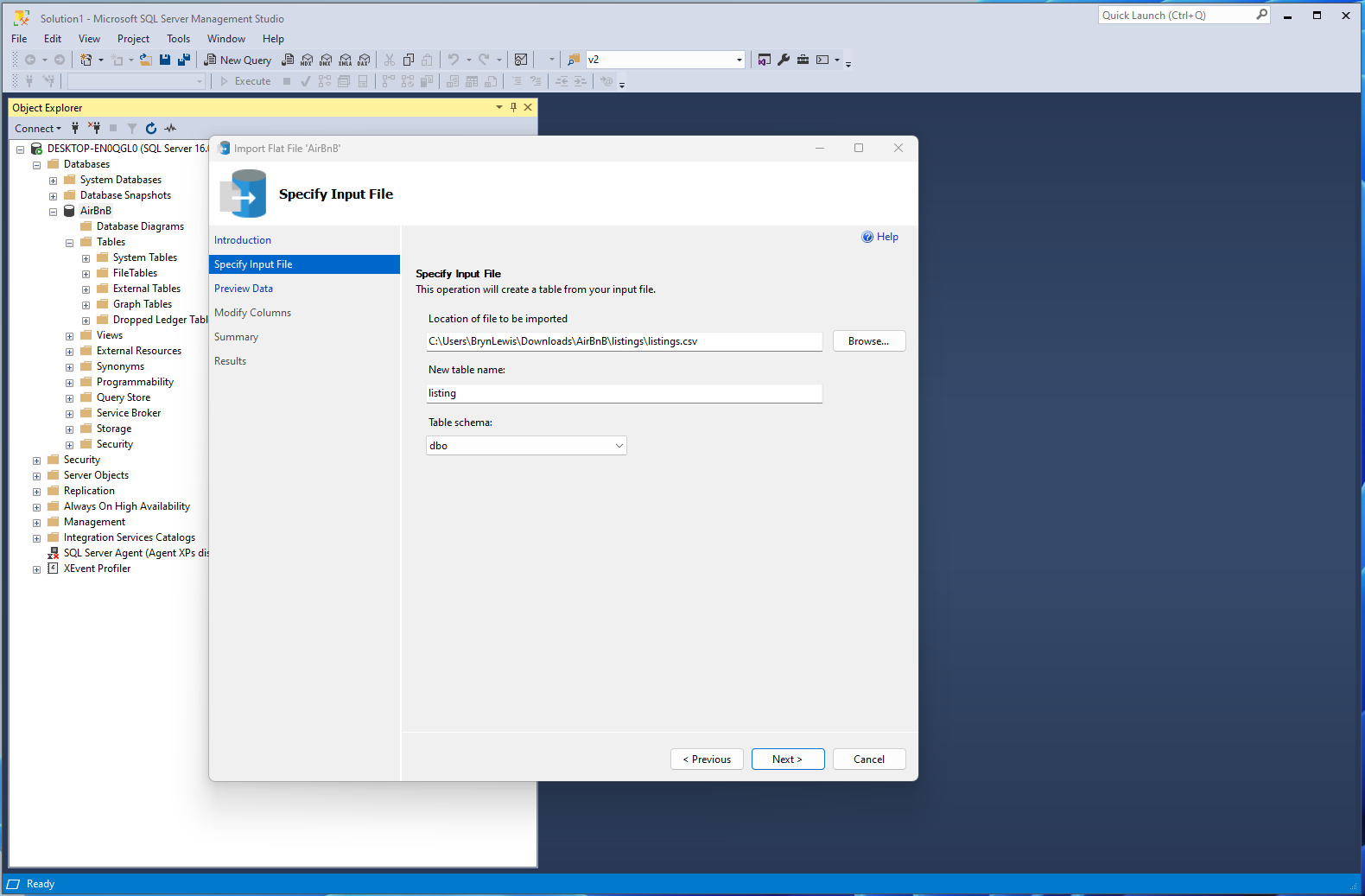
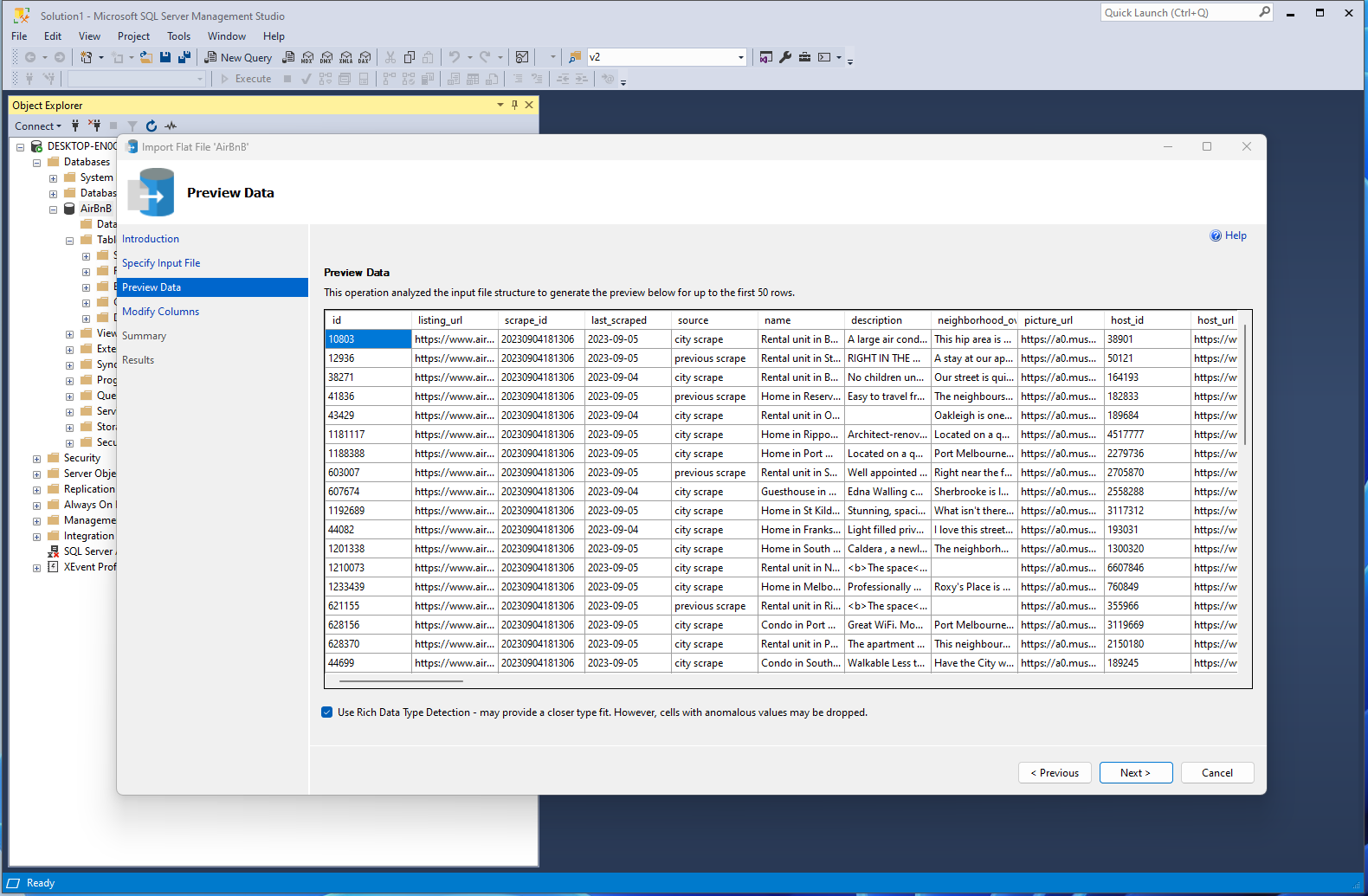
SSMS Import Flat File task configuration

I used the SQL Server Managment Studio (SSMS) “Import flat file” task to load listings.csv.

SSMS Import Flat File task column selection failure

I had to manually update some of the “suggested” column types which “broke” the import flat file task.

SSMS Import Flat File task column designer

The tinyint or smallint columns which caused conversion errors were changed to an integer column and any text column that which caused a truncation error was changed to an NVARCHAR(MAX) column.

SSMS Import Flat File task data preview

The Melbourne Victoria Australia dataset turned out to be pretty “nasty” with lots of nullable and columns that looked like several values had been concatenated.

CREATE TABLE [dbo].[listings](
	[id] [bigint] NOT NULL,
	[listing_url] [nvarchar](50) NOT NULL,
	[scrape_id] [datetime2](7) NOT NULL,
	[last_scraped] [date] NOT NULL,
	[source] [nvarchar](50) NOT NULL,
	[name] [nvarchar](100) NOT NULL,
	[description] [nvarchar](1050) NULL,
	[neighborhood_overview] [nvarchar](1050) NULL,
	[picture_url] [nvarchar](150) NOT NULL,
	[host_id] [int] NOT NULL,
	[host_url] [nvarchar](50) NOT NULL,
	[host_name] [nvarchar](50) NULL,
	[host_since] [date] NULL,
	[host_location] [nvarchar](50) NULL,
	[host_about] [nvarchar](max) NULL,
	[host_response_time] [nvarchar](50) NULL,
	[host_response_rate] [nvarchar](50) NULL,
	[host_acceptance_rate] [nvarchar](50) NULL,
	[host_is_superhost] [bit] NULL,
	[host_thumbnail_url] [nvarchar](150) NULL,
	[host_picture_url] [nvarchar](150) NULL,
	[host_neighbourhood] [nvarchar](50) NULL,
	[host_listings_count] [int] NULL,
	[host_total_listings_count] [int] NULL,
	[host_verifications] [nvarchar](50) NOT NULL,
	[host_has_profile_pic] [nvarchar](50) NULL,
	[host_identity_verified] [bit] NULL,
	[neighbourhood] [nvarchar](max) NULL,
	[neighbourhood_cleansed] [nvarchar](50) NOT NULL,
	[neighbourhood_group_cleansed] [nvarchar](1) NULL,
	[latitude] [float] NOT NULL,
	[longitude] [float] NOT NULL,
	[property_type] [nvarchar](50) NOT NULL,
	[room_type] [nvarchar](50) NOT NULL,
	[accommodates] [tinyint] NOT NULL,
	[bathrooms] [nvarchar](1) NULL,
	[bathrooms_text] [nvarchar](50) NULL,
	[bedrooms] [tinyint] NULL,
	[beds] [tinyint] NULL,
	[amenities] [nvarchar](max) NOT NULL,
	[price] [money] NOT NULL,
	[minimum_nights] [smallint] NOT NULL,
	[maximum_nights] [int] NOT NULL,
	[minimum_minimum_nights] [smallint] NOT NULL,
	[maximum_minimum_nights] [int] NOT NULL,
	[minimum_maximum_nights] [int] NOT NULL,
	[maximum_maximum_nights] [int] NOT NULL,
	[minimum_nights_avg_ntm] [float] NOT NULL,
	[maximum_nights_avg_ntm] [float] NOT NULL,
	[calendar_updated] [nvarchar](1) NULL,
	[has_availability] [bit] NOT NUL\L,
	[availability_30] [tinyint] NOT NULL,
	[availability_60] [tinyint] NOT NULL,
	[availability_90] [tinyint] NOT NULL,
	[availability_365] [smallint] NOT NULL,
	[calendar_last_scraped] [date] NOT NULL,
	[number_of_reviews] [int] NOT NULL,
	[number_of_reviews_ltm] [int] NOT NULL,
	[number_of_reviews_l30d] [tinyint] NOT NULL,
	[first_review] [date] NULL,
	[last_review] [date] NULL,
	[review_scores_rating] [float] NULL,
	[review_scores_accuracy] [float] NULL,
	[review_scores_cleanliness] [float] NULL,
	[review_scores_checkin] [float] NULL,
	[review_scores_communication] [float] NULL,
	[review_scores_location] [float] NULL,
	[review_scores_value] [float] NULL,
	[license] [nvarchar](1) NULL,
	[instant_bookable] [bit] NOT NULL,
	[calculated_host_listings_count] [int] NOT NULL,
	[calculated_host_listings_count_entire_homes] [tinyint] NOT NULL,
	[calculated_host_listings_count_private_rooms] [tinyint] NOT NULL,
	[calculated_host_listings_count_shared_rooms] [bit] NULL,
	[reviews_per_month] [float] NULL,
 CONSTRAINT [PK_listings] PRIMARY KEY CLUSTERED 
(
	[id] ASC
)

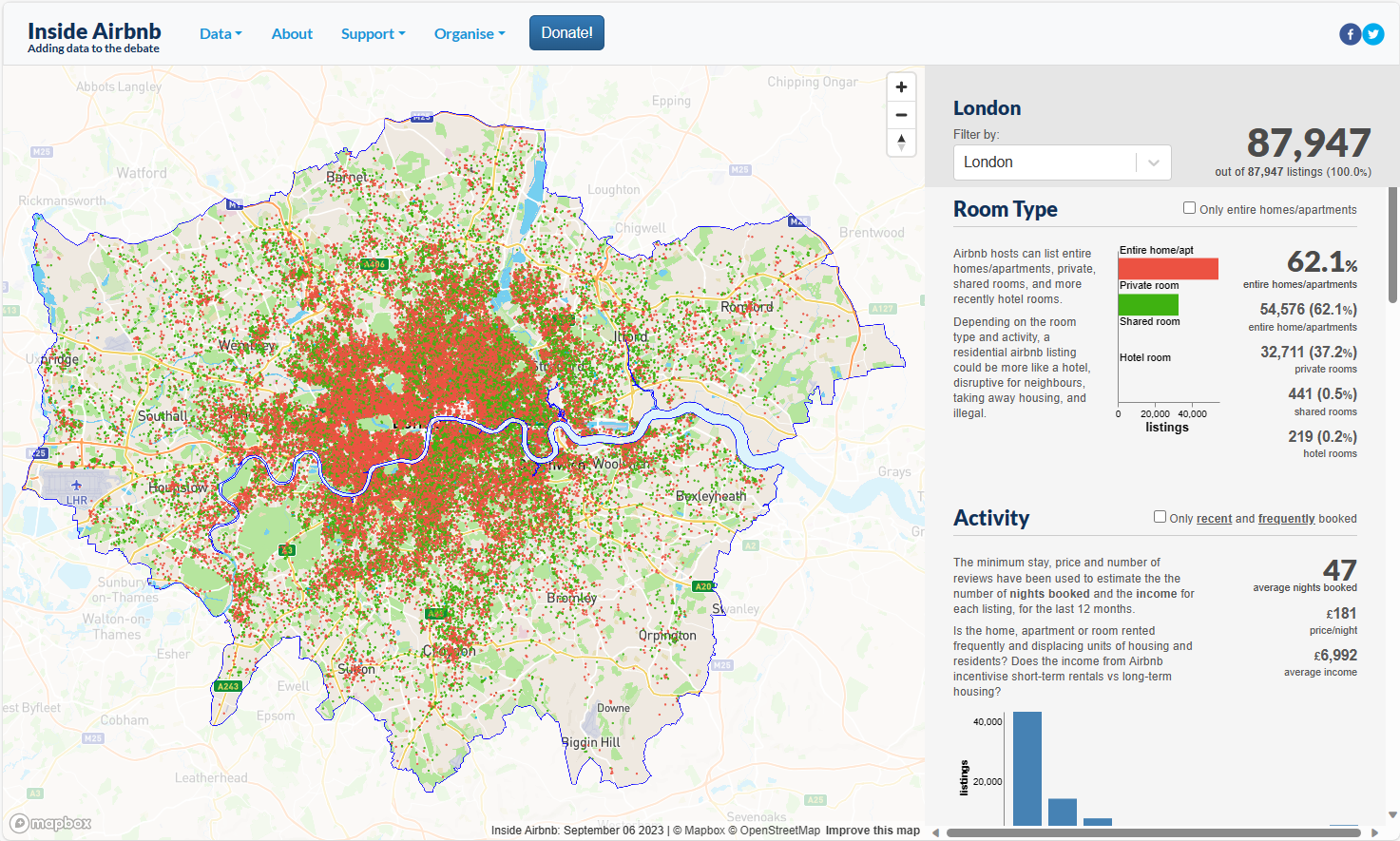
On the Kaggle website there was a study of an Airbnb dataset from Singapore which looked better but was a significantly smaller with only 3483 listings. After some “exploration” of the available datasets on Inside Airbnb the London one looked pretty good.

Inside Airbnb map of London listings

The “suggested” table structure for the London dataset looks a lot better so I will use if for my ASP.NET Core Minimal APIs posts

CREATE TABLE [dbo].[listings](
	[id] [bigint] NOT NULL,
	[name] [nvarchar](max) NOT NULL,
	[host_id] [int] NOT NULL,
	[host_name] [nvarchar](50) NULL,
	[neighbourhood_group] [nvarchar](1) NULL,
	[neighbourhood] [nvarchar](50) NOT NULL,
	[latitude] [float] NOT NULL,
	[longitude] [float] NOT NULL,
	[room_type] [nvarchar](50) NOT NULL,
	[price] [money] NOT NULL,
	[minimum_nights] [smallint] NOT NULL,
	[number_of_reviews] [int] NOT NULL,
	[last_review] [date] NULL,
	[reviews_per_month] [float] NULL,
	[calculated_host_listings_count] [int] NOT NULL,
	[availability_365] [smallint] NOT NULL,
	[number_of_reviews_ltm] [int] NOT NULL,
	[license] [nvarchar](50) NULL,
 CONSTRAINT [PK_listings] PRIMARY KEY CLUSTERED 
(
	[id] ASC
)

Some of the columns will need to be “unpacked” e.g. “Rental unit in Islington · ★4.80 · 1 bedroom · 1 bed · 1 shared bath” but this shouldn’t be an issue.

Myriota Connector – Azure IoT Hub Downlink Methods

The Azure IoT Hub Cloud to Device(C2D) messaging approach didn’t work at all well with the Myriota Application Programming Interface(API). A downlink message can take up to 24hrs to be delivered and the Myriota (API) doesn’t currently queue control messages. Also, the Myriota (API) control message send method responds with 400 Bad Request if there is already a message being sent to a device. Azure IoT Hubs also support Direct Methods which provide immediate confirmation of the result of a request.

The Method Callback Delegate has different parameters, so I had to update the downlink formatter interface and update all of the sample downlink payload formatters.

public interface IFormatterDownlink
{
   public byte[] Evaluate(string terminalId, string methodName, JObject? payloadJson, byte[] payloadBytes);
}

How direct methods will be processed is configured in the application settings. For each direct method name the downlink payload formatter to be invoked and an optional Javascript Object Notation(JSON) payload can be configured.

"IoTHub": {
   ...
   "Methods": {
      "LightsGoOn": {
         "Formatter": "LightsOffOn.cs",
         "Payload": "{\"Light\": true}"
      },
      "LightsGoOff": {
         "Formatter": "LightsOffOn.cs",
         "Payload": "{\"Light\": false}"
      },
      "FanSpeed": {
         "Formatter": "FanSpeed.cs",
         "Payload": ""
      },
...
}

If there is no configuration for the direct method name, the payload formatter specified in Myriota device “DownlinkDefault” Attribute is used, and if that is not configured the default formatter in the payloadFormatters section of the application settings is used.

namespace devMobile.IoT.MyriotaAzureIoTConnector.Connector
{
   internal class IoTHubDownlink(ILogger<IoTHubDownlink> _logger, IOptions<Models.AzureIoT> azureIoTSettings, IPayloadFormatterCache _payloadFormatterCache, IMyriotaModuleAPI _myriotaModuleAPI) : IIoTHubDownlink
   {
      private readonly Models.AzureIoT _azureIoTSettings = azureIoTSettings.Value;

      public async Task<MethodResponse> IotHubMethodHandler(MethodRequest methodRequest, object userContext)
      {
         // DIY request identifier so processing progress can be tracked in Application Insights
         string requestId = Guid.NewGuid().ToString();

         Models.DeviceConnectionContext context = (Models.DeviceConnectionContext)userContext;

         try
         {
            _logger.LogInformation("Downlink- TerminalId:{TerminalId} RequestId:{requestId} Name:{Name}", context.TerminalId, requestId, methodRequest.Name);

            // Lookup payload formatter name, none specified use context one which is from device attributes or the default in configuration
            string payloadFormatterName;
            if (_azureIoTSettings.IoTHub.Methods.TryGetValue(methodRequest.Name, out Models.AzureIoTHubMethod? method) && !string.IsNullOrEmpty(method.Formatter))
            {
               payloadFormatterName = method.Formatter;

               _logger.LogInformation("Downlink- IoT Hub TerminalID:{TermimalId} RequestID:{requestId} Method formatter:{payloadFormatterName} ", context.TerminalId, requestId, payloadFormatterName);
            }
            else
            {
               payloadFormatterName = context.PayloadFormatterDownlink;

               _logger.LogInformation("Downlink- IoT Hub TerminalID:{TermimalId} RequestID:{requestId} Context formatter:{payloadFormatterName} ", context.TerminalId, requestId, payloadFormatterName);
            }

            // Display methodRequest.Data as Hex
            if (methodRequest.Data is not null)
            {
               _logger.LogInformation("Downlink- IoT Hub TerminalID:{TerminalId} RequestID:{requestId} Data:{Data}", context.TerminalId, requestId, BitConverter.ToString(methodRequest.Data));
            }
            else
            {
               _logger.LogInformation("Downlink- IoT Hub TerminalID:{TerminalId} RequestID:{requestId} Data:null", context.TerminalId, requestId);
            }

            JObject? requestJson = null;

            if ((method is not null) && !string.IsNullOrWhiteSpace(method.Payload))
            {
               // There is a matching method with a possible JSON payload
               string payload = method.Payload.Trim();

               if ((payload.StartsWith('{') && payload.EndsWith('}')) || (payload.StartsWith('[') && payload.EndsWith(']')))
               {
                  // The payload is could be JSON
                  try
                  {
                     requestJson = JObject.Parse(payload);
                  }
                  catch (JsonReaderException jex)
                  {
                     _logger.LogWarning(jex, "Downlink- IoT Hub TerminalID:{TerminalId} RequestID:{requestId} Method Payload is not valid JSON", context.TerminalId, requestId);

                     return new MethodResponse(Encoding.ASCII.GetBytes($"{{\"message\":\"RequestID:{requestId} Method payload is not valid JSON.\"}}"), (int)HttpStatusCode.UnprocessableEntity);
                  }
               }
               else
               {
                  // The payload couldn't be JSON
                  _logger.LogWarning("Downlink- IoT Hub TerminalID:{TerminalId} RequestID:{requestId} Method Payload is definitely not valid JSON", context.TerminalId, requestId);

                  return new MethodResponse(Encoding.ASCII.GetBytes($"{{\"message\":\"RequestID:{requestId} Method payload is definitely not valid JSON.\"}}"), (int)HttpStatusCode.UnprocessableEntity);
               }

               _logger.LogInformation("Downlink- IoT Hub TerminalID:{TerminalId} RequestID:{requestId} Method Payload:{requestJson}", context.TerminalId, requestId, JsonConvert.SerializeObject(requestJson, Formatting.Indented));
            }
            else
            {
               // If there was not matching method or the payload was "empty" see if the method request payload is valid
               if (!string.IsNullOrWhiteSpace(methodRequest.DataAsJson))
               {
                  string payload = methodRequest.DataAsJson.Trim();

                  if ((payload.StartsWith('{') && payload.EndsWith('}')) || (payload.StartsWith('[') && payload.EndsWith(']')))
                  {
                     // The payload is could be JSON
                     try
                     {
                        requestJson = JObject.Parse(payload);

                        _logger.LogInformation("Downlink- IoT Hub TerminalID:{TerminalId} RequestID:{requestId} DataAsJson:{requestJson}", context.TerminalId, requestId, JsonConvert.SerializeObject(requestJson, Formatting.Indented));
                     }
                     catch (JsonReaderException jex)
                     {
                        _logger.LogInformation(jex, "Downlink- IoT Hub TerminalID:{TerminalId} RequestID:{requestId} DataAsJson is not valid JSON", context.TerminalId, requestId);
                     }
                  }
               }
            }

            // This "shouldn't" fail, but it could for invalid path to blob, timeout retrieving blob, payload formatter syntax error etc.
            IFormatterDownlink payloadFormatter = await _payloadFormatterCache.DownlinkGetAsync(payloadFormatterName);

            if ( requestJson is null ) 
            { 
               requestJson = new JObject();
            }

            // This also "shouldn't" fail, but the payload formatters can throw runtime exceptions like null reference, divide by zero, index out of range etc.
            byte[] payloadBytes = payloadFormatter.Evaluate(context.TerminalId, methodRequest.Name, requestJson, methodRequest.Data);

            // Validate payload before calling Myriota control message send API method
            if (payloadBytes is null)
            {
               _logger.LogWarning("Downlink- IoT Hub TerminalID:{TerminalId} Request:{requestId} Evaluate returned null", context.TerminalId, requestId);

               return new MethodResponse(Encoding.ASCII.GetBytes($"{{\"message\":\"RequestID:{requestId} payload evaluate returned null.\"}}"), (int)HttpStatusCode.UnprocessableEntity);
            }

            if ((payloadBytes.Length < Constants.DownlinkPayloadMinimumLength) || (payloadBytes.Length > Constants.DownlinkPayloadMaximumLength))
            {
               _logger.LogWarning("Downlink- IoT Hub TerminalID:{TerminalId} RequestID:{requestId} PayloadBytes:{payloadBytes} length:{Length} invalid, must be {DownlinkPayloadMinimumLength} to {DownlinkPayloadMaximumLength} bytes", context.TerminalId, requestId, BitConverter.ToString(payloadBytes), payloadBytes.Length, Constants.DownlinkPayloadMinimumLength, Constants.DownlinkPayloadMaximumLength); ;

               return new MethodResponse(Encoding.ASCII.GetBytes($"{{\"message\":\"RequestID:{requestId} payload evaluation length invalid.\"}}"), (int)HttpStatusCode.UnprocessableEntity);
            }

            // Finally send Control Message to device using the Myriota API
            _logger.LogInformation("Downlink- IoT Hub TerminalID:{TerminalId} RequestID:{requestID} PayloadBytes:{payloadBytes} Length:{Length} sending", context.TerminalId, requestId, BitConverter.ToString(payloadBytes), payloadBytes.Length);

            string messageId = await _myriotaModuleAPI.SendAsync(context.TerminalId, payloadBytes);

            _logger.LogInformation("Downlink- IoT Hub TerminalID:{TerminalId} RequestID:{requestId} Myriota MessageID:{messageId} sent", context.TerminalId, requestId, messageId);
         }
         catch (Exception ex)
         {
            _logger.LogError(ex, "Downlink- IoT Hub TerminalID:{TerminalId} RequestID:{requestId} IotHubMethodHandler processing failed", context.TerminalId, requestId);

            return new MethodResponse(Encoding.ASCII.GetBytes($"{{\"message\":\"TerminalID:{context.TerminalId} RequestID:{requestId} method handler failed.\"}}"), (int)HttpStatusCode.InternalServerError);
         }

         return new MethodResponse(Encoding.ASCII.GetBytes($"{{\"message\":\"TerminalID:{context.TerminalId} RequestID:{requestId} Message sent successfully.\"}}"), (int)HttpStatusCode.OK);
      }
   }
}

The validation of Direct Method MessageRequest DataAsJson and the method configuration payload is a three-step process, first any leading or trailing whitespace is removed, then the first and last characters are checked as a JSON payload has to enclosed in {}(an object) or [] (an array) characters, then finally JObject.Parse is used to populate a JObject.

If the method configuration payload is “broken” an HTTP 422 Unprocessable content is returned. If the MessageRequest DataAsJson is “broken” only the Direct Method MessageRequest Payload passed to the evaluator.

Azure IoT Explorer Invoking FanSpeed method with correct JSON payload

I used Azure IoT Explorer to invoke C2D methods with optional “hand-crafted” JavaScript Object Notation(JSON) payloads.

public class FormatterDownlink : PayloadFormatter.IFormatterDownlink
{
   public byte[] Evaluate(string terminalId, string methodName, JObject payloadJson, byte[] payloadBytes)
   {
      byte? status = payloadJson.GetValue("FanSpeed", StringComparison.OrdinalIgnoreCase)?.Value<byte>();

      if (!status.HasValue)
      {
         return new byte[] { };
      }

      return new byte[] { 1, status.Value };
   }
}

The FanSpeed.cs payload formatter extracts the FanSpeed value from the JSON payload and returns a two byte array containing the message type and speed of the fan.

Azure Function application displaying Diagnostic information for control message

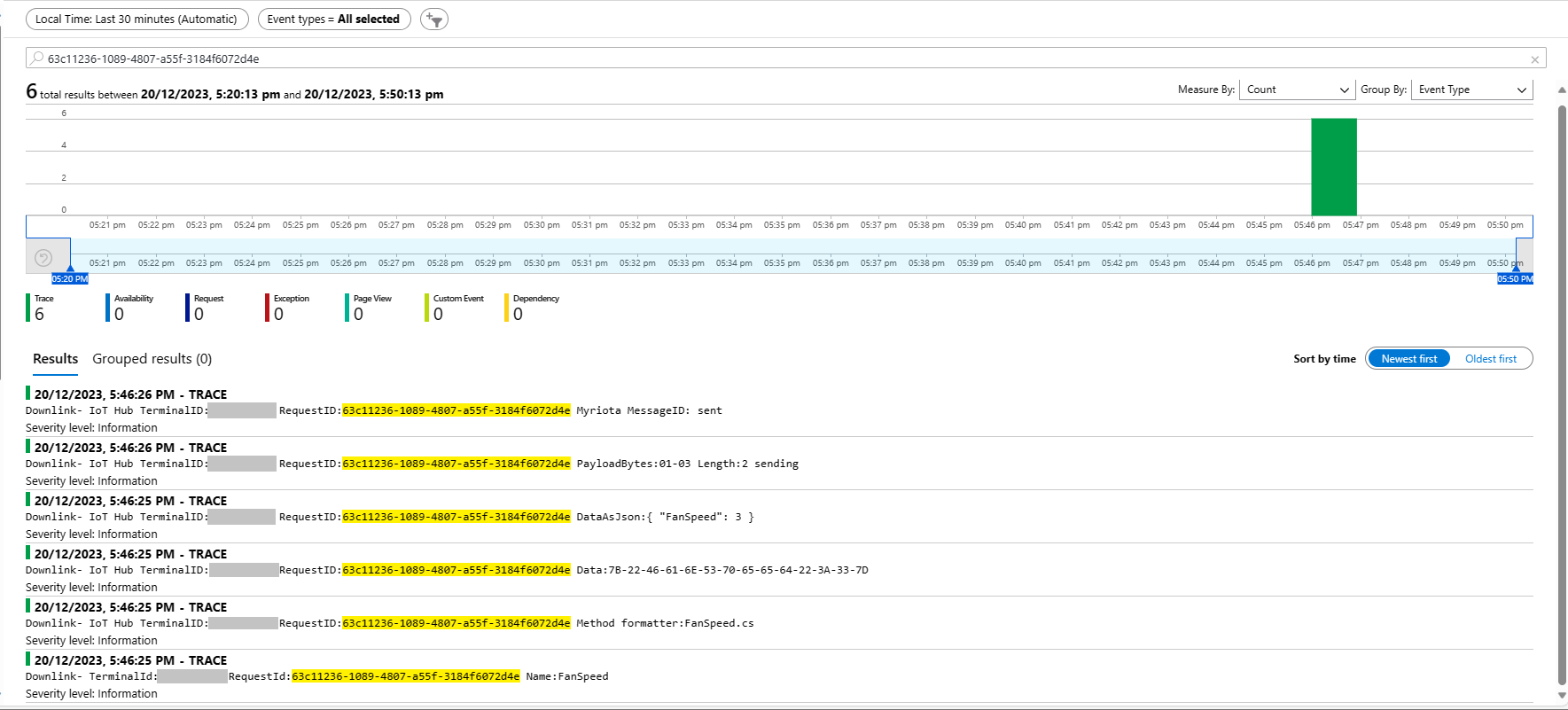
Each logging message starts with the TerminalID (to simplify searching for all the direct methods invoked on a device) and the requestId a Globally Unique Identifier (GUID) to simplify searching for all the “steps” associated with sending a message) with the rest of the logging message containing “step” specific diagnostic information.

Azure Application Insights displaying information diagnostic information
Myriota Device manager control message history displaying pending control message

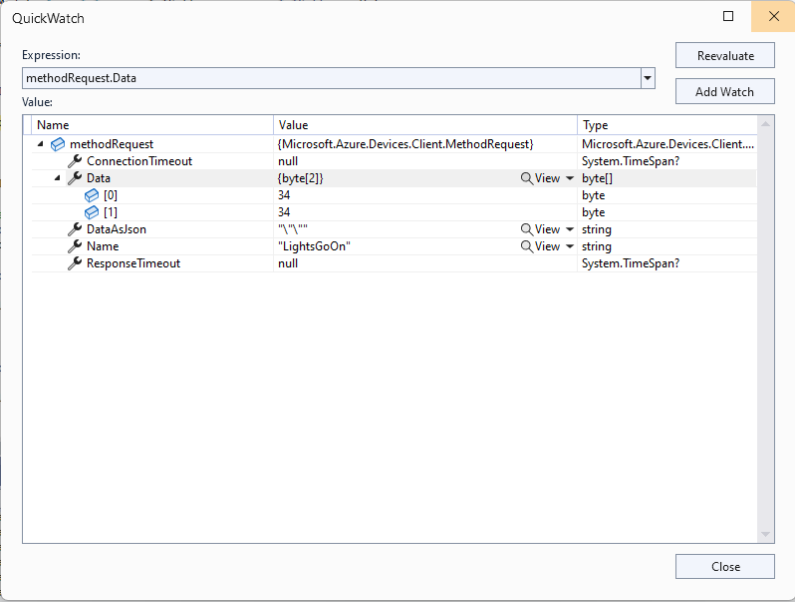
The Azure IoT Explorer payload for an empty message contained two ” characters which is a bit odd. I will have to build a test application which uses the Azure IoT Hub C2D direct method API to see if this is a “feature”.

Myriota Connector – Azure IoT Hub Downlink logging refactor

After several refactorings the code stabilised and the Azure IoT Hub downlink message handler (configured with SetMethodDefaultHandlerAsync ) was ready for testing. I used Azure IoT Explorer to send some “hand-crafted” JavaScript Object Notation(JSON) Cloud to Device(C2D) messages.

Each logging message starts with the TerminalID (to simplify searching for all the messages sent to a device) and the message LockToken (to simplify searching for all the “steps” associated with sending a message) with the rest of the logging message containing “step” specific diagnostic information.

Successful Azure IoT Explorer C2D JSON Message

If there is no PayloadFormatter attribute the default in the PayloadFormatters section of the function configuration is used.

using System;
using System.Collections.Generic;

using Newtonsoft.Json;
using Newtonsoft.Json.Linq;

public class FormatterDownlink : PayloadFormatter.IFormatterDownlink
{
   public byte[] Evaluate(IDictionary<string, string> properties, string terminalId, JObject payloadJson, byte[] payloadBytes)
   {
      byte? status = payloadJson.Value<byte?>("FanSpeed");

      if (!status.HasValue)
      {
         return new byte[] { };
      }

      return new byte[] { 1, status.Value };
   }
}

The FanSpeed.cs payload formatter extracts the FanSpeed value from the JSON payload and returns a two byte array containing the message type and speed of the fan.

Azure IoT Function running waiting for a C2D message

After re-reading the SetMethodHandlerAync documentation I refactored the code (back to the approach used a couple of branches ago) with the “using” wrapping the try/catch.

public async Task AzureIoTHubMessageHandler(Message message, object userContext)
{
   Models.DeviceConnectionContext context = (Models.DeviceConnectionContext)userContext;

   _logger.LogInformation("Downlink- IoT Hub TerminalId:{TermimalId} LockToken:{LockToken}", context.TerminalId, message.LockToken);

   using (message) // https://learn.microsoft.com/en-us/dotnet/api/microsoft.azure.devices.client.deviceclient.setreceivemessagehandlerasync?view=azure-dotnet
   {
      try
      {
         // Replace default formatter with message specific formatter if configured.
         if (!message.Properties.TryGetValue(Constants.IoTHubDownlinkPayloadFormatterProperty, out string? payloadFormatterName) || string.IsNullOrEmpty(payloadFormatterName))
         {
            _logger.LogInformation("Downlink- IoT Hub TerminalID:{TermimalId} LockToken:{LockToken} Context formatter:{payloadFormatterName} ", context.TerminalId, message.LockToken, payloadFormatterName);

            payloadFormatterName = context.PayloadFormatterDownlink;
         }
         else
         {
            _logger.LogInformation("Downlink- IoT Hub TerminalID:{TermimalId} LockToken:{LockToken} Property formatter:{payloadFormatterName} ", context.TerminalId, message.LockToken, payloadFormatterName);
         }


         // If GetBytes fails payload really badly broken
         byte[] messageBytes = message.GetBytes();

         _logger.LogInformation("Downlink- IoT Hub TerminalID:{TerminalId} LockToken:{LockToken} Message bytes:{messageBytes}", context.TerminalId, message.LockToken, BitConverter.ToString(messageBytes));


         // Try converting the bytes to text then to JSON
         JObject? messageJson = null;
         try
         {
            // These will fail for some messages, payload formatter gets bytes only
            string messageText = Encoding.UTF8.GetString(messageBytes);

            try
            {
               messageJson = JObject.Parse(messageText);

               _logger.LogInformation("Downlink- IoT Hub TerminalID:{TerminalId} LockToken:{LockToken} JSON:{messageJson}", context.TerminalId, message.LockToken, JsonConvert.SerializeObject(messageJson, Formatting.Indented));
            }
            catch (JsonReaderException jex)
            {
               _logger.LogInformation(jex, "Downlink- IoT Hub TerminalID:{TerminalId} LockToken:{LockToken} not valid JSON", context.TerminalId, message.LockToken);
            }
         }
         catch (ArgumentException aex)
         {
            _logger.LogInformation(aex, "Downlink- IoT Hub TerminalID:{TerminalId} LockToken:{LockToken} message bytes not valid text", context.TerminalId, message.LockToken);
         }


         // This shouldn't fail, but it could for invalid path to blob, timeout retrieving blob, payload formatter syntax error etc.
         IFormatterDownlink payloadFormatter = await _payloadFormatterCache.DownlinkGetAsync(payloadFormatterName);

         // This will fail if payload formatter throws runtime exceptions like null reference, divide by zero, index out of range etc.
         byte[] payloadBytes = payloadFormatter.Evaluate(message.Properties, context.TerminalId, messageJson, messageBytes);


         // Validate payload before calling Myriota control message send API method
         if (payloadBytes is null)
         {
            _logger.LogWarning("Downlink- IoT Hub TerminalID:{TerminalId} LockToken:{LockToken} payload formatter:{payloadFormatter} Evaluate returned null", context.TerminalId, message.LockToken, payloadFormatterName);

            await context.DeviceClient.RejectAsync(message);

            return;
         }

         if ((payloadBytes.Length < Constants.DownlinkPayloadMinimumLength) || (payloadBytes.Length > Constants.DownlinkPayloadMaximumLength))
         {
            _logger.LogWarning("Downlink- IoT Hub TerminalID:{TerminalId} LockToken:{LockToken} PayloadBytes:{payloadBytes} length:{Length} invalid must be {DownlinkPayloadMinimumLength} to {DownlinkPayloadMaximumLength} bytes", context.TerminalId, message.LockToken, Convert.ToHexString(payloadBytes), payloadBytes.Length, Constants.DownlinkPayloadMinimumLength, Constants.DownlinkPayloadMaximumLength);

            await context.DeviceClient.RejectAsync(message);

            return;
         }


         // Finally send Control Message to device using the Myriota API
         _logger.LogInformation("Downlink- IoT Hub TerminalID:{TerminalId} LockToken:{LockToken} PayloadBytes:{payloadBytes} Length:{Length} sending", context.TerminalId, message.LockToken, BitConverter.ToString(payloadBytes), payloadBytes.Length);

         string messageId = await _myriotaModuleAPI.SendAsync(context.TerminalId, payloadBytes);

         _logger.LogInformation("Downlink- IoT Hub TerminalID:{TerminalId} LockToken:{LockToken} MessageID:{messageId} sent", context.TerminalId, message.LockToken, messageId);

         await context.DeviceClient.CompleteAsync(message);
      }
      catch (Exception ex)
      {
         _logger.LogError(ex, "Downlink- IoT Hub TerminalID:{TerminalId} LockToken:{LockToken} MessageHandler processing failed", context.TerminalId, message.LockToken);

         await context.DeviceClient.RejectAsync(message);
      }
   }
}

The first time I ran the myriotaAzureIoTConnector Azure function in the Core Tools debugging environment there were no errors and the Microsoft.Azure.Devices.Client.DeviceClient connection cache loaded in the background.

Azure IoT Function failing with a SystemArgumentOutOfRangeException

The first time I sent a downlink message the handler failed spectacularly with a SystemArgumentOutOfRangeException

After adding some breakpoints, restarting the application, then single stepping through the code I found that I had accidentally used BitConverter.ToSingle(payloadBytes) instead of BitConverter.ToString(payloadBytes) to get the Hexadecimal representation of the payload bytes.

...
// Finally send Control Message to device using the Myriota API
_logger.LogInformation("Downlink- IoT Hub TerminalID:{TerminalId} LockToken:{LockToken} PayloadBytes:{payloadBytes} Length:{Length} sending", context.TerminalId, message.LockToken, BitConverter.ToString(payloadBytes), payloadBytes.Length);

string messageId = await _myriotaModuleAPI.SendAsync(context.TerminalId, payloadBytes);
...
Azure IoT Function successfully sending downlink message.

The Encoding.UTF8.GetString and JObject.Parse are processed in a single Try with a specialised catch for when the payload cannot be converted to text. If the payload cannot be converted to JSON only the payloadBytes parameter of payload formatter is populated.

Myriota Connector – Azure IoT Hub Downlink final refactoring

I often print code and review it away from a computer. I can’t be distracted by “tinkering” with the code and I find that drawing on it helps me visualise what is going on. The payload formatters are retrieved from Azure Storage blob which have a default retry policy, the Azure IoT Hub DeviceClient methods have a default retry policy, the Myriota Cloud API SendMessage has retries (Implemented with Polly) and if the CS-Script compilation fails there is nothing that can be done so the code could be simplified.

The Azure IoT Hub downlink message handler was a partial class and part of implementation of the IDeviceConnectionCache which was a hangover from one of the initial versions.

internal partial class DeviceConnectionCache : IDeviceConnectionCache
{
   public async Task AzureIoTHubMessageHandler(Message message, object userContext)
   {
      Models.DeviceConnectionContext context = (Models.DeviceConnectionContext)userContext;

      _logger.LogInformation("Downlink- IoT Hub TerminalId:{termimalId} LockToken:{LockToken}", context.TerminalId, message.LockToken);

I replaced the IDeviceConnectionCache interface with IIoTHubDownlink which was declare in a new file in the interfaces folder.

namespace devMobile.IoT.MyriotaAzureIoTConnector.Connector
{
   public interface IIoTHubDownlink
   {
      public Task AzureIoTHubMessageHandler(Message message, object userContext);
   }
}

Then had to inject all the required dependencies which had been implemented in one of the other partial class files.

internal class IoTHubDownlink : IIoTHubDownlink
{
   private readonly ILogger<IoTHubDownlink> _logger;
   private readonly IPayloadFormatterCache _payloadFormatterCache;
   private readonly IMyriotaModuleAPI _myriotaModuleAPI;

   public IoTHubDownlink(ILogger<IoTHubDownlink> logger, IPayloadFormatterCache payloadFormatterCache, IMyriotaModuleAPI myriotaModuleAPI)
   {
      _logger = logger;
      _payloadFormatterCache = payloadFormatterCache;
      _myriotaModuleAPI = myriotaModuleAPI;
   }
...
}

The implementation had been extracted to a separate class so it had to be constructed by the Dependency Injection plumbing.

...
services.AddSingleton<IPayloadFormatterCache, PayloadFormatterCache>();
services.AddSingleton<IIoTHubDownlink, IoTHubDownlink>();
services.AddSingleton<IIoTCentralDownlink, IoTCentralDownlink>();
services.AddOptions<Models.MyriotaSettings>().Configure<IConfiguration>((settings, configuration) =>
{
    configuration.GetSection("Myriota").Bind(settings);
 });
 services.AddSingleton<IMyriotaModuleAPI, MyriotaModuleAPI>();
...

The lifetime of the Microsoft.Azure.Devices.Client.Message was being managed manually which seemed a bit odd.

public async Task AzureIoTHubMessageHandler(Message message, object userContext)
{
   Models.DeviceConnectionContext context = (Models.DeviceConnectionContext)userContext;

   _logger.LogInformation("Downlink- IoT Hub TerminalId:{termimalId} LockToken:{LockToken}", context.TerminalId, message.LockToken);

   // Use default formatter and replace with message specific formatter if configured.
   string payloadFormatter;
   if (!message.Properties.TryGetValue(Constants.IoTHubDownlinkPayloadFormatterProperty, out payloadFormatter) || string.IsNullOrEmpty(payloadFormatter))
   {
      payloadFormatter = context.PayloadFormatterDownlink;
   }

   _logger.LogInformation("Downlink- IoT Hub TerminalID:{termimalId} LockToken:{LockToken} Payload formatter:{payloadFormatter} ", context.TerminalId, message.LockToken, payloadFormatter);

   try
   {
   ...
   }
   finally
   {
      // Mop up the non managed resources of message
      message.Dispose();
   }
}

I replaced this with a with a “using” which “automagically” manages the lifetime of any non-managed resources. I also added string Locktoken variable for DeviceClient.RejectAsync and DeviceClient.CompletedAsync so that the “using” could be inside the try/catch (there is scope to reduce the amount of code in the “using”)

public async Task AzureIoTHubMessageHandler(Message message, object userContext)
{
   Models.DeviceConnectionContext context = (Models.DeviceConnectionContext)userContext;

   _logger.LogInformation("Downlink- IoT Hub TerminalId:{TermimalId} LockToken:{lockToken}", context.TerminalId, message.LockToken);

   // broken out so using for message only has to be inside try
   string lockToken = message.LockToken; 

   try
   {
      using (message)
      {
...
      }
      catch (Exception ex)
      {
         _logger.LogError(ex, "Downlink- IoT Hub TerminalID:{TerminalId} LockToken:{lockToken} MessageHandler processing failed", context.TerminalId, lockToken);

         await context.DeviceClient.RejectAsync(lockToken);
      }
   }
}

The handling of the Encoding.UTF8.GetString and JObject.Parse payload was broken. If the Encoding.UTF8.GetString threw an exception there was no point in calling the JObject.Parse

// If this fails payload broken
byte[] messageBytes = message.GetBytes();

// This will fail for some messages, payload formatter gets bytes only
string messageText = string.Empty;
try
{
   messageText = Encoding.UTF8.GetString(messageBytes);
}
catch (ArgumentException aex)
{
   _logger.LogInformation("Downlink- IoT Hub TerminalID:{TerminalId} LockToken:{LockToken} messageBytes:{2} not valid Text", context.TerminalId, message.LockToken, BitConverter.ToString(messageBytes));
}

// This will fail for some messages, payload formatter gets bytes only
JObject? messageJson = null;
try
{
   messageJson = JObject.Parse(messageText);
}
catch ( JsonReaderException jex)
{
   _logger.LogInformation("Downlink- IoT Hub TerminalID:{TerminalId} LockToken:{LockToken} messageText:{2} not valid json", context.TerminalId, message.LockToken, BitConverter.ToString(messageBytes));
}

The Encoding.UTF8.GetString and JObject.Parse are now processed in a single Try with a specialised catch handling.

// These will fail for some messages, then payload formatter gets bytes only
string messageText = string.Empty;
JObject? messageJson = null;
try
{
   messageText = Encoding.UTF8.GetString(messageBytes);

   messageJson = JObject.Parse(messageText);
 }
catch (ArgumentException aex)
{
   _logger.LogInformation("Downlink- IoT Hub TerminalID:{TerminalId} LockToken:{lockToken} messageBytes:{messageBytes} not valid text exception:{Message}", context.TerminalId, lockToken, BitConverter.ToString(messageBytes), aex.Message);
}
catch (JsonReaderException jex)
{
   _logger.LogInformation("Downlink- IoT Hub TerminalID:{TerminalId} LockToken:{lockToken} messageText:{messageText} not valid json exception:{Message}", context.TerminalId, lockToken, messageText, jex.Message);
}

// This shouldn't fail, but it could for lots of different reasons, invalid path to blob, syntax error, interface broken etc.
IFormatterDownlink payloadFormatter = await _payloadFormatterCache.DownlinkGetAsync(payloadFormatterName);

This refactored code now looks an awful lot like the “sunny days” code checked in on the 3rd of November.

Myriota Connector – UplinkMessageProcessor Queue Output Binding

The myriota Azure IoT Hub Cloud Identity Translation Gateway uplink message handler Azure Storage Queue Trigger Function wasn’t processing “transient” vs. “permanent” failures well. Sometimes a “permanent” failure message would be retried multiple times by the function runtime before getting moved to the poison queue.
After some experimentation using an Azure Storage Queue Function Output binding to move messages to the poison queue looked like a reasonable approach. (Though, returning null to indicate the message should be removed from the queue was not obvious from the documentation)
[Function("UplinkMessageProcessor")]
[QueueOutput(queueName: "uplink-poison", Connection = "UplinkQueueStorage")]
public async Task<Models.UplinkPayloadQueueDto> UplinkMessageProcessor([QueueTrigger(queueName: "uplink", Connection = "UplinkQueueStorage")] Models.UplinkPayloadQueueDto payload, CancellationToken cancellationToken)
{
...
   // Process each packet in the payload. Myriota docs say only one packet per payload but just incase...
   foreach (Models.QueuePacket packet in payload.Data.Packets)
   {
      // Lookup the device client in the cache or create a new one
      Models.DeviceConnectionContext context;

      try
      {
         context = await _deviceConnectionCache.GetOrAddAsync(packet.TerminalId, cancellationToken);
      }
      catch (DeviceNotFoundException dnfex)
      {
         _logger.LogError(dnfex, "Uplink- PayloadId:{0} TerminalId:{1} terminal not found", payload.Id, packet.TerminalId);

         return payload;
      }
      catch (Exception ex) // Maybe just send to poison queue or figure if transient error?
      {
         _logger.LogError(ex, "Uplink- PayloadId:{0} TerminalId:{1} ", payload.Id, packet.TerminalId);

         throw;
      }
...
         // Proccessing successful, message can be deleted by QueueTrigger plumbing
         return null;
      }

After building and testing an Azure Storage Queue Function Output binding implementation I’m not certain that it is a good approach. The code is a bit “chunky” and I have had to implement more of the retry process logic.

ML.Net YoloV5 + Security Camera “async” fail

While debugging my AzureIoTSmartEdgeCamera application I kept on getting file locked errors when the image from the security camera downloading which was a bit odd. So, I went back to basics and started with only the compiler directives required to build a “minimalist” version of the application.

If I had been paying attention, I would have noticed the issue here. I had missed that in the first block of System.Console.Writelines that the image download finished after the YoloV5 inferencing started.

#if CAMERA_SECURITY
private void SecurityCameraImageCapture()
{
	_logger.LogTrace("Security Camera Image download start");

	NetworkCredential networkCredential = new NetworkCredential()
	{
		UserName = _securityCameraSettings.CameraUserName,
		Password = _securityCameraSettings.CameraUserPassword,
	};

	using (WebClient client = new WebClient())
	{
		client.Credentials = networkCredential;

		client.DownloadFile(_securityCameraSettings.CameraUrl, _applicationSettings.ImageCameraFilepath);
	}

	_logger.LogTrace("Security Camera Image download done");
}
#endif

I had replaced the System.Net.WebClient(deprecated) image download implementation with code that retrieved images from the security camera using System.Net.Http.HttpClient.

#if CAMERA_SECURITY
      private async Task SecurityCameraImageCapture()
      {
         _logger.LogTrace("Security Camera Image download start");

         using (Stream cameraStream = await _httpClient.GetStreamAsync(_securityCameraSettings.CameraUrl))
         using (Stream fileStream = File.Create(_applicationSettings.ImageCameraFilepath))
         {
            await cameraStream.CopyToAsync(fileStream);
         }

         _logger.LogTrace("Security Camera Image download done");
      }
#endif

If I had been paying attention, I would have also noticed the issue here..

Console output of maximalist application

When I changed the compiler definitions to turn on pretty much every feature the issue became really really obvious because the “Security Camera Image download done” message wasn’t displayed.

#if CAMERA_RASPBERRY_PI
				RaspberryPIImageCapture();
#endif
#if CAMERA_SECURITY
				SecurityCameraImageCapture();
#endif

The original code to get the image from the camera was synchronous and I had forgotten to add an await.

#if CAMERA_RASPBERRY_PI
			RaspberryPIImageCapture();
#endif
#if CAMERA_SECURITY
            await SecurityCameraImageCaptureAsync();
#endif   

I then updated the code and the application worked as expected.

Console output of working maximalist application

Summary

Would have saved myself a lot of time if I had paid attention to the debugging information and compiler warnings.

Myriota Connector – Azure IoT Hub Downlink refactoring

The myriota Azure IoT Hub Cloud Identity Translation Gateway downlink message handler was getting a bit “chunky”. So, I started by stripping the code back to the absolute bare minimum that would “work”.

public async Task AzureIoTHubMessageHandler(Message message, object userContext)
{
   Models.DeviceConnectionContext context = (Models.DeviceConnectionContext)userContext;

   _logger.LogInformation("Downlink- IoT Hub TerminalId:{termimalId} LockToken:{LockToken}", context.TerminalId, message.LockToken);

   try
   {

      await context.DeviceClient.CompleteAsync(message);
   }
   catch (Exception ex)
   {
      await context.DeviceClient.RejectAsync(message);

      _logger.LogError(ex, "Downlink- IoT Hub TerminalID:{terminalId} LockToken:{LockToken} failed", context.TerminalId, message.LockToken );
   }
}

Then the code was then extended so it worked for “sunny day” scenarios. The payload formatter was successfully retrieved from the configured Azure Storage Blob, CS-Script successfully compiled the payload formatter, the message payload was valid text, the message text was valid Javascript Object Notation(JSON), the JSON was successfully processed by the compiled payload formatter, and finally the payload was accepted by the Myriota Cloud API.

public async Task AzureIoTHubMessageHandler(Message message, object userContext)
{
   Models.DeviceConnectionContext context = (Models.DeviceConnectionContext)userContext;

   _logger.LogInformation("Downlink- IoT Hub TerminalId:{termimalId} LockToken:{LockToken}", context.TerminalId, message.LockToken);

   string payloadFormatter;

   // Use default formatter and replace with message specific formatter if configured.
   if (!message.Properties.TryGetValue(Constants.IoTHubDownlinkPayloadFormatterProperty, out payloadFormatter) || string.IsNullOrEmpty(payloadFormatter))
   {
      payloadFormatter = context.PayloadFormatterDownlink;
   }

   _logger.LogInformation("Downlink- IoT Hub TerminalID:{termimalId} LockToken:{LockToken} Payload formatter:{payloadFormatter} ", context.TerminalId, message.LockToken, payloadFormatter);

   try
   {
      IFormatterDownlink payloadFormatterDownlink = await _payloadFormatterCache.DownlinkGetAsync(payloadFormatter);

      byte[] messageBytes = message.GetBytes();

      string messageText = Encoding.UTF8.GetString(messageBytes);

      JObject messageJson = JObject.Parse(messageText);

      byte[] payloadBytes = payloadFormatterDownlink.Evaluate(message.Properties, context.TerminalId, messageJson, messageBytes);

      string messageId = await _myriotaModuleAPI.SendAsync(context.TerminalId, payloadBytes);

      _logger.LogInformation("Downlink- IoT Hub TerminalID:{terminalId} LockToken:{LockToken} MessageID:{messageId} sent", context.TerminalId, message.LockToken, messageId);
      
      await context.DeviceClient.CompleteAsync(message);
   }
   catch (Exception ex)
   {
      await context.DeviceClient.RejectAsync(message);

      _logger.LogError(ex, "Downlink- IoT Hub TerminalID:{terminalId} LockToken:{LockToken} failed", context.TerminalId, message.LockToken);
   }
}

Then code was then extended to handle message payloads which were problematic but not “failures”

public async Task AzureIoTHubMessageHandler(Message message, object userContext)
{
   Models.DeviceConnectionContext context = (Models.DeviceConnectionContext)userContext;

   _logger.LogInformation("Downlink- IoT Hub TerminalId:{termimalId} LockToken:{LockToken}", context.TerminalId, message.LockToken);

   string payloadFormatter;

   // Use default formatter and replace with message specific formatter if configured.
   if (!message.Properties.TryGetValue(Constants.IoTHubDownlinkPayloadFormatterProperty, out payloadFormatter) || string.IsNullOrEmpty(payloadFormatter))
   {
      payloadFormatter = context.PayloadFormatterDownlink;
   }

   _logger.LogInformation("Downlink- IoT Hub TerminalID:{termimalId} LockToken:{LockToken} Payload formatter:{payloadFormatter} ", context.TerminalId, message.LockToken, payloadFormatter);

   try
   {
      // If this fails payload broken
      byte[] messageBytes = message.GetBytes();

      string messageText = string.Empty;
      JObject messageJson = null;

      // These will fail for some messages, gets bytes only
      try
      {
         messageText = Encoding.UTF8.GetString(messageBytes);

         messageJson = JObject.Parse(messageText);
      }
      catch (ArgumentException aex)
      {
         _logger.LogInformation("Downlink-DeviceID:{DeviceId} LockToken:{LockToken} messageBytes:{2} not valid Text", context.TerminalId, message.LockToken, BitConverter.ToString(messageBytes));
      }
      catch( JsonReaderException jex)
      {
         _logger.LogInformation("Downlink-DeviceID:{DeviceId} LockToken:{LockToken} messageText:{2} not valid json", context.TerminalId, message.LockToken, BitConverter.ToString(messageBytes));
      }

      IFormatterDownlink payloadFormatterDownlink = await _payloadFormatterCache.DownlinkGetAsync(payloadFormatter);

      byte[] payloadBytes = payloadFormatterDownlink.Evaluate(message.Properties, context.TerminalId, messageJson, messageBytes);

      string messageId = await _myriotaModuleAPI.SendAsync(context.TerminalId, payloadBytes);

      await context.DeviceClient.CompleteAsync(message);

      _logger.LogInformation("Downlink- IoT Hub TerminalID:{terminalId} LockToken:{LockToken} MessageID:{messageId} sent", context.TerminalId, message.LockToken, messageId);
   }
   catch (Exception ex)
   {
      await context.DeviceClient.RejectAsync(message);

      _logger.LogError(ex, "Downlink- IoT Hub TerminalID:{terminalId} LockToken:{LockToken} failed", context.TerminalId, message.LockToken);
   }
   finally
   {
      message.Dispose();
   }
}

Then finally the code was modified to gracefully handle broken payloads returned by the payload formatter evaluation, some comments were added, and the non-managed resources of the DeviceClient.Message disposed.

public async Task AzureIoTHubMessageHandler(Message message, object userContext)
{
   Models.DeviceConnectionContext context = (Models.DeviceConnectionContext)userContext;

   _logger.LogInformation("Downlink- IoT Hub TerminalId:{termimalId} LockToken:{LockToken}", context.TerminalId, message.LockToken);

   // Use default formatter and replace with message specific formatter if configured.
   string payloadFormatter;
   if (!message.Properties.TryGetValue(Constants.IoTHubDownlinkPayloadFormatterProperty, out payloadFormatter) || string.IsNullOrEmpty(payloadFormatter))
   {
      payloadFormatter = context.PayloadFormatterDownlink;
   }

   _logger.LogInformation("Downlink- IoT Hub TerminalID:{termimalId} LockToken:{LockToken} Payload formatter:{payloadFormatter} ", context.TerminalId, message.LockToken, payloadFormatter);

   try
   {
      // If this fails payload broken
      byte[] messageBytes = message.GetBytes();

      // This will fail for some messages, payload formatter gets bytes only
      string messageText = string.Empty;
      try
      {
         messageText = Encoding.UTF8.GetString(messageBytes);
      }
      catch (ArgumentException aex)
      {
         _logger.LogInformation("Downlink- IoT Hub TerminalID:{TerminalId} LockToken:{LockToken} messageBytes:{2} not valid Text", context.TerminalId, message.LockToken, BitConverter.ToString(messageBytes));
      }

      // This will fail for some messages, payload formatter gets bytes only
      JObject? messageJson = null;
      try
      {
         messageJson = JObject.Parse(messageText);
      }
      catch ( JsonReaderException jex)
      {
         _logger.LogInformation("Downlink- IoT Hub TerminalID:{TerminalId} LockToken:{LockToken} messageText:{2} not valid json", context.TerminalId, message.LockToken, BitConverter.ToString(messageBytes));
      }

      // This shouldn't fail, but it could for lots of diffent reasons, invalid path to blob, syntax error, interface broken etc.
      IFormatterDownlink payloadFormatterDownlink = await _payloadFormatterCache.DownlinkGetAsync(payloadFormatter);

      // This shouldn't fail, but it could for lots of different reasons, null references, divide by zero, out of range etc.
      byte[] payloadBytes = payloadFormatterDownlink.Evaluate(message.Properties, context.TerminalId, messageJson, messageBytes);

      // Validate payload before calling Myriota control message send API method
      if (payloadBytes is null)
      {
         _logger.LogWarning("Downlink- IoT Hub TerminalID:{terminalId} LockToken:{LockToken} payload formatter:{payloadFormatter} Evaluate returned null", context.TerminalId, message.LockToken, payloadFormatter);

         await context.DeviceClient.RejectAsync(message);

         return;
      }

      if ((payloadBytes.Length < Constants.DownlinkPayloadMinimumLength) || (payloadBytes.Length > Constants.DownlinkPayloadMaximumLength))
      {
         _logger.LogWarning("Downlink- IoT Hub TerminalID:{terminalId} LockToken:{LockToken} payloadData length:{Length} invalid must be {DownlinkPayloadMinimumLength} to {DownlinkPayloadMaximumLength} bytes", context.TerminalId, message.LockToken, payloadBytes.Length, Constants.DownlinkPayloadMinimumLength, Constants.DownlinkPayloadMaximumLength);

         await context.DeviceClient.RejectAsync(message);

         return;
      }

      // This shouldn't fail, but it could few reasons mainly connectivity & message queuing etc.
      _logger.LogInformation("Downlink- IoT Hub TerminalID:{TerminalId} LockToken:{LockToken} PayloadData:{payloadData} Length:{Length} sending", context.TerminalId, message.LockToken, Convert.ToHexString(payloadBytes), payloadBytes.Length);

      // Finally send the message using Myriota API
      string messageId = await _myriotaModuleAPI.SendAsync(context.TerminalId, payloadBytes);

      _logger.LogInformation("Downlink- IoT Hub TerminalID:{TerminalId} LockToken:{LockToken} MessageID:{messageId} sent", context.TerminalId, message.LockToken, messageId);

      await context.DeviceClient.CompleteAsync(message);

      _logger.LogInformation("Downlink- IoT Hub TerminalID:{terminalId} LockToken:{LockToken} MessageID:{messageId} sent", context.TerminalId, message.LockToken, messageId);
   }
   catch (Exception ex)
   {
      await context.DeviceClient.RejectAsync(message);

      _logger.LogError(ex, "Downlink- IoT Hub TerminalID:{terminalId} LockToken:{LockToken} failed", context.TerminalId, message.LockToken);
   }
   finally
   {
      // Mop up the non managed resources of message
      message.Dispose();
   }
}

As the code was being extended, I tested different failures to make sure the Application Insights logging messages were useful. The first failure mode tested was the Azure Storage Blob, path was broken or the blob was missing.

Visual Studio 2022 Debugger blob not found exception message
Application Insights blob not found exception logging

Then a series of “broken” payload formatters were created to test CS-Script compile time failures.

// Broken interface implementation
using System;
using System.Collections.Generic;

using Newtonsoft.Json;
using Newtonsoft.Json.Linq;

public class FormatterDownlink : PayloadFormatter.IFormatterDownlink
{
   public byte[] Evaluate(IDictionary<string, string> properties, string terminalId, byte[] payloadBytes)
   {
      return payloadBytes;
   }
}
Visual Studio 2022 Debugger interface implementation broken exception message
Application Insights interface implementation broken exception logging
// Broken syntax
using System;
using System.Collections.Generic;

using Newtonsoft.Json;
using Newtonsoft.Json.Linq;

public class FormatterDownlink : PayloadFormatter.IFormatterDownlink
{
   public byte[] Evaluate(IDictionary<string, string> properties, string terminalId, JObject payloadJson, byte[] payloadBytes)
   {
      return payloadBytes
   }
}
Visual Studio 2022 Debugger syntax error exception message
Application Insights syntax error exception logging
// Runtime error
using System;
using System.Collections.Generic;

using Newtonsoft.Json;
using Newtonsoft.Json.Linq;

public class FormatterDownlink : PayloadFormatter.IFormatterDownlink
{
   public byte[] Evaluate(IDictionary<string, string> properties, string terminalId, JObject payloadJson, byte[] payloadBytes)
   {
      payloadBytes[20] = 0;

      return payloadBytes;
   }
}
Visual Studio 2022 Debugger runtime error exception message
Application Insights syntax error exception logging

Invalid Myriota Cloud API send control message payload

Visual Studio 2022 Debugger Myriota send failure exception message
Application Insights Myriota send failure exception logging

The final test was sending a downlink message which was valid JSON, contained the correct information for the specified payload formatter and was successfully processed by the Myriota Cloud API.

Azure IoT Explorer with valid JSON payload and payload formatter name
Azure function output of successful downlink message
Application Insights successful downlink message logging

After a couple of hours the I think the downlink messageHandler implementation was significantly improved.

ML.Net YoloV5 + Security Camera Revisited

This post is about “revisiting” my ML.Net YoloV5 + Camera on ARM64 Raspberry PI application, updating it to .NET 6, the latest version of the TechWings yolov5-net (library formerly from mentalstack) and the latest version of the ML.Net Open Neural Network Exchange(ONNX) libraries.

Visual Studio 2022 with updated NuGet packages

The updated TechWings yolov5-net library now uses Six Labors ImageSharp for markup rather than System.Drawing.Common. (I found System.Drawing.Common a massive Pain in the Arse (PiTA))

private static async void ImageUpdateTimerCallback(object state)
{
   DateTime requestAtUtc = DateTime.UtcNow;

   // Just incase - stop code being called while photo already in progress
   if (_cameraBusy)
   {
      return;
   }
   _cameraBusy = true;

   Console.WriteLine($"{DateTime.UtcNow:yy-MM-dd HH:mm:ss} Image processing start");

   try
   {
#if SECURITY_CAMERA
      Console.WriteLine($" {DateTime.UtcNow:yy-MM-dd HH:mm:ss:fff} Security Camera Image download start");

      using (Stream cameraStream = await _httpClient.GetStreamAsync(_applicationSettings.CameraUrl))
      using (Stream fileStream = File.Create(_applicationSettings.ImageInputFilenameLocal))
      {
         await cameraStream.CopyToAsync(fileStream);
      }

      Console.WriteLine($" {DateTime.UtcNow:yy-MM-dd HH:mm:ss:fff} Security Camera Image download done");
#endif

      List<YoloPrediction> predictions;

      // Process the image on local file system
      using (Image<Rgba32> image = await Image.LoadAsync<Rgba32>(_applicationSettings.ImageInputFilenameLocal))
      {
         Console.WriteLine($" {DateTime.UtcNow:yy-MM-dd HH:mm:ss:fff} YoloV5 inferencing start");
         predictions = _scorer.Predict(image);
         Console.WriteLine($" {DateTime.UtcNow:yy-MM-dd HH:mm:ss:fff} YoloV5 inferencing done");

#if OUTPUT_IMAGE_MARKUP
         Console.WriteLine($" {DateTime.UtcNow:yy-MM-dd HH:mm:ss:fff} Image markup start");

         var font = new Font(new FontCollection().Add(_applicationSettings.ImageOutputMarkupFontPath), _applicationSettings.ImageOutputMarkupFontSize);

         foreach (var prediction in predictions) // iterate predictions to draw results
         {
            double score = Math.Round(prediction.Score, 2);

            var (x, y) = (prediction.Rectangle.Left - 3, prediction.Rectangle.Top - 23);

            image.Mutate(a => a.DrawPolygon(Pens.Solid(prediction.Label.Color, 1),
                  new PointF(prediction.Rectangle.Left, prediction.Rectangle.Top),
                  new PointF(prediction.Rectangle.Right, prediction.Rectangle.Top),
                  new PointF(prediction.Rectangle.Right, prediction.Rectangle.Bottom),
                  new PointF(prediction.Rectangle.Left, prediction.Rectangle.Bottom)
            ));

            image.Mutate(a => a.DrawText($"{prediction.Label.Name} ({score})",
                  font, prediction.Label.Color, new PointF(x, y)));
         }

         await image.SaveAsJpegAsync(_applicationSettings.ImageOutputFilenameLocal);

         Console.WriteLine($" {DateTime.UtcNow:yy-MM-dd HH:mm:ss:fff} Image markup done");
#endif
      }


#if PREDICTION_CLASSES
      Console.WriteLine($" {DateTime.UtcNow:yy-MM-dd HH:mm:ss:fff} Image classes start");
      foreach (var prediction in predictions)
      {
         Console.WriteLine($"  Name:{prediction.Label.Name} Score:{prediction.Score:f2} Valid:{prediction.Score > _applicationSettings.PredictionScoreThreshold}");
      }
      Console.WriteLine($" {DateTime.UtcNow:yy-MM-dd HH:mm:ss:fff} Image classes done");
#endif

#if PREDICTION_CLASSES_OF_INTEREST
      IEnumerable<string> predictionsOfInterest = predictions.Where(p => p.Score > _applicationSettings.PredictionScoreThreshold).Select(c => c.Label.Name).Intersect(_applicationSettings.PredictionLabelsOfInterest, StringComparer.OrdinalIgnoreCase);

      if (predictionsOfInterest.Any())
      {
         Console.WriteLine($" {DateTime.UtcNow:yy-MM-dd HH:mm:ss} Camera image comtains {String.Join(",", predictionsOfInterest)}");
      }

#endif
   }
   catch (Exception ex)
   {
      Console.WriteLine($"{DateTime.UtcNow:yy-MM-dd HH:mm:ss} Camera image download, upload or post procesing failed {ex.Message}");
   }
   finally
   {
      _cameraBusy = false;
   }

   TimeSpan duration = DateTime.UtcNow - requestAtUtc;

   Console.WriteLine($"{DateTime.UtcNow:yy-MM-dd HH:mm:ss} Image processing done {duration.TotalSeconds:f2} sec");
   Console.WriteLine();
}

The names of the input image, output image and yoloV5 model file are configured in the appsettings.json (on device) or secrets.json (Visual Studio 2022 desktop) file. The location (ImageOutputMarkupFontPath) and size (ImageOutputMarkupFontSize) of the font used are configurable to make it easier run the application on different devices and operating systems.

{
   "ApplicationSettings": {
      "ImageTimerDue": "0.00:00:15",
      "ImageTimerPeriod": "0.00:00:30",

      "CameraUrl": "HTTP://10.0.0.56:85/images/snapshot.jpg",
      "CameraUserName": "",
      "CameraUserPassword": "",

      "ImageInputFilenameLocal": "InputLatest.jpg",
      "ImageOutputFilenameLocal": "OutputLatest.jpg",

      "ImageOutputMarkupFontPath": "C:/Windows/Fonts/consola.ttf",
      "ImageOutputMarkupFontSize": 16,

      "YoloV5ModelPath": "YoloV5/yolov5s.onnx",

      "PredictionScoreThreshold": 0.5,

      "PredictionLabelsOfInterest": [
         "bicycle",
         "person",
         "bench"
      ]
   }
}

The test-rig consisted of a Unv ADZK-10 Security Camera, Power over Ethernet(PoE) module and my development desktop PC.

My bicycle and “mother in laws” car in backyard
YoloV5ObjectDetectionCamera running on my desktop PC

Once the YoloV5s model was loaded, inferencing was taking roughly 0.47 seconds.

Marked up image of my bicycle and “mother in laws” car in backyard

Summary

Again, I was “standing on the shoulders of giants” the TechWings code just worked. With a pretrained yoloV5 model, the ML.Net Open Neural Network Exchange(ONNX) plumbing it took a couple of hours to update the application. Most of this time was learning about the Six Labors ImageSharp library to mark up the images.