This is a significantly improved .NET nanoFramework Azure IoT Hub client (inspired by this nanoFramework sample) which “automatically” generates and then renews the SAS Token connection string used for authorisation.

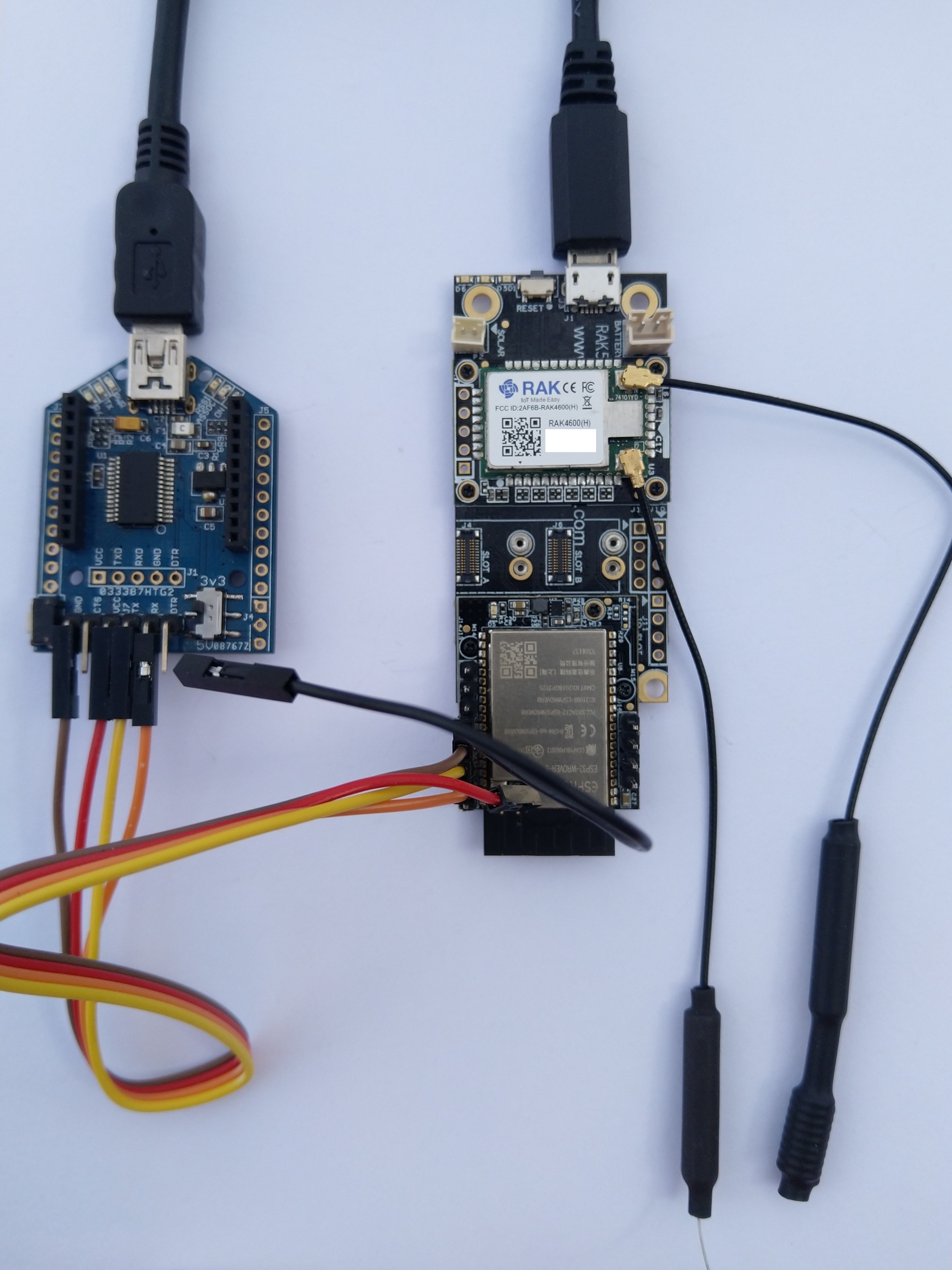
My test setup was a RAKwireless RAK11200 WisBlock WiFi Module, RAK19001 WisBlock Dual IO Base Board and RAK1901 WisBlock Temperature and Humidity Sensor
public static void Main()
{
   DateTime sasTokenValidUntilUtc = DateTime.UtcNow;

   Debug.WriteLine($"{DateTime.UtcNow:HH:mm:ss} devMobile.IoT.RAK.Wisblock.AzureIoHub.RAK1901.SasKey starting");

...
   string uri = $"{Config.AzureIoTHubHostName}.azure-devices.net/devices/{Config.DeviceID}";

   // not setting Authorization here as it will change as SAS Token refreshed
   _httpClient = new HttpClient
   {
      SslProtocols = System.Net.Security.SslProtocols.Tls12,
      HttpsAuthentCert = new X509Certificate(Config.DigiCertBaltimoreCyberTrustRoot),
      BaseAddress = new Uri($"https://{uri}/messages/events?api-version=2020-03-13"),
   };

   I2cConnectionSettings settings = new(I2cDeviceBusID, Shtc3.DefaultI2cAddress);
   I2cDevice device = I2cDevice.Create(settings);
   Shtc3 shtc3 = new(device);

   string sasToken = "";

   while (true)
   {
      DateTime standardisedUtcNow = DateTime.UtcNow;

      Debug.WriteLine($"{DateTime.UtcNow:HH:mm:ss} Azure IoT Hub device {Config.DeviceID} telemetry update start");

      if (sasTokenValidUntilUtc <= standardisedUtcNow)
      {
         sasTokenValidUntilUtc = standardisedUtcNow.Add(Config.SasTokenRenewEvery);

         sasToken = SasTokenGenerate(uri, Config.Key, sasTokenValidUntilUtc);

         Debug.WriteLine($" Renewing SAS token for {Config.SasTokenRenewFor} valid until {sasTokenValidUntilUtc:HH:mm:ss dd-MM-yy}");
      }

      if (!shtc3.TryGetTemperatureAndHumidity(out var temperature, out var relativeHumidity))
      {
         Debug.WriteLine($" Temperature and Humidity read failed");

         continue;
      }

      Debug.WriteLine($" Temperature {temperature.DegreesCelsius:F1}°C Humidity {relativeHumidity.Value:F0}%");

      string payload = $"{{\"RelativeHumidity\":{relativeHumidity.Value:F0},\"Temperature\":{temperature.DegreesCelsius.ToString("F1")}}}";

      try
      {
         using (HttpContent content = new StringContent(payload))
         {
            content.Headers.Add("Authorization", sasToken);

            using (HttpResponseMessage response = _httpClient.Post("", content))
            {
               Console.WriteLine($"{DateTime.UtcNow:HH:mm:ss} Response code:{response.StatusCode}");

               response.EnsureSuccessStatusCode();
            }
         }
      }
     catch (Exception ex)
     {
         Debug.WriteLine($"{DateTime.UtcNow:HH:mm:ss} Azure IoT Hub POST failed:{ex.Message} {ex?.InnerException?.Message}");
      }

      Debug.WriteLine($"{DateTime.UtcNow:HH:mm:ss} Azure IoT Hub telemetry update done");

      Thread.Sleep(Config.TelemetryUploadInterval);
   }
}
How long a SAS Token is valid for and how often it has to be renewed is specified in the config.cs file
public class Config
{
   public const string DeviceID = "RAK11200-RAK19001";
   public const string AzureIoTHubHostName = "...";
   public const string Key = "...";
   public readonly static TimeSpan SasTokenRenewFor = new TimeSpan(24, 0, 0);
   public readonly static TimeSpan SasTokenRenewEvery = new TimeSpan(0, 30, 0);
   public readonly static TimeSpan TelemetryUploadInterval = new TimeSpan(0, 10, 0);

   public const string Ssid = "Orcon-Wireless";
   public const string Password = "160220502280";
...
}
The SasTokenGenerate method is based on code from an old blog post “Azure IoT Hub SAS Tokens revisited again” from, late 2019
public static string SasTokenGenerate(string resourceUri, string key, DateTime sasKeyTokenUntilUtc)
{
   long sasKeyvalidUntilUtcUnix = sasKeyTokenUntilUtc.ToUnixTimeSeconds();

   string stringToSign = $"{HttpUtility.UrlEncode(resourceUri)}\n{sasKeyvalidUntilUtcUnix}";

   var hmac = SHA.computeHMAC_SHA256(Convert.FromBase64String(key), Encoding.UTF8.GetBytes(stringToSign));

   string signature = Convert.ToBase64String(hmac);

   return $"SharedAccessSignature sr={HttpUtility.UrlEncode(resourceUri)}&sig={HttpUtility.UrlEncode(signature)}&se={sasKeyvalidUntilUtcUnix}";
}
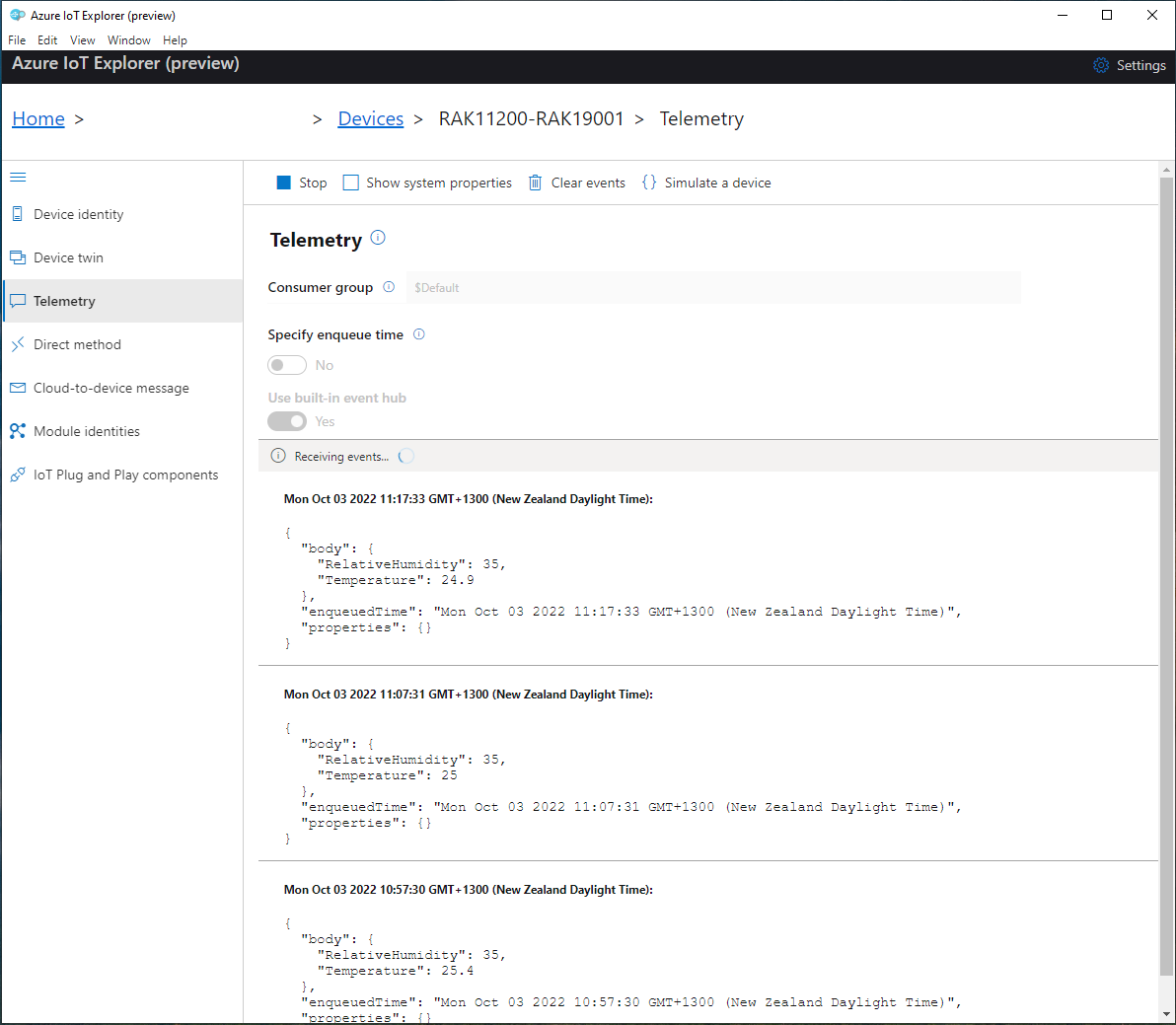
I use Azure IoT Explorer to monitor the telemetry and the application appears to run reliably for weeks














 devMobile's blog