Random wanderings through Microsoft Azure esp. PaaS plumbing, the IoT bits, AI on Micro controllers, AI on Edge Devices, .NET nanoFramework, .NET Core on *nix and ML.NET+ONNX
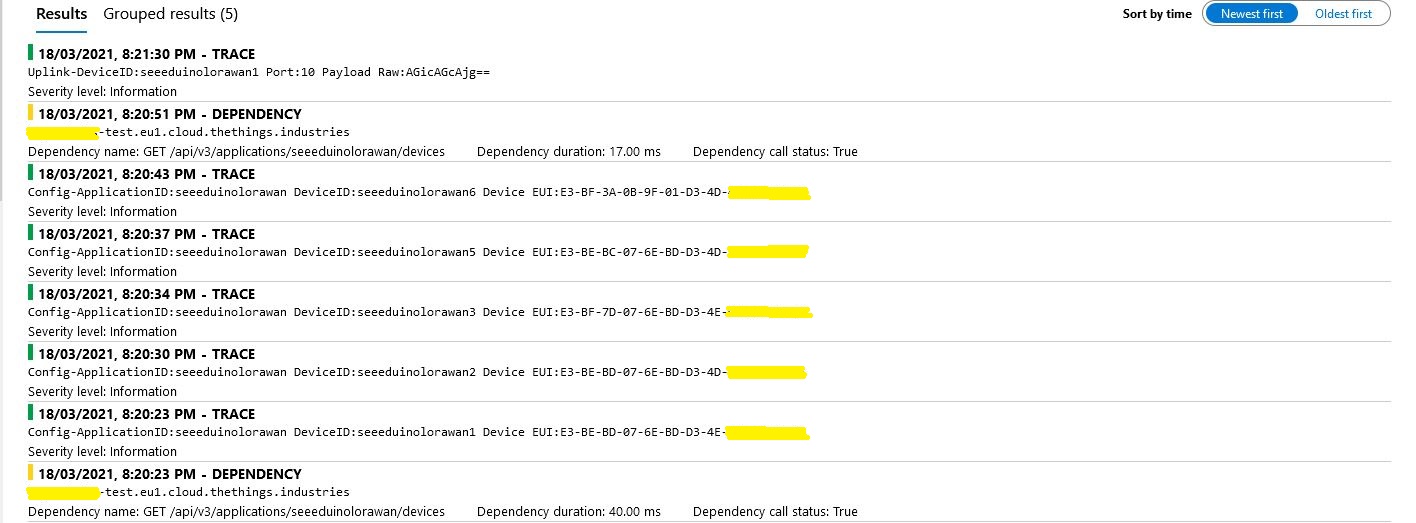
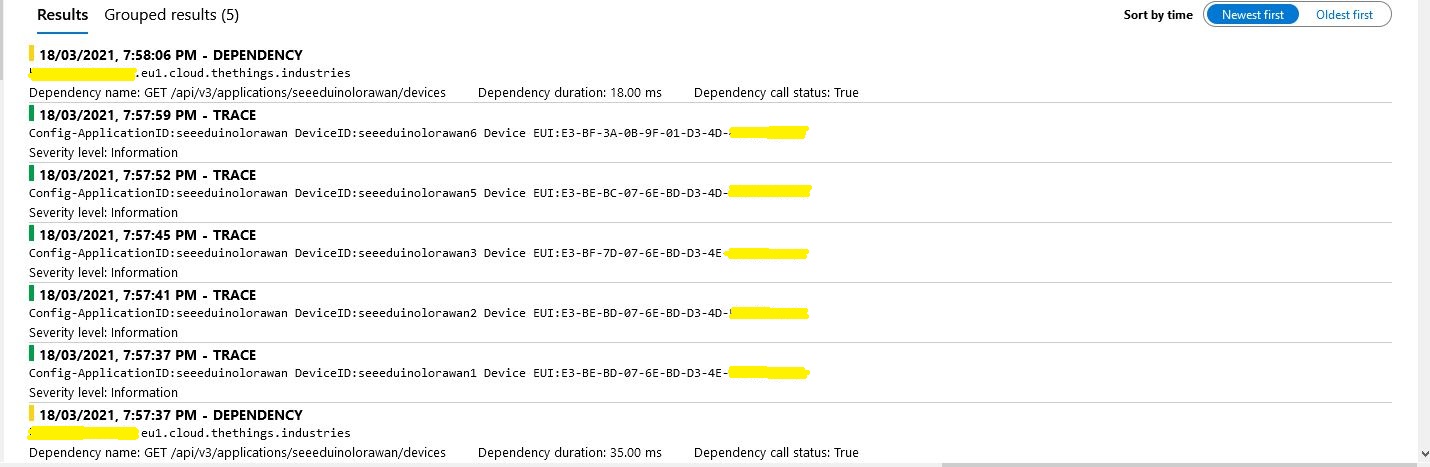
While debugging the connector on my desktop I had noticed that using a connection string was quite a bit faster than using DPS and I had assumed this was just happenstance. While doing some testing in the Azure North Europe data-center (Closer to TTI European servers) I grabbed some screen shots of the trace messages in Azure Application Insights as the TTI Connector Application was starting.
I only have six LoRaWAN devices configured in my TTI dev instance, but I repeated each test several times and the results were consistent so the request durations are reasonable. My TTI Connector application, IoT Hub, DPS and Application insights instances are all in the same Azure Region and Azure Resource Group so networking overheads shouldn’t be significant.
Using my own DPS instance to provide the connection string and then establishing a connection took between 3 and 7 seconds.
Azure IoT Central DPS
For my Azure IoT Central instance getting a connection string and establishing a connection took between 4 and 7 seconds.
The Azure DPS client code was copied from one of the sample applications so I have assumed it is “correct”.
using (var transport = new ProvisioningTransportHandlerAmqp(TransportFallbackType.TcpOnly))
{
	ProvisioningDeviceClient provClient = ProvisioningDeviceClient.Create(
		Constants.AzureDpsGlobalDeviceEndpoint,
		deviceProvisiongServiceSettings.IdScope,
		securityProvider,
		transport);

	DeviceRegistrationResult result;

	if (!string.IsNullOrEmpty(modelId))
	{
		ProvisioningRegistrationAdditionalData provisioningRegistrationAdditionalData = new ProvisioningRegistrationAdditionalData()
		{
			JsonData = $"{{"modelId": "{modelId}"}}"
		};

		result = await provClient.RegisterAsync(provisioningRegistrationAdditionalData, stoppingToken);
	}
	else
    {
		result = await provClient.RegisterAsync(stoppingToken);
	}

	if (result.Status != ProvisioningRegistrationStatusType.Assigned)
	{
		_logger.LogError("Config-DeviceID:{0} Status:{1} RegisterAsync failed ", deviceId, result.Status);

		return false;
	}

	IAuthenticationMethod authentication = new DeviceAuthenticationWithRegistrySymmetricKey(result.DeviceId, (securityProvider as SecurityProviderSymmetricKey).GetPrimaryKey());

	deviceClient = DeviceClient.Create(result.AssignedHub, authentication, transportSettings);
}
I need to investigate why getting a connection string from the DPS then connecting take significantly longer (I appreciate that “behind the scenes” service calls maybe required). This wouldn’t be an issue for individual devices connecting from different locations but for my Identity Translation Cloud gateway which currently open connections sequentially this could be a problem when there are a large number of devices.
If the individual requests duration can’t be reduced (using connection pooling etc.) I may have to spin up multiple threads so multiple devices can be connecting concurrently.
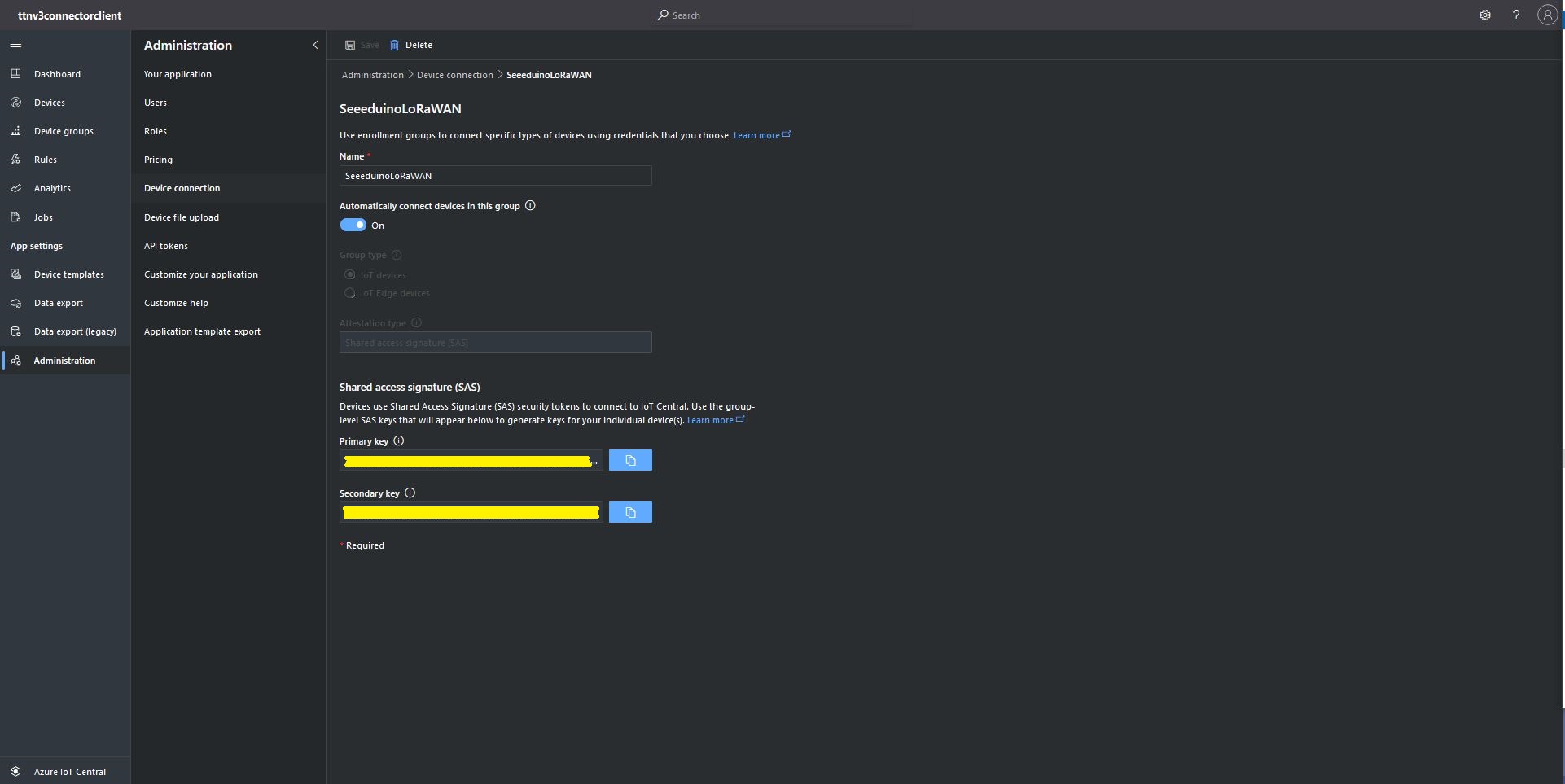
The first step was to configure and Azure IoT Central enrollment group (ensure “Automatically connect devices in this group” is on) and copy the IDScope and Group Enrollment key to the appsettings.json file (see sample file below for more detail)
At startup the TTI Gateway enumerates through the devices in each application configured in the app.settings.json. The Azure Device Provisioning Service(DPS) is used to retrieve each device’s connection string and configure it in Azure IoT Central if required.
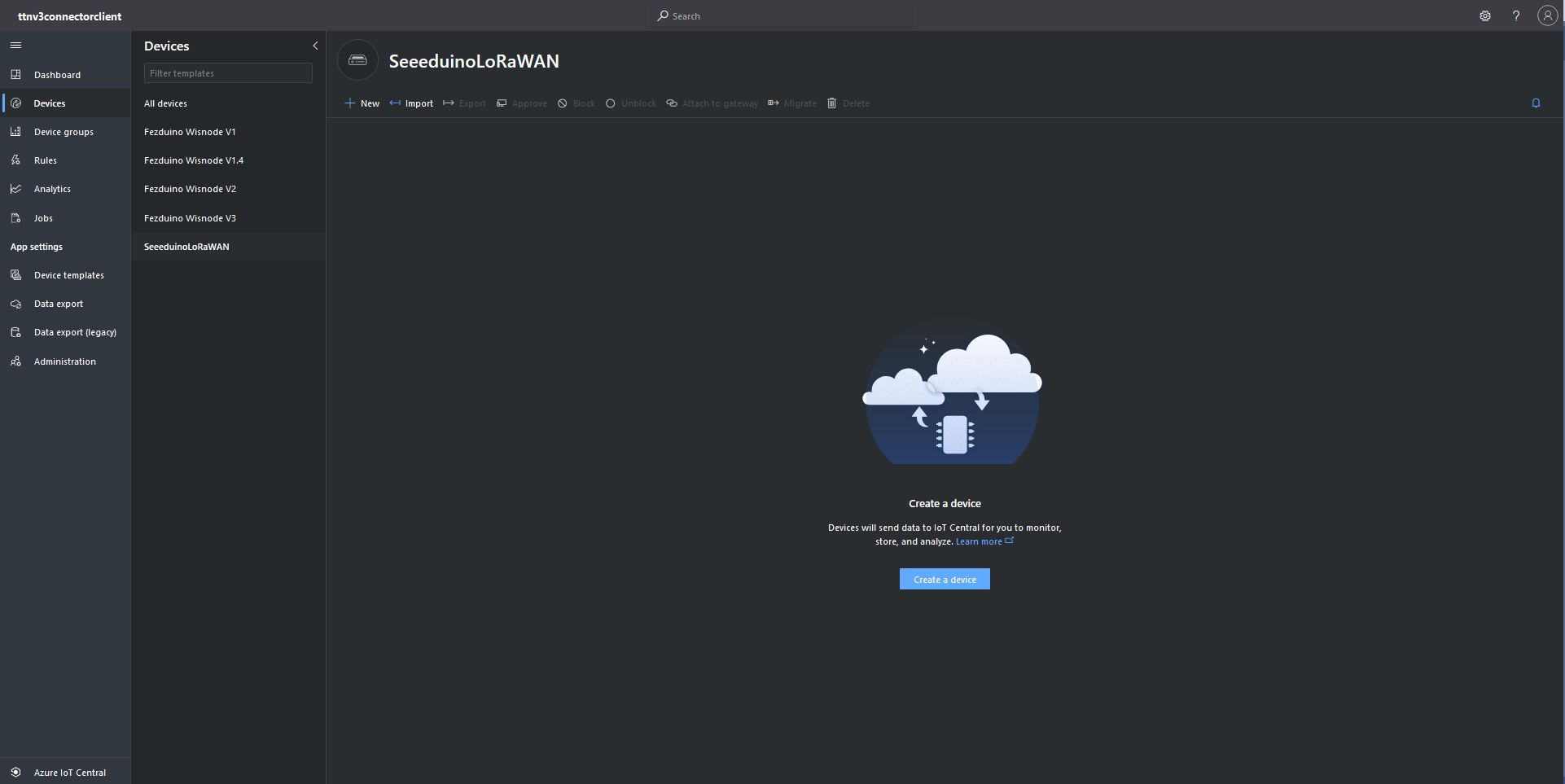
Azure IoT Central Device Group with no provisioned DevicesTTI Connector application connecting and provisioning EndDevices
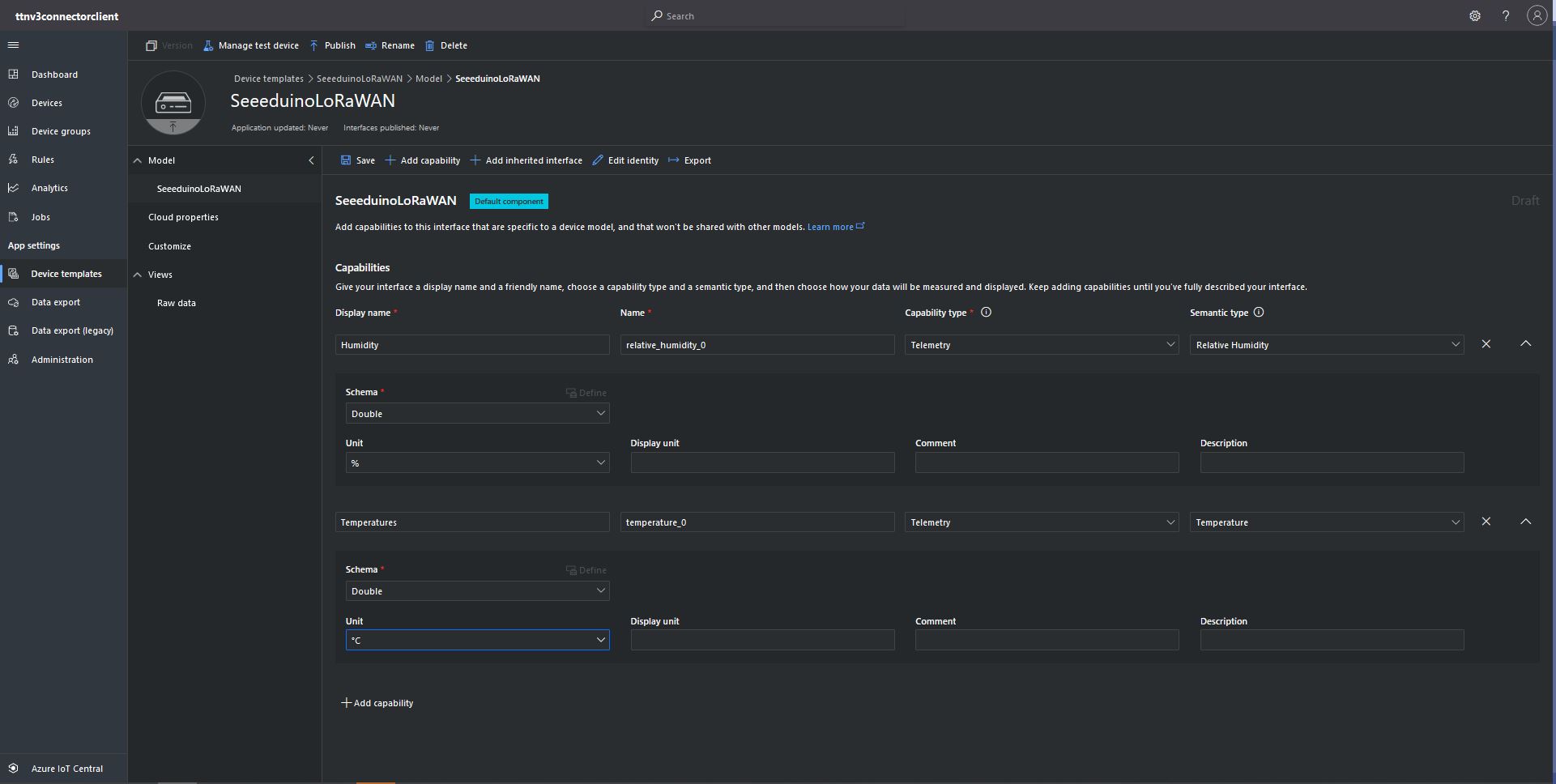
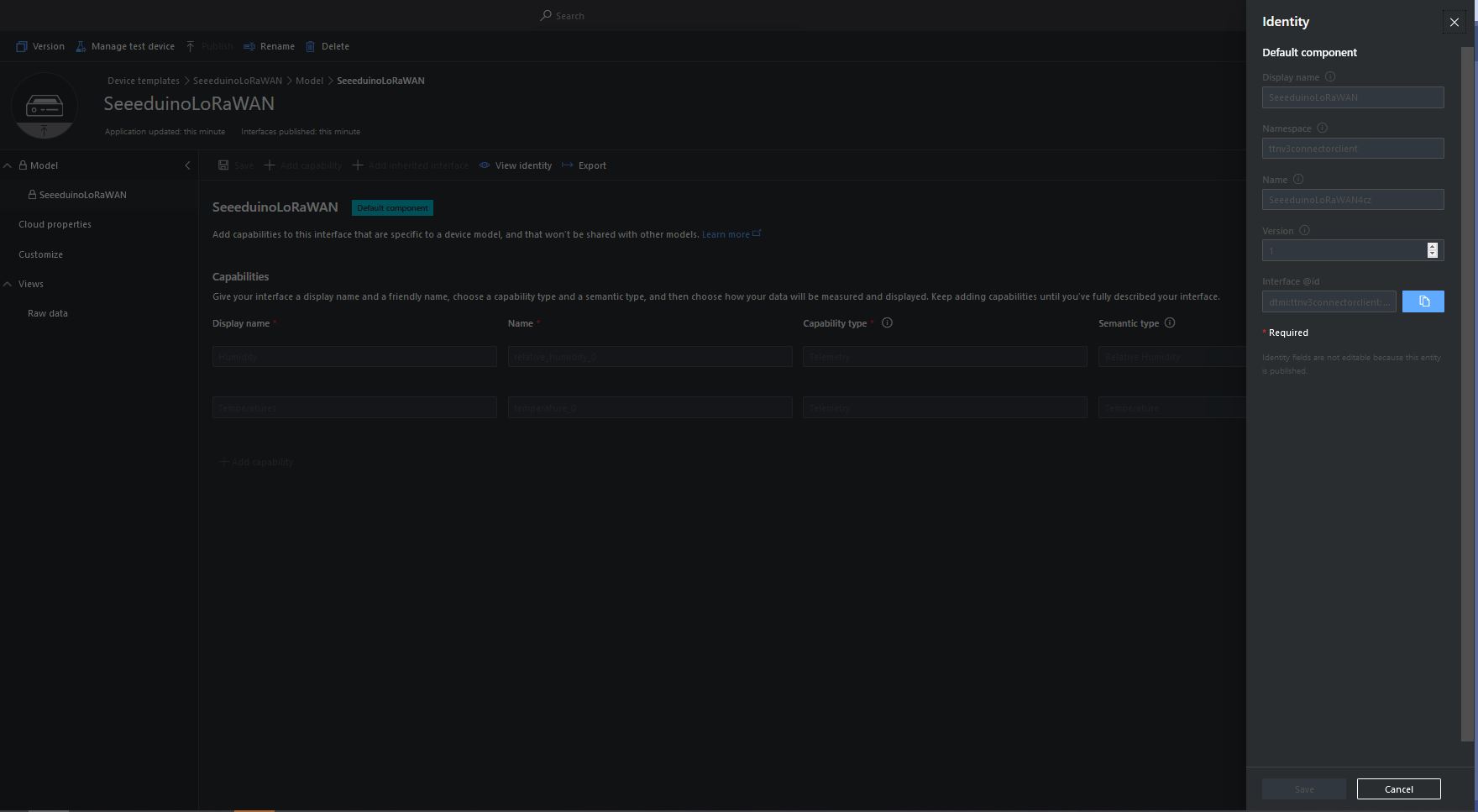
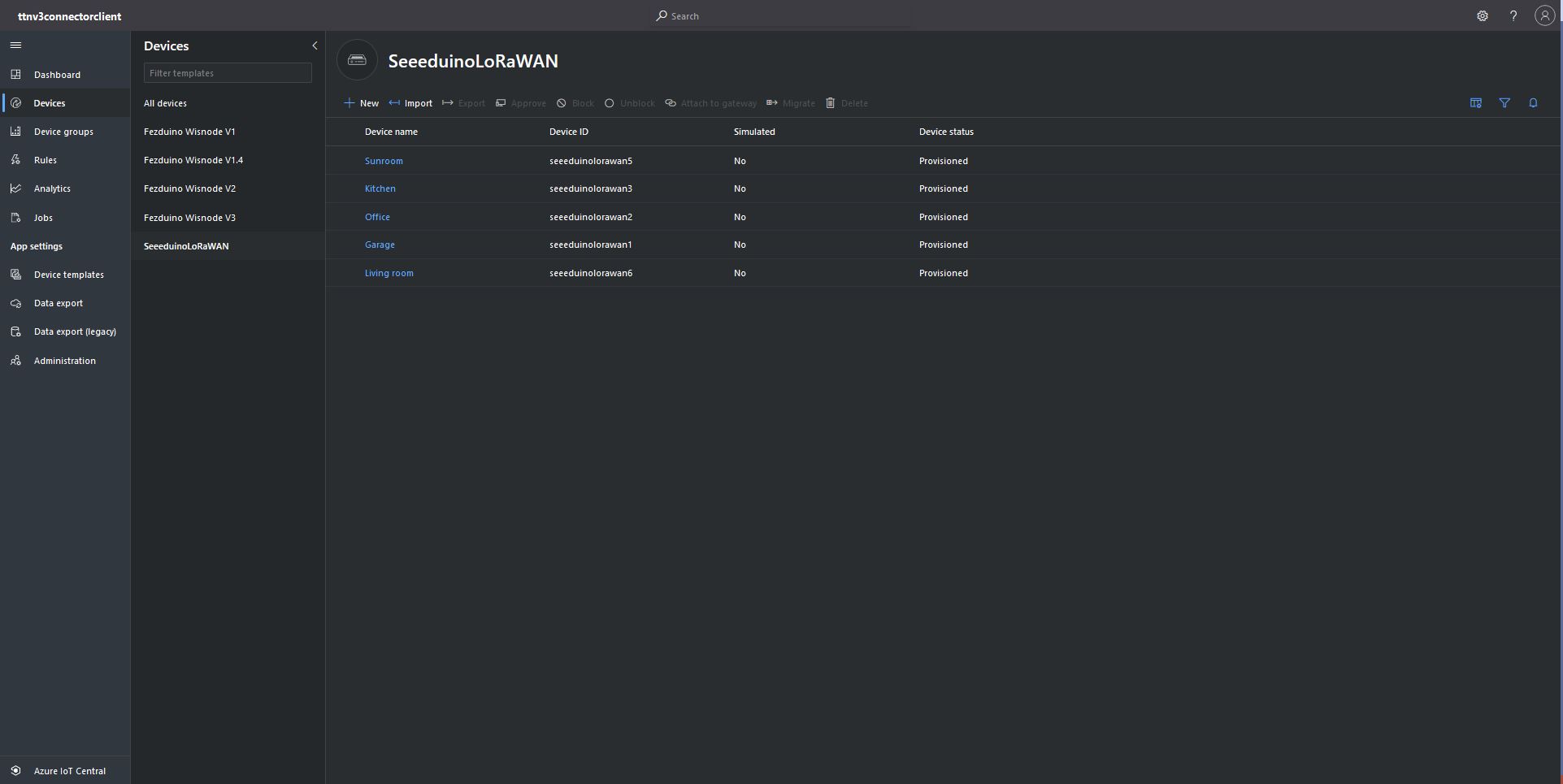
Azure IoT Central devices mapped to an Azure IoT Central Template via the modelID
using (var transport = new ProvisioningTransportHandlerAmqp(TransportFallbackType.TcpOnly))
{
	ProvisioningDeviceClient provClient = ProvisioningDeviceClient.Create(
		Constants.AzureDpsGlobalDeviceEndpoint,
		deviceProvisiongServiceSettings.IdScope,
		securityProvider,
		transport);

	DeviceRegistrationResult result;

	if (!string.IsNullOrEmpty(modelId))
	{
		ProvisioningRegistrationAdditionalData provisioningRegistrationAdditionalData = new ProvisioningRegistrationAdditionalData()
		{
			JsonData = $"{{\"modelId\": \"{modelId}\"}}"
		};

		result = await provClient.RegisterAsync(provisioningRegistrationAdditionalData, stoppingToken);
	}
	else
    {
		result = await provClient.RegisterAsync(stoppingToken);
	}

	if (result.Status != ProvisioningRegistrationStatusType.Assigned)
	{
		_logger.LogError("Config-DeviceID:{0} Status:{1} RegisterAsync failed ", deviceId, result.Status);

		return false;
	}

	IAuthenticationMethod authentication = new DeviceAuthenticationWithRegistrySymmetricKey(result.DeviceId, (securityProvider as SecurityProviderSymmetricKey).GetPrimaryKey());

	deviceClient = DeviceClient.Create(result.AssignedHub, authentication, transportSettings);
}
My implementation was “inspired” by TemperatureController project in the PnP Device Samples.
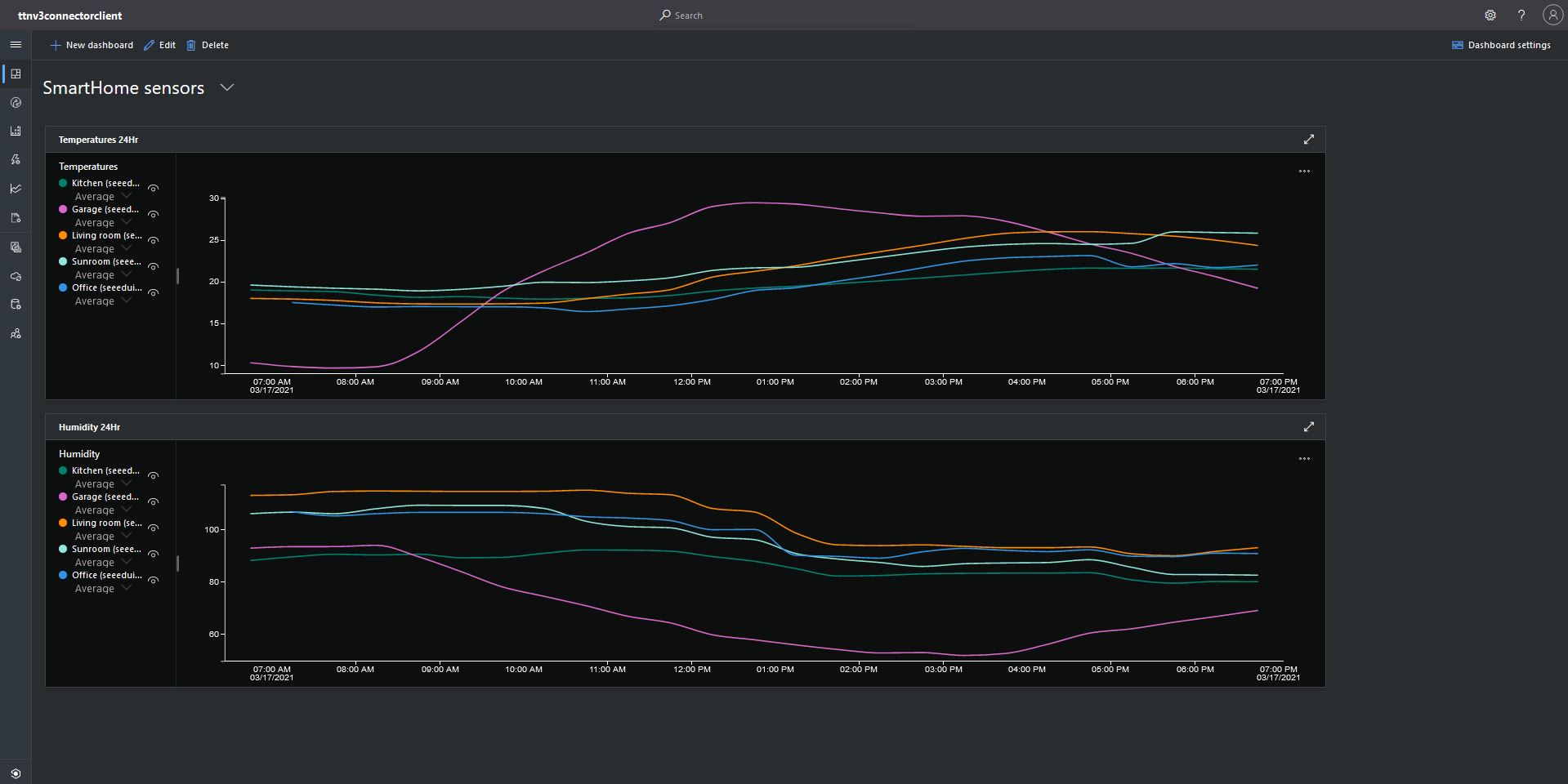
Azure IoT Central Dashboard with Seeeduino LoRaWAN devices around my house that were “automagically” provisioned
I need to do some testing to confirm my code works reliably with both DPS and user provided connection strings. The RegisterAsync call is currently taking about four seconds which could be an issue for TTI applications with many devices.
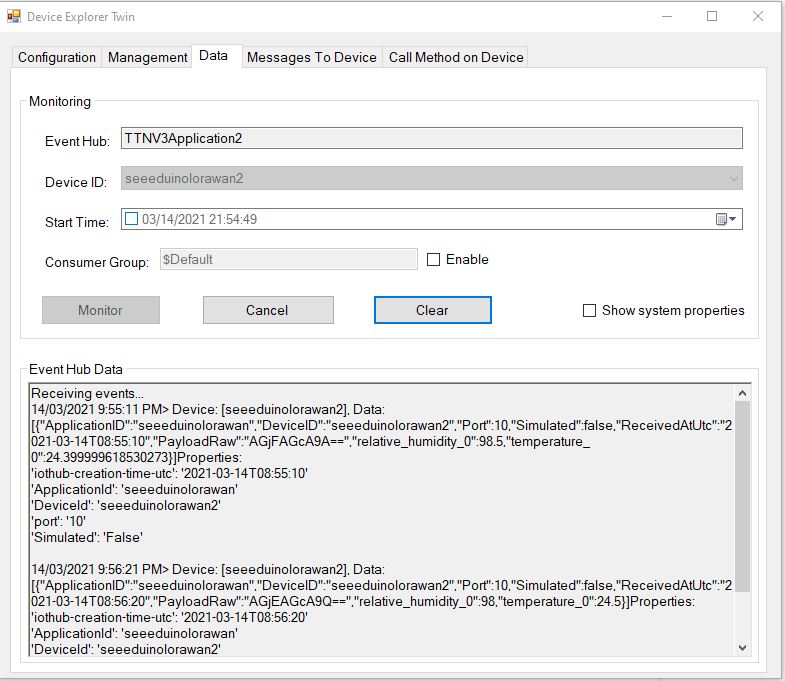
Device Twin Explorer displaying telemetry from one of the Seeeduino devices
My integration uses only queued messages as often they won’t be delivered to the sensor node immediately, especially if the sensor node only sends an uplink message every 30 minutes/hour/day.
The confirmed flag should be used with care as the Azure IoT Hub messages may expire before a delivery Ack/Nack/Failed is received from the TTI.
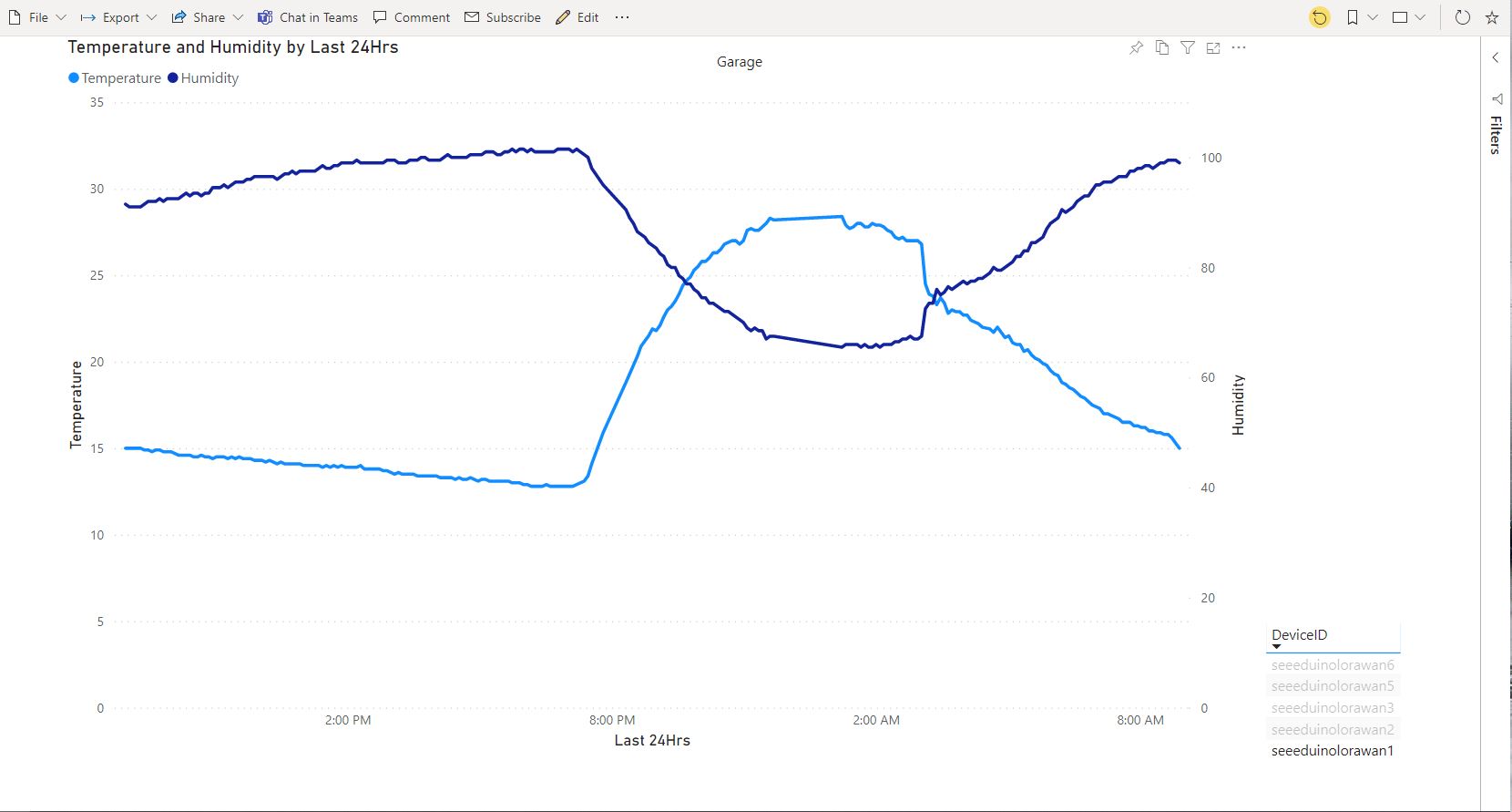
PowerBI graph of temperature and humidity in my garage over 24 hours
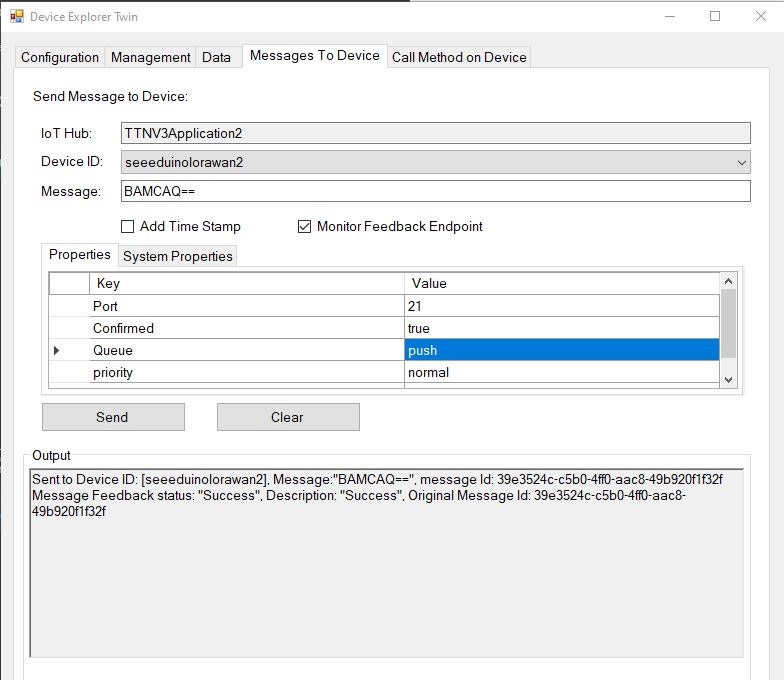
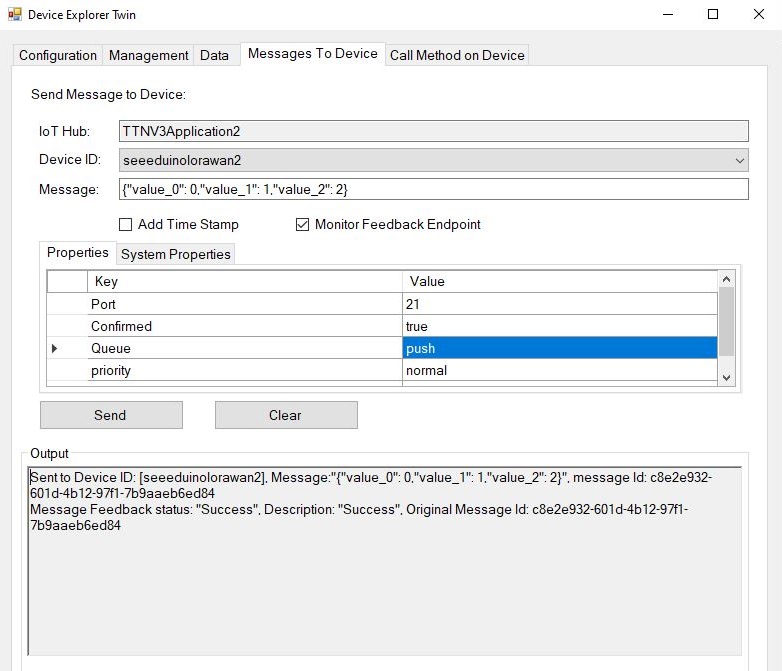
Device explorer displaying a raw payload message which has been confirmed delivered
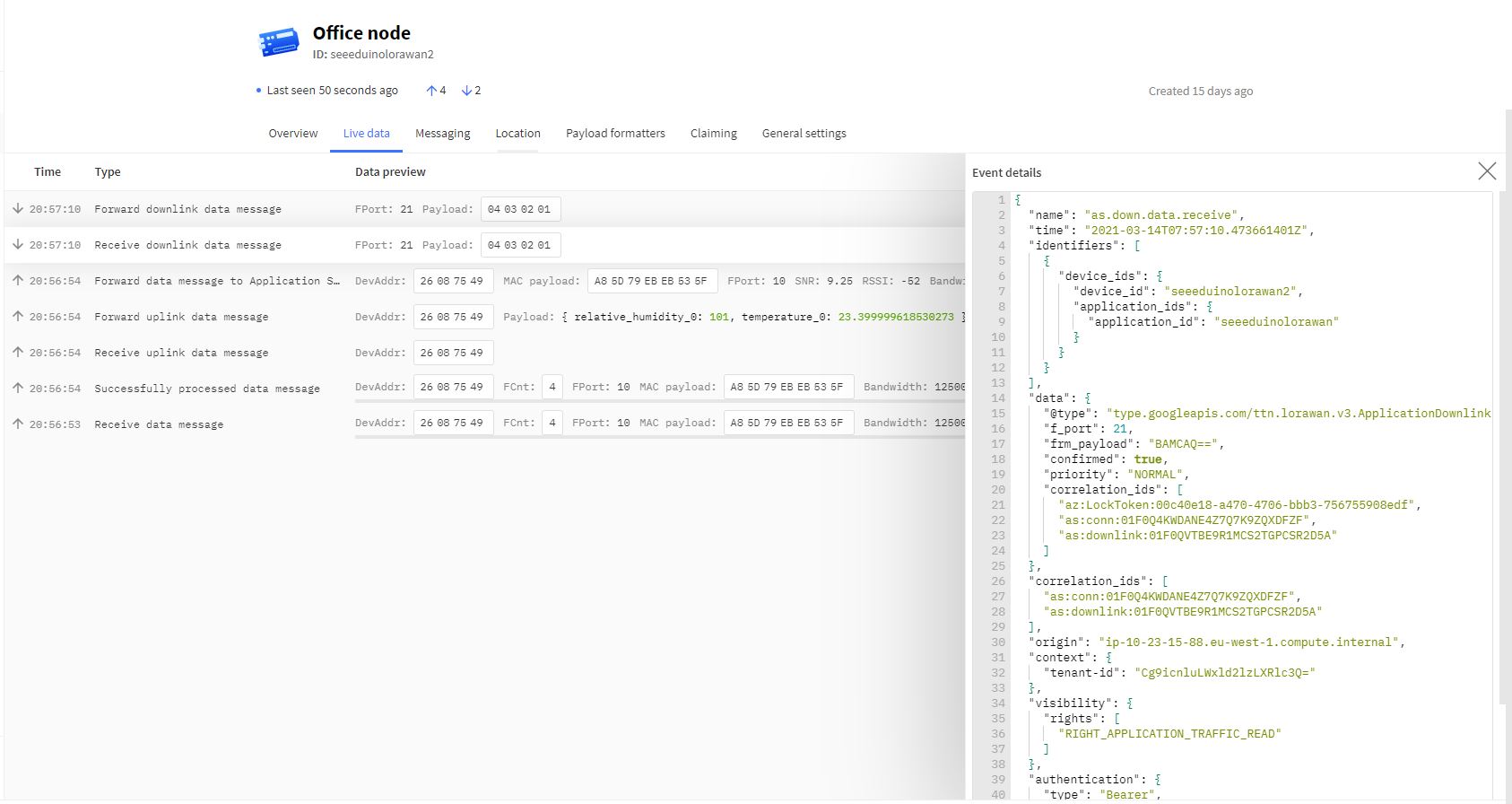
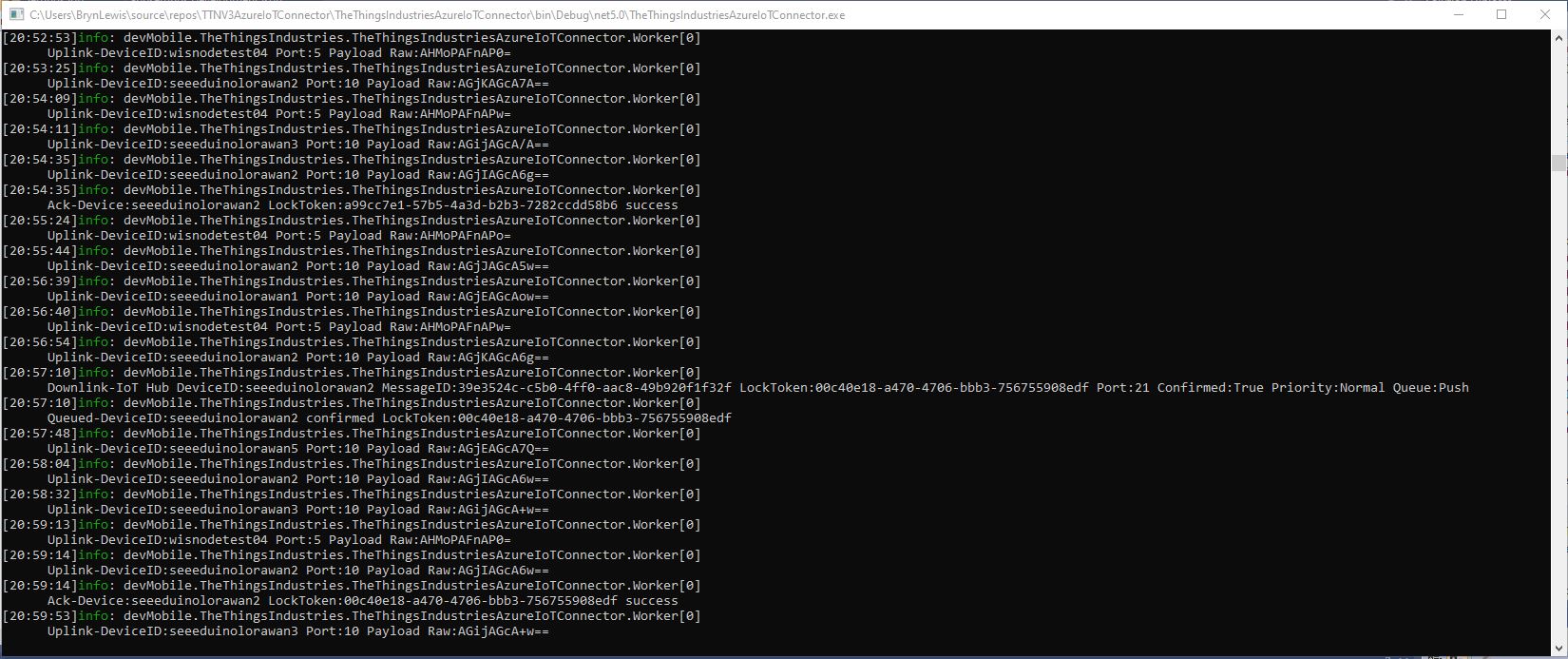
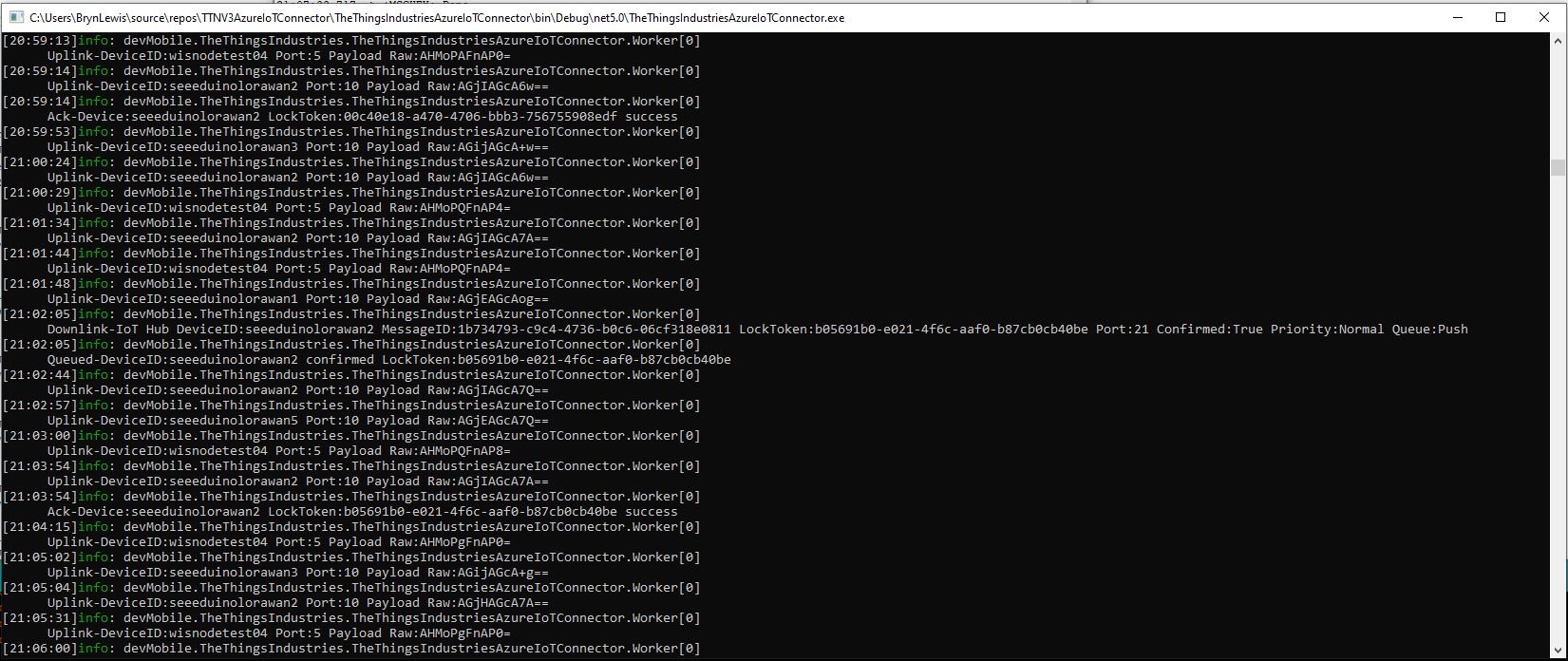
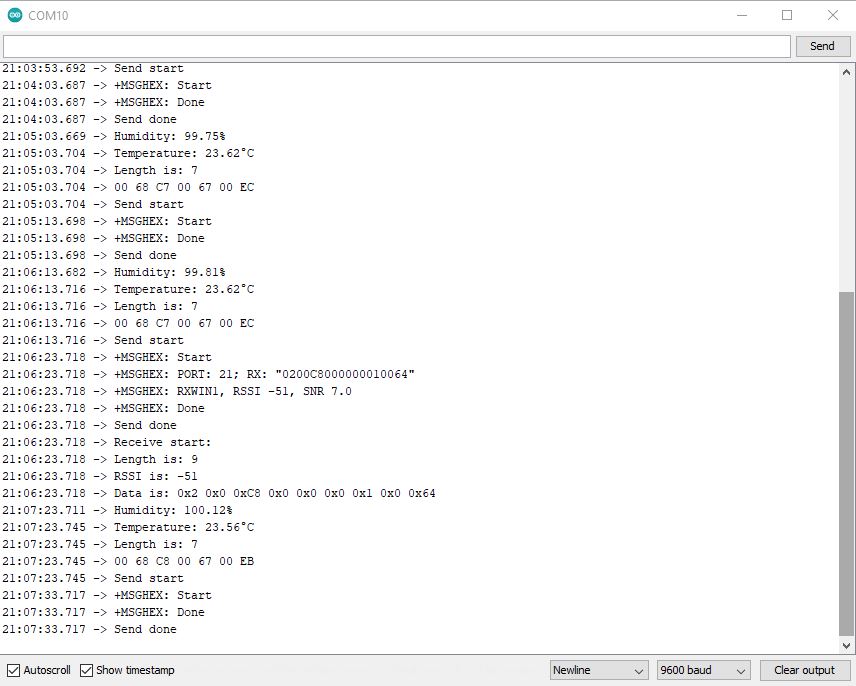
TTI device live data tab displaying raw payload in downlink message information tabAzure IoT Connector console application sending raw payload to sensor node with confirmation ack
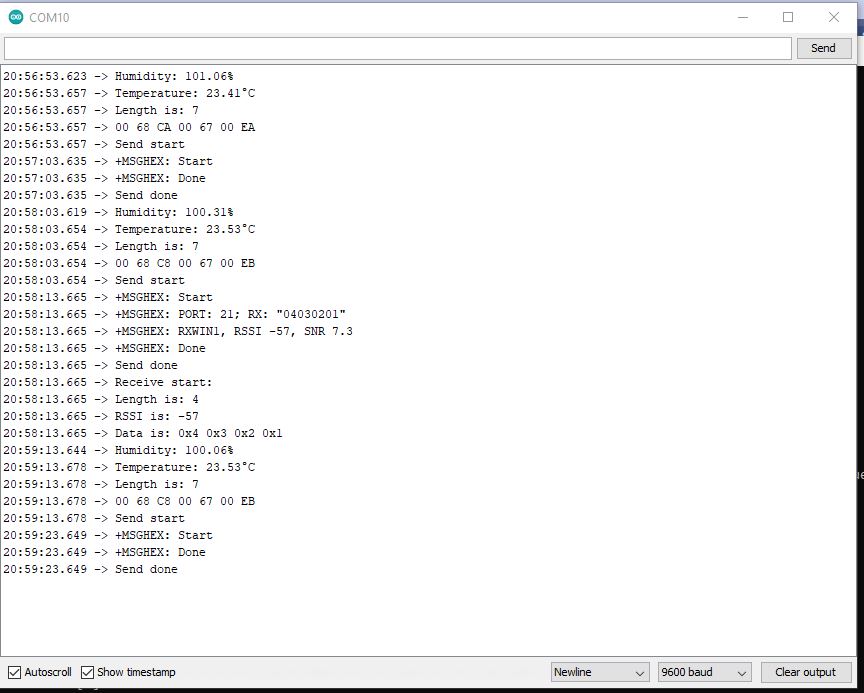
Arduino monitor displaying received raw payload from TTI
If the Azure IoT Hub message payload is valid JSON it is copied into the payload decoded downlink message property. and if it is not valid JSON it assumed to be a Base64 encoded value and copied into the payload raw downlink message property.
try
{
	// Split over multiple lines in an attempt to improve readability. A valid JSON string should start/end with {/} for an object or [/] for an array
	if (!(payloadText.StartsWith("{") && payloadText.EndsWith("}"))
										&&
		(!(payloadText.StartsWith("[") && payloadText.EndsWith("]"))))
	{
		throw new JsonReaderException();
	}

	downlink.PayloadDecoded = JToken.Parse(payloadText);
}
catch (JsonReaderException)
{
	downlink.PayloadRaw = payloadText;
}
Like the Azure IoT Central JSON validation I had to add a check that the string started with a “{” and finished with a “}” (a JSON object) or started with a “[” and finished with a “]” (a JSON array) as part of the validation process.
Device explorer displaying a JSON payload message which has been confirmed delivered
I normally wouldn’t use exceptions for flow control but I can’t see a better way of doing this.
TTI device live data tab displaying JSON payload in downlink message information tabAzure IoT Connector console application sending JSON payload to sensor node with confirmation ackArduino monitor displaying received JSON payload from TTI
The build in TTI decoder only supports downlink decoded payloads with property names “value_0” through “value_x” custom encoders may support other property names.
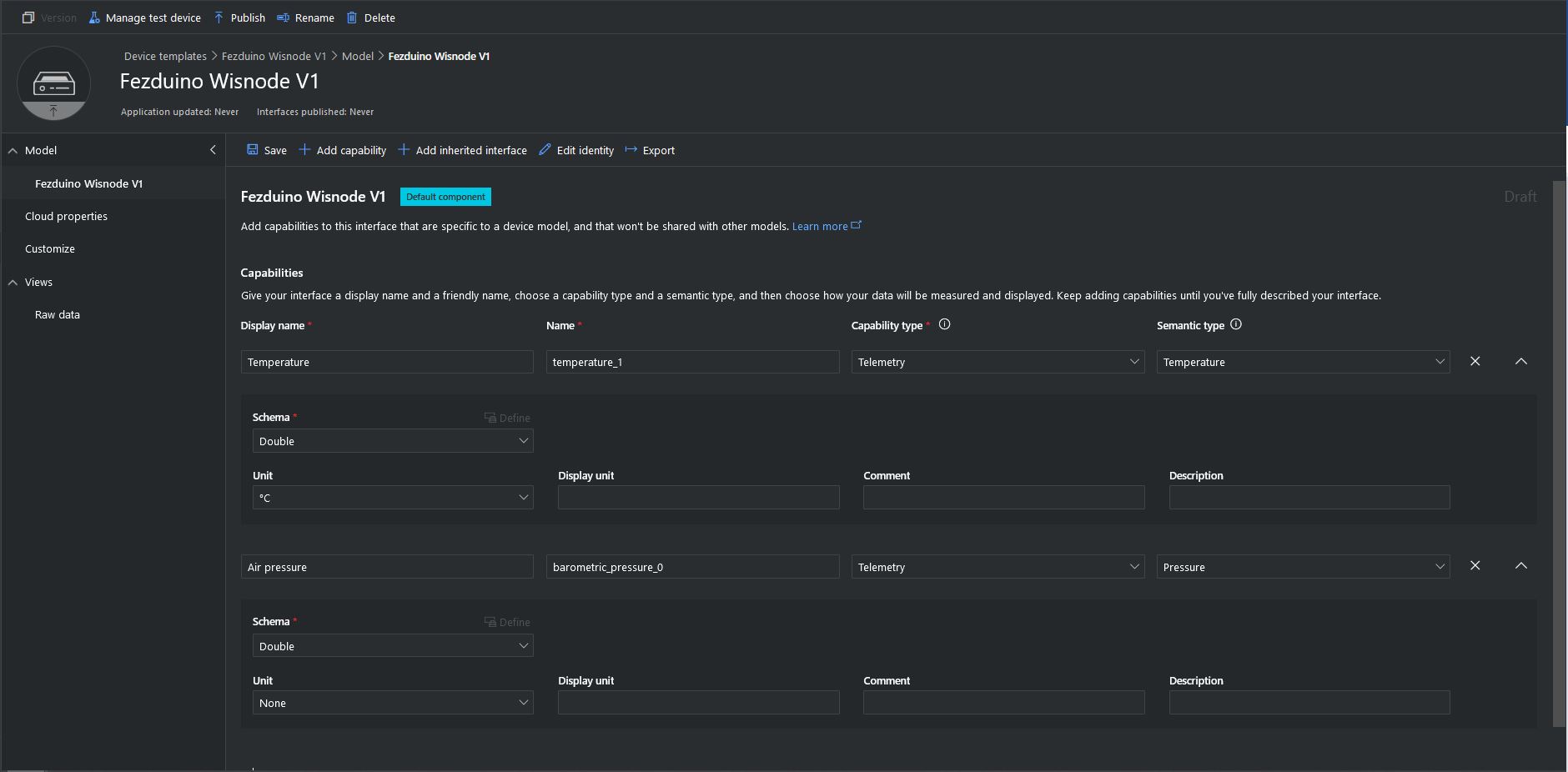
The first step was to display the temperature and barometric pressure values from the Seeedstudio Grove BMP180 attached to my sensor node.
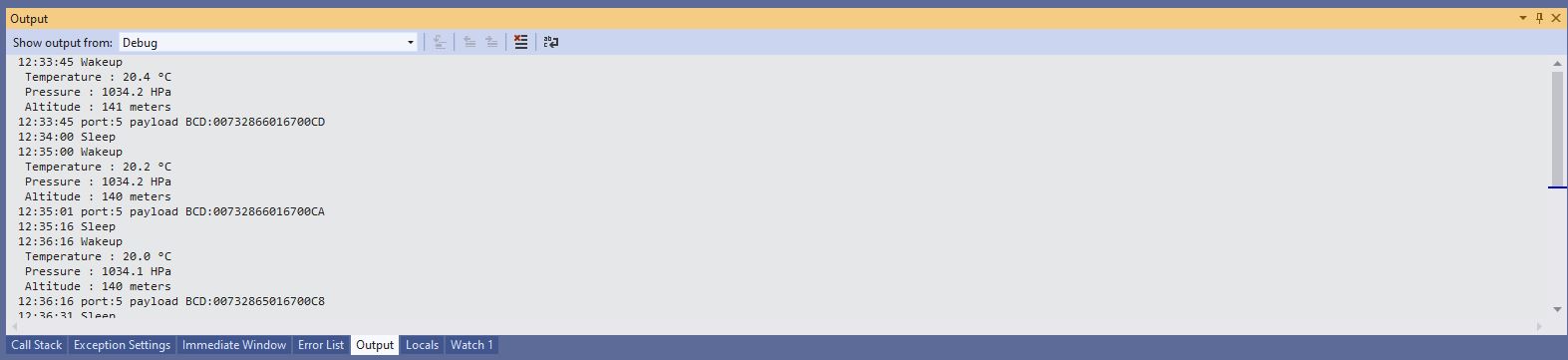
Sensor node displaying temperature and barometric pressure values
Azure IoT Central temperature and barometric pressure telemetry configuration
Azure IoT Central Telemetry Dashboard displaying temperature and barometric pressure values
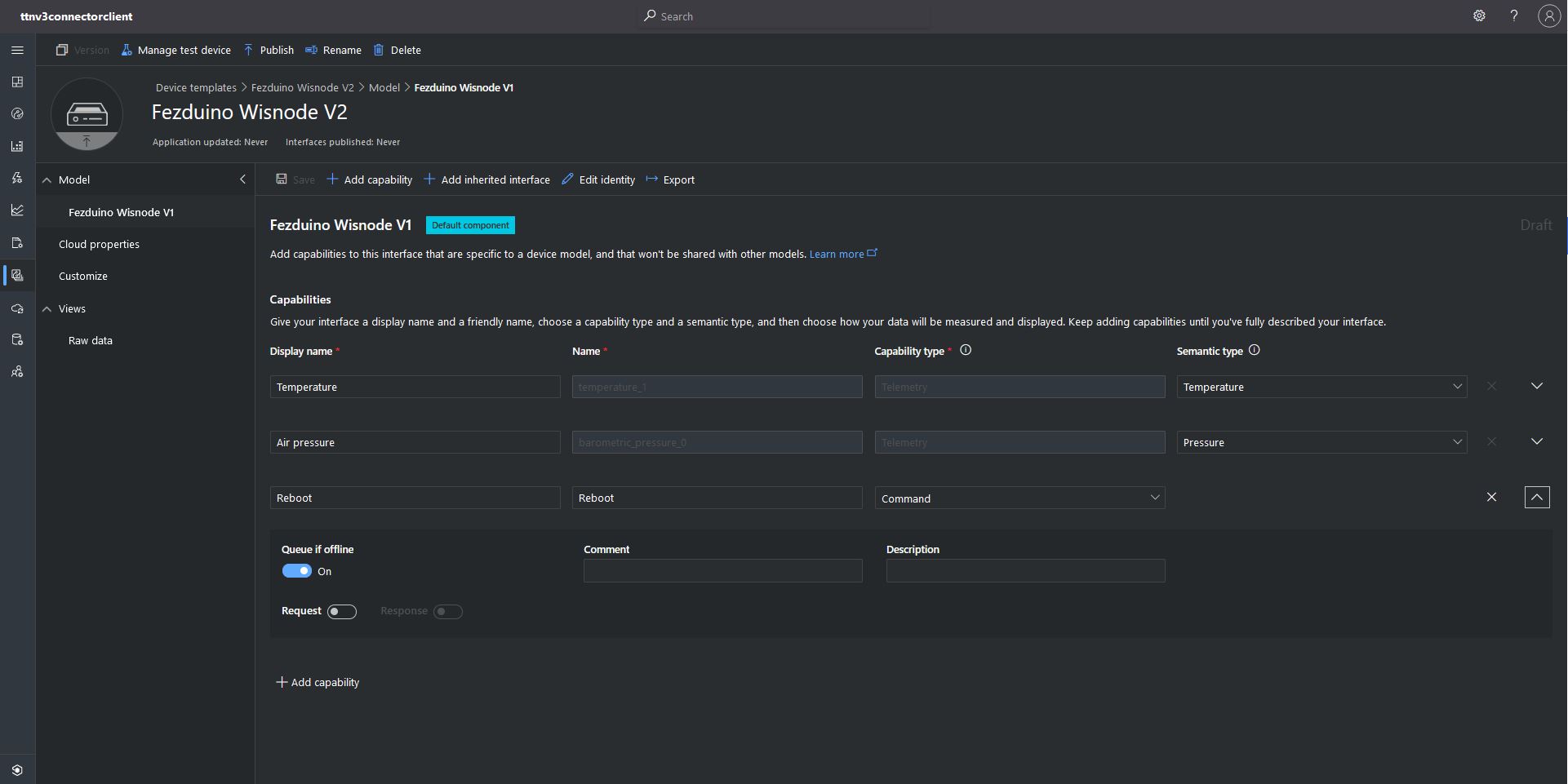
The next step was to configure a simple Azure IoT Central command to send to the sensor node. This was a queued request with no payload. An example of this sort of command would be a request for a sensor node to reboot or turn on an actuator.
My integration uses only offline queued commands as often messages won’t be delivered to the sensor node immediately, especially if the sensor node only sends a message every half hour/hour/day. The confirmed flag should be used with care as the Azure IoT Hub messages may expire before a delivery Ack/Nack/Failed is received from the TTI and it consumes downlink bandwidth.
if (message.Properties.ContainsKey("method-name"))
{
}
Azure IoT Central command with out a request payload value command configuration
To send a downlink message, TTI needs a LoRaWAN port number (plus optional queue, confirmed and priority values) which can’t be provided via the Azure IoT Central command setup so these values are configured in the app.settings file.
Each TTI application has zero or more Azure IoT Central command configurations which supply the port, confirmed, priority and queue settings.
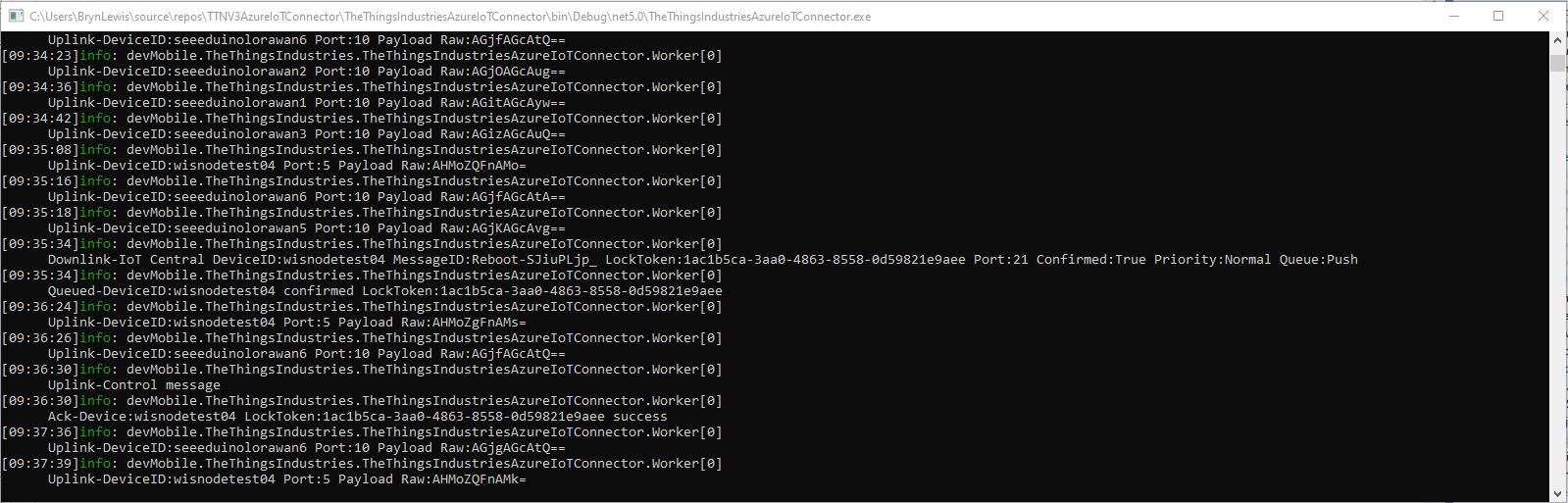
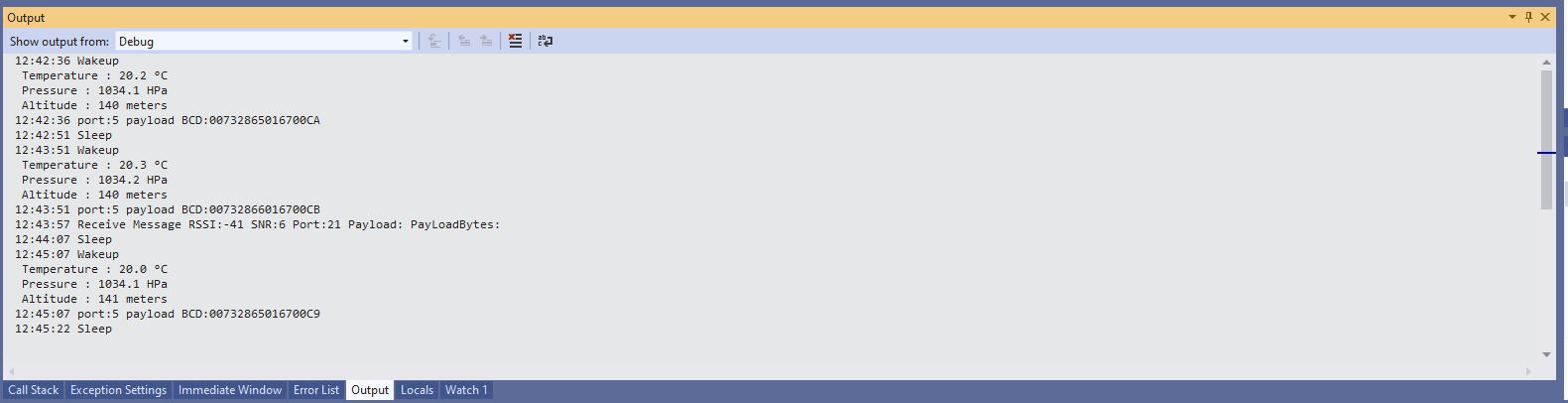
Azure IoT Central simple command dashboardAzure IoT Central simple command initiationAzure IoT TTI connector application sending a simple command to my sensor nodeSensor node display simple command information. The note message payload is empty
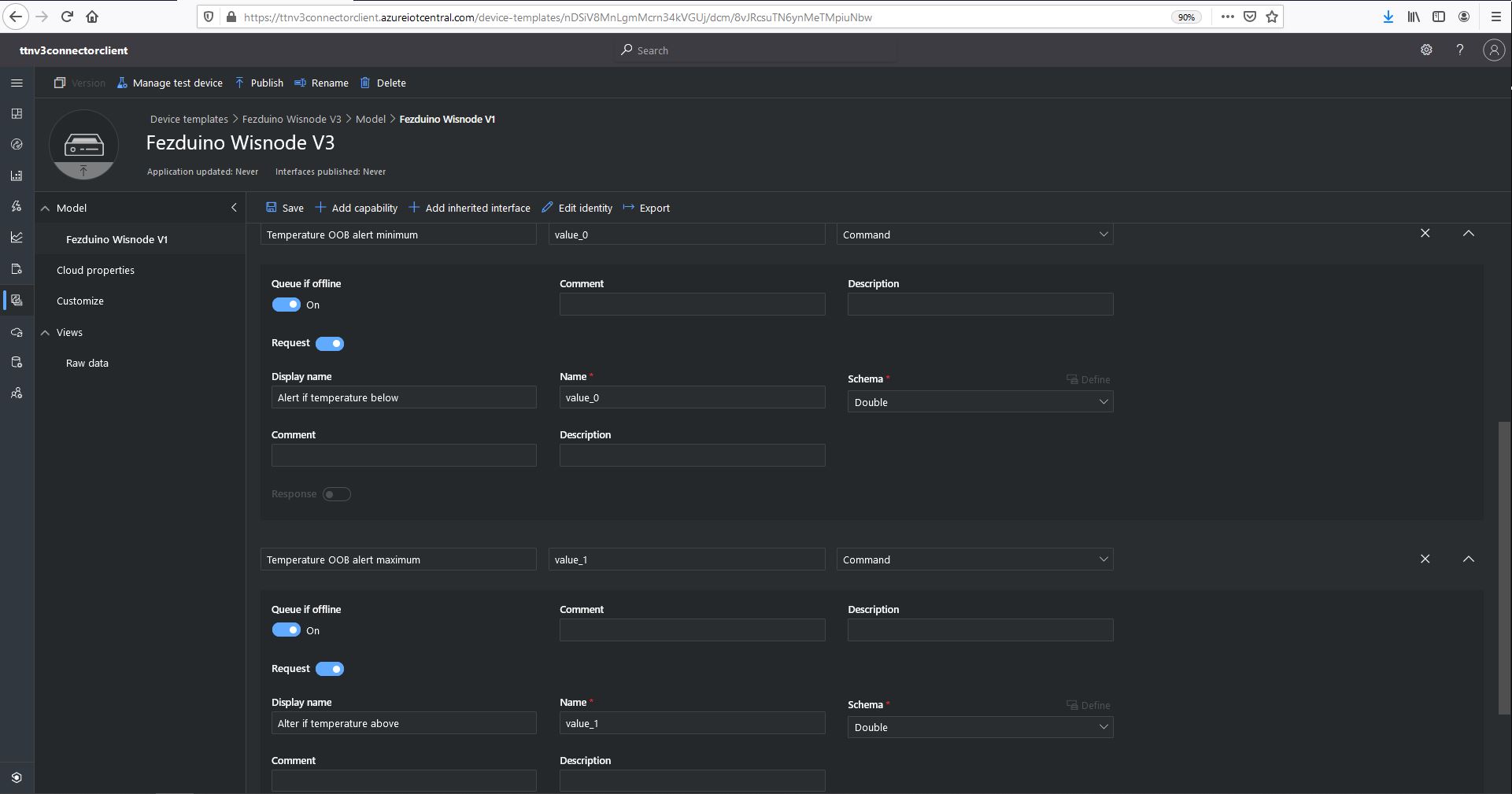
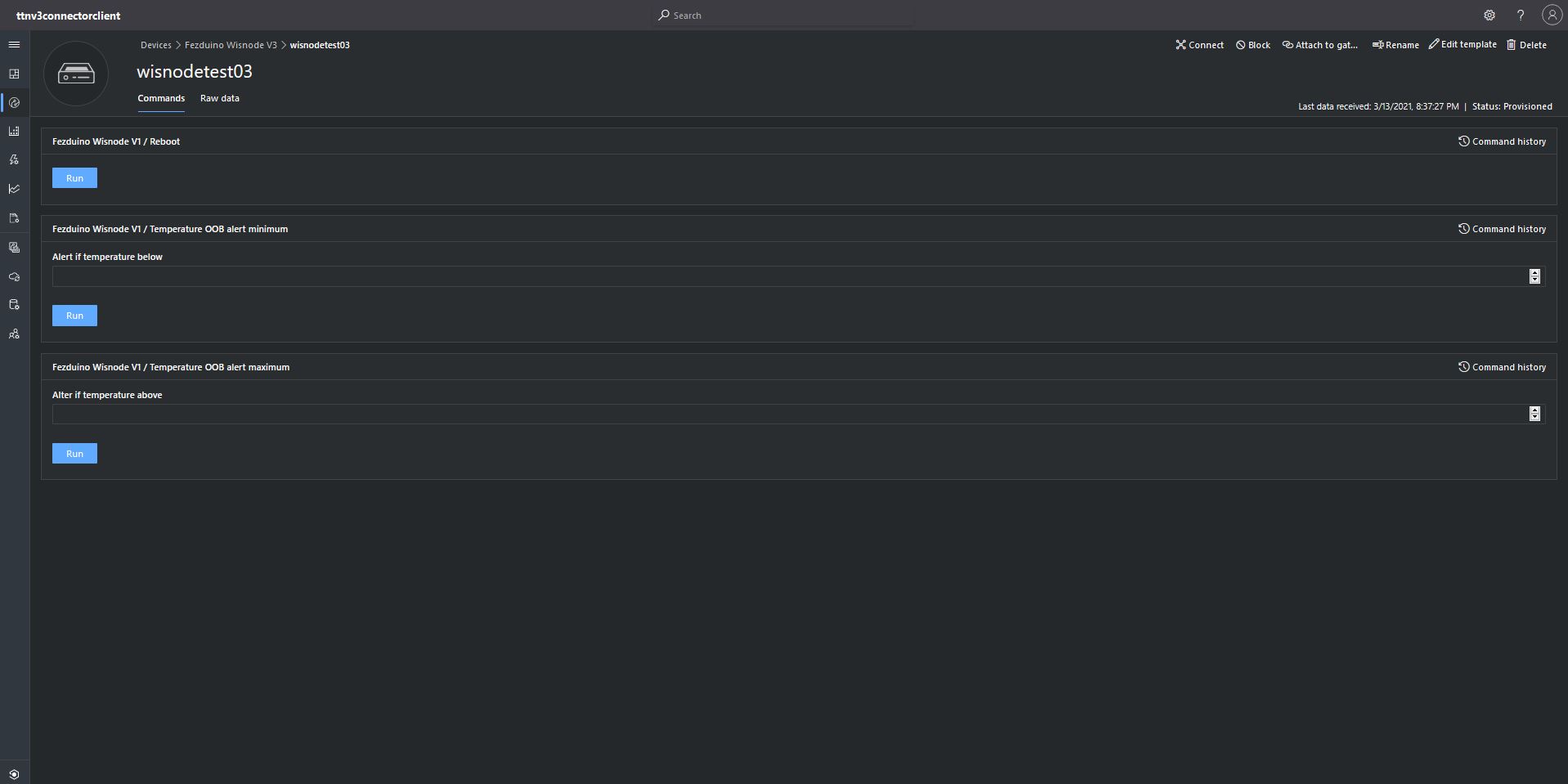
The next step was to configure a more complex Azure IoT Central command to send to the sensor node. This was a queued request with a single value payload. An example of this sort of command could be setting the speed of a fan or the maximum temperature of a freezer for an out of band (OOB) notification to be sent.
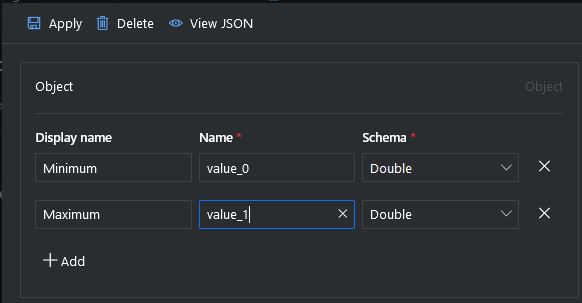
Azure IoT Central single value command configuration
The value_0 settings are for the minimum temperature the value_1 settings are for the maximum temperature value.
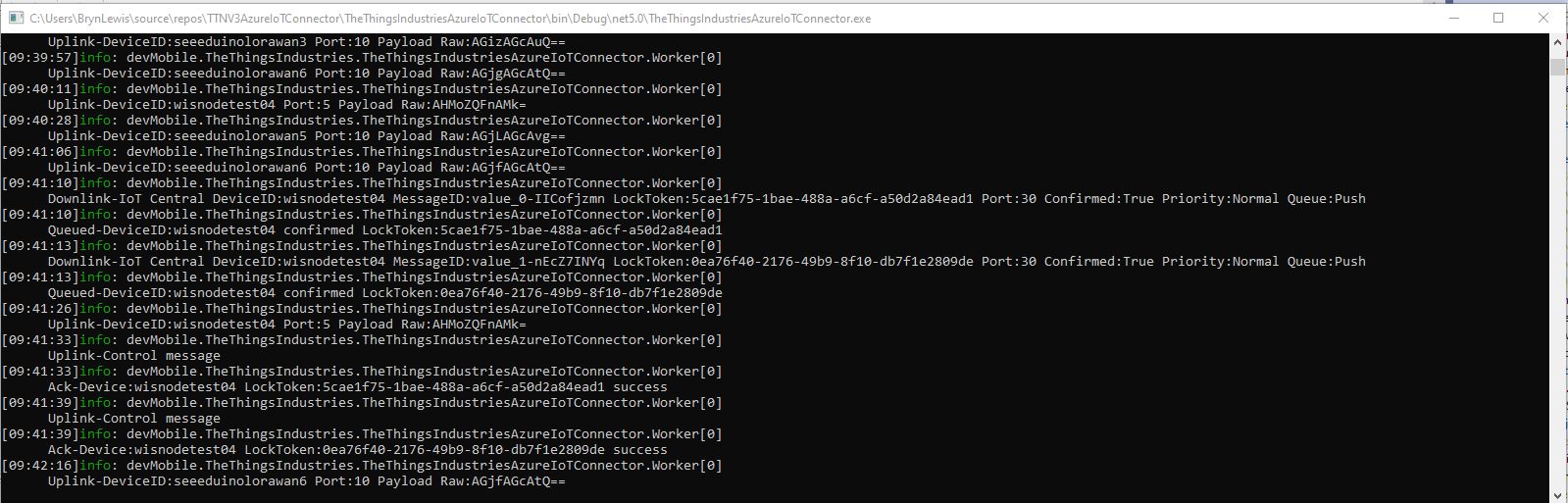
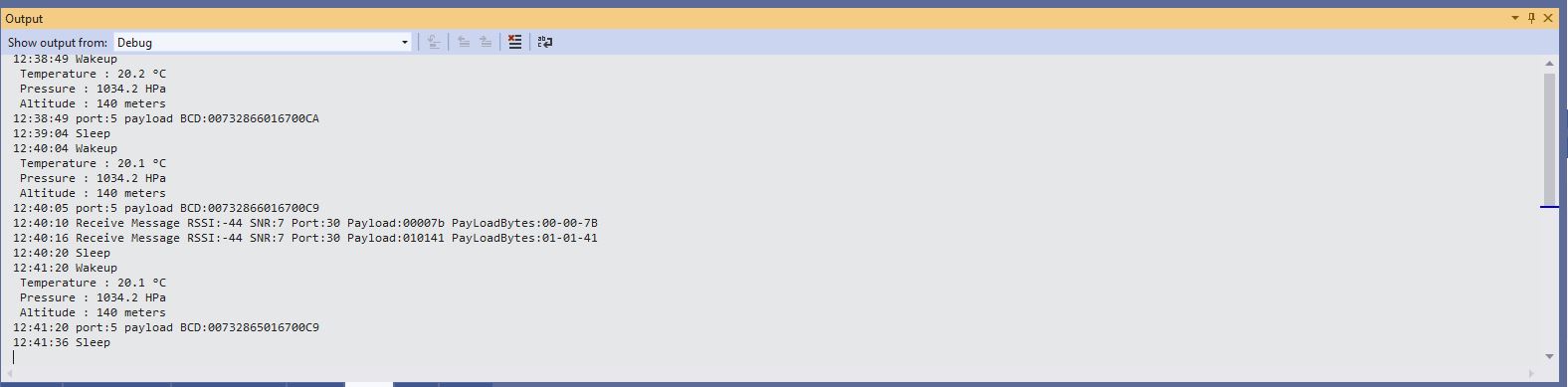
Azure IoT Central single value command initiationAzure IoT TTI connector application sending a single value command to my sensor nodeSensor node displaying single value command information. There are two downlink messages and each payload contains a single value
The single value command payload contains the textual representation of the value e.g. “true”/”false” or “1.23” which are also valid JSON. This initially caused issues as I was trying to splice a single value into the decoded payload.
I had to add a check that the string started with a “{” and finished with a “}” (a JSON object) or started with a “[” and finished with a “]” (a JSON array) as part of the validation process.
For a single value command the payload decoded has a single property with the method-name value as the name and the payload as the value. For a command with a JSON payload the message payload is copied into the PayloadDecoded.
I normally wouldn’t use exceptions for flow control but I can’t see a better way of doing this.
	try
	{
		// Split over multiple lines to improve readability
		if (!(payloadText.StartsWith("{") && payloadText.EndsWith("}"))
									&&
			(!(payloadText.StartsWith("[") && payloadText.EndsWith("]"))))
		{
			throw new JsonReaderException();
		}

		downlink.PayloadDecoded = JToken.Parse(payloadText);
	}
	catch (JsonReaderException)
	{
		try
		{
			JToken value = JToken.Parse(payloadText);

			downlink.PayloadDecoded = new JObject(new JProperty(methodName, value));
		}
		catch (JsonReaderException)
		{
			downlink.PayloadDecoded = new JObject(new JProperty(methodName, payloadText));
		}
	}
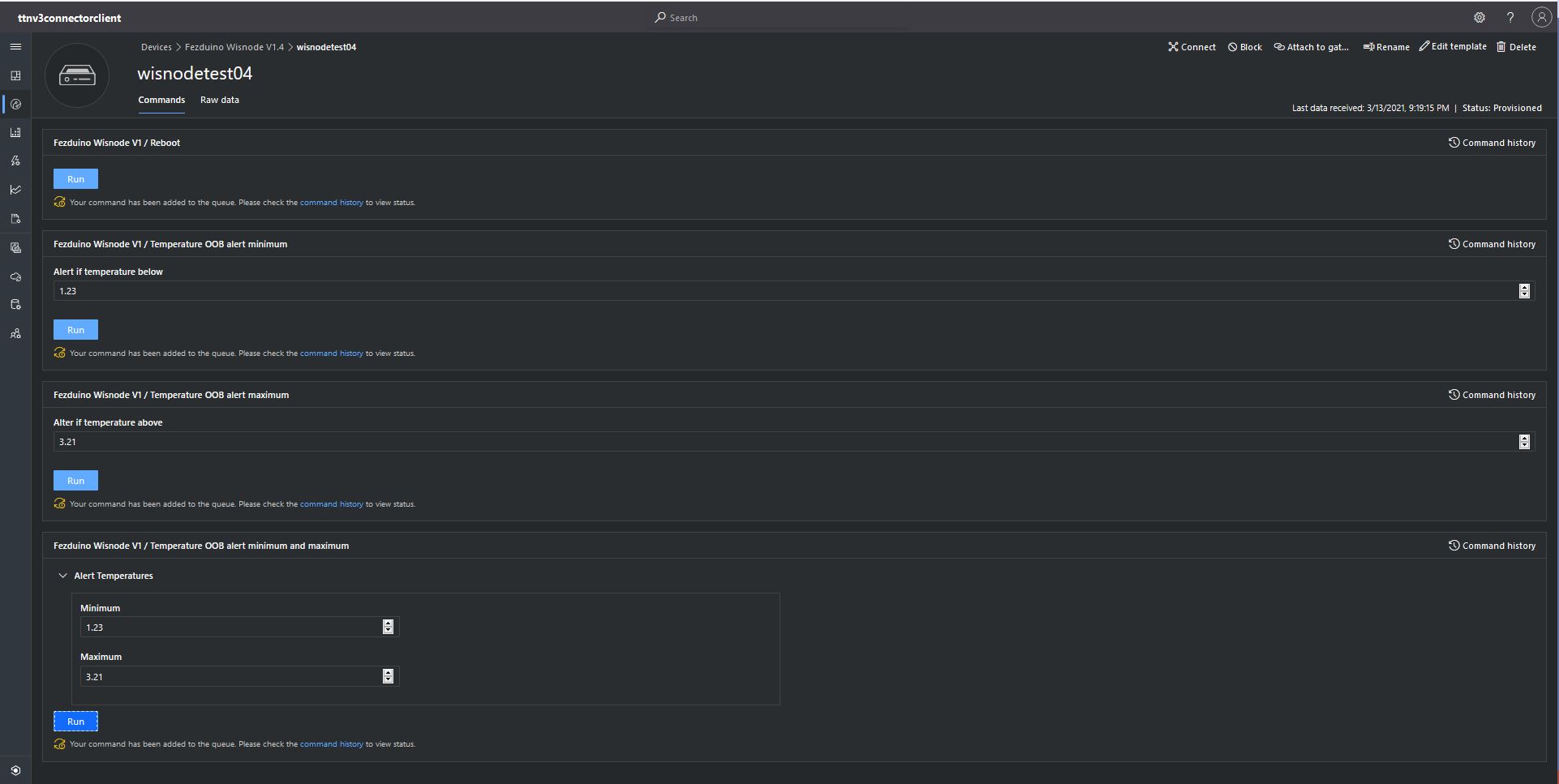
The final step was to configure an another Azure IoT Central command with a JSON payload to send to the sensor node. A “real-world” example of this sort of command would be setting the minimum and maximum temperatures of a freezer in a single downlink message.
Azure IoT Central JSON payload command setup
Azure IoT Central JSON payload command payload configuration
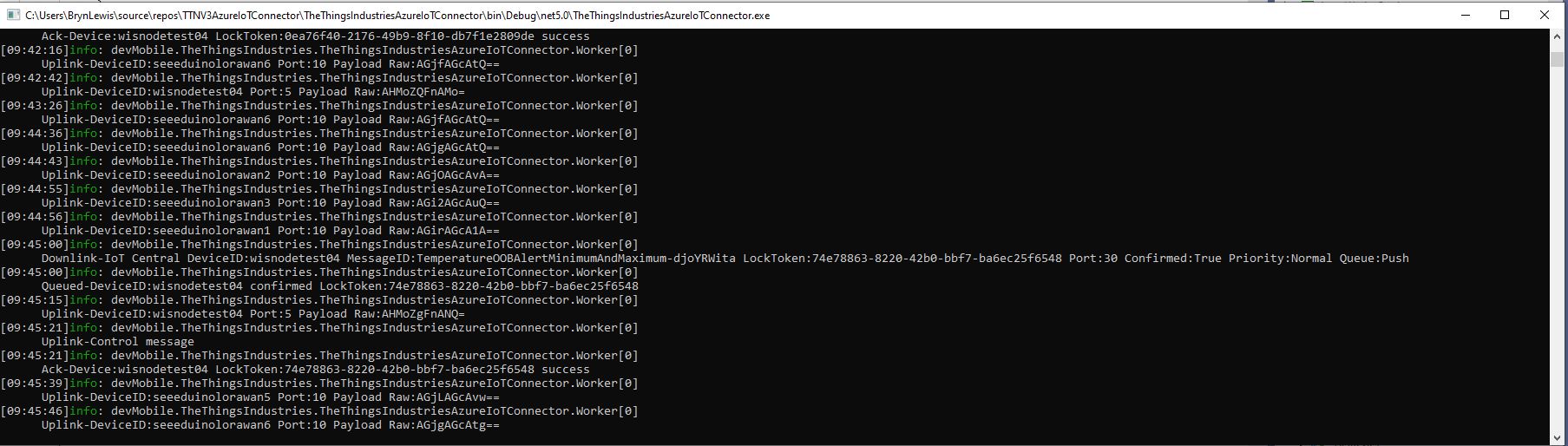
Azure IoT TTI connector application sending a JSON payload command to my sensor node
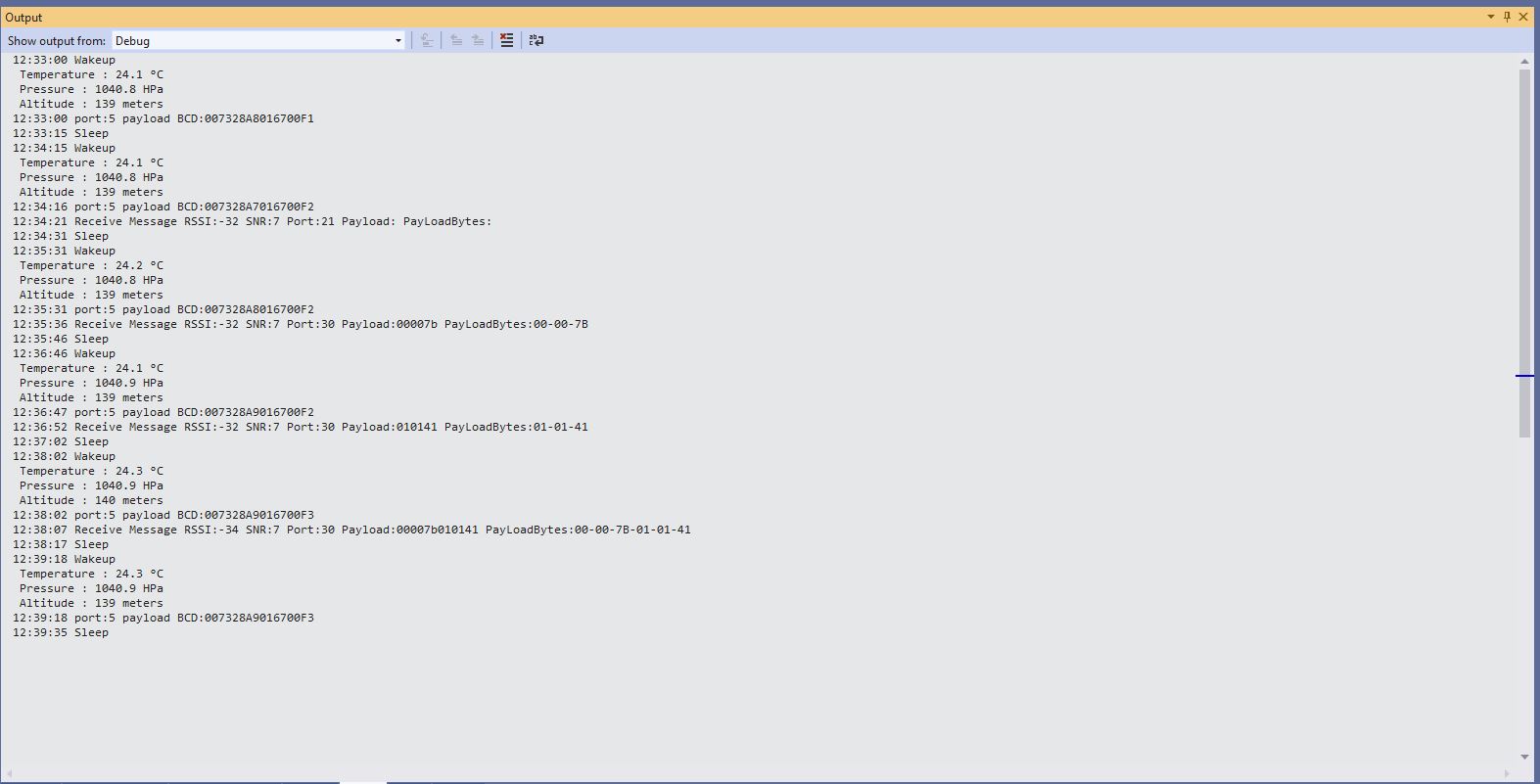
Sensor node displaying JSON command information. There is a single payload which contains a two values
The build in TTI decoder only supports downlink decoded payloads with property names “value_0” through “value_x” which results in some odd command names and JSON payload property names. (Custom encoders may support other property names). Case sensitivity of some configuration values also tripped me up.
return DeviceClient.CreateFromConnectionString(connectionString, deviceId,
	new ITransportSettings[]
	{
		new AmqpTransportSettings(TransportType.Amqp_Tcp_Only)
		{
			PrefetchCount = 0,
			AmqpConnectionPoolSettings = new AmqpConnectionPoolSettings()
			{
				Pooling = true,
			}
		}
	});
I hadn’t noticed this issue in my Azure IoT The Things Network Integration because I hadn’t built support for C2D messaging. After some trial and error I figured out the issue was the PrefetchCount initialisation.
return DeviceClient.CreateFromConnectionString(connectionString, deviceId,
	new ITransportSettings[]
	{
		new AmqpTransportSettings(TransportType.Amqp_Tcp_Only)
		{
			AmqpConnectionPoolSettings = new AmqpConnectionPoolSettings()
			{
				Pooling = true,
			}
		}
	});
Even though the Service Bus APIs do not directly expose such an option today, a lower-level AMQP protocol client can use the link-credit model to turn the “pull-style” interaction of issuing one unit of credit for each receive request into a “push-style” model by issuing a large number of link credits and then receive messages as they become available without any further interaction. Push is supported through the MessagingFactory.PrefetchCount or MessageReceiver.PrefetchCount property settings. When they are non-zero, the AMQP client uses it as the link credit.
n this context, it’s important to understand that the clock for the expiration of the lock on the message inside the entity starts when the message is taken from the entity, not when the message is put on the wire. Whenever the client indicates readiness to receive messages by issuing link credit, it is therefore expected to be actively pulling messages across the network and be ready to handle them. Otherwise the message lock may have expired before the message is even delivered. The use of link-credit flow control should directly reflect the immediate readiness to deal with available messages dispatched to the receiver.
In the Azure IoT Hub SDK the prefetch count is set to 50 (around line 57) and throws an exception if less that zero (around line 90) and there is some information about tuning the prefetch value for Azure Service Bus.
“You are correct, the pre-fetch count is used to set the link credit over AMQP. What this signifies is the max. no. of messages that can be “in-flight” from the service to the client, at any given time. (This value defaults to 50 for the IoT Hub .NET client). The client specifies its link-credit, that the service must respect. In simplest terms, any time the service sends a message to the client, it decrements the link credit, and will continue sending messages until linkCredit > 0. Once the client acknowledges the message, it will increment the link credit.”
In summary if Prefetch count is set to zero on startup in my application no messages will be sent to the client….
After trialing a couple of different approaches I have removed the AzureSettingsDefault. If an application has a connectionstring configured that is used, if there is not one then the DPS configuration is used, if there are neither currently the application logs an error. In the future I will look at adding a configuration option to make the application optionally shutdown
After configuring, deploying and then operating my The Things Network(TTN) V2 gateway I have made some changes to my The Things Industries(TTI) V3 gateway.
Using Azure KeyVault to store configuration was an interesting learning exercise but made configuration difficult for users, so for the initial V3 version(s) I have dropped support and reverted to an app.settings file.
The V2 gateway used an Azure HTTP Trigger function to process TTN uplink messages which were placed into an Azure Storage Queue for processing by an Azure Queue Trigger function. This was complex to deploy and caused message ordering problems when multiple instances of the storage queue trigger function where spun up to process a backlog of messages.
The V2 Gateway only provisioned devices with the Azure Device Provisioning Service on the first uplink message. This made it difficult to process Downlink messages as there was no Azure DeviceClient connection for devices which hadn’t sent a message. The V3 gateway uses the TTN API to enumerate the devices in each TTN Application configured in the app.settings.json file. For each application a Message Queue Telemetry Transport(MQTT) (using MQTTNet) connection is opened for receiving uplink messages, sending downlink messages and tracking the progress of downlink messages. Then for each TTN Device a connection is establish to the specified Azure IoT Hub to enable Cloud to Device(C2D) and Device to Cloud messaging.
With so many components the V2 gateway was difficult to debug, so the V3 version runs locally as a console application and in Azure as an Azure continuous Webjob
The amount of diagnostic logging sent to Azure Application Insights was making it difficult to identify and then diagnose issues so the way logging is implemented has been revisited.
TTI V3 Gateway running as a console application on my desktop
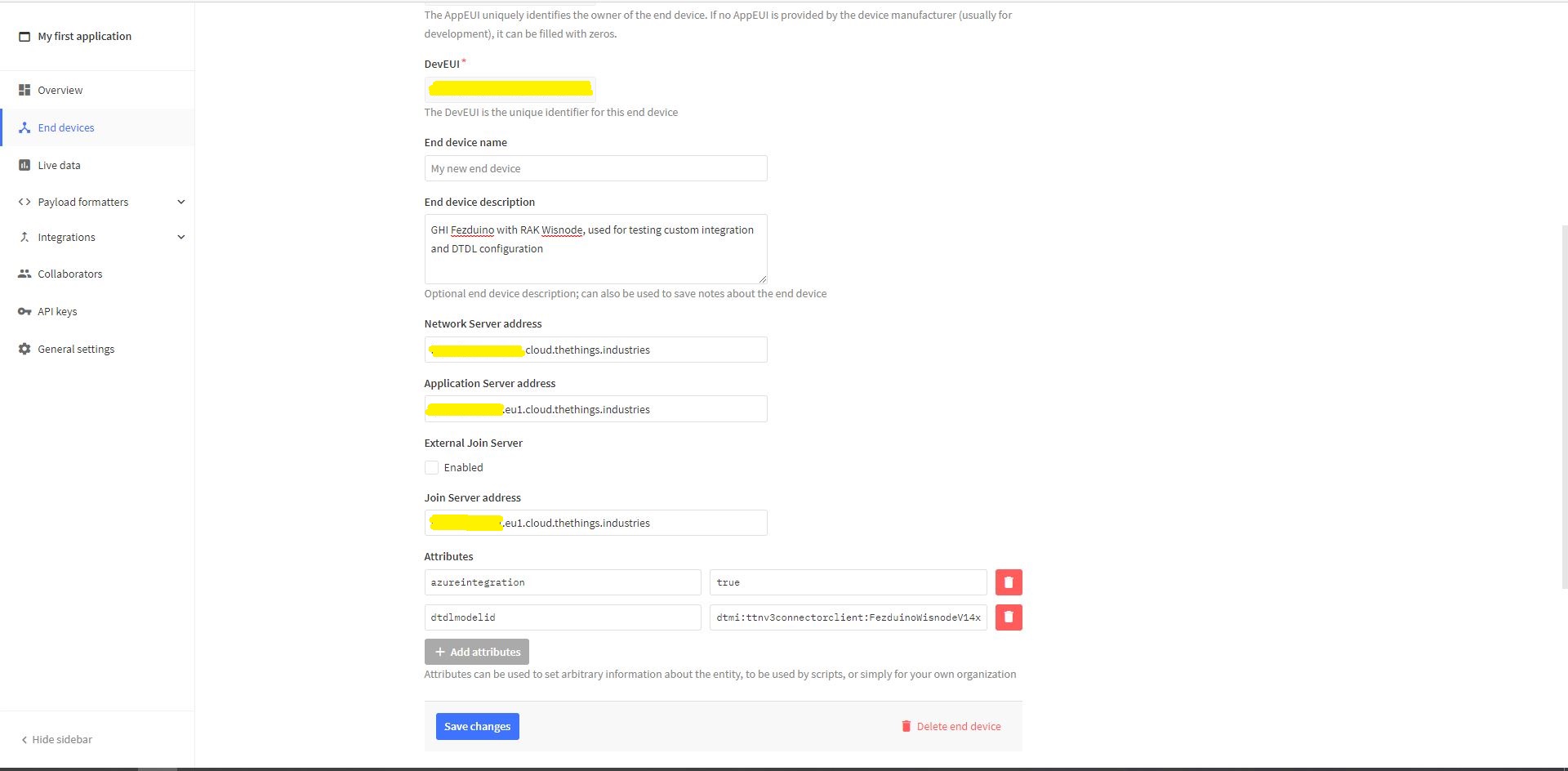
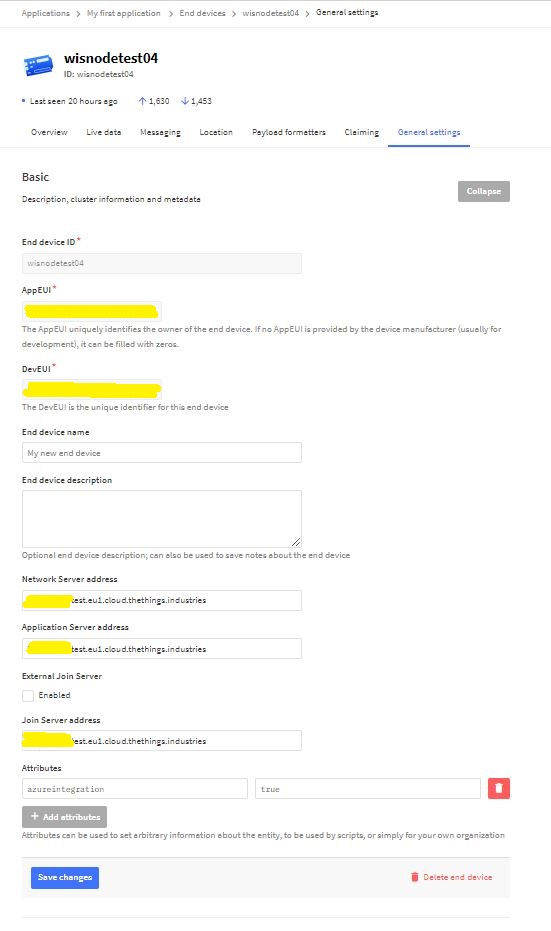
Azure IoT integration can be configured at the Device (TTN Device “azureintegration” attribute).
TTN Device AzureIntegration Attribute
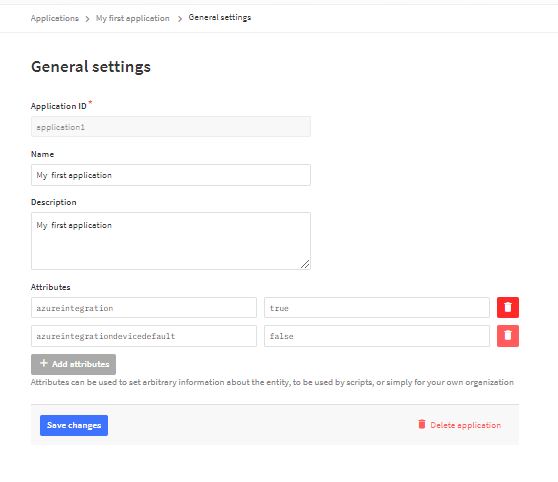
Then falls back to the Application default (TTN application “azureintegrationdevicedefault” attribute).
Then falls back to the “DeviceIntegrationDefault” setting for the Application then finally “DeviceIntegrationDefault” setting for the webjob the in the app.settings.json file
My Azure IoT Hub messages have properties for the LoRaWAN port (required), confirmed (which defaults to false), priority (which defaults to Normal) and queue(which defaults to Replace). The priority and queue enumerations are defined in TTNcommon.cs.
I used the enumeration for message priority in the JSON payload and MQTT downlink message topic.
Initially when I published a message it wasn’t sent and there was no error. It was a while before I noticed that the queue setting was being being converted to the text “Push” or “Replace” based on the enumeration value name (The priority value was in the JSON which is case insensitive). I did wonder if the tenantId and ApplicationId were also case sensitive so I ensured consistent capitalisation with ToLower();
The first step was to add the The Things Network(TTN)V3 Tennant ID to the context information as it is required for the downlink Message Queue Telemetry Transport (MQTT) publish topic.
namespace devMobile.TheThingsNetwork.Models
{
   public class AzureIoTHubReceiveMessageHandlerContext
   {
      public string TenantId { get; set; }
      public string DeviceId { get; set; }
      public string ApplicationId { get; set; }
   }
}
To send a message to a LoRaWAN device in addition to the payload, TTN needs the port number and optionally a confirmation required flag, message priority, queueing type and correlation ids.
With my implementation the confirmation required flag, message priority, and queueing type are Azure IoT Hub message properties and the messageid is used as a correlation id.
private async static Task AzureIoTHubClientReceiveMessageHandler(Message message, object userContext)
{
	bool confirmed;
	byte port;
	DownlinkPriority priority;
	string downlinktopic;

	try
	{
		AzureIoTHubReceiveMessageHandlerContext receiveMessageHandlerConext = (AzureIoTHubReceiveMessageHandlerContext)userContext;

		DeviceClient deviceClient = (DeviceClient)DeviceClients.Get(receiveMessageHandlerConext.DeviceId);
		if (deviceClient == null)
		{
			Console.WriteLine($" UplinkMessageReceived unknown DeviceID: {receiveMessageHandlerConext.DeviceId}");
			await deviceClient.RejectAsync(message);
			return;
		}

		using (message)
		{
			Console.WriteLine();
			Console.WriteLine();
			Console.WriteLine($"{DateTime.UtcNow:HH:mm:ss} Azure IoT Hub downlink message");
			Console.WriteLine($" ApplicationID: {receiveMessageHandlerConext.ApplicationId}");
			Console.WriteLine($" DeviceID: {receiveMessageHandlerConext.DeviceId}");
#if DIAGNOSTICS_AZURE_IOT_HUB
			Console.WriteLine($" Cached: {DeviceClients.Contains(receiveMessageHandlerConext.DeviceId)}");
			Console.WriteLine($" MessageID: {message.MessageId}");
			Console.WriteLine($" DeliveryCount: {message.DeliveryCount}");
			Console.WriteLine($" EnqueuedTimeUtc: {message.EnqueuedTimeUtc}");
			Console.WriteLine($" SequenceNumber: {message.SequenceNumber}");
			Console.WriteLine($" To: {message.To}");
#endif
			string messageBody = Encoding.UTF8.GetString(message.GetBytes());
			Console.WriteLine($" Body: {messageBody}");
#if DOWNLINK_MESSAGE_PROPERTIES_DISPLAY
			foreach (var property in message.Properties)
			{
				Console.WriteLine($"   Key:{property.Key} Value:{property.Value}");
			}
#endif
			if (!message.Properties.ContainsKey("Confirmed"))
			{
				Console.WriteLine(" UplinkMessageReceived missing confirmed property");
				await deviceClient.RejectAsync(message);
				return;
			}

			if (!bool.TryParse(message.Properties["Confirmed"], out confirmed))
			{
				Console.WriteLine(" UplinkMessageReceived confirmed property invalid");
				await deviceClient.RejectAsync(message);
				return;
			}

			if (!message.Properties.ContainsKey("Priority"))
			{
				Console.WriteLine(" UplinkMessageReceived missing priority property");
				await deviceClient.RejectAsync(message);
				return;
			}

			if (!Enum.TryParse(message.Properties["Priority"], true, out priority))
			{
				Console.WriteLine(" UplinkMessageReceived priority property invalid");
				await deviceClient.RejectAsync(message);
				return;
			}

			if (priority == DownlinkPriority.Undefined)
			{
				Console.WriteLine(" UplinkMessageReceived priority property undefined value invalid");
				await deviceClient.RejectAsync(message);
				return;
			}

			if (!message.Properties.ContainsKey("Port"))
			{
				Console.WriteLine(" UplinkMessageReceived missing port number property");
				await deviceClient.RejectAsync(message);
				return;
			}

			if (!byte.TryParse( message.Properties["Port"], out port))
			{
				Console.WriteLine(" UplinkMessageReceived port number property invalid");
				await deviceClient.RejectAsync(message);
				return;
			}

			if ((port < Constants.PortNumberMinimum) || port > (Constants.PortNumberMaximum))
			{
				Console.WriteLine($" UplinkMessageReceived port number property invalid value must be between {Constants.PortNumberMinimum} and {Constants.PortNumberMaximum}");
				await deviceClient.RejectAsync(message);
				return;
			}

			if (!message.Properties.ContainsKey("Queue"))
			{
				Console.WriteLine(" UplinkMessageReceived missing queue property");
				await deviceClient.RejectAsync(message);
				return;
			}

			switch(message.Properties["Queue"].ToLower())
			{
				case "push":
					downlinktopic = $"v3/{receiveMessageHandlerConext.ApplicationId}@{receiveMessageHandlerConext.TenantId}/devices/{receiveMessageHandlerConext.DeviceId}/down/push";
					break;
				case "replace":
					downlinktopic = $"v3/{receiveMessageHandlerConext.ApplicationId}@{receiveMessageHandlerConext.TenantId}/devices/{receiveMessageHandlerConext.DeviceId}/down/replace";
					break;
				default:
					Console.WriteLine(" UplinkMessageReceived missing queue property invalid value");
					await deviceClient.RejectAsync(message);
					return;
               }

			DownlinkPayload Payload = new DownlinkPayload()
			{
				Downlinks = new List<Downlink>()
				{
					new Downlink()
					{
						Confirmed = confirmed,
						PayloadRaw = messageBody,
						Priority = priority,
						Port = port,
						CorrelationIds = new List<string>()
						{
							message.MessageId
						}
					}
				}
			};

			var mqttMessage = new MqttApplicationMessageBuilder()
					.WithTopic(downlinktopic)
					.WithPayload(JsonConvert.SerializeObject(Payload))
					.WithAtLeastOnceQoS()
					.Build();

			await mqttClient.PublishAsync(mqttMessage);

			// Need to look at confirmation requirement ack, nack maybe failed & sent
			await deviceClient.CompleteAsync(message);

			Console.WriteLine();
		}
	}
	catch (Exception ex)
	{
		Debug.WriteLine("UplinkMessageReceived failed: {0}", ex.Message);
	}
}
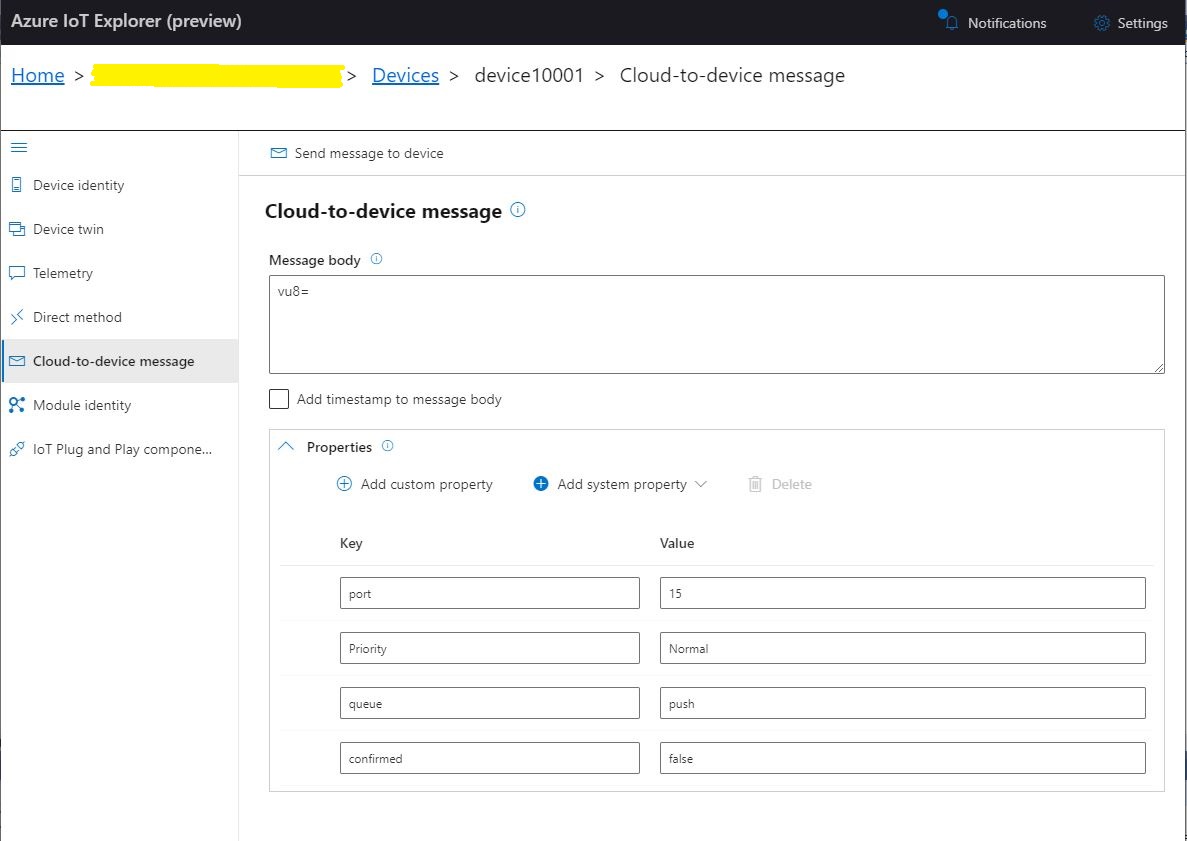
To “smoke test”” my implementation I used Azure IoT Explorer to send a C2D telemetry message
Azure IoT Hub Explorer send message form with payload and message properties
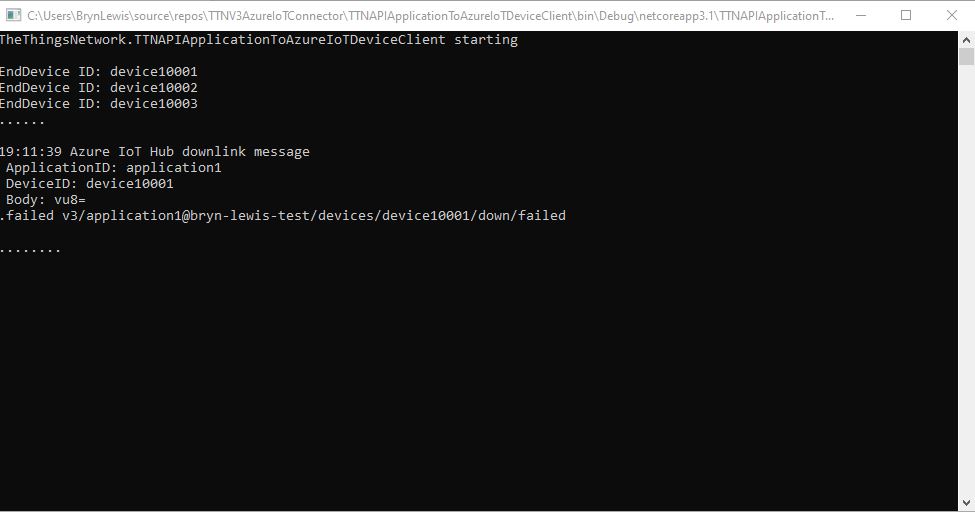
The PoC console application then forwarded the message to TTN using MQTT to be sent(which fails)
PoC application sending message then displaying result
The TTN live data display shows the message couldn’t be delivered because my test LoRaWAN device has not been activiated.
TTN Live Data display with message delivery failure
// At this point all the AzureIoT Hub deviceClients setup and ready to go so can enable MQTT receive
mqttClient.UseApplicationMessageReceivedHandler(new MqttApplicationMessageReceivedHandlerDelegate(e => MqttClientApplicationMessageReceived(e)));

// This may shift to individual device subscriptions
string uplinkTopic = $"v3/{options.MqttApplicationID}/devices/+/up";
await mqttClient.SubscribeAsync(uplinkTopic, MQTTnet.Protocol.MqttQualityOfServiceLevel.AtLeastOnce);

//string queuedTopic = $"v3/{options.MqttApplicationID}/devices/+/queued";
//await mqttClient.SubscribeAsync(queuedTopic, MQTTnet.Protocol.MqttQualityOfServiceLevel.AtLeastOnce);
The additional commented out subscriptions are for the processing of downlink messages
The MQTTNet received message handler uses the last segment of the topic to route messages to a method for processing
The UplinkMessageReceived method deserialises the message payload, retrieves device context information from the local ObjectCache, adds relevant uplink messages fields (including the raw payload), then if the message has been unpacked by a TTN Decoder, the message fields are added as well.
static async Task UplinkMessageReceived(MqttApplicationMessageReceivedEventArgs e)
{
	try
	{
		PayloadUplinkV3 payload = JsonConvert.DeserializeObject<PayloadUplinkV3>(e.ApplicationMessage.ConvertPayloadToString());
		string applicationId = payload.EndDeviceIds.ApplicationIds.ApplicationId;
		string deviceId = payload.EndDeviceIds.DeviceId;
		int port = payload.UplinkMessage.Port;
...
		DeviceClient deviceClient = (DeviceClient)DeviceClients.Get(deviceId);
		if (deviceClient == null)
		{
			Console.WriteLine($" UplinkMessageReceived unknown DeviceID: {deviceId}");
			return;
		}

		JObject telemetryEvent = new JObject();
		telemetryEvent.Add("DeviceID", deviceId);
		telemetryEvent.Add("ApplicationID", applicationId);
		telemetryEvent.Add("Port", port);
		telemetryEvent.Add("PayloadRaw", payload.UplinkMessage.PayloadRaw);

		// If the payload has been unpacked in TTN backend add fields to telemetry event payload
		if (payload.UplinkMessage.PayloadDecoded != null)
		{
			EnumerateChildren(telemetryEvent, payload.UplinkMessage.PayloadDecoded);
		}

		// Send the message to Azure IoT Hub/Azure IoT Central
		using (Message ioTHubmessage = new Message(Encoding.ASCII.GetBytes(JsonConvert.SerializeObject(telemetryEvent))))
		{
			// Ensure the displayed time is the acquired time rather than the uploaded time.
			//ioTHubmessage.Properties.Add("iothub-creation-time-utc", payloadObject.Metadata.ReceivedAtUtc.ToString("s", CultureInfo.InvariantCulture));
			ioTHubmessage.Properties.Add("ApplicationId", applicationId);
			ioTHubmessage.Properties.Add("DeviceId", deviceId);
			ioTHubmessage.Properties.Add("port", port.ToString());

			await deviceClient.SendEventAsync(ioTHubmessage);
		}
	}
	catch( Exception ex)
	{
		Debug.WriteLine("UplinkMessageReceived failed: {0}", ex.Message);
	}
}

private static void EnumerateChildren(JObject jobject, JToken token)
{
	if (token is JProperty property)
	{
		if (token.First is JValue)
		{
			// Temporary dirty hack for Azure IoT Central compatibility
			if (token.Parent is JObject possibleGpsProperty)
			{
				if (possibleGpsProperty.Path.StartsWith("GPS_", StringComparison.OrdinalIgnoreCase))
				{
					if (string.Compare(property.Name, "Latitude", true) == 0)
					{
						jobject.Add("lat", property.Value);
					}
					if (string.Compare(property.Name, "Longitude", true) == 0)
					{
						jobject.Add("lon", property.Value);
					}
					if (string.Compare(property.Name, "Altitude", true) == 0)
					{
						jobject.Add("alt", property.Value);
					}
				}
			}
			jobject.Add(property.Name, property.Value);
		}
		else
		{
			JObject parentObject = new JObject();
			foreach (JToken token2 in token.Children())
			{
				EnumerateChildren(parentObject, token2);
				jobject.Add(property.Name, parentObject);
			}
		}
	}
	else
	{
		foreach (JToken token2 in token.Children())
		{
			EnumerateChildren(jobject, token2);
		}
	}
}
There is also some basic reformatting of the messages for Azure IoT Central
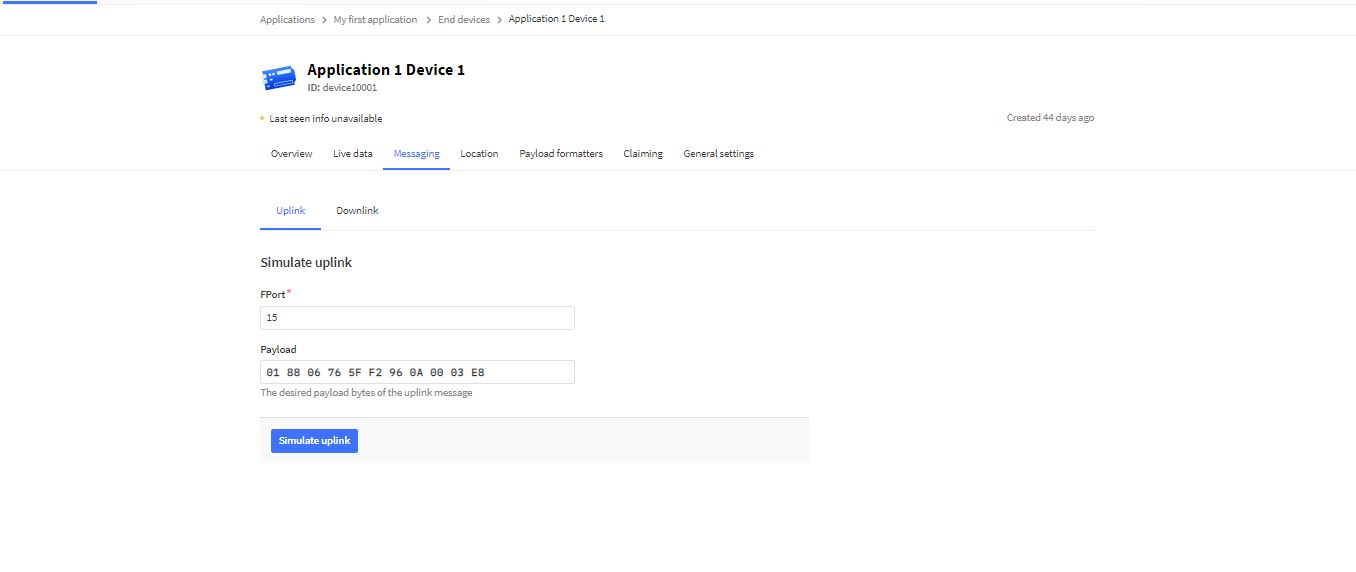
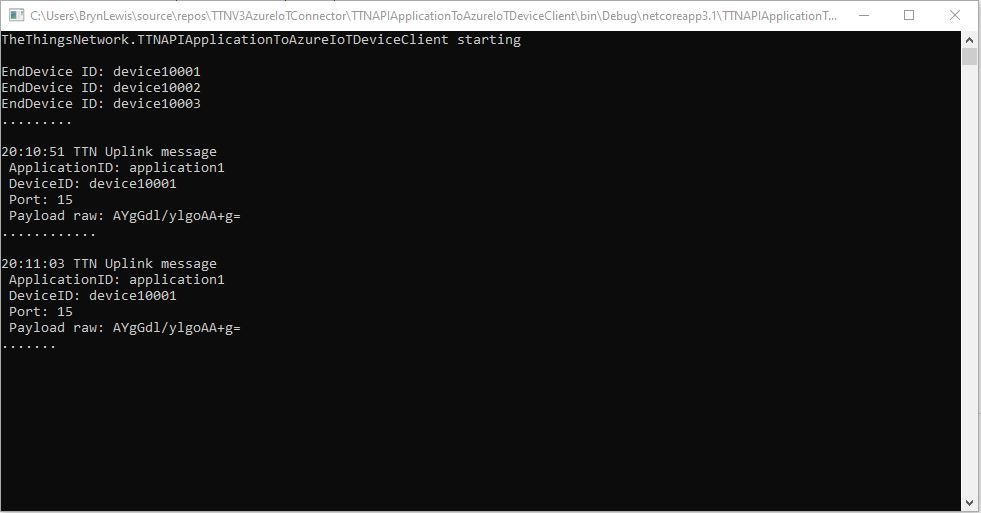
TTN Simulate uplink message with GPS location payload.Nasty console application processing uplink messageMessage from LoRaWAN device displayed in Azure IoT Explorer










 devMobile's blog