Random wanderings through Microsoft Azure esp. PaaS plumbing, the IoT bits, AI on Micro controllers, AI on Edge Devices, .NET nanoFramework, .NET Core on *nix and ML.NET+ONNX
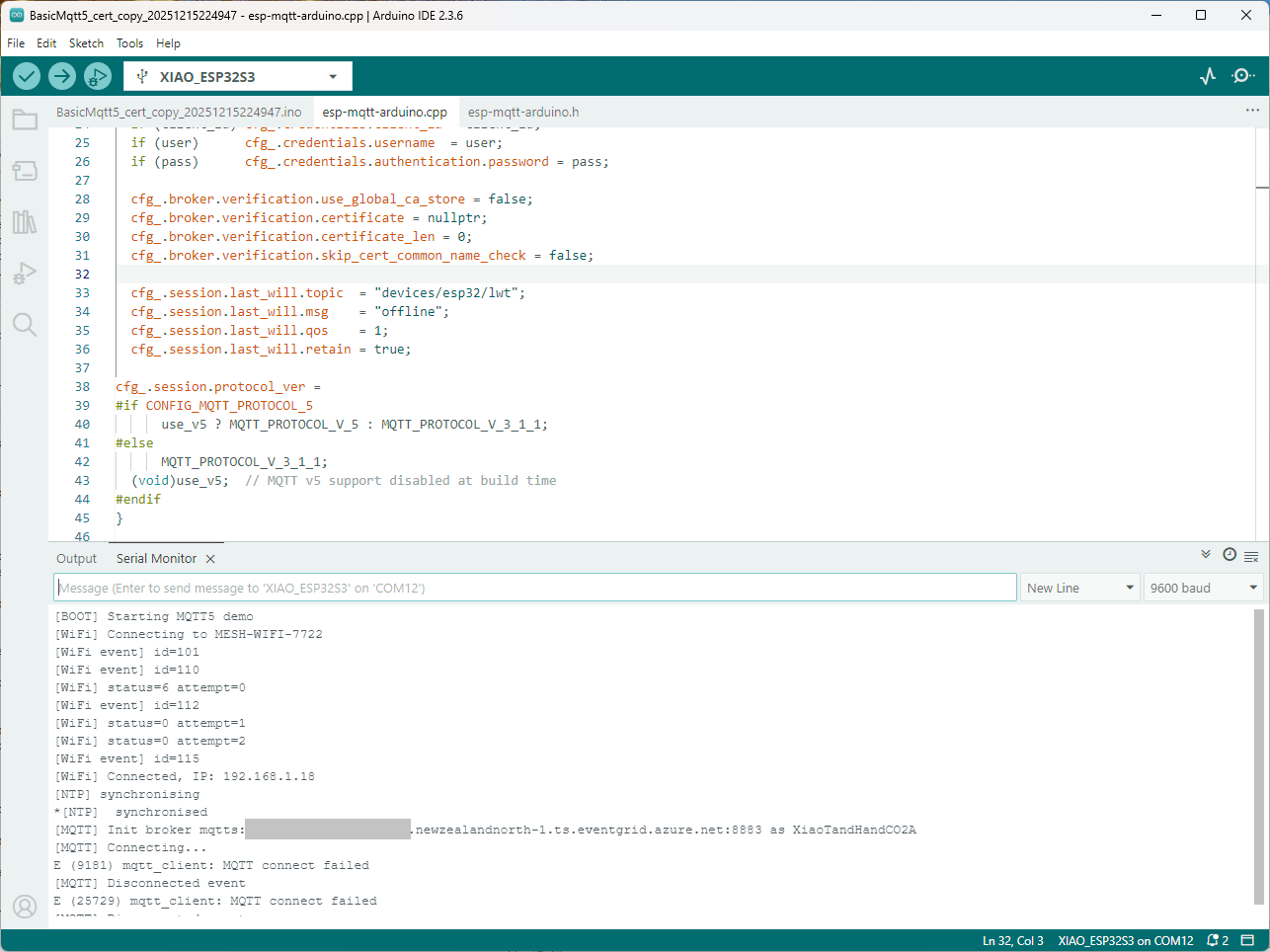
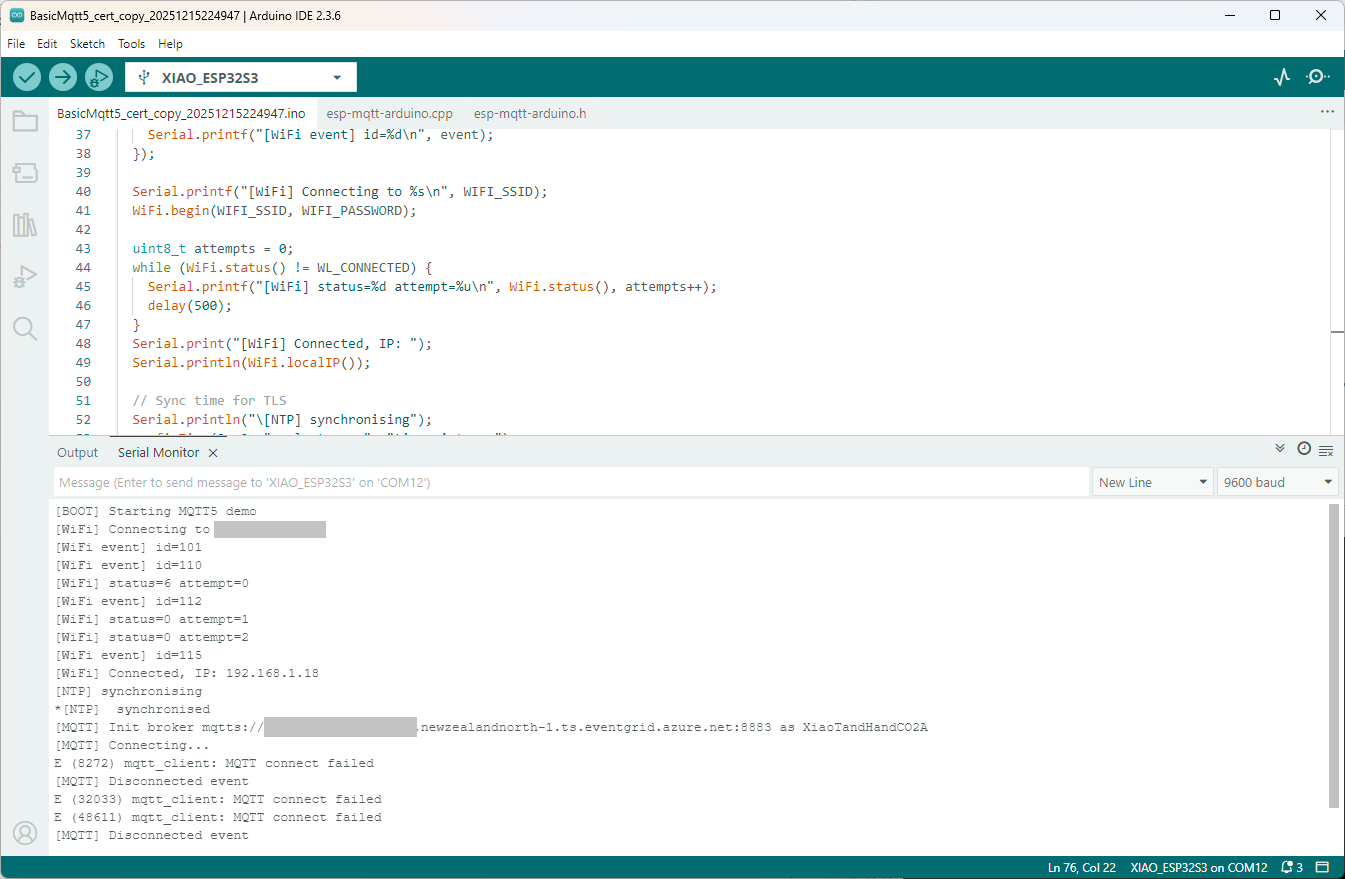
Still couldn’t figure out why my code was failing so I turned up logging to 11 and noticed a couple of messages which didn’t make sense. The device was connecting than disconnecting which indicated a another problem. As part of the Message Queue Telemetry Transport(MQTT) specification there is a “feature” Last Will and Testament(LWT) which a client can configure so that the MQTT broker sends a message to a topic if the device disconnects unexpectedly.
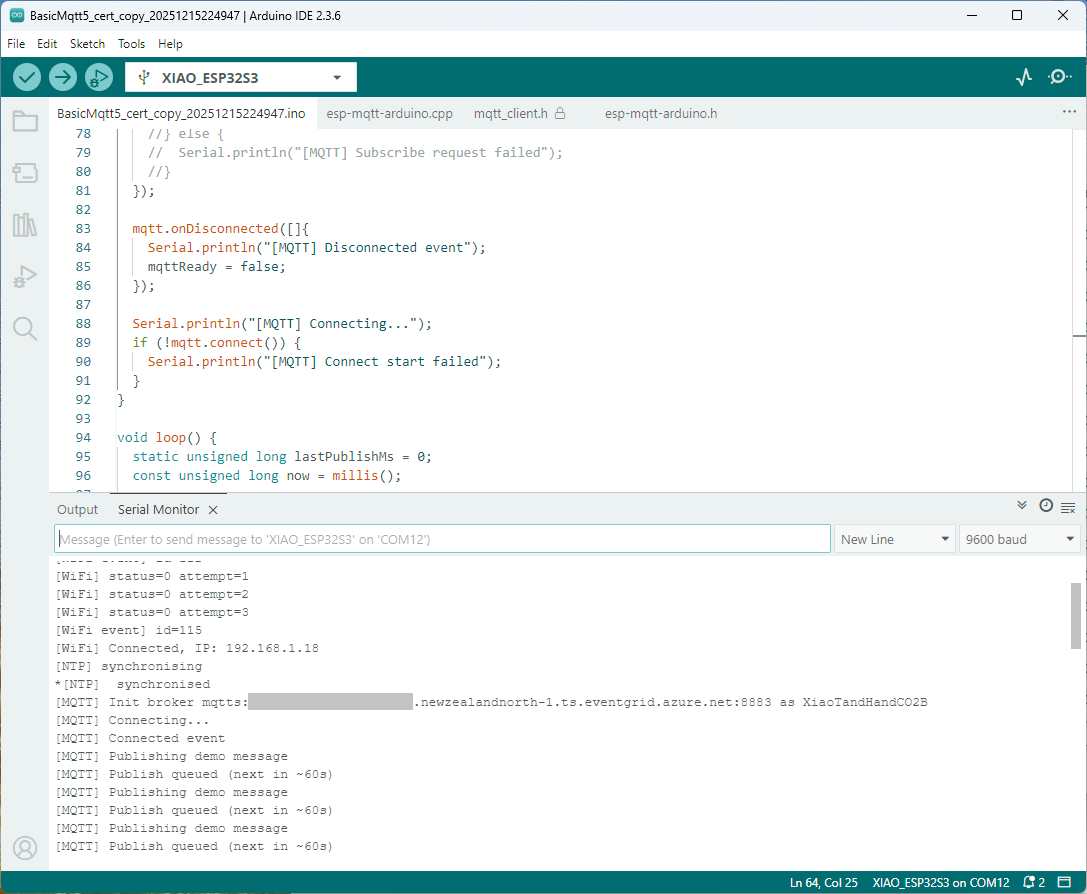
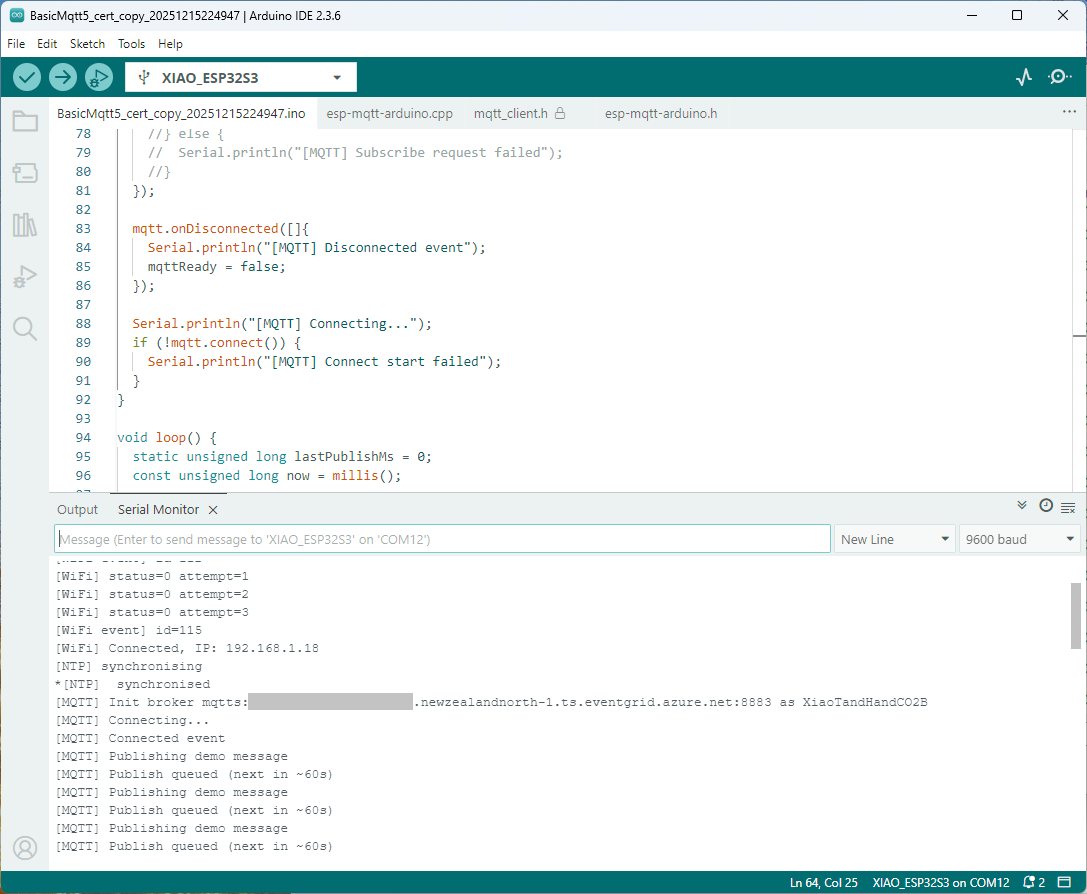
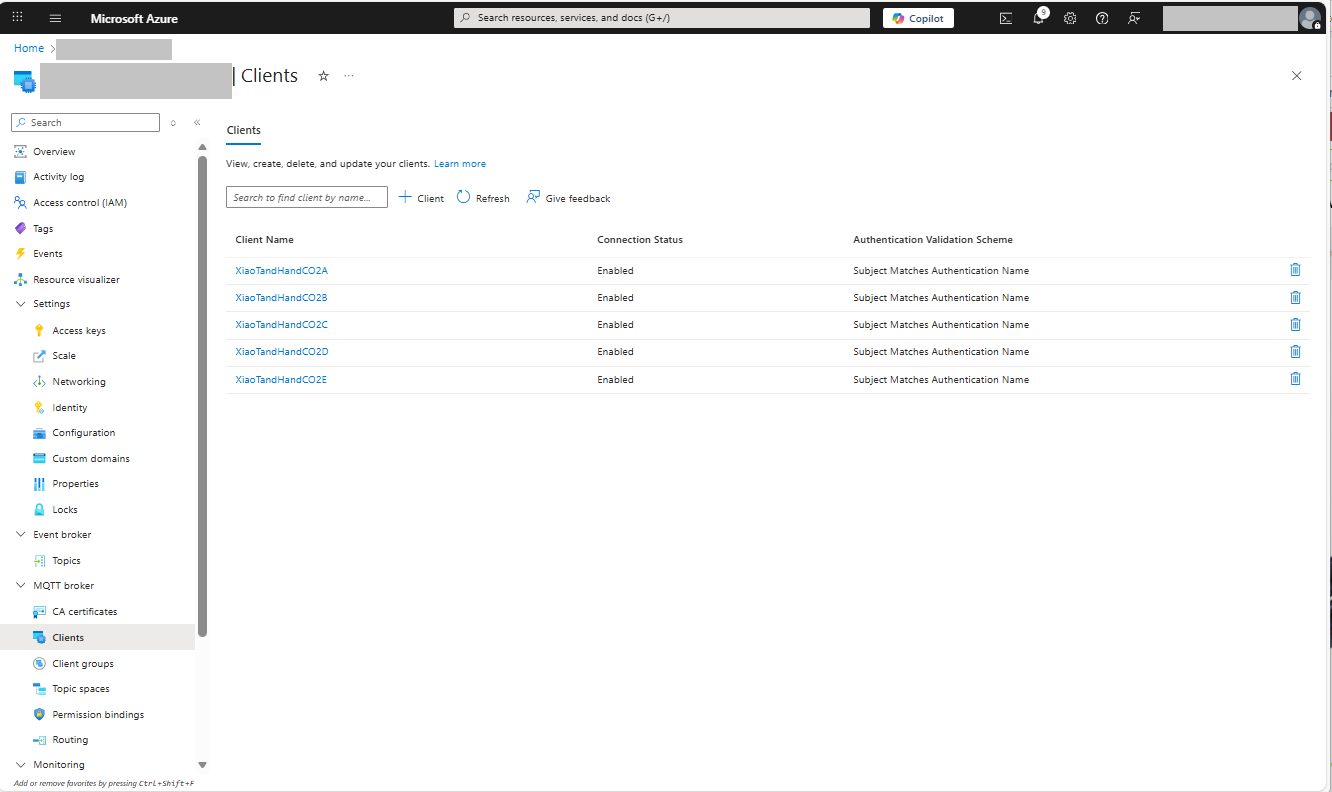
I was looking at the code and noticed that LWT was being used and that the topic didn’t exist in my Azure Event Grid MQTT Broker namespace. When the LWT configuration was commented out the application worked.
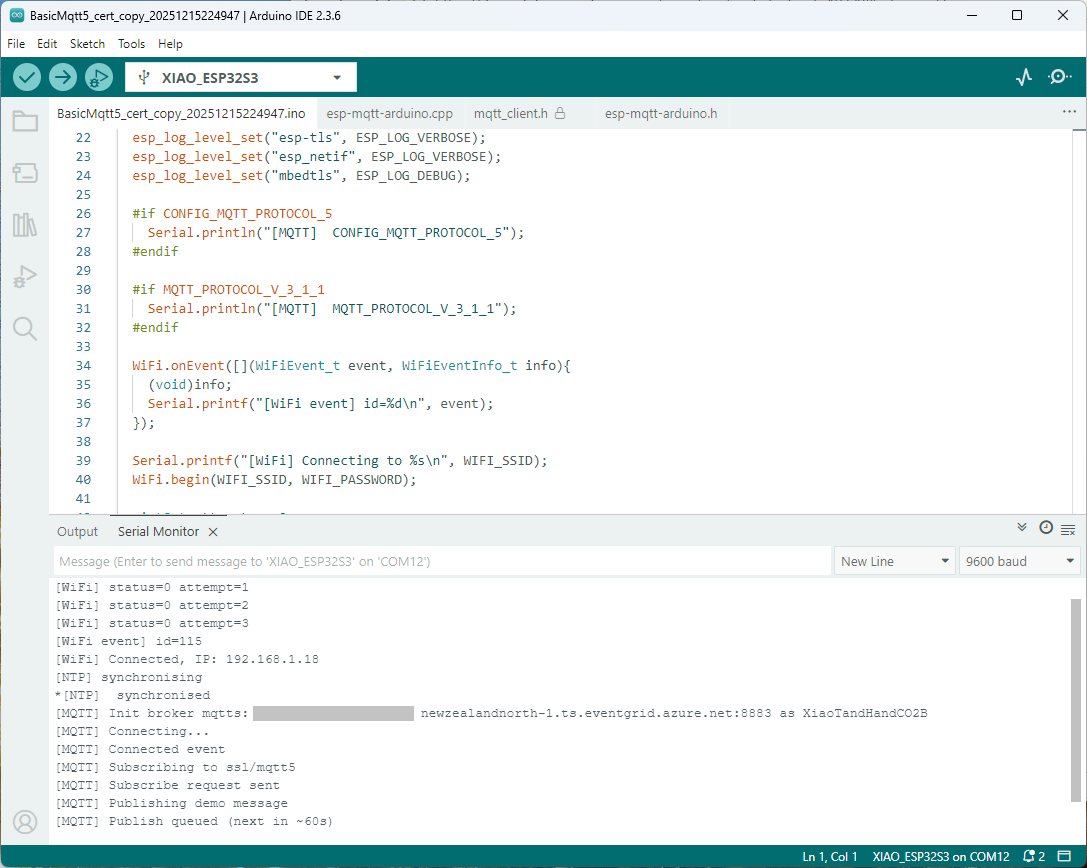
Paying close attention to the logging I noticed the “Subscribing to ssl/mqtts” followed by “Subscribe request sent”
I checked the sample application and found that if the connect was successful the application would then try and subscribe to a topic that didn’t exist.
The library doesn’t support client authentication with certificates, so I added two methods setClientCert and setClientKey to the esp-mqtt-arduino.h and esp-mqtt-arduino.cpp files
I tried increasing the log levels to get more debugging information, adding delays on startup to make it easier to see what was going on, trying different options of protocol support.
The PEM encoded root CA certificate chain that is used to validate the server
public const string CA_ROOT_PEM = @"-----BEGIN CERTIFICATE-----
CN: CN = Microsoft Azure ECC TLS Issuing CA 03
-----END CERTIFICATE-----
-----BEGIN CERTIFICATE-----
CN: CN = DigiCert Global Root G3
-----END CERTIFICATE-----";
The PEM encoded certificate chain that is used to authenticate the device
public const string CLIENT_CERT_PEM_A = @"-----BEGIN CERTIFICATE-----
-----BEGIN CERTIFICATE-----
CN=Self signed device certificate
-----END CERTIFICATE-----
-----BEGIN CERTIFICATE-----
CN=Self signed Intermediate certificate
-----END CERTIFICATE-----";
The PEM encoded private key of device
public const string CLIENT_KEY_PEM_A = @"-----BEGIN EC PRIVATE KEY-----
-----END EC PRIVATE KEY-----";
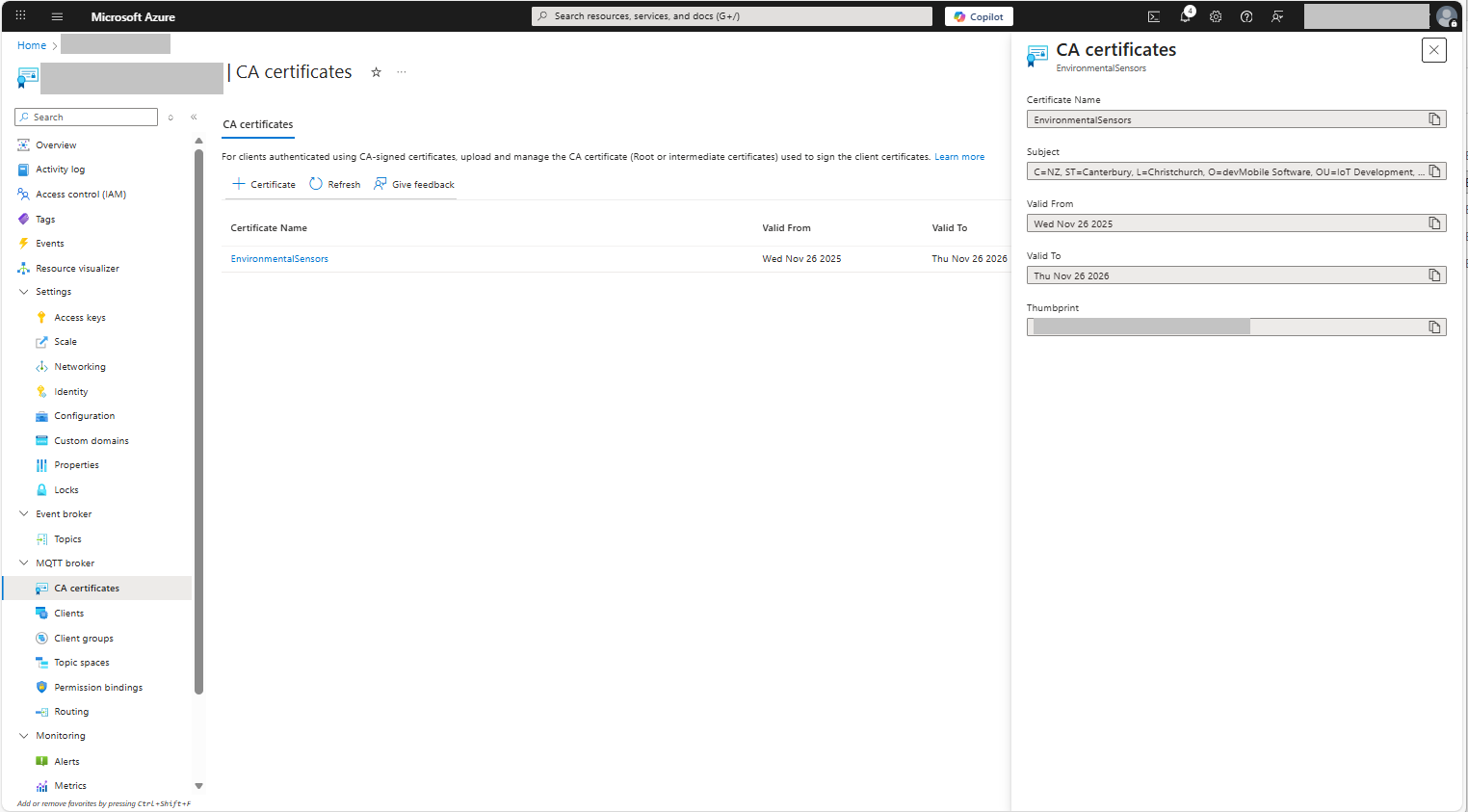
For a non-trivial system there should be a number of intermediate certificates. I have tried creating intermediate certificates for a device type, geography, application, customer and combinations of these. The first couple of times got it wrong so start with a field trial so that it isn’t so painful to go back and fix. (beware the sunk cost fallacy)
I found creating an intermediate certificate that could sign device certificates required a conf file for the basicConstraints and keyUsage configuration.
critical-The extension must be understood and processed by any application validating the certificate. If the application does not understand it, the certificate must be rejected.
CA:TRUE-This certificate is allowed to act as a Certificate Authority (CA), meaning it can sign other certificates.
pathlen:0-This CA can only issue end-entity (leaf) certificates and cannot issue further intermediate CA certificates.
keyCertSig- The certificate can be used to sign other certificates (i.e., it’s a CA certificate).
For production systems putting some thought into the Common name(CN), Organizational unit name(OU), Organization name(O), locality name(L), state or province name(S) and Country name(C)
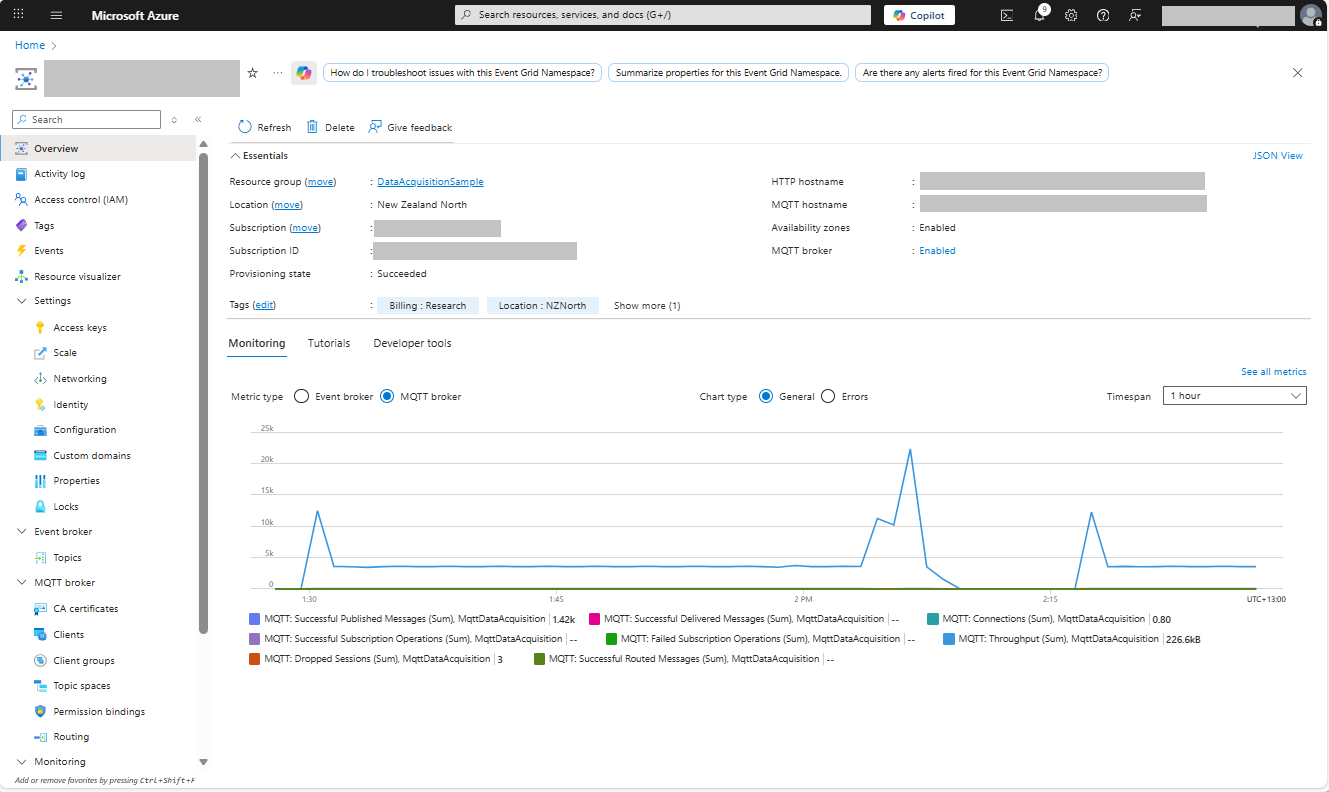
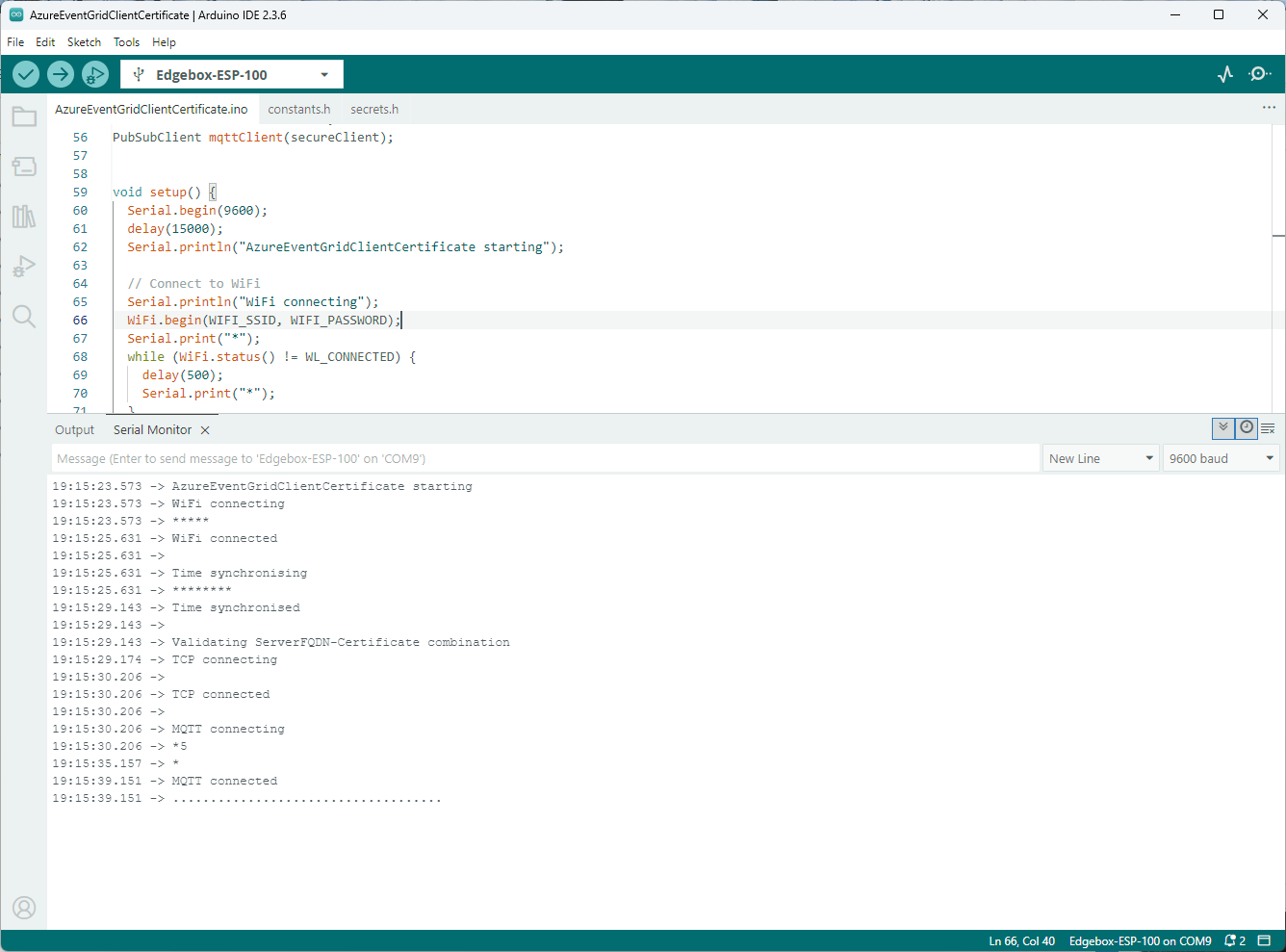
Establishing a connection to the Azure Event Grid MQTT broker often failed which surprised me. Initially I didn’t have any retry logic which meant I wasted quite a bit of time trying to debug failed connections
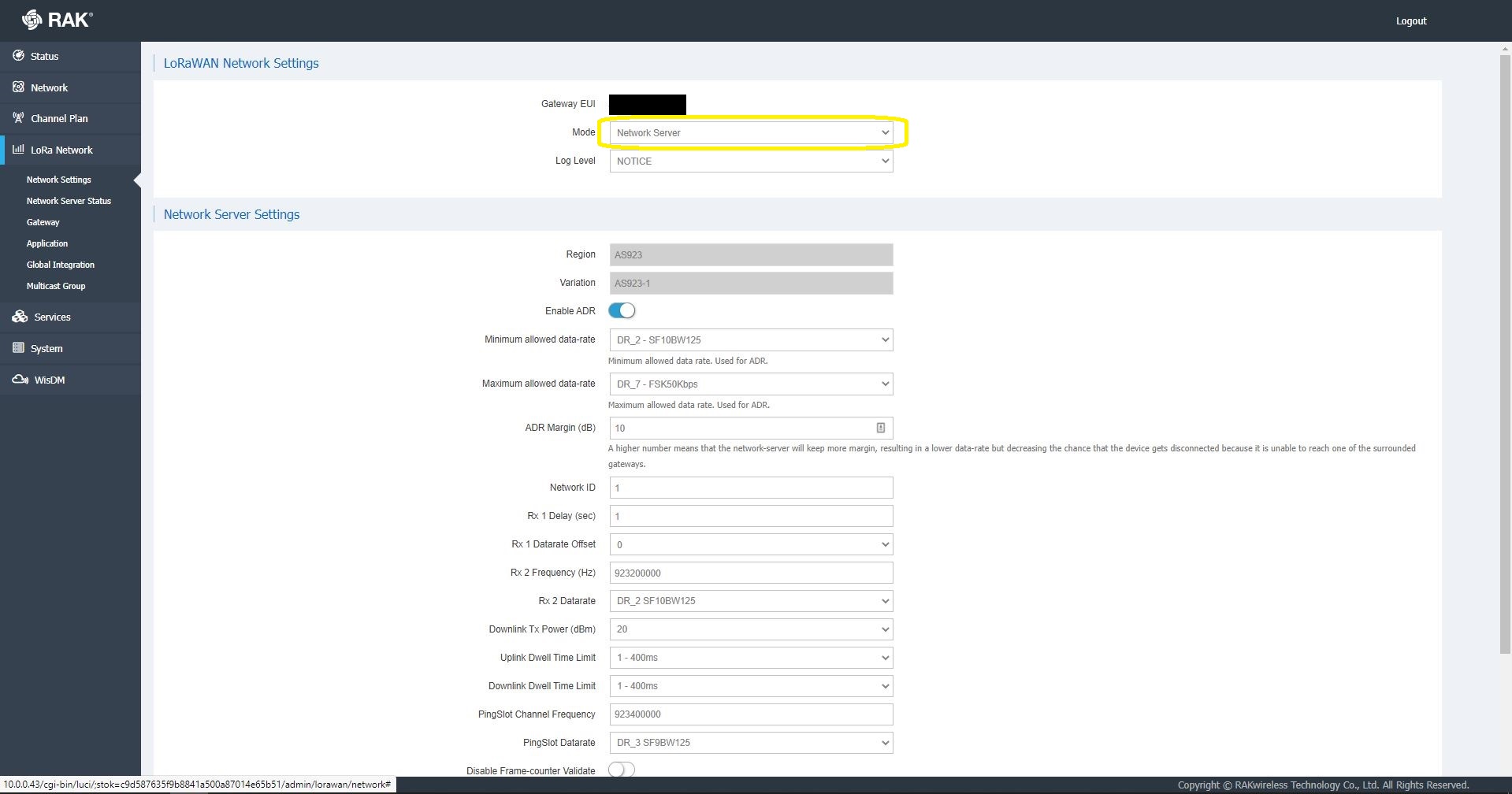
I then started exploring how applications and devices are provisioned in the RAK Network Server.
RAK 7258 Network Server applications list
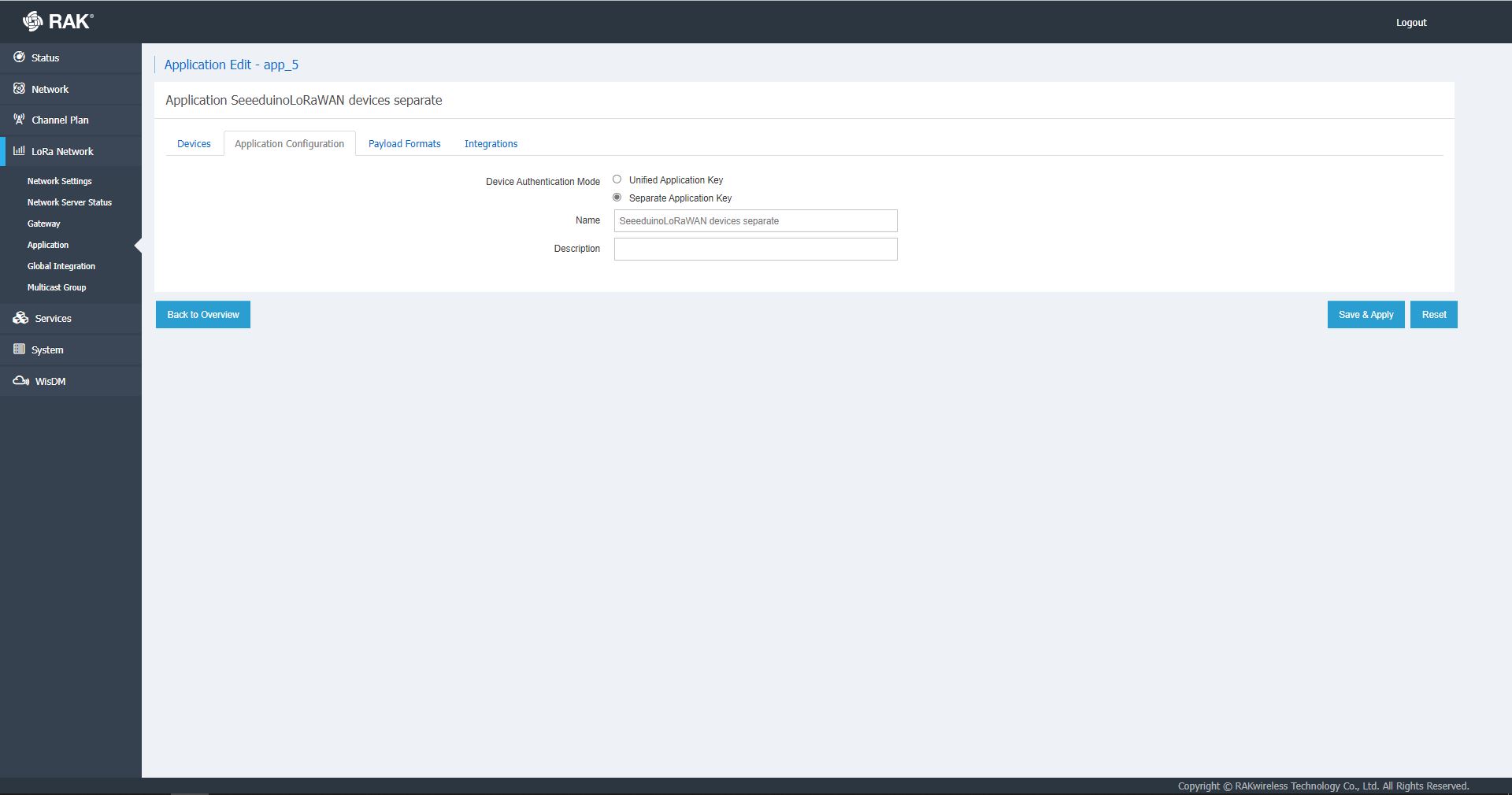
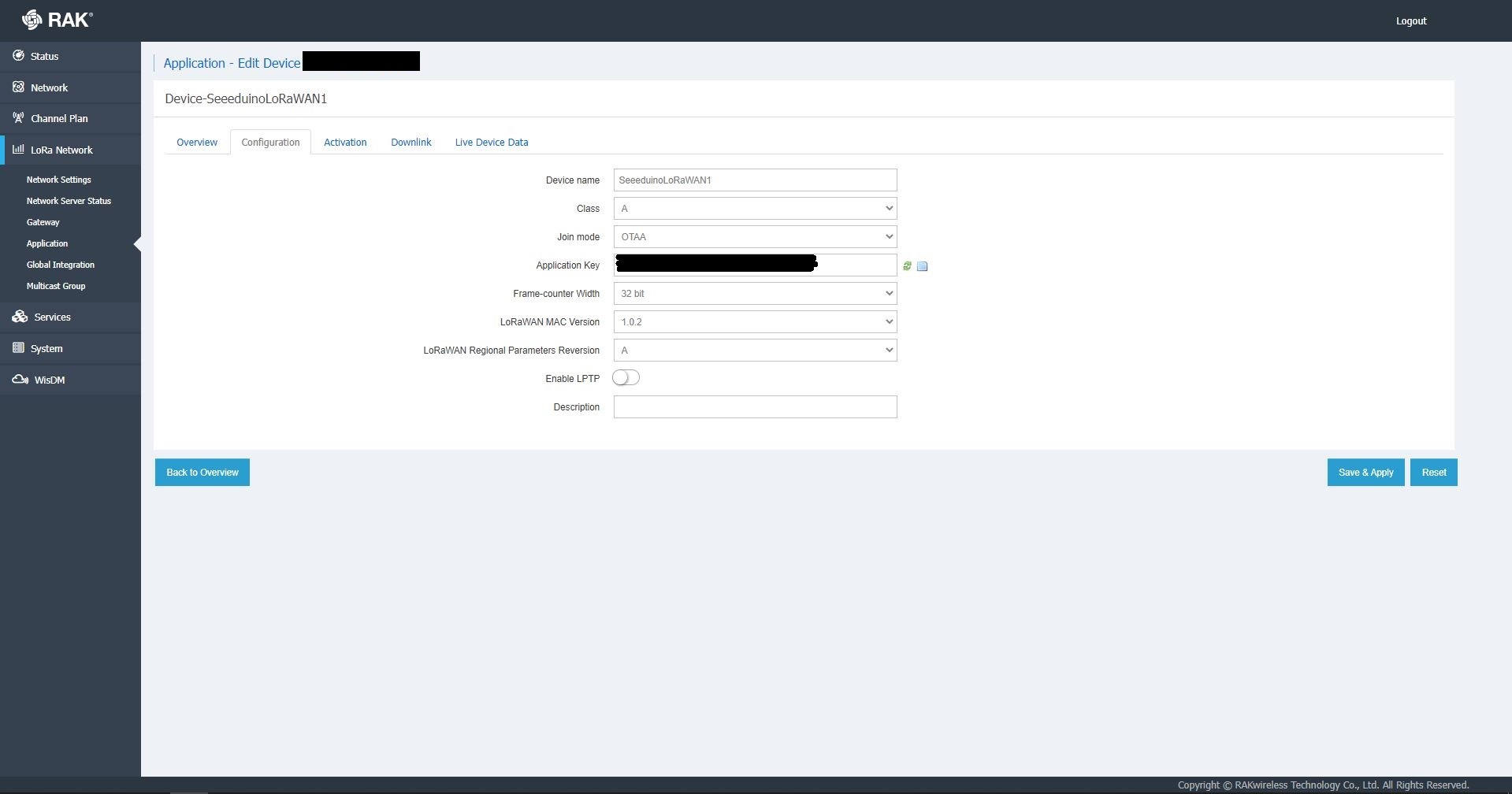
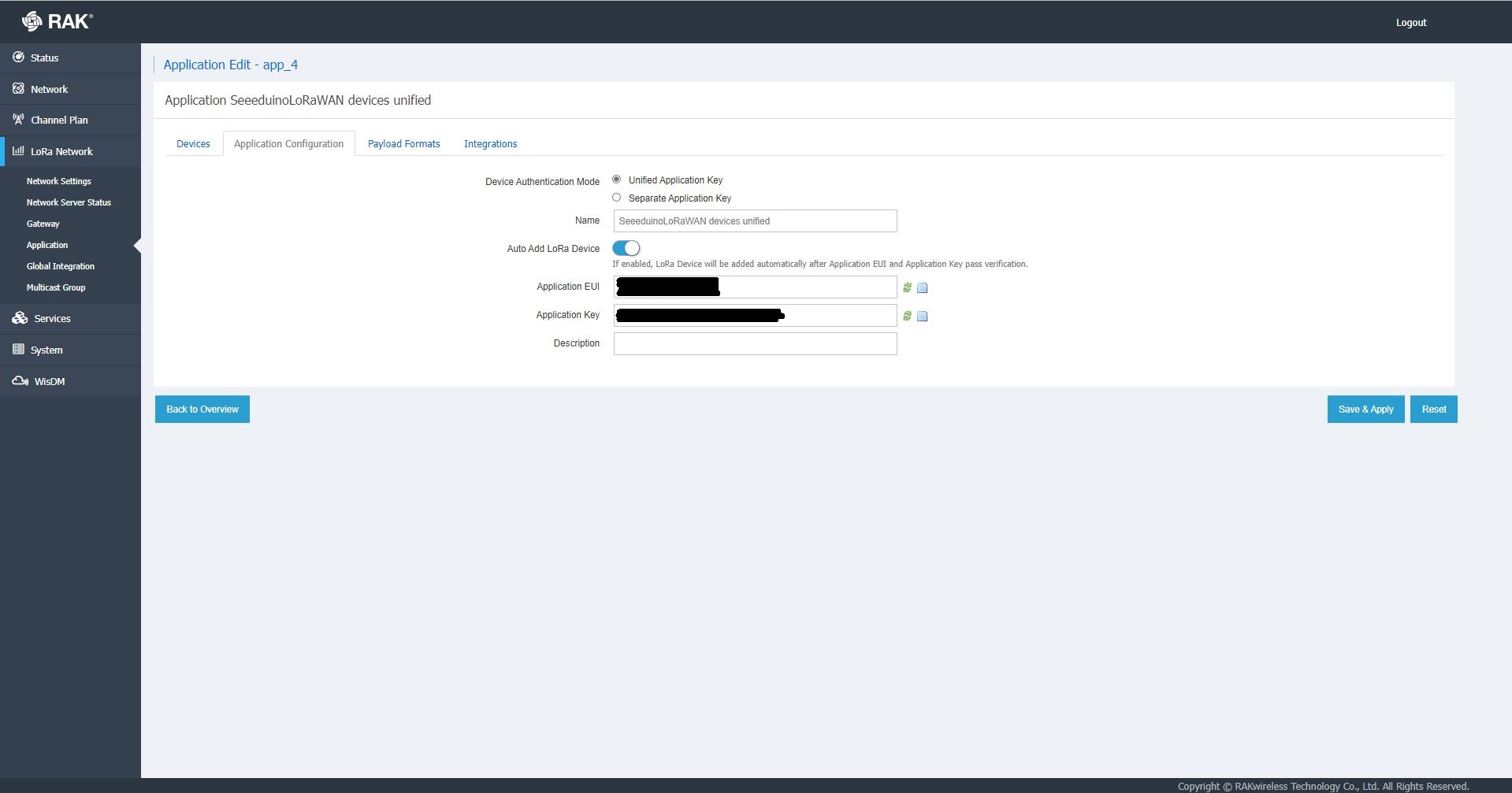
The network server software has “unified” and “separate” “Device authentication mode”s and will “auto Add LoRa Device”s if enabled.
RAK 7258 Network Server Separate Application basic setup
RAK 7258 Network Server Separate Application device basic setup
RAK 7258 Network Server Unified Application device basic setup
Applications also have configurable payload formats(raw & LPP) and integrations (uplink messages plus join, ack, and device notifications etc.)
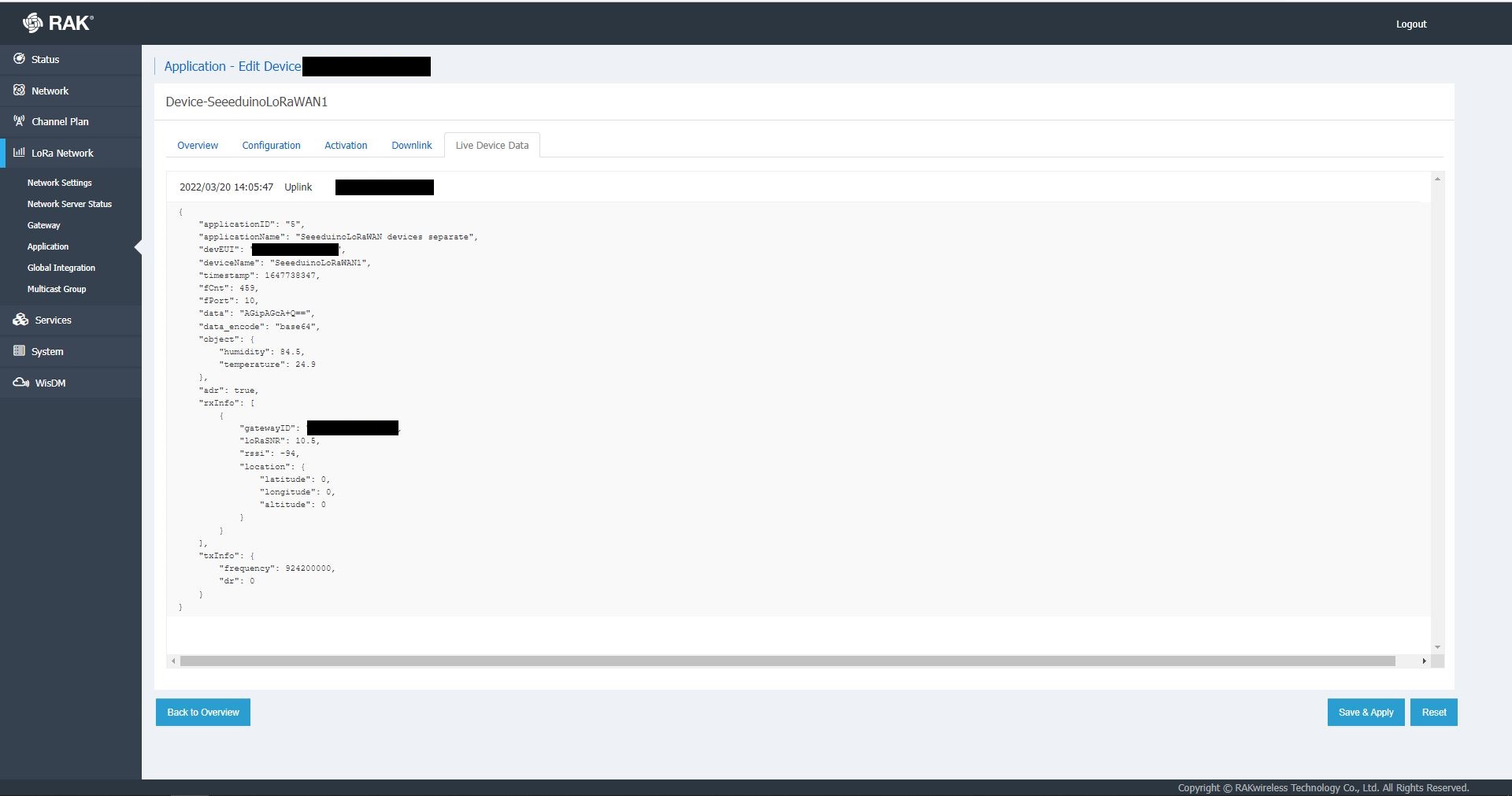
RAK7258 live device data display
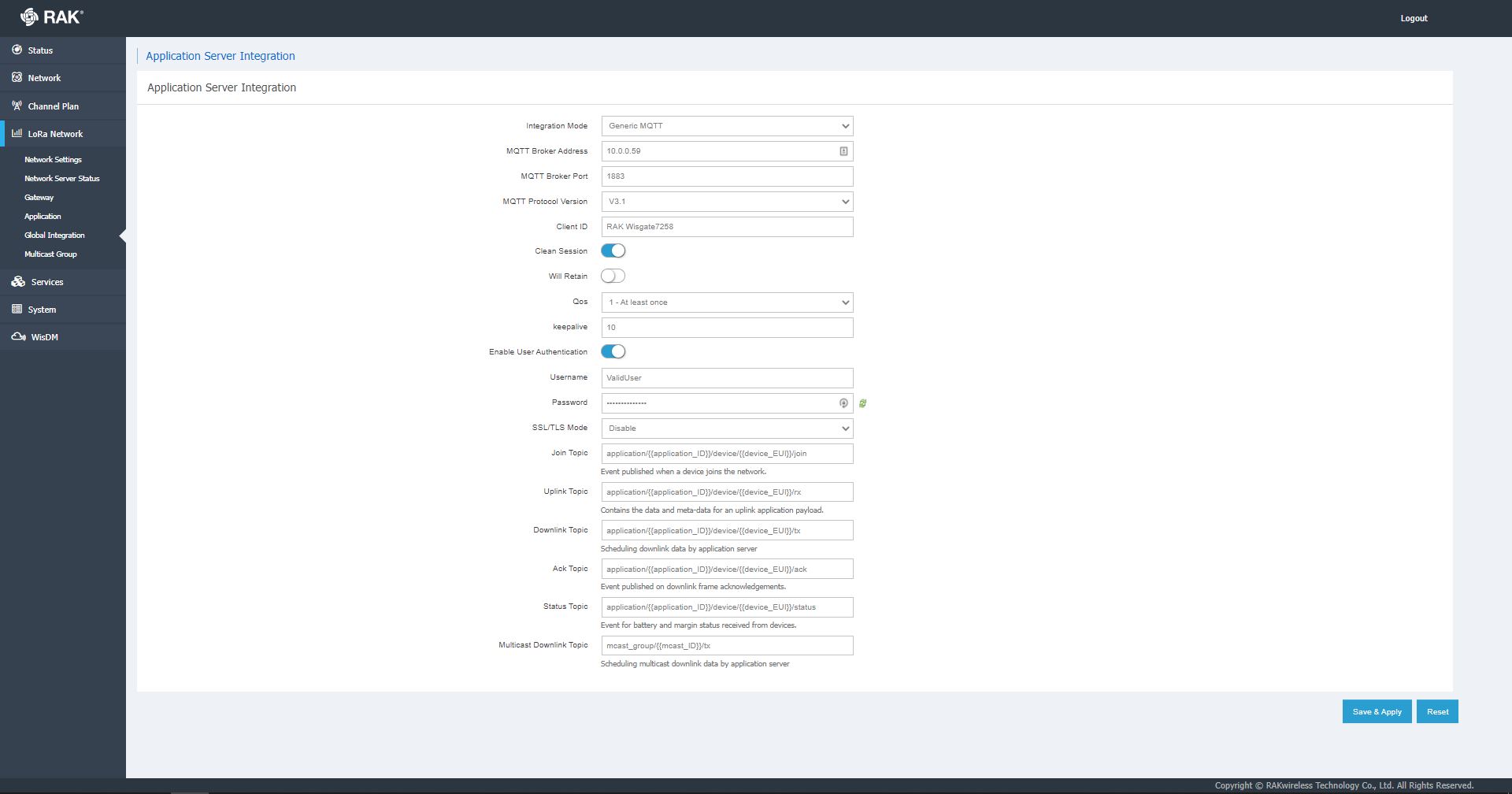
In the sample server I could see how ValidatingConnectionAsync was used to check the clientID, username and password when a device connected. I just wanted to display messages and payloads without having to use an MQTT client and it looked like InterceptingPublishAsync was a possible solution.
But the search results were a bit sparse…
InterceptingPublishAsync + MQTTNet search results
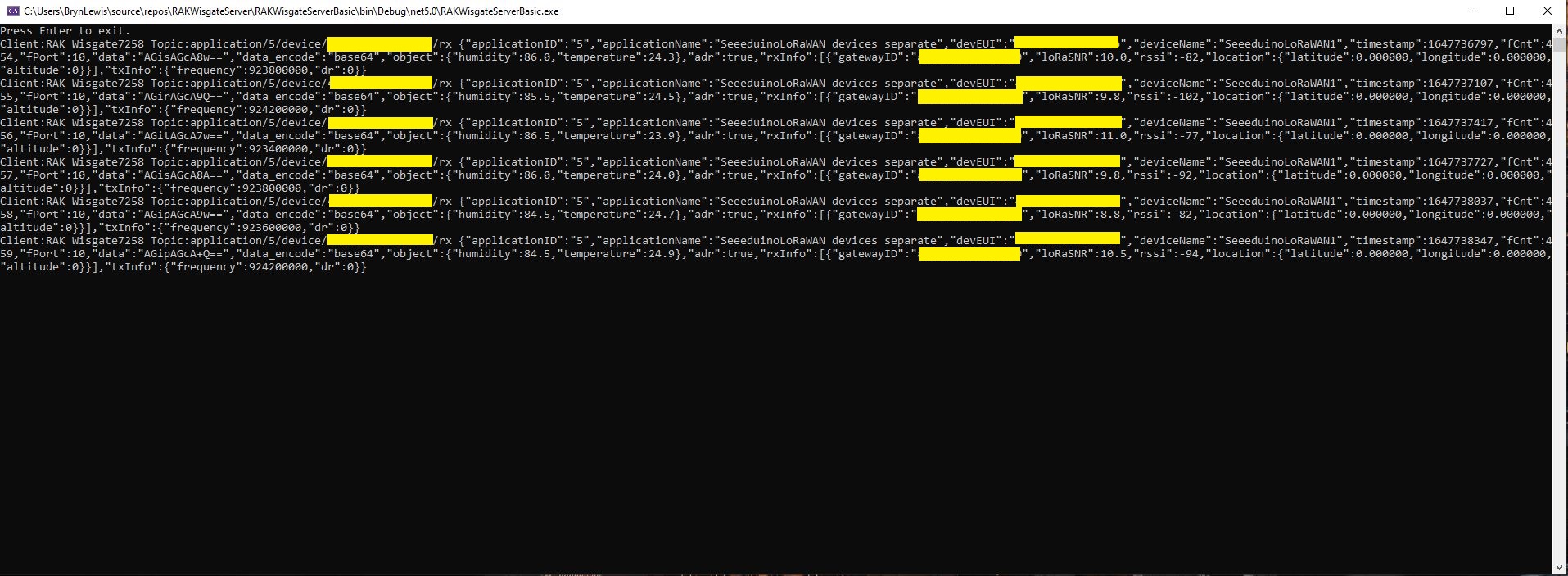
After some reading the MQTTNet documentation and some experimentation I could display the message payload (same as in the live device data display) in a “nasty” console application.
namespace devMobile.IoT.RAKWisgate.ServerBasic
{
using System;
using System.Threading.Tasks;
using MQTTnet;
using MQTTnet.Protocol;
using MQTTnet.Server;
public static class Program
{
static async Task Main(string[] args)
{
var mqttFactory = new MqttFactory();
var mqttServerOptions = new MqttServerOptionsBuilder()
.WithDefaultEndpoint()
.Build();
using (var mqttServer = mqttFactory.CreateMqttServer(mqttServerOptions))
{
mqttServer.InterceptingPublishAsync += e =>
{
Console.WriteLine($"Client:{e.ClientId} Topic:{e.ApplicationMessage.Topic} {e.ApplicationMessage.ConvertPayloadToString()}");
return Task.CompletedTask;
};
mqttServer.ValidatingConnectionAsync += e =>
{
if (e.ClientId != "RAK Wisgate7258")
{
e.ReasonCode = MqttConnectReasonCode.ClientIdentifierNotValid;
}
if (e.Username != "ValidUser")
{
e.ReasonCode = MqttConnectReasonCode.BadUserNameOrPassword;
}
if (e.Password != "TopSecretPassword")
{
e.ReasonCode = MqttConnectReasonCode.BadUserNameOrPassword;
}
return Task.CompletedTask;
};
await mqttServer.StartAsync();
Console.WriteLine("Press Enter to exit.");
Console.ReadLine();
await mqttServer.StopAsync();
}
}
}
}
MQTTNet based console application displaying device payloads
The process of provisioning Applications and Devices is quite different (The use of the AppEUI/JoinEUI is odd) to The Things Network(TTN) and other platforms I have used so I will explore this some more in future post(s).
ProvisioningRegistrationAdditionalData provisioningRegistrationAdditionalData = new ProvisioningRegistrationAdditionalData()
{
JsonData = $"{{\"modelId\": \"{modelId}\"}}"
};
result = await provClient.RegisterAsync(provisioningRegistrationAdditionalData);
I remembered seeing a sample where the DTDLV2 methodId was formatted by a library function and after a surprising amount of searching I found what I was looking for in Azure-Samples repository.
// Copyright (c) Microsoft. All rights reserved.
// Licensed under the MIT license. See LICENSE file in the project root for full license information.
using Microsoft.Azure.Devices.Provisioning.Client.Extensions;
namespace Microsoft.Azure.Devices.Provisioning.Client.PlugAndPlay
{
/// <summary>
/// A helper class for formatting the DPS device registration payload, per plug and play convention.
/// </summary>
public static class PnpConvention
{
/// <summary>
/// Create the DPS payload to provision a device as plug and play.
/// </summary>
/// <remarks>
/// For more information on device provisioning service and plug and play compatibility,
/// and PnP device certification, see <see href="https://docs.microsoft.com/en-us/azure/iot-pnp/howto-certify-device"/>.
/// The DPS payload should be in the format:
/// <code>
/// {
/// "modelId": "dtmi:com:example:modelName;1"
/// }
/// </code>
/// For information on DTDL, see <see href="https://github.com/Azure/opendigitaltwins-dtdl/blob/master/DTDL/v2/dtdlv2.md"/>
/// </remarks>
/// <param name="modelId">The Id of the model the device adheres to for properties, telemetry, and commands.</param>
/// <returns>The DPS payload to provision a device as plug and play.</returns>
public static string CreateDpsPayload(string modelId)
{
modelId.ThrowIfNullOrWhiteSpace(nameof(modelId));
return $"{{\"modelId\":\"{modelId}\"}}";
}
}
}
With a couple of changes my code now uses the CreateDpsPayload method
using Microsoft.Azure.Devices.Provisioning.Client.PlugAndPlay;
...
using (var securityProvider = new SecurityProviderSymmetricKey(deviceId, deviceKey, null))
{
using (var transport = new ProvisioningTransportHandlerAmqp(TransportFallbackType.TcpOnly))
{
ProvisioningDeviceClient provClient = ProvisioningDeviceClient.Create(
Constants.AzureDpsGlobalDeviceEndpoint,
deviceProvisiongServiceSettings.IdScope,
securityProvider,
transport);
DeviceRegistrationResult result;
if (!string.IsNullOrEmpty(modelId))
{
ProvisioningRegistrationAdditionalData provisioningRegistrationAdditionalData = new ProvisioningRegistrationAdditionalData()
{
JsonData = PnpConvention.CreateDpsPayload(modelId)
};
result = await provClient.RegisterAsync(provisioningRegistrationAdditionalData, stoppingToken);
}
else
{
result = await provClient.RegisterAsync(stoppingToken);
}
if (result.Status != ProvisioningRegistrationStatusType.Assigned)
{
_logger.LogError("Config-DeviceID:{0} Status:{1} RegisterAsync failed ", deviceId, result.Status);
return false;
}
IAuthenticationMethod authentication = new DeviceAuthenticationWithRegistrySymmetricKey(result.DeviceId, (securityProvider as SecurityProviderSymmetricKey).GetPrimaryKey());
deviceClient = DeviceClient.Create(result.AssignedHub, authentication, transportSettings);
}
}
To reduce the impact of the RegisterAsync call duration this Proof of Concept(PoC) code uses the System.Tasks.Threading library to execute each request in its own thread and then wait for all the requests to finish.
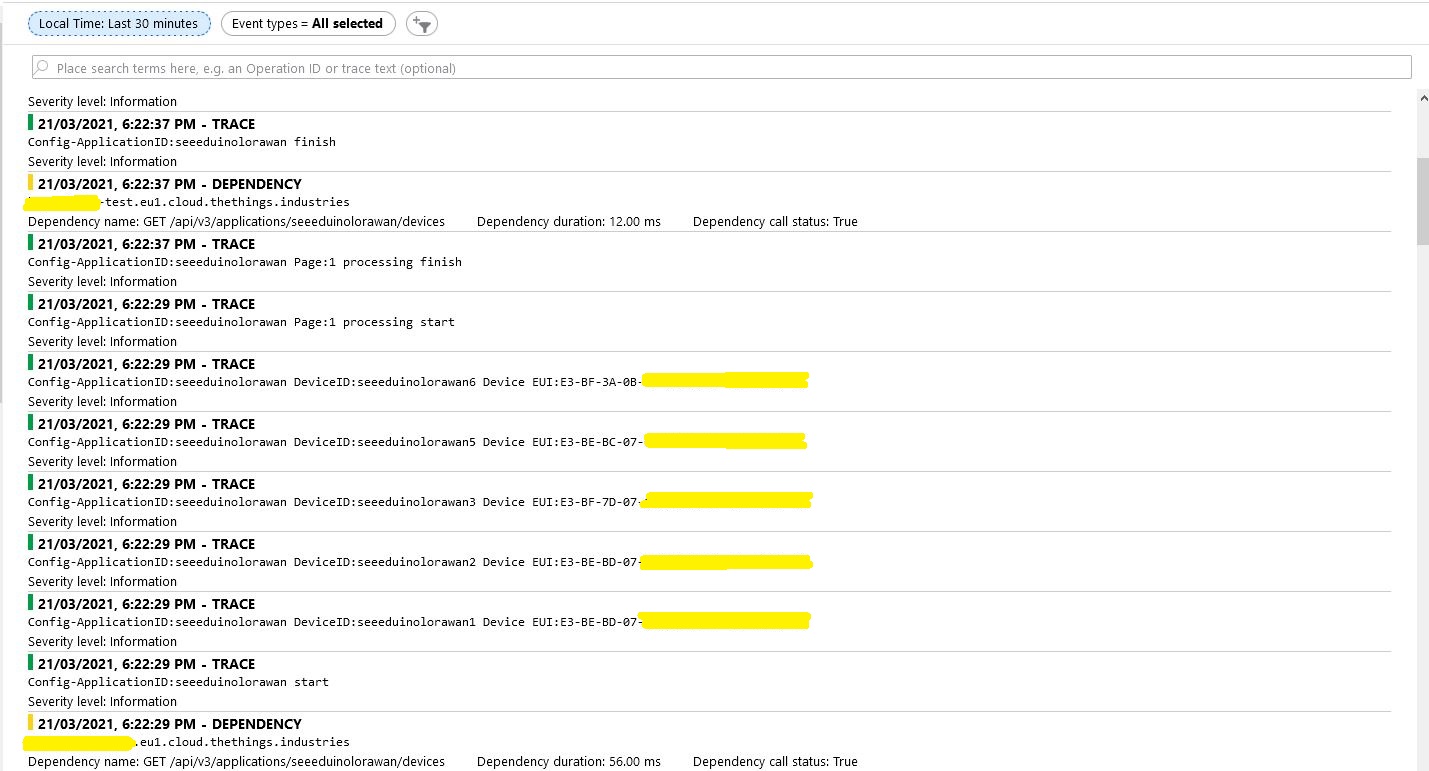
The connector application paginates the retrieval of device configuration from TTI API and a Task is created for each device returned in a page. In the Application Insights Trace logging the duration of a single page of device registrations was approximately the duration of the longest call.
There will be a tradeoff between device page size (resource utilisation by many threads) and startup duration (to many sequential page operations) which will need to be explored.
While debugging the connector on my desktop I had noticed that using a connection string was quite a bit faster than using DPS and I had assumed this was just happenstance. While doing some testing in the Azure North Europe data-center (Closer to TTI European servers) I grabbed some screen shots of the trace messages in Azure Application Insights as the TTI Connector Application was starting.
I only have six LoRaWAN devices configured in my TTI dev instance, but I repeated each test several times and the results were consistent so the request durations are reasonable. My TTI Connector application, IoT Hub, DPS and Application insights instances are all in the same Azure Region and Azure Resource Group so networking overheads shouldn’t be significant.
Using my own DPS instance to provide the connection string and then establishing a connection took between 3 and 7 seconds.
Azure IoT Central DPS
For my Azure IoT Central instance getting a connection string and establishing a connection took between 4 and 7 seconds.
The Azure DPS client code was copied from one of the sample applications so I have assumed it is “correct”.
using (var transport = new ProvisioningTransportHandlerAmqp(TransportFallbackType.TcpOnly))
{
ProvisioningDeviceClient provClient = ProvisioningDeviceClient.Create(
Constants.AzureDpsGlobalDeviceEndpoint,
deviceProvisiongServiceSettings.IdScope,
securityProvider,
transport);
DeviceRegistrationResult result;
if (!string.IsNullOrEmpty(modelId))
{
ProvisioningRegistrationAdditionalData provisioningRegistrationAdditionalData = new ProvisioningRegistrationAdditionalData()
{
JsonData = $"{{"modelId": "{modelId}"}}"
};
result = await provClient.RegisterAsync(provisioningRegistrationAdditionalData, stoppingToken);
}
else
{
result = await provClient.RegisterAsync(stoppingToken);
}
if (result.Status != ProvisioningRegistrationStatusType.Assigned)
{
_logger.LogError("Config-DeviceID:{0} Status:{1} RegisterAsync failed ", deviceId, result.Status);
return false;
}
IAuthenticationMethod authentication = new DeviceAuthenticationWithRegistrySymmetricKey(result.DeviceId, (securityProvider as SecurityProviderSymmetricKey).GetPrimaryKey());
deviceClient = DeviceClient.Create(result.AssignedHub, authentication, transportSettings);
}
I need to investigate why getting a connection string from the DPS then connecting take significantly longer (I appreciate that “behind the scenes” service calls maybe required). This wouldn’t be an issue for individual devices connecting from different locations but for my Identity Translation Cloud gateway which currently open connections sequentially this could be a problem when there are a large number of devices.
If the individual requests duration can’t be reduced (using connection pooling etc.) I may have to spin up multiple threads so multiple devices can be connecting concurrently.