.NET nanoFramework Adafruit PMSA003I Basic connectivity

This is a “throw away” .NET nanoFramework application for investigating how Adafruit PMSA003I Inter Integrated Circuit bus(I²C) connectivity works.

Adafruit PMSA003I Particulates Sensor

My test setup is a simple .NET nanoFramework console application running on an Adafruit FeatherS2- ESP32-S2.

Adafruit PMSA003I + Adafruit Feather ESP32 test rig

The PMSA0031 application has lots of magic numbers from the PMSA003I Module Datasheet and is just a tool for exploring how the sensor works.

public static void Main()
{
#if SPARKFUN_ESP32_THING_PLUS
    Configuration.SetPinFunction(Gpio.IO23, DeviceFunction.I2C1_DATA);
    Configuration.SetPinFunction(Gpio.IO22, DeviceFunction.I2C1_CLOCK);
#endif
#if ADAFRUIT_FEATHER_S2
    Configuration.SetPinFunction(Gpio.IO08, DeviceFunction.I2C1_DATA);
    Configuration.SetPinFunction(Gpio.IO09, DeviceFunction.I2C1_CLOCK);
#endif
    Thread.Sleep(1000);

    I2cConnectionSettings i2cConnectionSettings = new(1, 0x12, I2cBusSpeed.StandardMode);

    using (I2cDevice i2cDevice = I2cDevice.Create(i2cConnectionSettings))
    {
        {
            SpanByte writeBuffer = new byte[1];
            SpanByte readBuffer = new byte[1];

            writeBuffer[0] = 0x0;

            i2cDevice.WriteRead(writeBuffer, readBuffer);

            Console.WriteLine($"0x0 {readBuffer[0]:X2}");
        }

        while (true)
        {
            SpanByte writeBuffer = new byte[1];
            SpanByte readBuffer = new byte[32];

            writeBuffer[0] = 0x0;

            i2cDevice.WriteRead(writeBuffer, readBuffer);

            //Console.WriteLine(System.BitConverter.ToString(readBuffer.ToArray()));
            Console.WriteLine($"Length:{ReadInt16BigEndian(readBuffer.Slice(0x2, 2))}");

            if ((readBuffer[0] == 0x42) || (readBuffer[1] == 0x4d))
            {
                Console.WriteLine($"PM    1.0:{ReadInt16BigEndian(readBuffer.Slice(0x4, 2))}, 2.5:{ReadInt16BigEndian(readBuffer.Slice(0x6, 2))}, 10.0:{ReadInt16BigEndian(readBuffer.Slice(0x8, 2))} std");
                Console.WriteLine($"PM    1.0:{ReadInt16BigEndian(readBuffer.Slice(0x0A, 2))}, 2.5:{ReadInt16BigEndian(readBuffer.Slice(0x0C, 2))}, 10.0:{ReadInt16BigEndian(readBuffer.Slice(0x0E, 2))} env");
                Console.WriteLine($"µg/m3 0.3:{ReadInt16BigEndian(readBuffer.Slice(0x10, 2))}, 0.5:{ReadInt16BigEndian(readBuffer.Slice(0x12, 2))}, 1.0:{ReadInt16BigEndian(readBuffer.Slice(0x14, 2))}, 2.5:{ReadInt16BigEndian(readBuffer.Slice(0x16, 2))}, 5.0:{ReadInt16BigEndian(readBuffer.Slice(0x18, 2))}, 10.0:{ReadInt16BigEndian(readBuffer.Slice(0x1A, 2))}");

                // Don't need to display these values everytime
                //Console.WriteLine($"Version:{readBuffer[0x1c]}");
                //Console.WriteLine($"Error:{readBuffer[0x1d]}");
            }
            else
            {
                Console.WriteLine(".");
            }

            Thread.Sleep(5000);
        }
    }
}

private static ushort ReadInt16BigEndian(SpanByte source)
{
    if (source.Length != 2)
    {
        throw new ArgumentOutOfRangeException();
    }

    ushort result = (ushort)(source[0] << 8);

    return result |= source[1];
}

The unpacking of the value standard particulate, environmental particulate and particle count values is fairly repetitive, but I will fix it in the next version.

Visual Studio 2022 Debug Output

The checksum calculation isn’t great even a simple cyclic redundancy check(CRC) would be an improvement on summing the 28 bytes of the payload.

.NET Core web API + Dapper – HTTP Patch

The application I’m currently working on has some tables with many columns and these were proving painful to update with HTTP PUT methods. Over the last couple of releases, I have been extending the customer facing API with PATCH methods so the client can specify only the values to changed.

{ 
    "op": "replace", 
    "path": "/name", 
    "value": "USB missile launcher (Green)." 
},
{ 
    "op": "replace", 
    "path": "/UnitPrice", 
    "value": 25
},
{ 
    "op": "replace", 
    "path": "/recommendedRetailPrice", 
    "value": 37.41
}

The JSON Patch is a format for specifying updates to be applied to a resource.

Stock Items list before HTTP Patch operation

A JSON Patch document has an array of operations which identify a particular type of change.

Using Telerik Fiddler Composer functionality to apply an HTTP PATCH
Stock Items list after HTTP Patch operation

The StockItemPatchDtoV1 class is decorated with DataAnnotations to ensure the contents are valid.

public class StockItemPatchDtoV1
{
    [Required]
    [StringLength(100, MinimumLength = 1, ErrorMessage = "The name text must be at least {2} and no more than {1} characters long")]  // These would be constants in a real application
    public string Name { get; set; }

    [Required]
    [Range(0.0, 100.0)] // These would be constants in a real application
    public decimal UnitPrice { get; set; }

    [Required]
    [Range(0.0, 1000000.0)] // These would be constants in a real application
    public decimal RecommendedRetailPrice { get; set; }
}

The StockItemsController [HttpPatch(“{id}”)] method retrieves the stock item to be updated, then uses ApplyTo method and TryValidateModel to update only the specified fields.

[HttpPatch("{id}")]
public async Task<ActionResult<Model.StockItemGetDtoV1>> Patch([FromBody] JsonPatchDocument<Model.StockItemPatchDtoV1> stockItemPatch, int id)
{
    Model.StockItemGetDtoV1 stockItem;

    using (IDbConnection db = dapperContext.ConnectionCreate())
    {
        stockItem = await db.QuerySingleOrDefaultWithRetryAsync<Model.StockItemGetDtoV1>(sql: "[Warehouse].[StockItemsStockItemLookupV1]", param: new { stockItemId = id }, commandType: CommandType.StoredProcedure);

        if (stockItem == default)
        {
            logger.LogInformation("StockItem:{id} not found", id);

            return this.NotFound($"StockItem:{id} not found");
        }

        Model.StockItemPatchDtoV1 stockItemPatchDto = mapper.Map<Model.StockItemPatchDtoV1>(stockItem);

        stockItemPatch.ApplyTo(stockItemPatchDto, ModelState);

        if (!ModelState.IsValid || !TryValidateModel(stockItemPatchDto))
        {
            logger.LogInformation("stockItemPatchDto invalid {0}", string.Join(Environment.NewLine, ModelState.Values.SelectMany(v => v.Errors).Select(v => v.ErrorMessage + " " + v.Exception))); // would extract this out into shared module

            return BadRequest(ModelState);
        }

        mapper.Map(stockItemPatchDto, stockItem);

        await db.ExecuteWithRetryAsync(sql: "UPDATE Warehouse.StockItems SET StockItemName=@Name, UnitPrice=@UnitPrice, RecommendedRetailPrice=@RecommendedRetailPrice WHERE StockItemId=@Id", param: stockItem, commandType: CommandType.Text);
    }

    return this.Ok();
}

Initially the HTTP Patch method returned this error message.

HTTP/1.1 400 Bad Request
Content-Type: application/problem+json; charset=utf-8
Date: Tue, 27 Jun 2023 09:20:30 GMT
Server: Kestrel
Transfer-Encoding: chunked

1d7
{"type":"https://tools.ietf.org/html/rfc7231#section-6.5.1","title":"One or more validation errors occurred.","status":400,"traceId":"00-665a6ee9ed1105a105237c421793af5d-1719bda40c0b7d5d-00","errors":{"$":["The JSON value could not be converted to Microsoft.AspNetCore.JsonPatch.JsonPatchDocument`1[devMobile.WebAPIDapper.HttpPatch.Model.StockItemPatchDtoV1]. Path: $ | LineNumber: 0 | BytePositionInLine: 1."],"stockItemPatch":["The stockItemPatch field is required."]}}
0

After some research I worked out that I had forgotten to wire up the Newtonsoft JSON support with builder.Services.AddControllers().AddNewtonsoftJson();

Wireless-Tag WT32-SC01 nanoFramework Chuck Norris API Client

Back in 2013 built a demo application which called the Chuck Norris API(ICNAPI) to demonstrate .NET Micro Framework Hypertext Transfer Protocol(HTTP) connectivity and this a new version for the .NET nanoFramework.

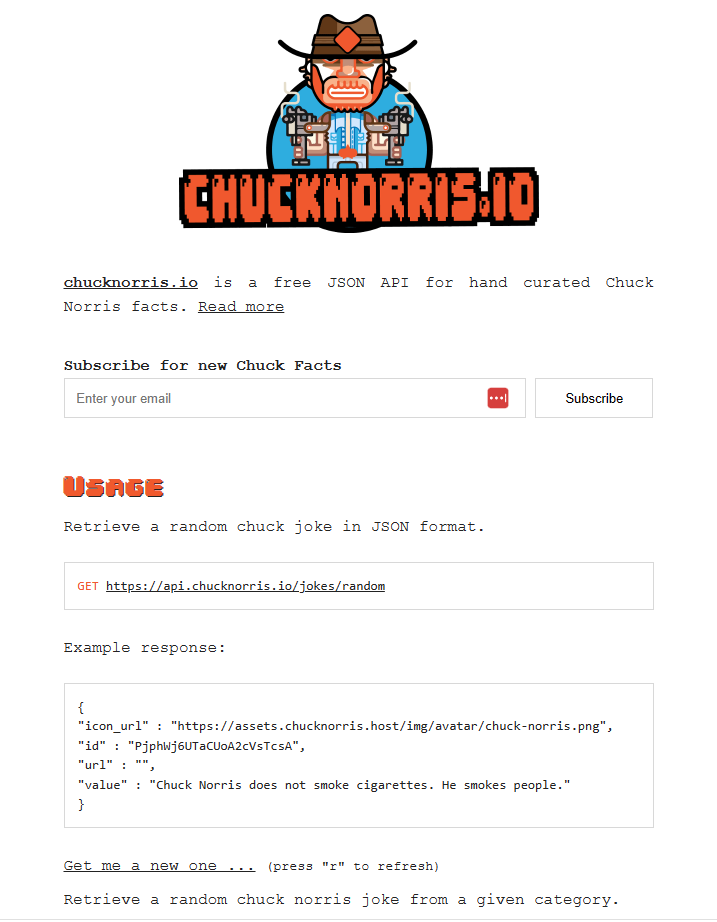
Chuck Norris API Home page

The application uses a System.Net.Http httpClient to call the ICNAPI and nanoFramework.Json to deserialize the responses.

namespace devMobile.IoT.WT32SC01.ChuckNorrisAPI
{
...
    internal class Joke
    {
        public string id { get; set; }
        public string url { get; set; }
        public string value { get; set; }
    }

    public class Program
    {
        public static void Main()
        {
            HttpClient httpClient;

            Debug.WriteLine($"{DateTime.UtcNow:HH:mm:ss} Wifi connecting");

            if (!WifiNetworkHelper.ConnectDhcp(Config.Ssid, Config.Password, requiresDateTime: true))
            {
                if (NetworkHelper.HelperException != null)
                {
                    Debug.WriteLine($"{DateTime.UtcNow:HH:mm:ss} WifiNetworkHelper.ConnectDhcp failed {NetworkHelper.HelperException}");
                }

                Thread.Sleep(Timeout.Infinite);
            }

            Debug.WriteLine($"{DateTime.UtcNow:HH:mm:ss} Wifi connected");

            using (httpClient = new HttpClient())
            {
                httpClient.SslProtocols = System.Net.Security.SslProtocols.Tls12;
                httpClient.HttpsAuthentCert = new X509Certificate(Config.LetsEncryptCACertificate);
                httpClient.BaseAddress = new Uri(Config.ChuckNorrisAPIUrl);

                while (true)
                {
                    Debug.WriteLine($"{DateTime.UtcNow:HH:mm:ss} HTTP request to: {httpClient.BaseAddress.AbsoluteUri}");

                    var response = httpClient.GetString("");

                    Debug.WriteLine($"{DateTime.UtcNow:HH:mm:ss} HTTP request done");

                    Joke joke = (Joke)JsonConvert.DeserializeObject(response, typeof(Joke));

                    Debug.WriteLine($"Joke: {joke.value} ");

                    Thread.Sleep(Config.RequestDelay);
                }
            }
        }
    }
}
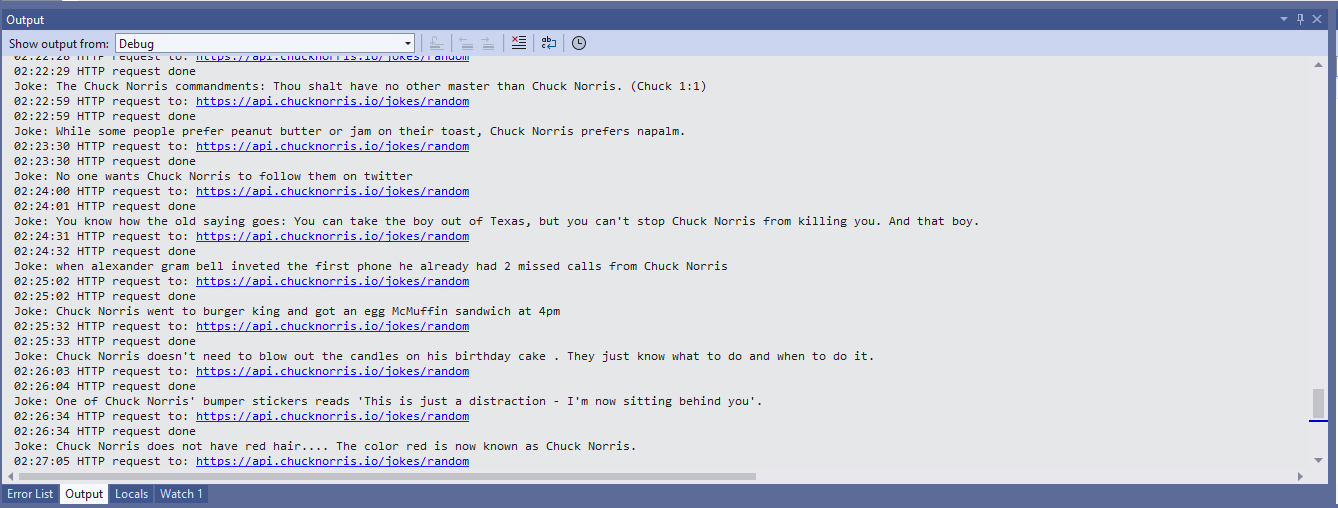
Visual Studio 2022 Debug output displaying Chuck Norris facts

The application configuration is stored in a separate file(config.cs) to reduce the likelihood of me accidently checking it into source control.

namespace devMobile.IoT.WT32SC01.ChuckNorrisAPI
{
    internal class Config
    {
        public const string Ssid = "";
        public const string Password = "";
        public const string ChuckNorrisAPIUrl = "https://api.chucknorris.io/jokes/random";

        public const string LetsEncryptCACertificate =
                 @"-----BEGIN CERTIFICATE-----
MIICGzCCAaGgAwIBAgIQQdKd0XLq7qeAwSxs6S+HUjAKBggqhkjOPQQDAzBPMQsw
CQYDVQQGEwJVUzEpMCcGA1UEChMgSW50ZXJuZXQgU2VjdXJpdHkgUmVzZWFyY2gg
R3JvdXAxFTATBgNVBAMTDElTUkcgUm9vdCBYMjAeFw0yMDA5MDQwMDAwMDBaFw00
MDA5MTcxNjAwMDBaME8xCzAJBgNVBAYTAlVTMSkwJwYDVQQKEyBJbnRlcm5ldCBT
ZWN1cml0eSBSZXNlYXJjaCBHcm91cDEVMBMGA1UEAxMMSVNSRyBSb290IFgyMHYw
EAYHKoZIzj0CAQYFK4EEACIDYgAEzZvVn4CDCuwJSvMWSj5cz3es3mcFDR0HttwW
+1qLFNvicWDEukWVEYmO6gbf9yoWHKS5xcUy4APgHoIYOIvXRdgKam7mAHf7AlF9
ItgKbppbd9/w+kHsOdx1ymgHDB/qo0IwQDAOBgNVHQ8BAf8EBAMCAQYwDwYDVR0T
AQH/BAUwAwEB/zAdBgNVHQ4EFgQUfEKWrt5LSDv6kviejM9ti6lyN5UwCgYIKoZI
zj0EAwMDaAAwZQIwe3lORlCEwkSHRhtFcP9Ymd70/aTSVaYgLXTWNLxBo1BfASdW
tL4ndQavEi51mI38AjEAi/V3bNTIZargCyzuFJ0nN6T5U6VR5CmD1/iQMVtCnwr1
/q4AaOeMSQ+2b1tbFfLn
            -----END CERTIFICATE-----";

        public static readonly TimeSpan RequestDelay = new TimeSpan(0, 30, 0); 
    }
}

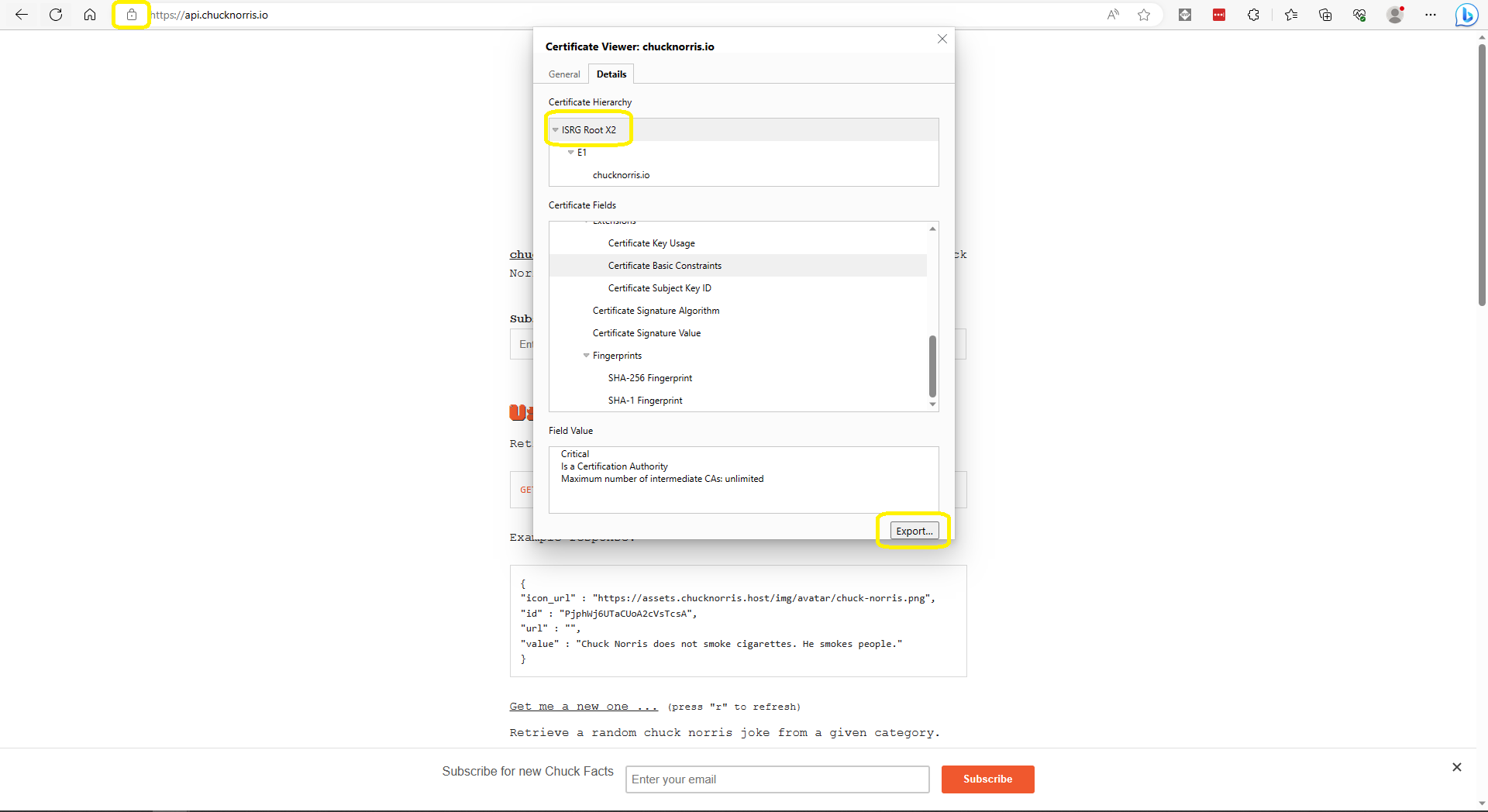
The ICNAPI supports HTTPS requests so I used the Micrsoft Edgium Certificate Viewer to download the Let’s Encrypt Internet Security Group(ISRG) Root X2 certificate.

Microsoft Edge Certificate View download

Some of the Chuck Norris facts are not suitable for school students so the request Uniform Resource Locator (URL) can be modified to ensure only “age appropriate” ones are returned.

.NET Core web API + Dapper – Dependency Injection

So far, to keep the code really obvious (tends to be more verbose) I have limited the use Dependency Injection(DI). I have been “injecting” an instance of an IConfiguration interface then retrieving the database connection string and other configuration. This isn’t a great approach as the database connection string name is in multiple files etc.

public CustomerController(IConfiguration configuration, ILogger<CustomerController> logger)
{
    this.connectionString = configuration.GetConnectionString("WorldWideImportersDatabase");
    this.logger = logger;
}

I wanted to explore the impact(s) of different DI approaches on ADO.Net connection pooling. With the system idle I used exec sp_who to see how many connections there were to my SQL Azure database.

SQL Server Management Studio(SSMS) sp_who query – Idle

Dapper Context approach

The application I’m currently working on uses a Command and Query Responsibility Segregation(CQRS) like approach. The application is largely “read only” so we have replicas of the database to improve the performance of queries hence the ConnectionReadCreate and ConnectionWriteCreate methods.

namespace devMobile.WebAPIDapper.ListsDIBasic
{
   using System.Data;
   using System.Data.SqlClient;

   using Microsoft.Extensions.Configuration;

   public interface IDapperContext 
   {
      public IDbConnection ConnectionCreate();
      public IDbConnection ConnectionCreate(string connectionStringName);

      public IDbConnection ConnectionReadCreate();
      public IDbConnection ConnectionWriteCreate();
   }

   public class DapperContext : IDapperContext
   {
      private readonly IConfiguration _configuration;

      public DapperContext(IConfiguration configuration)
      {
         _configuration = configuration;
      }

      public IDbConnection ConnectionCreate()
      { 
         return new SqlConnection(_configuration.GetConnectionString("default"));
      }

      public IDbConnection ConnectionCreate(string connectionStringName)
      {
         return new SqlConnection(_configuration.GetConnectionString(connectionStringName));
      }

      public IDbConnection ConnectionReadCreate()
      {
         return new SqlConnection(_configuration.GetConnectionString("default-read"));
      }

      public IDbConnection ConnectionWriteCreate()
      {
         return new SqlConnection(_configuration.GetConnectionString("default-write"));
      }
   }
}

I have experimented with how the IDapperContext context is constructed in the application startup with builder.Services.AddSingleton, builder.Services.AddScopedand and builder.Services.AddTransient.

public class Program
{
    public static void Main(string[] args)
    {
        var builder = WebApplication.CreateBuilder(args);

        // Add services to the container.
        //builder.Services.AddSingleton<IDapperContext>(s => new DapperContext(builder.Configuration));
        //builder.Services.AddTransient<IDapperContext>(s => new DapperContext(builder.Configuration));
        //builder.Services.AddScoped<IDapperContext>(s => new DapperContext(builder.Configuration));

        builder.Services.AddControllers();

        var app = builder.Build();

        // Configure the HTTP request pipeline.

        app.UseHttpsRedirection();

        app.MapControllers();

        app.Run();
    }
}

Then in the StockItems controller the IDapperContext interface implementation is used to create an IDbConnection for Dapper operations to use. I also added “WAITFOR DELAY ’00:00:02″ to the query to extend the duration of the requests.

[ApiController]
[Route("api/[controller]")]
public class StockItemsController : ControllerBase
{
   private readonly ILogger<StockItemsController> logger;
   private readonly IDapperContext dapperContext;

   public StockItemsController(ILogger<StockItemsController> logger, IDapperContext dapperContext)
   {
      this.logger = logger;

      this.dapperContext = dapperContext;
   }

   [HttpGet]
   public async Task<ActionResult<IEnumerable<Model.StockItemListDtoV1>>> Get()
   {
      IEnumerable<Model.StockItemListDtoV1> response;

      using (IDbConnection db = dapperContext.ConnectionCreate())
      {
         //response = await db.QueryWithRetryAsync<Model.StockItemListDtoV1>(sql: @"SELECT [StockItemID] as ""ID"", [StockItemName] as ""Name"", [RecommendedRetailPrice], [TaxRate] FROM [Warehouse].[StockItems]", commandType: CommandType.Text);
         response = await db.QueryWithRetryAsync<Model.StockItemListDtoV1>(sql: @"SELECT [StockItemID] as ""ID"", [StockItemName] as ""Name"", [RecommendedRetailPrice], [TaxRate] FROM [Warehouse].[StockItems]; WAITFOR DELAY '00:00:02'", commandType: CommandType.Text);
      }

      return this.Ok(response);
   }
...
}

I ran a stress testing application which simulated 50 concurrent users. When the stress test rig was stopped all the connections in the pool were closed after roughly 5 minutes.

SQL Server Management Studio(SSMS) sp_who query – stress test

Nasty approach

I then tried using DI to create a new connection for each request using builder.Services.AddScoped

public class Program
{
    public static void Main(string[] args)
    {
        var builder = WebApplication.CreateBuilder(args);

        // Add services to the container.

        //builder.Services.AddSingleton<IDbConnection>(s => new SqlConnection(builder.Configuration.GetConnectionString("default")));
        //builder.Services.AddScoped<IDbConnection>(s => new SqlConnection(builder.Configuration.GetConnectionString("default")));
        //builder.Services.AddTransient<IDbConnection>(s => new SqlConnection(builder.Configuration.GetConnectionString("default")));

        builder.Services.AddControllers();

        var app = builder.Build();

        app.UseHttpsRedirection();

        app.MapControllers();

        app.Run();
    }
}

The code in the get method was reduced. I also added “WAITFOR DELAY ’00:00:02″ to the query to extend the duration of the requests.

public class StockItemsController : ControllerBase
{
   private readonly ILogger<StockItemsController> logger;
   private readonly IDbConnection dbConnection;

   public StockItemsController(ILogger<StockItemsController> logger, IDbConnection dbConnection)
   {
      this.logger = logger;

      this.dbConnection = dbConnection;
   }

   [HttpGet]
   public async Task<ActionResult<IEnumerable<Model.StockItemListDtoV1>>> Get()
   {
      // return this.Ok(await dbConnection.QueryWithRetryAsync<Model.StockItemListDtoV1>(sql: @"SELECT [StockItemID] as ""ID"", [StockItemName] as ""Name"", [RecommendedRetailPrice], [TaxRate] FROM [Warehouse].[StockItems]; WAITFOR DELAY '00:00:02';", commandType: CommandType.Text));
      return this.Ok(await dbConnection.QueryWithRetryAsync<Model.StockItemListDtoV1>(sql: @"SELECT [StockItemID] as ""ID"", [StockItemName] as ""Name"", [RecommendedRetailPrice], [TaxRate] FROM [Warehouse].[StockItems]", commandType: CommandType.Text));
    }
...
}

With the stress test rig running the number of active connections was roughly the same as the DapperContext based implementation.

I don’t like this approach so will stick with DapperContext