.NET nanoFramework RAK2305 – RAK4200 Basic connectivity

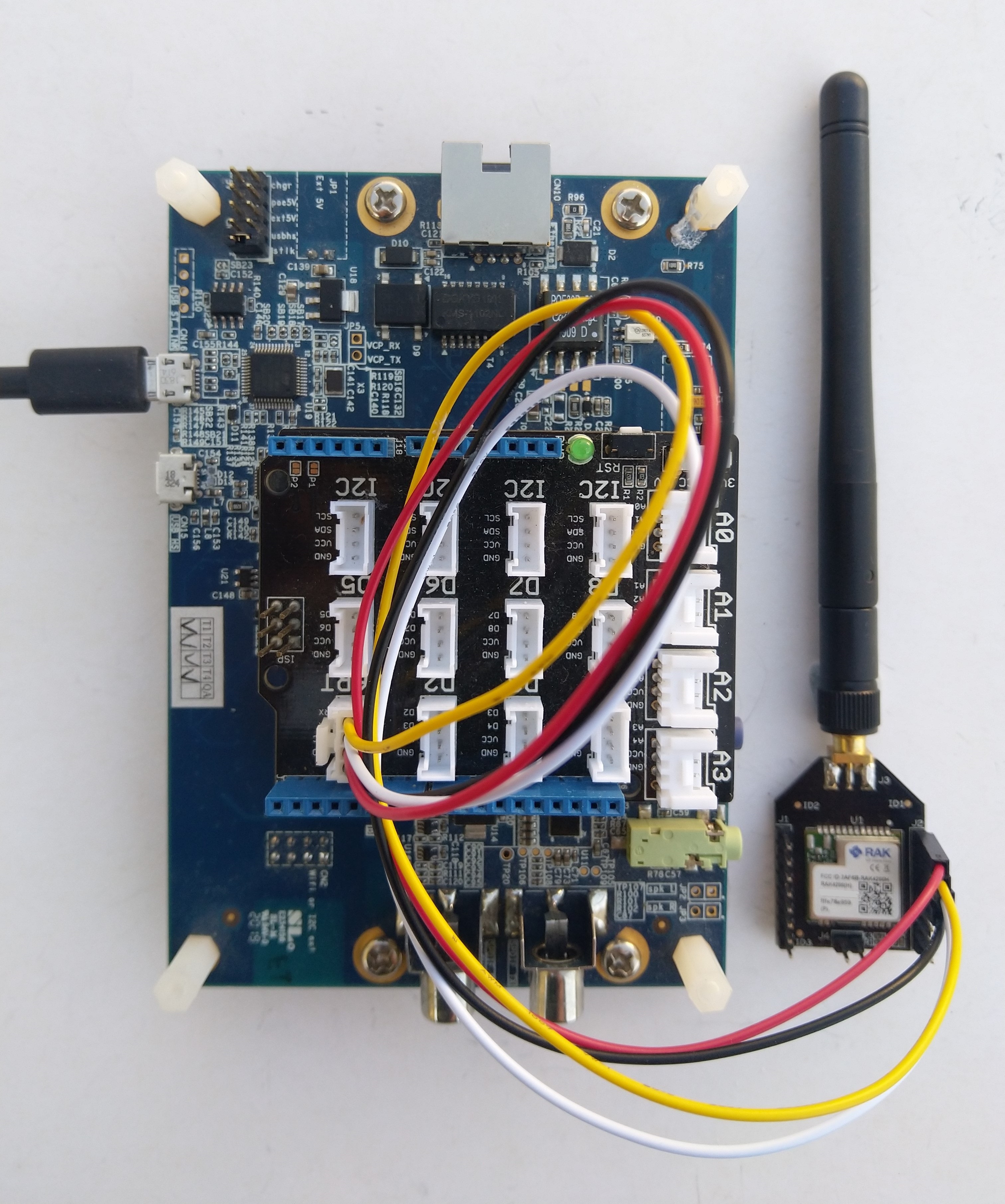
After some experimentation could get a RAK2305 WisBlock Wifi Interface Module running the .NET nanoFramework plugged into the IO Slot of RAK4200 Evaluation Board to send AT Commands to the RAK4200 Module.

RAK4200 EVB with FTDI Adaptor

After reviewing the RAK4200 Evaluation Board and RAK2305 WisBlock Wifi Interface Module schematics I realised that the Universal Asynchronous Receiver-Transmistted(UART) transmit and receive pins had to be reversed the with the nanoFramwork ESP32 specific Configuration.SetPinFunction.

namespace devMobile.IoT.LoRaWAN.nanoFramework.RAK4200
{
	using System;
	using System.Diagnostics;
	using System.IO.Ports;
	using System.Threading;
   using global::nanoFramework.Hardware.Esp32; //need NuGet nanoFramework.Hardware.Esp32

   public class Program
	{
		private static SerialPort _SerialPort;
        private const string SerialPortId = "COM2";

        public static void Main()
		{
			Thread.Sleep(5000);

#if SERIAL_THREADED_READ
			Thread readThread = new Thread(SerialPortProcessor);
#endif

			Debug.WriteLine("devMobile.IoT.LoRaWAN.nanoFramework.RAK4200 BreakoutSerial starting");

			try
			{
            // set GPIO functions for COM2 (this is UART1 on ESP32)
            Configuration.SetPinFunction(Gpio.IO21, DeviceFunction.COM2_TX);
			Configuration.SetPinFunction(Gpio.IO19, DeviceFunction.COM2_RX);

            Debug.Write("Ports:");
				foreach (string port in SerialPort.GetPortNames())
				{
					Debug.Write($" {port}");
				}
				Debug.WriteLine("");

				using (_SerialPort = new SerialPort(SerialPortId))
				{
					// set parameters
					//_SerialPort.BaudRate = 9600;
					_SerialPort.BaudRate = 115200;
					_SerialPort.Parity = Parity.None;
					_SerialPort.DataBits = 8;
					_SerialPort.StopBits = StopBits.One;
					_SerialPort.Handshake = Handshake.None;
					_SerialPort.NewLine = "\r\n";

					//_SerialPort.ReadBufferSize = 128; 
					//_SerialPort.ReadBufferSize = 256; 
					_SerialPort.ReadBufferSize = 512; 
					//_SerialPort.ReadBufferSize = 1024;
					_SerialPort.ReadTimeout = 1000;

					//_SerialPort.WatchChar = '\n'; // May 2022 WatchChar event didn't fire github issue https://github.com/nanoframework/Home/issues/1035

					_SerialPort.DataReceived += SerialDevice_DataReceived;

					_SerialPort.Open();

					_SerialPort.WatchChar = '\n';

					for (int i = 0; i < 5; i++)
					{
						string atCommand;
						atCommand = "at+version";
						//atCommand = "at+set_config=device:uart:1:9600";
						//atCommand = "at+get_config=lora:status";
						//atCommand = "at+get_config=device:status";
						//atCommand = "at+get_config=lora:channel";
						//atCommand = "at+help";
						//atCommand = "at+set_config=device:restart";
						//atCommand = "at+set_config=lora:default_parameters";
						//atCommand = "at+set_config=lora:work_mode:0";
						Debug.WriteLine("");
						Debug.WriteLine($"{i} TX:{atCommand} bytes:{atCommand.Length}--------------------------------");
						_SerialPort.WriteLine(atCommand);

						Thread.Sleep(5000);
					}
				}
				Debug.WriteLine("Done");
			}
			catch (Exception ex)
			{
				Debug.WriteLine(ex.Message);
			}
		}

		private static void SerialDevice_DataReceived(object sender, SerialDataReceivedEventArgs e)
		{
			SerialPort serialPort = (SerialPort)sender;

			switch (e.EventType)
			{
				case SerialData.Chars:
					break;

				case SerialData.WatchChar:
					string response = serialPort.ReadExisting();
					Debug.Write(response);
					break;
				default:
					Debug.Assert(false, $"e.EventType {e.EventType} unknown");
					break;
			}
		}
	}
}

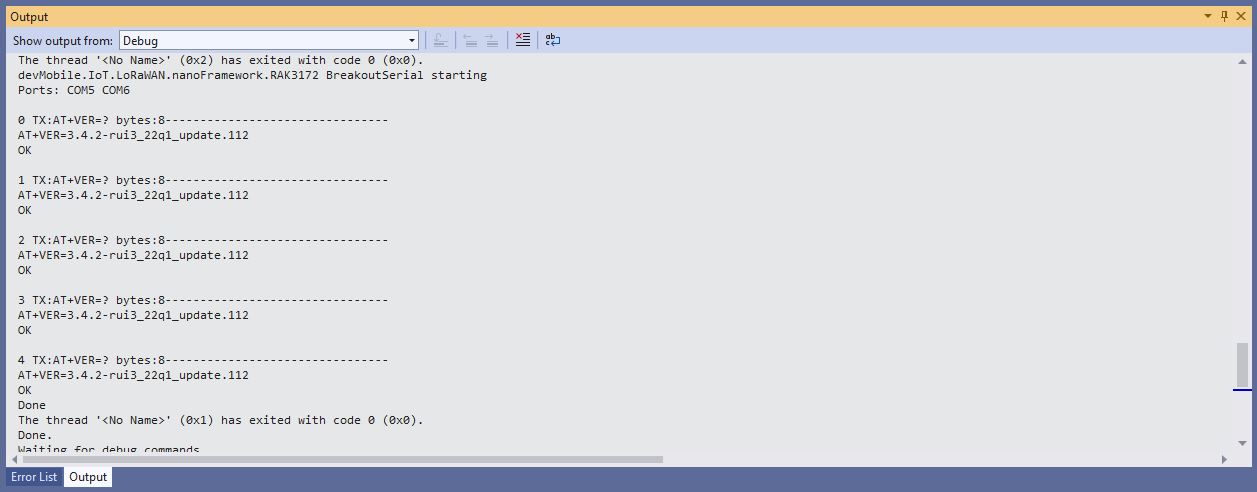
When I requested the version information with “at+version” the RAK4200 Module responded with version information.

RAK4200 EVB Debug Output

.NET nanoFramework RAK2305 – RAK3172 Basic connectivity

After some experimentation could get a RAK2305 WisBlock Wifi Interface Module running the .NET nanoFramework plugged into the IO Slot of RAK3172 Evaluation Board to send RUIV3 AT Commands to the RAK3172 Module.

RAK2305 + RAK 3172 EVB with FTDI module for Visual Studio 2022 Connectivity

After reviewing the RAK3172 Evaluation Board and RAK2305 WisBlock Wifi Interface Module schematics I realised that the Universal Asynchronous Receiver-Transmistted(UART) transmit and receive pins had to be reversed the with the nanoFramwork ESP32 specific Configuration.SetPinFunction.

namespace devMobile.IoT.LoRaWAN.nanoFramework.RAK.LoraWAN
{ 
   using System;
   using System.Diagnostics;
   using System.IO.Ports;
   using System.Threading;
   using global::nanoFramework.Hardware.Esp32;

   public class Program
   {
      private static SerialPort _SerialPort;

      private const string SerialPortId = "COM2";

      public static void Main()
      {
         Debug.WriteLine("devMobile.IoT.LoRaWAN.nanoFramework.RAK.LoraWAN RAK3172/RAK4630 EVB starting");

         try
         {
            // set GPIO functions for COM2 (this is UART1 on RAK2305)
            Configuration.SetPinFunction(Gpio.IO21, DeviceFunction.COM2_TX);
            Configuration.SetPinFunction(Gpio.IO19, DeviceFunction.COM2_RX);

            Debug.Write("Ports:");
            foreach (string port in SerialPort.GetPortNames())
            {
               Debug.Write($" {port}");
            }
            Debug.WriteLine("");

            using (_SerialPort = new SerialPort(SerialPortId))
            {
               // set parameters
               _SerialPort.BaudRate = 115200;
               _SerialPort.Parity = Parity.None;
               _SerialPort.DataBits = 8;
               _SerialPort.StopBits = StopBits.One;
               _SerialPort.Handshake = Handshake.None;
               _SerialPort.NewLine = "\r\n";
               _SerialPort.ReadTimeout = 1000;

               //_SerialPort.WatchChar = '\n'; // May 2022 WatchChar event didn't fire github issue https://github.com/nanoframework/Home/issues/1035

               _SerialPort.DataReceived += SerialDevice_DataReceived;

               _SerialPort.Open();

               _SerialPort.WatchChar = '\n';

               _SerialPort.ReadExisting(); // Running at 115K2 this was necessary


               for (int i = 0; i < 5; i++)
               {
                  string atCommand;
                  atCommand = "AT+VER=?";
                  //atCommand = "AT+SN=?"; // Empty response?
                  //atCommand = "AT+HWMODEL=?";
                  //atCommand = "AT+HWID=?";
                  //atCommand = "AT+DEVEUI=?";
                  //atCommand = "AT+APPEUI=?";
                  //atCommand = "AT+APPKEY=?";
                  //atCommand = "ATR";
                  //atCommand = "AT+SLEEP=4000";
                  //atCommand = "AT+ATM";
                  //atCommand = "AT?";
                  Debug.WriteLine("");
                  Debug.WriteLine($"{DateTime.UtcNow:hh:mm:ss} {i} TX:{atCommand} bytes:{atCommand.Length}--------------------------------");
                  _SerialPort.WriteLine(atCommand);

                  Thread.Sleep(5000);
               }
            }
            Debug.WriteLine("Done");
         }
         catch (Exception ex)
         {
            Debug.WriteLine(ex.Message);
         }
      }

      private static void SerialDevice_DataReceived(object sender, SerialDataReceivedEventArgs e)
      {
         SerialPort serialPort = (SerialPort)sender;

         switch (e.EventType)
         {
            case SerialData.Chars:
               break;

            case SerialData.WatchChar:
               string response = serialPort.ReadExisting();
               Debug.Write(response);
               break;
            default:
               Debug.Assert(false, $"e.EventType {e.EventType} unknown");
               break;
         }
      }
   }
}

When I requested the version information with “AT+VER=?” the RAK3172 Module responded with version information.

.NET nanoFramework RAK3172 LoRaWAN library ABP Join

After getting my RAKwireless RAK3172 module to reliably connect to The Things Network(TTN) using Over The Air Activation(OTAA) the next step was to built an Activation By Personalisation(ABP) sample application.

SparkFun Thing Plus – ESP32 WROOM, RAK3172 Breakout board

I modified the NetworkJoinOTAA sample(based on the asynchronous version of BreakOutSerial) to send the required sequence of AT commands and displays the responses.

namespace devMobile.IoT.LoRaWAN.nanoFramework.RAK3172
{
	using System;
	using System.Diagnostics;
	using System.IO.Ports;
	using System.Threading;
#if ESP32_WROOM
	using global::nanoFramework.Hardware.Esp32; //need NuGet nanoFramework.Hardware.Esp32
#endif

	public class Program
	{
#if ESP32_WROOM
		private const string SerialPortId = "COM2";
#endif
#if ST_STM32F769I_DISCOVERY
		private const string SerialPortId = "COM6";
#endif
		private const string DevEui = "...";
		private const string DevAddress = "...";
		private const string NwksKey = "...";
		private const string AppsKey = "..."; 
		private const byte MessagePort = 1;
		private const string Payload = "A0EEE456D02AFF4AB8BAFD58101D2A2A"; // Hello LoRaWAN

		public static void Main()
		{
			Debug.WriteLine("devMobile.IoT.LoRaWAN.nanoFramework.RAK3172.NetworkJoinABP starting");

			try
			{
				// set GPIO functions for COM2 (this is UART1 on ESP32)
#if ESP32_WROOM
				Configuration.SetPinFunction(Gpio.IO17, DeviceFunction.COM2_TX);
				Configuration.SetPinFunction(Gpio.IO16, DeviceFunction.COM2_RX);
#endif

				Debug.Write("Ports:");
				foreach (string port in SerialPort.GetPortNames())
				{
					Debug.Write($" {port}");
				}
				Debug.WriteLine("");

				using (SerialPort serialPort = new SerialPort(SerialPortId))
				{
					// set parameters
					serialPort.BaudRate = 115200;
					serialPort.Parity = Parity.None;
					serialPort.DataBits = 8;
					serialPort.StopBits = StopBits.One;
					serialPort.Handshake = Handshake.None;
					serialPort.NewLine = "\r\n";
					serialPort.ReadTimeout = 1000;

					serialPort.DataReceived += SerialDevice_DataReceived;

					serialPort.Open();

					serialPort.WatchChar = '\n';

					serialPort.ReadExisting(); // Running at 115K2 this was necessary

					// Set the Device EUI
					Console.WriteLine("Set Device EUI");
					serialPort.WriteLine($"AT+DEVEUI={DevEui}");

					// Set the Working mode to LoRaWAN
					Console.WriteLine("Set Work mode");
					serialPort.WriteLine("AT+NWM=1");

					// Set the Region to AS923
					Console.WriteLine("Set Region");
					serialPort.WriteLine("AT+BAND=8");

					// Set the JoinMode
					Console.WriteLine("Set Join mode");
					serialPort.WriteLine("AT+NJM=0");

					// Set the DevAddress
					Console.WriteLine("Set Device Address");
					serialPort.WriteLine($"AT+DEVADDR={DevAddress}");

					// Set the Network Session Key
					Console.WriteLine("Set NwksKey");
					serialPort.WriteLine($"AT+NWKSKEY={NwksKey}");

					// Set the Application Session Key
					Console.WriteLine("Set AppsKey");
					serialPort.WriteLine($"AT+APPSKEY={AppsKey}");

					// Set the Confirm flag
					Console.WriteLine("Set Confirm off");
					serialPort.WriteLine("AT+CFM=0");

					// Join the network
					Console.WriteLine("Start Join");
					serialPort.WriteLine("AT+JOIN=1:0:10:2");

					// Wait for the +EVT:JOINED

					while (true)
					{
						Console.WriteLine("Sending");
						serialPort.WriteLine($"AT+SEND={MessagePort}:{Payload}");

						Thread.Sleep(300000);
					}
				}
			}
			catch (Exception ex)
			{
				Debug.WriteLine(ex.Message);
			}
		}

		private static void SerialDevice_DataReceived(object sender, SerialDataReceivedEventArgs e)
		{
			SerialPort serialPort = (SerialPort)sender;

			switch (e.EventType)
			{
				case SerialData.Chars:
					break;

				case SerialData.WatchChar:
					string response = serialPort.ReadExisting();
					Debug.Write(response);
					break;
				default:
					Debug.Assert(false, $"e.EventType {e.EventType} unknown");
					break;
			}
		}
	}
}

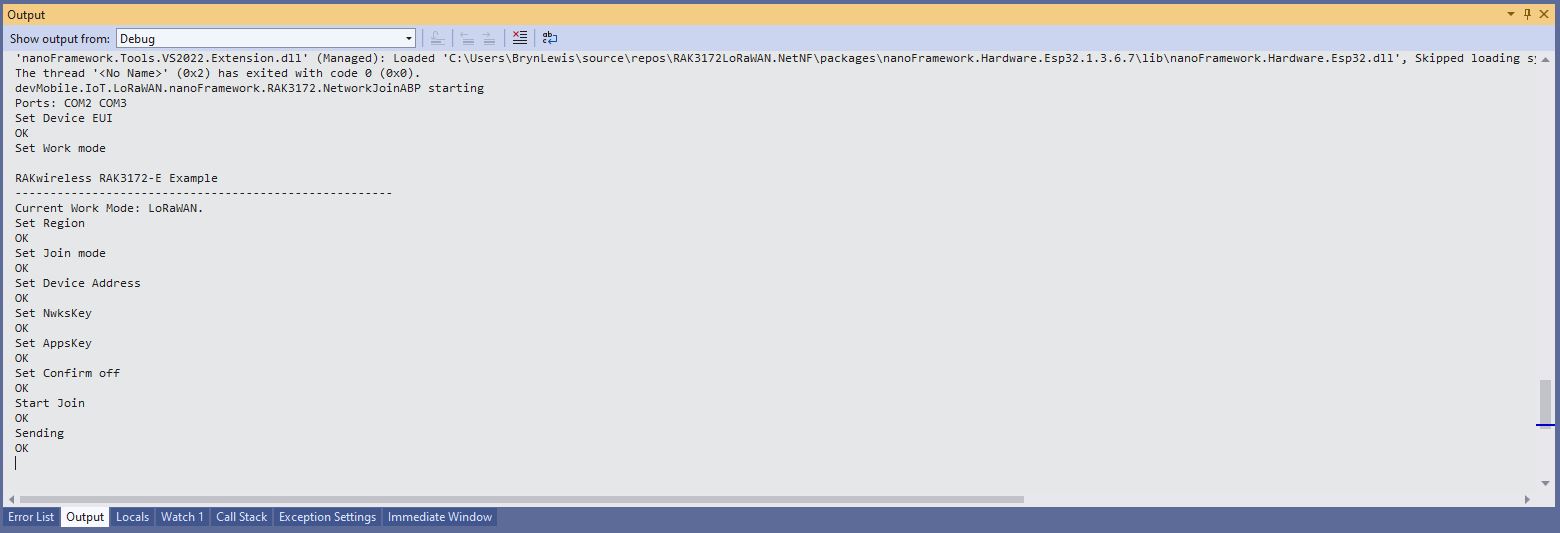
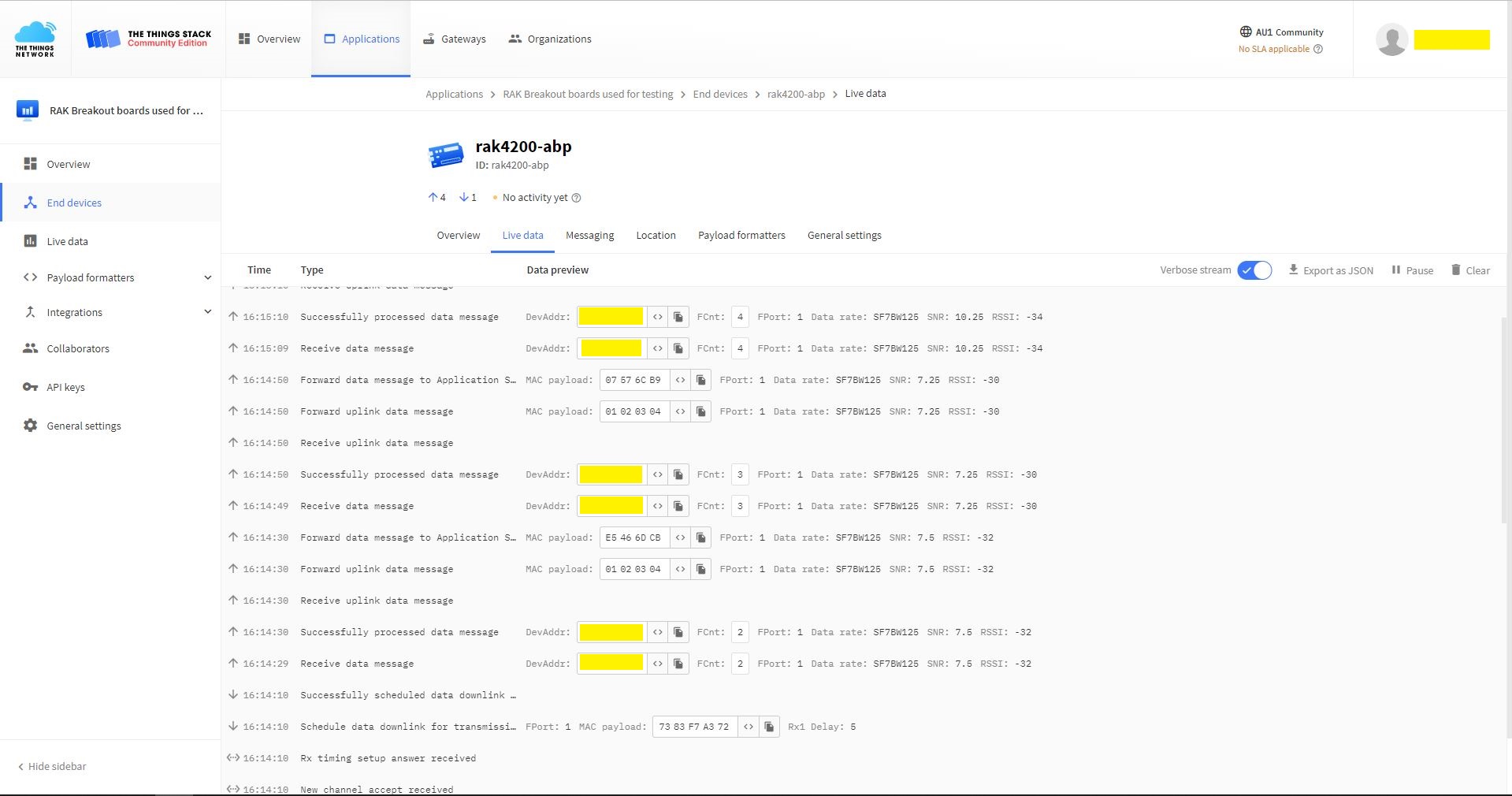
The NetworkJoinABP application assumes that all of the AT commands succeed.

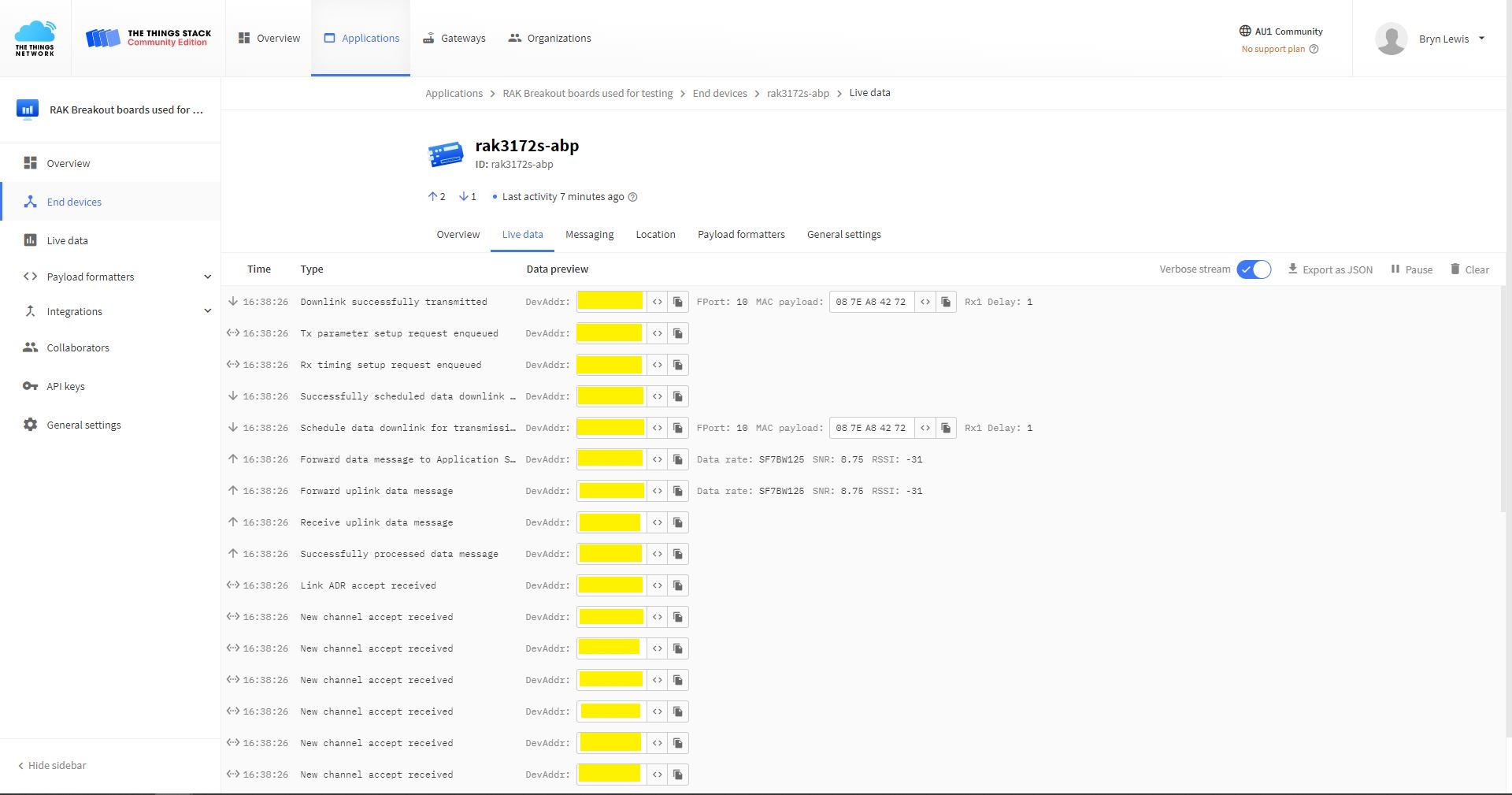
TTN Console live data tab connection process
Visual Studio Output windows displaying connection process and a D2C message
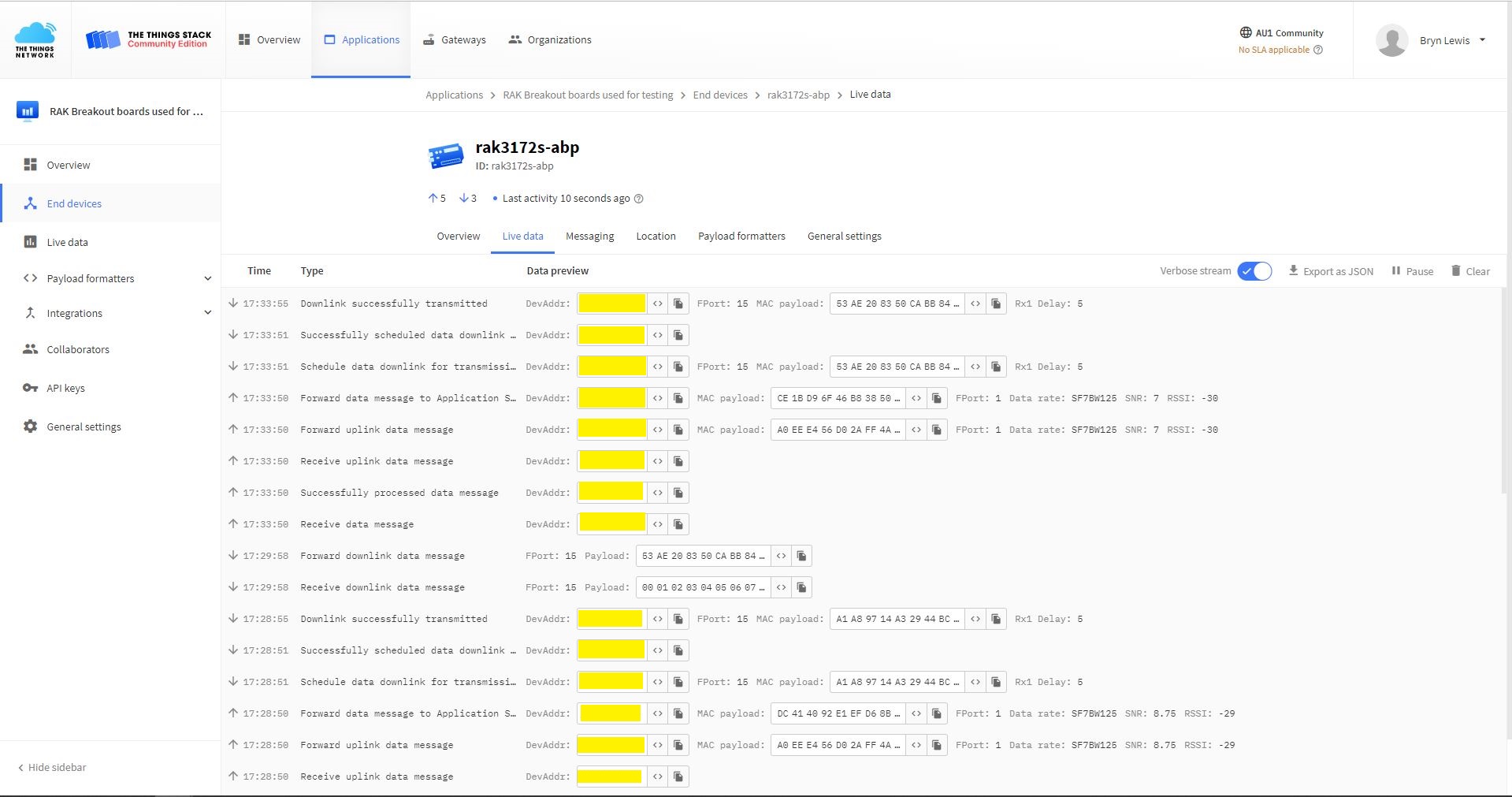
TTN Console live data tab connection process with a couple of D2C messages
Visual Studio Output windows displaying connection process and a couple of C2D messages

The Activation By Personalisation(ABP) sample was a bit more fragile than I expected. The The Things Network(TTN) Live Data Tab updates were often delayed or required a page refresh to be displayed (July 2022).

.NET nanoFramework RAK3172 LoRaWAN library basic connectivity

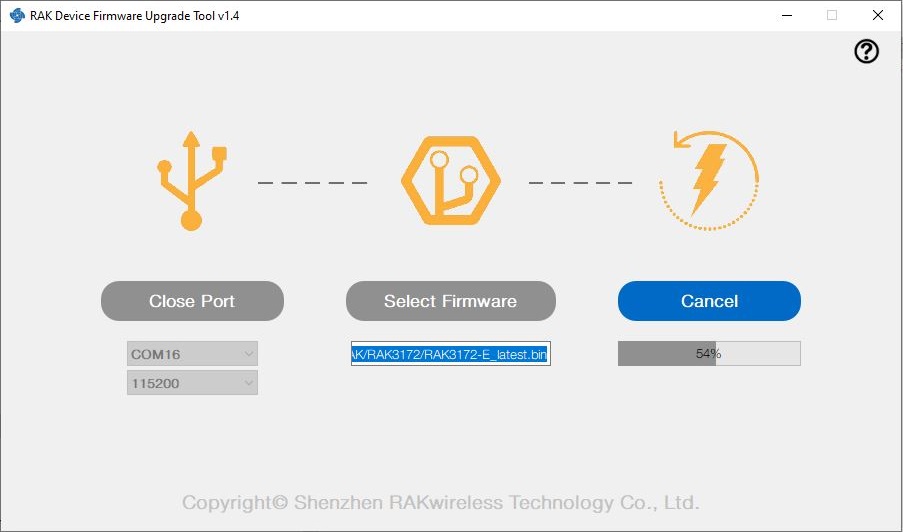
I have been working on a .NET nanoFramework library for the RAKwireless RAK3172 module for the last couple of weeks. The devices had been in a box under my desk for a couple of months so first step was to flash them with the latest firmware using my FTDI test harness.

RAK 3172 STM32F769I Discovery test rig

I use two hardware configurations for testing

My sample code has compile time options for synchronous and asynchronous operation. I also include the different nanoff command lines to make updating the test devices easier.

//---------------------------------------------------------------------------------
// Copyright (c) May 2022, devMobile Software
//
// Licensed under the Apache License, Version 2.0 (the "License");
// you may not use this file except in compliance with the License.
// You may obtain a copy of the License at
//
//     http://www.apache.org/licenses/LICENSE-2.0
//
// Unless required by applicable law or agreed to in writing, software
// distributed under the License is distributed on an "AS IS" BASIS,
// WITHOUT WARRANTIES OR CONDITIONS OF ANY KIND, either express or implied.
// See the License for the specific language governing permissions and
// limitations under the License.
//
// https://docs.rakwireless.com/Product-Categories/WisDuo/RAK4200-Breakout-Board/AT-Command-Manual/
//---------------------------------------------------------------------------------
#define SERIAL_ASYNC_READ
//#define SERIAL_THREADED_READ
#define ST_STM32F769I_DISCOVERY      // nanoff --target ST_STM32F769I_DISCOVERY --update 
//#define ESP32_WROOM   // nanoff --target ESP32_REV0 --serialport COM17 --update
...

namespace devMobile.IoT.LoRaWAN.nanoFramework.RAK3172
{
	using System;
	using System.Diagnostics;
	using System.IO.Ports;
	using System.Threading;
#if ESP32_WROOM
	using global::nanoFramework.Hardware.Esp32; //need NuGet nanoFramework.Hardware.Esp32
#endif

	public class Program
	{
		private static SerialPort _SerialPort;
#if SERIAL_THREADED_READ
		private static Boolean _Continue = true;
#endif
#if ESP32_WROOM
		private const string SerialPortId = "COM2";
#endif
...
#if ST_STM32F769I_DISCOVERY
		private const string SerialPortId = "COM6";
#endif

		public static void Main()
		{
#if SERIAL_THREADED_READ
			Thread readThread = new Thread(SerialPortProcessor);
#endif

			Debug.WriteLine("devMobile.IoT.LoRaWAN.nanoFramework.RAK3172 BreakoutSerial starting");

			try
			{
				// set GPIO functions for COM2 (this is UART1 on ESP32)
#if ESP32_WROOM
				Configuration.SetPinFunction(Gpio.IO16, DeviceFunction.COM2_TX);
				Configuration.SetPinFunction(Gpio.IO17, DeviceFunction.COM2_RX);
#endif

				Debug.Write("Ports:");
				foreach (string port in SerialPort.GetPortNames())
				{
					Debug.Write($" {port}");
				}
				Debug.WriteLine("");

				using (_SerialPort = new SerialPort(SerialPortId))
				{
					// set parameters
					_SerialPort.BaudRate = 115200;
					_SerialPort.Parity = Parity.None;
					_SerialPort.DataBits = 8;
					_SerialPort.StopBits = StopBits.One;
					_SerialPort.Handshake = Handshake.None;
					_SerialPort.NewLine = "\r\n";
					_SerialPort.ReadTimeout = 1000;

					//_SerialPort.WatchChar = '\n'; // May 2022 WatchChar event didn't fire github issue https://github.com/nanoframework/Home/issues/1035

#if SERIAL_ASYNC_READ
					_SerialPort.DataReceived += SerialDevice_DataReceived;
#endif

					_SerialPort.Open();

					_SerialPort.WatchChar = '\n';

#if SERIAL_THREADED_READ
					readThread.Start();
#endif

					for (int i = 0; i < 5; i++)
					{
						string atCommand;
						atCommand = "AT+VER=?";

                  Debug.WriteLine("");
						Debug.WriteLine($"{i} TX:{atCommand} bytes:{atCommand.Length}--------------------------------");
						_SerialPort.WriteLine(atCommand);

						Thread.Sleep(5000);
					}
				}
				Debug.WriteLine("Done");
			}
			catch (Exception ex)
			{
				Debug.WriteLine(ex.Message);
			}
		}

#if SERIAL_ASYNC_READ
		private static void SerialDevice_DataReceived(object sender, SerialDataReceivedEventArgs e)
		{
			SerialPort serialPort = (SerialPort)sender;

			switch (e.EventType)
			{
				case SerialData.Chars:
					break;

				case SerialData.WatchChar:
					string response = serialPort.ReadExisting();
					Debug.Write(response);
					break;
				default:
					Debug.Assert(false, $"e.EventType {e.EventType} unknown");
					break;
			}
		}
#endif

#if SERIAL_THREADED_READ
		public static void SerialPortProcessor()
		{

			while (_Continue)
			{
				try
				{
					string response = _SerialPort.ReadLine();
					//string response = _SerialPort.ReadExisting();
					Debug.Write(response);
				}
				catch (TimeoutException ex) 
				{
					Debug.WriteLine($"Timeout:{ex.Message}");
				}
			}
		}
#endif
	}
}

When I requested the RAK3172 version information with “AT+VER=?” the response was spilt over two lines which is a bit of a Pain in the Arse (PitA). The RAK3172 firmware also defaults 115200 baud which seems overkill considering the throughput of a LoRaWAN link.

Visual Studio Debug Output of Breakout Serial Application

While building the test application I encountered a few issues (STM32F769I DISCOVERY SerialPort.GetPortNames() port name text gets shorter, STM32F769I DISCOVERY Inconsistent SerialPort WatchChar behaviour after erase->power cycle->run & erase->run and No SerialPort.WatchChar events if WatchChar set before SerialPort opened) which slowed down development. The speed the nanoFramework team triages then fixes issues is amazing for a team of volunteers dotted around the world.

.NET nanoFramework RAK4200 Factory Reset

The RAKwireless RAK4200 module has a really useful “reset to factory” AT Command

at+set_config=lora:default_parameters

To see what settings were erased I modified the BreakOutSerial application to send additional AT commands and display the responses.

public static void Main()
{
...
	Debug.WriteLine("devMobile.IoT.LoRaWAN.nanoFramework.RAK4200 BreakoutSerial starting");

	try
	{
		// set GPIO functions for COM2 (this is UART1 on ESP32)
#if ESP32_WROOM
		Configuration.SetPinFunction(Gpio.IO16, DeviceFunction.COM2_TX);
		Configuration.SetPinFunction(Gpio.IO17, DeviceFunction.COM2_RX);
#endif

		Debug.Write("Ports:");
		foreach (string port in SerialPort.GetPortNames())
		{
			Debug.Write($" {port}");
		}
		Debug.WriteLine("");

		using (_SerialPort = new SerialPort(SerialPortId))
		{
			// set parameters
			_SerialPort.BaudRate = 9600;
			//_SerialPort.BaudRate = 115200;
			_SerialPort.Parity = Parity.None;
			_SerialPort.DataBits = 8;
			_SerialPort.StopBits = StopBits.One;
			_SerialPort.Handshake = Handshake.None;
			_SerialPort.NewLine = "\r\n";

			//_SerialPort.ReadBufferSize = 128; 
			//_SerialPort.ReadBufferSize = 256; 
			_SerialPort.ReadBufferSize = 512; 
			//_SerialPort.ReadBufferSize = 1024;
			_SerialPort.ReadTimeout = 1000;

			//_SerialPort.WatchChar = '\n'; // May 2022 WatchChar event didn't fire github issue https://github.com/nanoframework/Home/issues/1035

#if SERIAL_ASYNC_READ
			_SerialPort.DataReceived += SerialDevice_DataReceived;
#endif

			_SerialPort.Open();

			_SerialPort.WatchChar = '\n';
...
			for (int i = 0; i < 5; i++)
			{
				string atCommand;
				atCommand = "at+version";
				//atCommand = "at+set_config=device:uart:1:9600";
				atCommand = "at+get_config=lora:status";
				//atCommand = "at+get_config=device:status";
				//atCommand = "at+get_config=lora:channel";
				//atCommand = "at+help";
				//atCommand = "at+set_config=device:restart";
				//atCommand = "at+set_config=lora:default_parameters";
				Debug.WriteLine("");
				Debug.WriteLine($"{i} TX:{atCommand} bytes:{atCommand.Length}--------------------------------");
				_SerialPort.WriteLine(atCommand);

				Thread.Sleep(5000);
			}
		}
		Debug.WriteLine("Done");
	}
	catch (Exception ex)
	{
		Debug.WriteLine(ex.Message);
	}
}

#if SERIAL_ASYNC_READ
private static void SerialDevice_DataReceived(object sender, SerialDataReceivedEventArgs e)
{
	SerialPort serialPort = (SerialPort)sender;

	switch (e.EventType)
	{
		case SerialData.Chars:
			break;

		case SerialData.WatchChar:
			string response = serialPort.ReadExisting();
			Debug.Write(response);
			break;
		default:
			Debug.Assert(false, $"e.EventType {e.EventType} unknown");
			break;
	}
}
#endif
...
}

After configuring my Sparkfun Thing Plus ESP32 WROOM + RAK42000 Breakout Board test rig the RAK4200LoRaWANDeviceClient application could successfully connect to The Things Network .

The thread '' (0x2) has exited with code 0 (0x0).
devMobile.IoT.LoRaWAN.nanoFramework.RAK4200 BreakoutSerial starting
0 TX:at+get_config=lora:status bytes:25--------------------------------
OK Work Mode: LoRaWAN
Region: AS923
MulticastEnable: false
DutycycleEnable: false
Send_repeat_cnt: 0
Join_mode: OTAA
DevEui:  6..............9
AppEui: 7..............4
AppKey: A.............................9
Class: A
Joined Network:false
IsConfirm: unconfirm
AdrEnable: true
EnableRepeaterSupport: false
RX2_CHANNEL_FREQUENCY: 923200000, RX2_CHANNEL_DR:2
RX_WINDOW_DURATION: 3000ms
RECEIVE_DELAY_1: 1000ms
RECEIVE_DELAY_2: 2000ms
JOIN_ACCEPT_DELAY_1: 5000ms
JOIN_ACCEPT_DELAY_2: 6000ms
Current Datarate: 5
Primeval Datarate: 5
ChannelsTxPower: 0
UpLinkCounter: 0
DownLinkCounter: 0

I then reset the RAK4200 device to “factory defaults”

The thread '<No Name>' (0x2) has exited with code 0 (0x0).
devMobile.IoT.LoRaWAN.nanoFramework.RAK4200 BreakoutSerial starting
Ports: COM5 COM6

0 TX:at+set_config=lora:default_parameters bytes:37--------------------------------
OK

The testrig would no longer connect as the device and network settings were invalid.

The thread '<No Name>' (0x2) has exited with code 0 (0x0).
devMobile.IoT.LoRaWAN.nanoFramework.RAK4200 BreakoutSerial starting
Ports: COM5 COM6

0 TX:at+get_config=lora:status bytes:25--------------------------------
OK Work Mode: LoRaWAN
Region: AS923
MulticastEnable: false
DutycycleEnable: false
Send_repeat_cnt: 0
Join_mode: OTAA
DevEui: 0000000000000000
AppEui: 0000000000000000
AppKey: 00000000000000000000000000000000
Class: A
Joined Network:false
IsConfirm: unconfirm
AdrEnable: true
EnableRepeaterSupport: false
RX2_CHANNEL_FREQUENCY: 923200000, RX2_CHANNEL_DR:2
RX_WINDOW_DURATION: 3000ms
RECEIVE_DELAY_1: 1000ms
RECEIVE_DELAY_2: 2000ms
JOIN_ACCEPT_DELAY_1: 5000ms
JOIN_ACCEPT_DELAY_2: 6000ms
Current Datarate: 5
Primeval Datarate: 5
ChannelsTxPower: 0
UpLinkCounter: 0
DownLinkCounter: 0

To “restore” the device configuration I ran the RAK4200LoRaWANDeviceClient application with DEVICE_DEVEUI_SET, OTAA, UNCONFIRMED, REGION_SET and ADR_SET defined.

The thread '<No Name>' (0x2) has exited with code 0 (0x0).
devMobile.IoT.LoRaWAN.nanoFramework.RAK4200 BreakoutSerial starting
Ports: COM2 COM3

0 TX:at+get_config=lora:status bytes:25--------------------------------
OK Work Mode: LoRaWAN
Region: AS923
MulticastEnable: false
DutycycleEnable: false
Send_repeat_cnt: 0
Join_mode: OTAA
DevEui: 6..............9
AppEui: 7.............4
AppKey: A.............................9
Class: A
Joined Network:false
IsConfirm: unconfirm
AdrEnable: true
EnableRepeaterSupport: false
RX2_CHANNEL_FREQUENCY: 923200000, RX2_CHANNEL_DR:2
RX_WINDOW_DURATION: 3000ms
RECEIVE_DELAY_1: 1000ms
RECEIVE_DELAY_2: 2000ms
JOIN_ACCEPT_DELAY_1: 5000ms
JOIN_ACCEPT_DELAY_2: 6000ms
Current Datarate: 5
Primeval Datarate: 5
ChannelsTxPower: 0
UpLinkCounter: 0
DownLinkCounter: 0

The testrig would then successfully connect to The Things Network. When the testrig was power cycled the device the configuration was retained.

.NET nanoFramework RAK4200 LoRaWAN library ABP Join

After getting my RAKwireless RAK4200 module to reliably connect to The Things Network(TTN) using Over The Air Activation(OTAA) the next step was to built an Activation By Personalisation(ABP) sample application.

I modified the NetworkJoinOTAA sample(based on the asynchronous version of BreakOutSerial) to send the required sequence of AT commands and display the responses.

namespace devMobile.IoT.LoRaWAN.nanoFramework.RAK4200
{
   using System;
   using System.Diagnostics;
   using System.IO.Ports;
   using System.Text;
   using System.Threading;
#if ESP32_WROOM
   using global::nanoFramework.Hardware.Esp32; ///need NuGet nanoFramework.Hardware.Esp32
#endif

   public class Program
   {
#if ST_STM32F769I_DISCOVERY
      private const string SerialPortId = "COM6";
#endif
#if ESP32_WROOM
      private const string SerialPortId = "COM2";
#endif
      private const string DevEui = "...";
      private const string AppEui = "...";
      private const string AppKey = "...";
      private const byte MessagePort = 1;
      private const string Payload = "01020304"; // Is AQIDBA==

      public static void Main()
      {
         string response;

         Debug.WriteLine("devMobile.IoT.Rak4200.NetworkJoinOTAA starting");

         try
         {
#if ESP32_WROOM
            Configuration.SetPinFunction(Gpio.IO16, DeviceFunction.COM2_TX);
            Configuration.SetPinFunction(Gpio.IO17, DeviceFunction.COM2_RX);
#endif

            Debug.Write("Ports:");
            foreach (string port in SerialPort.GetPortNames())
            {
               Debug.Write($" {port}");
            }
            Debug.WriteLine("");

            using (SerialPort serialDevice = new SerialPort(SerialPortId))
            {
               // set parameters
               serialDevice.BaudRate = 9600;
               //_SerialPort.BaudRate = 115200;
               serialDevice.Parity = Parity.None;
               serialDevice.StopBits = StopBits.One;
               serialDevice.Handshake = Handshake.None;
               serialDevice.DataBits = 8;

               serialDevice.ReadTimeout = 10000;
               //serialDevice.ReadBufferSize = 128; 
               //serialDevice.ReadBufferSize = 256; 
               serialDevice.ReadBufferSize = 512;
               //serialDevice.ReadBufferSize = 1024;

               serialDevice.NewLine = "\r\n";

               serialDevice.DataReceived += SerialDevice_DataReceived;

               serialDevice.Open();

               serialDevice.WatchChar = '\n';

               // clear out the RX buffer
               serialDevice.ReadExisting();
               response = serialDevice.ReadExisting();
               Debug.WriteLine($"Response :{response.Trim()} bytes:{response.Length}");
               Thread.Sleep(500);

               // Set the Working mode to LoRaWAN
               Debug.WriteLine("lora:work_mode:0");
               serialDevice.WriteLine("at+set_config=lora:work_mode:0");
               Thread.Sleep(1500);

               // Set the JoinMode
               Debug.WriteLine("lora:join_mode");
               serialDevice.WriteLine("at+set_config=lora:join_mode:0");
               Thread.Sleep(500);

               // Set the Class
               Debug.WriteLine("lora:class");
               serialDevice.WriteLine("at+set_config=lora:class:0");
               Thread.Sleep(500);

               // Set the Region to AS923
               Debug.WriteLine("lora:region");
               serialDevice.WriteLine("at+set_config=lora:region:AS923");
               Thread.Sleep(500);

               // Set the devEUI
               Debug.WriteLine("lora:dev_eui");
               serialDevice.WriteLine($"at+set_config=lora:dev_eui:{DevEui}");
               Thread.Sleep(500);

               // Set the appEUI
               Debug.WriteLine("lora:app_eui");
               serialDevice.WriteLine($"at+set_config=lora:app_eui:{AppEui}");
               Thread.Sleep(500);

               // Set the appKey
               Debug.WriteLine("lora:app_key");
               serialDevice.WriteLine($"at+set_config=lora:app_key:{AppKey}");
               Thread.Sleep(500);

               // Set the Confirm flag
               Debug.WriteLine("lora:confirm");
               serialDevice.WriteLine("at+set_config=lora:confirm:0");
               Thread.Sleep(500);

               Debug.WriteLine("lora:adr");
               serialDevice.WriteLine("at+set_config=lora:adr:1");
               Thread.Sleep(500);

               // Join the network
               Debug.WriteLine("at+join");
               serialDevice.WriteLine("at+join");
               Thread.Sleep(10000);

               byte counter = 1;
               while (true)
               {
                  // Send the BCD messages
                  string payload = $"{Payload}{counter:X2}";
                  Debug.WriteLine($"at+send=lora:{MessagePort}:{payload}");
                  serialDevice.WriteLine($"at+send=lora:{MessagePort}:{payload}");

                  counter += 1;

                  Thread.Sleep(300000);
               }
            }
         }
         catch (Exception ex)
         {
            Debug.WriteLine(ex.Message);
         }
      }

      private static void SerialDevice_DataReceived(object sender, SerialDataReceivedEventArgs e)
      {
         SerialPort serialPort = (SerialPort)sender;
         string response;

         switch (e.EventType)
         {
            case SerialData.Chars:
               break;

            case SerialData.WatchChar:
               response = serialPort.ReadExisting();
               Debug.Write(response);
               break;
            default:
               Debug.Assert(false, $"e.EventType {e.EventType} unknown");
               break;
         }
      }
   }
}

The NetworkJoinABP application assumes that all of the AT commands succeed.

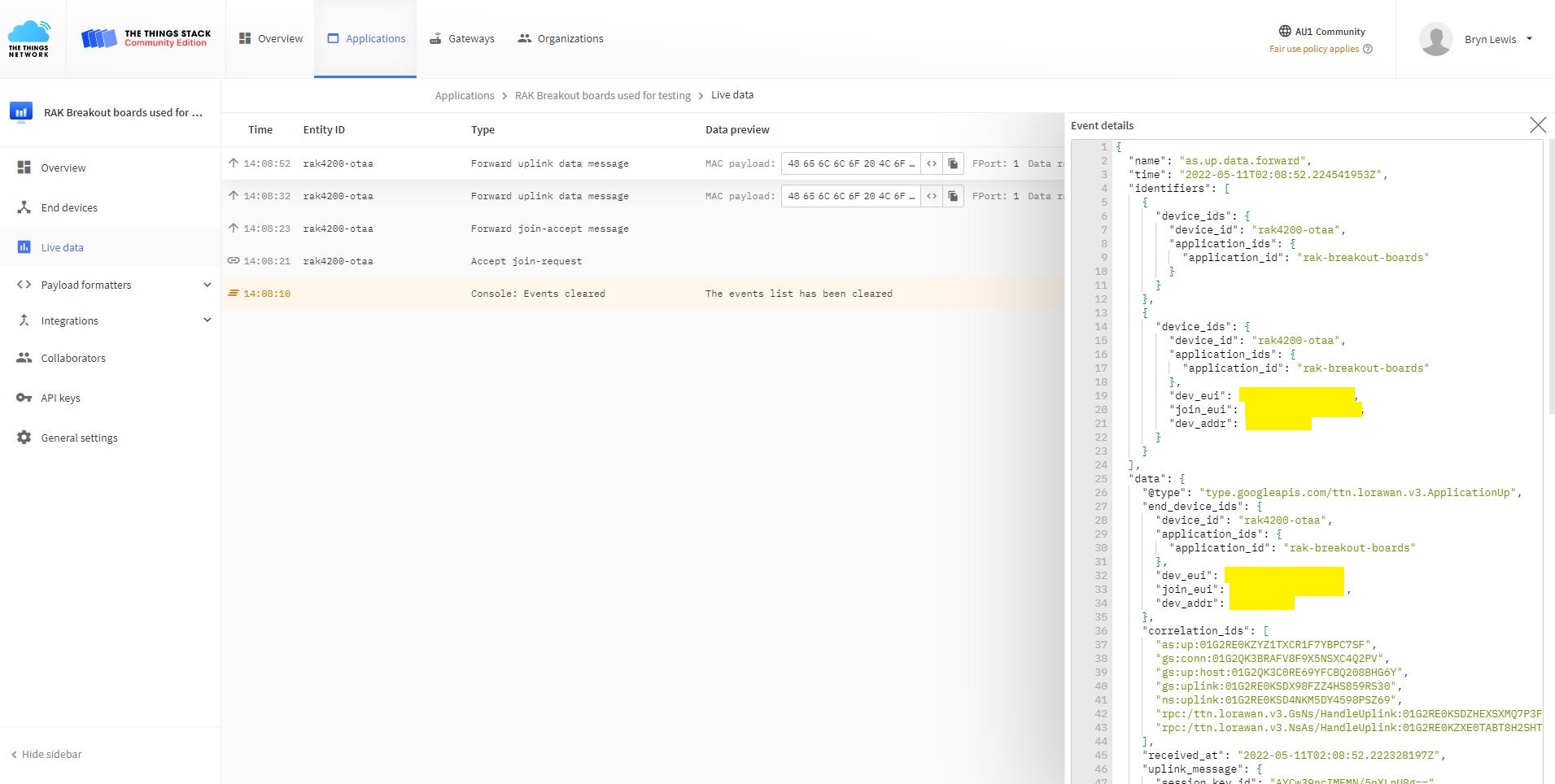
TTN Console live data tab connection process
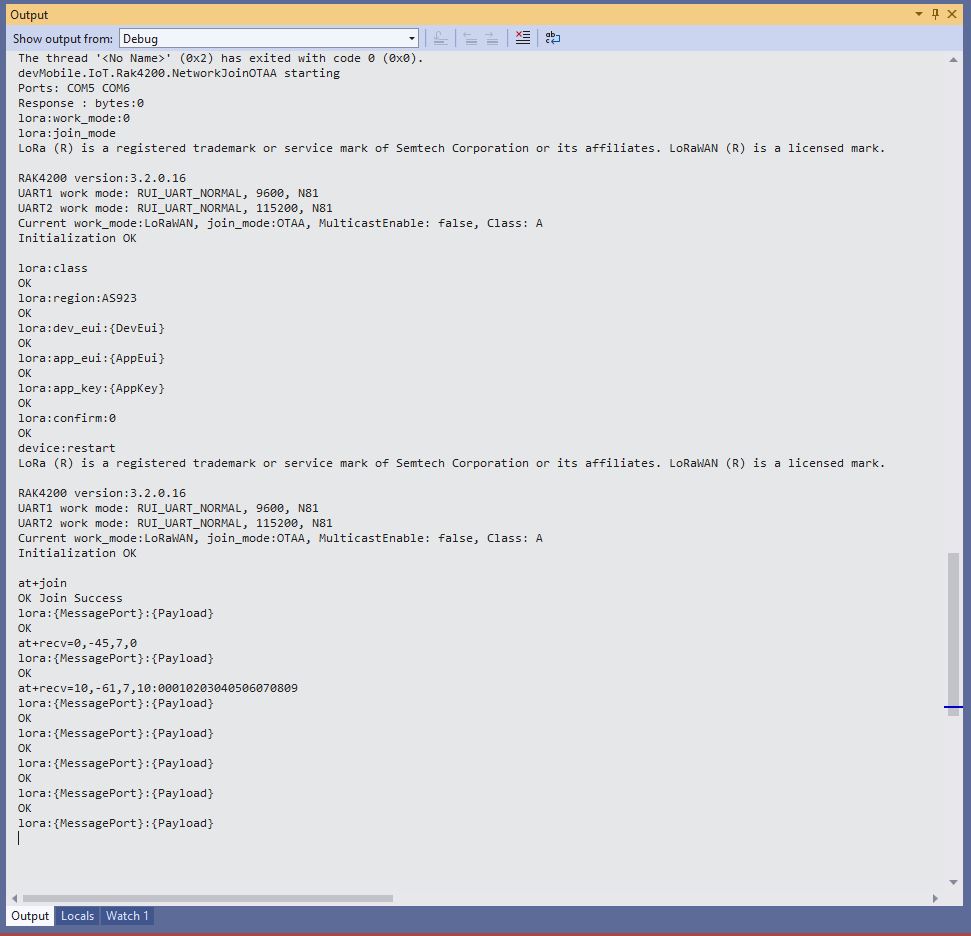
Visual Studio Output windows displaying connection process and a D2C message

I have been using at+set_config=lora:default_parameters set the WisDuo RAK4200 back to factory settings so I can figure out what settings are persisted by a “at+set_config=device:restart” and which ones need to be set every time the application is run.

.NET nanoFramework RAK4200 LoRaWAN library OTAA Join

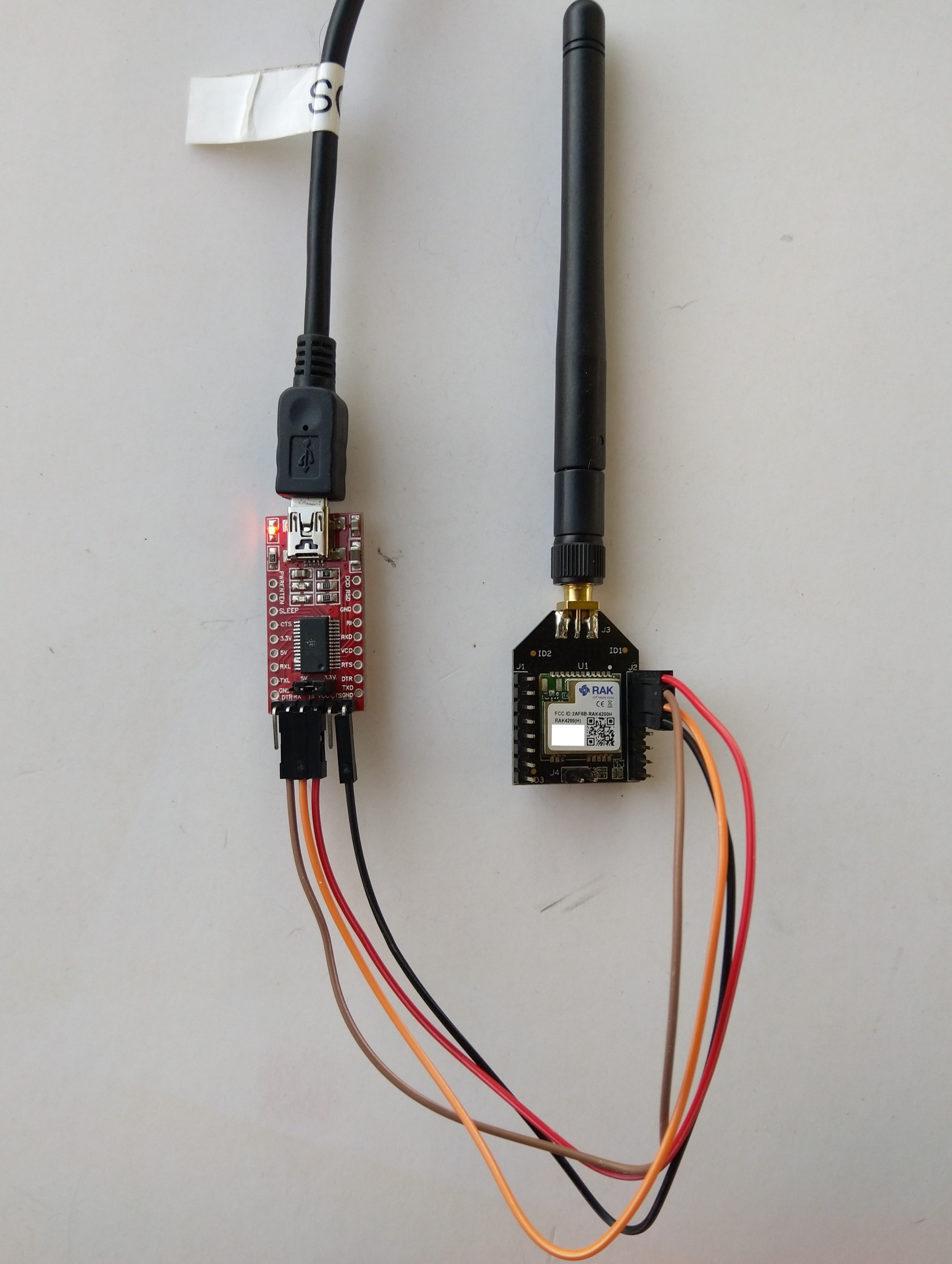
When I first tried Over The Air Activation(OTAA) to connect to The Things Network(TTN) with my RAKwireless RAK4200 module it didn’t work. I built another test harness with an FTDI module so I could send AT commands with the RAK Serial Port Tool to my RAK4200 module.

RAK4200 -> FTDI -? PC test harness

The default baud rate is 115200 but I sent “at+set_config=device:uart:1:9600” to the RAK4200 module.

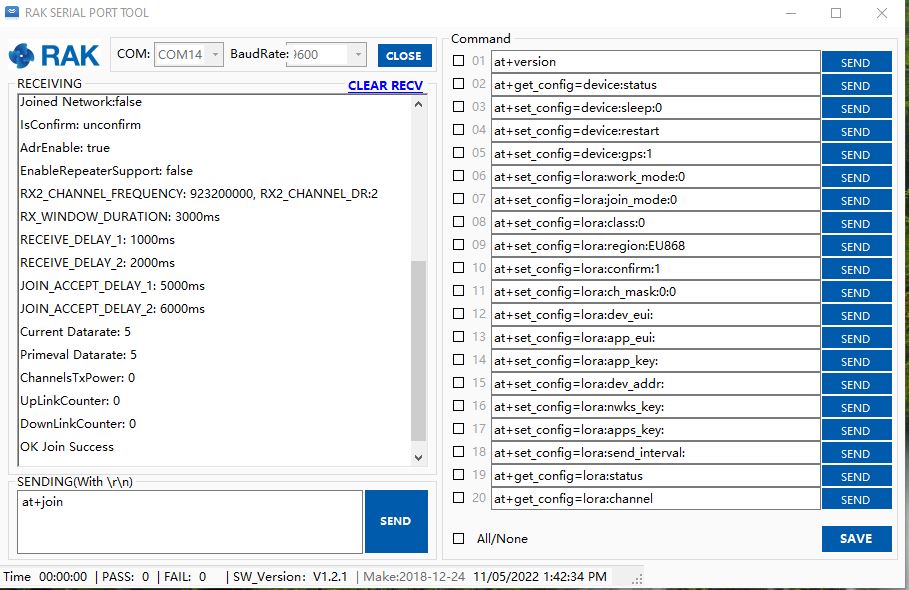
RAK Serial Port Tool initiating at+join command

With the RAK Serial Port Tool I could get the RAK4200 connected to TTN and send unconfirmed messages. The sequence of commands I used was

at+set_config=lora:join_mode:0
at+set_config=lora:class:0
at+set_config=lora:region:AS923
at+set_config=lora:dev_eui:XXXX
at+set_config=lora:app_eui:XXXX
at+set_config=lora:app_key:XXXX
at+set_config=device:restart
at+join
at+send=lora:2:48656c6c6f204c6f526157414e

I then returned to my STM32F769I Discovery, RAK4200 Breakoutboard, Seeedstudio Grove Base Shield for Arduino and a Seeedstudio Grove-4 pin Female Jumper to Grove 4 pin Conversion Cable based test harness.

RAK4200, STM32F769I Discovery test harness

I modified the NetworkJoinOTAA sample(based on the asynchronous version of BreakOutSerial) to send the same sequence of AT commands and display the responses.

namespace devMobile.IoT.LoRaWAN.nanoFramework.RAK4200
{
   using System;
	using System.Diagnostics;
   using System.IO.Ports;
   using System.Threading;

   public class Program
	{
      private const string SerialPortId = "COM6";
      private const string DevEui = "...";
      private const string AppEui = "...";
      private const string AppKey = "...";
      private const byte MessagePort = 1;
      private const string Payload = "48656c6c6f204c6f526157414e"; // Hello LoRaWAN

      public static void Main()
      {
         string response;

         Debug.WriteLine("devMobile.IoT.Rak4200.NetworkJoinOTAA starting");

         Debug.Write("Ports:");
         foreach (string port in SerialPort.GetPortNames())
         {
            Debug.Write($" {port}");
         }
         Debug.WriteLine("");

         try
         {
            using (SerialPort serialDevice = new SerialPort(SerialPortId))
            {
               // set parameters
               serialDevice.BaudRate = 9600;
               //_SerialPort.BaudRate = 115200;
               serialDevice.Parity = Parity.None;
               serialDevice.StopBits = StopBits.One;
               serialDevice.Handshake = Handshake.None;
               serialDevice.DataBits = 8;

               serialDevice.ReadTimeout = 10000;

               serialDevice.NewLine = "\r\n";

               serialDevice.DataReceived += SerialDevice_DataReceived;

               serialDevice.Open();

               serialDevice.WatchChar = '\n';

               // clear out the RX buffer
               serialDevice.ReadExisting();
               response = serialDevice.ReadExisting();
               Debug.WriteLine($"Response :{response.Trim()} bytes:{response.Length}");
               Thread.Sleep(500);

               // Set the Working mode to LoRaWAN
               Console.WriteLine("lora:work_mode:0");
               serialDevice.WriteLine("at+set_config=lora:work_mode:0");

               // Set the JoinMode
               Console.WriteLine("lora:join_mode");
               serialDevice.WriteLine("at+set_config=lora:join_mode:0");
               Thread.Sleep(500);

               // Set the Class
               Console.WriteLine("lora:class");
               serialDevice.WriteLine("at+set_config=lora:class:0");
               Thread.Sleep(500);

               // Set the Region to AS923
               Console.WriteLine("lora:region:AS923");
               serialDevice.WriteLine("at+set_config=lora:region:AS923");
               Thread.Sleep(500);

               // Set the devEUI
               Console.WriteLine("lora:dev_eui:{DevEui}");
               serialDevice.WriteLine($"at+set_config=lora:dev_eui:{DevEui}");
               Thread.Sleep(500);

               // Set the appEUI
               Console.WriteLine("lora:app_eui:{AppEui}");
               serialDevice.WriteLine($"at+set_config=lora:app_eui:{AppEui}");
               Thread.Sleep(500);

               // Set the appKey
               Console.WriteLine("lora:app_key:{AppKey}");
               serialDevice.WriteLine($"at+set_config=lora:app_key:{AppKey}");
               Thread.Sleep(500);

               // Set the Confirm flag
               Console.WriteLine("lora:confirm:0");
               serialDevice.WriteLine("at+set_config=lora:confirm:0");
               Thread.Sleep(500);

               // Reset the device
               Console.WriteLine("device:restart");
               serialDevice.WriteLine($"at+set_config=device:restart");
               Thread.Sleep(10000);

               // Join the network
               Console.WriteLine("at+join");
               serialDevice.WriteLine("at+join");
               Thread.Sleep(10000);

               while (true)
               {
                  // Send the BCD messages
                  Console.WriteLine("lora:{MessagePort}:{Payload}");
                  serialDevice.WriteLine($"at+send=lora:{MessagePort}:{Payload}");

                  Thread.Sleep(20000);
               }
            }
         }
         catch (Exception ex)
         {
            Debug.WriteLine(ex.Message);
         }
      }

      private static void SerialDevice_DataReceived(object sender, SerialDataReceivedEventArgs e)
      {
         SerialPort serialPort = (SerialPort)sender;
         string response;

         switch (e.EventType)
         {
            case SerialData.Chars:
               break;

            case SerialData.WatchChar:
               response = serialPort.ReadExisting();
               Debug.Write(response);
               break;
            default:
               Debug.Assert(false, $"e.EventType {e.EventType} unknown");
               break;
         }
      }
   }
}

The NetworkJoinOTAA application assumes that all of the AT commands succeed

Visual Studio Output windows displaying connection process and a D2C message
TTN Console live data tab connection process
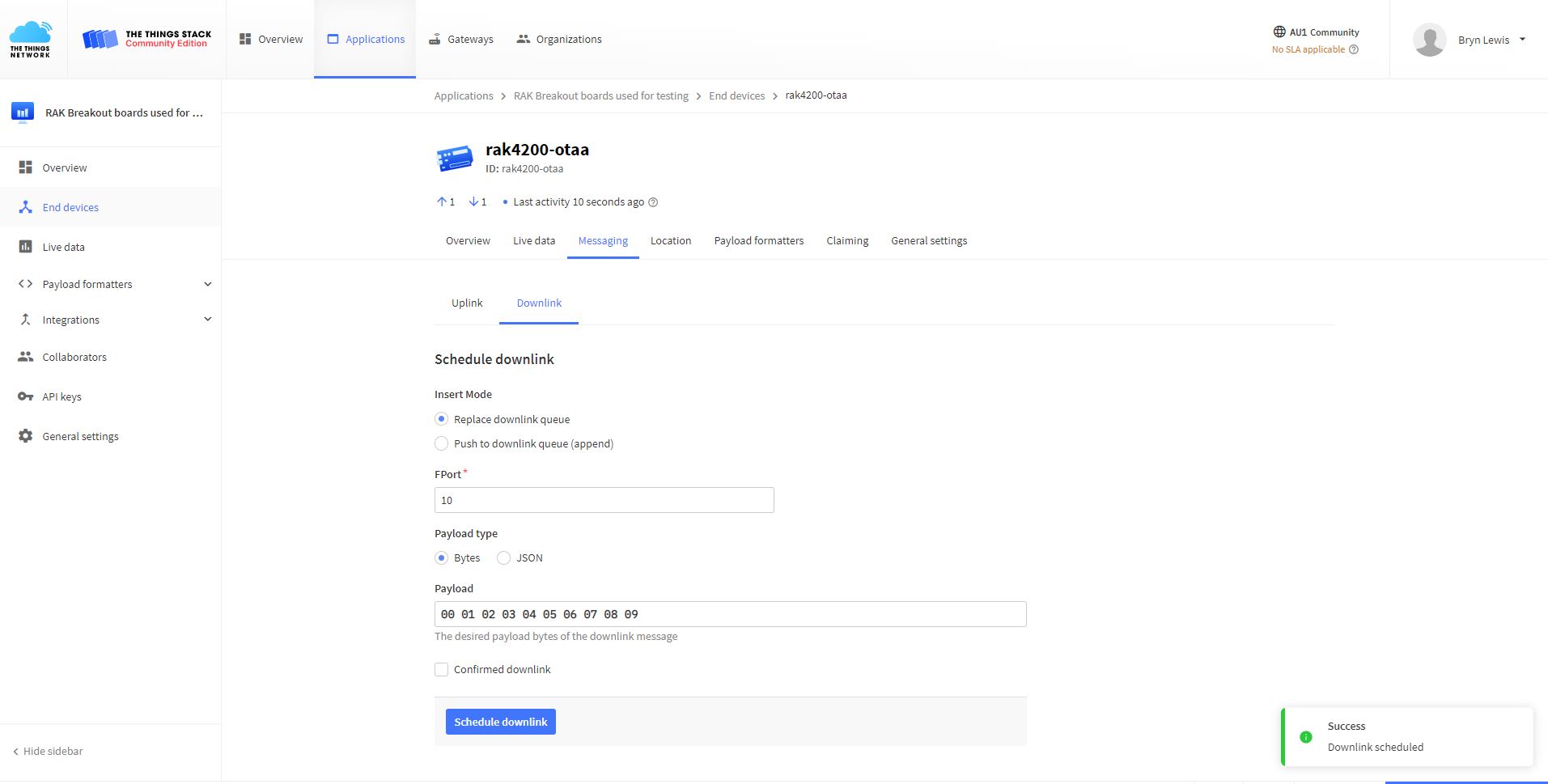
TTN Console live messaging tab C2D message

I need to find a way to set the RAK4200 back to factory settings so I can figure out what settings are persisted by the “at+set_config=device:restart” and which ones need to be set every time the application is run.

.NET nanoFramework RAK4200 LoRaWAN library basic connectivity

Over the last couple of evenings I have been working on a .NET nanoFramework library for the RAKwireless RAK4200 module using a STM32F769I Discovery, RAK4200 Breakoutboard, Seeedstudio Grove Base Shield for Arduino and a Seeedstudio Grove-4 pin Female Jumper to Grove 4 pin Conversion Cable.

RAK 4200 STM32F769I Discovery testrig

My sample code has compile time options for synchronous and asynchronous operation.

//---------------------------------------------------------------------------------
// Copyright (c) May 2022, devMobile Software
//
// Licensed under the Apache License, Version 2.0 (the "License");
// you may not use this file except in compliance with the License.
// You may obtain a copy of the License at
//
//     http://www.apache.org/licenses/LICENSE-2.0
//
// Unless required by applicable law or agreed to in writing, software
// distributed under the License is distributed on an "AS IS" BASIS,
// WITHOUT WARRANTIES OR CONDITIONS OF ANY KIND, either express or implied.
// See the License for the specific language governing permissions and
// limitations under the License.
//
//---------------------------------------------------------------------------------
//#define SERIAL_SYNC_READ
#define SERIAL_ASYNC_READ
//#define SERIAL_THREADED_READ
#define ST_STM32F769I_DISCOVERY      // nanoff --target ST_STM32F769I_DISCOVERY --update 
...

namespace devMobile.IoT.LoRaWAN.nanoFramework.RAK4200
{
	using System;
	using System.Diagnostics;
	using System.IO.Ports;
	using System.Threading;

	public class Program
	{
		private static SerialPort _SerialPort;
#if SERIAL_THREADED_READ
		private static Boolean _Continue = true;
#endif
...
#if ST_STM32F769I_DISCOVERY
		private const string SerialPortId = "COM6";
#endif

		public static void Main()
		{
#if SERIAL_THREADED_READ
			Thread readThread = new Thread(SerialPortProcessor);
#endif

			Debug.WriteLine("devMobile.IoT.LoRaWAN.nanoFramework.RAK4200 BreakoutSerial starting");

			Debug.Write("Ports:");
			foreach (string port in SerialPort.GetPortNames())
			{
				Debug.Write($" {port}");
			}
			Debug.WriteLine("");

			try
			{
				// set GPIO functions for COM2 (this is UART1 on ESP32)
#if ESP32_WROOM
				Configuration.SetPinFunction(Gpio.IO04, DeviceFunction.COM2_TX);
            Configuration.SetPinFunction(Gpio.IO05, DeviceFunction.COM2_RX);
#endif

				_SerialPort = new SerialPort(SerialPortId);

				// set parameters
				_SerialPort.BaudRate = 115200;
				_SerialPort.Parity = Parity.None;
				_SerialPort.DataBits = 8;
				_SerialPort.StopBits = StopBits.One;
				_SerialPort.Handshake = Handshake.None;

				_SerialPort.ReadTimeout = 1000;
				_SerialPort.NewLine = "\r\n";

				//_SerialPort.WatchChar = '\n'; // May 2022 WatchChar event didn't fire github issue https://github.com/nanoframework/Home/issues/1035

				_SerialPort.Open();

				_SerialPort.WatchChar = '\n';

#if SERIAL_THREADED_READ
				readThread.Start();
#endif

#if SERIAL_ASYNC_READ
				_SerialPort.DataReceived += SerialDevice_DataReceived;
#endif

				while (true)
				{
					string atCommand = "at+version";
					Debug.WriteLine($"TX:{atCommand} bytes:{atCommand.Length}");
					_SerialPort.WriteLine(atCommand);

#if SERIAL_SYNC_READ
					// Read the response
					string response = _SerialPort.ReadLine();
					Debug.WriteLine($"RX:{response.Trim()} bytes:{response.Length}");
#endif
					Thread.Sleep(15000);
				}
			}
			catch (Exception ex)
			{
				Debug.WriteLine(ex.Message);
			}
		}

#if SERIAL_ASYNC_READ
		private static void SerialDevice_DataReceived(object sender, SerialDataReceivedEventArgs e)
		{
			SerialPort serialPort = (SerialPort)sender;
			string response;

			switch (e.EventType)
			{
				case SerialData.Chars:
					/*
					response = serialPort.ReadExisting();

					if ( response.Length>0)
					{ 
						Debug.WriteLine($"RX Char:{response.Trim()} bytes:{response.Length}");
					}
					*/
					break;
				case SerialData.WatchChar:
					response = serialPort.ReadExisting();

					if (response.Length > 0)
					{
						Debug.WriteLine($"RX WatchChar :{response.Trim()} bytes:{response.Length}");
					}
					break;
				default:
					Debug.Assert(false, $"e.EventType {e.EventType} unknown");
					break;
			}
		}
#endif

#if SERIAL_THREADED_READ
		public static void SerialPortProcessor()
		{
			string response;

			while (_Continue)
			{
				try
				{
					response = _SerialPort.ReadLine();
					//response = _SerialPort.ReadExisting();
					Console.WriteLine($"RX:{response} bytes:{response.Length}");
				}
				catch (TimeoutException ex) 
				{
					Console.WriteLine($"Timeout:{ex.Message}");
				}
			}
		}
#endif
	}
}

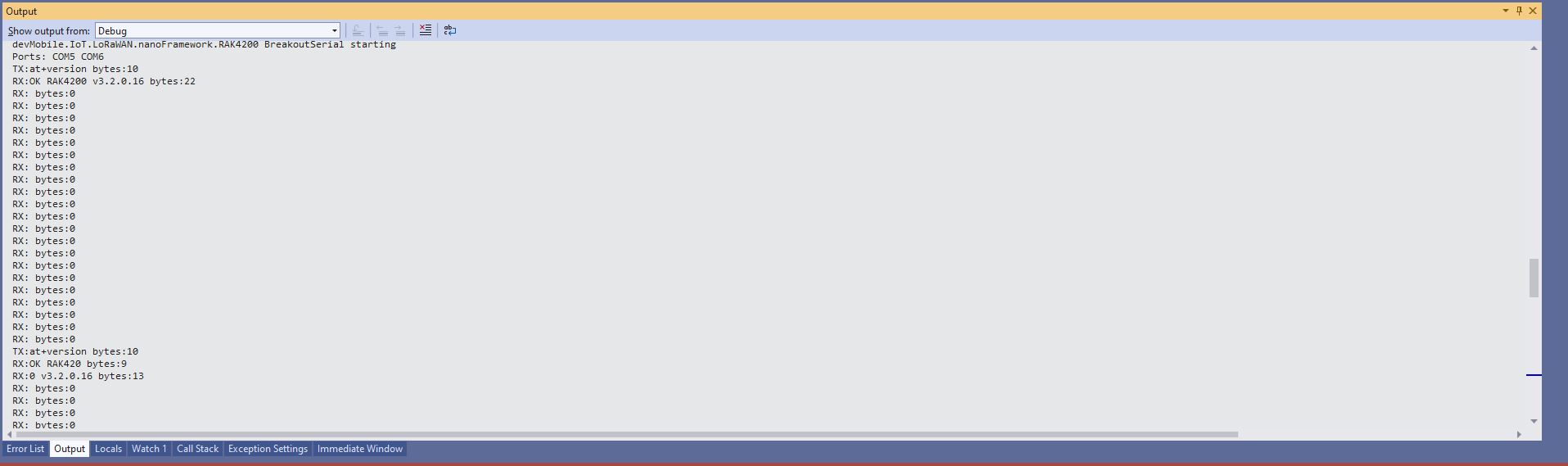
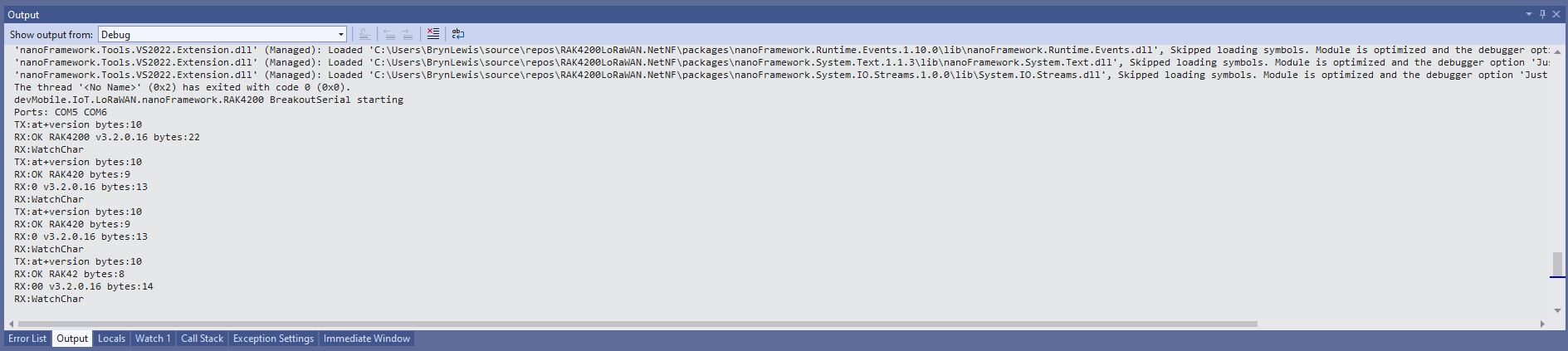
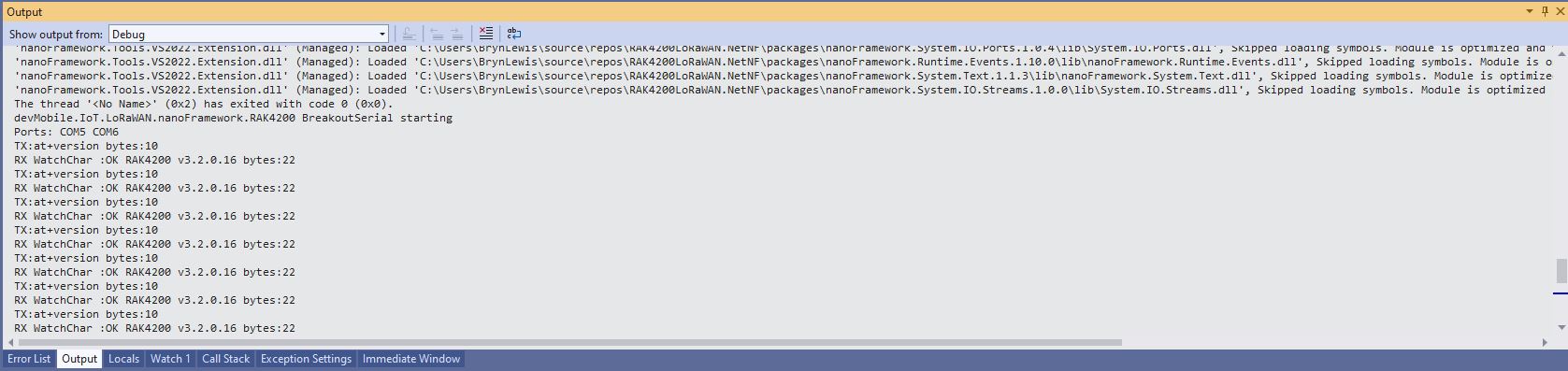
When I requested the RAK4200 Module version information with “at+version” the response was a single line (unlike the RAK3172 version where the response is three lines). The asynchronous version of the application displays character(s) as they arrive so a response could be split across multiple SerialDataReceived events.

Asynchronous approach with multiple SerialData.Chars events

With the initial version of SerialDevice_DataReceived event handler the firmware version response was available in the first SerialData.Chars event, then a SerialData.Chars event fired for each character

Asynchronous approach with SerialData.Chars events with an empty buffer removed

I also noticed that the “SerialData.WatchChar” event was not firing. After some experimentation I found that if I set the SerialPort.WatchChar before opening the serial port there were no events, but if I set SerialPort.WatchChar after opening the serial port events were fired as expected(See note re github issue in code)

Asynchronous approach with SerialPort.WatchChar work as expected

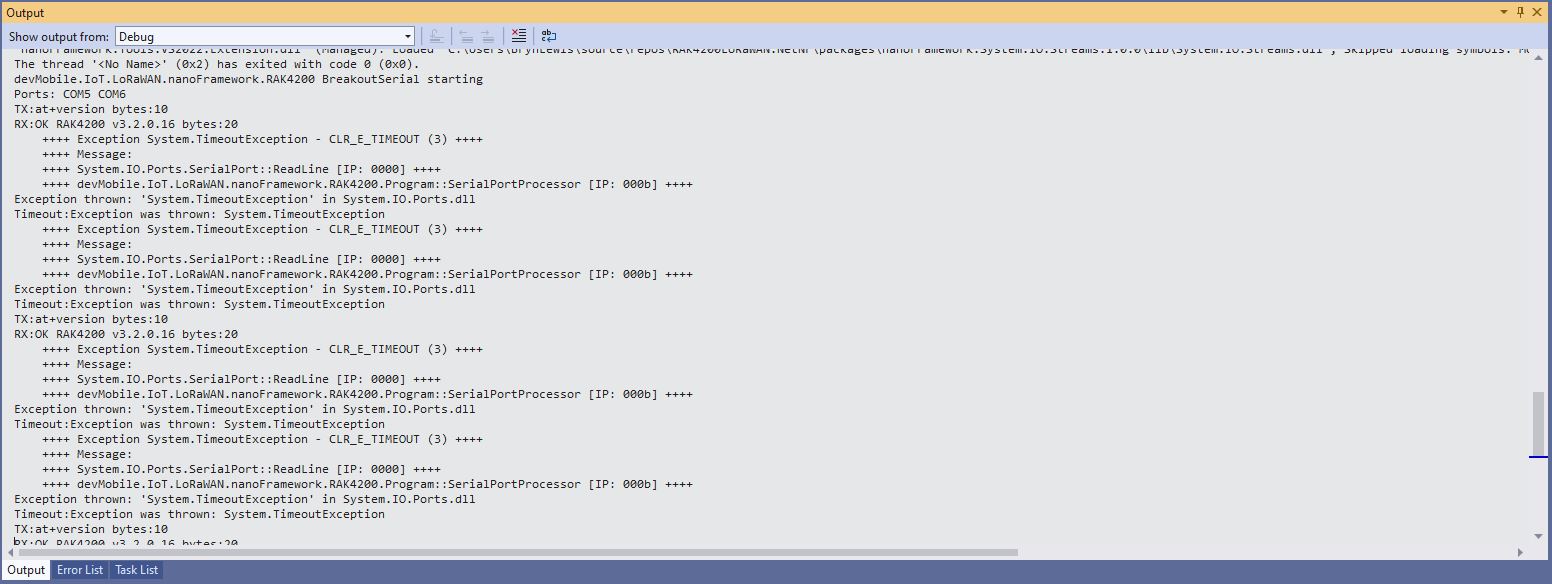
I also implemented a threaded approach for reading characters from the serial port. Normally using Exceptions for flow control is not a good idea but in this case I can’t see an alternative approach.

Thread approach SerialPort.ReadLine() timeouts

The RAK4200 Module defaults 115200 baud which seems overkill considering the throughput of a LoRaWAN link.