Swarm Space – FromDevice with webhooks

I modified my TTI V3 Connector Azure Storage Queues project which uses Azure Functions HTTP Triggers to put messages into Azure Storage Queues to process Swarm FromDevice Webhook messages.

First step was to configure a webhook with the Swarm dashboard

Swarm dashboard webhooks configuration

I configured the webhook, and to “acknowledge messages on successful delivery”. Then checked my configuration with a couple of “Test” messages.

Swarm dashboard webhook configuration

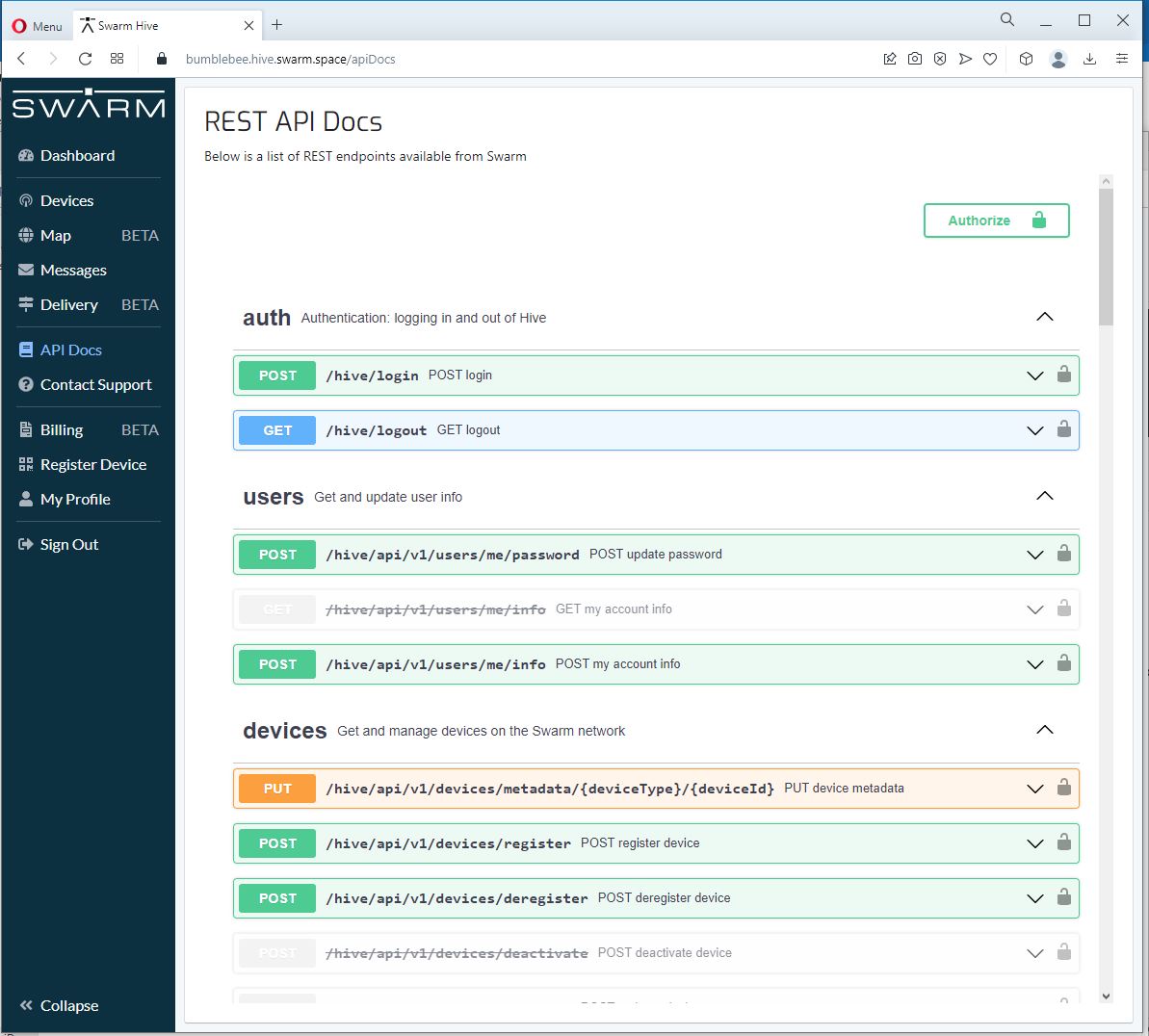
The Swagger API documentation has methods for configuring endpoints which can be called by an application.

Swagger API Documentation for managing endpoints

I queued a couple of messages on my Satellite Transceiver Breakout and when the next satellite passed overhead, shortly after they were visible in the Swarm Dashboard Messages tab.

Swarm Dashboard with test and live fromdevice messages

The messages were also delivered to an Azure Storage Queue, and I could view them with Azure Storage Explorer.

Azure Storage Explorer displaying a webhook message payload

Swarm Space – Azure IoT Basic Client

To figure out how to poll the Swarm Hive API I have built yet another “nasty” Proof of Concept (PoC) which gets ToDevice and FromDevice messages. Initially I have focused on polling as the volume of messages from my single device is pretty low (WebHooks will be covered in a future post).

Like my Azure IoT The Things Industry connector I use Alastair Crabtrees’s LazyCache to store Azured IoT Hub DeviceClient instances.

NOTE: Swarm Space technical support clarified the parameter values required to get FromDevice and ToDevice messages using the Bumbleebee Hive API.

Swarm API Docs messages functionality

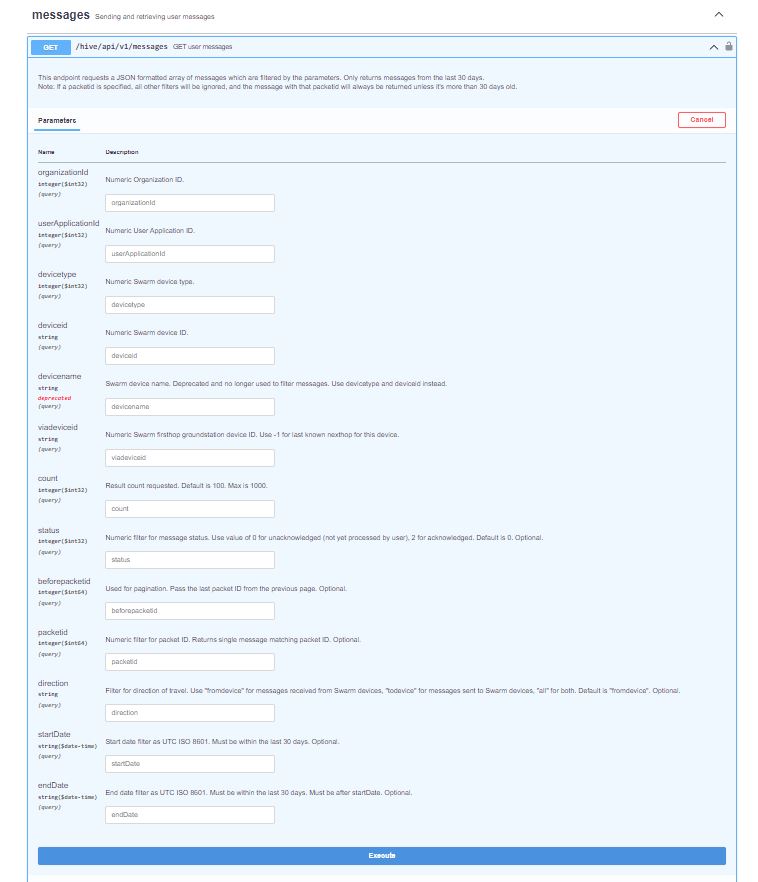
The Messages Get method has a lot of parameters for filtering and paging the response message lists. Many of the parameters have default values so can be null or left blank.

Swarm API Get User Message filters

I started off by seeing if I could duplicate the functionality of the user interface and get a list of all ToDevice and FromDevice messages.

Swarm Dashboard messages list

I first called the Messages Get method with the direction set to “fromdevice” (Odd this is a string rather than an enumeration) and the messages I had sent from my Sparkfun Satellite Transceiver Breakout – Swarm M138 were displayed.

Swarm API Docs displaying “fromdevice” messages

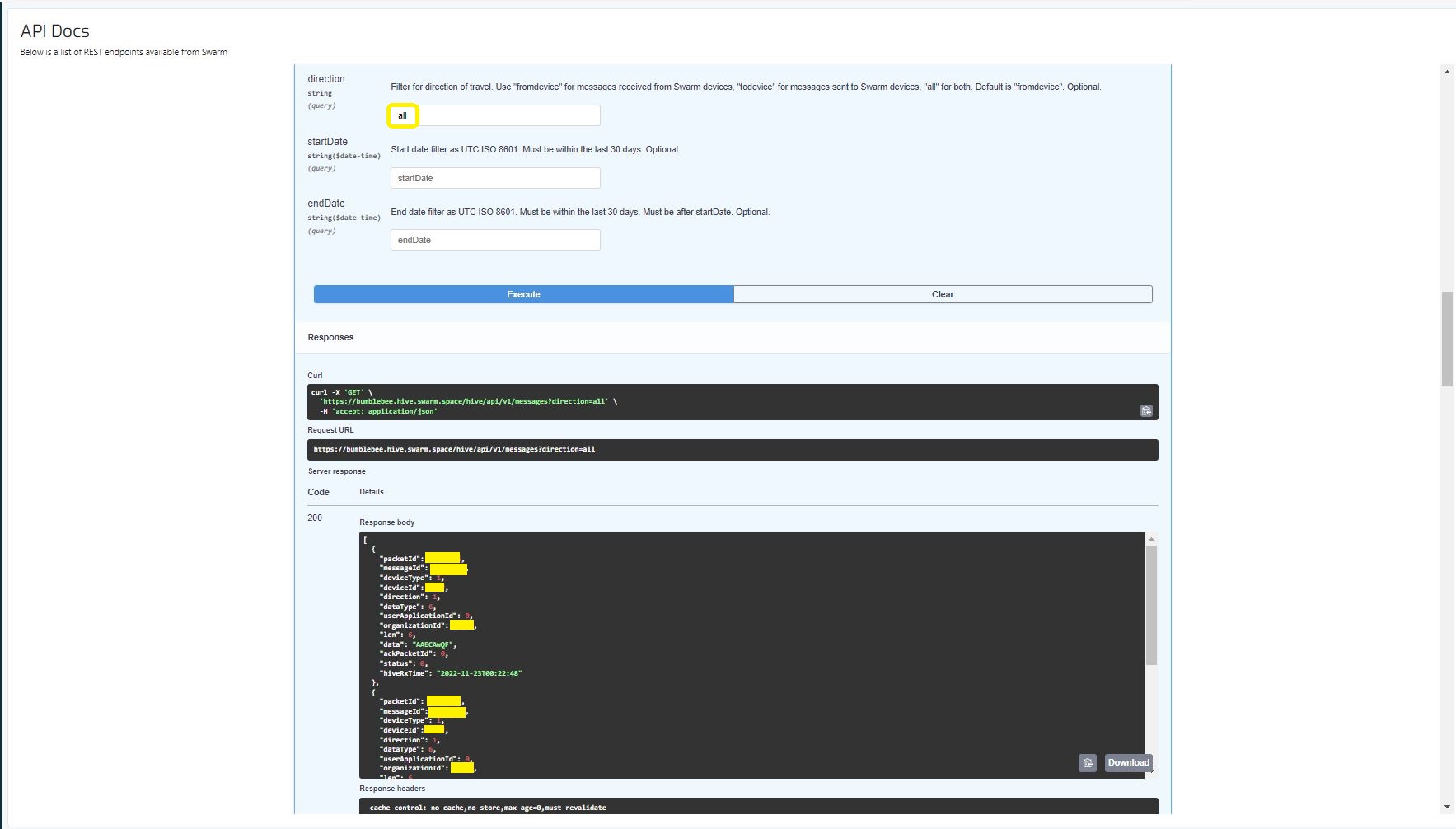
I then called the Messages Get method with the direction set to “all” and only the FromDevice messages were displayed which I wasn’t expecting.
Swarm API Docs displaying ToDevice and FromDevices messages

I then called the Messages Get method with the direction set to “FromDevice and no messages were displayed which I wasn’t expecting

Swarm API Docs displaying “todevice” messages

I then called the Message Get method with the messageId of a ToDevice message and the detailed message information was displayed.

Swarm API Docs displaying the details of a specific inbound message

For testing I configured 5 devices (a real device and the others simulated) in my Azure IoT Hub with the Swarm Device ID ued as the Azure IoT Hub device ID.

Devices configured in Azure IoT Hub

My console application calls the Swarm Bumblebee Hive API Login method, then uses Azure IoT Hub DeviceClient SendEventAsync upload device telemetry.

Nasty console application processing the three “fromdevice” messages which have not been acknowledged.

The console application stores the Swarm Hive API username, password and the Azure IoT Hub Device Connection string locally using the UserSecretsConfigurationExtension.

internal class Program
{
    private static string AzureIoTHubConnectionString = "";
    private readonly static IAppCache _DeviceClients = new CachingService();

    static async Task Main(string[] args)
    {
        Debug.WriteLine("devMobile.SwarmSpace.Hive.AzureIoTHubBasicClient starting");

        IConfiguration configuration = new ConfigurationBuilder()
            .SetBasePath(Directory.GetCurrentDirectory())
            .AddJsonFile("appsettings.json")
            .AddUserSecrets("b4073481-67e9-41bd-bf98-7d2029a0b391").Build();

        AzureIoTHubConnectionString = configuration.GetConnectionString("AzureIoTHub");

        using (HttpClient httpClient = new HttpClient())
        {
            BumblebeeHiveClient.Client client = new BumblebeeHiveClient.Client(httpClient);

            client.BaseUrl = configuration.GetRequiredSection("SwarmConnection").GetRequiredSection("BaseURL").Value;

            BumblebeeHiveClient.LoginForm loginForm = new BumblebeeHiveClient.LoginForm();

            loginForm.Username = configuration.GetRequiredSection("SwarmConnection").GetRequiredSection("UserName").Value;
            loginForm.Password = configuration.GetRequiredSection("SwarmConnection").GetRequiredSection("Password").Value;

            BumblebeeHiveClient.Response response = await client.PostLoginAsync(loginForm);

            Debug.WriteLine($"Token :{response.Token[..5]}.....{response.Token[^5..]}");

            string apiKey = "bearer " + response.Token;
            httpClient.DefaultRequestHeaders.Add("Authorization", apiKey);

            var devices = await client.GetDevicesAsync(null, null, null, null, null, null, null, null, null);

            foreach (BumblebeeHiveClient.Device device in devices)
            {
                Debug.WriteLine($" Id:{device.DeviceId} Name:{device.DeviceName} Type:{device.DeviceType} Organisation:{device.OrganizationId}");

                DeviceClient deviceClient = await _DeviceClients.GetOrAddAsync<DeviceClient>(device.DeviceId.ToString(), (ICacheEntry x) => IoTHubConnectAsync(device.DeviceId.ToString()), memoryCacheEntryOptions);
            }

            foreach (BumblebeeHiveClient.Device device in devices)
            {
                DeviceClient deviceClient = await _DeviceClients.GetAsync<DeviceClient>(device.DeviceId.ToString());

                var messages = await client.GetMessagesAsync(null, null, null, device.DeviceId.ToString(), null, null, null, null, null, null, "all", null, null);
                foreach (var message in messages)
                {
                    Debug.WriteLine($" PacketId:{message.PacketId} Status:{message.Status} Direction:{message.Direction} Length:{message.Len} Data: {BitConverter.ToString(message.Data)}");

                    JObject telemetryEvent = new JObject
                    {
                        { "DeviceID", device.DeviceId },
                        { "ReceivedAtUtc", DateTime.UtcNow.ToString("s", CultureInfo.InvariantCulture) },
                    };

                    telemetryEvent.Add("Payload",BitConverter.ToString(message.Data));

                    using (Message telemetryMessage = new Message(Encoding.ASCII.GetBytes(JsonConvert.SerializeObject(telemetryEvent))))
                    {
                        telemetryMessage.Properties.Add("iothub-creation-time-utc", message.HiveRxTime.ToString("s", CultureInfo.InvariantCulture));

                        await deviceClient.SendEventAsync(telemetryMessage);
                    };

                    //BumblebeeHiveClient.PacketPostReturn packetPostReturn = await client.AckRxMessageAsync(message.PacketId, null);
                }
            }

            foreach (BumblebeeHiveClient.Device device in devices)
            {
                DeviceClient deviceClient = await _DeviceClients.GetAsync<DeviceClient>(device.DeviceId.ToString());

                await deviceClient.CloseAsync();
            }
        }
    }

    private static async Task<DeviceClient> IoTHubConnectAsync(string deviceId)
    {
        DeviceClient deviceClient;

        deviceClient = DeviceClient.CreateFromConnectionString(AzureIoTHubConnectionString, deviceId, TransportSettings);

        await deviceClient.OpenAsync();

        return deviceClient;
    }

    private static readonly MemoryCacheEntryOptions memoryCacheEntryOptions = new MemoryCacheEntryOptions()
    {
        Priority = CacheItemPriority.NeverRemove
    };

    private static readonly ITransportSettings[] TransportSettings = new ITransportSettings[]
    {
        new AmqpTransportSettings(TransportType.Amqp_Tcp_Only)
        {
            AmqpConnectionPoolSettings = new AmqpConnectionPoolSettings()
            {
                Pooling = true,
            }
        }
    };
}

While testing I disabled the message RxAck functionality so I could repeatedly call the MessagesGet method so I didn’t have to send new messages and burn through my 50 free messages.

Azure IoT Explorer telemetry displaying the three messages processed by my console application.

.

Updated parameters based on feedback from Swarm technical support

Need to have status set to -1

Swarm Space – Bumblebee Hive Basic Emulator

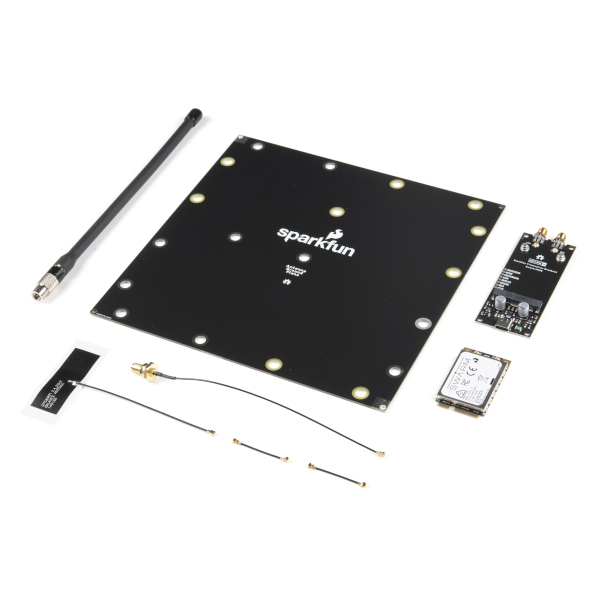
One of the main problems building a Cloud Identity Translation Gateway (like my TTIV3AzureIoTConnector) is getting enough devices to make testing (esp. scalability) realistic. This is a problem because I have only got two devices, a Sparkfun Satellite Transceiver Breakout – Swarm M138 and a Swarm Asset Tracker. (Considering buying a Swarm Eval Kit)

Satellite Transceiver Breakout – Swarm M138
Swarm Asset Tracker

So, I can simulate lots of devices and test more complex configurations I have started build a Swarm Bumble Bee Hive emulator based on the API and Delivery-API OpenAPI files.

NSwagStudio configuration for generating ASP.NET Core web API

As well as generating clients NSwagStudio can also generate ASP.NET Core web APIs. To test my approach, I built the simplest possible client I could which calls the generated PostLoginAsync and GetDeviceCountAsync.

Swagger UI for NSwagStudio generated ASP.NET Core web API

Initially the BumblebeeHiveBasicClientConsole login method would fail with an HTTP 415 Unsupported Media Type error.

BumblebeeHiveBasicClientConsole application 415 Unsupported Media Type error

After some trial and error, I modified the HiveController.cs and HiveControllerImplementation.cs Login method signatures so the payload was “application/x-www-form-urlencoded” rather than “application/json” by changing FromBody to FromForm

Task<Response> IAuthController.PostLoginAsync([FromForm] LoginForm body)
{
     return Task.FromResult(new Response()
    {
        Token = Guid.NewGuid().ToString()
    });
}

Modifying code generated by a tool like NSwagStudio should be avoided but I couldn’t work out a simpler solution

/// <summary>
/// POST login
/// </summary>
/// <remarks>
/// &lt;p&gt;Use username and password to log in.&lt;/p&gt;&lt;p&gt;On success: returns status code 200. The response body is the JSON &lt;code&gt;{"token": "&amp;lt;token&amp;gt;"}&lt;/code&gt;, along with the header &lt;code&gt;Set-Cookie: JSESSIONID=&amp;lt;token&amp;gt;; Path=/; Secure; HttpOnly;&lt;/code&gt;. The tokens in the return value and the &lt;code&gt;Set-Cookie&lt;/code&gt; header are the same. The token is a long string of letters, numbers, and punctuation.&lt;/p&gt;&lt;p&gt;On failure: returns status code 401.&lt;/p&gt;&lt;p&gt;To make authenticated requests, there are two ways: &lt;ul&gt;&lt;li&gt;(Preferred) Use the token as a Bearer Authentication token by including the HTTP header &lt;code&gt;Authorization: Bearer &amp;lt;token&amp;gt;&lt;/code&gt; in further requests.&lt;/li&gt;&lt;li&gt;(Deprecated) Use the token as the JSESSIONID cookie in further requests.&lt;/li&gt;&lt;/ul&gt;&lt;/p&gt;
/// </remarks>
/// <returns>Login success</returns>
[Microsoft.AspNetCore.Mvc.HttpPost, Microsoft.AspNetCore.Mvc.Route("login")]
public System.Threading.Tasks.Task<Response> PostLogin([Microsoft.AspNetCore.Mvc.FromForm] LoginForm body)
{

    return _implementation.PostLoginAsync(body);
}

BumblebeeHiveBasicCLientConsole application calling the simulator
BumblebeeHiveBasicClientConsole application calling the production system

After some initial problems with content-types the Swarm Hive API (not tried the Delivery-API yet) appears to be documented and easy to use. Though, some of the variable type choices do seem a bit odd.

public virtual async System.Threading.Tasks.Task<string> GetDeviceCountAsync(int? devicetype, System.Threading.CancellationToken cancellationToken)

Azure Functions with VB.Net on .NET Core V6

A year and a half ago I wrote a post about how to build Azure functions with VB.Net and the .NET Framework 4.X. The Microsoft VB team posted about Visual Basic Support for .NET 5.0 in March 2020 then went quiet, so my customer put the project on hold. Since then, a lot has changed .NET Core 3.1 LTS ends December 12, 2022, and .NET Core 5.0 support (no LTS) ended May 10, 2022 so I have ported the samples to .NET Core V6.

The process is similar (but different) to the original approach

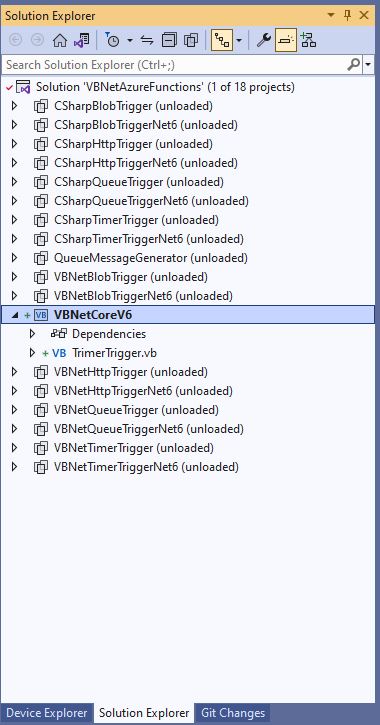
The VB.Net Solution from June 2021

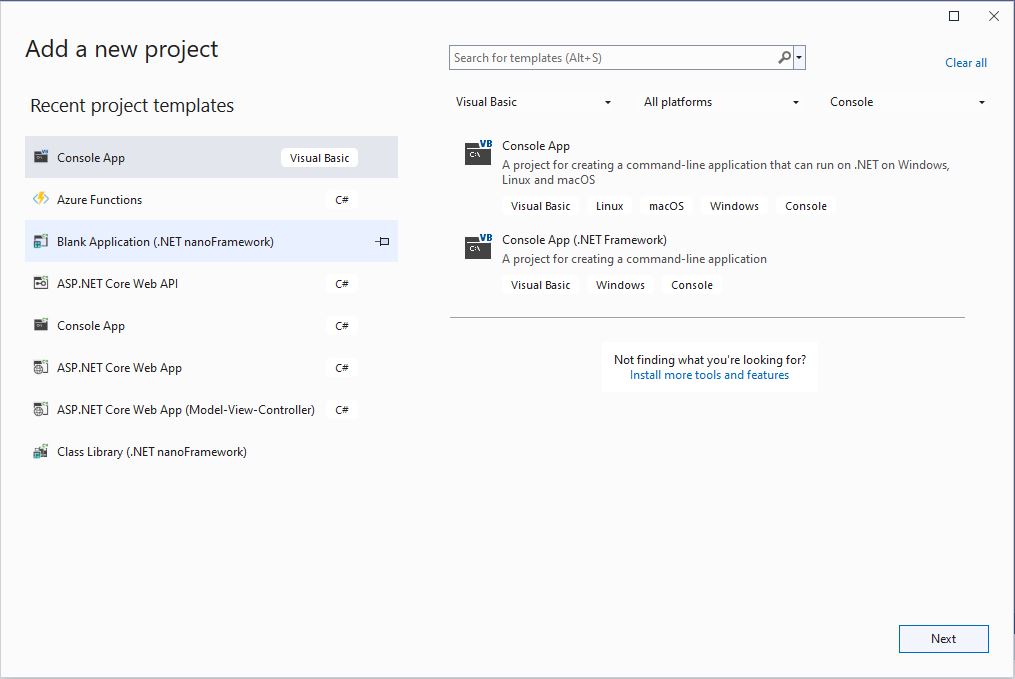
First step is to create a Visual Basic .NET Core V6 console application

Visual Studio 2022 “Add a new project”

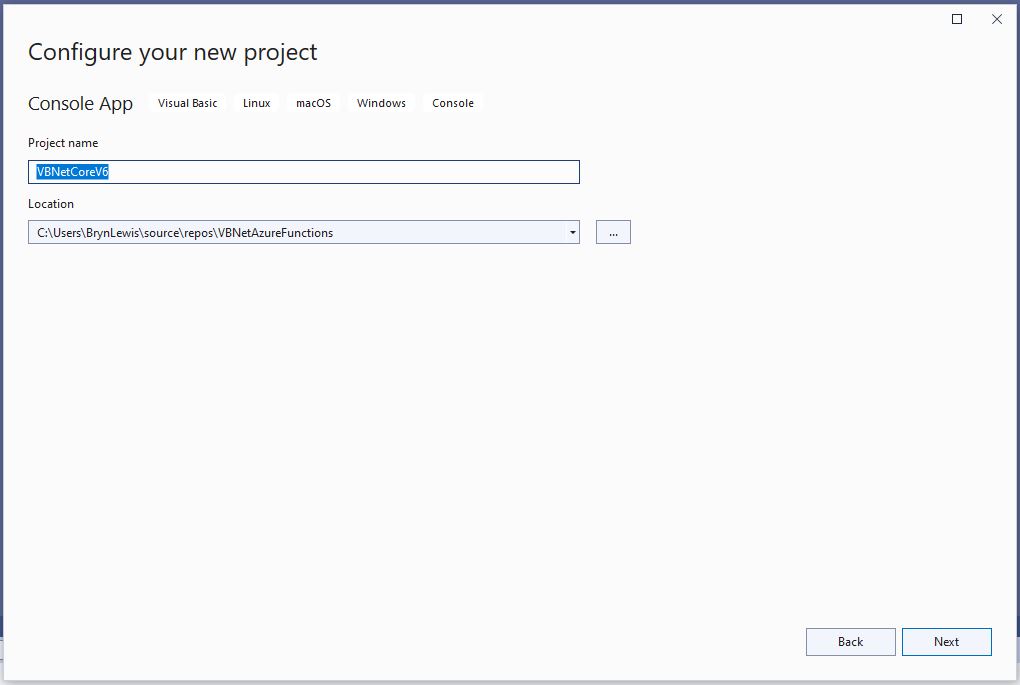
The specify a name for the new project.

Visual Studio 2022 Add Project “Configure your new project”

Then select the version of .NET Core used

Visual Studio 2022 Add Project “Additional information”

Then rename program.cs to a name which highlights that it is a trigger

Visual Studio 2022 rename program.vb to TimerTrigger.vb

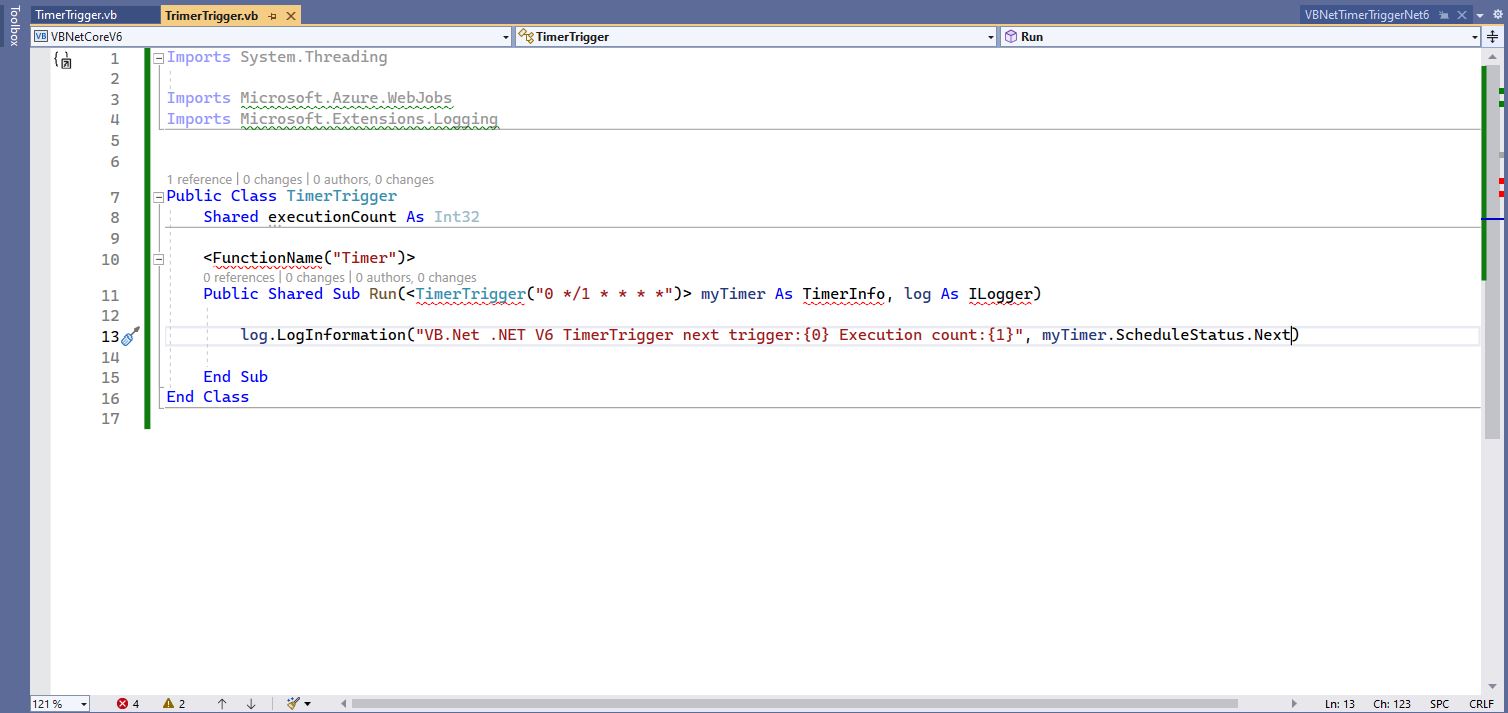
The initial version of the TimerTrigger code was “inspired” by the VB.Net 4.8 version.

'---------------------------------------------------------------------------------
' Copyright (c) November 2022, devMobile Software
'
' Licensed under the Apache License, Version 2.0 (the "License");
' you may Not use this file except in compliance with the License.
' You may obtain a copy of the License at
'
'     http://www.apache.org/licenses/LICENSE-2.0
'
' Unless required by applicable law Or agreed to in writing, software
' distributed under the License Is distributed on an "AS IS" BASIS,
' WITHOUT WARRANTIES Or CONDITIONS OF ANY KIND, either express Or implied.
' See the License for the specific language governing permissions And
' limitations under the License.
'
'---------------------------------------------------------------------------------
Imports System.Threading

Imports Microsoft.Azure.WebJobs
Imports Microsoft.Extensions.Logging


Public Class TimerTrigger
    Shared executionCount As Int32

    <FunctionName("Timer")>
    Public Shared Sub Run(<TimerTrigger("0 */1 * * * *")> myTimer As TimerInfo, log As ILogger)
        Interlocked.Increment(executionCount)

        log.LogInformation("VB.Net .NET V6 TimerTrigger next trigger:{0} Execution count:{1}", myTimer.ScheduleStatus.Next, executionCount)

    End Sub
End Class

Visual Studio 2022 highlighting missing libraries
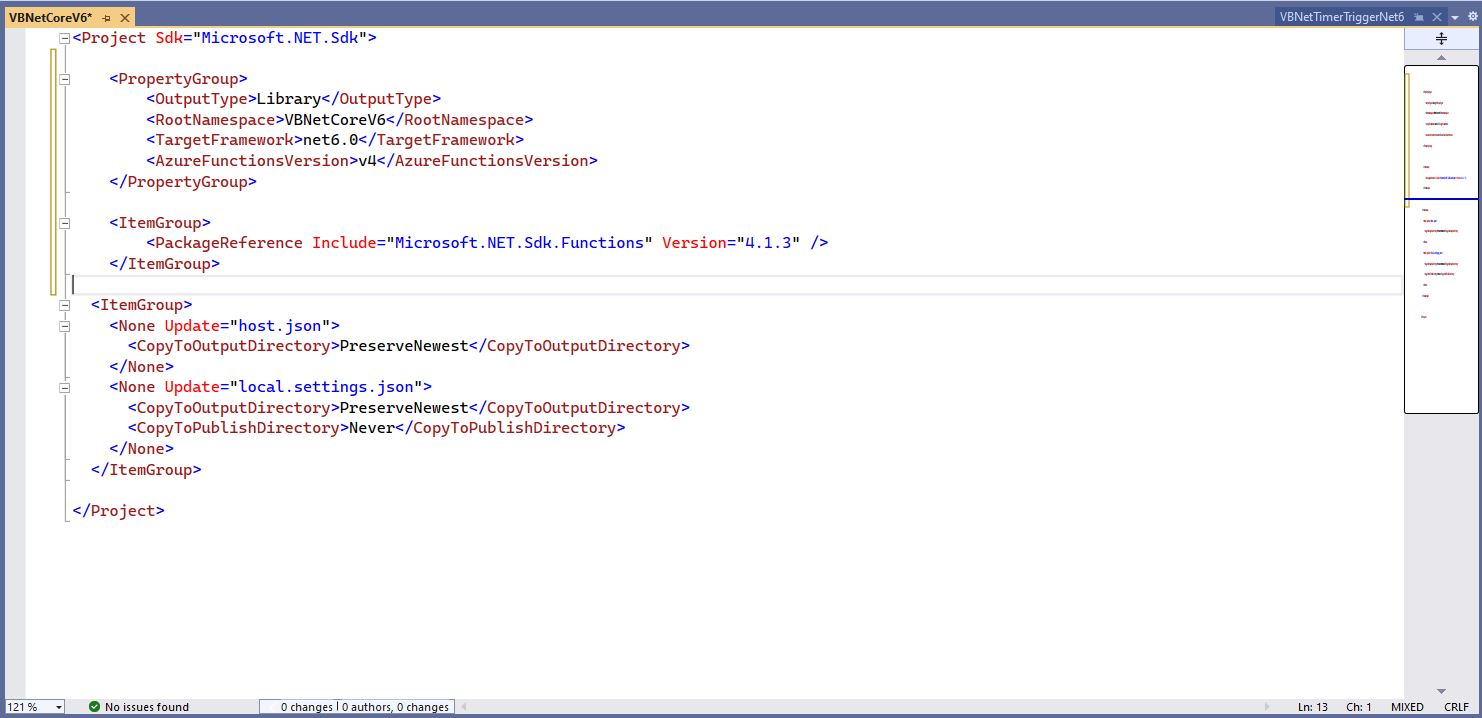
Visual Studio 2022 with additional function SDK references

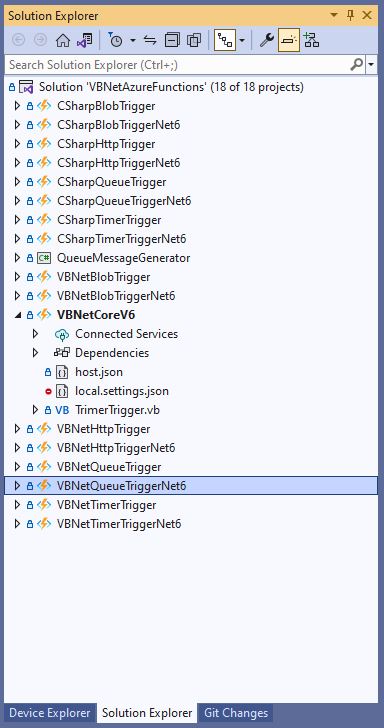
The next step is to add the hosts.json(empty for timer tigger) and localsettings.json to configure the function

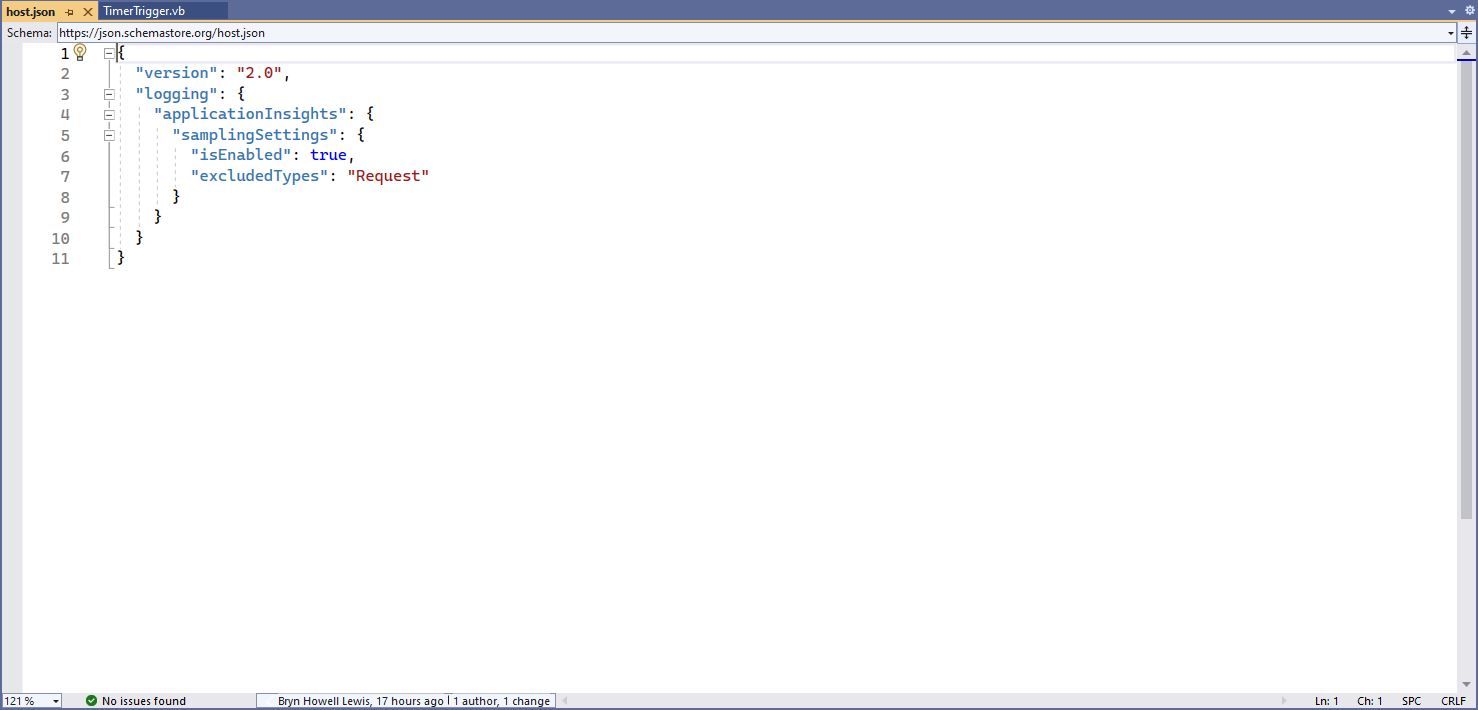
Visual 2022 Hosts.json file
Visual Studio 2022 showing hosts.json & local.settings.json

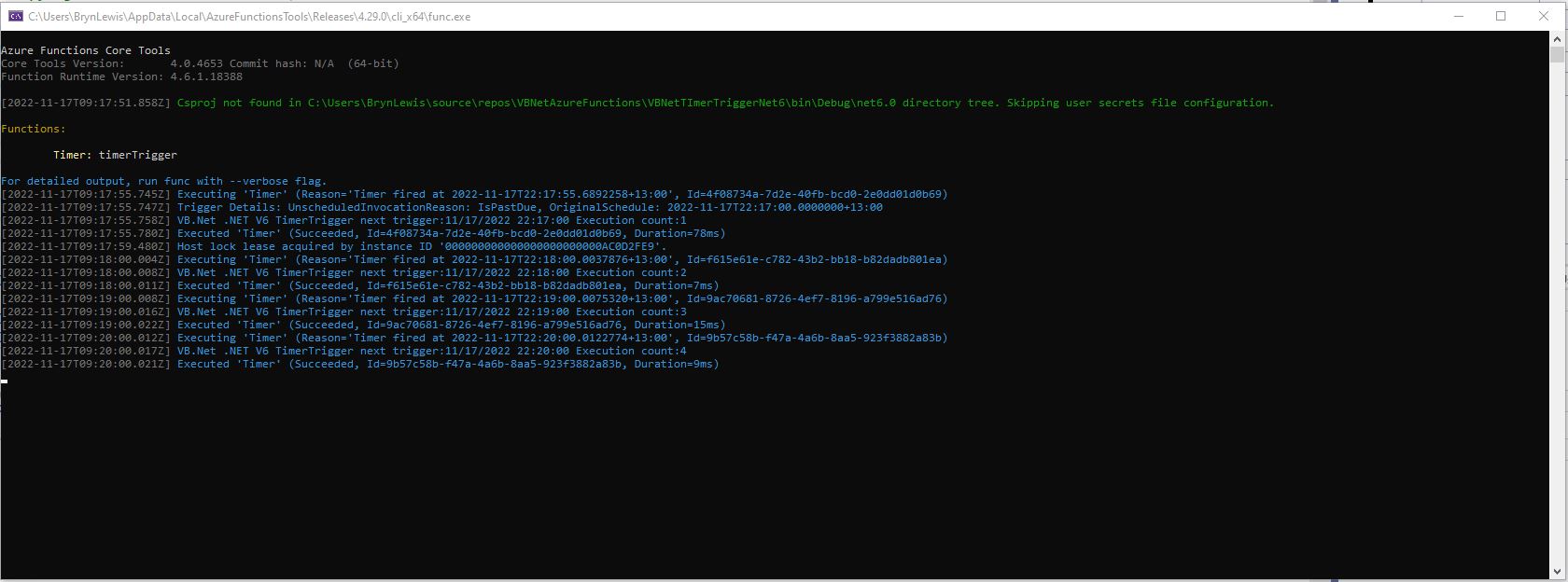
Then I could run the function in the Azure Functions runtime emulator and “single step” in the Visual Studio 2022 Debugger.

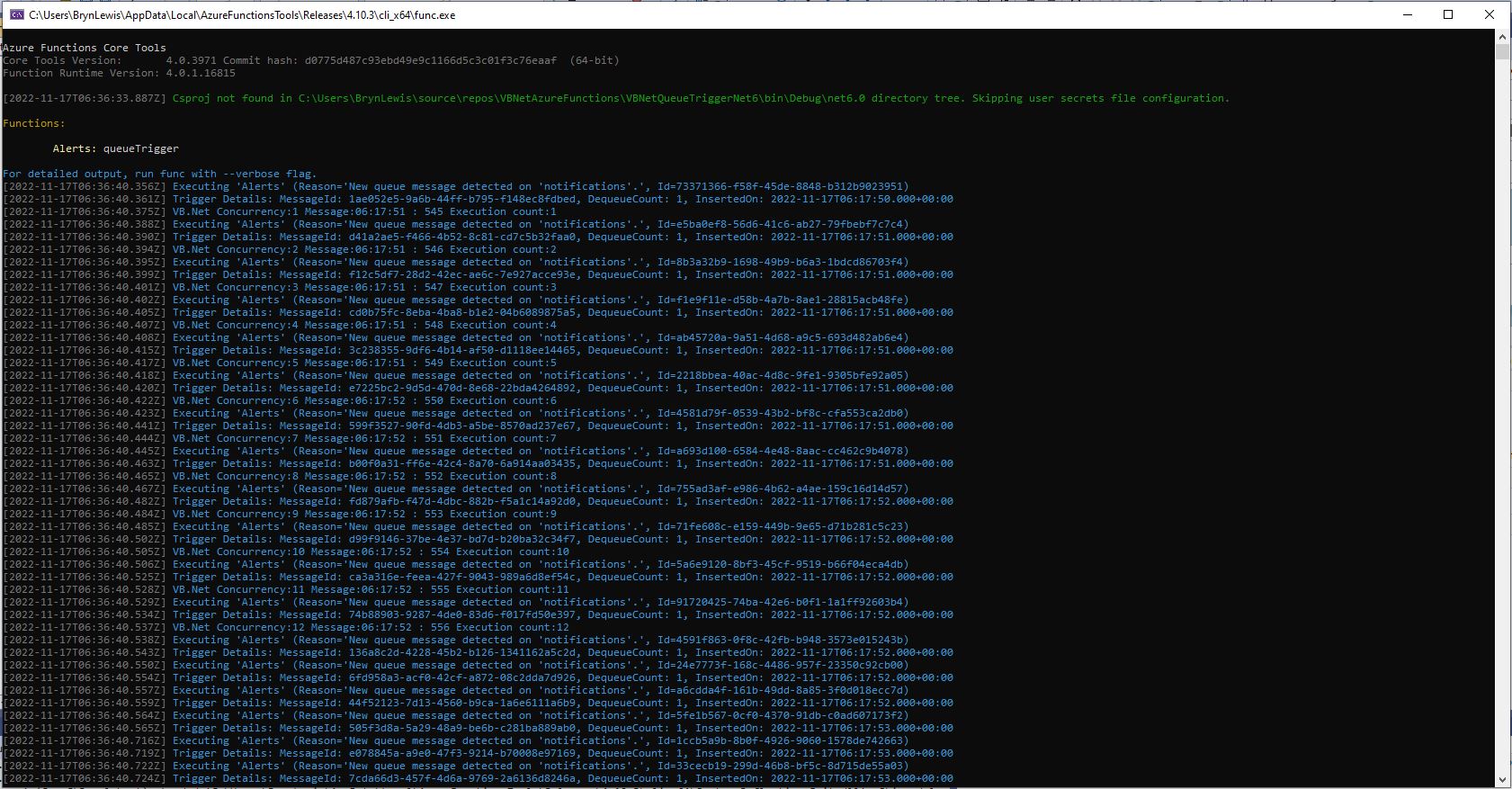
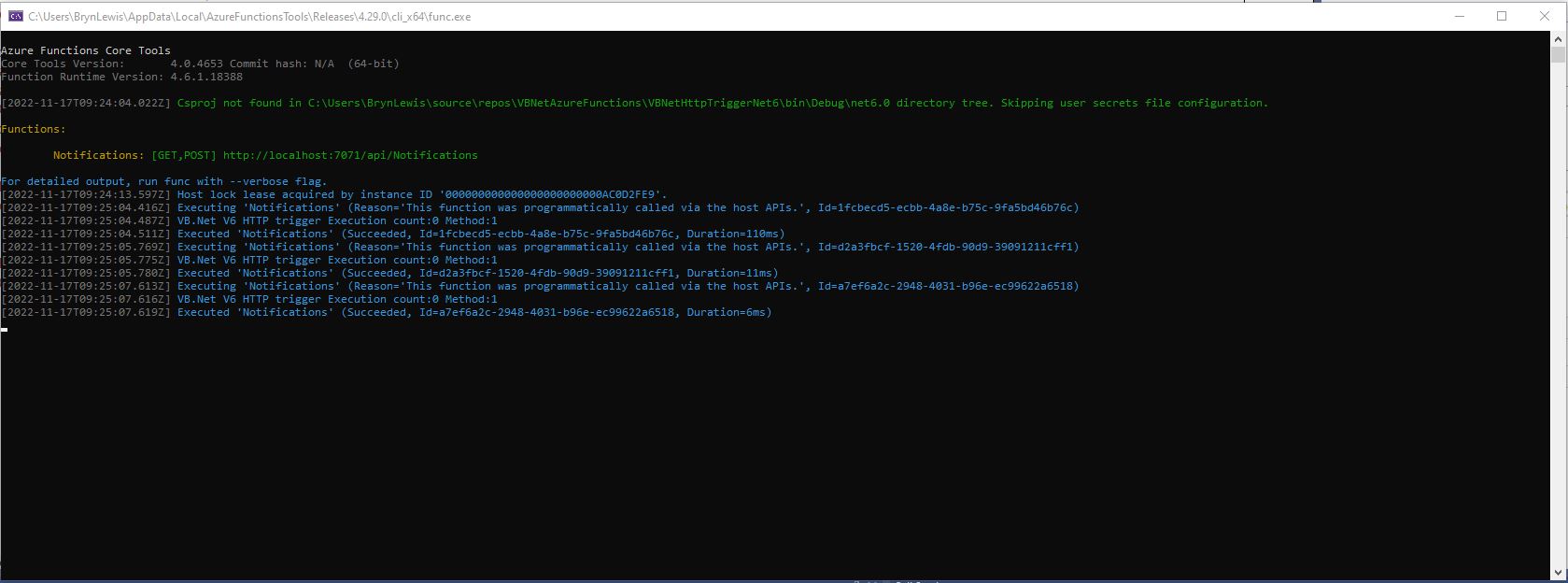
VB.Net .NET Core V6 Timer Trigger running in emulator

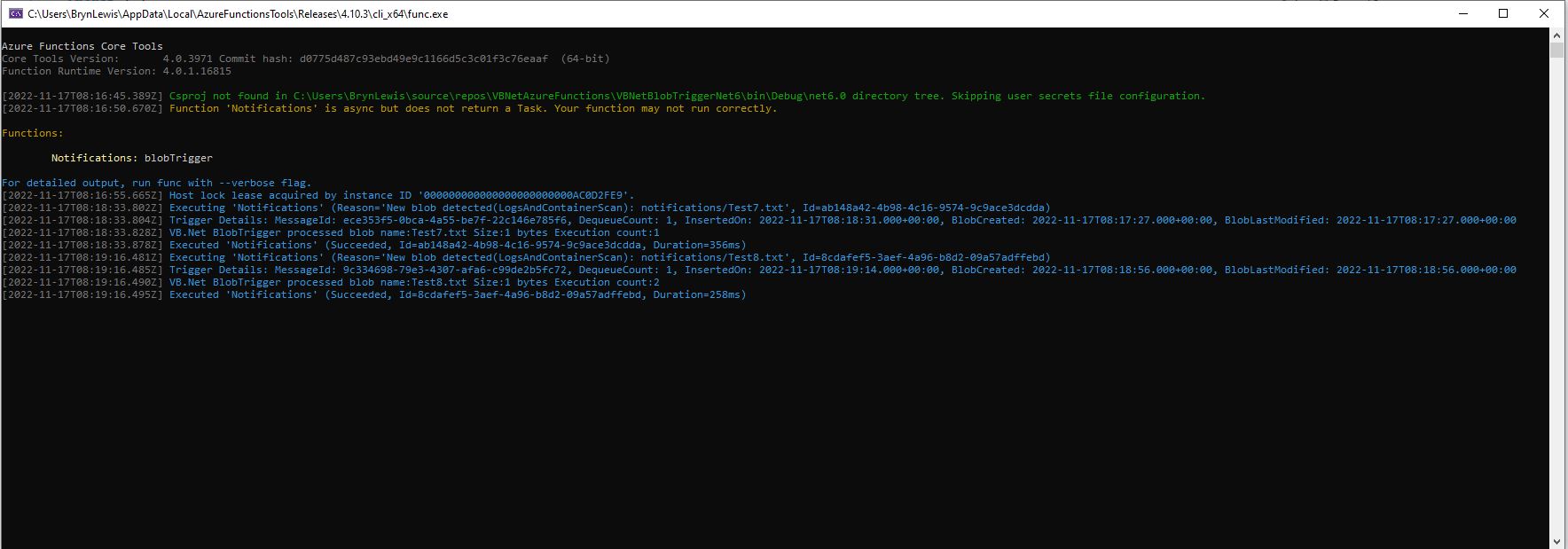
For completeness I also built sample BlobTrigger, HttpTrigger and QueueTrigger versions

VB.Net .NET Core V6 Blob Trigger running in emulator
VB.Net .NET Core V6 HTTP Trigger running in emulator
VB.Net .NET Core V6 Queue Trigger running in emulator

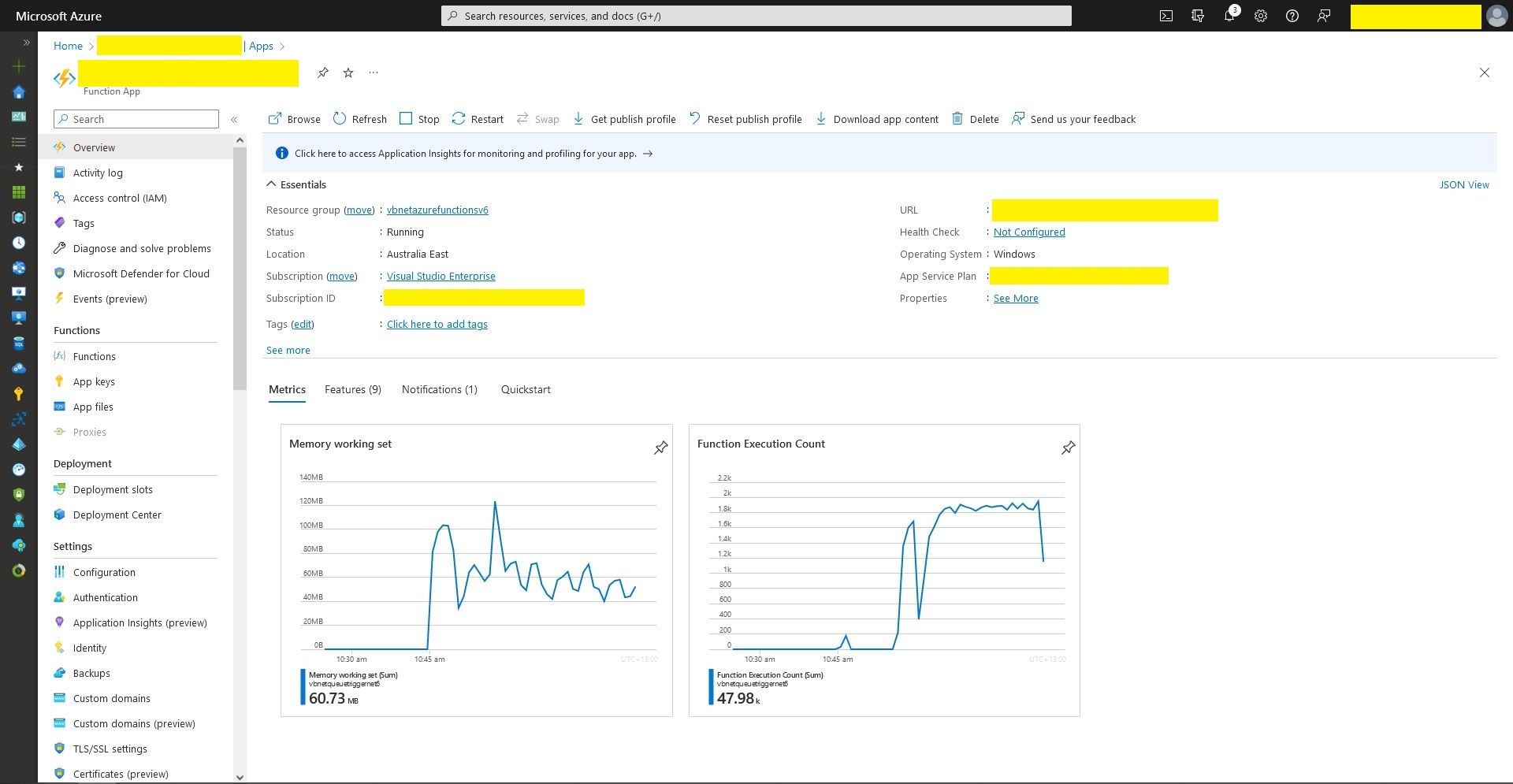
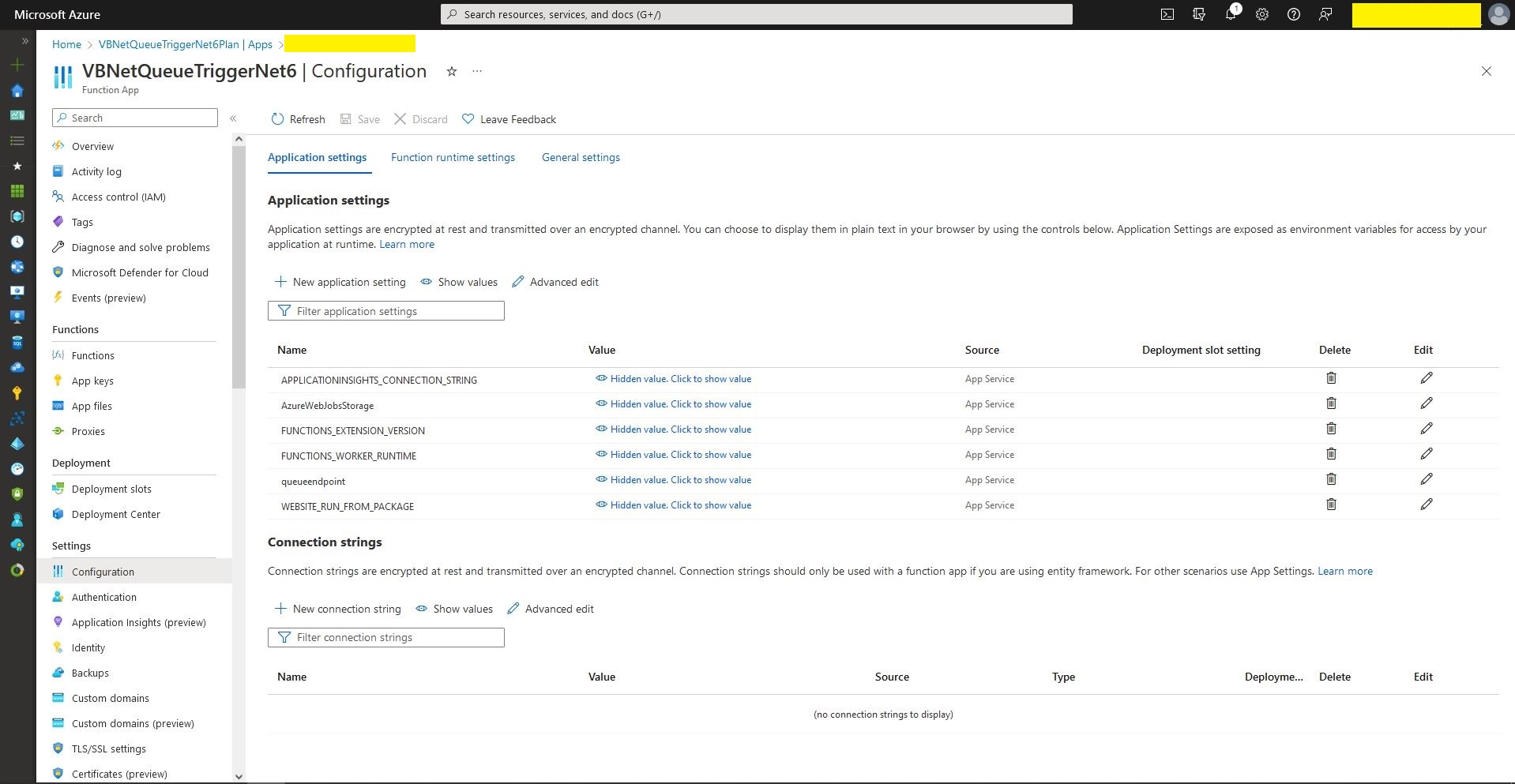
I also deployed the Azure Storage QueueTrigger to Microsoft Azure, configured it, and then stress tested it with multiple instances of my QueueMessageGenerator.

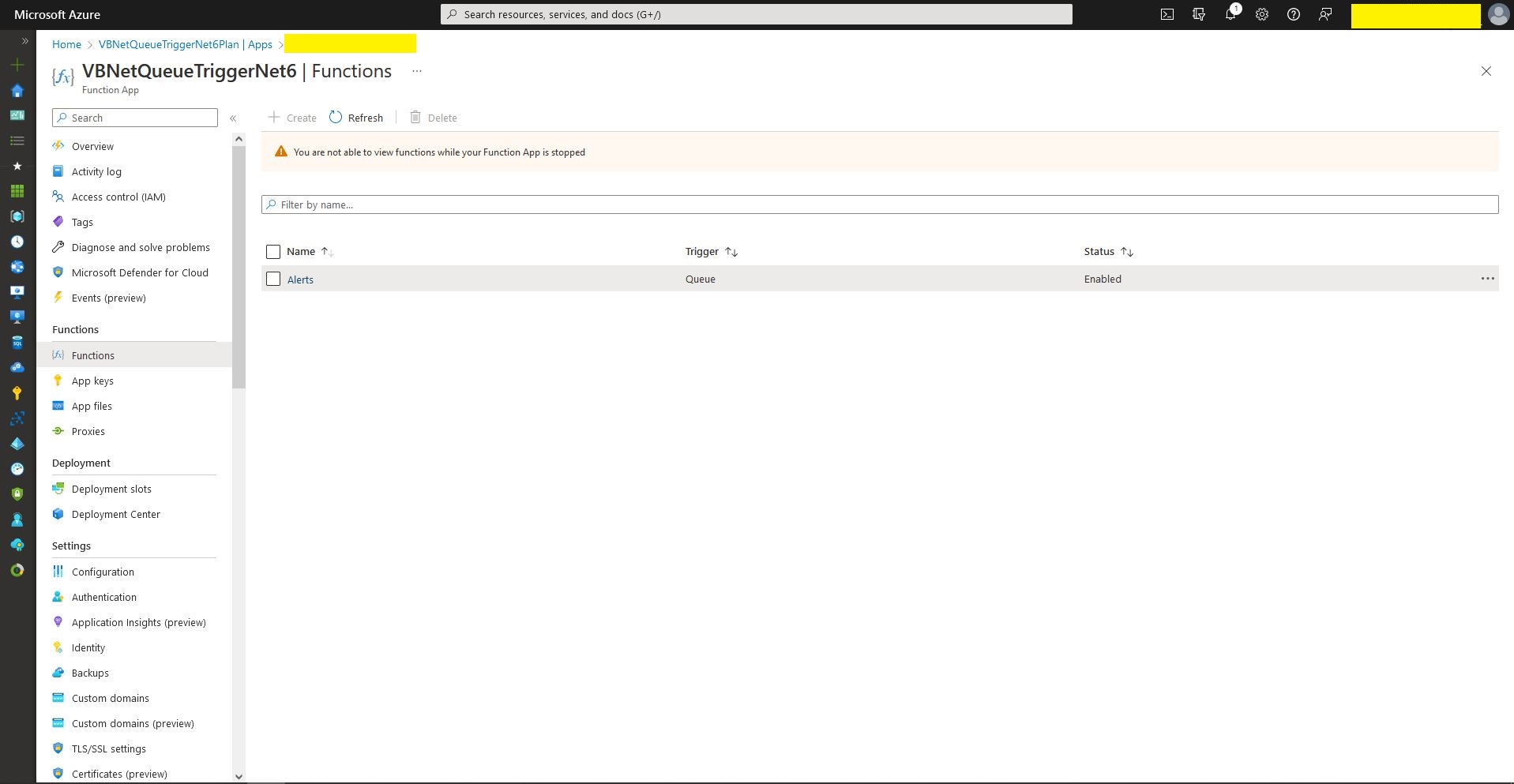
Queue Trigger Function deployment
Queue Trigger configuration
Queue Trigger Throughput 48K messages

What if it goes wrong…

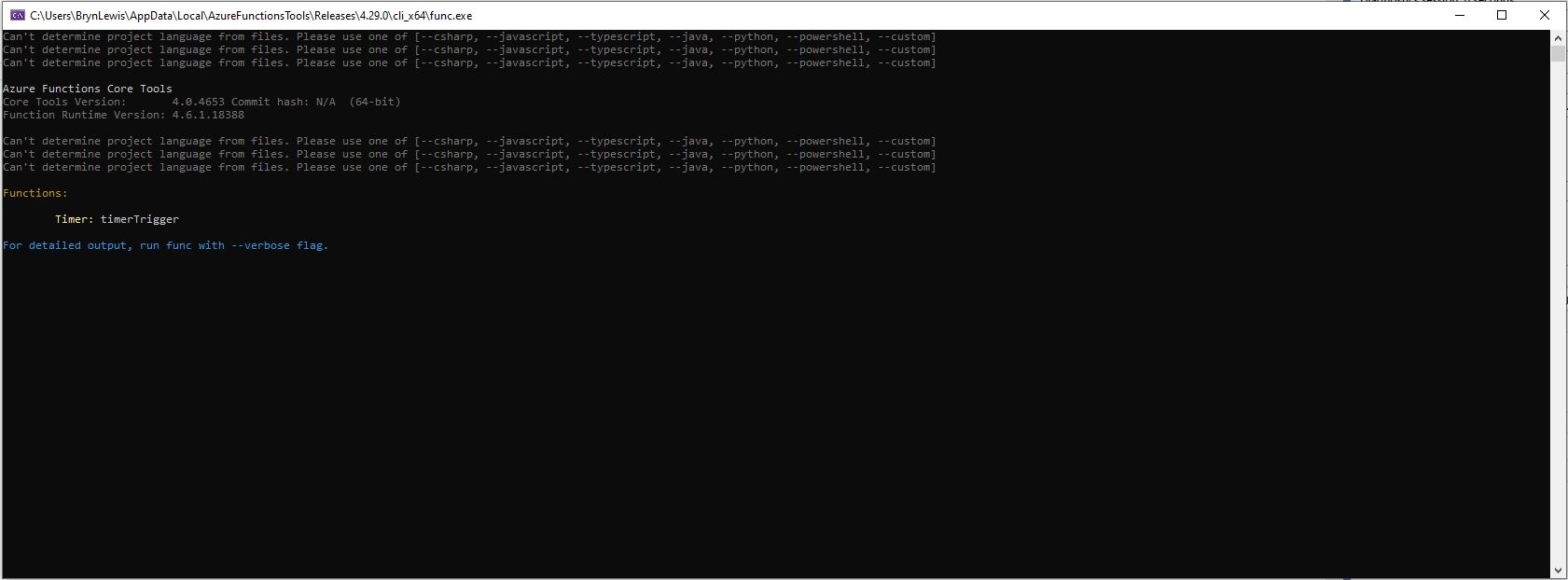
“Can’t determine project language from files. Please add one of [–csharp, –javascript, –typescript, –java, –powershell, –customer]

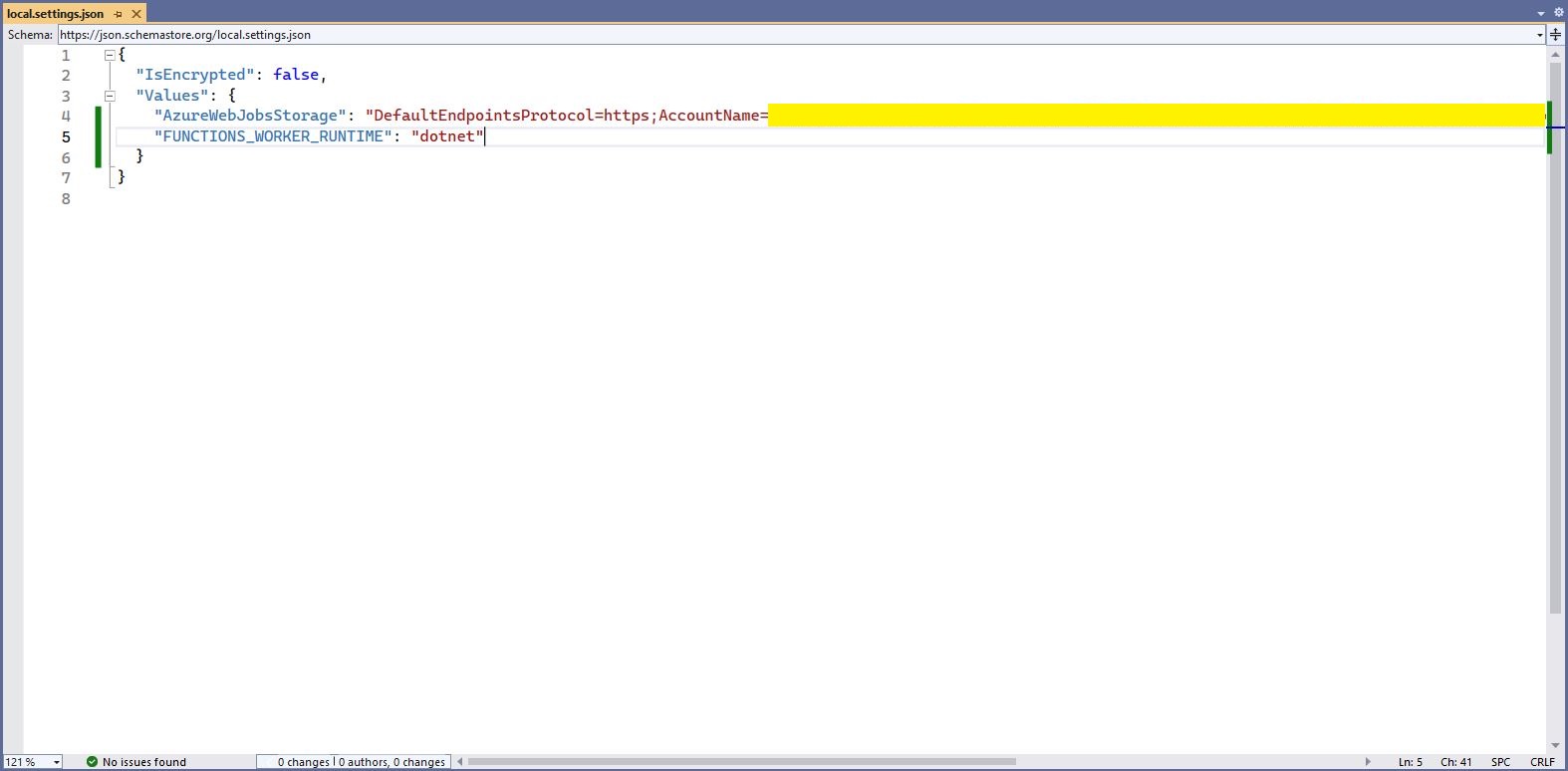
Check “FUNCTIONS_WORKER_RUNTIME” in the local.settings.json file.

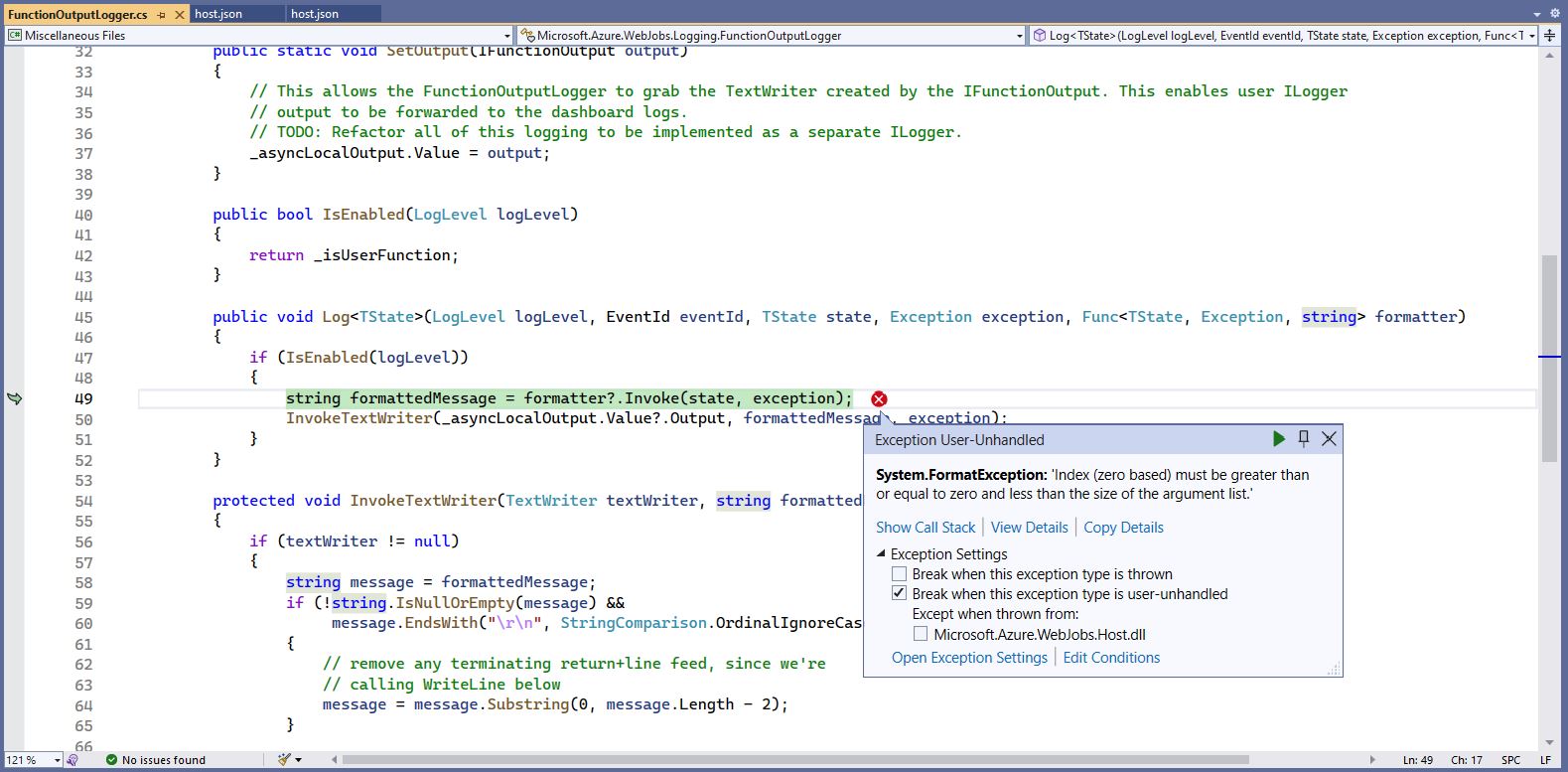
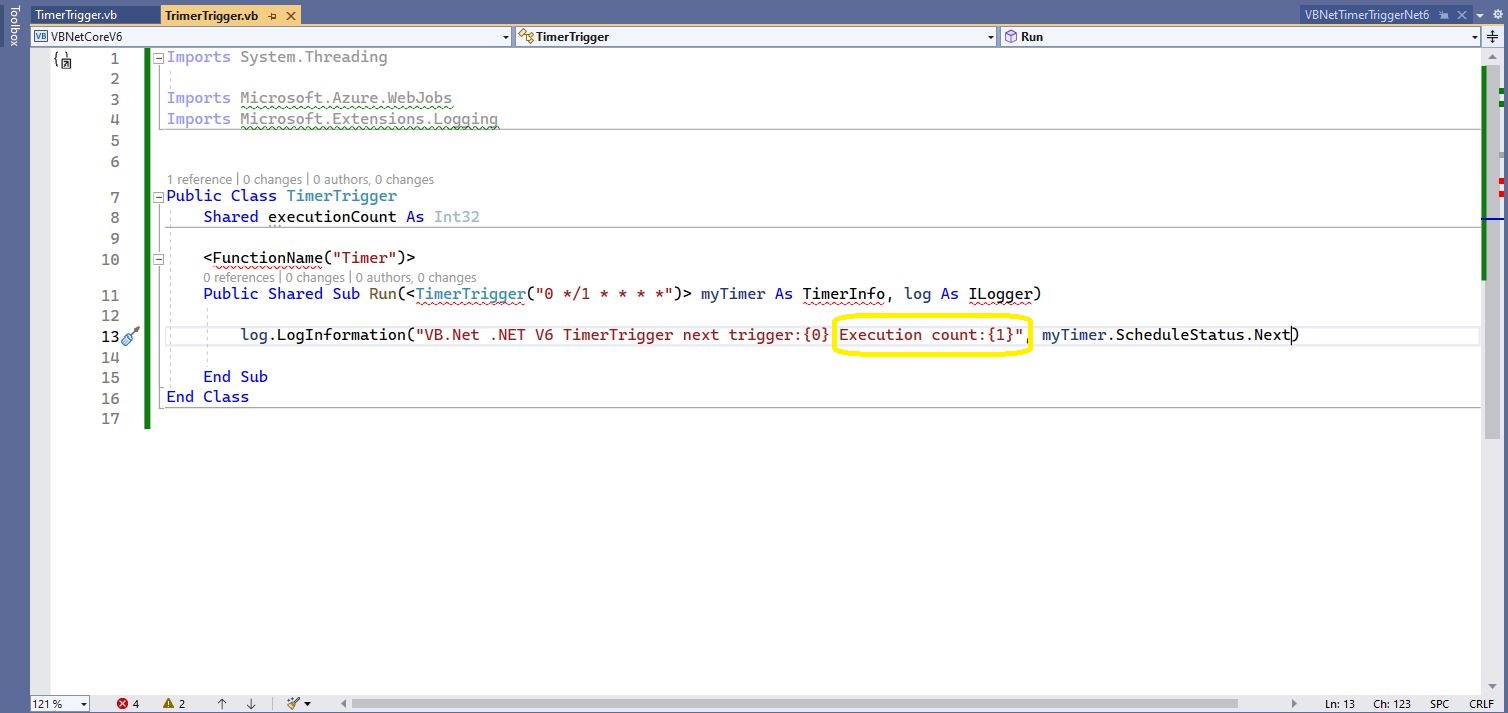
The baked in error logging doesn’t handle broken message formats very well. Look at the call stack or single step through the application to find the message format that is broken

Visual Studio 2022 editor with malformed message highlighted

WARNING

I assume this is not a supported approach so use

“at your own risk”

Swarm Space – Bumblebee Hive API Basic client

Back in July I purchased a Satellite Transceiver Breakout – Swarm M138 from SparkFun and it has been sitting on the shelf since then. I want to get telemetry from a sensor to an Azure IoT Hub or Azure IoT Central over a Swarm Space link for a project I am working on.

I’ll need to solder on some headers and cut a couple of tracks on the breakout board so my device (most probably a SparkFun – ESP32-S2 WROOM) can connect to the Swarm-M1138 modem. The NET nanoFramework team have an IoT.Device Swarm Tile NuGet package which I will use to interface the device to the modem.

I have started with a “nasty” Proof of Concept(PoC) to figure out how to connect to the Swarm Hive API.

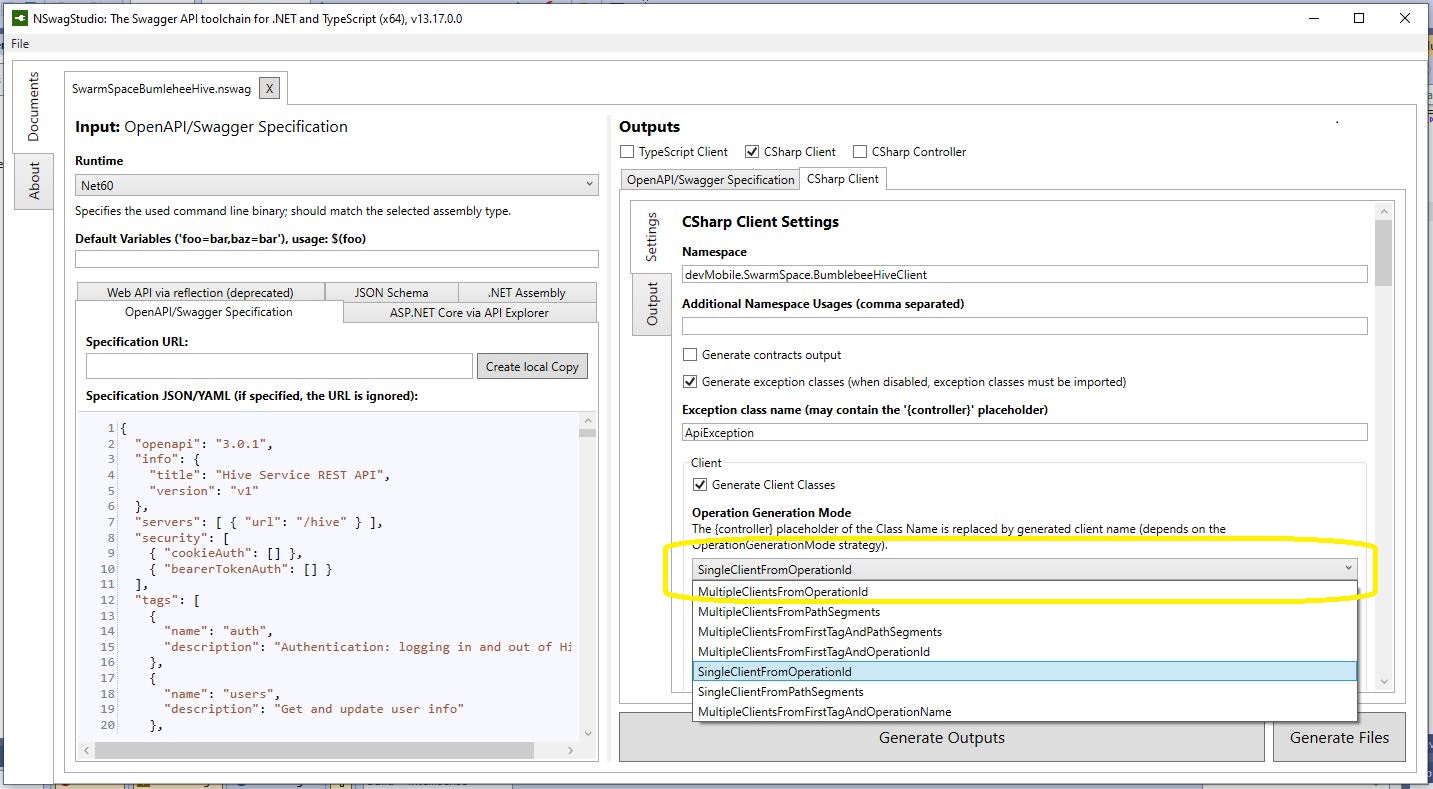
The Swarm Hive API has been published with Swagger/OpenAPI which is really simple to use. I used NSwagStudio to generate a C# client to I didn’t have to “handcraft” one.

Initially the code would compile but I found a clue in a Github Issue from September 2017 which was to change the “Operation Generation Model” to SingleClientFromOperationId.(The setting is highlighted above).

static async Task Main(string[] args)
{
    using (HttpClient httpClient = new HttpClient())
    {
        BumblebeeHiveClient.Client client = new BumblebeeHiveClient.Client(httpClient);

        client.BaseUrl = "https://bumblebee.hive.swarm.space/hive/";

        BumblebeeHiveClient.LoginForm loginForm = new BumblebeeHiveClient.LoginForm();

        // https://bumblebee.hive.swarm.space/login/
        loginForm.Username = "...";
        loginForm.Password = "...";

        Console.WriteLine($"devMobile SwarmSpace Bumblebee Hive Console Client");
        Console.WriteLine("");

        Console.WriteLine($"Login POST");
        BumblebeeHiveClient.Response response = await client.PostLoginAsync(loginForm);

        Console.WriteLine($"Token :{response.Token[..5]}.....{response.Token[^5..]}");
        Console.WriteLine($"Press <enter> to continue");
        Console.ReadLine();

        string apiKey = "bearer " + response.Token;

        httpClient.DefaultRequestHeaders.Add("Authorization", apiKey);


        Console.WriteLine($"Device count GET");

        string count = await client.GetDeviceCountAsync(1);

        Console.WriteLine($"Device count :{count}");
        Console.WriteLine($"Press <enter> to continue");
        Console.ReadLine();

        Console.WriteLine($"Device(s) information GET");

        var devices = await client.GetDevicesAsync(1, null, null, null, null, null, null, null, null);

        foreach (var device in devices)
        {
            Console.WriteLine($" Id:{device.DeviceId} Name:{device.DeviceName} Type:{device.DeviceType} Organisation:{device.OrganizationId}");
        }

        Console.WriteLine($"Press <enter> to continue");
        Console.ReadLine();

        Console.WriteLine($"User Context GET");
        var userContext = await client.GetUserContextAsync();

        Console.WriteLine($" Id:{userContext.UserId} Name:{userContext.Username} Country:{userContext.Country}");

        Console.WriteLine("Additional properties");
        foreach ( var additionalProperty in userContext.AdditionalProperties)
        {
            Console.WriteLine($" Id:{additionalProperty.Key} Value:{additionalProperty.Value}");
        }

        Console.WriteLine($"Press <enter> to exit");
        Console.ReadLine();
    }
}

I tried a couple of ways to attach the Swarm Hive API authorisation token (returned by the Login method) to client requests. After a couple for failed attempts, I “realised” that adding the “Authorization” header to the HttpClient defaultRequestHeaders was by far the simplest approach.

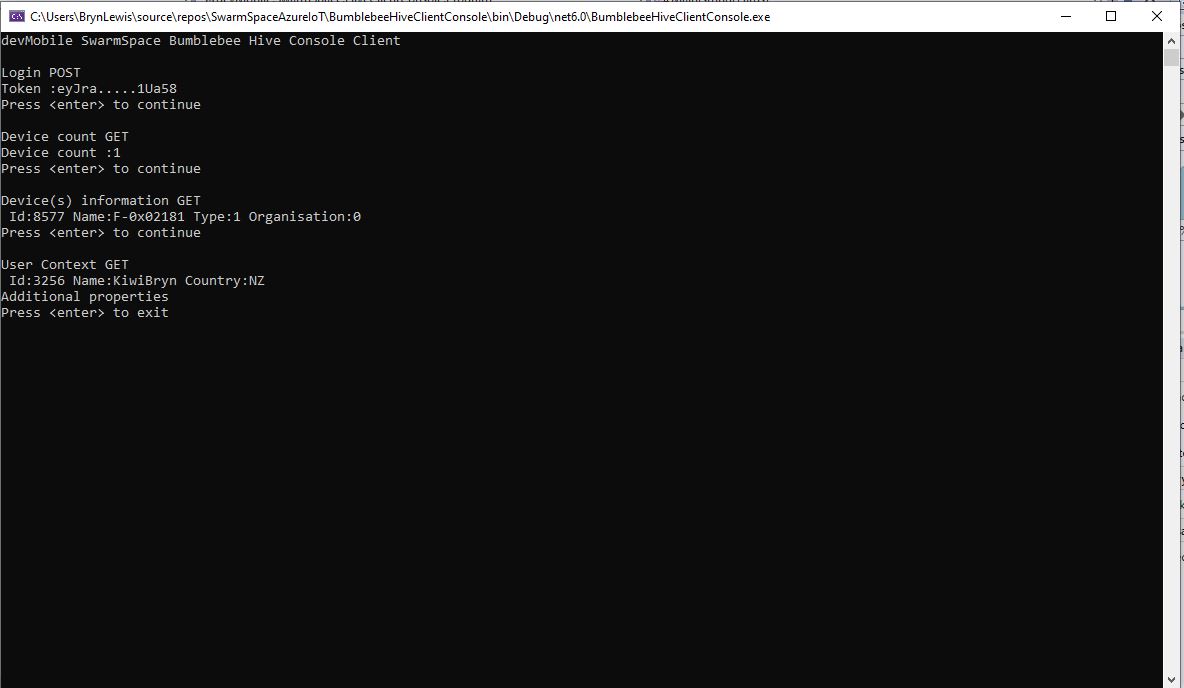
My “nasty” console application calls the Login method, then requests the number of devices (I only have one), gets a list of the properties of all the devices(very short list) then gets the User Context and displays their ID, Name and Country.

TTI V3 Connector Azure IoT Central Cloud to Device(C2D)

Handling Cloud to Device(D2C) Azure IoT Central messages (The Things Industries(TTI) downlink) is a bit more complex than Device To Cloud(D2C) messaging. The format of the command messages is reasonably well documented and I have already explored in detail with basic telemetry, basic commands, request commands, and The Things Industries Friendly commands and Digital Twin Definition Language(DTDL) support.
public class IoTHubApplicationSetting
{
	public string DtdlModelId { get; set; }
}

public class IoTHubSettings
{
	public string IoTHubConnectionString { get; set; } = string.Empty;

	public Dictionary<string, IoTHubApplicationSetting> Applications { get; set; }
}


public class DeviceProvisiongServiceApplicationSetting
{
	public string DtdlModelId { get; set; } = string.Empty;

	public string GroupEnrollmentKey { get; set; } = string.Empty;
}

public class DeviceProvisiongServiceSettings
{
	public string IdScope { get; set; } = string.Empty;

	public Dictionary<string, DeviceProvisiongServiceApplicationSetting> Applications { get; set; }
}


public class IoTCentralMethodSetting
{
	public byte Port { get; set; } = 0;

	public bool Confirmed { get; set; } = false;

	public Models.DownlinkPriority Priority { get; set; } = Models.DownlinkPriority.Normal;

	public Models.DownlinkQueue Queue { get; set; } = Models.DownlinkQueue.Replace;
}

public class IoTCentralSetting
{
	public Dictionary<string, IoTCentralMethodSetting> Methods { get; set; }
}

public class AzureIoTSettings
{
	public IoTHubSettings IoTHub { get; set; }

	public DeviceProvisiongServiceSettings DeviceProvisioningService { get; set; }

	public IoTCentralSetting IoTCentral { get; set; }
}

Azure IoT Central appears to have no support for setting message properties so the LoRaWAN port, confirmed flag, priority, and queuing so these a retrieved from configuration.

Azure Function Configuration
Models.Downlink downlink;
Models.DownlinkQueue queue;

string payloadText = Encoding.UTF8.GetString(message.GetBytes()).Trim();

if (message.Properties.ContainsKey("method-name"))
{
	#region Azure IoT Central C2D message processing
	string methodName = message.Properties["method-name"];

	if (string.IsNullOrWhiteSpace(methodName))
	{
		_logger.LogWarning("Downlink-DeviceID:{0} MessagedID:{1} LockToken:{2} method-name property empty", receiveMessageHandlerContext.DeviceId, message.MessageId, message.LockToken);

		await deviceClient.RejectAsync(message);
		return;
	}

	// Look up the method settings to get confirmed, port, priority, and queue
	if ((_azureIoTSettings == null) || (_azureIoTSettings.IoTCentral == null) || !_azureIoTSettings.IoTCentral.Methods.TryGetValue(methodName, out IoTCentralMethodSetting methodSetting))
	{
		_logger.LogWarning("Downlink-DeviceID:{0} MessagedID:{1} LockToken:{2} method-name:{3} has no settings", receiveMessageHandlerContext.DeviceId, message.MessageId, message.LockToken, methodName);
							
		await deviceClient.RejectAsync(message);
		return;
	}

	downlink = new Models.Downlink()
	{
		Confirmed = methodSetting.Confirmed,
		Priority = methodSetting.Priority,
		Port = methodSetting.Port,
		CorrelationIds = AzureLockToken.Add(message.LockToken),
	};

	queue = methodSetting.Queue;

	// Check to see if special case for Azure IoT central command with no request payload
	if (payloadText.IsPayloadEmpty())
	{
		downlink.PayloadRaw = "";
	}

	if (!payloadText.IsPayloadEmpty())
	{
		if (payloadText.IsPayloadValidJson())
		{
			downlink.PayloadDecoded = JToken.Parse(payloadText);
			}
		else
		{
			downlink.PayloadDecoded = new JObject(new JProperty(methodName, payloadText));
		}
	}

	logger.LogInformation("Downlink-IoT Central DeviceID:{0} Method:{1} MessageID:{2} LockToken:{3} Port:{4} Confirmed:{5} Priority:{6} Queue:{7}",
		receiveMessageHandlerContext.DeviceId,
		methodName,
		message.MessageId,
		message.LockToken,
		downlink.Port,
		downlink.Confirmed,
		downlink.Priority,
		queue);
	#endregion
}

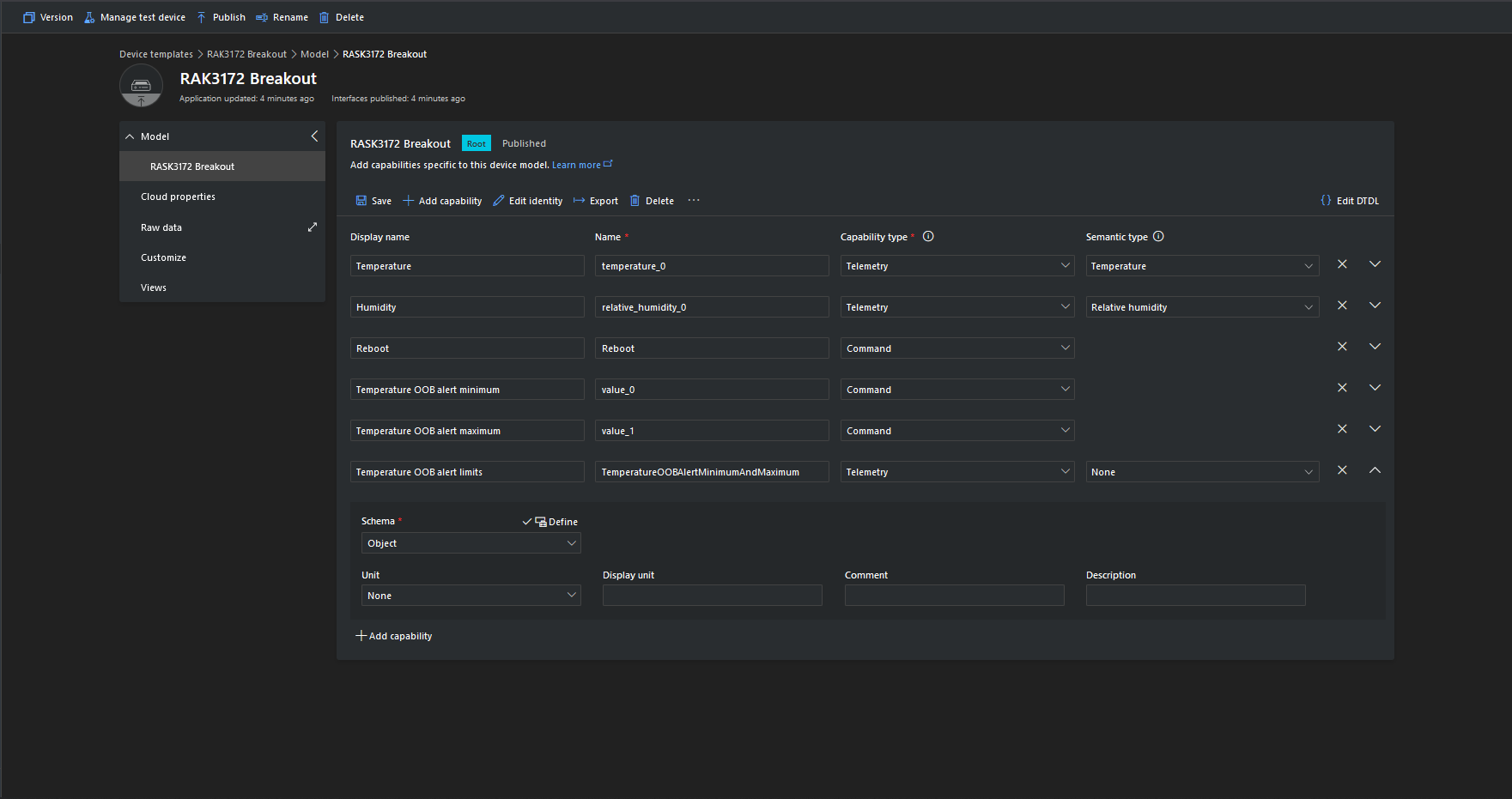
The reboot command payload only contains an “@” so the TTTI payload will be empty, the minimum and maximum command payloads will contain only a numeric value which is added to the decoded payload with the method name, the combined minimum and maximum command has a JSON payload which is “grafted” into the decoded payload.

Azure IoT Central Device Template

Azure Device Provisioning Service(DPS) when transient isn’t

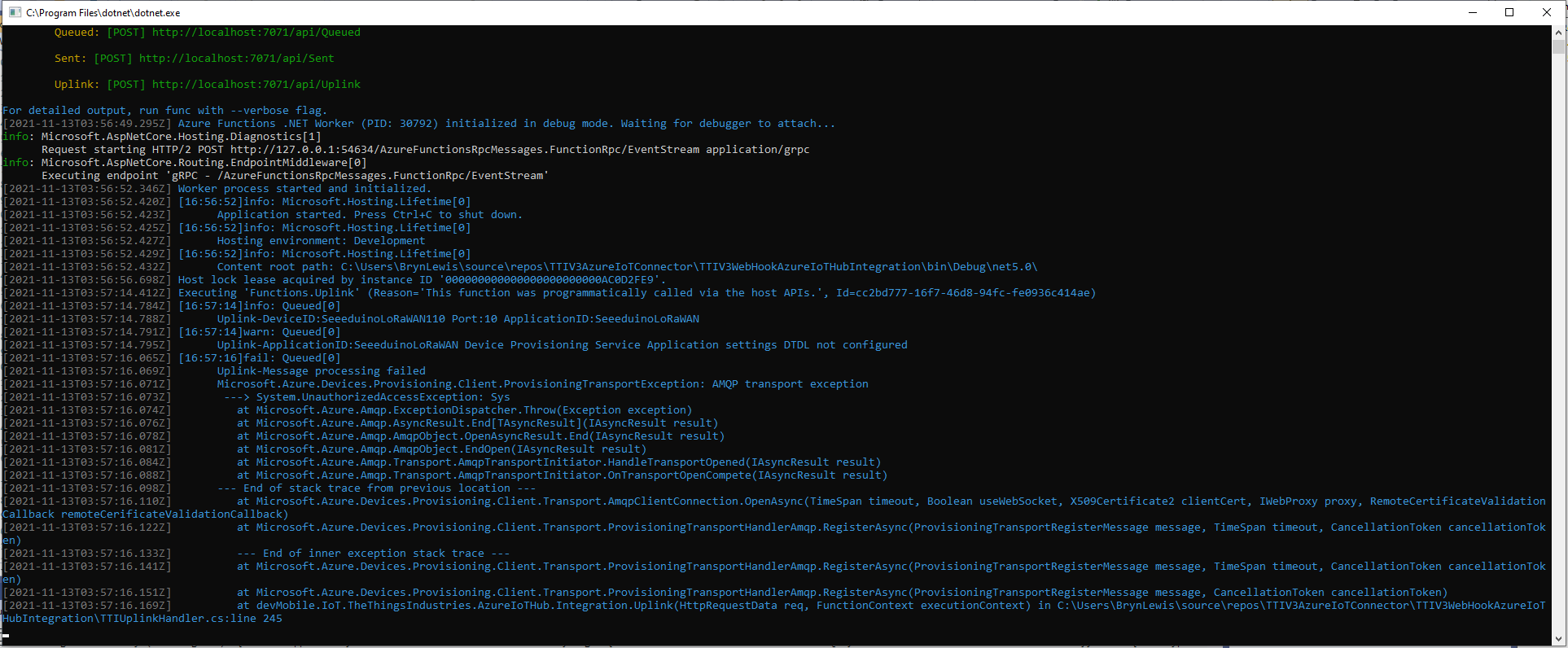
After some updates to my Device Provisioning Service(DPS) code the RegisterAsync method was exploding with an odd exception.

TTI Webhook Integration running in desktop emulator

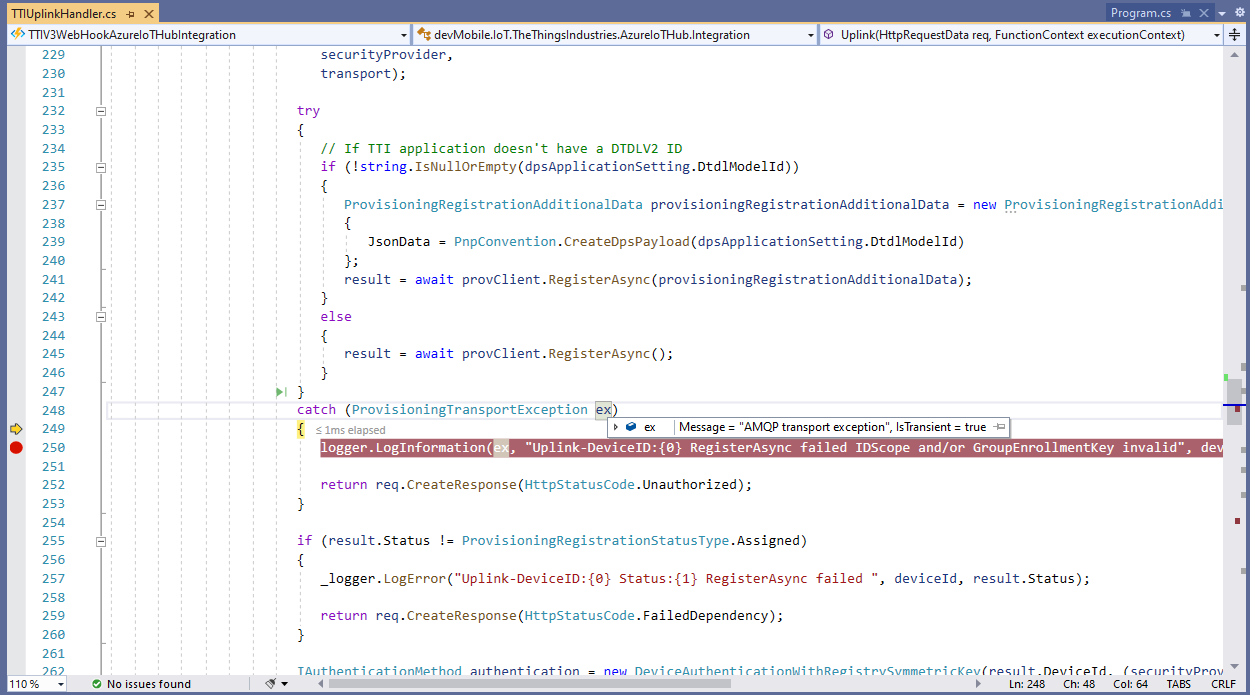
In the Visual Studio 2019 Debugger the exception text was “IsTransient = true” so I went and made a coffee and tried again.

Visual Studio 2019 Quickwatch displaying short from error message

The call was still failing so I dumped out the exception text so I had some key words to search for

Microsoft.Azure.Devices.Provisioning.Client.ProvisioningTransportException: AMQP transport exception
 ---> System.UnauthorizedAccessException: Sys
   at Microsoft.Azure.Amqp.ExceptionDispatcher.Throw(Exception exception)
   at Microsoft.Azure.Amqp.AsyncResult.End[TAsyncResult](IAsyncResult result)
   at Microsoft.Azure.Amqp.AmqpObject.OpenAsyncResult.End(IAsyncResult result)
   at Microsoft.Azure.Amqp.AmqpObject.EndOpen(IAsyncResult result)
   at Microsoft.Azure.Amqp.Transport.AmqpTransportInitiator.HandleTransportOpened(IAsyncResult result)
   at Microsoft.Azure.Amqp.Transport.AmqpTransportInitiator.OnTransportOpenCompete(IAsyncResult result)
--- End of stack trace from previous location ---
   at Microsoft.Azure.Devices.Provisioning.Client.Transport.AmqpClientConnection.OpenAsync(TimeSpan timeout, Boolean useWebSocket, X509Certificate2 clientCert, IWebProxy proxy, RemoteCertificateValidationCallback remoteCerificateValidationCallback)
   at Microsoft.Azure.Devices.Provisioning.Client.Transport.ProvisioningTransportHandlerAmqp.RegisterAsync(ProvisioningTransportRegisterMessage message, TimeSpan timeout, CancellationToken cancellationToken)
   --- End of inner exception stack trace ---
   at Microsoft.Azure.Devices.Provisioning.Client.Transport.ProvisioningTransportHandlerAmqp.RegisterAsync(ProvisioningTransportRegisterMessage message, TimeSpan timeout, CancellationToken cancellationToken)
   at Microsoft.Azure.Devices.Provisioning.Client.Transport.ProvisioningTransportHandlerAmqp.RegisterAsync(ProvisioningTransportRegisterMessage message, CancellationToken cancellationToken)
   at devMobile.IoT.TheThingsIndustries.AzureIoTHub.Integration.Uplink(HttpRequestData req, FunctionContext executionContext) in C:\Users\BrynLewis\source\repos\TTIV3AzureIoTConnector\TTIV3WebHookAzureIoTHubIntegration\TTIUplinkHandler.cs:line 245

I tried a lot of keywords and went and looked at the source code on github

One of the many keyword searches

Another of the many keyword searches

I then tried another program which did used the Device provisioning Service and it worked first time so it was something wrong with the code.

using (var securityProvider = new SecurityProviderSymmetricKey(deviceId, deviceKey, null))
{
	using (var transport = new ProvisioningTransportHandlerAmqp(TransportFallbackType.TcpOnly))
	{
		DeviceRegistrationResult result;

		ProvisioningDeviceClient provClient = ProvisioningDeviceClient.Create(
			Constants.AzureDpsGlobalDeviceEndpoint,
			 dpsApplicationSetting.GroupEnrollmentKey, <<= Should be _azureIoTSettings.DeviceProvisioningService.IdScope,
			securityProvider,
			transport);

		try
		{
				result = await provClient.RegisterAsync();
		}
		catch (ProvisioningTransportException ex)
		{
			logger.LogInformation(ex, "Uplink-DeviceID:{0} RegisterAsync failed IDScope and/or GroupEnrollmentKey invalid", deviceId);

			return req.CreateResponse(HttpStatusCode.Unauthorized);
		}

		if (result.Status != ProvisioningRegistrationStatusType.Assigned)
		{
			_logger.LogError("Uplink-DeviceID:{0} Status:{1} RegisterAsync failed ", deviceId, result.Status);

			return req.CreateResponse(HttpStatusCode.FailedDependency);
		}

		IAuthenticationMethod authentication = new DeviceAuthenticationWithRegistrySymmetricKey(result.DeviceId, (securityProvider as SecurityProviderSymmetricKey).GetPrimaryKey());

		deviceClient = DeviceClient.Create(result.AssignedHub, authentication, TransportSettings);

		await deviceClient.OpenAsync();

		logger.LogInformation("Uplink-DeviceID:{0} Azure IoT Hub connected (Device Provisioning Service)", deviceId);
	}
}

I then carefully inspected my source code and worked back through the file history and realised I had accidentally replaced the IDScope with the GroupEnrollment setting so it was never going to work i.e. IsTransient != true. So, for the one or two other people who get this error message check your IDScope and GroupEnrollment key make sure they are the right variables and that values they contain are correct.

TTI V3 Connector Azure IoT Central Device to Cloud(D2C)

This post is largely about adapting the output of The Things Industries(TTI) Low Power Protocol(LPP) payload formatter so that it can be injested by Azure IoT Central. The Azure function for processing TTI Uplink messages first deserialises the JSON payload discarding any LoRaWAN control messages and messages with empty payloads.

[Function("Uplink")]
public async Task<HttpResponseData> Uplink([HttpTrigger(AuthorizationLevel.Function, "post")] HttpRequestData req, FunctionContext executionContext)
{
	Models.PayloadUplink payload;
	var logger = executionContext.GetLogger("Queued");

	// Wrap all the processing in a try\catch so if anything blows up we have logged it.
	try
	{
		string payloadText = await req.ReadAsStringAsync();

		try
		{
			payload = JsonConvert.DeserializeObject<Models.PayloadUplink>(payloadText);
		}
		catch(JsonException ex)
		{
			logger.LogInformation(ex, "Uplink-Payload Invalid JSON:{0}", payloadText);

			return req.CreateResponse(HttpStatusCode.BadRequest);
		}

		if (payload == null)
		{
			logger.LogInformation("Uplink-Payload invalid:{0}", payloadText);

			return req.CreateResponse(HttpStatusCode.BadRequest);
		}

		string applicationId = payload.EndDeviceIds.ApplicationIds.ApplicationId;
		string deviceId = payload.EndDeviceIds.DeviceId;

		if ((payload.UplinkMessage.Port == null) || (!payload.UplinkMessage.Port.HasValue) || (payload.UplinkMessage.Port.Value == 0))
		{
			logger.LogInformation("Uplink-ApplicationID:{0} DeviceID:{1} Payload Raw:{2} Control message", applicationId, deviceId, payload.UplinkMessage.PayloadRaw);

			return req.CreateResponse(HttpStatusCode.UnprocessableEntity);
		}

		int port = payload.UplinkMessage.Port.Value;

		logger.LogInformation("Uplink-ApplicationID:{0} DeviceID:{1} Port:{2} Payload Raw:{3}", applicationId, deviceId, port, payload.UplinkMessage.PayloadRaw);

		if (!_DeviceClients.TryGetValue(deviceId, out DeviceClient deviceClient))
		{
...		
		}

		JObject telemetryEvent = new JObject
		{
			{ "ApplicationID", applicationId },
			{ "DeviceID", deviceId },
			{ "Port", port },
			{ "Simulated", payload.Simulated },
			{ "ReceivedAtUtc", payload.UplinkMessage.ReceivedAtUtc.ToString("s", CultureInfo.InvariantCulture) },
			{ "PayloadRaw", payload.UplinkMessage.PayloadRaw }
		};

		// If the payload has been decoded by payload formatter, put it in the message body.
		if (payload.UplinkMessage.PayloadDecoded != null)
		{
			EnumerateChildren(telemetryEvent, payload.UplinkMessage.PayloadDecoded);
		}

		// Send the message to Azure IoT Hub
		using (Message ioTHubmessage = new Message(Encoding.ASCII.GetBytes(JsonConvert.SerializeObject(telemetryEvent))))
		{
			// Ensure the displayed time is the acquired time rather than the uploaded time. 
			ioTHubmessage.Properties.Add("iothub-creation-time-utc", payload.UplinkMessage.ReceivedAtUtc.ToString("s", CultureInfo.InvariantCulture));
			ioTHubmessage.Properties.Add("ApplicationId", applicationId);
			ioTHubmessage.Properties.Add("DeviceEUI", payload.EndDeviceIds.DeviceEui);
			ioTHubmessage.Properties.Add("DeviceId", deviceId);
			ioTHubmessage.Properties.Add("port", port.ToString());
			ioTHubmessage.Properties.Add("Simulated", payload.Simulated.ToString());

			await deviceClient.SendEventAsync(ioTHubmessage);

			logger.LogInformation("Uplink-DeviceID:{0} SendEventAsync success", payload.EndDeviceIds.DeviceId);
		}
	}
	catch (Exception ex)
	{
		logger.LogError(ex, "Uplink-Message processing failed");

		return req.CreateResponse(HttpStatusCode.InternalServerError);
	}

	return req.CreateResponse(HttpStatusCode.OK);
}

If the message has been successfully decoded by a payload formatter the PayloadDecoded contents will be “grafted” into the Azure IoT Central Telemetry message.

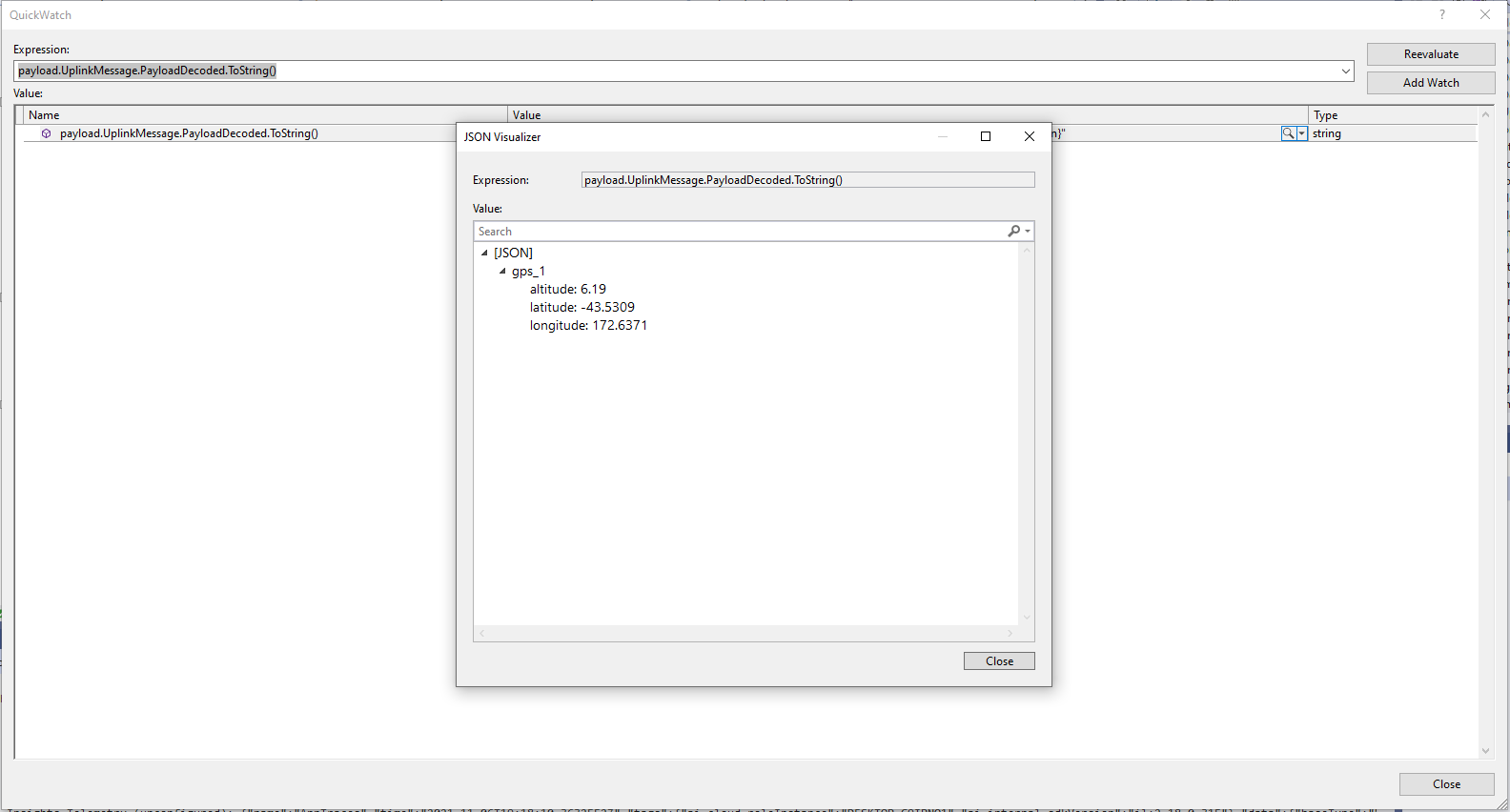
TTI JSON GPS position format

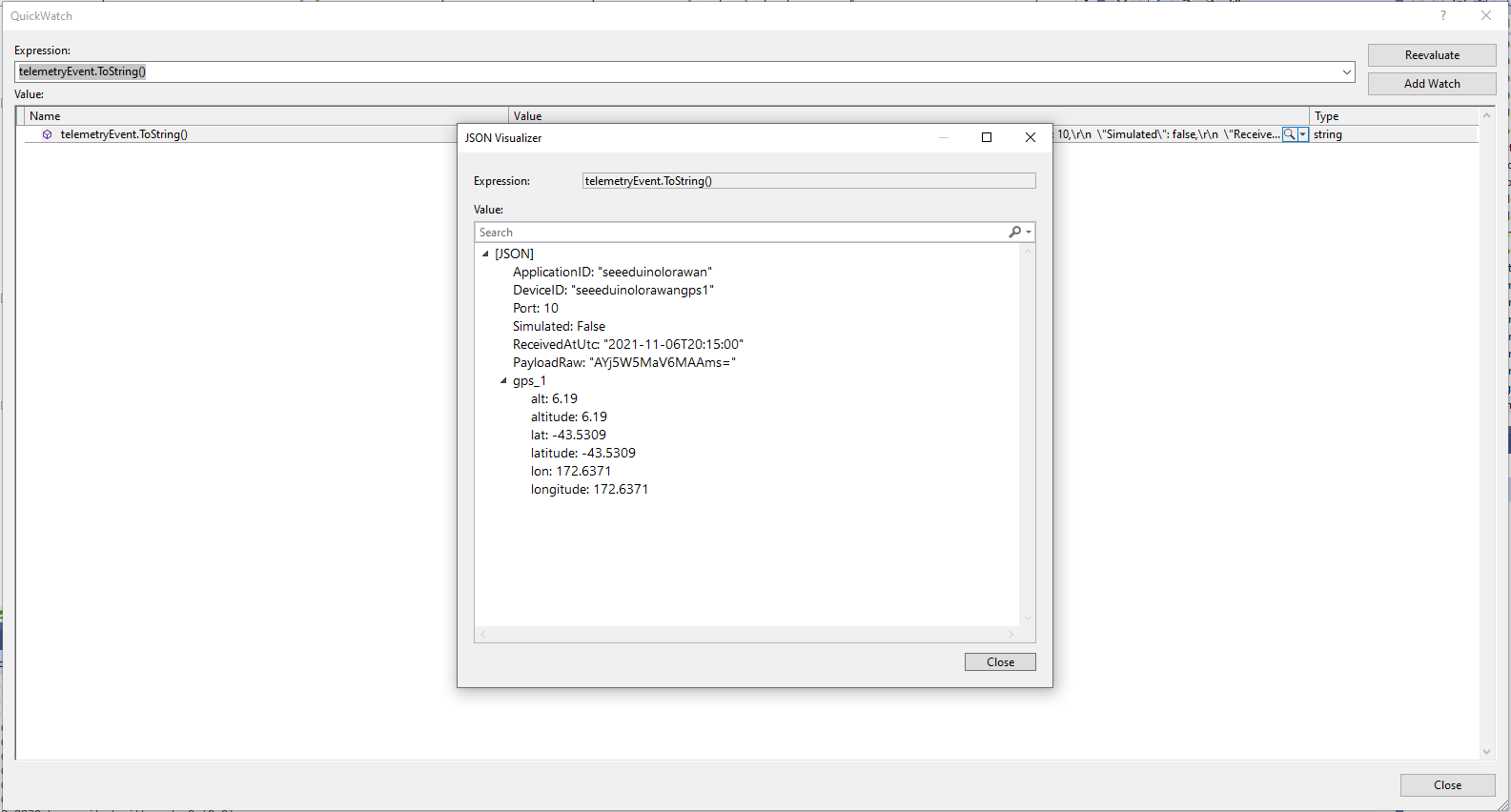
The Azure IoT Central Location Telemetry messages have a slightly different format to the output of the TTI LPP Payload formatter so the payload has to be “post processed”.

private void EnumerateChildren(JObject jobject, JToken token)
{
	if (token is JProperty property)
	{
		if (token.First is JValue)
		{
			// Temporary dirty hack for Azure IoT Central compatibility
			if (token.Parent is JObject possibleGpsProperty)
			{
				// TODO Need to check if similar approach necessary accelerometer and gyro LPP payloads
				if (possibleGpsProperty.Path.StartsWith("GPS_", StringComparison.OrdinalIgnoreCase))
				{
					if (string.Compare(property.Name, "Latitude", true) == 0)
					{
						jobject.Add("lat", property.Value);
					}
					if (string.Compare(property.Name, "Longitude", true) == 0)
					{
						jobject.Add("lon", property.Value);
					}
					if (string.Compare(property.Name, "Altitude", true) == 0)
					{
						jobject.Add("alt", property.Value);
					}
				}
			}
			jobject.Add(property.Name, property.Value);
		}
		else
		{
			JObject parentObject = new JObject();
			foreach (JToken token2 in token.Children())
			{
				EnumerateChildren(parentObject, token2);
				jobject.Add(property.Name, parentObject);
			}
		}
	}
	else
	{
		foreach (JToken token2 in token.Children())
		{
			EnumerateChildren(jobject, token2);
		}
	}
}

I may have to extend this method for other LPP datatypes

“Post processed” TTI JSON GPS Position data suitable for Azure IoT Central

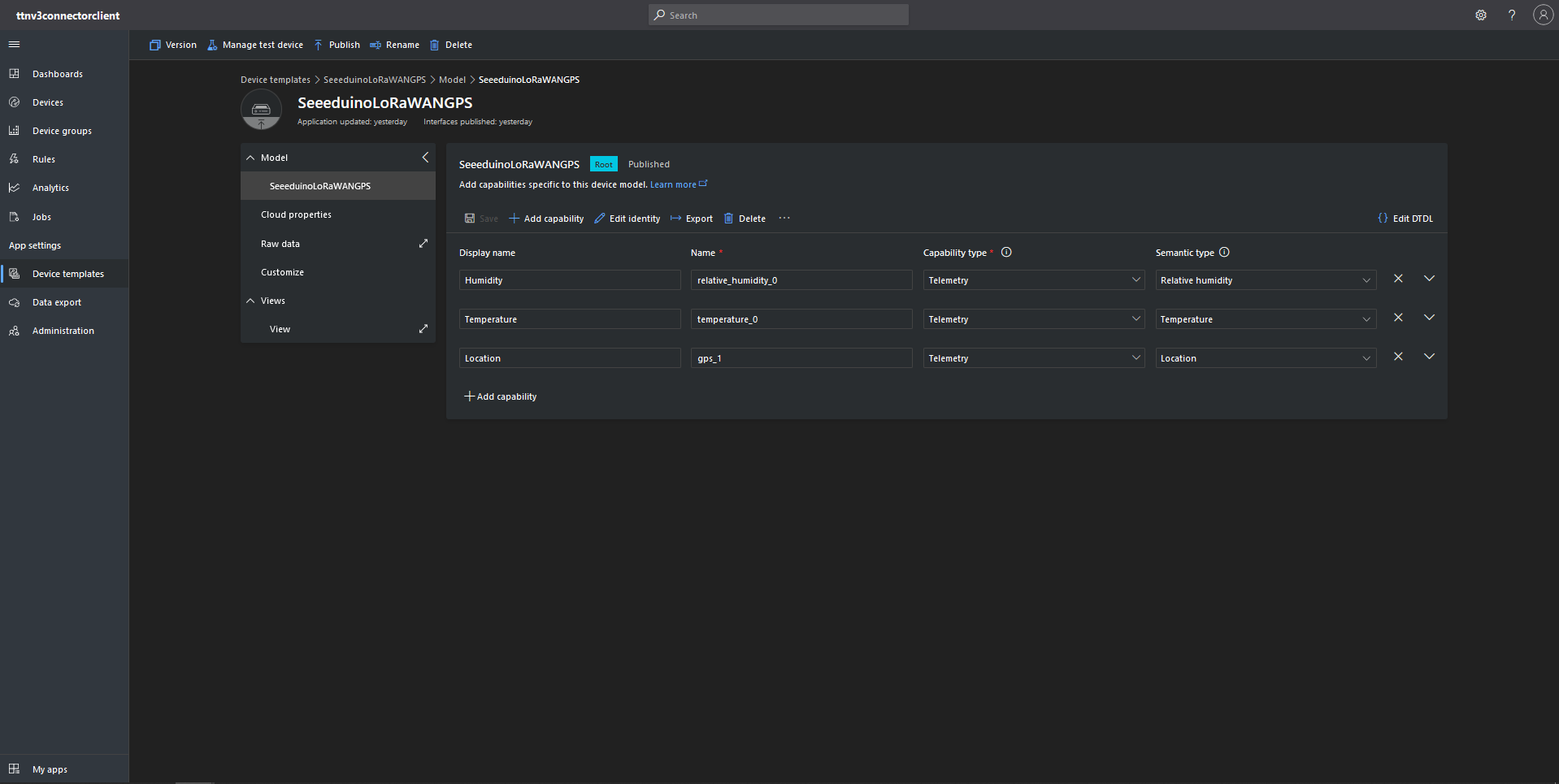
To test the telemetry message JSON I created an Azure IoT Central Device Template which had a “capability type” of Location.

Azure IoT Central Device Template with Location Capability

For initial development and testing I ran the function application in the desktop emulator and simulated TTI webhook calls with Telerik Fiddler and modified sample payloads. After some issues with iothub-creation-time-utc decoded telemetry messages were displayed in the Device Raw Data tab

Azure IoT Central Device Raw Data tab with successfully decoded GPS location payloads
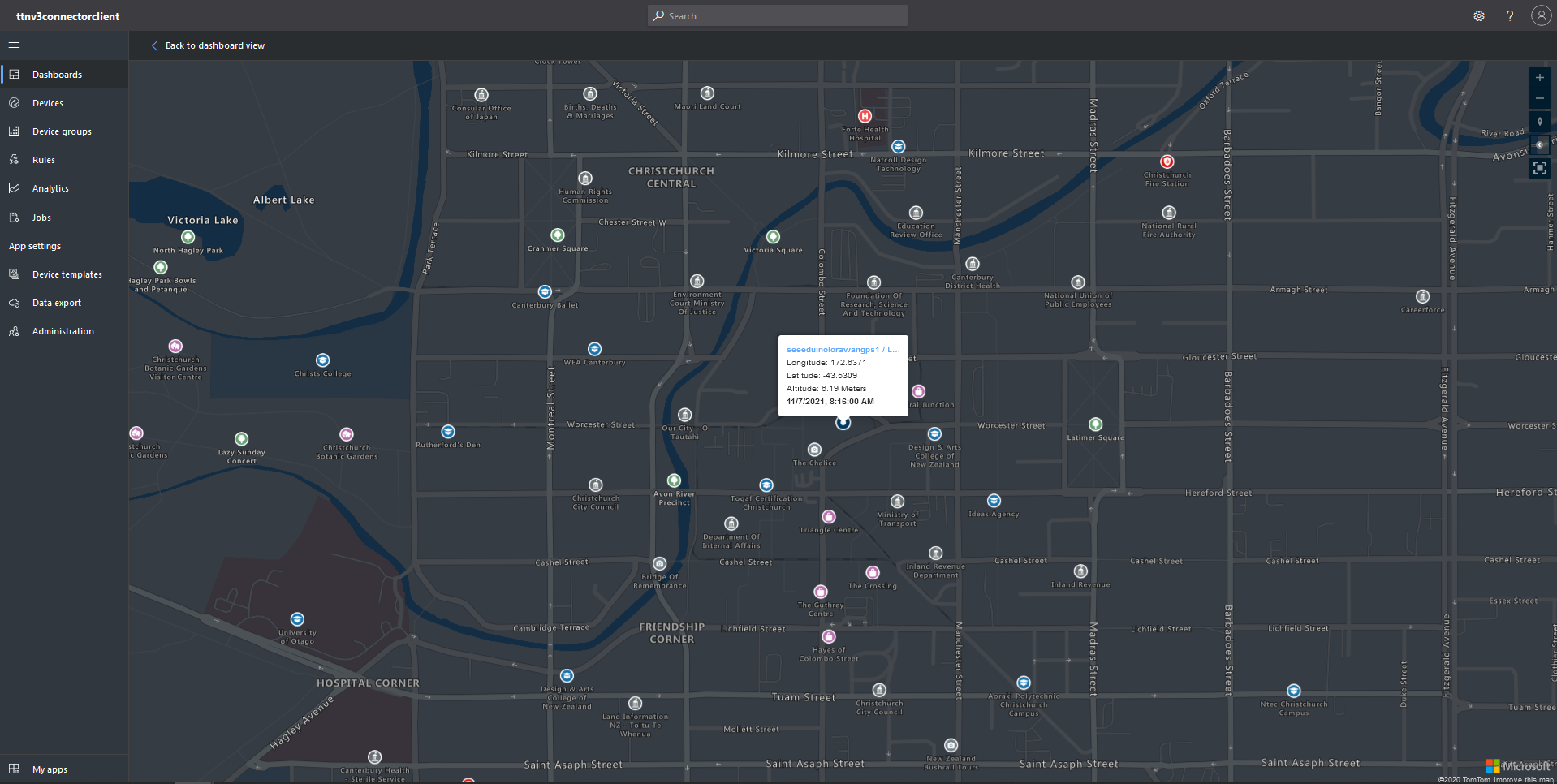
Azure IoT Central map displaying with device location highlighted

This post uses a lot of the work done for my The Things Network V2 integration. I also found the first time a device connected to the Azure IoT Central Azure IoT hub (using the Azure IoT Central Device Provisioning Service(DPS) to get the connection string) there was always an exception.

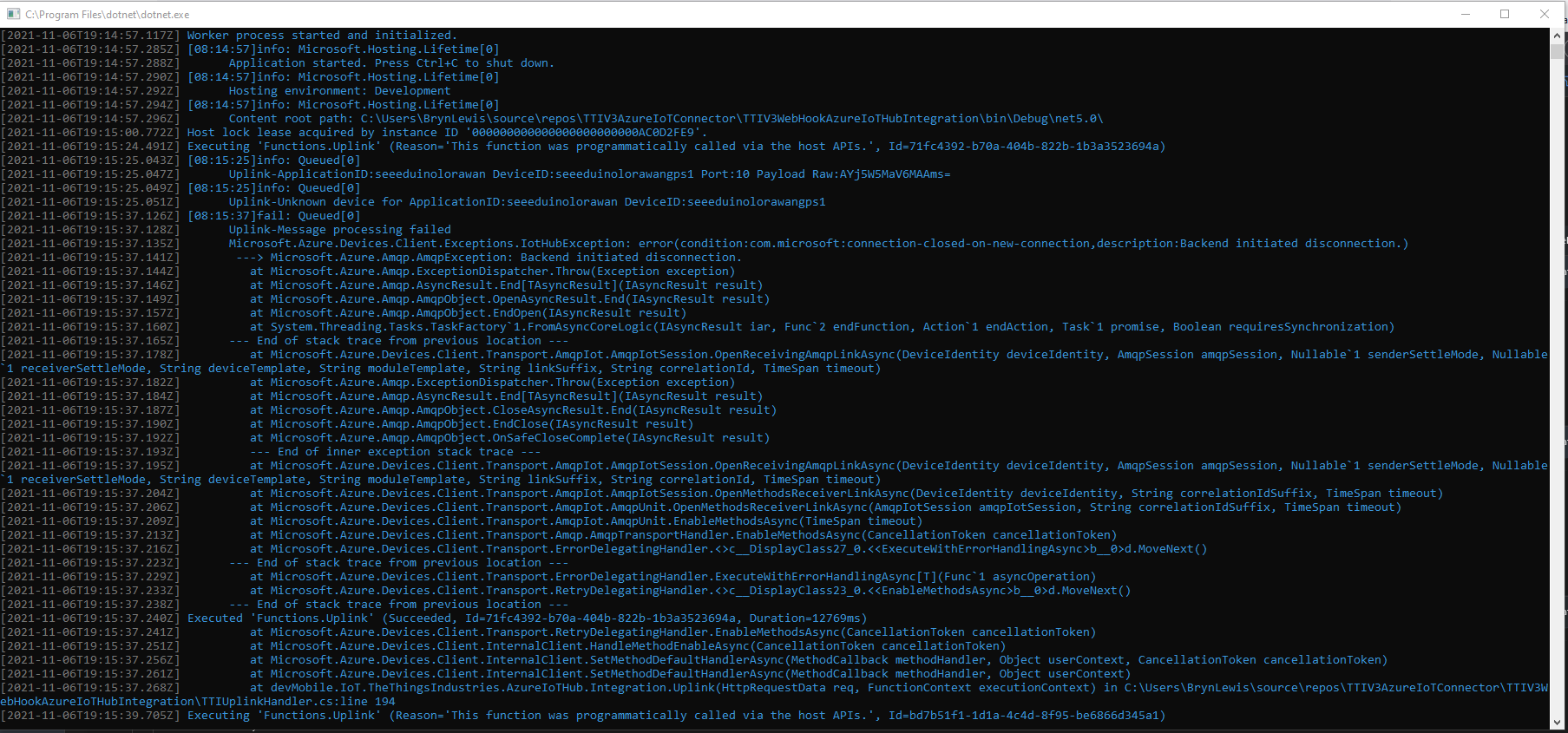
Microsoft.Azure.Devices.Client.Exceptions.IotHubException: error(condition:com.microsoft:connection-closed-on-new-connection,description:Backend initiated disconnection.

TTI V3 Gateway Azure IoT Central first call exception

This exception occurs when the SetMethodDefaultHandlerAsync method is called which is a bit odd. This exception does not occur when I use Device Provisioning Service(DPS) and Azure IoT Hub instances I have provisioned.

TTI V3 Connector Cloud to Device(C2D)

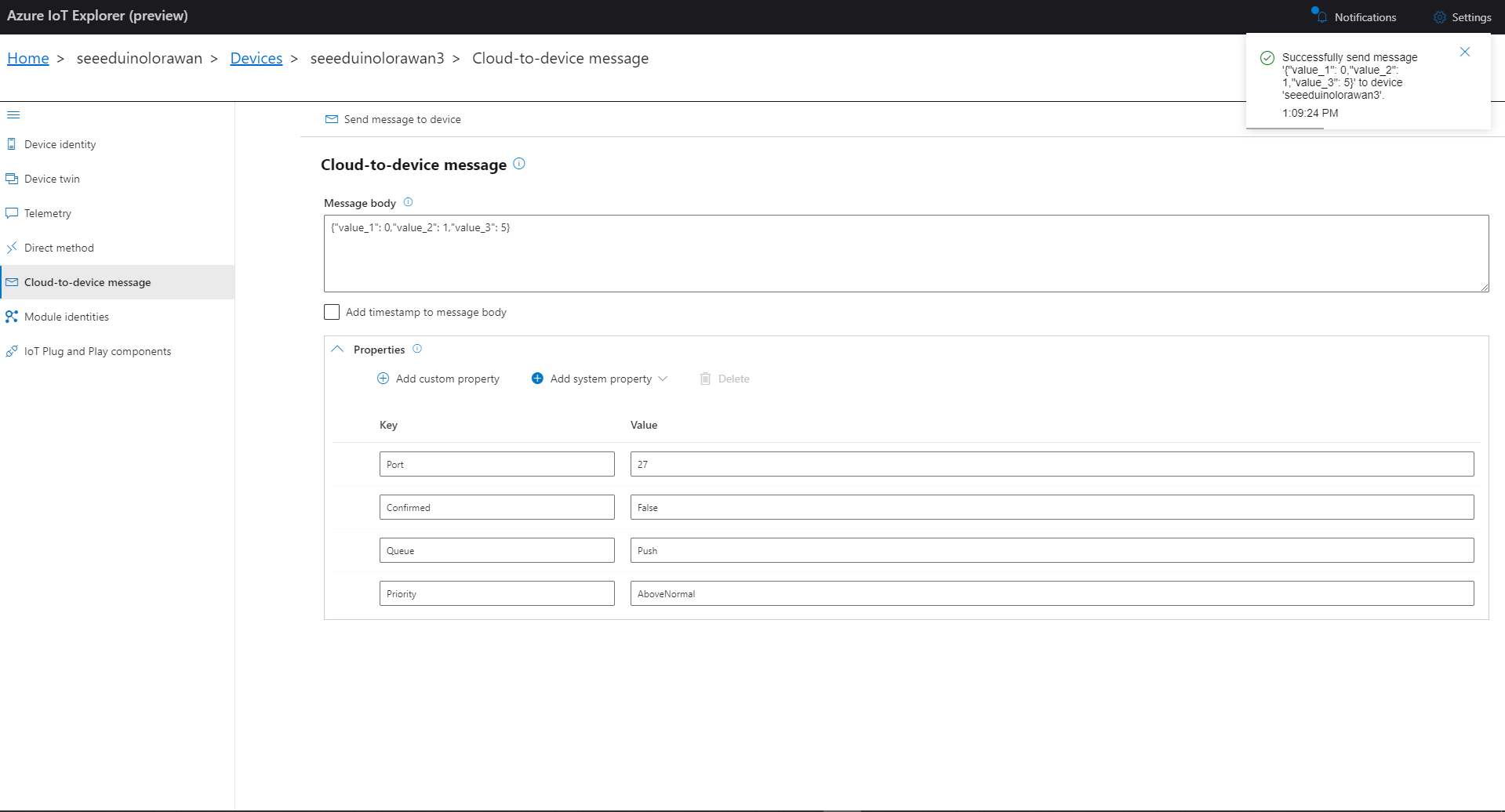
The TTI V3 Connector Minimalist Cloud to Device only required a port number, and there was no way to specify whether delivery of message had to be confirmed, the way the message was queued, or the priority of message delivery. Like the port number these optional settings can be specified in message properties.

  • Confirmation – True/False
  • Queue – Push/Replace
  • Priority – Lowest/Low/BelowNormal/Normal/AboveNormal/High/Highest

If any of these properties are incorrect DeviceClient.RejectAsync is called which deletes the message from the device queue and indicates to the server that the message could not be processed.

private async Task AzureIoTHubClientReceiveMessageHandler(Message message, object userContext)
{
	try
	{
		Models.AzureIoTHubReceiveMessageHandlerContext receiveMessageHandlerContext = (Models.AzureIoTHubReceiveMessageHandlerContext)userContext;

		if (!_DeviceClients.TryGetValue(receiveMessageHandlerContext.DeviceId, out DeviceClient deviceClient))
		{
			_logger.LogWarning("Downlink-DeviceID:{0} unknown", receiveMessageHandlerContext.DeviceId);
			return;
		}

		using (message)
		{
			string payloadText = Encoding.UTF8.GetString(message.GetBytes()).Trim();

			if (!AzureDownlinkMessage.PortTryGet(message.Properties, out byte port))
			{
				_logger.LogWarning("Downlink-Port property is invalid");

				await deviceClient.RejectAsync(message);
				return;
			}

			if (!AzureDownlinkMessage.ConfirmedTryGet(message.Properties, out bool confirmed))
			{
				_logger.LogWarning("Downlink-Confirmed flag is invalid");

				await deviceClient.RejectAsync(message);
				return;
			}

			if (!AzureDownlinkMessage.PriorityTryGet(message.Properties, out Models.DownlinkPriority priority))
			{
				_logger.LogWarning("Downlink-Priority value is invalid");

				await deviceClient.RejectAsync(message);
				return;
			}

			if (!AzureDownlinkMessage.QueueTryGet(message.Properties, out Models.DownlinkQueue queue))
			{
				_logger.LogWarning("Downlink-Queue value is invalid");

				await deviceClient.RejectAsync(message.LockToken);
				return;
			}

			Models.Downlink downlink = new Models.Downlink()
			{
				Confirmed = confirmed,
				Priority = priority,
				Port = port,
				CorrelationIds = AzureLockToken.Add(message.LockToken),
			};

			// Split over multiple lines in an attempt to improve readability. In this scenario a valid JSON string should start/end with {/} for an object or [/] for an array
			if ((payloadText.StartsWith("{") && payloadText.EndsWith("}"))
													||
				((payloadText.StartsWith("[") && payloadText.EndsWith("]"))))
			{
				try
				{
					downlink.PayloadDecoded = JToken.Parse(payloadText);
				}
				catch (JsonReaderException)
				{
					downlink.PayloadRaw = payloadText;
				}
			}
			else
			{
				downlink.PayloadRaw = payloadText;
			}

			_logger.LogInformation("Downlink-IoT Hub DeviceID:{0} MessageID:{2} LockToken:{3} Port:{4} Confirmed:{5} Priority:{6} Queue:{7}",
				receiveMessageHandlerContext.DeviceId,
				message.MessageId,
				message.LockToken,
				downlink.Port,
				downlink.Confirmed,
				downlink.Priority,
				queue);

			Models.DownlinkPayload Payload = new Models.DownlinkPayload()
			{
				Downlinks = new List<Models.Downlink>()
				{
					downlink
				}
			};

			string url = $"{receiveMessageHandlerContext.WebhookBaseURL}/{receiveMessageHandlerContext.ApplicationId}/webhooks/{receiveMessageHandlerContext.WebhookId}/devices/{receiveMessageHandlerContext.DeviceId}/down/{queue}".ToLower();

			using (var client = new WebClient())
			{
				client.Headers.Add("Authorization", $"Bearer {receiveMessageHandlerContext.ApiKey}");

				client.UploadString(new Uri(url), JsonConvert.SerializeObject(Payload));
			}

			_logger.LogInformation("Downlink-DeviceID:{0} LockToken:{1} success", receiveMessageHandlerContext.DeviceId, message.LockToken);
		}
	}
	catch (Exception ex)
	{
		_logger.LogError(ex, "Downlink-ReceiveMessge processing failed");
	}
}

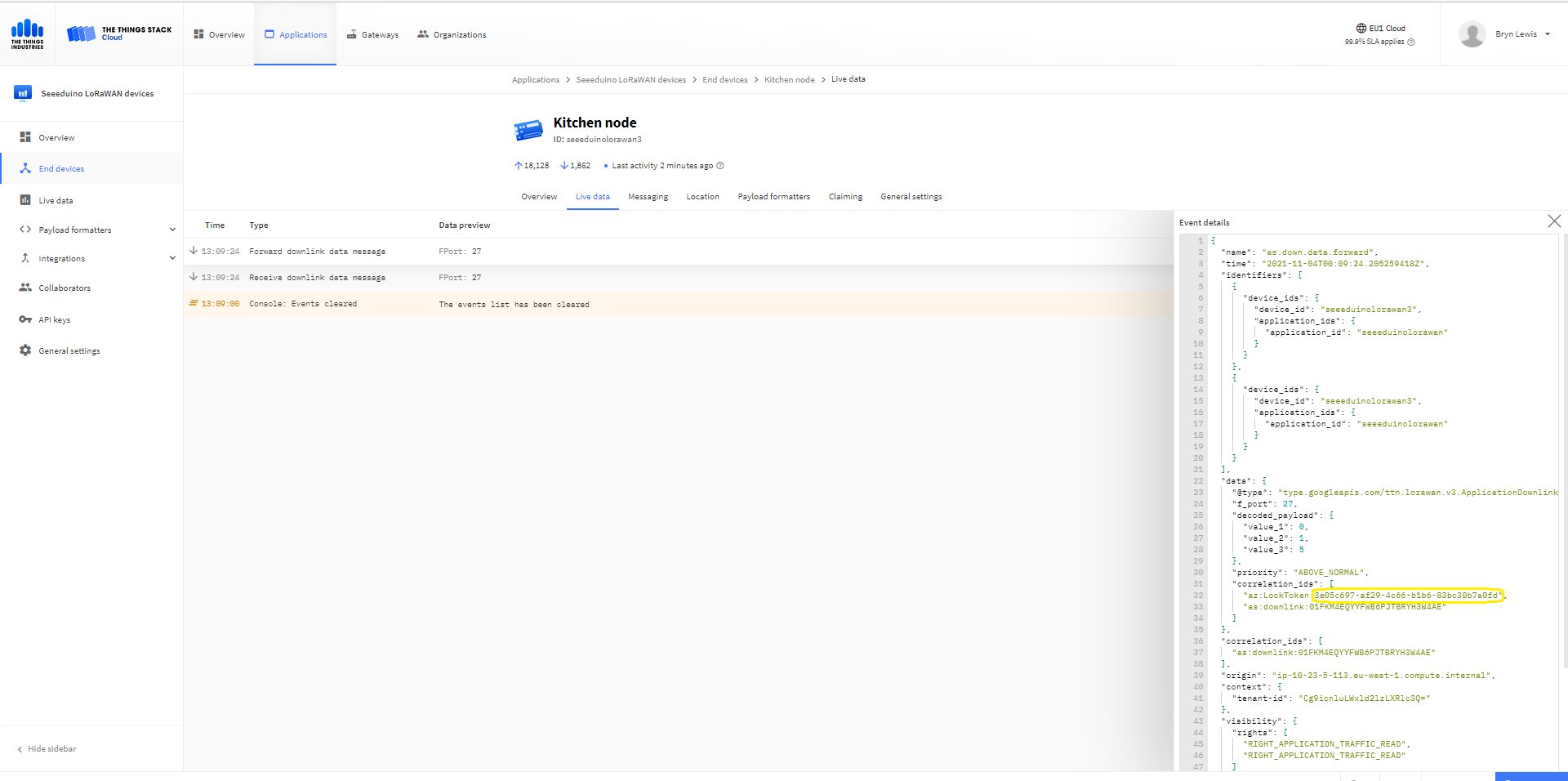
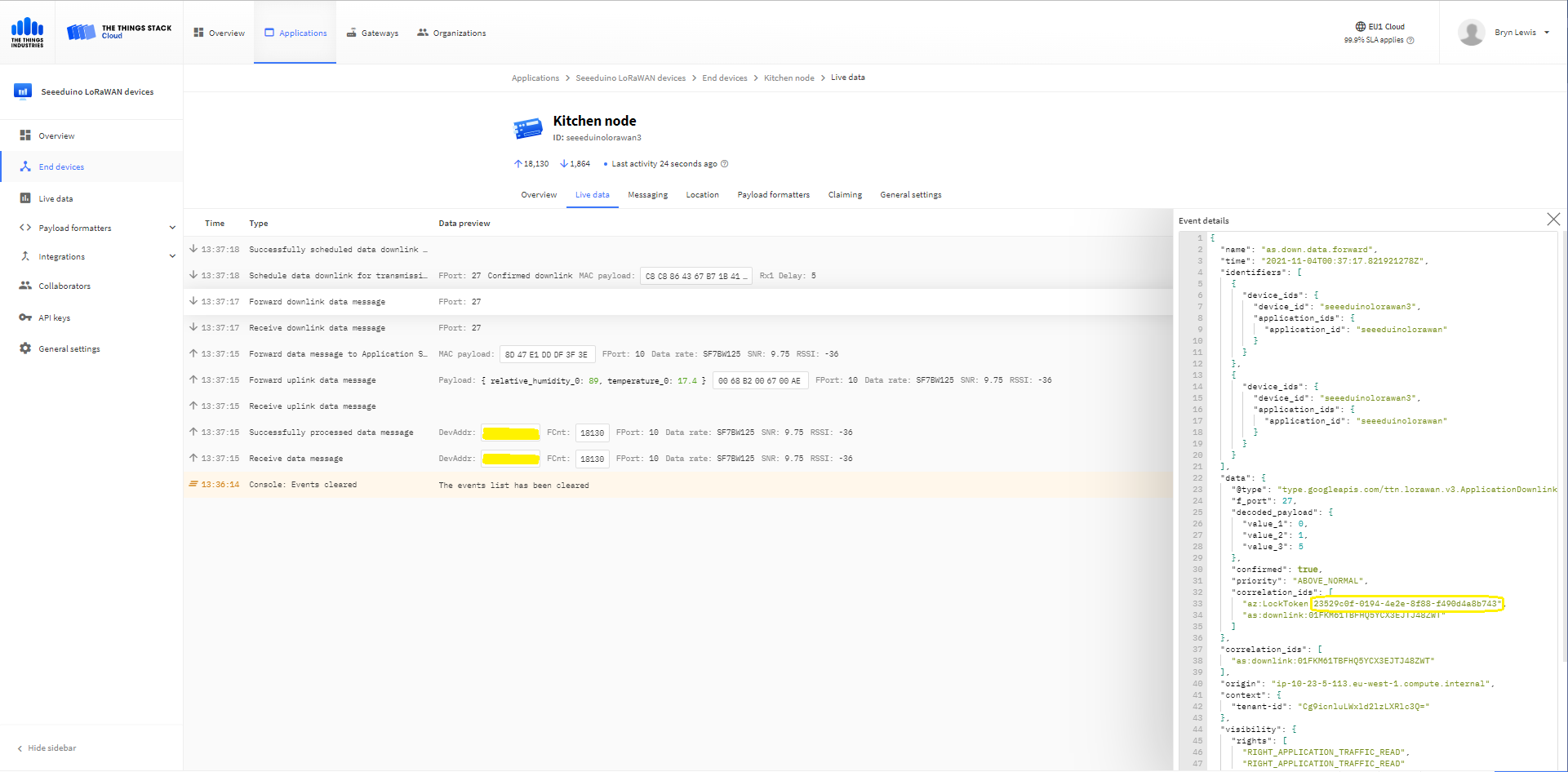
A correlation identifier containing the Message LockToken is added to the downlink payload.

Azure IoT Explorer Cloud to Device sending an unconfirmed downlink message

For unconfirmed messages The TTI Connector calls the DeviceClient.CompletedAsync method (with the LockToken from the CorrelationIDs list) which deletes the message from the device queue.

[Function("Queued")]
public async Task<HttpResponseData> Queued([HttpTrigger(AuthorizationLevel.Function, "post")] HttpRequestData req, FunctionContext executionContext)
{
	var logger = executionContext.GetLogger("Queued");

	// Wrap all the processing in a try\catch so if anything blows up we have logged it.
	try
	{
		string payloadText = await req.ReadAsStringAsync();

		Models.DownlinkQueuedPayload payload = JsonConvert.DeserializeObject<Models.DownlinkQueuedPayload>(payloadText);
		if (payload == null)
		{
			logger.LogInformation("Queued-Payload {0} invalid", payloadText);

			return req.CreateResponse(HttpStatusCode.BadRequest);
		}

		string applicationId = payload.EndDeviceIds.ApplicationIds.ApplicationId;
		string deviceId = payload.EndDeviceIds.DeviceId;

		logger.LogInformation("Queued-ApplicationID:{0} DeviceID:{1} ", applicationId, deviceId);

		if (!_DeviceClients.TryGetValue(deviceId, out DeviceClient deviceClient))
		{
			logger.LogInformation("Queued-Unknown device for ApplicationID:{0} DeviceID:{1}", applicationId, deviceId);

			return req.CreateResponse(HttpStatusCode.Conflict);
		}

		// If the message is not confirmed "complete" it as soon as with network
		if (!payload.DownlinkQueued.Confirmed)
		{
			if (!AzureLockToken.TryGet(payload.DownlinkQueued.CorrelationIds, out string lockToken))
			{
				logger.LogWarning("Queued-DeviceID:{0} LockToken missing from payload:{1}", payload.EndDeviceIds.DeviceId, payloadText);

				return req.CreateResponse(HttpStatusCode.BadRequest);
			}

			try
			{
				await deviceClient.CompleteAsync(lockToken);
			}
			catch (DeviceMessageLockLostException)
			{
				logger.LogWarning("Queued-CompleteAsync DeviceID:{0} LockToken:{1} timeout", payload.EndDeviceIds.DeviceId, lockToken);

				return req.CreateResponse(HttpStatusCode.Conflict);
			}

			logger.LogInformation("Queued-DeviceID:{0} LockToken:{1} success", payload.EndDeviceIds.DeviceId, lockToken);
		}
	}
	catch (Exception ex)
	{
		logger.LogError(ex, "Queued message processing failed");

		return req.CreateResponse(HttpStatusCode.InternalServerError);
	}

	return req.CreateResponse(HttpStatusCode.OK);
}

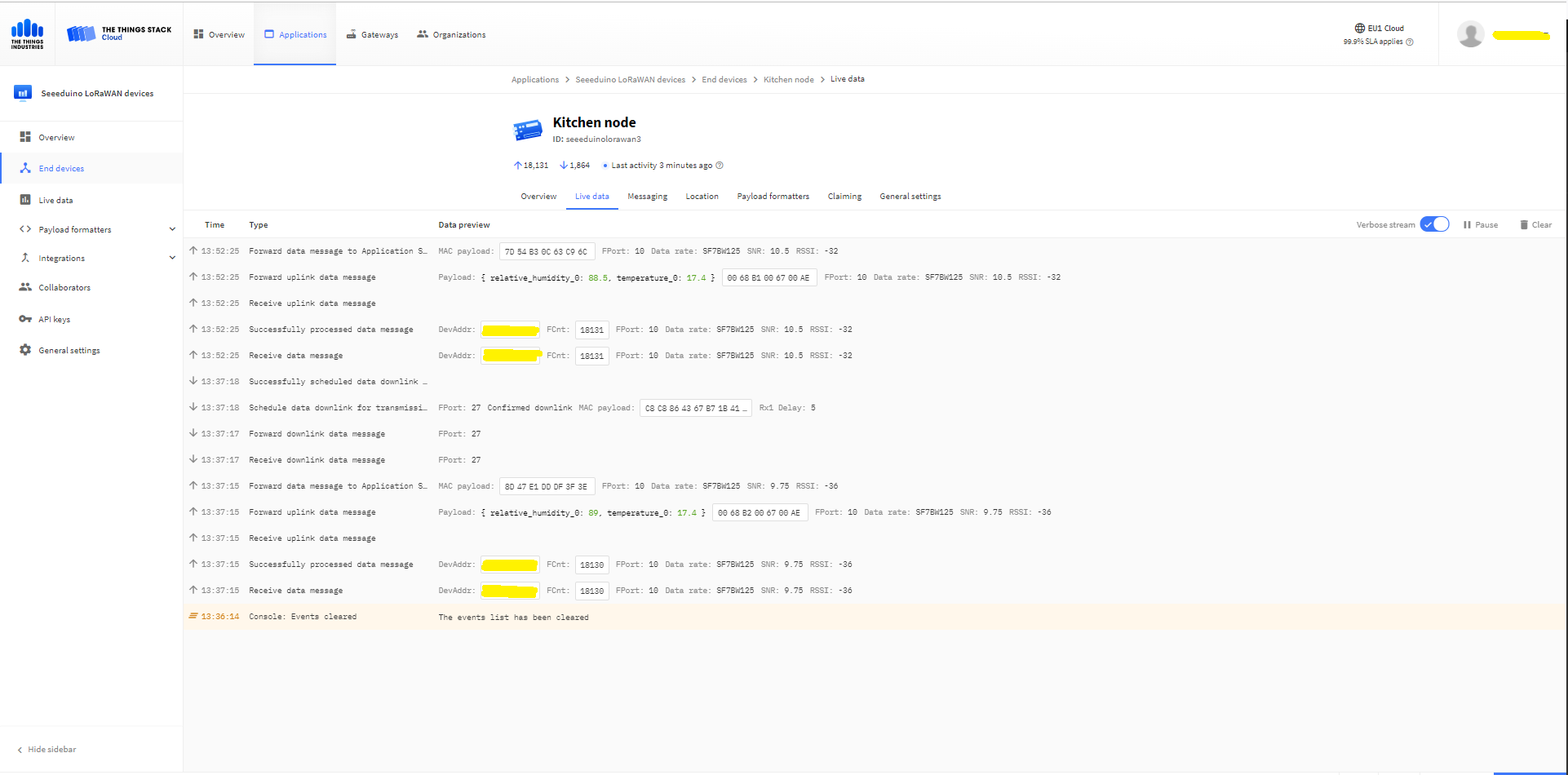
The Things Industries Live Data tab for an unconfirmed message-Queued
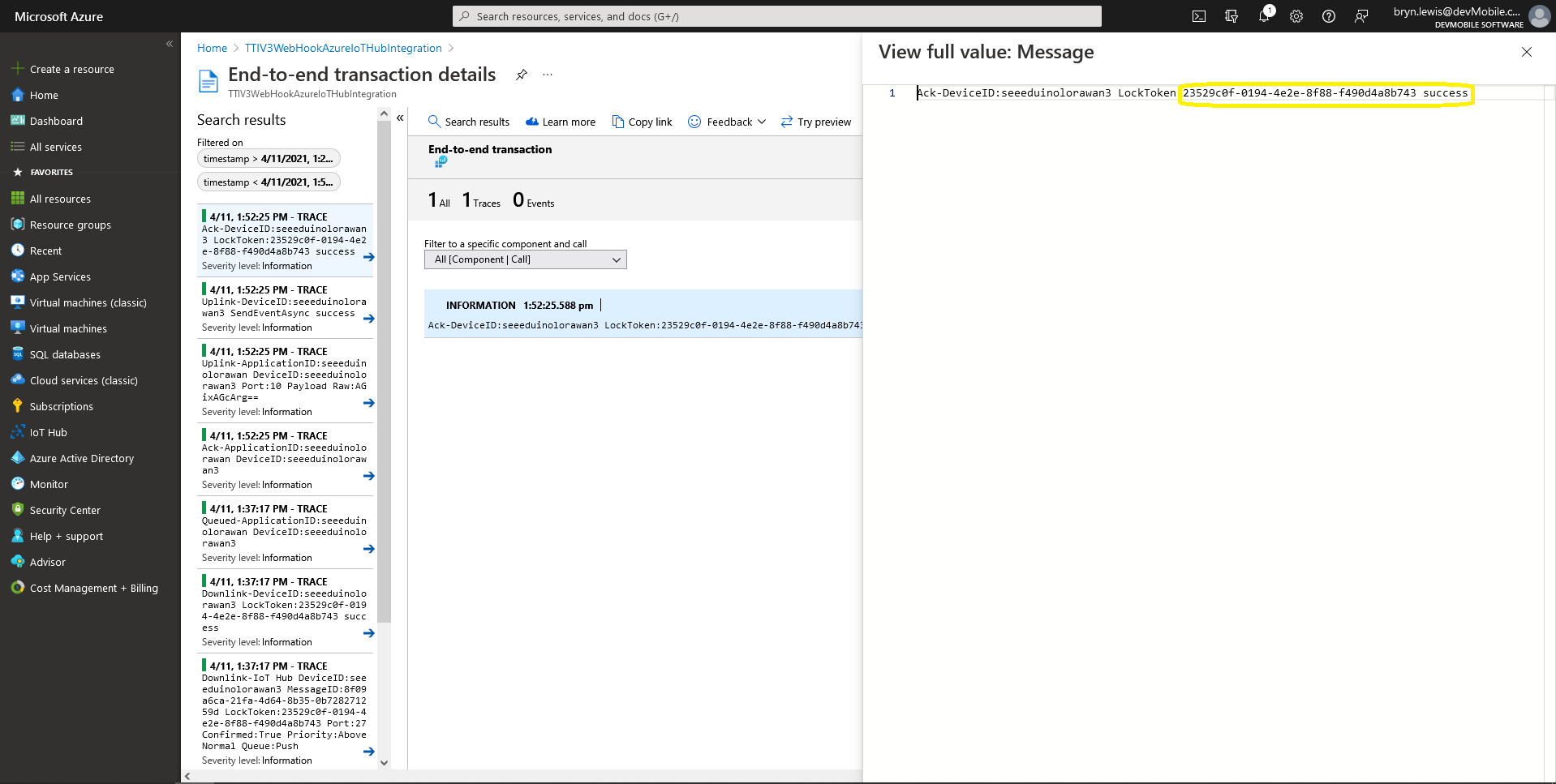
Azure Application Insights for an unconfirmed message
The Things Industries Live Data tab for an unconfirmed message-Sent
Azure IoT Explorer Cloud to Device sending a confirmed downlink message
Azure Application Insights for a confirmed message
The Things Industries Live Data tab for a confirmed message-Sent
The Things Industries Live Data tab for a confirmed message-Ack

If message delivery succeeds the deviceClient.CompleteAsync method (with the LockToken from the CorrelationIDs list) is called which removes the message from the device queue.

[Function("Ack")]
public async Task<HttpResponseData> Ack([HttpTrigger(AuthorizationLevel.Function, "post")] HttpRequestData req, FunctionContext executionContext)
{
	var logger = executionContext.GetLogger("Queued");

	// Wrap all the processing in a try\catch so if anything blows up we have logged it.
	try
	{
		string payloadText = await req.ReadAsStringAsync();

		Models.DownlinkAckPayload payload = JsonConvert.DeserializeObject<Models.DownlinkAckPayload>(payloadText);
		if (payload == null)
		{
			logger.LogInformation("Ack-Payload {0} invalid", payloadText);

			return req.CreateResponse(HttpStatusCode.BadRequest);
		}

		string applicationId = payload.EndDeviceIds.ApplicationIds.ApplicationId;
		string deviceId = payload.EndDeviceIds.DeviceId;

		logger.LogInformation("Ack-ApplicationID:{0} DeviceID:{1} ", applicationId, deviceId);

		if (!_DeviceClients.TryGetValue(deviceId, out DeviceClient deviceClient))
		{
			logger.LogInformation("Ack-Unknown device for ApplicationID:{0} DeviceID:{1}", applicationId, deviceId);

			return req.CreateResponse(HttpStatusCode.Conflict);
		}

		if (!AzureLockToken.TryGet(payload.DownlinkAck.CorrelationIds, out string lockToken))
		{
			logger.LogWarning("Ack-DeviceID:{0} LockToken missing from payload:{1}", payload.EndDeviceIds.DeviceId, payloadText);

			return req.CreateResponse(HttpStatusCode.BadRequest);
		}

		try
		{
			await deviceClient.CompleteAsync(lockToken);
		}
		catch (DeviceMessageLockLostException)
		{
			logger.LogWarning("Ack-CompleteAsync DeviceID:{0} LockToken:{1} timeout", payload.EndDeviceIds.DeviceId, lockToken);

			return req.CreateResponse(HttpStatusCode.Conflict);
		}

		logger.LogInformation("Ack-DeviceID:{0} LockToken:{1} success", payload.EndDeviceIds.DeviceId, lockToken);
	}
	catch (Exception ex)
	{
		logger.LogError(ex, "Ack message processing failed");

		return req.CreateResponse(HttpStatusCode.InternalServerError);
	}

	return req.CreateResponse(HttpStatusCode.OK);
}

Azure Application Insights for an confirmed message Ack

If message delivery fails the deviceClient.AbandonAsync method (with the LockToken from the CorrelationIDs list) is called which puts the downlink message back onto the device queue.

[Function("Failed")]
public async Task<HttpResponseData> Failed([HttpTrigger(AuthorizationLevel.Function, "post")] HttpRequestData req, FunctionContext executionContext)
{
	var logger = executionContext.GetLogger("Queued");

	// Wrap all the processing in a try\catch so if anything blows up we have logged it.
	try
	{
		string payloadText = await req.ReadAsStringAsync();

		Models.DownlinkFailedPayload payload = JsonConvert.DeserializeObject<Models.DownlinkFailedPayload>(payloadText);
		if (payload == null)
		{
			logger.LogInformation("Failed-Payload {0} invalid", payloadText);

			return req.CreateResponse(HttpStatusCode.BadRequest);
		}

		string applicationId = payload.EndDeviceIds.ApplicationIds.ApplicationId;
		string deviceId = payload.EndDeviceIds.DeviceId;

		logger.LogInformation("Failed-ApplicationID:{0} DeviceID:{1} ", applicationId, deviceId);

		if (!_DeviceClients.TryGetValue(deviceId, out DeviceClient deviceClient))
		{
			logger.LogInformation("Failed-Unknown device for ApplicationID:{0} DeviceID:{1}", applicationId, deviceId);

			return req.CreateResponse(HttpStatusCode.Conflict);
		}

		if (!AzureLockToken.TryGet(payload.DownlinkFailed.CorrelationIds, out string lockToken))
		{
			logger.LogWarning("Failed-DeviceID:{0} LockToken missing from payload:{1}", payload.EndDeviceIds.DeviceId, payloadText);

			return req.CreateResponse(HttpStatusCode.BadRequest);
		}

		try
		{
			await deviceClient.RejectAsync(lockToken);
		}
		catch (DeviceMessageLockLostException)
		{
			logger.LogWarning("Failed-RejectAsync DeviceID:{0} LockToken:{1} timeout", payload.EndDeviceIds.DeviceId, lockToken);

			return req.CreateResponse(HttpStatusCode.Conflict);
		}

		logger.LogInformation("Failed-DeviceID:{0} LockToken:{1} success", payload.EndDeviceIds.DeviceId, lockToken);
	}
	catch (Exception ex)
	{
		logger.LogError(ex, "Failed message processing failed");

		return req.CreateResponse(HttpStatusCode.InternalServerError);
	}

	return req.CreateResponse(HttpStatusCode.OK);
}

If message delivery is unsuccessful the deviceClient.RejectAsync method (with the LockToken from the CorrelationIDs list) is called which deletes the message from the device queue and indicates to the server that the message could not be processed.

[Function("Nack")]
public async Task<HttpResponseData> Nack([HttpTrigger(AuthorizationLevel.Function, "post")] HttpRequestData req, FunctionContext executionContext)
{
	var logger = executionContext.GetLogger("Queued");

	// Wrap all the processing in a try\catch so if anything blows up we have logged it.
	try
	{
		string payloadText = await req.ReadAsStringAsync();

		Models.DownlinkNackPayload payload = JsonConvert.DeserializeObject<Models.DownlinkNackPayload>(payloadText);
		if (payload == null)
		{
			logger.LogInformation("Nack-Payload {0} invalid", payloadText);

			return req.CreateResponse(HttpStatusCode.BadRequest);
		}

		string applicationId = payload.EndDeviceIds.ApplicationIds.ApplicationId;
		string deviceId = payload.EndDeviceIds.DeviceId;

		logger.LogInformation("Nack-ApplicationID:{0} DeviceID:{1} ", applicationId, deviceId);

		if (!_DeviceClients.TryGetValue(deviceId, out DeviceClient deviceClient))
		{
			logger.LogInformation("Nack-Unknown device for ApplicationID:{0} DeviceID:{1}", applicationId, deviceId);

			return req.CreateResponse(HttpStatusCode.Conflict);
		}

		if (!AzureLockToken.TryGet(payload.DownlinkNack.CorrelationIds, out string lockToken))
		{
			logger.LogWarning("Nack-DeviceID:{0} LockToken missing from payload:{1}", payload.EndDeviceIds.DeviceId, payloadText);

			return req.CreateResponse(HttpStatusCode.BadRequest);
		}

		try
		{
			await deviceClient.RejectAsync(lockToken);
		}
		catch (DeviceMessageLockLostException)
		{
			logger.LogWarning("Nack-RejectAsync DeviceID:{0} LockToken:{1} timeout", payload.EndDeviceIds.DeviceId, lockToken);

			return req.CreateResponse(HttpStatusCode.Conflict);
		}

		logger.LogInformation("Nack-DeviceID:{0} LockToken:{1} success", payload.EndDeviceIds.DeviceId, lockToken);
	}
	catch (Exception ex)
	{
		logger.LogError(ex, "Nack message processing failed");

		return req.CreateResponse(HttpStatusCode.InternalServerError);
	}

	return req.CreateResponse(HttpStatusCode.OK);
}

The way message Failed(Abandon), Ack(CompleteAsync) and Nack(RejectAsync) are handled needs some more testing to confirm my understanding of the sequencing of TTI confirmed message delivery.

BEWARE

The use of Confirmed messaging with devices that send uplink messages irregularly can cause weird problems if the Azure IoT hub downlink message times out.

TTI V3 Connector Minimalist Device to Cloud(D2C)

After pausing my Azure Storage Queued based approach I built a quick Proof of Concept(PoC) with an HTTPTrigger Azure Function. The application has a single endpoint for processing uplink messages which is called by a The Things Industries(TTI) Webhooks integration.

The Things Industries Application Webhook configuration
namespace devMobile.IoT.TheThingsIndustries.AzureIoTHub
{
	using System.Collections.Concurrent;
	using Microsoft.Azure.Devices.Client;
...

	public partial class Integration
	{
...
		private static readonly ConcurrentDictionary<string, DeviceClient> _DeviceClients = new ConcurrentDictionary<string, DeviceClient>();
...
	}
}

The connector uses a ConcurrentDictionary(indexed by TTI deviceID) to cache Azure IoT Hub DeviceClient instances.

public partial class Webhooks
{
	[Function("Uplink")]
	public async Task<HttpResponseData> Uplink([HttpTrigger(AuthorizationLevel.Function, "post")] HttpRequestData req, FunctionContext executionContext)
	{
		var logger = executionContext.GetLogger("Uplink");

		// Wrap all the processing in a try\catch so if anything blows up we have logged it. Will need to specialise for connectivity failues etc.
		try
		{
			Models.PayloadUplink payload = JsonConvert.DeserializeObject<Models.PayloadUplink>(await req.ReadAsStringAsync());
			if (payload == null)
			{
				logger.LogInformation("Uplink: Payload {0} invalid", await req.ReadAsStringAsync());

				return req.CreateResponse(HttpStatusCode.BadRequest);
			}

			string applicationId = payload.EndDeviceIds.ApplicationIds.ApplicationId;
			string deviceId = payload.EndDeviceIds.DeviceId;

			if ((payload.UplinkMessage.Port == null ) || (!payload.UplinkMessage.Port.HasValue) || (payload.UplinkMessage.Port.Value == 0))
			{
				logger.LogInformation("Uplink-ApplicationID:{0} DeviceID:{1} Payload Raw:{2} Control nessage", applicationId, deviceId, payload.UplinkMessage.PayloadRaw);

				return req.CreateResponse(HttpStatusCode.BadRequest);
			}

			int port = payload.UplinkMessage.Port.Value;

			logger.LogInformation("Uplink-ApplicationID:{0} DeviceID:{1} Port:{2} Payload Raw:{3}", applicationId, deviceId, port, payload.UplinkMessage.PayloadRaw);

			if (!_DeviceClients.TryGetValue(deviceId, out DeviceClient deviceClient))
			{
				logger.LogInformation("Uplink-Unknown device for ApplicationID:{0} DeviceID:{1}", applicationId, deviceId);

				deviceClient = DeviceClient.CreateFromConnectionString(_configuration.GetConnectionString("AzureIoTHub"), deviceId);

				try
				{
					await deviceClient.OpenAsync();
				}
				catch (DeviceNotFoundException)
				{
					logger.LogWarning("Uplink-Unknown DeviceID:{0}", deviceId);

					return req.CreateResponse(HttpStatusCode.NotFound);
				}

				if (!_DeviceClients.TryAdd(deviceId, deviceClient))
				{
					logger.LogWarning("Uplink-TryAdd failed for ApplicationID:{0} DeviceID:{1}", applicationId, deviceId);

					return req.CreateResponse(HttpStatusCode.Conflict);
				}
			}

			JObject telemetryEvent = new JObject
			{
				{ "ApplicationID", applicationId },
				{ "DeviceID", deviceId },
				{ "Port", port },
				{ "PayloadRaw", payload.UplinkMessage.PayloadRaw }
			};

			// If the payload has been decoded by payload formatter, put it in the message body.
			if (payload.UplinkMessage.PayloadDecoded != null)
			{
				telemetryEvent.Add("PayloadDecoded", payload.UplinkMessage.PayloadDecoded);
			}

			// Send the message to Azure IoT Hub
			using (Message ioTHubmessage = new Message(Encoding.ASCII.GetBytes(JsonConvert.SerializeObject(telemetryEvent))))
			{
				// Ensure the displayed time is the acquired time rather than the uploaded time. 
				ioTHubmessage.Properties.Add("iothub-creation-time-utc", payload.UplinkMessage.ReceivedAtUtc.ToString("s", CultureInfo.InvariantCulture));
				ioTHubmessage.Properties.Add("ApplicationId", applicationId);
				ioTHubmessage.Properties.Add("DeviceEUI", payload.EndDeviceIds.DeviceEui);
				ioTHubmessage.Properties.Add("DeviceId", deviceId);
				ioTHubmessage.Properties.Add("port", port.ToString());

				await deviceClient.SendEventAsync(ioTHubmessage);
			}
		}
		catch (Exception ex)
		{
			logger.LogError(ex, "Uplink message processing failed");

			return req.CreateResponse(HttpStatusCode.InternalServerError);
		}

		return req.CreateResponse(HttpStatusCode.OK);
	}
}

For initial development and testing I ran the function application in the desktop emulator and simulated TTI webhook calls with Telerik Fiddler and modified TTI sample payloads.

Azure Functions Desktop development environment

I then deployed my function to Azure and configured the Azure IoT Hub connection string, Azure Application Insights key etc.

Azure Function configuration

I then used Azure IoT Explorer to configure devices, view uplink traffic etc. When I connected to my Azure IoT Hub shortly after starting the application all the devices were disconnected.

Azure IoT Explorer – no connected devices

The SeeeduinoLoRaWAN devices report roughly every 15 minutes so it took a while for them all to connect. (the SeeeduinoLoRaWAN4 & SeeeduinoLoRaWAN6 need to be repaired) .

Azure IoT Explorer – some connected devices

After a device had connected I could use Azure IoT Explorer to inspect the Seeeduino LoRaWAN device uplink message payloads.

Azure IoT Explorer displaying device telemetry

I also used Azure Application Insights to monitor the performance of the function and device activity.

Azure Application Insights displaying device telemetry

The Azure functions uplink message processor was then “soak tested” for a week without an issues.