NickSwardh NuGet Nvidia Jetson Orin Nano™ GPU CUDA Inferencing

My Seeedstudio reComputer J3011 has two processors an ARM64 CPU and an Nividia Jetson Orin 8G coprocessor. YoloDotNet by NickSwardh V2 (uses SkiaSharp) was significantly faster when run on the ARM64 CPU so I wanted to try inferencing with the Nividia Jetson Orin 8G coprocessor.

Performance of YoloDotNet by NickSwardh V2 running on the ARM64 CPU

Performance of YoloDotNet by NickSwardh V2 running on the Nividia Jetson Orin 8G with Compute Unified Device Architecture (CUDA) enabled.

Enabling CUDA reduced the total image scaling, pre-processing, inferencing, and post processing time from 115mSec to 36mSec which is a significant improvement.

YoloV8 ONNX – Nvidia Jetson Orin Nano™ CPU & GPU TensorRT Inferencing

The Seeedstudio reComputer J3011 has two processors an ARM64 CPU and an Nividia Jetson Orin 8G. To speed up TensorRT inferencing I built an Open Neural Network Exchange(ONNX) TensorRT Execution Provider. After updating the code to add a “warm-up” and tracking of average pre-processing, inferencing & post-processing durations I did a series of CPU & GPU performance tests.

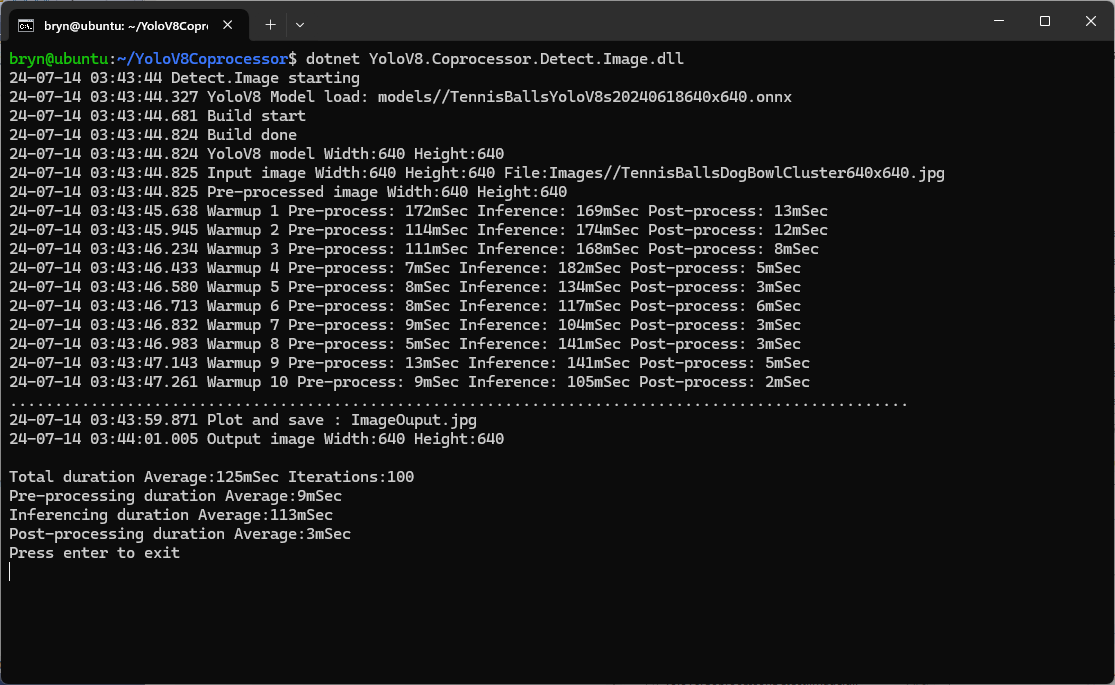
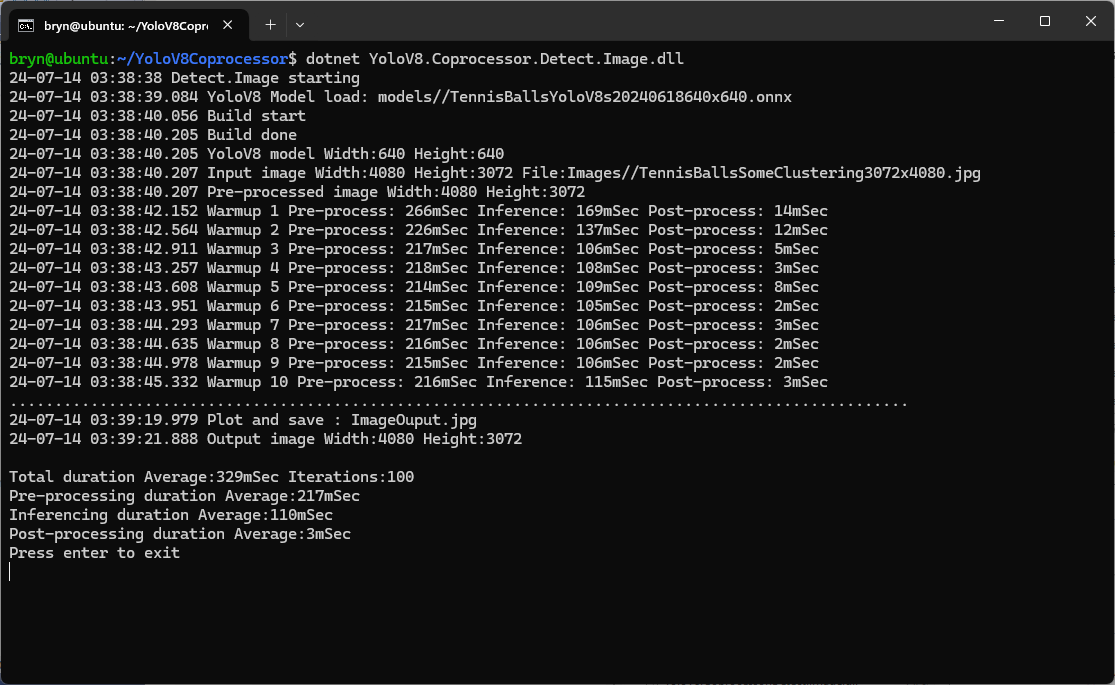
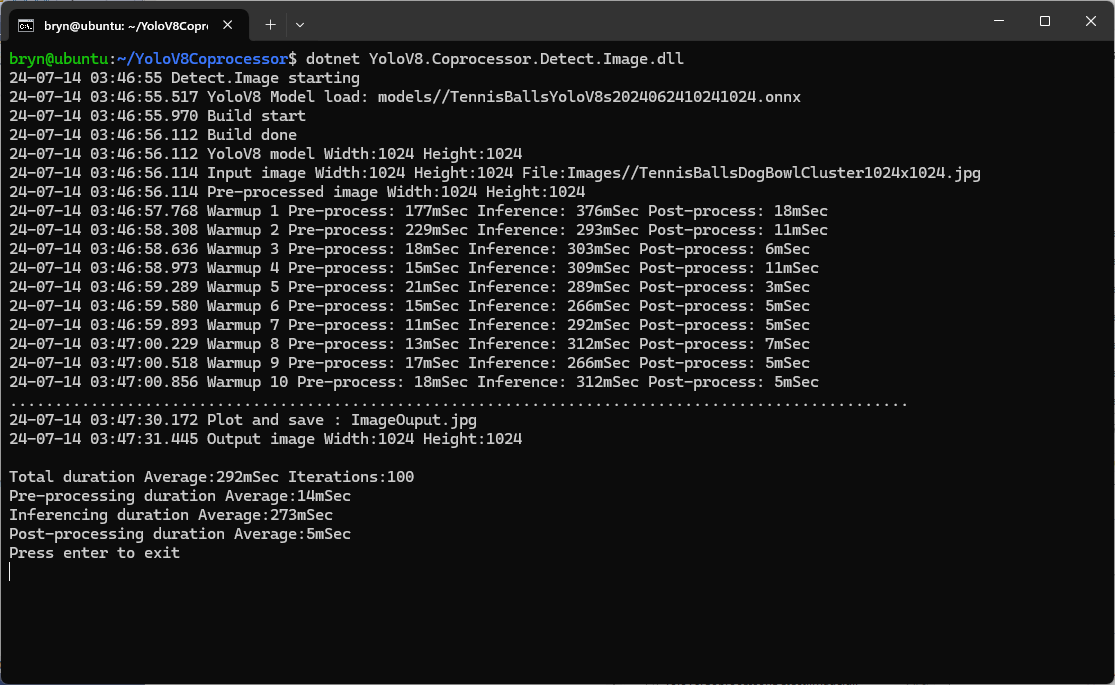
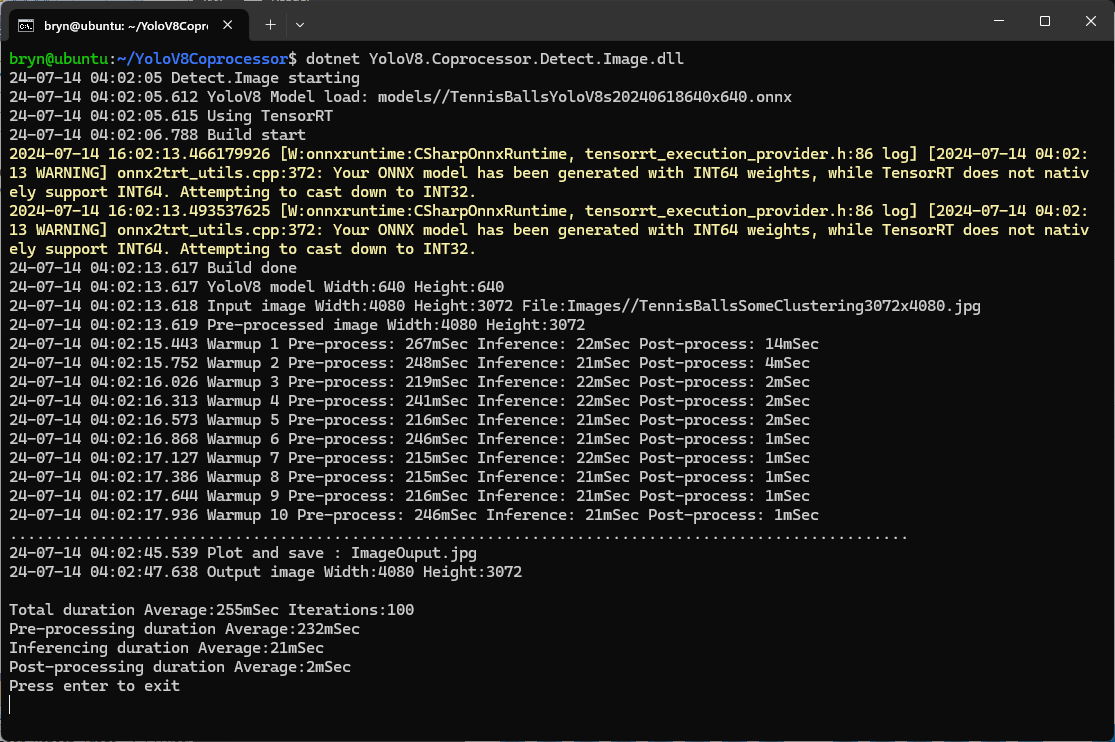
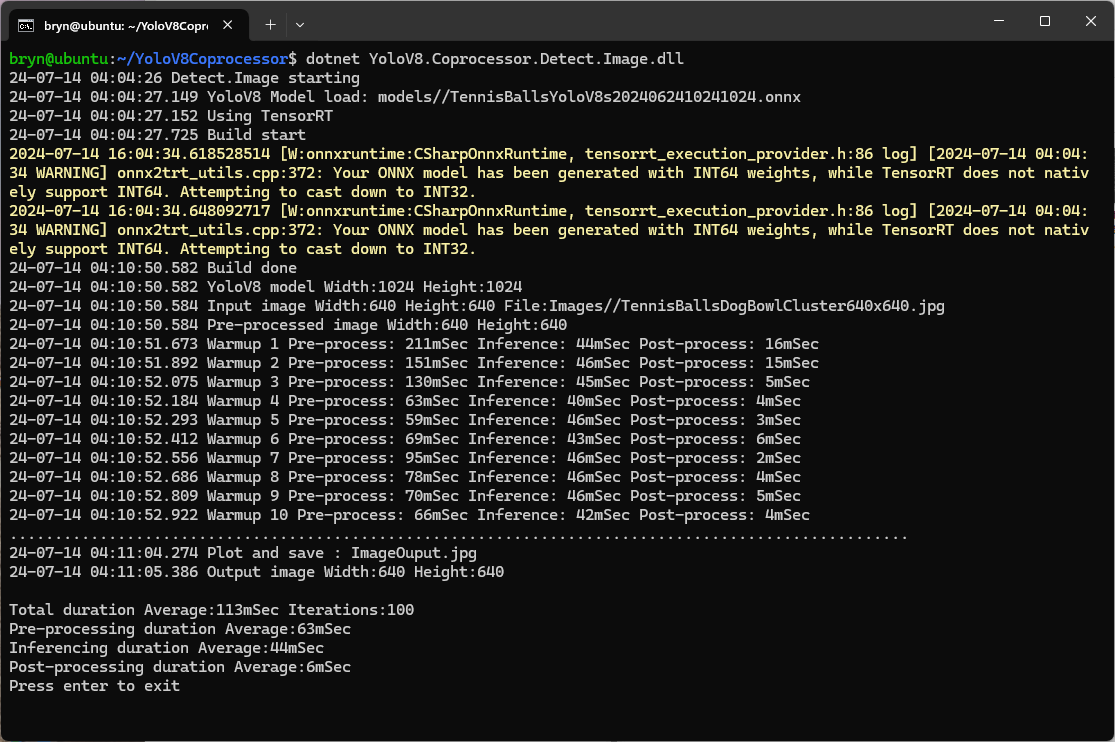
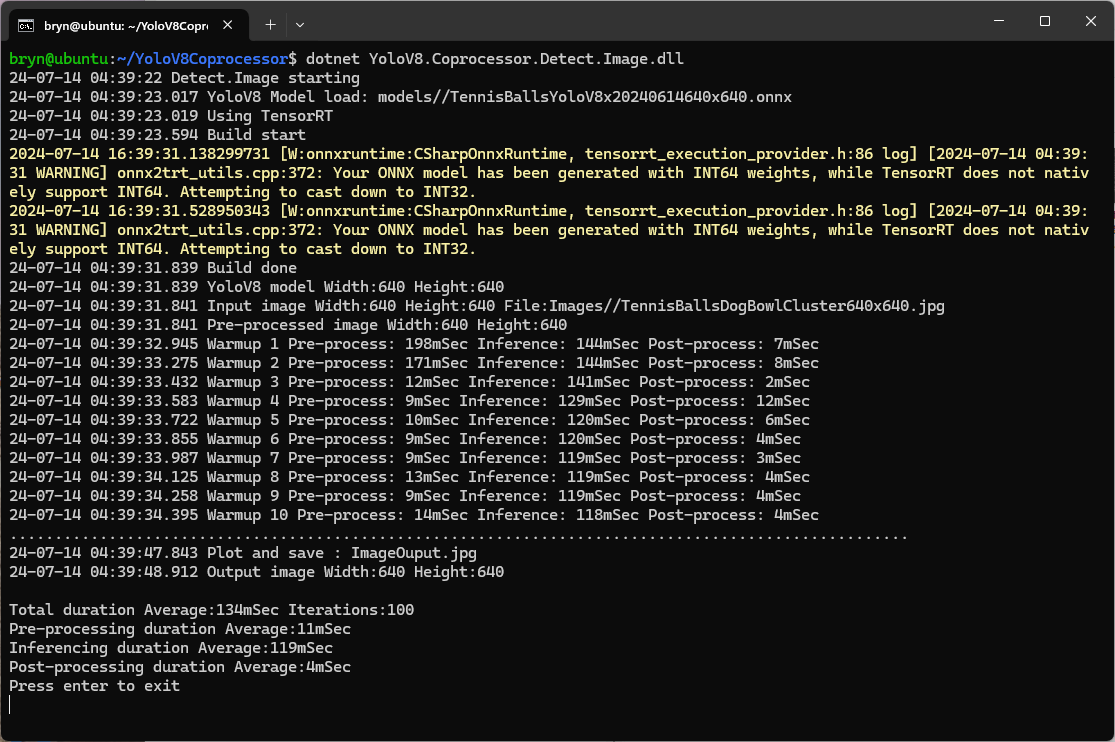
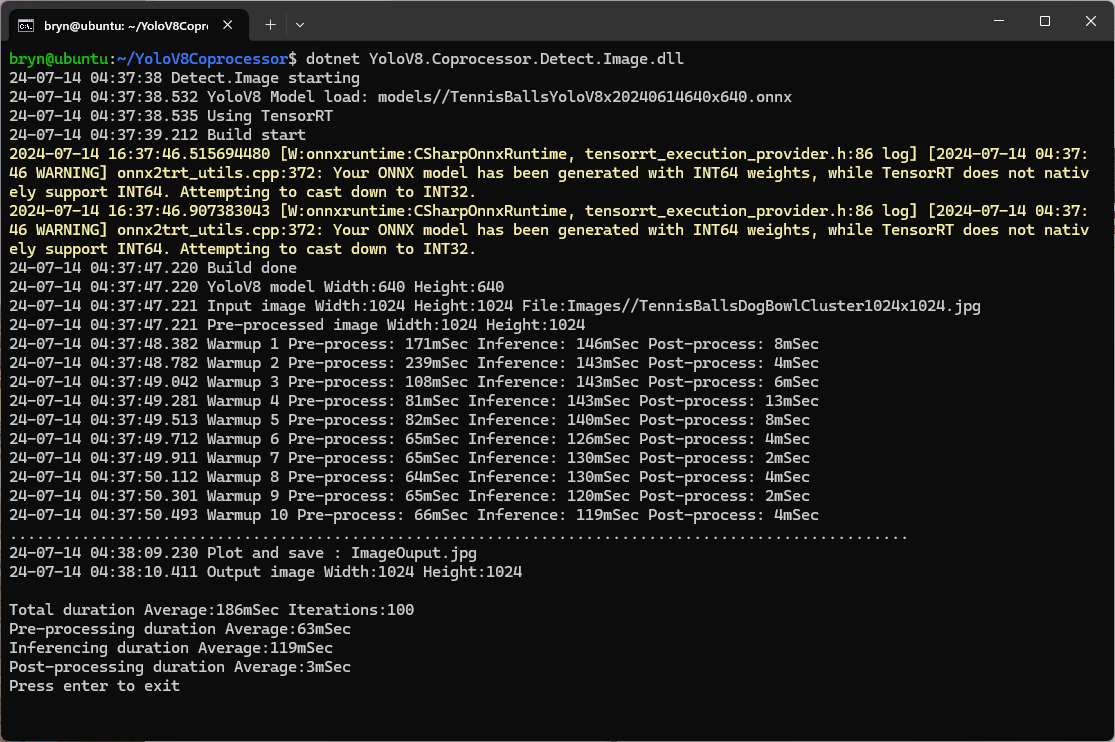
The testing consisted of permutations of three models TennisBallsYoloV8s20240618640×640.onnx, TennisBallsYoloV8s2024062410241024.onnx & TennisBallsYoloV8x20240614640×640 (limited testing as slow) and three images TennisBallsLandscape640x640.jpg, TennisBallsLandscape1024x1024.jpg & TennisBallsLandscape3072x4080.jpg.

Executive Summary

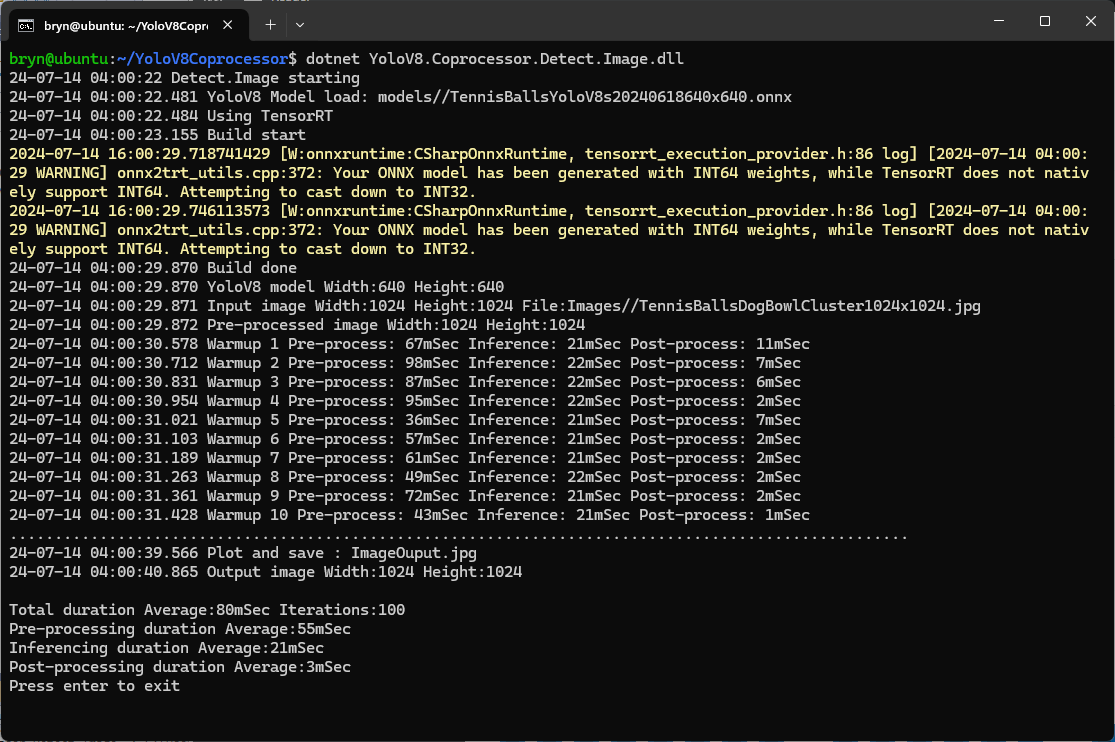
As expected, inferencing with a TensorRT 640×640 model and a 640×640 image was fastest, 9mSec pre-processing, 21mSec inferencing, then 4mSec post-processing.

If the image had to be scaled with SixLabors.ImageSharp this significantly increased the preprocessing (and overall) time.

CPU Inferencing

GPU TensorRT Small model Inferencing

GPU TensorRT Large model Inferencing

Nvidia Jetson Orin Nano™ JetPack 6

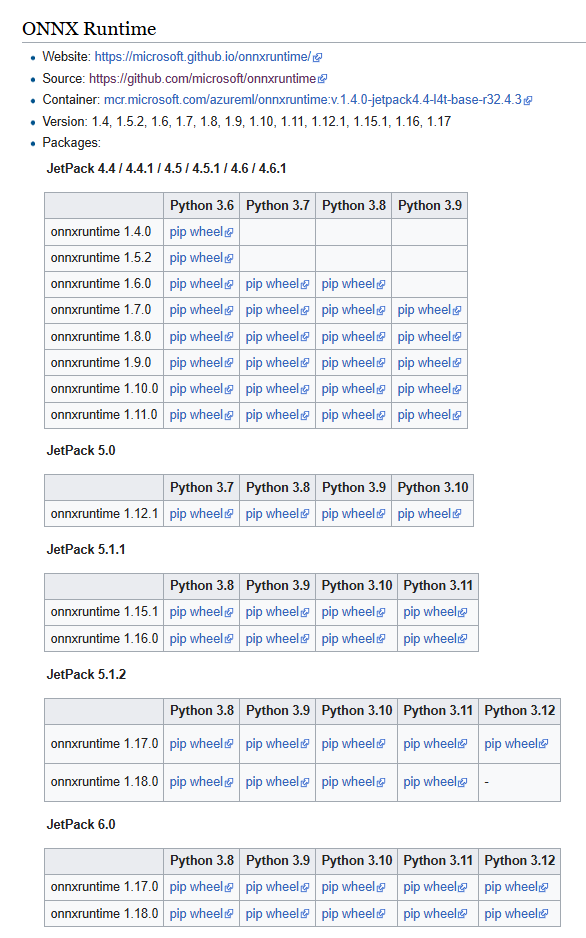
The Seeedstudio reComputer J3011 has two processors an ARM64 CPU and an Nividia Jetson Orin 8G Coprocessor. To speed up ML.NET running on the Nividia Jetson Orin 8G required compatible versions of ML.NET Open Neural Network Exchange (ONNX) and NVIDIA Jetpack.

Before installing NVIDIA Jetpack 6 the Seeedstudio reComputer J3011 Edge AI Device has to be put into recovery mode

Seeedstudio reComputer J3011 Edge AI Device with jumper for recovery mode

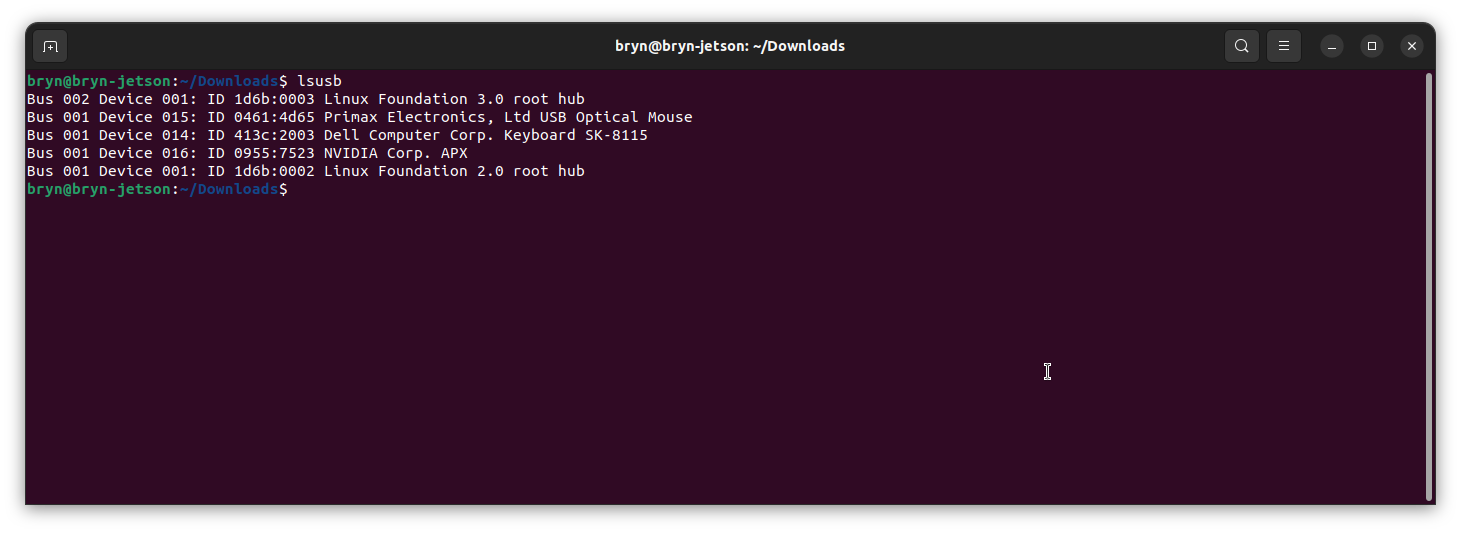
When started in recovery mode the Seeedstudio J3011 was in list of Universal Serial Bus (USB) devices returned by lsusb

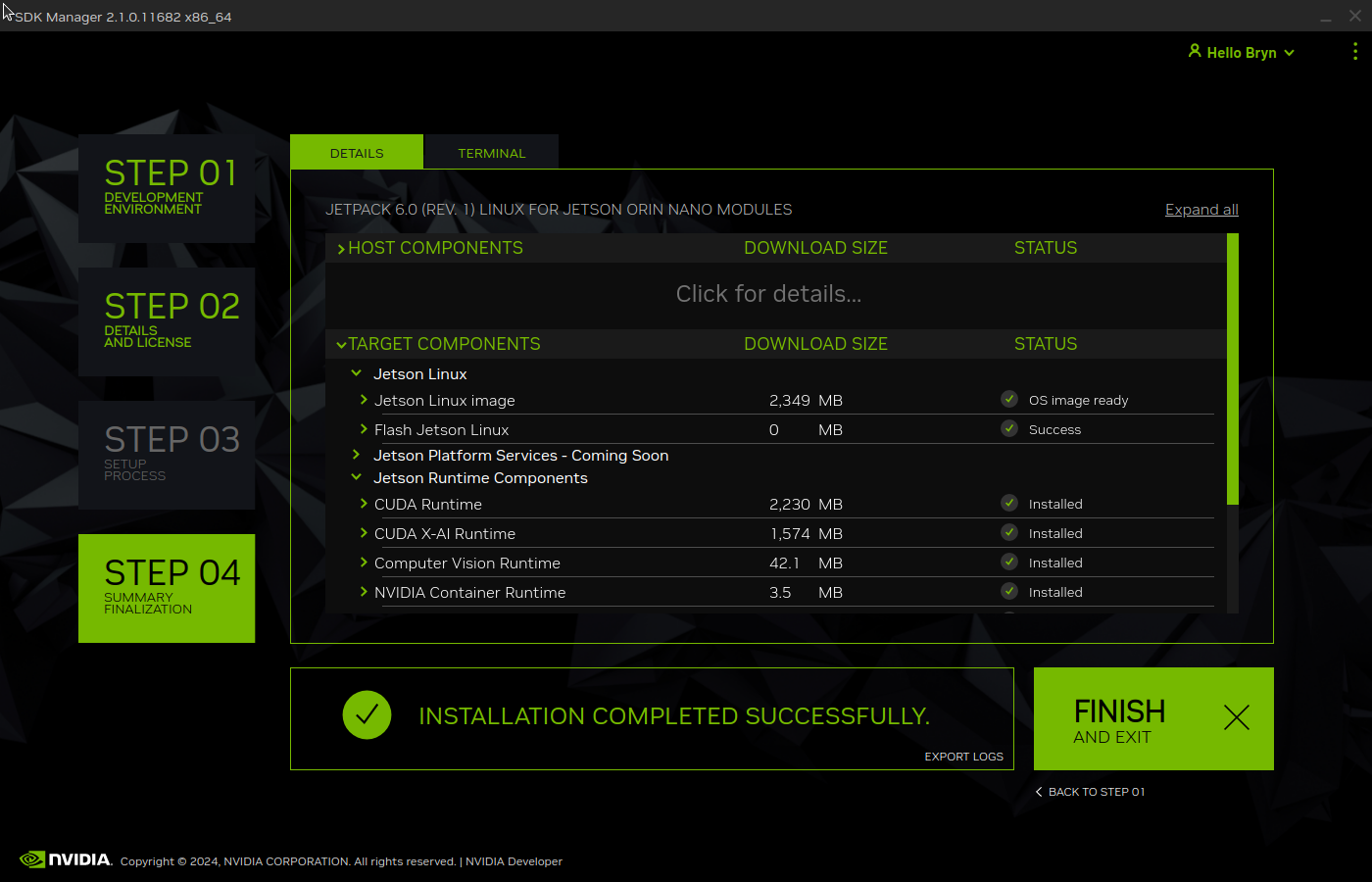
Upgrading to Jetpack 5.1.1 so the device could be upgraded using the Windows subsystem for Linux terminal failed. The NVIDIA SDK Manager downloads and installs all the required components and dependencies.

Installing NVIDIA Jetpack 6 from the Windows subsystem for Linux failed because the version of Ubuntu installed(Ubuntu 24.02 LTS) was not supported by NVIDIA SDK Manager.

Installing NVIDIA Jetpack 6 from a desktop PC running Ubuntu 24.02 LTS failed (the same issue as above) because the NVIDIA SDK Manager did not support that version of Ubuntu. The desktop PC was then “re-paved” with Ubuntu 22.04 LTS and NVIDIA SDK Manager worked.

An NVIDIA Developer program login is required to launch the NVIDIA SDK Manager

Selecting the right target hardware is important if it is not “auto detected”.

The Open Neural Network Exchange(ONNX) supports the Compute Unified Device Architecture (CUDA) which has to be included in the installation package.

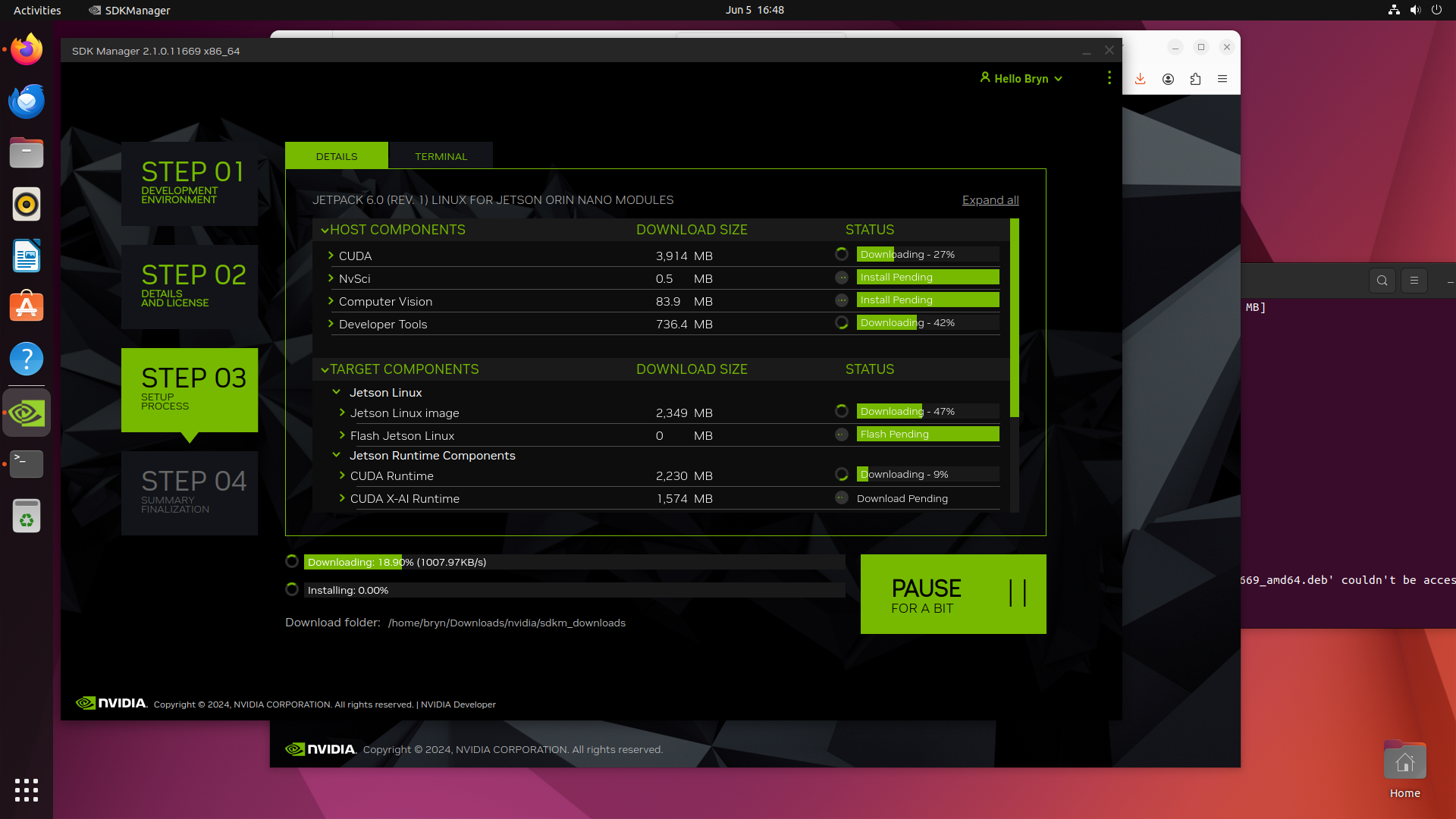
Downloading NVIDIA Jetpack 6 and all the selected components of the install can be quite slow

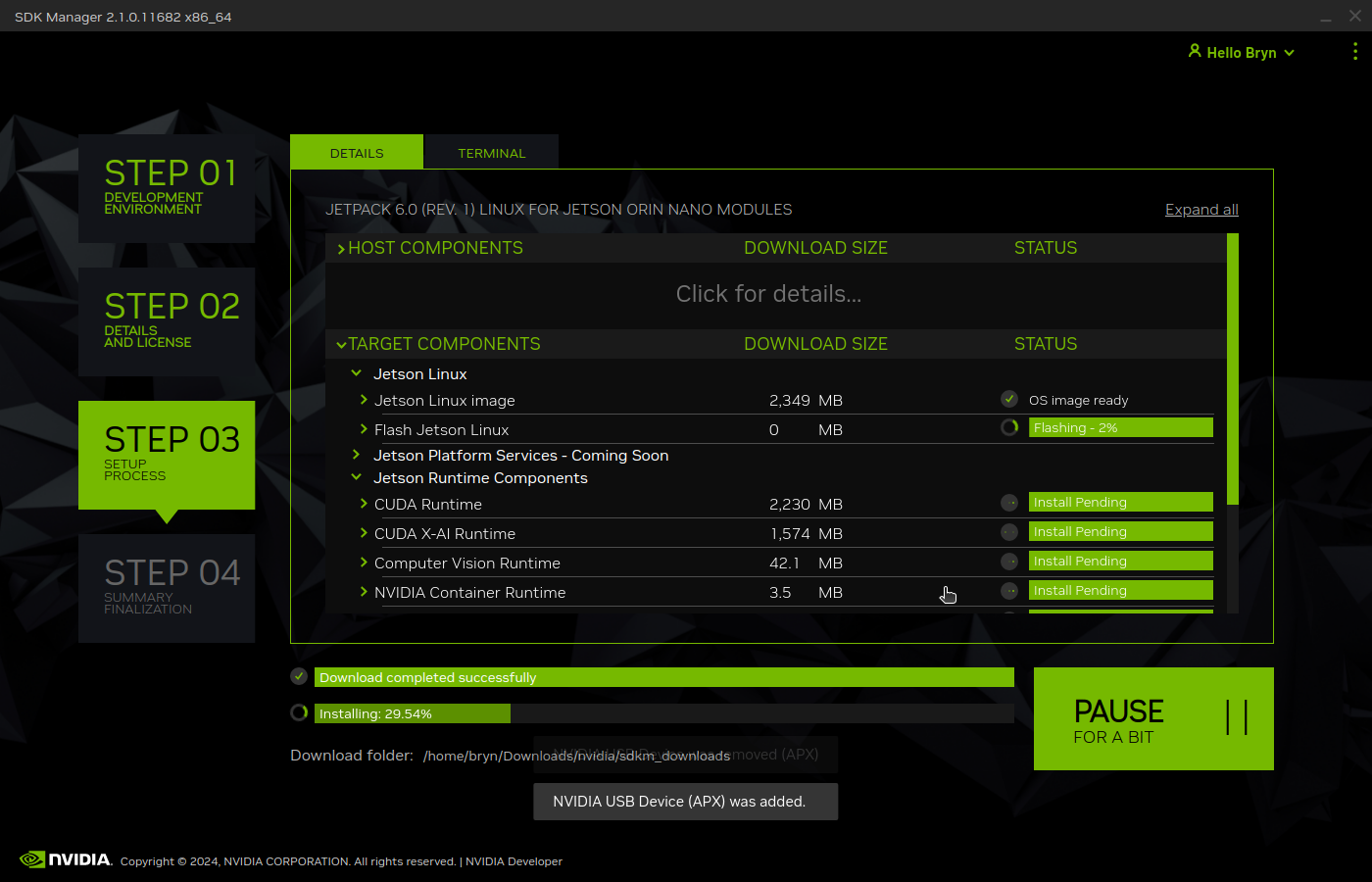
Installation of NVIDIA Jetpack 6 and selected components can take a while.

Even though Jetpack 6 is now available for Seeed’s Jetson Orin Devices this process is still applicable for an upgrade or “factory reset”.

YoloV8 ONNX – Nvidia Jetson Orin Nano™ GPU TensorRT Inferencing

The Seeedstudio reComputer J3011 has two processors an ARM64 CPU and an Nividia Jetson Orin 8G. To speed up inferencing on the Nividia Jetson Orin 8G with TensorRT I built an Open Neural Network Exchange(ONNX) TensorRT Execution Provider.

Roboflow Universe Tennis Ball by Ugur ozdemir dataset

The Open Neural Network Exchange(ONNX) model used was trained on Roboflow Universe by Ugur ozdemir dataset which has 23696 images. The initial version of the TensorRT integration used the builder.UseTensorrt method of the IYoloV8Builder interface.

...
YoloV8Builder builder = new YoloV8Builder();

builder.UseOnnxModel(_applicationSettings.ModelPath);

if (_applicationSettings.UseTensorrt)
{
   Console.WriteLine($" {DateTime.UtcNow:yy-MM-dd HH:mm:ss.fff} Using TensorRT");

   builder.UseTensorrt(_applicationSettings.DeviceId);
}
...

When the YoloV8.Coprocessor.Detect.Image application was configured to use the NVIDIA TensorRT Execution provider the average inference time was 58mSec but it took roughly 7 minutes to build and optimise the engine each time the application was run.

Generating the TensorRT engine every time the application is started

The TensorRT Execution provider has a number of configuration options but the IYoloV8Builder interface had to modified with UseCuda, UseRocm, UseTensorrt and UseTvm overloads implemented to allow additional configuration settings.

...
public class YoloV8Builder : IYoloV8Builder
{
...
    public IYoloV8Builder UseOnnxModel(BinarySelector model)
    {
        _model = model;

        return this;
    }

#if GPURELEASE
    public IYoloV8Builder UseCuda(int deviceId) => WithSessionOptions(SessionOptions.MakeSessionOptionWithCudaProvider(deviceId));

    public IYoloV8Builder UseCuda(OrtCUDAProviderOptions options) => WithSessionOptions(SessionOptions.MakeSessionOptionWithCudaProvider(options));

    public IYoloV8Builder UseRocm(int deviceId) => WithSessionOptions(SessionOptions.MakeSessionOptionWithRocmProvider(deviceId));
    
    // Couldn't test this don't have suitable hardware
    public IYoloV8Builder UseRocm(OrtROCMProviderOptions options) => WithSessionOptions(SessionOptions.MakeSessionOptionWithRocmProvider(options));

    public IYoloV8Builder UseTensorrt(int deviceId) => WithSessionOptions(SessionOptions.MakeSessionOptionWithTensorrtProvider(deviceId));

    public IYoloV8Builder UseTensorrt(OrtTensorRTProviderOptions options) => WithSessionOptions(SessionOptions.MakeSessionOptionWithTensorrtProvider(options));

    // Couldn't test this don't have suitable hardware
    public IYoloV8Builder UseTvm(string settings = "") => WithSessionOptions(SessionOptions.MakeSessionOptionWithTvmProvider(settings));
#endif
...
}

The trt_engine_cache_enable and trt_engine_cache_path TensorRT Execution provider session options configured the engine to be cached when it’s built for the first time so when a new inference session is created the engine can be loaded directly from disk.

...
YoloV8Builder builder = new YoloV8Builder();

builder.UseOnnxModel(_applicationSettings.ModelPath);

if (_applicationSettings.UseTensorrt)
{
   Console.WriteLine($" {DateTime.UtcNow:yy-MM-dd HH:mm:ss.fff} Using TensorRT");

   OrtTensorRTProviderOptions tensorRToptions = new OrtTensorRTProviderOptions();

   Dictionary<string, string> optionKeyValuePairs = new Dictionary<string, string>();

   optionKeyValuePairs.Add("trt_engine_cache_enable", "1");
   optionKeyValuePairs.Add("trt_engine_cache_path", "enginecache/");

   tensorRToptions.UpdateOptions(optionKeyValuePairs);

   builder.UseTensorrt(tensorRToptions);
}
...

In order to validate that the loaded engine loaded from the trt_engine_cache_path is usable for the current inference, an engine profile is also cached and loaded along with engine

If current input shapes are in the range of the engine profile, the loaded engine can be safely used. If input shapes are out of range, the profile will be updated and the engine will be recreated based on the new profile.

Reusing the TensorRT engine built the first time the application is started

When the YoloV8.Coprocessor.Detect.Image application was configured to use NVIDIA TensorRT and the engine was cached the average inference time was 58mSec and the Build method took roughly 10sec to execute after the application had been run once.
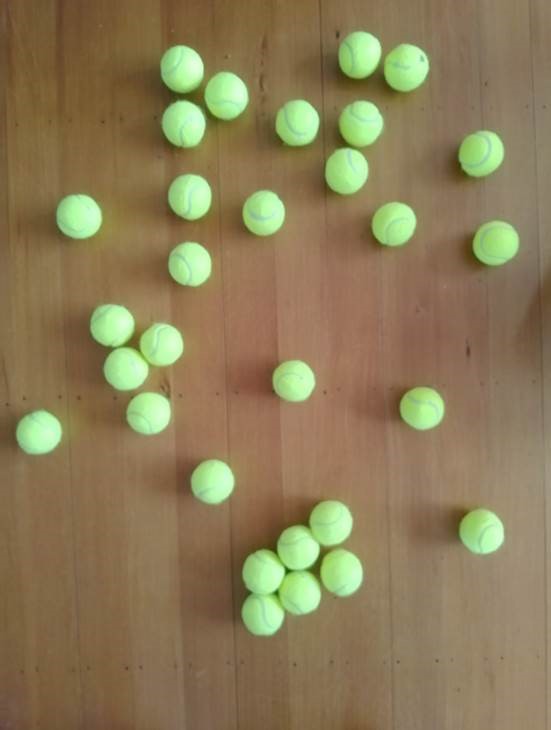
trtexec console application output

The trtexec utility can “pre-generate” engines but there doesn’t appear a way to use them with the TensorRT Execution provider.

YoloV8 ONNX – Nvidia Jetson Orin Nano™ GPU CUDA Inferencing

The Seeedstudio reComputer J3011 has two processors an ARM64 CPU and an Nividia Jetson Orin 8G. To speed up inferencing with the Nividia Jetson Orin 8G with Compute Unified Device Architecture (CUDA) I built an Open Neural Network Exchange(ONNX) CUDA Execution Provider.

The Open Neural Network Exchange(ONNX) model used was trained on Roboflow Universe by Ugur ozdemir dataset which has 23696 images.

// load the app settings into configuration
var configuration = new ConfigurationBuilder()
      .AddJsonFile("appsettings.json", false, true)
.Build();

_applicationSettings = configuration.GetSection("ApplicationSettings").Get<Model.ApplicationSettings>();

Console.WriteLine($" {DateTime.UtcNow:yy-MM-dd HH:mm:ss.fff} YoloV8 Model load: {_applicationSettings.ModelPath}");

YoloV8Builder builder = new YoloV8Builder();

builder.UseOnnxModel(_applicationSettings.ModelPath);

if (_applicationSettings.UseCuda)
{
   builder.UseCuda(_applicationSettings.DeviceId) ;
}

if (_applicationSettings.UseTensorrt)
{
   builder.UseTensorrt(_applicationSettings.DeviceId);
}

/*
builder.WithConfiguration(c =>
{
});
*/

/*
builder.WithSessionOptions(new Microsoft.ML.OnnxRuntime.SessionOptions()
{

});
*/

using (var image = await SixLabors.ImageSharp.Image.LoadAsync<Rgba32>(_applicationSettings.ImageInputPath))
using (var predictor = builder.Build())
{
   var result = await predictor.DetectAsync(image);

   Console.WriteLine();
   Console.WriteLine($"Speed: {result.Speed}");
   Console.WriteLine();

   foreach (var prediction in result.Boxes)
   {
      Console.WriteLine($" Class {prediction.Class} {(prediction.Confidence * 100.0):f1}% X:{prediction.Bounds.X} Y:{prediction.Bounds.Y} Width:{prediction.Bounds.Width} Height:{prediction.Bounds.Height}");
   }

   Console.WriteLine();

   Console.WriteLine($" {DateTime.UtcNow:yy-MM-dd HH:mm:ss.fff} Plot and save : {_applicationSettings.ImageOutputPath}");

   using (var imageOutput = await result.PlotImageAsync(image))
   {
      await imageOutput.SaveAsJpegAsync(_applicationSettings.ImageOutputPath);
   }
}

When configured to run the YoloV8.Coprocessor.Detect.Image on the ARM64 CPU the average inference time was 729 mSec.

The first time ran the YoloV8.Coprocessor.Detect.Image application configured to use CUDA for inferencing it failed badly.

The YoloV8.Coprocessor.Detect.Image application was then configured to use CUDA and the average inferencing time was 85mSec.

It took a couple of weeks to get the YoloV8.Coprocessor.Detect.Image application inferencing on the Nividia Jetson Orin 8G coprocessor and this will be covered in detail in another posts.