Random wanderings through Microsoft Azure esp. PaaS plumbing, the IoT bits, AI on Micro controllers, AI on Edge Devices, .NET nanoFramework, .NET Core on *nix and ML.NET+ONNX
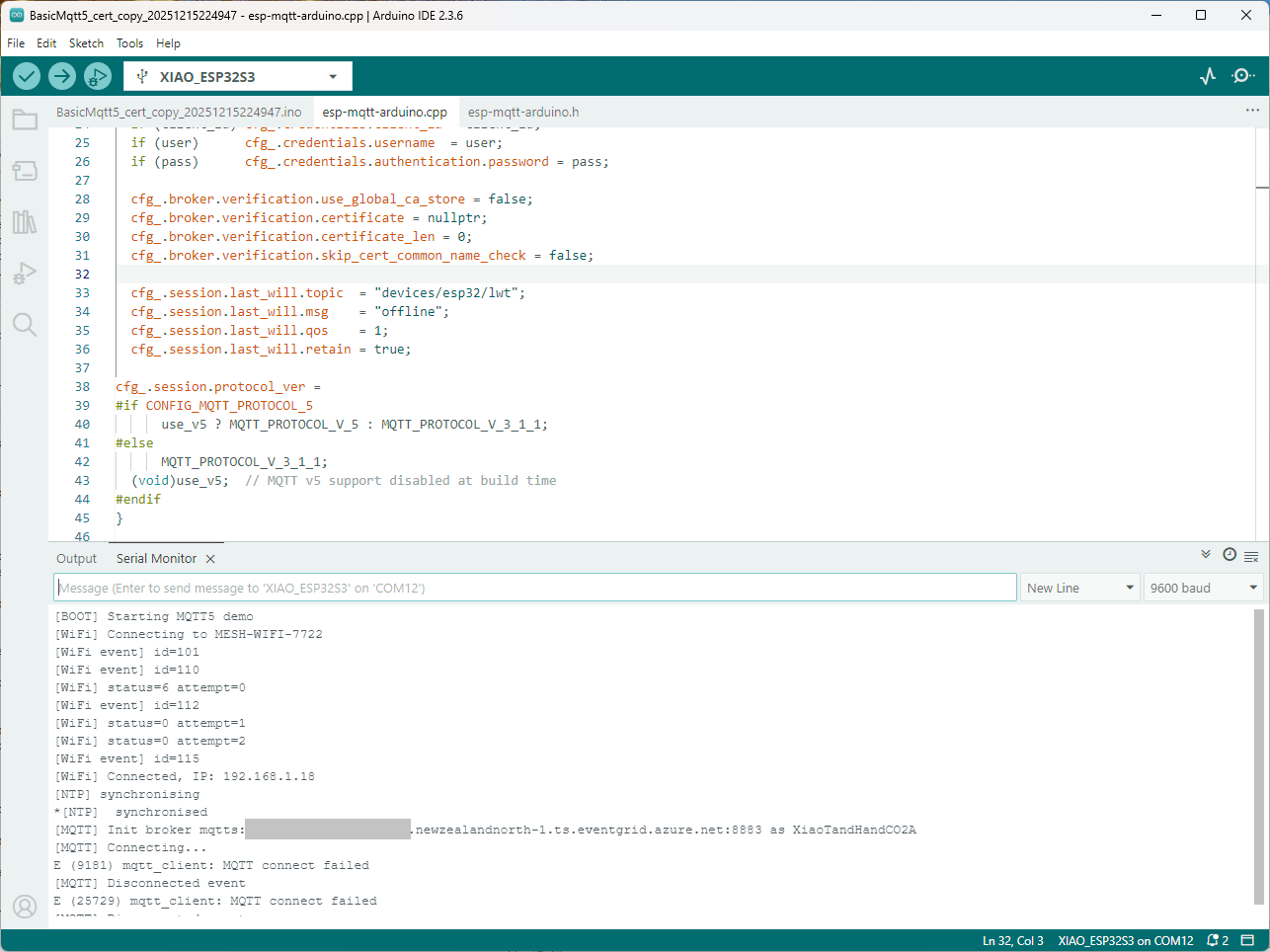
Still couldn’t figure out why my code was failing so I turned up logging to 11 and noticed a couple of messages which didn’t make sense. The device was connecting than disconnecting which indicated a another problem. As part of the Message Queue Telemetry Transport(MQTT) specification there is a “feature” Last Will and Testament(LWT) which a client can configure so that the MQTT broker sends a message to a topic if the device disconnects unexpectedly.
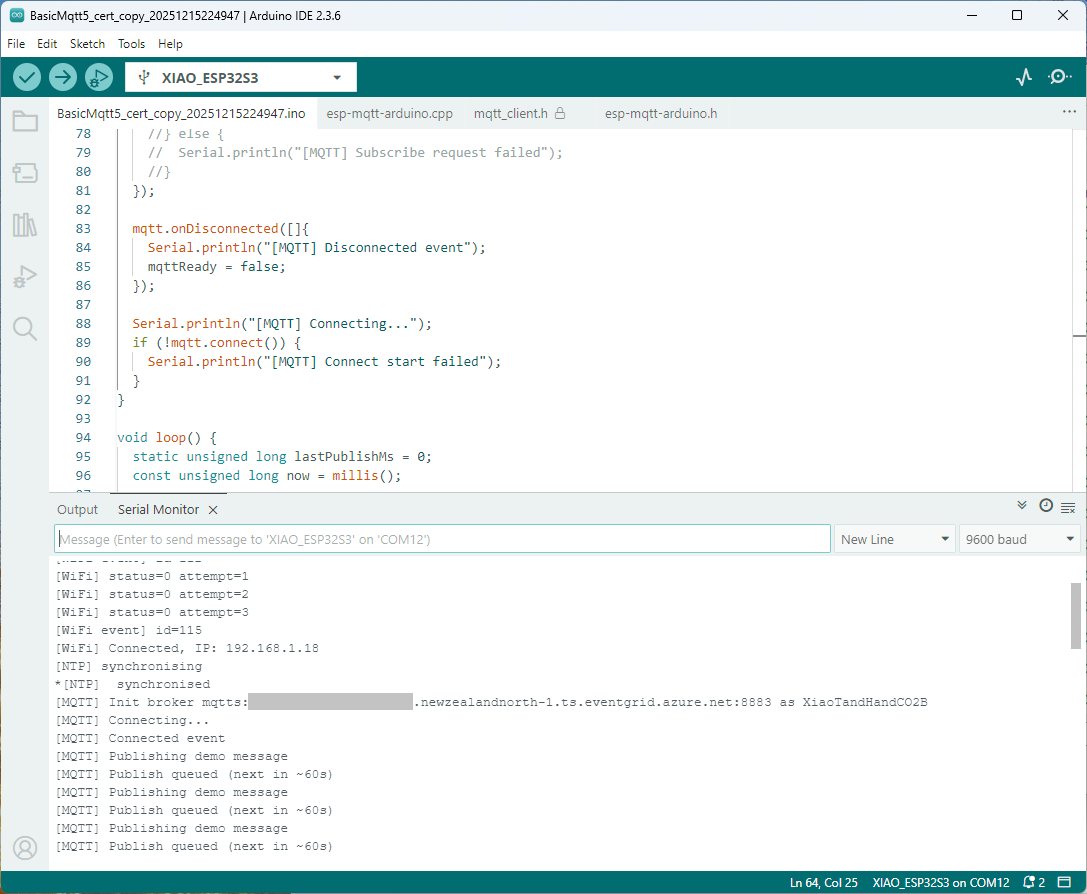
I was looking at the code and noticed that LWT was being used and that the topic didn’t exist in my Azure Event Grid MQTT Broker namespace. When the LWT configuration was commented out the application worked.
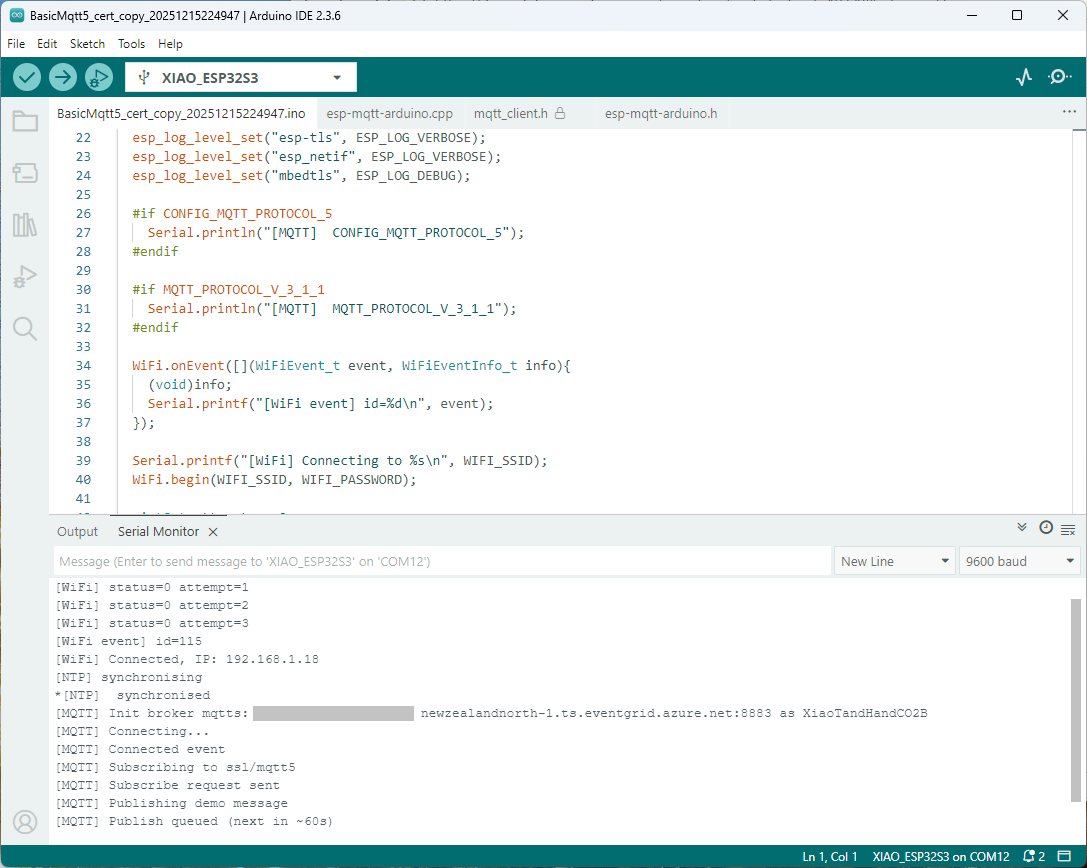
Paying close attention to the logging I noticed the “Subscribing to ssl/mqtts” followed by “Subscribe request sent”
I checked the sample application and found that if the connect was successful the application would then try and subscribe to a topic that didn’t exist.
The myriotaAzure IoT Hub Cloud Identity Translation Gateway uplink message handler Azure Storage Queue Trigger Function wasn’t processing “transient” vs. “permanent” failures well. Sometimes a “permanent” failure message would be retried multiple times by the function runtime before getting moved to the poison queue.
After some experimentation using an Azure Storage Queue Function Output binding to move messages to the poison queue looked like a reasonable approach. (Though, returning null to indicate the message should be removed from the queue was not obvious from the documentation)
[Function("UplinkMessageProcessor")]
[QueueOutput(queueName: "uplink-poison", Connection = "UplinkQueueStorage")]
public async Task<Models.UplinkPayloadQueueDto> UplinkMessageProcessor([QueueTrigger(queueName: "uplink", Connection = "UplinkQueueStorage")] Models.UplinkPayloadQueueDto payload, CancellationToken cancellationToken)
{
...
   // Process each packet in the payload. Myriota docs say only one packet per payload but just incase...
   foreach (Models.QueuePacket packet in payload.Data.Packets)
   {
      // Lookup the device client in the cache or create a new one
      Models.DeviceConnectionContext context;

      try
      {
         context = await _deviceConnectionCache.GetOrAddAsync(packet.TerminalId, cancellationToken);
      }
      catch (DeviceNotFoundException dnfex)
      {
         _logger.LogError(dnfex, "Uplink- PayloadId:{0} TerminalId:{1} terminal not found", payload.Id, packet.TerminalId);

         return payload;
      }
      catch (Exception ex) // Maybe just send to poison queue or figure if transient error?
      {
         _logger.LogError(ex, "Uplink- PayloadId:{0} TerminalId:{1} ", payload.Id, packet.TerminalId);

         throw;
      }
...
         // Proccessing successful, message can be deleted by QueueTrigger plumbing
         return null;
      }
After building and testing an Azure Storage Queue Function Output binding implementation I’m not certain that it is a good approach. The code is a bit “chunky” and I have had to implement more of the retry process logic.
namespace devMobile.IoT.myriotaAzureIoTConnector.myriota.UplinkWebhook.Models
{
    public class UplinkPayloadWebDto
    {
        public string EndpointRef { get; set; }
        public long Timestamp { get; set; }
        public string Data { get; set; } // Embedded JSON ?
        public string Id { get; set; }
        public string CertificateUrl { get; set; }
        public string Signature { get; set; }
    }
}
The UplinkWebhook controller “automagically” deserialises the message, then in code the embedded JSON is deserialised and “unpacked”, finally the processed message is inserted into an Azure Storage queue.
For a couple of weeks Myriota Developer Toolkit has been sitting under my desk and today I got some time to setup a device, register it, then upload some data.
Visual Studio Solution explorer Azure Functions projects
All of the examples now have a program.vb which initialises the Trigger.
Namespace VBNet....TriggerIsolated
    Friend Class Program
        Public Shared Sub Main(ByVal args As String())
            Call FunctionsDebugger.Enable()

            Dim host = New HostBuilder().ConfigureFunctionsWorkerDefaults().Build()

            host.Run()
        End Sub
    End Class
End Namespace
Namespace devMobile.Azure.VBNetBlobTriggerIsolated
    Public Class BlobTrigger
        Private ReadOnly _logger As ILogger

        Public Sub New(ByVal loggerFactory As ILoggerFactory)
            _logger = loggerFactory.CreateLogger(Of BlobTrigger)()
        End Sub

        <[Function]("vbnetblobtriggerisolated")>
        Public Sub Run(
        <BlobTrigger("vbnetblobtriggerisolated/{name}", Connection:="blobendpoint")> ByVal myBlob As String, ByVal name As String)

            _logger.LogInformation($"VB.Net NET 4.8 Isolated Blob trigger function Processed blob Name: {name}  Data: {myBlob}")
        End Sub
    End Class
End Namespace
Azure BlobTrigger function running in the desktop emulator
Azure BlobTrigger Function logging in Application Insights
I used Telerik Fiddler to POST messages to the desktop emulator and Azure endpoints.
Namespace VBNetHttpTriggerIsolated
    Public Class HttpTrigger
        Private Shared executionCount As Int32
        Private ReadOnly _logger As ILogger

        Public Sub New(ByVal loggerFactory As ILoggerFactory)
            _logger = loggerFactory.CreateLogger(Of HttpTrigger)()
        End Sub

        <[Function]("Notifications")>
        Public Function Run(
        <HttpTrigger(AuthorizationLevel.Anonymous, "get", "post")> ByVal req As HttpRequestData) As HttpResponseData
            Interlocked.Increment(executionCount)

            _logger.LogInformation("VB.Net NET 4.8 Isolated HTTP trigger Execution count:{executionCount} Method:{req.Method}", executionCount, req.Method)

            Dim response = req.CreateResponse(HttpStatusCode.OK)
            response.Headers.Add("Content-Type", "text/plain; charset=utf-8")

            Return response
        End Function
    End Class
End Namespace
Azure HttpTrigger Function running in the desktop emulator
Azure HttpTrigger Function logging in Application Insights
Namespace devMobile.Azure.VBNetQueueTriggerIsolated

    Public Class QueueTrigger
        Private Shared _logger As ILogger
        Private Shared _concurrencyCount As Integer = 0
        Private Shared _executionCount As Integer = 0

        Public Sub New(ByVal loggerFactory As ILoggerFactory)
            _logger = loggerFactory.CreateLogger(Of QueueTrigger)()
        End Sub

        <[Function]("VBNetQueueTriggerIsolated")>
        Public Sub Run(
        <QueueTrigger("vbnetqueuetriggerisolated", Connection:="QueueEndpoint")> ByVal message As String)
            Interlocked.Increment(_concurrencyCount)
            Interlocked.Increment(_executionCount)

            _logger.LogInformation("VB.Net .NET 4.8 Isolated Queue Trigger Concurrency:{_concurrencyCount} ExecutionCount:{_executionCount} Message:{message}", _concurrencyCount, _executionCount, message)

            Interlocked.Decrement(_concurrencyCount)
        End Sub
    End Class
End Namespace
Azure QueueTrigger Function running in the desktop emulator
Azure QueueTrigger Function logging in Application Insights
Namespace devMobile.Azure.VBNetTimerTriggerIsolated
    Public Class TimerTrigger
        Private Shared _logger As ILogger
        Private Shared _executionCount As Integer = 0

        Public Sub New(ByVal loggerFactory As ILoggerFactory)
            _logger = loggerFactory.CreateLogger(Of TimerTrigger)()
        End Sub

        <[Function]("Timer")>
        Public Sub Run(
        <TimerTrigger("0 */1 * * * *")> ByVal myTimer As MyInfo)

            Interlocked.Increment(_executionCount)
            _logger.LogInformation("VB.Net Isolated TimerTrigger next trigger:{0} Execution count:{1}", myTimer.ScheduleStatus.Next, _executionCount)
        End Sub
    End Class
Azure TimerTrigger Function running in the desktop emulator
Azure TimerTrigger Function logging in Application Insights
The application now has a StartUpService which loads the Azure DeviceClient cache (Lazy Cache) in the background as the application starts up. If an uplink message is received from a SwarmDevice before, it has been loaded by the FunctionsStartup the DeviceClient information is cached and another connection to the Azure IoT Hub is not established.
I’m looking at building a webby user interface where users an interactivity list, create, edit, delete formatters with syntax highlighter support, and the executing the formatter with sample payloads.
Swarm Space Azure IoT Connector Identity Translation Gateway Architecture
This approach uses most of the existing building blocks, and that’s it no more changes.
There are now separate Data Transfer Objects(DTO) for the uplink and queue message payloads mainly, because the UplinkPayloadQueueDto has additional fields for the client (based on the x-api-key) and when the webhook was called.
public class UplinkPayloadQueueDto
{
    public ulong PacketId { get; set; }
    public byte DeviceType { get; set; }
    public uint DeviceId { get; set; }
    public ushort UserApplicationId { get; set; }
    public uint OrganizationId { get; set; }
    public string Data { get; set; } = string.Empty;
    public byte Length { get; set; }
    public int Status { get; set; }
    public DateTime SwarmHiveReceivedAtUtc { get; set; }
    public DateTime UplinkWebHookReceivedAtUtc { get; set; }
    public string Client { get; set; } = string.Empty;
 }

public class UplinkPayloadWebDto
{
    public ulong PacketId { get; set; }
    public byte DeviceType { get; set; }
    public uint DeviceId { get; set; }
    public ushort UserApplicationId { get; set; }
    public uint OrganizationId { get; set; }
    public string Data { get; set; } = string.Empty;

    [Range(Constants.PayloadLengthMinimum, Constants.PayloadLengthMaximum)]
    public byte Len { get; set; }
    public int Status { get; set; }

    public DateTime HiveRxTime { get; set; }
}
I did consider using AutoMapper to copy the values from the UplinkPayloadWebDto to the UplinkPayloadQueueDto but the additional complexity/configuration required for one mapping wasn’t worth it.
The UplinkController has a single POST method, which has a JSON payload(FromBody) and a single header (FromHeader) “x-api-key” which is to secure the method and identify the caller.
[HttpPost]
public async Task<IActionResult> Post([FromHeader(Name = "x-api-key")] string xApiKeyValue, [FromBody] Models.UplinkPayloadWebDto payloadWeb)
{
    if (!_applicationSettings.XApiKeys.TryGetValue(xApiKeyValue, out string apiKeyName))
    {
        _logger.LogWarning("Authentication unsuccessful X-API-KEY value:{xApiKeyValue}", xApiKeyValue);

        return this.Unauthorized("Unauthorized client");
    }

    _logger.LogInformation("Authentication successful X-API-KEY value:{apiKeyName}", apiKeyName);

    // Could of used AutoMapper but didn't seem worth it for one place
    Models.UplinkPayloadQueueDto payloadQueue = new()
    {
        PacketId = payloadWeb.PacketId,
        DeviceType = payloadWeb.DeviceType,
        DeviceId = payloadWeb.DeviceId,
        UserApplicationId = payloadWeb.UserApplicationId,
        OrganizationId = payloadWeb.OrganizationId,
        Data = payloadWeb.Data,
        Length = payloadWeb.Len,
        Status = payloadWeb.Status,
        SwarmHiveReceivedAtUtc = payloadWeb.HiveRxTime,
        UplinkWebHookReceivedAtUtc = DateTime.UtcNow,
        Client = apiKeyName,
    };

    _logger.LogInformation("SendAsync queue name:{QueueName}", _applicationSettings.QueueName);

    QueueClient queueClient = _queueServiceClient.GetQueueClient(_applicationSettings.QueueName);

    await queueClient.SendMessageAsync(Convert.ToBase64String(JsonSerializer.SerializeToUtf8Bytes(payloadQueue)));

    return this.Ok();
 }
Swarm Space Azure IoT Connector Identity Translation Gateway Architecture
The new approach uses most of the existing building blocks but adds an Azure HTTP Trigger which receives the Swarm Space Bumble bee hive Webhook Delivery Method calls and writes them to an Azure Storage Queue.
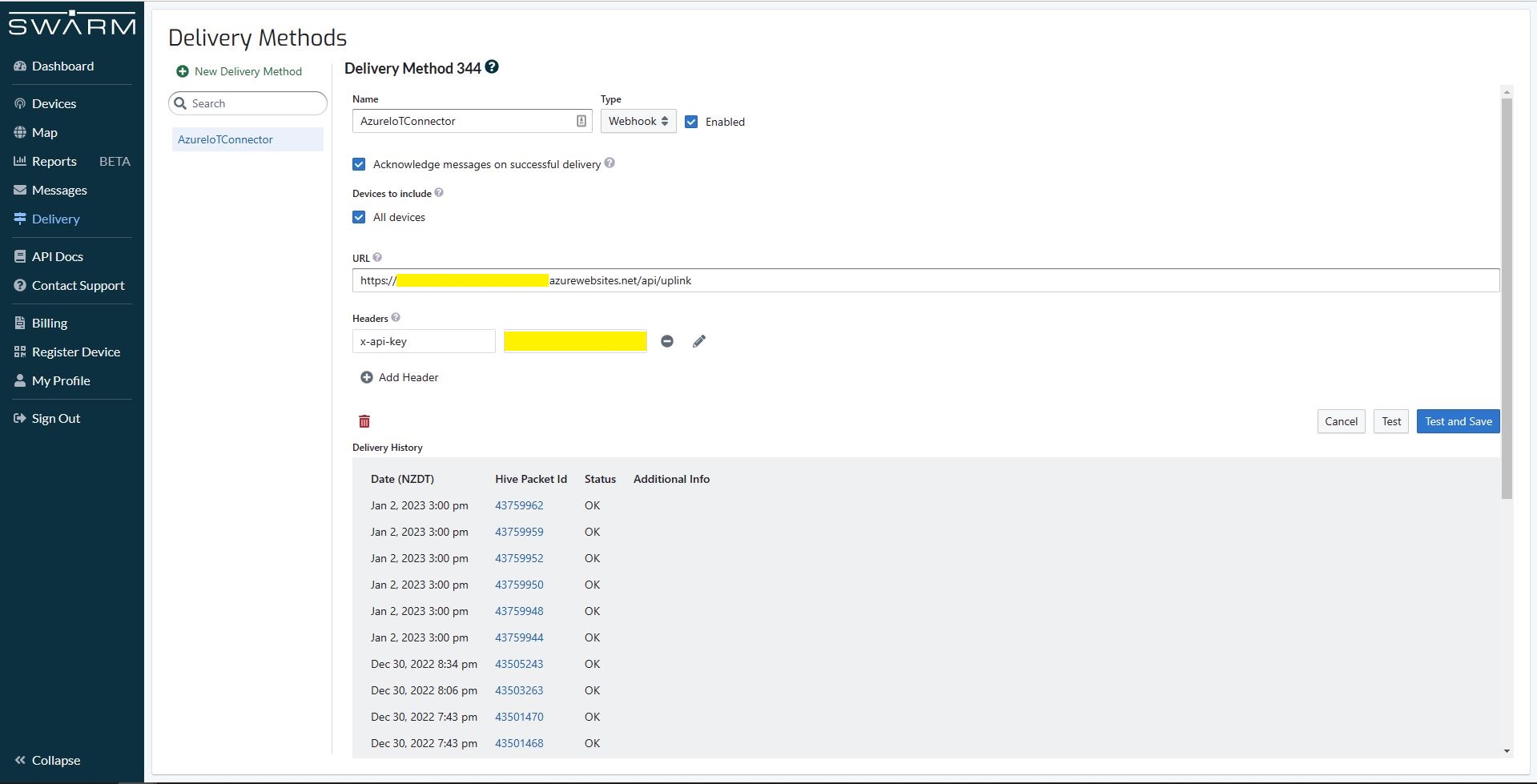
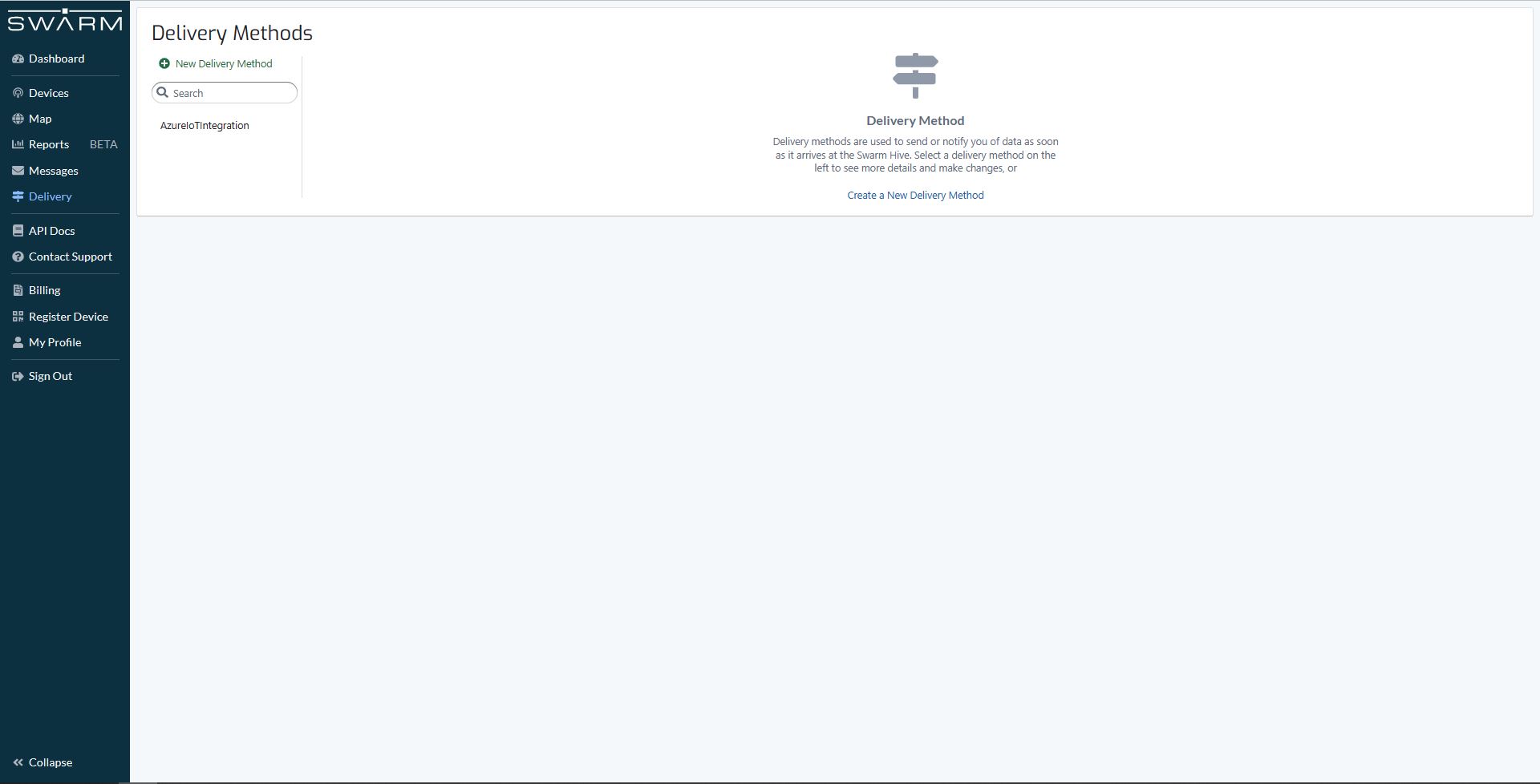
Swarm Space Bumble bee hive Web Hook Delivery method
The uplink and downlink formatters are now called asynchronously so they have limited impact on the overall performance of the application.
 https://json2csharp.com/

    // Root myDeserializedClass = JsonConvert.DeserializeObject<Root>(myJsonResponse);
    public class Root
    {
        public int packetId { get; set; }
        public int deviceType { get; set; }
        public int deviceId { get; set; }
        public int userApplicationId { get; set; }
        public int organizationId { get; set; }
        public string data { get; set; }
        public int len { get; set; }
        public int status { get; set; }
        public DateTime hiveRxTime { get; set; }
    }
*/
 public class UplinkPayload
    {
        [JsonProperty("packetId")]
        public int PacketId { get; set; }

        [JsonProperty("deviceType")]
        public int DeviceType { get; set; }

        [JsonProperty("deviceId")]
        public int DeviceId { get; set; }

        [JsonProperty("userApplicationId")]
        public int UserApplicationId { get; set; }

        [JsonProperty("organizationId")]
        public int OrganizationId { get; set; }

        [JsonProperty("data")]
        [JsonRequired]
        public string Data { get; set; }

        [JsonProperty("len")]
        public int Len { get; set; }

        [JsonProperty("status")]
        public int Status { get; set; }

        [JsonProperty("hiveRxTime")]
        public DateTime HiveRxTime { get; set; }
    }
This class is used to “automagically” deserialise Delivery Webhook payloads. There is also some additional payload validation which discards test messages (not certain this is a good idea) etc.
//---------------------------------------------------------------------------------
// Copyright (c) December 2022, devMobile Software
//
// Licensed under the Apache License, Version 2.0 (the "License");
// you may not use this file except in compliance with the License.
// You may obtain a copy of the License at
//
//     http://www.apache.org/licenses/LICENSE-2.0
//
// Unless required by applicable law or agreed to in writing, software
// distributed under the License is distributed on an "AS IS" BASIS,
// WITHOUT WARRANTIES OR CONDITIONS OF ANY KIND, either express or implied.
// See the License for the specific language governing permissions and
// limitations under the License.
//
//---------------------------------------------------------------------------------
namespace devMobile.IoT.SwarmSpace.AzureIoT.Connector.Controllers
{
    using System.Globalization;
    using System.Text;
    using System.Threading.Tasks;

    using Microsoft.AspNetCore.Mvc;
    using Microsoft.Azure.Devices.Client;
    using Microsoft.Extensions.Logging;

    using Newtonsoft.Json;
    using Newtonsoft.Json.Linq;

    [ApiController]
    [Route("api/[controller]")]
    public class UplinkController : ControllerBase
    {
        private readonly ILogger<UplinkController> _logger;
        private readonly IAzureIoTDeviceClientCache _azureIoTDeviceClientCache;

        public UplinkController(ILogger<UplinkController> logger, IAzureIoTDeviceClientCache azureIoTDeviceClientCache)
        {
            _logger = logger;
            _azureIoTDeviceClientCache = azureIoTDeviceClientCache;
        }

        [HttpPost]
        public async Task<IActionResult> Uplink([FromBody] Models.UplinkPayload payload)
        {
            DeviceClient deviceClient;

            _logger.LogDebug("Payload {0}", JsonConvert.SerializeObject(payload, Formatting.Indented));

            if (payload.PacketId == 0)
            {
                _logger.LogWarning("Uplink-payload simulated DeviceId:{DeviceId}", payload.DeviceId);

                return this.Ok();
            }

            if ((payload.UserApplicationId < Constants.UserApplicationIdMinimum) || (payload.UserApplicationId > Constants.UserApplicationIdMaximum))
            {
                _logger.LogWarning("Uplink-payload invalid User Application Id:{UserApplicationId}", payload.UserApplicationId);

                return this.BadRequest($"Invalid User Application Id {payload.UserApplicationId}");
            }

            if ((payload.Len < Constants.PayloadLengthMinimum) || string.IsNullOrEmpty(payload.Data))
            {
                _logger.LogWarning("Uplink-payload.Data is empty PacketId:{PacketId}", payload.PacketId);

                return this.Ok("payload.Data is empty");
            }

            Models.AzureIoTDeviceClientContext context = new Models.AzureIoTDeviceClientContext()
            {
                OrganisationId = payload.OrganizationId,
                UserApplicationId = payload.UserApplicationId,
                DeviceType = payload.DeviceType,
                DeviceId = payload.DeviceId,
            };

            deviceClient = await _azureIoTDeviceClientCache.GetOrAddAsync(payload.DeviceId.ToString(), context);

            JObject telemetryEvent = new JObject
            {
                { "packetId", payload.PacketId},
                { "deviceType" , payload.DeviceType},
                { "DeviceID", payload.DeviceId },
                { "organizationId", payload.OrganizationId },
                { "ApplicationId", payload.UserApplicationId},
                { "ReceivedAtUtc", payload.HiveRxTime.ToString("s", CultureInfo.InvariantCulture) },
                { "DataLength", payload.Len },
                { "Data", payload.Data },
                { "Status", payload.Status },
            };

            // Send the message to Azure IoT Hub
            using (Message ioTHubmessage = new Message(Encoding.ASCII.GetBytes(JsonConvert.SerializeObject(telemetryEvent))))
            {
                // Ensure the displayed time is the acquired time rather than the uploaded time.
                ioTHubmessage.Properties.Add("iothub-creation-time-utc", payload.HiveRxTime.ToString("s", CultureInfo.InvariantCulture));
                ioTHubmessage.Properties.Add("OrganizationId", payload.OrganizationId.ToString());
                ioTHubmessage.Properties.Add("ApplicationId", payload.UserApplicationId.ToString());
                ioTHubmessage.Properties.Add("DeviceId", payload.DeviceId.ToString());
                ioTHubmessage.Properties.Add("deviceType", payload.DeviceType.ToString());

                await deviceClient.SendEventAsync(ioTHubmessage);

                _logger.LogInformation("Uplink-DeviceID:{deviceId} SendEventAsync success", payload.DeviceId);
            }

            return this.Ok();
        }
    }
}
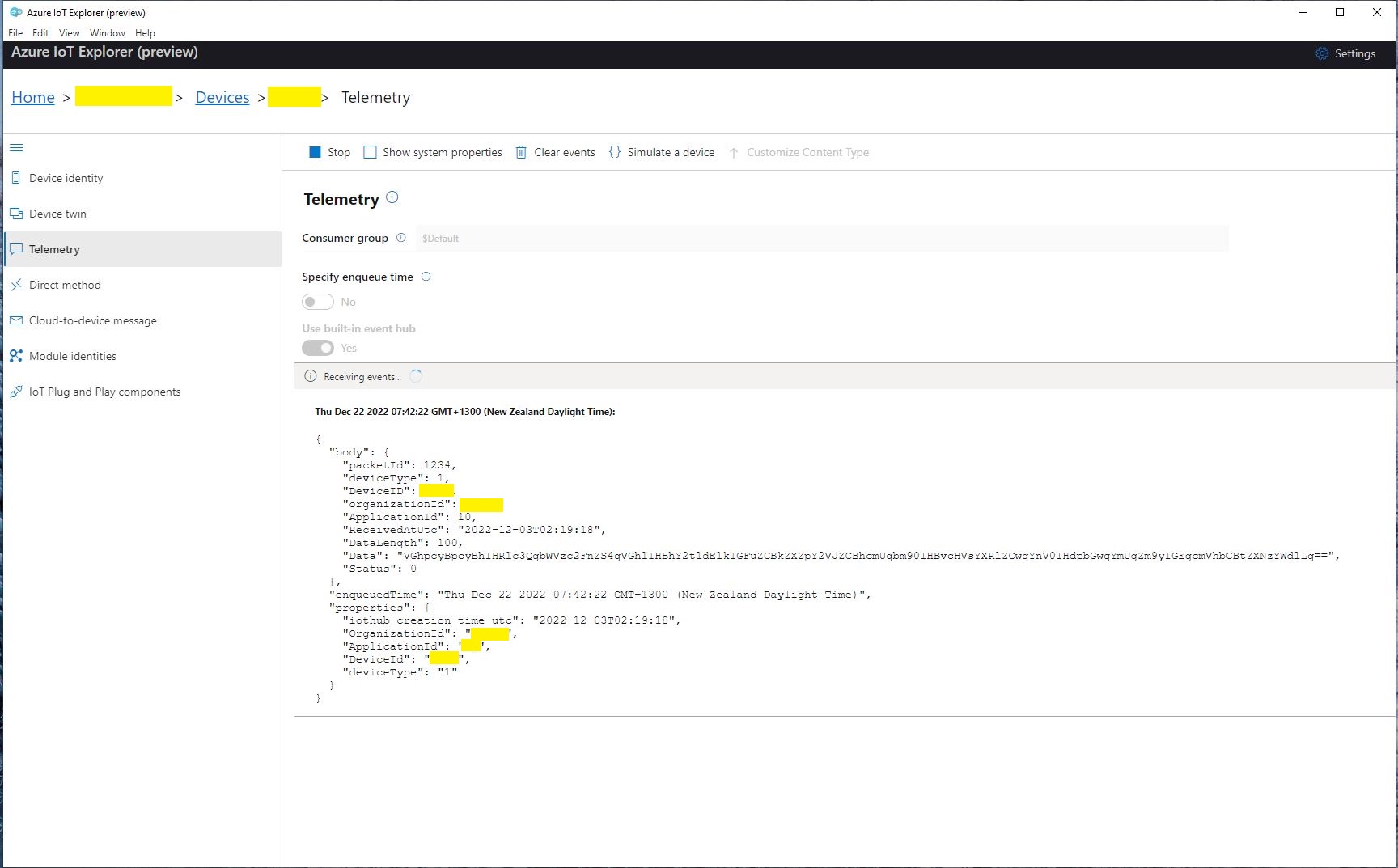
The webhook was configured to “acknowledge messages on successful delivery”. I then checked my Delivery Method configuration with a couple of “Test” messages.
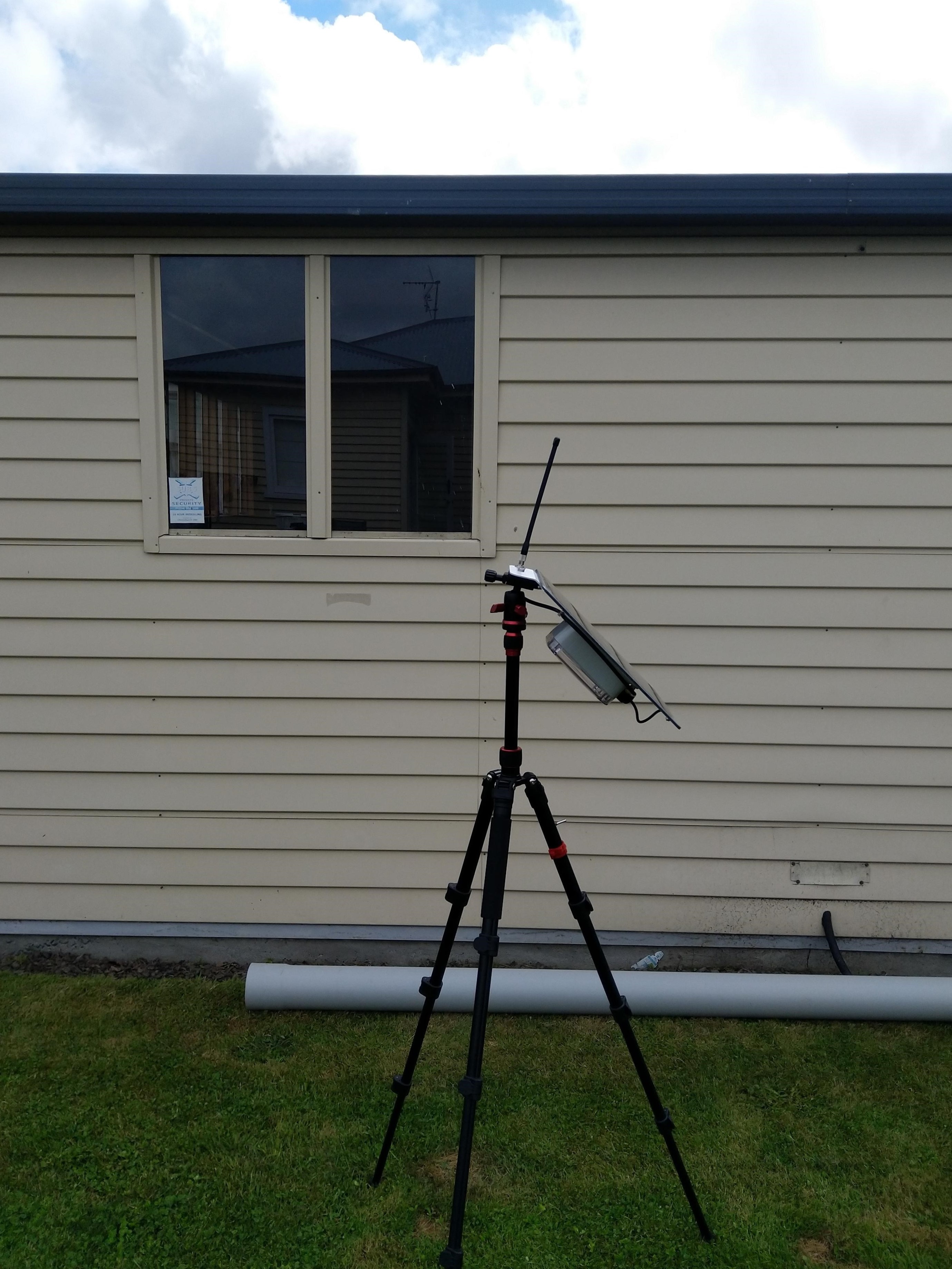
My Swarm Space Eval Kit arrived md-week and after some issues with jumper settings it started reporting position and status information.






 devMobile's blog