.NET nanoFramework RAK2305 – RAK4630 Basic connectivity issue

After much trial and error, I couldn’t get a RAK2305 WisBlock Wifi Interface Module running the .NET nanoFramework plugged into the IO Slot of RAK5005 Base Board to send RUIV3 AT Commands to a RAK4631 Module.
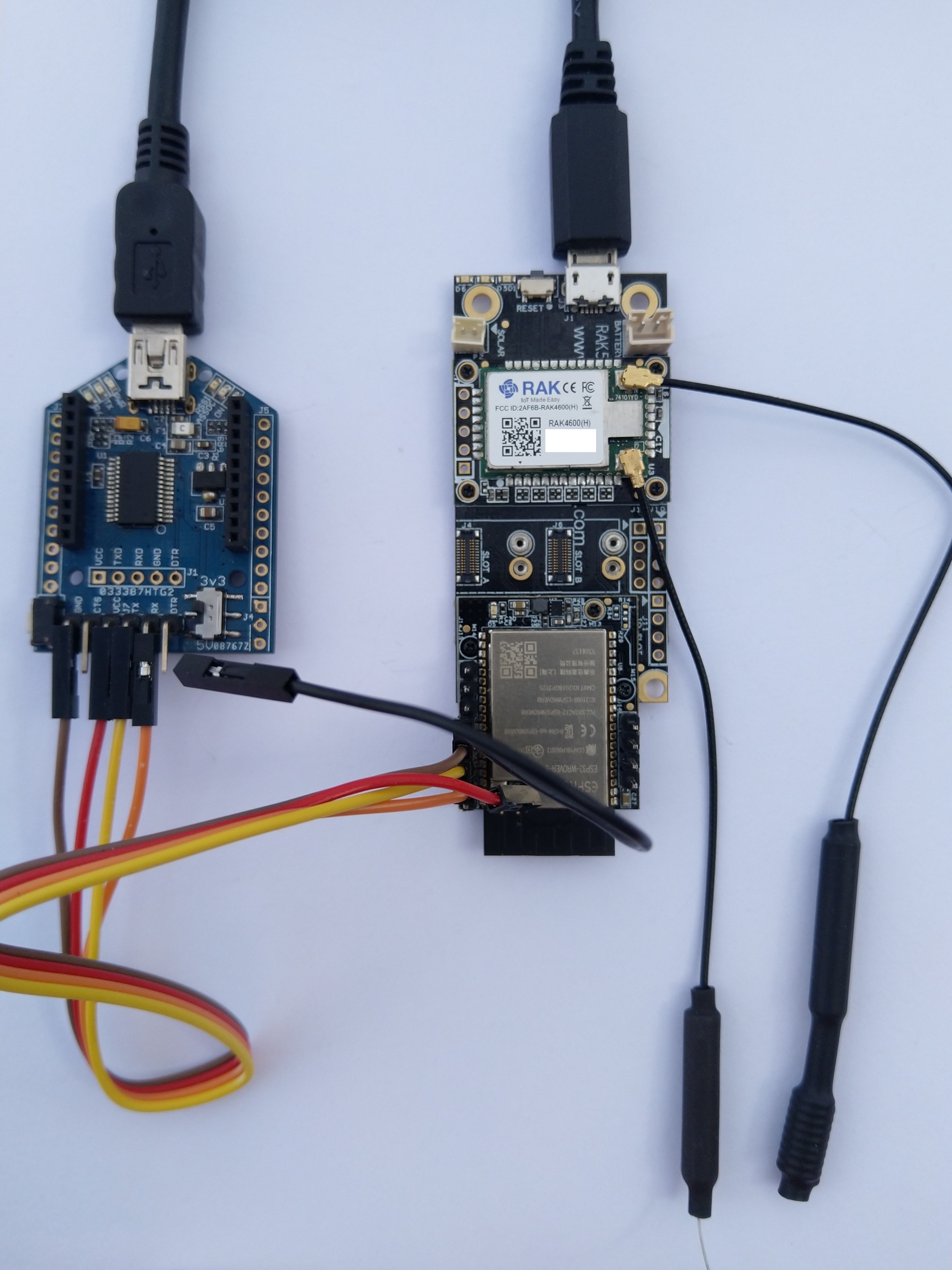
RA2305, RAK5005, RAK4631 test rig

When I requested the version information with “AT+VER=?” the RAK4630 Module did not respond with version information.
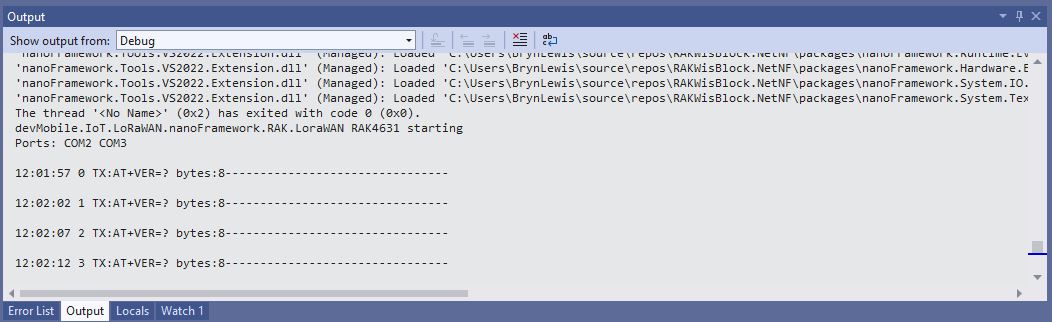
RA2305, RAK5005, RAK4631 firmware version request failure

I reviewed the schematics of the RAK2305 WisBlock Wifi Interface Module, RAK5005 Base Board and RAK4630 Module
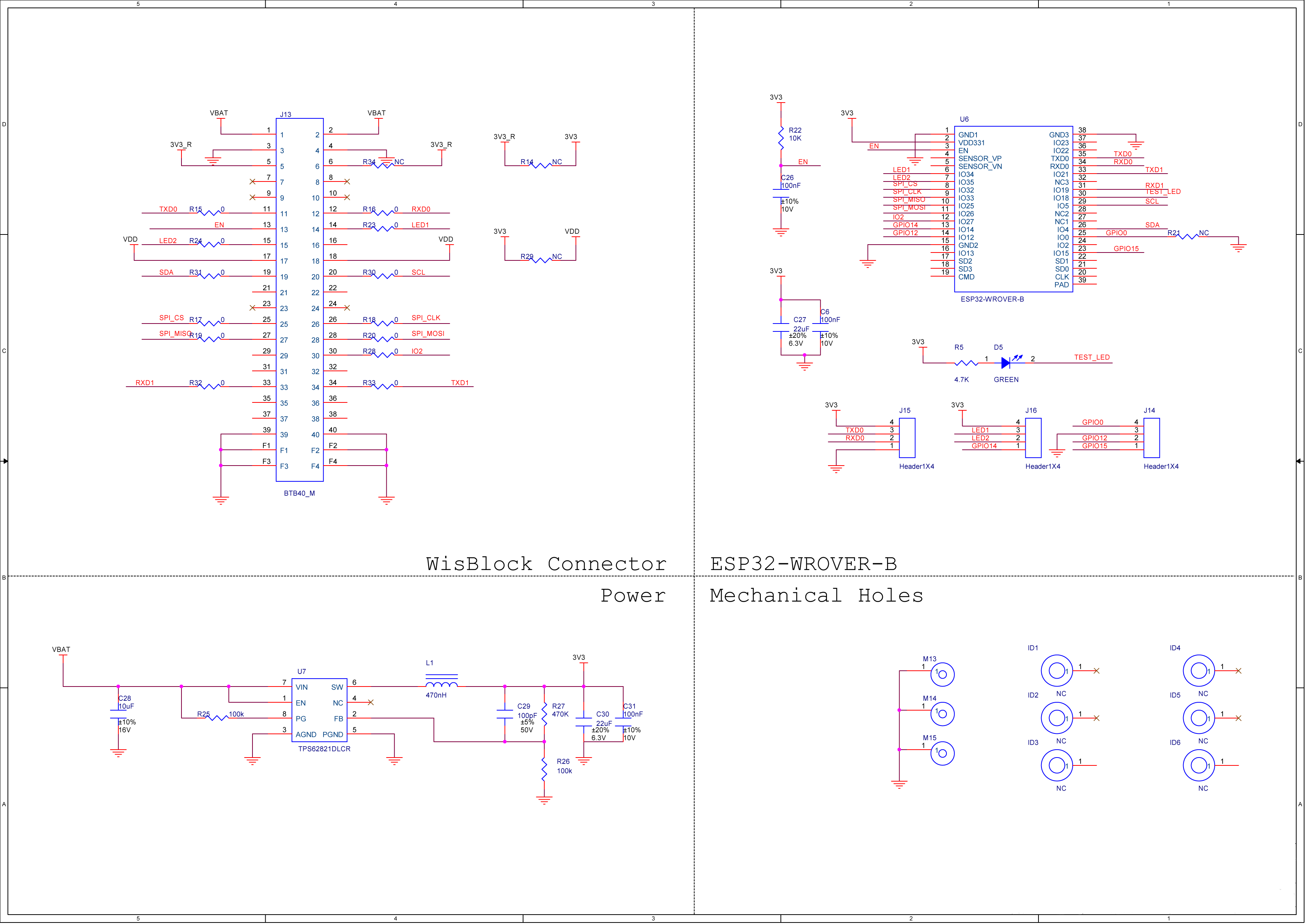
RAK2305 ESP32 schematic

The RAK2305 WisBlock Wifi Interface Module has the TX0 pin is connected to pin 11, RX0 is connected to pin 12, TX1 pin (Gpio.IO21) is connected to pin 34, and the RX1 pin (Gpio.IO21) is connected to pin 33 of the IO Slot connector (crossover TX & RX).
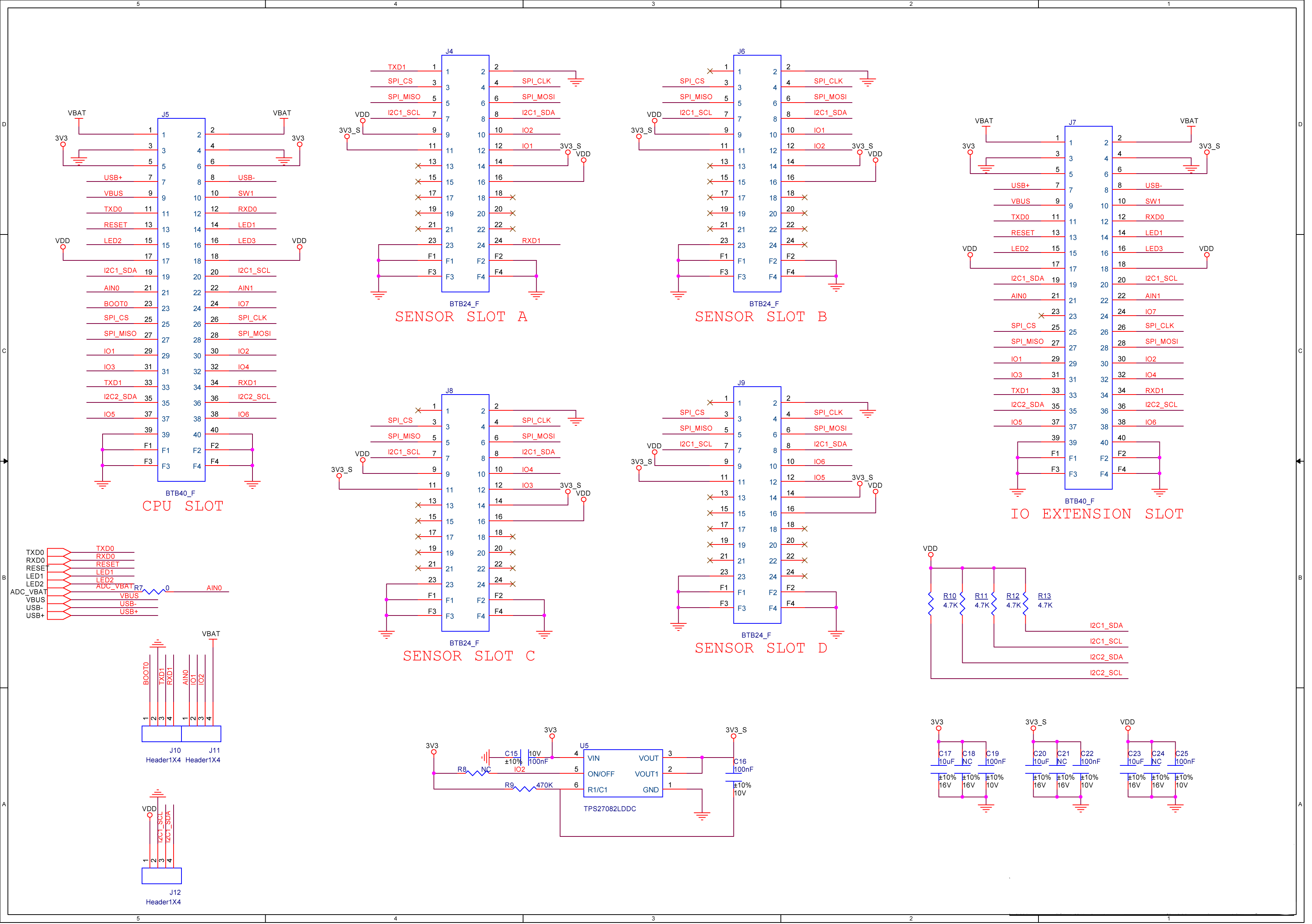
RAK5005 schematic

On the RAK5005 Base Board the RAK2305 WisBlock Wifi Interface Module is plugged into the IO Extension Slot (BTB40_F) with TX pin 33 and RX pin 34.
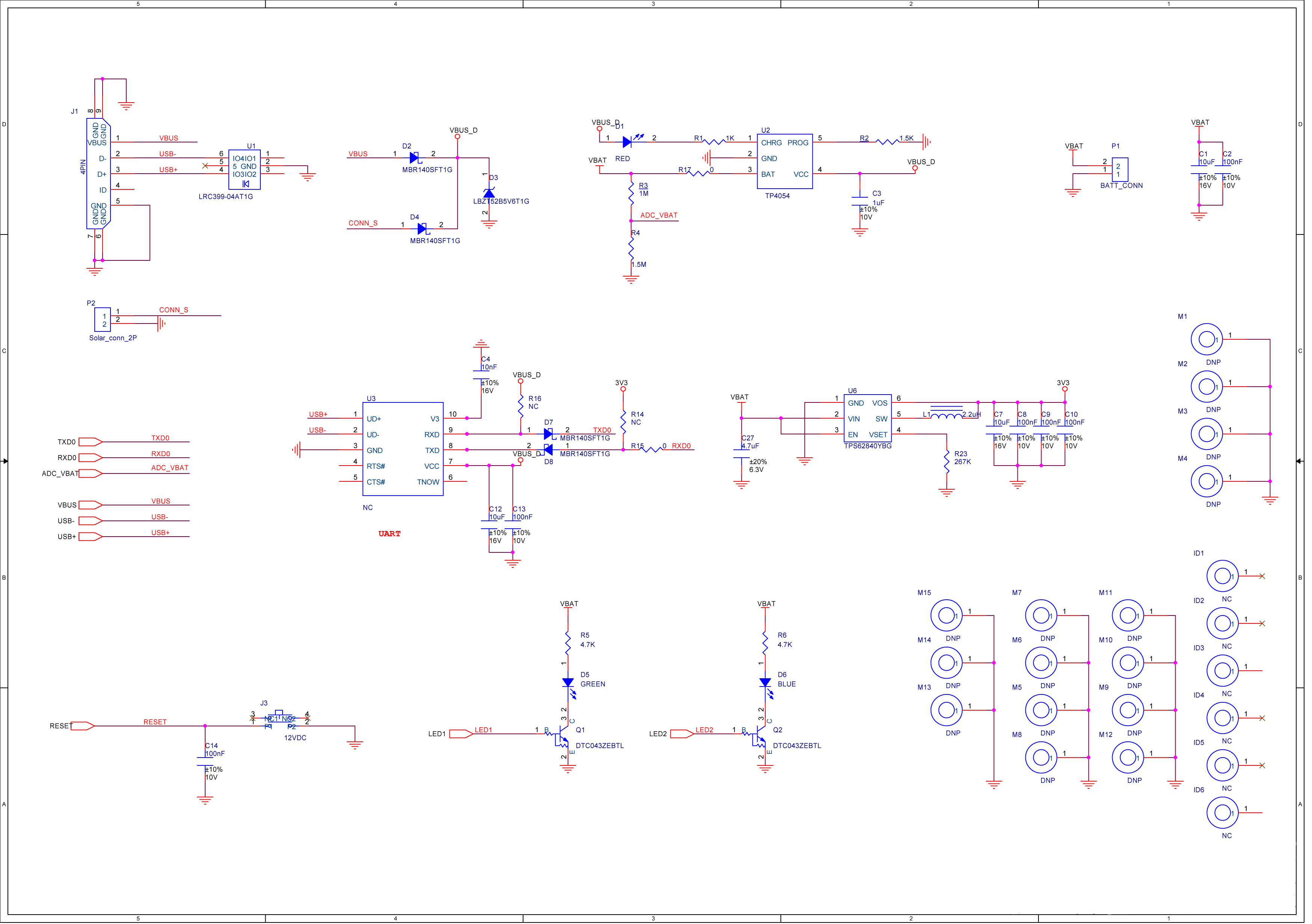
RAK5005 schematic 2
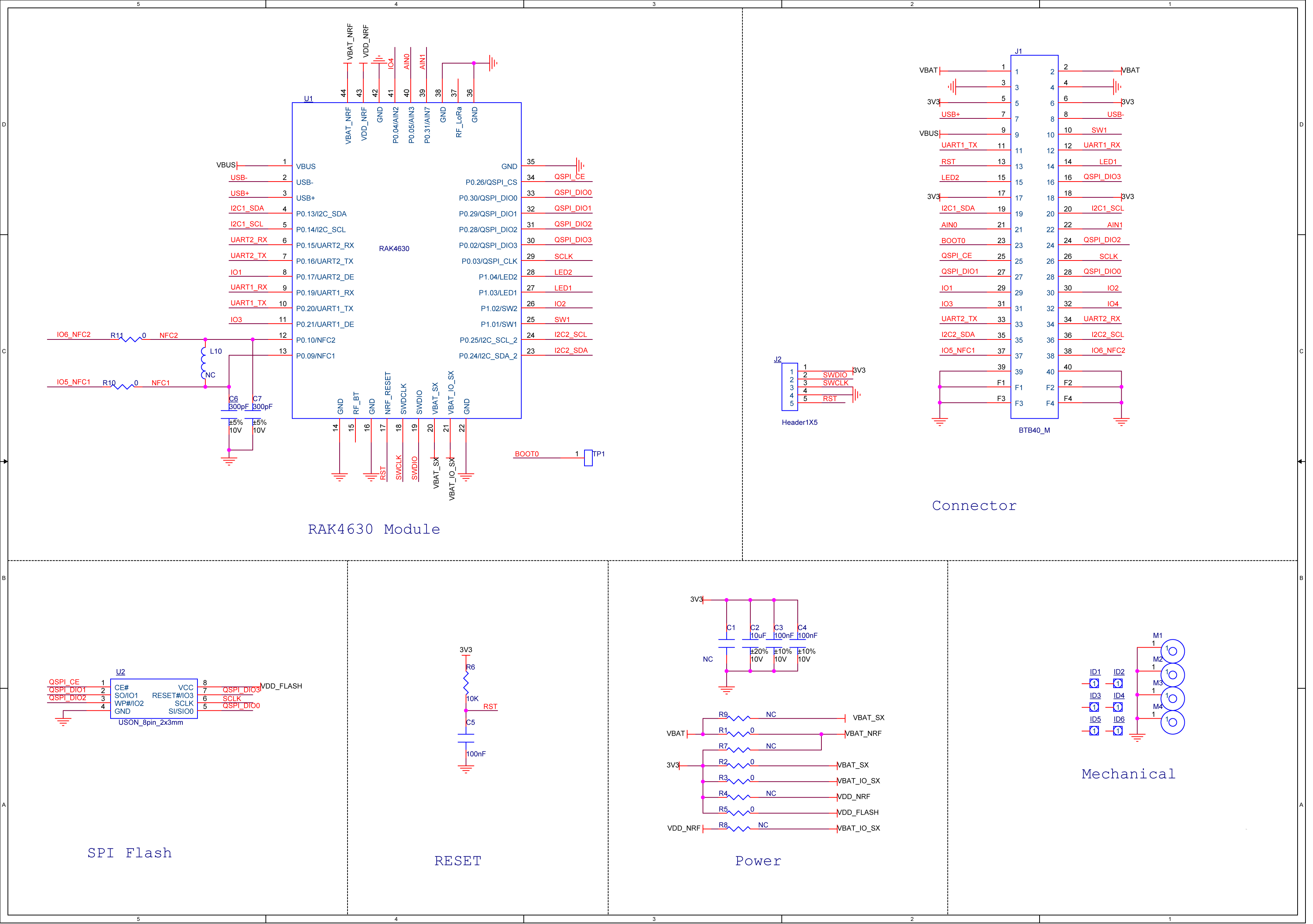
RAK4361 schematic 1

The RAK4630 Module is plugged into the CPU slot (BTB40_F) of the RAK5005 Base Board with TX pin 33 and RX pin 34. The RAK4630 Module UART2_TX pin is connected to 33, and the UART2_RX is connected to 34 on the CPU slot.

I then read the RAK4630 AT Command documentation to see if I could enable AT Commands on the second serial port

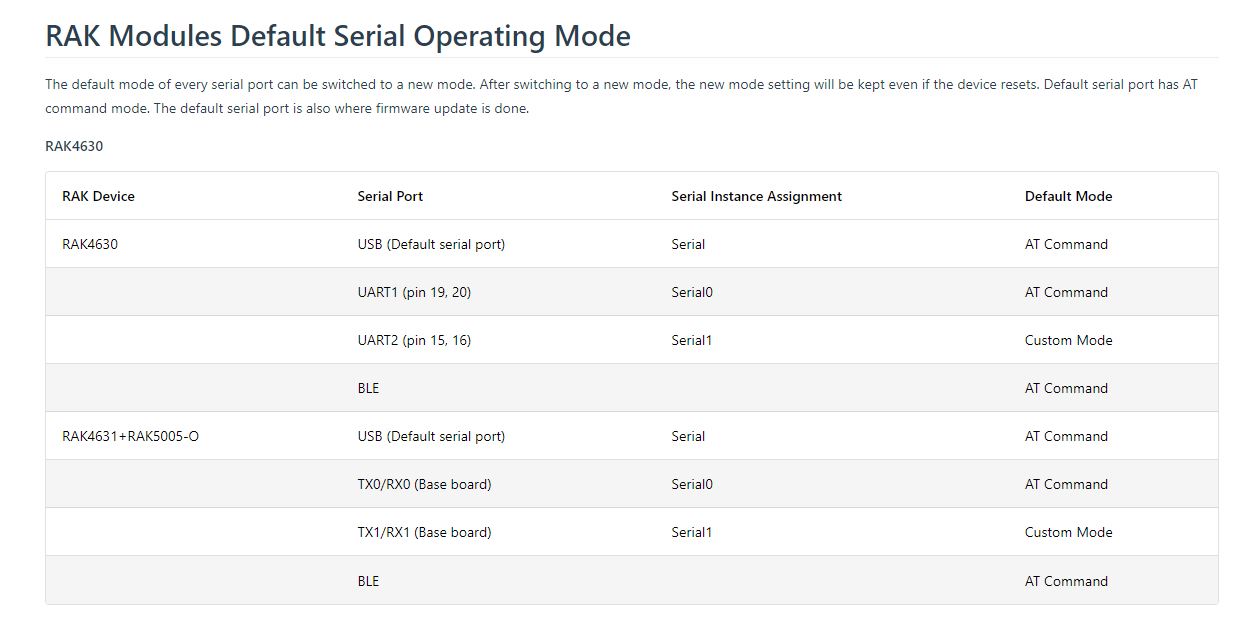
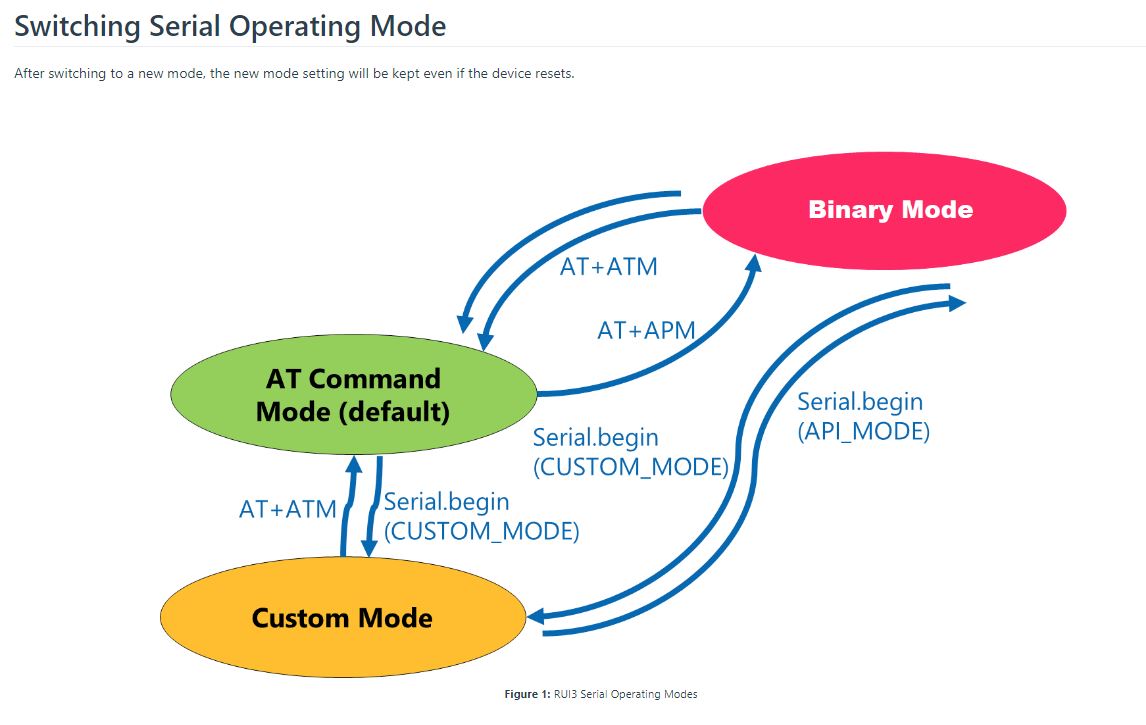
I tried AT+ATM which didn’t work, and I had to reflash the device to get the UART0(USB port) to work. The TXD0 & RXD0 on the RAK4630 Module & RAK2305 WisBlock Wifi Interface Modules are connected by the RAK5005 Base Board. The .NET nanoFramework uses TXDO & RXD0 for debugging so I couldn’t connect to the first serial port on the RAK4630 Module

I had a look at the RAK4360 RAK Unified Interface (RUI) code to see if I could modify it so UART1 responded to AT Commands but I’m not certain this would work.

This is a longish post about failure, it took many hours to explore all the different approaches which was way longer than I should have spent. For why see “sunk cost fallacy”

.NET nanoFramework RAK3172 LoRaWAN library basic connectivity

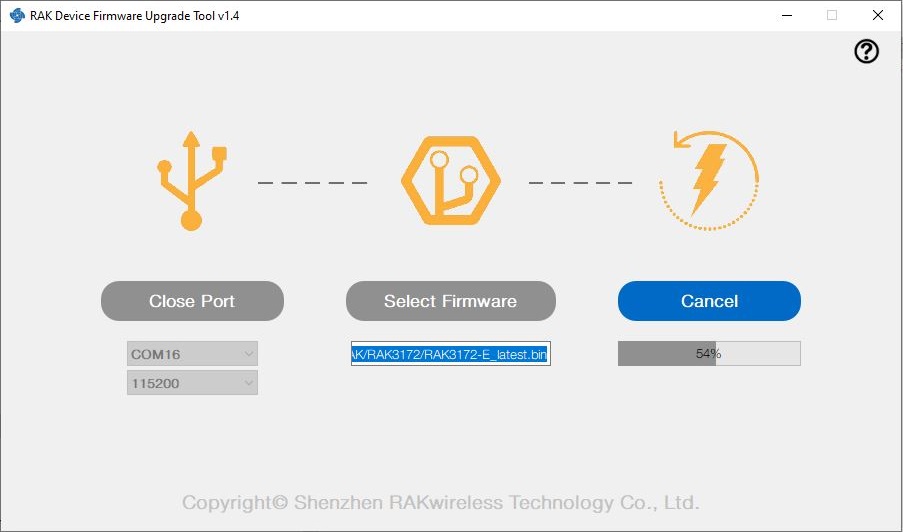
I have been working on a .NET nanoFramework library for the RAKwireless RAK3172 module for the last couple of weeks. The devices had been in a box under my desk for a couple of months so first step was to flash them with the latest firmware using my FTDI test harness.

RAK 3172 STM32F769I Discovery test rig

I use two hardware configurations for testing

My sample code has compile time options for synchronous and asynchronous operation. I also include the different nanoff command lines to make updating the test devices easier.

//---------------------------------------------------------------------------------
// Copyright (c) May 2022, devMobile Software
//
// Licensed under the Apache License, Version 2.0 (the "License");
// you may not use this file except in compliance with the License.
// You may obtain a copy of the License at
//
//     http://www.apache.org/licenses/LICENSE-2.0
//
// Unless required by applicable law or agreed to in writing, software
// distributed under the License is distributed on an "AS IS" BASIS,
// WITHOUT WARRANTIES OR CONDITIONS OF ANY KIND, either express or implied.
// See the License for the specific language governing permissions and
// limitations under the License.
//
// https://docs.rakwireless.com/Product-Categories/WisDuo/RAK4200-Breakout-Board/AT-Command-Manual/
//---------------------------------------------------------------------------------
#define SERIAL_ASYNC_READ
//#define SERIAL_THREADED_READ
#define ST_STM32F769I_DISCOVERY      // nanoff --target ST_STM32F769I_DISCOVERY --update 
//#define ESP32_WROOM   // nanoff --target ESP32_REV0 --serialport COM17 --update
...

namespace devMobile.IoT.LoRaWAN.nanoFramework.RAK3172
{
	using System;
	using System.Diagnostics;
	using System.IO.Ports;
	using System.Threading;
#if ESP32_WROOM
	using global::nanoFramework.Hardware.Esp32; //need NuGet nanoFramework.Hardware.Esp32
#endif

	public class Program
	{
		private static SerialPort _SerialPort;
#if SERIAL_THREADED_READ
		private static Boolean _Continue = true;
#endif
#if ESP32_WROOM
		private const string SerialPortId = "COM2";
#endif
...
#if ST_STM32F769I_DISCOVERY
		private const string SerialPortId = "COM6";
#endif

		public static void Main()
		{
#if SERIAL_THREADED_READ
			Thread readThread = new Thread(SerialPortProcessor);
#endif

			Debug.WriteLine("devMobile.IoT.LoRaWAN.nanoFramework.RAK3172 BreakoutSerial starting");

			try
			{
				// set GPIO functions for COM2 (this is UART1 on ESP32)
#if ESP32_WROOM
				Configuration.SetPinFunction(Gpio.IO16, DeviceFunction.COM2_TX);
				Configuration.SetPinFunction(Gpio.IO17, DeviceFunction.COM2_RX);
#endif

				Debug.Write("Ports:");
				foreach (string port in SerialPort.GetPortNames())
				{
					Debug.Write($" {port}");
				}
				Debug.WriteLine("");

				using (_SerialPort = new SerialPort(SerialPortId))
				{
					// set parameters
					_SerialPort.BaudRate = 115200;
					_SerialPort.Parity = Parity.None;
					_SerialPort.DataBits = 8;
					_SerialPort.StopBits = StopBits.One;
					_SerialPort.Handshake = Handshake.None;
					_SerialPort.NewLine = "\r\n";
					_SerialPort.ReadTimeout = 1000;

					//_SerialPort.WatchChar = '\n'; // May 2022 WatchChar event didn't fire github issue https://github.com/nanoframework/Home/issues/1035

#if SERIAL_ASYNC_READ
					_SerialPort.DataReceived += SerialDevice_DataReceived;
#endif

					_SerialPort.Open();

					_SerialPort.WatchChar = '\n';

#if SERIAL_THREADED_READ
					readThread.Start();
#endif

					for (int i = 0; i < 5; i++)
					{
						string atCommand;
						atCommand = "AT+VER=?";

                  Debug.WriteLine("");
						Debug.WriteLine($"{i} TX:{atCommand} bytes:{atCommand.Length}--------------------------------");
						_SerialPort.WriteLine(atCommand);

						Thread.Sleep(5000);
					}
				}
				Debug.WriteLine("Done");
			}
			catch (Exception ex)
			{
				Debug.WriteLine(ex.Message);
			}
		}

#if SERIAL_ASYNC_READ
		private static void SerialDevice_DataReceived(object sender, SerialDataReceivedEventArgs e)
		{
			SerialPort serialPort = (SerialPort)sender;

			switch (e.EventType)
			{
				case SerialData.Chars:
					break;

				case SerialData.WatchChar:
					string response = serialPort.ReadExisting();
					Debug.Write(response);
					break;
				default:
					Debug.Assert(false, $"e.EventType {e.EventType} unknown");
					break;
			}
		}
#endif

#if SERIAL_THREADED_READ
		public static void SerialPortProcessor()
		{

			while (_Continue)
			{
				try
				{
					string response = _SerialPort.ReadLine();
					//string response = _SerialPort.ReadExisting();
					Debug.Write(response);
				}
				catch (TimeoutException ex) 
				{
					Debug.WriteLine($"Timeout:{ex.Message}");
				}
			}
		}
#endif
	}
}

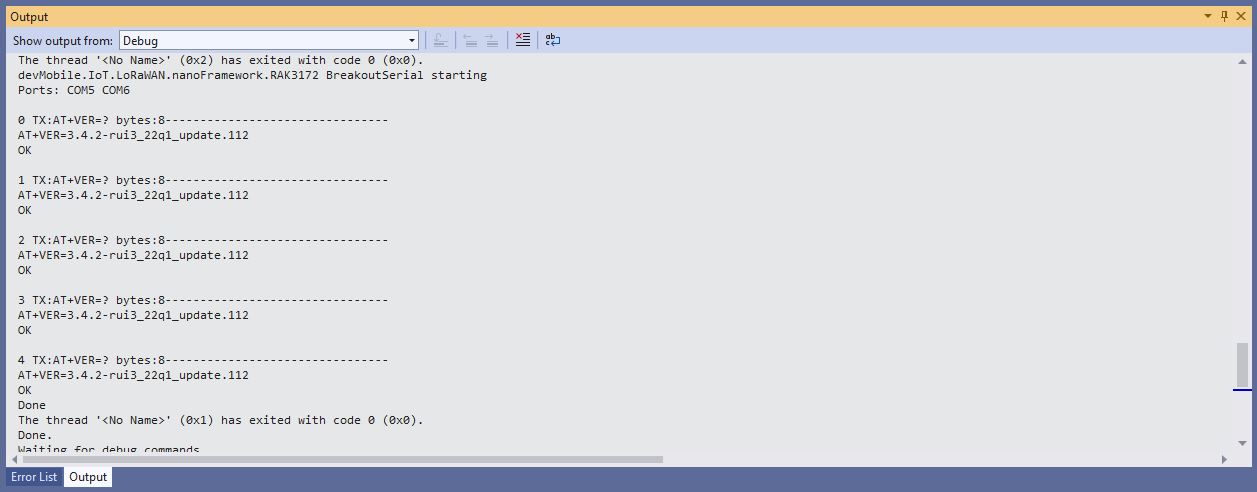
When I requested the RAK3172 version information with “AT+VER=?” the response was spilt over two lines which is a bit of a Pain in the Arse (PitA). The RAK3172 firmware also defaults 115200 baud which seems overkill considering the throughput of a LoRaWAN link.

Visual Studio Debug Output of Breakout Serial Application

While building the test application I encountered a few issues (STM32F769I DISCOVERY SerialPort.GetPortNames() port name text gets shorter, STM32F769I DISCOVERY Inconsistent SerialPort WatchChar behaviour after erase->power cycle->run & erase->run and No SerialPort.WatchChar events if WatchChar set before SerialPort opened) which slowed down development. The speed the nanoFramework team triages then fixes issues is amazing for a team of volunteers dotted around the world.