Random wanderings through Microsoft Azure esp. PaaS plumbing, the IoT bits, AI on Micro controllers, AI on Edge Devices, .NET nanoFramework, .NET Core on *nix and ML.NET+ONNX
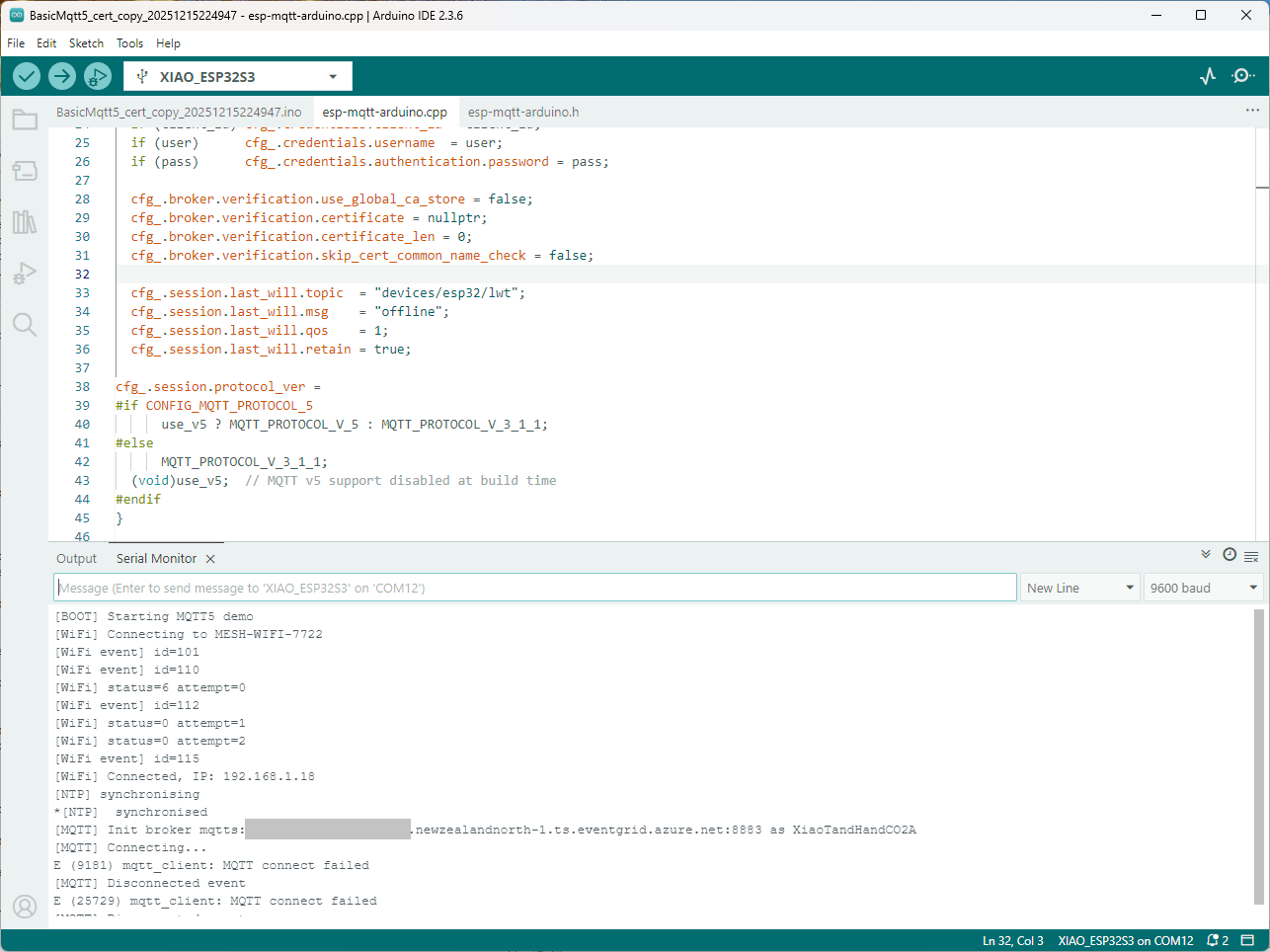
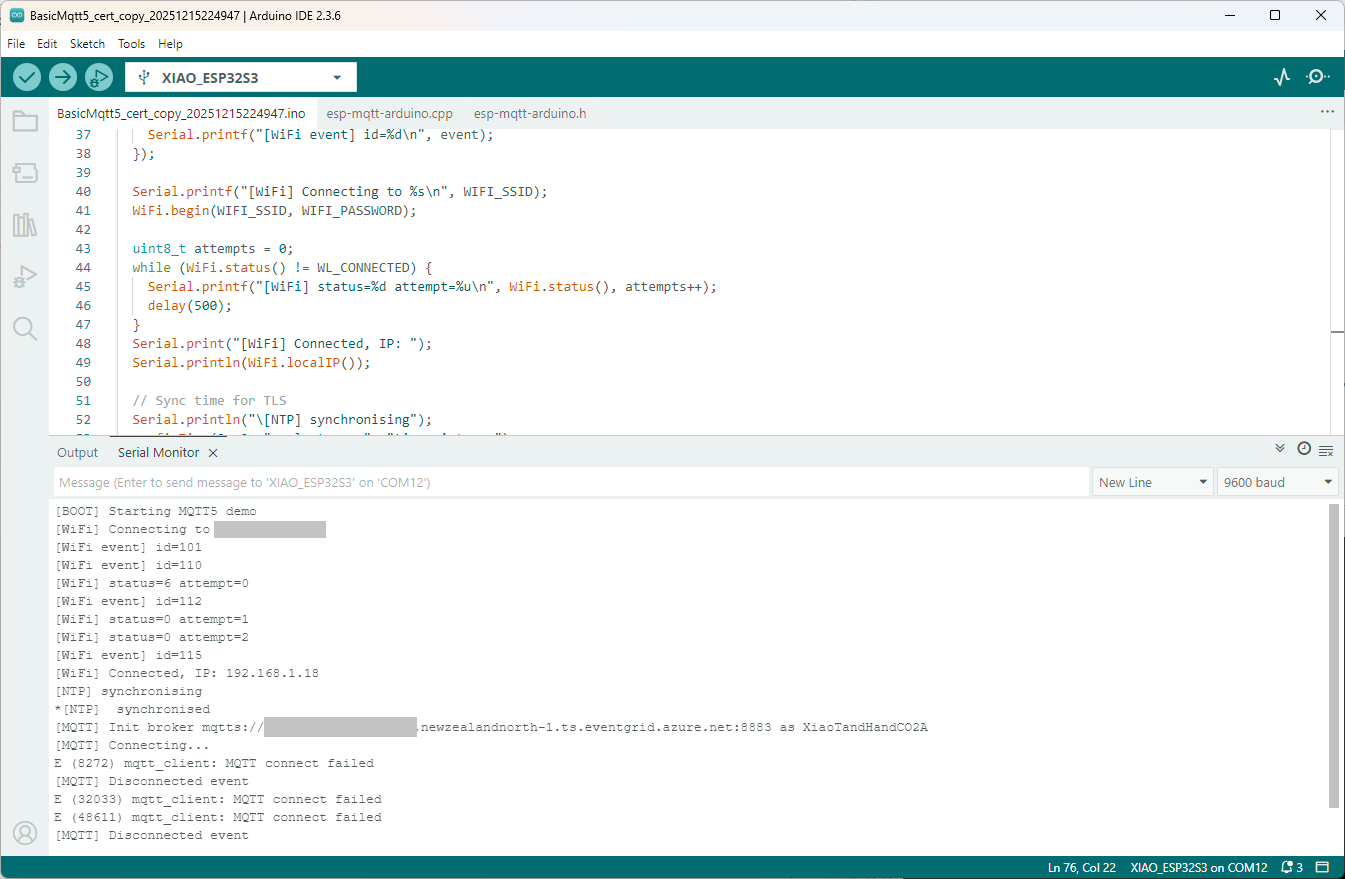
Still couldn’t figure out why my code was failing so I turned up logging to 11 and noticed a couple of messages which didn’t make sense. The device was connecting than disconnecting which indicated a another problem. As part of the Message Queue Telemetry Transport(MQTT) specification there is a “feature” Last Will and Testament(LWT) which a client can configure so that the MQTT broker sends a message to a topic if the device disconnects unexpectedly.
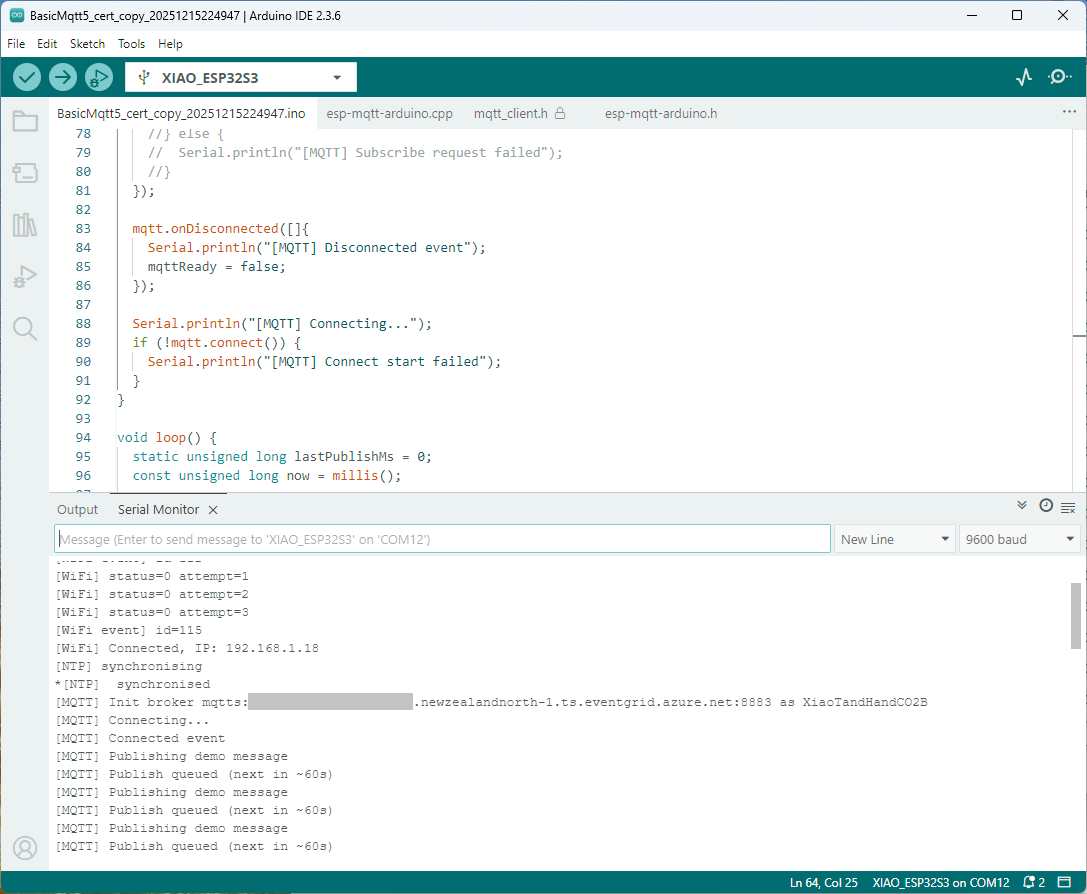
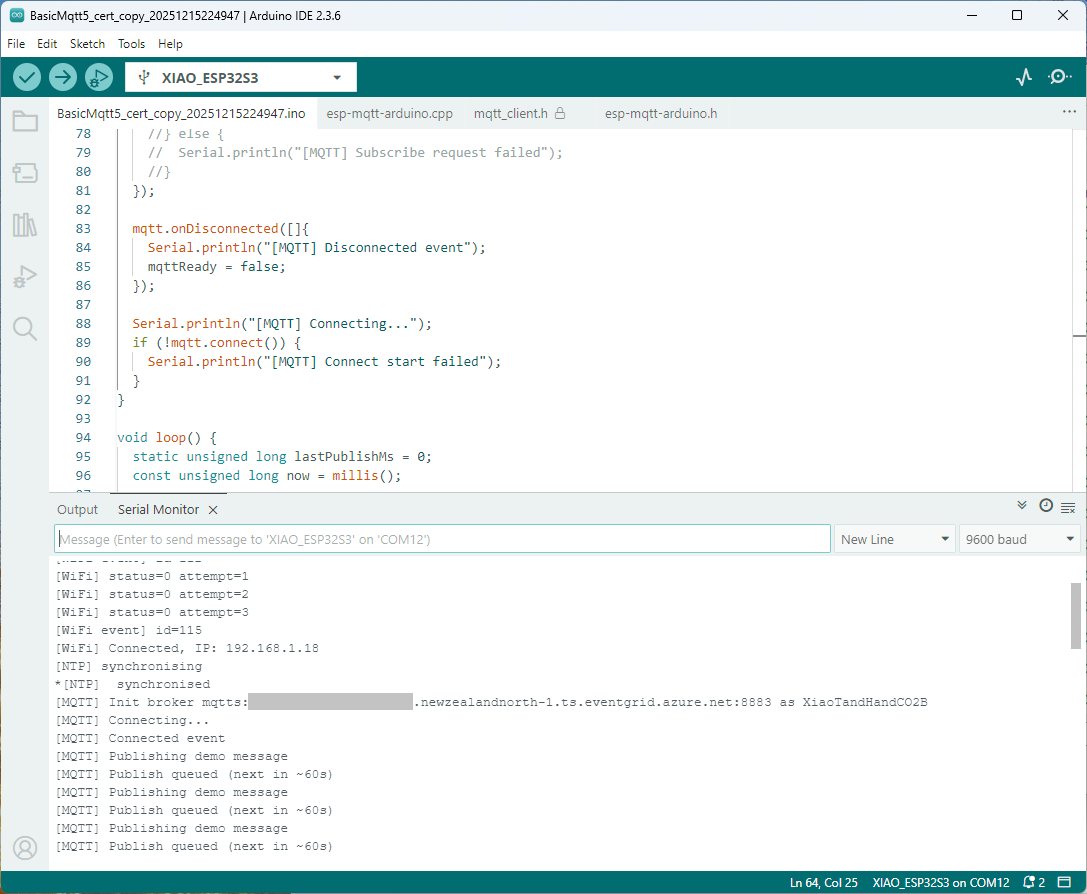
I was looking at the code and noticed that LWT was being used and that the topic didn’t exist in my Azure Event Grid MQTT Broker namespace. When the LWT configuration was commented out the application worked.
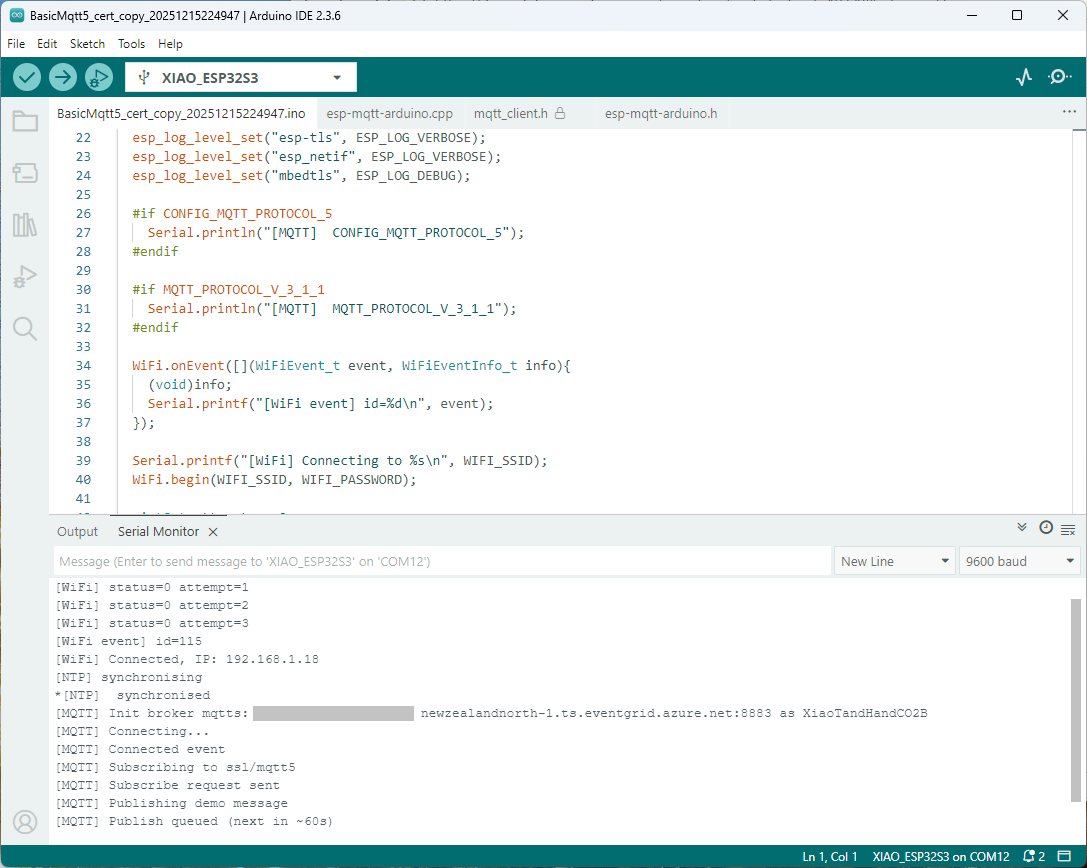
Paying close attention to the logging I noticed the “Subscribing to ssl/mqtts” followed by “Subscribe request sent”
I checked the sample application and found that if the connect was successful the application would then try and subscribe to a topic that didn’t exist.
The library doesn’t support client authentication with certificates, so I added two methods setClientCert and setClientKey to the esp-mqtt-arduino.h and esp-mqtt-arduino.cpp files
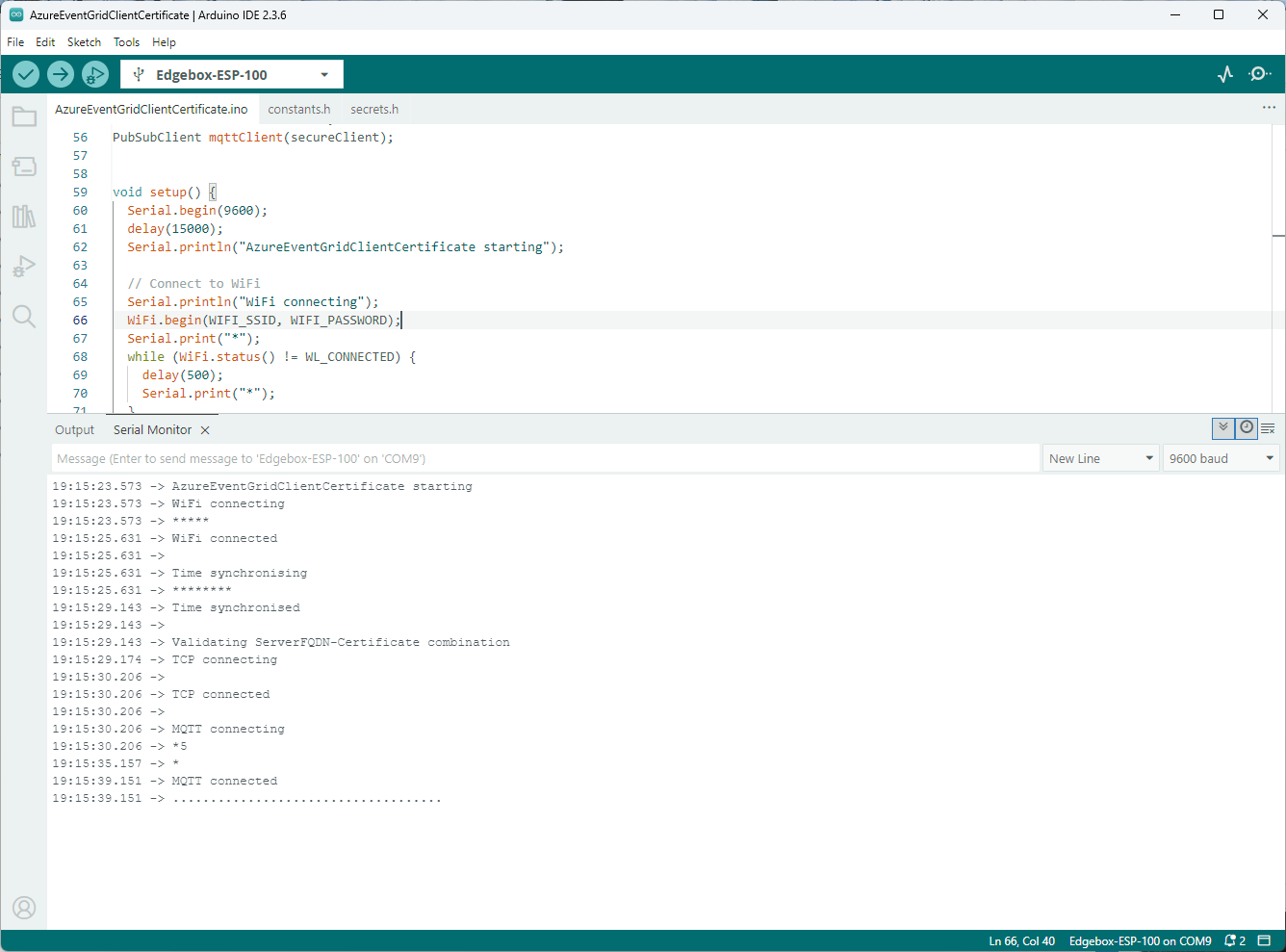
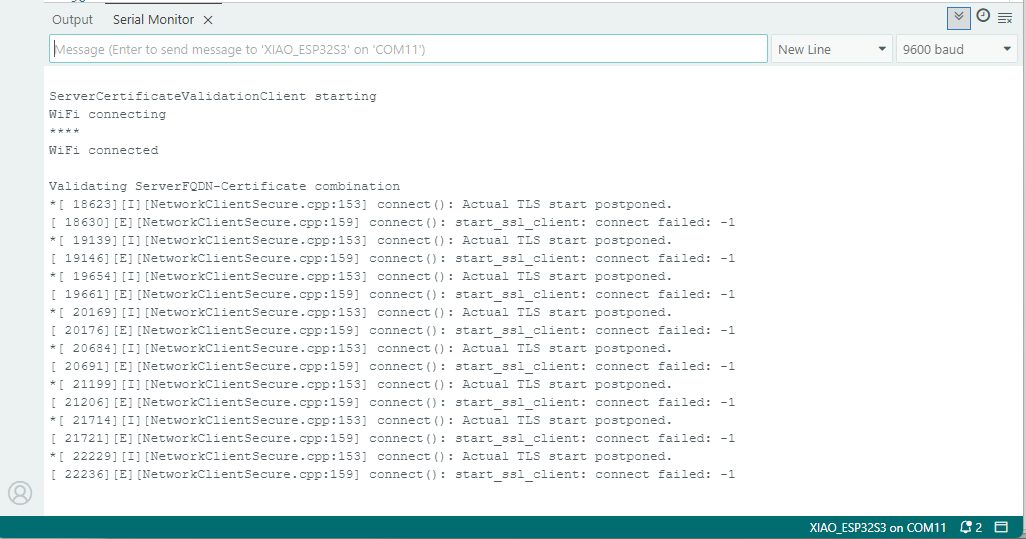
I tried increasing the log levels to get more debugging information, adding delays on startup to make it easier to see what was going on, trying different options of protocol support.
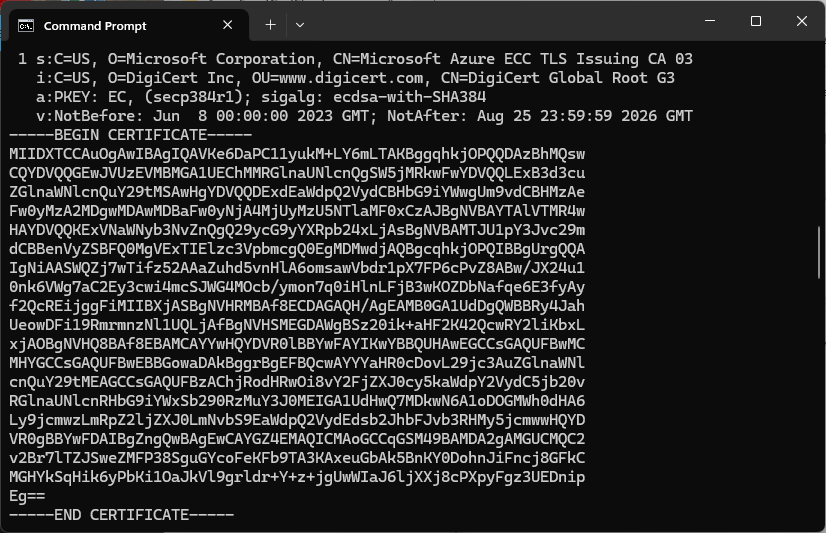
The PEM encoded root CA certificate chain that is used to validate the server
public const string CA_ROOT_PEM = @"-----BEGIN CERTIFICATE-----
CN: CN = Microsoft Azure ECC TLS Issuing CA 03
-----END CERTIFICATE-----
-----BEGIN CERTIFICATE-----
CN: CN = DigiCert Global Root G3
-----END CERTIFICATE-----";
The PEM encoded certificate chain that is used to authenticate the device
public const string CLIENT_CERT_PEM_A = @"-----BEGIN CERTIFICATE-----
-----BEGIN CERTIFICATE-----
CN=Self signed device certificate
-----END CERTIFICATE-----
-----BEGIN CERTIFICATE-----
CN=Self signed Intermediate certificate
-----END CERTIFICATE-----";
The PEM encoded private key of device
public const string CLIENT_KEY_PEM_A = @"-----BEGIN EC PRIVATE KEY-----
-----END EC PRIVATE KEY-----";
For a non-trivial system there should be a number of intermediate certificates. I have tried creating intermediate certificates for a device type, geography, application, customer and combinations of these. The first couple of times got it wrong so start with a field trial so that it isn’t so painful to go back and fix. (beware the sunk cost fallacy)
I found creating an intermediate certificate that could sign device certificates required a conf file for the basicConstraints and keyUsage configuration.
critical-The extension must be understood and processed by any application validating the certificate. If the application does not understand it, the certificate must be rejected.
CA:TRUE-This certificate is allowed to act as a Certificate Authority (CA), meaning it can sign other certificates.
pathlen:0-This CA can only issue end-entity (leaf) certificates and cannot issue further intermediate CA certificates.
keyCertSig- The certificate can be used to sign other certificates (i.e., it’s a CA certificate).
For production systems putting some thought into the Common name(CN), Organizational unit name(OU), Organization name(O), locality name(L), state or province name(S) and Country name(C)
Establishing a connection to the Azure Event Grid MQTT broker often failed which surprised me. Initially I didn’t have any retry logic which meant I wasted quite a bit of time trying to debug failed connections
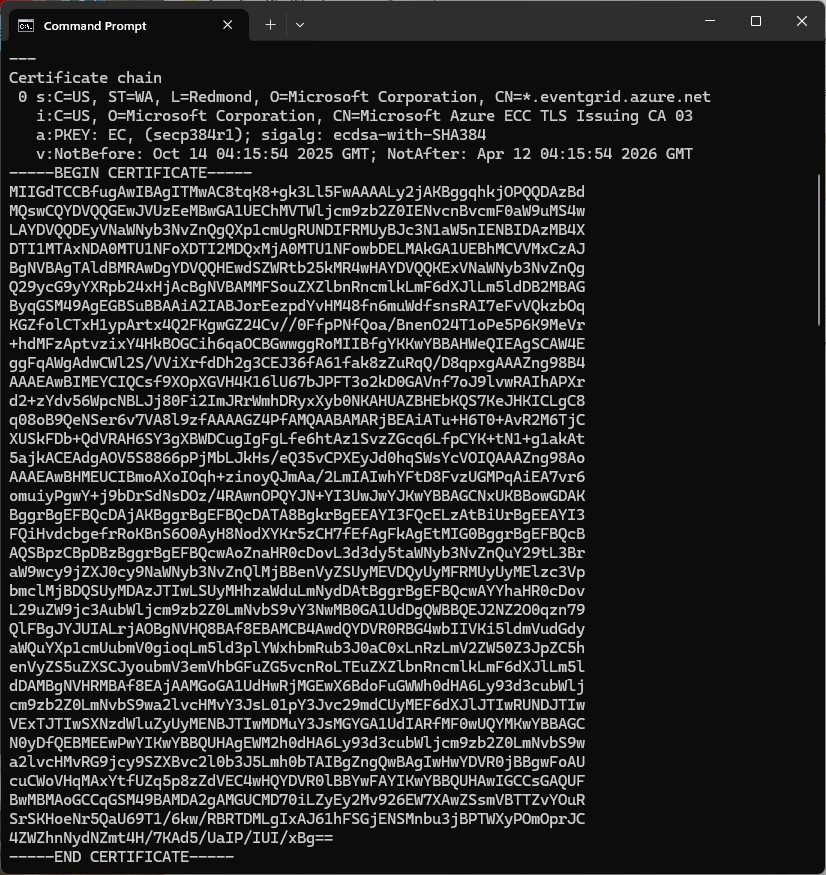
Over the last couple of weekends I had been trying to get a repeatable process for extracting the X509 certificate information in the correct structure so my Arduino application could connect to Azure Event Grid. The first step was to get the certificate chain for my Azure Event Grid MQTT Broker with openssl
The CN: CN=DigiCert Global Root G3 and the wildcard CN=*.eventgrid.azure.net certificates were “concatenated” in the constants header file which is included in the main program file. The format of the certificate chain is described in the comments. Avoid blank lines, “rogue” spaces or other formatting as these may cause the WiFiClientSecureMbed TLS implementation to fail.
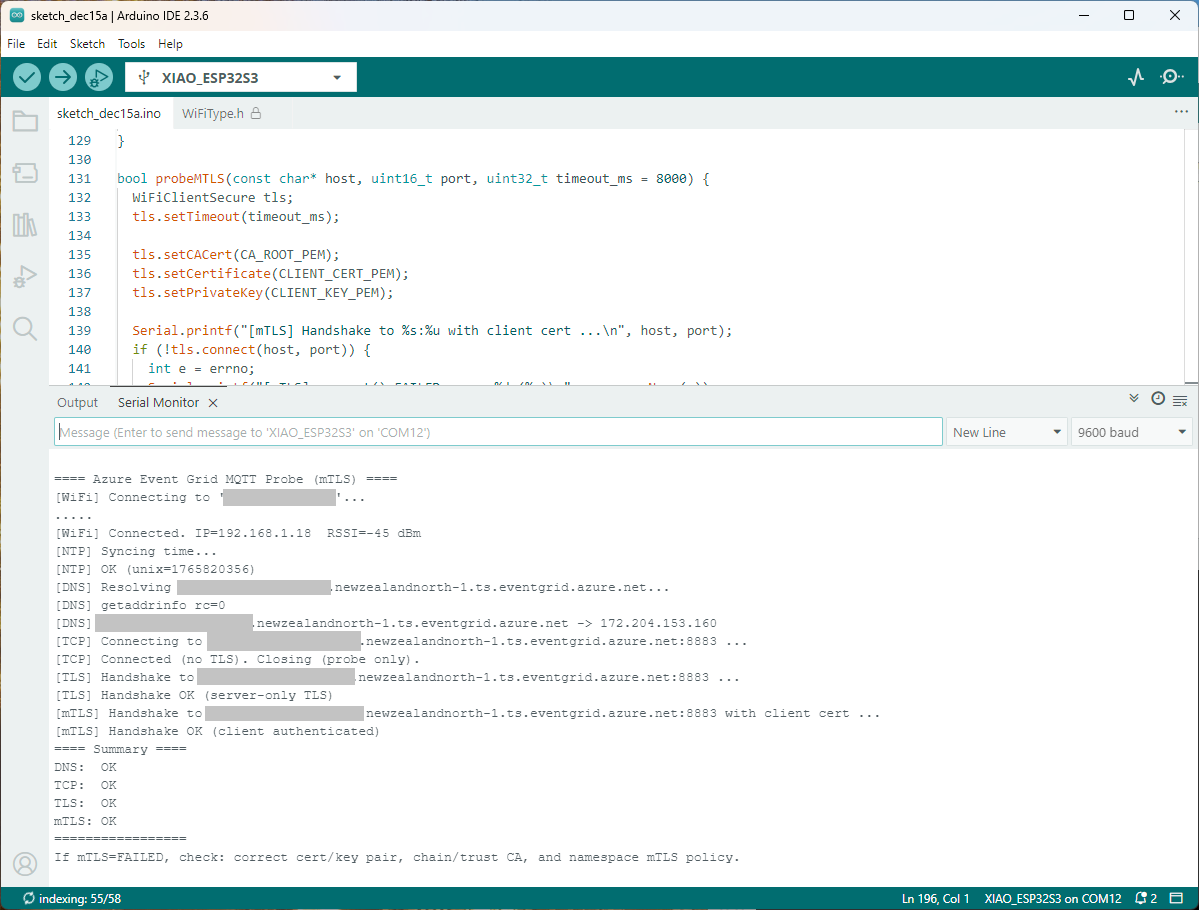
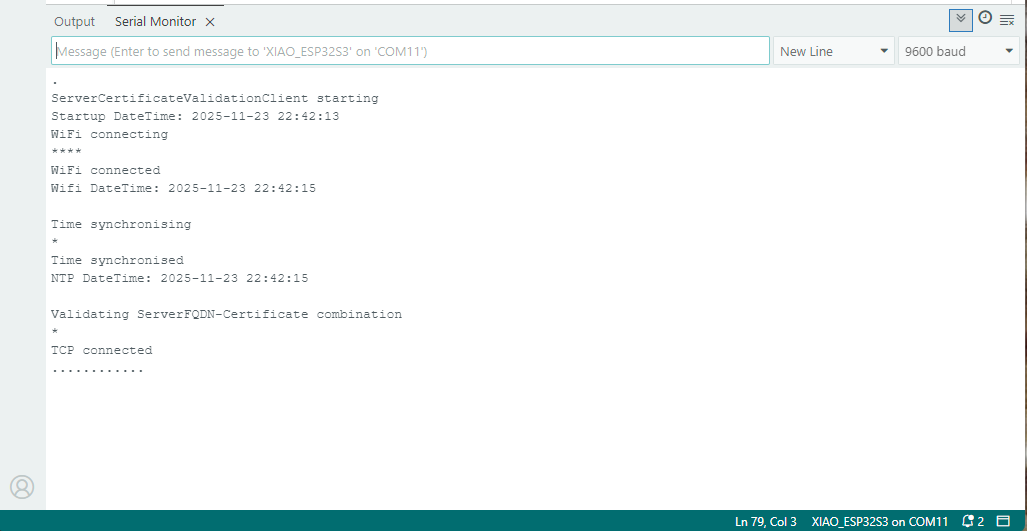
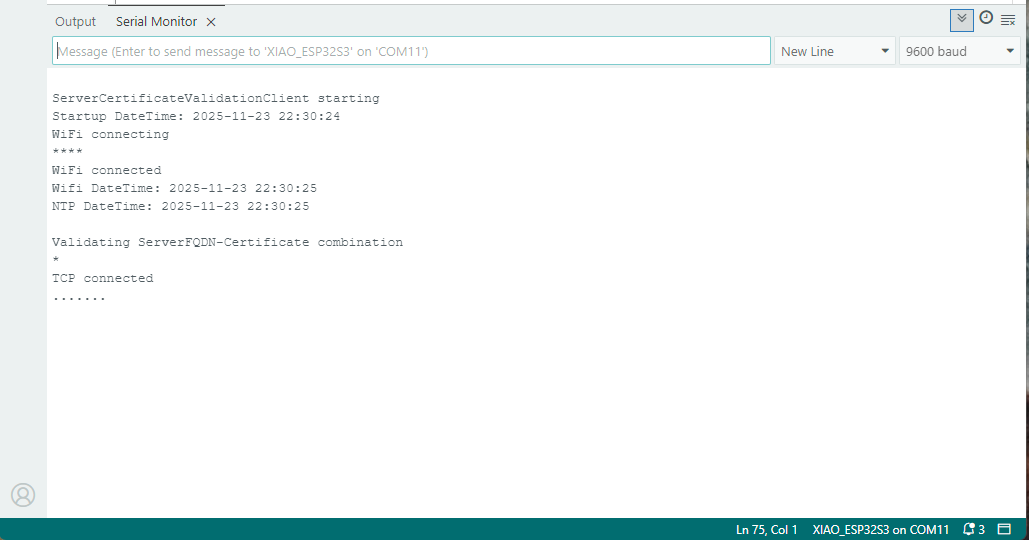
After a hard reset the WiFiClientSecure connect failed because the device time had not been initialised so the device/server time offset was too large (see rfc9325)
class Program
{
private static Model.ApplicationSettings _applicationSettings;
private static IMqttClient _client;
private static bool _publisherBusy = false;
static async Task Main()
{
Console.WriteLine($"{DateTime.UtcNow:yy-MM-dd HH:mm:ss} MQTTNet client starting");
try
{
// load the app settings into configuration
var configuration = new ConfigurationBuilder()
.AddJsonFile("appsettings.json", false, true)
.AddUserSecrets<Program>()
.Build();
_applicationSettings = configuration.GetSection("ApplicationSettings").Get<Model.ApplicationSettings>();
var mqttFactory = new MqttFactory();
using (_client = mqttFactory.CreateMqttClient())
{
// Certificate based authentication
List<X509Certificate2> certificates = new List<X509Certificate2>
{
new X509Certificate2(_applicationSettings.ClientCertificateFileName, _applicationSettings.ClientCertificatePassword)
};
var tlsOptions = new MqttClientTlsOptionsBuilder()
.WithClientCertificates(certificates)
.WithSslProtocols(System.Security.Authentication.SslProtocols.Tls12)
.UseTls(true)
.Build();
MqttClientOptions mqttClientOptions = new MqttClientOptionsBuilder()
.WithClientId(_applicationSettings.ClientId)
.WithTcpServer(_applicationSettings.Host, _applicationSettings.Port)
.WithCredentials(_applicationSettings.UserName, _applicationSettings.Password)
.WithCleanStart(_applicationSettings.CleanStart)
.WithTlsOptions(tlsOptions)
.Build();
var connectResult = await _client.ConnectAsync(mqttClientOptions);
if (connectResult.ResultCode != MqttClientConnectResultCode.Success)
{
throw new Exception($"Failed to connect: {connectResult.ReasonString}");
}
_client.ApplicationMessageReceivedAsync += OnApplicationMessageReceivedAsync;
Console.WriteLine($"Subscribed to Topic");
foreach (string topic in _applicationSettings.SubscribeTopics.Split(',', StringSplitOptions.RemoveEmptyEntries | StringSplitOptions.TrimEntries))
{
var subscribeResult = await _client.SubscribeAsync(topic, _applicationSettings.SubscribeQualityOfService);
Console.WriteLine($" {topic} Result:{subscribeResult.Items.First().ResultCode}");
}
}
//...
}
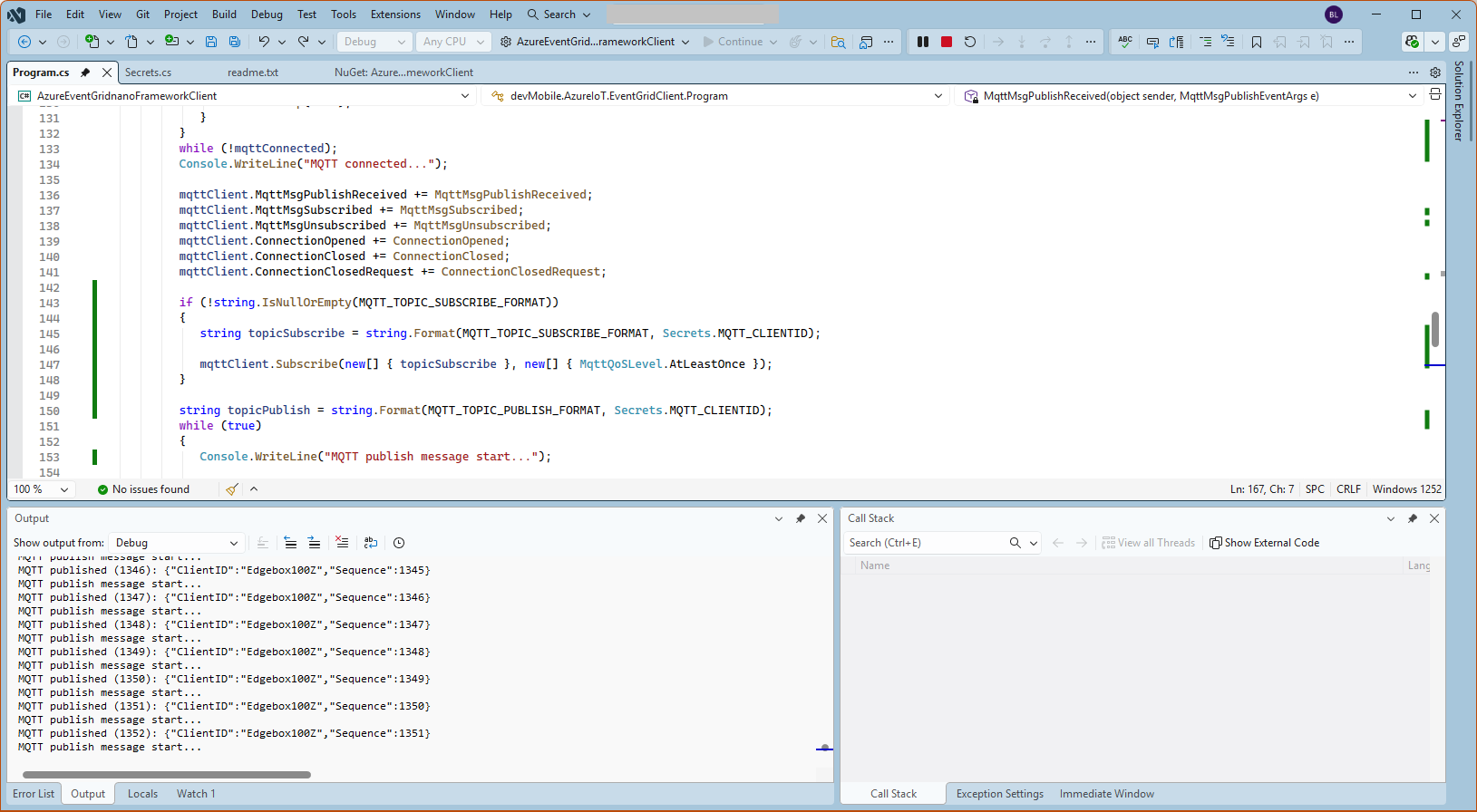
MQTTnet client console application output
The design of the MQTT protocol means that the hivemq-mqtt-client-dotnet and MQTTnet implementations are similar. Having used both I personally prefer the HiveMQ client library.
For one test deployment it took me an hour to generate the Root, Intermediate and a number of Devices certificates which was a waste of time. At this point I decided investigate writing some applications to simplify the process.
static void Main(string[] args)
{
var serviceProvider = new ServiceCollection()
.AddCertificateManager()
.BuildServiceProvider();
// load the app settings into configuration
var configuration = new ConfigurationBuilder()
.AddJsonFile("appsettings.json", false, true)
.AddUserSecrets<Program>()
.Build();
_applicationSettings = configuration.GetSection("ApplicationSettings").Get<Model.ApplicationSettings>();
//------
Console.WriteLine($"validFrom:{validFrom} ValidTo:{validTo}");
var serverRootCertificate = serviceProvider.GetService<CreateCertificatesClientServerAuth>();
var root = serverRootCertificate.NewRootCertificate(
new DistinguishedName {
CommonName = _applicationSettings.CommonName,
Organisation = _applicationSettings.Organisation,
OrganisationUnit = _applicationSettings.OrganisationUnit,
Locality = _applicationSettings.Locality,
StateProvince = _applicationSettings.StateProvince,
Country = _applicationSettings.Country
},
new ValidityPeriod {
ValidFrom = validFrom,
ValidTo = validTo,
},
_applicationSettings.PathLengthConstraint,
_applicationSettings.DnsName);
root.FriendlyName = _applicationSettings.FriendlyName;
Console.Write("PFX Password:");
string password = Console.ReadLine();
if ( String.IsNullOrEmpty(password))
{
Console.WriteLine("PFX Password invalid");
return;
}
var exportCertificate = serviceProvider.GetService<ImportExportCertificate>();
var rootCertificatePfxBytes = exportCertificate.ExportRootPfx(password, root);
File.WriteAllBytes(_applicationSettings.RootCertificateFilePath, rootCertificatePfxBytes);
Console.WriteLine($"Root certificate file:{_applicationSettings.RootCertificateFilePath}");
Console.WriteLine("press enter to exit");
Console.ReadLine();
}
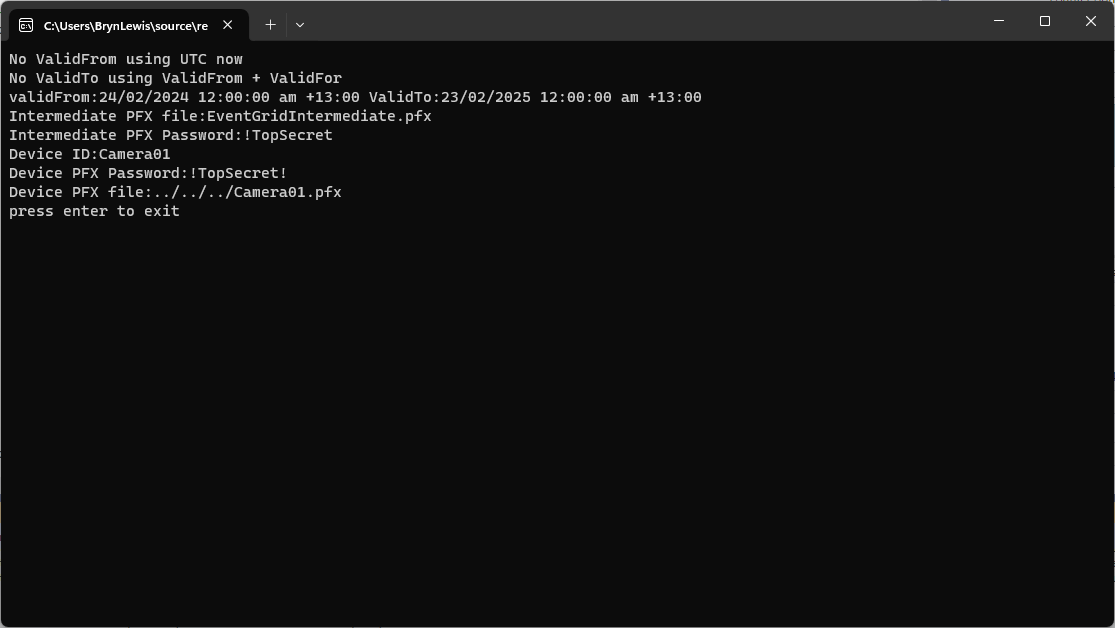
The application’s configuration was split between application settings file(certificate file paths, validity periods, Organisation etc.) or entered at runtime ( certificate filenames, passwords etc.) The first application generates a Root Certificate using the distinguished name information from the application settings, plus file names and passwords entered by the user.
Root Certificate generation application output
The second application generates an Intermediate Certificate using the Root Certificate, the distinguished name information from the application settings, plus file names and passwords entered by the user.
static void Main(string[] args)
{
var serviceProvider = new ServiceCollection()
.AddCertificateManager()
.BuildServiceProvider();
// load the app settings into configuration
var configuration = new ConfigurationBuilder()
.AddJsonFile("appsettings.json", false, true)
.AddUserSecrets<Program>()
.Build();
_applicationSettings = configuration.GetSection("ApplicationSettings").Get<Model.ApplicationSettings>();
//------
Console.WriteLine($"validFrom:{validFrom} be after ValidTo:{validTo}");
Console.WriteLine($"Root Certificate file:{_applicationSettings.RootCertificateFilePath}");
Console.Write("Root Certificate Password:");
string rootPassword = Console.ReadLine();
if (String.IsNullOrEmpty(rootPassword))
{
Console.WriteLine("Fail");
return;
}
var rootCertificate = new X509Certificate2(_applicationSettings.RootCertificateFilePath, rootPassword);
var intermediateCertificateCreate = serviceProvider.GetService<CreateCertificatesClientServerAuth>();
var intermediateCertificate = intermediateCertificateCreate.NewIntermediateChainedCertificate(
new DistinguishedName
{
CommonName = _applicationSettings.CommonName,
Organisation = _applicationSettings.Organisation,
OrganisationUnit = _applicationSettings.OrganisationUnit,
Locality = _applicationSettings.Locality,
StateProvince = _applicationSettings.StateProvince,
Country = _applicationSettings.Country
},
new ValidityPeriod
{
ValidFrom = validFrom,
ValidTo = validTo,
},
_applicationSettings.PathLengthConstraint,
_applicationSettings.DnsName, rootCertificate);
intermediateCertificate.FriendlyName = _applicationSettings.FriendlyName;
Console.Write("Intermediate certificate Password:");
string intermediatePassword = Console.ReadLine();
if (String.IsNullOrEmpty(intermediatePassword))
{
Console.WriteLine("Fail");
return;
}
var importExportCertificate = serviceProvider.GetService<ImportExportCertificate>();
Console.WriteLine($"Intermediate PFX file:{_applicationSettings.IntermediateCertificatePfxFilePath}");
var intermediateCertificatePfxBtyes = importExportCertificate.ExportChainedCertificatePfx(intermediatePassword, intermediateCertificate, rootCertificate);
File.WriteAllBytes(_applicationSettings.IntermediateCertificatePfxFilePath, intermediateCertificatePfxBtyes);
Console.WriteLine($"Intermediate CER file:{_applicationSettings.IntermediateCertificateCerFilePath}");
var intermediateCertificatePemText = importExportCertificate.PemExportPublicKeyCertificate(intermediateCertificate);
File.WriteAllText(_applicationSettings.IntermediateCertificateCerFilePath, intermediateCertificatePemText);
Console.WriteLine("press enter to exit");
Console.ReadLine();
}
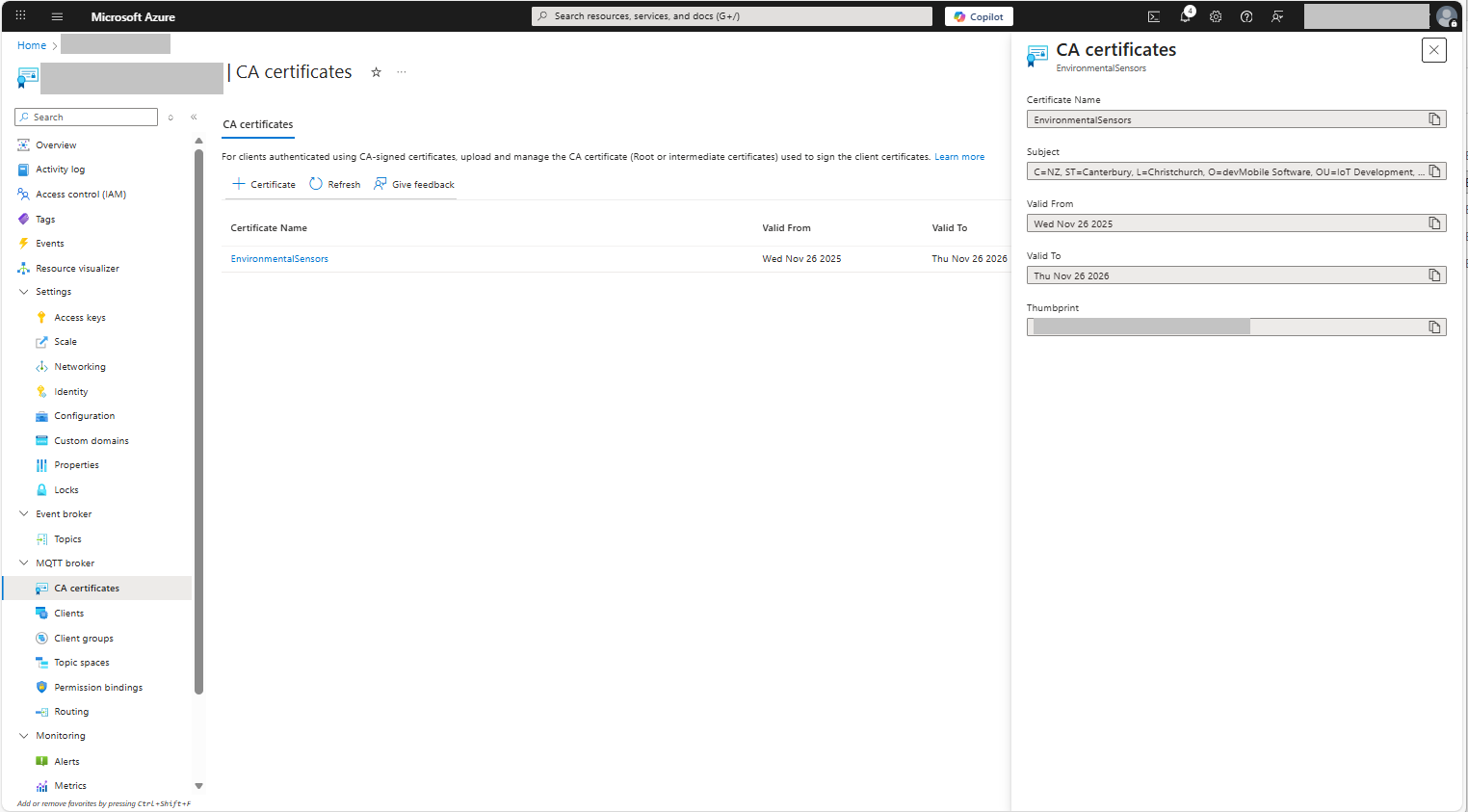
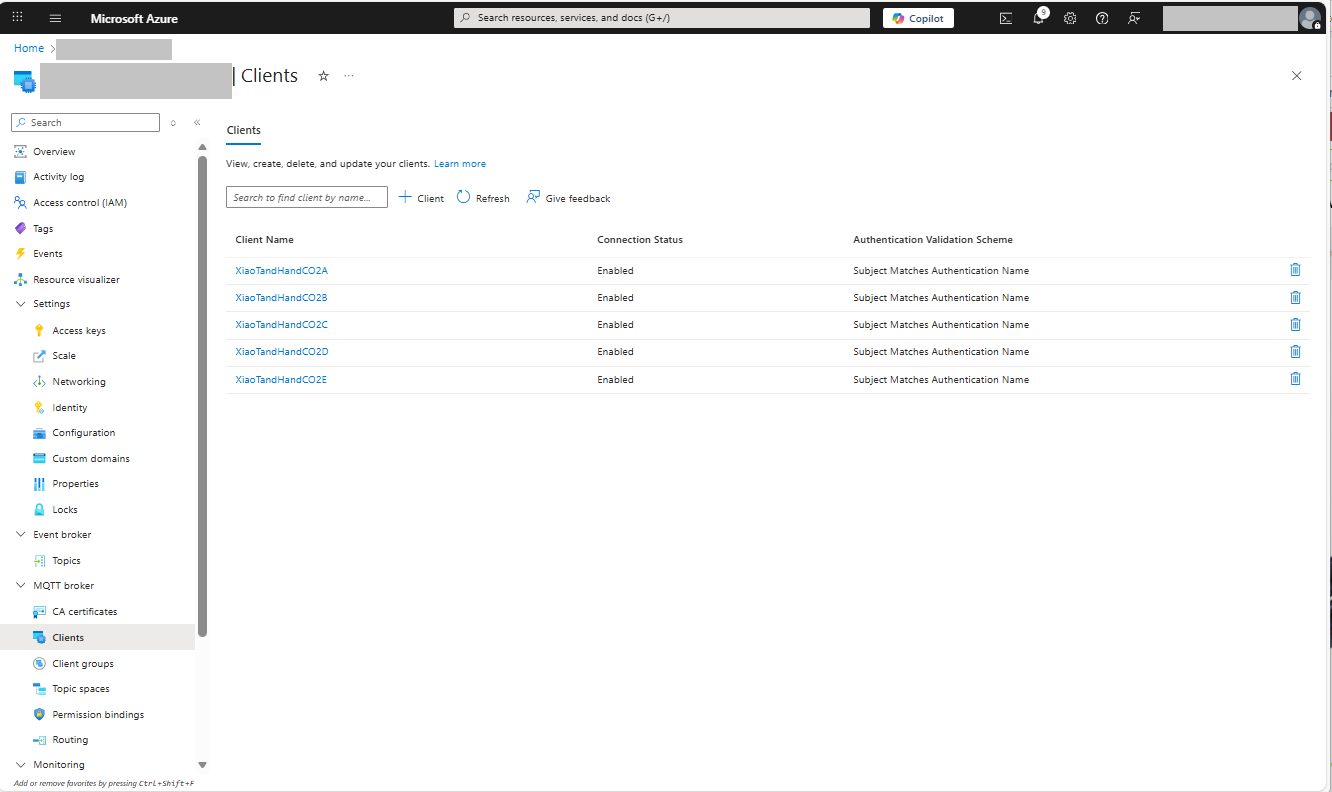
Uploading the Intermediate certificate to Azure Event Grid
The third application generates Device Certificates using the Intermediate Certificate, distinguished name information from the application settings, plus device id, file names and passwords entered by the user.
static void Main(string[] args)
{
var serviceProvider = new ServiceCollection()
.AddCertificateManager()
.BuildServiceProvider();
// load the app settings into configuration
var configuration = new ConfigurationBuilder()
.AddJsonFile("appsettings.json", false, true)
.AddUserSecrets<Program>()
.Build();
_applicationSettings = configuration.GetSection("ApplicationSettings").Get<Model.ApplicationSettings>();
//------
Console.WriteLine($"validFrom:{validFrom} ValidTo:{validTo}");
Console.WriteLine($"Intermediate PFX file:{_applicationSettings.IntermediateCertificateFilePath}");
Console.Write("Intermediate PFX Password:");
string intermediatePassword = Console.ReadLine();
if (String.IsNullOrEmpty(intermediatePassword))
{
Console.WriteLine("Intermediate PFX Password invalid");
return;
}
var intermediate = new X509Certificate2(_applicationSettings.IntermediateCertificateFilePath, intermediatePassword);
Console.Write("Device ID:");
string deviceId = Console.ReadLine();
if (String.IsNullOrEmpty(deviceId))
{
Console.WriteLine("Device ID invalid");
return;
}
var createClientServerAuthCerts = serviceProvider.GetService<CreateCertificatesClientServerAuth>();
var device = createClientServerAuthCerts.NewDeviceChainedCertificate(
new DistinguishedName
{
CommonName = deviceId,
Organisation = _applicationSettings.Organisation,
OrganisationUnit = _applicationSettings.OrganisationUnit,
Locality = _applicationSettings.Locality,
StateProvince = _applicationSettings.StateProvince,
Country = _applicationSettings.Country
},
new ValidityPeriod
{
ValidFrom = validFrom,
ValidTo = validTo,
},
deviceId, intermediate);
device.FriendlyName = deviceId;
Console.Write("Device PFX Password:");
string devicePassword = Console.ReadLine();
if (String.IsNullOrEmpty(devicePassword))
{
Console.WriteLine("Fail");
return;
}
var importExportCertificate = serviceProvider.GetService<ImportExportCertificate>();
string devicePfxPath = string.Format(_applicationSettings.DeviceCertificatePfxFilePath, deviceId);
Console.WriteLine($"Device PFX file:{devicePfxPath}");
var deviceCertificatePath = importExportCertificate.ExportChainedCertificatePfx(devicePassword, device, intermediate);
File.WriteAllBytes(devicePfxPath, deviceCertificatePath);
Console.WriteLine("press enter to exit");
Console.ReadLine();
}
Device Certificate generation application output
Uploading the Intermediate certificate to Azure Event Grid
Application Insights logging with message unpackingApplication Insights logging message payload
Then in the last log entry the decoded message payload
/*
Copyright ® 2020 Feb devMobile Software, All Rights Reserved
MIT License
Permission is hereby granted, free of charge, to any person obtaining a copy
of this software and associated documentation files (the "Software"), to deal
in the Software without restriction, including without limitation the rights
to use, copy, modify, merge, publish, distribute, sublicense, and/or sell
copies of the Software, and to permit persons to whom the Software is
furnished to do so, subject to the following conditions:
The above copyright notice and this permission notice shall be included in all
copies or substantial portions of the Software.
THE SOFTWARE IS PROVIDED "AS IS", WITHOUT WARRANTY OF ANY KIND, EXPRESS OR
IMPLIED, INCLUDING BUT NOT LIMITED TO THE WARRANTIES OF MERCHANTABILITY,
FITNESS FOR A PARTICULAR PURPOSE AND NONINFRINGEMENT. IN NO EVENT SHALL THE
AUTHORS OR COPYRIGHT HOLDERS BE LIABLE FOR ANY CLAIM, DAMAGES OR OTHER
LIABILITY, WHETHER IN AN ACTION OF CONTRACT, TORT OR OTHERWISE, ARISING FROM,
OUT OF OR IN CONNECTION WITH THE SOFTWARE OR THE USE OR OTHER DEALINGS IN THE
SOFTWARE
Default URL for triggering event grid function in the local environment.
http://localhost:7071/runtime/webhooks/EventGrid?functionName=functionname
*/
namespace EventGridProcessorAzureIotHub
{
using System;
using System.IO;
using System.Reflection;
using Microsoft.Azure.WebJobs;
using Microsoft.Azure.EventGrid.Models;
using Microsoft.Azure.WebJobs.Extensions.EventGrid;
using log4net;
using log4net.Config;
using Newtonsoft.Json;
public static class Telemetry
{
[FunctionName("Telemetry")]
public static void Run([EventGridTrigger]Microsoft.Azure.EventGrid.Models.EventGridEvent eventGridEvent, ExecutionContext executionContext )//, TelemetryClient telemetryClient)
{
ILog log = log4net.LogManager.GetLogger(System.Reflection.MethodBase.GetCurrentMethod().DeclaringType);
var logRepository = LogManager.GetRepository(Assembly.GetEntryAssembly());
XmlConfigurator.Configure(logRepository, new FileInfo(Path.Combine(executionContext.FunctionAppDirectory, "log4net.config")));
log.Info($"eventGridEvent.Data-{eventGridEvent}");
log.Info($"eventGridEvent.Data.ToString()-{eventGridEvent.Data.ToString()}");
IotHubDeviceTelemetryEventData iOThubDeviceTelemetryEventData = (IotHubDeviceTelemetryEventData)JsonConvert.DeserializeObject(eventGridEvent.Data.ToString(), typeof(IotHubDeviceTelemetryEventData));
log.Info($"iOThubDeviceTelemetryEventData.Body.ToString()-{iOThubDeviceTelemetryEventData.Body.ToString()}");
byte[] base64EncodedBytes = System.Convert.FromBase64String(iOThubDeviceTelemetryEventData.Body.ToString());
log.Info($"System.Text.Encoding.UTF8.GetString(-{System.Text.Encoding.UTF8.GetString(base64EncodedBytes)}");
}
}
}
Overall it took roughly half a page of code (mainly generated by a tool) to unpack and log the contents of an Azure IoT Hub EventGrid payload to Application Insights.