This post is about Azure IoT Central downlink methods and should be read in conjunction with the Myriota Connector – Azure IoT Central Downlink Methods post. My Myriota Sense and Locate template has 4 commands and in this post, I have focused on the fan speed command.

The Myriota Connector only supports Direct Methods which provide immediate confirmation of the result being queued by the Myriota Cloud API. The Myriota (API) control message send method responds with 400 Bad Request if there is already a message being sent to a device.

The fan speed downlink payload formatter is specified in the Azure Function Environment Variables.
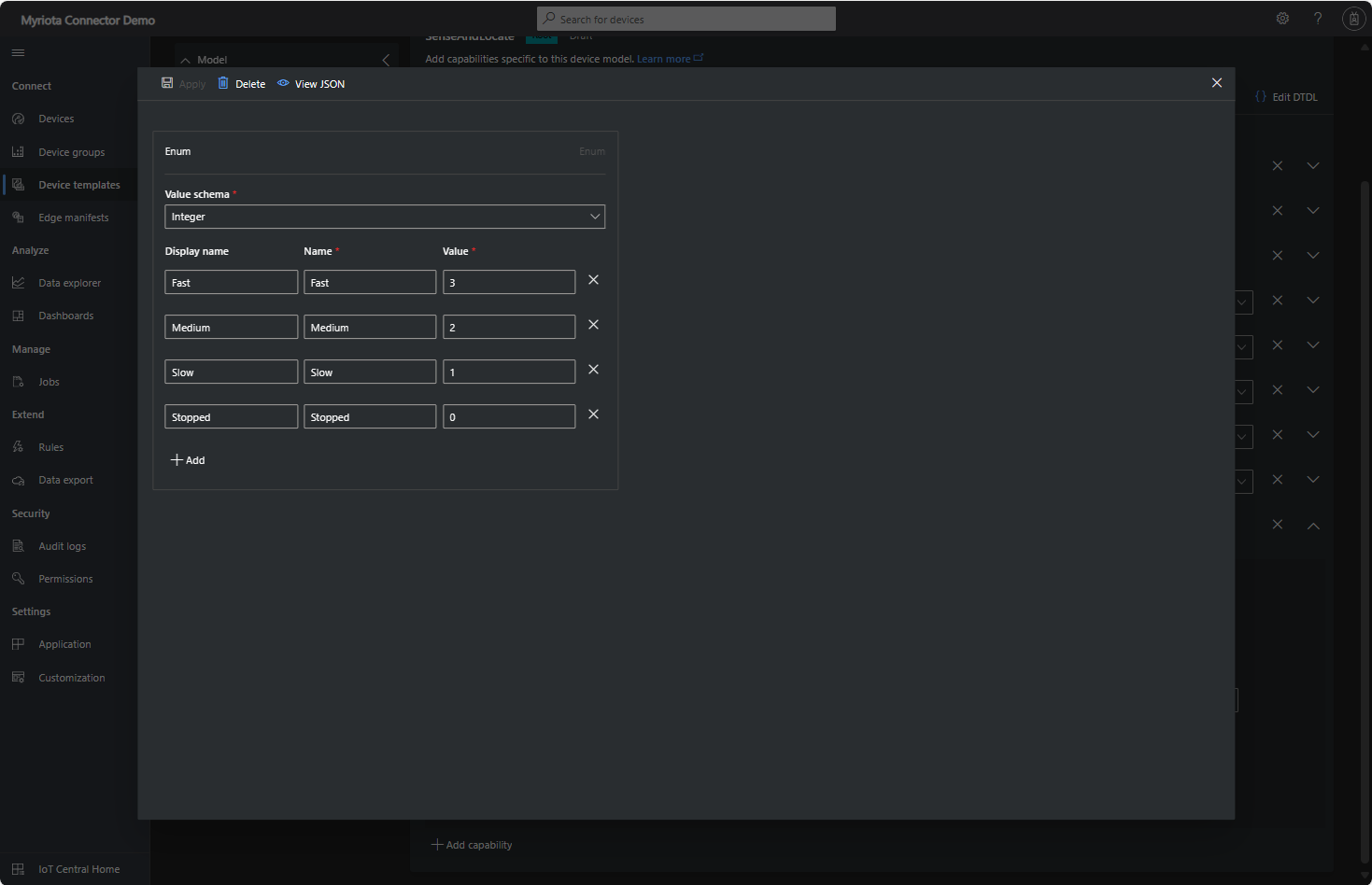
The fan speed value in the message payload is configured in the fan speed enumeration.
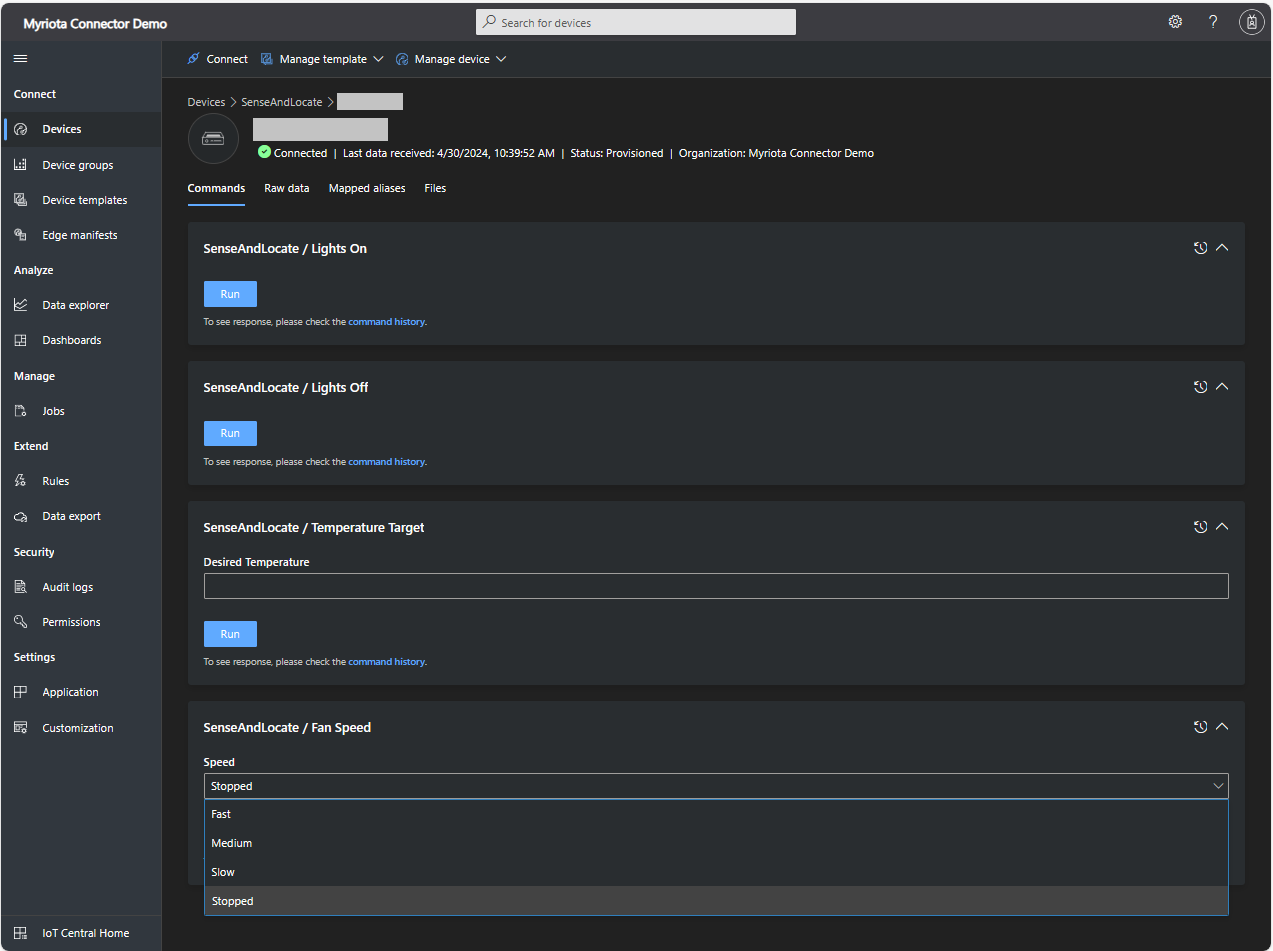
The FanSpeed.cs payload formatter extracts the FanSpeed value from the Javascript Object Notation(JSON) payload and returns a two-byte array containing the message type and speed of the fan.
using System;
using System.Collections.Generic;

using Newtonsoft.Json;
using Newtonsoft.Json.Linq;

public class FormatterDownlink : PayloadFormatter.IFormatterDownlink
{
   public byte[] Evaluate(string terminalId, string methodName, JObject payloadJson, byte[] payloadBytes)
   {
      byte? status = payloadJson.Value<byte?>("FanSpeed");

      if (!status.HasValue)
      {
         return new byte[] { };
      }

      return new byte[] { 1, status.Value };
   }
}

Sense and Locate Azure IoT Central Command Fan Speed History
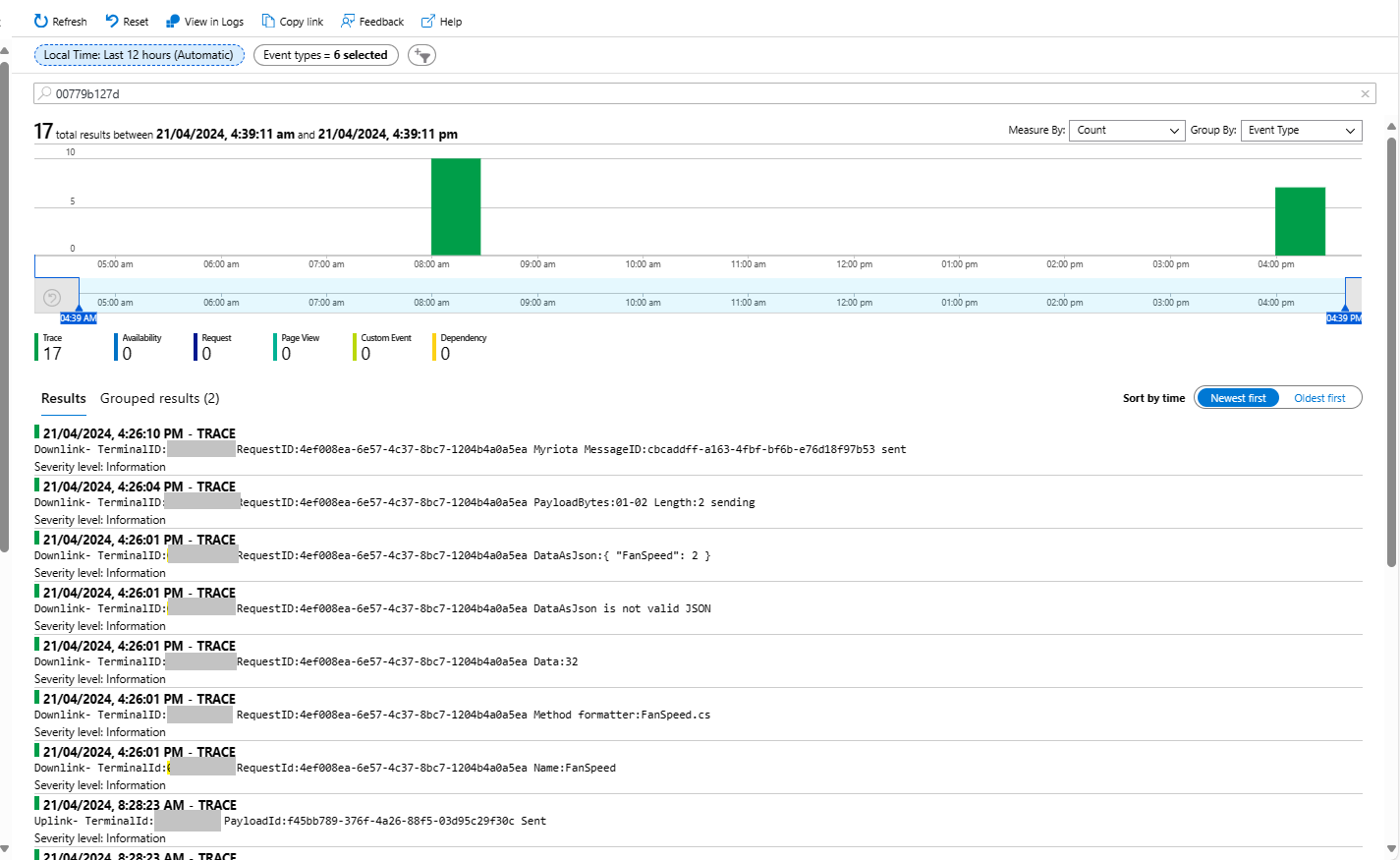
Each Azure Application Insights log entry starts with the TerminalID (to simplify searching for all the messages related to device) and the requestId a Globally Unique Identifier (GUID) to simplify searching for all the “steps” associated with sending/receiving a message) with the rest of the logging message containing “step” specific diagnostic information.
In the Myriota Device Manager the status of Control Messages can be tracked and they can be cancelled if in the “pending” state.
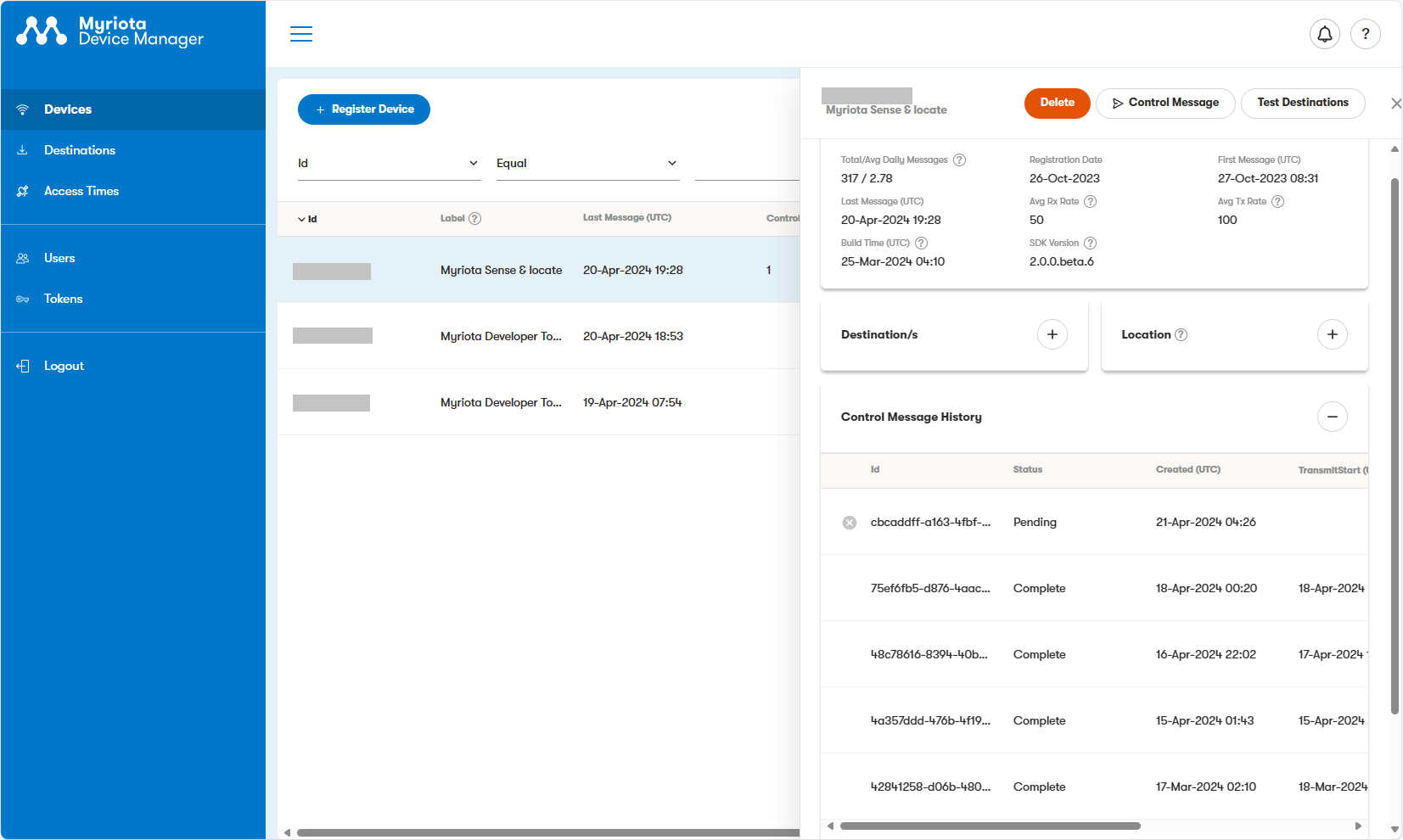
A Control Message can take up to 24hrs to be delivered and confirmation of delivery has to be implemented by the application developer.












 devMobile's blog