Swarm Space – DeviceClient Cache warming with HTTPTrigger

For C2D messaging to work a device must have a DeviceClient “connection” established to the Azure IoT Hub which is a problem for irregularly connect devices. Sometimes establishing a connection on the first D2C messages is sufficient, especially for devices which only support D2C messaging. An Identity Translation Gateway establishes a connection for each device (see discussion about AMQP Connection multiplexing) so that C2D messages can be sent immediately.

I initially tried building a cache loader with BackgroundService so that the DeviceClient cache would start loading as the application started but interdependencies became problem.

public partial class Connector
{
    [Function("BumblebeeHiveCacheRefresh")]
    public async Task<IActionResult> BumblebeeHiveCacheRefreshRun([HttpTrigger(AuthorizationLevel.Function, "get")] CancellationToken cancellationToken)
    {
        _logger.LogInformation("BumblebeeHiveCacheRefresh start");

        await _swarmSpaceBumblebeeHive.Login(cancellationToken);

        foreach (SwarmSpace.BumblebeeHiveClient.Device device in await _swarmSpaceBumblebeeHive.DeviceListAsync(cancellationToken))
        {
            _logger.LogInformation("BumblebeeHiveCacheRefresh DeviceId:{DeviceId} DeviceName:{DeviceName}", device.DeviceId, device.DeviceName);

            Models.AzureIoTDeviceClientContext context = new Models.AzureIoTDeviceClientContext()
            {
                // TODO seems a bit odd getting this from application settings
                OrganisationId = _applicationSettings.OrganisationId, 
                //UserApplicationId = device.UserApplicationId, deprecated
                DeviceType = (byte)device.DeviceType,
                DeviceId = (uint)device.DeviceId,
            };

            switch (_azureIoTSettings.ApplicationType)
            {
                case Models.ApplicationType.AzureIotHub:
                    switch (_azureIoTSettings.AzureIotHub.ConnectionType)
                    {
                        case Models.AzureIotHubConnectionType.DeviceConnectionString:
                             await _azureDeviceClientCache.GetOrAddAsync<DeviceClient>(device.DeviceId.ToString(), (ICacheEntry x) => AzureIoTHubDeviceConnectionStringConnectAsync(device.DeviceId.ToString(), context));
                            break;
                        case Models.AzureIotHubConnectionType.DeviceProvisioningService:
                             await _azureDeviceClientCache.GetOrAddAsync<DeviceClient>(device.DeviceId.ToString(), (ICacheEntry x) => AzureIoTHubDeviceProvisioningServiceConnectAsync(device.DeviceId.ToString(), context, _azureIoTSettings.AzureIotHub.DeviceProvisioningService));
                            break;
                        default:

                        _logger.LogError("Azure IoT Hub ConnectionType unknown {0}", _azureIoTSettings.AzureIotHub.ConnectionType);

                            throw new NotImplementedException("AzureIoT Hub unsupported ConnectionType");
                    }
                    break;

                case Models.ApplicationType.AzureIoTCentral:
                    await _azureDeviceClientCache.GetOrAddAsync<DeviceClient>(device.DeviceId.ToString(), (ICacheEntry x) => AzureIoTHubDeviceProvisioningServiceConnectAsync(device.DeviceId.ToString(), context, _azureIoTSettings.AzureIoTCentral.DeviceProvisioningService));
                break;

                default:
                    _logger.LogError("AzureIoT application type unknown {0}", _azureIoTSettings.ApplicationType);

                    throw new NotImplementedException("AzureIoT unsupported ApplicationType");
            }
        }

        _logger.LogInformation("BumblebeeHiveCacheRefresh finish");

        return new OkResult();
    }
}

The HTTP WEBSITE_WARMUP_PATH environment variable is used to call the Azure HTTPTrigger Function and this is secured with an x-functions-key header.

Azure Function App Configuration

In the short-term loading the cache with a call to an Azure HTTPTrigger Function works but may timeout issues. When I ran the connector with my 100’s of devices simulator the function timed out every so often.

Azure HTTP Trigger Functions with .NET Core 5

Updated .NET Core V6 Version

My updated The Things Industries(TTI) connector will use a number of Azure Functions to process Application Integration webhooks (with HTTP Triggers) and Azure Storage Queue messages(with Output Bindings & QueueTriggers).

On a couple of customer projects we had been updating Azure Functions from .NET 4.X to .NET Core 3.1, and most recently .NET Core 5. This process has been surprisingly painful so I decided to build a series of small proof of concept (PoC) projects to explore the problem.

Visual Studio Azure Function Trigger type selector

I started with the Visual Studio 2019 Azure Function template and created a plain HTTPTrigger.

public static class Function1
{
   [Function("Function1")]
   public static HttpResponseData Run([HttpTrigger(AuthorizationLevel.Function, "get", "post")] HttpRequestData req,
      FunctionContext executionContext)
   {
      var logger = executionContext.GetLogger("Function1");
      logger.LogInformation("C# HTTP trigger function processed a request.");

      var response = req.CreateResponse(HttpStatusCode.OK);
      response.Headers.Add("Content-Type", "text/plain; charset=utf-8");

      response.WriteString("Welcome to Azure Functions!");

      return response;
   }
}

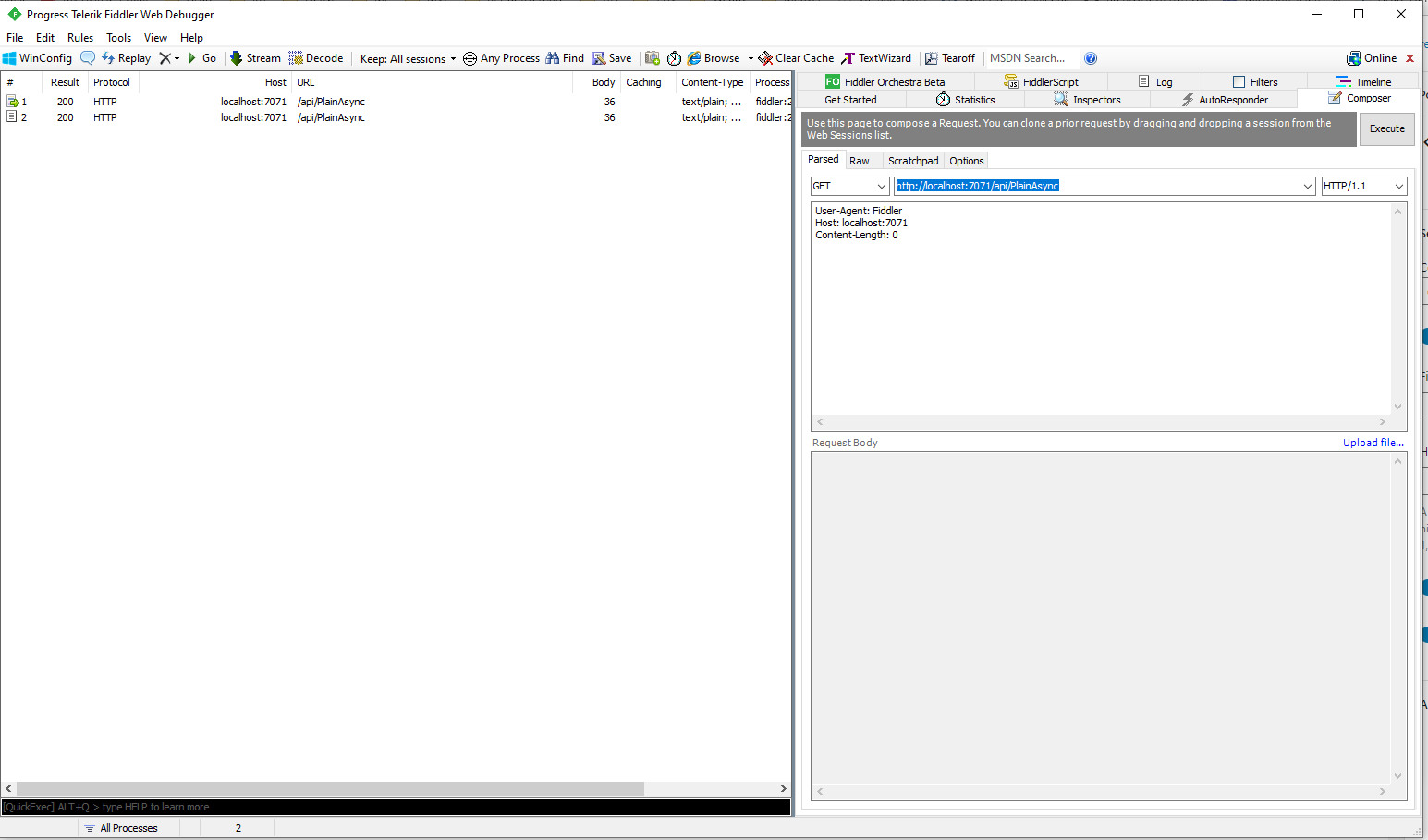
I changed the AuthorizationLevel to Anonymous to make testing in Azure with Telerik Fiddler easier

public static class Function1
{
	[Function("PlainAsync")]
	public static async Task<IActionResult> Run([HttpTrigger(AuthorizationLevel.Anonymous, "get", "post", Route = null)] HttpRequestData request, FunctionContext executionContext)
	{
		var logger = executionContext.GetLogger("UplinkMessage");

		logger.LogInformation("C# HTTP trigger function processed a request.");

		var response = request.CreateResponse(HttpStatusCode.OK);

		response.Headers.Add("Content-Type", "text/plain; charset=utf-8");

		response.WriteString("Welcome to Azure Functions!");

		return new OkResult();
	}
}

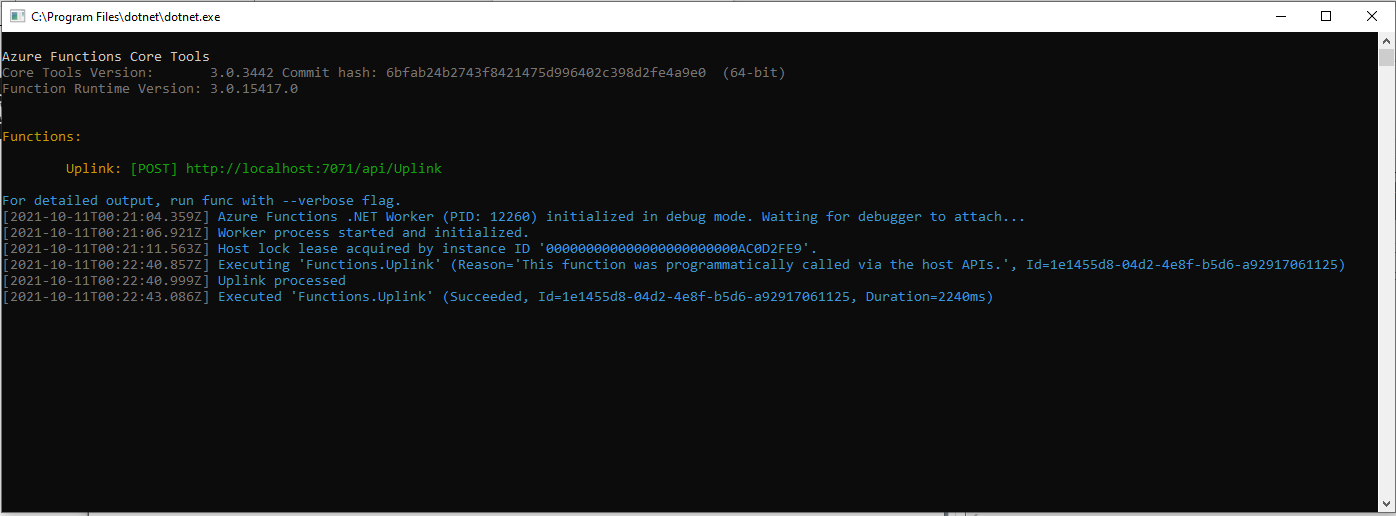
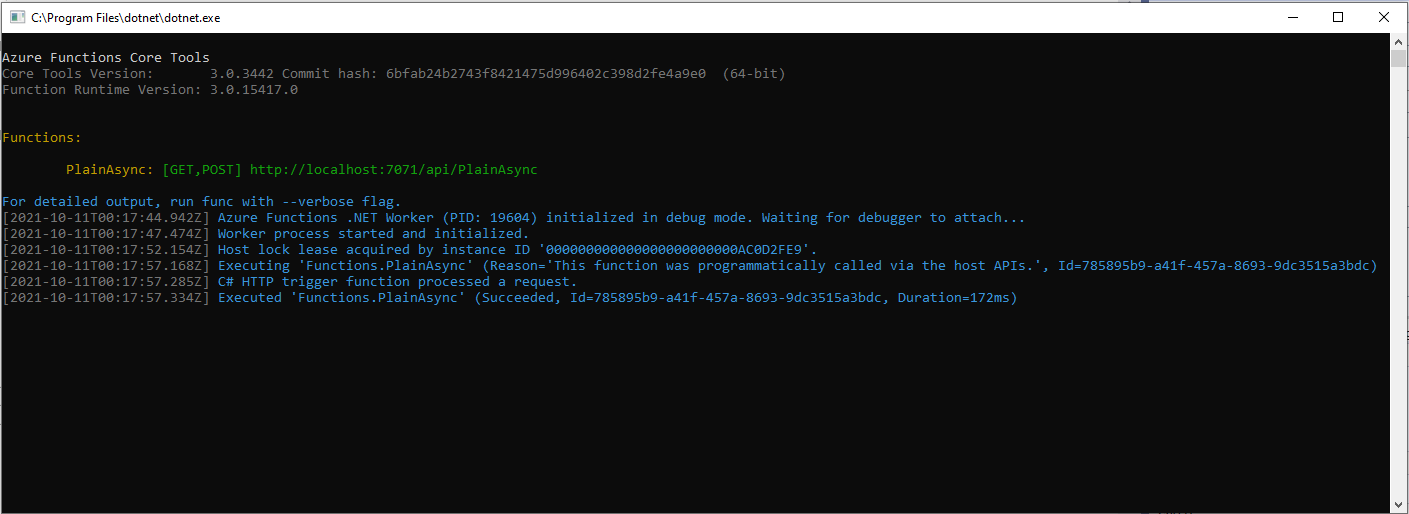
With not a lot of work I had an Azure Function I could run in the Visual Studio debugger

Azure Functions Debug Diagnostic Output

I could invoke the function using the endpoint displayed as debugging environment started.

Telerik Fiddler Composer invoking Azure Function running locally

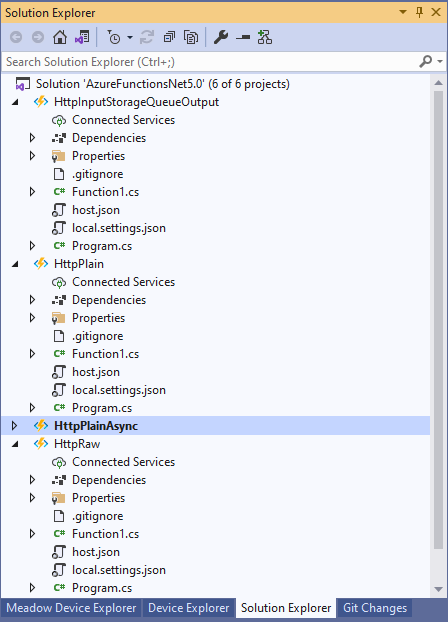
I then added more projects to explore asynchronicity, and output bindings

Azure Functions Solution PoC Projects

After a bit of “trial and error” I had an HTTPTrigger Function that inserted a message containing the payload of an HTTP POST into an Azure Storage Queue.

[StorageAccount("AzureWebJobsStorage")]
public static class Function1
{
	[Function("Uplink")]
	public static async Task<HttpTriggerUplinkOutputBindingType> Uplink([HttpTrigger(AuthorizationLevel.Function, "post")] HttpRequestData req, FunctionContext context)
	{
		var logger = context.GetLogger("UplinkMessage");

		logger.LogInformation("Uplink processed");
			
		var response = req.CreateResponse(HttpStatusCode.OK);

		return new HttpTriggerUplinkOutputBindingType()
		{
			Name = await req.ReadAsStringAsync(),
			HttpReponse = response
		};
	}

	public class HttpTriggerUplinkOutputBindingType
	{
		[QueueOutput("uplink")]
		public string Name { get; set; }

		public HttpResponseData HttpReponse { get; set; }
	}
}

The key was Multiple Output Bindings so the function could return a result for both the HttpResponseData and Azure Storage Queue operations

Azure Functions Debug Diagnostic Output

After getting the function running locally I deployed it to a Function App running in an App Service plan

Azure HTTP Trigger function Host Key configuration

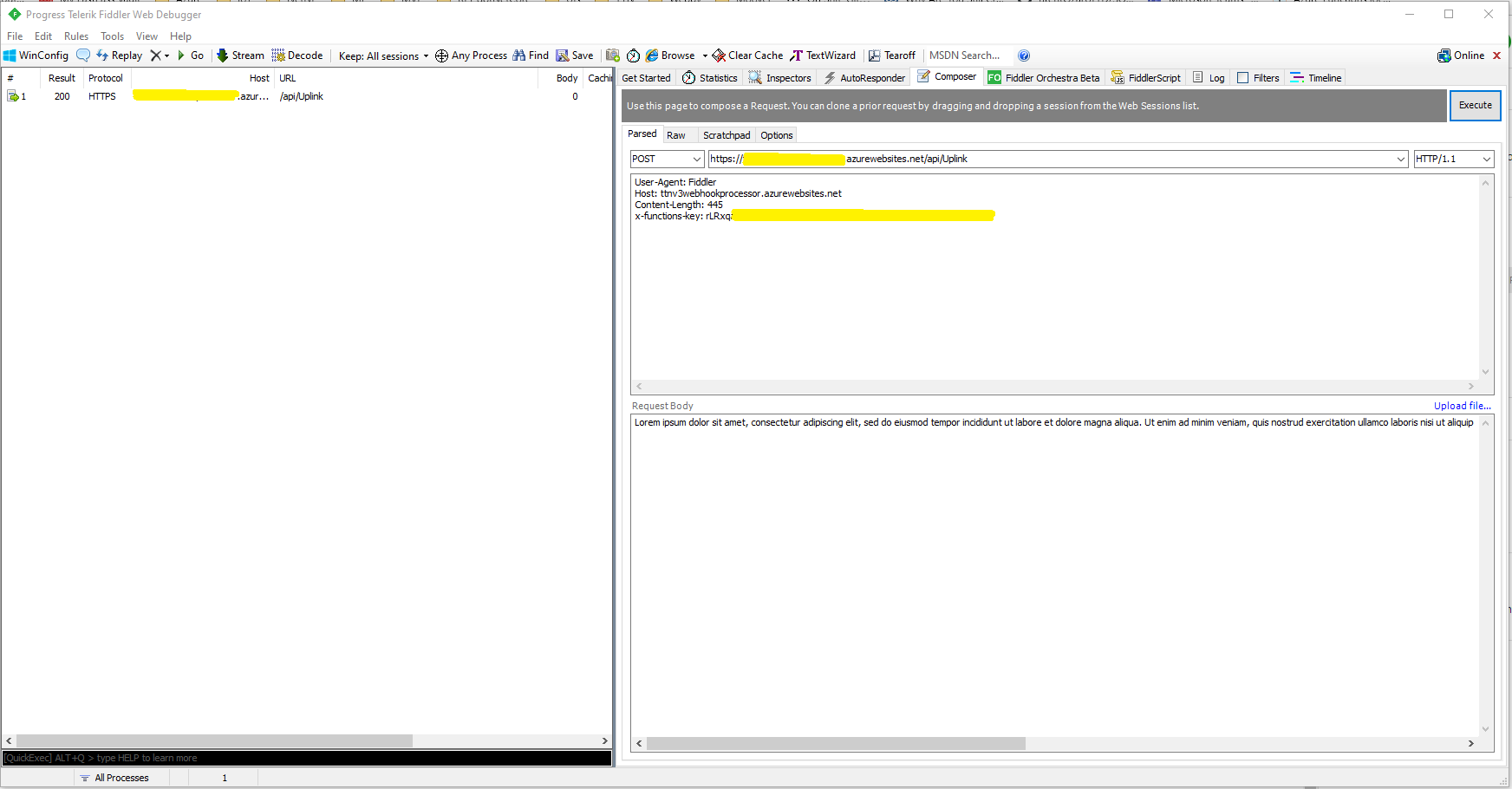
Using the Azure Portal I configured an x-functions-key which I could use in Telerik Fiddler

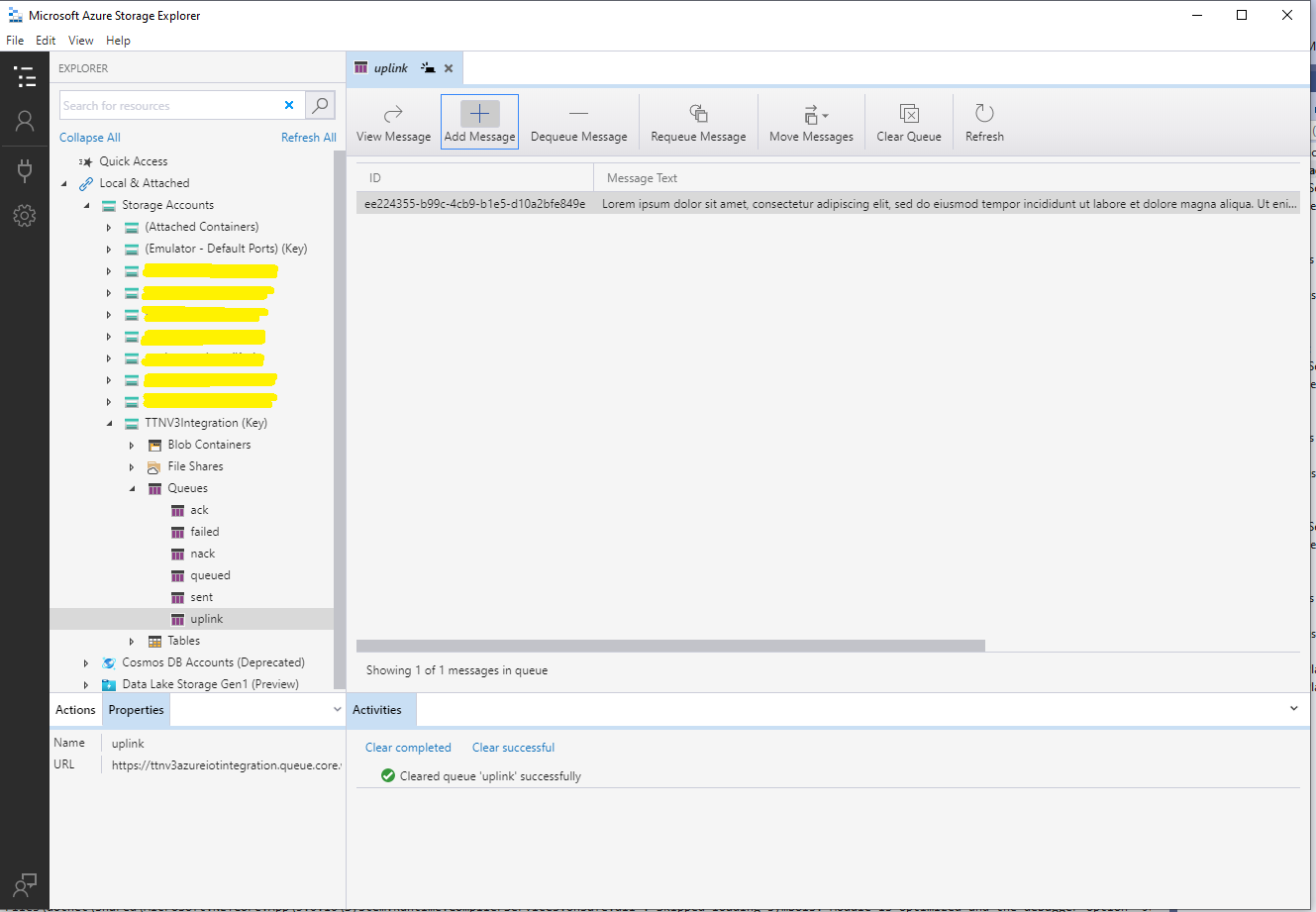
After fixing an accidental truncation of the x-functions-key a message with the body of the POST was created in the Azure Storage Queue.

Azure Storage Queue Message containing HTTP Post Payload

The aim of this series of PoCs was to have an Azure function that securely (x-functions-key) processed an Hyper Text Transfer Protocol(HTTP) POST with an HTTPTrigger and inserted a message containing the payload into an Azure Storage Queue using an OutputBinding.

Use the contents of this blog post with care as it may not age well.