The Inside Airbnb London has the polygons of 33 neighbourhoods and each of the roughly 87900 listings has a latitude and longitude. The WebMinimalAPIDapper Spatial project uses only Microsoft SQL Server’s Spatial functionality for searching and distance calculations.

The “magic number” 4326 indicates that the latitude and longitude values are expressed in the World Geodetic System 1984(WGS84) which is also used by the Global Positioning System (GPS) operated by the United States Space Force.
CREATE TABLE [dbo].[Neighbourhood](
	[id] [bigint] IDENTITY(1,1) NOT NULL,
	[NeighbourhoodUID] [uniqueidentifier] NOT NULL,
	[name] [nvarchar](50) NOT NULL,
	[neighbourhood_url] [nvarchar](100) NOT NULL,
	[boundary] [geography] NOT NULL,
 CONSTRAINT [PK_Neighbourhood] PRIMARY KEY CLUSTERED
(
	[id] ASC
)
-- Then create a spatial index on GEOGRAPHY which contains the boundary polygon(s)
CREATE SPATIAL INDEX [ISX_NeighbourhoodBoundary] ON [dbo].[Neighbourhood]
(
	[boundary]
)
I added a GEOGRAPHY column to the Listing table, populated it using the Latitude and Longitudes of the Listings then added a spatial index.
-- Use latitude and longitude to populate Location GEOGRAPHY column
UPDATE listing
SET Listing.Location = geography::Point(latitude, longitude, 4326)

-- Then index Location column after changing to NOT NULL
CREATE SPATIAL INDEX [IXS_ListingByLocation] ON [dbo].[listing]
(
	[Location]
)
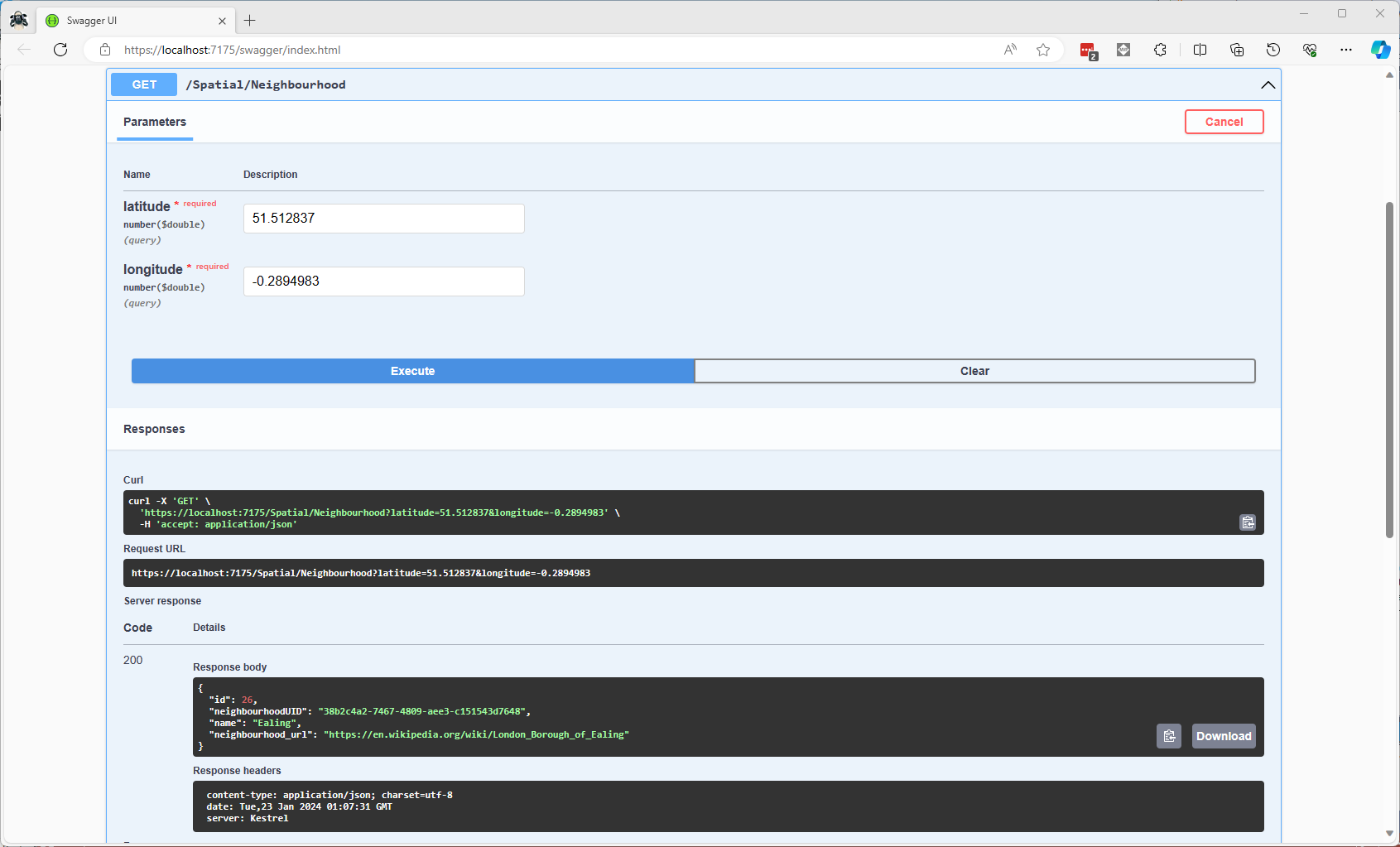
The first spatial search uses the latitude and longitude (most probably extracted from image metadata) to get a Listing’s neighbourhood.

It uses the STContains method to find the neighbourhood polygon (if there is one) which the listing location is inside.
const string ListingInNeighbourhoodSQL = @"SELECT neighbourhoodUID, name, neighbourhood_url as neighbourhoodUrl FROM Neighbourhood WHERE Neighbourhood.Boundary.STContains(geography::Point(@Latitude, @Longitude, 4326)) = 1";
...

app.MapGet("/Spatial/Neighbourhood", async (double latitude, double longitude, [FromServices] IDapperContext dapperContext) =>
{
   Model.NeighbourhoodSearchDto neighbourhood;

   using (var connection = dapperContext.ConnectionCreate())
   {
      neighbourhood = await connection.QuerySingleOrDefaultWithRetryAsync<Model.NeighbourhoodSearchDto>(ListingInNeighbourhoodSQL, new { latitude, longitude });
   }

   if (neighbourhood is null)
   {
      return Results.Problem($"Neighbourhood for Latitude:{latitude} Longitude:{longitude} not found", statusCode: StatusCodes.Status404NotFound);
   }

   return Results.Ok(neighbourhood);
})
.Produces<IList<Model.NeighbourhoodSearchDto>>(StatusCodes.Status200OK)
.Produces(StatusCodes.Status404NotFound )
.WithOpenApi();
The case sensitivity of the OGC geography methods tripped me up a few times.
In a future blog post I will compare the performance of STContains vs. STWithin with a load testing application.
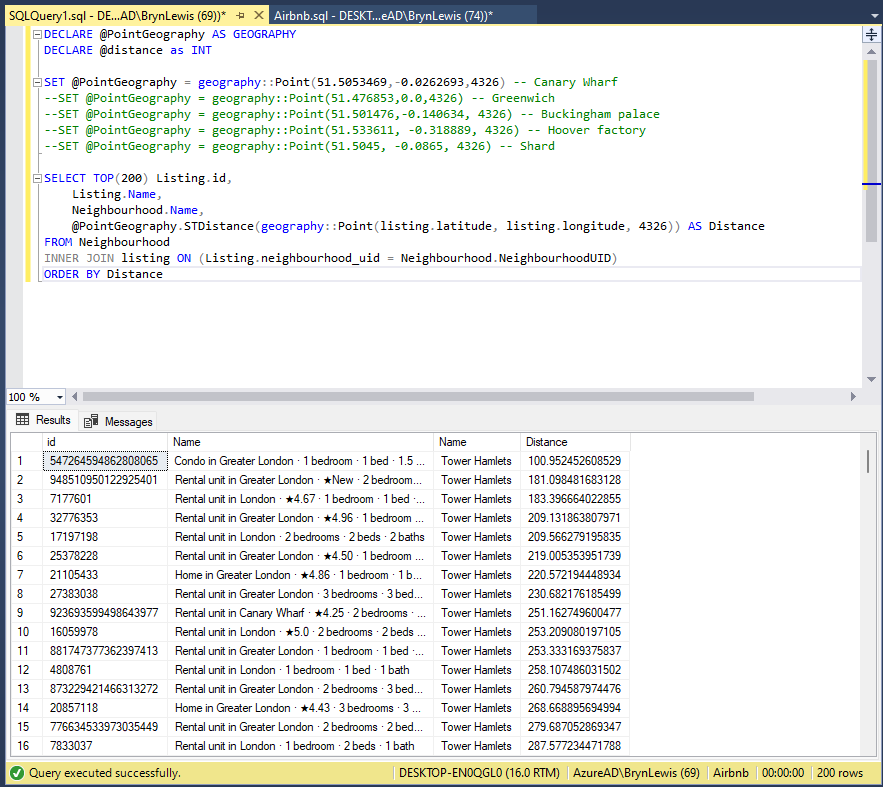
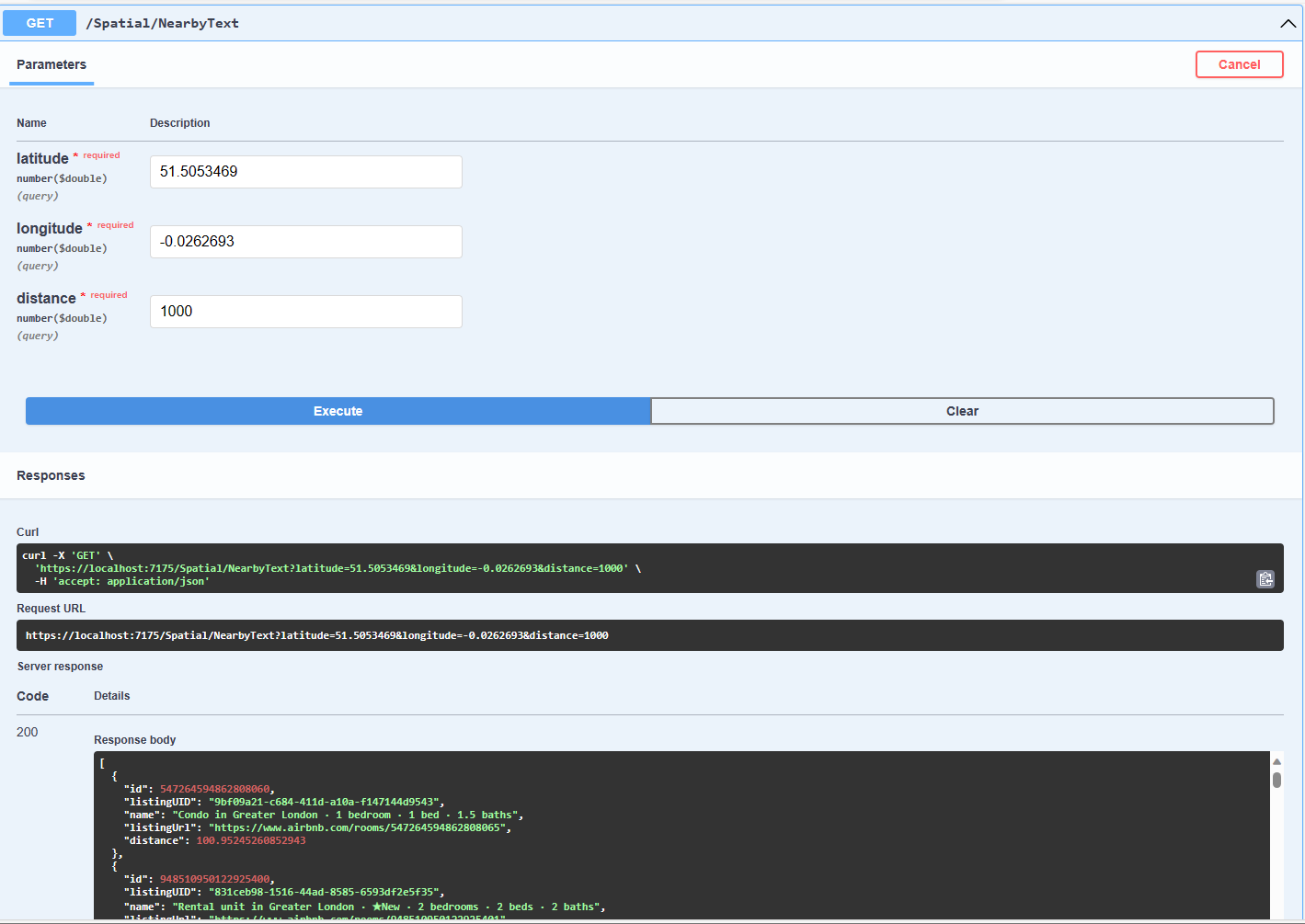
The second search simulates a customer looking for listing(s) within a specified distance of a point of interest.
const string ListingsNearbySQL = @"DECLARE @Origin AS GEOGRAPHY = geography::Point(@Latitude, @Longitude, 4326);
                                  DECLARE @Circle AS GEOGRAPHY = @Origin.STBuffer(@distance);
                                  --DECLARE @Circle AS GEOGRAPHY = @Origin.BufferWithTolerance(@distance, 0.09,true);
                                  SELECT uid as ListingUID, Name, listing_url as ListingUrl,
@Origin.STDistance(Listing.Location) as Distance
                                  FROM [listing]
                                  WHERE Listing.Location.STWithin(@Circle) = 1 ORDER BY Distance";
...
app.MapGet("/Spatial/NearbyText", async (double latitude, double longitude, double distance, [FromServices] IDapperContext dapperContext) =>
{
   using (var connection = dapperContext.ConnectionCreate())
   {
      return await connection.QueryWithRetryAsync<Model.ListingNearbyListDto>(ListingsNearbySQL, new { latitude, longitude, distance });
   }
})
.Produces<IList<Model.ListingNearbyListDto>>(StatusCodes.Status200OK)
.WithOpenApi();
The STBuffer command returns a geography object that represents represent a circle centered on @Location with a radius of @distance.
The third and final search simulates a customer looking for listing(s) within a specified distance of a point of interest with the latitude and longitude of the listing included in the results.
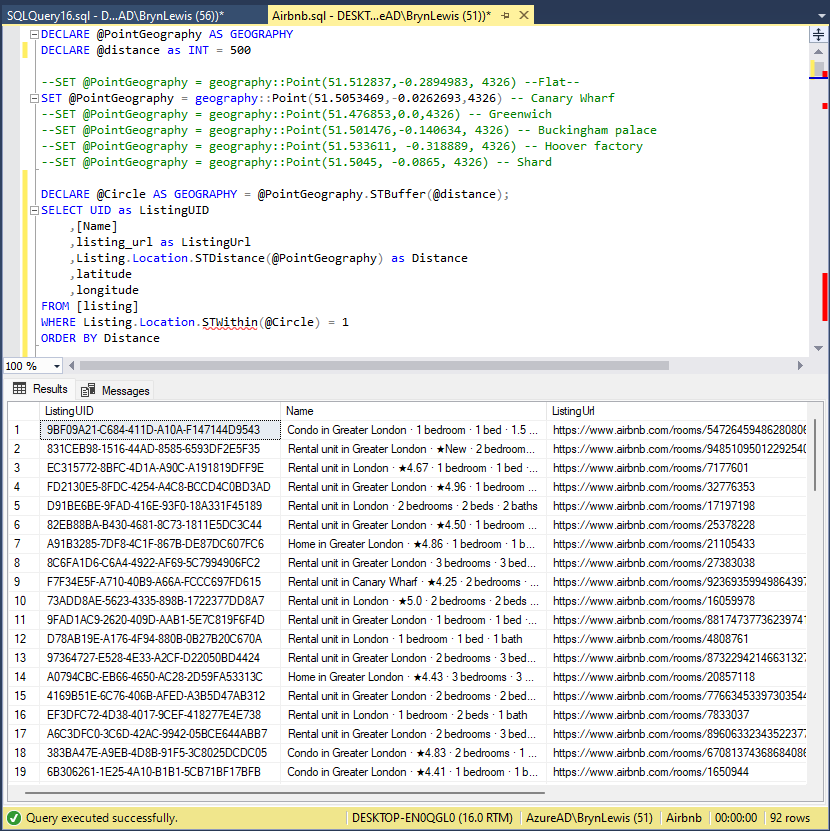
const string ListingsNearbyLatitudeLongitudeSQL = @"DECLARE @Location AS GEOGRAPHY = geography::Point(@Latitude, @longitude,4326)
                                 DECLARE @Circle AS GEOGRAPHY = @Location.STBuffer(@distance);
                                 SELECT UID as ListingUID
	                              ,[Name]
	                              ,listing_url as ListingUrl
	                              ,Listing.Location.STDistance(@Location) as Distance
	                              ,latitude
                                 ,longitude
                                 FROM [listing]
                                 WHERE Listing.Location.STWithin(@Circle) = 1
                                 ORDER BY Distance";

app.MapGet("/Spatial/NearbyLatitudeLongitude", async (double latitude, double longitude, double distance, [FromServices] IDapperContext dapperContext) =>
{
   using (var connection = dapperContext.ConnectionCreate())
   {
      return await connection.QueryWithRetryAsync<Model.ListingNearbyListLatitudeLongitudeDto>(ListingsNearbyLatitudeLongitudeSQL, new { latitude, longitude, distance });
   }
})
.Produces<IList<Model.ListingNearbyListLatitudeLongitudeDto>>(StatusCodes.Status200OK)
.WithOpenApi();

The next couple of posts will use the third-party libraries Geo and NetTopolgySuite
 devMobile's blog