.NET nanoFramework RAK2305 – I2C SHT3C

The RAKwireless RAK2305 WisBlock WiFi Interface module is also based on an Expressif ESP32 processor which is supported by the .NET nanoFramework. The RAK2305 WisBlock WiFi Interface module plugs into an IO Slot rather than a Core Slot so I wanted to see if Inter-Integrated Circuit(I2C) bus devices would work with it.
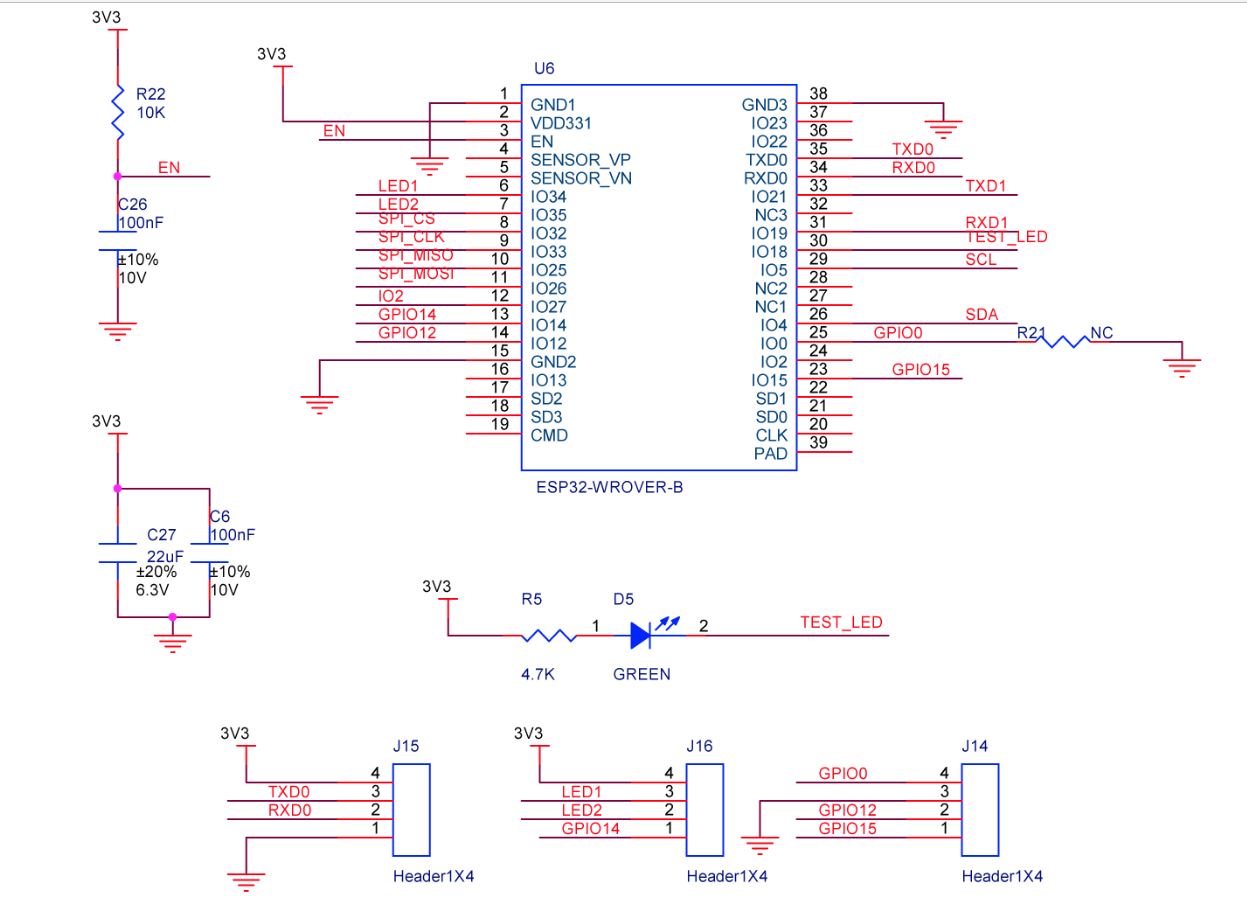
RAL2305 Schematic

The RAK2305 WisBlock WiFi Interface has one I2C port and TXD0/RXD0 are not connected to the base board’s Universal Serial Bus(USB) port.

RAK2305, RAK5005-O and RAK1901 test rig with the FTDI 3V3 pin disconnected

The I2C1 the SDA(serial data) and SCL(serial clock line) have to be mapped to physical pins on the Expressif ESP32 processor using the nanoFramework ESP32 support NuGet. package

                Configuration.SetPinFunction(Gpio.IO04, DeviceFunction.I2C1_DATA);
                Configuration.SetPinFunction(Gpio.IO05, DeviceFunction.I2C1_CLOCK)

The test project uses a RAK1901 WisBlock Temperature and Humidity Sensor(SHTC3) WisBlock Sensor (which has nanoFramework.IoTDevice library support) plugged into a RAK5005 WisBlock Base Board.

//---------------------------------------------------------------------------------
// Copyright (c) September 2022, devMobile Software
//
// Licensed under the Apache License, Version 2.0 (the "License");
// you may not use this file except in compliance with the License.
// You may obtain a copy of the License at
//
//     http://www.apache.org/licenses/LICENSE-2.0
//
// Unless required by applicable law or agreed to in writing, software
// distributed under the License is distributed on an "AS IS" BASIS,
// WITHOUT WARRANTIES OR CONDITIONS OF ANY KIND, either express or implied.
// See the License for the specific language governing permissions and
// limitations under the License.
//
// https://docs.rakwireless.com/Product-Categories/WisBlock/RAK2305
//
// https://docs.rakwireless.com/Product-Categories/WisBlock/RAK11200
//
// https://store.rakwireless.com/products/rak1901-shtc3-temperature-humidity-sensor
//
// https://github.com/nanoframework/nanoFramework.IoT.Device/tree/develop/devices/Shtc3
//
//---------------------------------------------------------------------------------
namespace devMobile.IoT.RAK.Wisblock.RAK1901
{
   using System;
   using System.Diagnostics;
   using System.Device.I2c;
   using System.Threading;

   using nanoFramework.Hardware.Esp32;

   using Iot.Device.Shtc3;

   public class Program
   {
      public static void Main()
      {
         Debug.WriteLine("devMobile.IoT.RAK.Wisblock.RAK11200RAK1901 starting");

         try
         {
            // RAK11200 & RAK2305
            Configuration.SetPinFunction(Gpio.IO04, DeviceFunction.I2C1_DATA);
            Configuration.SetPinFunction(Gpio.IO05, DeviceFunction.I2C1_CLOCK);

            I2cConnectionSettings settings = new(1, Shtc3.DefaultI2cAddress);

            using (I2cDevice device = I2cDevice.Create(settings))
            using (Shtc3 shtc3 = new(device))
            {
               while (true)
               {
                  if (shtc3.TryGetTemperatureAndHumidity(out var temperature, out var relativeHumidity))
                  {
                     Debug.WriteLine($"Temperature {temperature.DegreesCelsius:F1}°C  Humidity {relativeHumidity.Value:F0}%");
                  }

                  Thread.Sleep(10000);
               }
            }
         }
         catch (Exception ex)
         {
            Debug.WriteLine($"SHTC3 initialisation or read failed {ex.Message}");

            Thread.Sleep(Timeout.Infinite);
         }
      }
   }
}

Visual Studio Output window displaying SHT31 temperature & humidity values

I tried to get the RAK2305 WisBlock WiFi Interface going on a RAK19001 WisBlock Dual IO Base Board but the RAK1901 WisBlock Temperature and Humidity Sensor wouldn’t work in any of the six WisBlock sensor ports.

RAK2305, RAK19001 and RAK1903 test rig with the FTDI 3V3 pin disconnected

The header pins I had to soldered onto RAK2305 WisBlock WiFi Interface had to be trimmed to it would fit on the RAK19001 WisBlock Dual IO Base Board.

RAK2305 Clearance issue on RAK19001

One of the RAK19001 WisBlock Dual IO Base Board product features is

“The power supply for the WisBlock modules boards can be controlled by the WisBlock Core modules to minimize power consumption”.

My configuration does not have WisBlock Core module so I think the WisBlock Sensor Module were not powered.

.NET nanoFramework RAK11200 – UART GPS

The RAKwireless RAK11200 WisBlock WiFi Module module is based on an Expressif ESP32 processor which is supported by the .NET nanoFramework and I wanted try out it out with a RAK1910 GNSS GPS Location Module.

RAK11200, RAK5005-O and RAK1910 with GPS Antenna

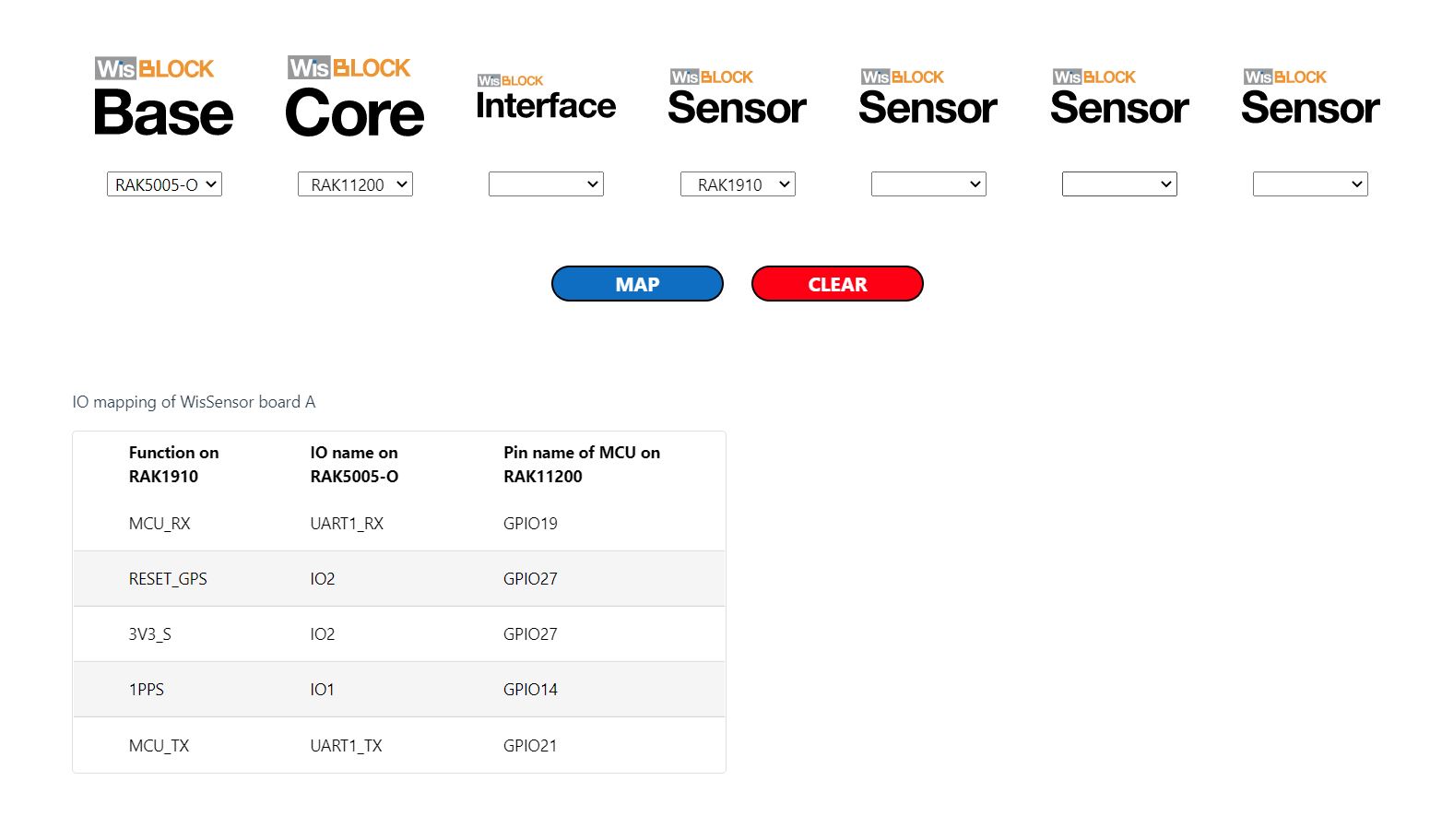
The RAK WinBlock Pin Mapper tool output for RAK1910, RAK5005-O WisBlock Base Board and RAK11200

The test application is based on the TinyGPSPlusNF library by MBoude which parses the NMEA 0183 sentences produced by the RAK1910.

public class Program
{
    private static TinyGPSPlus _gps;

    public static void Main()
    {
        Debug.WriteLine($"devMobile.IoT.RAK.Wisblock.Max7Q starting TinyGPS {TinyGPSPlus.LibraryVersion}");

        Configuration.SetPinFunction(Gpio.IO21, DeviceFunction.COM2_TX);
        Configuration.SetPinFunction(Gpio.IO19, DeviceFunction.COM2_RX);

        _gps = new TinyGPSPlus();

        // UART1 with default Max7Q baudrate
        SerialPort serialPort = new SerialPort("COM2", 9600);

        serialPort.DataReceived += SerialDevice_DataReceived;
        serialPort.Open();
        serialPort.WatchChar = '\n';

         // // Enable the with GPS 3V3_S/RESET_GPS - IO2 - GPIO27
        GpioController gpioController = new GpioController();

        GpioPin Gps3V3 = gpioController.OpenPin(Gpio.IO27, PinMode.Output);
        Gps3V3.Write(PinValue.High);

        Debug.WriteLine("Waiting...");

        Thread.Sleep(Timeout.Infinite);
    }

    private static void SerialDevice_DataReceived(object sender, SerialDataReceivedEventArgs e)
    {
        // we only care if got EoL character
        if (e.EventType != SerialData.WatchChar)
        {
            return;
        }

        SerialPort serialDevice = (SerialPort)sender;

        string sentence = serialDevice.ReadExisting();

        if (_gps.Encode(sentence))
        {
            if (_gps.Date.IsValid)
            {
                Debug.Write($"{_gps.Date.Year}-{_gps.Date.Month:D2}-{_gps.Date.Day:D2} ");
            }

            if (_gps.Time.IsValid)
            {
                Debug.Write($"{_gps.Time.Hour:D2}:{_gps.Time.Minute:D2}:{_gps.Time.Second:D2}.{_gps.Time.Centisecond:D2} ");
            }

            if (_gps.Location.IsValid)
            {
                Debug.Write($"Lat:{_gps.Location.Latitude.Degrees:F5}° Lon:{_gps.Location.Longitude.Degrees:F5}° ");
            }

            if (_gps.Altitude.IsValid)
            {
                Debug.Write($"Alt:{_gps.Altitude.Meters:F1}M");
            }

            if (_gps.Date.IsValid || _gps.Time.IsValid || _gps.Location.IsValid || _gps.Altitude.IsValid)
            {
                Debug.WriteLine("");
            }
        }
    }
}
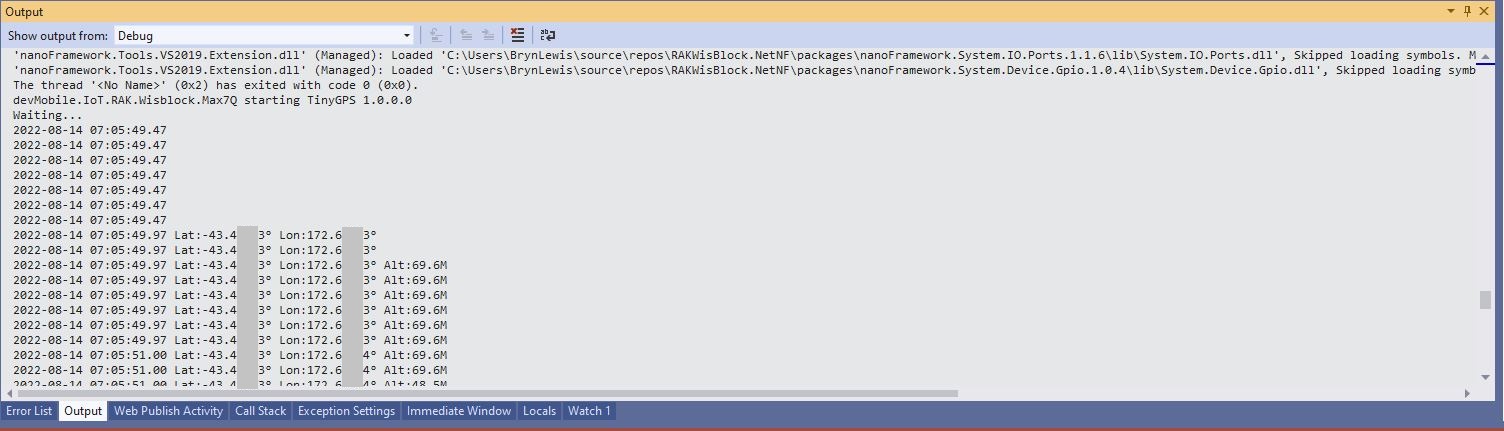
Visual Studio 2K22 Output Window

.NET nanoFramework RAK11200 – I2C SHT3C & SHT31

The RAKwireless RAK11200 WisBlock WiFi Module module is based on an Expressif ESP32 processor which is supported by the .NET nanoFramework and I wanted to explore the different ways Inter-Integrated Circuit(I2C) devices could be connected.

The RAK11200 WisBlock WiFi Module has two I2C ports and on the RAK5005 WisBlock Base Board the Wisblock Sensor, and RAK1920 WisBlock Sensor Adapter Module Grove Socket are connected to I2C1.

RAK11200 Schematic

The I2C1 the SDA(serial data) and SCL(serial clock line) have to be mapped to physical pins on the RAK11200 WisBlock WiFi Module using the nanoFramework ESP32 support NuGet. package

                Configuration.SetPinFunction(Gpio.IO04, DeviceFunction.I2C1_DATA);
                Configuration.SetPinFunction(Gpio.IO05, DeviceFunction.I2C1_CLOCK)

The first sample project uses a RAK1901 SHTC3 WisBlock Sensor because it plugs into the RAK5005 WisBlock Base Board.

RAK5005 Baseboard, RAK1901 Sensor and RAK11200 Core WisBlock modules
public static void Main()
{
    Debug.WriteLine("devMobile.IoT.RAK.Wisblock.SHTC3 starting");

    try
    {
        Configuration.SetPinFunction(Gpio.IO04, DeviceFunction.I2C1_DATA);
        Configuration.SetPinFunction(Gpio.IO05, DeviceFunction.I2C1_CLOCK);

        I2cConnectionSettings settings = new(1, Shtc3.DefaultI2cAddress);

        using (I2cDevice device = I2cDevice.Create(settings))
        using (Shtc3 shtc3 = new(device))
        {
            while (true)
            {
                if (shtc3.TryGetTemperatureAndHumidity(out var temperature, out var relativeHumidity))
                {
                    Debug.WriteLine($"Temperature {temperature.DegreesCelsius:F1}°C  Humidity {relativeHumidity.Value:F0}%");
                }

                Thread.Sleep(10000);
            }
        }
    }
    catch (Exception ex)
    {
        Debug.WriteLine($"SHTC3 initialisation or read failed {ex.Message}");

        Thread.Sleep(Timeout.Infinite);
    }
}
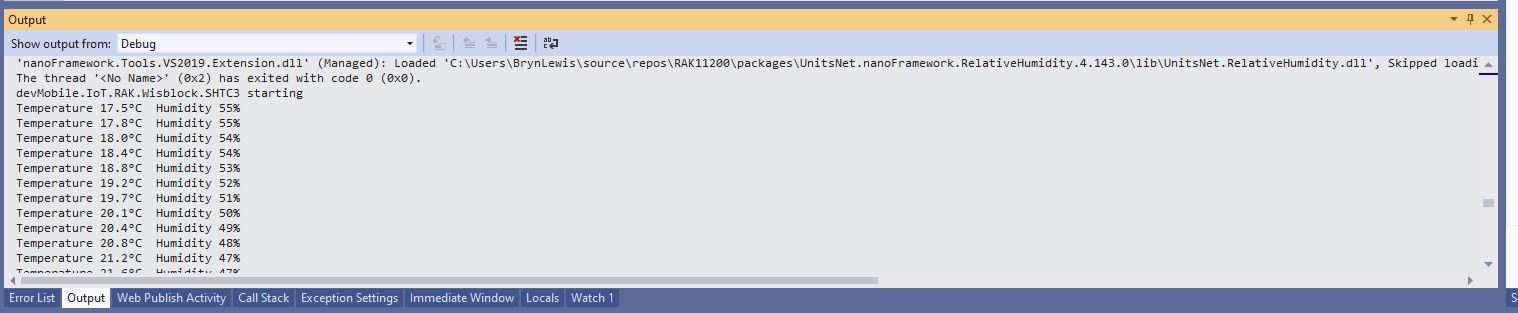
Visual Studio Output window displaying SHT3C temperature & humidity values

The second sample uses a Seeedstudio Grove – Temperature & Humidity Sensor (SHT31) pluged into a RAK1920 Sensor Adapter for Click, QWIIC and Grove Modules.

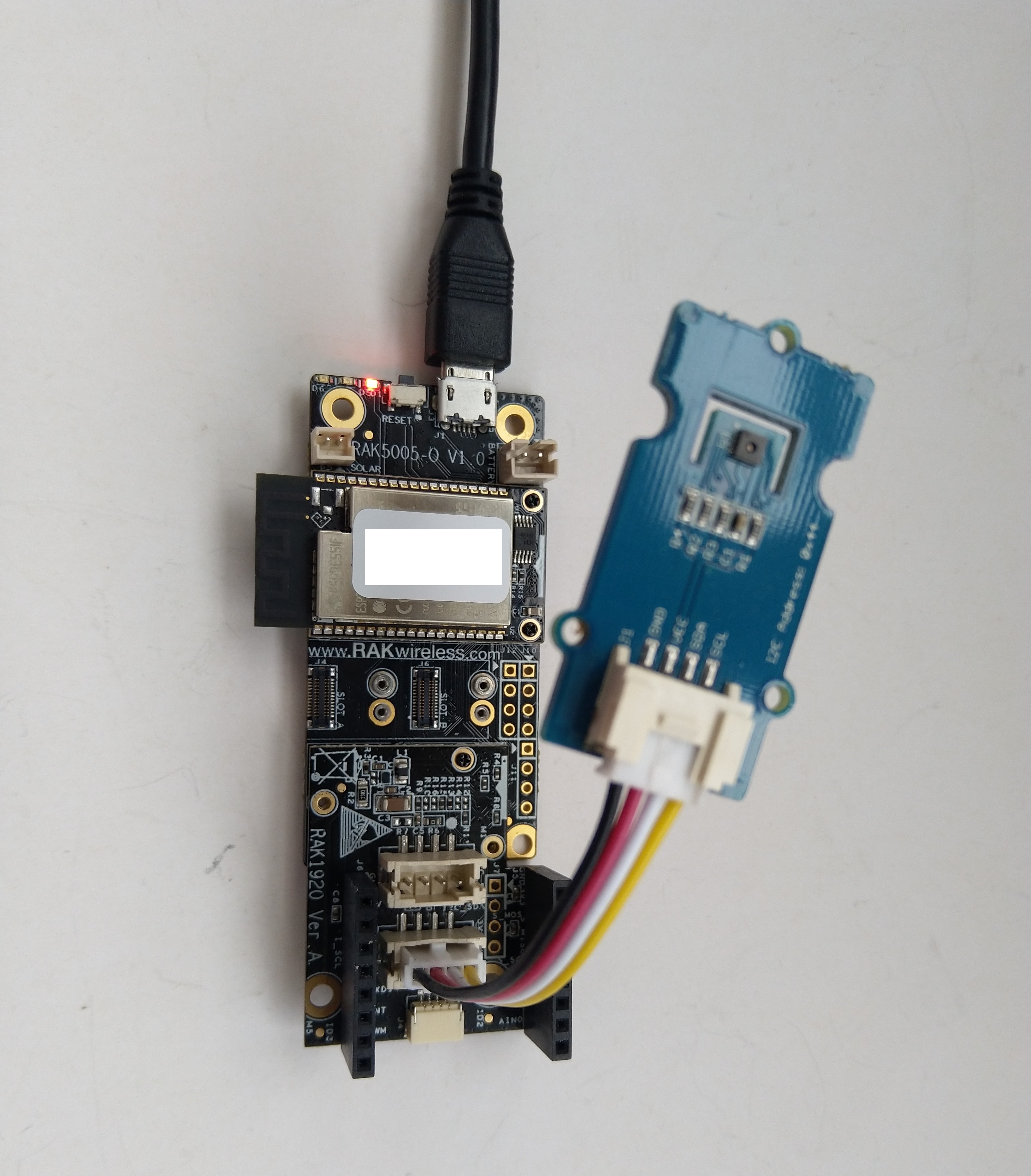
RAK5005 Baseboard, RAK1920 Sensor, RAK11200 Core WisBlock modules and Seeedstudio Grove SHT31
public static void Main()
{
    Debug.WriteLine("devMobile.IoT.RAK.Wisblock.SHT31 starting");

    try
    {
        Configuration.SetPinFunction(Gpio.IO04, DeviceFunction.I2C1_DATA);
        Configuration.SetPinFunction(Gpio.IO05, DeviceFunction.I2C1_CLOCK);

        I2cConnectionSettings settings = new(1, (byte)I2cAddress.AddrLow);

        using (I2cDevice device = I2cDevice.Create(settings))
        using (Sht3x sht31 = new(device))
        {

            while (true)
            {
                var temperature = sht31.Temperature;
                var relativeHumidity = sht31.Humidity;

                Debug.WriteLine($"Temperature {temperature.DegreesCelsius:F1}°C  Humidity {relativeHumidity.Value:F0}%");

                Thread.Sleep(10000);
            }
        }
    }
    catch (Exception ex)
    {
        Debug.WriteLine($"SHT31 initialisation or read failed {ex.Message}");

        Thread.Sleep(Timeout.Infinite);
     }
}
Visual Studio Output window displaying SHT31 temperature & humidity values

The SHTC3 and SHT31 sensors were used because they both have nanoFramework.IoTDevice library support.

.NET nanoFramework RAK11200

The RAKwireless RAK11200 WisBlock WiFi Module module is based on an Expressif ESP32 processor which is supported by the .NET nanoFramework. The first step was to mount the RAK11200 on a RAK5005 WisBlock Base Board to get Universal Serial Bus(USB) connectivity.

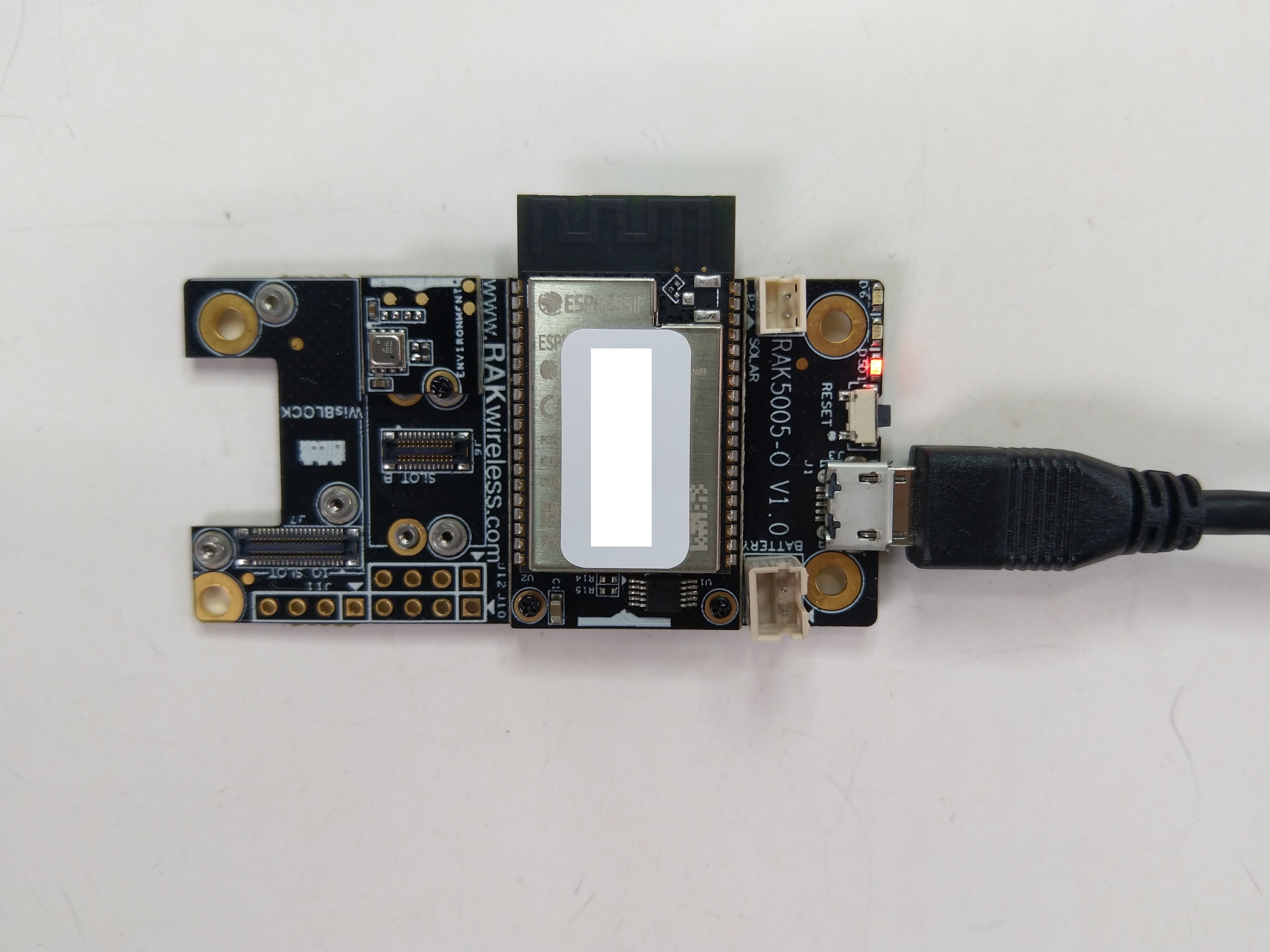
RAK11200 Mounted on RAK5005 base board

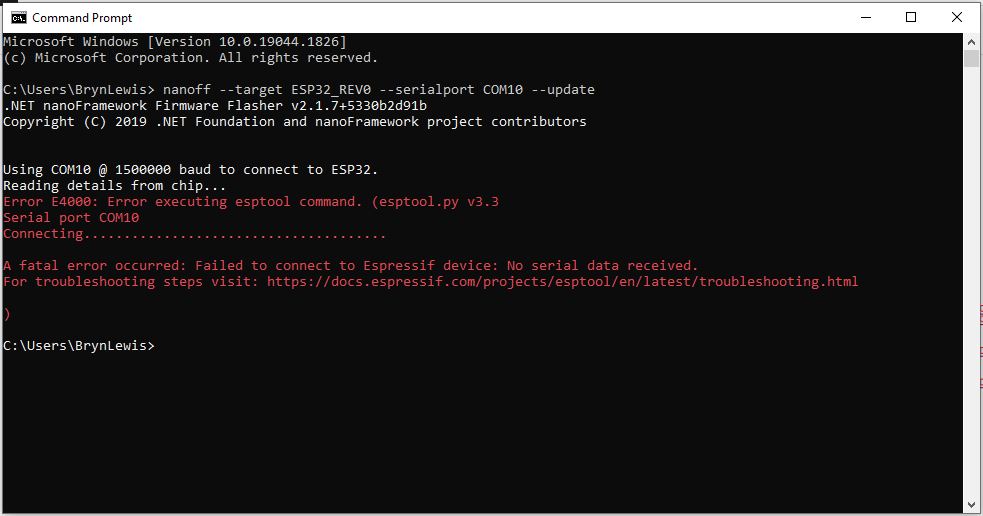
My first attempt “flash” the RAK11200 with the nano Firmware Flasher(nanoff) failed badly

nanoff flashing failure

The RAK11200 documentation described how to upload software developed with the Arduino tools by putting the ESP32 into “bootloader mode” by connecting the BOOT0 and GND pins, then pressing the reset button.

RAK11200 BOOT0 & GND pins connected to

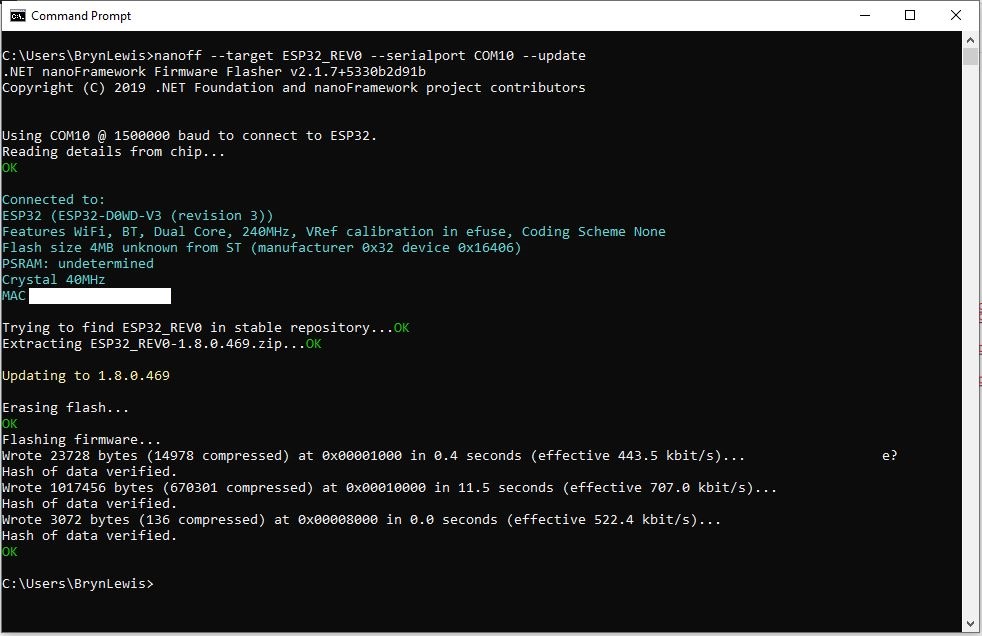
After some “trial and error” the download process worked pretty reliably…

nanoff flashing success

The first step with any embedded development project is to flash a Light Emitting Diode(LED)….

RAK11200 Schematic

The RAK11200 has two LEDs, a blue attached to IO02 and a green one attached to IO12.

//
// Copyright (c) .NET Foundation and Contributors
// See LICENSE file in the project root for full license information.
//
//
using System;
using System.Device.Gpio;
using System.Threading;
using nanoFramework.Hardware.Esp32;

namespace Blinky
{
   public class Program
   {
      private static GpioController s_GpioController;
      public static void Main()
      {
         s_GpioController = new GpioController();

         // pick a board, uncomment one line for GpioPin; default is STM32F769I_DISCO

         // DISCOVERY4: PD15 is LED6 
         //GpioPin led = s_GpioController.OpenPin(PinNumber('D', 15), PinMode.Output);

         // ESP32 DevKit: 4 is a valid GPIO pin in, some boards like Xiuxin ESP32 may require GPIO Pin 2 instead.
         //GpioPin led = s_GpioController.OpenPin(4, PinMode.Output);

         // FEATHER S2: 
         //GpioPin led = s_GpioController.OpenPin(13, PinMode.Output);

         // F429I_DISCO: PG14 is LEDLD4 
         //GpioPin led = s_GpioController.OpenPin(PinNumber('G', 14), PinMode.Output);

         // NETDUINO 3 Wifi: A10 is LED onboard blue
         //GpioPin led = s_GpioController.OpenPin(PinNumber('A', 10), PinMode.Output);

         // QUAIL: PE15 is LED1  
         //GpioPin led = s_GpioController.OpenPin(PinNumber('E', 15), PinMode.Output);

         // STM32F091RC: PA5 is LED_GREEN
         //GpioPin led = s_GpioController.OpenPin(PinNumber('A', 5), PinMode.Output);

         // STM32F746_NUCLEO: PB75 is LED2
         //GpioPin led = s_GpioController.OpenPin(PinNumber('B', 7), PinMode.Output);

         //STM32F769I_DISCO: PJ5 is LD2
         //GpioPin led = s_GpioController.OpenPin(PinNumber('J', 5), PinMode.Output);

         // ST_B_L475E_IOT01A: PB14 is LD2
         //GpioPin led = s_GpioController.OpenPin(PinNumber('B', 14), PinMode.Output);

         // STM32L072Z_LRWAN1: PA5 is LD2
         //GpioPin led = s_GpioController.OpenPin(PinNumber('A', 5), PinMode.Output);

         // TI CC13x2 Launchpad: DIO_07 it's the green LED
         //GpioPin led = s_GpioController.OpenPin(7, PinMode.Output);

         // TI CC13x2 Launchpad: DIO_06 it's the red LED  
         //GpioPin led = s_GpioController.OpenPin(6, PinMode.Output);

         // ULX3S FPGA board: for the red D22 LED from the ESP32-WROOM32, GPIO5
         //GpioPin led = s_GpioController.OpenPin(5, PinMode.Output);

         // Silabs SLSTK3701A: LED1 PH14 is LLED1
         //GpioPin led = s_GpioController.OpenPin(PinNumber('H', 14), PinMode.Output);

         // RAK11200 on RAK5005
         //GpioPin led = s_GpioController.OpenPin(Gpio.IO12, PinMode.Output); // LED1 Green
         //GpioPin led = s_GpioController.OpenPin(Gpio.IO02, PinMode.Output); // LED2 Blue

         // RAK11200 on RAK19001 needs battery connected or power switch in rechargeable position.
         //GpioPin led = s_GpioController.OpenPin(Gpio.IO12, PinMode.Output); // LED1 Green
         //GpioPin led = s_GpioController.OpenPin(Gpio.IO02, PinMode.Output); // LED2 Blue

         // RAK2305 
         //GpioPin led = s_GpioController.OpenPin(Gpio.IO18, PinMode.Output); // LED Green (Test LED) on device

         // RAK2305 On 5005 throws exceptions
         //GpioPin led = s_GpioController.OpenPin(Gpio.IO34, PinMode.Output); // LED1 Green
         //GpioPin led = s_GpioController.OpenPin(Gpio.IO35, PinMode.Output); // LED2 Blue

         // RAK2305 On 17001 throws exceptions
         //GpioPin led = s_GpioController.OpenPin(Gpio.IO34, PinMode.Output); // LED1 Green
         //GpioPin led = s_GpioController.OpenPin(Gpio.IO35, PinMode.Output); // LED2 Blue

         led.Write(PinValue.Low);

         while (true)
         {
            led.Toggle();
            Thread.Sleep(125);
            led.Toggle();
            Thread.Sleep(125);
            led.Toggle();
            Thread.Sleep(125);
            led.Toggle();
            Thread.Sleep(525);
         }
      }

      static int PinNumber(char port, byte pin)
      {
         if (port < 'A' || port > 'J')
            throw new ArgumentException();

         return ((port - 'A') * 16) + pin;
      }
   }
}

I added the RAK11200 configuration to my version of the nanoFramework Blinky sample and could reliably flash either of the LEDs.