.NET nanoFramework RAK2305 – RAK4200 Library Usage (AS923 Sorted)

This post covers the usage of my RAK4200LoRaWAN-NetNF library with a RAK3205 WisBlock Wifi Interface Module on a RAK4200 Evaluation Board. This post was delayed because of the issue covered in .NET nanoFramework RAK2305 – RAK4200 Library Usage AS923 Issue. After posting in the RAKWireless formus RAKWireless support very quickly provided updated RAK4200 firmware which fixed the issue.

RAK2305 RAK4200 Evaluation Board based test rig

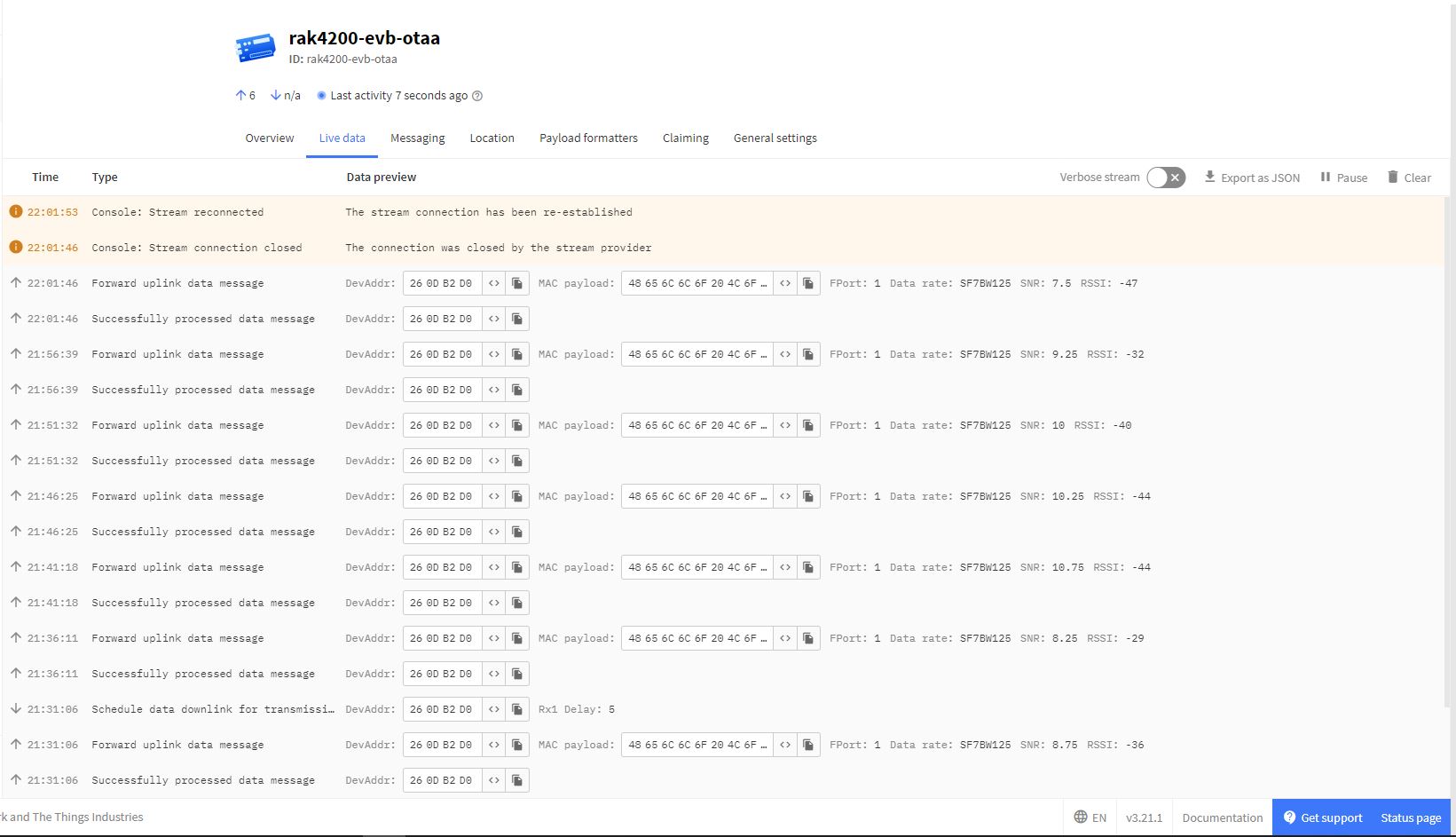
The RAK4200LoRaWANDeviceClient now reliably joins The Things Network, then sends and receives messages.

When I initially deployed the RAK4200LoRaWANDeviceClient the RAK4200LoRaWAN-NetNF library failed in the OtaaInitialise method. I think this was caused by the “at+set_config=lora:work_mode:0” command rebooting the RAK4200 Module. I have commented out the code but may move it to a standalone method if required.

// Set the Working mode to LoRaWAN, not/never going todo P2P with this library.
#if DIAGNOSTICS
Debug.WriteLine($" {DateTime.UtcNow:hh:mm:ss} at+set_config=lora:work_mode:0");
#endif
Result result = SendCommand("Initialization OK", "at+set_config=lora:work_mode:0", CommandTimeoutDefault);
if (result != Result.Success)
{
#if DIAGNOSTICS
         Debug.WriteLine($" {DateTime.UtcNow:hh:mm:ss} at+set_config=lora:work_mode:0 failed {result}");
#endif
	return result;
}

I think it would be reasonable to assume that the device is in the correct mode (the default after a reset to factory) on startup so I removed the LoRa® network work mode configuration code.

.NET nanoFramework RAK2305 – RAK4200 Library AS923 Issue

This post was going to be about how to the use my RAK4200LoRaWAN-NetNF library with a RAK3205 WisBlock Wifi Interface Module and RAK4200 Evaluation Board but there was a problem…

RAK2305 RAK4200 Evaluation Board based test rig

When I ran the RAK4200LoRaWANDeviceClient the first couple of join attempts failed which was odd as my sparkfun ESP32 thing plus with RAK4200 Breakout Board setup was very reliable.

Visual Studio Debug output for RAK4200LoRaWANDeviceClient Join failure
The Things Network RAK4200LoRaWANDeviceClient application Join failure

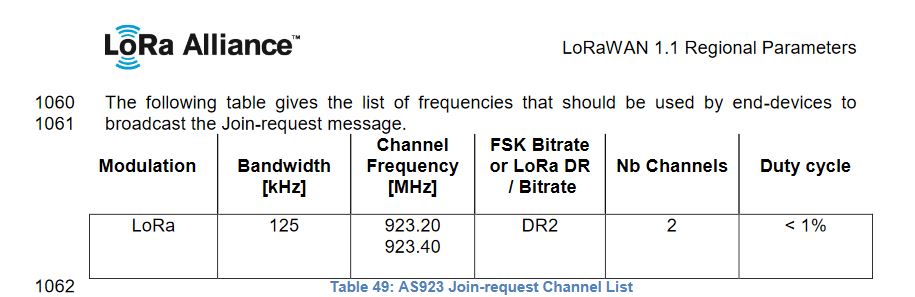
When I looked at The Things Network “Live data” tab the RAK4200 Module on the RAK4200 Evaluation Board wasn’t using the LoRaWAN AS923 Join-Request channels 923.20 & 923.40 MHz.

AS923 Join Channels

The RAK4200 Module on the appeared to be cycling through all the AS923 channels and every so often would use one the join request channels.

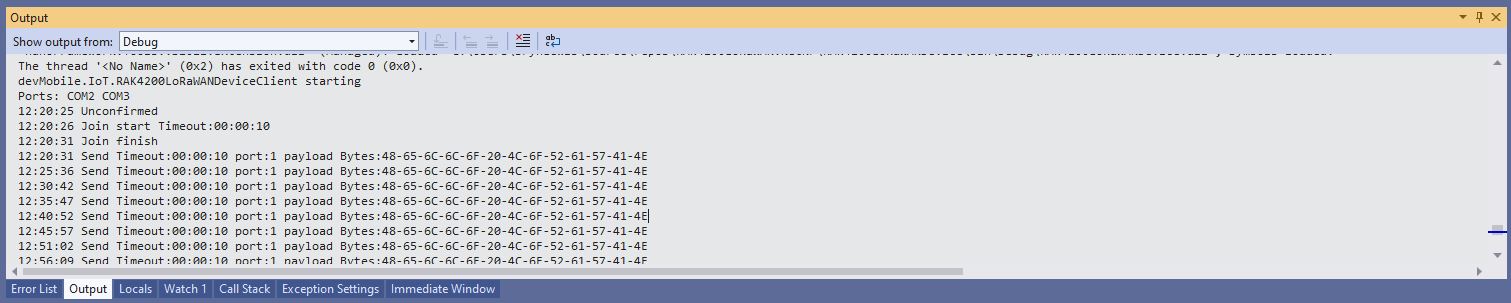
Visual Studio Debug output for RAK4200LoRaWANDeviceClient successful Join and Send
The Things Network RAK4200LoRaWANDeviceClient successful Join and Send

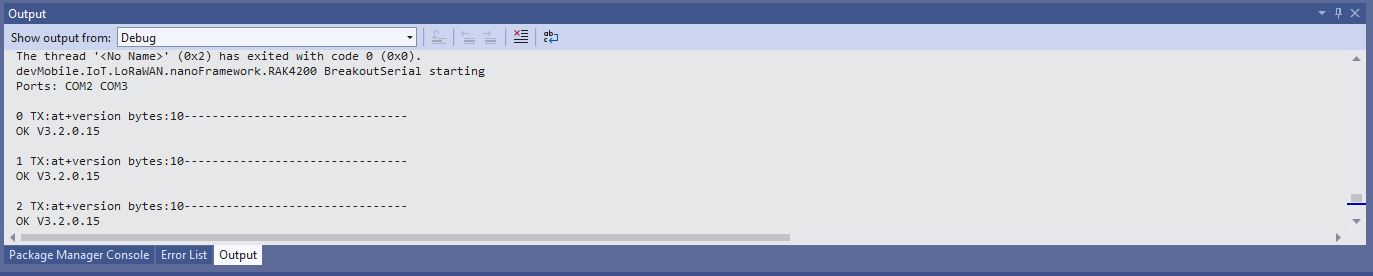
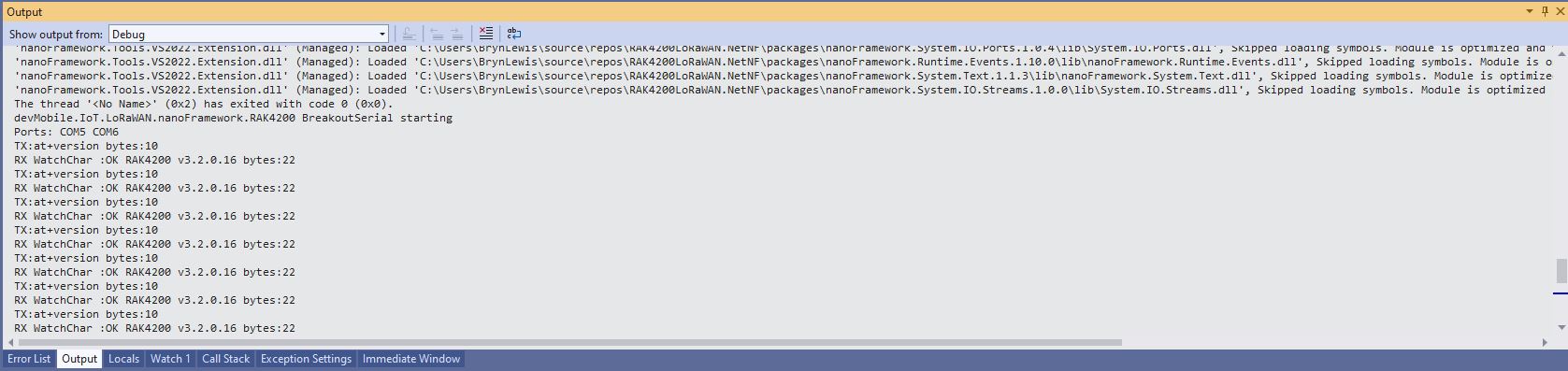
The RAK4200 Breakout Board module is running a later firmware version (V3.2.0.16) than the RAK4200 Evaluation Board module (V3.2.0.15) which is most probably the problem.

Visual Studio Debug output for RAK4200 Evaluation Board Version Request
Visual Studio Debug output for RAK4200 Breakout Board Version Request

The RAK811 module (which has been retired) also had similar issues with AS923.

.NET nanoFramework RAK2305 – RAK4200 Basic connectivity

After some experimentation could get a RAK2305 WisBlock Wifi Interface Module running the .NET nanoFramework plugged into the IO Slot of RAK4200 Evaluation Board to send AT Commands to the RAK4200 Module.

RAK4200 EVB with FTDI Adaptor

After reviewing the RAK4200 Evaluation Board and RAK2305 WisBlock Wifi Interface Module schematics I realised that the Universal Asynchronous Receiver-Transmistted(UART) transmit and receive pins had to be reversed the with the nanoFramwork ESP32 specific Configuration.SetPinFunction.

namespace devMobile.IoT.LoRaWAN.nanoFramework.RAK4200
{
	using System;
	using System.Diagnostics;
	using System.IO.Ports;
	using System.Threading;
   using global::nanoFramework.Hardware.Esp32; //need NuGet nanoFramework.Hardware.Esp32

   public class Program
	{
		private static SerialPort _SerialPort;
        private const string SerialPortId = "COM2";

        public static void Main()
		{
			Thread.Sleep(5000);

#if SERIAL_THREADED_READ
			Thread readThread = new Thread(SerialPortProcessor);
#endif

			Debug.WriteLine("devMobile.IoT.LoRaWAN.nanoFramework.RAK4200 BreakoutSerial starting");

			try
			{
            // set GPIO functions for COM2 (this is UART1 on ESP32)
            Configuration.SetPinFunction(Gpio.IO21, DeviceFunction.COM2_TX);
			Configuration.SetPinFunction(Gpio.IO19, DeviceFunction.COM2_RX);

            Debug.Write("Ports:");
				foreach (string port in SerialPort.GetPortNames())
				{
					Debug.Write($" {port}");
				}
				Debug.WriteLine("");

				using (_SerialPort = new SerialPort(SerialPortId))
				{
					// set parameters
					//_SerialPort.BaudRate = 9600;
					_SerialPort.BaudRate = 115200;
					_SerialPort.Parity = Parity.None;
					_SerialPort.DataBits = 8;
					_SerialPort.StopBits = StopBits.One;
					_SerialPort.Handshake = Handshake.None;
					_SerialPort.NewLine = "\r\n";

					//_SerialPort.ReadBufferSize = 128; 
					//_SerialPort.ReadBufferSize = 256; 
					_SerialPort.ReadBufferSize = 512; 
					//_SerialPort.ReadBufferSize = 1024;
					_SerialPort.ReadTimeout = 1000;

					//_SerialPort.WatchChar = '\n'; // May 2022 WatchChar event didn't fire github issue https://github.com/nanoframework/Home/issues/1035

					_SerialPort.DataReceived += SerialDevice_DataReceived;

					_SerialPort.Open();

					_SerialPort.WatchChar = '\n';

					for (int i = 0; i < 5; i++)
					{
						string atCommand;
						atCommand = "at+version";
						//atCommand = "at+set_config=device:uart:1:9600";
						//atCommand = "at+get_config=lora:status";
						//atCommand = "at+get_config=device:status";
						//atCommand = "at+get_config=lora:channel";
						//atCommand = "at+help";
						//atCommand = "at+set_config=device:restart";
						//atCommand = "at+set_config=lora:default_parameters";
						//atCommand = "at+set_config=lora:work_mode:0";
						Debug.WriteLine("");
						Debug.WriteLine($"{i} TX:{atCommand} bytes:{atCommand.Length}--------------------------------");
						_SerialPort.WriteLine(atCommand);

						Thread.Sleep(5000);
					}
				}
				Debug.WriteLine("Done");
			}
			catch (Exception ex)
			{
				Debug.WriteLine(ex.Message);
			}
		}

		private static void SerialDevice_DataReceived(object sender, SerialDataReceivedEventArgs e)
		{
			SerialPort serialPort = (SerialPort)sender;

			switch (e.EventType)
			{
				case SerialData.Chars:
					break;

				case SerialData.WatchChar:
					string response = serialPort.ReadExisting();
					Debug.Write(response);
					break;
				default:
					Debug.Assert(false, $"e.EventType {e.EventType} unknown");
					break;
			}
		}
	}
}

When I requested the version information with “at+version” the RAK4200 Module responded with version information.

RAK4200 EVB Debug Output