Cloud AI with Copilot – Faster R-CNN Azure HTTP Function Performance Setup

Introduction

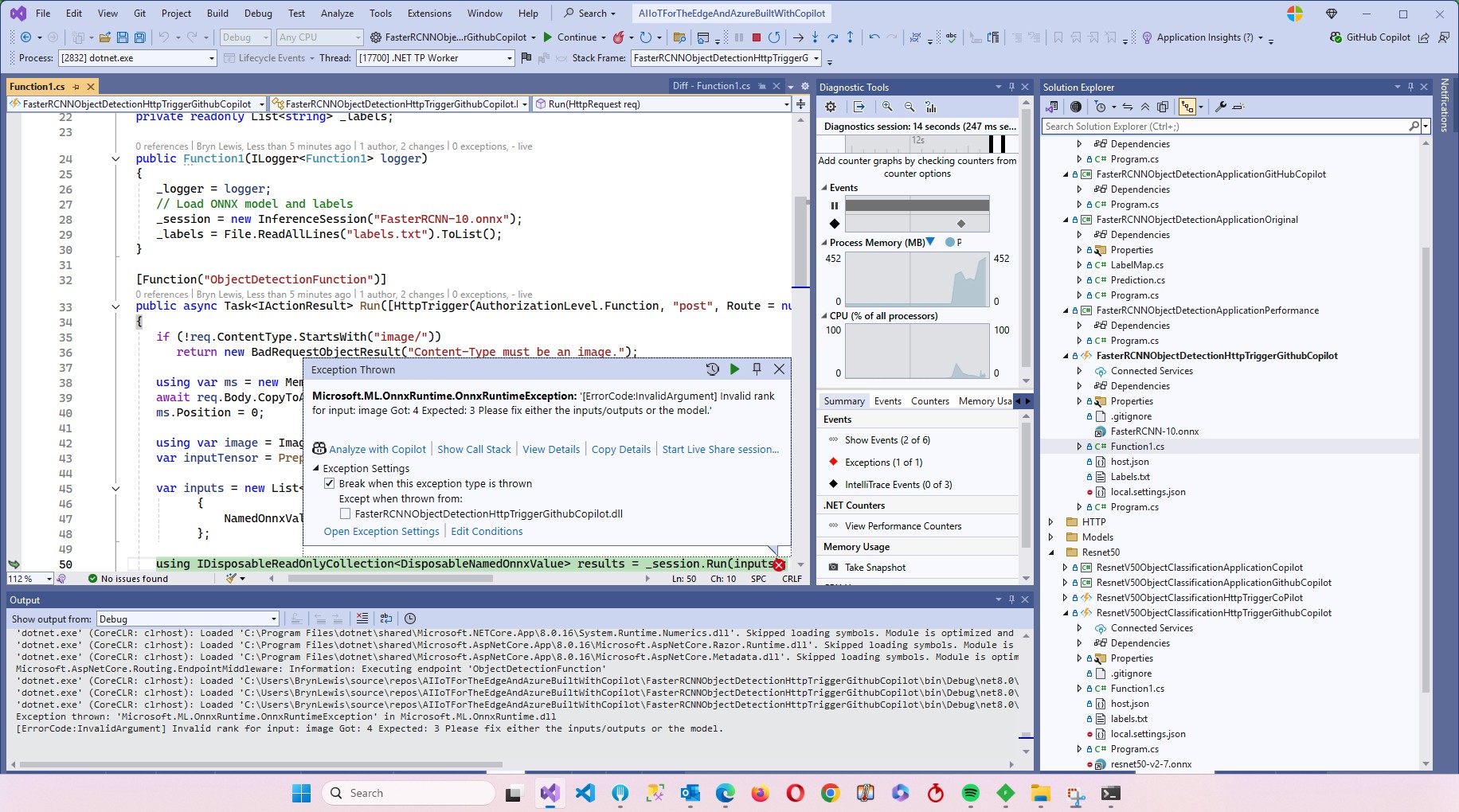
The Faster R-CNN Azure HTTP Trigger function performed (not unexpectedly) differently when invoked with Fiddler Classic in the Azure Functions emulator vs. when deployed in an Azure App Plan.

The code used is a “tidied” up version of the version of the code from the Building Cloud AI with Copilot – Faster R-CNN Azure HTTP Function “Dog Food” post

public class Function1
{
   private readonly ILogger<Function1> _logger;
   private readonly List<string> _labels;
   private readonly InferenceSession _session;

   public Function1(ILogger<Function1> logger)
   {
      _logger = logger;
      _labels = File.ReadAllLines(Path.Combine(AppContext.BaseDirectory, "labels.txt")).ToList();
      _session = new InferenceSession(Path.Combine(AppContext.BaseDirectory, "FasterRCNN-10.onnx"));
   }

   [Function("ObjectDetectionFunction")]
   public async Task<IActionResult> Run([HttpTrigger(AuthorizationLevel.Function, "post", Route = null)] HttpRequest req, ExecutionContext context)
   {
      if (!req.ContentType.StartsWith("image/"))
         return new BadRequestObjectResult("Content-Type must be an image.");

      using var ms = new MemoryStream();
      await req.Body.CopyToAsync(ms);
      ms.Position = 0;

      using var image = Image.Load<Rgb24>(ms);
      var inputTensor = PreprocessImage(image);

      var inputs = new List<NamedOnnxValue>
                  {
                      NamedOnnxValue.CreateFromTensor("image", inputTensor)
                  };

      using IDisposableReadOnlyCollection<DisposableNamedOnnxValue> results = _session.Run(inputs);
      var output = results.ToDictionary(x => x.Name, x => x.Value);

      var boxes = (DenseTensor<float>)output["6379"];
      var labels = (DenseTensor<long>)output["6381"];
      var scores = (DenseTensor<float>)output["6383"];

      var detections = new List<object>();
      for (int i = 0; i < scores.Length; i++)
      {
         if (scores[i] > 0.5)
         {
            detections.Add(new
            {
               label = _labels[(int)labels[i]],
               score = scores[i],
               box = new
               {
                  x1 = boxes[i, 0],
                  y1 = boxes[i, 1],
                  x2 = boxes[i, 2],
                  y2 = boxes[i, 3]
               }
            });
         }
      }
      return new OkObjectResult(detections);
   }

   private static DenseTensor<float> PreprocessImage(Image<Rgb24> image)
   {
      // Step 1: Resize so that min(H, W) = 800, max(H, W) <= 1333, keeping aspect ratio
      int origWidth = image.Width;
      int origHeight = image.Height;
      int minSize = 800;
      int maxSize = 1333;

      float scale = Math.Min((float)minSize / Math.Min(origWidth, origHeight),
                             (float)maxSize / Math.Max(origWidth, origHeight));

      int resizedWidth = (int)Math.Round(origWidth * scale);
      int resizedHeight = (int)Math.Round(origHeight * scale);

      image.Mutate(x => x.Resize(resizedWidth, resizedHeight));

      // Step 2: Pad so that both dimensions are divisible by 32
      int padWidth = ((resizedWidth + 31) / 32) * 32;
      int padHeight = ((resizedHeight + 31) / 32) * 32;

      var paddedImage = new Image<Rgb24>(padWidth, padHeight);
      paddedImage.Mutate(ctx => ctx.DrawImage(image, new Point(0, 0), 1f));

      // Step 3: Convert to BGR and normalize
      float[] mean = { 102.9801f, 115.9465f, 122.7717f };
      var tensor = new DenseTensor<float>(new[] { 3, padHeight, padWidth });

      for (int y = 0; y < padHeight; y++)
      {
         for (int x = 0; x < padWidth; x++)
         {
            Rgb24 pixel = default;
            if (x < resizedWidth && y < resizedHeight)
               pixel = paddedImage[x, y];

            tensor[0, y, x] = pixel.B - mean[0];
            tensor[1, y, x] = pixel.G - mean[1];
            tensor[2, y, x] = pixel.R - mean[2];
         }
      }

      paddedImage.Dispose();

      return tensor;
   }
}

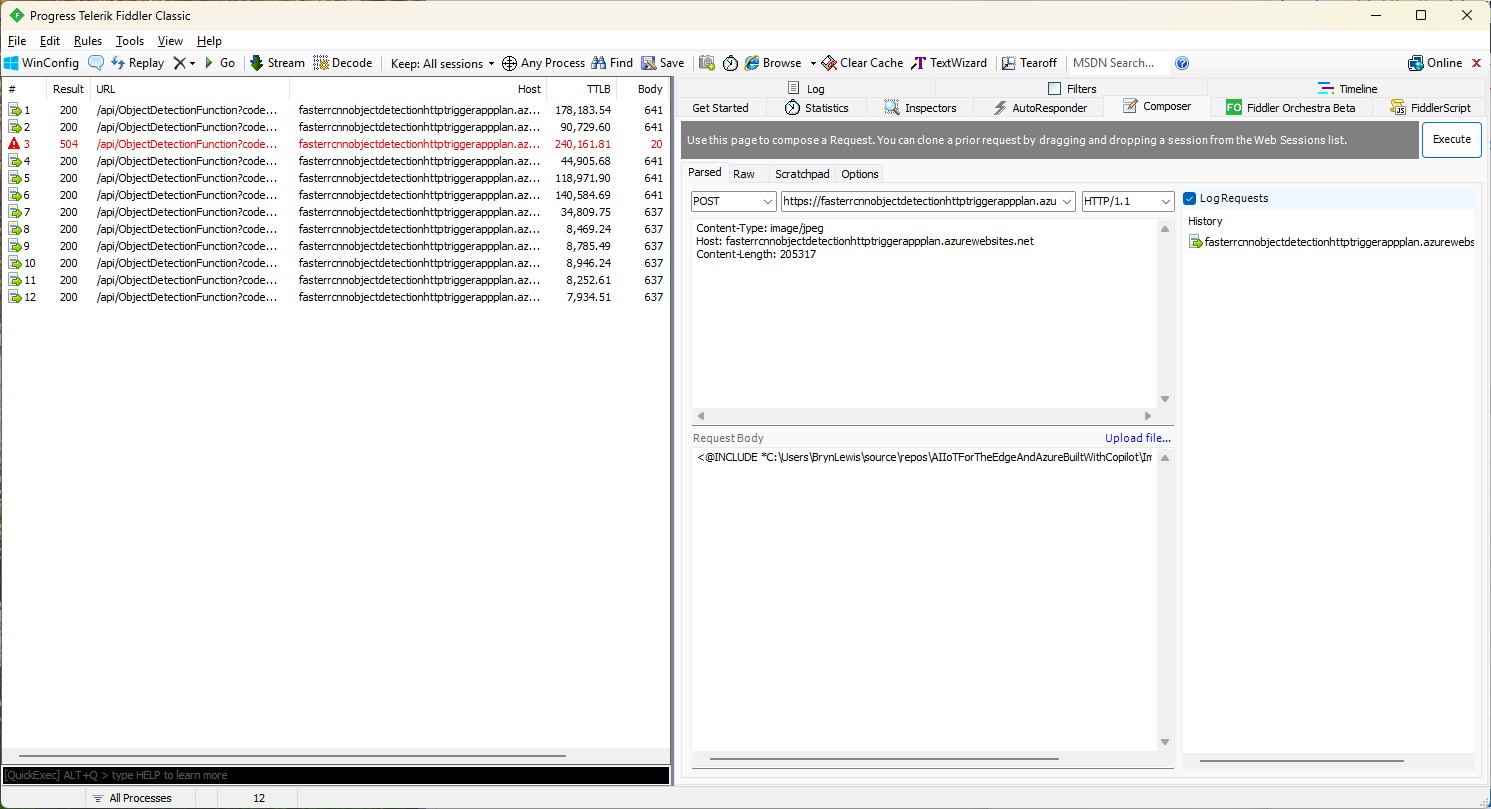
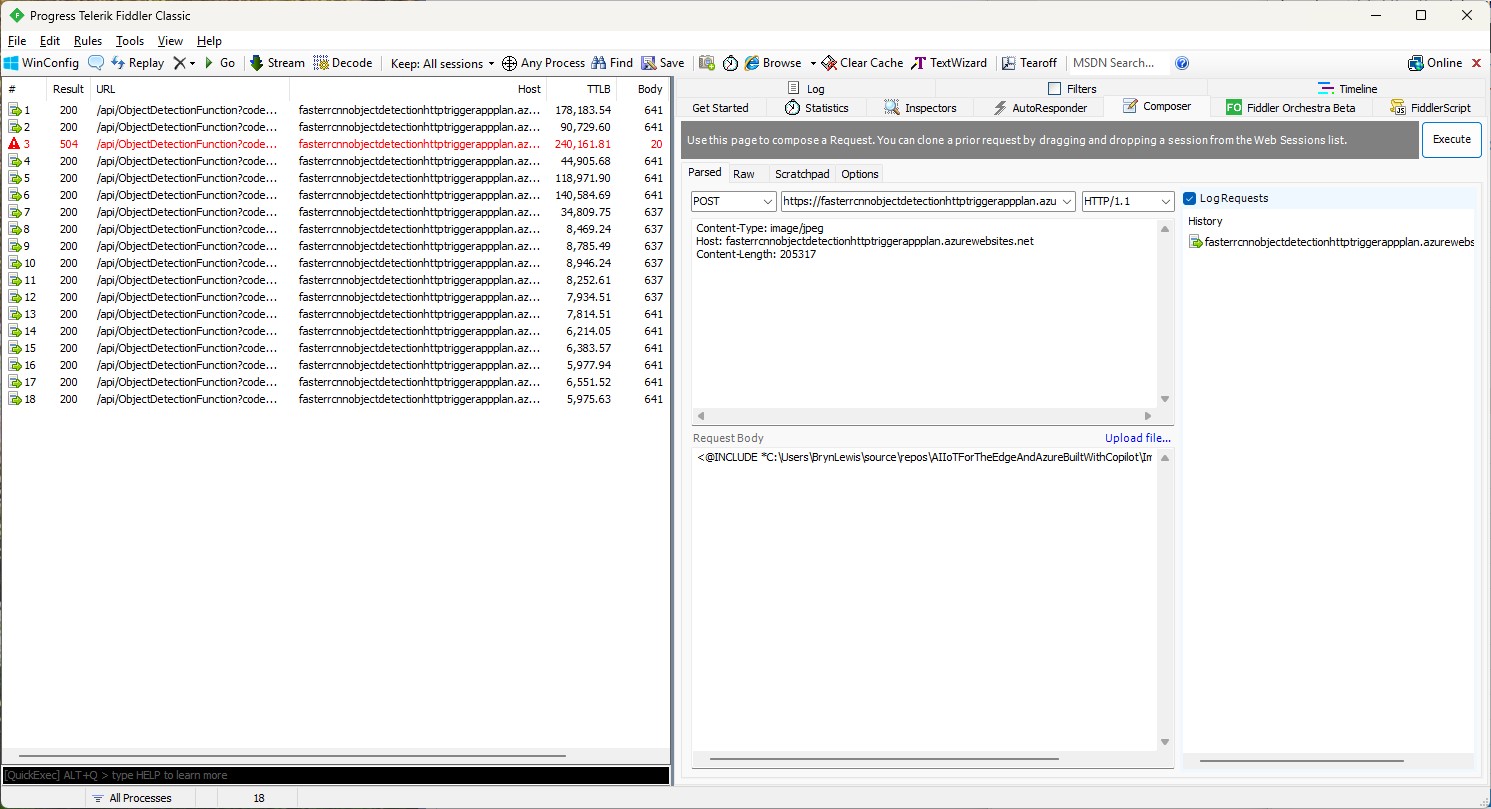
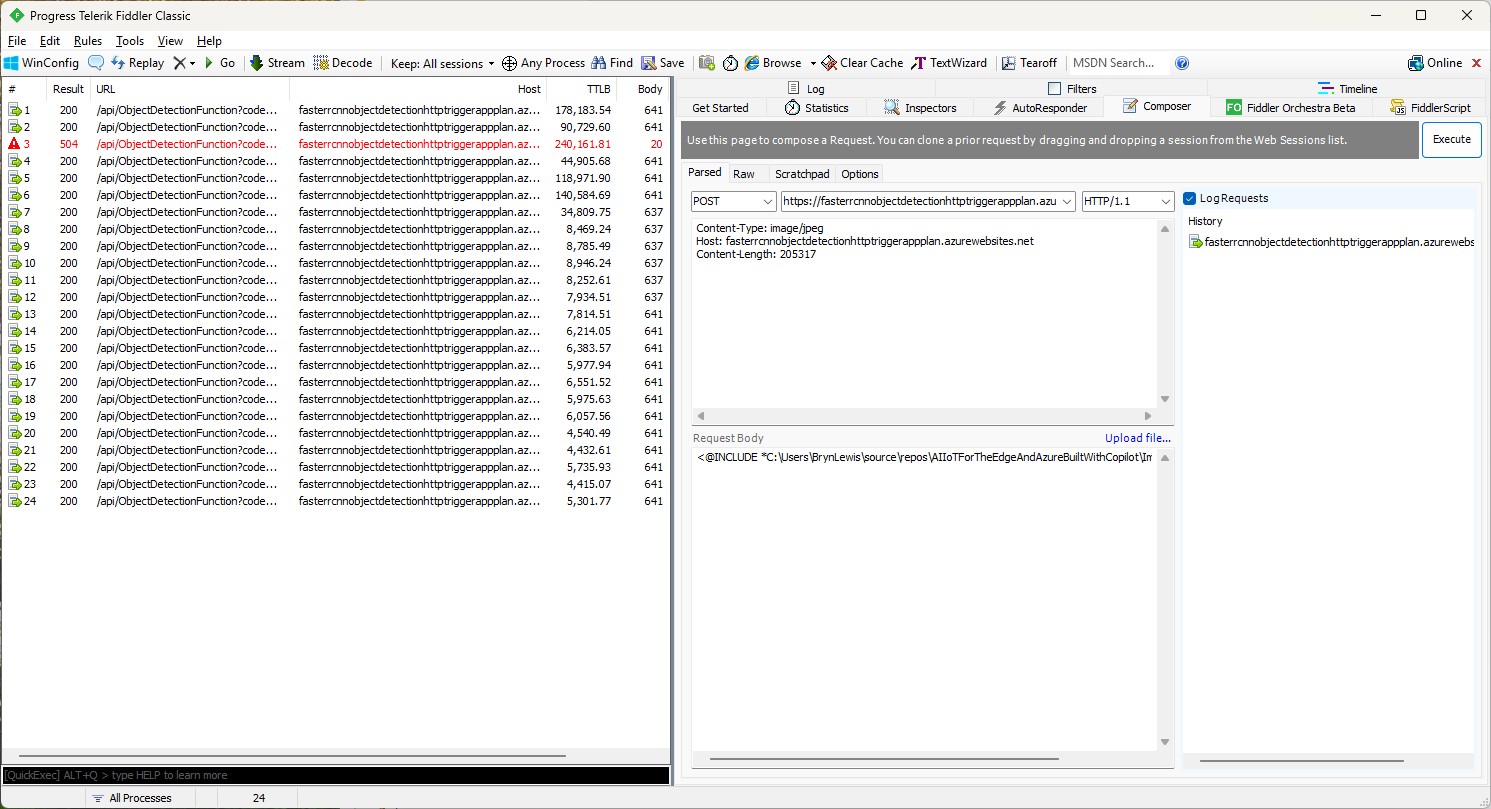
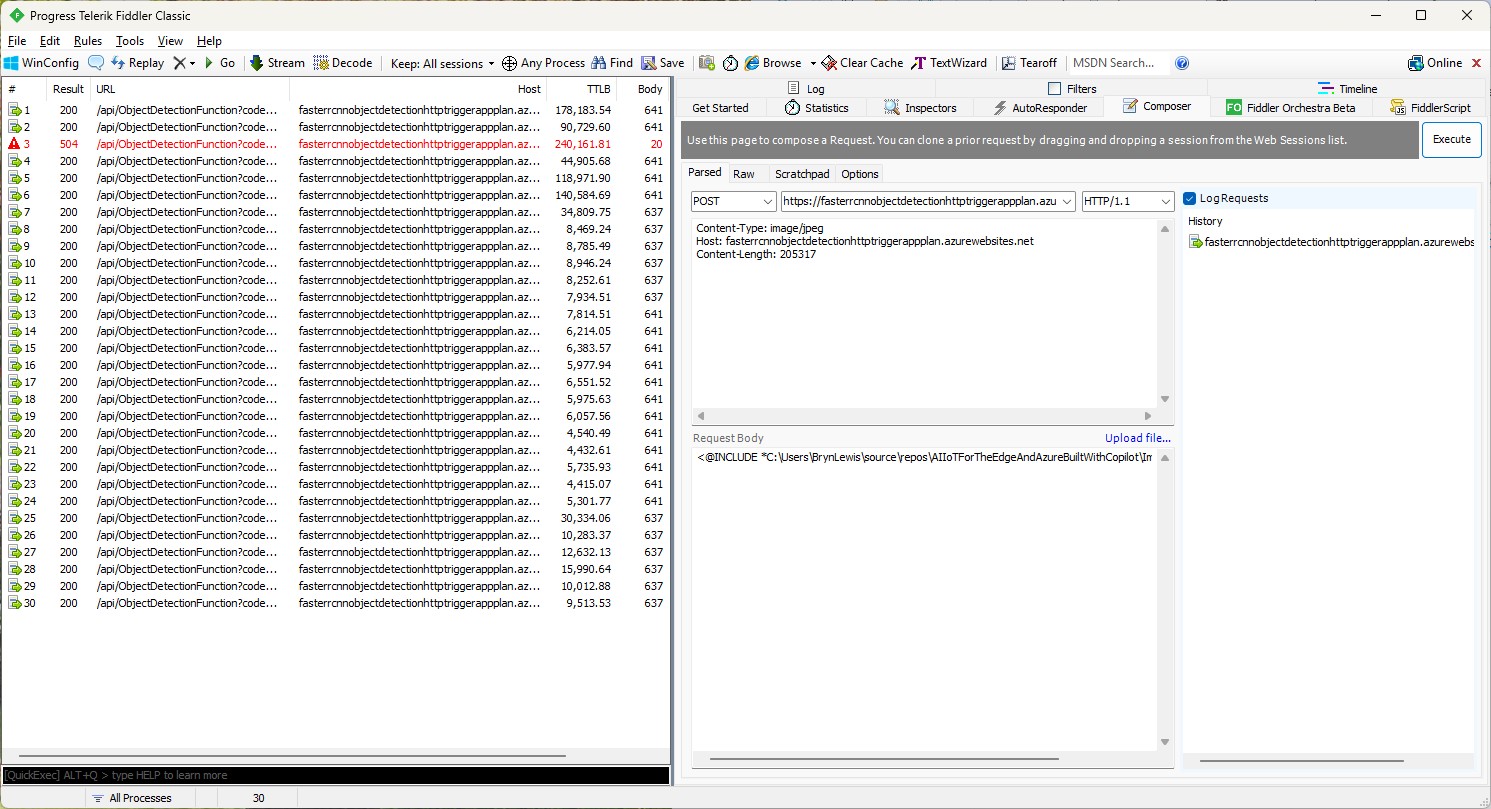
For my initial testing in the Azure Functions emulator using Fiddler Classic I manually generated 10 requests, then replayed them sequentially, and then finally concurrently.

The results for the manual, then sequential results were fairly consistent but the 10 concurrent requests each to took more than 10x longer. In addition, the CPU was at 100% usage while the concurrently executed functions were running.

Cloud Deployment

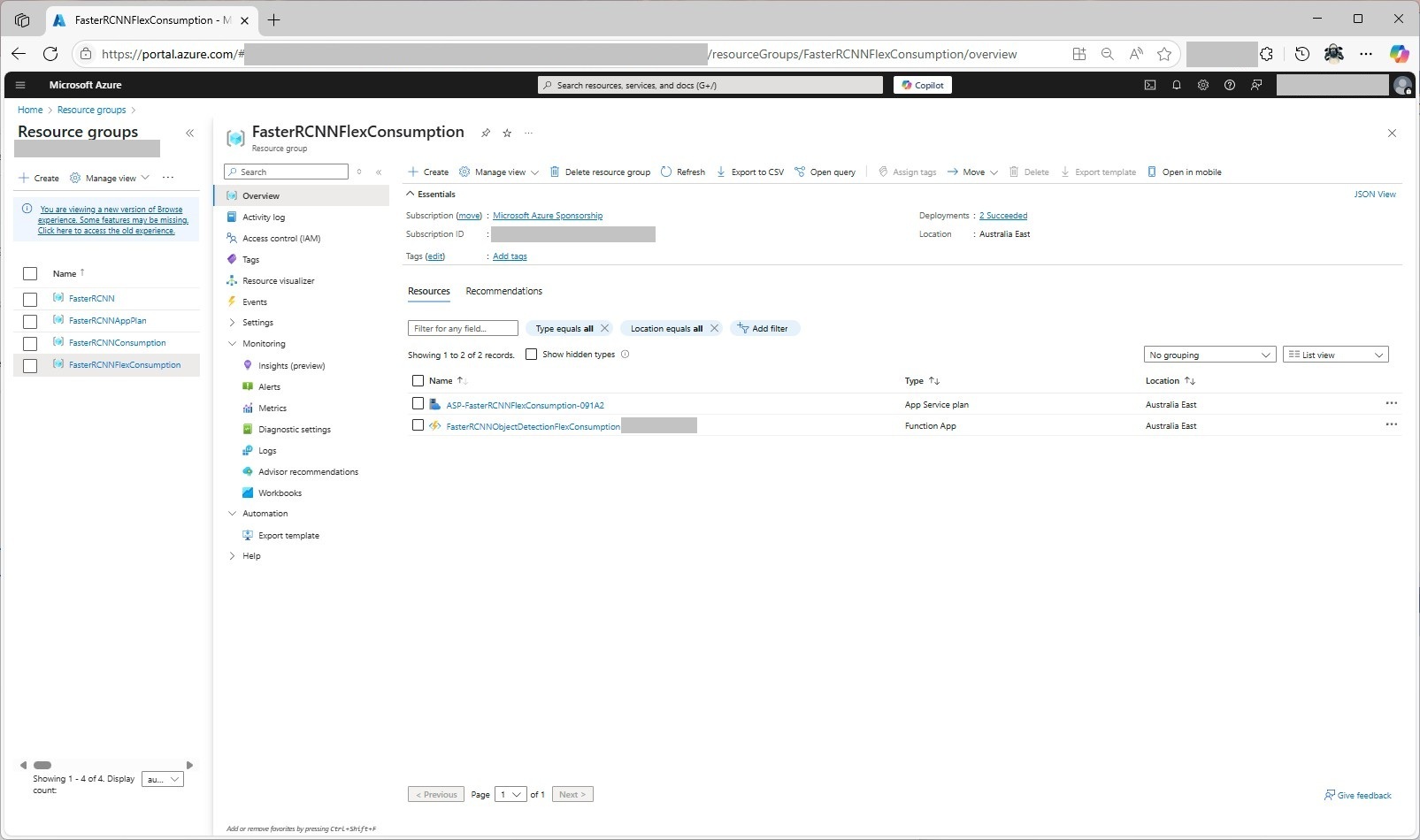
To see how the Faster R-CNN Azure HTTP Trigger function performed I created four resource groups.

The first contained resources used by the three different deployment models being tested

The second resource group was for testing a Dedicated hosting plan deployment.
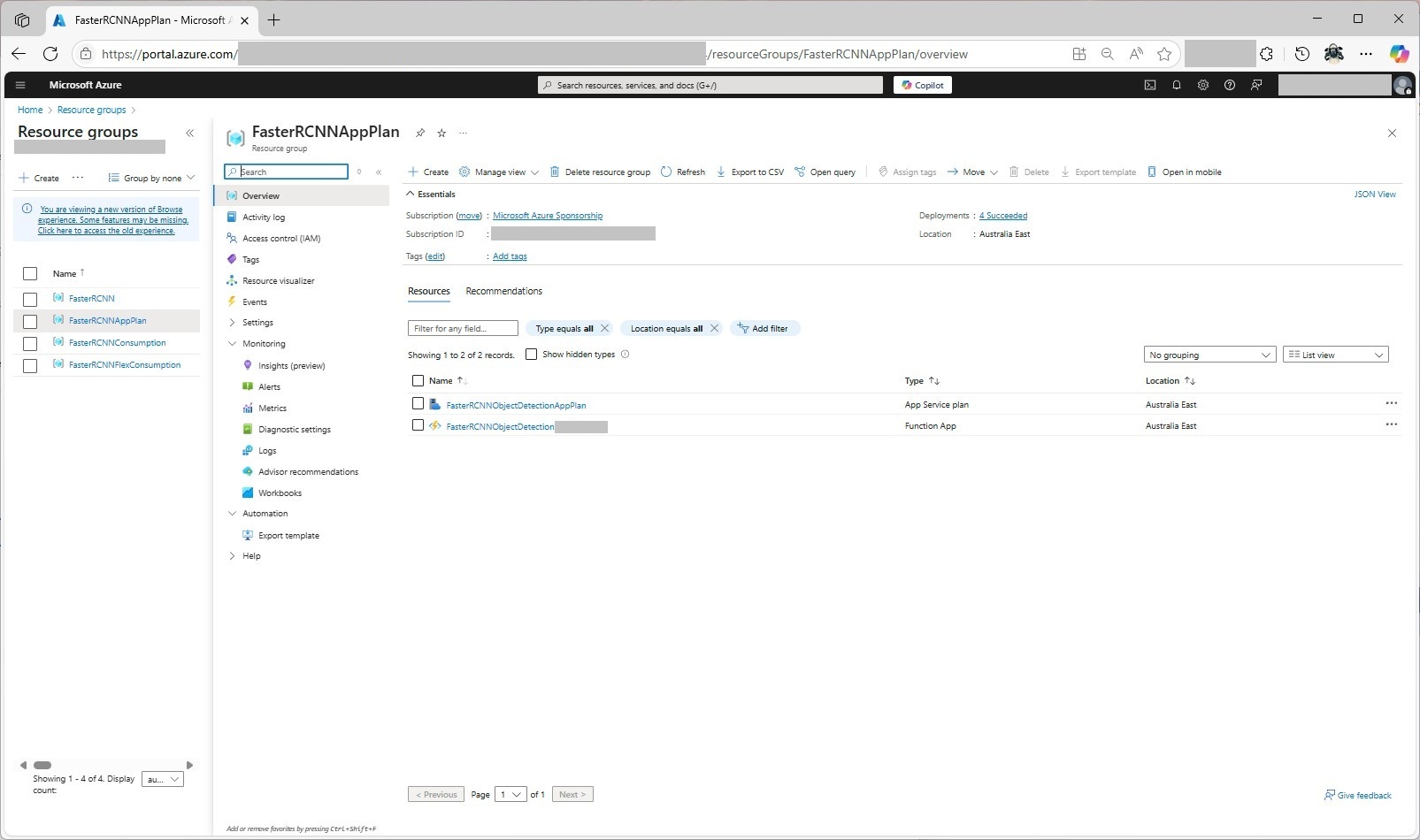
The third resource group was for testing an Azure Functions Consumption plan hosting.

The fourth resource group was for testing Azure Functions Flex Consumption plan hosting.
Summary

The next couple of posts will compare and look at options for improving the “performance” (scalability, execution duration, latency, jitter, billing etc.) of the Github Copilot generated code.

Building Cloud AI with Copilot – Faster R-CNN Azure HTTP Function SKU Results

Introduction

While testing the FasterRCNNObjectDetectionHttpTrigger function with Telerik Fiddler Classic and my “standard” test image I noticed the response bodies were different sizes.

Initially the application plan was an S1 SKU (1 vCPU 1.75G RAM)

The output JSON was 641 bytes

[
  {
    "label": "person",
    "score": 0.9998331,
    "box": {
      "x1": 445.9223, "y1": 124.11987, "x2": 891.18915, "y2": 696.37164
    }
  },
  {
    "label": "person",
    "score": 0.9994991,
    "box": {
      "x1": 0, "y1": 330.16595, "x2": 471.0475, "y2": 761.35846
    }
  },
  {
    "label": "baseball bat",
    "score": 0.9952342,
    "box": { "x1": 869.8053, "y1": 336.96188, "x2": 1063.2261, "y2": 467.74136
    }
  },
  {
    "label": "sports ball",
    "score": 0.9945949,
    "box": { "x1": 1040.916, "y1": 372.41507, "x2": 1071.8958, "y2": 402.50424
    }
  },
  {
    "label": "baseball glove",
    "score": 0.9943546,
    "box": {
      "x1": 377.8922, "y1": 431.95053, "x2": 458.4937, "y2": 536.52124
    }
  },
  {
    "label": "person",
    "score": 0.51779467,
    "box": {
      "x1": 0, "y1": 239.91418, "x2": 60.342667, "y2": 397.17004
    }
  }
]

The application plan was scaled to a Premium v3 P0V3 (1 vCPU 4G RAM)

The output JSON was 637 bytes

[
  {
    "label": "person",
    "score": 0.9998332,
    "box": {
      "x1": 445.9223, "y1": 124.1199, "x2": 891.18915, "y2": 696.3716
    }
  },
  {
    "label": "person",
    "score": 0.9994991,
    "box": { "x1": 0, "y1": 330.16595, "x2": 471.0475, "y2": 761.35846
    }
  },
  {
    "label": "baseball bat",
    "score": 0.9952342,
    "box": {
      "x1": 869.8053, "y1": 336.9619, "x2": 1063.2261, "y2": 467.74133
    }
  },
  {
    "label": "sports ball",
    "score": 0.994595,
    "box": {
      "x1": 1040.916, "y1": 372.41507, "x2": 1071.8958, "y2": 402.50424
    }
  },
  {
    "label": "baseball glove",
    "score": 0.9943546,
    "box": {
      "x1": 377.8922, "y1": 431.95053, "x2": 458.4937, "y2": 536.52124
    }
  },
  {
    "label": "person",
    "score": 0.51779467,
    "box": {
      "x1": 0, "y1": 239.91418, "x2": 60.342667, "y2": 397.17004
    }
  }
]

The application plan was scaled to Premium v3 P1V3 (2 vCPU 8G RAM)

The output JSON was 641 bytes

[
  {
    "label": "person",
    "score": 0.9998331,
    "box": {
      "x1": 445.9223, "y1": 124.11987, "x2": 891.18915, "y2": 696.37164
    }
  },
  {
    "label": "person",
    "score": 0.9994991,
    "box": {
      "x1": 0, "y1": 330.16595, "x2": 471.0475, "y2": 761.35846
    }
  },
  {
    "label": "baseball bat",
    "score": 0.9952342,
    "box": {
      "x1": 869.8053, "y1": 336.96188, "x2": 1063.2261, "y2": 467.74136
    }
  },
  {
    "label": "sports ball",
    "score": 0.9945949,
    "box": {
      "x1": 1040.916, "y1": 372.41507, "x2": 1071.8958, "y2": 402.50424
    }
  },
  {
    "label": "baseball glove",
    "score": 0.9943546,
    "box": {
      "x1": 377.8922, "y1": 431.95053, "x2": 458.4937, "y2": 536.52124
    }
  },
  {
    "label": "person",
    "score": 0.51779467,
    "box": {
      "x1": 0, "y1": 239.91418, "x2": 60.342667, "y2": 397.17004
    }
  }
]

The application plan was scaled to a Premium v3 P2V3 (4 vCPU 16G RAM)

The output JSON was 641 bytes

[
  {
    "label": "person",
    "score": 0.9998331,
    "box": {
      "x1": 445.9223, "y1": 124.11987, "x2": 891.18915, "y2": 696.37164
    }
  },
  {
    "label": "person",
    "score": 0.9994991,
    "box": {
      "x1": 0, "y1": 330.16595, "x2": 471.0475, "y2": 761.35846
    }
  },
  {
    "label": "baseball bat",
    "score": 0.9952342,
    "box": {
      "x1": 869.8053, "y1": 336.96188, "x2": 1063.2261, "y2": 467.74136
    }
  },
  {
    "label": "sports ball",
    "score": 0.9945949,
    "box": {
      "x1": 1040.916, "y1": 372.41507, "x2": 1071.8958, "y2": 402.50424
    }
  },
  {
    "label": "baseball glove",
    "score": 0.9943546,
    "box": {
      "x1": 377.8922, "y1": 431.95053, "x2": 458.4937, "y2": 536.52124 }
  },
  {
    "label": "person",
    "score": 0.51779467,
    "box": {
      "x1": 0, "y1": 239.91418, "x2": 60.342667, "y2": 397.17004
    }
  }
]

The application plan was scaled to a Premium v2 P1V2 (1vCPU 3.5G)

The output JSON was 637 bytes

[
  {
    "label": "person",
    "score": 0.9998332,
    "box": {
      "x1": 445.9223, "y1": 124.1199, "x2": 891.18915, "y2": 696.3716
    }
  },
  {
    "label": "person",
    "score": 0.9994991,
    "box": {
      "x1": 0, "y1": 330.16595, "x2": 471.0475, "y2": 761.35846
    }
  },
  {
    "label": "baseball bat",
    "score": 0.9952342,
    "box": {
      "x1": 869.8053, "y1": 336.9619, "x2": 1063.2261, "y2": 467.74133
    }
  },
  {
    "label": "sports ball",
    "score": 0.994595,
    "box": {
      "x1": 1040.916, "y1": 372.41507, "x2": 1071.8958, "y2": 402.50424
    }
  },
  {
    "label": "baseball glove",
    "score": 0.9943546,
    "box": {
      "x1": 377.8922, "y1": 431.95053, "x2": 458.4937, "y2": 536.52124
    }
  },
  {
    "label": "person",
    "score": 0.51779467,
    "box": {
      "x1": 0, "y1": 239.91418, "x2": 60.342667, "y2": 397.17004
    }
  }
]

Summary

The differences between the 637 & 641were small

Not certain why this could happen currently best guess is memory pressure.

Building Cloud AI with Copilot – Faster R-CNN Azure HTTP Function “Dog Food”

Introduction

A couple of months ago a web crawler visited every page on my website (would be interesting to know if my Github repositories were crawled as well) and I wondered if this might impact my Copilot or Github Copilot experiments. My blogging about The Azure HTTP Trigger functions with Ultralytics Yolo, YoloSharp, Resnet, Faster R-CNN, with Open Neural Network Exchange(ONNX) etc. is fairly “niche” so any improvements in the understanding of the problems and generated code might be visible.

please write an httpTrigger azure function that uses Faster RCNN and ONNX to detect the object in an image uploaded in the body of an HTTP Post

Github Copilot had used Sixlabors ImageSharp, the ILogger was injected into the constructor, the code checked that the image was in the body of the HTTP POST and the object classes were loaded from a text file. I had to manually add some Nugets and using directives before the code compiled and ran in the emulator, but this was a definite improvement.

To test the implementation, I was using Telerik Fiddler Classic to HTTP POST my “standard” test image to function.

Github Copilot had generated code that checked that the image was in the body of the HTTP POST so I had to modify the Telerik Fiddler Classic request.

I also had to fix up the content-type header

The path to the onnx file was wrong and I had to create a labels.txt file from Python code.
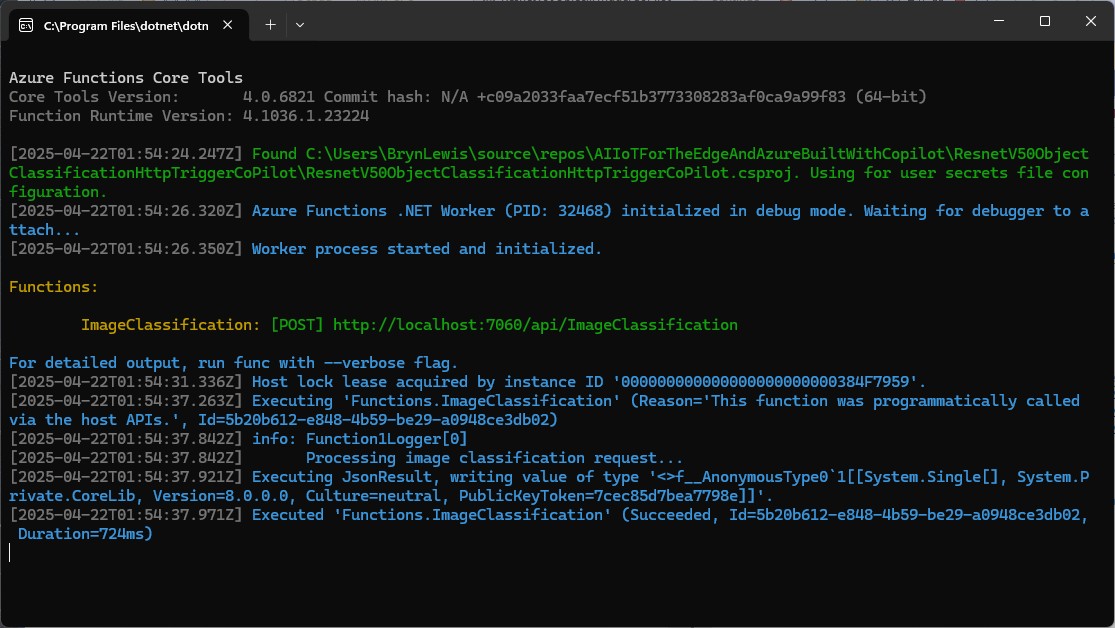
The Azure HTTP Trigger function ran but failed because the preprocessing of the image didn’t implement the specified preprocess steps.

Change DenseTensor to BGR (based on https://github.com/onnx/models/tree/main/validated/vision/object_detection_segmentation/faster-rcnn#preprocessing-steps)

Normalise colour values with mean = [102.9801, 115.9465, 122.7717]

The Azure HTTP Trigger function ran but failed because the output tensor names were incorrect

I used Netron to inspect the model properties to get the correct names for the output tensors

I had a couple of attempts at resizing the image to see what impact this had on the accuracy of the confidence and minimum bounding rectangles.

resize the image such that both height and width are within the range of [800, 1333], and then pad the image with zeros such that both height and width are divisible by 32.

modify the code to resize the image such that both height and width are within the range of [800, 1333], and then pad the image with zeros such that both height and width are divisible by 32 and the aspect ratio is not changed.

The final version of the image processing code scaled then right padded the image to keep the aspect ratio and MBR coordinates correct.

As a final test I deployed the code to Azure and the first time I ran the function it failed because the labels file couldn’t be found because Unix file paths are case sensitive (labels.txt vs. Labels.txt).

The inferencing time was a bit longer than I expected.

// please write an httpTrigger azure function that uses Faster RCNN and ONNX to detect the object in an image uploaded in the body of an HTTP Post
//    manually added the ML.Net ONNX NuGet + using directives
//    manually added the ImageSharp NuGet + using directives
//    Used Copilot to add Microsoft.ML.OnnxRuntime.Tensors using directive
//    Manually added ONNX FIle + labels file sorted out paths
//    Used Netron to fixup output tensor names
// Change DenseTensor to BGR (based on https://github.com/onnx/models/tree/main/validated/vision/object_detection_segmentation/faster-rcnn#preprocessing-steps)
// Normalise colour values with mean = [102.9801, 115.9465, 122.7717]
// resize the image such that both height and width are within the range of [800, 1333], and then pad the image with zeros such that both height and width are divisible by 32.
// modify the code to resize the image such that both height and width are within the range of [800, 1333], and then pad the image with zeros such that both height and width are divisible by 32 and the aspect ratio is not changed.
using Microsoft.AspNetCore.Http;
using Microsoft.AspNetCore.Mvc;
using Microsoft.Azure.Functions.Worker;
using Microsoft.Extensions.Logging;
using Microsoft.ML.OnnxRuntime;
using Microsoft.ML.OnnxRuntime.Tensors;
using SixLabors.ImageSharp; // Couldn't get inteliisense after adding NuGet package
using SixLabors.ImageSharp.PixelFormats; // Couldn't get inteliisense after adding NuGet package
using SixLabors.ImageSharp.Processing; // Couldn't get inteliisense after adding NuGet package


namespace FasterRCNNObjectDetectionHttpTriggerGithubCopilot
{
   public class Function1
   {
      private readonly ILogger<Function1> _logger;
      private readonly InferenceSession _session;
      private readonly List<string> _labels;

      public Function1(ILogger<Function1> logger)
      {
         _logger = logger;
         _session = new InferenceSession("FasterRCNN-10.onnx");
         _labels = File.ReadAllLines("labels.txt").ToList();
      }

      [Function("ObjectDetectionFunction")]
      public async Task<IActionResult> Run([HttpTrigger(AuthorizationLevel.Function, "post", Route = null)] HttpRequest req)
      {
         if (!req.ContentType.StartsWith("image/"))
            return new BadRequestObjectResult("Content-Type must be an image.");

         using var ms = new MemoryStream();
         await req.Body.CopyToAsync(ms);
         ms.Position = 0;

         using var image = Image.Load<Rgb24>(ms);
         var inputTensor = PreprocessImage(image);

         var inputs = new List<NamedOnnxValue>
                  {
                      NamedOnnxValue.CreateFromTensor("image", inputTensor)
                  };

         using IDisposableReadOnlyCollection<DisposableNamedOnnxValue> results = _session.Run(inputs);
         var output = results.ToDictionary(x => x.Name, x => x.Value);

         var boxes = (DenseTensor<float>)output["6379"];
         var labels = (DenseTensor<long>)output["6381"];
         var scores = (DenseTensor<float>)output["6383"];

         var detections = new List<object>();
         for (int i = 0; i < scores.Length; i++)
         {
            if (scores[i] > 0.5)
            {
               detections.Add(new
               {
                  label = _labels[(int)labels[i]],
                  score = scores[i],
                  box = new
                  {
                     x1 = boxes[i, 0],
                     y1 = boxes[i, 1],
                     x2 = boxes[i, 2],
                     y2 = boxes[i, 3]
                  }
               });
            }
         }

         return new OkObjectResult(detections);
      }

      private static DenseTensor<float> PreprocessImage( Image<Rgb24> image)
      {
         // Step 1: Resize so that min(H, W) = 800, max(H, W) <= 1333, keeping aspect ratio
         int origWidth = image.Width;
         int origHeight = image.Height;
         int minSize = 800;
         int maxSize = 1333;

         float scale = Math.Min((float)minSize / Math.Min(origWidth, origHeight),
                                (float)maxSize / Math.Max(origWidth, origHeight));
         /*
         float scale = 1.0f;

         // If either dimension is less than 800, scale up so the smaller is 800
         if (origWidth < minSize || origHeight < minSize)
         {
            scale = Math.Max((float)minSize / origWidth, (float)minSize / origHeight);
         }
         // If either dimension is greater than 1333, scale down so the larger is 1333
         if (origWidth * scale > maxSize || origHeight * scale > maxSize)
         {
            scale = Math.Min((float)maxSize / origWidth, (float)maxSize / origHeight);
         }
         */

         int resizedWidth = (int)Math.Round(origWidth * scale);
         int resizedHeight = (int)Math.Round(origHeight * scale);

         image.Mutate(x => x.Resize(resizedWidth, resizedHeight));

         // Step 2: Pad so that both dimensions are divisible by 32
         int padWidth = ((resizedWidth + 31) / 32) * 32;
         int padHeight = ((resizedHeight + 31) / 32) * 32;

         var paddedImage = new Image<Rgb24>(padWidth, padHeight);
         paddedImage.Mutate(ctx => ctx.DrawImage(image, new Point(0, 0), 1f));

         // Step 3: Convert to BGR and normalize
         float[] mean = { 102.9801f, 115.9465f, 122.7717f };
         var tensor = new DenseTensor<float>(new[] { 3, padHeight, padWidth });

         for (int y = 0; y < padHeight; y++)
         {
            for (int x = 0; x < padWidth; x++)
            {
               Rgb24 pixel = default;
               if (x < resizedWidth && y < resizedHeight)
                  pixel = paddedImage[x, y];

               tensor[0, y, x] = pixel.B - mean[0];
               tensor[1, y, x] = pixel.G - mean[1];
               tensor[2, y, x] = pixel.R - mean[2];
            }
         }

         paddedImage.Dispose();
         return tensor;
      }
   }
}

It took roughly an hour to “vibe code” the function, but it would have taken much longer for someone not familiar with the problem domain.

Summary

The Github Copilot generated code was okay but would be fragile, performance would suck and not scale terribly well.

The Copilot generated code in this post is not suitable for production

Building Cloud AI with Copilot – ResNet50 Azure HTTP Function

Introduction

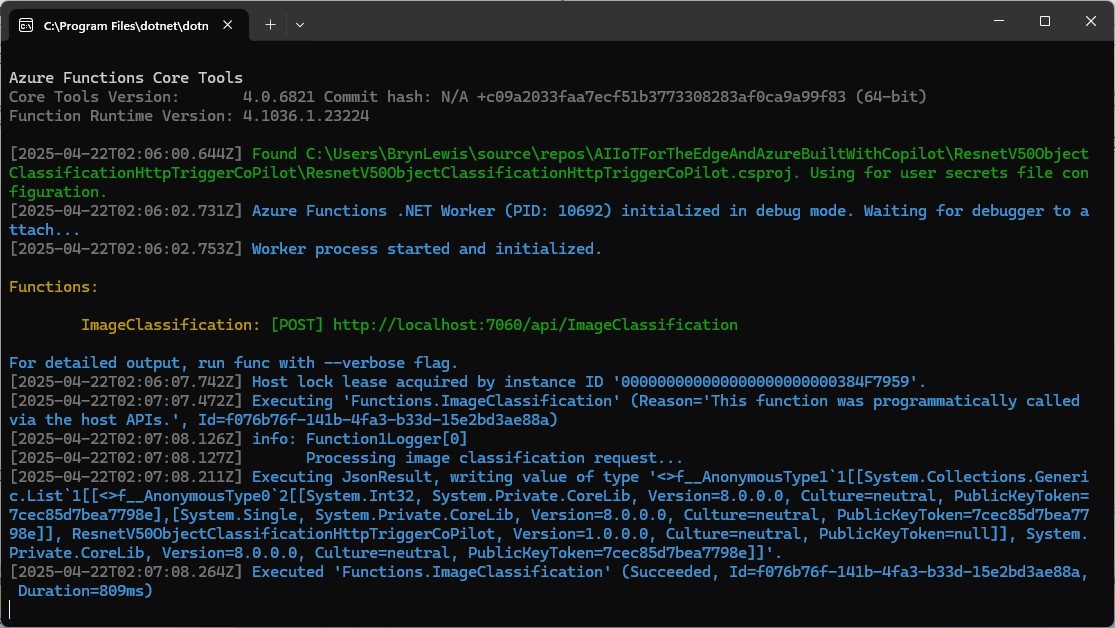
This is another awfully long post about my experience using Copilot to write an Azure HTTP Trigger function that runs a resnet50 V2.7 Open Neural Network Exchange model(ONNX) on an image in the body of the HTTP POST.

For testing I was uploading the images with Telerik Fiddler Classic.

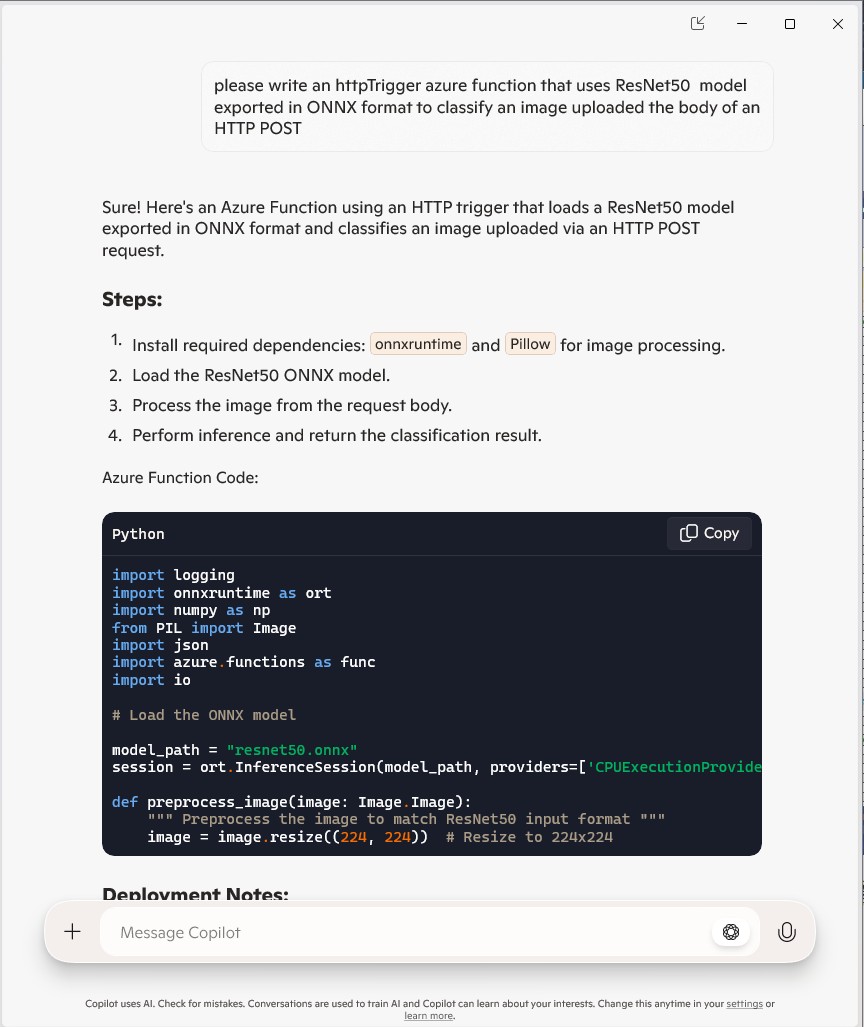
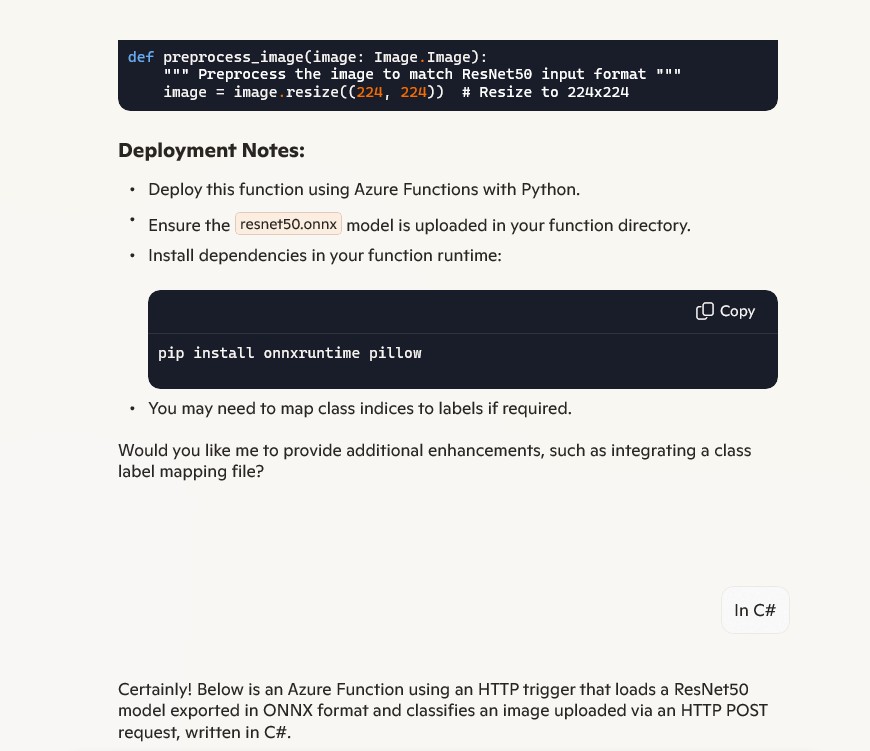
I forgot to specify language, so Copilot assumed (reasonably) that I wanted a Python Azure HTTP Trigger function.

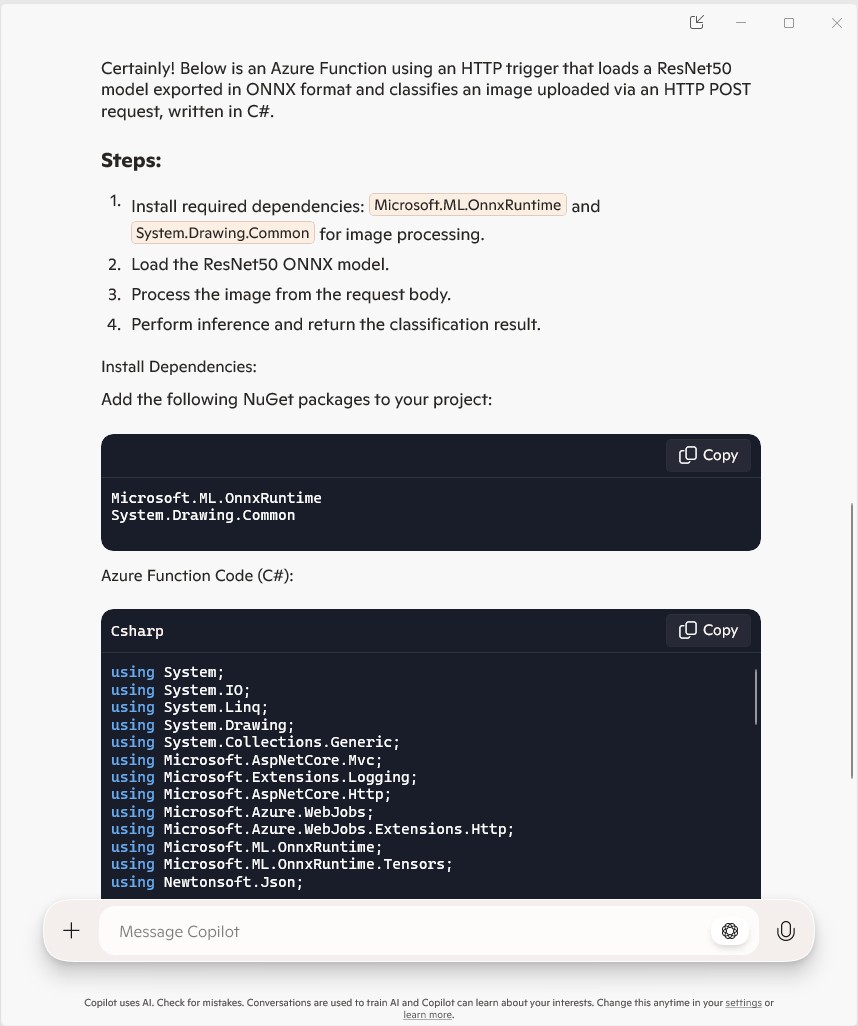
The initial C# version wouldn’t compile because of the FunctionName attribute which is used for in-process Azure Functions. It did seem a bit odd that Copilot would generate code that support will end for November 10, 2026

public static class Function1
{
   private static readonly InferenceSession session = new InferenceSession("resnet50.onnx");

   [FunctionName("ImageClassification")]
   public static IActionResult Run(
       [HttpTrigger(AuthorizationLevel.Function, "post")] HttpRequest req,
       ILogger log)
   {
      log.LogInformation("Processing image classification request...");

      try
      {
         using var ms = new MemoryStream();
         req.Body.CopyTo(ms);
         using var image = Image.FromStream(ms);

         var inputTensor = PreprocessImage(image);

         var inputName = session.InputMetadata.Keys.First();
         var outputName = session.OutputMetadata.Keys.First();
         var result = session.Run(new Dictionary<string, NamedOnnxValue>
            {
                { inputName, NamedOnnxValue.CreateFromTensor(inputName, inputTensor) }
            });

         var predictions = result.First().AsTensor<float>().ToArray();

         return new JsonResult(new { predictions });
      }
      catch (Exception ex)
      {
         log.LogError($"Error: {ex.Message}");
         return new BadRequestObjectResult("Invalid image or request.");
      }
   }
...
}

It was just easier to change the FunctionName attribute manually.

public static class Function1
{
   private static readonly InferenceSession session = new InferenceSession("resnet50.onnx");

   [Function("ImageClassification")]
   public static IActionResult Run(
       [HttpTrigger(AuthorizationLevel.Function, "post")] HttpRequest req,
       ILogger log)
   {
      log.LogInformation("Processing image classification request...");

      try
      {
         using var ms = new MemoryStream();
         req.Body.CopyTo(ms);
         using var image = Image.FromStream(ms);

         var inputTensor = PreprocessImage(image);

         var inputName = session.InputMetadata.Keys.First();
         var outputName = session.OutputMetadata.Keys.First();
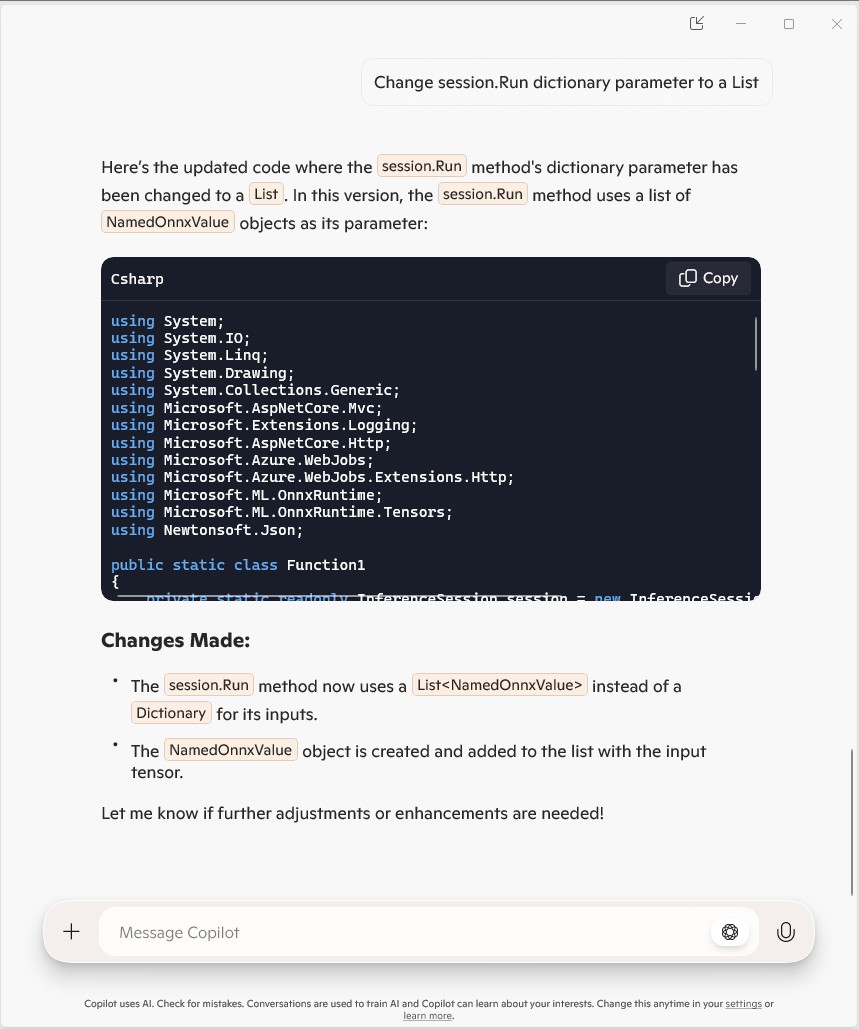
         var inputList = new List<NamedOnnxValue>
            {
                NamedOnnxValue.CreateFromTensor(inputName, inputTensor)
            };

         var result = session.Run(inputList);

         var predictions = result.First().AsTensor<float>().ToArray();

         return new JsonResult(new { predictions });
      }
      catch (Exception ex)
      {
         log.LogError($"Error: {ex.Message}");
         return new BadRequestObjectResult("Invalid image or request.");
      }
   }

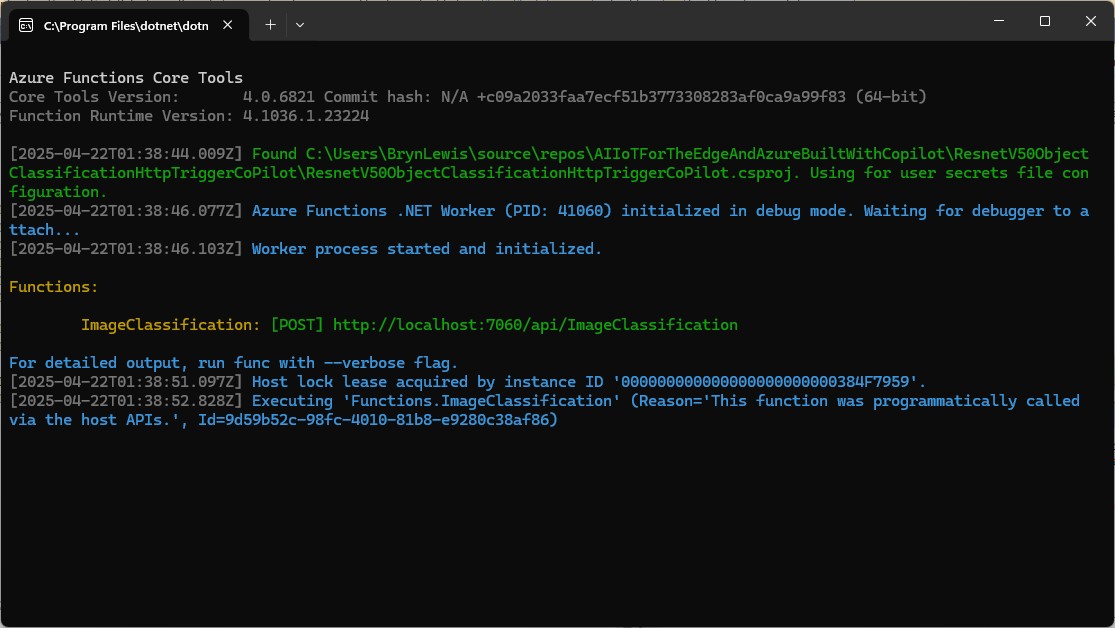
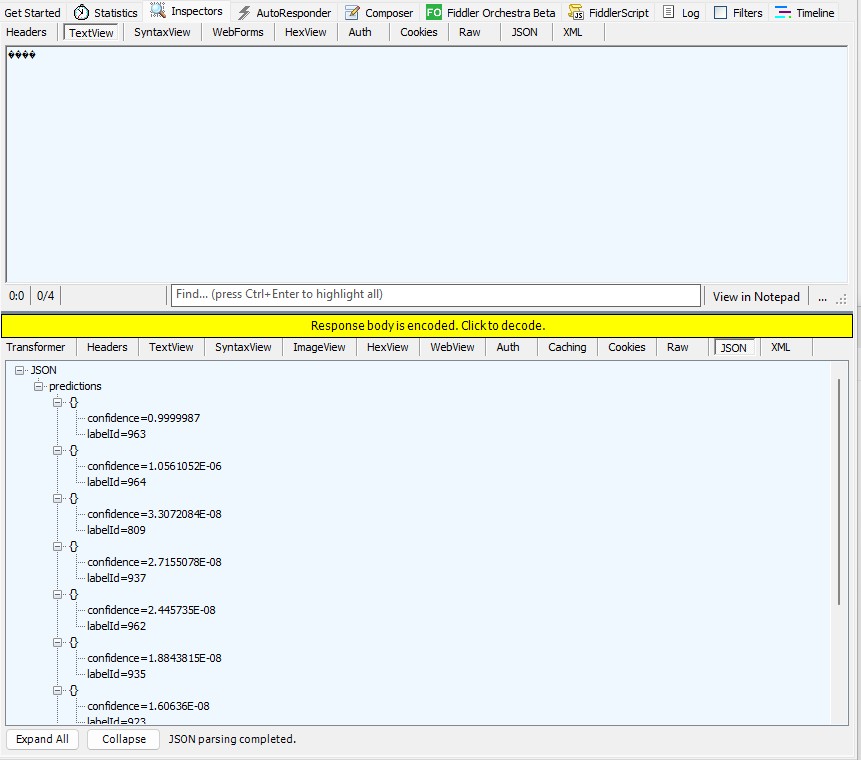
The Azure HTTP Trigger function ran but failed when I tried to classify an image

The initialisation of the ILogger injected into the Run method was broken so I used Copilot to update the code to use constructor Dependency Injection (DI).

public static class Function1
{
   private static readonly ILogger logger;
   private static readonly InferenceSession session = new InferenceSession("resnet50-v2-7.onnx");

   // Static constructor to initialize logger
   static Function1()
   {
      var loggerFactory = LoggerFactory.Create(builder =>
      {
         builder.AddConsole();
      });
      logger = loggerFactory.CreateLogger("Function1Logger");
   }

   [Function("ImageClassification")]
   public static IActionResult Run([HttpTrigger(AuthorizationLevel.Function, "post")] HttpRequest req)
   {
      logger.LogInformation("Processing image classification request...");

      try
      {
         using var ms = new MemoryStream();
         req.Body.CopyTo(ms);
         using var image = Image.FromStream(ms);

         var inputTensor = PreprocessImage(image);

         var inputName = session.InputMetadata.Keys.First();
         var outputName = session.OutputMetadata.Keys.First();
         var inputList = new List<NamedOnnxValue>
            {
                NamedOnnxValue.CreateFromTensor(inputName, inputTensor)
            };

         var result = session.Run(inputList);

         var predictions = result.First().AsTensor<float>().ToArray();

         return new JsonResult(new { predictions });
      }
      catch (Exception ex)
      {
         logger.LogError($"Error: {ex.Message}");
         return new BadRequestObjectResult("Invalid image or request.");
      }
   }
...
}

It was a bit odd that Copilot generated a static function and constructor unlike the equivalent YoloSharp Azure HTTP Trigger.

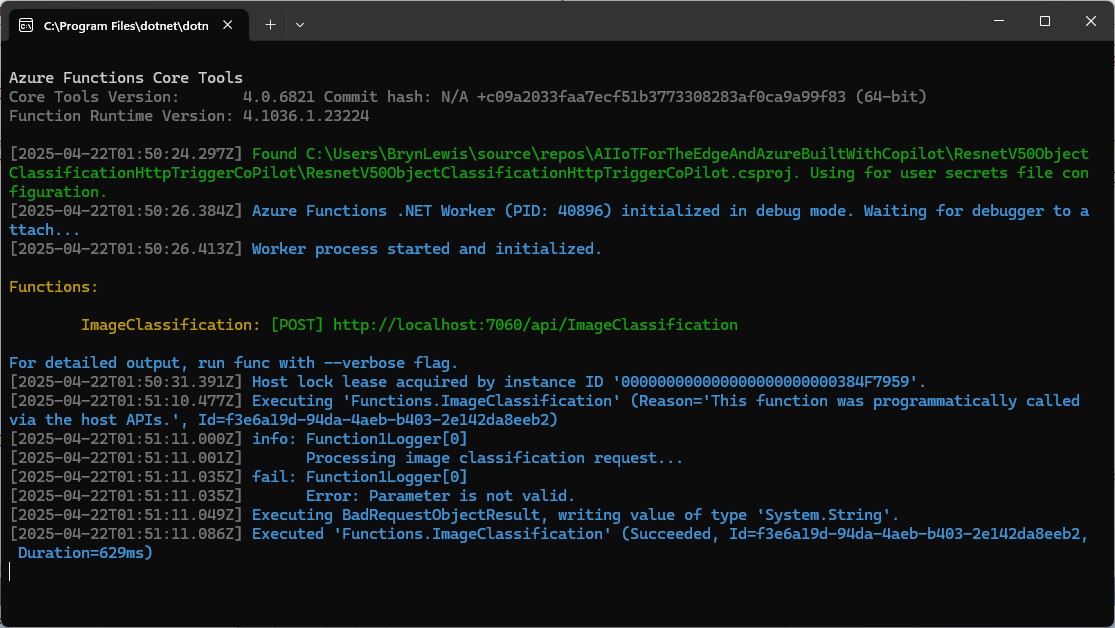
The Azure HTTP Trigger function ran but failed when I tried to classify an image

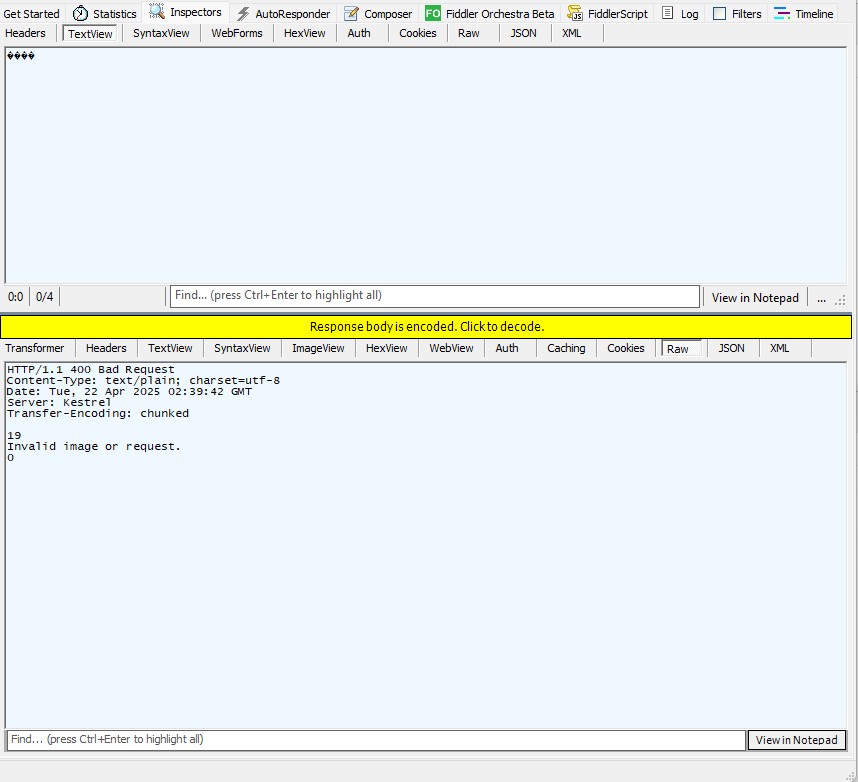
The Azure HTTP Trigger function ran but failed with a 400 Bad Request when I tried to classify an image

After some debugging I realised that Telerik Fiddle Classic was sending the image as form data so I modified the “composer” payload configuration.

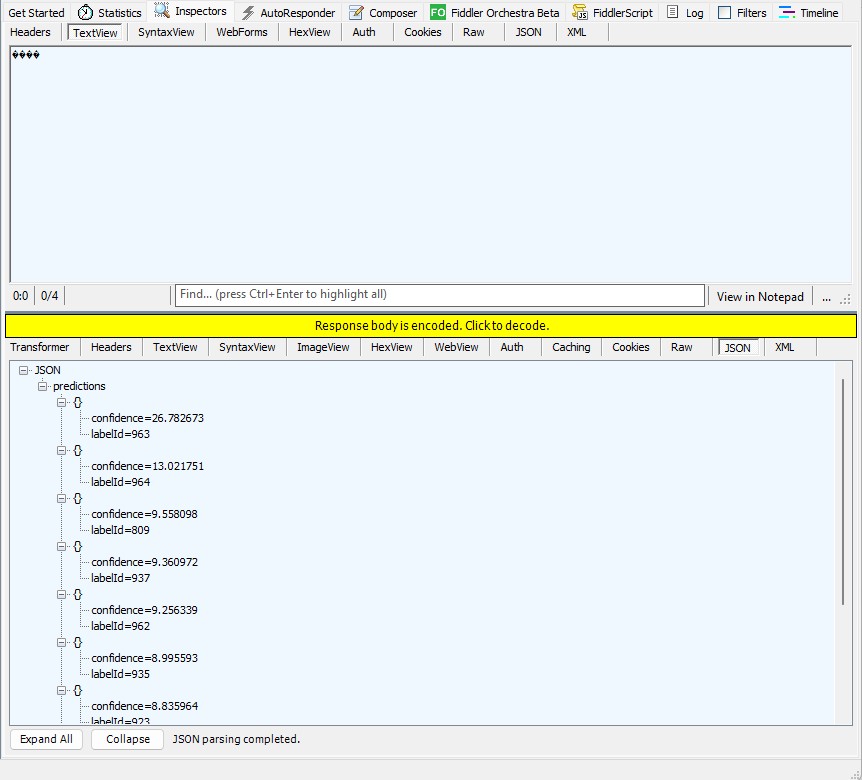
Then the Azure HTTP Trigger function ran but the confidence values were wrong.

The confidence values were incorrect, so I checked the ResNet50 pre-processing instructions

The image needs to be preprocessed before fed to the network. The first step is to extract a 224x224 crop from the center of the image. For this, the image is first scaled to a minimum size of 256x256, while keeping aspect ratio. That is, the shortest side of the image is resized to 256 and the other side is scaled accordingly to maintain the original aspect ratio. After that, the image is normalized with mean = 255*[0.485, 0.456, 0.406] and std = 255*[0.229, 0.224, 0.225]. Last step is to transpose it from HWC to CHW layout.
 private static Tensor<float> PreprocessImage(Image image)
 {
    var resized = new Bitmap(image, new Size(224, 224));
    var tensorData = new float[1 * 3 * 224 * 224];

    float[] mean = { 0.485f, 0.456f, 0.406f };
    float[] std = { 0.229f, 0.224f, 0.225f };

    for (int y = 0; y < 224; y++)
    {
       for (int x = 0; x < 224; x++)
       {
          var pixel = resized.GetPixel(x, y);

          tensorData[(0 * 3 * 224 * 224) + (0 * 224 * 224) + (y * 224) + x] = (pixel.R / 255.0f - mean[0]) / std[0];
          tensorData[(0 * 3 * 224 * 224) + (1 * 224 * 224) + (y * 224) + x] = (pixel.G / 255.0f - mean[1]) / std[1];
          tensorData[(0 * 3 * 224 * 224) + (2 * 224 * 224) + (y * 224) + x] = (pixel.B / 255.0f - mean[2]) / std[2];
       }
    }

    return new DenseTensor<float>(tensorData, new[] { 1, 3, 224, 224 });
 }

When the “normalisation” code was implemented and the Azure HTTP Trigger function run the confidence values were still incorrect.

The Azure HTTP Trigger function was working reliably but the number of results and size response payload was unnecessary.

The Azure HTTP Trigger function ran but the confidence values were still incorrect, so I again checked the ResNet50 post-processing instructions

Postprocessing
The post-processing involves calculating the softmax probability scores for each class. You can also sort them to report the most probable classes. Check imagenet_postprocess.py for code.
 // Compute exponentials for all scores
 var expScores = predictions.Select(MathF.Exp).ToArray();

 // Compute sum of exponentials
 float sumExpScores = expScores.Sum();

 // Normalize scores into probabilities
 var softmaxResults = expScores.Select(score => score / sumExpScores).ToArray();

 // Get top 10 predictions (label ID and confidence)
 var top10 = softmaxResults
     .Select((confidence, labelId) => new { labelId, confidence, label = labelId < labels.Count ? labels[labelId] : $"Unknown-{labelId}" })
     .OrderByDescending(p => p.confidence)
     .Take(10)
     .ToList();

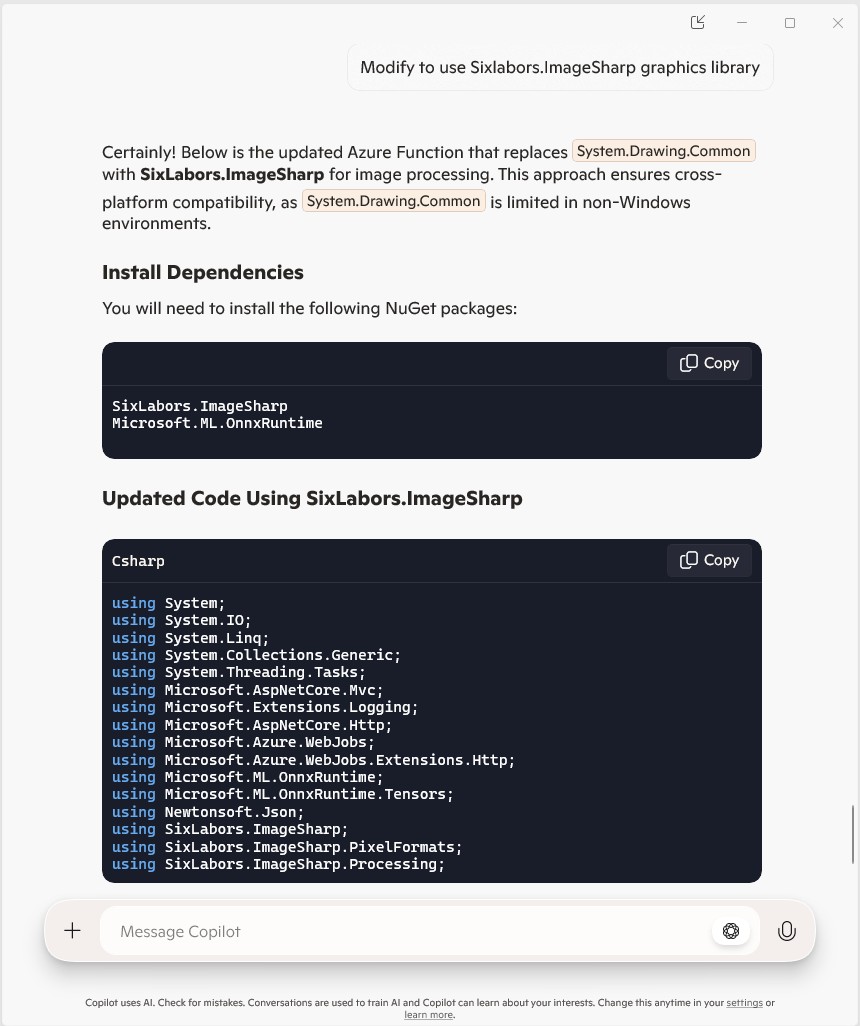
The Azure HTTP Trigger function should run on multiple platforms so System.Drawing.Comon had to be replaced with Sixlabors ImageSharp

The Azure HTTP Trigger function ran but the Sixlabors ImageSharp based image classification failed.

After some debugging I realised that the MemoryStream used to copy the HTTPRequest body was not being reset.

[Function("ImageClassification")]
public static async Task<IActionResult> Run(
    [HttpTrigger(AuthorizationLevel.Function, "post")] HttpRequest req)
{
   logger.LogInformation("Processing image classification request...");

   try
   {
      using var ms = new MemoryStream();
      await req.Body.CopyToAsync(ms);

      ms.Seek(0, SeekOrigin.Begin);

      using var image = Image.Load<Rgb24>(ms);

      var inputTensor = PreprocessImage(image);
...   
   }
   catch (Exception ex)
   {
      logger.LogError($"Error: {ex.Message}");
      return new BadRequestObjectResult("Invalid image or request.");
   }
}

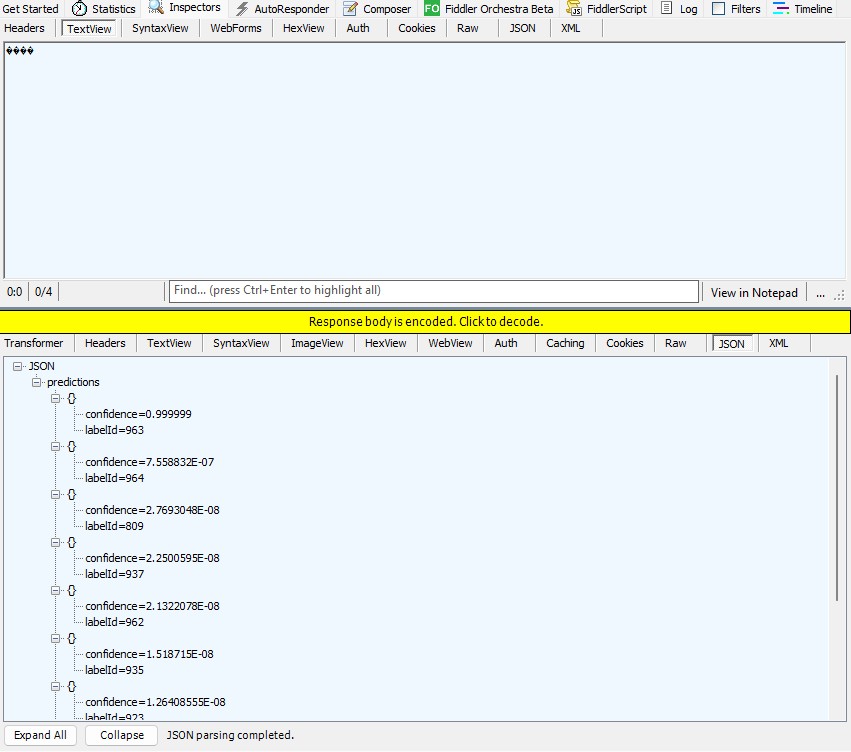
The odd thing was the confidence values changed slightly when the code was modified to use Sixlabors ImageSharp

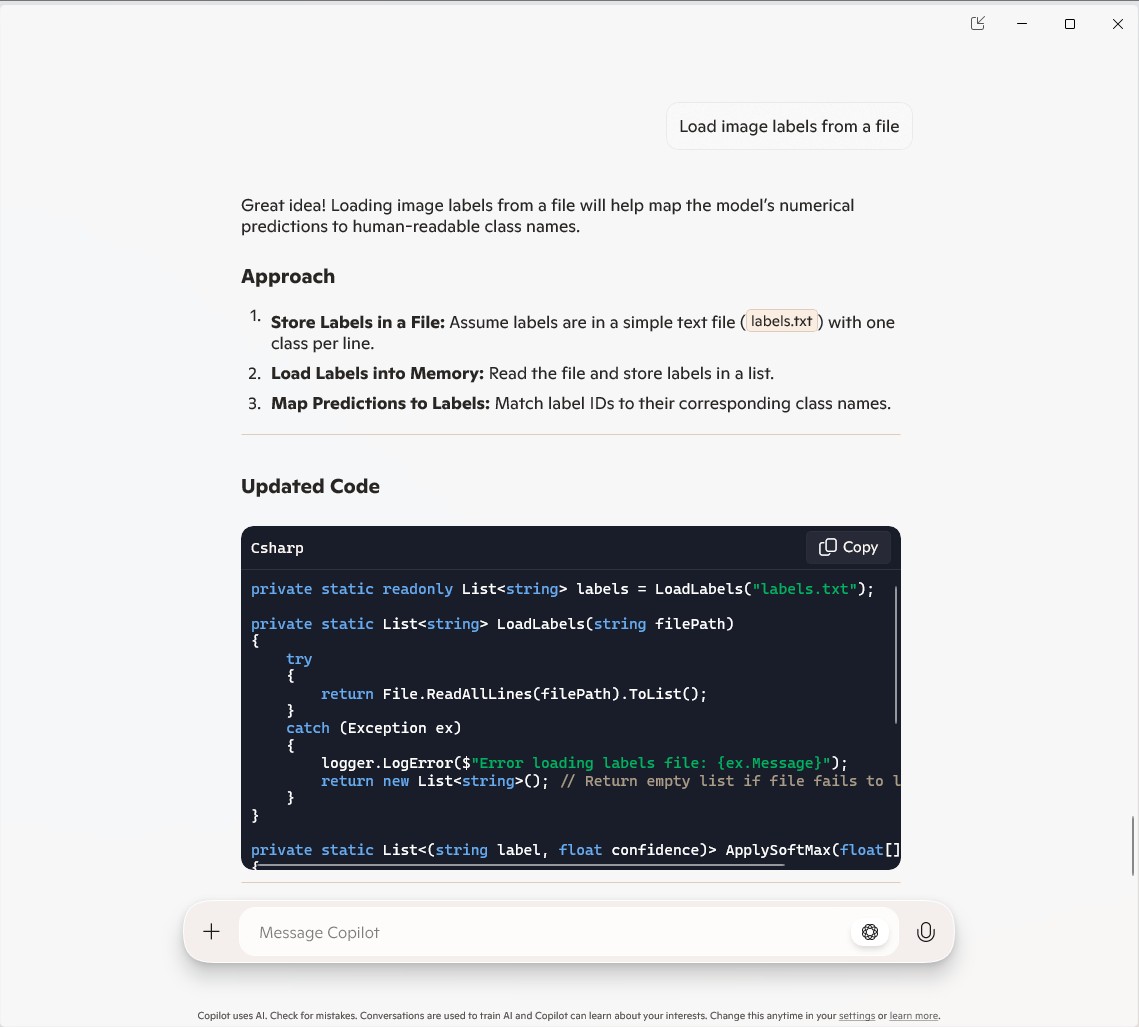
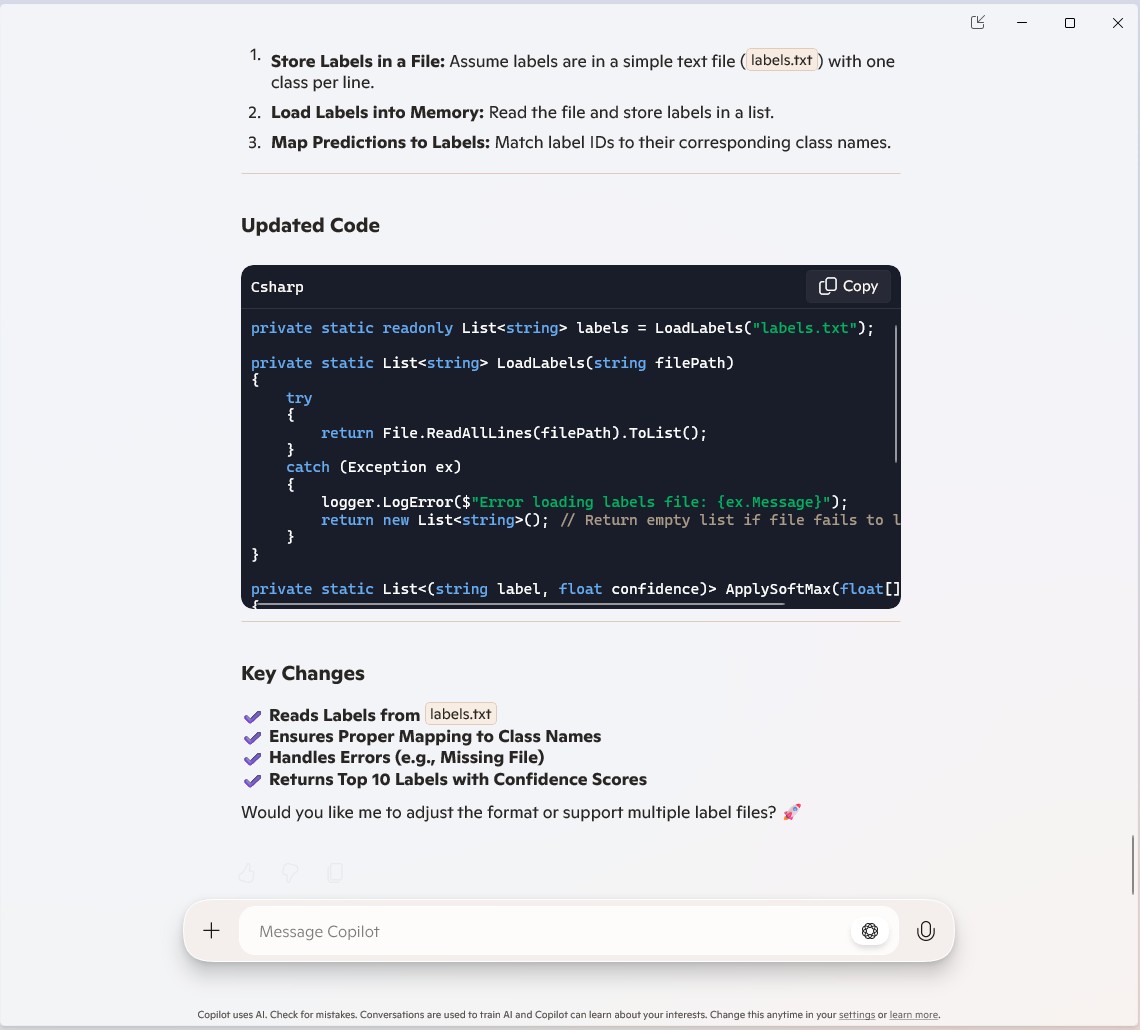
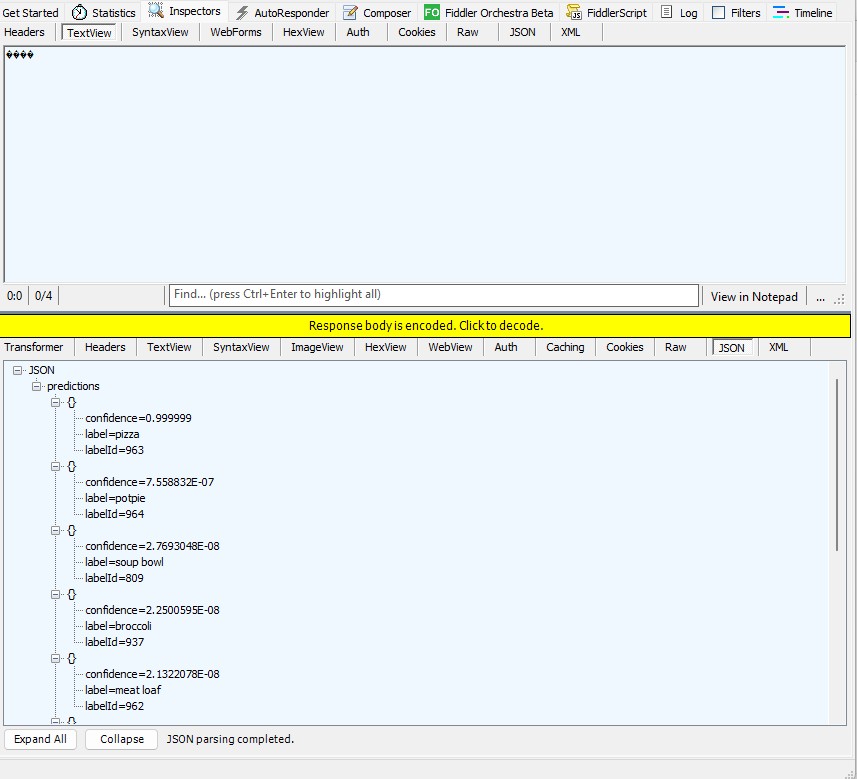
The Azure HTTP Trigger function worked but the labelId wasn’t that “human readable”.

public static class Function1
{
   private static readonly ILogger logger;
   private static readonly InferenceSession session = new InferenceSession("resnet50-v2-7.onnx");
   private static readonly List<string> labels = LoadLabels("labels.txt");
...
   [Function("ImageClassification")]
   public static async Task<IActionResult> Run(
       [HttpTrigger(AuthorizationLevel.Function, "post")] HttpRequest req)
   {
      logger.LogInformation("Processing image classification request...");

      try
      {
...
         // Get top 10 predictions (label ID and confidence)
         var top10 = softmaxResults
             .Select((confidence, labelId) => new { labelId, confidence, label = labelId < labels.Count ? labels[labelId] : $"Unknown-{labelId}" })
             .OrderByDescending(p => p.confidence)
             .Take(10)
             .ToList();

         return new JsonResult(new { predictions = top10 });
      }
      catch (Exception ex)
      {
         logger.LogError($"Error: {ex.Message}");
         return new BadRequestObjectResult("Invalid image or request.");
      }
   }
...
   private static List<string> LoadLabels(string filePath)
   {
      try
      {
         return File.ReadAllLines(filePath).ToList();
      }
      catch (Exception ex)
      {
         logger.LogError($"Error loading labels file: {ex.Message}");
         return new List<string>(); // Return empty list if file fails to load
      }
   }
}

Summary

The Github Copilot generated code was okay but would be fragile and not scale terribly well. The confidence values changing very slightly when the code was updated for Sixlabors ImageSharp was disconcerting, but not surprising.

The Copilot generated code in this post is not suitable for production

Azure Function SendGrid Binding Fail

This post is for Azure Function developers having issues with the SendGrid binding throwing exceptions like the one below.

System.Private.CoreLib: Exception while executing function: Functions.AzureBlobFileUploadEmailer. Microsoft.Azure.WebJobs.Extensions.SendGrid: A 'To' address must be specified for the message

My Azure BlobTrigger Function sends an email (with SendGrid) when a file is uploaded to an Azure Blob Storage Container(a couple of times a day).

public class FileUploadEmailer(ILogger<FileUploadEmailer> logger, IOptions<EmailSettings> emailSettings)
{
   private readonly ILogger<FileUploadEmailer> _logger = logger;
   private readonly EmailSettings _emailSettings = emailSettings.Value;

   [Function(nameof(AzureBlobFileUploadEmailer))]
   [SendGridOutput(ApiKey = "SendGridAPIKey")]
   public string Run([BlobTrigger("filestobeprocesed/{name}", Connection = "upload-file-storage")] Stream stream, string name)
   {
      _logger.LogInformation("FileUploadEmailer Blob trigger function Processed blob Name:{0} start", name);

      try
      {
         var message = new SendGridMessage();

         message.SetFrom(_emailSettings.From);
         message.AddTo(_emailSettings.To);
         message.Subject = _emailSettings.Subject;

         message.AddContent(MimeType.Html, string.Format(_emailSettings.BodyFormat, name, DateTime.UtcNow));

         // WARNING - Use Newtonsoft JSON serializer to produce JSON string. System.Text.Json won't work because property annotations are different
         var messageJson = Newtonsoft.Json.JsonConvert.SerializeObject(message);

         _logger.LogInformation("FileUploadEmailer Blob trigger function Processed blob Name:{0} finish", name);

         return messageJson;
      }
      catch (Exception ex)
      {
         _logger.LogError(ex, "FileUploadEmailer Blob trigger function Processed blob Name: {0}", name);

         throw;
      }
   }
}

I missed the first clue when I looked at the JSON and missed the Tos, Ccs, Bccs property names.

{
"From":{"Name":"Foo","Email":"bryn.lewis@devmobile.co.nz"},
"Subject":"Hi 30/09/2024 1:27:49 pm",
"Personalizations":[{"Tos":[{"Name":"Bar","Email":"bryn.lewis@devmobile.co.nz"}],
"Ccs":null,
"Bccs":null,
"From":null,
"Subject":null,
"Headers":null,
"Substitutions":null,
"CustomArgs":null,
"SendAt":null,
"TemplateData":null}],
"Contents":[{"Type":"text/html","Value":"\u003Ch2\u003EHello AssemblyInfo.cs\u003C/h2\u003E"}],
"PlainTextContent":null,
"HtmlContent":null,
"Attachments":null,
"TemplateId":null,
"Headers":null,
"Sections":null,
"Categories":null,
"CustomArgs":null,
"SendAt":null,
"Asm":null,
"BatchId":null,
"IpPoolName":null,
"MailSettings":null,
"TrackingSettings":null,
"ReplyTo":null,
"ReplyTos":null
}

I wasn’t paying close enough attention to the sample code and used the System.Text.Json rather than Newtonsoft.Json to serialize the SendGridMessage object. They use different attributes for property names etc. so the JSON generated was wrong.

Initially, I tried adding System.Text.Json attributes to the SendGridMessage class

namespace SendGrid.Helpers.Mail
{
   /// <summary>
   /// Class SendGridMessage builds an object that sends an email through Twilio SendGrid.
   /// </summary>
   [JsonObject(IsReference = false)]
   public class SendGridMessage
   {
      /// <summary>
      /// Gets or sets an email object containing the email address and name of the sender. Unicode encoding is not supported for the from field.
      /// </summary>
      //[JsonProperty(PropertyName = "from")]
      [JsonPropertyName("from")]
      public EmailAddress From { get; set; }

      /// <summary>
      /// Gets or sets the subject of your email. This may be overridden by personalizations[x].subject.
      /// </summary>
      //[JsonProperty(PropertyName = "subject")]
      [JsonPropertyName("subject")]
      public string Subject { get; set; }

      /// <summary>
      /// Gets or sets a list of messages and their metadata. Each object within personalizations can be thought of as an envelope - it defines who should receive an individual message and how that message should be handled. For more information, please see our documentation on Personalizations. Parameters in personalizations will override the parameters of the same name from the message level.
      /// https://sendgrid.com/docs/Classroom/Send/v3_Mail_Send/personalizations.html.
      /// </summary>
      //[JsonProperty(PropertyName = "personalizations", IsReference = false)]
      [JsonPropertyName("personalizations")]
      public List<Personalization> Personalizations { get; set; }
...
}

SendGridMessage uses other classes like EmailAddress which worked because the property names matched the JSON

namespace SendGrid.Helpers.Mail
{
    /// <summary>
    /// An email object containing the email address and name of the sender or recipient.
    /// </summary>
    [JsonObject(IsReference = false)]
    public class EmailAddress : IEquatable<EmailAddress>
    {
        /// <summary>
        /// Initializes a new instance of the <see cref="EmailAddress"/> class.
        /// </summary>
        public EmailAddress()
        {
        }

        /// <summary>
        /// Initializes a new instance of the <see cref="EmailAddress"/> class.
        /// </summary>
        /// <param name="email">The email address of the sender or recipient.</param>
        /// <param name="name">The name of the sender or recipient.</param>
        public EmailAddress(string email, string name = null)
        {
            this.Email = email;
            this.Name = name;
        }

        /// <summary>
        /// Gets or sets the name of the sender or recipient.
        /// </summary>
        [JsonProperty(PropertyName = "name")]
        public string Name { get; set; }

        /// <summary>
        /// Gets or sets the email address of the sender or recipient.
        /// </summary>
        [JsonProperty(PropertyName = "email")]
        public string Email { get; set; }
...
}

Many of the property name “mismatch” issues were in the Personalization class with the Toos, Ccs, bccs etc. properties

namespace SendGrid.Helpers.Mail
{
    /// <summary>
    /// An array of messages and their metadata. Each object within personalizations can be thought of as an envelope - it defines who should receive an individual message and how that message should be handled. For more information, please see our documentation on Personalizations. Parameters in personalizations will override the parameters of the same name from the message level.
    /// https://sendgrid.com/docs/Classroom/Send/v3_Mail_Send/personalizations.html.
    /// </summary>
    [JsonObject(IsReference = false)]
    public class Personalization
    {
        /// <summary>
        /// Gets or sets an array of recipients. Each email object within this array may contain the recipient’s name, but must always contain the recipient’s email.
        /// </summary>
        [JsonProperty(PropertyName = "to", IsReference = false)]
        [JsonConverter(typeof(RemoveDuplicatesConverter<EmailAddress>))]
        public List<EmailAddress> Tos { get; set; }

        /// <summary>
        /// Gets or sets an array of recipients who will receive a copy of your email. Each email object within this array may contain the recipient’s name, but must always contain the recipient’s email.
        /// </summary>
        [JsonProperty(PropertyName = "cc", IsReference = false)]
        [JsonConverter(typeof(RemoveDuplicatesConverter<EmailAddress>))]
        public List<EmailAddress> Ccs { get; set; }

        /// <summary>
        /// Gets or sets an array of recipients who will receive a blind carbon copy of your email. Each email object within this array may contain the recipient’s name, but must always contain the recipient’s email.
        /// </summary>
        [JsonProperty(PropertyName = "bcc", IsReference = false)]
        [JsonConverter(typeof(RemoveDuplicatesConverter<EmailAddress>))]
        public List<EmailAddress> Bccs { get; set; }

        /// <summary>
        /// Gets or sets the from email address. The domain must match the domain of the from email property specified at root level of the request body.
        /// </summary>
        [JsonProperty(PropertyName = "from")]
        public EmailAddress From { get; set; }

        /// <summary>
        /// Gets or sets the subject line of your email.
        /// </summary>
        [JsonProperty(PropertyName = "subject")]
        public string Subject { get; set; }
...
}

After a couple of failed attempts at decorating the SendGrid SendGridMessage, EmailAddress, Personalization etc. classes I gave up and reverted to the Newtonsoft.Json serialiser.

Note to self – pay closer attention to the samples.

Myriota Connector – UplinkMessageProcessor Queue Output Binding

The myriota Azure IoT Hub Cloud Identity Translation Gateway uplink message handler Azure Storage Queue Trigger Function wasn’t processing “transient” vs. “permanent” failures well. Sometimes a “permanent” failure message would be retried multiple times by the function runtime before getting moved to the poison queue.
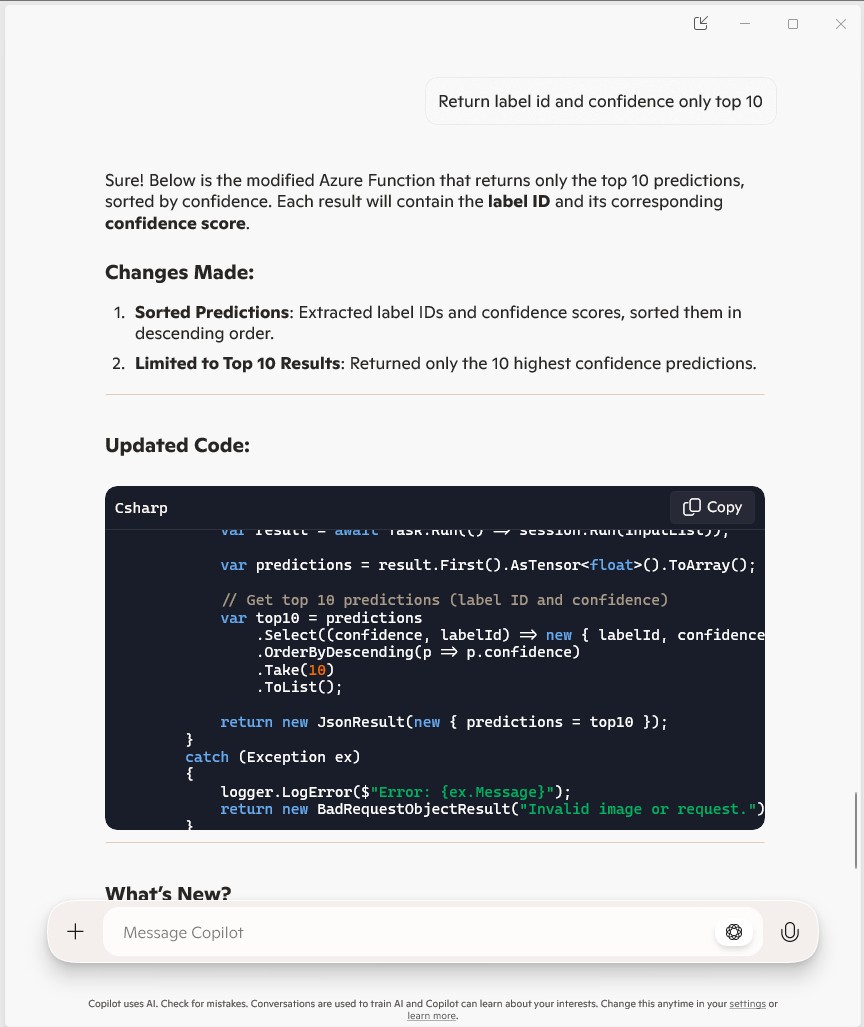
After some experimentation using an Azure Storage Queue Function Output binding to move messages to the poison queue looked like a reasonable approach. (Though, returning null to indicate the message should be removed from the queue was not obvious from the documentation)
[Function("UplinkMessageProcessor")]
[QueueOutput(queueName: "uplink-poison", Connection = "UplinkQueueStorage")]
public async Task<Models.UplinkPayloadQueueDto> UplinkMessageProcessor([QueueTrigger(queueName: "uplink", Connection = "UplinkQueueStorage")] Models.UplinkPayloadQueueDto payload, CancellationToken cancellationToken)
{
...
   // Process each packet in the payload. Myriota docs say only one packet per payload but just incase...
   foreach (Models.QueuePacket packet in payload.Data.Packets)
   {
      // Lookup the device client in the cache or create a new one
      Models.DeviceConnectionContext context;

      try
      {
         context = await _deviceConnectionCache.GetOrAddAsync(packet.TerminalId, cancellationToken);
      }
      catch (DeviceNotFoundException dnfex)
      {
         _logger.LogError(dnfex, "Uplink- PayloadId:{0} TerminalId:{1} terminal not found", payload.Id, packet.TerminalId);

         return payload;
      }
      catch (Exception ex) // Maybe just send to poison queue or figure if transient error?
      {
         _logger.LogError(ex, "Uplink- PayloadId:{0} TerminalId:{1} ", payload.Id, packet.TerminalId);

         throw;
      }
...
         // Proccessing successful, message can be deleted by QueueTrigger plumbing
         return null;
      }

After building and testing an Azure Storage Queue Function Output binding implementation I’m not certain that it is a good approach. The code is a bit “chunky” and I have had to implement more of the retry process logic.

Myriota Connector – Azure IoT Hub Downlink refactoring

The myriota Azure IoT Hub Cloud Identity Translation Gateway downlink message handler was getting a bit “chunky”. So, I started by stripping the code back to the absolute bare minimum that would “work”.

public async Task AzureIoTHubMessageHandler(Message message, object userContext)
{
   Models.DeviceConnectionContext context = (Models.DeviceConnectionContext)userContext;

   _logger.LogInformation("Downlink- IoT Hub TerminalId:{termimalId} LockToken:{LockToken}", context.TerminalId, message.LockToken);

   try
   {

      await context.DeviceClient.CompleteAsync(message);
   }
   catch (Exception ex)
   {
      await context.DeviceClient.RejectAsync(message);

      _logger.LogError(ex, "Downlink- IoT Hub TerminalID:{terminalId} LockToken:{LockToken} failed", context.TerminalId, message.LockToken );
   }
}

Then the code was then extended so it worked for “sunny day” scenarios. The payload formatter was successfully retrieved from the configured Azure Storage Blob, CS-Script successfully compiled the payload formatter, the message payload was valid text, the message text was valid Javascript Object Notation(JSON), the JSON was successfully processed by the compiled payload formatter, and finally the payload was accepted by the Myriota Cloud API.

public async Task AzureIoTHubMessageHandler(Message message, object userContext)
{
   Models.DeviceConnectionContext context = (Models.DeviceConnectionContext)userContext;

   _logger.LogInformation("Downlink- IoT Hub TerminalId:{termimalId} LockToken:{LockToken}", context.TerminalId, message.LockToken);

   string payloadFormatter;

   // Use default formatter and replace with message specific formatter if configured.
   if (!message.Properties.TryGetValue(Constants.IoTHubDownlinkPayloadFormatterProperty, out payloadFormatter) || string.IsNullOrEmpty(payloadFormatter))
   {
      payloadFormatter = context.PayloadFormatterDownlink;
   }

   _logger.LogInformation("Downlink- IoT Hub TerminalID:{termimalId} LockToken:{LockToken} Payload formatter:{payloadFormatter} ", context.TerminalId, message.LockToken, payloadFormatter);

   try
   {
      IFormatterDownlink payloadFormatterDownlink = await _payloadFormatterCache.DownlinkGetAsync(payloadFormatter);

      byte[] messageBytes = message.GetBytes();

      string messageText = Encoding.UTF8.GetString(messageBytes);

      JObject messageJson = JObject.Parse(messageText);

      byte[] payloadBytes = payloadFormatterDownlink.Evaluate(message.Properties, context.TerminalId, messageJson, messageBytes);

      string messageId = await _myriotaModuleAPI.SendAsync(context.TerminalId, payloadBytes);

      _logger.LogInformation("Downlink- IoT Hub TerminalID:{terminalId} LockToken:{LockToken} MessageID:{messageId} sent", context.TerminalId, message.LockToken, messageId);
      
      await context.DeviceClient.CompleteAsync(message);
   }
   catch (Exception ex)
   {
      await context.DeviceClient.RejectAsync(message);

      _logger.LogError(ex, "Downlink- IoT Hub TerminalID:{terminalId} LockToken:{LockToken} failed", context.TerminalId, message.LockToken);
   }
}

Then code was then extended to handle message payloads which were problematic but not “failures”

public async Task AzureIoTHubMessageHandler(Message message, object userContext)
{
   Models.DeviceConnectionContext context = (Models.DeviceConnectionContext)userContext;

   _logger.LogInformation("Downlink- IoT Hub TerminalId:{termimalId} LockToken:{LockToken}", context.TerminalId, message.LockToken);

   string payloadFormatter;

   // Use default formatter and replace with message specific formatter if configured.
   if (!message.Properties.TryGetValue(Constants.IoTHubDownlinkPayloadFormatterProperty, out payloadFormatter) || string.IsNullOrEmpty(payloadFormatter))
   {
      payloadFormatter = context.PayloadFormatterDownlink;
   }

   _logger.LogInformation("Downlink- IoT Hub TerminalID:{termimalId} LockToken:{LockToken} Payload formatter:{payloadFormatter} ", context.TerminalId, message.LockToken, payloadFormatter);

   try
   {
      // If this fails payload broken
      byte[] messageBytes = message.GetBytes();

      string messageText = string.Empty;
      JObject messageJson = null;

      // These will fail for some messages, gets bytes only
      try
      {
         messageText = Encoding.UTF8.GetString(messageBytes);

         messageJson = JObject.Parse(messageText);
      }
      catch (ArgumentException aex)
      {
         _logger.LogInformation("Downlink-DeviceID:{DeviceId} LockToken:{LockToken} messageBytes:{2} not valid Text", context.TerminalId, message.LockToken, BitConverter.ToString(messageBytes));
      }
      catch( JsonReaderException jex)
      {
         _logger.LogInformation("Downlink-DeviceID:{DeviceId} LockToken:{LockToken} messageText:{2} not valid json", context.TerminalId, message.LockToken, BitConverter.ToString(messageBytes));
      }

      IFormatterDownlink payloadFormatterDownlink = await _payloadFormatterCache.DownlinkGetAsync(payloadFormatter);

      byte[] payloadBytes = payloadFormatterDownlink.Evaluate(message.Properties, context.TerminalId, messageJson, messageBytes);

      string messageId = await _myriotaModuleAPI.SendAsync(context.TerminalId, payloadBytes);

      await context.DeviceClient.CompleteAsync(message);

      _logger.LogInformation("Downlink- IoT Hub TerminalID:{terminalId} LockToken:{LockToken} MessageID:{messageId} sent", context.TerminalId, message.LockToken, messageId);
   }
   catch (Exception ex)
   {
      await context.DeviceClient.RejectAsync(message);

      _logger.LogError(ex, "Downlink- IoT Hub TerminalID:{terminalId} LockToken:{LockToken} failed", context.TerminalId, message.LockToken);
   }
   finally
   {
      message.Dispose();
   }
}

Then finally the code was modified to gracefully handle broken payloads returned by the payload formatter evaluation, some comments were added, and the non-managed resources of the DeviceClient.Message disposed.

public async Task AzureIoTHubMessageHandler(Message message, object userContext)
{
   Models.DeviceConnectionContext context = (Models.DeviceConnectionContext)userContext;

   _logger.LogInformation("Downlink- IoT Hub TerminalId:{termimalId} LockToken:{LockToken}", context.TerminalId, message.LockToken);

   // Use default formatter and replace with message specific formatter if configured.
   string payloadFormatter;
   if (!message.Properties.TryGetValue(Constants.IoTHubDownlinkPayloadFormatterProperty, out payloadFormatter) || string.IsNullOrEmpty(payloadFormatter))
   {
      payloadFormatter = context.PayloadFormatterDownlink;
   }

   _logger.LogInformation("Downlink- IoT Hub TerminalID:{termimalId} LockToken:{LockToken} Payload formatter:{payloadFormatter} ", context.TerminalId, message.LockToken, payloadFormatter);

   try
   {
      // If this fails payload broken
      byte[] messageBytes = message.GetBytes();

      // This will fail for some messages, payload formatter gets bytes only
      string messageText = string.Empty;
      try
      {
         messageText = Encoding.UTF8.GetString(messageBytes);
      }
      catch (ArgumentException aex)
      {
         _logger.LogInformation("Downlink- IoT Hub TerminalID:{TerminalId} LockToken:{LockToken} messageBytes:{2} not valid Text", context.TerminalId, message.LockToken, BitConverter.ToString(messageBytes));
      }

      // This will fail for some messages, payload formatter gets bytes only
      JObject? messageJson = null;
      try
      {
         messageJson = JObject.Parse(messageText);
      }
      catch ( JsonReaderException jex)
      {
         _logger.LogInformation("Downlink- IoT Hub TerminalID:{TerminalId} LockToken:{LockToken} messageText:{2} not valid json", context.TerminalId, message.LockToken, BitConverter.ToString(messageBytes));
      }

      // This shouldn't fail, but it could for lots of diffent reasons, invalid path to blob, syntax error, interface broken etc.
      IFormatterDownlink payloadFormatterDownlink = await _payloadFormatterCache.DownlinkGetAsync(payloadFormatter);

      // This shouldn't fail, but it could for lots of different reasons, null references, divide by zero, out of range etc.
      byte[] payloadBytes = payloadFormatterDownlink.Evaluate(message.Properties, context.TerminalId, messageJson, messageBytes);

      // Validate payload before calling Myriota control message send API method
      if (payloadBytes is null)
      {
         _logger.LogWarning("Downlink- IoT Hub TerminalID:{terminalId} LockToken:{LockToken} payload formatter:{payloadFormatter} Evaluate returned null", context.TerminalId, message.LockToken, payloadFormatter);

         await context.DeviceClient.RejectAsync(message);

         return;
      }

      if ((payloadBytes.Length < Constants.DownlinkPayloadMinimumLength) || (payloadBytes.Length > Constants.DownlinkPayloadMaximumLength))
      {
         _logger.LogWarning("Downlink- IoT Hub TerminalID:{terminalId} LockToken:{LockToken} payloadData length:{Length} invalid must be {DownlinkPayloadMinimumLength} to {DownlinkPayloadMaximumLength} bytes", context.TerminalId, message.LockToken, payloadBytes.Length, Constants.DownlinkPayloadMinimumLength, Constants.DownlinkPayloadMaximumLength);

         await context.DeviceClient.RejectAsync(message);

         return;
      }

      // This shouldn't fail, but it could few reasons mainly connectivity & message queuing etc.
      _logger.LogInformation("Downlink- IoT Hub TerminalID:{TerminalId} LockToken:{LockToken} PayloadData:{payloadData} Length:{Length} sending", context.TerminalId, message.LockToken, Convert.ToHexString(payloadBytes), payloadBytes.Length);

      // Finally send the message using Myriota API
      string messageId = await _myriotaModuleAPI.SendAsync(context.TerminalId, payloadBytes);

      _logger.LogInformation("Downlink- IoT Hub TerminalID:{TerminalId} LockToken:{LockToken} MessageID:{messageId} sent", context.TerminalId, message.LockToken, messageId);

      await context.DeviceClient.CompleteAsync(message);

      _logger.LogInformation("Downlink- IoT Hub TerminalID:{terminalId} LockToken:{LockToken} MessageID:{messageId} sent", context.TerminalId, message.LockToken, messageId);
   }
   catch (Exception ex)
   {
      await context.DeviceClient.RejectAsync(message);

      _logger.LogError(ex, "Downlink- IoT Hub TerminalID:{terminalId} LockToken:{LockToken} failed", context.TerminalId, message.LockToken);
   }
   finally
   {
      // Mop up the non managed resources of message
      message.Dispose();
   }
}

As the code was being extended, I tested different failures to make sure the Application Insights logging messages were useful. The first failure mode tested was the Azure Storage Blob, path was broken or the blob was missing.

Visual Studio 2022 Debugger blob not found exception message
Application Insights blob not found exception logging

Then a series of “broken” payload formatters were created to test CS-Script compile time failures.

// Broken interface implementation
using System;
using System.Collections.Generic;

using Newtonsoft.Json;
using Newtonsoft.Json.Linq;

public class FormatterDownlink : PayloadFormatter.IFormatterDownlink
{
   public byte[] Evaluate(IDictionary<string, string> properties, string terminalId, byte[] payloadBytes)
   {
      return payloadBytes;
   }
}
Visual Studio 2022 Debugger interface implementation broken exception message
Application Insights interface implementation broken exception logging
// Broken syntax
using System;
using System.Collections.Generic;

using Newtonsoft.Json;
using Newtonsoft.Json.Linq;

public class FormatterDownlink : PayloadFormatter.IFormatterDownlink
{
   public byte[] Evaluate(IDictionary<string, string> properties, string terminalId, JObject payloadJson, byte[] payloadBytes)
   {
      return payloadBytes
   }
}
Visual Studio 2022 Debugger syntax error exception message
Application Insights syntax error exception logging
// Runtime error
using System;
using System.Collections.Generic;

using Newtonsoft.Json;
using Newtonsoft.Json.Linq;

public class FormatterDownlink : PayloadFormatter.IFormatterDownlink
{
   public byte[] Evaluate(IDictionary<string, string> properties, string terminalId, JObject payloadJson, byte[] payloadBytes)
   {
      payloadBytes[20] = 0;

      return payloadBytes;
   }
}
Visual Studio 2022 Debugger runtime error exception message
Application Insights syntax error exception logging

Invalid Myriota Cloud API send control message payload

Visual Studio 2022 Debugger Myriota send failure exception message
Application Insights Myriota send failure exception logging

The final test was sending a downlink message which was valid JSON, contained the correct information for the specified payload formatter and was successfully processed by the Myriota Cloud API.

Azure IoT Explorer with valid JSON payload and payload formatter name
Azure function output of successful downlink message
Application Insights successful downlink message logging

After a couple of hours the I think the downlink messageHandler implementation was significantly improved.

Myriota Connector – Payload formatters revisited again

The myriota Azure IoT Hub Cloud Identity Translation Gateway payload formatters use compiled C# code to convert uplink/downlink packet payloads to JSON/byte array. While trying out different formatters I had “compile” and “evaluation” errors which would have been a lot easier to debug if there was more diagnostic information in the Azure Application Insights logging.

namespace PayloadFormatter // Additional namespace for shortening interface when usage in formatter code
{
    using System.Collections.Generic;

    using Newtonsoft.Json.Linq;

    public interface IFormatterUplink
    {
        public JObject Evaluate(IDictionary<string, string> properties, string terminalId, DateTime timestamp, byte[] payloadBytes);
    }

    public interface IFormatterDownlink
    {
        public byte[] Evaluate(IDictionary<string, string> properties, string terminalId, JObject? payloadJson, byte[] payloadBytes);
    }
}

An uplink payload formatter is loaded from Azure Storage Blob, compiled with Oleg Shilo’s CS-Script then cached in memory with Alastair Crabtree’s LazyCache.

// Get the payload formatter from Azure Storage container, compile, and then cache binary.
IFormatterUplink formatterUplink;

try
{
   formatterUplink = await _payloadFormatterCache.UplinkGetAsync(context.PayloadFormatterUplink, cancellationToken);
}
catch (Azure.RequestFailedException aex)
{
   _logger.LogError(aex, "Uplink- PayloadID:{0} payload formatter load failed", payload.Id);

   return payload;
}
catch (NullReferenceException nex)
{
   _logger.LogError(nex, "Uplink- PayloadID:{id} formatter:{formatter} compilation failed missing interface", payload.Id, context.PayloadFormatterUplink);

   return payload;
}
catch (CSScriptLib.CompilerException cex)
{
   _logger.LogError(cex, "Uplink- PayloadID:{id} formatter:{formatter} compiler failed", payload.Id, context.PayloadFormatterUplink);

   return payload;
}
catch (Exception ex)
{
   _logger.LogError(ex, "Uplink- PayloadID:{id} formatter:{formatter} compilation failed", payload.Id, context.PayloadFormatterUplink);

   return payload;
}

If the Azure Storage blob is missing or the payload formatter code incorrect an exception is thrown. I added specialised exception handers for Azure.RequestFailedException, NullReferenceException and CSScriptLib.CompilerException to add more detail to the Azure Application Insights logging.

// Process the payload with configured formatter
Dictionary<string, string> properties = new Dictionary<string, string>();
JObject telemetryEvent;

try
{
   telemetryEvent = formatterUplink.Evaluate(properties, packet.TerminalId, packet.Timestamp, payloadBytes);
}
catch (Exception ex)
{
   _logger.LogError(ex, "Uplink- PayloadId:{0} TerminalId:{1} Value:{2} Bytes:{3} payload formatter evaluate failed", payload.Id, packet.TerminalId, packet.Value, Convert.ToHexString(payloadBytes));

   return payload;
}

if (telemetryEvent is null)
{
   _logger.LogError("Uplink- PayloadId:{0} TerminalId:{1} Value:{2} Bytes:{3} payload formatter evaluate failed returned null", payload.Id, packet.TerminalId, packet.Value, Convert.ToHexString(payloadBytes));

   return payload;
}

The Evaluate method can return many different types of exception so in the initial version only the “generic” exception is caught and logged.

using System;
using System.Collections.Generic;

using Newtonsoft.Json;
using Newtonsoft.Json.Linq;

public class FormatterUplink : PayloadFormatter.IFormatterUplink
{
    public JObject Evaluate(IDictionary<string, string> properties, string terminalId, DateTime timestamp, byte[] payloadBytes)
    {
        JObject telemetryEvent = new JObject();

        telemetryEvent.Add("Bytes", BitConverter.ToString(payloadBytes));
        telemetryEvent.Add("Bytes", BitConverter.ToString(payloadBytes));

        return telemetryEvent;
    }
}

There are a number (which should grow over time) of test uplink/downlink payload formatters for testing different compile and execution failures.

Azure IoT Storage Explorer container with sample formatter blobs.

I used Azure Storage Explorer to upload my test payload formatters to the uplink/downlink Azure Storage containers.

Myriota Connector – Uplink Payload Formatters Test Harness

The myriota Azure IoT Hub Cloud Identity Translation Gateway payload formatters use compiled C# code to convert uplink packet payloads to JSON.

...
public class FormatterUplink : PayloadFormatter.IFormatterUplink
{
    public JObject Evaluate(IDictionary<string, string> properties, string application, string terminalId, DateTime timestamp, byte[] payloadBytes)
    {
        JObject telemetryEvent = new JObject();

        if (payloadBytes is null)
        {
            return telemetryEvent;
        }

        telemetryEvent.Add("SequenceNumber", BitConverter.ToUInt16(payloadBytes));

        JObject location = new JObject();

        double latitude = BitConverter.ToInt32(payloadBytes, 2) / 10000000.0;
        location.Add("lat", latitude);

        double longitude = BitConverter.ToInt32(payloadBytes, 6) / 10000000.0;
        location.Add("lon", longitude);

        location.Add("alt", 0);

        telemetryEvent.Add("DeviceLocation", location);

        UInt32 packetimestamp = BitConverter.ToUInt32(payloadBytes, 10);

        DateTime fixAtUtc = DateTime.UnixEpoch.AddSeconds(packetimestamp);

        telemetryEvent.Add("FixAtUtc", fixAtUtc);

        properties.Add("iothub-creation-time-utc", fixAtUtc.ToString("s", CultureInfo.InvariantCulture));

        return telemetryEvent;
    }
}

When writing payload formatters, the Visual Studio 2022 syntax highlighting is really useful for spotting syntax errors and with the “Downlink Payload Formatter Test Harness” application payload formatters can be executed and debugged before deployment with Azure Storage Explorer.

private static void ApplicationCore(CommandLineOptions options)
{
    Dictionary<string, string> properties = new Dictionary<string, string>();

    Console.WriteLine($"Uplink formatter file:{options.FormatterPath}");

    PayloadFormatter.IFormatterUplink evalulatorUplink;
    try
    {
        evalulatorUplink = CSScript.Evaluator.LoadFile<PayloadFormatter.IFormatterUplink>(options.FormatterPath);
    }
    catch (CSScriptLib.CompilerException cex)
    {
        Console.Write($"Loading or compiling file:{options.FormatterPath} failed Exception:{cex}");
        return;
    }

    byte[] payloadBytes;
    try
    {
        payloadBytes = Convert.FromHexString(options.PayloadHex);
    }
    catch (FormatException fex)
    {
        Console.WriteLine("Convert.FromHexString failed:{0}", fex.Message);
        return;
    }

    DateTime timeStamp;
    if (options.TimeStamp.HasValue)
    {
        timeStamp = options.TimeStamp.Value;
    }
    else
    {
        timeStamp = DateTime.UtcNow;
    }

    JObject telemetryEvent;

    try
    {
        telemetryEvent = evalulatorUplink.Evaluate(properties, options.Application, options.TerminalId, timeStamp, payloadBytes);
    }
    catch (Exception ex)
    {
        Console.WriteLine($"evalulatorUplink.Evaluate failed Exception:{ex}");
        return;
    }

    telemetryEvent.TryAdd("Application", options.Application);
    telemetryEvent.TryAdd("TerminalId", options.TerminalId);
    if ( options.TimeStamp.HasValue)
    {
        telemetryEvent.TryAdd("TimeStamp", options.TimeStamp.Value.ToString("s", CultureInfo.InvariantCulture));
    }
    telemetryEvent.TryAdd("DataLength", payloadBytes.Length);
    telemetryEvent.TryAdd("Data", Convert.ToHexString( payloadBytes));

    Console.WriteLine("Properties:");
    foreach (var property in properties)
    {
        Console.WriteLine($"{property.Key}:{property.Value}");
    }
    Console.WriteLine("");

    Console.WriteLine("JSON Telemetry event payload");
    Console.WriteLine(telemetryEvent.ToString(Formatting.Indented));
}

-f C:\Users\…\PayloadFormatters\Uplink\tracker.cs -t 0088812345 -a Tracker -h 3800bd9812e6fed5e066bd8e0c65cccccccccccc

The myriota uplink packet payload are only 20 bytes long (40 Hex characters) which can be copied n paste from the uplink queue messages.

Myriota Connector – Uplink Payload formatters revisited

The myriota Azure IoT Hub Cloud Identity Translation Gateway payload formatters use compiled C# code to convert uplink packet payloads to JSON.

namespace PayloadFormattercode
{
    using System.Collections.Generic;

    using Newtonsoft.Json.Linq;

    public interface IFormatterUplink
    {
        public JObject Evaluate(IDictionary<string, string> properties, string application, string terminalId, DateTime timestamp, JObject payloadJson, string payloadText, byte[] payloadBytes);
    }
..
}

The myriota uplink packet payload is only 20 bytes long so it is very unlikely that the payloadText and payloadJSON parameters would ever be populated so I removed them from the interface. The uplink message handler interface has been updated and the code to convert (if possible) the payload bytes to text and then to JSON deleted.

namespace PayloadFormatter
{
    using System.Collections.Generic;

    using Newtonsoft.Json.Linq;

    public interface IFormatterUplink
    {
        public JObject Evaluate(IDictionary<string, string> properties, string application, string terminalId, DateTime timestamp, byte[] payloadBytes);
    }
...
}

All of the sample payload formatters have been updated to reflect the updated parameters. The sample Tracker.cs payload formatter unpacks a message from Myriota Dev Kit running the Tracker sample and returns an Azure IoT Central compatible location telemetry payload.

/*
myriota tracker payload format

typedef struct {
  uint16_t sequence_number;
  int32_t latitude;   // scaled by 1e7, e.g. -891234567 (south 89.1234567)
  int32_t longitude;  // scaled by 1e7, e.g. 1791234567 (east 179.1234567)
  uint32_t time;      // epoch timestamp of last fix
} __attribute__((packed)) tracker_message; 

*/ 
using System;
using System.Collections.Generic;
using System.Globalization;

using Newtonsoft.Json;
using Newtonsoft.Json.Linq;


public class FormatterUplink : PayloadFormatter.IFormatterUplink
{
    public JObject Evaluate(IDictionary<string, string> properties, string application, string terminalId, DateTime timestamp, byte[] payloadBytes)
    {
        JObject telemetryEvent = new JObject();

        if (payloadBytes is null)
        {
            return telemetryEvent;
        }

        telemetryEvent.Add("SequenceNumber", BitConverter.ToUInt16(payloadBytes));

        JObject location = new JObject();

        double latitude = BitConverter.ToInt32(payloadBytes, 2) / 10000000.0;
        location.Add("lat", latitude);

        double longitude = BitConverter.ToInt32(payloadBytes, 6) / 10000000.0;
        location.Add("lon", longitude);

        location.Add("alt", 0);

        telemetryEvent.Add("DeviceLocation", location);

        UInt32 packetimestamp = BitConverter.ToUInt32(payloadBytes, 10);

        DateTime fixAtUtc = DateTime.UnixEpoch.AddSeconds(packetimestamp);

        telemetryEvent.Add("FixAtUtc", fixAtUtc);

        properties.Add("iothub-creation-time-utc", fixAtUtc.ToString("s", CultureInfo.InvariantCulture));

        return telemetryEvent;
    }
}

If a message payload is text or JSON it can still be converted in the payload formatter.