Building Cloud AI with AI-YoloSharp Object detection Azure HTTP Trigger function

Introduction

Using Copilot to generate the code to retrieve an image from a security camera and small applications for object detection, object classification, with YoloSharp also went surprisingly well. An Azure HTTP Trigger function is a bit more complex so I decided to do one next. I started with the Visual Studio 2022 generated code

using Microsoft.AspNetCore.Http;
using Microsoft.AspNetCore.Mvc;
using Microsoft.Azure.Functions.Worker;
using Microsoft.Extensions.Logging;

namespace YoloObjectDetectionFunction
{
    public class Function1
    {
        private readonly ILogger<Function1> _logger;

        public Function1(ILogger<Function1> logger)
        {
            _logger = logger;
        }

        [Function("Function1")]
        public IActionResult Run([HttpTrigger(AuthorizationLevel.Function, "get", "post")] HttpRequest req)
        {
            _logger.LogInformation("C# HTTP trigger function processed a request.");
            return new OkObjectResult("Welcome to Azure Functions!");
        }
    }
}

I then generated the first version of the code with Copilot desktop

The code looked “okay” but had lots of extra “usings”, used FunctionName vs Function attributes etc. so didn’t compile.

I think the “var yolo = new Yolo(modelPath)” comes from YoloDotNet by Niklas Swärd and “var detections = yolo.Predict(image)” is from YoloV8.Net by Samuel Stainback

using System.IO;
using System.Linq;
using System.Net;
using System.Net.Http;
using System.Threading.Tasks;
using Microsoft.AspNetCore.Mvc;
using Microsoft.Azure.WebJobs;
using Microsoft.Azure.WebJobs.Extensions.Http;
using Microsoft.Extensions.Logging;
using SixLabors.ImageSharp;
using SixLabors.ImageSharp.PixelFormats;
using SixLabors.ImageSharp.Processing;
using YoloSharp;
using YoloSharp.DataStructures;

public static class YoloObjectDetectionFunction
{
    private static readonly string modelPath = "path/to/your/yolo-model.onnx";

    [FunctionName("YoloObjectDetection")]
    public static async Task<IActionResult> Run(
        [HttpTrigger(AuthorizationLevel.Function, "post", Route = null)] HttpRequestMessage req,
        ILogger log)
    {
        log.LogInformation("Yolo Object Detection function processed a request.");

        // Read the image from the request
        byte[] imageBytes = await req.Content.ReadAsByteArrayAsync();
        using (Image<Rgba32> image = Image.Load<Rgba32>(imageBytes))
        {
            // Initialize YoloSharp
            using (var yolo = new Yolo(modelPath))
            {
                // Detect objects in the image
                var detections = yolo.Predict(image);

                // Process the detections
                foreach (var detection in detections)
                {
                    // Draw bounding boxes on the image
                    image.Mutate(ctx => ctx.DrawPolygon(Rgba32.Red, 2, detection.BoundingBox.ToPolygon()));
                }

                // Save the modified image to a memory stream
                using (var ms = new MemoryStream())
                {
                    image.SaveAsPng(ms);
                    ms.Seek(0, SeekOrigin.Begin);

                    // Return the modified image as a response
                    var result = new HttpResponseMessage(HttpStatusCode.OK)
                    {
                        Content = new StreamContent(ms)
                    };
                    result.Content.Headers.ContentType = new System.Net.Http.Headers.MediaTypeHeaderValue("image/png");
                    return new FileStreamResult(ms, "image/png");
                }
            }
        }
    }
}

I manually fixed all the issues in the code with a lot of assistance from Visual Studio 2022 Intellisense

using System.Net;

using Microsoft.AspNetCore.Mvc;
using Microsoft.Azure.Functions.Worker;
using Microsoft.Extensions.Logging;

using SixLabors.ImageSharp;
using SixLabors.ImageSharp.PixelFormats;
using SixLabors.ImageSharp.Processing;
using SixLabors.ImageSharp.Drawing.Processing;

//using YoloSharp;
//using YoloSharp.DataStructures;
using Compunet.YoloSharp;


public static class YoloObjectDetectionFunction
{
   //private static readonly string modelPath = "path/to/your/yolo-model.onnx";
   private static readonly string modelPath = "yolov8s.onnx";

   //[FunctionName("YoloObjectDetection")]
   [Function("YoloObjectDetection")]
   public static async Task<IActionResult> Run(
       [HttpTrigger(AuthorizationLevel.Function, "post", Route = null)] HttpRequestMessage req,
       ILogger log)
   {
      log.LogInformation("Yolo Object Detection function processed a request.");

      // Read the image from the request
      byte[] imageBytes = await req.Content.ReadAsByteArrayAsync();
      using (Image<Rgba32> image = Image.Load<Rgba32>(imageBytes))
      {
         // Initialize YoloSharp
         //using (var yolo = new Yolo(modelPath))
         using (var yolo = new YoloPredictor(modelPath))
         {
            // Detect objects in the image
            //var detections = yolo.Predict(image);
            var detections = yolo.Detect(image);

            // Process the detections
            foreach (var detection in detections)
            {
               // Draw bounding boxes on the image
               //image.Mutate(ctx => ctx.DrawPolygon(Rgba32.Red, 2, detection.BoundingBox.ToPolygon()));

               var rectangle = new PointF[] {new Point(detection.Bounds.Bottom, detection.Bounds.Left), new Point(detection.Bounds.Bottom, detection.Bounds.Right), new Point(detection.Bounds.Right, detection.Bounds.Top), new Point(detection.Bounds.Left, detection.Bounds.Top)};

               image.Mutate(ctx => ctx.DrawPolygon(Rgba32.ParseHex("FF0000"), 2, rectangle));
            }

            // Save the modified image to a memory stream
            using (var ms = new MemoryStream())
            {
               image.SaveAsPng(ms);
               ms.Seek(0, SeekOrigin.Begin);

               // Return the modified image as a response
               var result = new HttpResponseMessage(HttpStatusCode.OK)
               {
                  Content = new StreamContent(ms)
               };
               result.Content.Headers.ContentType = new System.Net.Http.Headers.MediaTypeHeaderValue("image/png");
               return new FileStreamResult(ms, "image/png");
            }
         }
      }
   }
}

When I posted an image to the function with Telerik Fiddler Classic it threw an exception, because the ILogger injected into the Run method was null.

I then asked Github Copilot to “Modify code so the ILogger is parameter of constructor”

using System.Net;

using Microsoft.AspNetCore.Mvc;
using Microsoft.Azure.Functions.Worker;
using Microsoft.Extensions.Logging;

using SixLabors.ImageSharp;
using SixLabors.ImageSharp.PixelFormats;
using SixLabors.ImageSharp.Processing;
using SixLabors.ImageSharp.Drawing.Processing;

//using YoloSharp;
//using YoloSharp.DataStructures;
using Compunet.YoloSharp;


//public static class YoloObjectDetectionFunction
public class YoloObjectDetectionFunction
{
   private static readonly ILogger _log;
   //private static readonly string modelPath = "path/to/your/yolo-model.onnx";
   private static readonly string modelPath = "yolov8s.onnx";

   public YoloObjectDetectionFunction(ILogger<YoloObjectDetectionFunction> log)
   {
      _log = log;
   }

   //[FunctionName("YoloObjectDetection")]
   [Function("YoloObjectDetection")]
   //public static async Task<IActionResult> Run( [HttpTrigger(AuthorizationLevel.Function, "post", Route = null)] HttpRequestMessage req, ILogger log)
   public static async Task<IActionResult> Run([HttpTrigger(AuthorizationLevel.Function, "post", Route = null)] HttpRequestMessage req)
   {
      _log.LogInformation("Yolo Object Detection function processed a request.");

      // Read the image from the request
      byte[] imageBytes = await req.Content.ReadAsByteArrayAsync();
      using (Image<Rgba32> image = Image.Load<Rgba32>(imageBytes))
      {
         // Initialize YoloSharp
         //using (var yolo = new Yolo(modelPath))
         using (var yolo = new YoloPredictor(modelPath))
         {
            // Detect objects in the image
            //var detections = yolo.Predict(image);
            var detections = yolo.Detect(image);

            // Process the detections
            foreach (var detection in detections)
            {
               // Draw bounding boxes on the image
               //image.Mutate(ctx => ctx.DrawPolygon(Rgba32.Red, 2, detection.BoundingBox.ToPolygon()));

               var rectangle = new PointF[] {new Point(detection.Bounds.Bottom, detection.Bounds.Left), new Point(detection.Bounds.Bottom, detection.Bounds.Right), new Point(detection.Bounds.Right, detection.Bounds.Top), new Point(detection.Bounds.Left, detection.Bounds.Top)};

               image.Mutate(ctx => ctx.DrawPolygon(Rgba32.ParseHex("FF0000"), 2, rectangle));
            }

            // Save the modified image to a memory stream
            using (var ms = new MemoryStream())
            {
               image.SaveAsPng(ms);
               ms.Seek(0, SeekOrigin.Begin);

               // Return the modified image as a response
               var result = new HttpResponseMessage(HttpStatusCode.OK)
               {
                  Content = new StreamContent(ms)
               };
               result.Content.Headers.ContentType = new System.Net.Http.Headers.MediaTypeHeaderValue("image/png");
               return new FileStreamResult(ms, "image/png");
            }
         }
      }
   }
}

When I posted an image to the function it threw an exception, because content of the HttpRequestMessage was null.

I then asked Github Copilot to “Modify the code so that the image is read from the form”

// Read the image from the form
var form = await req.ReadFormAsync();
var file = form.Files["image"];
if (file == null || file.Length == 0)
{
   return new BadRequestObjectResult("Image file is missing or empty.");
}

When I posted an image to the function it returned a 400 Bad Request Error.
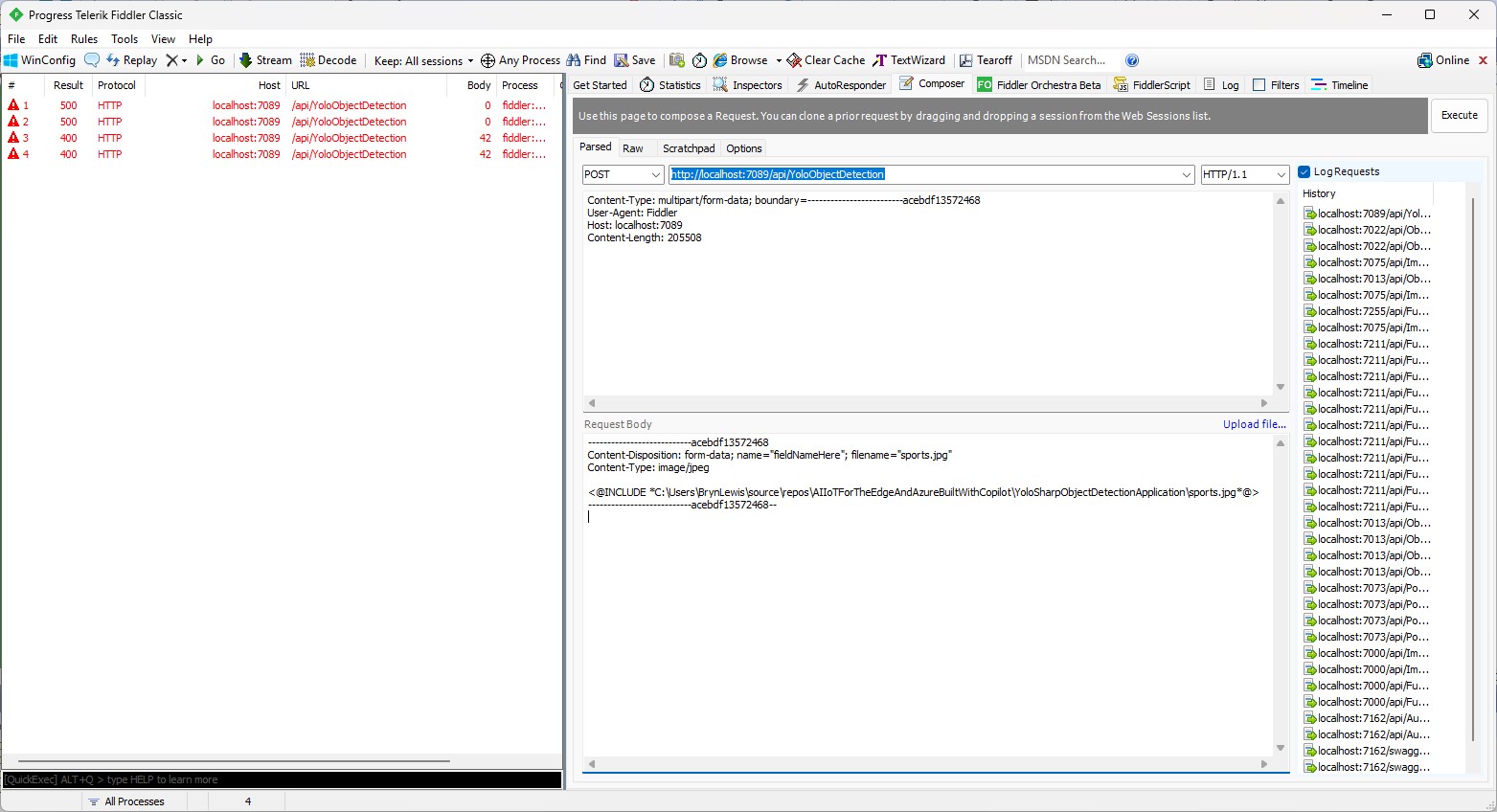
After inspecting the request I realized that the name field was wrong, as the generated code was looking for “image”

Content-Disposition: form-data; name=”image”; filename=”sports.jpg”

Then, when I posted an image to the function it returned a 500 error.
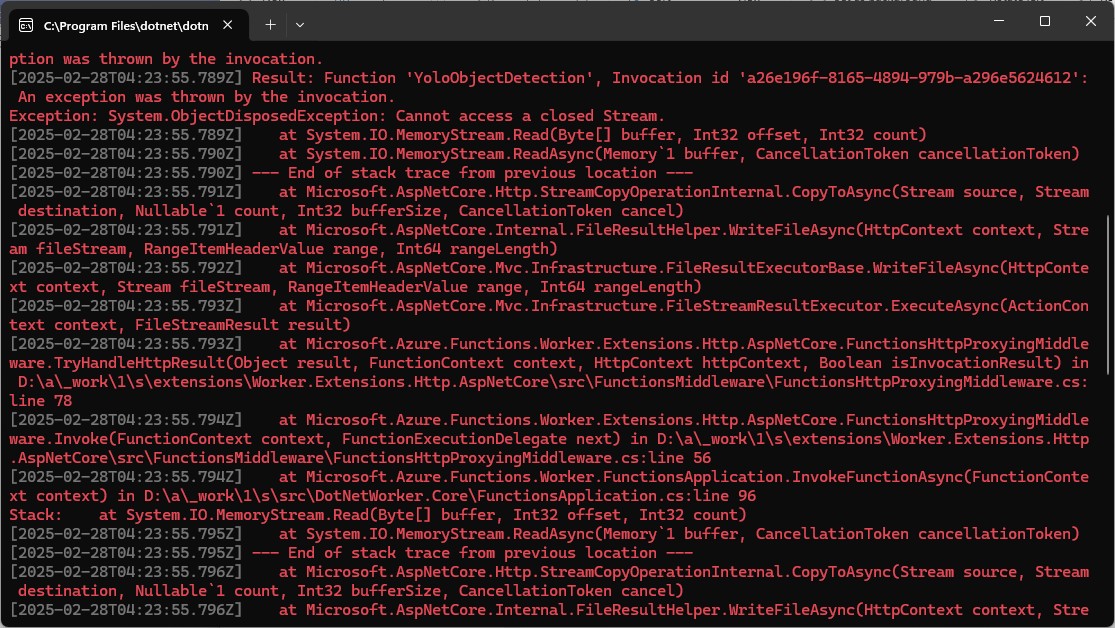
But, the FileStreamResult was failing so I modified the code to return a FileContentResult

using (var ms = new MemoryStream())
{
   image.SaveAsJpeg(ms);

   return new FileContentResult(ms.ToArray(), "image/jpg");
}

Then, when I posted an image to the function it succeeded
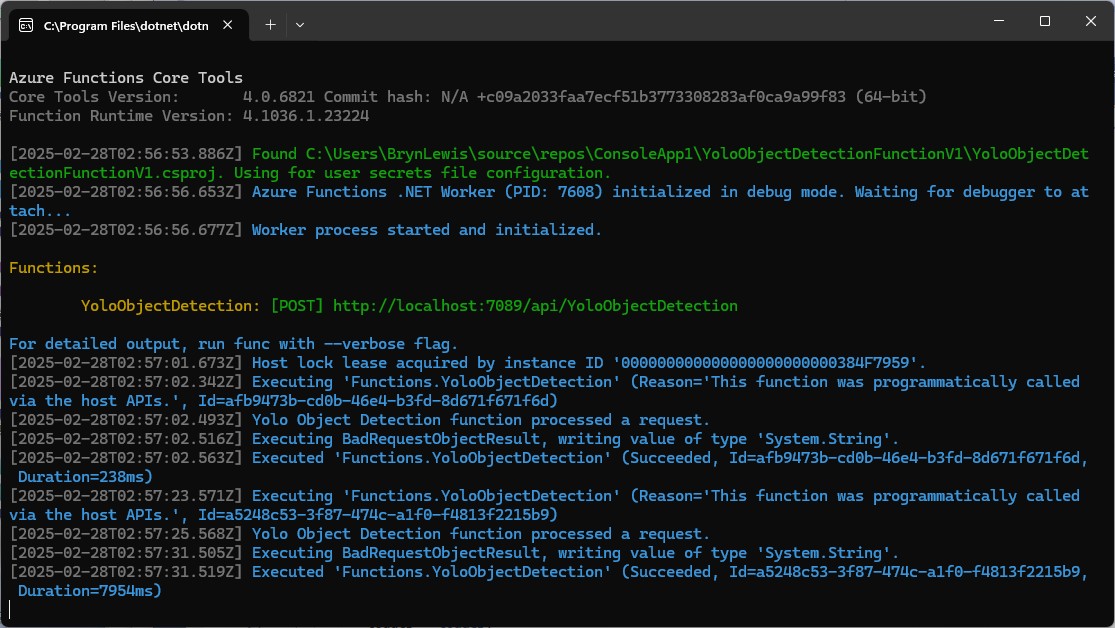
But, the bounding boxes around the detected objects were wrong.
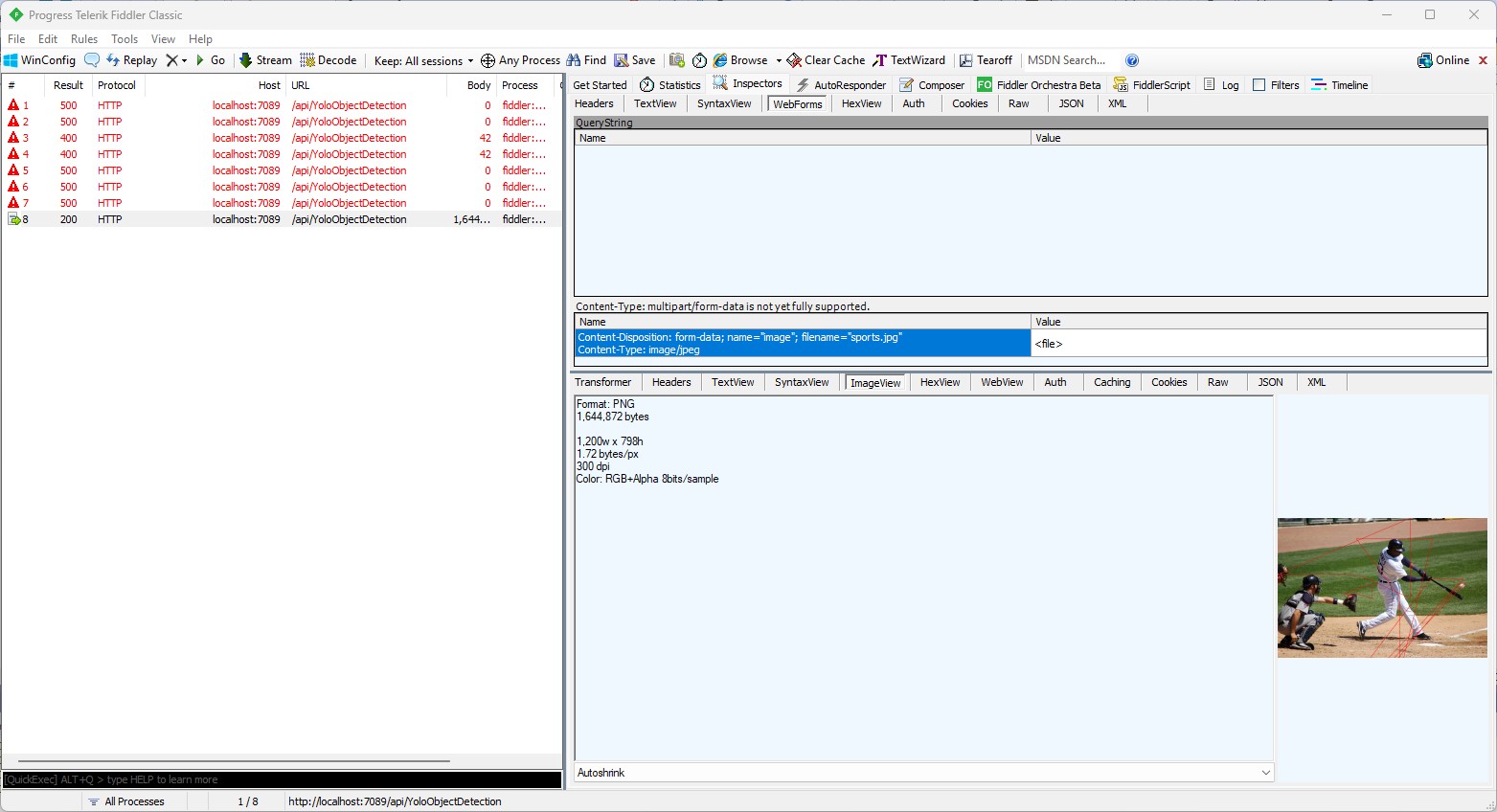
I then manually fixed up the polygon code so the lines for each bounding box were drawn in the correct order.

// Process the detections
foreach (var detection in detections)
{
   var rectangle = new PointF[] {
      new Point(detection.Bounds.Left, detection.Bounds.Bottom),
      new Point(detection.Bounds.Right, detection.Bounds.Bottom),
      new Point(detection.Bounds.Right, detection.Bounds.Top),
      new Point(detection.Bounds.Left, detection.Bounds.Top)
 };

Then, when I posted an image to the function it succeeded

The bounding boxes around the detected objects were correct.
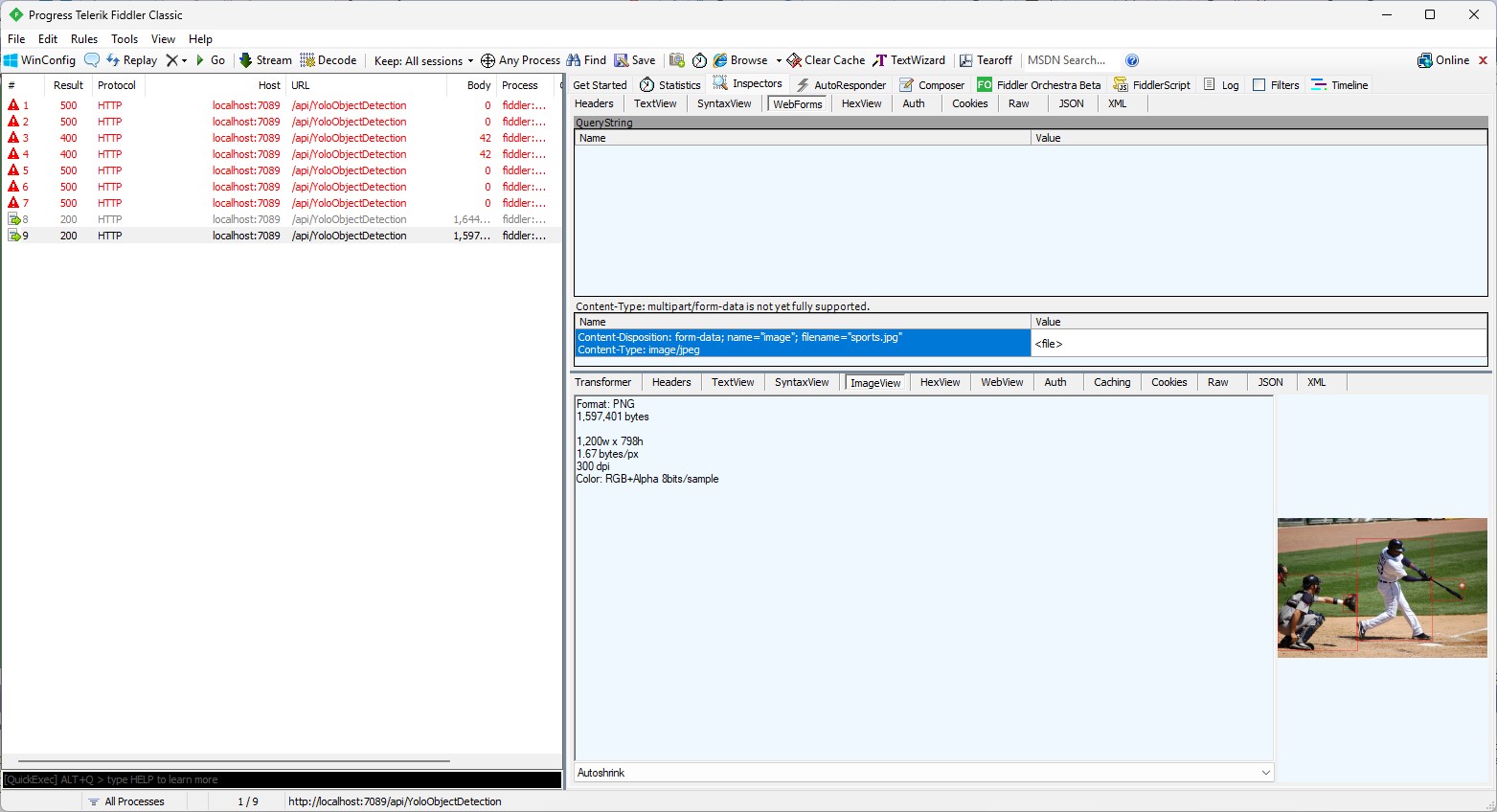
I then “refactored” the code, removing all the unused “using”s, removed any commented out code, changed ILogger to be initialised using a Primary Constructor etc.

using Microsoft.AspNetCore.Http;
using Microsoft.AspNetCore.Mvc;
using Microsoft.Azure.Functions.Worker;
using Microsoft.Extensions.Logging;

using SixLabors.ImageSharp;
using SixLabors.ImageSharp.PixelFormats;
using SixLabors.ImageSharp.Processing;
using SixLabors.ImageSharp.Drawing.Processing;

using Compunet.YoloSharp;

public class YoloObjectDetectionFunction(ILogger<YoloObjectDetectionFunction> log)
{
   private readonly ILogger<YoloObjectDetectionFunction> _log = log;
   private readonly string modelPath = "yolov8s.onnx";

   [Function("YoloObjectDetection")]
   public async Task<IActionResult> Run([HttpTrigger(AuthorizationLevel.Function, "post", Route = null)] HttpRequest req)
   {
      _log.LogInformation("Yolo Object Detection function processed a request.");

      // Read the image from the form
      var form = await req.ReadFormAsync();
      var file = form.Files["image"];
      if (file == null || file.Length == 0)
      {
         return new BadRequestObjectResult("Image file is missing or empty.");
      }

      using (var stream = file.OpenReadStream())
      using (Image<Rgba32> image = Image.Load<Rgba32>(stream))
      {
         // Initialize YoloSharp
         using (var yolo = new YoloPredictor(modelPath))
         {
            // Detect objects in the image
            var detections = yolo.Detect(image);

            // Process the detections
            foreach (var detection in detections)
            {
               var rectangle = new PointF[] {
                  new Point(detection.Bounds.Left, detection.Bounds.Bottom),
                  new Point(detection.Bounds.Right, detection.Bounds.Bottom),
                  new Point(detection.Bounds.Right, detection.Bounds.Top),
                  new Point(detection.Bounds.Left, detection.Bounds.Top)
               };

               image.Mutate(ctx => ctx.DrawPolygon(Rgba32.ParseHex("FF0000"), 2, rectangle));
            }

            // Save the modified image to a memory stream
            using (var ms = new MemoryStream())
            {
               image.SaveAsJpeg(ms);

              return new FileContentResult(ms.ToArray(), "image/jpg");
            }
         }
      }
   }
}

Summary

The initial code generated by Copilot was badly broken but with the assistance of Visual Studio 2022 Intellisense was fixed fairly quickly. The ILogger not being initialised, me using the “wrong” upload file name were easy to debug, but the FileContentResult exception was a bit more difficult.

It took me a quite a bit longer to write the function with Copilot desktop/Github Copilot than what it would have taken me normally. But, I think a lot of this was due to having to take screen shots, writing this blog post as I went, and having already written several Azure HTTP Trigger function for processing uploaded images.

The Copilot generated code in this post is not suitable for production

IoT and AI Building Edge AI with AI- YoloSharp Client

Introduction

Using Copilot to generate the code to retrieve an image from a security camera went surprisingly well so next step was something a bit more complex. For this post I have used Copilot prompts to generate code which uses Ultralytics YoloV8 and Compunet YoloSharp for object detection, object classification, pose estimation, and instance segmentation

using System;
using System.Drawing;
using YOLOSharp;

class Program
{
    static void Main(string[] args)
    {
        string modelPath = "path/to/yolov8.onnx"; // Replace with the path to your YOLOv8 model
        string imagePath = "path/to/image.jpg"; // Replace with the path to your image

        // Load the YOLOv8 model
        var yolo = new YOLO(modelPath);

        // Load the image from disk
        using (var image = Image.FromFile(imagePath))
        {
            // Run the YOLOv8 model on the image
            var results = yolo.Predict(image);

            // Display the results
            foreach (var result in results)
            {
                Console.WriteLine($"Label: {result.Label}, Confidence: {result.Confidence}, BoundingBox: {result.BoundingBox}");
            }
        }
    }
}
In this example:

Replace path/to/yolov8.onnx with the actual path to your YOLOv8 model file.

Replace path/to/image.jpg with the actual path to your image file.

This application loads the YOLOv8 model using YOLOSharp, loads an image from disk, runs the model on the image, and displays the results, including the label, confidence, and bounding box for each detected object.

Happy coding! 🚀

Copilot had “assumed” I meant object detection(reasonable) with YoloSharp and the code didn’t compile.

Object Detection

After some minor fixes and shifting the configuration to an appsettings file the application compiled.

using Compunet.YoloSharp;
using Microsoft.Extensions.Configuration;
using SixLabors.ImageSharp;

class Program
{
   static void Main(string[] args)
   {
      Model.ApplicationSettings applicationSettings;

      Console.WriteLine($"{DateTime.UtcNow:yy-MM-dd HH:mm:ss} 0.3.CameraHTTPClient starting");
#if RELEASE
       Console.WriteLine("RELEASE");
#else
      Console.WriteLine("DEBUG");
#endif
      // load the app settings into configuration
      var configuration = new ConfigurationBuilder()
           .AddJsonFile("appsettings.json", false, true)
      .Build();

      applicationSettings = configuration.GetSection("ApplicationSettings").Get<Model.ApplicationSettings>();

      // Load the YOLOv8 model
      var yolo = new YoloPredictor(applicationSettings.ModelPath);

      // Load the image from disk
      using (var image = Image.Load(applicationSettings.ImagePath))
      {
         // Run the YOLOv8 model on the image
         var results = yolo.Detect(image);

         // Display the results
         foreach (var result in results)
         {
            Console.WriteLine($"Label: {result.Name}, Confidence: {result.Confidence}, BoundingBox: {result.Bounds}");
         }
      }
   }
}

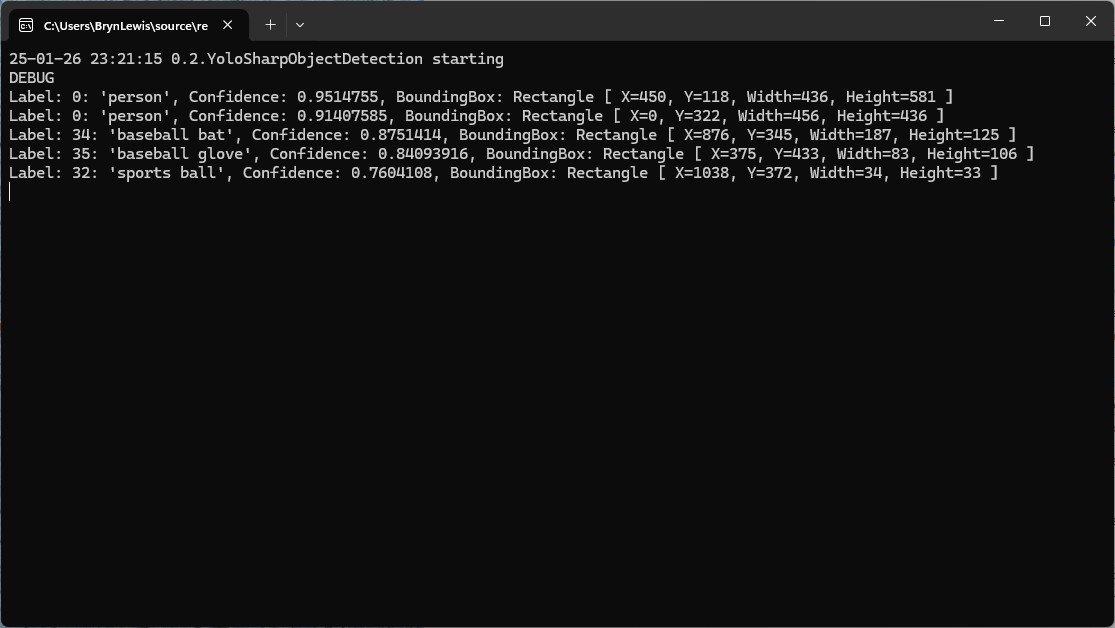
I tested the implementation with sample “sports” image from the YoloSharp Github repository

The console application output looked reasonable

I manually compared the output of the console application with the Ultralytics Hub model preview tab and the results looked close enough.

Pose

My Copilot prompt

please write a C# console application that uses Compunet YoloSharp to run a yolov8 pose model on an image loaded from disk
using Compunet.YoloSharp;
using Microsoft.Extensions.Configuration;
using SixLabors.ImageSharp;

class Program
{
   static void Main(string[] args)
   {
      Model.ApplicationSettings applicationSettings;

      Console.WriteLine($"{DateTime.UtcNow:yy-MM-dd HH:mm:ss} 0.3.CameraHTTPClient starting");
#if RELEASE
       Console.WriteLine("RELEASE");
#else
      Console.WriteLine("DEBUG");
#endif
      // load the app settings into configuration
      var configuration = new ConfigurationBuilder()
           .AddJsonFile("appsettings.json", false, true)
      .Build();

      applicationSettings = configuration.GetSection("ApplicationSettings").Get<Model.ApplicationSettings>();

      // Load the YOLOv8 pose model
      var yolo = new YoloPredictor(applicationSettings.ModelPath);

      // Load the image from disk
      using (var image = Image.Load(applicationSettings.ImagePath))
      {
         // Run the YOLOv8 pose model on the image
         var results = yolo.Pose(image);

         // Display the results
         foreach (var result in results)
         {
            Console.WriteLine($"Label: {result.Name.Name}, Confidence: {result.Confidence}, BoundingBox: {result.Bounds}");
            Console.WriteLine("Keypoints:");
            foreach (var keypoint in result)
            {
               Console.WriteLine($"  - {keypoint.Point}");
            }
         }
      }
   }
}

After some minor fixes and shifting the configuration to an appsettings file the application compiled. I tested the implementation with sample “sports” image from the YoloSharp Github repository

The console application output looked reasonable

I manually compared the output of the console application with the Ultralytics Hub model preview tab and the results were reasonable

Classification

My Copilot prompt

please write a C# console application that uses Compunet YoloSharp to run a yolov8 pose model on an image loaded from disk
using Compunet.YoloSharp;
using Microsoft.Extensions.Configuration;
using SixLabors.ImageSharp;

class Program
{
   static void Main(string[] args)
   {
      Model.ApplicationSettings applicationSettings;

      Console.WriteLine($"{DateTime.UtcNow:yy-MM-dd HH:mm:ss} 0.3.CameraHTTPClient starting");
#if RELEASE
       Console.WriteLine("RELEASE");
#else
      Console.WriteLine("DEBUG");
#endif

      // load the app settings into configuration
      var configuration = new ConfigurationBuilder()
           .AddJsonFile("appsettings.json", false, true)
      .Build();

      applicationSettings = configuration.GetSection("ApplicationSettings").Get<Model.ApplicationSettings>();

      // Load the YOLOv8 classification model
      var yolo = new YoloPredictor(applicationSettings.ModelPath);

      // Load the image from disk
      using (var image = Image.Load(applicationSettings.ImagePath))
      {
         // Run the YOLOv8 classification model on the image
         var results = yolo.Classify(image);

         // Display the results
         foreach (var result in results)
         {
             Console.WriteLine($"Label: {result.Name.Name}, Confidence: {result.Confidence}");
         }
      }
   }
}

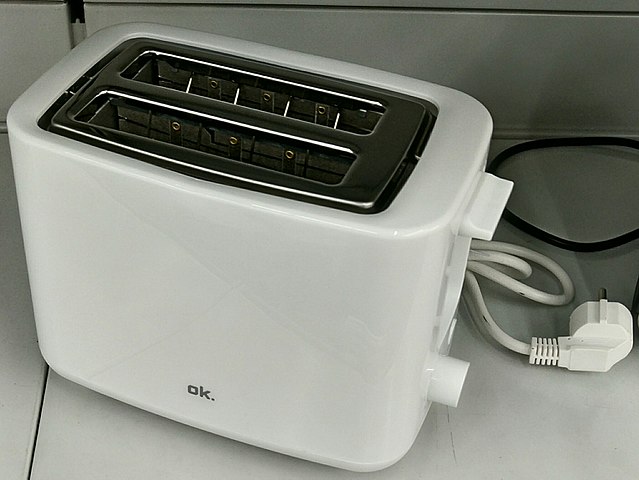
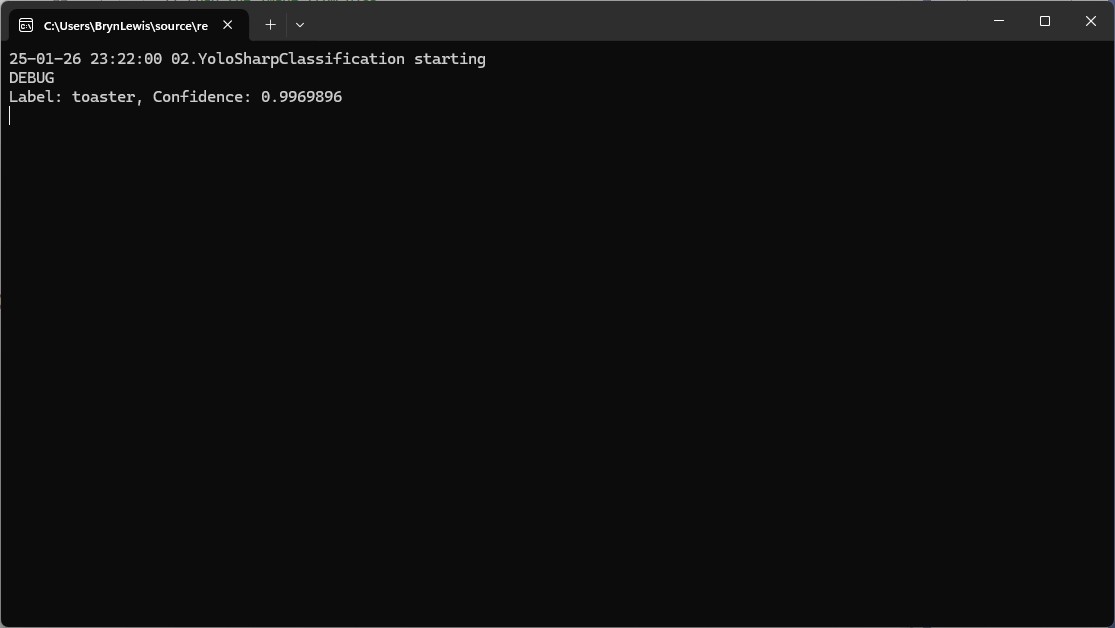
After some minor fixes and shifting the configuration to an appsettings file the application compiled. I tested the implementation with sample “toaster” image from the YoloSharp Github repository

The console application output looked reasonable

I’m pretty confident the input image was a toaster.

Summary

The Copilot prompts to generate code which uses Ultralytics YoloV8 and Compunet YoloSharp and may have produced better code with some “prompt engineering”. Using Visual Studio intellisense the generated code was easy to fix.

The Copilot generated code in this post is not suitable for production

IoT and AI Building Edge AI with AI- Introduction

Introduction

Recently, there have been mainstream media articles (Forbes, Wired-Video games , Wired-Copilot, BBC, The Guardian etc.), about how Artificial Intelligence (AI) could soon replace developers.

I have been using Github Copilot, mainly for “enhanced” Visual Studio IntelliSense, code snippets, and refactoring. I have also found Github Copilot generated code samples and more context aware searching of documentation really useful. Overall, the experience has been positive with limited hallucinations and my productivity has got better as my “prompt engineer” skills improved.

Initially, I started building “hobbyist” AI applications for the edge with an Azure Percept and for customer projects use Ultralytics Yolo, Azure Machine Learning, Azure Cognitive Services, ML.Net, Open Neural Network Exchange (ONNX), Nvidia Jeston Modules, Seeedstudio reComputer Industrial J3011 – Fanless Edge AI Devices etc.

After some discussion with my co-workers I decided to explore how much Github Copilot helped building a “non-trivial” computer vision Proof of Concept (PoC). In previous blog posts I have written about capturing still images from a Security Camera so figured that was a good place to start.

Even though I have been using Copilot for a while I still say please.

using System;
using System.IO;
using System.Net.Http;
using System.Threading.Tasks;

class Program
{
    static async Task Main(string[] args)
    {
        string cameraUrl = "http://your-security-camera-url/image.jpg"; // Replace with your security camera URL
        string savePath = "C:\\path\\to\\save\\image.jpg"; // Replace with the path where you want to save the image

        using (HttpClient client = new HttpClient())
        {
            try
            {
                HttpResponseMessage response = await client.GetAsync(cameraUrl);
                response.EnsureSuccessStatusCode();

                byte[] imageBytes = await response.Content.ReadAsByteArrayAsync();
                await File.WriteAllBytesAsync(savePath, imageBytes);

                Console.WriteLine("Image retrieved and saved successfully.");
            }
            catch (Exception ex)
            {
                Console.WriteLine($"An error occurred: {ex.Message}");
            }
        }
    }
}

The generated code compiled first time, looked “ok” and worked with some of my security cameras when the cameraurl and save path were modified

I then modified the code so “sensitive” information was not stored in code or configuration files.

//using System;
//using System.IO;
//using System.Net.Http;
//using System.Reflection;
//using System.Threading.Tasks;

using Microsoft.Extensions.Configuration;

class Program
{
   static async Task Main(string[] args)
   {
      //string cameraUrl = "http://your-security-camera-url/image.jpg"; // Replace with your security camera URL
      //string savePath = "C:\\path\\to\\save\\image.jpg"; // Replace with the path where you want to save the image
      Model.ApplicationSettings applicationSettings;

   Console.WriteLine($"{DateTime.UtcNow:yy-MM-dd HH:mm:ss} 0.2.CameraHTTPClient starting");
#if RELEASE
         Console.WriteLine("RELEASE");
#else
      Console.WriteLine("DEBUG");
#endif
      // load the app settings into configuration
      var configuration = new ConfigurationBuilder()
           .AddJsonFile("appsettings.json", false, true)
      .AddUserSecrets<Program>()
      .Build();

      applicationSettings = configuration.GetSection("ApplicationSettings").Get<Model.ApplicationSettings>();

      using (HttpClient client = new HttpClient())
      {
         try
         {
            HttpResponseMessage response = await client.GetAsync(applicationSettings.CameraUrl);
            response.EnsureSuccessStatusCode();

            byte[] imageBytes = await response.Content.ReadAsByteArrayAsync();
            await File.WriteAllBytesAsync(applicationSettings.SavePath, imageBytes);

            Console.WriteLine("Image retrieved and saved successfully.");
         }
         catch (Exception ex)
         {
            Console.WriteLine($"An error occurred: {ex.Message}");
         }
      }
   }
}

namespace Model
{
   public class ApplicationSettings
   {
      public string CameraUrl { get; set; } = "";

      public string SavePath { get; set; } = "Images";
   }
}

Several of my security cameras (e.g. HILook T250H) required client to authentication so I added NetworkCredential my Copilot prompt.

// please write c# console application that uses httpclient and an httpget to retrieve image from security camera with NetworkCredential security
//
// Sure! Here's a C# console application that uses HttpClient and HttpGet to retrieve an image from a security camera with NetworkCredential security: 
// In this example:
//
// Replace http://your-security-camera-url/image.jpg with the actual URL of your security camera's image.
//
// Replace C:\\path\\to\\save\\image.jpg with the path where you want to save the retrieved image.
//
// Replace your-username and your-password with your actual credentials.
//
// This application uses HttpClient with NetworkCredential to authenticate the request, retrieves the image as a byte array, and saves it to the specified path. If there's an error during the process, it will be caught and displayed in the console.
//
// Happy coding! 🚀
//using System;
//using System.IO;
using System.Net;
//using System.Net.Http;
//using System.Threading.Tasks;

using Microsoft.Extensions.Configuration;

class Program
{
   static async Task Main(string[] args)
   {
      //string cameraUrl = "http://your-security-camera-url/image.jpg"; // Replace with your security camera URL
      //string savePath = "C:\\path\\to\\save\\image.jpg"; // Replace with the path where you want to save the image
      //string username = "your-username"; // Replace with your username
      //string password = "your-password"; // Replace with your password
      Model.ApplicationSettings applicationSettings;

      Console.WriteLine($"{DateTime.UtcNow:yy-MM-dd HH:mm:ss} 0.3.CameraHTTPClient starting");
#if RELEASE
         Console.WriteLine("RELEASE");
#else
      Console.WriteLine("DEBUG");
#endif
      // load the app settings into configuration
      var configuration = new ConfigurationBuilder()
           .AddJsonFile("appsettings.json", false, true)
      .AddUserSecrets<Program>()
      .Build();

      applicationSettings = configuration.GetSection("ApplicationSettings").Get<Model.ApplicationSettings>();

      using (HttpClientHandler handler = new HttpClientHandler { Credentials = new NetworkCredential(applicationSettings.Username, applicationSettings.Password) })
      using (HttpClient client = new HttpClient(handler))
      {
         try
         {
            HttpResponseMessage response = await client.GetAsync(applicationSettings.CameraUrl);
            response.EnsureSuccessStatusCode();

            byte[] imageBytes = await response.Content.ReadAsByteArrayAsync();
            await File.WriteAllBytesAsync(applicationSettings.SavePath, imageBytes);

            Console.WriteLine("Image retrieved and saved successfully.");
         }
         catch (Exception ex)
         {
            Console.WriteLine($"An error occurred: {ex.Message}");
         }
      }
   }
}

namespace Model
{
   public class ApplicationSettings
   {
      public string CameraUrl { get; set; } = "";

      public string SavePath { get; set; } = "Images";

      public string Username { get; set; } = "";

      public string Password { get; set; } = "";
   }
}

My Visual Studio 2022 solution with a project for each Copilot generated sample.

Summary

The Copilot generated code for my three “trivial” PoC applications compiled and worked with minimal modifications.

The Copilot generated code in this post is not suitable for production