Introduction
Using Copilot to generate the code to retrieve an image from a security camera and small applications for object detection, object classification, with YoloSharp also went surprisingly well. An Azure HTTP Trigger function is a bit more complex so I decided to do one next. I started with the Visual Studio 2022 generated code
using Microsoft.AspNetCore.Http;
using Microsoft.AspNetCore.Mvc;
using Microsoft.Azure.Functions.Worker;
using Microsoft.Extensions.Logging;

namespace YoloObjectDetectionFunction
{
    public class Function1
    {
        private readonly ILogger<Function1> _logger;

        public Function1(ILogger<Function1> logger)
        {
            _logger = logger;
        }

        [Function("Function1")]
        public IActionResult Run([HttpTrigger(AuthorizationLevel.Function, "get", "post")] HttpRequest req)
        {
            _logger.LogInformation("C# HTTP trigger function processed a request.");
            return new OkObjectResult("Welcome to Azure Functions!");
        }
    }
}
I then generated the first version of the code with Copilot desktop

The code looked “okay” but had lots of extra “usings”, used FunctionName vs Function attributes etc. so didn’t compile.
I think the “var yolo = new Yolo(modelPath)” comes from YoloDotNet by Niklas Swärd and “var detections = yolo.Predict(image)” is from YoloV8.Net by Samuel Stainback
using System.IO;
using System.Linq;
using System.Net;
using System.Net.Http;
using System.Threading.Tasks;
using Microsoft.AspNetCore.Mvc;
using Microsoft.Azure.WebJobs;
using Microsoft.Azure.WebJobs.Extensions.Http;
using Microsoft.Extensions.Logging;
using SixLabors.ImageSharp;
using SixLabors.ImageSharp.PixelFormats;
using SixLabors.ImageSharp.Processing;
using YoloSharp;
using YoloSharp.DataStructures;

public static class YoloObjectDetectionFunction
{
    private static readonly string modelPath = "path/to/your/yolo-model.onnx";

    [FunctionName("YoloObjectDetection")]
    public static async Task<IActionResult> Run(
        [HttpTrigger(AuthorizationLevel.Function, "post", Route = null)] HttpRequestMessage req,
        ILogger log)
    {
        log.LogInformation("Yolo Object Detection function processed a request.");

        // Read the image from the request
        byte[] imageBytes = await req.Content.ReadAsByteArrayAsync();
        using (Image<Rgba32> image = Image.Load<Rgba32>(imageBytes))
        {
            // Initialize YoloSharp
            using (var yolo = new Yolo(modelPath))
            {
                // Detect objects in the image
                var detections = yolo.Predict(image);

                // Process the detections
                foreach (var detection in detections)
                {
                    // Draw bounding boxes on the image
                    image.Mutate(ctx => ctx.DrawPolygon(Rgba32.Red, 2, detection.BoundingBox.ToPolygon()));
                }

                // Save the modified image to a memory stream
                using (var ms = new MemoryStream())
                {
                    image.SaveAsPng(ms);
                    ms.Seek(0, SeekOrigin.Begin);

                    // Return the modified image as a response
                    var result = new HttpResponseMessage(HttpStatusCode.OK)
                    {
                        Content = new StreamContent(ms)
                    };
                    result.Content.Headers.ContentType = new System.Net.Http.Headers.MediaTypeHeaderValue("image/png");
                    return new FileStreamResult(ms, "image/png");
                }
            }
        }
    }
}
I manually fixed all the issues in the code with a lot of assistance from Visual Studio 2022 Intellisense
using System.Net;

using Microsoft.AspNetCore.Mvc;
using Microsoft.Azure.Functions.Worker;
using Microsoft.Extensions.Logging;

using SixLabors.ImageSharp;
using SixLabors.ImageSharp.PixelFormats;
using SixLabors.ImageSharp.Processing;
using SixLabors.ImageSharp.Drawing.Processing;

//using YoloSharp;
//using YoloSharp.DataStructures;
using Compunet.YoloSharp;


public static class YoloObjectDetectionFunction
{
   //private static readonly string modelPath = "path/to/your/yolo-model.onnx";
   private static readonly string modelPath = "yolov8s.onnx";

   //[FunctionName("YoloObjectDetection")]
   [Function("YoloObjectDetection")]
   public static async Task<IActionResult> Run(
       [HttpTrigger(AuthorizationLevel.Function, "post", Route = null)] HttpRequestMessage req,
       ILogger log)
   {
      log.LogInformation("Yolo Object Detection function processed a request.");

      // Read the image from the request
      byte[] imageBytes = await req.Content.ReadAsByteArrayAsync();
      using (Image<Rgba32> image = Image.Load<Rgba32>(imageBytes))
      {
         // Initialize YoloSharp
         //using (var yolo = new Yolo(modelPath))
         using (var yolo = new YoloPredictor(modelPath))
         {
            // Detect objects in the image
            //var detections = yolo.Predict(image);
            var detections = yolo.Detect(image);

            // Process the detections
            foreach (var detection in detections)
            {
               // Draw bounding boxes on the image
               //image.Mutate(ctx => ctx.DrawPolygon(Rgba32.Red, 2, detection.BoundingBox.ToPolygon()));

               var rectangle = new PointF[] {new Point(detection.Bounds.Bottom, detection.Bounds.Left), new Point(detection.Bounds.Bottom, detection.Bounds.Right), new Point(detection.Bounds.Right, detection.Bounds.Top), new Point(detection.Bounds.Left, detection.Bounds.Top)};

               image.Mutate(ctx => ctx.DrawPolygon(Rgba32.ParseHex("FF0000"), 2, rectangle));
            }

            // Save the modified image to a memory stream
            using (var ms = new MemoryStream())
            {
               image.SaveAsPng(ms);
               ms.Seek(0, SeekOrigin.Begin);

               // Return the modified image as a response
               var result = new HttpResponseMessage(HttpStatusCode.OK)
               {
                  Content = new StreamContent(ms)
               };
               result.Content.Headers.ContentType = new System.Net.Http.Headers.MediaTypeHeaderValue("image/png");
               return new FileStreamResult(ms, "image/png");
            }
         }
      }
   }
}
When I posted an image to the function with Telerik Fiddler Classic it threw an exception, because the ILogger injected into the Run method was null.

I then asked Github Copilot to “Modify code so the ILogger is parameter of constructor”
using System.Net;

using Microsoft.AspNetCore.Mvc;
using Microsoft.Azure.Functions.Worker;
using Microsoft.Extensions.Logging;

using SixLabors.ImageSharp;
using SixLabors.ImageSharp.PixelFormats;
using SixLabors.ImageSharp.Processing;
using SixLabors.ImageSharp.Drawing.Processing;

//using YoloSharp;
//using YoloSharp.DataStructures;
using Compunet.YoloSharp;


//public static class YoloObjectDetectionFunction
public class YoloObjectDetectionFunction
{
   private static readonly ILogger _log;
   //private static readonly string modelPath = "path/to/your/yolo-model.onnx";
   private static readonly string modelPath = "yolov8s.onnx";

   public YoloObjectDetectionFunction(ILogger<YoloObjectDetectionFunction> log)
   {
      _log = log;
   }

   //[FunctionName("YoloObjectDetection")]
   [Function("YoloObjectDetection")]
   //public static async Task<IActionResult> Run( [HttpTrigger(AuthorizationLevel.Function, "post", Route = null)] HttpRequestMessage req, ILogger log)
   public static async Task<IActionResult> Run([HttpTrigger(AuthorizationLevel.Function, "post", Route = null)] HttpRequestMessage req)
   {
      _log.LogInformation("Yolo Object Detection function processed a request.");

      // Read the image from the request
      byte[] imageBytes = await req.Content.ReadAsByteArrayAsync();
      using (Image<Rgba32> image = Image.Load<Rgba32>(imageBytes))
      {
         // Initialize YoloSharp
         //using (var yolo = new Yolo(modelPath))
         using (var yolo = new YoloPredictor(modelPath))
         {
            // Detect objects in the image
            //var detections = yolo.Predict(image);
            var detections = yolo.Detect(image);

            // Process the detections
            foreach (var detection in detections)
            {
               // Draw bounding boxes on the image
               //image.Mutate(ctx => ctx.DrawPolygon(Rgba32.Red, 2, detection.BoundingBox.ToPolygon()));

               var rectangle = new PointF[] {new Point(detection.Bounds.Bottom, detection.Bounds.Left), new Point(detection.Bounds.Bottom, detection.Bounds.Right), new Point(detection.Bounds.Right, detection.Bounds.Top), new Point(detection.Bounds.Left, detection.Bounds.Top)};

               image.Mutate(ctx => ctx.DrawPolygon(Rgba32.ParseHex("FF0000"), 2, rectangle));
            }

            // Save the modified image to a memory stream
            using (var ms = new MemoryStream())
            {
               image.SaveAsPng(ms);
               ms.Seek(0, SeekOrigin.Begin);

               // Return the modified image as a response
               var result = new HttpResponseMessage(HttpStatusCode.OK)
               {
                  Content = new StreamContent(ms)
               };
               result.Content.Headers.ContentType = new System.Net.Http.Headers.MediaTypeHeaderValue("image/png");
               return new FileStreamResult(ms, "image/png");
            }
         }
      }
   }
}
When I posted an image to the function it threw an exception, because content of the HttpRequestMessage was null.

I then asked Github Copilot to “Modify the code so that the image is read from the form”
// Read the image from the form
var form = await req.ReadFormAsync();
var file = form.Files["image"];
if (file == null || file.Length == 0)
{
   return new BadRequestObjectResult("Image file is missing or empty.");
}
When I posted an image to the function it returned a 400 Bad Request Error.
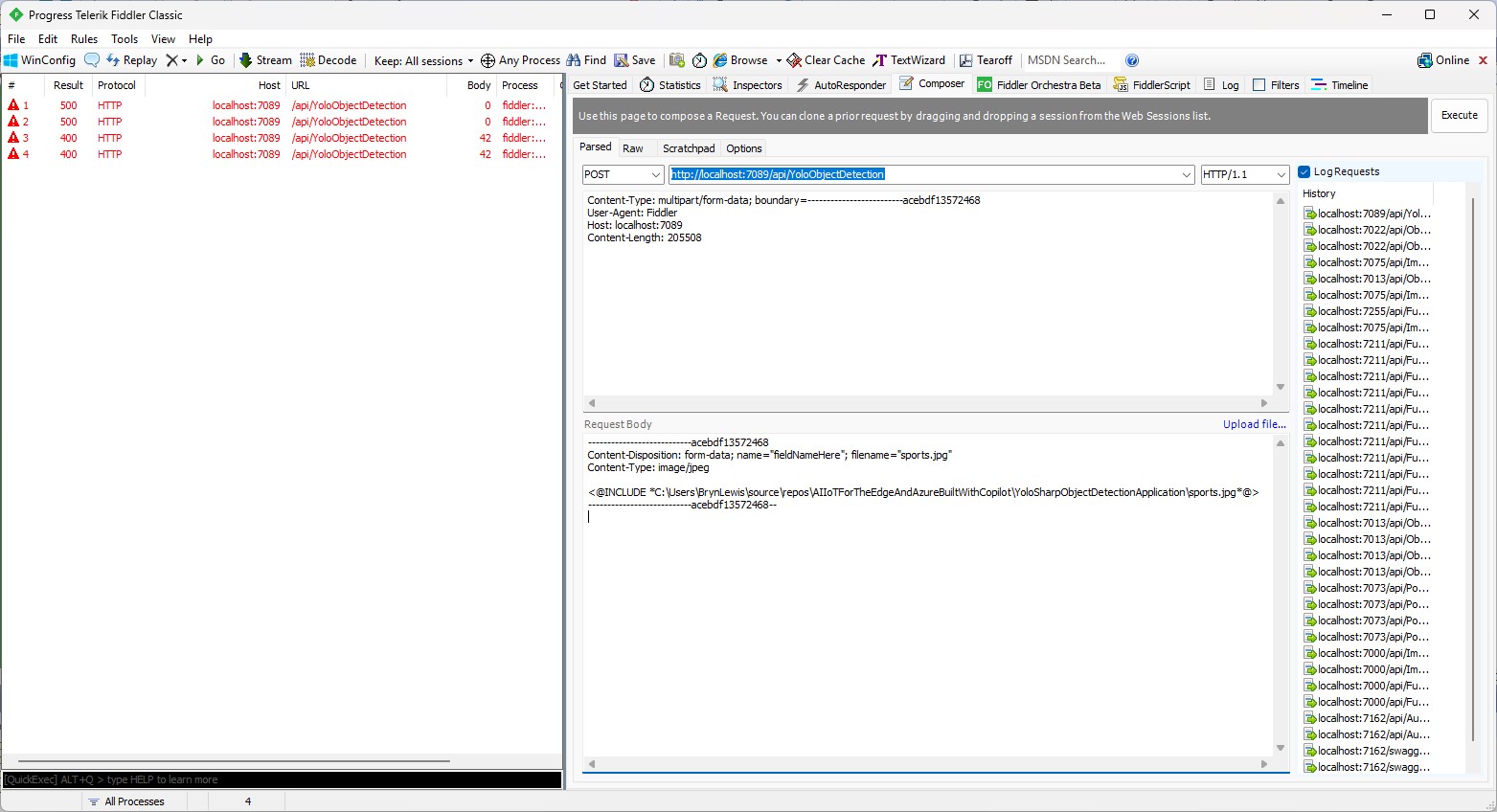
After inspecting the request I realized that the name field was wrong, as the generated code was looking for “image”
Content-Disposition: form-data; name=”image”; filename=”sports.jpg”
Then, when I posted an image to the function it returned a 500 error.
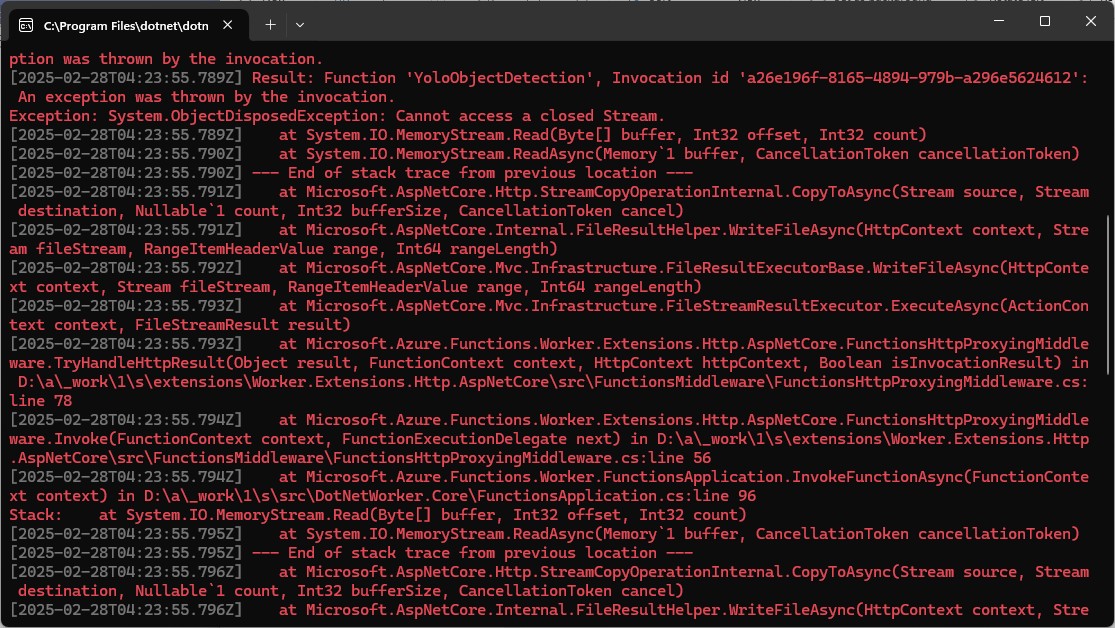
But, the FileStreamResult was failing so I modified the code to return a FileContentResult
using (var ms = new MemoryStream())
{
   image.SaveAsJpeg(ms);

   return new FileContentResult(ms.ToArray(), "image/jpg");
}
Then, when I posted an image to the function it succeeded
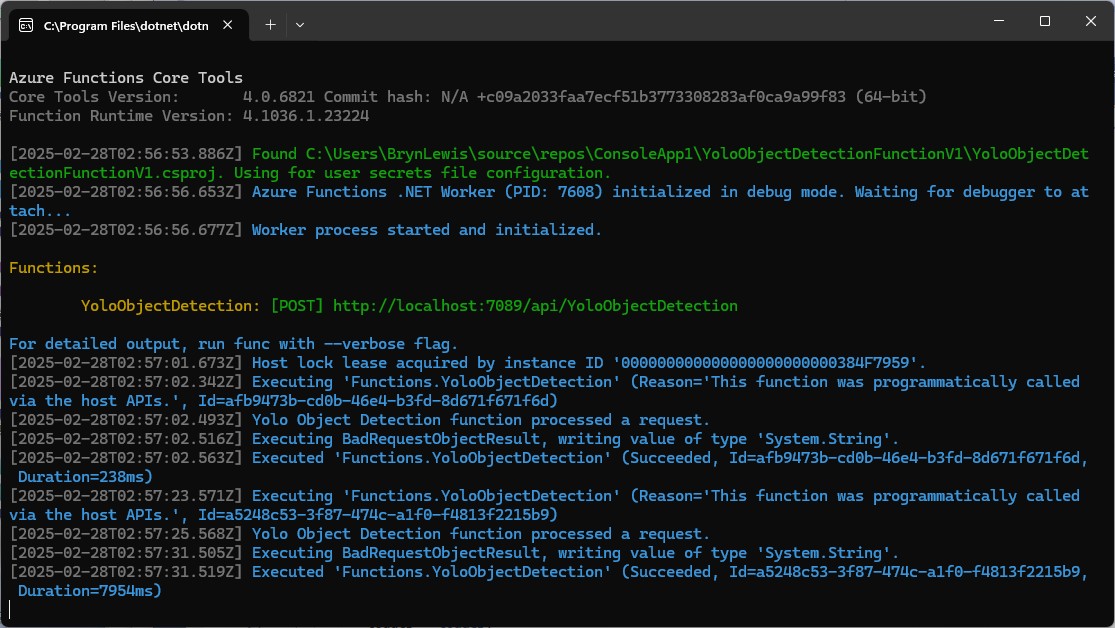
But, the bounding boxes around the detected objects were wrong.
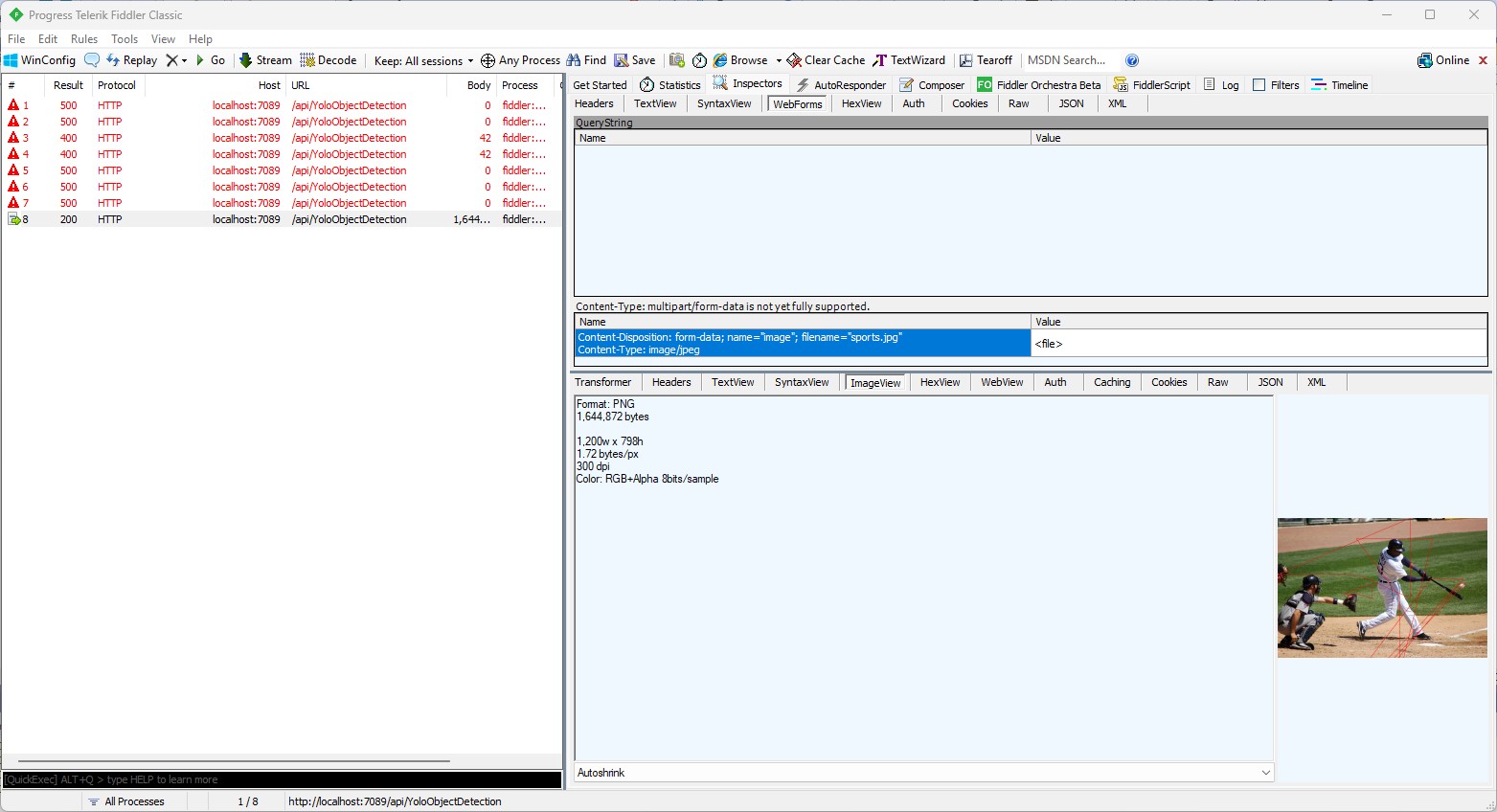
I then manually fixed up the polygon code so the lines for each bounding box were drawn in the correct order.
// Process the detections
foreach (var detection in detections)
{
   var rectangle = new PointF[] {
      new Point(detection.Bounds.Left, detection.Bounds.Bottom),
      new Point(detection.Bounds.Right, detection.Bounds.Bottom),
      new Point(detection.Bounds.Right, detection.Bounds.Top),
      new Point(detection.Bounds.Left, detection.Bounds.Top)
 };
Then, when I posted an image to the function it succeeded

The bounding boxes around the detected objects were correct.
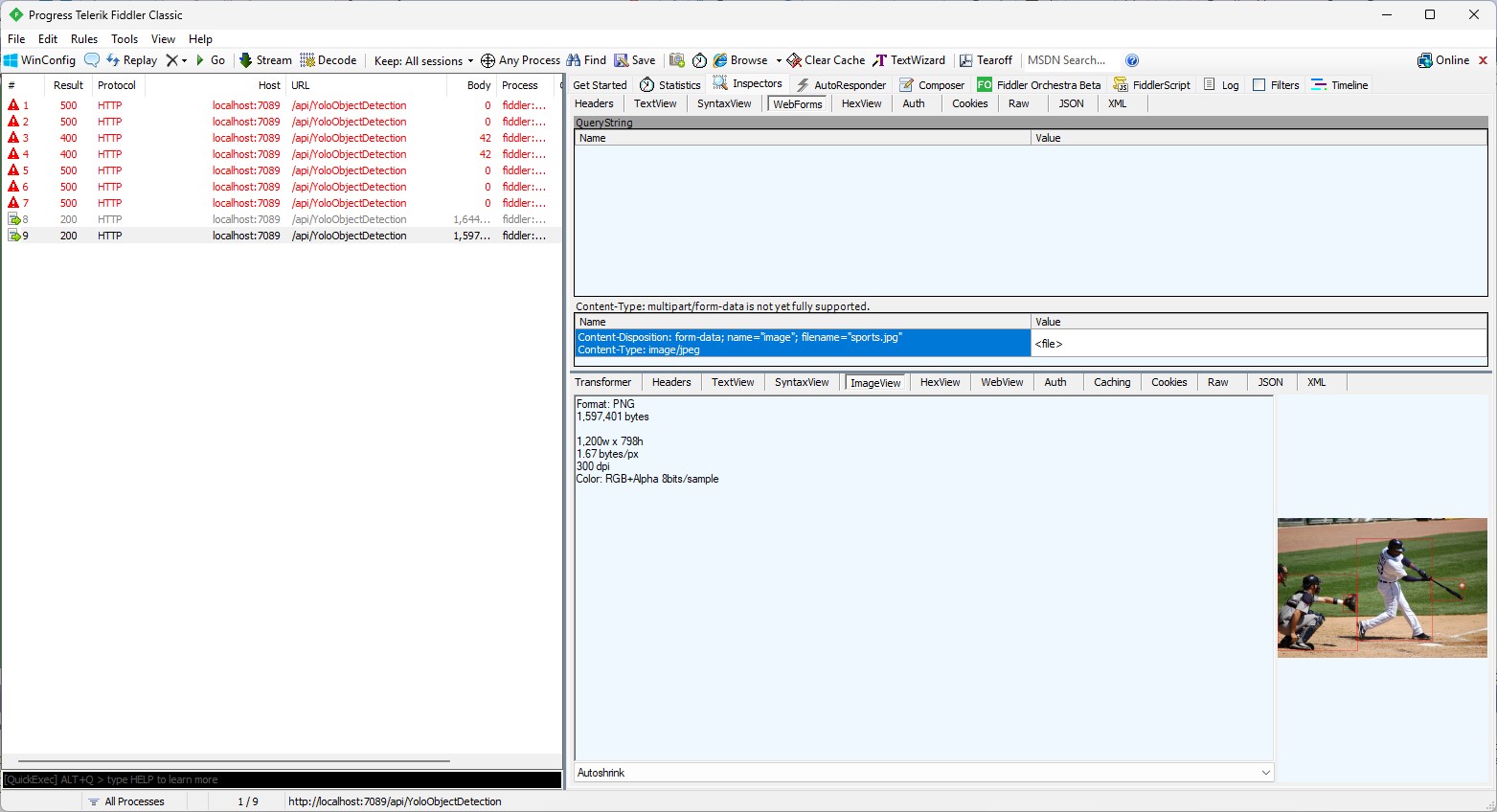
I then “refactored” the code, removing all the unused “using”s, removed any commented out code, changed ILogger to be initialised using a Primary Constructor etc.
using Microsoft.AspNetCore.Http;
using Microsoft.AspNetCore.Mvc;
using Microsoft.Azure.Functions.Worker;
using Microsoft.Extensions.Logging;

using SixLabors.ImageSharp;
using SixLabors.ImageSharp.PixelFormats;
using SixLabors.ImageSharp.Processing;
using SixLabors.ImageSharp.Drawing.Processing;

using Compunet.YoloSharp;

public class YoloObjectDetectionFunction(ILogger<YoloObjectDetectionFunction> log)
{
   private readonly ILogger<YoloObjectDetectionFunction> _log = log;
   private readonly string modelPath = "yolov8s.onnx";

   [Function("YoloObjectDetection")]
   public async Task<IActionResult> Run([HttpTrigger(AuthorizationLevel.Function, "post", Route = null)] HttpRequest req)
   {
      _log.LogInformation("Yolo Object Detection function processed a request.");

      // Read the image from the form
      var form = await req.ReadFormAsync();
      var file = form.Files["image"];
      if (file == null || file.Length == 0)
      {
         return new BadRequestObjectResult("Image file is missing or empty.");
      }

      using (var stream = file.OpenReadStream())
      using (Image<Rgba32> image = Image.Load<Rgba32>(stream))
      {
         // Initialize YoloSharp
         using (var yolo = new YoloPredictor(modelPath))
         {
            // Detect objects in the image
            var detections = yolo.Detect(image);

            // Process the detections
            foreach (var detection in detections)
            {
               var rectangle = new PointF[] {
                  new Point(detection.Bounds.Left, detection.Bounds.Bottom),
                  new Point(detection.Bounds.Right, detection.Bounds.Bottom),
                  new Point(detection.Bounds.Right, detection.Bounds.Top),
                  new Point(detection.Bounds.Left, detection.Bounds.Top)
               };

               image.Mutate(ctx => ctx.DrawPolygon(Rgba32.ParseHex("FF0000"), 2, rectangle));
            }

            // Save the modified image to a memory stream
            using (var ms = new MemoryStream())
            {
               image.SaveAsJpeg(ms);

              return new FileContentResult(ms.ToArray(), "image/jpg");
            }
         }
      }
   }
}
Summary
The initial code generated by Copilot was badly broken but with the assistance of Visual Studio 2022 Intellisense was fixed fairly quickly. The ILogger not being initialised, me using the “wrong” upload file name were easy to debug, but the FileContentResult exception was a bit more difficult.
It took me a quite a bit longer to write the function with Copilot desktop/Github Copilot than what it would have taken me normally. But, I think a lot of this was due to having to take screen shots, writing this blog post as I went, and having already written several Azure HTTP Trigger function for processing uploaded images.
The Copilot generated code in this post is not suitable for production
 devMobile's blog