Several of my projects use the NickSwardh/YoloDotNet NuGet which supports NVIDIA CUDA but not TensorRT. The first step before “putting the NuGet on a diet” was to fix up my test application because some of the method signatures had changed in the latest release.
// load the app settings into configuration
var configuration = new ConfigurationBuilder()
   .AddJsonFile("appsettings.json", false, true)
   .Build();

_applicationSettings = configuration.GetSection("ApplicationSettings").Get<Model.ApplicationSettings>();

Console.WriteLine($" {DateTime.UtcNow:yy-MM-dd HH:mm:ss.fff} YoloV8 Model load start : {_applicationSettings.ModelPath}");

//using (var predictor = new Yolo(_applicationSettings.ModelPath, false))
using var yolo = new Yolo(new YoloOptions()
{
   OnnxModel = _applicationSettings.ModelPath,
   Cuda = false,
   PrimeGpu = false,
   ModelType = ModelType.ObjectDetection,
});
{
   Console.WriteLine($" {DateTime.UtcNow:yy-MM-dd HH:mm:ss.fff} YoloV8 Model load done");
   Console.WriteLine();

   //using (var image = await SixLabors.ImageSharp.Image.LoadAsync<Rgba32>(_applicationSettings.ImageInputPath))
   using (var image = SKImage.FromEncodedData(_applicationSettings.ImageInputPath))
   {
      Console.WriteLine($" {DateTime.UtcNow:yy-MM-dd HH:mm:ss.fff} YoloV8 Model detect start");

      var predictions = yolo.RunObjectDetection(image);

      Console.WriteLine($" {DateTime.UtcNow:yy-MM-dd HH:mm:ss.fff} YoloV8 Model detect done");
      Console.WriteLine();

      foreach (var predicition in predictions)
      {
         Console.WriteLine($"  Class {predicition.Label.Name} {(predicition.Confidence * 100.0):f1}% X:{predicition.BoundingBox.Location.X} Y:{predicition.BoundingBox.Location.Y} Width:{predicition.BoundingBox.Width} Height:{predicition.BoundingBox.Height}");
      }
      Console.WriteLine();

      Console.WriteLine($" {DateTime.UtcNow:yy-MM-dd HH:mm:ss.fff} Plot and save : {_applicationSettings.ImageOutputPath}");

      using (SKImage skImage = image.Draw(predictions))
      {
         //await image.SaveAsJpegAsync(_applicationSettings.ImageOutputPath);
         skImage.Save(_applicationSettings.ImageOutputPath, SKEncodedImageFormat.Jpeg);
      }
   }
}
While testing I found the application worked with the sample Ultralytics YoloV8 ONNX models but failed with my Ultralytics Hub trained models.
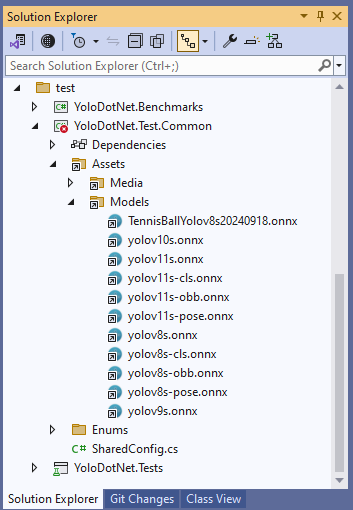
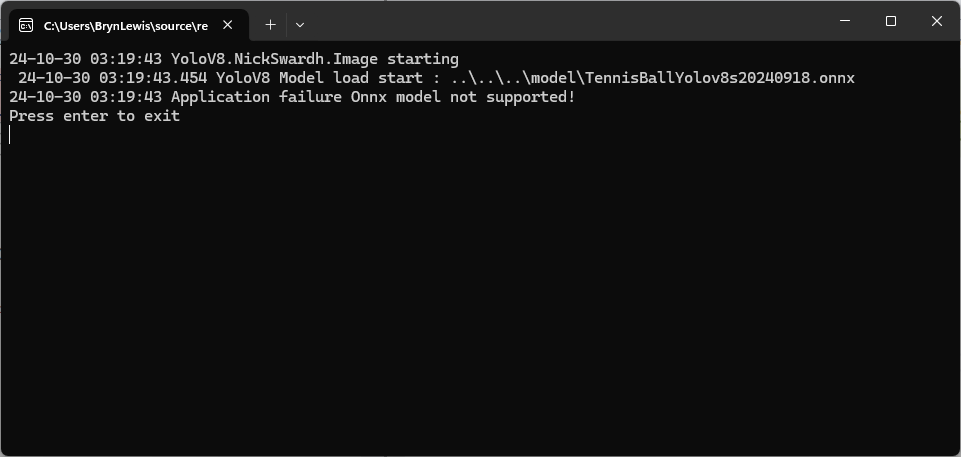
The YoloDotNet code was looking for specific text in the model description which wasn’t present in the description of my Ultralytics Hub trained models.
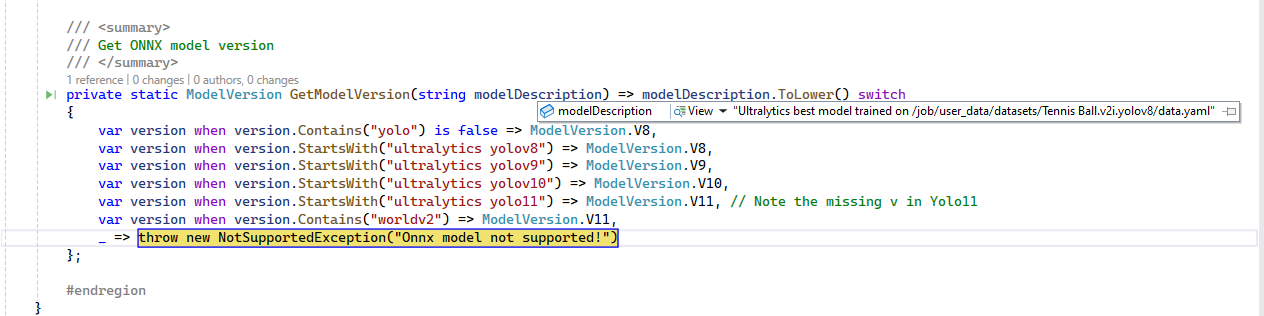
I downloaded the YoloDotNet source and included the core project in my solution so I could temporarily modify the GetModelVersion method in OnnxPropertiesExtension.cs.
 /// <summary>
 /// Get ONNX model version
 /// </summary>
 private static ModelVersion GetModelVersion(string modelDescription) => modelDescription.ToLower() switch
 {
     var version when version.Contains("yolo") is false => ModelVersion.V8,
    var version when version.Contains("yoloV8") is false => ModelVersion.V8, // <========
    var version when version.StartsWith("ultralytics yolov8") => ModelVersion.V8,
     var version when version.StartsWith("ultralytics yolov9") => ModelVersion.V9,
     var version when version.StartsWith("ultralytics yolov10") => ModelVersion.V10,
     var version when version.StartsWith("ultralytics yolo11") => ModelVersion.V11, // Note the missing v in Yolo11
     var version when version.Contains("worldv2") => ModelVersion.V11,
     _ => throw new NotSupportedException("Onnx model not supported!")
 };
After getting the test application running in the Visual Studio 2022 debugger it looked like the CustomMetadata Version info would be a better choice.
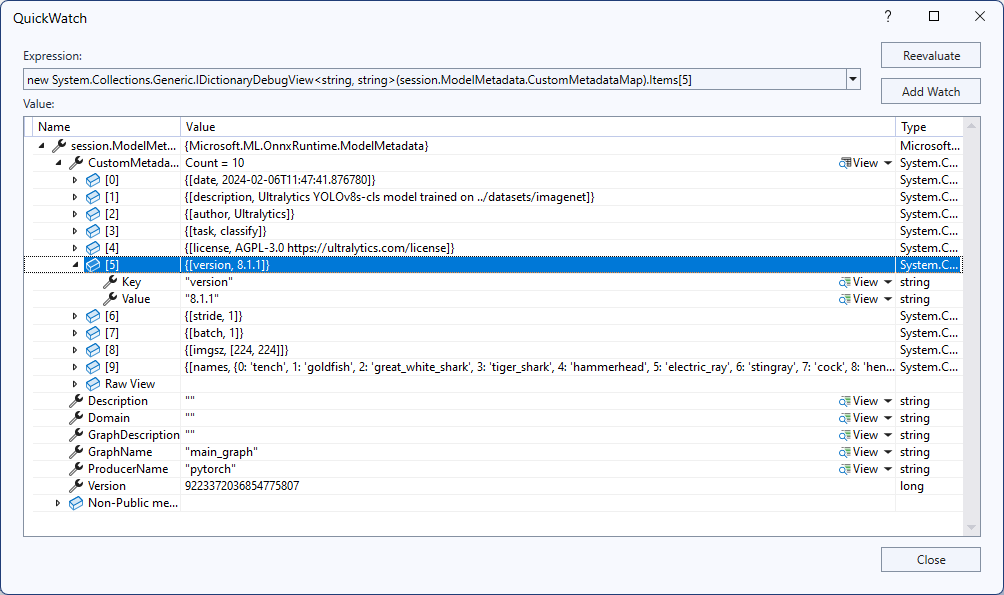
To check my assumption, I inspected some of the sample ONNX Model properties with Netron.
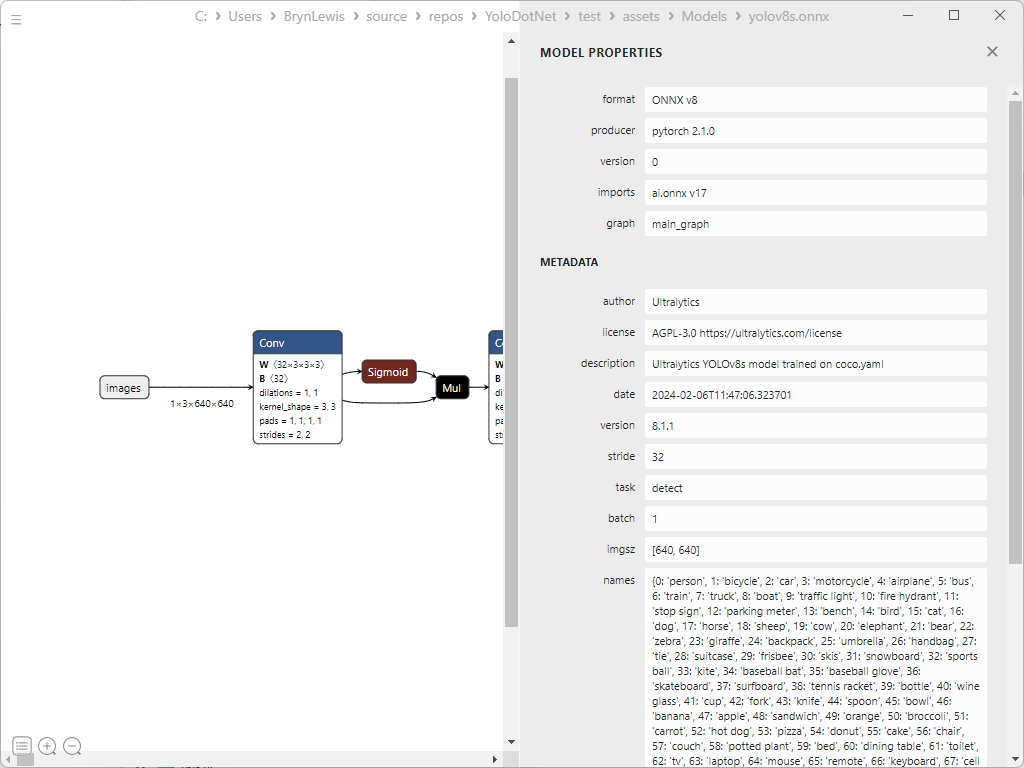

It looks like the CustomMetadata Version info increments but doesn’t nicely map to the Ultralytics Yolo version.
 devMobile's blog