The Azure.EventGrid.Image.YoloV8.Pose application downloads images from a security camera, processes them with the default YoloV8(by Ultralytics) Pose Estimation model then publishes the results to an Azure Event Grid MQTT broker topic.
private async void ImageUpdateTimerCallback(object? state)
{
   DateTime requestAtUtc = DateTime.UtcNow;

   // Just incase - stop code being called while photo or prediction already in progress
   if (_ImageProcessing)
   {
      return;
   }
   _ImageProcessing = true;

   try
   {
      _logger.LogDebug("Camera request start");

      PoseResult result;

      using (Stream cameraStream = await _httpClient.GetStreamAsync(_applicationSettings.CameraUrl))
      {
         result = await _predictor.PoseAsync(cameraStream);
      }

      _logger.LogInformation("Speed Preprocess:{Preprocess} Postprocess:{Postprocess}", result.Speed.Preprocess, result.Speed.Postprocess);


      if (_logger.IsEnabled(LogLevel.Debug))
      {
         _logger.LogDebug("Pose results");

         foreach (var box in result.Boxes)
         {
            _logger.LogDebug(" Class:{box.Class} Confidence:{Confidence:f1}% X:{X} Y:{Y} Width:{Width} Height:{Height}", box.Class.Name, box.Confidence * 100.0, box.Bounds.X, box.Bounds.Y, box.Bounds.Width, box.Bounds.Height);

            foreach (var keypoint in box.Keypoints)
            {
               Model.PoseMarker poseMarker = (Model.PoseMarker)keypoint.Index;

               _logger.LogDebug("  Class:{Class} Confidence:{Confidence:f1}% X:{X} Y:{Y}", Enum.GetName(poseMarker), keypoint.Confidence * 100.0, keypoint.Point.X, keypoint.Point.Y);
            }
         }
      }

      var message = new MQTT5PublishMessage
      {
         Topic = string.Format(_applicationSettings.PublishTopic, _applicationSettings.UserName),
         Payload = Encoding.ASCII.GetBytes(JsonSerializer.Serialize(new
         {
            result.Boxes
         })),
         QoS = _applicationSettings.PublishQualityOfService,
      };

      _logger.LogDebug("HiveMQ.Publish start");

      var resultPublish = await _mqttclient.PublishAsync(message);

      _logger.LogDebug("HiveMQ.Publish done");
   }
   catch (Exception ex)
   {
      _logger.LogError(ex, "Camera image download, processing, or telemetry failed");
   }
   finally
   {
      _ImageProcessing = false;
   }

   TimeSpan duration = DateTime.UtcNow - requestAtUtc;

   _logger.LogDebug("Camera Image download, processing and telemetry done {TotalSeconds:f2} sec", duration.TotalSeconds);
}
The application uses a Timer(with configurable Due and Period times) to poll the security camera, detect objects in the image then publish a JavaScript Object Notation(JSON) representation of the results to Azure Event Grid MQTT broker topic using a HiveMQ client.
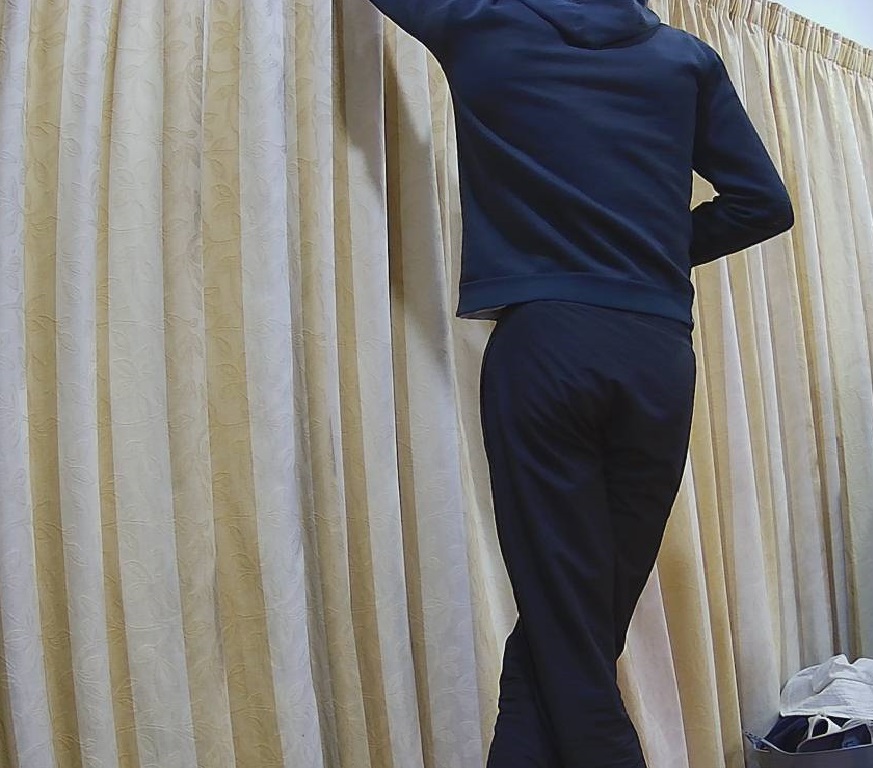
The Unv ADZK-10 camera used in this sample has a Hypertext Transfer Protocol (HTTP) Uniform Resource Locator(URL) for downloading the current image. Like the YoloV8.Detect.SecurityCamera.Stream sample the image “streamed” using the HttpClient.GetStreamAsync to the YoloV8 PoseAsync method.

The same approach as the YoloV8.Detect.SecurityCamera.Stream sample is used because the image doesn’t have to be saved on the local filesystem.

To check the results, I put a breakpoint in the timer just after PoseAsync method is called and then used the Visual Studio 2022 Debugger QuickWatch functionality to inspect the contents of the PoseResult object.

For testing I configured a single Azure Event Grid custom topic subscription an Azure Storage Queue.

An Azure Storage Queue is an easy way to store messages while debugging/testing an application.

Azure Storage Explorer is a good tool for listing recent messages, then inspecting their payloads.

The Azure Event Grid custom topic message text(in data_base64) contains the JavaScript Object Notation(JSON) of the pose detection result.
{"Boxes":[{"Keypoints":[{"Index":0,"Point":{"X":744,"Y":58,"IsEmpty":false},"Confidence":0.6334442},{"Index":1,"Point":{"X":746,"Y":33,"IsEmpty":false},"Confidence":0.759928},{"Index":2,"Point":{"X":739,"Y":46,"IsEmpty":false},"Confidence":0.19036674},{"Index":3,"Point":{"X":784,"Y":8,"IsEmpty":false},"Confidence":0.8745915},{"Index":4,"Point":{"X":766,"Y":45,"IsEmpty":false},"Confidence":0.086735755},{"Index":5,"Point":{"X":852,"Y":50,"IsEmpty":false},"Confidence":0.9166329},{"Index":6,"Point":{"X":837,"Y":121,"IsEmpty":false},"Confidence":0.85815763},{"Index":7,"Point":{"X":888,"Y":31,"IsEmpty":false},"Confidence":0.6234426},{"Index":8,"Point":{"X":871,"Y":205,"IsEmpty":false},"Confidence":0.37670398},{"Index":9,"Point":{"X":799,"Y":21,"IsEmpty":false},"Confidence":0.3686208},{"Index":10,"Point":{"X":768,"Y":205,"IsEmpty":false},"Confidence":0.21734264},{"Index":11,"Point":{"X":912,"Y":364,"IsEmpty":false},"Confidence":0.98523325},{"Index":12,"Point":{"X":896,"Y":382,"IsEmpty":false},"Confidence":0.98377174},{"Index":13,"Point":{"X":888,"Y":637,"IsEmpty":false},"Confidence":0.985927},{"Index":14,"Point":{"X":849,"Y":645,"IsEmpty":false},"Confidence":0.9834709},{"Index":15,"Point":{"X":951,"Y":909,"IsEmpty":false},"Confidence":0.96191007},{"Index":16,"Point":{"X":921,"Y":894,"IsEmpty":false},"Confidence":0.9618156}],"Class":{"Id":0,"Name":"person"},"Bounds":{"X":690,"Y":3,"Width":315,"Height":1001,"Location":{"X":690,"Y":3,"IsEmpty":false},"Size":{"Width":315,"Height":1001,"IsEmpty":false},"IsEmpty":false,"Top":3,"Right":1005,"Bottom":1004,"Left":690},"Confidence":0.8341071}]}
 devMobile's blog