Random wanderings through Microsoft Azure esp. PaaS plumbing, the IoT bits, AI on Micro controllers, AI on Edge Devices, .NET nanoFramework, .NET Core on *nix and ML.NET+ONNX
I have been soak testing Seeed LoRa-E5 equipped TinyCLR and netNF devices for the last couple of weeks and after approximately two days they would stop sending data. The code is still running but The Things Industries device live data tab is empty.
I have reviewed the code line by line and it looks okay. When I run the application on the device with the debugger attached the device does not stop transmitting (a heisenbug) which is a problem.
First step was to disable the sleep/wakeup power conservation calls and see what happens
#if PAYLOAD_COUNTER
   Debug.WriteLine($"{DateTime.UtcNow:hh:mm:ss} Send Timeout:{SendTimeout.TotalSeconds} Seconds payload Counter:{PayloadCounter}");
#if CONFIRMED
   result = device.Send(BitConverter.GetBytes(PayloadCounter), true, SendTimeout);
#else
   result = device.Send(BitConverter.GetBytes(PayloadCounter), false, SendTimeout);
#endif
   PayloadCounter += 1;
#endif

   if (result != Result.Success)
   {
      Debug.WriteLine($"Send failed {result}");
   }

   /*
   Debug.WriteLine($"{DateTime.UtcNow:hh:mm:ss} Sleep");
   result = device.Sleep();
   if (result != Result.Success)
   {
      Debug.WriteLine($"Sleep failed {result}");
      return;
   }
   */
   Thread.Sleep(60000);
   /*
   Debug.WriteLine($"{DateTime.UtcNow:hh:mm:ss} Wakeup");
   result = device.Wakeup();
   if (result != Result.Success)
   {
      Debug.WriteLine($"Wakeup failed {result}");
      return;
   }
   */
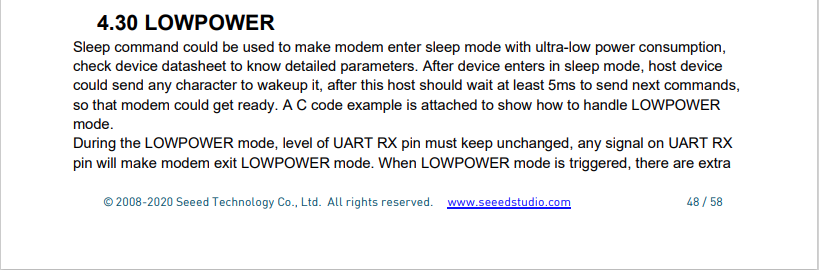
The devices have now been running fine for 4.5 days so it looks like it might be something todo with entering and/or exiting low power mode.
Fiddler Composer with the image field name and upload file button highlighted
The currentimplementation only supports the uploading of one image at a time in a field called “image”.
Fiddler console after succesfull upload
This implementation supports a “Content-Type” of “application/octet-stream” or “image/jpeg”.
[HttpPost("{id}/image")]
public async Task<ActionResult> Upload([FromRoute(Name = "id")][Range(1, int.MaxValue, ErrorMessage = "StockItem id must greater than 0")] int id, [FromForm] IFormFile image)
{
	if (image == null)
	{
		return this.BadRequest("Image image file missing");
	}

	if (image.Length == 0)
	{
		return this.BadRequest("Image image file is empty");
	}

	if ((string.Compare(image.ContentType, "application/octet-stream",true) != 0) && (string.Compare(image.ContentType, "image/jpeg", true) != 0))
	{
		return this.BadRequest("Image image file content-type is not application/octet-stream or image/jpeg");
	}

	try
	{
		using (MemoryStream ms = new MemoryStream())
		{
			await image.CopyToAsync(ms);

			ms.Seek(0, SeekOrigin.Begin);

			using (SqlConnection db = new SqlConnection(this.connectionString))
			{
				DynamicParameters parameters = new DynamicParameters();

				parameters.Add("StockItemId", id);
				parameters.Add("photo", ms, DbType.Binary, ParameterDirection.Input);

				await db.ExecuteAsync(sql: @"UPDATE [WareHouse].[StockItems] SET [Photo]=@Photo WHERE StockItemID=@StockItemId", param: parameters, commandType: CommandType.Text);
			}
		}
	}
	catch (SqlException ex)
	{
		logger.LogError(ex, "Updating photo of StockItem with ID:{0}", id);

		return this.StatusCode(StatusCodes.Status500InternalServerError);
	}

	return this.Ok();
}
After uploading the image I could download it as either a stream of bytes(displayed in Fiddler) or Base64 encoded (this had to be converted to an image)
Fiddler displaying downloaded jpeg image
This implementation doesn’t support the uploading of multiple images or the streaming of larger images but would be sufficient for uploading thumbnails etc.


 devMobile's blog