After getting SPI connectivity going my next step porting the techfooninja nRF24L01P library to a Wilderness Labs Meadow was rewriting the SPI port initialisation, plus GetStatus and Execute methods.
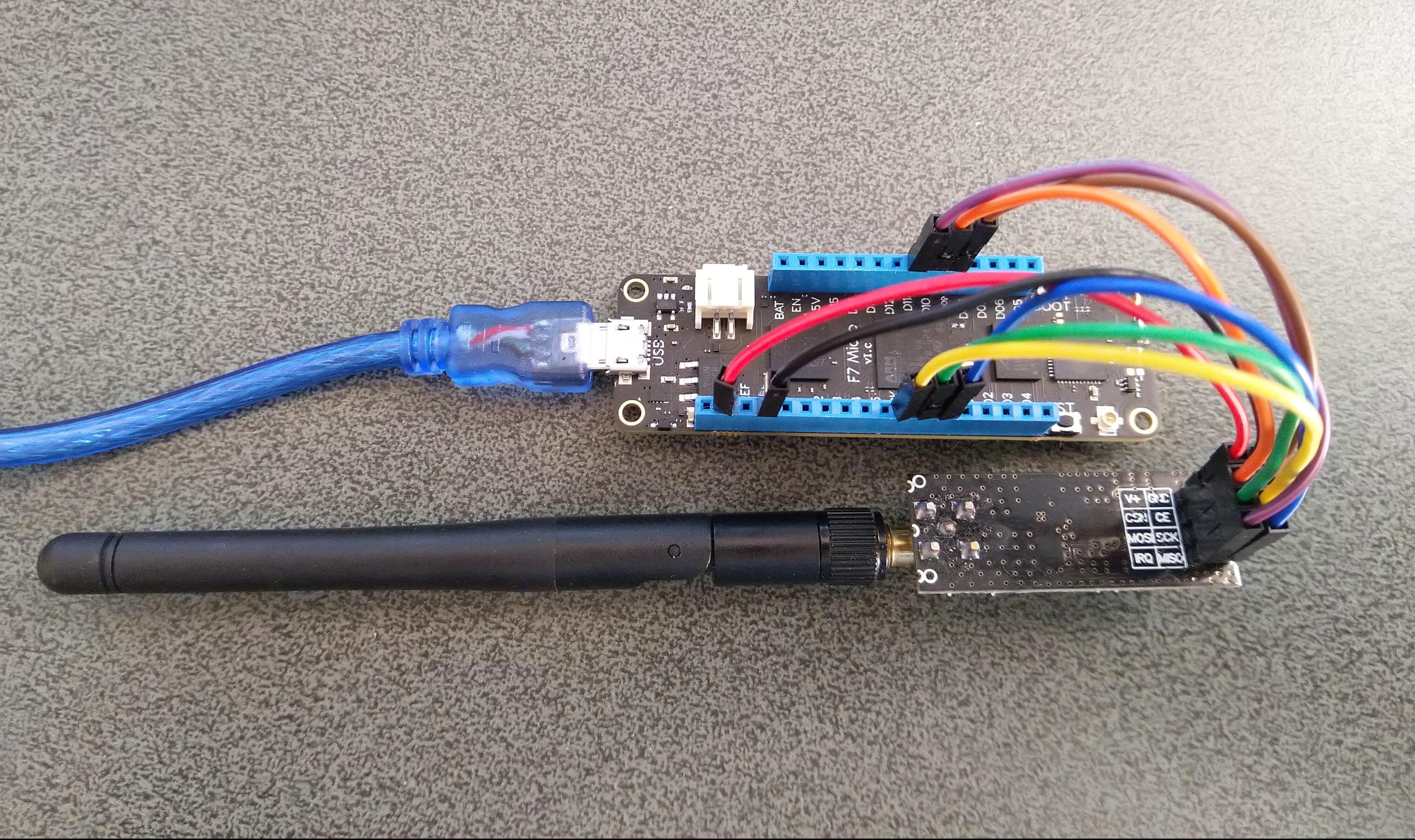
I added a digital output port for the Chip Select and because I can specify the interrupt trigger edge I removed the test from the interrupt handler.
 public void Initialize(IIODevice device, ISpiBus spiBus, IPin chipEnablePin, IPin chipSelectLine, IPin interruptPin)
{
   _SpiBus = spiBus;

   _cePin = device.CreateDigitalOutputPort(chipEnablePin, false);

   _csPin = device.CreateDigitalOutputPort(chipSelectLine, false);

   _irqPin = device.CreateDigitalInputPort(interruptPin, InterruptMode.EdgeFalling, resistorMode: ResistorMode.PullUp);
   _irqPin.Changed += InterruptGpioPin_ValueChanged;

   // Module reset time
   Task.Delay(100).GetAwaiter().GetResult();

   IsInitialized = true;

   // Set reasonable default values
   Address = Encoding.UTF8.GetBytes("NRF1");
   DataRate = DataRate.DR2Mbps;
   IsDynamicPayload = true;
   IsAutoAcknowledge = true;

   FlushReceiveBuffer();
   FlushTransferBuffer();
   ClearIrqMasks();
   SetRetries(5, 60);

   // Setup, CRC enabled, Power Up, PRX
   SetReceiveMode();
}
The core of the Initialise method was moved to the Meadow application startup.
public MeadowApp()
{
   try
   {
		var config = new Meadow.Hardware.SpiClockConfiguration(
			2000,
			SpiClockConfiguration.Mode.Mode0);

		ISpiBus spiBus = Device.CreateSpiBus(
			Device.Pins.SCK,
			Device.Pins.MOSI,
			Device.Pins.MISO,config);

		Radio.OnDataReceived += Radio_OnDataReceived;
		Radio.OnTransmitFailed += Radio_OnTransmitFailed;
		Radio.OnTransmitSuccess += Radio_OnTransmitSuccess;

		Radio.Initialize(Device, spiBus, Device.Pins.D09, Device.Pins.D10, Device.Pins.D11);
		Radio.Address = Encoding.UTF8.GetBytes(DeviceAddress);

		Radio.Channel = nRF24Channel;
		Radio.PowerLevel = PowerLevel.High;
		Radio.DataRate = DataRate.DR250Kbps;
		Radio.IsEnabled = true;

		Radio.IsAutoAcknowledge = true;
		Radio.IsDyanmicAcknowledge = false;
		Radio.IsDynamicPayload = true;

		Console.WriteLine($"Address: {Encoding.UTF8.GetString(Radio.Address)}");
		Console.WriteLine($"PA: {Radio.PowerLevel}");
		Console.WriteLine($"IsAutoAcknowledge: {Radio.IsAutoAcknowledge}");
		Console.WriteLine($"Channel: {Radio.Channel}");
		Console.WriteLine($"DataRate: {Radio.DataRate}");
		Console.WriteLine($"Power: {Radio.PowerLevel}");
		Console.WriteLine($"IsDynamicAcknowledge: {Radio.IsDyanmicAcknowledge}");
		Console.WriteLine($"IsDynamicPayload: {Radio.IsDynamicPayload}");
		Console.WriteLine($"IsEnabled: {Radio.IsEnabled}");
		Console.WriteLine($"Frequency: {Radio.Frequency}");
		Console.WriteLine($"IsInitialized: {Radio.IsInitialized}");
		Console.WriteLine($"IsPowered: {Radio.IsPowered}");
	}
	catch (Exception ex)
	{
		Console.WriteLine(ex.Message);

		return;
	}
I modified the GetStatus and ExecuteMethods to use the ExchangeData method
   /// <summary>
      ///   Executes a command in NRF24L01+ (for details see module datasheet)
      /// </summary>
      /// <param name = "command">Command</param>
      /// <param name = "addres">Register to write to or read from</param>
      /// <param name = "data">Data to write or buffer to read to</param>
      /// <returns>Response byte array. First byte is the status register</returns>
      public byte[] Execute(byte command, byte addres, byte[] data)
      {
         CheckIsInitialized();

         // This command requires module to be in power down or standby mode
         if (command == Commands.W_REGISTER)
            IsEnabled = false;

         // Create SPI Buffers with Size of Data + 1 (For Command)
         var writeBuffer = new byte[data.Length + 1];
         var readBuffer = new byte[data.Length + 1];

         // Add command and address to SPI buffer
         writeBuffer[0] = (byte)(command | addres);

         // Add data to SPI buffer
         Array.Copy(data, 0, writeBuffer, 1, data.Length);

         // Do SPI Read/Write
         _SpiBus.ExchangeData(_csPin, ChipSelectMode.ActiveLow, writeBuffer, readBuffer);

         // Enable module back if it was disabled
         if (command == Commands.W_REGISTER && _enabled)
            IsEnabled = true;

         // Return ReadBuffer
         return readBuffer;
      }

      /// <summary>
      ///   Gets module basic status information
      /// </summary>
      /// <returns>Status object representing the current status of the radio</returns>
      public Status GetStatus()
      {
         CheckIsInitialized();

         var readBuffer = new byte[1];
         _SpiBus.ExchangeData(_csPin, ChipSelectMode.ActiveLow, new[] { Commands.NOP }, readBuffer);

         return new Status(readBuffer[0]);
      }
After these modifications I can send and receive messages but the PowerLevel doesn’t look right.
The program '[16720] App.exe' has exited with code 0 (0x0).
 IsPowered: True
 Address: Dev01
 PA: 15
 IsAutoAcknowledge: True
 Channel: 15
 DataRate: DR250Kbps
 Power: 15
 IsDynamicAcknowledge: False
 IsDynamicPayload: True
 IsEnabled: False
 Frequency: 2415
 IsInitialized: True
 IsPowered: True
 00:00:18-TX 8 byte message hello 17
 Data Sent!
00:00:18-TX Succeeded!
 00:00:48-TX 8 byte message hello 48
 Data Sent!
Time to dig into the nRF24L01P datasheet.
 devMobile's blog
Pingback: .Net Meadow nRF24L01 library Part3 | devMobile's blog