Building Cloud AI with Copilot – ResNet50 Azure HTTP Function

Introduction

This is another awfully long post about my experience using Copilot to write an Azure HTTP Trigger function that runs a resnet50 V2.7 Open Neural Network Exchange model(ONNX) on an image in the body of the HTTP POST.

For testing I was uploading the images with Telerik Fiddler Classic.

I forgot to specify language, so Copilot assumed (reasonably) that I wanted a Python Azure HTTP Trigger function.
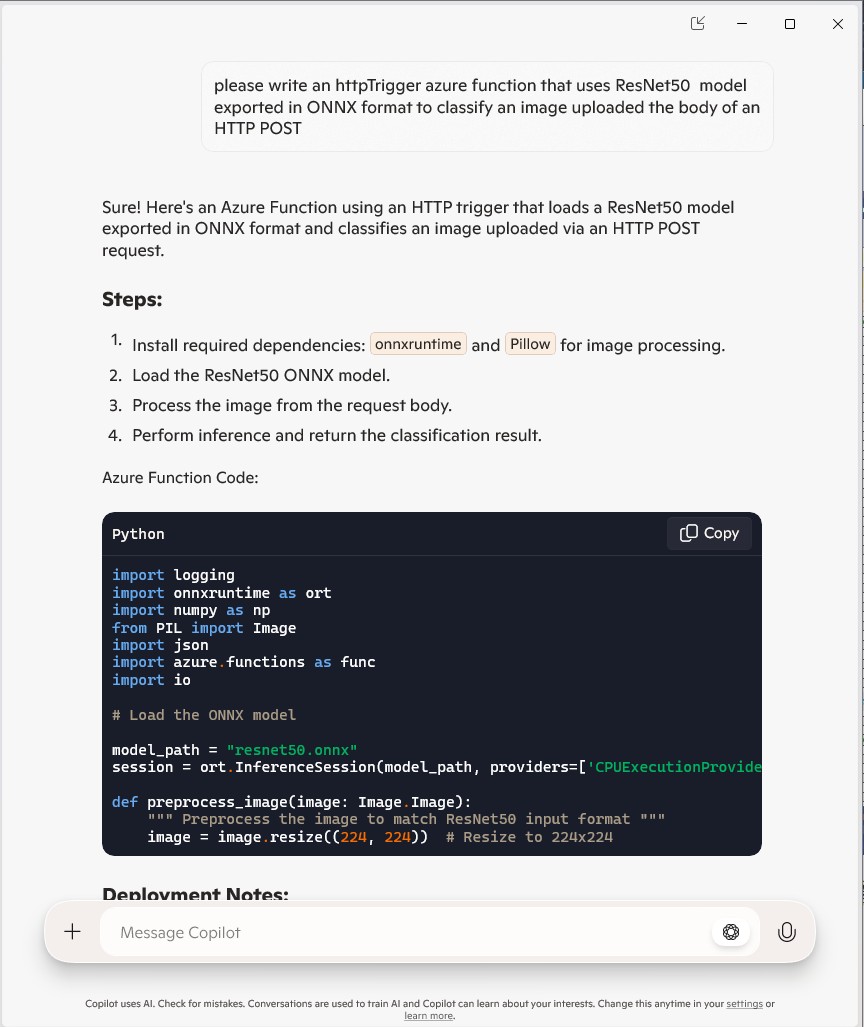
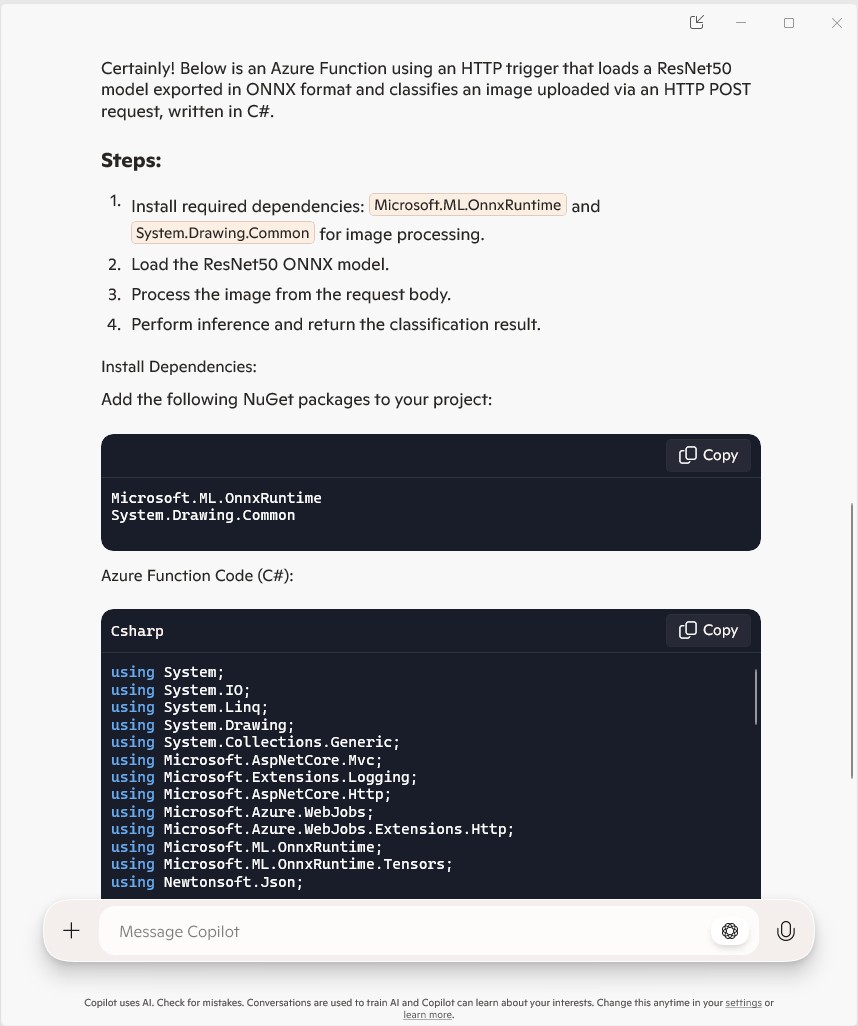
The initial C# version wouldn’t compile because of the FunctionName attribute which is used for in-process Azure Functions. It did seem a bit odd that Copilot would generate code that support will end for November 10, 2026

public static class Function1
{
   private static readonly InferenceSession session = new InferenceSession("resnet50.onnx");

   [FunctionName("ImageClassification")]
   public static IActionResult Run(
       [HttpTrigger(AuthorizationLevel.Function, "post")] HttpRequest req,
       ILogger log)
   {
      log.LogInformation("Processing image classification request...");

      try
      {
         using var ms = new MemoryStream();
         req.Body.CopyTo(ms);
         using var image = Image.FromStream(ms);

         var inputTensor = PreprocessImage(image);

         var inputName = session.InputMetadata.Keys.First();
         var outputName = session.OutputMetadata.Keys.First();
         var result = session.Run(new Dictionary<string, NamedOnnxValue>
            {
                { inputName, NamedOnnxValue.CreateFromTensor(inputName, inputTensor) }
            });

         var predictions = result.First().AsTensor<float>().ToArray();

         return new JsonResult(new { predictions });
      }
      catch (Exception ex)
      {
         log.LogError($"Error: {ex.Message}");
         return new BadRequestObjectResult("Invalid image or request.");
      }
   }
...
}

It was just easier to change the FunctionName attribute manually.
public static class Function1
{
   private static readonly InferenceSession session = new InferenceSession("resnet50.onnx");

   [Function("ImageClassification")]
   public static IActionResult Run(
       [HttpTrigger(AuthorizationLevel.Function, "post")] HttpRequest req,
       ILogger log)
   {
      log.LogInformation("Processing image classification request...");

      try
      {
         using var ms = new MemoryStream();
         req.Body.CopyTo(ms);
         using var image = Image.FromStream(ms);

         var inputTensor = PreprocessImage(image);

         var inputName = session.InputMetadata.Keys.First();
         var outputName = session.OutputMetadata.Keys.First();
         var inputList = new List<NamedOnnxValue>
            {
                NamedOnnxValue.CreateFromTensor(inputName, inputTensor)
            };

         var result = session.Run(inputList);

         var predictions = result.First().AsTensor<float>().ToArray();

         return new JsonResult(new { predictions });
      }
      catch (Exception ex)
      {
         log.LogError($"Error: {ex.Message}");
         return new BadRequestObjectResult("Invalid image or request.");
      }
   }

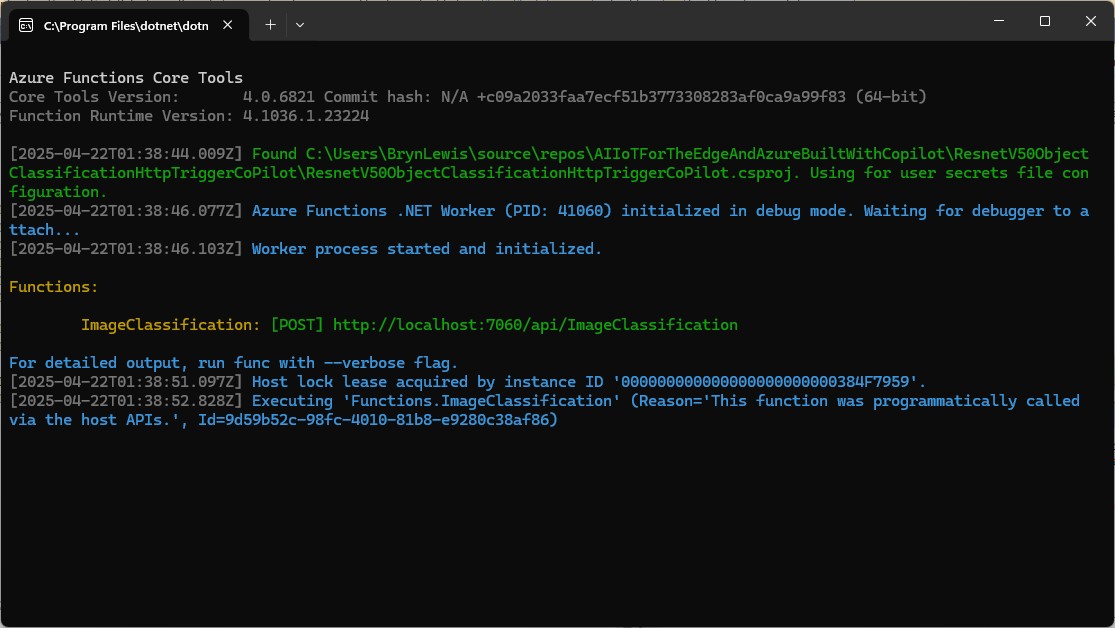
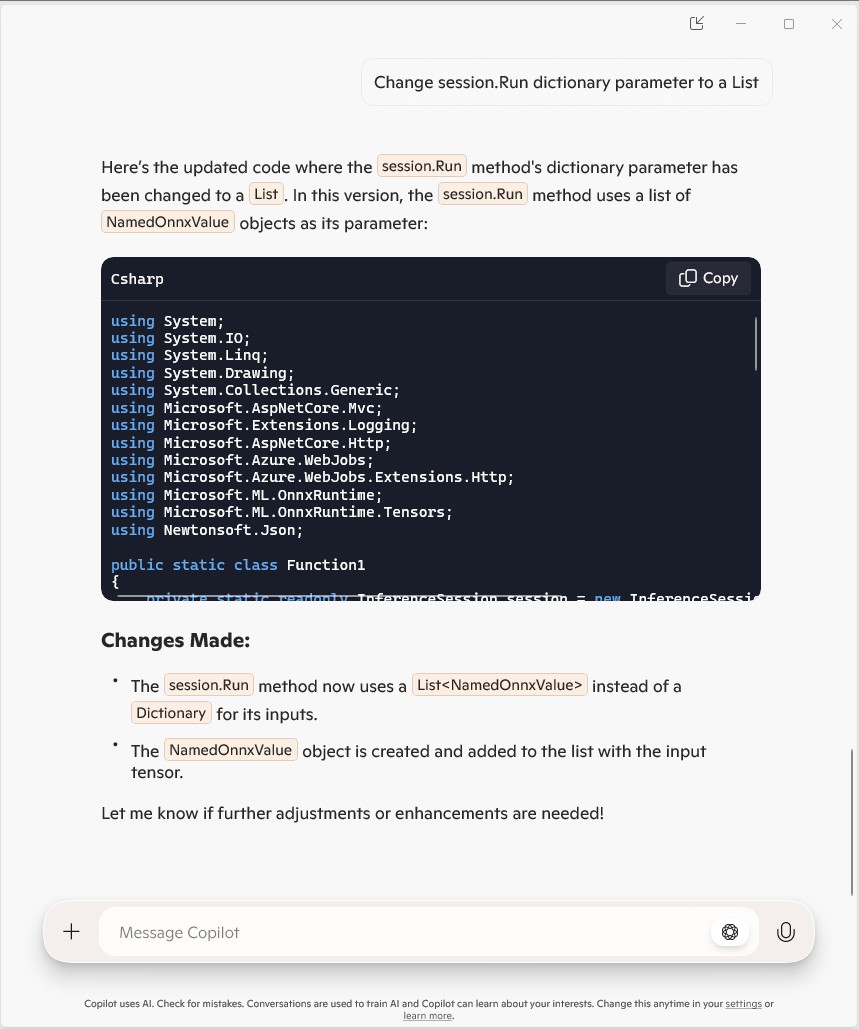
The Azure HTTP Trigger function ran but failed when I tried to classify an image

The initialisation of the ILogger injected into the Run method was broken so I used Copilot to update the code to use constructor Dependency Injection (DI).

public static class Function1
{
   private static readonly ILogger logger;
   private static readonly InferenceSession session = new InferenceSession("resnet50-v2-7.onnx");

   // Static constructor to initialize logger
   static Function1()
   {
      var loggerFactory = LoggerFactory.Create(builder =>
      {
         builder.AddConsole();
      });
      logger = loggerFactory.CreateLogger("Function1Logger");
   }

   [Function("ImageClassification")]
   public static IActionResult Run([HttpTrigger(AuthorizationLevel.Function, "post")] HttpRequest req)
   {
      logger.LogInformation("Processing image classification request...");

      try
      {
         using var ms = new MemoryStream();
         req.Body.CopyTo(ms);
         using var image = Image.FromStream(ms);

         var inputTensor = PreprocessImage(image);

         var inputName = session.InputMetadata.Keys.First();
         var outputName = session.OutputMetadata.Keys.First();
         var inputList = new List<NamedOnnxValue>
            {
                NamedOnnxValue.CreateFromTensor(inputName, inputTensor)
            };

         var result = session.Run(inputList);

         var predictions = result.First().AsTensor<float>().ToArray();

         return new JsonResult(new { predictions });
      }
      catch (Exception ex)
      {
         logger.LogError($"Error: {ex.Message}");
         return new BadRequestObjectResult("Invalid image or request.");
      }
   }
...
}

It was a bit odd that Copilot generated a static function and constructor unlike the equivalent YoloSharp Azure HTTP Trigger.

The Azure HTTP Trigger function ran but failed when I tried to classify an image

The Azure HTTP Trigger function ran but failed with a 400 Bad Request when I tried to classify an image
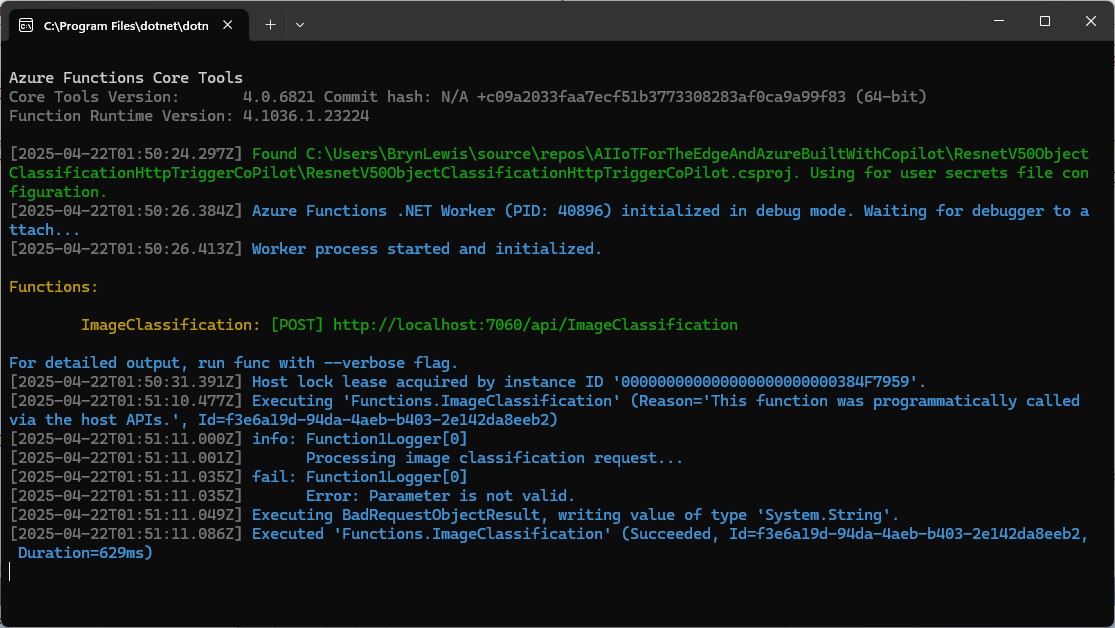
After some debugging I realised that Telerik Fiddle Classic was sending the image as form data so I modified the “composer” payload configuration.

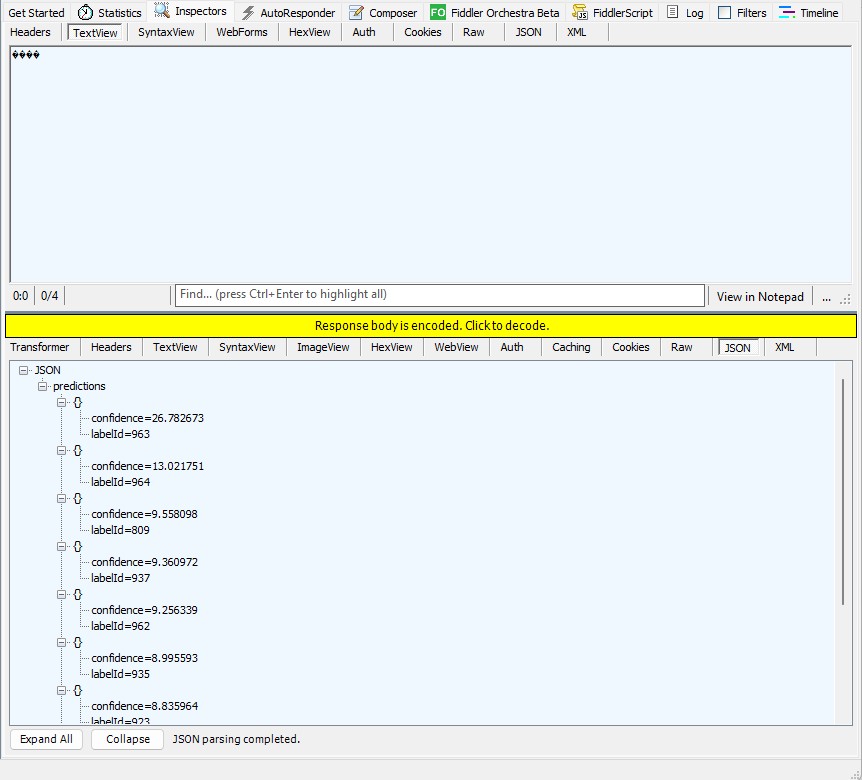
Then the Azure HTTP Trigger function ran but the confidence values were wrong.
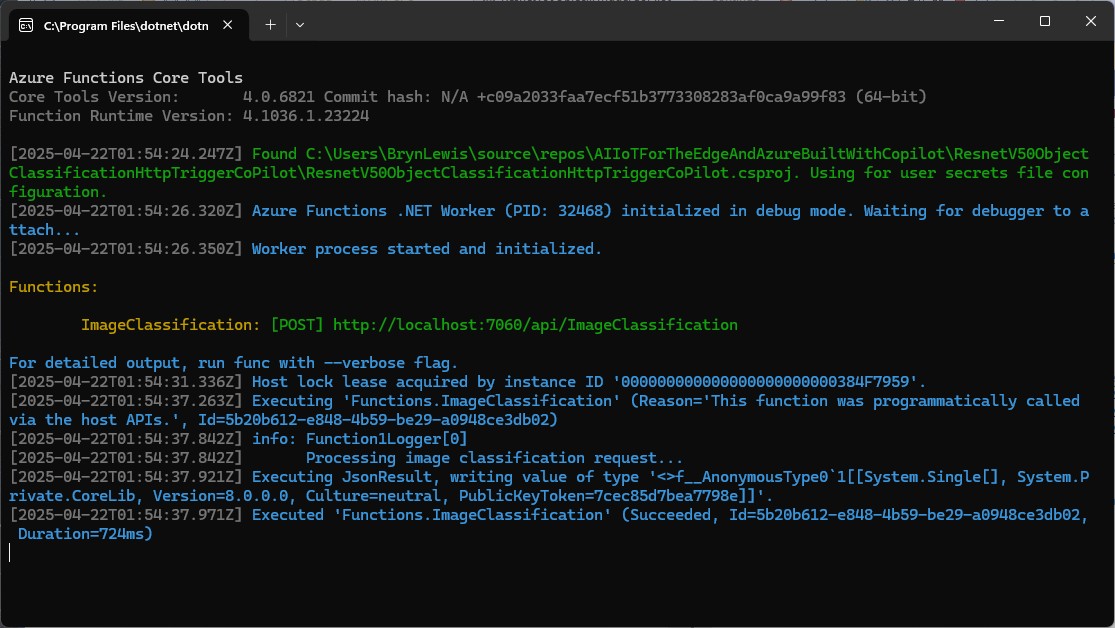
The confidence values were incorrect, so I checked the ResNet50 pre-processing instructions

The image needs to be preprocessed before fed to the network. The first step is to extract a 224x224 crop from the center of the image. For this, the image is first scaled to a minimum size of 256x256, while keeping aspect ratio. That is, the shortest side of the image is resized to 256 and the other side is scaled accordingly to maintain the original aspect ratio. After that, the image is normalized with mean = 255*[0.485, 0.456, 0.406] and std = 255*[0.229, 0.224, 0.225]. Last step is to transpose it from HWC to CHW layout.
 private static Tensor<float> PreprocessImage(Image image)
 {
    var resized = new Bitmap(image, new Size(224, 224));
    var tensorData = new float[1 * 3 * 224 * 224];

    float[] mean = { 0.485f, 0.456f, 0.406f };
    float[] std = { 0.229f, 0.224f, 0.225f };

    for (int y = 0; y < 224; y++)
    {
       for (int x = 0; x < 224; x++)
       {
          var pixel = resized.GetPixel(x, y);

          tensorData[(0 * 3 * 224 * 224) + (0 * 224 * 224) + (y * 224) + x] = (pixel.R / 255.0f - mean[0]) / std[0];
          tensorData[(0 * 3 * 224 * 224) + (1 * 224 * 224) + (y * 224) + x] = (pixel.G / 255.0f - mean[1]) / std[1];
          tensorData[(0 * 3 * 224 * 224) + (2 * 224 * 224) + (y * 224) + x] = (pixel.B / 255.0f - mean[2]) / std[2];
       }
    }

    return new DenseTensor<float>(tensorData, new[] { 1, 3, 224, 224 });
 }

When the “normalisation” code was implemented and the Azure HTTP Trigger function run the confidence values were still incorrect.

The Azure HTTP Trigger function was working reliably but the number of results and size response payload was unnecessary.
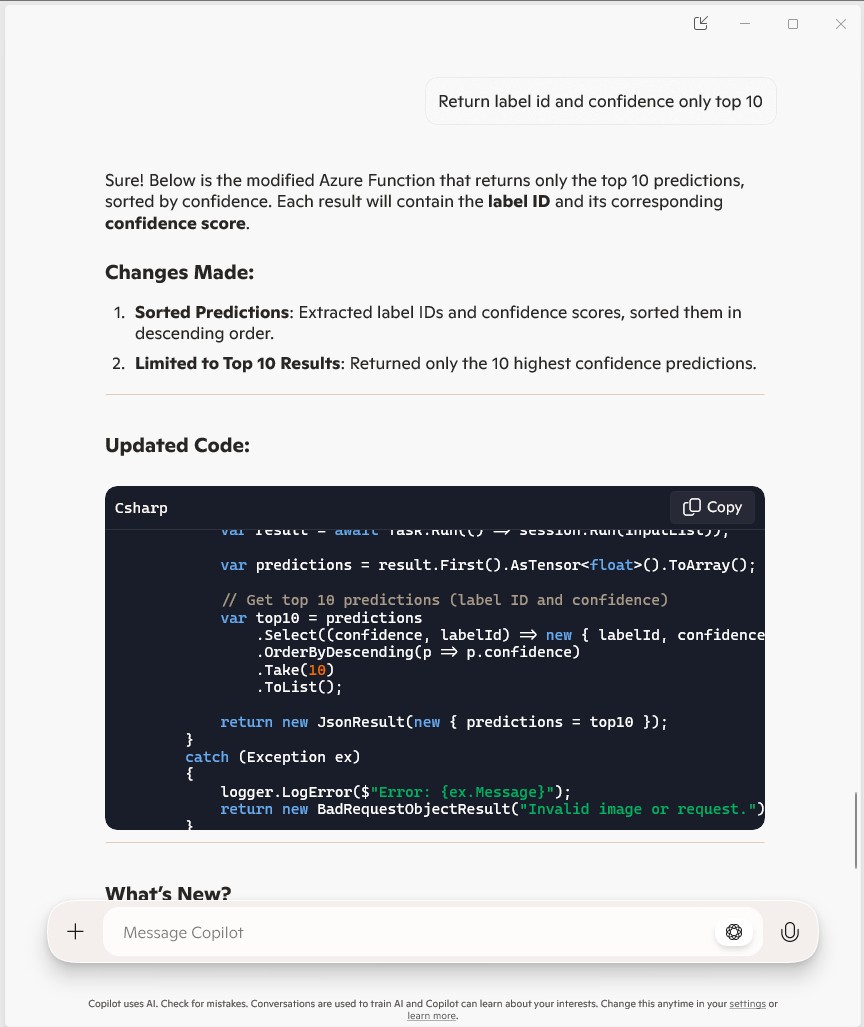
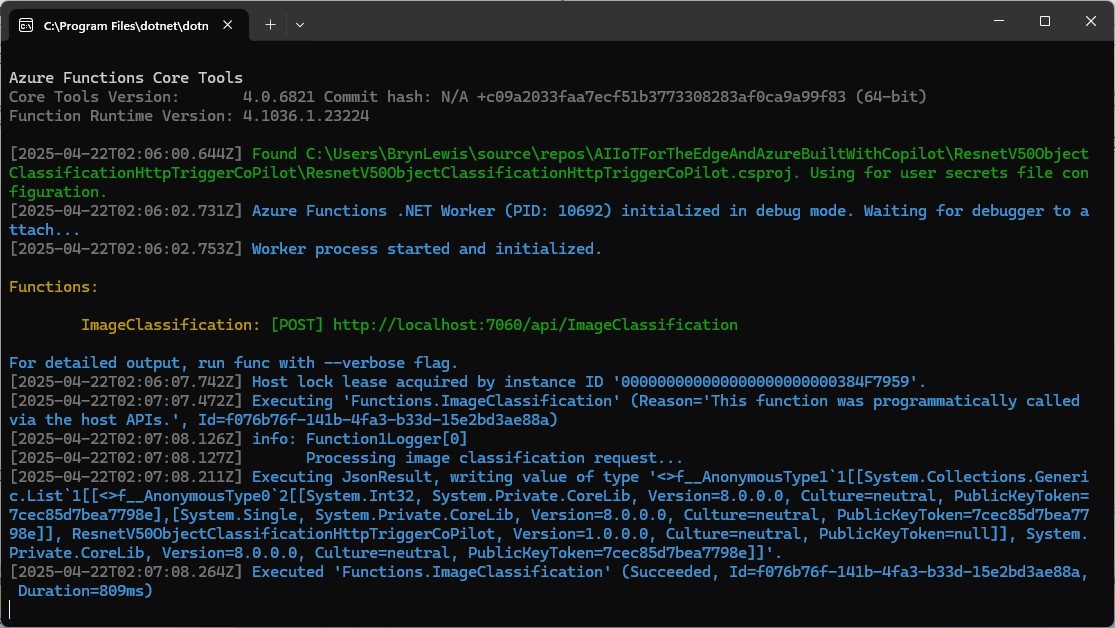
The Azure HTTP Trigger function ran but the confidence values were still incorrect, so I again checked the ResNet50 post-processing instructions

Postprocessing
The post-processing involves calculating the softmax probability scores for each class. You can also sort them to report the most probable classes. Check imagenet_postprocess.py for code.
 // Compute exponentials for all scores
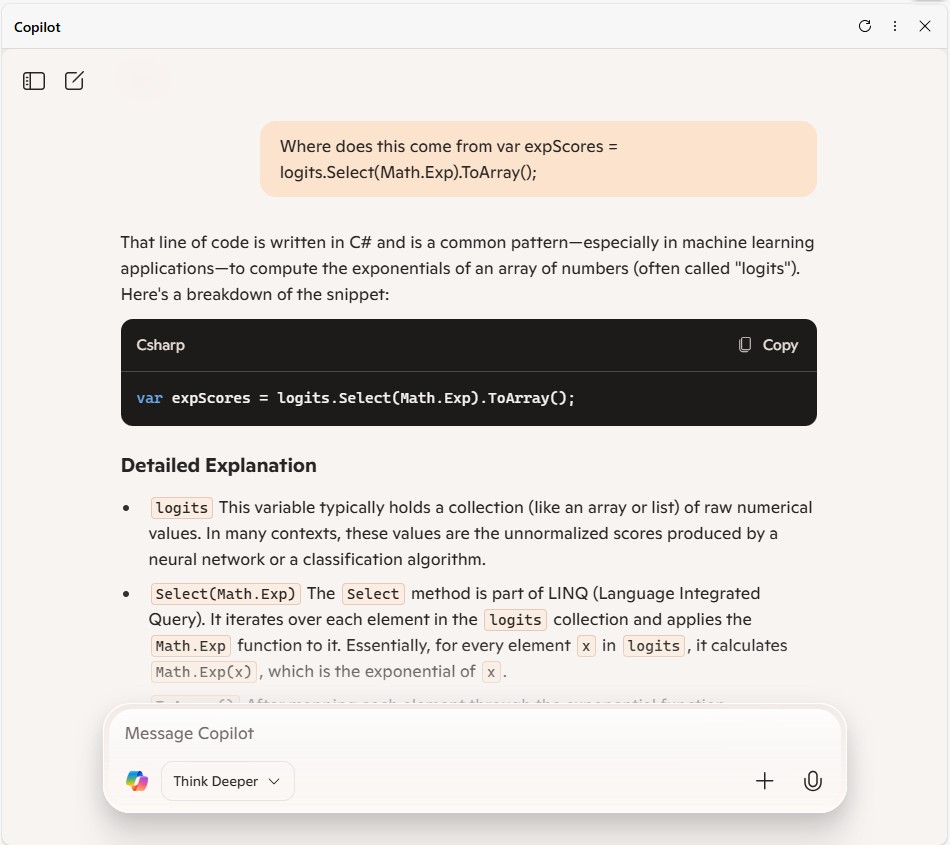
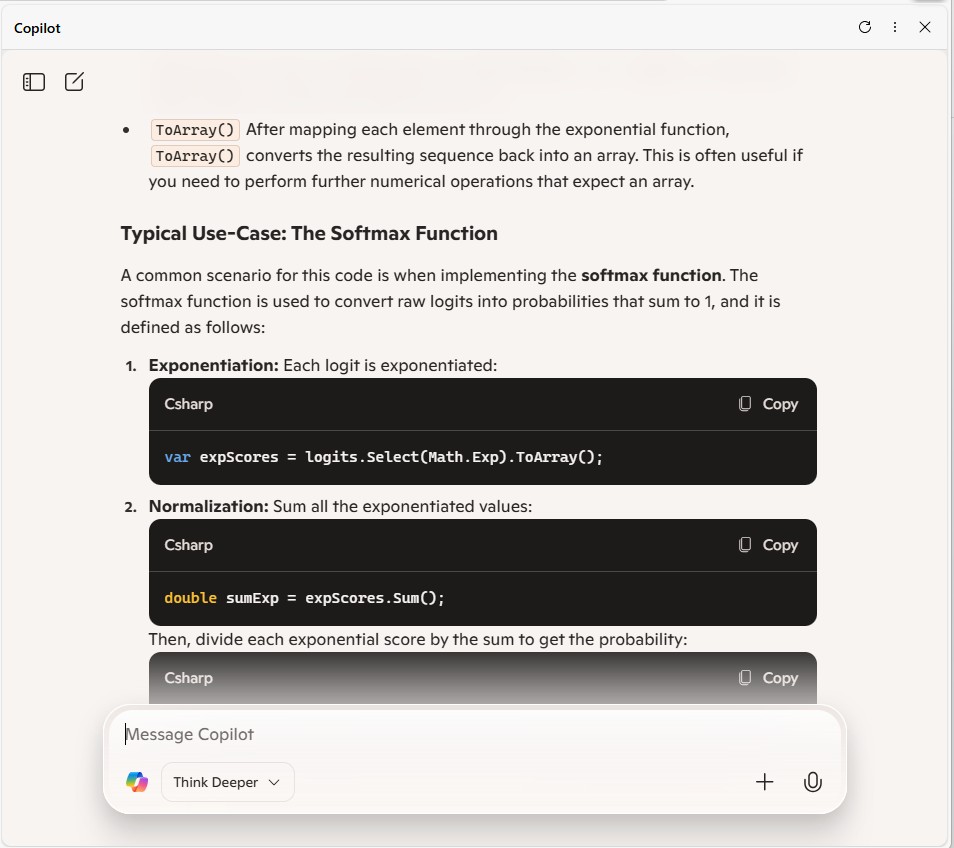
 var expScores = predictions.Select(MathF.Exp).ToArray();

 // Compute sum of exponentials
 float sumExpScores = expScores.Sum();

 // Normalize scores into probabilities
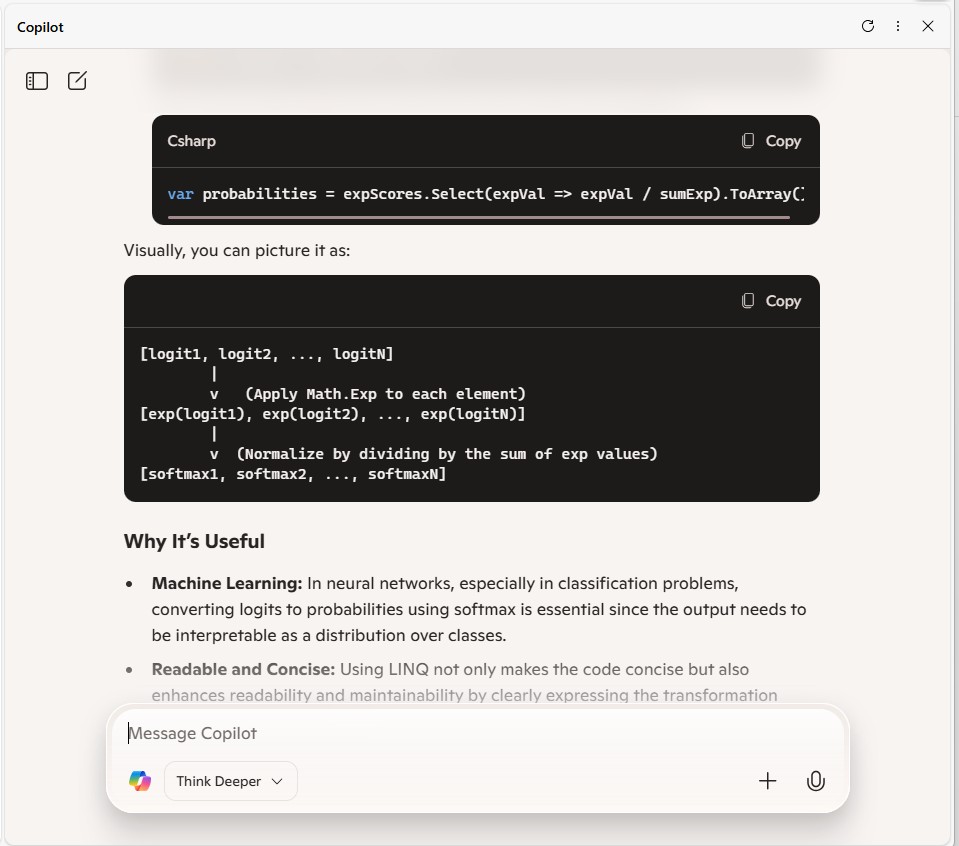
 var softmaxResults = expScores.Select(score => score / sumExpScores).ToArray();

 // Get top 10 predictions (label ID and confidence)
 var top10 = softmaxResults
     .Select((confidence, labelId) => new { labelId, confidence, label = labelId < labels.Count ? labels[labelId] : $"Unknown-{labelId}" })
     .OrderByDescending(p => p.confidence)
     .Take(10)
     .ToList();
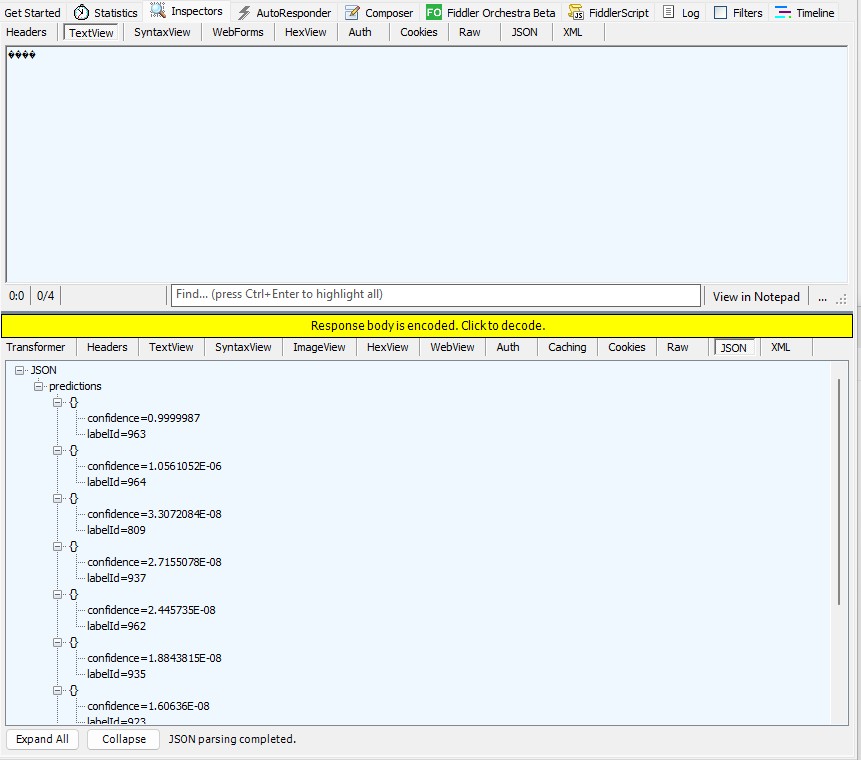
The Azure HTTP Trigger function should run on multiple platforms so System.Drawing.Comon had to be replaced with Sixlabors ImageSharp
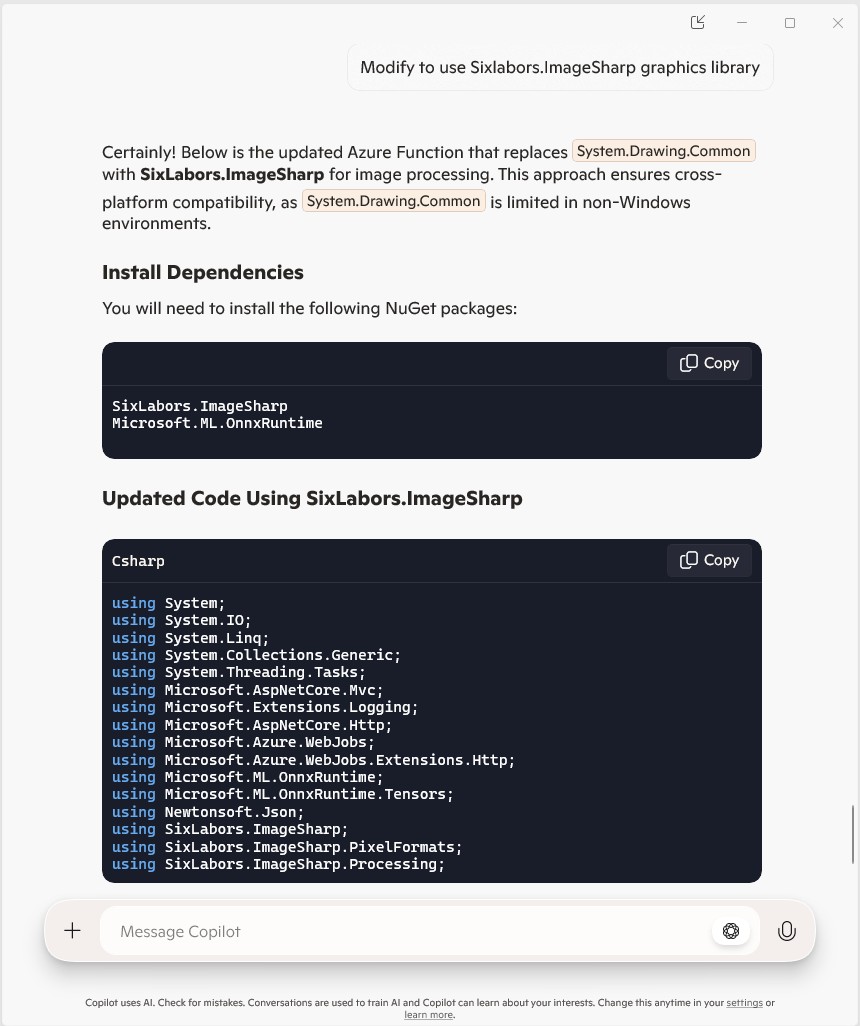
The Azure HTTP Trigger function ran but the Sixlabors ImageSharp based image classification failed.

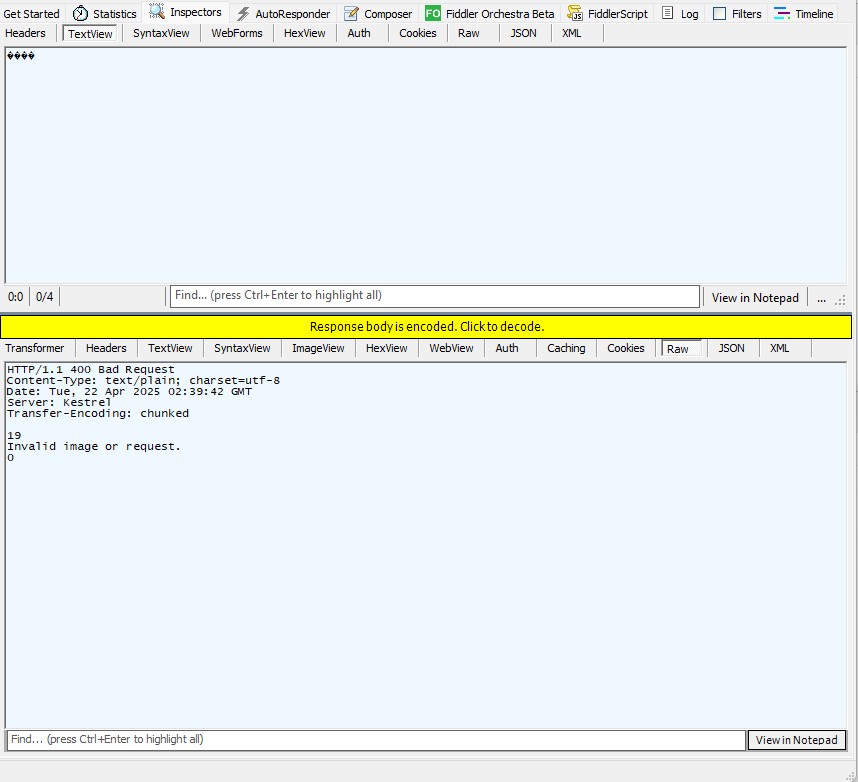
After some debugging I realised that the MemoryStream used to copy the HTTPRequest body was not being reset.

[Function("ImageClassification")]
public static async Task<IActionResult> Run(
    [HttpTrigger(AuthorizationLevel.Function, "post")] HttpRequest req)
{
   logger.LogInformation("Processing image classification request...");

   try
   {
      using var ms = new MemoryStream();
      await req.Body.CopyToAsync(ms);

      ms.Seek(0, SeekOrigin.Begin);

      using var image = Image.Load<Rgb24>(ms);

      var inputTensor = PreprocessImage(image);
...   
   }
   catch (Exception ex)
   {
      logger.LogError($"Error: {ex.Message}");
      return new BadRequestObjectResult("Invalid image or request.");
   }
}

The odd thing was the confidence values changed slightly when the code was modified to use Sixlabors ImageSharp
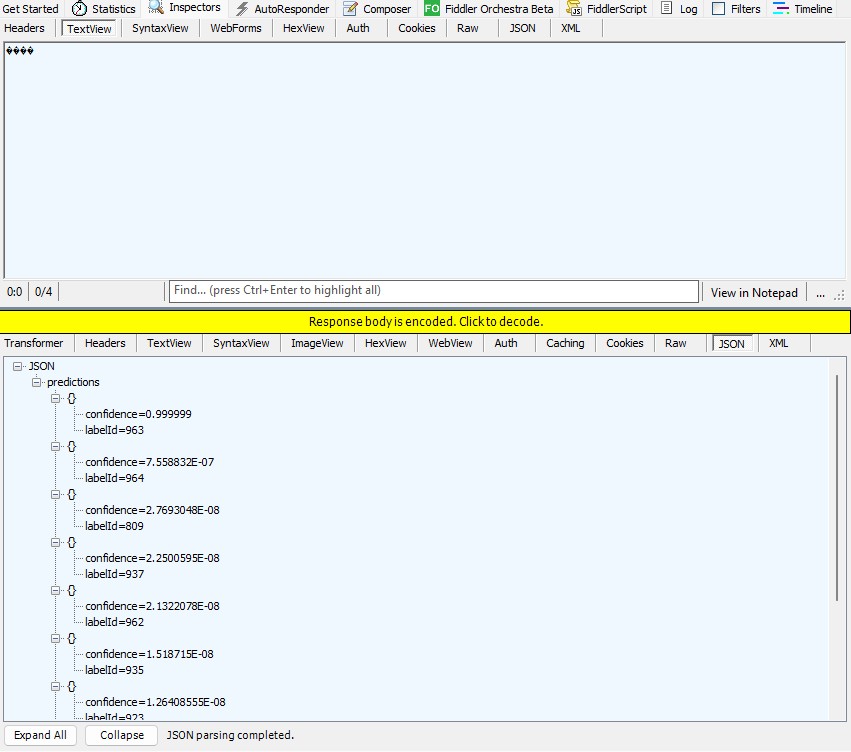
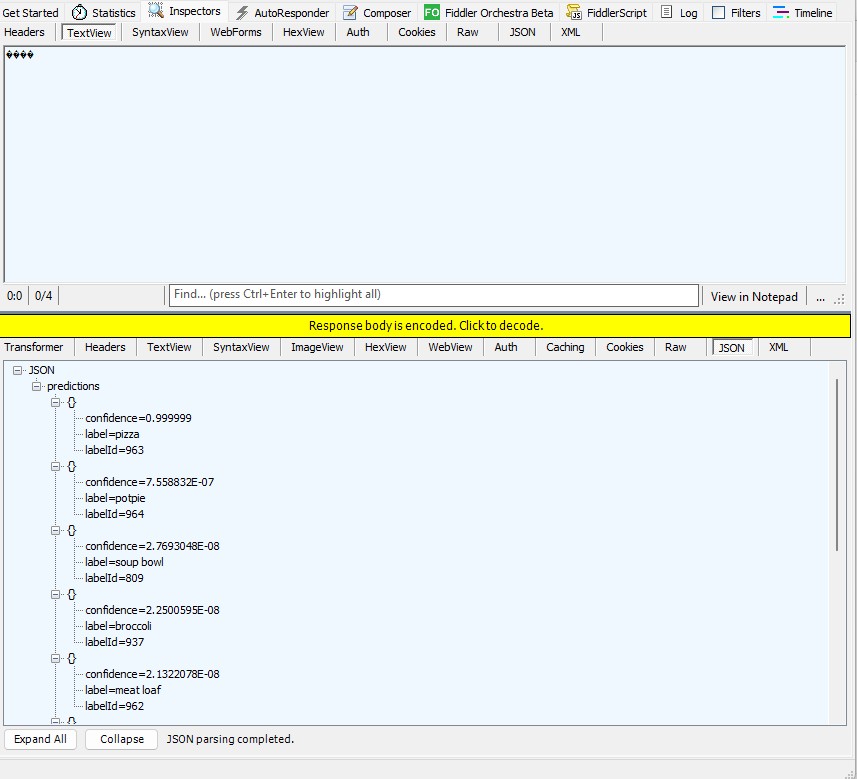
The Azure HTTP Trigger function worked but the labelId wasn’t that “human readable”.
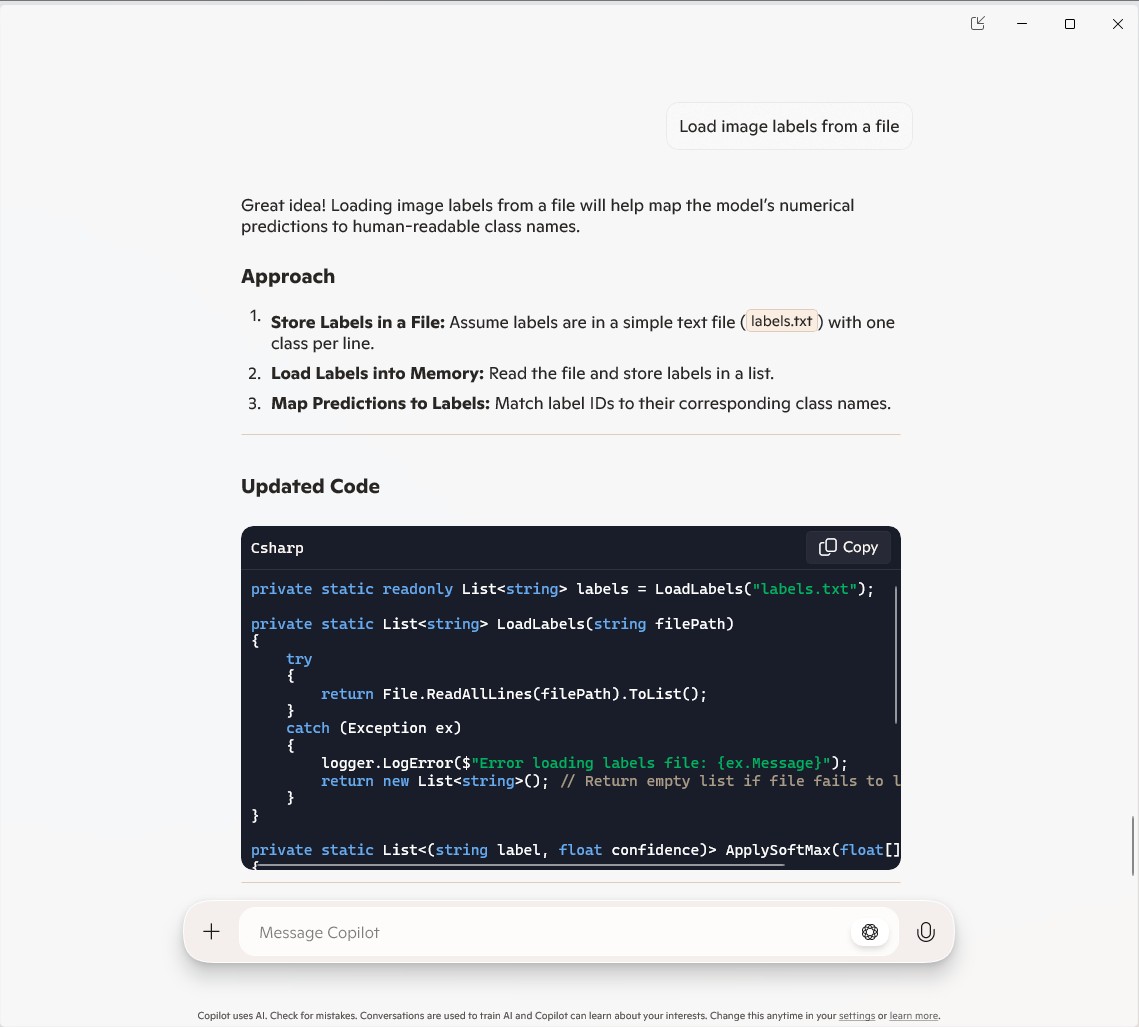
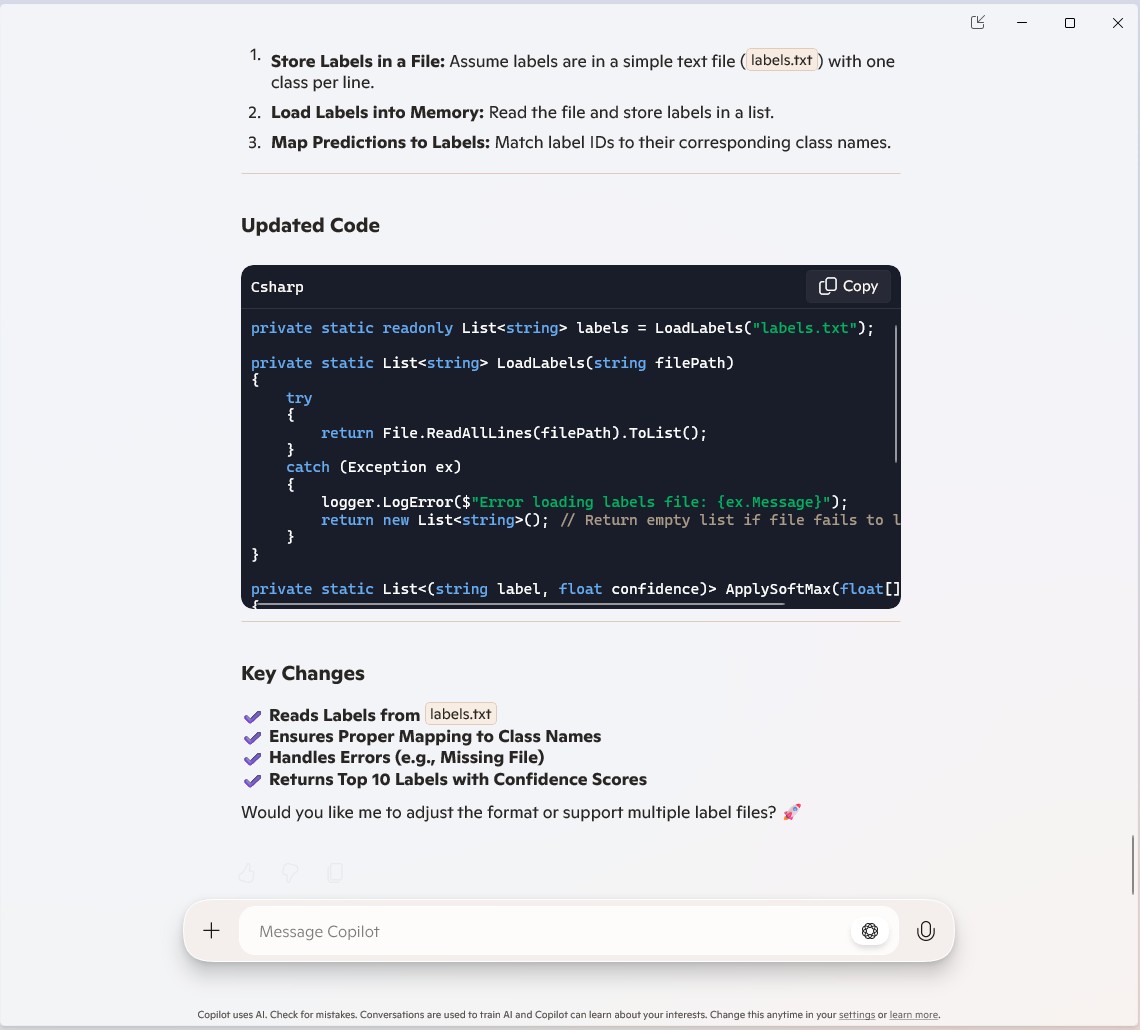
public static class Function1
{
   private static readonly ILogger logger;
   private static readonly InferenceSession session = new InferenceSession("resnet50-v2-7.onnx");
   private static readonly List<string> labels = LoadLabels("labels.txt");
...
   [Function("ImageClassification")]
   public static async Task<IActionResult> Run(
       [HttpTrigger(AuthorizationLevel.Function, "post")] HttpRequest req)
   {
      logger.LogInformation("Processing image classification request...");

      try
      {
...
         // Get top 10 predictions (label ID and confidence)
         var top10 = softmaxResults
             .Select((confidence, labelId) => new { labelId, confidence, label = labelId < labels.Count ? labels[labelId] : $"Unknown-{labelId}" })
             .OrderByDescending(p => p.confidence)
             .Take(10)
             .ToList();

         return new JsonResult(new { predictions = top10 });
      }
      catch (Exception ex)
      {
         logger.LogError($"Error: {ex.Message}");
         return new BadRequestObjectResult("Invalid image or request.");
      }
   }
...
   private static List<string> LoadLabels(string filePath)
   {
      try
      {
         return File.ReadAllLines(filePath).ToList();
      }
      catch (Exception ex)
      {
         logger.LogError($"Error loading labels file: {ex.Message}");
         return new List<string>(); // Return empty list if file fails to load
      }
   }
}
Summary

The Github Copilot generated code was okay but would be fragile and not scale terribly well. The confidence values changing very slightly when the code was updated for Sixlabors ImageSharp was disconcerting, but not surprising.

The Copilot generated code in this post is not suitable for production

Building Edge AI with Copilot-ResNet50 Client

Introduction

This is an awfully long post about my experience using Copilot to write a console application that runs a validated resnet50 V2.7 Open Neural Network Exchange model(ONNX) on an image loaded from disk.

I have found that often Copilot code generation is “better” but the user interface can be limiting.

The Copilot code generated compiled after the System.Drawing.Common and Microsoft.ML.OnnxRuntime NuGet packages were added to the project.

Input
All pre-trained models expect input images normalized in the same way, i.e. mini-batches 
of 3-channel RGB images of shape (N x 3 x H x W), where N is the batch size, and H and 
W are expected to be at least 224. The inference was done using jpeg image.

Preprocessing
The image needs to be preprocessed before fed to the network. The first step is to 
extract a 224x224 crop from the center of the image. For this, the image is first scaled 
to a minimum size of 256x256, while keeping aspect ratio. That is, the shortest side 
of the image is resized to 256 and the other side is scaled accordingly to maintain 
the original aspect ratio. 

After that, the image is normalized with mean = 255*[0.485, 0.456, 0.406] and std 
= 255*[0.229, 0.224, 0.225]. Last step is to transpose it from HWC to CHW layout.

The code also had a reasonable implementation of the ResnetV5 preprocessing instructions

static void Main()
{
   string modelPath = "resnet50-v2-7.onnx"; // Path to your ONNX model
   string imagePath = "pizza.jpg"; // Path to the input image

   using var session = new InferenceSession(modelPath);
   var inputTensor = LoadAndPreprocessImage(imagePath);

   var inputs = new List<NamedOnnxValue>
   {
       NamedOnnxValue.CreateFromTensor("input", inputTensor)
   };

   using var results = session.Run(inputs);
   var output = results.First().AsTensor<float>().ToArray();

   Console.WriteLine("Predicted class index: " + Array.IndexOf(output, output.Max()));
}

static DenseTensor<float> LoadAndPreprocessImage(string imagePath)
{
   using Bitmap bitmap = new Bitmap(imagePath);
   int width = 224, height = 224; // ResNet50 expects 224x224 input
   using Bitmap resized = new Bitmap(bitmap, new Size(width, height));

   var tensor = new DenseTensor<float>(new[] { 1, 3, width, height });
   for (int y = 0; y < height; y++)
   {
      for (int x = 0; x < width; x++)
      {
         Color pixel = resized.GetPixel(x, y);
         tensor[0, 0, y, x] = pixel.R / 255f; // Normalize
         tensor[0, 1, y, x] = pixel.G / 255f;
         tensor[0, 2, y, x] = pixel.B / 255f;
      }
   }
   return tensor;
}

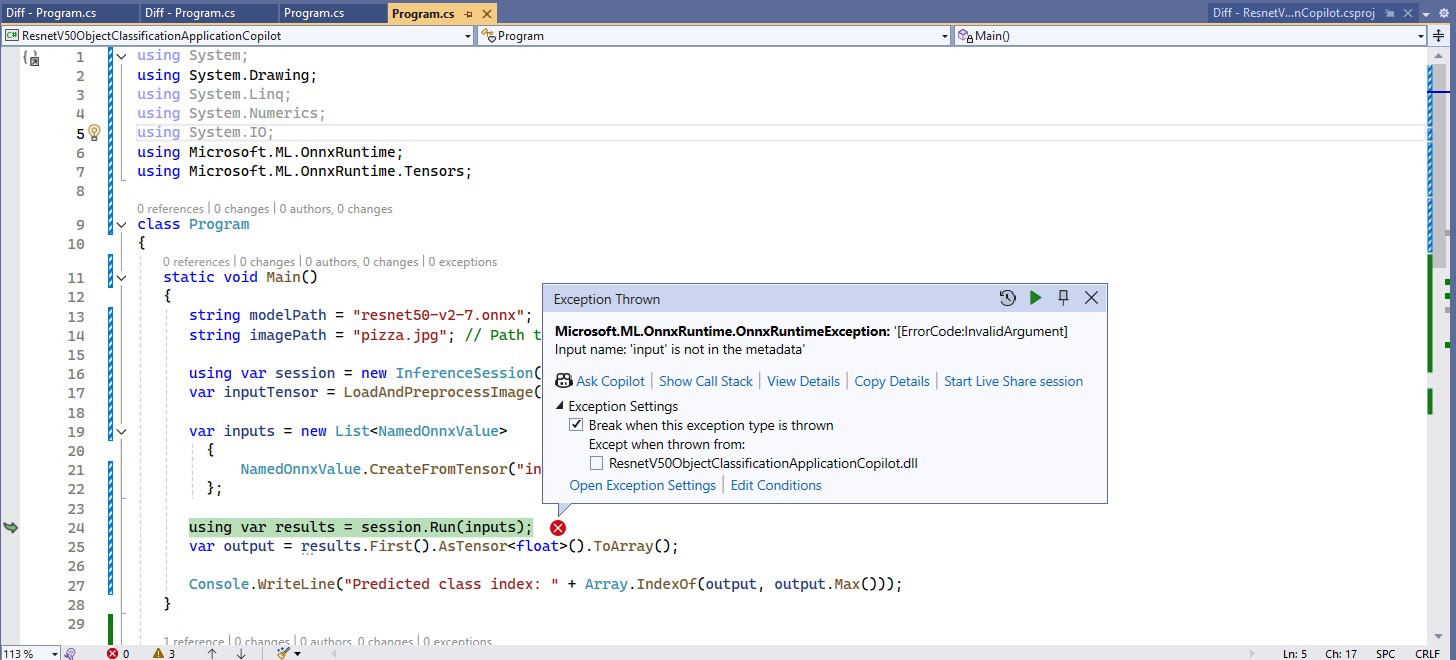
The program ran but failed with a Microsoft.ML.OnnxRuntime.OnnxRuntimeException Message=[ErrorCode:InvalidArgument] Input name: ‘input’ is not in the metadata

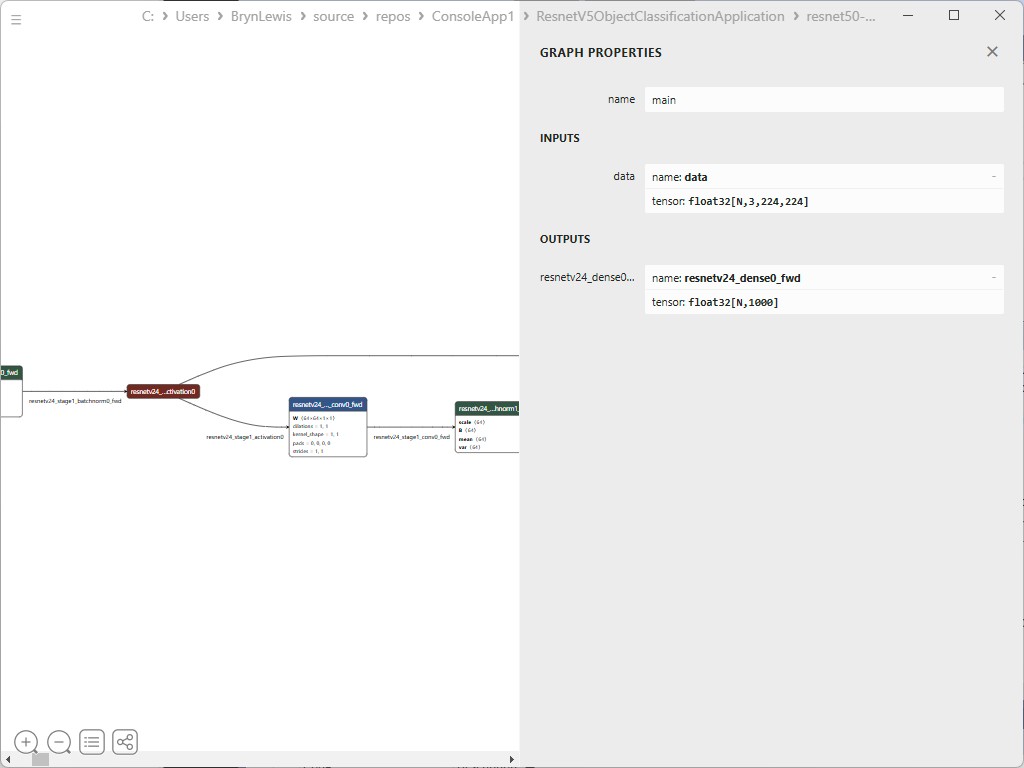
The name of the input tensor was wrong, so I used Netron to inspect the graph properties of the model.

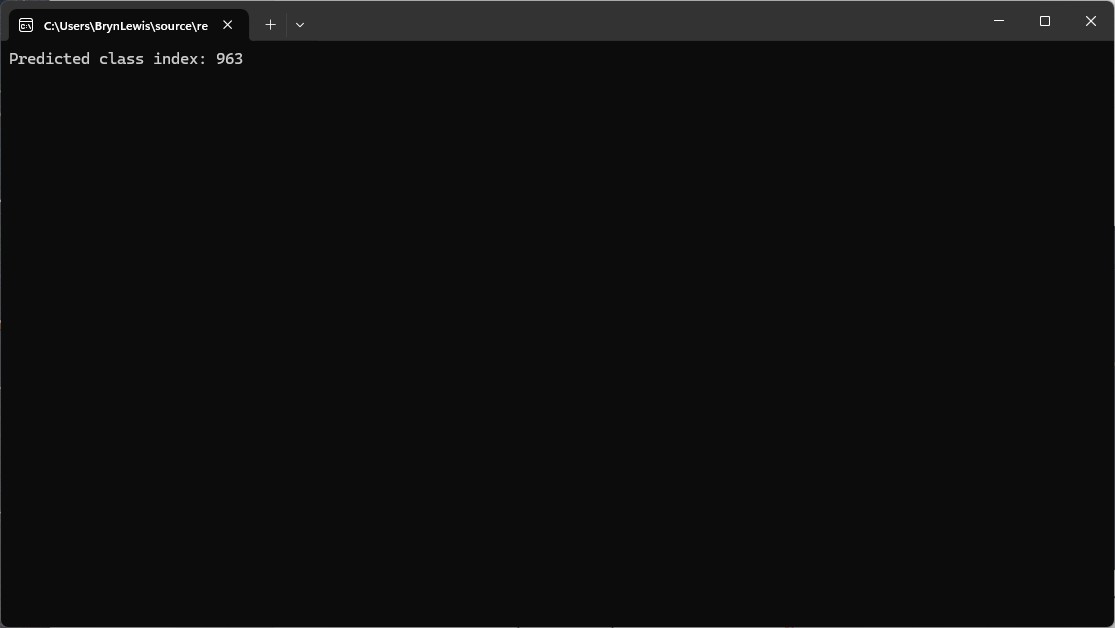
After the input tensor name was updated, the program ran

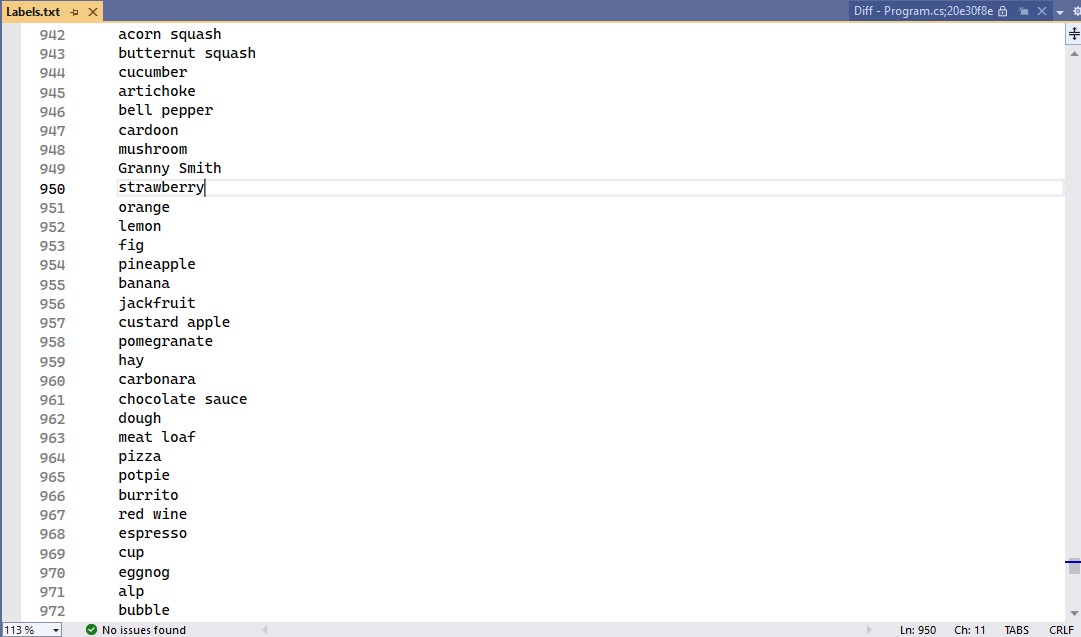
I checked the labels using the torchvison ImageNet categories and the results looked reasonable

The model and input file paths were wrong and I had been manually fixing them.

The confidence values didn’t look right so I re-read the preprocessing requirements for a ResNet model

Input
All pre-trained models expect input images normalized in the same way, i.e. mini-batches 
of 3-channel RGB images of shape (N x 3 x H x W), where N is the batch size, and H and 
W are expected to be at least 224. The inference was done using jpeg image.

Preprocessing
The image needs to be preprocessed before fed to the network. The first step is to 
extract a 224x224 crop from the center of the image. For this, the image is first scaled 
to a minimum size of 256x256, while keeping aspect ratio. That is, the shortest side 
of the image is resized to 256 and the other side is scaled accordingly to maintain 
the original aspect ratio. 

After that, the image is normalized with mean = 255*[0.485, 0.456, 0.406] and std 
= 255*[0.229, 0.224, 0.225]. Last step is to transpose it from HWC to CHW layout.

The Copilot generated code compiled and ran but the confidence values still didn’t look right, and the results tensor contained 1000 confidences values.

static void Main()
{
   string modelPath = "resnet50-v2-7.onnx"; // Updated model path
   string imagePath = "pizza.jpg"; // Updated image path

   using var session = new InferenceSession(modelPath);
   var inputTensor = LoadAndPreprocessImage(imagePath);

   var inputs = new List<NamedOnnxValue>
   {
      NamedOnnxValue.CreateFromTensor("data", inputTensor) // Using "data" as the input tensor name
   };

   using var results = session.Run(inputs);
   var output = results.First().AsTensor<float>().ToArray();

   Console.WriteLine("Predicted class index: " + Array.IndexOf(output, output.Max()));
}

static DenseTensor<float> LoadAndPreprocessImage(string imagePath)
{
   using Bitmap bitmap = new Bitmap(imagePath);
   int width = 224, height = 224; // ResNet50 expects 224x224 input
   using Bitmap resized = new Bitmap(bitmap, new Size(width, height));

   var tensor = new DenseTensor<float>(new[] { 1, 3, width, height });

   // ImageNet mean & standard deviation values
   float[] mean = { 0.485f, 0.456f, 0.406f };
   float[] stdev = { 0.229f, 0.224f, 0.225f };

   for (int y = 0; y < height; y++)
   {
      for (int x = 0; x < width; x++)
      {
         Color pixel = resized.GetPixel(x, y);

         // Normalize using mean and standard deviation
         tensor[0, 0, y, x] = (pixel.R / 255f - mean[0]) / stdev[0]; // Red channel
         tensor[0, 1, y, x] = (pixel.G / 255f - mean[1]) / stdev[1]; // Green channel
         tensor[0, 2, y, x] = (pixel.B / 255f - mean[2]) / stdev[2]; // Blue channel
      }
   }
   return tensor;
}

Because the results didn’t look right, I went back and read the ResNet50 post processing instructions

Output
The model outputs image scores for each of the 1000 classes of ImageNet.

Postprocessing
The post-processing involves calculating the softmax probability scores for each 
class. You can also sort them to report the most probable classes. Check 
imagenet_postprocess.py for code.

The Copilot generated code wouldn’t compile due to a syntax error.

static void Main()
{
   string modelPath = "resnet50-v2-7.onnx"; // Updated model path
   string imagePath = "pizza.jpg"; // Updated image path

   using var session = new InferenceSession(modelPath);
   var inputTensor = LoadAndPreprocessImage(imagePath);

   var inputs = new List<NamedOnnxValue>
   {
      NamedOnnxValue.CreateFromTensor("data", inputTensor) // Using "data" as the input tensor name
   };

   using var results = session.Run(inputs);
   var output = results.First().AsTensor<float>().ToArray();

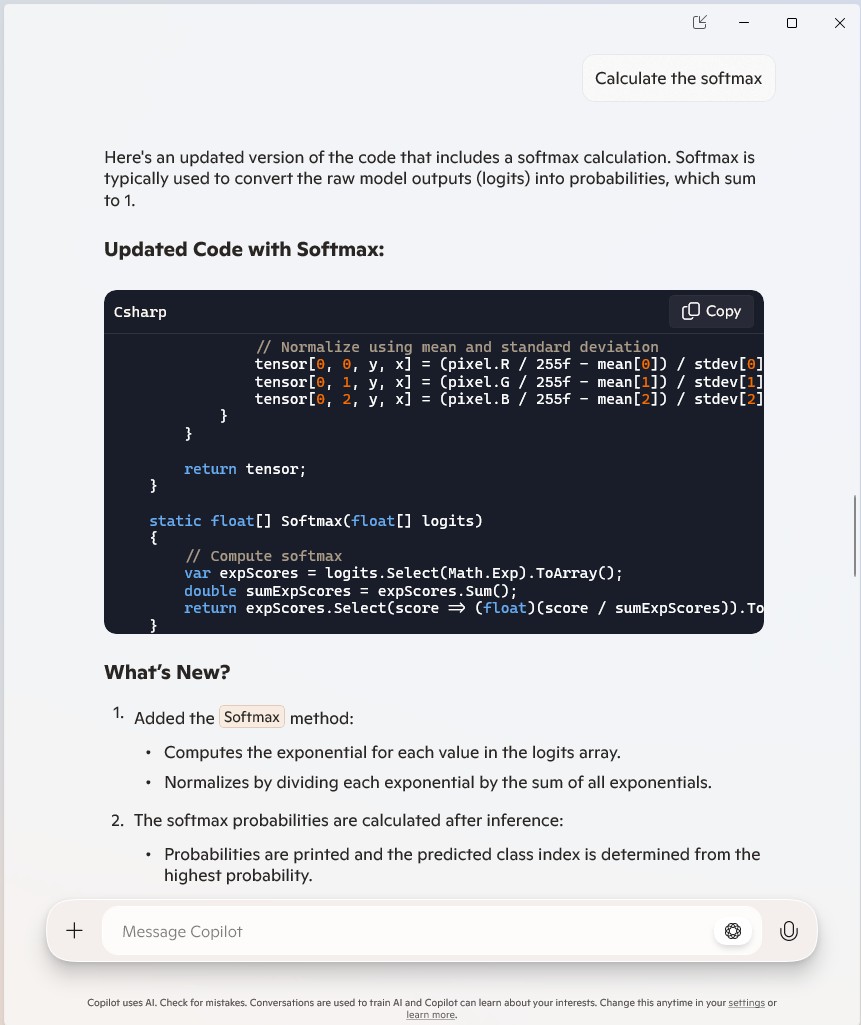
   // Calculate softmax
   var probabilities = Softmax(output);

   // Get the class index with the highest probability
   int predictedClass = Array.IndexOf(probabilities, probabilities.Max());
   Console.WriteLine($"Predicted class index: {predictedClass}");
   Console.WriteLine($"Probabilities: {string.Join(", ", probabilities.Select(p => p.ToString("F4")))}");
}
...
static float[] Softmax(float[] logits)
{
   // Compute softmax
   var expScores = logits.Select(Math.Exp).ToArray();
   double sumExpScores = expScores.Sum();
   return expScores.Select(score => (float)(score / sumExpScores)).ToArray();
}

Copilot was adamant that the generated code was correct.

After trying different Copilot prompts the code had to be manually fixed, before it would compile

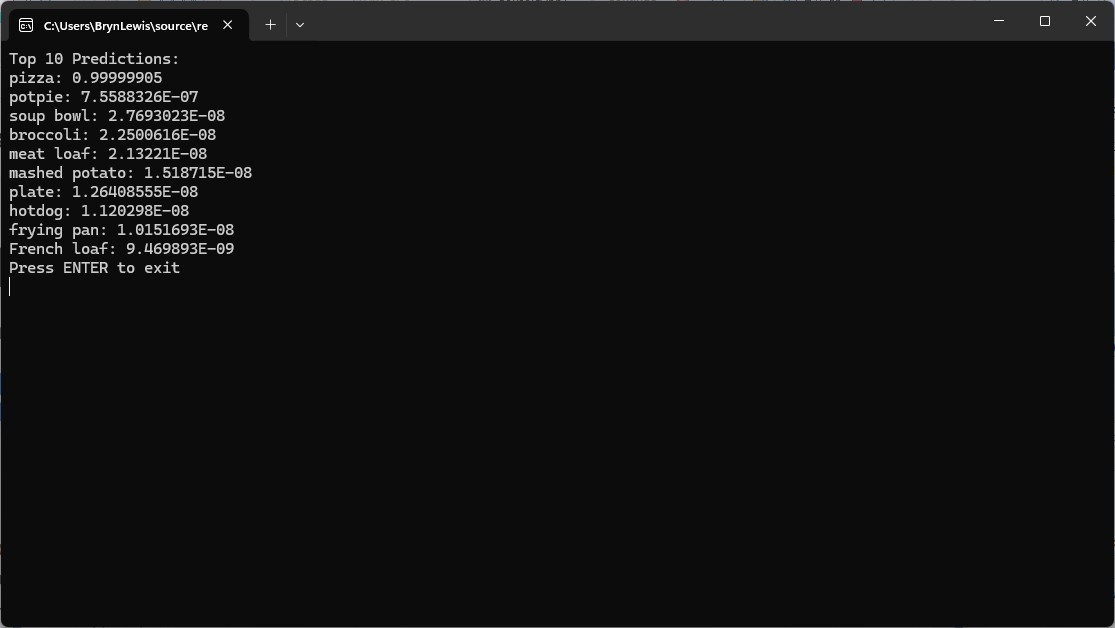
The Copilot generated code ran and the results for the top 10 confidence values looked reasonable

static void Main()
{
   string modelPath = "resnet50-v2-7.onnx"; // Updated model path
   string imagePath = "pizza.jpg"; // Updated image path
   string labelsPath = "labels.txt"; // Path to labels file

   using var session = new InferenceSession(modelPath);
   var inputTensor = LoadAndPreprocessImage(imagePath);

   var inputs = new List<NamedOnnxValue>
   {
       NamedOnnxValue.CreateFromTensor("data", inputTensor) // Using "data" as the input tensor name
   };

   using var results = session.Run(inputs);
   var output = results.First().AsTensor<float>().ToArray();

   // Calculate softmax
   var probabilities = Softmax(output);

   // Load labels
   var labels = File.ReadAllLines(labelsPath);

   // Find Top 10 labels and their confidence scores
   var top10 = probabilities
          .Select((prob, index) => new { Label = labels[index], Confidence = prob })
          .OrderByDescending(item => item.Confidence)
          .Take(10);

   Console.WriteLine("Top 10 Predictions:");
   foreach (var item in top10)
   {
      Console.WriteLine($"{item.Label}: {item.Confidence:F4}");
   }
}
...
static float[] Softmax(float[] logits)
{
   // Compute softmax
   float maxVal = logits.Max();
   var expScores = logits.Select(v => (float)Math.Exp(v - maxVal)).ToArray();
   double sumExpScores = expScores.Sum();
   return expScores.Select(score => (float)(score / sumExpScores)).ToArray();
}

The code will have to run on non-windows devices for System.Drawing.Common had to replaced with SixLabors ImageSharp a multi-platform graphics library.

The SixLabors ImageSharp update compiled and ran first time.

using Microsoft.ML.OnnxRuntime;
using Microsoft.ML.OnnxRuntime.Tensors;

using SixLabors.ImageSharp;
using SixLabors.ImageSharp.PixelFormats;
using SixLabors.ImageSharp.Processing;

namespace ResnetV5ObjectClassificationApplication
{
   class Program
   {
      static void Main()
      {
         string modelPath = "resnet50-v2-7.onnx"; // Updated model path
         string imagePath = "pizza.jpg"; // Updated image path
         string labelsPath = "labels.txt"; // Path to labels file

         using var session = new InferenceSession(modelPath);
         var inputTensor = LoadAndPreprocessImage(imagePath);

         var inputs = new List<NamedOnnxValue>
         {
            NamedOnnxValue.CreateFromTensor("data", inputTensor) // Using "data" as the input tensor name
         };

         using var results = session.Run(inputs);
         var output = results.First().AsTensor<float>().ToArray();

         // Calculate softmax
         var probabilities = Softmax(output);

         // Load labels
         var labels = File.ReadAllLines(labelsPath);

         // Find Top 10 labels and their confidence scores
         var top10 = probabilities
             .Select((prob, index) => new { Label = labels[index], Confidence = prob })
             .OrderByDescending(item => item.Confidence)
             .Take(10);

         Console.WriteLine("Top 10 Predictions:");
         foreach (var item in top10)
         {
            Console.WriteLine($"{item.Label}: {item.Confidence}");
         }

         Console.WriteLine("Press ENTER to exit");
         Console.ReadLine();
      }

      static DenseTensor<float> LoadAndPreprocessImage(string imagePath)
      {
         int width = 224, height = 224; // ResNet50 expects 224x224 input

         using var image = Image.Load<Rgb24>(imagePath);
         image.Mutate(x => x.Resize(width, height));

         var tensor = new DenseTensor<float>(new[] { 1, 3, width, height });

         // ImageNet mean & standard deviation values
         float[] mean = { 0.485f, 0.456f, 0.406f };
         float[] stdev = { 0.229f, 0.224f, 0.225f };

         for (int y = 0; y < height; y++)
         {
            for (int x = 0; x < width; x++)
            {
               var pixel = image[x, y];

               // Normalize using mean and standard deviation
               tensor[0, 0, y, x] = (pixel.R / 255f - mean[0]) / stdev[0]; // Red channel
               tensor[0, 1, y, x] = (pixel.G / 255f - mean[1]) / stdev[1]; // Green channel
               tensor[0, 2, y, x] = (pixel.B / 255f - mean[2]) / stdev[2]; // Blue channel
            }
         }

         return tensor;
      }

      static float[] Softmax(float[] logits)
      {
         // Compute softmax  
         float maxVal = logits.Max();
         var expScores = logits.Select(logit => Math.Exp(logit - maxVal)).ToArray(); // Explicitly cast logit to double  
         double sumExpScores = expScores.Sum();
         return expScores.Select(score => (float)(score / sumExpScores)).ToArray();
      }
   }
}

Summary

The Copilot generated code in this post in this was “inspired” by the Image recognition with ResNet50v2 in C# sample application.

The Copilot generated code in this post is not suitable for production

Training a model with Azure AI Machine Learning

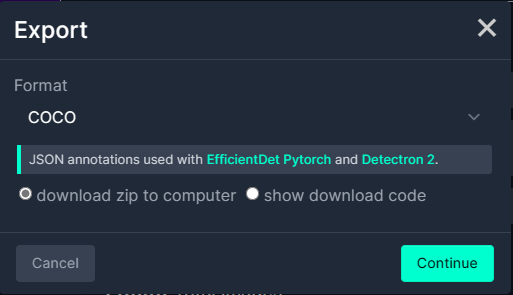
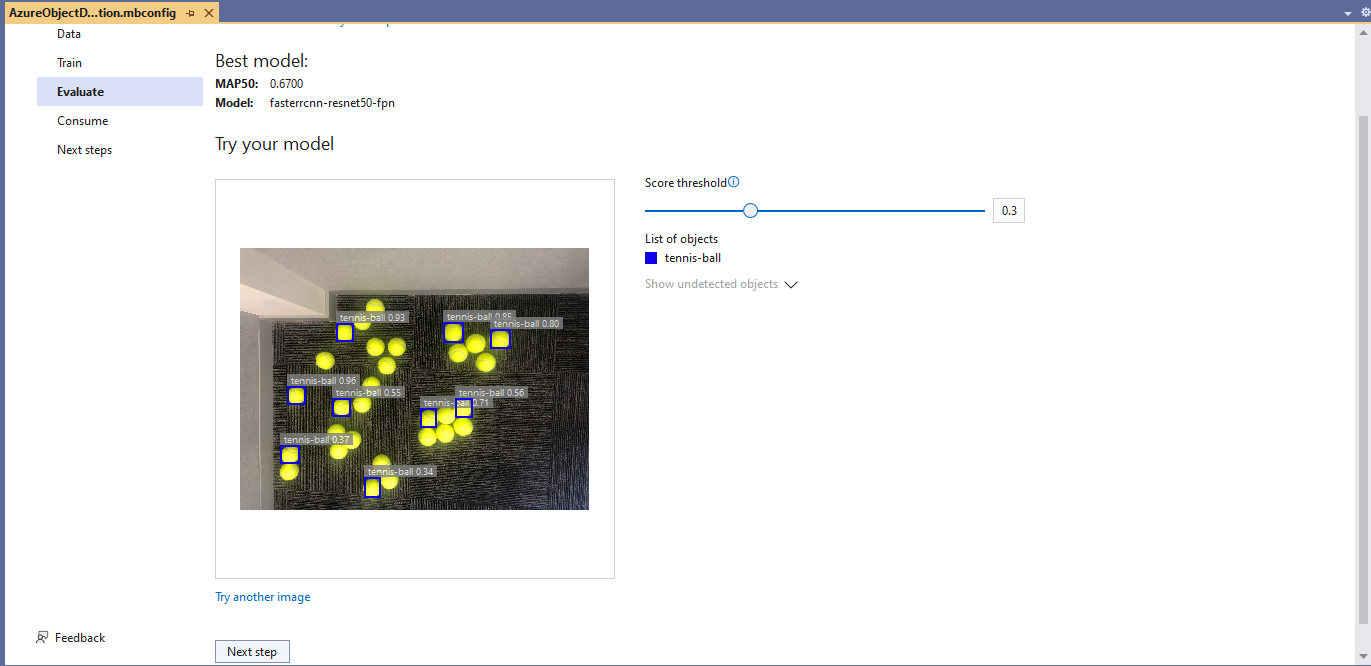
I exported the Tennis Ball by Ugur Ozdemir dataset in a suitable format I could use it to train a model using the Visual Studio 2022 ML.Net support. The first step was to export the Tennis Ball dataset in COCO (Common Objects in Context) format.

Exporting Tennis ball dataset in COCO format

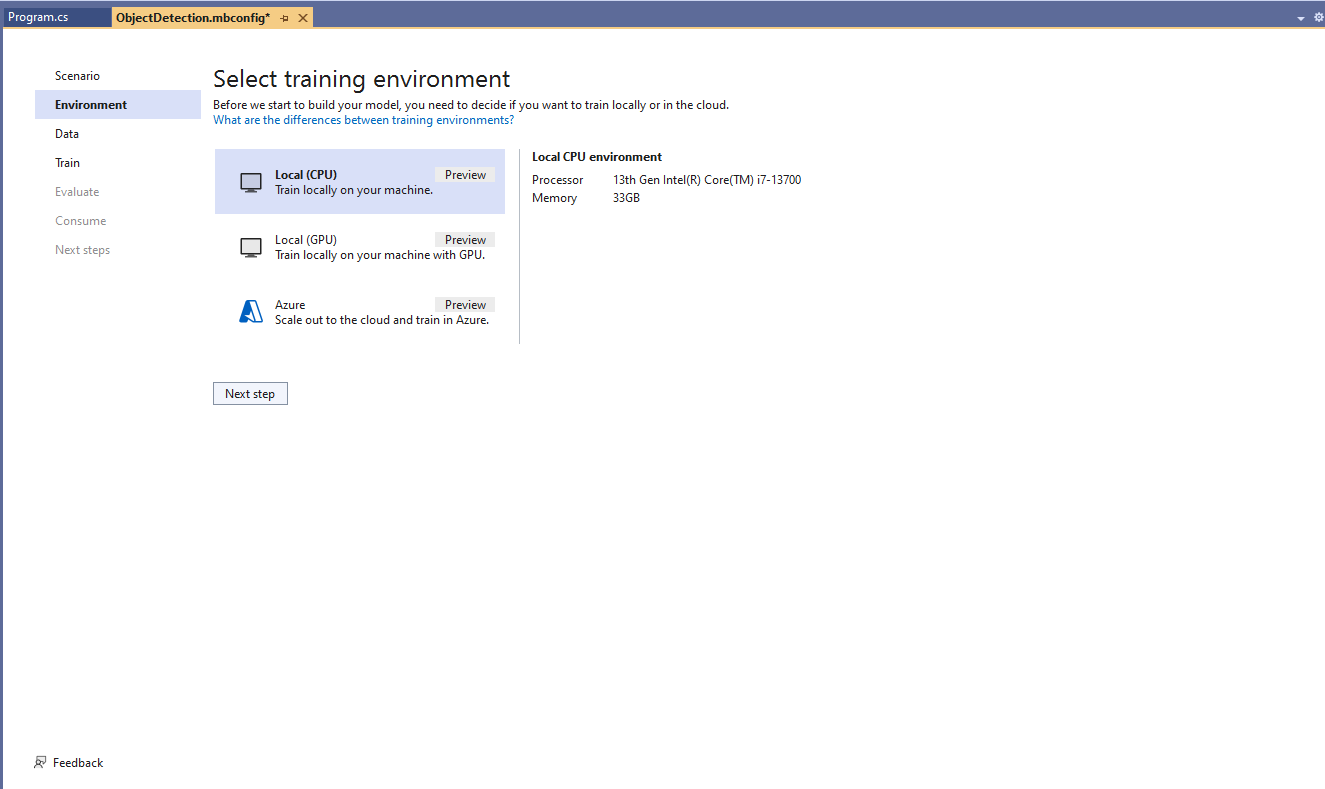
My development box doesn’t have a suitable Local(GPU) and Local(CPU) training failed

Local CPU selected for model training

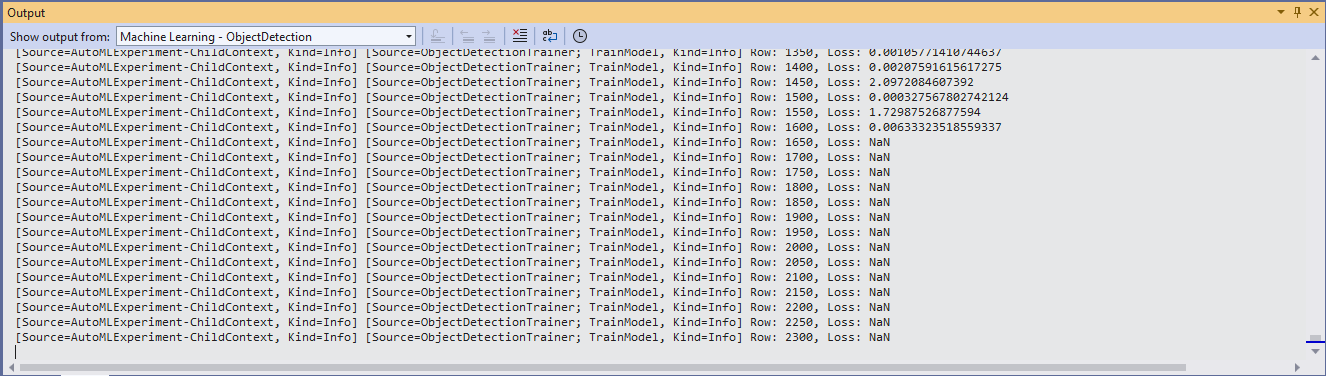
After a couple of hours training the in the Visual Studio 2022 the output “Loss” value was NaN and the training didn’t end successfully.

Local CPU model training failure

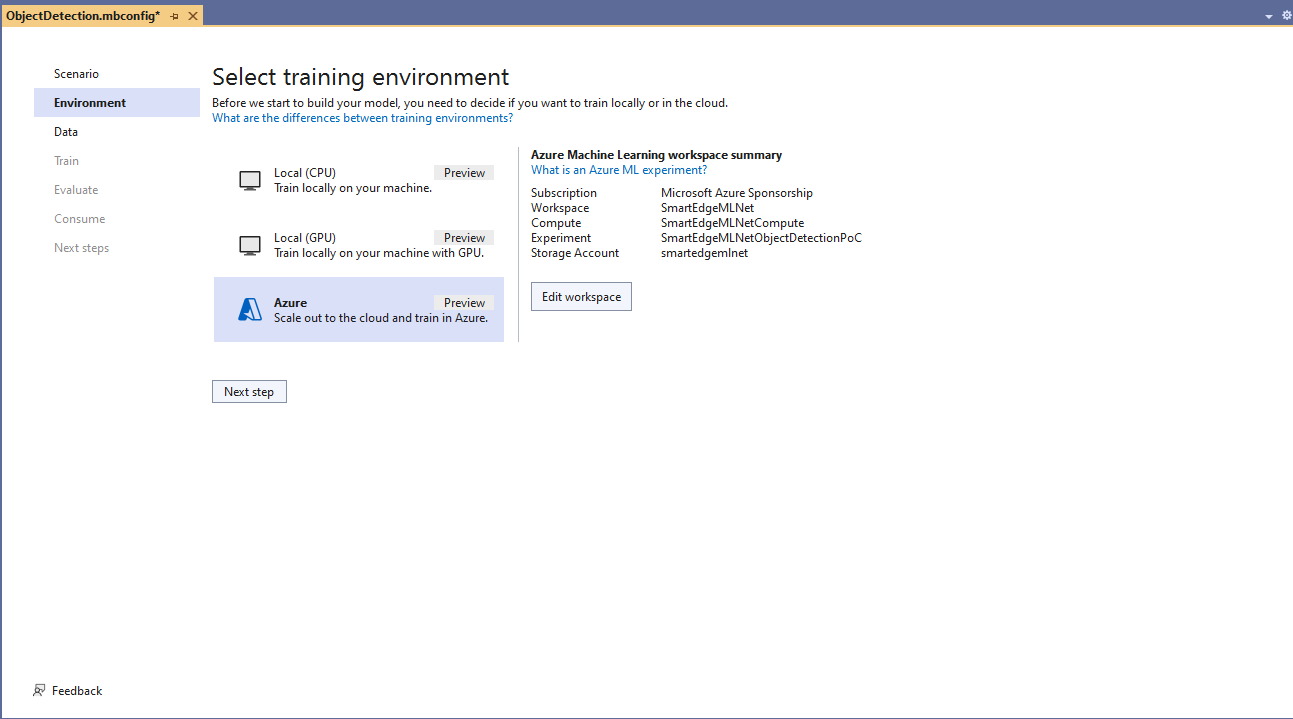
Training with Local(CPU) failed so I then tried again with ML.Net Azure Machine Learning option.

Azure Machine Learning selected for model training

The configuration of my Azure Machine Learning experiment which represent the collection of trials used took much longer than expected.
Insufficient SKUs available in Australia East

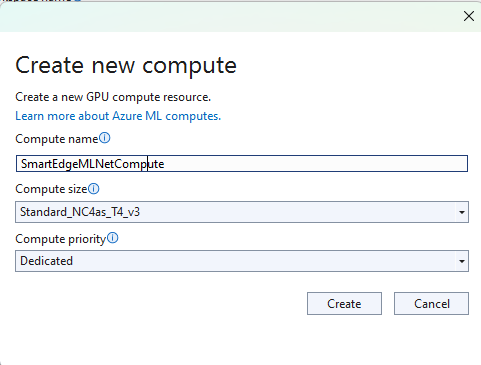
Initially my subscription had Insufficient Standard NC4as_T4_v3 SKUs in Australia East so I had to request a quota increase which took a couple of support tickets.
Training Environment Provisioned
Uploading the model training dataset

I do wonder why they include Microsoft’s Visual Object Tagging Tool(VOTT) format as an option because there has been no work done on the project since late 2021.

Uploading the model validation dataset

I need to check how the Roboflow dataset was loaded (I think possibly only the training dataset was loaded, so that was split into training and test datasets) and trial different configurations.

I like the machine generated job names “frank machine”, “tough fowl” and “epic chicken”.

Azure Machine Learning Job list

I found my Ultralytics YoloV8 model coped better with different backgrounds and tennis ball colours.

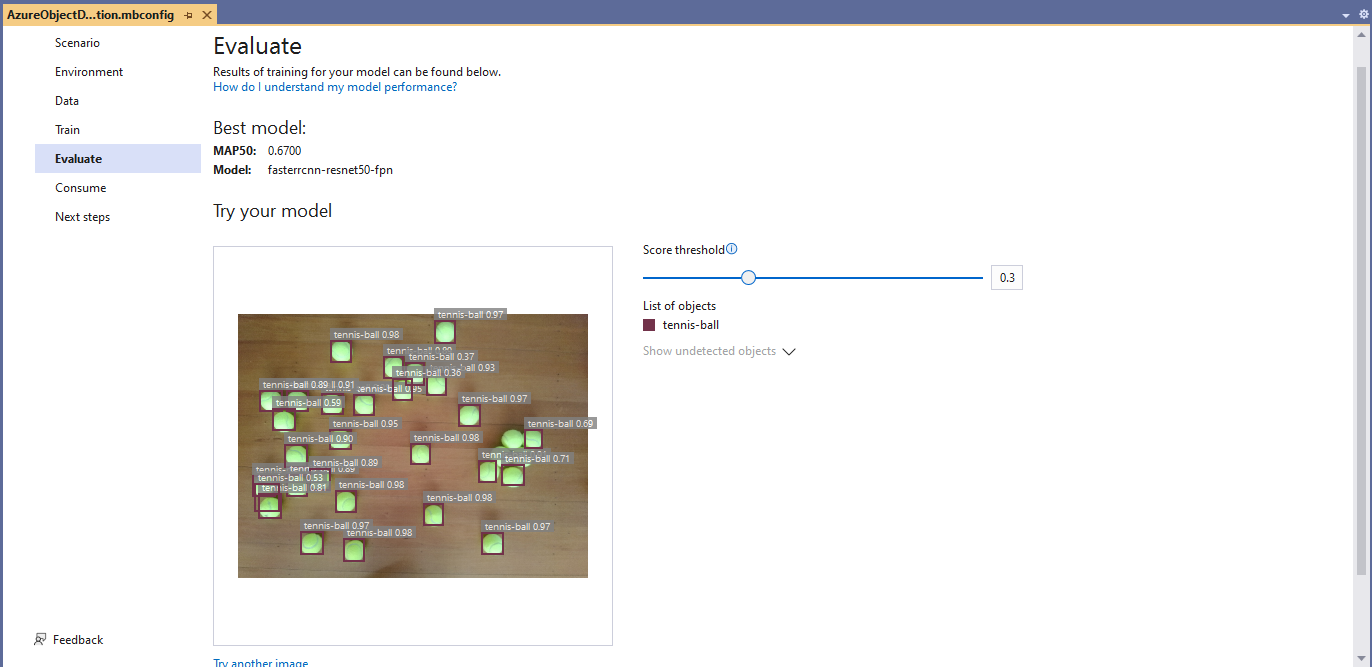
Evaluating model with tennis balls on my living room floor
Evaluating model with tennis balls on the office floor

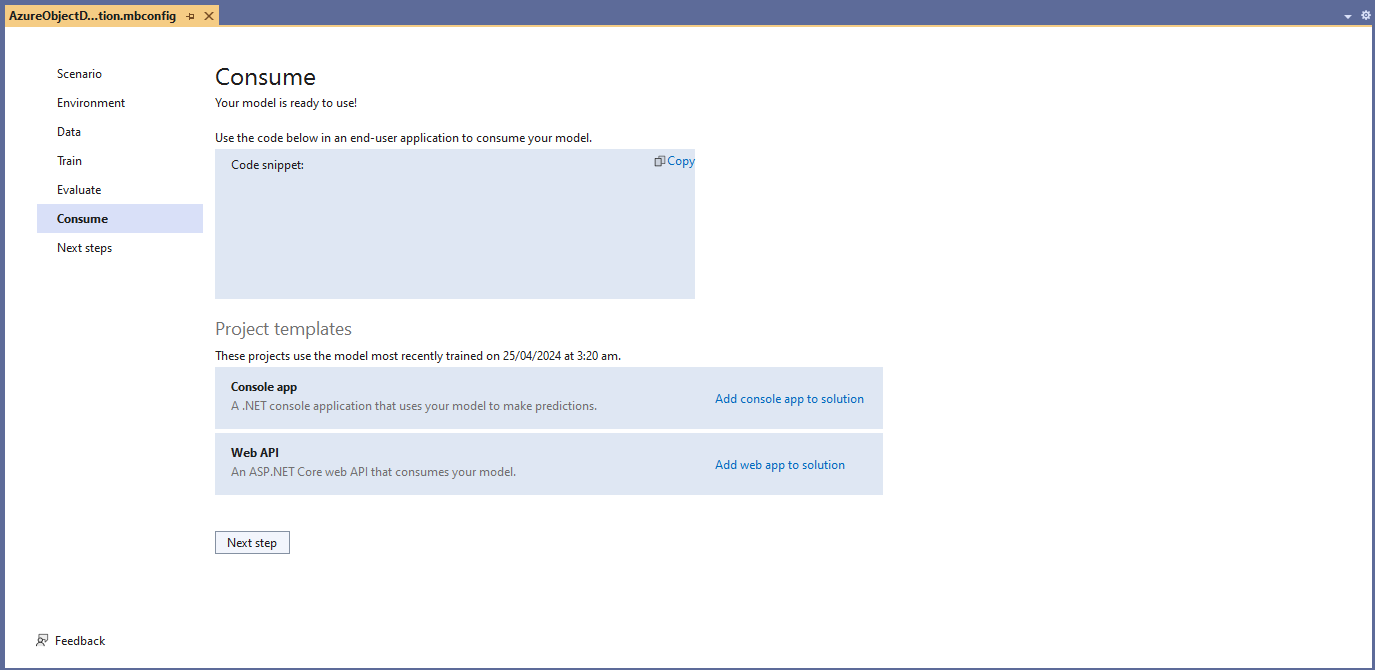
I used the “generated” code to consume the model with a simple console application.

Visual Studio 2022 ML.Net Integration client code generation
static async Task Main()
{
   Console.WriteLine($"{DateTime.UtcNow:yy-MM-dd HH:mm:ss} FasterrCNNResnet50 client starting");

   try
   {
      // load the app settings into configuration
      var configuration = new ConfigurationBuilder()
            .AddJsonFile("appsettings.json", false, true)
      .Build();

      Model.ApplicationSettings _applicationSettings = configuration.GetSection("ApplicationSettings").Get<Model.ApplicationSettings>();

      // Create single instance of sample data from first line of dataset for model input
      var image = MLImage.CreateFromFile(_applicationSettings.ImageInputPath);

      AzureObjectDetection.ModelInput sampleData = new AzureObjectDetection.ModelInput()
      {
         ImageSource = image,
      };

      // Make a single prediction on the sample data and print results.
      var predictionResult = AzureObjectDetection.Predict(sampleData);

      Console.WriteLine("Predicted Boxes:");
      Console.WriteLine(predictionResult);
   }
   catch (Exception ex)
   {
      Console.WriteLine($"{DateTime.UtcNow:yy-MM-dd HH:mm:ss} MQTTnet.Publish failed {ex.Message}");
   }

   Console.WriteLine("Press ENTER to exit");
   Console.ReadLine();
}

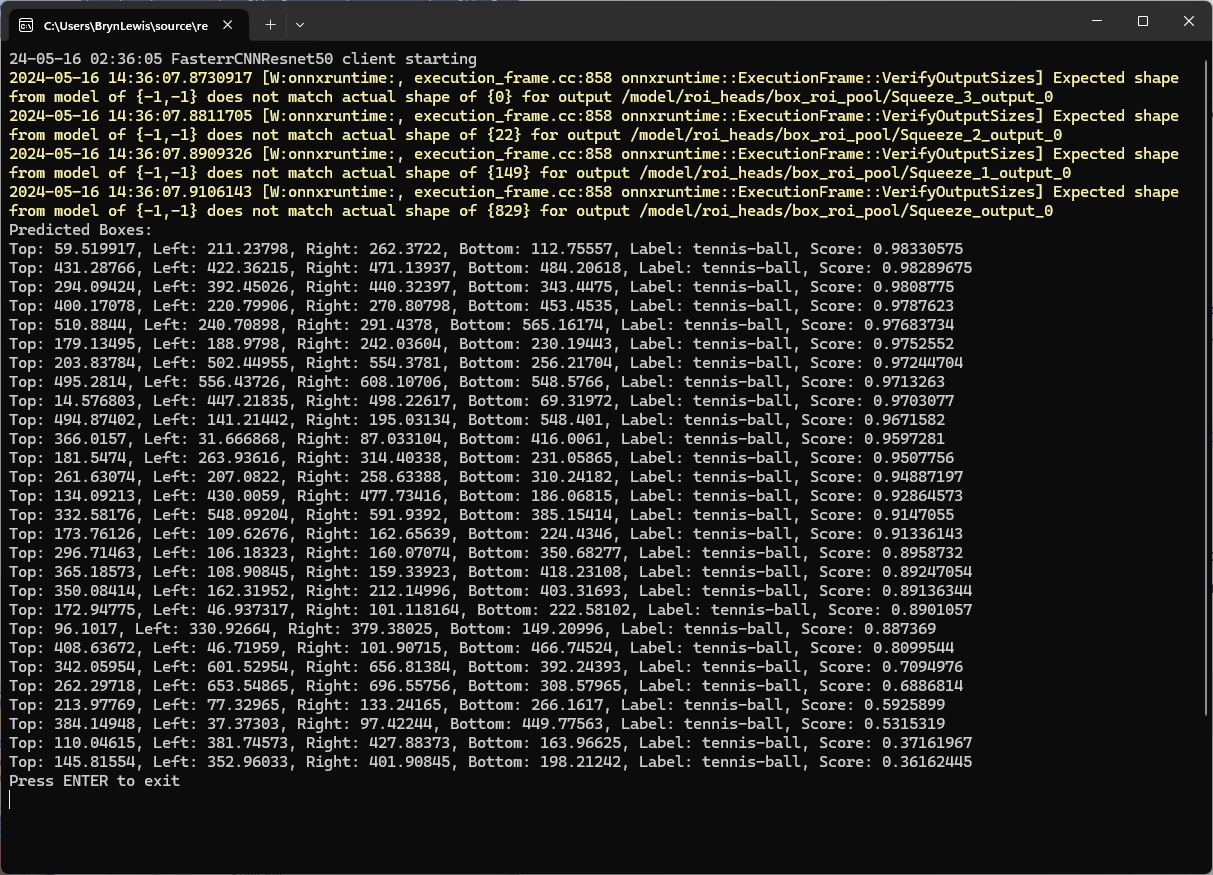
The initial model was detecting only 28 (with much lower confidences) of the 30 tennis balls in the sample images.

Output of console application with object detection information

I used the “default configuration” settings and ran the model training for 17.5 hours overnight which cost roughly USD24.

Azure Pricing Calculator estimate for my training setup

This post is not about how train a “good” model it is the approach I took to create a “proof of concept” model for a demonstration.