Azure Event Grid esp-mqtt-arduino Client – Success

Still couldn’t figure out why my code was failing so I turned up logging to 11 and noticed a couple of messages which didn’t make sense. The device was connecting than disconnecting which indicated a another problem. As part of the Message Queue Telemetry Transport(MQTT) specification there is a “feature” Last Will and Testament(LWT) which a client can configure so that the MQTT broker sends a message to a topic if the device disconnects unexpectedly.
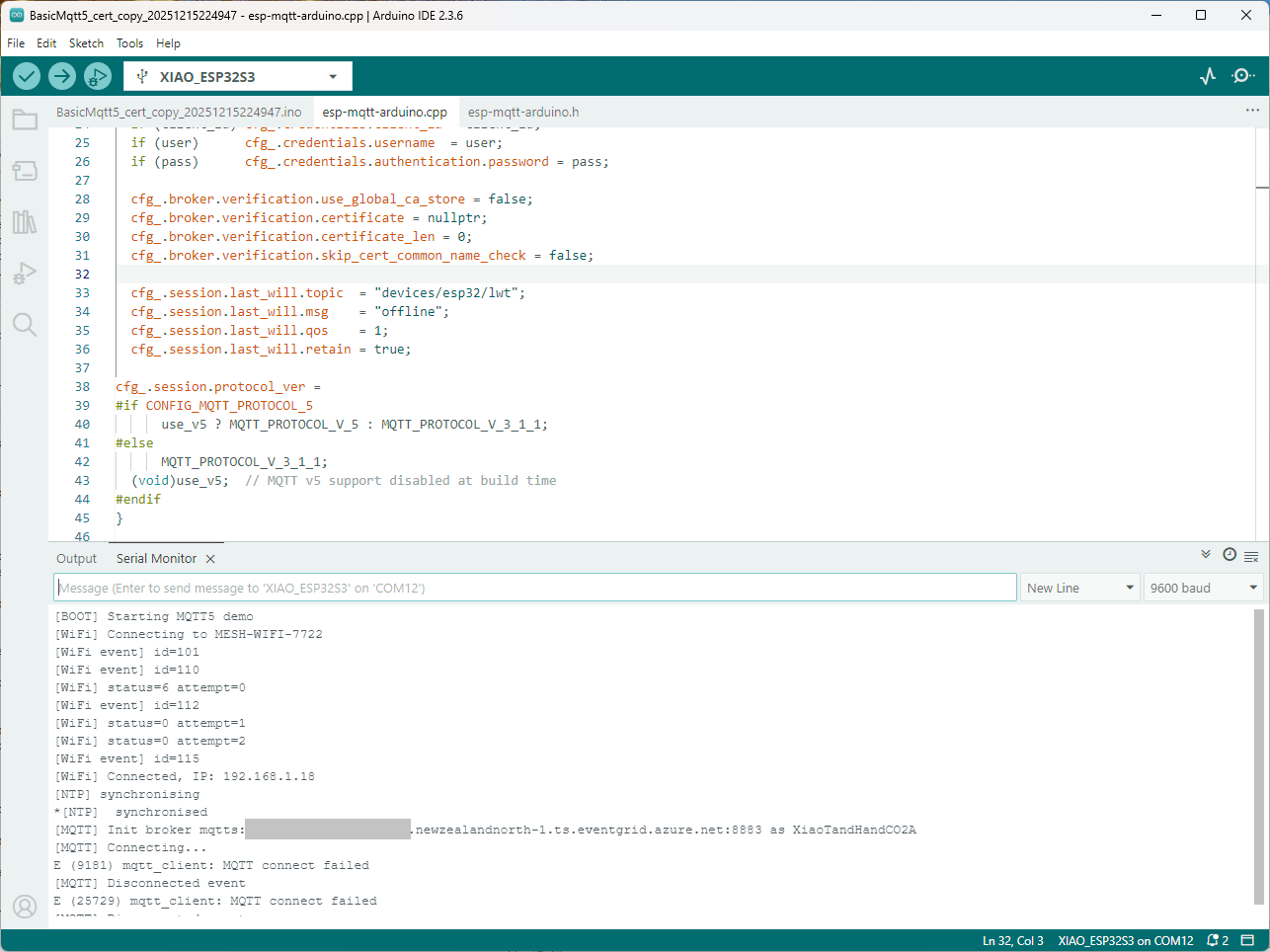
I was looking at the code and noticed that LWT was being used and that the topic didn’t exist in my Azure Event Grid MQTT Broker namespace. When the LWT configuration was commented out the application worked.

void Mqtt5ClientESP32::begin(const char* uri, const char* client_id, const char* user, const char* pass, bool use_v5) {
  connected_ = false;
  insecure_ = false;
  cfg_.broker.address.uri = uri;
  if (client_id) cfg_.credentials.client_id = client_id;
  if (user)      cfg_.credentials.username  = user;
  if (pass)      cfg_.credentials.authentication.password = pass;

  cfg_.broker.verification.use_global_ca_store = false;
  cfg_.broker.verification.certificate = nullptr;
  cfg_.broker.verification.certificate_len = 0;
  cfg_.broker.verification.skip_cert_common_name_check = false;
  
/*
  cfg_.session.last_will.topic  = "devices/esp32/lwt";
  cfg_.session.last_will.msg    = "offline";
  cfg_.session.last_will.qos    = 1;
  cfg_.session.last_will.retain = true;
*/

cfg_.session.protocol_ver = 
#if CONFIG_MQTT_PROTOCOL_5
      use_v5 ? MQTT_PROTOCOL_V_5 : MQTT_PROTOCOL_V_3_1_1;
#else
      MQTT_PROTOCOL_V_3_1_1;
  (void)use_v5;  // MQTT v5 support disabled at build time
#endif
}

Two methods were added so that the LWT could be configured if required

void SetLWT(const char *topic, const char *msg, int msg_len,int qos, int retain);
void Mqtt5ClientESP32::SetLWT(const char *topic, const char *msg, int msg_len,int qos, int retain){
   cfg_.session.last_will.topic  = topic;
   cfg_.session.last_will.msg    = msg;
   cfg_.session.last_will.msg_len= msg_len;
   cfg_.session.last_will.qos    = qos;
   cfg_.session.last_will.retain = retain;
}

Paying close attention to the logging I noticed the “Subscribing to ssl/mqtts” followed by “Subscribe request sent”
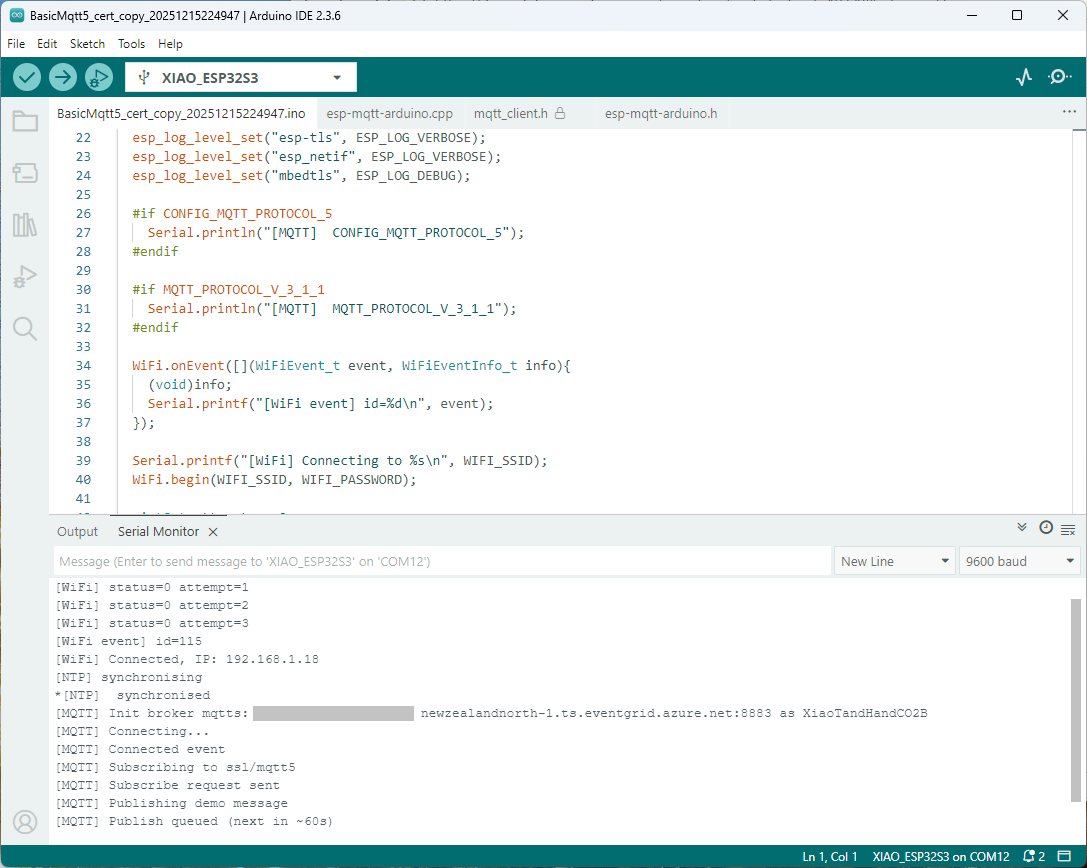
I checked the sample application and found that if the connect was successful the application would then try and subscribe to a topic that didn’t exist.

mqtt.onConnected([]{
  Serial.println("[MQTT] Connected event");

   mqttReady = true;
/*
Serial.println("[MQTT] Subscribing to ssl/mqtt5");
if (mqtt.subscribe("ssl/mqtt5", 1, true)) {
  Serial.println("[MQTT] Subscribe request sent");
} else {
  Serial.println("[MQTT] Subscribe request failed");
}
*/

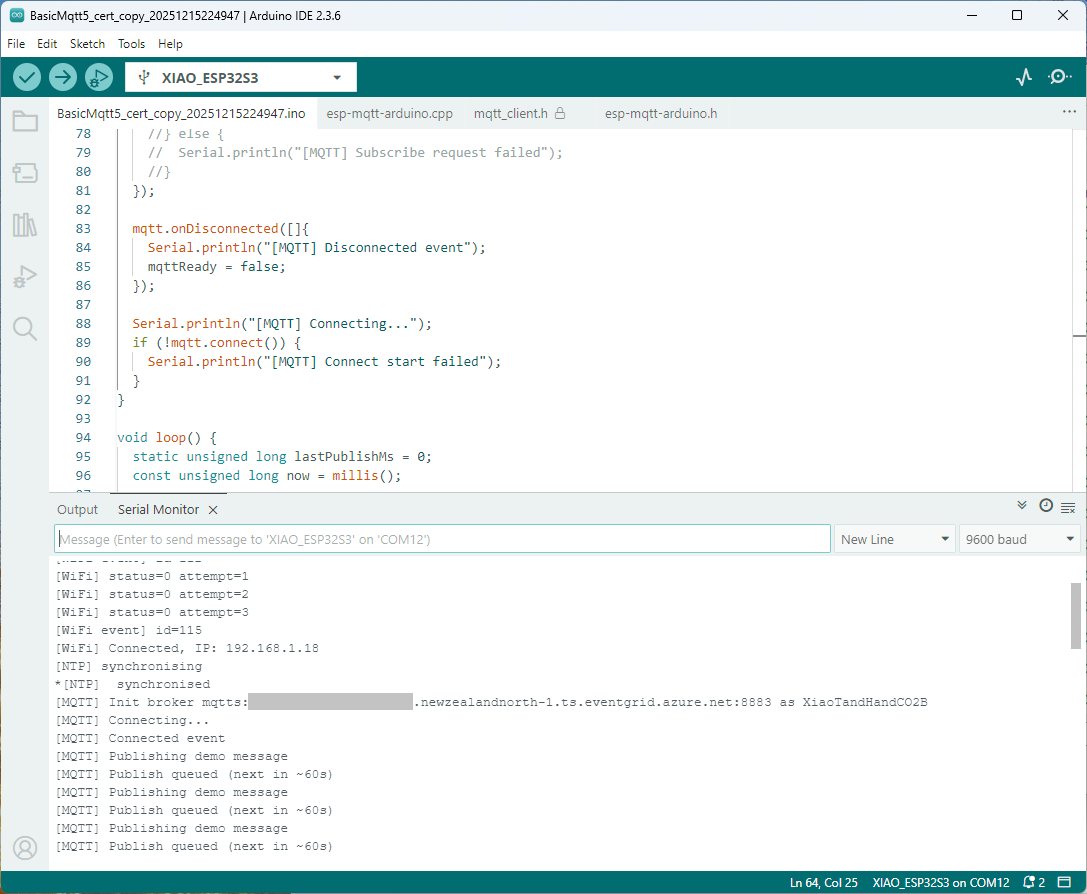
I commented out that code and the application started without any messages
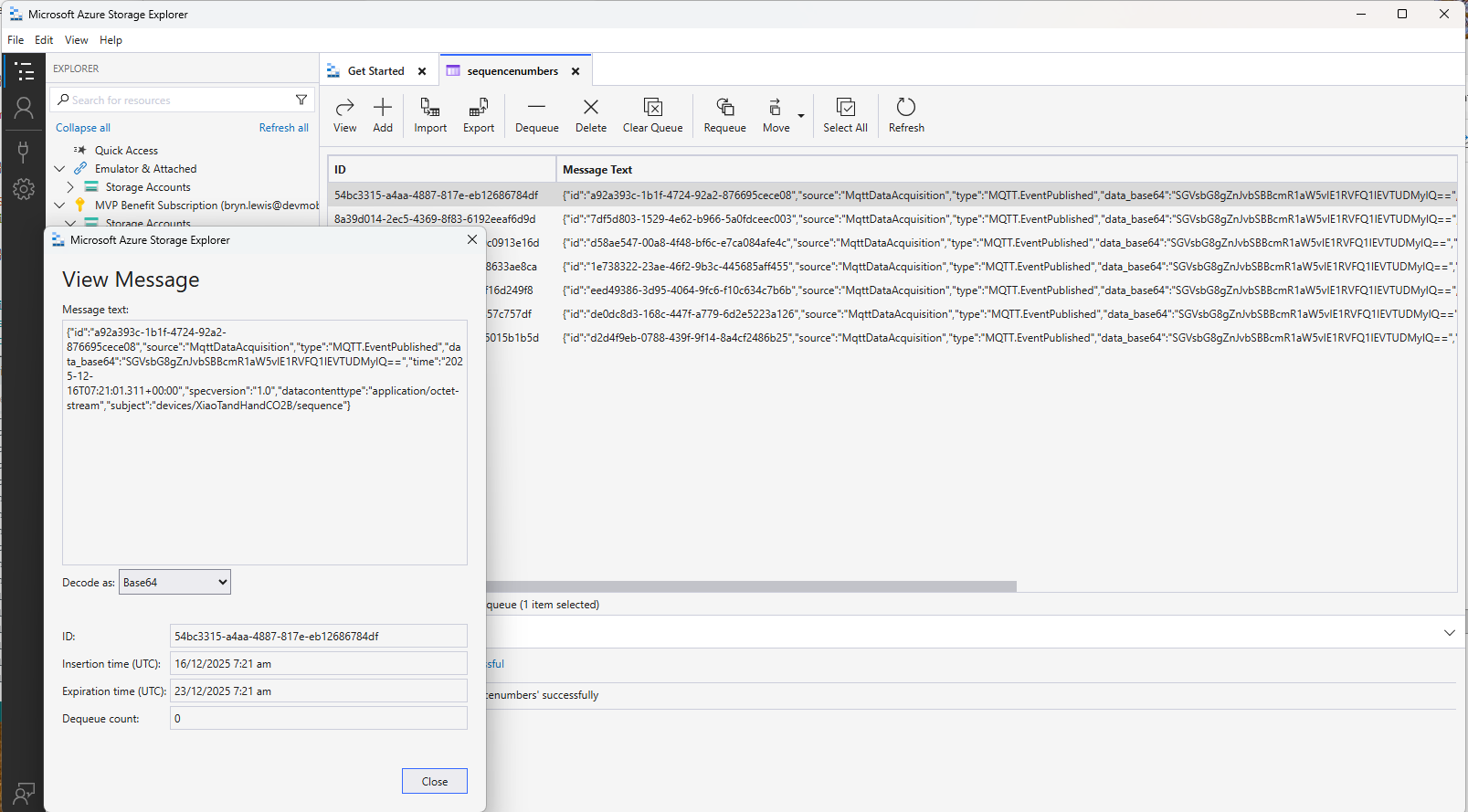
Just to make sure I checked that the message count in the Azure Storage Queue was increasing and the payload client ID matched my device
Yet again a couple of hours lost from my life which I can never get back

Azure Event Grid MQTT-With HiveMQ & MQTTnet Clients

Most of the examples of connecting to Azure Event Grid’s MQTT broker use MQTTnet so for a bit of variety I started with a hivemq-mqtt-client-dotnet based client. (A customer had been evaluating HiveMQ for a project which was later cancelled)

BEWARE – ClientID parameter is case sensitive.

The HiveMQ client was “inspired” by the How to Guides > Custom Client Certificates documentation.

class Program
{
   private static Model.ApplicationSettings _applicationSettings;
   private static HiveMQClient _client;
   private static bool _publisherBusy = false;

   static async Task Main()
   {
      Console.WriteLine($"{DateTime.UtcNow:yy-MM-dd HH:mm:ss} Hive MQ client starting");

      try
      {
         // load the app settings into configuration
         var configuration = new ConfigurationBuilder()
               .AddJsonFile("appsettings.json", false, true)
               .AddUserSecrets<Program>()
         .Build();

         _applicationSettings = configuration.GetSection("ApplicationSettings").Get<Model.ApplicationSettings>();

         var optionsBuilder = new HiveMQClientOptionsBuilder();

         optionsBuilder
            .WithClientId(_applicationSettings.ClientId)
            .WithBroker(_applicationSettings.Host)
            .WithPort(_applicationSettings.Port)
            .WithUserName(_applicationSettings.UserName)
            .WithCleanStart(_applicationSettings.CleanStart)
            .WithClientCertificate(_applicationSettings.ClientCertificateFileName, _applicationSettings.ClientCertificatePassword)
            .WithUseTls(true);

         using (_client = new HiveMQClient(optionsBuilder.Build()))
         {
            _client.OnMessageReceived += OnMessageReceived;

            var connectResult = await _client.ConnectAsync();
            if (connectResult.ReasonCode != ConnAckReasonCode.Success)
            {
               throw new Exception($"Failed to connect: {connectResult.ReasonString}");
            }

            Console.WriteLine($"Subscribed to Topic");
            foreach (string topic in _applicationSettings.SubscribeTopics.Split(',', StringSplitOptions.RemoveEmptyEntries | StringSplitOptions.TrimEntries))
            {
               var subscribeResult = await _client.SubscribeAsync(topic, _applicationSettings.SubscribeQualityOfService);

               Console.WriteLine($" Topic:{topic} Result:{subscribeResult.Subscriptions[0].SubscribeReasonCode}");
            }
   }
//...
}
HiveMQ Client console application output

The MQTTnet client was “inspired” by the Azure MQTT .NET Application sample

class Program
{
   private static Model.ApplicationSettings _applicationSettings;
   private static IMqttClient _client;
   private static bool _publisherBusy = false;

   static async Task Main()
   {
      Console.WriteLine($"{DateTime.UtcNow:yy-MM-dd HH:mm:ss} MQTTNet client starting");

      try
      {
         // load the app settings into configuration
         var configuration = new ConfigurationBuilder()
               .AddJsonFile("appsettings.json", false, true)
               .AddUserSecrets<Program>()
         .Build();

         _applicationSettings = configuration.GetSection("ApplicationSettings").Get<Model.ApplicationSettings>();

         var mqttFactory = new MqttFactory();

         using (_client = mqttFactory.CreateMqttClient())
         {
            // Certificate based authentication
            List<X509Certificate2> certificates = new List<X509Certificate2>
            {
               new X509Certificate2(_applicationSettings.ClientCertificateFileName, _applicationSettings.ClientCertificatePassword)
            };

            var tlsOptions = new MqttClientTlsOptionsBuilder()
                  .WithClientCertificates(certificates)
                  .WithSslProtocols(System.Security.Authentication.SslProtocols.Tls12)
                  .UseTls(true)
                  .Build();

            MqttClientOptions mqttClientOptions = new MqttClientOptionsBuilder()
                     .WithClientId(_applicationSettings.ClientId)
                     .WithTcpServer(_applicationSettings.Host, _applicationSettings.Port)
                     .WithCredentials(_applicationSettings.UserName, _applicationSettings.Password)
                     .WithCleanStart(_applicationSettings.CleanStart)
                     .WithTlsOptions(tlsOptions)
                     .Build();

            var connectResult = await _client.ConnectAsync(mqttClientOptions);
            if (connectResult.ResultCode != MqttClientConnectResultCode.Success)
            {
               throw new Exception($"Failed to connect: {connectResult.ReasonString}");
            }

            _client.ApplicationMessageReceivedAsync += OnApplicationMessageReceivedAsync;

            Console.WriteLine($"Subscribed to Topic");
            foreach (string topic in _applicationSettings.SubscribeTopics.Split(',', StringSplitOptions.RemoveEmptyEntries | StringSplitOptions.TrimEntries))
            {
               var subscribeResult = await _client.SubscribeAsync(topic, _applicationSettings.SubscribeQualityOfService);

               Console.WriteLine($" {topic} Result:{subscribeResult.Items.First().ResultCode}");
            }
      }
//...
}
MQTTnet client console application output

The design of the MQTT protocol means that the hivemq-mqtt-client-dotnet and MQTTnet implementations are similar. Having used both I personally prefer the HiveMQ client library.