Initially, I was running the WebAPI Dapper DistributedCache application on my development box and it ran third/forth time after sorting out the Azure Cache for Redis connection string and firewall configuration.


I then deployed the WebAPI Dapper DistributedCache application to an Azure AppService and it failed (spoiler alert it wasn’t DNS).

I then fired up Azure Application Insights to look at the logging information.
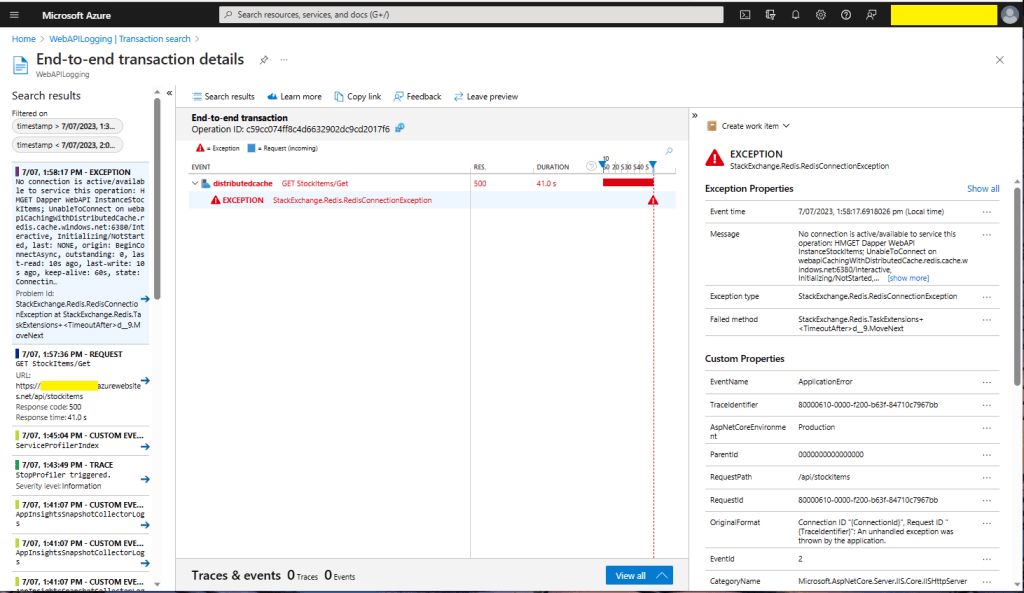
There were many questions and tentative answers on stackoverflow some of them I tried, and which didn’t work in my scenario.
No connection is active/available to service this operation: HMGET Dapper WebAPI InstanceStockItems;
UnableToConnect on xxxxxxxxxxxxxxxxxxxxxxxxxxx.redis.cache.windows.net:6380/Interactive,
Initializing/NotStarted,
last: NONE,
origin: BeginConnectAsync,
outstanding: 0,
last-read: 10s ago, last-write: 10s ago, keep-alive: 60s,
state: Connecting,
mgr: 10 of 10 available,
last-heartbeat: never, global: 10s ago,
v: 2.2.4.27433,
mc: 1/1/0, mgr: 10 of 10 available,
clientName: XXXXXXXXXXXX, <----------------------This was important
IOCP: (Busy=0,Free=1000,Min=1,Max=1000),
WORKER: (Busy=5,Free=1018,Min=1,Max=1023),
v: 2.2.4.27433
UnableToConnect on xxxxxxxxxxxxxxxxxxxxxxxxxxx.cache.windows.net:6380/Interactive,
Initializing/NotStarted,
last: NONE,
origin: BeginConnectAsync,
outstanding: 0,
last-read: 10s ago, last-write: 10s ago, keep-alive: 60s,
state: Connecting,
mgr: 10 of 10 available,
last-heartbeat: never, global: 10s ago,
v: 2.2.4.27433
I then recreated my configuration from scratch so none of my random changes based on stackoverflow posts would mess my next round of debugging.

The error appeared to be a networking issue, most probably the firewall blocking connections so I added the Azure AppService Virtual IP Address which didn’t work…

I then went back and re-read the error message and noticed “clientName: XXXXXXXXXXXX,”. The Azure AppService client name wasn’t the default domain…
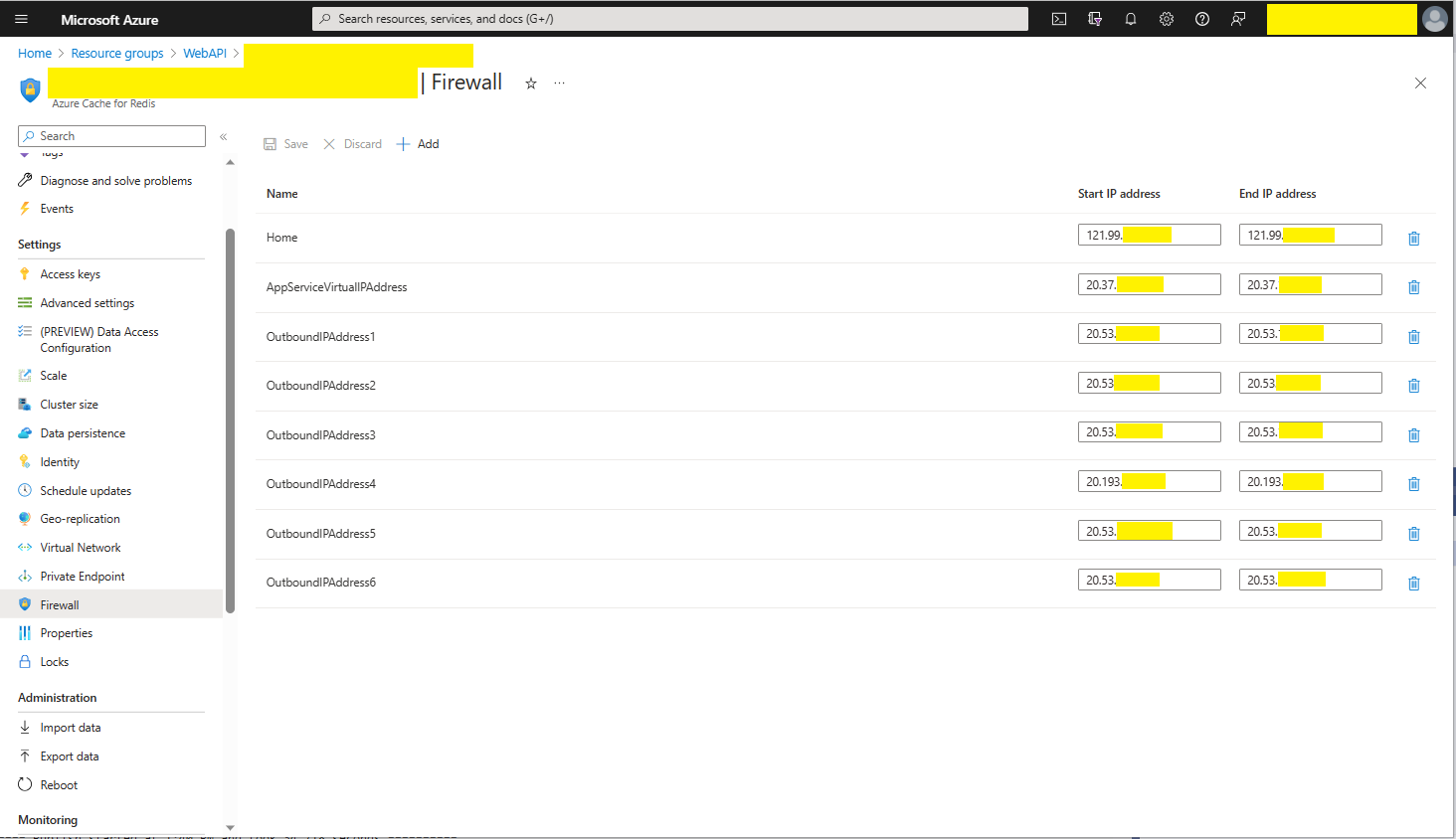
I then added the Outbound IP addresses to the firewall and the Azure AppService could connect to my Azure Cache for Redis instance.

As soon as I realised it wasn’t DNS I should have “stopped counted to ten”, debugged the issue carefully and not immediately gone to stackoverflow.
 devMobile's blog