Arduino RS485 750cm Ultrasonic Level Sensor

The first couple of Proof of Concept(PoC) applications used a Seeedstudio SenseCAP RS485 500cm Ultrasonic Level Sensor (SKU 101991042). They also sell the SenseCAP RS485 750cm Ultrasonic Level Sensor which I found has exactly the same MODBUS interface setup.

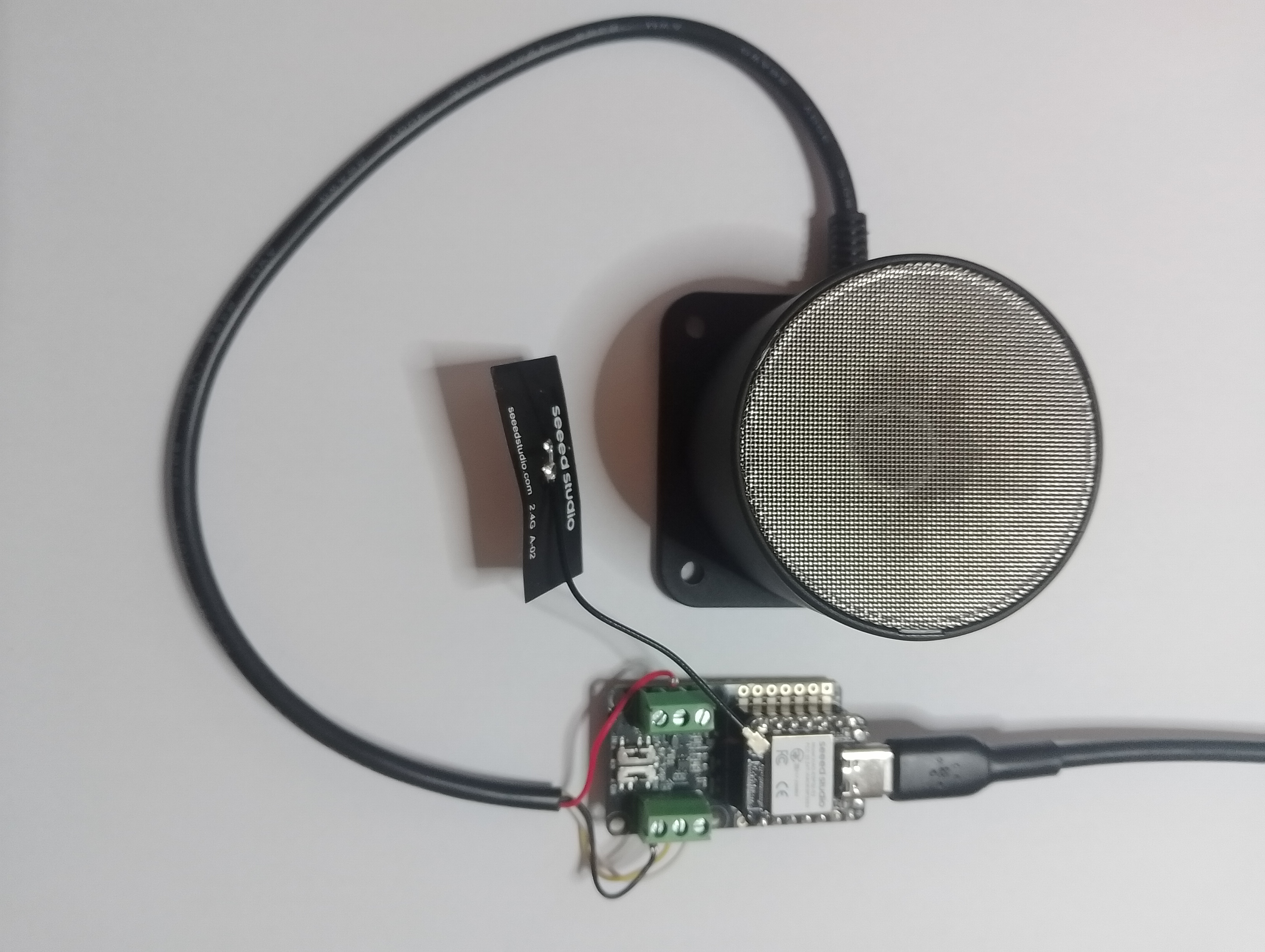
Like the SenseCAP RS485 500cm Ultrasonic Level the SenseCAP RS485 750cm Ultrasonic Level Sensor has a Grove connector so the cable had to be “modified” before it would work with the RS485 Breakout Board for Seeed Studio XIAO (SKU 113991354).

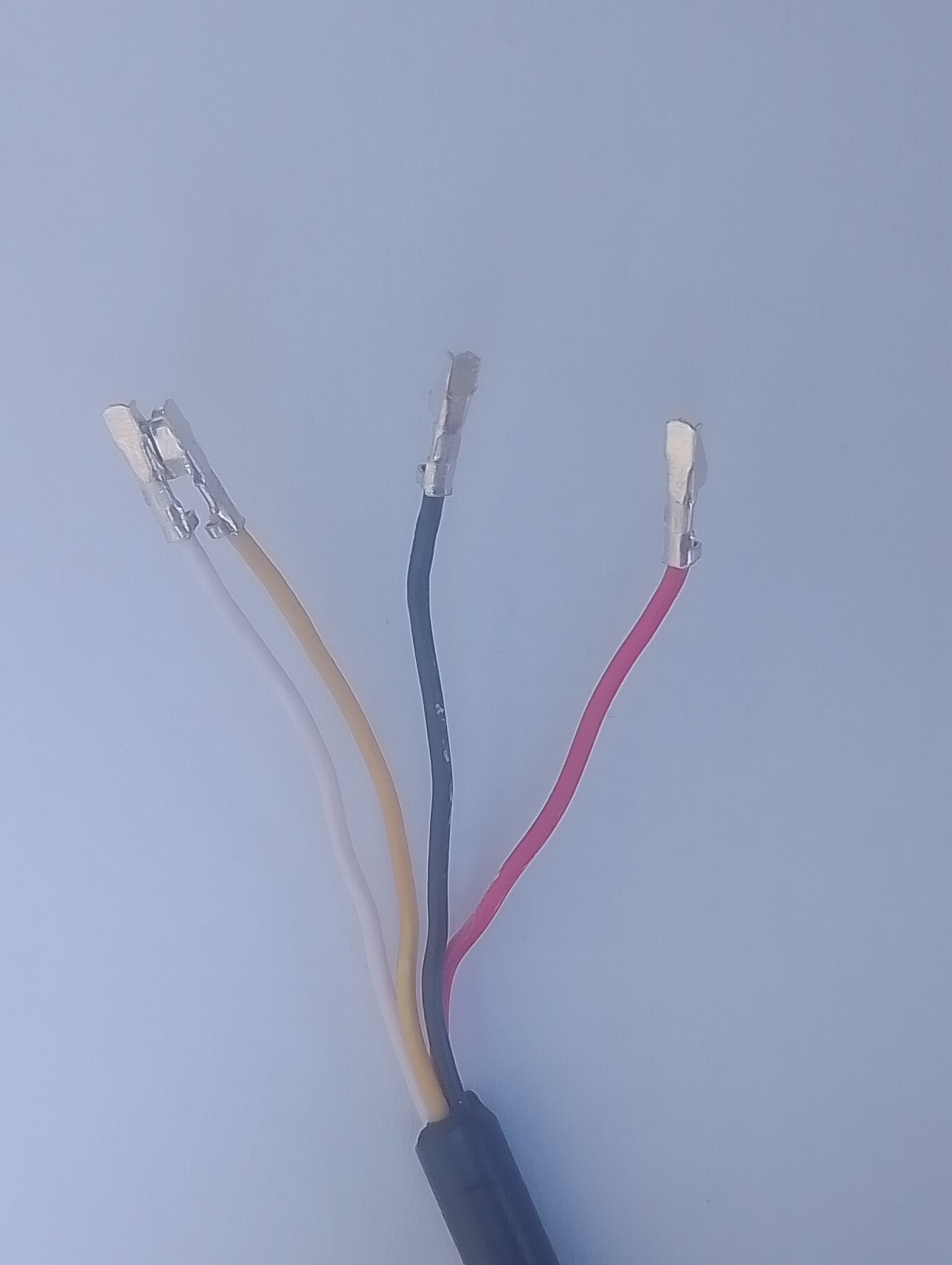
The first step was to bend the crimp connector locks back using a very small screwdriver.

Then split the heat-shrink and cable outer, so the individual cables were longer.

The crimp connector at the of each wire had to be “modified” by trimming them with a pair of wire cutters (just in front of the crimped section) so that they could be inserted into the breakout board connectors.

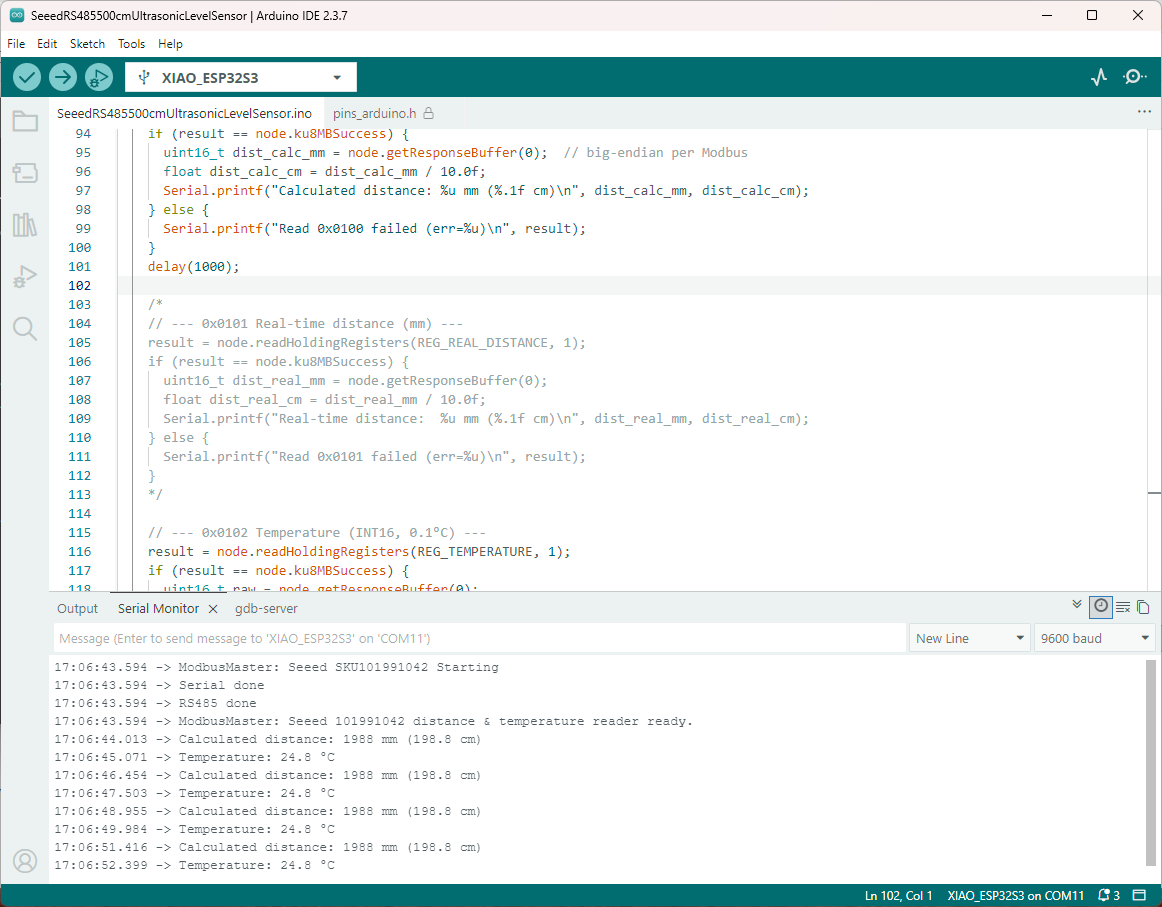
The distance measurements were within a CM which was good. When I took the RS485 750cm Ultrasonic Level Sensor outside the distance returned was 0.0cm when the target was more 750cm away. I hadn’t noticed this with the Seeedstudio RS485 500cm Ultrasonic Level Sensor (SKU 101991042) as the ceiling in my office only 1.9M above the surface of my desk.

nanoFramework RS485 500cm Ultrasonic Level Sensor

As part of this series of samples comparing Arduino to nanoFramework to .NET IoT Device “Proof of Concept (PoC) applications, the next couple of posts use an RS485 500cm Ultrasonic Level Sensor (SKU 101991042). I started with this sensor because its uses Modbus and has an operating voltage of 3.3~24 V so it can be powered by the 5V output of a RS485 Breakout Board for Seeed Studio XIAO (SKU 113991354)

Initially the nanoFramework Modbus Library based application didn’t work but after correcting the pin assignments based on the Seeedstudio XIAO ESP32 S3 RS-485 test harness(nanoFramework) reading one sensor value worked reliably.

// XIAO ESP32S3 + RS485 breakout + Seeed 101991042 (RS-485 Modbus RTU)
// Reads: 0x0100 (calculated distance, mm), 0x0101 (real-time distance, mm),
//        0x0102 (temperature, 0.1°C). Can write 0x0200 (slave address).
// Serial: 9600 8N1 per datasheet. (Default slave addr = 0x01)

//Iot.Device.Modbus (namespace Iot.Device.Modbus.Client)
//using Iot.Device.Modbus;
using Iot.Device.Modbus.Client;
//using Microsoft.Extensions.Logging;
using nanoFramework.Hardware.Esp32;
//using nanoFramework.Logging.Debug;
using System;
using System.Diagnostics;
using System.IO.Ports;
using System.Threading;


namespace SeeedRS485500cmUltrasonicLevelSensor
{
   public class Program
   {
      // === Sensor Modbus params (from Seeed datasheet) ===
      private const byte SlaveAddress = 0x01;      // default
      private const ushort RegCalcDistance = 0x0100;// mm, ~500ms processing
      //private const ushort RegRealDistance = 0x0101;// mm, ~100ms
      private const ushort RegTemperature = 0x0102;// INT16, 0.1°C units
      private const ushort RegSlaveAddress = 0x0200;// R/W address register

      public static void Main()
      {
         ModbusClient _client;

         Console.WriteLine("Modbus: Seeed SKU101991042 Starting");

         Configuration.SetPinFunction(Gpio.IO06, DeviceFunction.COM2_RX);
         Configuration.SetPinFunction(Gpio.IO05, DeviceFunction.COM2_TX);
         // This port number is a bit weird, need to double check in RS485 Sender/Receiver apps
         Configuration.SetPinFunction(Gpio.IO03, DeviceFunction.COM2_RTS); 

         var ports = SerialPort.GetPortNames();

         Debug.WriteLine("Available ports: ");
         foreach (string port in ports)
         {
            Debug.WriteLine($" {port}");
         }

         using (_client = new ModbusClient("COM2"))
         {
            _client.ReadTimeout = _client.WriteTimeout = 2000;

            //_client.Logger = new DebugLogger("ModbusClient") 
            //{ 
            //   MinLogLevel = LogLevel.Debug 
            //};

            while (true)
            {
               try
               {
                   // 0x0100 Calculated distance (mm). Takes ~500ms to compute per datasheet.
                  short[] calc = _client.ReadHoldingRegisters(SlaveAddress, RegCalcDistance, 1);
                  ushort calcMm = (ushort)calc[0];
                  float calcCm = calcMm / 10.0f;
                  Console.WriteLine($"Calculated distance: {calcMm} mm ({calcCm:F1} cm)");

                  /*
                  // 0x0101 Real-time distance (mm). Faster ~100ms response.
                  short[] real = _client.ReadHoldingRegisters(SlaveAddress, RegRealDistance, 1);
                  short realMm = real[0];
                  float realCm = realMm / 10.0f;
                  Console.WriteLine($"Real-time distance:  {realMm} mm ({realCm:F1} cm)");
                  */

                  // 0x0102 Temperature (INT16, 0.1°C)
                  short[] temp = _client.ReadHoldingRegisters(SlaveAddress, RegTemperature, 1);
                  short tempRaw = unchecked((short)temp[0]); // signed per datasheet
                  float tempC = tempRaw / 10.0f;
                  Console.WriteLine($"Temperature: {tempC:F1} °C");
               }
               catch (Exception ex)
               {
                  Console.WriteLine($"Modbus read failed: {ex.Message}");
               }

               Thread.Sleep(10000);
            }
         }
      }
   }
}

The nanoFramework logging support made debugging connectivity issues much faster. So much so I started with the nanoFramework application then progressed to the Arduino version.

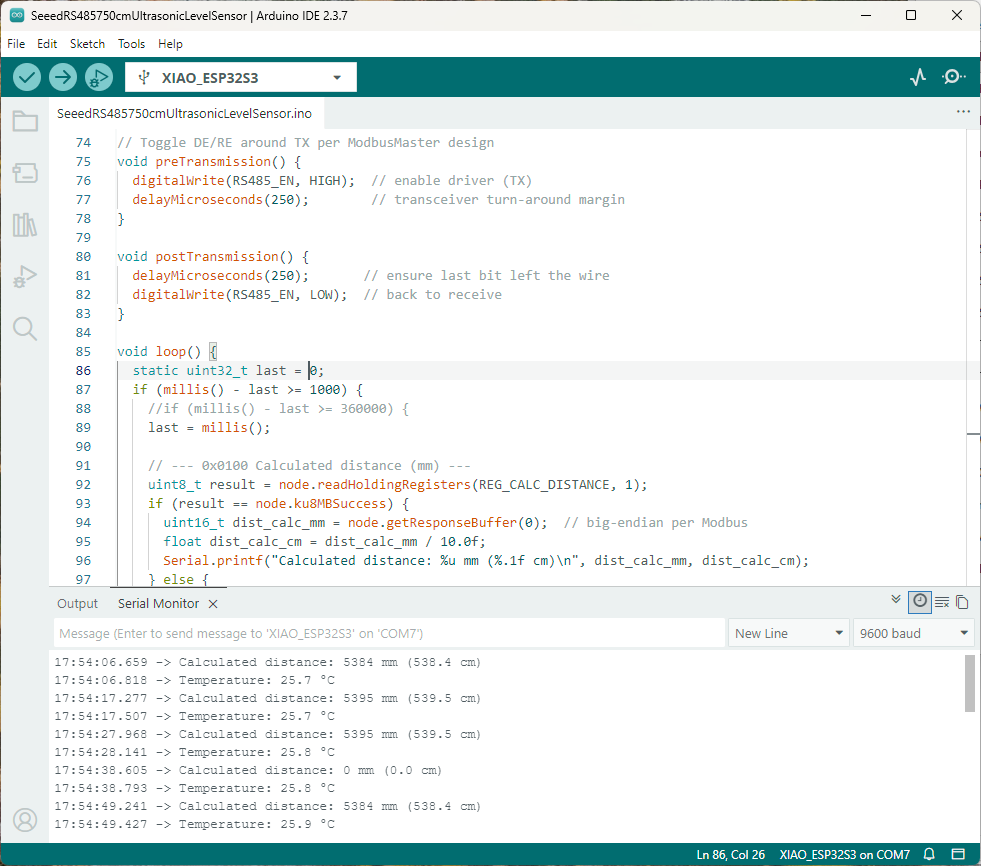
I had to add a short delay between each Modbus sensor value read to stop timeout errors.
Arduino RS485 500cm Ultrasonic Level Sensor

As part of this series of samples comparing Arduino to nanoFramework to .NET IoT Device “Proof of Concept (PoC) applications, the next couple of posts use an RS485 500cm Ultrasonic Level Sensor (SKU 101991042). I started with this sensor because its uses MODBUS and has an operating voltage of 3.3~24 V so it can be powered by the 5V output of a RS485 Breakout Board for Seeed Studio XIAO (SKU 113991354)

Initially the ModBusMaster based application didn’t work but after correcting the pin assignments based on the Seeedstudio XIAO ESP32 S3 RS-485 test harness(Arduino) reading one sensor worked reliably.

#include <HardwareSerial.h>
#include <ModbusMaster.h>

HardwareSerial RS485Serial(1);
ModbusMaster node;

// Pin mapping for XIAO RS485 breakout
const int RS485_RX = 6;   // UART1 RX
const int RS485_TX = 5;   // UART1 TX
const int RS485_EN = D2;   // DE/RE control (single pin)

// Sensor/Modbus parameters (from datasheet)
const uint8_t  SLAVE_ADDR = 0x01;        // default address
const uint16_t REG_CALC_DISTANCE = 0x0100;
//const uint16_t REG_REAL_DISTANCE = 0x0101;
const uint16_t REG_TEMPERATURE   = 0x0102;
const uint16_t REG_SLAVE_ADDR    = 0x0200;

// Forward declarations for ModbusMaster callbacks
void preTransmission();
void postTransmission();

void setup() {
  Serial.begin(9600);
  delay(5000);
  Serial.println("ModbusMaster: Seeed SKU101991042 Starting");

 // Wait for the hardware serial to be ready
  while (!Serial)
    ;
  Serial.println("Serial done");

  // RS485 transceiver enable pin
  pinMode(RS485_EN, OUTPUT);
  digitalWrite(RS485_EN, LOW);           // start in RX mode

  // Datasheet: 9600 baud, 8N1
  RS485Serial.begin(9600, SERIAL_8N1, RS485_RX, RS485_TX);
  while (!RS485Serial)
    ;
  Serial.println("RS485 done");

  // Tie ModbusMaster to the UART we just configured
  node.begin(SLAVE_ADDR, RS485Serial);

  // Register callbacks for half-duplex direction control
  node.preTransmission(preTransmission);
  node.postTransmission(postTransmission);

  Serial.println("ModbusMaster: Seeed 101991042 distance & temperature reader ready.");
}

// Toggle DE/RE around TX per ModbusMaster design
void preTransmission() {
  digitalWrite(RS485_EN, HIGH);          // enable driver (TX)
  delayMicroseconds(250);                // transceiver turn-around margin
}

void postTransmission() {
  delayMicroseconds(250);                // ensure last bit left the wire
  digitalWrite(RS485_EN, LOW);           // back to receive
}

void loop() {
  static uint32_t last = 0;
  //if (millis() - last >= 1000) {         // poll at 1 Hz
  if (millis() - last >= 360000) {         // poll at 0.2 Hz
    last = millis();

    // --- 0x0100 Calculated distance (mm) ---
    uint8_t result = node.readHoldingRegisters(REG_CALC_DISTANCE, 1);
    if (result == node.ku8MBSuccess) {
      uint16_t dist_calc_mm = node.getResponseBuffer(0); // big-endian per Modbus
      float dist_calc_cm = dist_calc_mm / 10.0f;
      Serial.printf("Calculated distance: %u mm (%.1f cm)\n", dist_calc_mm, dist_calc_cm);
    } else {
      Serial.printf("Read 0x0100 failed (err=%u)\n", result);
    }
    delay(1000);
/*
    // --- 0x0101 Real-time distance (mm) ---
    result = node.readHoldingRegisters(REG_REAL_DISTANCE, 1);
    if (result == node.ku8MBSuccess) {
      uint16_t dist_real_mm = node.getResponseBuffer(0);
      float dist_real_cm = dist_real_mm / 10.0f;
      Serial.printf("Real-time distance:  %u mm (%.1f cm)\n", dist_real_mm, dist_real_cm);
    } else {
      Serial.printf("Read 0x0101 failed (err=%u)\n", result);
    }
*/
    // --- 0x0102 Temperature (INT16, 0.1°C) ---
    result = node.readHoldingRegisters(REG_TEMPERATURE, 1);
    if (result == node.ku8MBSuccess) {
      uint16_t raw = node.getResponseBuffer(0);
      int16_t temp_i16 = (int16_t)raw;
      float temp_c = temp_i16 / 10.0f;
      Serial.printf("Temperature: %.1f °C\n", temp_c);
    } else {
      Serial.printf("Read 0x0102 failed (err=%u)\n", result);
    }
    delay(1000);
  }
}

I had to add a short delay between each MODBUS sensor read to stop timeout errors.