RTSP Camera RabbitOM.Streaming

The RTSPCameraNagerVideoStream library had significant latency which wasn’t good as I wanted to trigger the processing of images from the Real-time Streaming Protocol(RTSP) on my Seeedstudio J3011 Industrial device by strobing one of the digital inputs and combine streamed images with timestamped static ones.

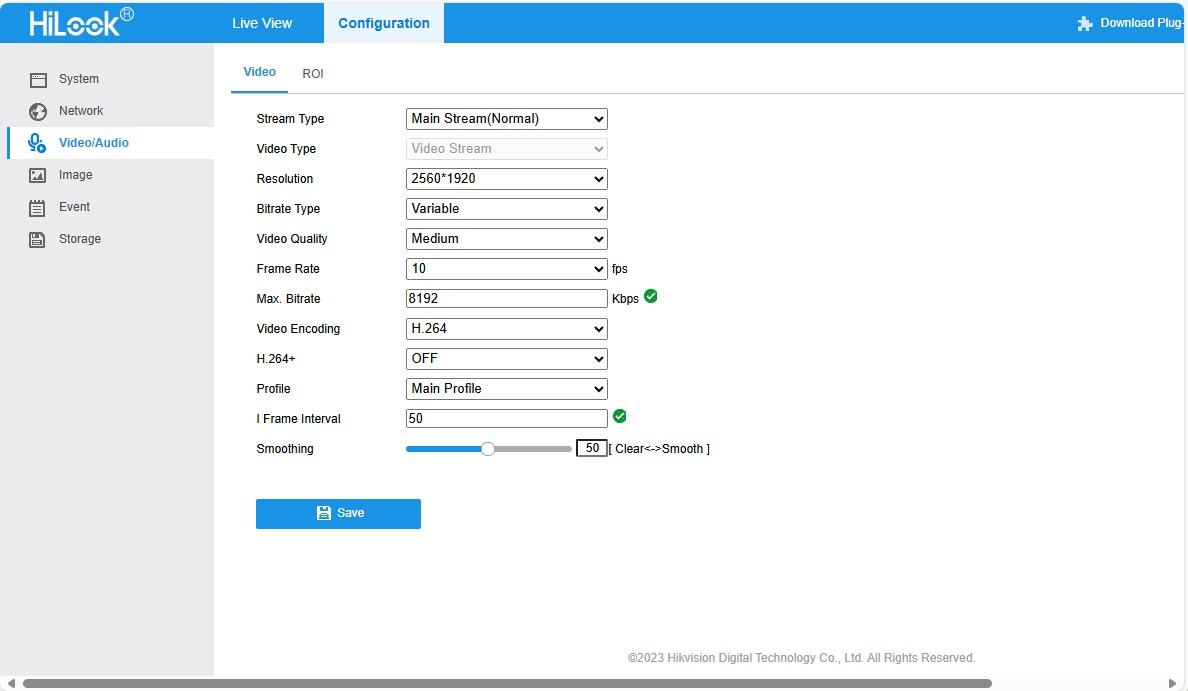
HiLook IPCT250H Camera configuration

To get a Moving Picture Experts Group(MPEG) stream I had to change the camera channel rather than use than H.264+ video Encoding

RtspCameraUrl”: “rtsp://10.0.0.19/ISAPI/Streaming/channels/102”

The KSAH-42.RabbitOM library looked worth testing so I built a test harness inspired by RabbitOM.Streaming.Tests.ConsoleApp.

client.PacketReceived += (sender, e) =>
{
   var interleavedPacket = e.Packet as RtspInterleavedPacket;

   if (interleavedPacket != null && interleavedPacket.Channel > 0)
   {
      // In most of case, avoid this packet
      Console.ForegroundColor = ConsoleColor.DarkCyan;
      Console.WriteLine("Skipping some data : size {0}", e.Packet.Data.Length);
      return;
   }

   Console.WriteLine($"{DateTime.UtcNow:yy-MM-dd HH:mm:ss.fff} New image received, bytes:{e.Packet.Data.Length}");

   File.WriteAllBytes(Path.Combine(_applicationSettings.SavePath, string.Format(_applicationSettings.FrameFileNameFormat, DateTime.UtcNow)), e.Packet.Data);
};

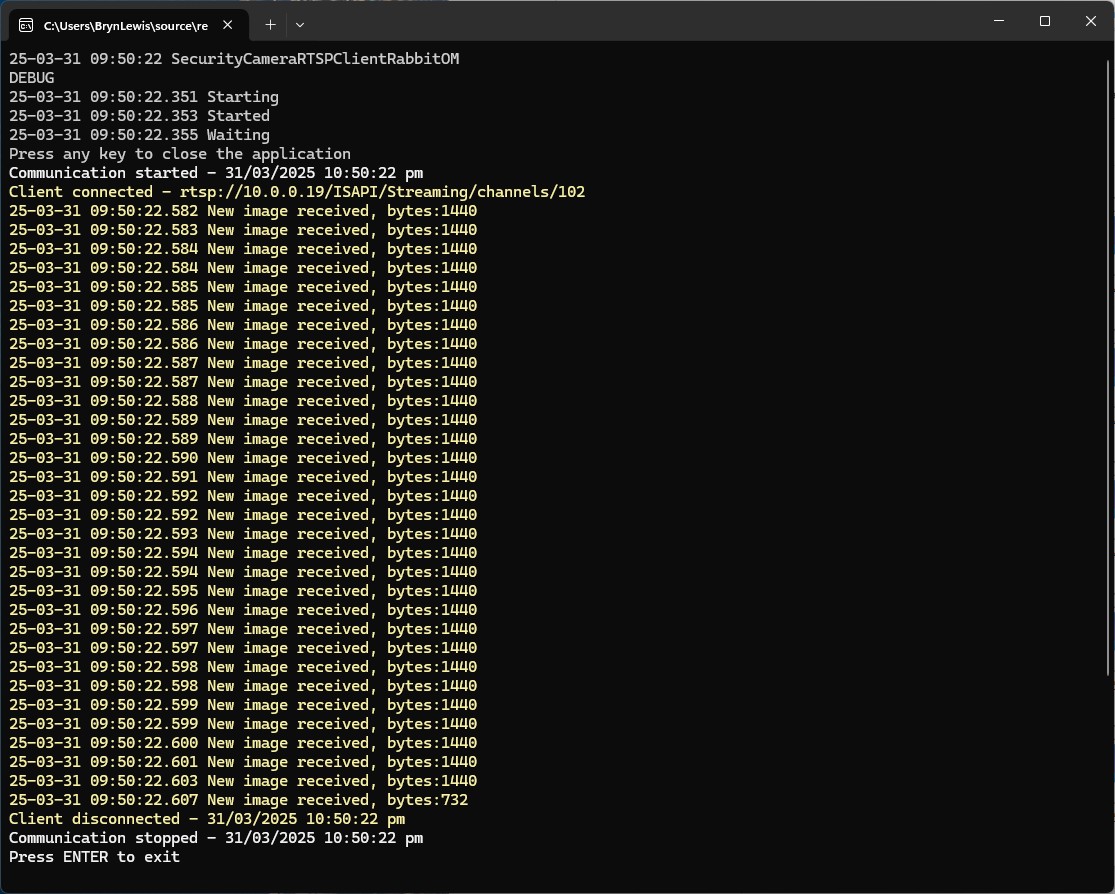
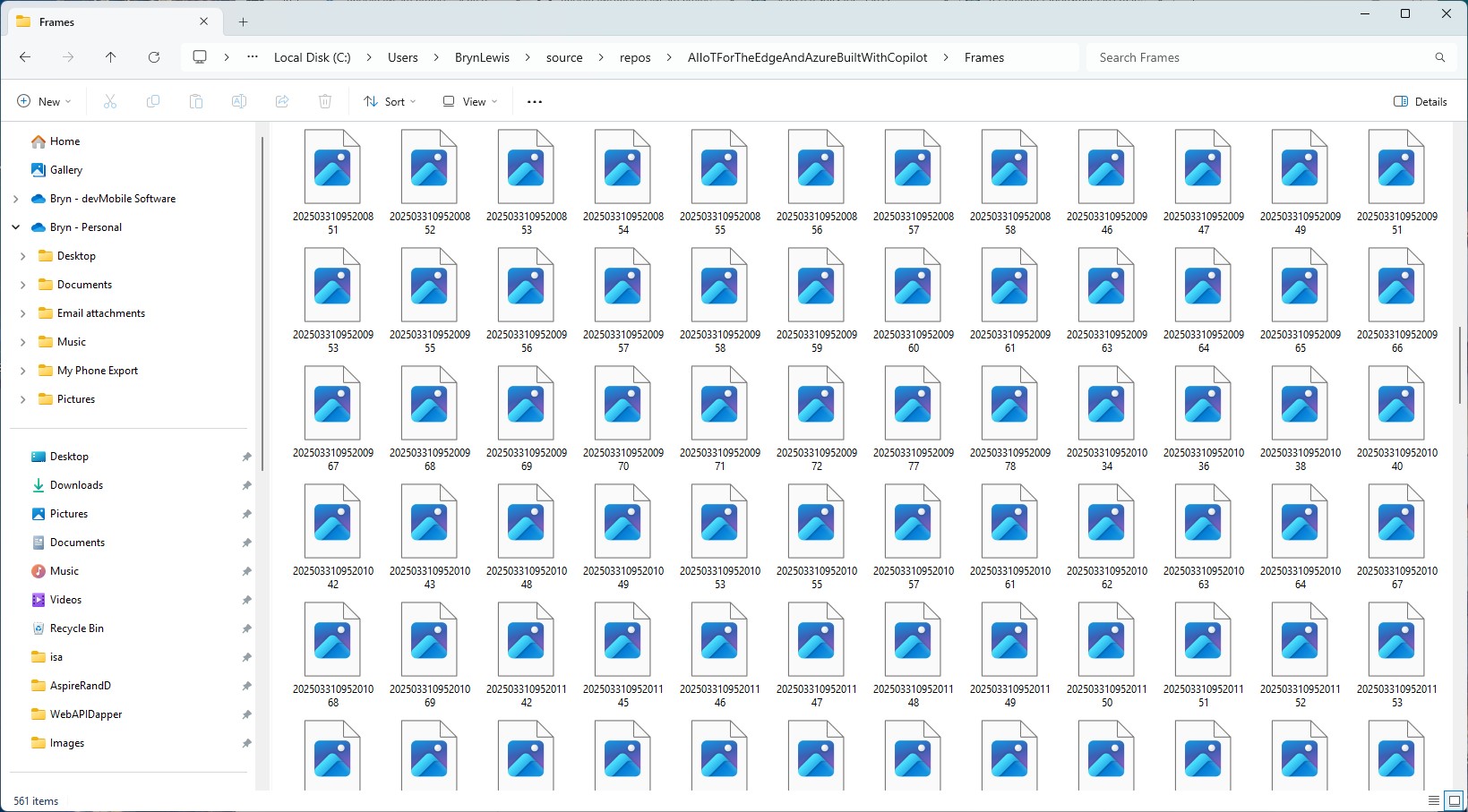
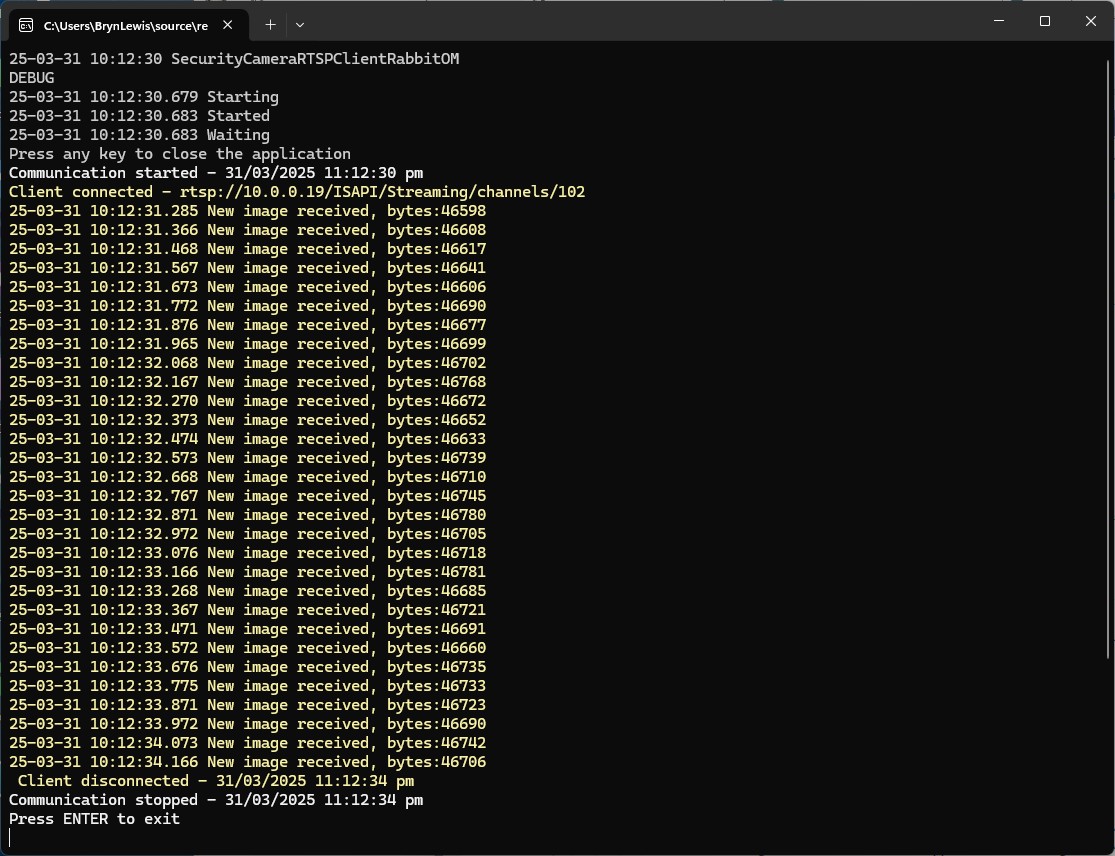
When I ran my test harness the number of images didn’t match the frame rate configured in the camera

The format of the images was corrupted, and I couldn’t open them

It looked like I was writing RTSP packets to the disk rather than Joint Photographic Experts Group(JPEG) images from the MPEG stream.

There was another sample application RabbitOM.Streaming.Tests.Mjpeg which displayed JPEG images. After looking at the code I figured out I need to use the RtpFrameBuilder class to assemble the RTSP packets into frames.

private static readonly RtpFrameBuilder _frameBuilder = new JpegFrameBuilder();
...
_frameBuilder.FrameReceived += OnFrameReceived;
...
client.PacketReceived += (sender, e) =>
{
   var interleavedPacket = e.Packet as RtspInterleavedPacket;

   if (interleavedPacket != null && interleavedPacket.Channel > 0)
   {
      // In most of case, avoid this packet
      Console.ForegroundColor = ConsoleColor.DarkCyan;
      Console.WriteLine("Skipping some data : size {0}", e.Packet.Data.Length);
      return;
   }

   _frameBuilder.Write(interleavedPacket.Data); 
};
private static void OnFrameReceived(object sender, RtpFrameReceivedEventArgs e)
{
   Console.WriteLine($"{DateTime.UtcNow:yy-MM-dd HH:mm:ss.fff} New image received, bytes:{e.Frame.Data.Length}");

   File.WriteAllBytes(Path.Combine(_applicationSettings.SavePath, string.Format(_applicationSettings.FrameFileNameFormat, DateTime.UtcNow)), e.Frame.Data);
}

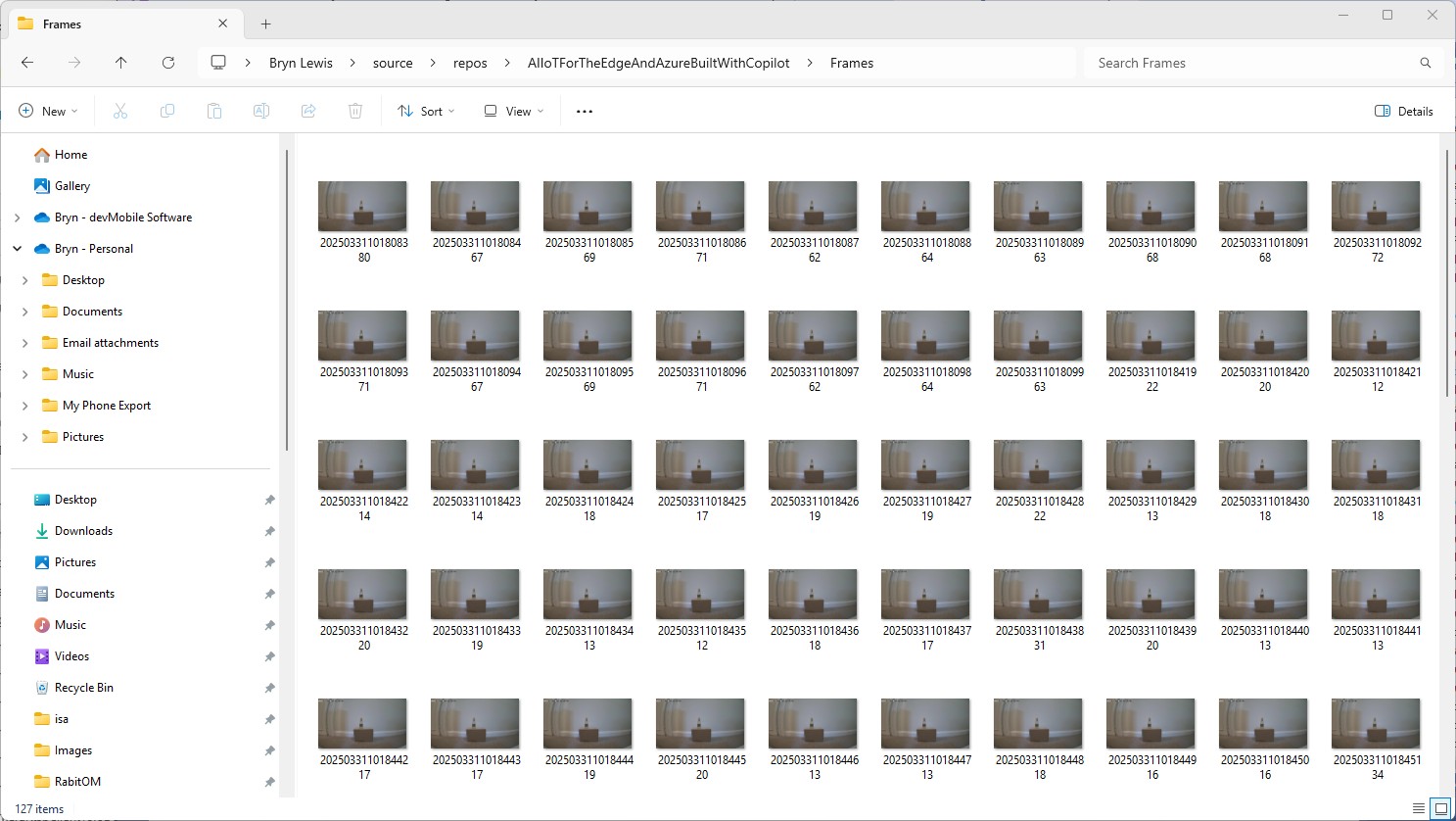
With the modified code the image size looked roughly the same as the SecurityCameraHttpClient images

The format of the images was good, and I could open them

Looks like KSAH-42.RabbitOM might be a good choice as it doesn’t have any external dependencies and the latency is minimal.

.NET Core web API + Dapper – Image Upload

Stream of Bytes or Base64 Encoded

To test my Dapper based functionality to upload images to my World Wide Importers database I used Telerik Fiddler.

Fiddler Composer with the image field name and upload file button highlighted

The currentimplementation only supports the uploading of one image at a time in a field called “image”.

Fiddler console after succesfull upload

This implementation supports a “Content-Type” of “application/octet-stream” or “image/jpeg”.

[HttpPost("{id}/image")]
public async Task<ActionResult> Upload([FromRoute(Name = "id")][Range(1, int.MaxValue, ErrorMessage = "StockItem id must greater than 0")] int id, [FromForm] IFormFile image)
{
	if (image == null) 
	{
		return this.BadRequest("Image image file missing");
	}

	if (image.Length == 0)
	{
		return this.BadRequest("Image image file is empty");
	}

	if ((string.Compare(image.ContentType, "application/octet-stream",true) != 0) && (string.Compare(image.ContentType, "image/jpeg", true) != 0))
	{
		return this.BadRequest("Image image file content-type is not application/octet-stream or image/jpeg");
	}

	try
	{
		using (MemoryStream ms = new MemoryStream())
		{
			await image.CopyToAsync(ms);

			ms.Seek(0, SeekOrigin.Begin);

			using (SqlConnection db = new SqlConnection(this.connectionString))
			{
				DynamicParameters parameters = new DynamicParameters();

				parameters.Add("StockItemId", id);
				parameters.Add("photo", ms, DbType.Binary, ParameterDirection.Input);

				await db.ExecuteAsync(sql: @"UPDATE [WareHouse].[StockItems] SET [Photo]=@Photo WHERE StockItemID=@StockItemId", param: parameters, commandType: CommandType.Text);
			}
		}
	}
	catch (SqlException ex)
	{
		logger.LogError(ex, "Updating photo of StockItem with ID:{0}", id);

		return this.StatusCode(StatusCodes.Status500InternalServerError);
	}

	return this.Ok();
}

After uploading the image I could download it as either a stream of bytes(displayed in Fiddler) or Base64 encoded (this had to be converted to an image)

Fiddler displaying downloaded jpeg image

This implementation doesn’t support the uploading of multiple images or the streaming of larger images but would be sufficient for uploading thumbnails etc.

NOTE : Error Handling approach has been updated

.NET Core web API + Dapper – Image Download

Stream of Bytes and Base64 Encoded

I needed to add some code using Dapper to retrieve images stored in a database for a webby client. The stockItems table has a column for a photo but they were all null…

CREATE TABLE [Warehouse].[StockItems](
	[StockItemID] [int] NOT NULL,
	[StockItemName] [nvarchar](100) NOT NULL,
	[SupplierID] [int] NOT NULL,
	[ColorID] [int] NULL,
	[UnitPackageID] [int] NOT NULL,
	[OuterPackageID] [int] NOT NULL,
	[Brand] [nvarchar](50) NULL,
	[Size] [nvarchar](20) NULL,
	[LeadTimeDays] [int] NOT NULL,
	[QuantityPerOuter] [int] NOT NULL,
	[IsChillerStock] [bit] NOT NULL,
	[Barcode] [nvarchar](50) NULL,
	[TaxRate] [decimal](18, 3) NOT NULL,
	[UnitPrice] [decimal](18, 2) NOT NULL,
	[RecommendedRetailPrice] [decimal](18, 2) NULL,
	[TypicalWeightPerUnit] [decimal](18, 3) NOT NULL,
	[MarketingComments] [nvarchar](max) NULL,
	[InternalComments] [nvarchar](max) NULL,
	[Photo] [varbinary](max) NULL,
	[CustomFields] [nvarchar](max) NULL,
	[Tags]  AS (json_query([CustomFields],N'$.Tags')),
	[SearchDetails]  AS (concat([StockItemName],N' ',[MarketingComments])),
	[LastEditedBy] [int] NOT NULL,
	[ValidFrom] [datetime2](7) GENERATED ALWAYS AS ROW START NOT NULL,
	[ValidTo] [datetime2](7) GENERATED ALWAYS AS ROW END NOT NULL,
 CONSTRAINT [PK_Warehouse_StockItems] PRIMARY KEY CLUSTERED 
(
	[StockItemID] ASC
)

I uploaded images of three different colours of sellotape dispensers with the following SQL

UPDATE Warehouse.StockItems 
SET [Photo] =(SELECT * FROM Openrowset( Bulk 'C:\Users\BrynLewis\Pictures\TapeDispenserBlue.jpg', Single_Blob) as  MyImage) where StockItemID = 

-- 203	Tape dispenser (Black)
-- 204	Tape dispenser (Red)
-- 205	Tape dispenser (Blue)

There are two options for downloading the image. The first is as a stream of bytes

[HttpGet("{id}/image")]
public async Task<ActionResult> GetImage([Range(1, int.MaxValue, ErrorMessage = "StockItem id must greater than 0")] int id)
{
	Byte[] response;

	try
	{
		using (SqlConnection db = new SqlConnection(this.connectionString))
		{
			response = await db.ExecuteScalarAsync<byte[]>(sql: @"SELECT [Photo] as ""photo"" FROM [Warehouse].[StockItems] WHERE StockItemID=@StockItemId", param: new { StockItemId = id }, commandType: CommandType.Text);
		}

		if (response == default)
		{
			logger.LogInformation("StockItem:{0} image not found", id);

			return this.NotFound($"StockItem:{id} image not found");
		}
	}
	catch (SqlException ex)
	{
		logger.LogError(ex, "Looking up a StockItem:{0} image", id);

		return this.StatusCode(StatusCodes.Status500InternalServerError);
	}

	return File(response, "image/jpeg");
}

The second is a Base64 encoded stream of bytes

[HttpGet("{id}/base64")]
public async Task<ActionResult> GetBase64([Range(1, int.MaxValue, ErrorMessage = "Stock item id must greater than 0")] int id)
{
	Byte[] response;

	try
	{
		using (SqlConnection db = new SqlConnection(this.connectionString))
		{
			response = await db.ExecuteScalarAsync<byte[]>(sql: @"SELECT [Photo] as ""photo"" FROM [Warehouse].[StockItems] WHERE StockItemID=@StockItemId", param: new { StockItemId = id }, commandType: CommandType.Text);
		}

		if (response == default)
		{
			logger.LogInformation("StockItem:{0} Base64 not found", id);

			return this.NotFound($"StockItem:{id} image not found");
		}
	}
	catch (SqlException ex)
	{
		logger.LogError(ex, "Looking up a StockItem withID:{0} base64", id);

		return this.StatusCode(StatusCodes.Status500InternalServerError);
	}

	return Ok("data:image/jpeg;base64," + Convert.ToBase64String(response));
}

I lost an hour from my life I will never get back figuring out that a correctly formatted/spelt content types “image/jpeg” and “data:image/jpeg;base64” were key to getting the webby client to render image.

NOTE : Error Handling approach has been updated