Smartish Edge Camera – Azure IoT Image Upload

This post builds on my Smartish Edge Camera – Azure Storage Service, Azure IoT Hub, and Azure IoT Central projects adding optional camera and marked-up image upload to Azure Blob Storage for Azure IoT Hubs and Azure IoT Central.
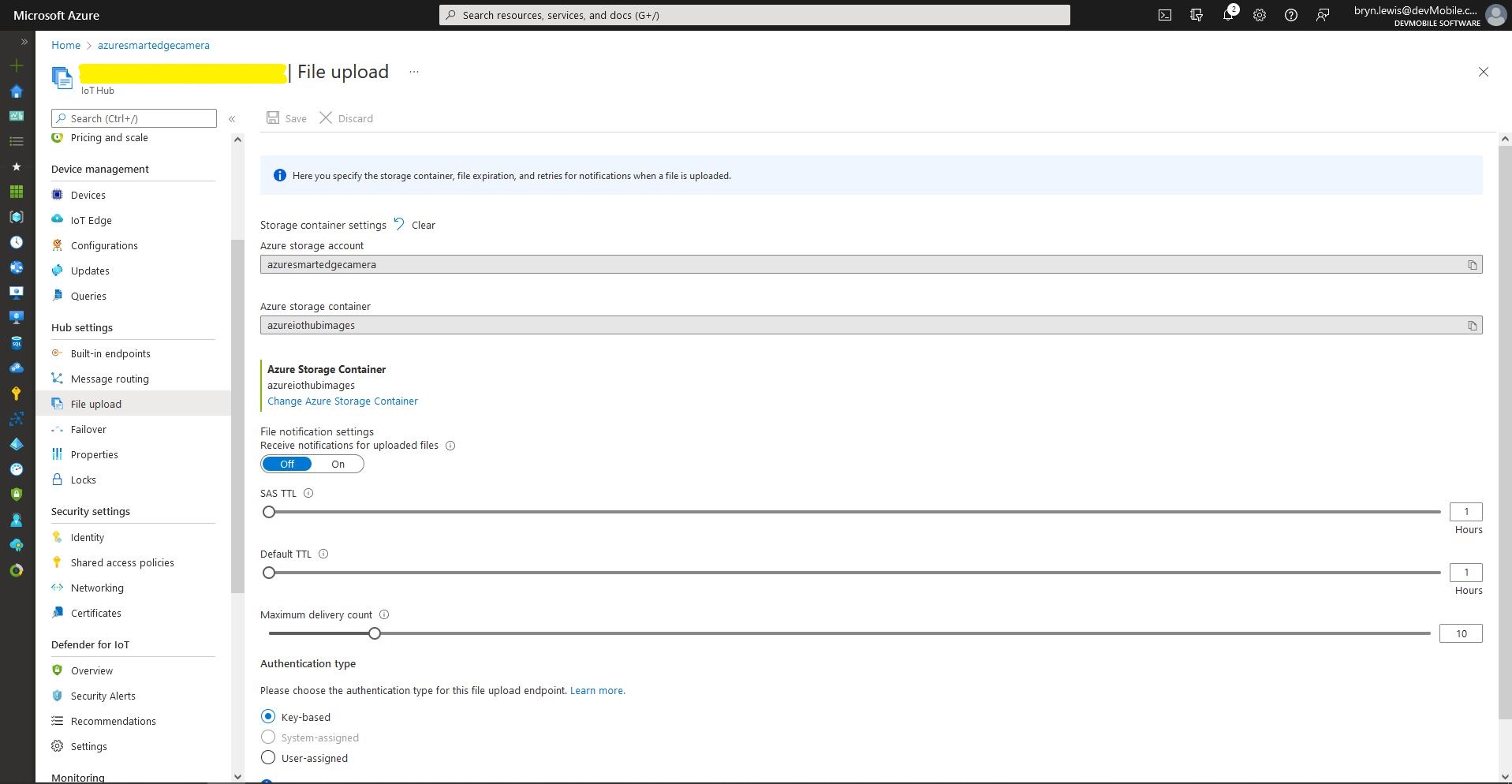
Azure IoT Hub – File upload storage account configuration
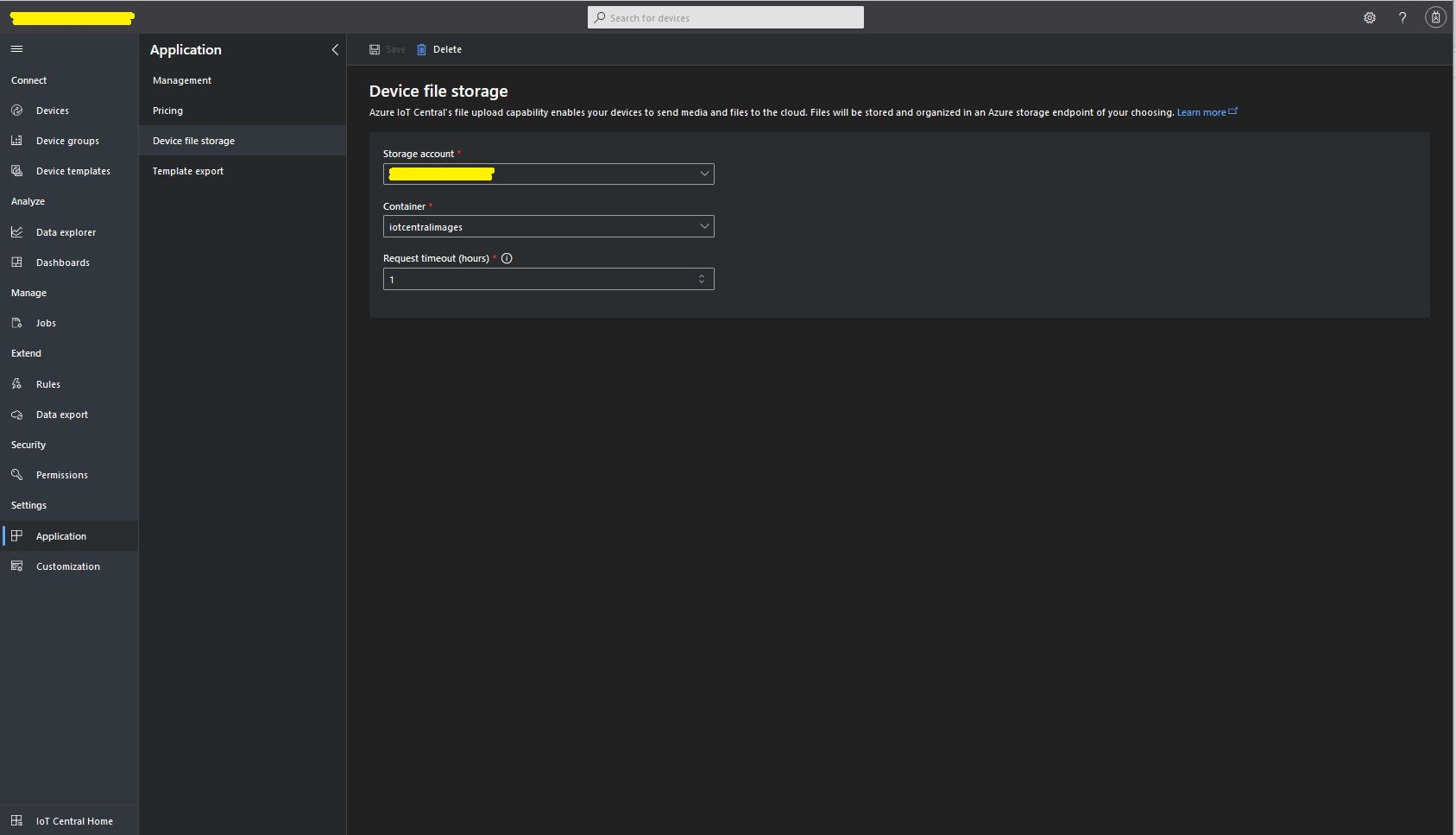
Azure IoT Central – File upload storage account configuration

The “new improved” process of uploading files to an Azure IoT Hub and Azure IoT Central is surprisingly complex to use and make robust(I think the initial approach with DeviceClient.UploadToBlobAsync which is now “deprecated” was easier to use).

public async Task UploadImage(List<YoloPrediction> predictions, string filepath, string blobpath)
{
	var fileUploadSasUriRequest = new FileUploadSasUriRequest()
	{
		BlobName = blobpath 
	};

	FileUploadSasUriResponse sasUri = await _deviceClient.GetFileUploadSasUriAsync(fileUploadSasUriRequest);

	var blockBlobClient = new BlockBlobClient(sasUri.GetBlobUri());

	var fileUploadCompletionNotification = new FileUploadCompletionNotification()
	{
		// Mandatory. Must be the same value as the correlation id returned in the sas uri response
		CorrelationId = sasUri.CorrelationId,

		IsSuccess = true
	};

	try
	{
		using (FileStream fileStream = File.OpenRead(filepath))
		{
			Response<BlobContentInfo> response = await blockBlobClient.UploadAsync(fileStream); //, blobUploadOptions);

			fileUploadCompletionNotification.StatusCode = response.GetRawResponse().Status;

			if (fileUploadCompletionNotification.StatusCode != ((int)HttpStatusCode.Created))
			{
				fileUploadCompletionNotification.IsSuccess = false;

				fileUploadCompletionNotification.StatusDescription = response.GetRawResponse().ReasonPhrase;
			}
		}
	}
	catch (RequestFailedException ex)
	{
		fileUploadCompletionNotification.StatusCode = ex.Status;

		fileUploadCompletionNotification.IsSuccess = false;

		fileUploadCompletionNotification.StatusDescription = ex.Message;
	}
	finally
	{
		await _deviceClient.CompleteFileUploadAsync(fileUploadCompletionNotification);
	}
}

If there is an object with a label in the PredictionLabelsOfInterest list, the camera and marked-up images can (configured with ImageCameraUpload & ImageMarkedupUpload) be uploaded to an Azure Storage Blob container associated with an Azure IoT Hub/ Azure IoT Central instance.

{
  "Logging": {
    "LogLevel": {
      "Default": "Information",
      "Microsoft": "Warning",
      "Microsoft.Hosting.Lifetime": "Information"
    }
  },

  "Application": {
    "DeviceID": "",
    "ImageTimerDue": "0.00:00:15",
    "ImageTimerPeriod": "0.00:00:30",

    "ImageCameraFilepath": "ImageCamera.jpg",
    "ImageMarkedUpFilepath": "ImageMarkedup.jpg",

    "ImageCameraUpload": false,
    "ImageMarkedupUpload": true,

    "ImageUploadFilepath": "ImageMarkedup.jpg",

    "YoloV5ModelPath": "YoloV5/yolov5s.onnx",

    "PredictionScoreThreshold": 0.7,
    "PredictionLabelsOfInterest": [
      "bicycle",
      "person"
    ],

    "PredictionLabelsMinimum": [
      "bicycle",
      "car",
      "person"
    ],

    "ImageCameraFilenameFormat": "{0:yyyyMMdd}/{0:HHmmss}.jpg"
  },

  "SecurityCamera": {
    "CameraUrl": "",
    "CameraUserName": "",
    "CameraUserPassword": ""
  },

  "RaspberryPICamera": {
    "ProcessWaitForExit": 1000,
    "Rotation": 180
  },

  "AzureIoTHub": {
    "ConnectionString": ""
  },

  "AzureIoTHubDPS": {
    "GlobalDeviceEndpoint": "global.azure-devices-provisioning.net",
    "IDScope": "",
    "GroupEnrollmentKey": ""
  },

  "AzureStorage": {
    "ImageCameraFilenameFormat": "{0:yyyyMMdd}/camera/{0:HHmmss}.jpg",
    "ImageMarkedUpFilenameFormat": "{0:yyyyMMdd}/markedup/{0:HHmmss}.jpg"
  }
}

The Blob’s path is prefixed with the device id (My Azure Storage Service created an Azure Blob Storage container for each device).
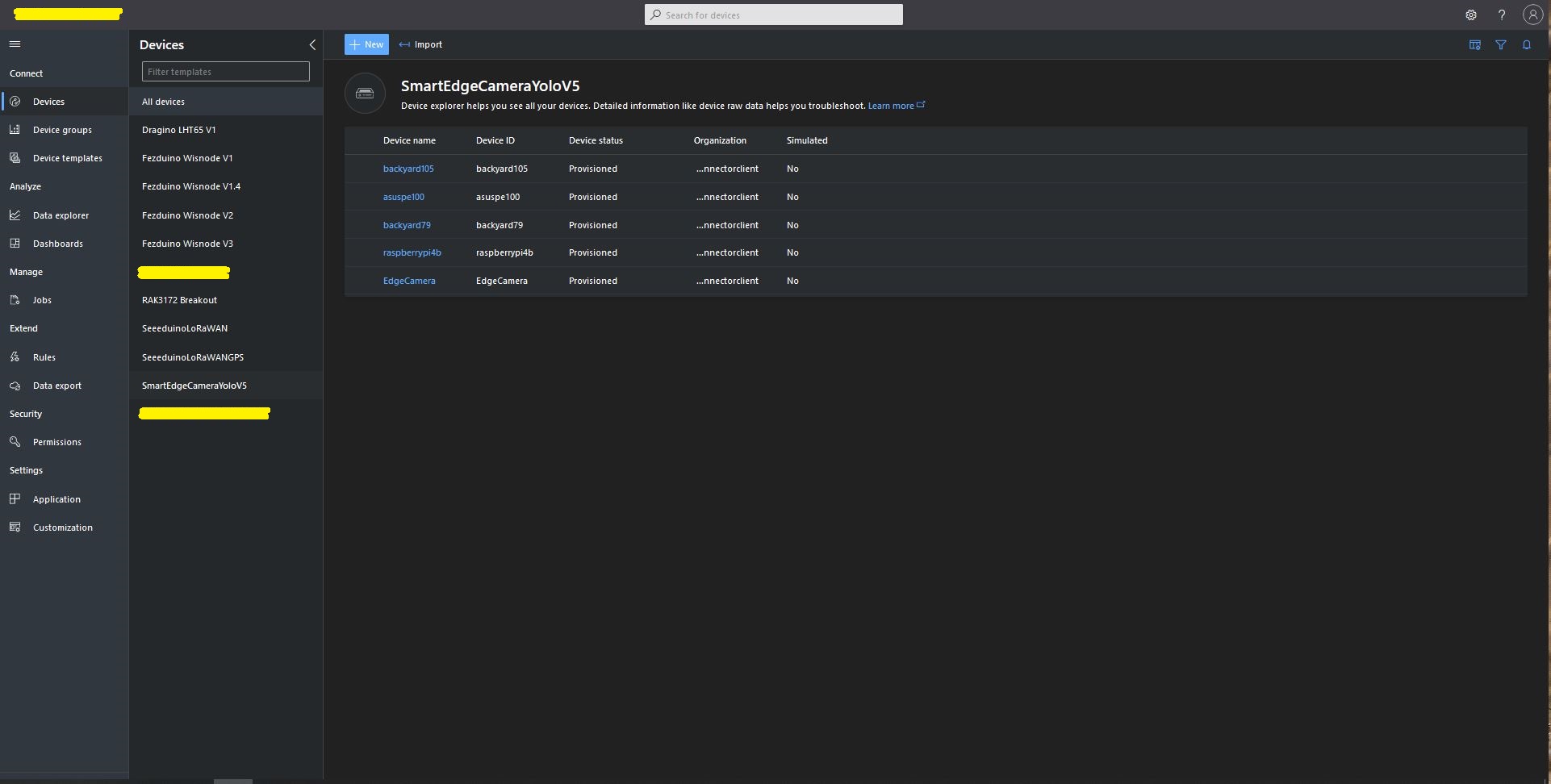
Azure IoT Central SmartEdge Camera devices

The format of the Azure Storage Blob path is configurable(ImageCameraFilenameFormat & ImageMarkedUpFilenameFormat + Universal Coordinated Time(UTC)) so images can be grouped.
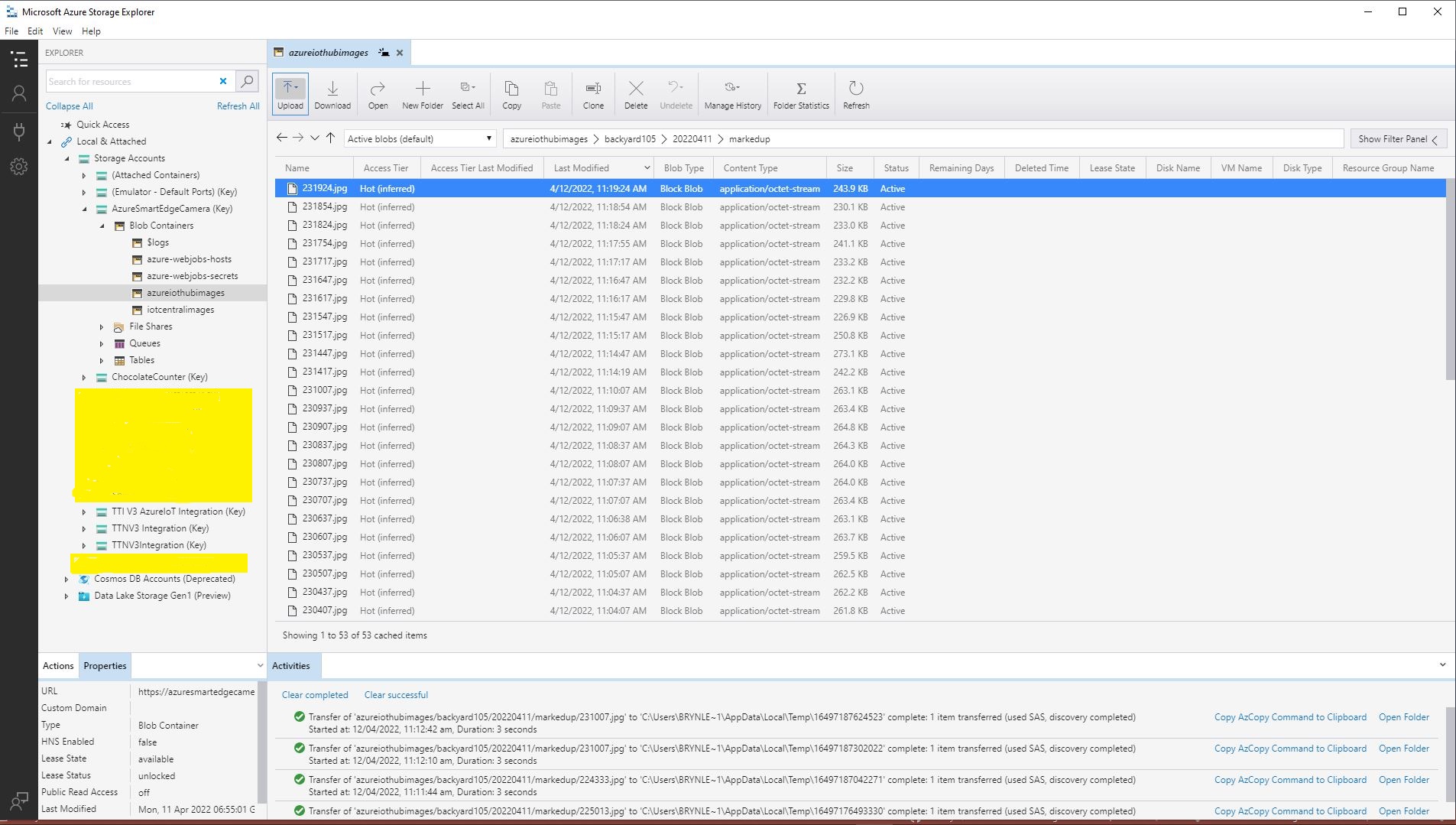
Configurable Blob paths in Azure Storage Explorer

After creating a new Azure IoT Hub uploads started failing with an exception and there weren’t a lot of useful search results (April 2022). I found error this was caused by missing or incorrect Azure Storage Account configuration.
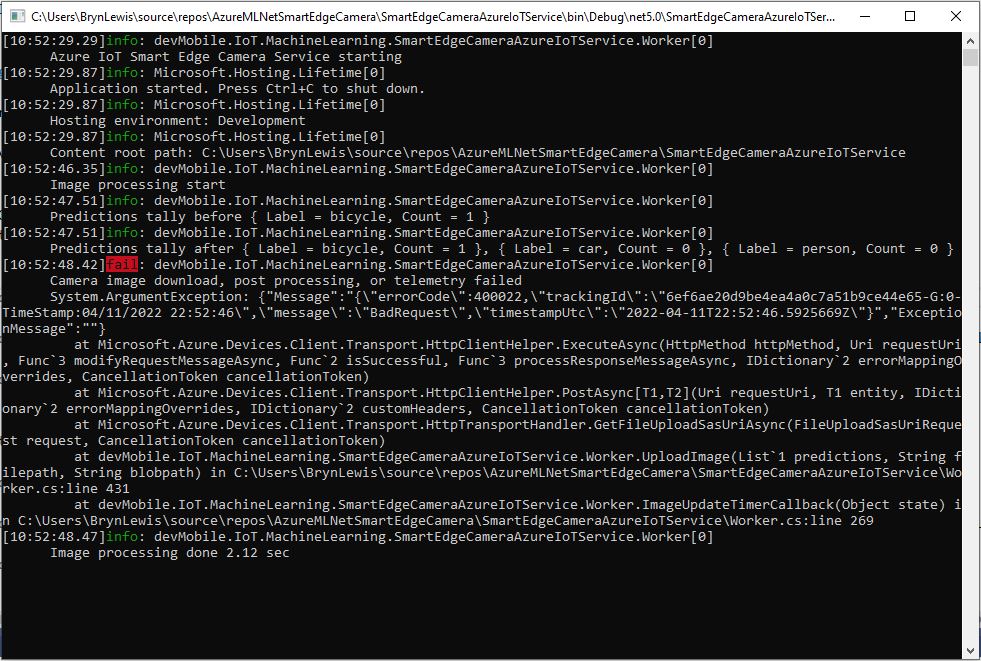
Azure IoT Hub Upload application failure logging
{"Message":"{\"errorCode\":400022,\"trackingId\":\"1175af36ec884cc4a54978f77b877a01-G:0-TimeStamp:04/12/2022 10:19:04\",\"message\":\"BadRequest\",\"timestampUtc\":\"2022-04-12T10:19:04.5925999Z\"}","ExceptionMessage":""}

   at Microsoft.Azure.Devices.Client.Transport.HttpClientHelper.<ExecuteAsync>d__23.MoveNext()
   at System.Runtime.ExceptionServices.ExceptionDispatchInfo.Throw()
   at System.Runtime.CompilerServices.TaskAwaiter.ThrowForNonSuccess(Task task)
   at System.Runtime.CompilerServices.TaskAwaiter.HandleNonSuccessAndDebuggerNotification(Task task)
   at Microsoft.Azure.Devices.Client.Transport.HttpClientHelper.<PostAsync>d__19`2.MoveNext()
   at System.Runtime.ExceptionServices.ExceptionDispatchInfo.Throw()
   at System.Runtime.CompilerServices.TaskAwaiter.ThrowForNonSuccess(Task task)
   at System.Runtime.CompilerServices.TaskAwaiter.HandleNonSuccessAndDebuggerNotification(Task task)
   at System.Runtime.CompilerServices.ConfiguredTaskAwaitable`1.ConfiguredTaskAwaiter.GetResult()
   at Microsoft.Azure.Devices.Client.Transport.HttpTransportHandler.<GetFileUploadSasUriAsync>d__15.MoveNext()
   at System.Runtime.ExceptionServices.ExceptionDispatchInfo.Throw()
   at System.Runtime.CompilerServices.TaskAwaiter.ThrowForNonSuccess(Task task)
   at System.Runtime.CompilerServices.TaskAwaiter.HandleNonSuccessAndDebuggerNotification(Task task)
   at System.Runtime.CompilerServices.TaskAwaiter`1.GetResult()
   at devMobile.IoT.MachineLearning.SmartEdgeCameraAzureIoTService.Worker.<UploadImage>d__14.MoveNext() in C:\Users\BrynLewis\source\repos\AzureMLNetSmartEdgeCamera\SmartEdgeCameraAzureIoTService\Worker.cs:line 430
   at System.Runtime.ExceptionServices.ExceptionDispatchInfo.Throw()
   at System.Runtime.CompilerServices.TaskAwaiter.ThrowForNonSuccess(Task task)
   at System.Runtime.CompilerServices.TaskAwaiter.HandleNonSuccessAndDebuggerNotification(Task task)
   at System.Runtime.CompilerServices.TaskAwaiter.GetResult()
   at devMobile.IoT.MachineLearning.SmartEdgeCameraAzureIoTService.Worker.<ImageUpdateTimerCallback>d__10.MoveNext() in C:\Users\BrynLewis\source\repos\AzureMLNetSmartEdgeCamera\SmartEdgeCameraAzureIoTService\Worker.cs:line 268

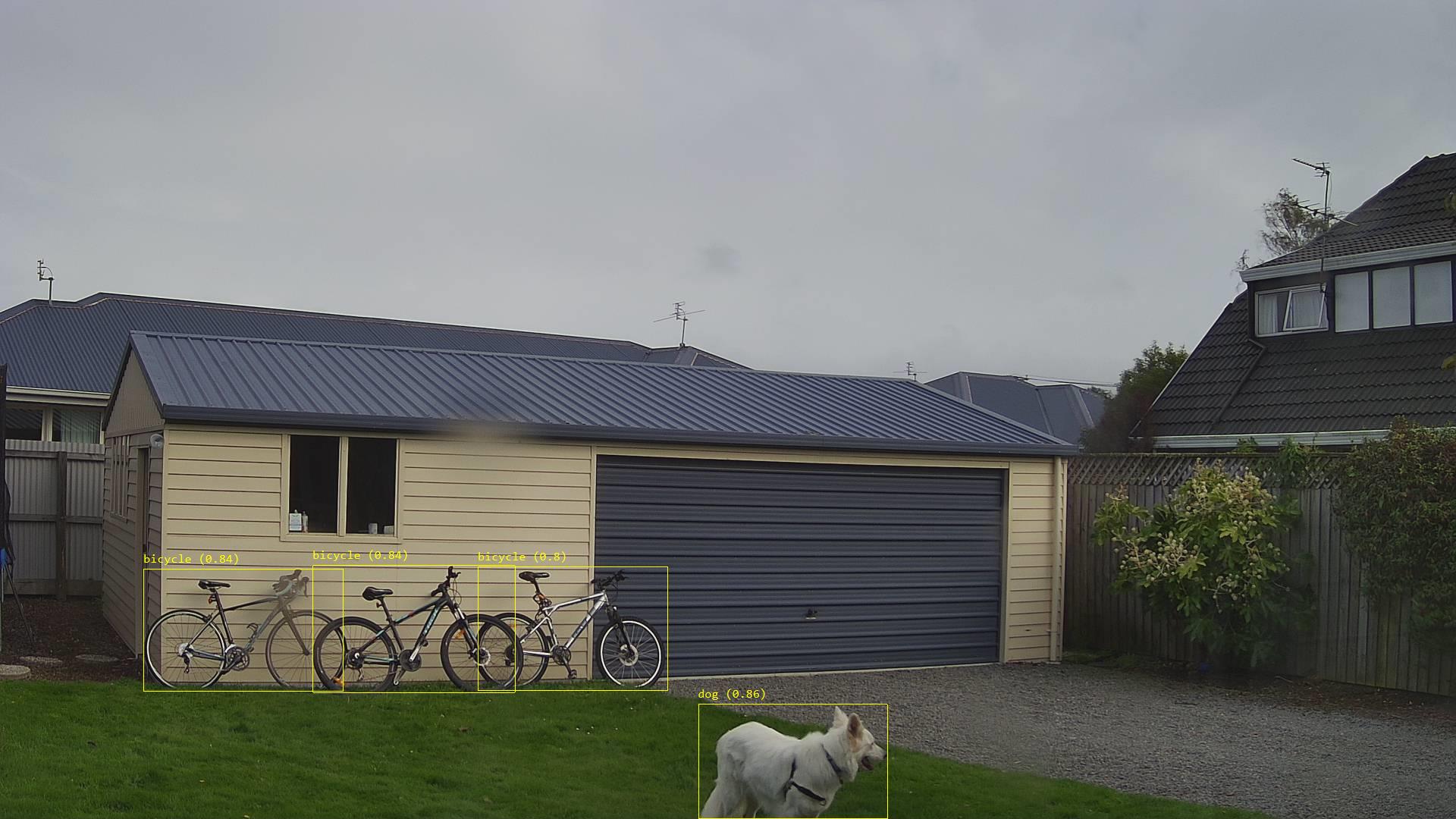
While testing the application I noticed an “unexpected” object detected in my backyard…
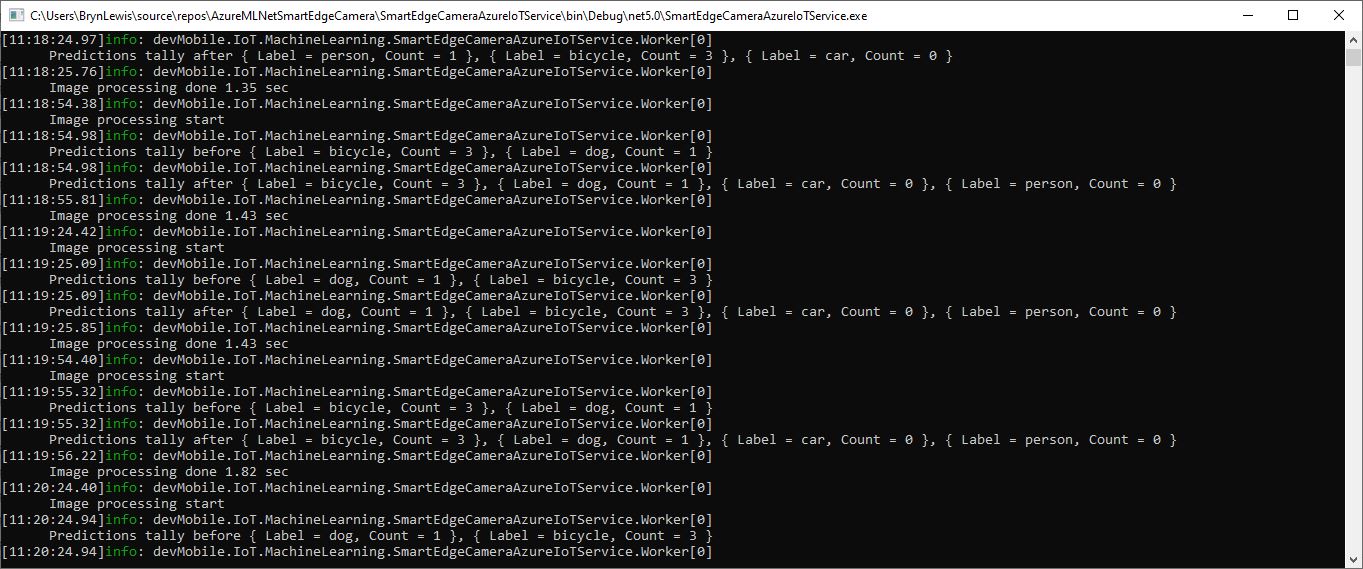
Unexpected object detection diagnostic logging
Unexpected object detection results marked-up image

The mentalstack/yolov5-net and NuGet have been incredibly useful and MentalStack team have done a marvelous job building and supporting this project. For this project my test-rig consisted of a Unv ADZK-10 Security Camera, Power over Ethernet(PoE) and my HP Prodesk 400G4 DM (i7-8700T).
Smartish Edge Camera – Azure IoT Central

This post builds on Smartish Edge Camera – Azure Hub Part 1 using the Azure IoT Hub Device Provisioning Service(DPS) to connect to Azure IoT Central.

The list of object classes is in the YoloCocoP5Model.cs file in the mentalstack/yolov5-net repository.

public override List<YoloLabel> Labels { get; set; } = new List<YoloLabel>()
{
    new YoloLabel { Id = 1, Name = "person" },
    new YoloLabel { Id = 2, Name = "bicycle" },
    new YoloLabel { Id = 3, Name = "car" },
    new YoloLabel { Id = 4, Name = "motorcycle" },
    new YoloLabel { Id = 5, Name = "airplane" },
    new YoloLabel { Id = 6, Name = "bus" },
    new YoloLabel { Id = 7, Name = "train" },
    new YoloLabel { Id = 8, Name = "truck" },
    new YoloLabel { Id = 9, Name = "boat" },
    new YoloLabel { Id = 10, Name = "traffic light" },
    new YoloLabel { Id = 11, Name = "fire hydrant" },
    new YoloLabel { Id = 12, Name = "stop sign" },
    new YoloLabel { Id = 13, Name = "parking meter" },
    new YoloLabel { Id = 14, Name = "bench" },
    new YoloLabel { Id = 15, Name = "bird" },
    new YoloLabel { Id = 16, Name = "cat" },
    new YoloLabel { Id = 17, Name = "dog" },
    new YoloLabel { Id = 18, Name = "horse" },
    new YoloLabel { Id = 19, Name = "sheep" },
    new YoloLabel { Id = 20, Name = "cow" },
    new YoloLabel { Id = 21, Name = "elephant" },
    new YoloLabel { Id = 22, Name = "bear" },
    new YoloLabel { Id = 23, Name = "zebra" },
    new YoloLabel { Id = 24, Name = "giraffe" },
    new YoloLabel { Id = 25, Name = "backpack" },
    new YoloLabel { Id = 26, Name = "umbrella" },
    new YoloLabel { Id = 27, Name = "handbag" },
    new YoloLabel { Id = 28, Name = "tie" },
    new YoloLabel { Id = 29, Name = "suitcase" },
    new YoloLabel { Id = 30, Name = "frisbee" },
    new YoloLabel { Id = 31, Name = "skis" },
    new YoloLabel { Id = 32, Name = "snowboard" },
    new YoloLabel { Id = 33, Name = "sports ball" },
    new YoloLabel { Id = 34, Name = "kite" },
    new YoloLabel { Id = 35, Name = "baseball bat" },
    new YoloLabel { Id = 36, Name = "baseball glove" },
    new YoloLabel { Id = 37, Name = "skateboard" },
    new YoloLabel { Id = 38, Name = "surfboard" },
    new YoloLabel { Id = 39, Name = "tennis racket" },
    new YoloLabel { Id = 40, Name = "bottle" },
    new YoloLabel { Id = 41, Name = "wine glass" },
    new YoloLabel { Id = 42, Name = "cup" },
    new YoloLabel { Id = 43, Name = "fork" },
    new YoloLabel { Id = 44, Name = "knife" },
    new YoloLabel { Id = 45, Name = "spoon" },
    new YoloLabel { Id = 46, Name = "bowl" },
    new YoloLabel { Id = 47, Name = "banana" },
    new YoloLabel { Id = 48, Name = "apple" },
    new YoloLabel { Id = 49, Name = "sandwich" },
    new YoloLabel { Id = 50, Name = "orange" },
    new YoloLabel { Id = 51, Name = "broccoli" },
    new YoloLabel { Id = 52, Name = "carrot" },
    new YoloLabel { Id = 53, Name = "hot dog" },
    new YoloLabel { Id = 54, Name = "pizza" },
    new YoloLabel { Id = 55, Name = "donut" },
    new YoloLabel { Id = 56, Name = "cake" },
    new YoloLabel { Id = 57, Name = "chair" },
    new YoloLabel { Id = 58, Name = "couch" },
    new YoloLabel { Id = 59, Name = "potted plant" },
    new YoloLabel { Id = 60, Name = "bed" },
    new YoloLabel { Id = 61, Name = "dining table" },
    new YoloLabel { Id = 62, Name = "toilet" },
    new YoloLabel { Id = 63, Name = "tv" },
    new YoloLabel { Id = 64, Name = "laptop" },
    new YoloLabel { Id = 65, Name = "mouse" },
    new YoloLabel { Id = 66, Name = "remote" },
    new YoloLabel { Id = 67, Name = "keyboard" },
    new YoloLabel { Id = 68, Name = "cell phone" },
    new YoloLabel { Id = 69, Name = "microwave" },
    new YoloLabel { Id = 70, Name = "oven" },
    new YoloLabel { Id = 71, Name = "toaster" },
    new YoloLabel { Id = 72, Name = "sink" },
    new YoloLabel { Id = 73, Name = "refrigerator" },
    new YoloLabel { Id = 74, Name = "book" },
    new YoloLabel { Id = 75, Name = "clock" },
    new YoloLabel { Id = 76, Name = "vase" },
    new YoloLabel { Id = 77, Name = "scissors" },
    new YoloLabel { Id = 78, Name = "teddy bear" },
    new YoloLabel { Id = 79, Name = "hair drier" },
    new YoloLabel { Id = 80, Name = "toothbrush" }
};

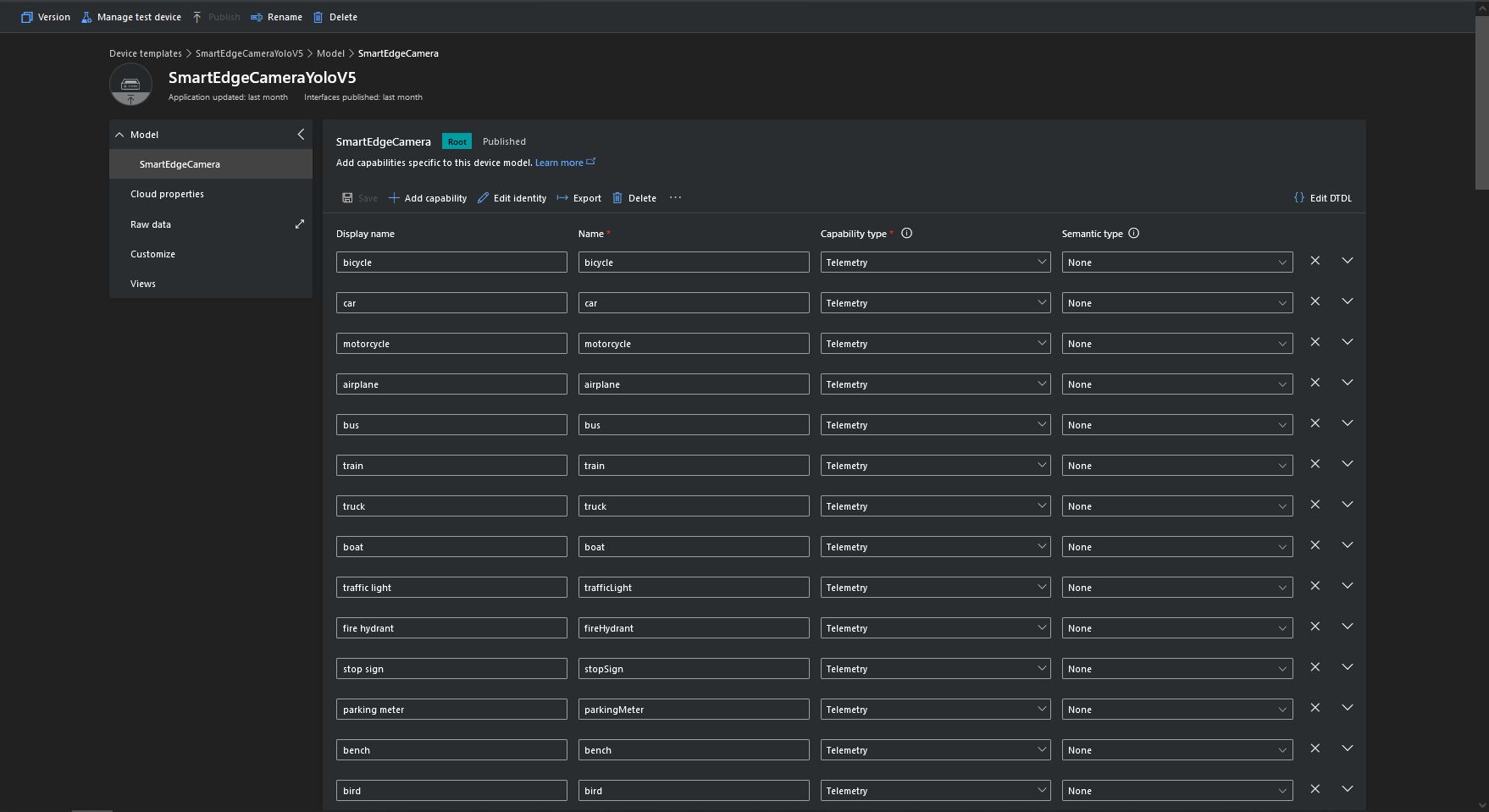
Some of the label choices seem a bit arbitrary(frisbee, surfboard) and American(fire hydrant, baseball bat, baseball glove) It was quite tedious configuring the 80 labels in my Azure IoT Central template.

Azure IoT Central Template with all the YoloV5 labels configured

If there is an object with a label in the PredictionLabelsOfInterest list, a tally of each of the different object classes in the image is sent to an Azure IoT Hub/ Azure IoT Central.

"Application": {
  "DeviceID": "",
  "ImageTimerDue": "0.00:00:15",
  "ImageTimerPeriod": "0.00:00:30",

  "ImageCameraFilepath": "ImageCamera.jpg",
  "ImageMarkedUpFilepath": "ImageMarkedup.jpg",

  "YoloV5ModelPath": "YoloV5/yolov5s.onnx",

  "PredictionScoreThreshold": 0.7,
  "PredictionLabelsOfInterest": [
    "bicycle",
    "person"
  ],
  "PredictionLabelsMinimum": [
    "bicycle",
    "car",
    "person"
  ]
}
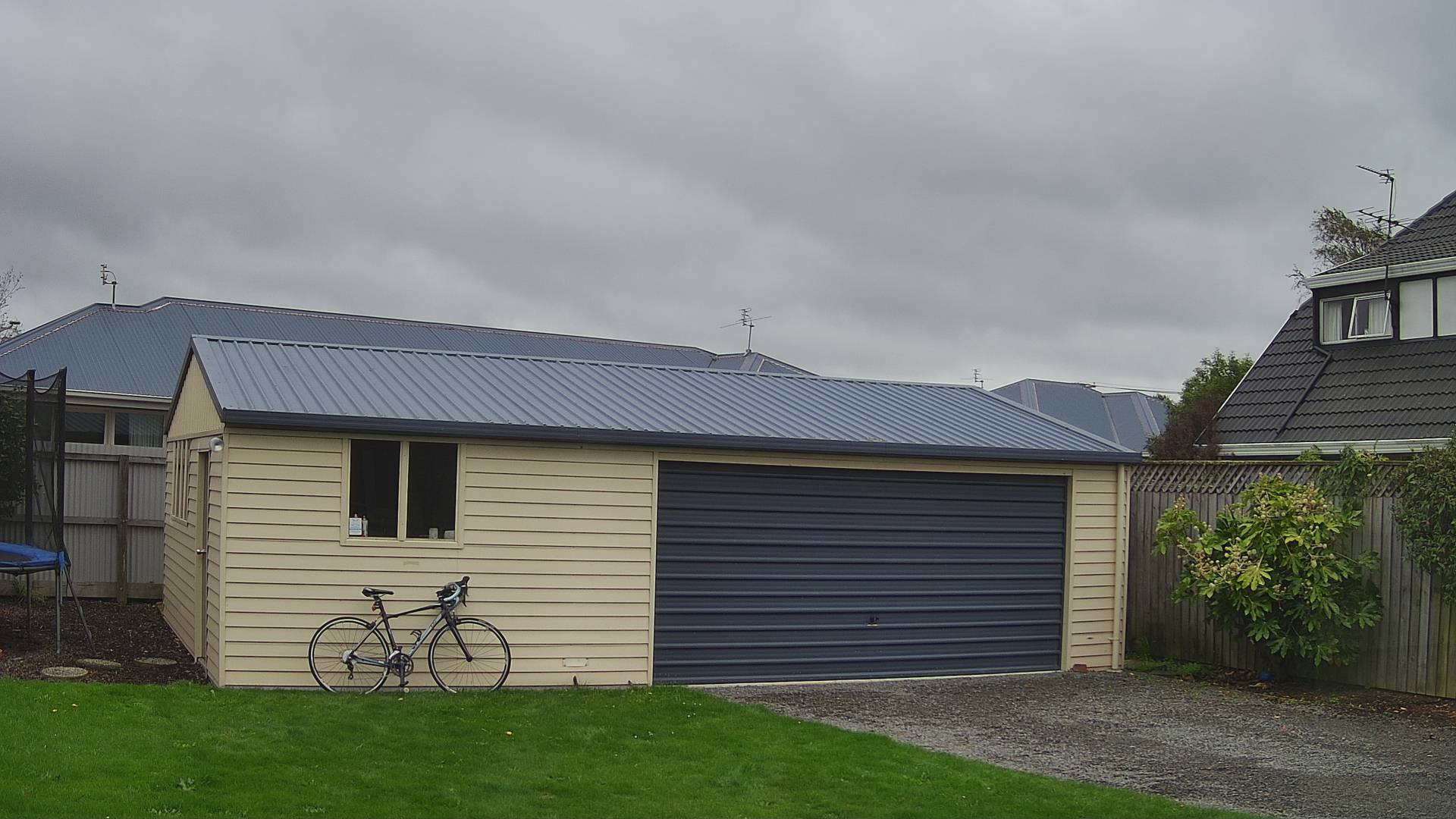
My backyard just after the car left (the dry patch in shingle on the right)
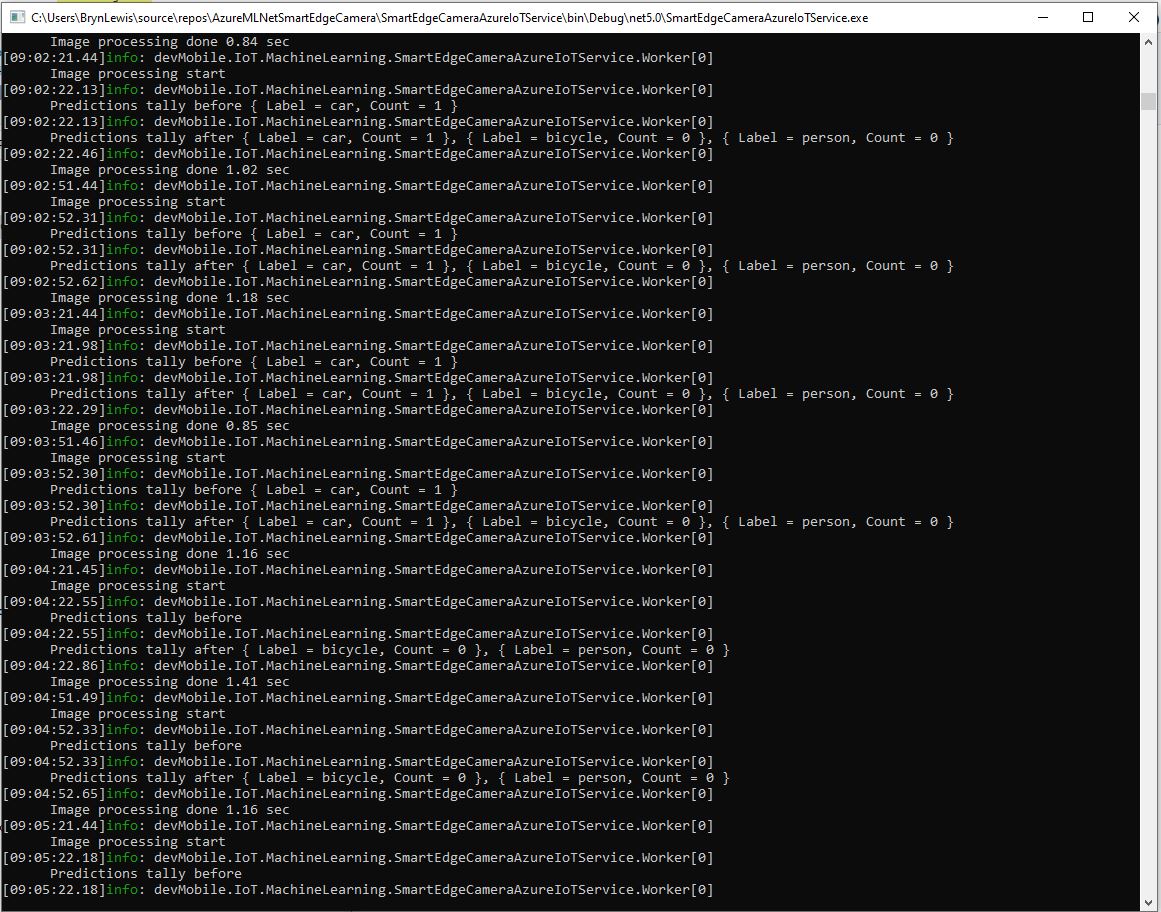
Smartish Edge Camera Service console just after car left
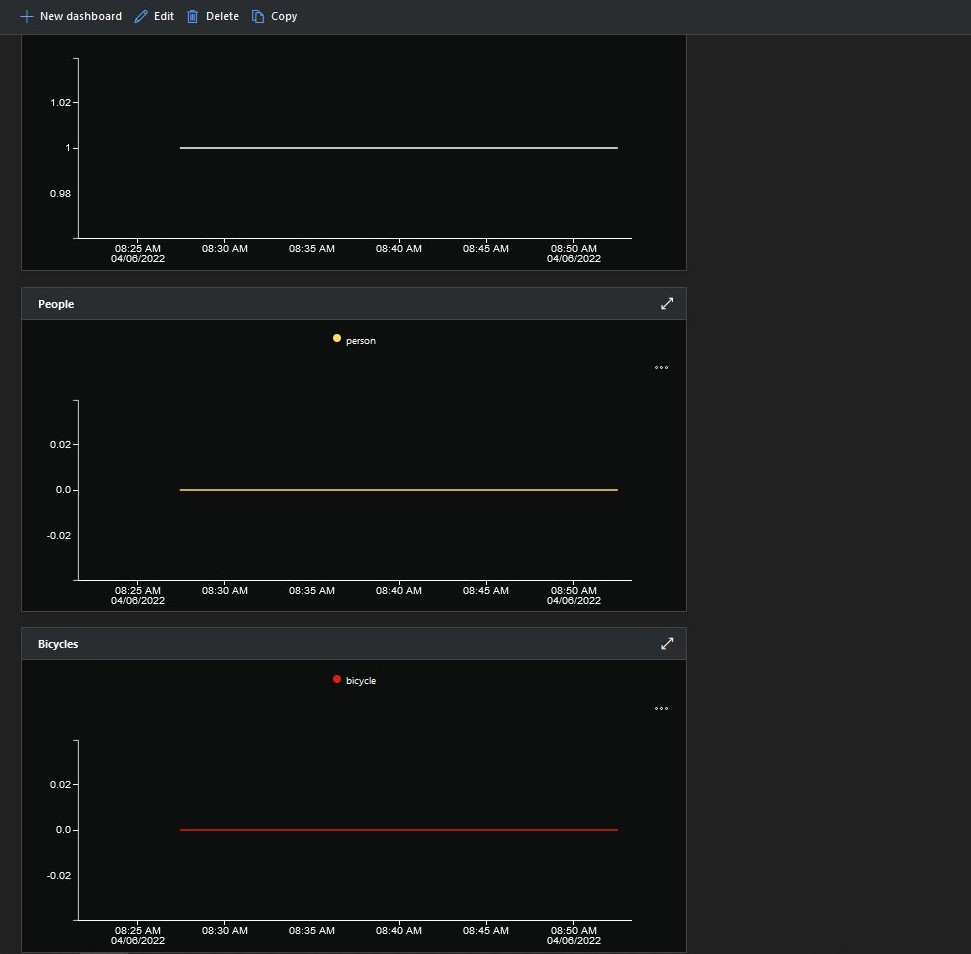
Smartish Edge Camera Azure IoT Central graphs showing missing data points

After the You Only Look Once(YOLOV5)+ML.Net+Open Neural Network Exchange(ONNX) plumbing has loaded a timer with a configurable due time and period is started.

private async void ImageUpdateTimerCallback(object state)
{
	DateTime requestAtUtc = DateTime.UtcNow;

	// Just incase - stop code being called while photo already in progress
	if (_cameraBusy)
	{
		return;
	}
	_cameraBusy = true;

	_logger.LogInformation("Image processing start");

	try
	{
#if CAMERA_RASPBERRY_PI
		RaspberryPIImageCapture();
#endif
#if CAMERA_SECURITY
		SecurityCameraImageCapture();
#endif
		List<YoloPrediction> predictions;

		using (Image image = Image.FromFile(_applicationSettings.ImageCameraFilepath))
		{
			_logger.LogTrace("Prediction start");
			predictions = _scorer.Predict(image);
			_logger.LogTrace("Prediction done");

			OutputImageMarkup(image, predictions, _applicationSettings.ImageMarkedUpFilepath);
		}

		if (_logger.IsEnabled(LogLevel.Trace))
		{
			_logger.LogTrace("Predictions {0}", predictions.Select(p => new { p.Label.Name, p.Score }));
		}

		var predictionsValid = predictions.Where(p => p.Score >= _applicationSettings.PredictionScoreThreshold).Select(p => p.Label.Name);

		// Count up the number of each class detected in the image
		var predictionsTally = predictionsValid.GroupBy(p => p)
				.Select(p => new
				{
					Label = p.Key,
					Count = p.Count()
				});

		if (_logger.IsEnabled(LogLevel.Information))
		{
			_logger.LogInformation("Predictions tally before {0}", predictionsTally.ToList());
		}

		// Add in any missing counts the cloudy side is expecting
		if (_applicationSettings.PredictionLabelsMinimum != null)
		{
			foreach( String label in _applicationSettings.PredictionLabelsMinimum)
			{
				if (!predictionsTally.Any(c=>c.Label == label ))
				{
					predictionsTally = predictionsTally.Append(new {Label = label, Count = 0 });
				}
			}
		}

		if (_logger.IsEnabled(LogLevel.Information))
		{
			_logger.LogInformation("Predictions tally after {0}", predictionsTally.ToList());
		}

		if ((_applicationSettings.PredictionLabelsOfInterest == null) || (predictionsValid.Select(c => c).Intersect(_applicationSettings.PredictionLabelsOfInterest, StringComparer.OrdinalIgnoreCase).Any()))
		{
			JObject telemetryDataPoint = new JObject();

			foreach (var predictionTally in predictionsTally)
			{
				telemetryDataPoint.Add(predictionTally.Label, predictionTally.Count);
			}

			using (Message message = new Message(Encoding.ASCII.GetBytes(JsonConvert.SerializeObject(telemetryDataPoint))))
			{
				message.Properties.Add("iothub-creation-time-utc", requestAtUtc.ToString("s", CultureInfo.InvariantCulture));

				await _deviceClient.SendEventAsync(message);
			}
		}
	}
	catch (Exception ex)
	{
		_logger.LogError(ex, "Camera image download, post processing, or telemetry failed");
	}
	finally
	{
		_cameraBusy = false;
	}

	TimeSpan duration = DateTime.UtcNow - requestAtUtc;

	_logger.LogInformation("Image processing done {0:f2} sec", duration.TotalSeconds);
}

Using some Language Integrated Query (LINQ) code any predictions with a score < PredictionScoreThreshold are discarded. A count of the instances of each class is generated with some more LINQ code.

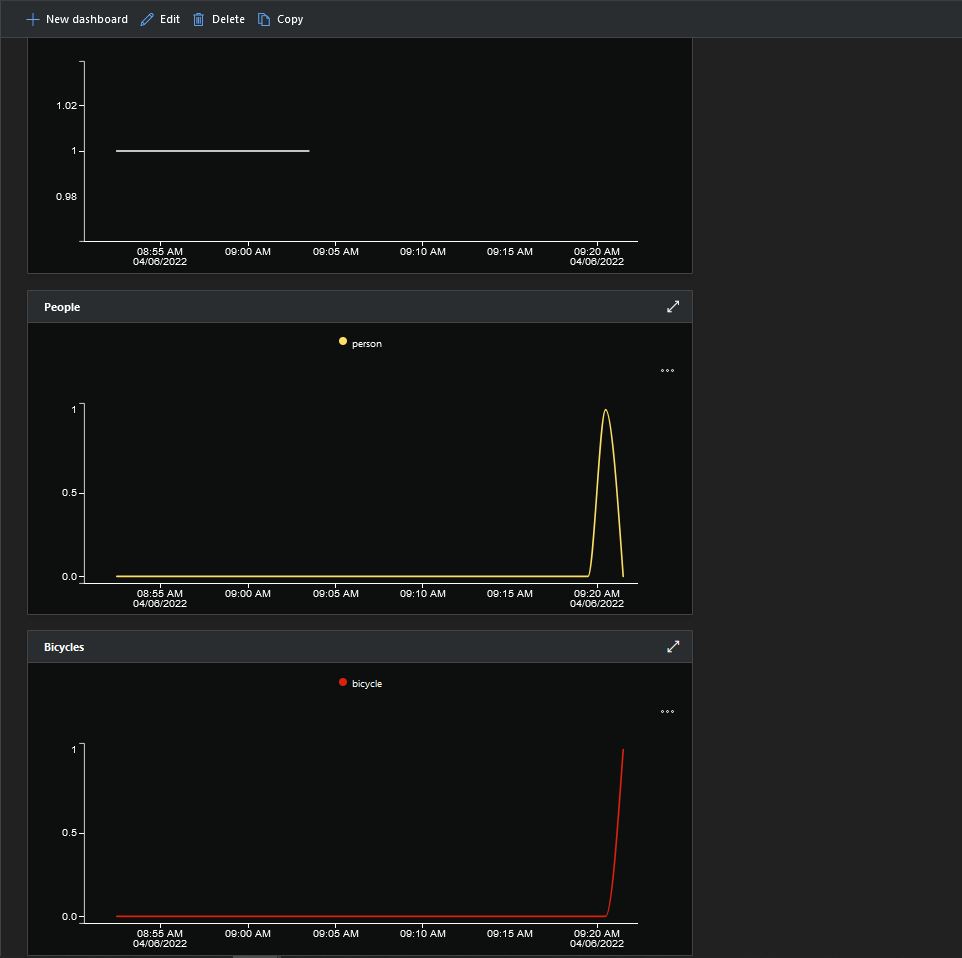
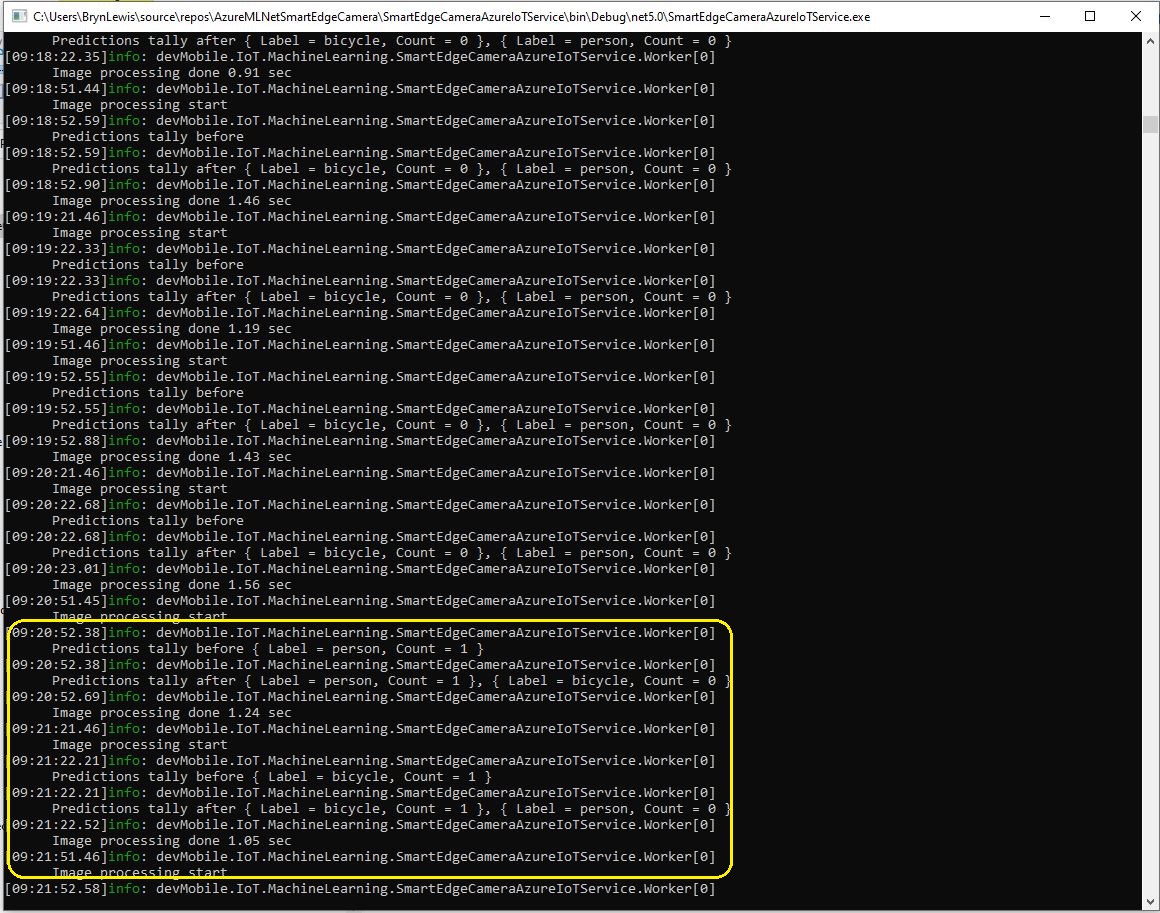
The PredictionLabelsMinimum(optional) is then used to add additional labels with a count of 0 to PredictionsTally so there are no missing datapoints. This is specifically for Azure IoT Central Dashboard so the graph lines are continuous.

Smartish Edge Camera Service console just after put bike in-front of the garage

If any of the list of valid predictions labels is in the PredictionLabelsOfInterest list (if the PredictionLabelsOfInterest is empty any label is a label of interest) the list of prediction class counts is used to populate a Newtonsoft JObject which is serialised to generate a Java Script Object Notation(JSON) Azure IoT Hub message payload.

The “automagic” graph scaling can be sub-optimal

The mentalstack/yolov5-net and NuGet have been incredibly useful and MentalStack team have done a marvelous job building and supporting this project.

The test-rig consisted of a Unv ADZK-10 Security Camera, Power over Ethernet(PoE) and my HP Prodesk 400G4 DM (i7-8700T).
Smartish Edge Camera – Azure IoT Hub

The SmartEdgeCameraAzureIoTService application uses the same You Only Look Once(YOLOV5) + ML.Net + Open Neural Network Exchange(ONNX) plumbing as the SmartEdgeCameraAzureStorageService.

If there is an object with a label in the PredictionLabelsOfInterest list, a tally of each of the different object classes is sent to an Azure IoT Hub.

"Application": {
  "DeviceID": "",
  "ImageTimerDue": "0.00:00:15",
  "ImageTimerPeriod": "0.00:00:30",

  "ImageCameraFilepath": "ImageCamera.jpg",

  "YoloV5ModelPath": "YoloV5/yolov5s.onnx",

  "PredicitionScoreThreshold": 0.7,
  "PredictionLabelsOfInterest": [
    "person"
  ],
}

The Azure IoT hub can configured via a Shared Access Signature(SAS) device policy connection string or the Azure IoT Hub Device Provisioning Service(DPS)

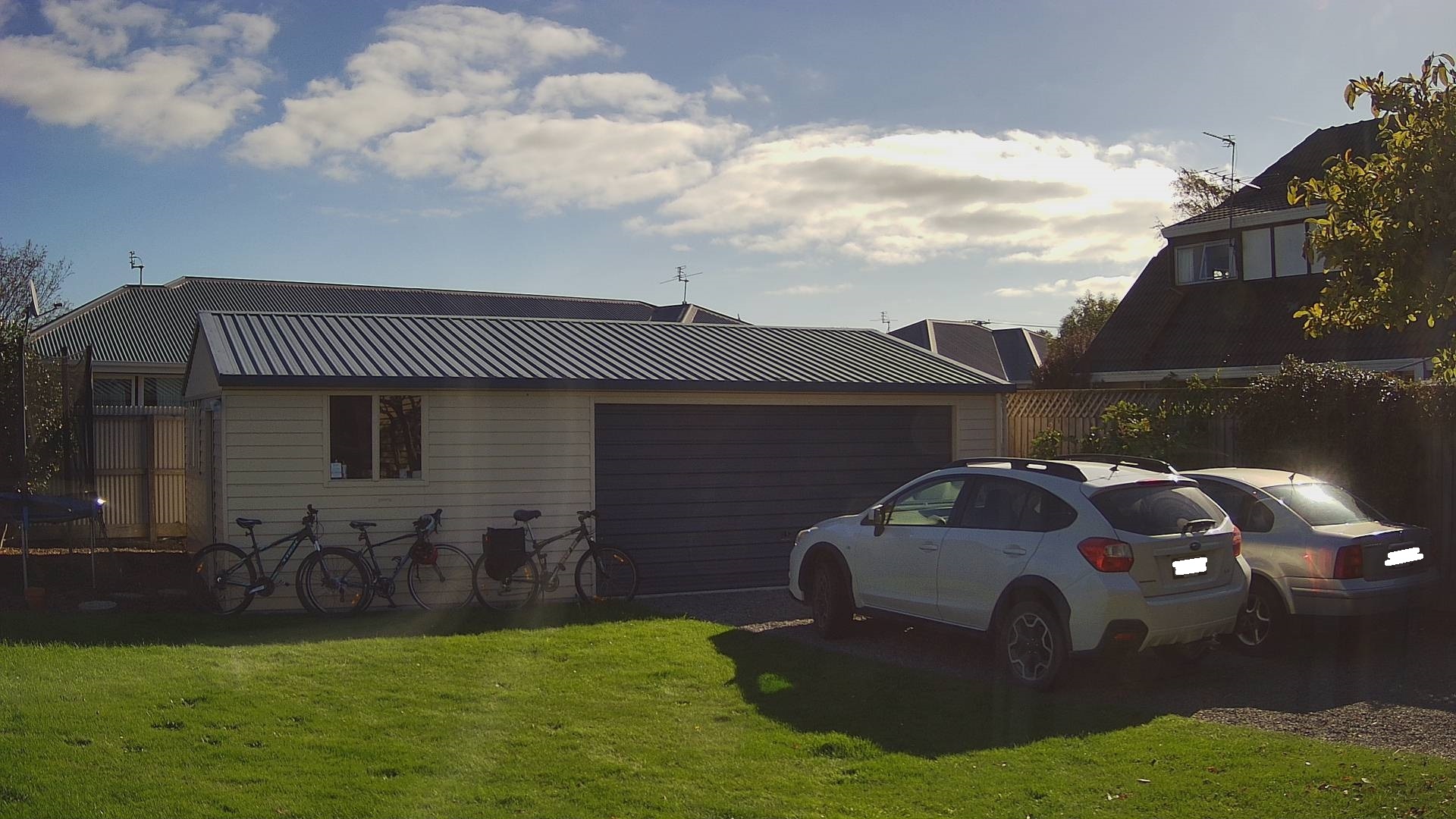
Cars and bicycles in my backyard with no object(s) of interest
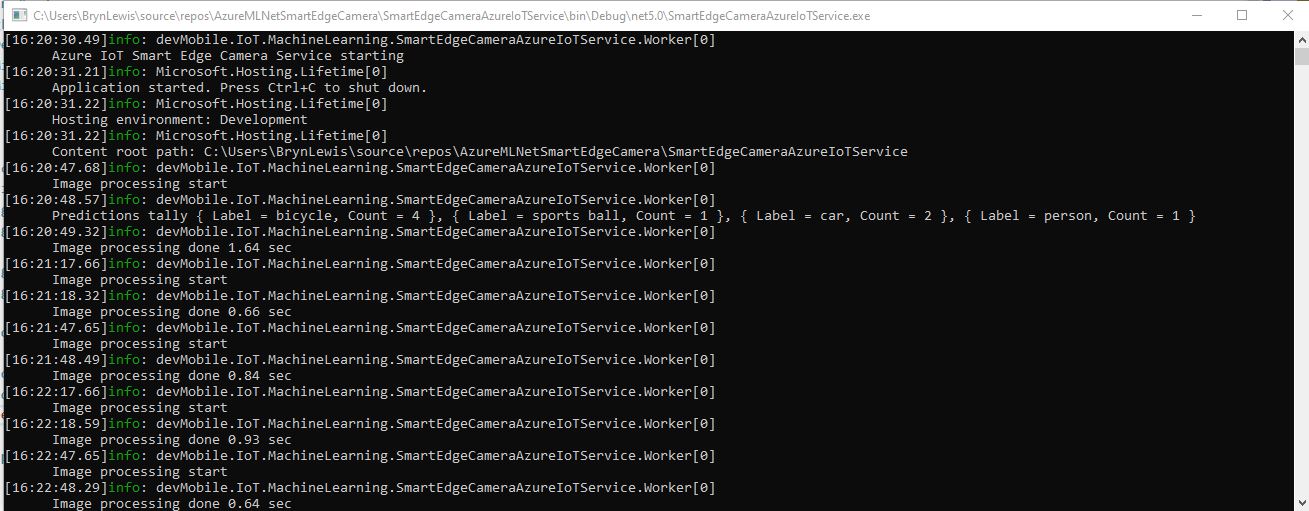
SmartEdgeCameraAzureIoTService no object(s) of interest
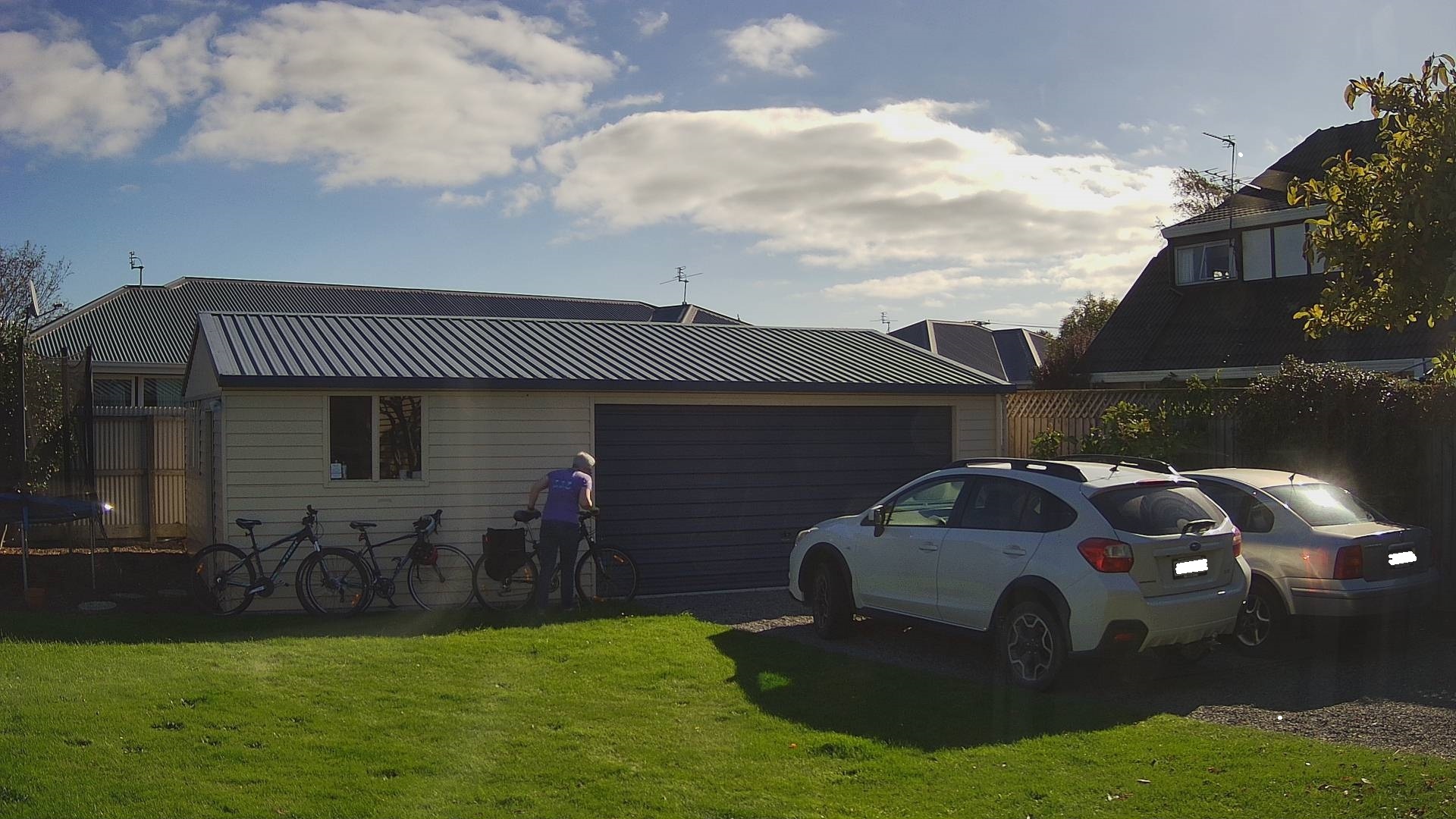
Cars and bicycles in my backyard with one object of interest
SmartEdgeCameraAzureIoTService one object of interest
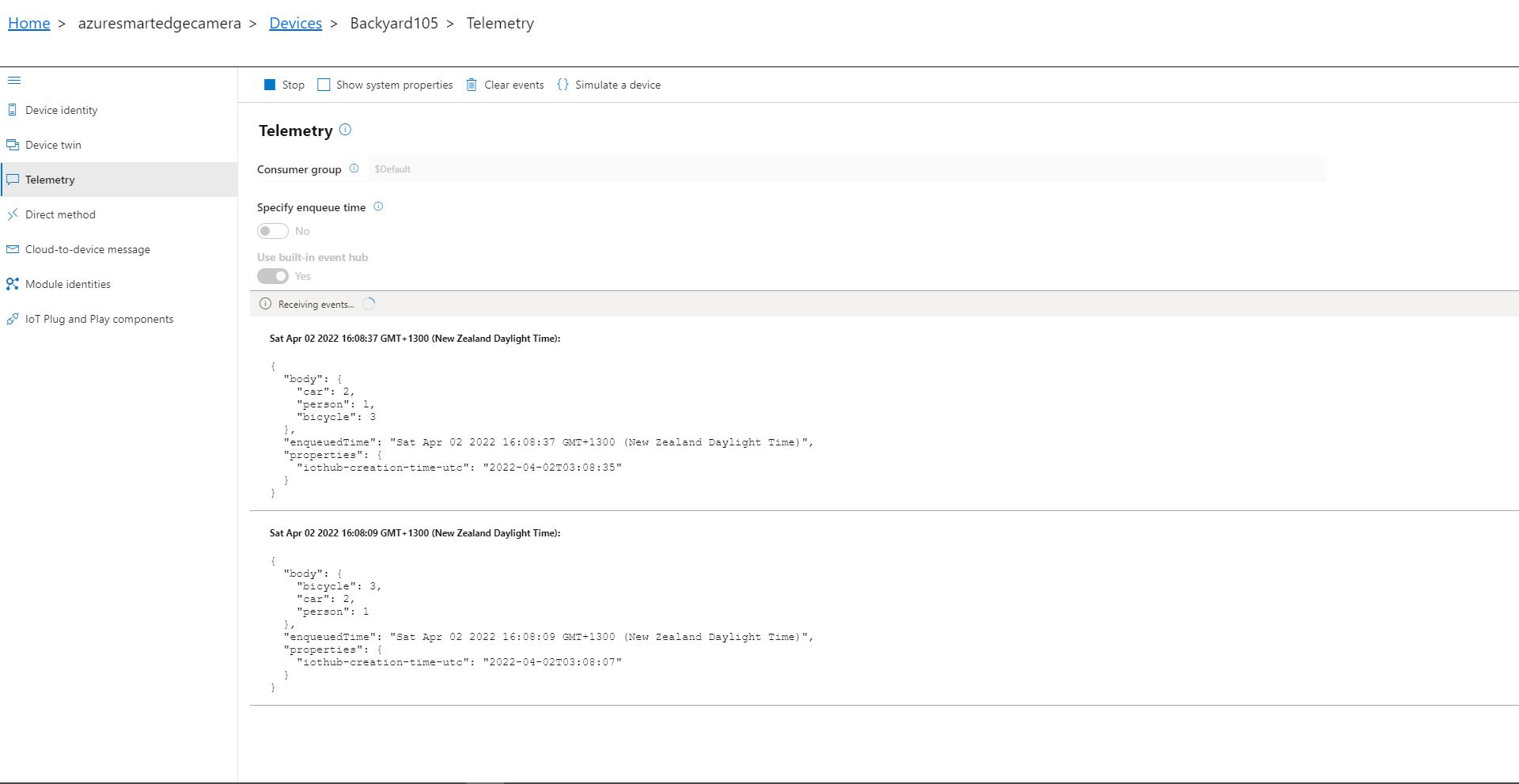
Azure IoT Explorer Telemetry with one object of interest

After the You Only Look Once(YOLOV5)+ML.Net+Open Neural Network Exchange(ONNX) plumbing has loaded a timer with a configurable due time and period is started. Using some Language Integrated Query (LINQ) code any predictions with a score < PredictionScoreThreshold are discarded, then the list of predictions is checked to see if there are any in the PredictionLabelsOfInterest. If there are any matching predictions a count of the instances of each class is generated with more LINQ code.

private async void ImageUpdateTimerCallback(object state)
{
	DateTime requestAtUtc = DateTime.UtcNow;

	// Just incase - stop code being called while photo already in progress
	if (_cameraBusy)
	{
		return;
	}
	_cameraBusy = true;

	_logger.LogInformation("Image processing start");

	try
	{
#if CAMERA_RASPBERRY_PI
		RaspberryPIImageCapture();
#endif
#if CAMERA_SECURITY
		SecurityCameraImageCapture();
#endif
		List<YoloPrediction> predictions;

		using (Image image = Image.FromFile(_applicationSettings.ImageCameraFilepath))
		{
			_logger.LogTrace("Prediction start");
			predictions = _scorer.Predict(image);
			_logger.LogTrace("Prediction done");
		}

		if (_logger.IsEnabled(LogLevel.Trace))
		{
			_logger.LogTrace("Predictions {0}", predictions.Select(p => new { p.Label.Name, p.Score }));
		}

		var predictionsOfInterest = predictions.Where(p => p.Score > _applicationSettings.PredicitionScoreThreshold)
										.Select(c => c.Label.Name)
										.Intersect(_applicationSettings.PredictionLabelsOfInterest, StringComparer.OrdinalIgnoreCase);

		if (predictionsOfInterest.Any())
		{
			if (_logger.IsEnabled(LogLevel.Trace))
			{
				_logger.LogTrace("Predictions of interest {0}", predictionsOfInterest.ToList());
			}

			var predictionsTally = predictions.GroupBy(p => p.Label.Name)
									.Select(p => new
									{
										Label = p.Key,
										Count = p.Count()
									});

			if (_logger.IsEnabled(LogLevel.Information))
			{
				_logger.LogInformation("Predictions tally {0}", predictionsTally.ToList());
			}

			JObject telemetryDataPoint = new JObject();

			foreach (var predictionTally in predictionsTally)
			{
				telemetryDataPoint.Add(predictionTally.Label, predictionTally.Count);
			}

			using (Message message = new Message(Encoding.ASCII.GetBytes(JsonConvert.SerializeObject(telemetryDataPoint))))
			{
				message.Properties.Add("iothub-creation-time-utc", requestAtUtc.ToString("s", CultureInfo.InvariantCulture));

				await _deviceClient.SendEventAsync(message);
			}
		}
	}
	catch (Exception ex)
	{
		_logger.LogError(ex, "Camera image download, post processing, telemetry failed");
	}
	finally
	{
		_cameraBusy = false;
	}

	TimeSpan duration = DateTime.UtcNow - requestAtUtc;

	_logger.LogInformation("Image processing done {0:f2} sec", duration.TotalSeconds);
}

The list of prediction class counts is used to populate a Newtonsoft JObject which serialised to generate a Java Script Object Notation(JSON) payload for an Azure IoT Hub message.

The test-rig consisted of a Unv ADZK-10 Security Camera, Power over Ethernet(PoE) and my HP Prodesk 400G4 DM (i7-8700T)

Azure Percept Pay Attention to the Warnings

Azure IoT Hub setup “Learnings”

After roughly an hour the telemetry stopped and the Azure Percept displayed a message which wasn’t terribly helpful.

I had manually created the Azure IoT Hub and selected the “Free Tier” (I was trying to keep my monthly billing reasonable) then as I was stepping through the Azure Percept setup wizard I didn’t read the warning message highlighted below.

Azure Percept Azure IoT Hub Warning

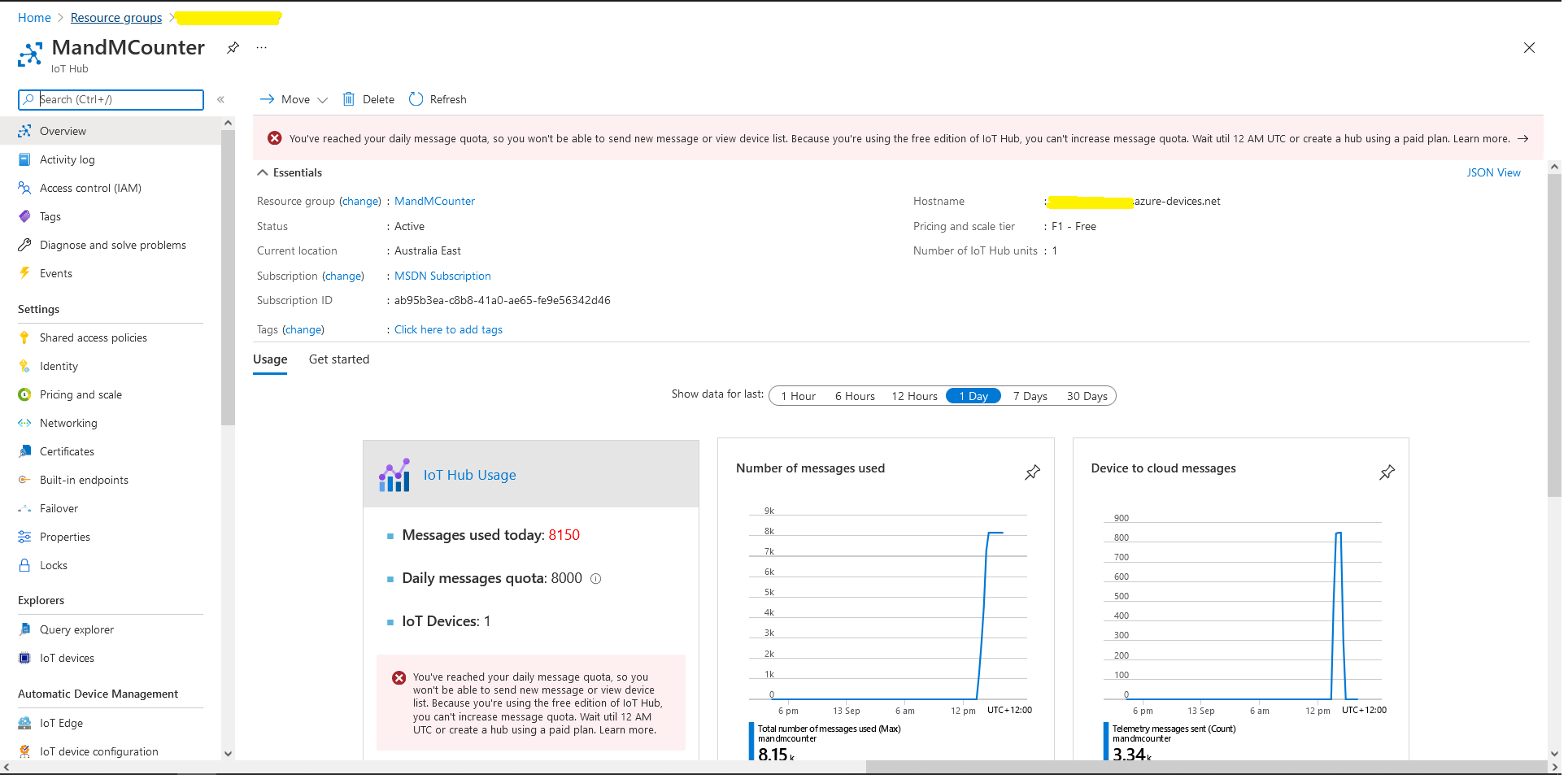
The Azure Percept generates a lot of messages and I had quickly hit the 8000 messages per day limit of the “Free Tier”.

Azure IoT Hub Daily Message Quota

I had to create a new Azure IoT Hub, repave the Azure Percept Device (there were some updates and I had made some mistakes in the initial setup) and reconfigure the device.

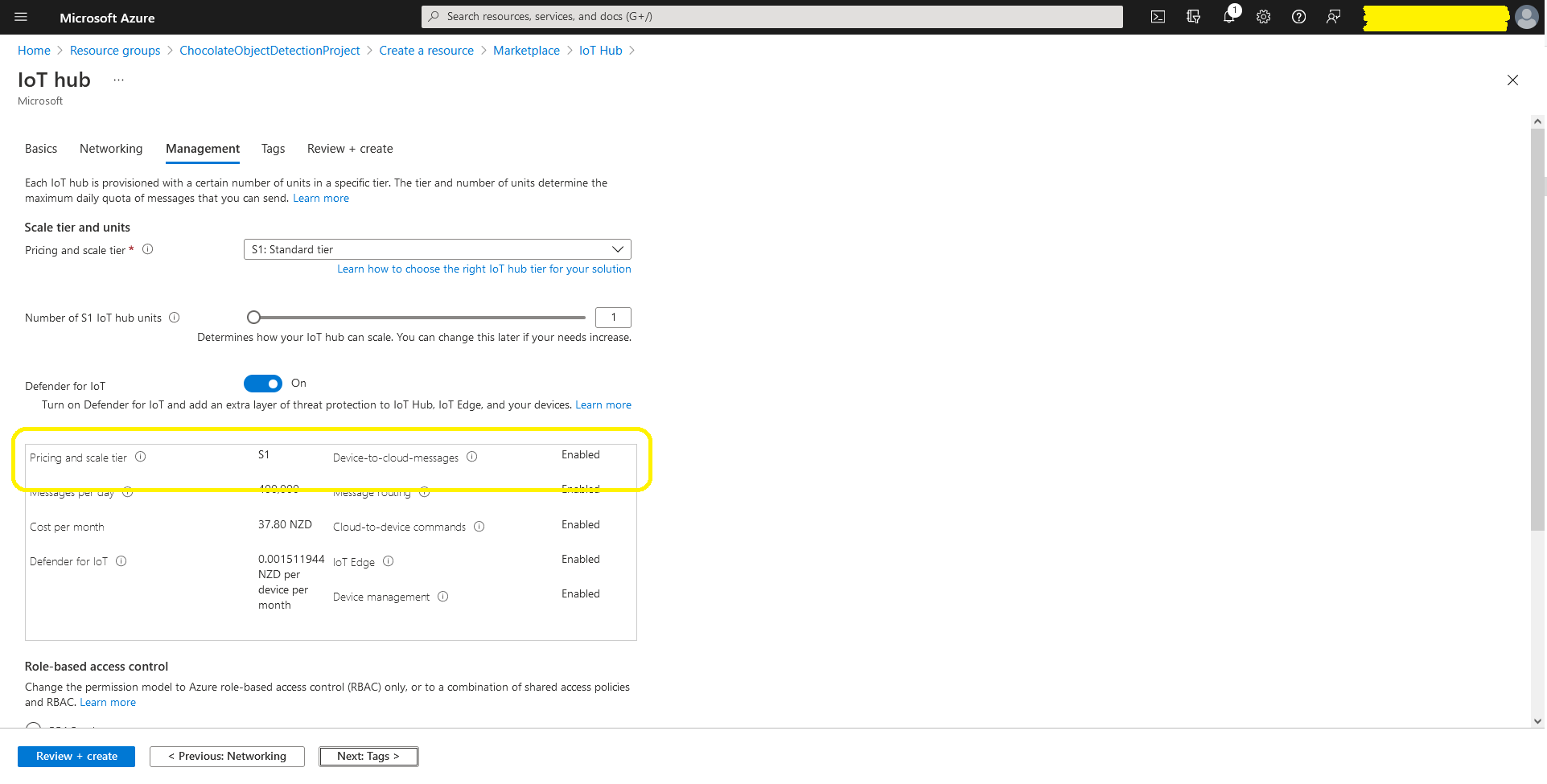
Azure IoT Hub Minimum Tier configuration