Netduino Plus PulseRate Monitor V2

In the final couple of code club sessions we built a pulse rate monitor to show a practical application for the NetMF InterruptPort, and communication between threads using the Interlocked class (Increment & exchange). This was then enhanced to display the data locally and upload it to the cloud to illustrate a basic HTTP interaction and serial communications.

The application displays the approximate pulse rate in Beats Per Minute (BPM) on a 16×2 character LCD display and also uploads the information to a free developer account at Xively a “Public Cloud for the Internet of Things”.
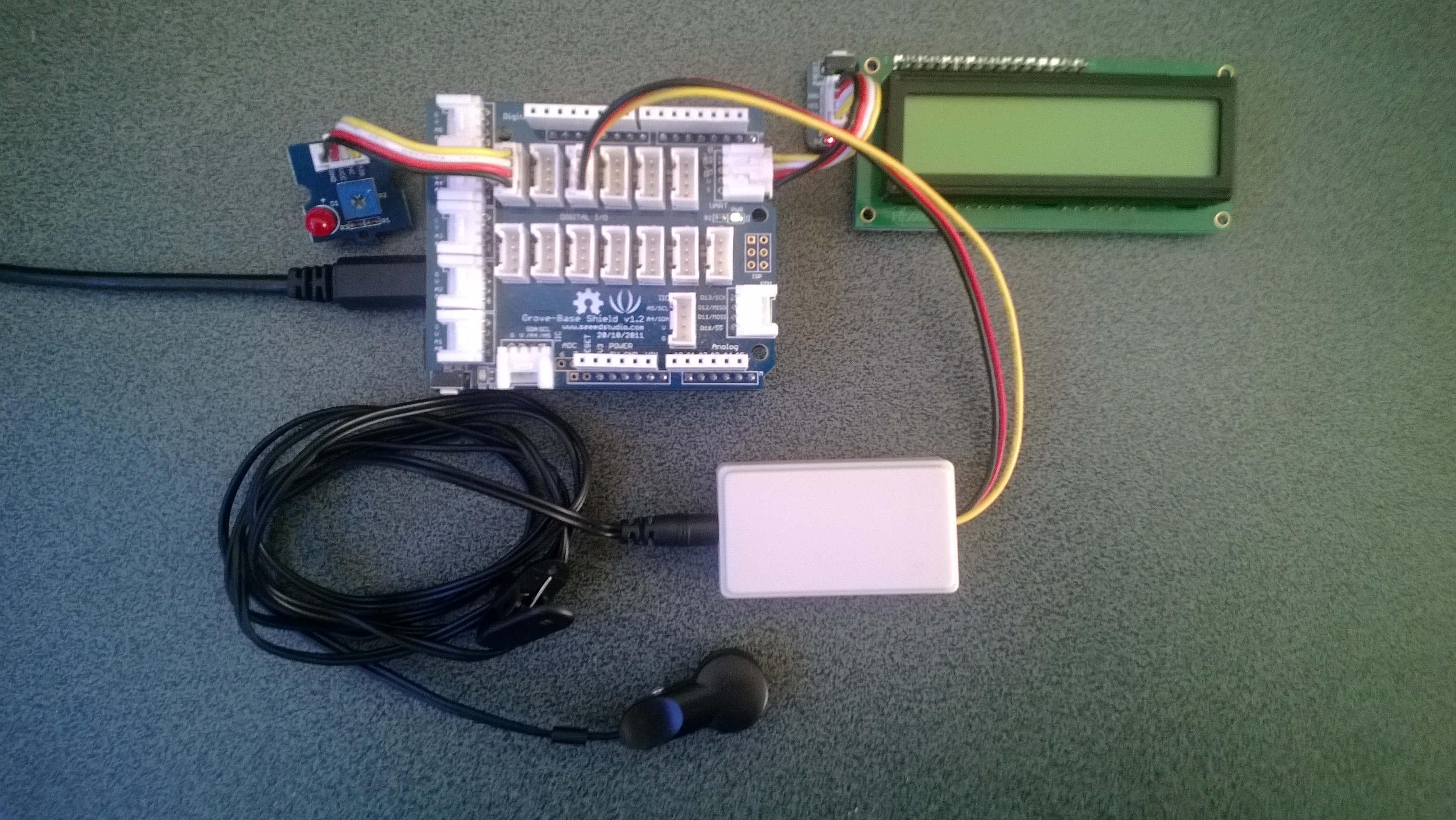
Netduino Plus 2 rate monitor

The xively trial account has a limit of 25 calls a minute, rolling 3 minute average (Dec 2013) which was more than adequate for our application and many other educational projects.

The xively API supports managing products, managing devices,  reading & writing data, reading & wiring metadata, querying historical data and searching for data feeds, using a RESTful approach.

The NetduinoPlus2 has full support for the NetMF system.http and sufficient memory so that there is plenty of room left for an application. If you are using a Netduino Plus (or other NetMF device with limited memory) an approach which reduces memory consumption is detailed here.

The xively data API supports JSON, XML and CSV formats for upload of data and for the pulse rate monitor we used CSV. The following code was called roughly every 20 seconds.

static void xivelyFeedUpdate( string ApiKey, string feedId, string channel, string value )
{
try
{
using (HttpWebRequest request = (HttpWebRequest)WebRequest.Create(xivelyApiBaseUrl+ feedId + ".csv"))
{
byte[] buffer = Encoding.UTF8.GetBytes(channel + "," + value);


request.Method = "PUT";
request.ContentLength = buffer.Length;
request.ContentType = "text/csv";
request.Headers.Add("X-ApiKey", ApiKey);
request.KeepAlive = false;
request.Timeout = 5000;
request.ReadWriteTimeout = 5000;


// request body
using (Stream stream = request.GetRequestStream())
{
stream.Write(buffer, 0, buffer.Length);
}


using (var response = (HttpWebResponse)request.GetResponse())
{
Debug.Print("HTTP Status:" + response.StatusCode + " : " + response.StatusDescription);
}
}
}
catch (Exception ex)
{
Debug.Print(ex.Message);
}
}

The pulse rate information can then displayed by xively in tables and graphs.

Pulse Rate data gaph at xively

Pulse Rate data display

At the end of term presentation several parents and family members were doing press-ups and other exercises to see how high their pulse rate went and how quickly it recovered.

Bill of materials (Prices as at Dec 2013)

I2C read rates on Netduino Plus vs Netduino plus 2

As part of my quadcopter project I purchased a Netduino Plus 2 for the flight controller. The increased performance 48MHz vs. 168MHz CPU and other improvements looked like it could make it possible to implement most or all of the control algorithms in C#.

So I could compare the performance of the I2C interfaces I setup two test rigs which polled an ADXL345 Accelerometer (using the Love Electronics sample code) 10,000 times for X,Y & Z acceleration values.

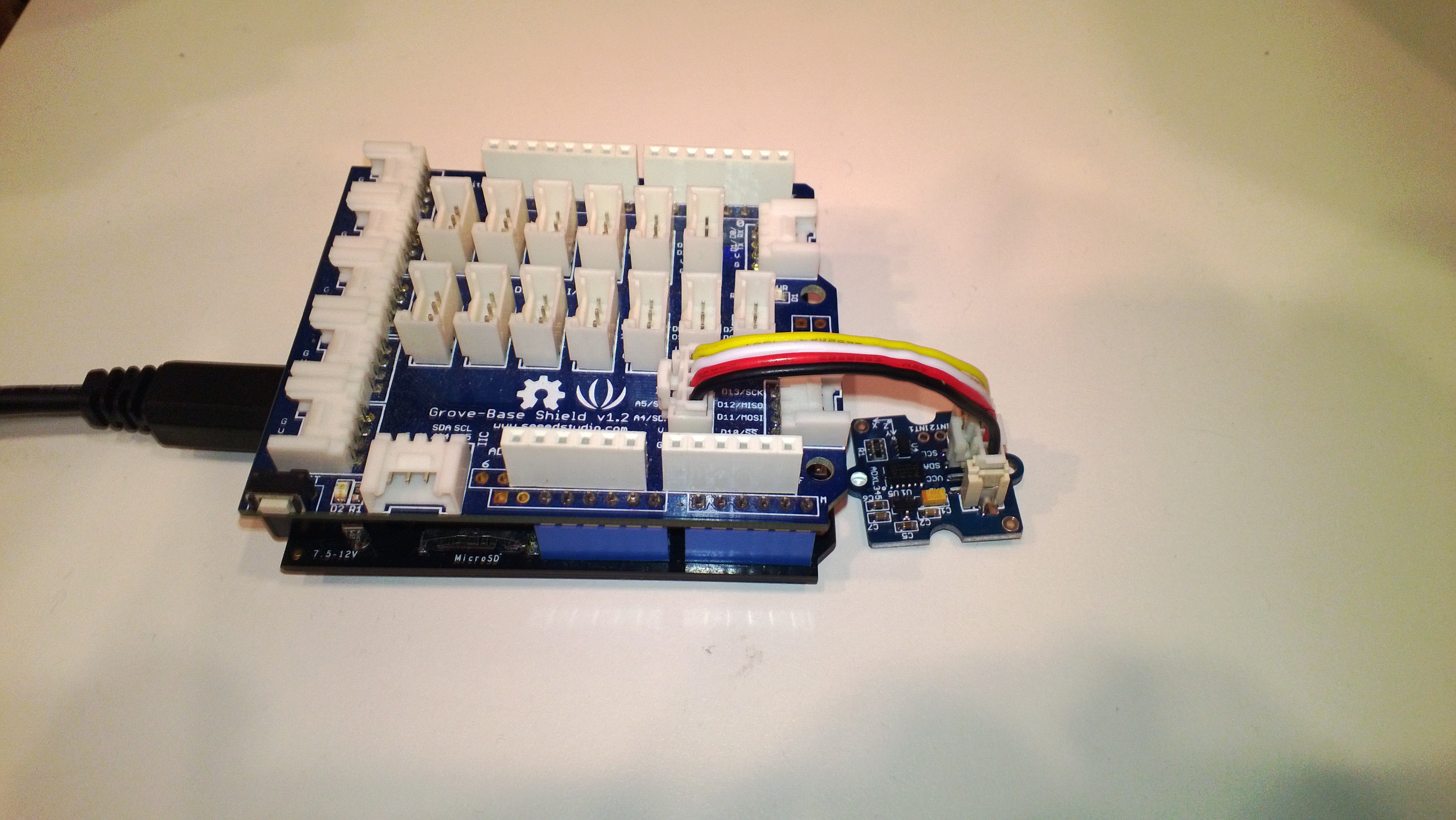
NetduinoPlusAccelerometer

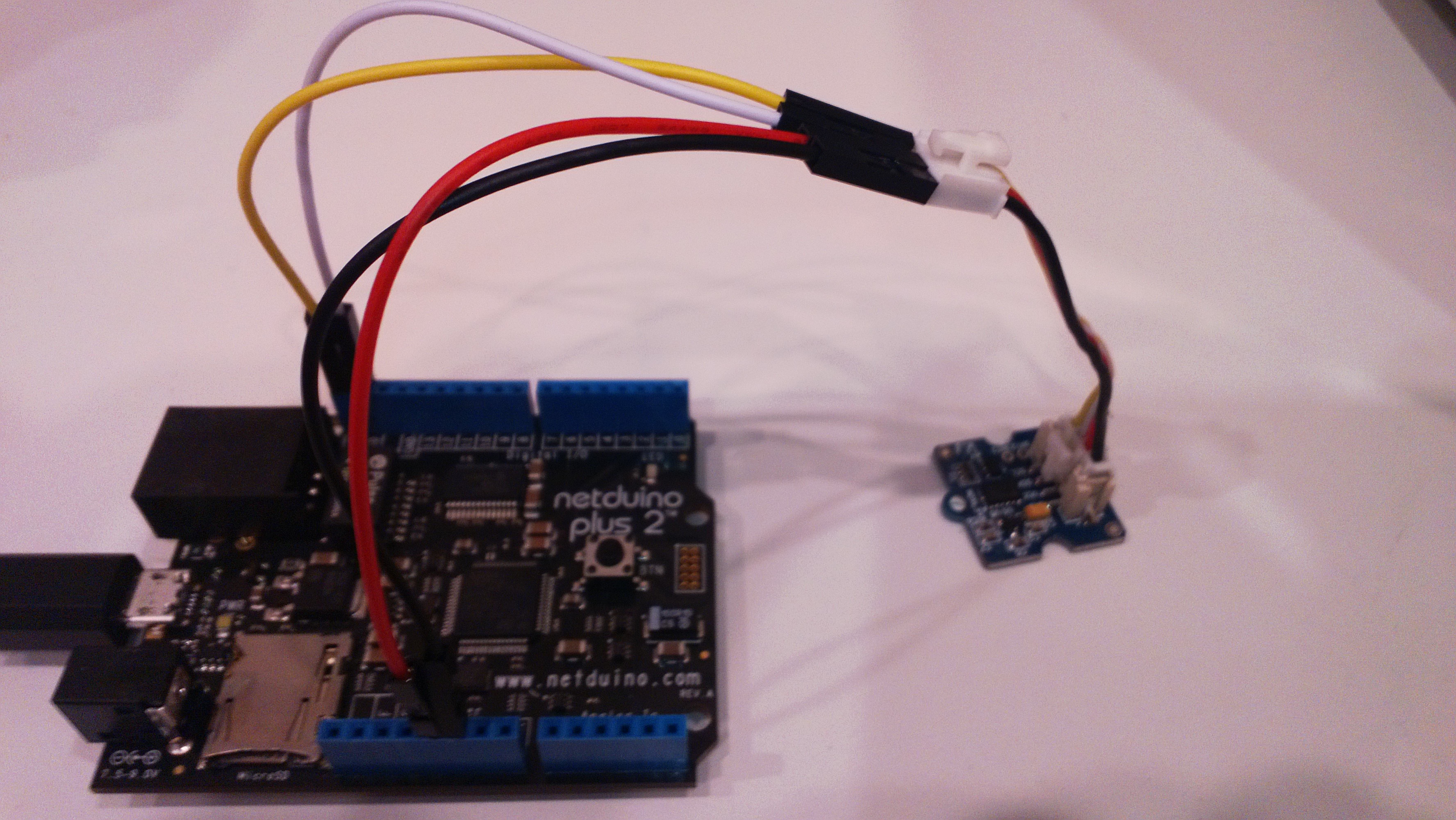
The different I2C pins on the Netduino plus 2 required some jumper cables

Netduino2PlusAccelerometer

Both devices were running NetMF 4.2 and I monitored the output of the test harness using MF Deploy.

Netduino Plus

22.2797,22.3126,22.3313,22.3129,22.3590,22.3689,22.3497,22.3049,22.3649,22.3836

Average 22.3 seconds roughly 450/sec

Netduino Plus 2

6.8312,6.8059,6.8003,6.8051,6.8319,6.7999,6.8104,6.8194,6.8233,6.8096

Average 6.8 seconds roughly 1470/sec

NetMF Gadgeteer SeeedStudio GPS module driver oddness

A few months ago I built a proof of concept NetMF 4.2 application for a client which uploaded data to a Windows Azure Service. Recently we had been talking about extending the application to include support for tagging of the uploaded data with position information.

I purchased a Gadgeeter GPS Module from SeeedStudio and did a trial integration of the module into the client’s application. Initially it was working but I noticed that after a while (I monitored the application using MF Deploy) it would start displaying buffer overflow messages. I did the usual thing and went looking for “slow” code in the GPS events, removed debug print statements and made sure my application and the GPS were “playing nice” but the problem persisted.

My modifications seemed to make little difference so I downloaded the Microsoft Gadgeeter source code from codeplex so I could have a closer look at how the GPS driver worked. (I also personally would also like the driver to return the HDoP, VDoP or PDoP so there is an indication of the accuracy of the position data)

I noticed that there was a GPSTestApp and fired it up to see what would happen. I connected to my FEZ Spider device using MF Deploy and below is the output. The GPS Test application threw an exception shortly after I started it, then started displaying “Buffer OVFLW”. (Odd thing is I it must still be processing some NMEA1803 strings)

I need to do some digging to figure out what’s going on as initially thought it was my code but as the demo application fails I’m not so sure 🙂

Found debugger!
Create TS.
Loading start at a0e00000, end a0e1383c
Assembly: mscorlib (4.2.0.0)     Assembly: Microsoft.SPOT.Native (4.2.0.0)     Assembly: Microsoft.SPOT.Security.PKCS11 (4.2.0.0)     Assembly: System.Security (4.2.0.0)  Loading Deployment Assemblies.
Attaching deployed file.
Assembly: Microsoft.SPOT.IO (4.2.0.0)  Attaching deployed file.
Assembly: GTM.Seeed.GPS (1.6.0.0)  Attaching deployed file.
Assembly: Microsoft.SPOT.Graphics (4.2.0.0)  Attaching deployed file.
Assembly: Microsoft.SPOT.Hardware (4.2.0.0)  Attaching deployed file.
Assembly: Microsoft.SPOT.Hardware.PWM (4.2.0.1)  Attaching deployed file.
Assembly: GHI.Premium.Hardware (4.2.9.0)  Attaching deployed file.
Assembly: System (4.2.0.0)  Attaching deployed file.
Assembly: Gadgeteer.Serial (2.42.0.0)  Attaching deployed file.
Assembly: Microsoft.SPOT.TinyCore (4.2.0.0)  Attaching deployed file.
Assembly: GHI.Premium.System (4.2.9.0)  Attaching deployed file.
Assembly: GPSTestApp (1.0.0.0)  Attaching deployed file.
Assembly: Microsoft.SPOT.Net (4.2.0.0)  Attaching deployed file.
Assembly: System.IO (4.2.0.0)  Attaching deployed file.
Assembly: GHI.Premium.IO (4.2.9.0)  Attaching deployed file.
Assembly: Gadgeteer (2.42.0.0)  Attaching deployed file.
Assembly: Microsoft.SPOT.Hardware.SerialPort (4.2.0.0)  Attaching deployed file.
Assembly: GHIElectronics.Gadgeteer.FEZSpider (1.1.1.0)  Resolving.
GC: 1msec 28272 bytes used, 7311396 bytes available
Type 0F (STRING              ):     24 bytes
Type 15 (FREEBLOCK           ): 7311396 bytes
Type 17 (ASSEMBLY            ):  28176 bytes
Type 34 (APPDOMAIN_HEAD      ):     72 bytes
GC: performing heap compaction...
Ready.

Using mainboard GHI Electronics FEZSpider version 1.0
Program Started
#### Exception System.InvalidOperationException – 0x00000000 (4) ####
#### Message:
#### System.IO.Ports.SerialPort::set_ReadTimeout [IP: 0009] ####
#### Gadgeteer.Interfaces.Serial::ReadLineProcess [IP: 0015] ####
Uncaught exception
GPS last position NO POSITION FIX age 10675199.02:48:05.4775807
Buffer OVFLW
Buffer OVFLW
Buffer OVFLW
Buffer OVFLW
Buffer OVFLW

95 x Buffer OVFLW

Buffer OVFLW
Buffer OVFLW
Buffer OVFLW
Buffer OVFLW
GPS last position NO POSITION FIX age 10675199.02:48:05.4775807
Buffer OVFLW
Buffer OVFLW

HTTP Headers GPRS Modem HTTP Post

All my initial deployments used a CAT5 cable and my ADSL connection which was great for testing and debugging but not really representative of the connectivity a mobile solution would experience.

For this test I used a seeedstudio GPRS shield on top of a Netduino Plus.

Netduino + SeeedStudio GPRS Modem

SeedStudio GPRS Modem on top of Netduino Plus

The shield is based on a SIM900 module from SIMCom Wireless and can also initiate HTTP requests. This functionality looked useful as it could make my code a bit simpler and reduce the load on the Netduino CPU.

I initially looked at a the Netduino driver for Seeeduino GSM shield on codeplex but it appeared to only support the sending of SMS messages. (Feb2012)

After some more searching I stumbled across the CodeFreak Out SeeedStudio GPRS Driver which is available as a Nuget package or source code. I had to modify the code to allow me to pass a list of HTTP headers to be added into the request

var gsm = new GPRSShield("www.vodafone.net.nz", SerialPorts.COM1);
gsm.Post(@"gpstrackerhttpheaders.cloudapp.net", 80, @"/posV4.aspx", httpHeaders, "application/html", "");

My simulated data used the same header format as in my earlier testing

x-Pos: 5C-86-4A-00-3F-63 20130218081228 F -43.00000 172.00000 31.4 1.31 0 0

I timed 10 requests

4789,3778,3793,3756,3796,3825,3806,3817,3795,3877

Average 3903 mSec

This was a bit slower than I was expecting so i’ll have to do some digging into the code and see if anything looks a bit odd.

GPS Netduino Plus demo platform

For the initial posts the platform will be a Netduino Plus based and connected to the internet via cable. Once the application is robust enough I’ll take make it portable using a GSM Modem.

The BoM for the Netduino client posts is

Netduino Plus and GPS

Custom MMA8451Q SeeedStudio Twig

Lastnight wired up a SeeedStudio Grove system compatible twig based on one of the MMA8451Q breakout boards I bought. It has two connectors one for the I2C interface the other for the two interrupt lines which the device has.

MMA8451Q SeeedStudio Twig

I can read acceleration values from the device and once I have the 14bit 2s complement value conversion thouroughly tested I will add code to to configure the interrupt functionality.

Need to make connector leads a bit longer on V2…