Random wanderings through Microsoft Azure esp. PaaS plumbing, the IoT bits, AI on Micro controllers, AI on Edge Devices, .NET nanoFramework, .NET Core on *nix and ML.NET+ONNX
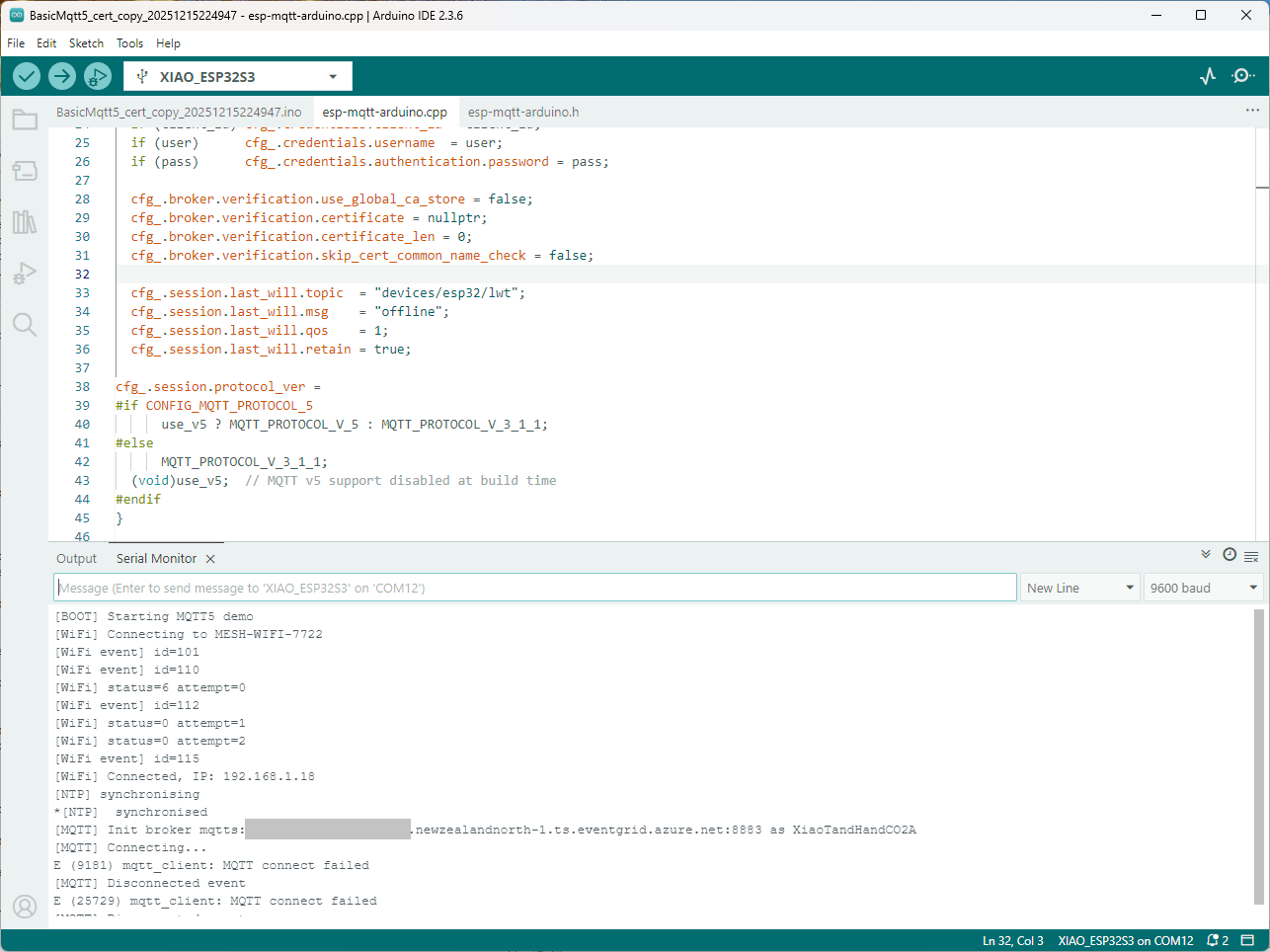
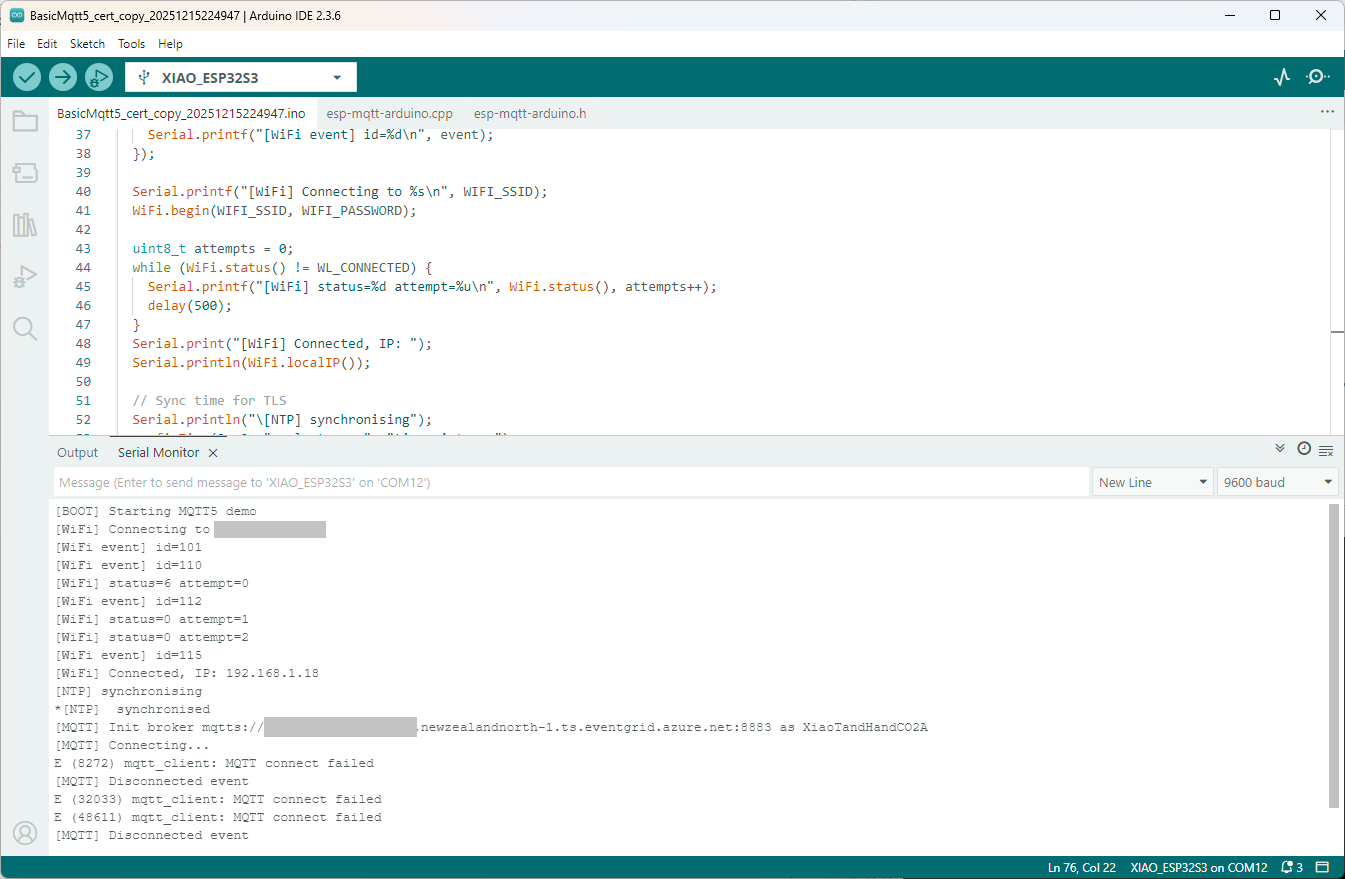
Still couldn’t figure out why my code was failing so I turned up logging to 11 and noticed a couple of messages which didn’t make sense. The device was connecting than disconnecting which indicated a another problem. As part of the Message Queue Telemetry Transport(MQTT) specification there is a “feature” Last Will and Testament(LWT) which a client can configure so that the MQTT broker sends a message to a topic if the device disconnects unexpectedly.
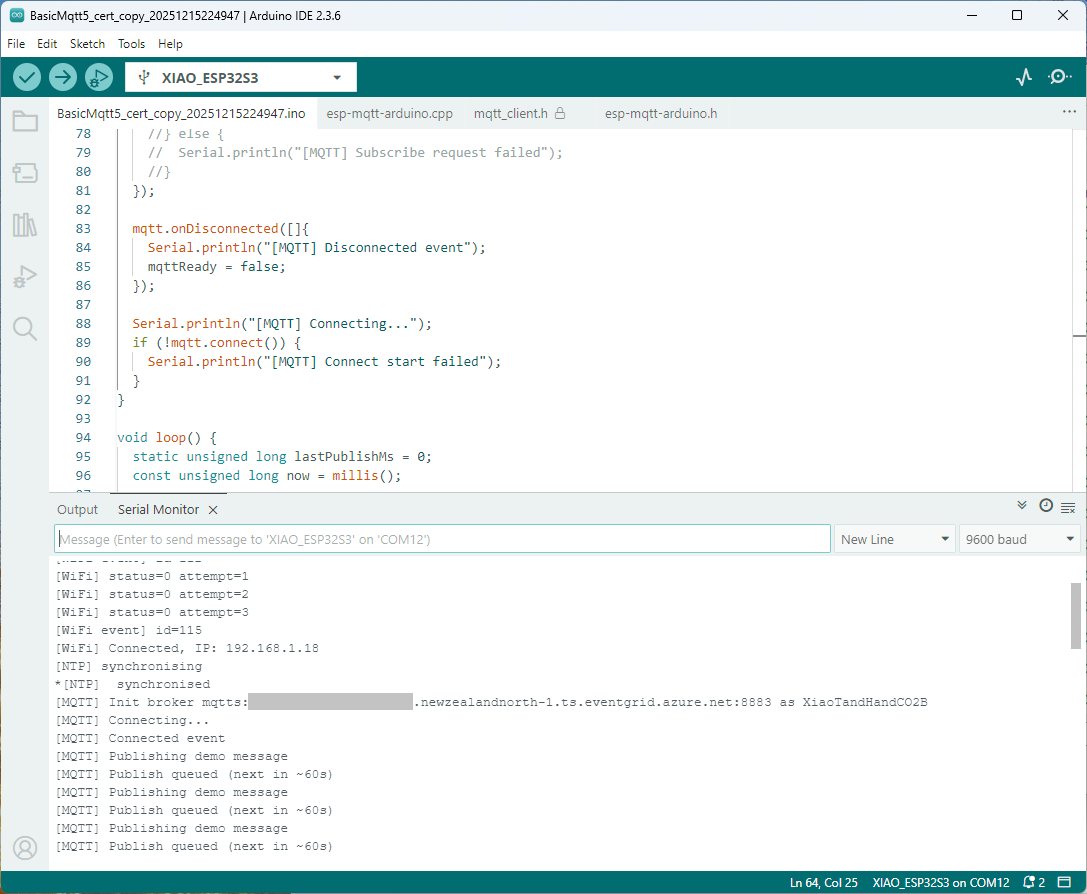
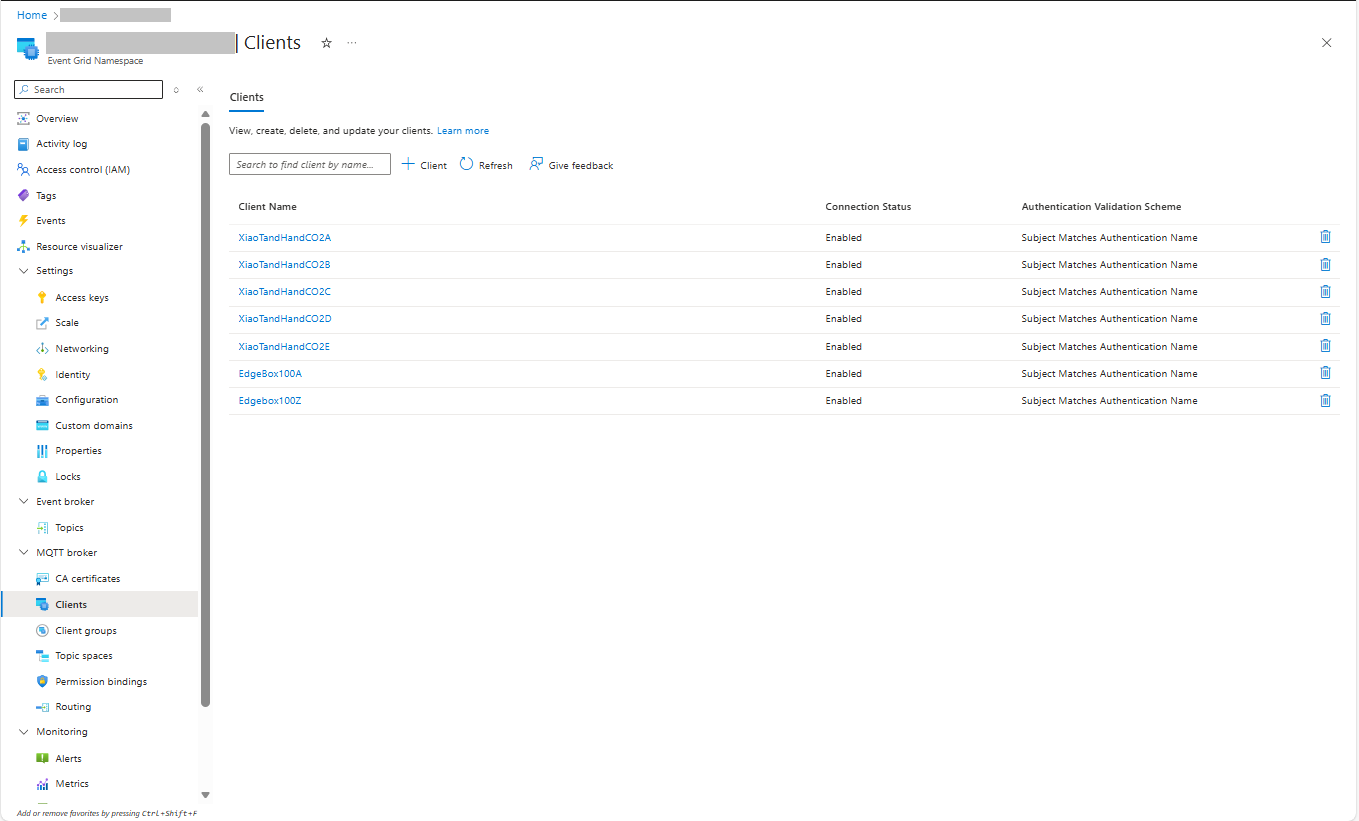
I was looking at the code and noticed that LWT was being used and that the topic didn’t exist in my Azure Event Grid MQTT Broker namespace. When the LWT configuration was commented out the application worked.
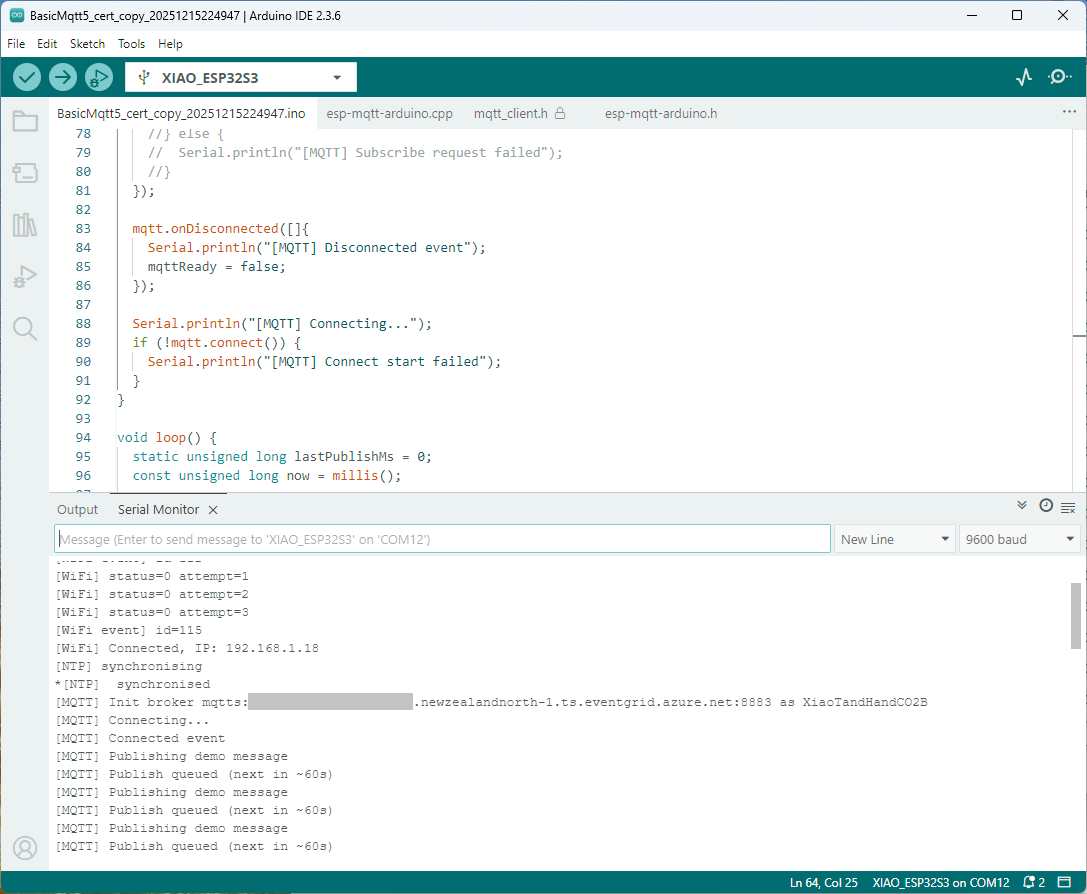
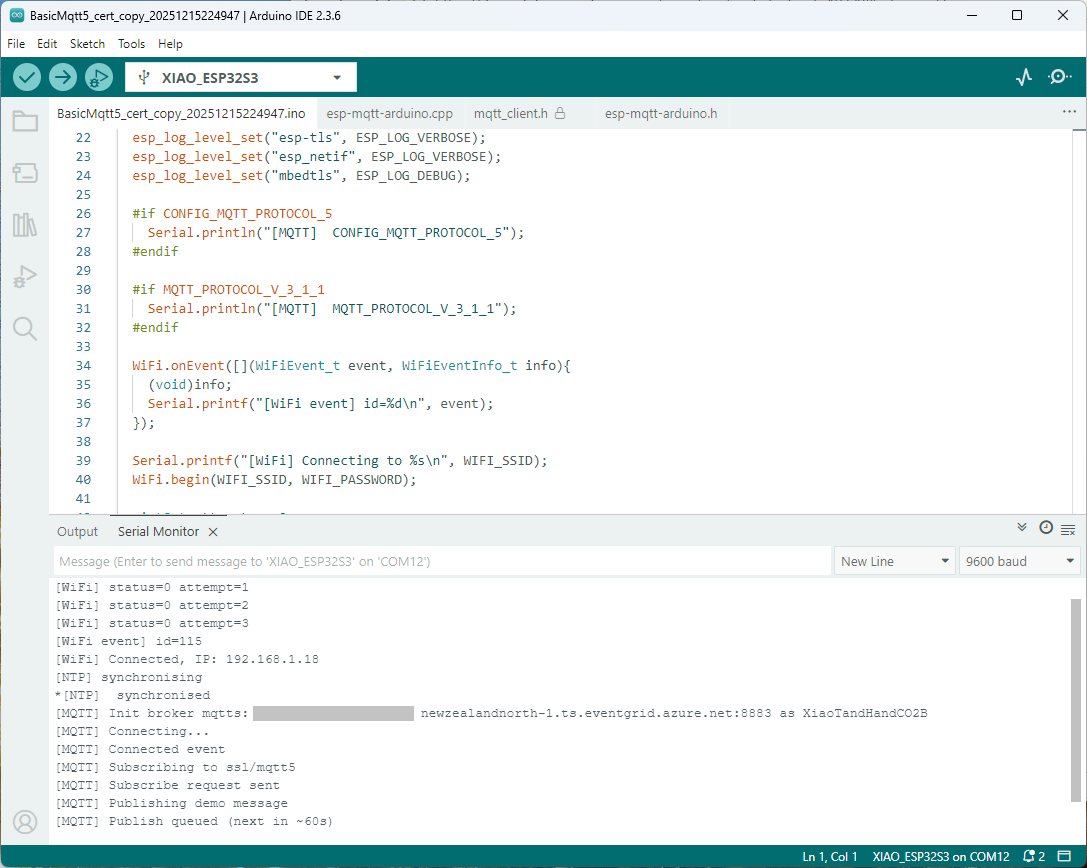
Paying close attention to the logging I noticed the “Subscribing to ssl/mqtts” followed by “Subscribe request sent”
I checked the sample application and found that if the connect was successful the application would then try and subscribe to a topic that didn’t exist.
The library doesn’t support client authentication with certificates, so I added two methods setClientCert and setClientKey to the esp-mqtt-arduino.h and esp-mqtt-arduino.cpp files
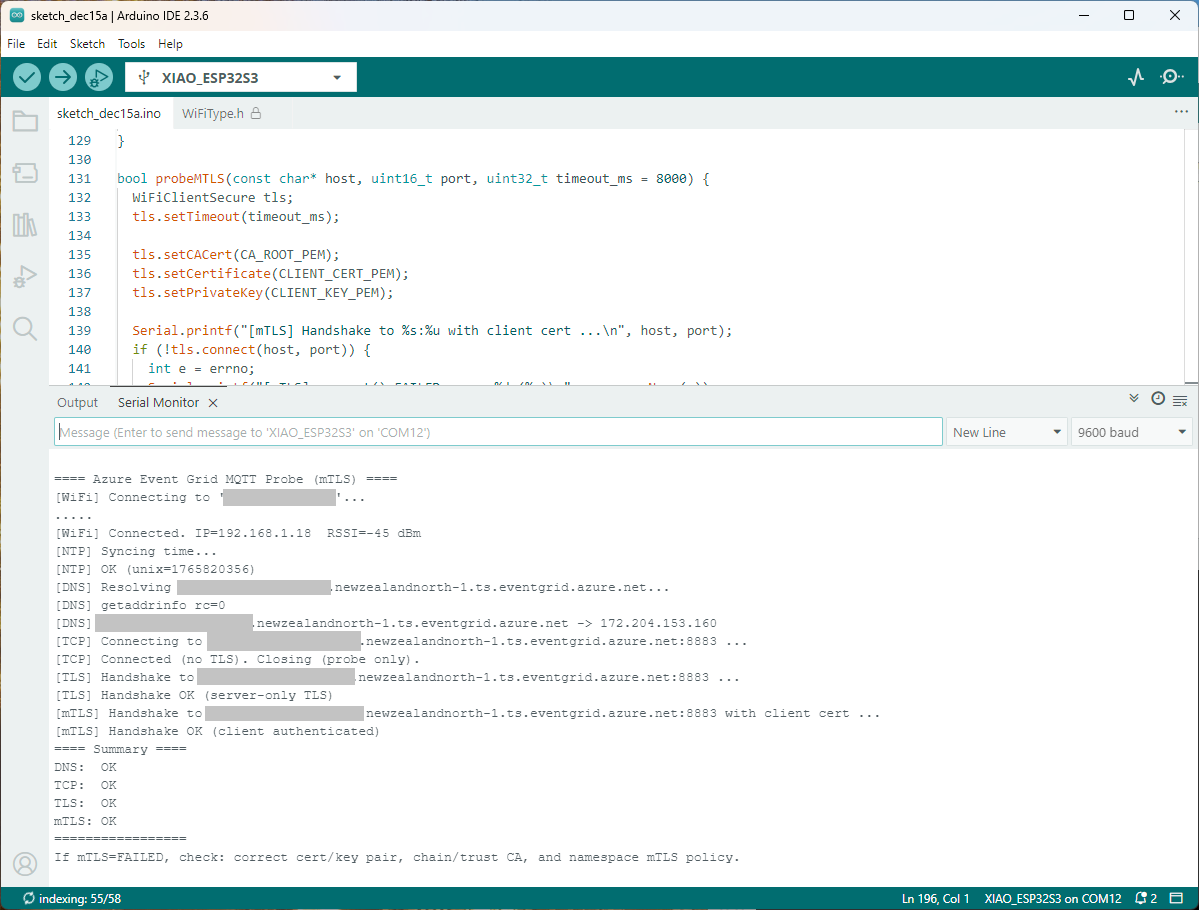
I tried increasing the log levels to get more debugging information, adding delays on startup to make it easier to see what was going on, trying different options of protocol support.
The PEM encoded root CA certificate chain that is used to validate the server
public const string CA_ROOT_PEM = @"-----BEGIN CERTIFICATE-----
CN: CN = Microsoft Azure ECC TLS Issuing CA 03
-----END CERTIFICATE-----
-----BEGIN CERTIFICATE-----
CN: CN = DigiCert Global Root G3
-----END CERTIFICATE-----";
The PEM encoded certificate chain that is used to authenticate the device
public const string CLIENT_CERT_PEM_A = @"-----BEGIN CERTIFICATE-----
-----BEGIN CERTIFICATE-----
CN=Self signed device certificate
-----END CERTIFICATE-----
-----BEGIN CERTIFICATE-----
CN=Self signed Intermediate certificate
-----END CERTIFICATE-----";
The PEM encoded private key of device
public const string CLIENT_KEY_PEM_A = @"-----BEGIN EC PRIVATE KEY-----
-----END EC PRIVATE KEY-----";
For a non-trivial system there should be a number of intermediate certificates. I have tried creating intermediate certificates for a device type, geography, application, customer and combinations of these. The first couple of times got it wrong so start with a field trial so that it isn’t so painful to go back and fix. (beware the sunk cost fallacy)
I found creating an intermediate certificate that could sign device certificates required a conf file for the basicConstraints and keyUsage configuration.
critical-The extension must be understood and processed by any application validating the certificate. If the application does not understand it, the certificate must be rejected.
CA:TRUE-This certificate is allowed to act as a Certificate Authority (CA), meaning it can sign other certificates.
pathlen:0-This CA can only issue end-entity (leaf) certificates and cannot issue further intermediate CA certificates.
keyCertSig- The certificate can be used to sign other certificates (i.e., it’s a CA certificate).
For production systems putting some thought into the Common name(CN), Organizational unit name(OU), Organization name(O), locality name(L), state or province name(S) and Country name(C)
Establishing a connection to the Azure Event Grid MQTT broker often failed which surprised me. Initially I didn’t have any retry logic which meant I wasted quite a bit of time trying to debug failed connections
The Myriota Connector only supports Direct Methods which provide immediate confirmation of the result being queued by the Myriota Cloud API. The Myriota (API) control message send method responds with 400 Bad Request if there is already a message being sent to a device.
Myriota Azure Function Environment Variable configuration
Sense and Locate Azure IoT Central Template Fan Speed Enumeration
The fan speed value in the message payload is configured in the fan speed enumeration.
Sense and Locate Azure IoT Central Command Fan Speed Selection
The FanSpeed.cs payload formatter extracts the FanSpeed value from the Javascript Object Notation(JSON) payload and returns a two-byte array containing the message type and speed of the fan.
using System;
using System.Collections.Generic;
using Newtonsoft.Json;
using Newtonsoft.Json.Linq;
public class FormatterDownlink : PayloadFormatter.IFormatterDownlink
{
public byte[] Evaluate(string terminalId, string methodName, JObject payloadJson, byte[] payloadBytes)
{
byte? status = payloadJson.Value<byte?>("FanSpeed");
if (!status.HasValue)
{
return new byte[] { };
}
return new byte[] { 1, status.Value };
}
}
Sense and Locate Azure IoT Central Command Fan Speed History
Each Azure Application Insights log entry starts with the TerminalID (to simplify searching for all the messages related to device) and the requestId a Globally Unique Identifier (GUID) to simplify searching for all the “steps” associated with sending/receiving a message) with the rest of the logging message containing “step” specific diagnostic information.
Sense and Locate Azure IoT Central Command Fan Speed Application Insights
In the Myriota Device Manager the status of Control Messages can be tracked and they can be cancelled if in the “pending” state.
Myriota Control Message status Pending
A Control Message can take up to 24hrs to be delivered and confirmation of delivery has to be implemented by the application developer.
class Program
{
private static Model.ApplicationSettings _applicationSettings;
private static IMqttClient _client;
private static bool _publisherBusy = false;
static async Task Main()
{
Console.WriteLine($"{DateTime.UtcNow:yy-MM-dd HH:mm:ss} MQTTNet client starting");
try
{
// load the app settings into configuration
var configuration = new ConfigurationBuilder()
.AddJsonFile("appsettings.json", false, true)
.AddUserSecrets<Program>()
.Build();
_applicationSettings = configuration.GetSection("ApplicationSettings").Get<Model.ApplicationSettings>();
var mqttFactory = new MqttFactory();
using (_client = mqttFactory.CreateMqttClient())
{
// Certificate based authentication
List<X509Certificate2> certificates = new List<X509Certificate2>
{
new X509Certificate2(_applicationSettings.ClientCertificateFileName, _applicationSettings.ClientCertificatePassword)
};
var tlsOptions = new MqttClientTlsOptionsBuilder()
.WithClientCertificates(certificates)
.WithSslProtocols(System.Security.Authentication.SslProtocols.Tls12)
.UseTls(true)
.Build();
MqttClientOptions mqttClientOptions = new MqttClientOptionsBuilder()
.WithClientId(_applicationSettings.ClientId)
.WithTcpServer(_applicationSettings.Host, _applicationSettings.Port)
.WithCredentials(_applicationSettings.UserName, _applicationSettings.Password)
.WithCleanStart(_applicationSettings.CleanStart)
.WithTlsOptions(tlsOptions)
.Build();
var connectResult = await _client.ConnectAsync(mqttClientOptions);
if (connectResult.ResultCode != MqttClientConnectResultCode.Success)
{
throw new Exception($"Failed to connect: {connectResult.ReasonString}");
}
_client.ApplicationMessageReceivedAsync += OnApplicationMessageReceivedAsync;
Console.WriteLine($"Subscribed to Topic");
foreach (string topic in _applicationSettings.SubscribeTopics.Split(',', StringSplitOptions.RemoveEmptyEntries | StringSplitOptions.TrimEntries))
{
var subscribeResult = await _client.SubscribeAsync(topic, _applicationSettings.SubscribeQualityOfService);
Console.WriteLine($" {topic} Result:{subscribeResult.Items.First().ResultCode}");
}
}
//...
}
MQTTnet client console application output
The design of the MQTT protocol means that the hivemq-mqtt-client-dotnet and MQTTnet implementations are similar. Having used both I personally prefer the HiveMQ client library.
For one test deployment it took me an hour to generate the Root, Intermediate and a number of Devices certificates which was a waste of time. At this point I decided investigate writing some applications to simplify the process.
static void Main(string[] args)
{
var serviceProvider = new ServiceCollection()
.AddCertificateManager()
.BuildServiceProvider();
// load the app settings into configuration
var configuration = new ConfigurationBuilder()
.AddJsonFile("appsettings.json", false, true)
.AddUserSecrets<Program>()
.Build();
_applicationSettings = configuration.GetSection("ApplicationSettings").Get<Model.ApplicationSettings>();
//------
Console.WriteLine($"validFrom:{validFrom} ValidTo:{validTo}");
var serverRootCertificate = serviceProvider.GetService<CreateCertificatesClientServerAuth>();
var root = serverRootCertificate.NewRootCertificate(
new DistinguishedName {
CommonName = _applicationSettings.CommonName,
Organisation = _applicationSettings.Organisation,
OrganisationUnit = _applicationSettings.OrganisationUnit,
Locality = _applicationSettings.Locality,
StateProvince = _applicationSettings.StateProvince,
Country = _applicationSettings.Country
},
new ValidityPeriod {
ValidFrom = validFrom,
ValidTo = validTo,
},
_applicationSettings.PathLengthConstraint,
_applicationSettings.DnsName);
root.FriendlyName = _applicationSettings.FriendlyName;
Console.Write("PFX Password:");
string password = Console.ReadLine();
if ( String.IsNullOrEmpty(password))
{
Console.WriteLine("PFX Password invalid");
return;
}
var exportCertificate = serviceProvider.GetService<ImportExportCertificate>();
var rootCertificatePfxBytes = exportCertificate.ExportRootPfx(password, root);
File.WriteAllBytes(_applicationSettings.RootCertificateFilePath, rootCertificatePfxBytes);
Console.WriteLine($"Root certificate file:{_applicationSettings.RootCertificateFilePath}");
Console.WriteLine("press enter to exit");
Console.ReadLine();
}
The application’s configuration was split between application settings file(certificate file paths, validity periods, Organisation etc.) or entered at runtime ( certificate filenames, passwords etc.) The first application generates a Root Certificate using the distinguished name information from the application settings, plus file names and passwords entered by the user.
Root Certificate generation application output
The second application generates an Intermediate Certificate using the Root Certificate, the distinguished name information from the application settings, plus file names and passwords entered by the user.
static void Main(string[] args)
{
var serviceProvider = new ServiceCollection()
.AddCertificateManager()
.BuildServiceProvider();
// load the app settings into configuration
var configuration = new ConfigurationBuilder()
.AddJsonFile("appsettings.json", false, true)
.AddUserSecrets<Program>()
.Build();
_applicationSettings = configuration.GetSection("ApplicationSettings").Get<Model.ApplicationSettings>();
//------
Console.WriteLine($"validFrom:{validFrom} be after ValidTo:{validTo}");
Console.WriteLine($"Root Certificate file:{_applicationSettings.RootCertificateFilePath}");
Console.Write("Root Certificate Password:");
string rootPassword = Console.ReadLine();
if (String.IsNullOrEmpty(rootPassword))
{
Console.WriteLine("Fail");
return;
}
var rootCertificate = new X509Certificate2(_applicationSettings.RootCertificateFilePath, rootPassword);
var intermediateCertificateCreate = serviceProvider.GetService<CreateCertificatesClientServerAuth>();
var intermediateCertificate = intermediateCertificateCreate.NewIntermediateChainedCertificate(
new DistinguishedName
{
CommonName = _applicationSettings.CommonName,
Organisation = _applicationSettings.Organisation,
OrganisationUnit = _applicationSettings.OrganisationUnit,
Locality = _applicationSettings.Locality,
StateProvince = _applicationSettings.StateProvince,
Country = _applicationSettings.Country
},
new ValidityPeriod
{
ValidFrom = validFrom,
ValidTo = validTo,
},
_applicationSettings.PathLengthConstraint,
_applicationSettings.DnsName, rootCertificate);
intermediateCertificate.FriendlyName = _applicationSettings.FriendlyName;
Console.Write("Intermediate certificate Password:");
string intermediatePassword = Console.ReadLine();
if (String.IsNullOrEmpty(intermediatePassword))
{
Console.WriteLine("Fail");
return;
}
var importExportCertificate = serviceProvider.GetService<ImportExportCertificate>();
Console.WriteLine($"Intermediate PFX file:{_applicationSettings.IntermediateCertificatePfxFilePath}");
var intermediateCertificatePfxBtyes = importExportCertificate.ExportChainedCertificatePfx(intermediatePassword, intermediateCertificate, rootCertificate);
File.WriteAllBytes(_applicationSettings.IntermediateCertificatePfxFilePath, intermediateCertificatePfxBtyes);
Console.WriteLine($"Intermediate CER file:{_applicationSettings.IntermediateCertificateCerFilePath}");
var intermediateCertificatePemText = importExportCertificate.PemExportPublicKeyCertificate(intermediateCertificate);
File.WriteAllText(_applicationSettings.IntermediateCertificateCerFilePath, intermediateCertificatePemText);
Console.WriteLine("press enter to exit");
Console.ReadLine();
}
Uploading the Intermediate certificate to Azure Event Grid
The third application generates Device Certificates using the Intermediate Certificate, distinguished name information from the application settings, plus device id, file names and passwords entered by the user.
static void Main(string[] args)
{
var serviceProvider = new ServiceCollection()
.AddCertificateManager()
.BuildServiceProvider();
// load the app settings into configuration
var configuration = new ConfigurationBuilder()
.AddJsonFile("appsettings.json", false, true)
.AddUserSecrets<Program>()
.Build();
_applicationSettings = configuration.GetSection("ApplicationSettings").Get<Model.ApplicationSettings>();
//------
Console.WriteLine($"validFrom:{validFrom} ValidTo:{validTo}");
Console.WriteLine($"Intermediate PFX file:{_applicationSettings.IntermediateCertificateFilePath}");
Console.Write("Intermediate PFX Password:");
string intermediatePassword = Console.ReadLine();
if (String.IsNullOrEmpty(intermediatePassword))
{
Console.WriteLine("Intermediate PFX Password invalid");
return;
}
var intermediate = new X509Certificate2(_applicationSettings.IntermediateCertificateFilePath, intermediatePassword);
Console.Write("Device ID:");
string deviceId = Console.ReadLine();
if (String.IsNullOrEmpty(deviceId))
{
Console.WriteLine("Device ID invalid");
return;
}
var createClientServerAuthCerts = serviceProvider.GetService<CreateCertificatesClientServerAuth>();
var device = createClientServerAuthCerts.NewDeviceChainedCertificate(
new DistinguishedName
{
CommonName = deviceId,
Organisation = _applicationSettings.Organisation,
OrganisationUnit = _applicationSettings.OrganisationUnit,
Locality = _applicationSettings.Locality,
StateProvince = _applicationSettings.StateProvince,
Country = _applicationSettings.Country
},
new ValidityPeriod
{
ValidFrom = validFrom,
ValidTo = validTo,
},
deviceId, intermediate);
device.FriendlyName = deviceId;
Console.Write("Device PFX Password:");
string devicePassword = Console.ReadLine();
if (String.IsNullOrEmpty(devicePassword))
{
Console.WriteLine("Fail");
return;
}
var importExportCertificate = serviceProvider.GetService<ImportExportCertificate>();
string devicePfxPath = string.Format(_applicationSettings.DeviceCertificatePfxFilePath, deviceId);
Console.WriteLine($"Device PFX file:{devicePfxPath}");
var deviceCertificatePath = importExportCertificate.ExportChainedCertificatePfx(devicePassword, device, intermediate);
File.WriteAllBytes(devicePfxPath, deviceCertificatePath);
Console.WriteLine("press enter to exit");
Console.ReadLine();
}
Device Certificate generation application output
Uploading the Intermediate certificate to Azure Event Grid
The Method Callback Delegate has different parameters, so I had to update the downlink formatter interface and update all of the sample downlink payload formatters.
public interface IFormatterDownlink
{
public byte[] Evaluate(string terminalId, string methodName, JObject? payloadJson, byte[] payloadBytes);
}
How direct methods will be processed is configured in the application settings. For each direct method name the downlink payload formatter to be invoked and an optional Javascript Object Notation(JSON) payload can be configured.
If there is no configuration for the direct method name, the payload formatter specified in Myriota device “DownlinkDefault” Attribute is used, and if that is not configured the default formatter in the payloadFormatters section of the application settings is used.
namespace devMobile.IoT.MyriotaAzureIoTConnector.Connector
{
internal class IoTHubDownlink(ILogger<IoTHubDownlink> _logger, IOptions<Models.AzureIoT> azureIoTSettings, IPayloadFormatterCache _payloadFormatterCache, IMyriotaModuleAPI _myriotaModuleAPI) : IIoTHubDownlink
{
private readonly Models.AzureIoT _azureIoTSettings = azureIoTSettings.Value;
public async Task<MethodResponse> IotHubMethodHandler(MethodRequest methodRequest, object userContext)
{
// DIY request identifier so processing progress can be tracked in Application Insights
string requestId = Guid.NewGuid().ToString();
Models.DeviceConnectionContext context = (Models.DeviceConnectionContext)userContext;
try
{
_logger.LogInformation("Downlink- TerminalId:{TerminalId} RequestId:{requestId} Name:{Name}", context.TerminalId, requestId, methodRequest.Name);
// Lookup payload formatter name, none specified use context one which is from device attributes or the default in configuration
string payloadFormatterName;
if (_azureIoTSettings.IoTHub.Methods.TryGetValue(methodRequest.Name, out Models.AzureIoTHubMethod? method) && !string.IsNullOrEmpty(method.Formatter))
{
payloadFormatterName = method.Formatter;
_logger.LogInformation("Downlink- IoT Hub TerminalID:{TermimalId} RequestID:{requestId} Method formatter:{payloadFormatterName} ", context.TerminalId, requestId, payloadFormatterName);
}
else
{
payloadFormatterName = context.PayloadFormatterDownlink;
_logger.LogInformation("Downlink- IoT Hub TerminalID:{TermimalId} RequestID:{requestId} Context formatter:{payloadFormatterName} ", context.TerminalId, requestId, payloadFormatterName);
}
// Display methodRequest.Data as Hex
if (methodRequest.Data is not null)
{
_logger.LogInformation("Downlink- IoT Hub TerminalID:{TerminalId} RequestID:{requestId} Data:{Data}", context.TerminalId, requestId, BitConverter.ToString(methodRequest.Data));
}
else
{
_logger.LogInformation("Downlink- IoT Hub TerminalID:{TerminalId} RequestID:{requestId} Data:null", context.TerminalId, requestId);
}
JObject? requestJson = null;
if ((method is not null) && !string.IsNullOrWhiteSpace(method.Payload))
{
// There is a matching method with a possible JSON payload
string payload = method.Payload.Trim();
if ((payload.StartsWith('{') && payload.EndsWith('}')) || (payload.StartsWith('[') && payload.EndsWith(']')))
{
// The payload is could be JSON
try
{
requestJson = JObject.Parse(payload);
}
catch (JsonReaderException jex)
{
_logger.LogWarning(jex, "Downlink- IoT Hub TerminalID:{TerminalId} RequestID:{requestId} Method Payload is not valid JSON", context.TerminalId, requestId);
return new MethodResponse(Encoding.ASCII.GetBytes($"{{\"message\":\"RequestID:{requestId} Method payload is not valid JSON.\"}}"), (int)HttpStatusCode.UnprocessableEntity);
}
}
else
{
// The payload couldn't be JSON
_logger.LogWarning("Downlink- IoT Hub TerminalID:{TerminalId} RequestID:{requestId} Method Payload is definitely not valid JSON", context.TerminalId, requestId);
return new MethodResponse(Encoding.ASCII.GetBytes($"{{\"message\":\"RequestID:{requestId} Method payload is definitely not valid JSON.\"}}"), (int)HttpStatusCode.UnprocessableEntity);
}
_logger.LogInformation("Downlink- IoT Hub TerminalID:{TerminalId} RequestID:{requestId} Method Payload:{requestJson}", context.TerminalId, requestId, JsonConvert.SerializeObject(requestJson, Formatting.Indented));
}
else
{
// If there was not matching method or the payload was "empty" see if the method request payload is valid
if (!string.IsNullOrWhiteSpace(methodRequest.DataAsJson))
{
string payload = methodRequest.DataAsJson.Trim();
if ((payload.StartsWith('{') && payload.EndsWith('}')) || (payload.StartsWith('[') && payload.EndsWith(']')))
{
// The payload is could be JSON
try
{
requestJson = JObject.Parse(payload);
_logger.LogInformation("Downlink- IoT Hub TerminalID:{TerminalId} RequestID:{requestId} DataAsJson:{requestJson}", context.TerminalId, requestId, JsonConvert.SerializeObject(requestJson, Formatting.Indented));
}
catch (JsonReaderException jex)
{
_logger.LogInformation(jex, "Downlink- IoT Hub TerminalID:{TerminalId} RequestID:{requestId} DataAsJson is not valid JSON", context.TerminalId, requestId);
}
}
}
}
// This "shouldn't" fail, but it could for invalid path to blob, timeout retrieving blob, payload formatter syntax error etc.
IFormatterDownlink payloadFormatter = await _payloadFormatterCache.DownlinkGetAsync(payloadFormatterName);
if ( requestJson is null )
{
requestJson = new JObject();
}
// This also "shouldn't" fail, but the payload formatters can throw runtime exceptions like null reference, divide by zero, index out of range etc.
byte[] payloadBytes = payloadFormatter.Evaluate(context.TerminalId, methodRequest.Name, requestJson, methodRequest.Data);
// Validate payload before calling Myriota control message send API method
if (payloadBytes is null)
{
_logger.LogWarning("Downlink- IoT Hub TerminalID:{TerminalId} Request:{requestId} Evaluate returned null", context.TerminalId, requestId);
return new MethodResponse(Encoding.ASCII.GetBytes($"{{\"message\":\"RequestID:{requestId} payload evaluate returned null.\"}}"), (int)HttpStatusCode.UnprocessableEntity);
}
if ((payloadBytes.Length < Constants.DownlinkPayloadMinimumLength) || (payloadBytes.Length > Constants.DownlinkPayloadMaximumLength))
{
_logger.LogWarning("Downlink- IoT Hub TerminalID:{TerminalId} RequestID:{requestId} PayloadBytes:{payloadBytes} length:{Length} invalid, must be {DownlinkPayloadMinimumLength} to {DownlinkPayloadMaximumLength} bytes", context.TerminalId, requestId, BitConverter.ToString(payloadBytes), payloadBytes.Length, Constants.DownlinkPayloadMinimumLength, Constants.DownlinkPayloadMaximumLength); ;
return new MethodResponse(Encoding.ASCII.GetBytes($"{{\"message\":\"RequestID:{requestId} payload evaluation length invalid.\"}}"), (int)HttpStatusCode.UnprocessableEntity);
}
// Finally send Control Message to device using the Myriota API
_logger.LogInformation("Downlink- IoT Hub TerminalID:{TerminalId} RequestID:{requestID} PayloadBytes:{payloadBytes} Length:{Length} sending", context.TerminalId, requestId, BitConverter.ToString(payloadBytes), payloadBytes.Length);
string messageId = await _myriotaModuleAPI.SendAsync(context.TerminalId, payloadBytes);
_logger.LogInformation("Downlink- IoT Hub TerminalID:{TerminalId} RequestID:{requestId} Myriota MessageID:{messageId} sent", context.TerminalId, requestId, messageId);
}
catch (Exception ex)
{
_logger.LogError(ex, "Downlink- IoT Hub TerminalID:{TerminalId} RequestID:{requestId} IotHubMethodHandler processing failed", context.TerminalId, requestId);
return new MethodResponse(Encoding.ASCII.GetBytes($"{{\"message\":\"TerminalID:{context.TerminalId} RequestID:{requestId} method handler failed.\"}}"), (int)HttpStatusCode.InternalServerError);
}
return new MethodResponse(Encoding.ASCII.GetBytes($"{{\"message\":\"TerminalID:{context.TerminalId} RequestID:{requestId} Message sent successfully.\"}}"), (int)HttpStatusCode.OK);
}
}
}
public class FormatterDownlink : PayloadFormatter.IFormatterDownlink
{
public byte[] Evaluate(string terminalId, string methodName, JObject payloadJson, byte[] payloadBytes)
{
byte? status = payloadJson.GetValue("FanSpeed", StringComparison.OrdinalIgnoreCase)?.Value<byte>();
if (!status.HasValue)
{
return new byte[] { };
}
return new byte[] { 1, status.Value };
}
}
The FanSpeed.cs payload formatter extracts the FanSpeed value from the JSON payload and returns a two byte array containing the message type and speed of the fan.
Azure Function application displaying Diagnostic information for control message
Each logging message starts with the TerminalID (to simplify searching for all the direct methods invoked on a device) and the requestId a Globally Unique Identifier (GUID) to simplify searching for all the “steps” associated with sending a message) with the rest of the logging message containing “step” specific diagnostic information.
Azure Application Insights displaying information diagnostic information
Myriota Device manager control message history displaying pending control message
The Azure IoT Explorer payload for an empty message contained two ” characters which is a bit odd. I will have to build a test application which uses the Azure IoT Hub C2D direct method API to see if this is a “feature”.