After building Faster R-CCN object detection applications with Copilot and Github Copilot the results when compared with Utralytics Yolo (with YoloSharp) didn’t look too bad.
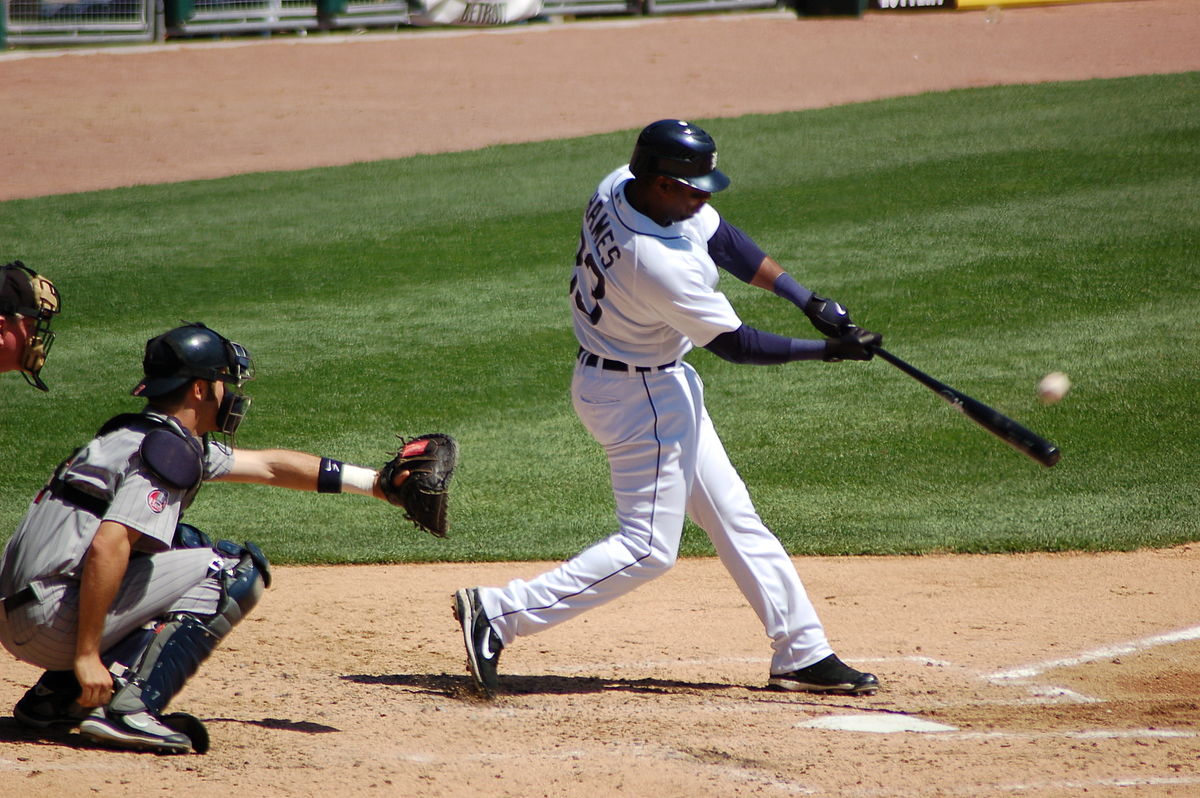
The input image sports.jpg 1200×798 pixels
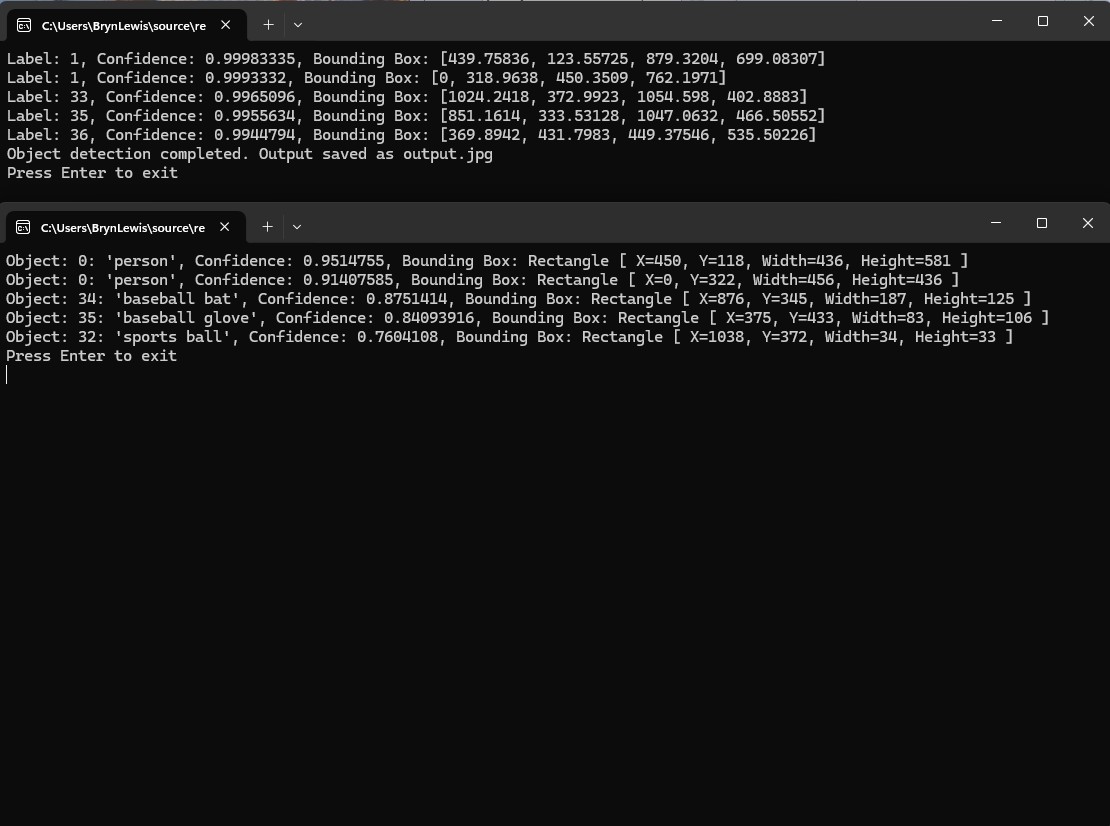
The GithubCopilot FasterRCNNObjectDetectionApplicationCopilot application only generated labels, confidences and minimum bounding box coordinates.
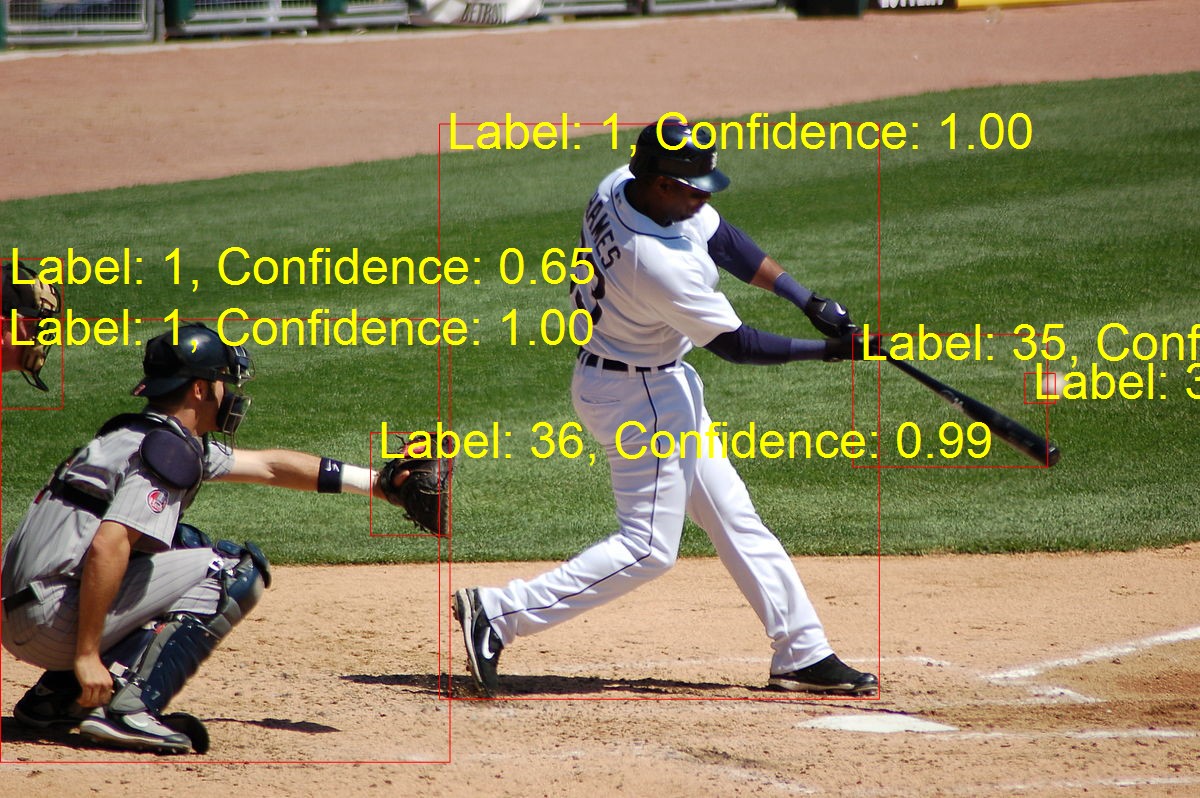
The FasterRCNNObjectDetectionApplicationGitHubCopilot application the marked-up image was 1200×798 pixels
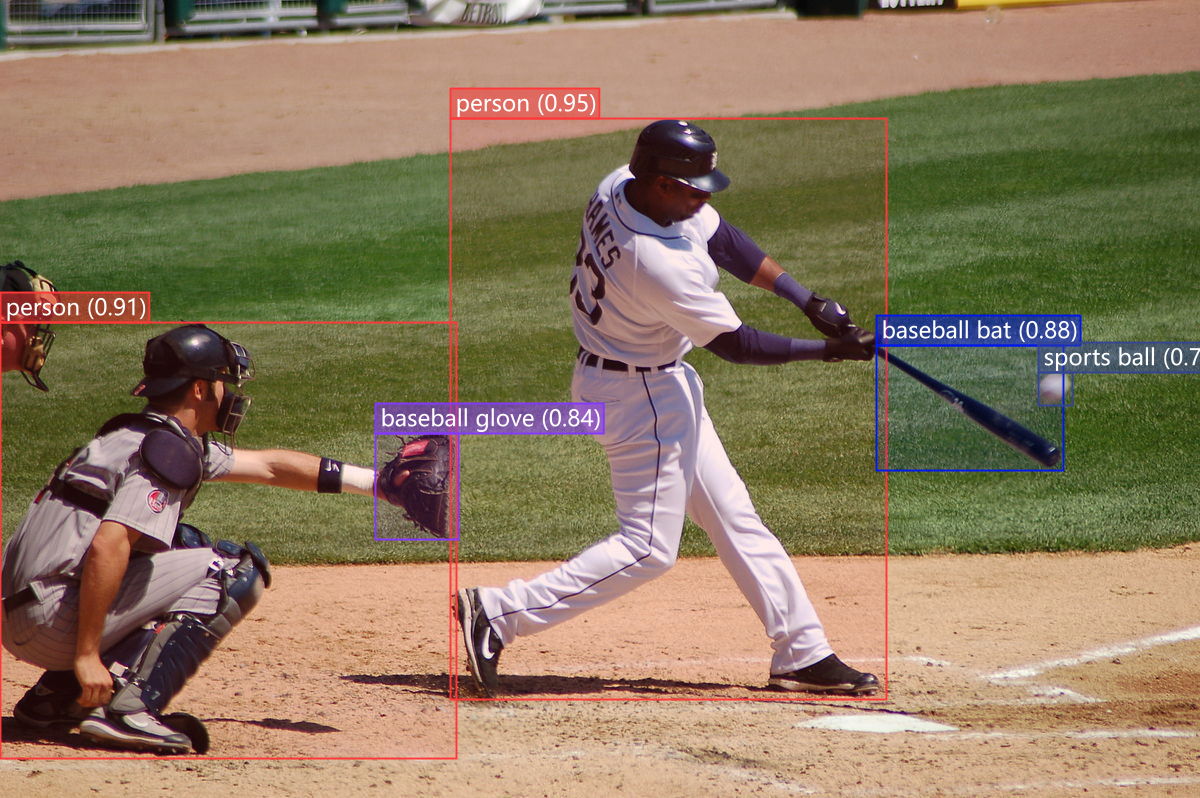
The YoloSharpObjectDetectionApplication application marked-up image was 1200×798 pixels
I went back to the onnxruntime.ai Object detection with Faster RCNN Deep Learning in C# sample source code to check my implementations and the highlighted area on the left caught my attention.
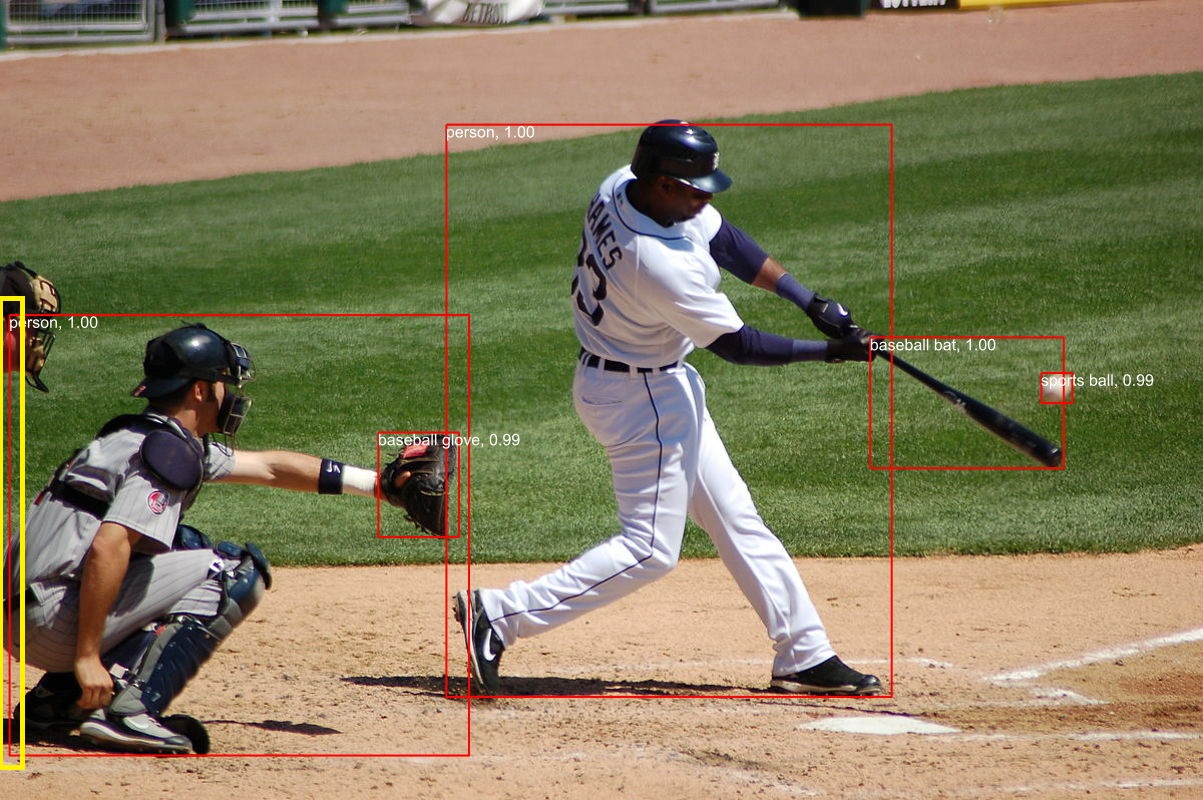
The FasterRCNNObjectDetectionApplicationOriginal application marked up image was 1023×800
I downloaded the sample code which hadn’t been updated for years.
public static void Main(string[] args)
{
   Console.WriteLine("FasterRCNNObjectDetectionApplicationOriginal");

   // Read paths
   string modelFilePath = args[0];
   string imageFilePath = args[1];
   string outImageFilePath = args[2];

   // Read image
   using Image<Rgb24> image = Image.Load<Rgb24>(imageFilePath);

   // Resize image
   float ratio = 800f / Math.Min(image.Width, image.Height);
   image.Mutate(x => x.Resize((int)(ratio * image.Width), (int)(ratio * image.Height)));

   // Preprocess image
   var paddedHeight = (int)(Math.Ceiling(image.Height / 32f) * 32f);
   var paddedWidth = (int)(Math.Ceiling(image.Width / 32f) * 32f);
   Tensor<float> input = new DenseTensor<float>(new[] { 3, paddedHeight, paddedWidth });
   var mean = new[] { 102.9801f, 115.9465f, 122.7717f };
   image.ProcessPixelRows(accessor =>
   {
      for (int y = paddedHeight - accessor.Height; y < accessor.Height; y++)
      {
         Span<Rgb24> pixelSpan = accessor.GetRowSpan(y);
         for (int x = paddedWidth - accessor.Width; x < accessor.Width; x++)
         {
            input[0, y, x] = pixelSpan[x].B - mean[0];
            input[1, y, x] = pixelSpan[x].G - mean[1];
            input[2, y, x] = pixelSpan[x].R - mean[2];
         }
      }
   });

   // Setup inputs and outputs
   var inputs = new List<NamedOnnxValue>
      {
            NamedOnnxValue.CreateFromTensor("image", input)
      };

   // Run inference
   using var session = new InferenceSession(modelFilePath);
   using IDisposableReadOnlyCollection<DisposableNamedOnnxValue> results = session.Run(inputs);

   // Postprocess to get predictions
   var resultsArray = results.ToArray();
   float[] boxes = resultsArray[0].AsEnumerable<float>().ToArray();
   long[] labels = resultsArray[1].AsEnumerable<long>().ToArray();
   float[] confidences = resultsArray[2].AsEnumerable<float>().ToArray();
   var predictions = new List<Prediction>();
   var minConfidence = 0.7f;
   for (int i = 0; i < boxes.Length - 4; i += 4)
   {
      var index = i / 4;
      if (confidences[index] >= minConfidence)
      {
         predictions.Add(new Prediction
         {
            Box = new Box(boxes[i], boxes[i + 1], boxes[i + 2], boxes[i + 3]),
            Label = LabelMap.Labels[labels[index]],
            Confidence = confidences[index]
         });
      }
   }

   // Put boxes, labels and confidence on image and save for viewing
   using var outputImage = File.OpenWrite(outImageFilePath);
   Font font = SystemFonts.CreateFont("Arial", 16);
   foreach (var p in predictions)
   {
      Console.WriteLine($"Label: {p.Label}, Confidence: {p.Confidence}, Bounding Box:[{p.Box.Xmin}, {p.Box.Ymin}, {p.Box.Xmax}, {p.Box.Ymax}]");
      image.Mutate(x =>
      {
         x.DrawLine(Color.Red, 2f, new PointF[] {

                  new PointF(p.Box.Xmin, p.Box.Ymin),
                  new PointF(p.Box.Xmax, p.Box.Ymin),

                  new PointF(p.Box.Xmax, p.Box.Ymin),
                  new PointF(p.Box.Xmax, p.Box.Ymax),

                  new PointF(p.Box.Xmax, p.Box.Ymax),
                  new PointF(p.Box.Xmin, p.Box.Ymax),

                  new PointF(p.Box.Xmin, p.Box.Ymax),
                  new PointF(p.Box.Xmin, p.Box.Ymin)
               });
         x.DrawText($"{p.Label}, {p.Confidence:0.00}", font, Color.White, new PointF(p.Box.Xmin, p.Box.Ymin));
      });
   }
   image.SaveAsJpeg(outputImage);

   Console.WriteLine("Press Enter to exit");
   Console.ReadLine();
}
I then compared the output of the object detection applications and the onnxruntime.ai Object detection with Faster RCNN Deep Learning in C# sample was different.
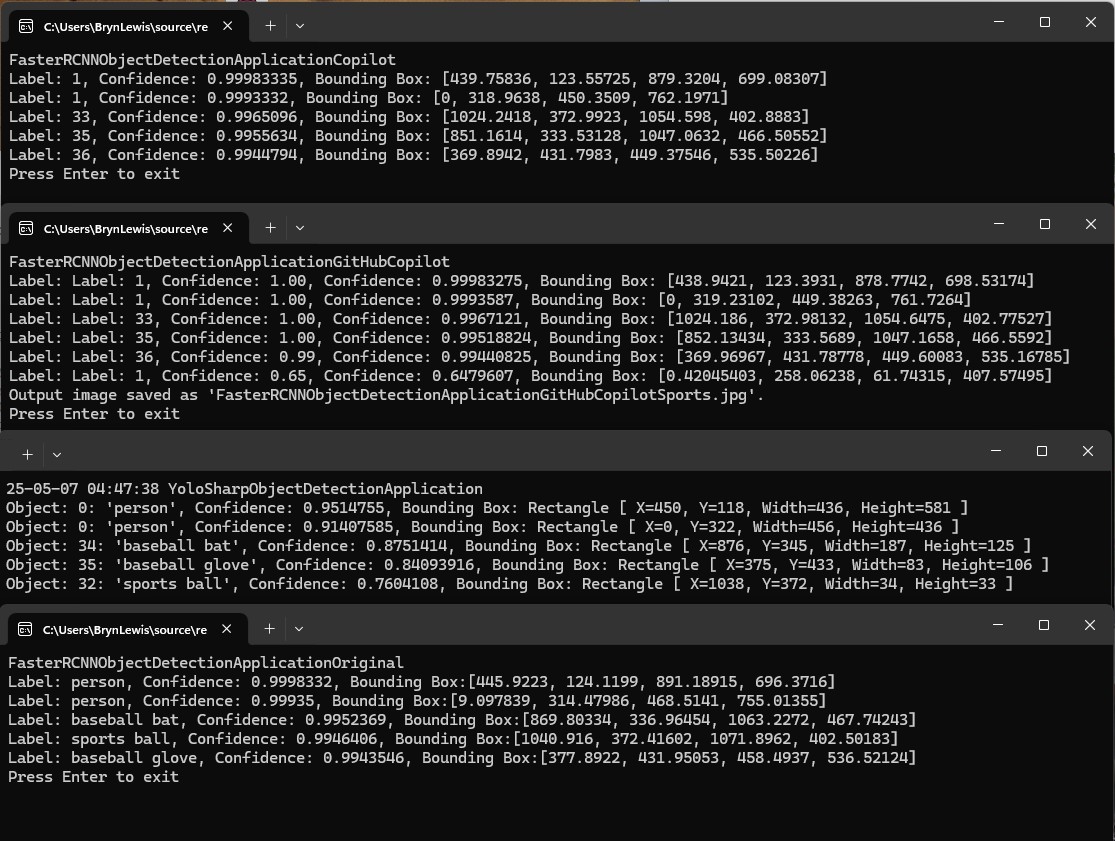
After some investigation I think the scaling of the image used for inferencing (based on the requirements on the model), then the scaling of the minimum bounding rectangles isn’t quite right.
 devMobile's blog