YoloV8 ONNX – Nvidia Jetson Orin Nano™ Execution Providers

The Seeedstudio reComputer J3011 has two processors an ARM64 CPU and an Nvidia Jetson Orin 8G which can be used for inferencing with the Open Neural Network Exchange(ONNX)Runtime.

Story of Fail

Inferencing worked first time on the ARM64 CPU because the required runtime is included in the Microsoft.ML.OnnxRuntime NuGet

ARM64 Linux ONNX runtime
Microsoft.ML.OnnxRuntime NuGet ARM64 Linux runtime

Inferencing failed on the Nividia Jetson Orin 8G because the CUDA Execution provider and TensorRT Execution Provider for the ONNXRuntime were not included in the Microsoft.ML.OnnxRuntime.GPU.Linux NuGet.

Missing ARM64 Linux GPU runtime

There were Linux x64 and Windows x64 versions of the ONNXRuntime library included in the Microsoft.ML.OnnxRuntime.Gpu NuGet

Microsoft.ML.OnnxRuntime.Gpu NuGet x64 Linux runtime

Desperately Seeking libonnxruntime.so

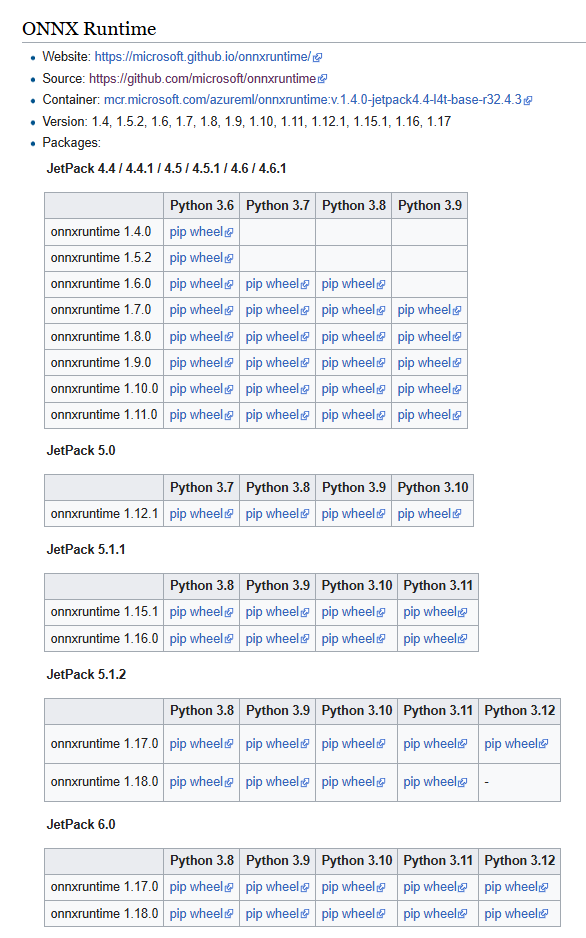
The Nvidia ONNX runtime site had pip wheel files for the different versions of Python and the Open Neural Network Exchange(ONNX)Runtime.

The onnxruntime_gpu-1.18.0-cp312-cp312-linux_aarch64.whl matched the version of the ONNXRuntime I needed and version of Python on the device..

When the pip wheel file was renamed onnxruntime_gpu-1.18.0-cp312-cp312-linux_aarch64.zip it could be opened, but there wasn’t a libonnruntime.so.

Onnxruntime_gpu-1.18.0-cp312-cp312-linux_aarch64 file listing

Building the TensorRT & CUDA Execution Providers

The ONNXRuntime build has to be done on Nividia Jetson Orin so after installing all the necessary prerequisites the first attempt failed.

bryn@ubuntu:~/onnxruntime/onnxruntime$ ./build.sh --config Release --update --build --build_wheel \
--use_tensorrt --cuda_home /usr/local/cuda --cudnn_home /usr/lib/aarch64-linux-gnu \
--tensorrt_home /usr/lib/aarch64-linux-gnu

When in high power mode more cores are used but this consumes more resource when building the ONNXRuntime. To limit resource utilisation --parallel2 was added the command line because the compile process was having “out of memory” failures.

bryn@ubuntu:~/onnxruntime/onnxruntime$ ./build.sh --config Release --update --build --parallel 2 --build_wheel \
--use_tensorrt --cuda_home /usr/local/cuda --cudnn_home /usr/lib/aarch64-linux-gnu \
--tensorrt_home /usr/lib/aarch64-linux-gnu

There were some compiler warnings but they appear to be benign.

First attempt at running the application failed because libonnxruntime.so was missing so –build_shared_lib was added to the command line

2024-06-10 18:21:58,480 build [INFO] - Build complete
bryn@ubuntu:~/onnxruntime/onnxruntime$ ./build.sh --config Release --update --build --parallel 2 --build_wheel --use_tensorrt --cuda_home /usr/local/cuda --cudnn_home /usr/lib/aarch64-linux-gnu --tensorrt_home /usr/lib/aarch64-linux-gnu --build_shared_lib

When the build completed the files were copied to the runtime folder of the program.

The application could then be configured to use the TensorRT Execution Provider.

Getting CUDA and TensorRT working on the Nvidia Jetson Orin 8G took much longer than I expected, with many dead ends and device factory resets before the process was repeatable.
YoloV8 ONNX – Nvidia Jetson Orin Nano™ CPU & GPU TensorRT Inferencing

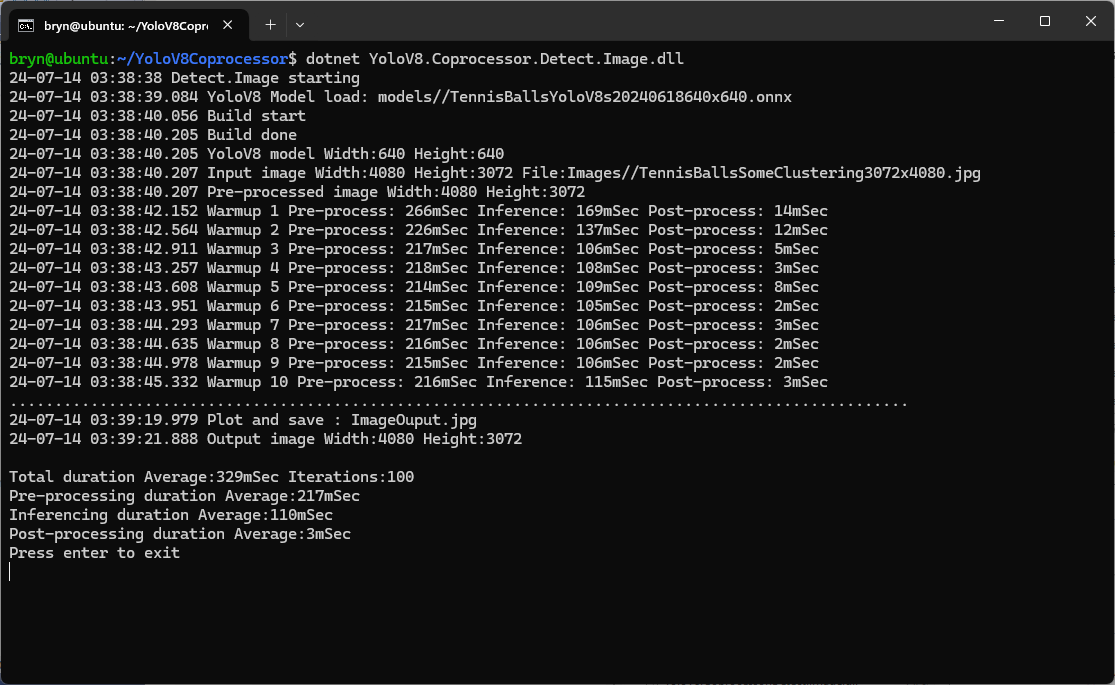
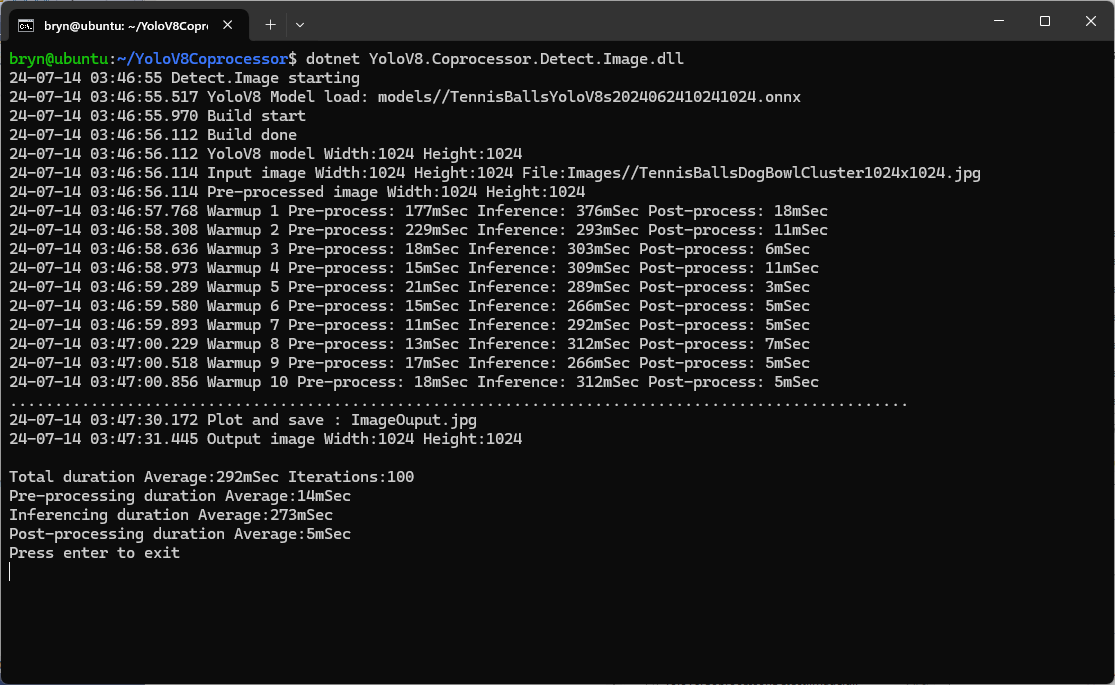
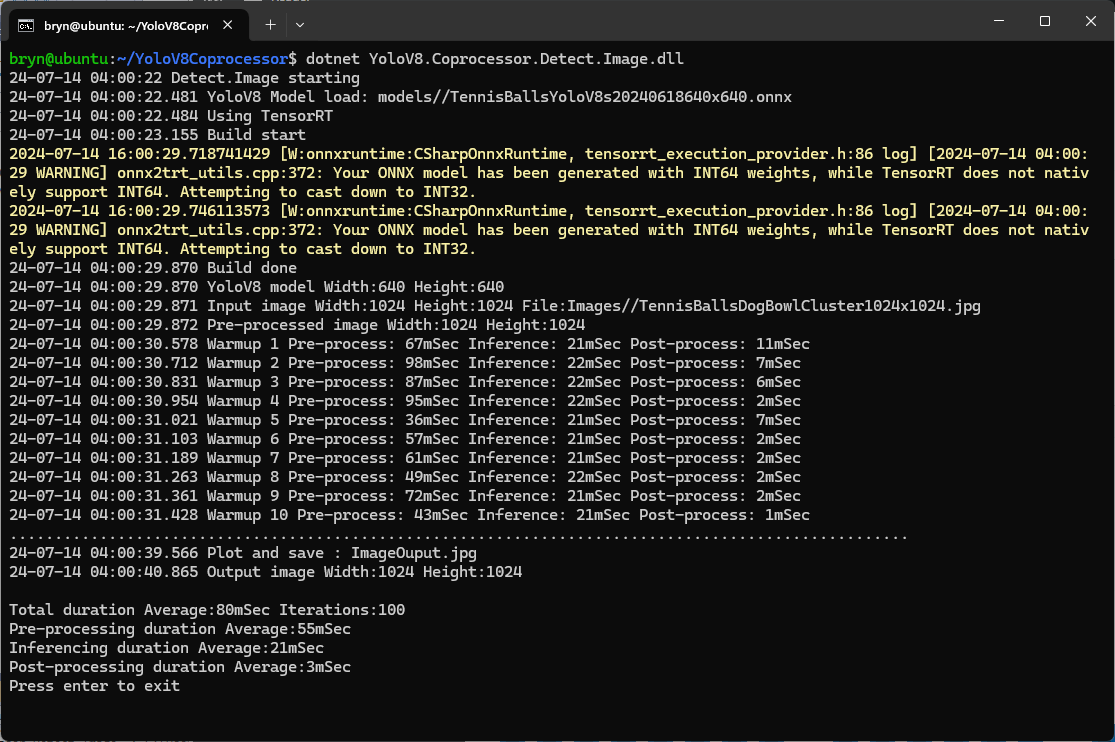
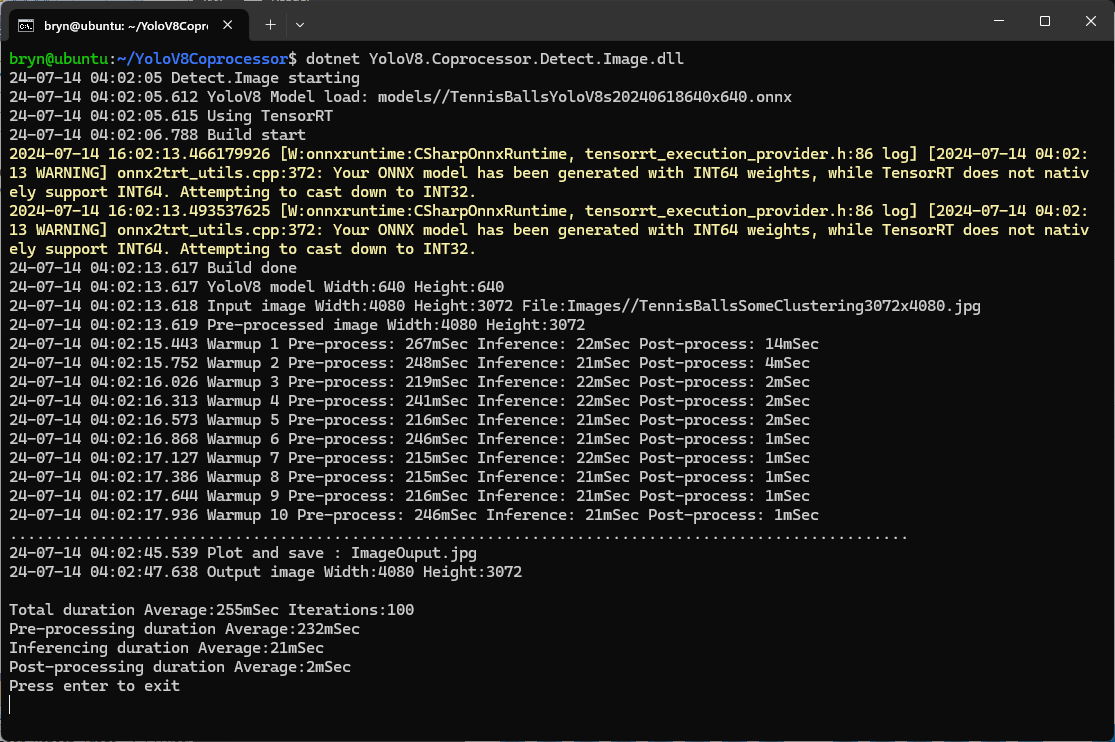
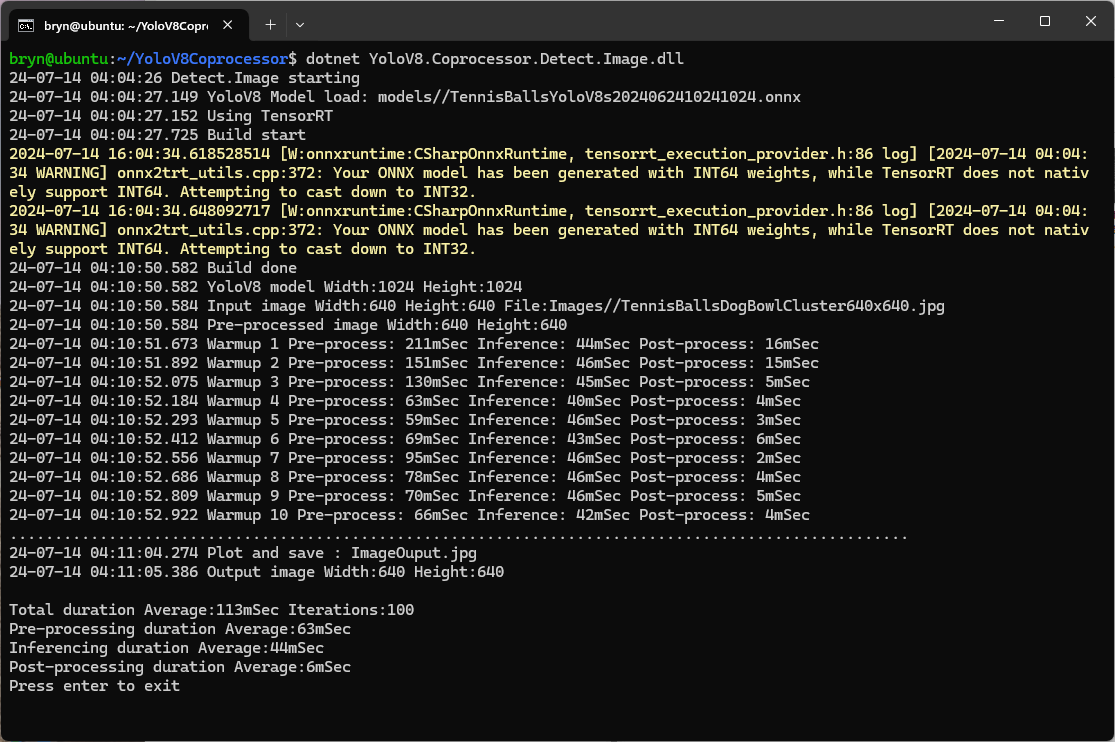
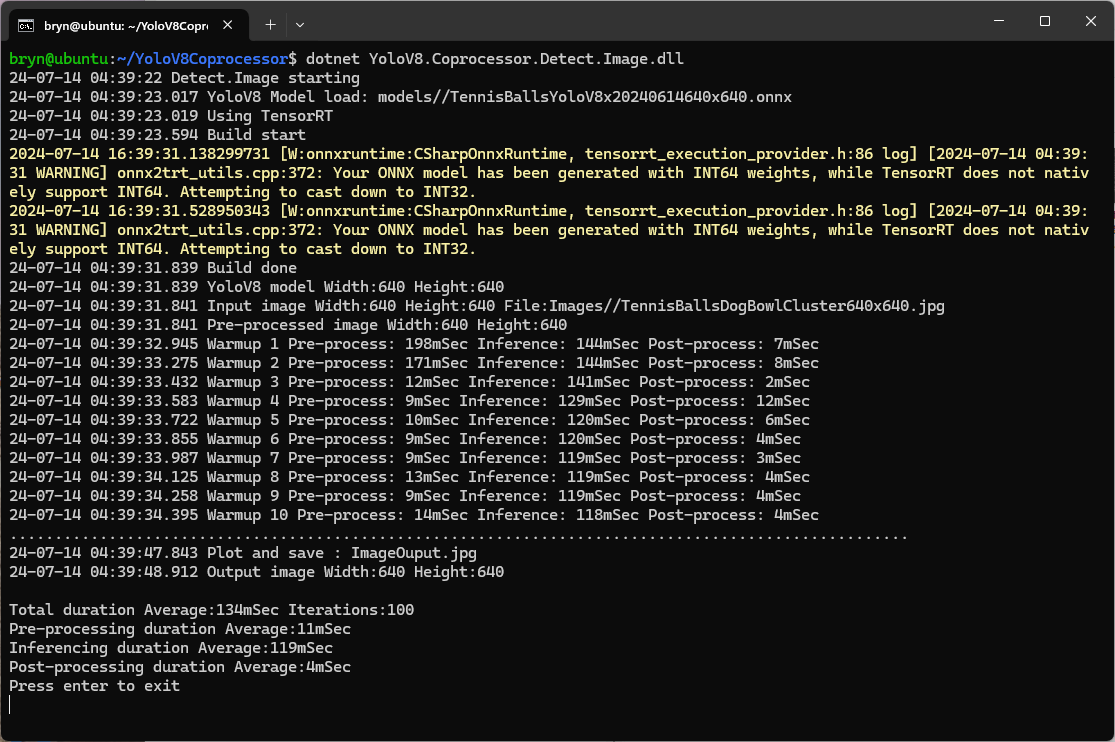
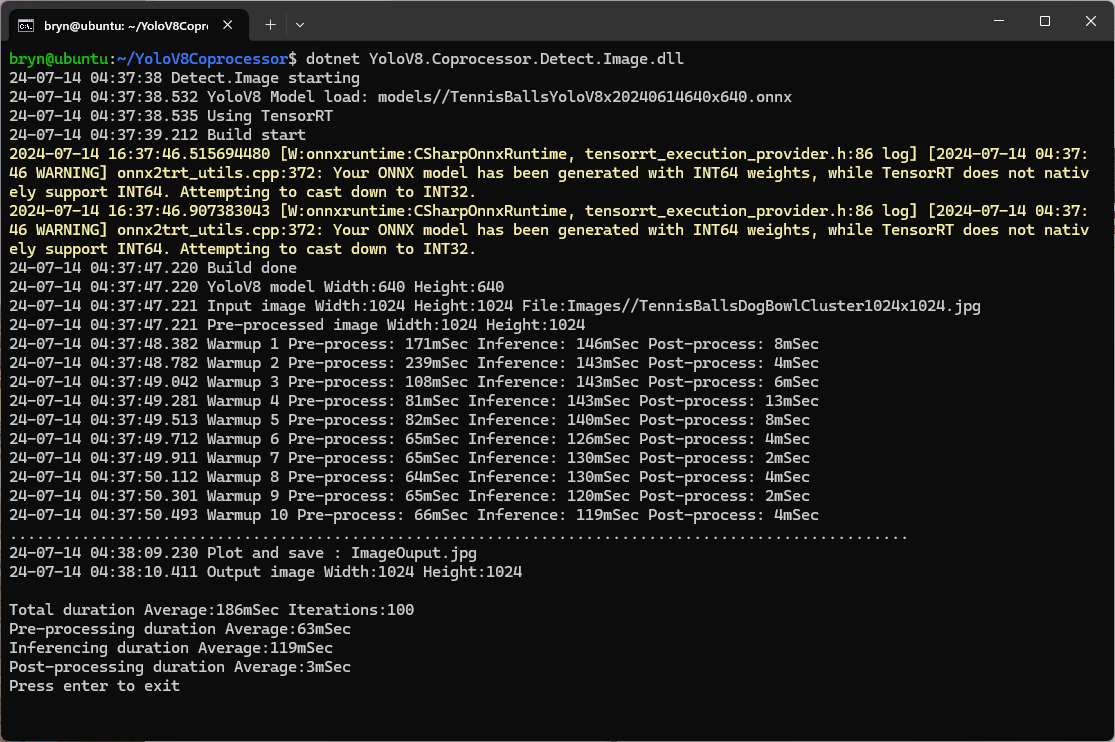
The Seeedstudio reComputer J3011 has two processors an ARM64 CPU and an Nividia Jetson Orin 8G. To speed up TensorRT inferencing I built an Open Neural Network Exchange(ONNX) TensorRT Execution Provider. After updating the code to add a “warm-up” and tracking of average pre-processing, inferencing & post-processing durations I did a series of CPU & GPU performance tests.

The testing consisted of permutations of three models TennisBallsYoloV8s20240618640×640.onnx, TennisBallsYoloV8s2024062410241024.onnx & TennisBallsYoloV8x20240614640×640 (limited testing as slow) and three images TennisBallsLandscape640x640.jpg, TennisBallsLandscape1024x1024.jpg & TennisBallsLandscape3072x4080.jpg.

Executive Summary

As expected, inferencing with a TensorRT 640×640 model and a 640×640 image was fastest, 9mSec pre-processing, 21mSec inferencing, then 4mSec post-processing.

If the image had to be scaled with SixLabors.ImageSharp this significantly increased the preprocessing (and overall) time.

CPU Inferencing

GPU TensorRT Small model Inferencing

GPU TensorRT Large model Inferencing

Nvidia Jetson Orin Nano™ JetPack 6

The Seeedstudio reComputer J3011 has two processors an ARM64 CPU and an Nividia Jetson Orin 8G Coprocessor. To speed up ML.NET running on the Nividia Jetson Orin 8G required compatible versions of ML.NET Open Neural Network Exchange (ONNX) and NVIDIA Jetpack.

Before installing NVIDIA Jetpack 6 the Seeedstudio reComputer J3011 Edge AI Device has to be put into recovery mode

Seeedstudio reComputer J3011 Edge AI Device with jumper for recovery mode

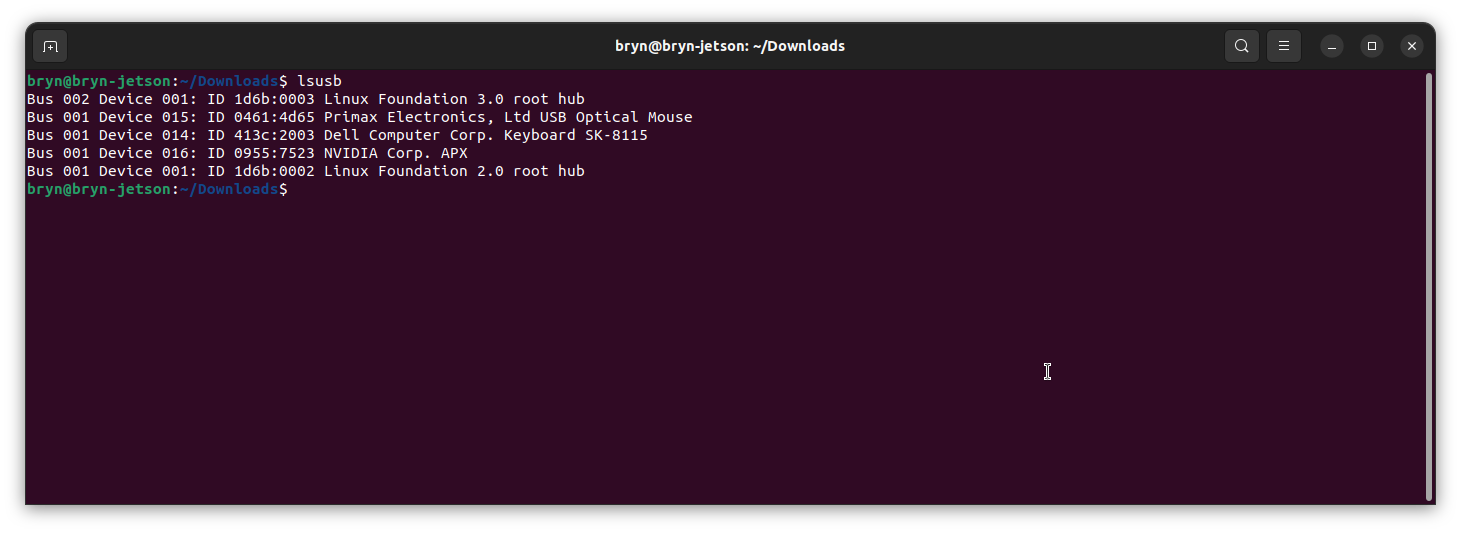
When started in recovery mode the Seeedstudio J3011 was in list of Universal Serial Bus (USB) devices returned by lsusb

Upgrading to Jetpack 5.1.1 so the device could be upgraded using the Windows subsystem for Linux terminal failed. The NVIDIA SDK Manager downloads and installs all the required components and dependencies.

Installing NVIDIA Jetpack 6 from the Windows subsystem for Linux failed because the version of Ubuntu installed(Ubuntu 24.02 LTS) was not supported by NVIDIA SDK Manager.

Installing NVIDIA Jetpack 6 from a desktop PC running Ubuntu 24.02 LTS failed (the same issue as above) because the NVIDIA SDK Manager did not support that version of Ubuntu. The desktop PC was then “re-paved” with Ubuntu 22.04 LTS and NVIDIA SDK Manager worked.

An NVIDIA Developer program login is required to launch the NVIDIA SDK Manager

Selecting the right target hardware is important if it is not “auto detected”.

The Open Neural Network Exchange(ONNX) supports the Compute Unified Device Architecture (CUDA) which has to be included in the installation package.

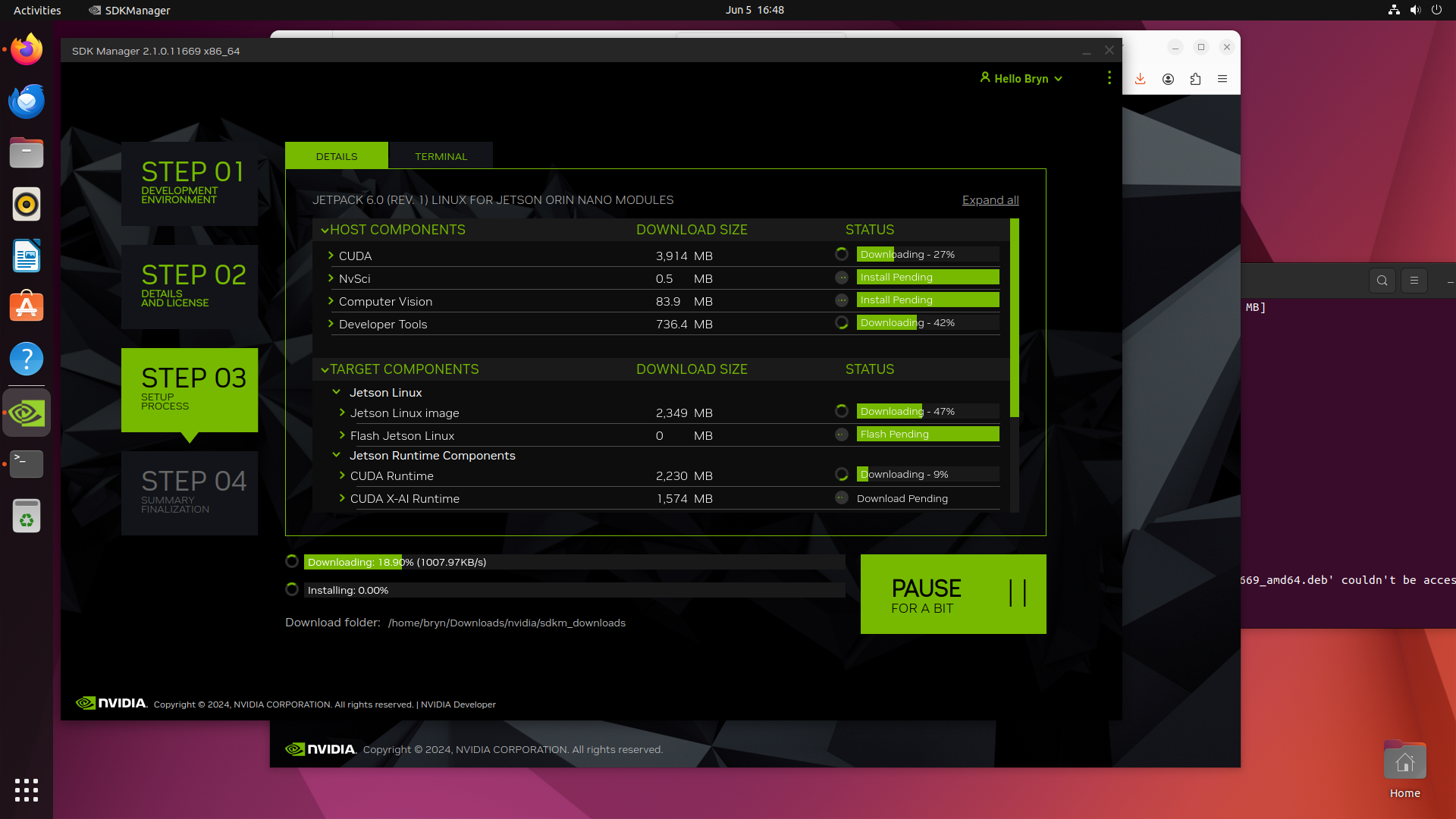
Downloading NVIDIA Jetpack 6 and all the selected components of the install can be quite slow

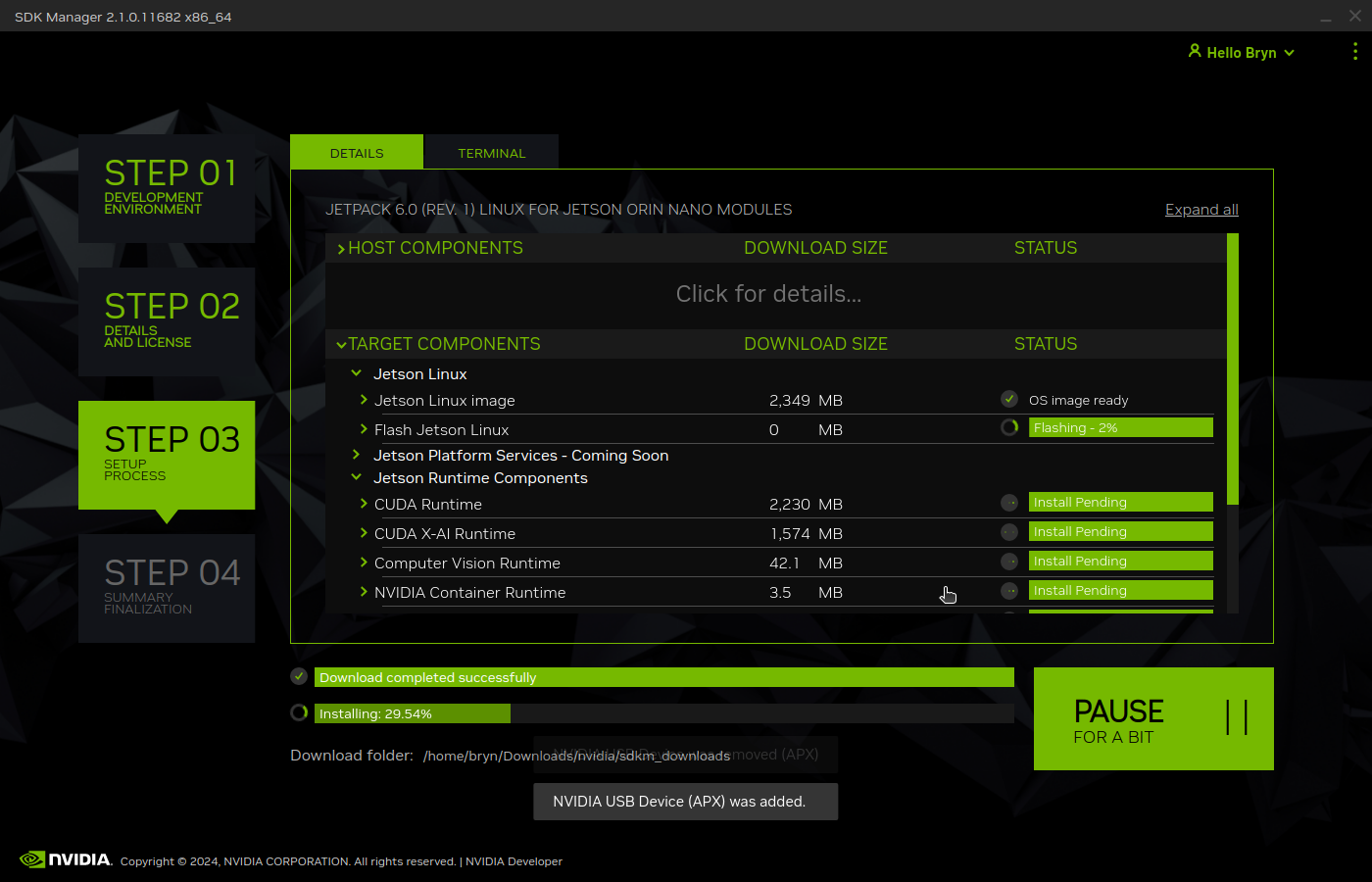
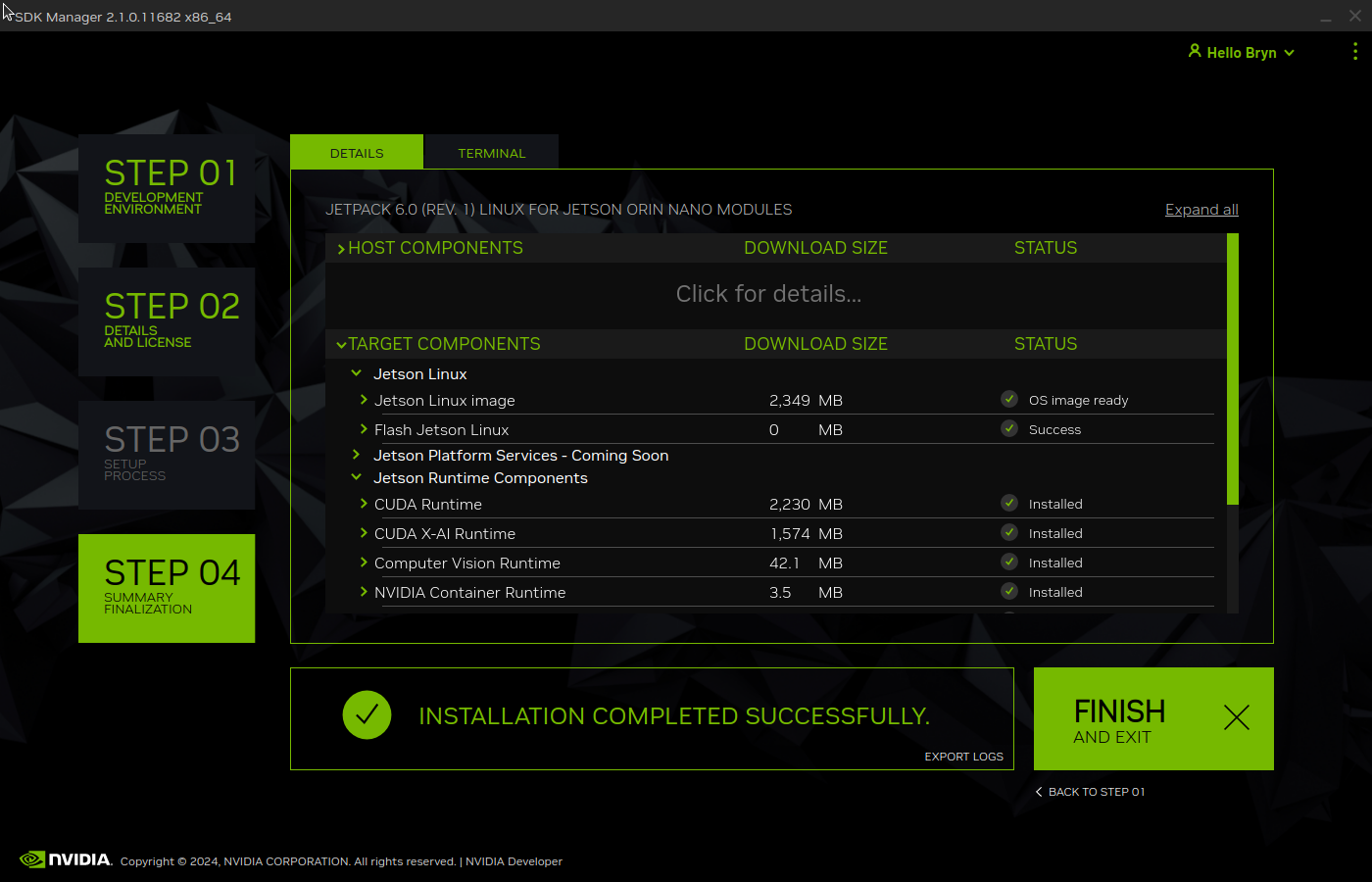
Installation of NVIDIA Jetpack 6 and selected components can take a while.

Even though Jetpack 6 is now available for Seeed’s Jetson Orin Devices this process is still applicable for an upgrade or “factory reset”.