Random wanderings through Microsoft Azure esp. PaaS plumbing, the IoT bits, AI on Micro controllers, AI on Edge Devices, .NET nanoFramework, .NET Core on *nix and ML.NET+ONNX
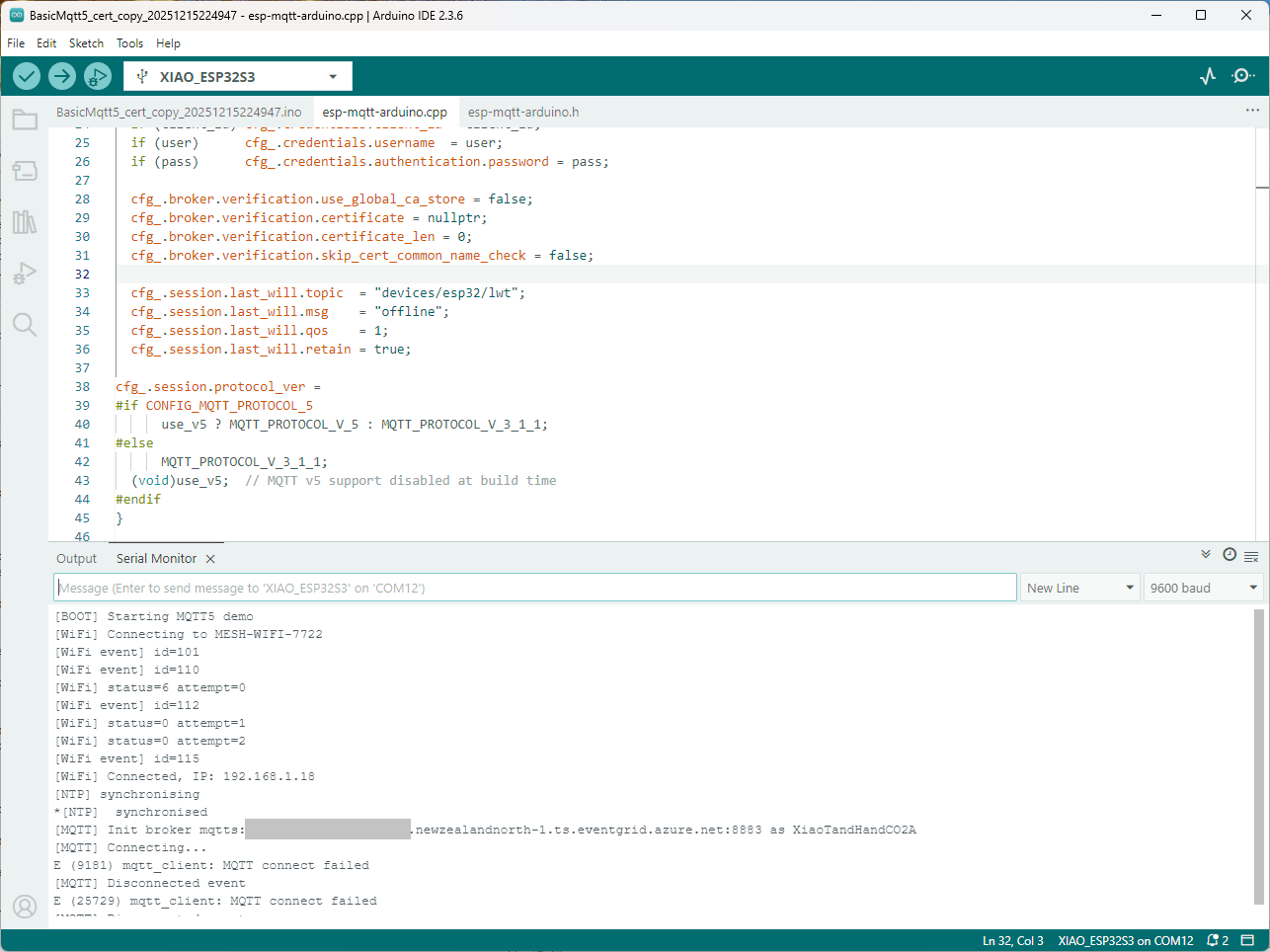
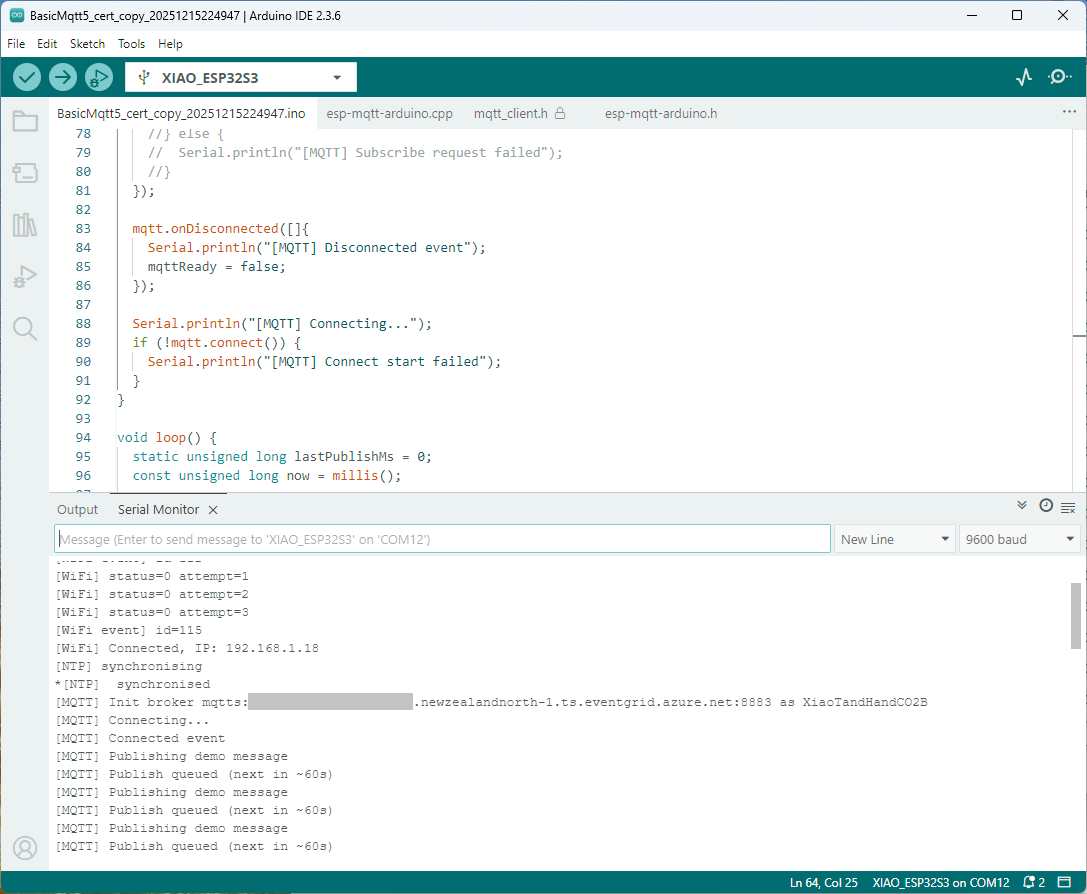
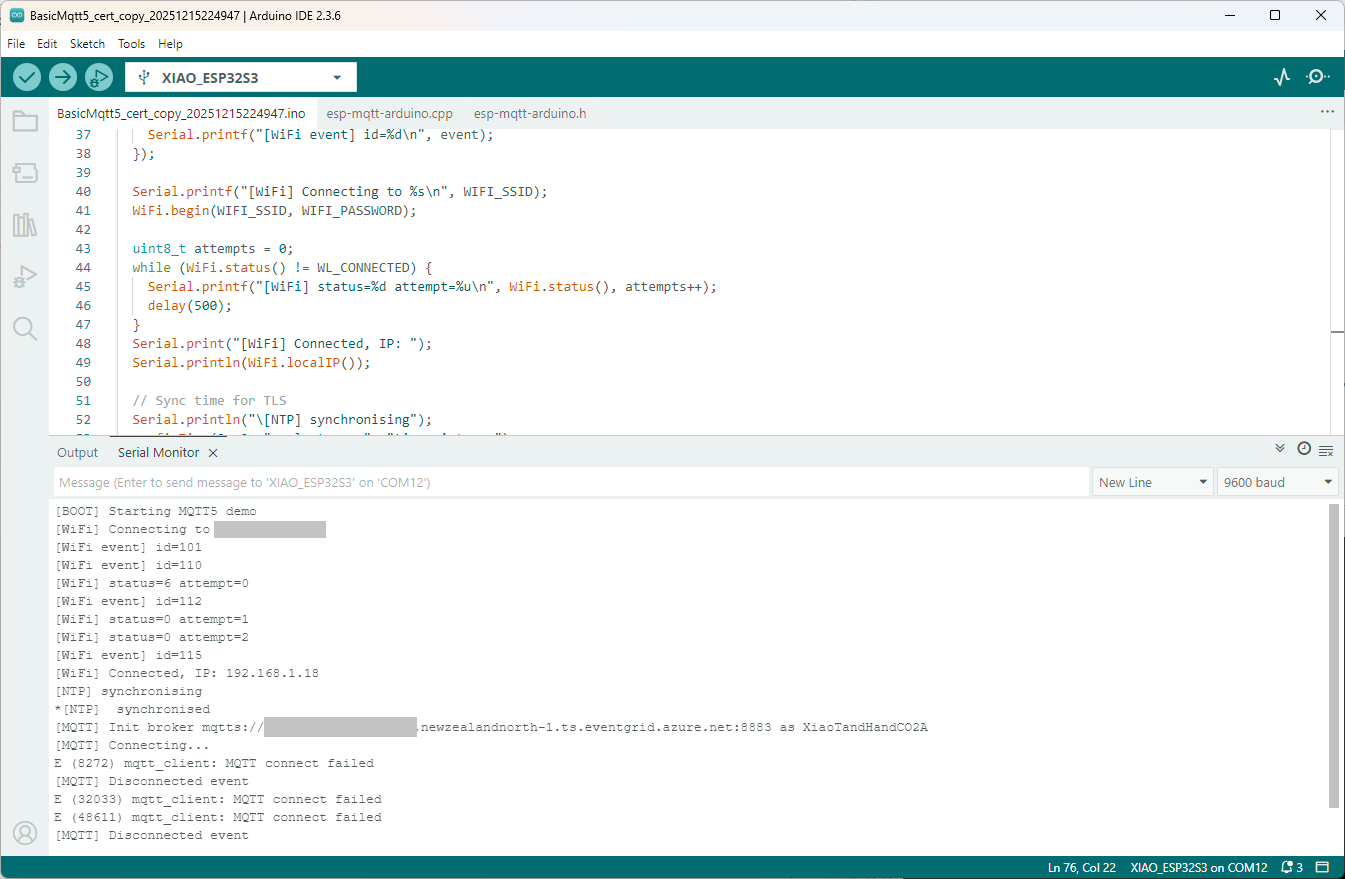
Still couldn’t figure out why my code was failing so I turned up logging to 11 and noticed a couple of messages which didn’t make sense. The device was connecting than disconnecting which indicated a another problem. As part of the Message Queue Telemetry Transport(MQTT) specification there is a “feature” Last Will and Testament(LWT) which a client can configure so that the MQTT broker sends a message to a topic if the device disconnects unexpectedly.
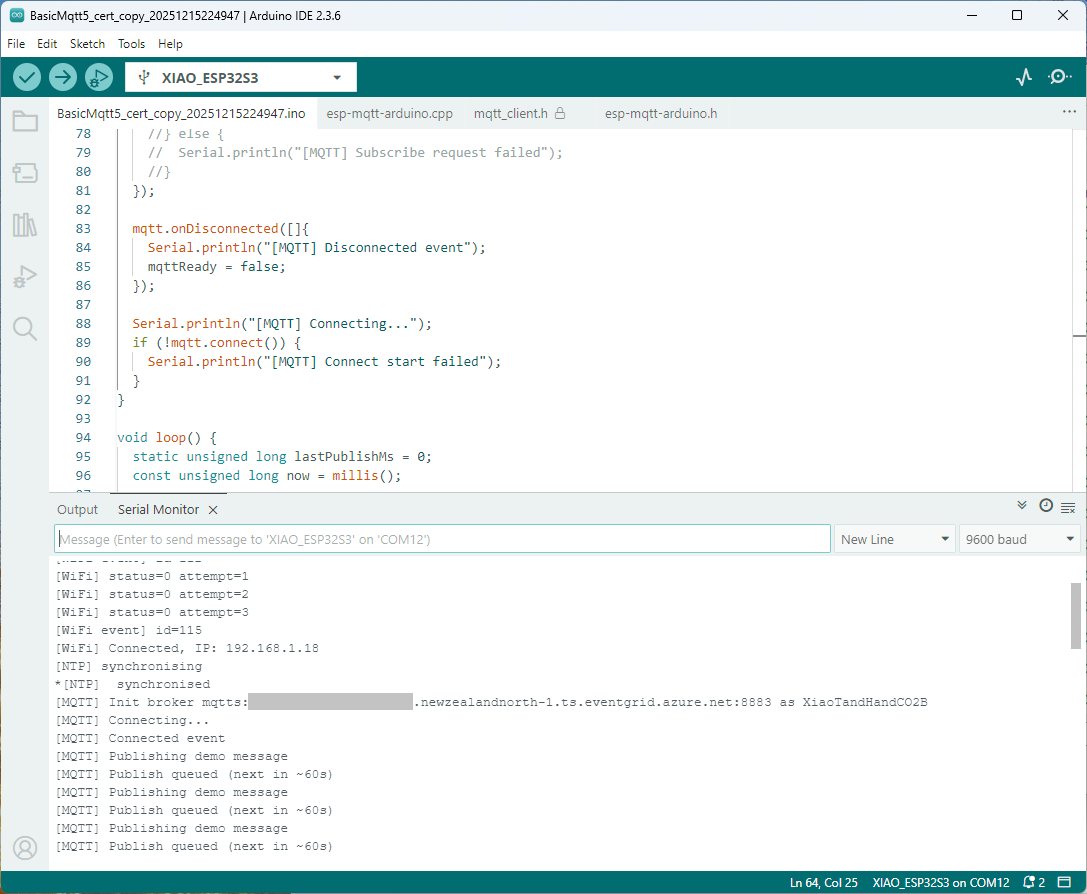
I was looking at the code and noticed that LWT was being used and that the topic didn’t exist in my Azure Event Grid MQTT Broker namespace. When the LWT configuration was commented out the application worked.
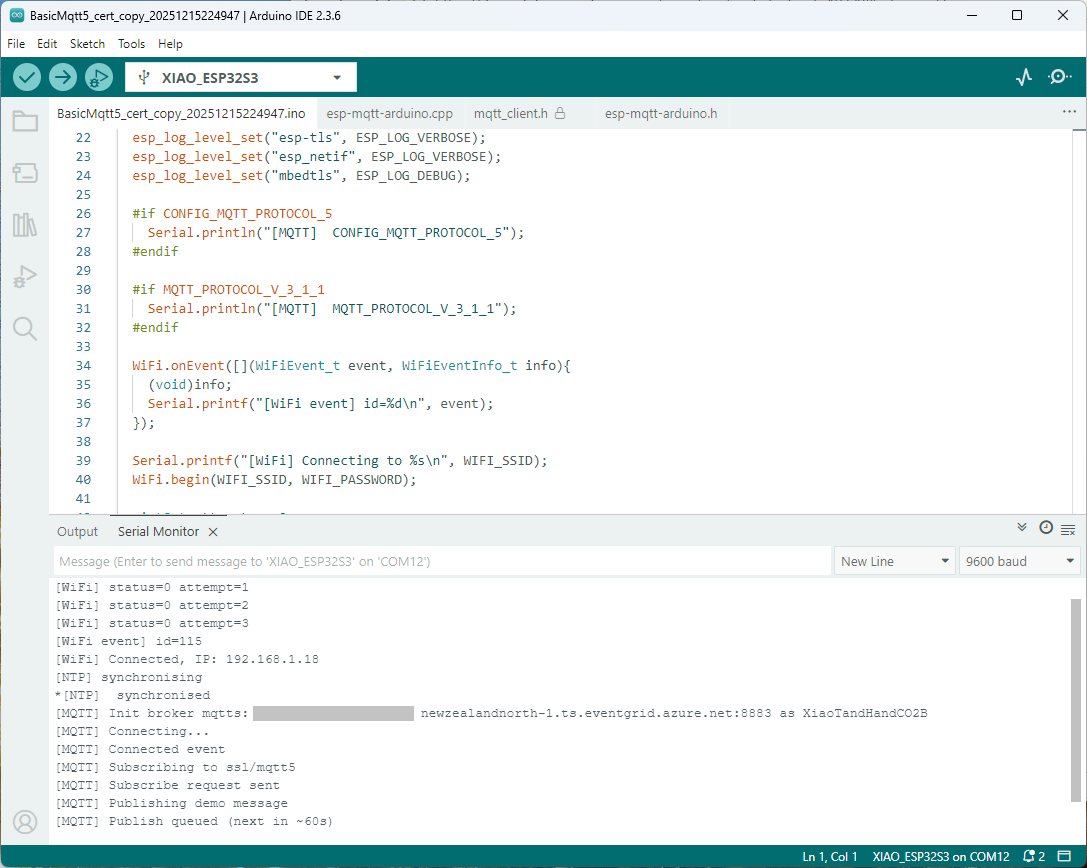
Paying close attention to the logging I noticed the “Subscribing to ssl/mqtts” followed by “Subscribe request sent”
I checked the sample application and found that if the connect was successful the application would then try and subscribe to a topic that didn’t exist.
The library doesn’t support client authentication with certificates, so I added two methods setClientCert and setClientKey to the esp-mqtt-arduino.h and esp-mqtt-arduino.cpp files
I tried increasing the log levels to get more debugging information, adding delays on startup to make it easier to see what was going on, trying different options of protocol support.
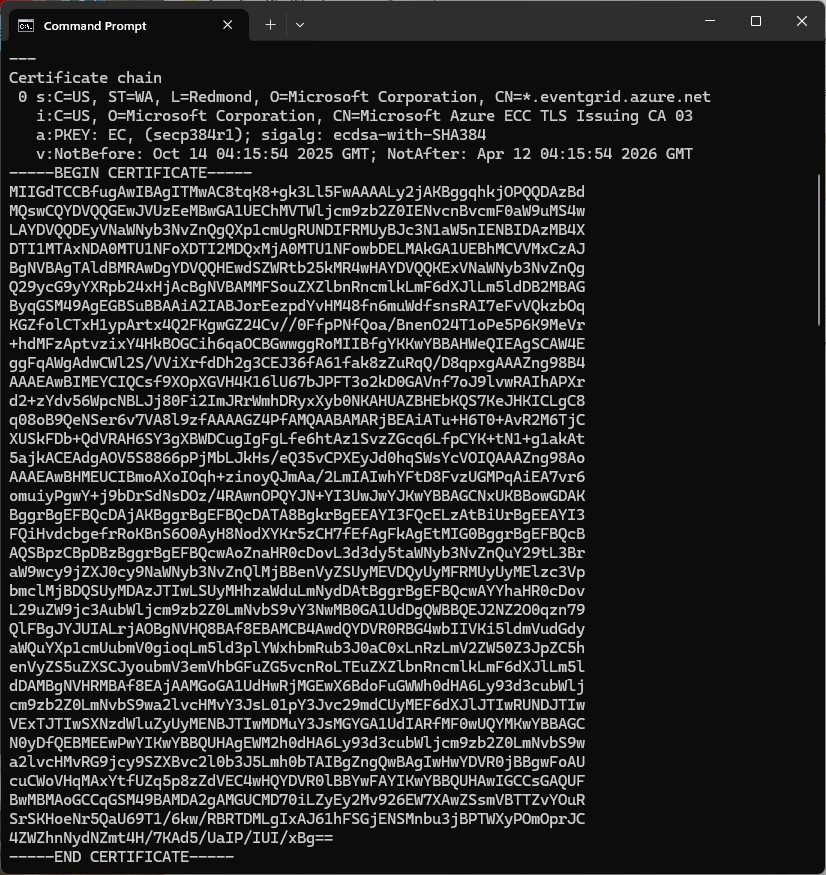
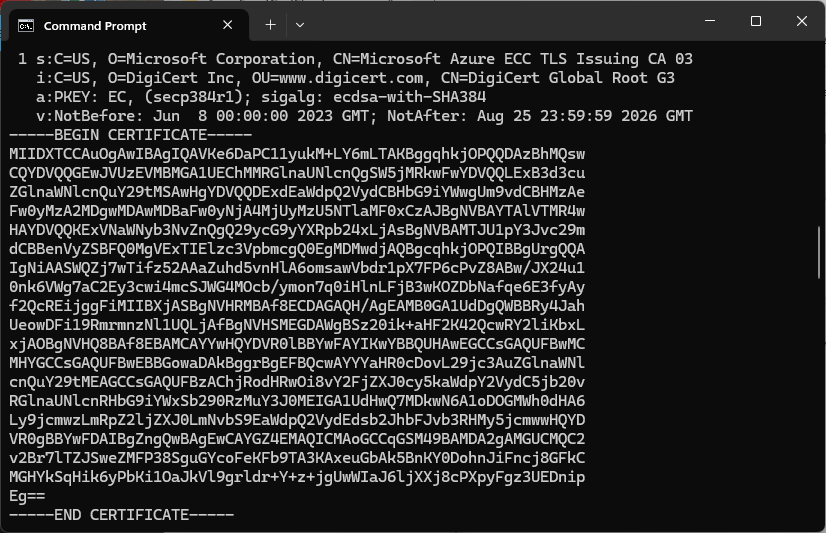
Over the last couple of weekends I had been trying to get a repeatable process for extracting the X509 certificate information in the correct structure so my Arduino application could connect to Azure Event Grid. The first step was to get the certificate chain for my Azure Event Grid MQTT Broker with openssl
The CN: CN=DigiCert Global Root G3 and the wildcard CN=*.eventgrid.azure.net certificates were “concatenated” in the constants header file which is included in the main program file. The format of the certificate chain is described in the comments. Avoid blank lines, “rogue” spaces or other formatting as these may cause the WiFiClientSecureMbed TLS implementation to fail.
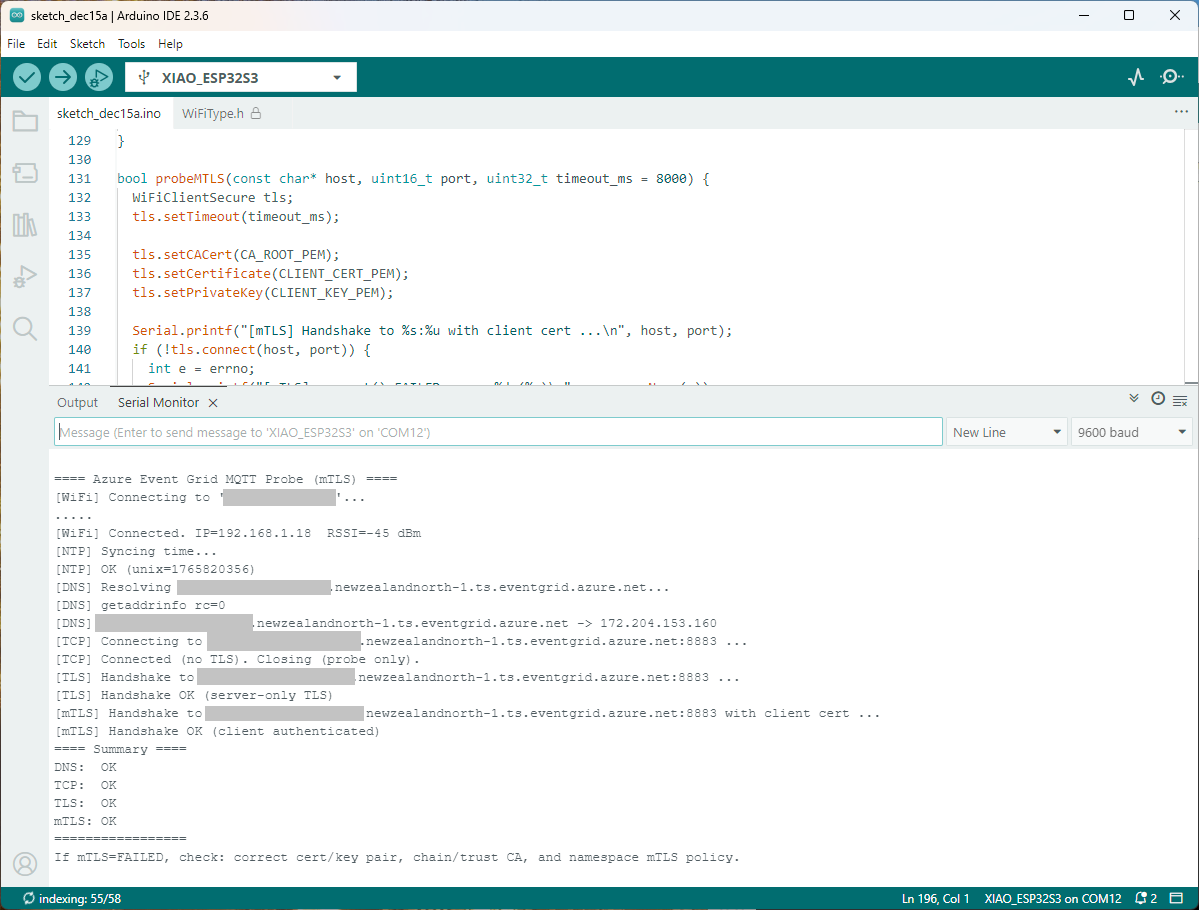
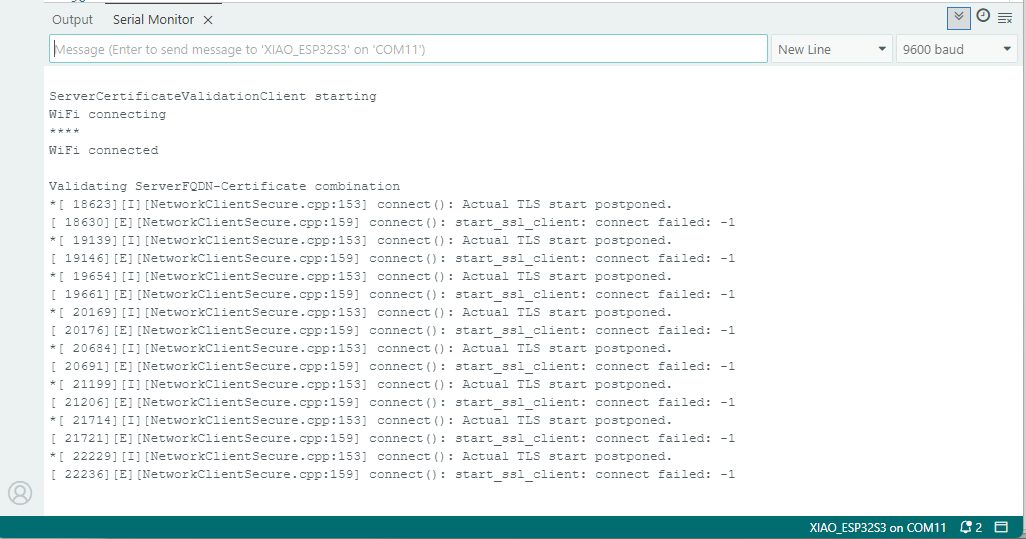
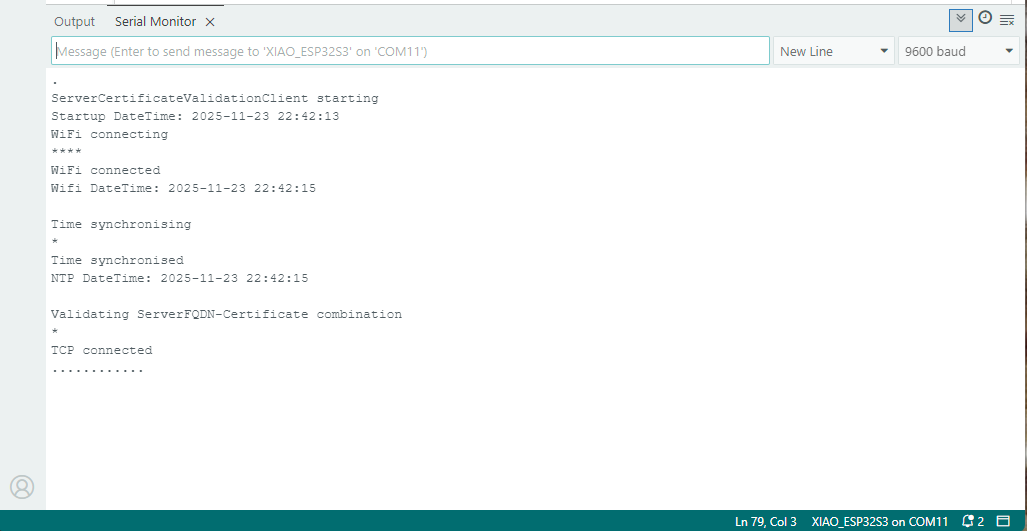
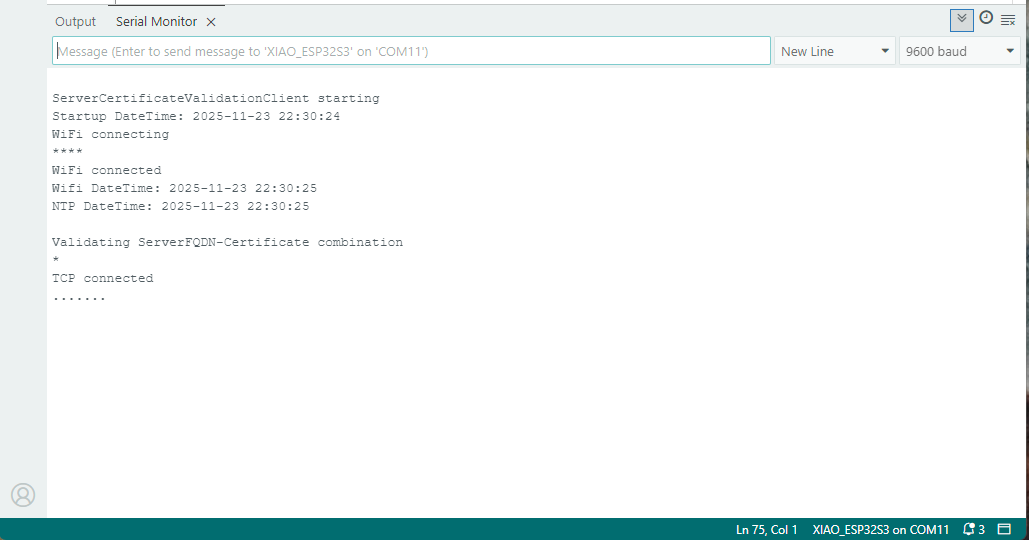
After a hard reset the WiFiClientSecure connect failed because the device time had not been initialised so the device/server time offset was too large (see rfc9325)
For one test deployment it took me an hour to generate the Root, Intermediate and a number of Devices certificates which was a waste of time. At this point I decided investigate writing some applications to simplify the process.
static void Main(string[] args)
{
var serviceProvider = new ServiceCollection()
.AddCertificateManager()
.BuildServiceProvider();
// load the app settings into configuration
var configuration = new ConfigurationBuilder()
.AddJsonFile("appsettings.json", false, true)
.AddUserSecrets<Program>()
.Build();
_applicationSettings = configuration.GetSection("ApplicationSettings").Get<Model.ApplicationSettings>();
//------
Console.WriteLine($"validFrom:{validFrom} ValidTo:{validTo}");
var serverRootCertificate = serviceProvider.GetService<CreateCertificatesClientServerAuth>();
var root = serverRootCertificate.NewRootCertificate(
new DistinguishedName {
CommonName = _applicationSettings.CommonName,
Organisation = _applicationSettings.Organisation,
OrganisationUnit = _applicationSettings.OrganisationUnit,
Locality = _applicationSettings.Locality,
StateProvince = _applicationSettings.StateProvince,
Country = _applicationSettings.Country
},
new ValidityPeriod {
ValidFrom = validFrom,
ValidTo = validTo,
},
_applicationSettings.PathLengthConstraint,
_applicationSettings.DnsName);
root.FriendlyName = _applicationSettings.FriendlyName;
Console.Write("PFX Password:");
string password = Console.ReadLine();
if ( String.IsNullOrEmpty(password))
{
Console.WriteLine("PFX Password invalid");
return;
}
var exportCertificate = serviceProvider.GetService<ImportExportCertificate>();
var rootCertificatePfxBytes = exportCertificate.ExportRootPfx(password, root);
File.WriteAllBytes(_applicationSettings.RootCertificateFilePath, rootCertificatePfxBytes);
Console.WriteLine($"Root certificate file:{_applicationSettings.RootCertificateFilePath}");
Console.WriteLine("press enter to exit");
Console.ReadLine();
}
The application’s configuration was split between application settings file(certificate file paths, validity periods, Organisation etc.) or entered at runtime ( certificate filenames, passwords etc.) The first application generates a Root Certificate using the distinguished name information from the application settings, plus file names and passwords entered by the user.
Root Certificate generation application output
The second application generates an Intermediate Certificate using the Root Certificate, the distinguished name information from the application settings, plus file names and passwords entered by the user.
static void Main(string[] args)
{
var serviceProvider = new ServiceCollection()
.AddCertificateManager()
.BuildServiceProvider();
// load the app settings into configuration
var configuration = new ConfigurationBuilder()
.AddJsonFile("appsettings.json", false, true)
.AddUserSecrets<Program>()
.Build();
_applicationSettings = configuration.GetSection("ApplicationSettings").Get<Model.ApplicationSettings>();
//------
Console.WriteLine($"validFrom:{validFrom} be after ValidTo:{validTo}");
Console.WriteLine($"Root Certificate file:{_applicationSettings.RootCertificateFilePath}");
Console.Write("Root Certificate Password:");
string rootPassword = Console.ReadLine();
if (String.IsNullOrEmpty(rootPassword))
{
Console.WriteLine("Fail");
return;
}
var rootCertificate = new X509Certificate2(_applicationSettings.RootCertificateFilePath, rootPassword);
var intermediateCertificateCreate = serviceProvider.GetService<CreateCertificatesClientServerAuth>();
var intermediateCertificate = intermediateCertificateCreate.NewIntermediateChainedCertificate(
new DistinguishedName
{
CommonName = _applicationSettings.CommonName,
Organisation = _applicationSettings.Organisation,
OrganisationUnit = _applicationSettings.OrganisationUnit,
Locality = _applicationSettings.Locality,
StateProvince = _applicationSettings.StateProvince,
Country = _applicationSettings.Country
},
new ValidityPeriod
{
ValidFrom = validFrom,
ValidTo = validTo,
},
_applicationSettings.PathLengthConstraint,
_applicationSettings.DnsName, rootCertificate);
intermediateCertificate.FriendlyName = _applicationSettings.FriendlyName;
Console.Write("Intermediate certificate Password:");
string intermediatePassword = Console.ReadLine();
if (String.IsNullOrEmpty(intermediatePassword))
{
Console.WriteLine("Fail");
return;
}
var importExportCertificate = serviceProvider.GetService<ImportExportCertificate>();
Console.WriteLine($"Intermediate PFX file:{_applicationSettings.IntermediateCertificatePfxFilePath}");
var intermediateCertificatePfxBtyes = importExportCertificate.ExportChainedCertificatePfx(intermediatePassword, intermediateCertificate, rootCertificate);
File.WriteAllBytes(_applicationSettings.IntermediateCertificatePfxFilePath, intermediateCertificatePfxBtyes);
Console.WriteLine($"Intermediate CER file:{_applicationSettings.IntermediateCertificateCerFilePath}");
var intermediateCertificatePemText = importExportCertificate.PemExportPublicKeyCertificate(intermediateCertificate);
File.WriteAllText(_applicationSettings.IntermediateCertificateCerFilePath, intermediateCertificatePemText);
Console.WriteLine("press enter to exit");
Console.ReadLine();
}
Uploading the Intermediate certificate to Azure Event Grid
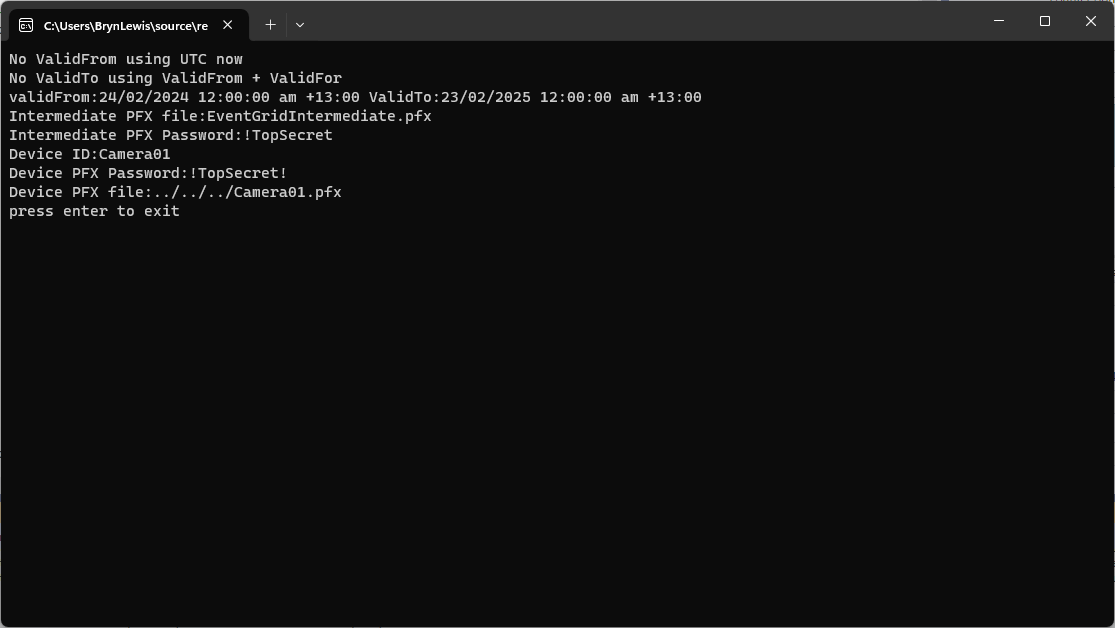
The third application generates Device Certificates using the Intermediate Certificate, distinguished name information from the application settings, plus device id, file names and passwords entered by the user.
static void Main(string[] args)
{
var serviceProvider = new ServiceCollection()
.AddCertificateManager()
.BuildServiceProvider();
// load the app settings into configuration
var configuration = new ConfigurationBuilder()
.AddJsonFile("appsettings.json", false, true)
.AddUserSecrets<Program>()
.Build();
_applicationSettings = configuration.GetSection("ApplicationSettings").Get<Model.ApplicationSettings>();
//------
Console.WriteLine($"validFrom:{validFrom} ValidTo:{validTo}");
Console.WriteLine($"Intermediate PFX file:{_applicationSettings.IntermediateCertificateFilePath}");
Console.Write("Intermediate PFX Password:");
string intermediatePassword = Console.ReadLine();
if (String.IsNullOrEmpty(intermediatePassword))
{
Console.WriteLine("Intermediate PFX Password invalid");
return;
}
var intermediate = new X509Certificate2(_applicationSettings.IntermediateCertificateFilePath, intermediatePassword);
Console.Write("Device ID:");
string deviceId = Console.ReadLine();
if (String.IsNullOrEmpty(deviceId))
{
Console.WriteLine("Device ID invalid");
return;
}
var createClientServerAuthCerts = serviceProvider.GetService<CreateCertificatesClientServerAuth>();
var device = createClientServerAuthCerts.NewDeviceChainedCertificate(
new DistinguishedName
{
CommonName = deviceId,
Organisation = _applicationSettings.Organisation,
OrganisationUnit = _applicationSettings.OrganisationUnit,
Locality = _applicationSettings.Locality,
StateProvince = _applicationSettings.StateProvince,
Country = _applicationSettings.Country
},
new ValidityPeriod
{
ValidFrom = validFrom,
ValidTo = validTo,
},
deviceId, intermediate);
device.FriendlyName = deviceId;
Console.Write("Device PFX Password:");
string devicePassword = Console.ReadLine();
if (String.IsNullOrEmpty(devicePassword))
{
Console.WriteLine("Fail");
return;
}
var importExportCertificate = serviceProvider.GetService<ImportExportCertificate>();
string devicePfxPath = string.Format(_applicationSettings.DeviceCertificatePfxFilePath, deviceId);
Console.WriteLine($"Device PFX file:{devicePfxPath}");
var deviceCertificatePath = importExportCertificate.ExportChainedCertificatePfx(devicePassword, device, intermediate);
File.WriteAllBytes(devicePfxPath, deviceCertificatePath);
Console.WriteLine("press enter to exit");
Console.ReadLine();
}
Device Certificate generation application output
Uploading the Intermediate certificate to Azure Event Grid