Azure Event Grid esp-mqtt-arduino Client – Success

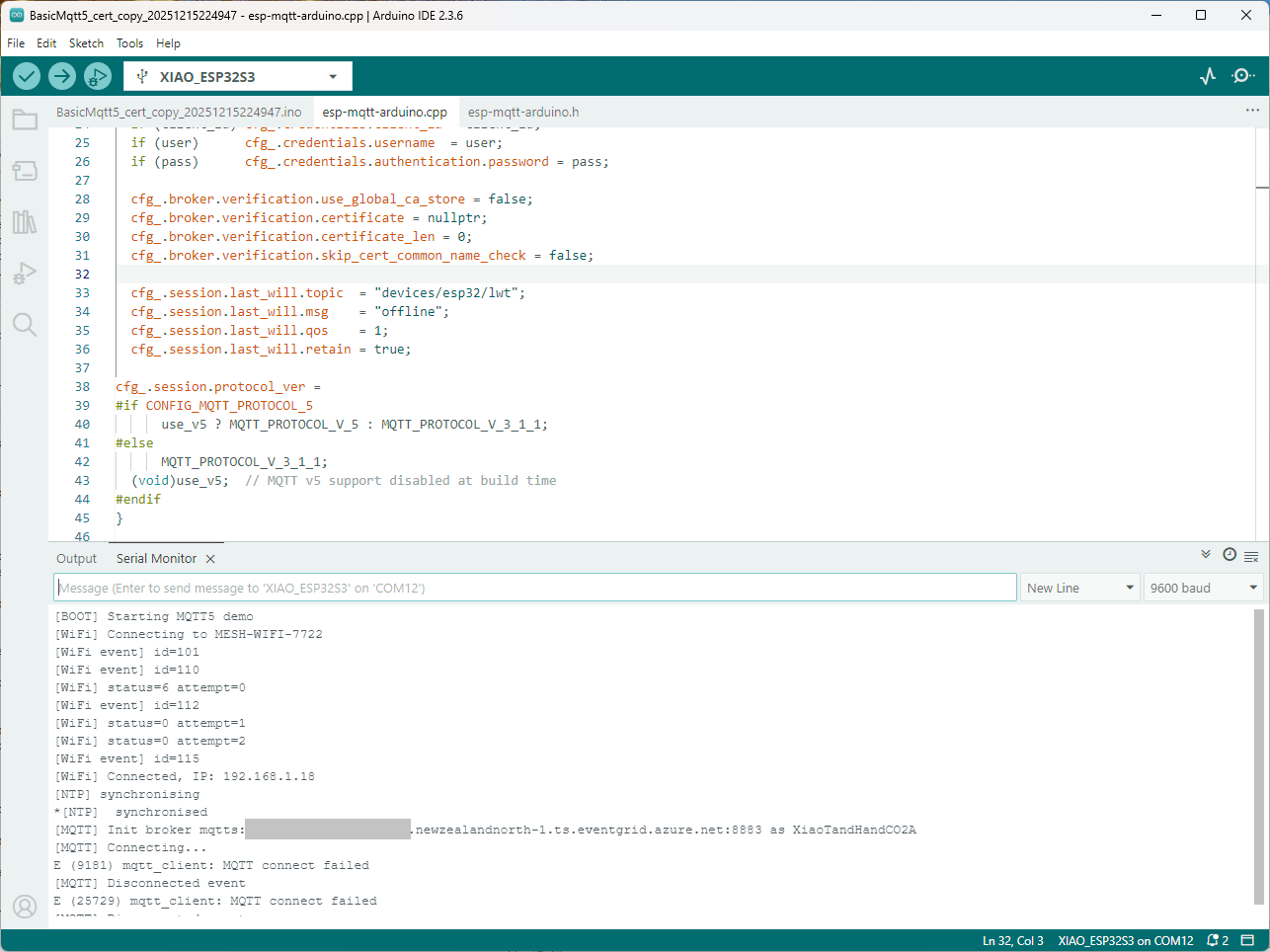
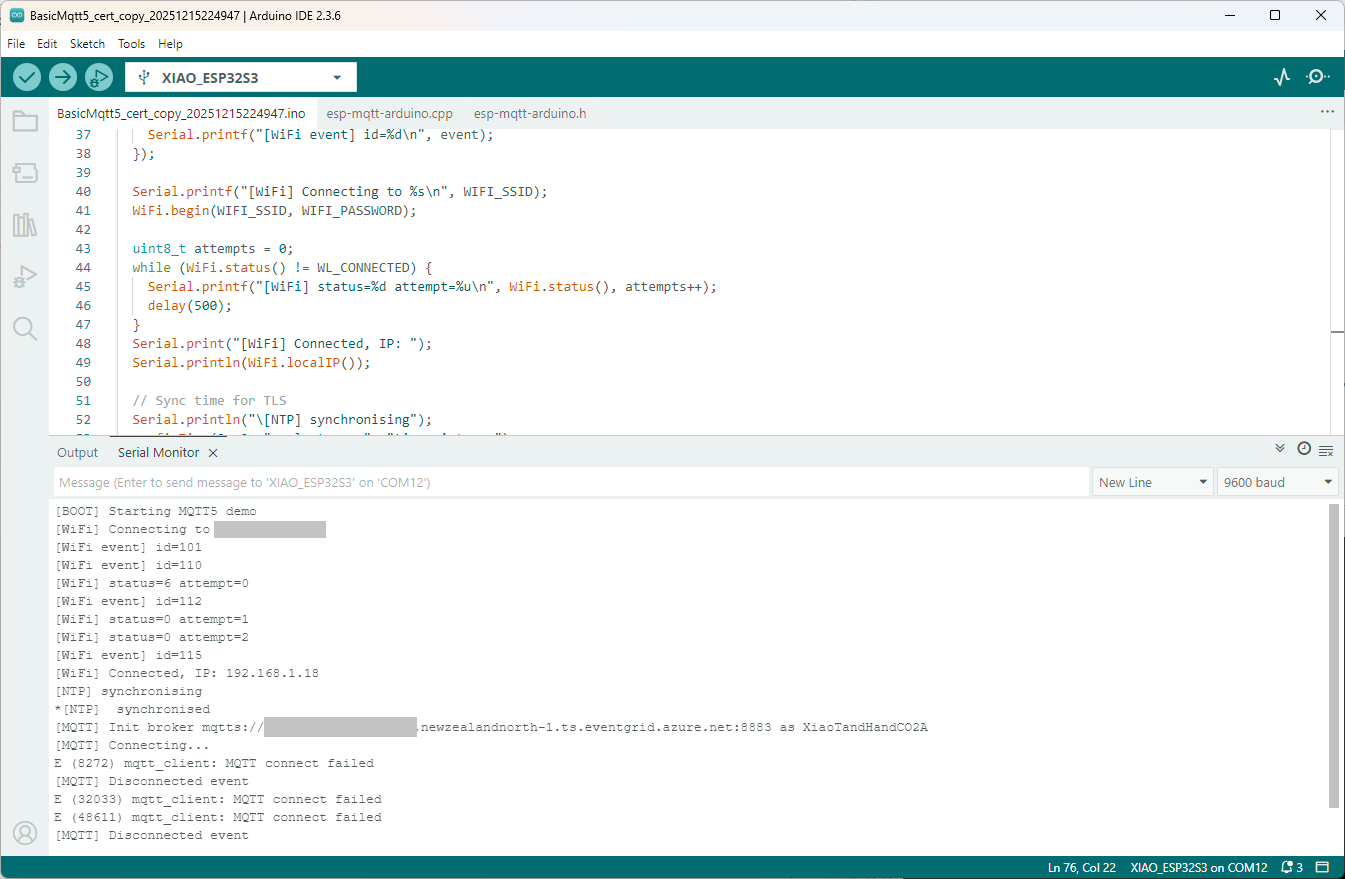
Still couldn’t figure out why my code was failing so I turned up logging to 11 and noticed a couple of messages which didn’t make sense. The device was connecting than disconnecting which indicated a another problem. As part of the Message Queue Telemetry Transport(MQTT) specification there is a “feature” Last Will and Testament(LWT) which a client can configure so that the MQTT broker sends a message to a topic if the device disconnects unexpectedly.

I was looking at the code and noticed that LWT was being used and that the topic didn’t exist in my Azure Event Grid MQTT Broker namespace. When the LWT configuration was commented out the application worked.

void Mqtt5ClientESP32::begin(const char* uri, const char* client_id, const char* user, const char* pass, bool use_v5) {
  connected_ = false;
  insecure_ = false;
  cfg_.broker.address.uri = uri;
  if (client_id) cfg_.credentials.client_id = client_id;
  if (user)      cfg_.credentials.username  = user;
  if (pass)      cfg_.credentials.authentication.password = pass;

  cfg_.broker.verification.use_global_ca_store = false;
  cfg_.broker.verification.certificate = nullptr;
  cfg_.broker.verification.certificate_len = 0;
  cfg_.broker.verification.skip_cert_common_name_check = false;
  
/*
  cfg_.session.last_will.topic  = "devices/esp32/lwt";
  cfg_.session.last_will.msg    = "offline";
  cfg_.session.last_will.qos    = 1;
  cfg_.session.last_will.retain = true;
*/

cfg_.session.protocol_ver = 
#if CONFIG_MQTT_PROTOCOL_5
      use_v5 ? MQTT_PROTOCOL_V_5 : MQTT_PROTOCOL_V_3_1_1;
#else
      MQTT_PROTOCOL_V_3_1_1;
  (void)use_v5;  // MQTT v5 support disabled at build time
#endif
}

Two methods were added so that the LWT could be configured if required

void SetLWT(const char *topic, const char *msg, int msg_len,int qos, int retain);
void Mqtt5ClientESP32::SetLWT(const char *topic, const char *msg, int msg_len,int qos, int retain){
   cfg_.session.last_will.topic  = topic;
   cfg_.session.last_will.msg    = msg;
   cfg_.session.last_will.msg_len= msg_len;
   cfg_.session.last_will.qos    = qos;
   cfg_.session.last_will.retain = retain;
}

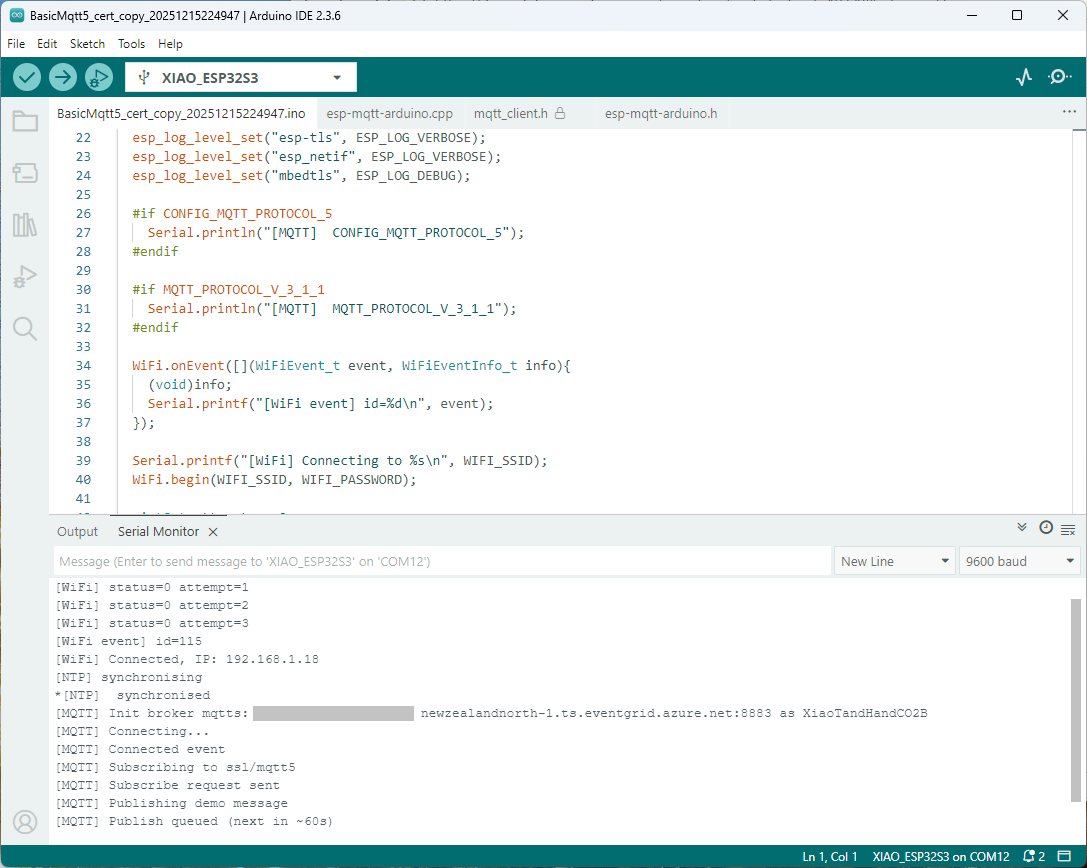
Paying close attention to the logging I noticed the “Subscribing to ssl/mqtts” followed by “Subscribe request sent”

I checked the sample application and found that if the connect was successful the application would then try and subscribe to a topic that didn’t exist.

mqtt.onConnected([]{
  Serial.println("[MQTT] Connected event");

   mqttReady = true;
/*
Serial.println("[MQTT] Subscribing to ssl/mqtt5");
if (mqtt.subscribe("ssl/mqtt5", 1, true)) {
  Serial.println("[MQTT] Subscribe request sent");
} else {
  Serial.println("[MQTT] Subscribe request failed");
}
*/

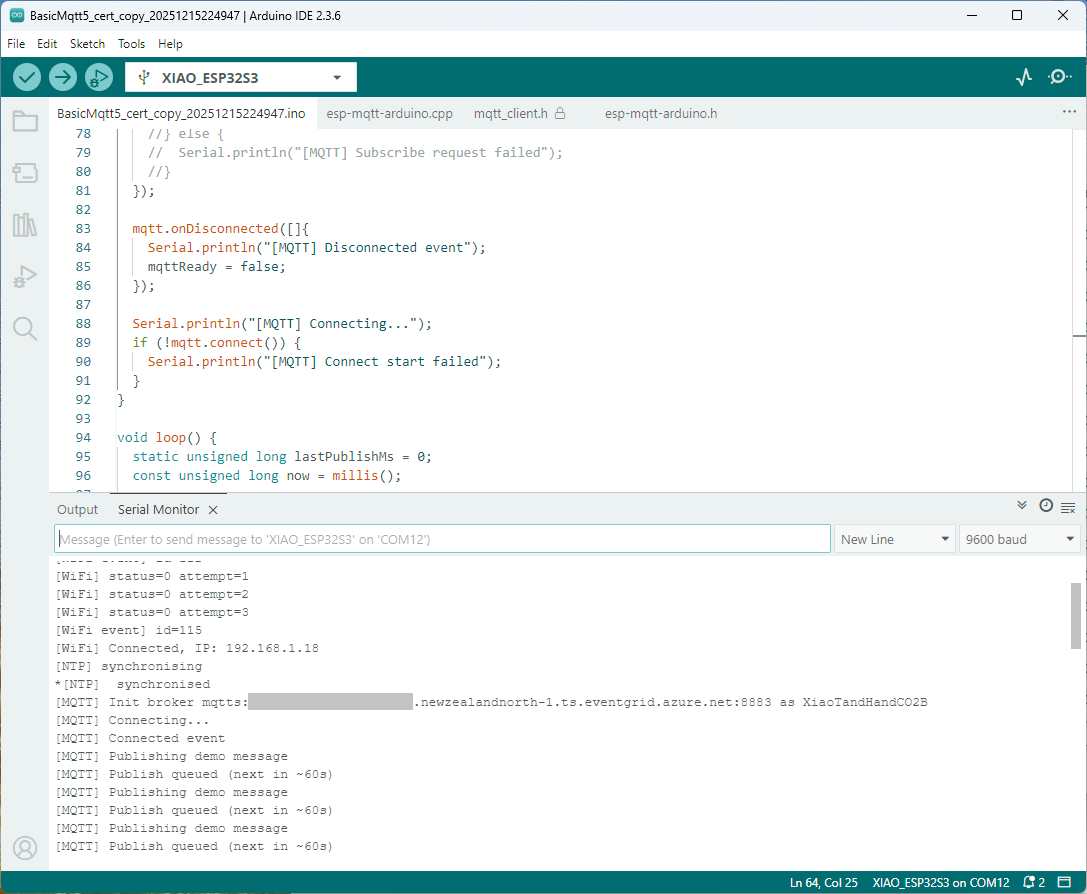
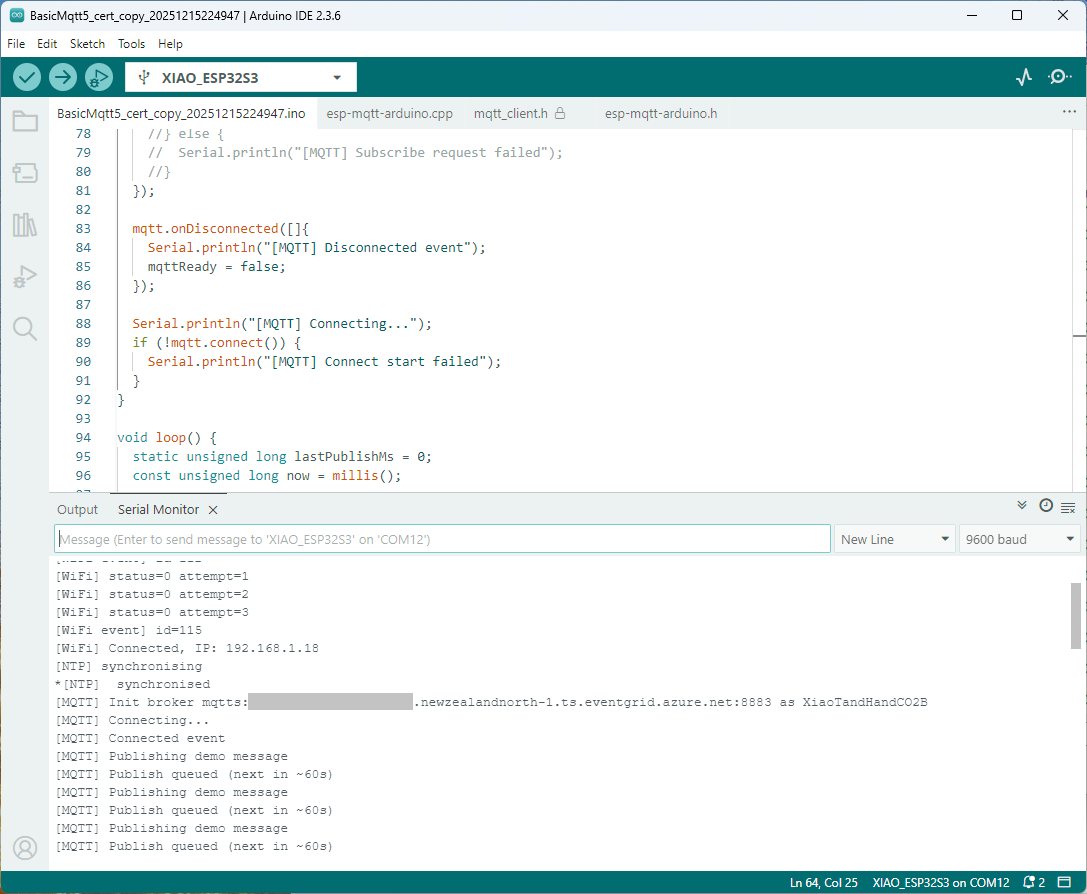
I commented out that code and the application started without any messages

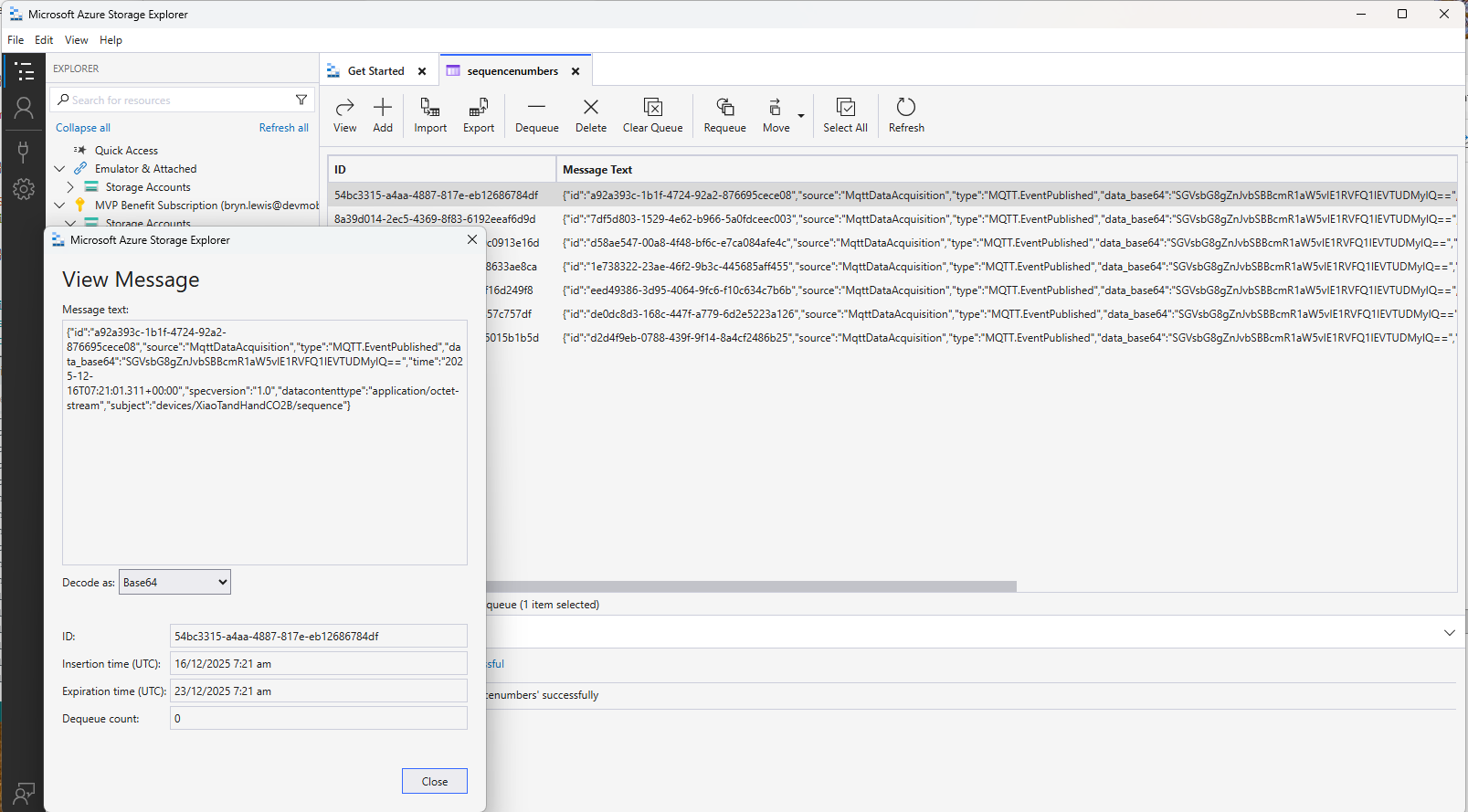
Just to make sure I checked that the message count in the Azure Storage Queue was increasing and the payload client ID matched my device

Yet again a couple of hours lost from my life which I can never get back

Azure Event Grid esp-mqtt-arduino Client – Finding fail

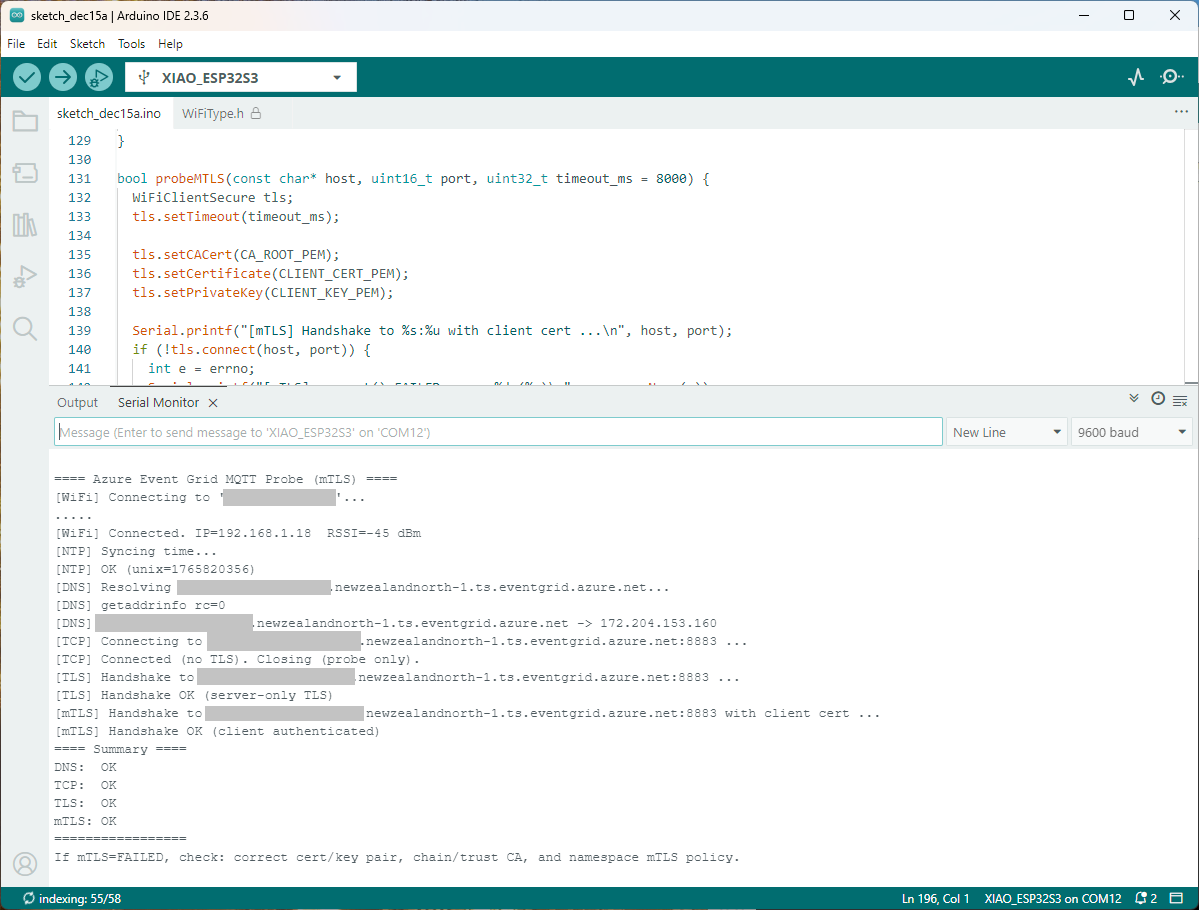
Still couldn’t figure out why my code was failing so I built a test harness which connected to the wifi, set the time with the Network Time Protocol(NTP), established a Transport Layer Security(TLS) connection with the Azure Event Grid MQTT Broker then finally Authenticated (using Client Certificate authentication). Basically, it was The joy of certs without the Arduino PubSubClient library and with authentication

/*
  Azure Event Grid MQTT Endpoint Probe with mTLS
  - Wi-Fi connect
  - SNTP time sync
  - DNS resolve
  - TCP reachability (port 8883)
  - TLS (server-only) handshake using CRT bundle (or custom CA)
  - TLS (mTLS) handshake with client certificate & private key

  Notes:
    - Client certificate must be PEM and match private key.
    - Private key must be PEM and UNENCRYPTED (no passphrase).
    - SNI uses HOSTNAME automatically; do NOT use raw IP.
*/
#include <Arduino.h>
#include <WiFi.h>
#include <WiFiClient.h>
#include <WiFiClientSecure.h>

#include <../constants.h>
#include <../secrets.h>

extern "C" {
  #include <lwip/netdb.h>
  #include <lwip/sockets.h>
  #include <lwip/inet.h>
  #include <lwip/errno.h>
  #include <time.h>
}
static const char* HOSTNAME  = "ThisIsNotTheMQTTBrokerYouAreLookingFor.newzealandnorth-1.ts.eventgrid.azure.net";
static const uint16_t PORT   = 8883;

// Time servers (for TLS validity window)
static const char* NTP_1 = "pool.ntp.org";
static const char* NTP_2 = "time.cloudflare.com";

static const char* errnoName(int e) {
  switch (e) {
    case 5:   return "EIO";
    case 101: return "ENETUNREACH";
    case 104: return "ECONNRESET";
    case 110: return "ETIMEDOUT";
    case 111: return "ECONNREFUSED";
    case 113: return "EHOSTUNREACH";
    default:  return "?";
  }
}


bool waitForWifi(uint32_t timeout_ms = 20000) {
  uint32_t start = millis();
  Serial.printf("[WiFi] Connecting to '%s'...\n", WIFI_SSID);
  WiFi.begin(WIFI_SSID, WIFI_PASSWORD);
  while (WiFi.status() != WL_CONNECTED && (millis() - start) < timeout_ms) {
    delay(250);
    Serial.print(".");
  }
  Serial.println();
  return WiFi.status() == WL_CONNECTED;
}


void syncTime() {
  configTime(0, 0, NTP_1, NTP_2);
  Serial.println("[NTP] Syncing time...");
  for (int i = 0; i < 20; ++i) {
    time_t now = time(nullptr);
    if (now > 1609459200) { // > Jan 1, 2021
      Serial.printf("[NTP] OK (unix=%ld)\n", (long)now);
      return;
    }
    delay(500);
  }
  Serial.println("[NTP] Time sync may have failed; continuing.");
}

bool probeDNS(const char* host, char outIp[16]) {
  struct addrinfo hints = {};
  hints.ai_family = AF_INET; // IPv4
  struct addrinfo* res = nullptr;

  Serial.printf("[DNS] Resolving %s...\n", host);
  int rc = getaddrinfo(host, NULL, &hints, &res);
  Serial.printf("[DNS] getaddrinfo rc=%d\n", rc);
  if (rc != 0 || !res) {
    Serial.println("[DNS] FAILED");
    return false;
  }
  struct sockaddr_in* sin = (struct sockaddr_in*)res->ai_addr;
  inet_ntop(AF_INET, &sin->sin_addr, outIp, 16);
  Serial.printf("[DNS] %s -> %s\n", host, outIp);
  freeaddrinfo(res);
  return true;
}


bool probeTCP(const char* host, uint16_t port, uint32_t timeout_ms = 5000) {
  WiFiClient cli;
  cli.setTimeout(timeout_ms);
  Serial.printf("[TCP] Connecting to %s:%u ...\n", host, port);
  if (!cli.connect(host, port)) {
    Serial.printf("[TCP] connect() FAILED\n");
    return false;
  }
  Serial.println("[TCP] Connected (no TLS). Closing (probe only).");
  cli.stop();
  return true;
}


bool probeTLS(const char* host, uint16_t port, uint32_t timeout_ms = 7000) {
  WiFiClientSecure tls;
  tls.setTimeout(timeout_ms);

  tls.setCACert(CA_ROOT_PEM);  

  Serial.printf("[TLS] Handshake to %s:%u ...\n", host, port);
  if (!tls.connect(host, port)) {
    int e = errno;
    Serial.printf("[TLS] connect() FAILED errno=%d (%s)\n", e, errnoName(e));
    return false;
  }
  Serial.println("[TLS] Handshake OK (server-only TLS)");
  tls.stop();
  return true;
}

bool probeMTLS(const char* host, uint16_t port, uint32_t timeout_ms = 8000) {
  WiFiClientSecure tls;
  tls.setTimeout(timeout_ms);

  tls.setCACert(CA_ROOT_PEM);
  tls.setCertificate(CLIENT_CERT_PEM);
  tls.setPrivateKey(CLIENT_KEY_PEM);

  Serial.printf("[mTLS] Handshake to %s:%u with client cert ...\n", host, port);
  if (!tls.connect(host, port)) {
    int e = errno;
    Serial.printf("[mTLS] connect() FAILED errno=%d (%s)\n", e, errnoName(e));
    Serial.println("[mTLS] If errno=ETIMEDOUT/ECONNRESET, server may be closing due to cert policy mismatch.");
    return false;
  }
  Serial.println("[mTLS] Handshake OK (client authenticated)");
  tls.stop();
  return true;
}

void setup() {
  Serial.begin(9600);
  delay(5000);
  Serial.println();
  Serial.println("==== Azure Event Grid MQTT Probe (mTLS) ====");

  WiFi.mode(WIFI_STA);

  if (!waitForWifi()) {
    Serial.println("[WiFi] FAILED to connect within timeout");
  } else {
    Serial.printf("[WiFi] Connected. IP=%s  RSSI=%d dBm\n",
                  WiFi.localIP().toString().c_str(), WiFi.RSSI());
  }

  // TLS sanity: time
  syncTime();

  // DNS
  char ip[16] = {0};
  bool dnsOk = probeDNS(HOSTNAME, ip);

  // TCP reachability
  bool tcpOk = probeTCP(HOSTNAME, PORT);

  // TLS (server-only)
  bool tlsOk = probeTLS(HOSTNAME, PORT);

  // TLS (mTLS with client cert/key)
  bool mtlsOk = probeMTLS(HOSTNAME, PORT);

  Serial.println("==== Summary ====");
  Serial.printf("DNS:  %s\n", dnsOk  ? "OK" : "FAILED");
  Serial.printf("TCP:  %s\n", tcpOk  ? "OK" : "FAILED");
  Serial.printf("TLS:  %s\n", tlsOk  ? "OK" : "FAILED");
  Serial.printf("mTLS: %s\n", mtlsOk ? "OK" : "FAILED");
  Serial.println("=================");

  Serial.println("If mTLS=FAILED, check: correct cert/key pair, chain/trust CA, and namespace mTLS policy.");
}

void loop() {
  delay(1000);
}

The test harness worked which meant the issue was with my “re-factoring” of the BasicMqtt5_cert example.

Azure Event Grid esp-mqtt-arduino Client – Hours of fail

I wanted to get other Arduino base clients (e.g. my SeeedStudio XiaoESP32S3) for Azure Event Grid MQTT Broker working (for MQTT 5 support) so installed the esp-mqtt-arduino library.

The library doesn’t support client authentication with certificates, so I added two methods setClientCert and setClientKey to the esp-mqtt-arduino.h and esp-mqtt-arduino.cpp files

class Mqtt5ClientESP32 {
   public:
   Mqtt5ClientESP32();
   ~Mqtt5ClientESP32();
//...
  void useCrtBundle(bool enable = true);
  void setCACert(const char* cert, size_t len = 0);
  void setClientCert(const char* cert, size_t len = 0);
  void setClientKey(const char* key, size_t len = 0);  
  void setInsecure(bool enable = true);
  void setKeepAlive(uint16_t seconds);
private:
void Mqtt5ClientESP32::setClientCert(const char* cert, size_t len)
{
  insecure_ = false;
  cfg_.credentials.authentication.certificate = cert;
  if (cert) {
    cfg_.credentials.authentication.certificate_len = len ? len : strlen(cert) + 1;
  } else {
    cfg_.credentials.authentication.certificate_len = 0;
  }  
  cfg_.broker.verification.skip_cert_common_name_check = false;  
}

void Mqtt5ClientESP32::setClientKey(const char* key, size_t len)
{
  insecure_ = false;
  cfg_.credentials.authentication.key = key;
  if (key) {
    cfg_.credentials.authentication.key_len = len ? len : strlen(key) + 1;
  } else {
    cfg_.credentials.authentication.key_len = 0;
  } 
  cfg_.broker.verification.skip_cert_common_name_check = false;  
}

I had started with the basic_mqtt5_cert example stripping it back to the bare minimum hacking out all the certificate bundle support et.c

#include <WiFi.h>
#include <esp-mqtt-arduino.h>
#include <esp_log.h>
#include "sdkconfig.h"
#include "../secrets.h"
#include "../constants.h"

Mqtt5ClientESP32 mqtt;

volatile bool mqttReady = false;
volatile bool mqttSubscribed = false;
void setup() {
  Serial.begin(9600);
  delay(5000);
  Serial.setDebugOutput(true);
  Serial.println("[BOOT] Starting MQTT5 demo");

  esp_log_level_set("*", ESP_LOG_INFO);
  esp_log_level_set("MQTT_CLIENT", ESP_LOG_VERBOSE);

  WiFi.onEvent([](WiFiEvent_t event, WiFiEventInfo_t info){
    (void)info;
    Serial.printf("[WiFi event] id=%d\n", event);
  });

  Serial.printf("[WiFi] Connecting to %s\n", WIFI_SSID);
  WiFi.begin(WIFI_SSID, WIFI_PASSWORD);

  uint8_t attempts = 0;
  while (WiFi.status() != WL_CONNECTED) {
    Serial.printf("[WiFi] status=%d attempt=%u\n", WiFi.status(), attempts++);
    delay(500);
  }
  Serial.print("[WiFi] Connected, IP: ");
  Serial.println(WiFi.localIP());

  // Sync time for TLS
  Serial.println("\[NTP] synchronising");
  configTime(0, 0, "pool.ntp.org", "time.nist.gov");
  Serial.print("*");
  while (time(nullptr) < 100000) {
    delay(500);
    Serial.print("*");
  }
  Serial.println("\[NTP]  synchronised");

  Serial.printf("[MQTT] Init broker %s as %s\n", MQTT_SERVER_URL,MQTT_CLIENTID);
  mqtt.begin(MQTT_SERVER_URL, MQTT_CLIENTID);
  mqtt.setKeepAlive(45);

  mqtt.setCACert(CA_ROOT_PEM); 
  mqtt.setClientCert(CLIENT_CERT_PEM);
  mqtt.setClientKey(CLIENT_KEY_PEM);
  mqtt.setInsecure(false);

  mqtt.onMessage([](const char* topic, size_t topic_len, const uint8_t* data, size_t len){
    Serial.printf("[MSG] %.*s => %.*s\n", (int)topic_len, topic, (int)len, (const char*)data);
  });
  mqtt.onConnected([]{
    Serial.println("[MQTT] Connected event");
    mqttReady = true;
    Serial.println("[MQTT] Subscribing to ssl/mqtt5");
    if (mqtt.subscribe("ssl/mqtt5", 1, true)) {
      Serial.println("[MQTT] Subscribe request sent");
    } else {
      Serial.println("[MQTT] Subscribe request failed");
    }
  });

  mqtt.onDisconnected([]{
    Serial.println("[MQTT] Disconnected event");
    mqttReady = false;
  });

  Serial.println("[MQTT] Connecting...");
  if (!mqtt.connect()) {
    Serial.println("[MQTT] Connect start failed");
  }
}

void loop() {
  static unsigned long lastPublishMs = 0;
  const unsigned long now = millis();

  if (mqttReady && (now - lastPublishMs) >= 60000) {
    const char* msg = "Hello from Arduino MQTT5 ESP32!";
    Serial.println("[MQTT] Publishing demo message");
    if (mqtt.publish(MQTT_TOPIC_PUBLISH, (const uint8_t*)msg, strlen(msg))) {
      Serial.println("[MQTT] Publish queued (next in ~60s)");
    } else {
      Serial.println("[MQTT] Publish failed");
    }
    lastPublishMs = now;
  }

  delay(10);
}

It was important to put the setClientCert & setClient after the mqtt.begin because it resets the configuration

void Mqtt5ClientESP32::begin(const char* uri, const char* client_id,
                             const char* user, const char* pass, bool use_v5) {
  connected_ = false;
  insecure_ = false;
  cfg_.broker.address.uri = uri;
  if (client_id) cfg_.credentials.client_id = client_id;
  if (user)      cfg_.credentials.username  = user;
  if (pass)      cfg_.credentials.authentication.password = pass;

  cfg_.broker.verification.use_global_ca_store = false;
  cfg_.broker.verification.certificate = nullptr;
  cfg_.broker.verification.certificate_len = 0;
  cfg_.broker.verification.skip_cert_common_name_check = false;
  
  cfg_.session.last_will.topic  = "devices/esp32/lwt";
  cfg_.session.last_will.msg    = "offline";
  cfg_.session.last_will.qos    = 1;
  cfg_.session.last_will.retain = true;

cfg_.session.protocol_ver = 
#if CONFIG_MQTT_PROTOCOL_5
      use_v5 ? MQTT_PROTOCOL_V_5 : MQTT_PROTOCOL_V_3_1_1;
#else
      MQTT_PROTOCOL_V_3_1_1;
  (void)use_v5;  // MQTT v5 support disabled at build time
#endif
}

I tried increasing the log levels to get more debugging information, adding delays on startup to make it easier to see what was going on, trying different options of protocol support.

After hours of trying I gave up.

Arduino MQTT V5 Side quest – Discovery withWolfMQTT

Over the last week or so I have been trying to get an Arduino application working which supports Message Queue Telemetry Transport(MQTT) properties which were added in V5. This specification was released March 2019 so I figured it would be commonly supported. In the Arduino ecosystem I was wrong and there is going to be a series of pastes about my “epic fail”.

The post is not about WolfMQTT but what I learnt about configuring it (and other) libraries for Arduino.

I wanted to set the message properties (for reasons) and in the .NET nanoFramework (and other .NET libraries) it wasn’t a problem.

 while (true)
 {
    Console.WriteLine("MQTT publish message start...");


    var payload = new MessagePayload() { ClientID = Secrets.MQTT_CLIENTID, Sequence = sequenceNumber++ };

    string jsonPayload = JsonSerializer.SerializeObject(payload);

    var result = mqttClient.Publish(topicPublish, Encoding.UTF8.GetBytes(jsonPayload), "application/json; charset=utf-8", null);

    Debug.WriteLine($"MQTT published ({result}): {jsonPayload}");

    Thread.Sleep(60000);
 }

One of the options suggested by copilot was wolfMQTT(which uses an open/closed source model) but I found there was not an Arduino library for of this product. This was not unexpected due to the target audience of their products (but I did find there is a wolfSSL prebuilt library)

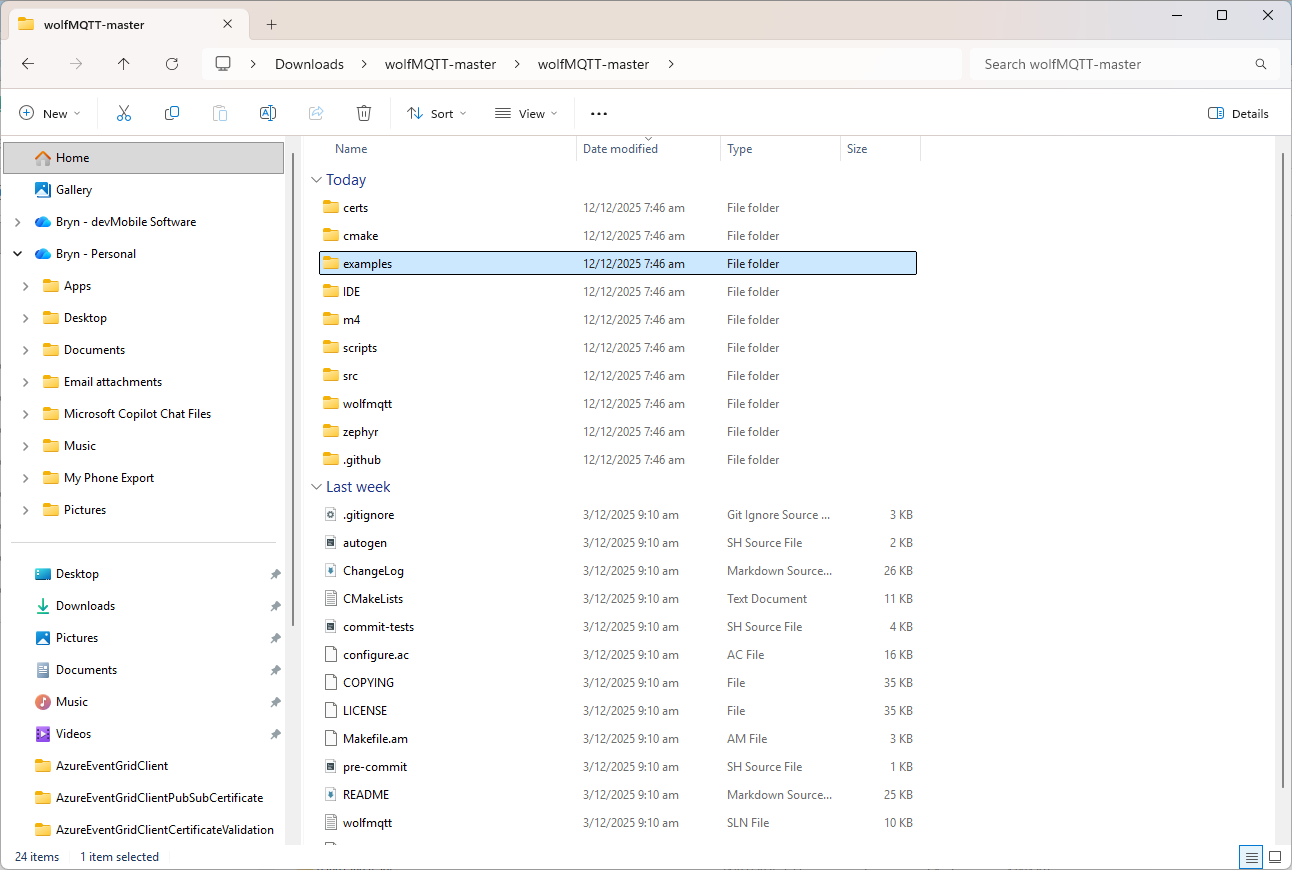
The first step was to grab a copy of the wolfMQTT library from GitHub and unpack it.

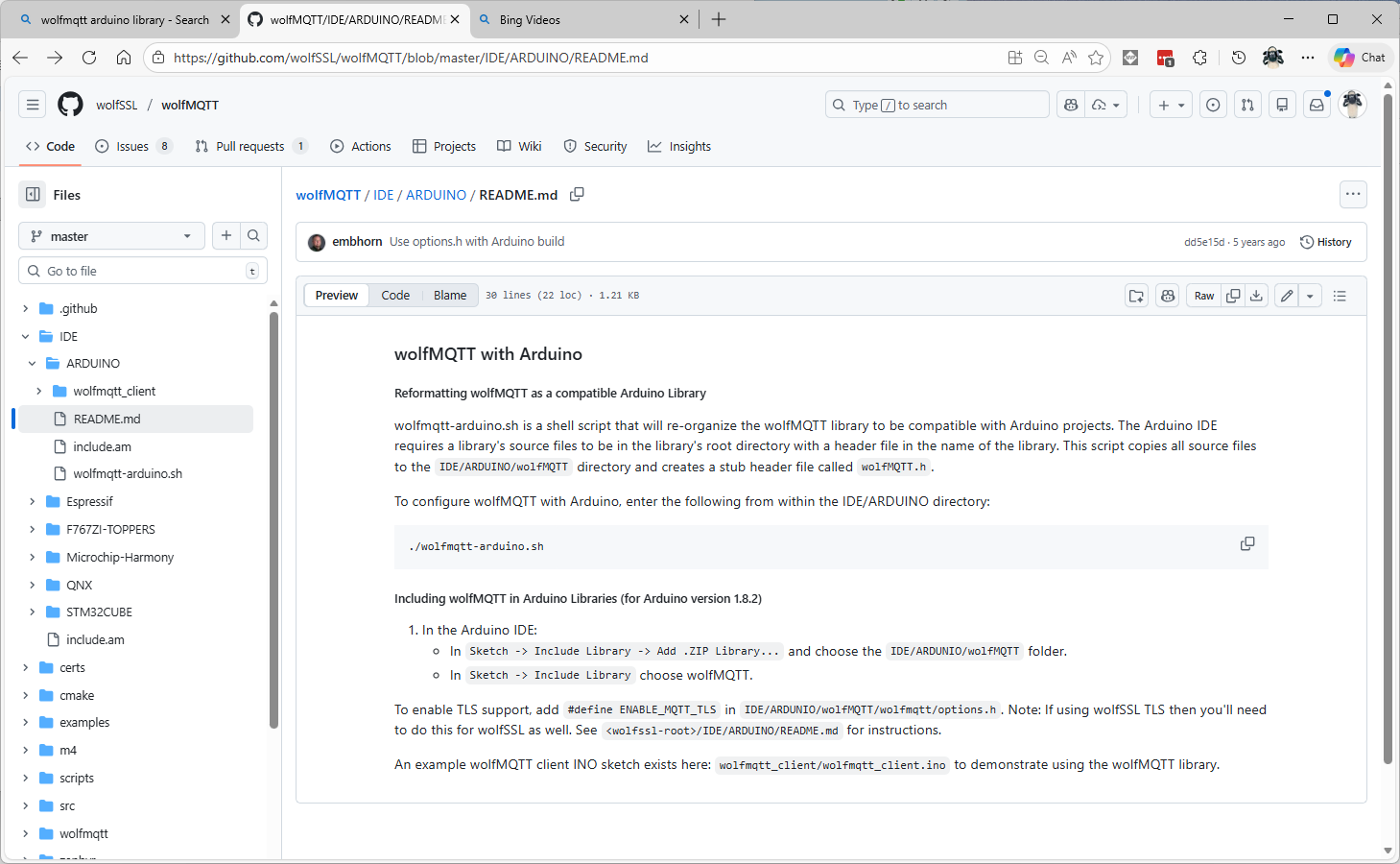
There were instructions on how to “re-organise” the source files into and Arduino friendly library

I don’t have an “easy” way of running bash on my dev box so I tried to do it manually (first of a series of mistakes).

#!/bin/sh

# this script will reformat the wolfSSL source code to be compatible with
# an Arduino project
# run as bash ./wolfssl-arduino.sh

DIR=${PWD##*/}

if [ "$DIR" = "ARDUINO" ]; then
    rm -rf wolfMQTT

    mkdir wolfMQTT
    cp ../../src/*.c ./wolfMQTT

    mkdir wolfMQTT/wolfmqtt
    cp ../../wolfmqtt/*.h ./wolfMQTT/wolfmqtt

    echo "/* Generated wolfMQTT header file for Arduino */" >> ./wolfMQTT/wolfMQTT.h
    echo "#include <wolfmqtt/mqtt_client.h>" >> ./wolfMQTT/wolfMQTT.h
else
    echo "ERROR: You must be in the IDE/ARDUINO directory to run this script"
fi

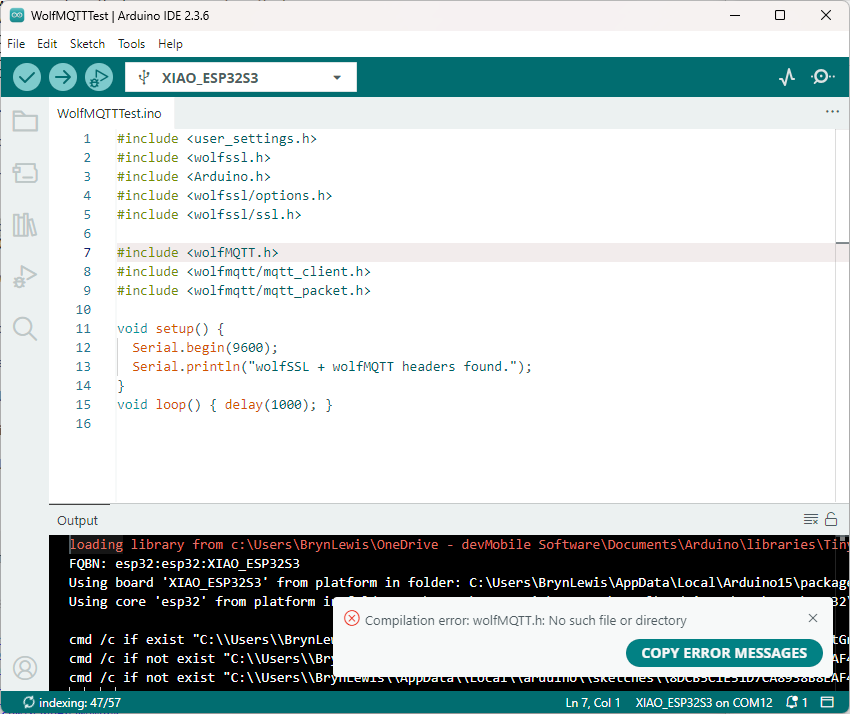
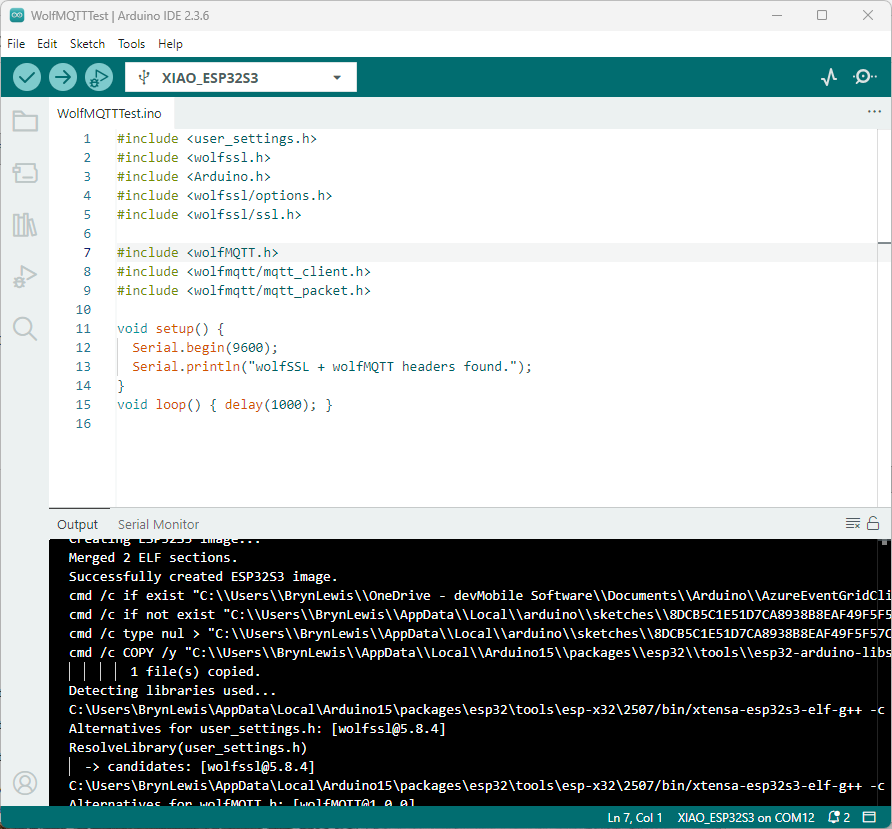
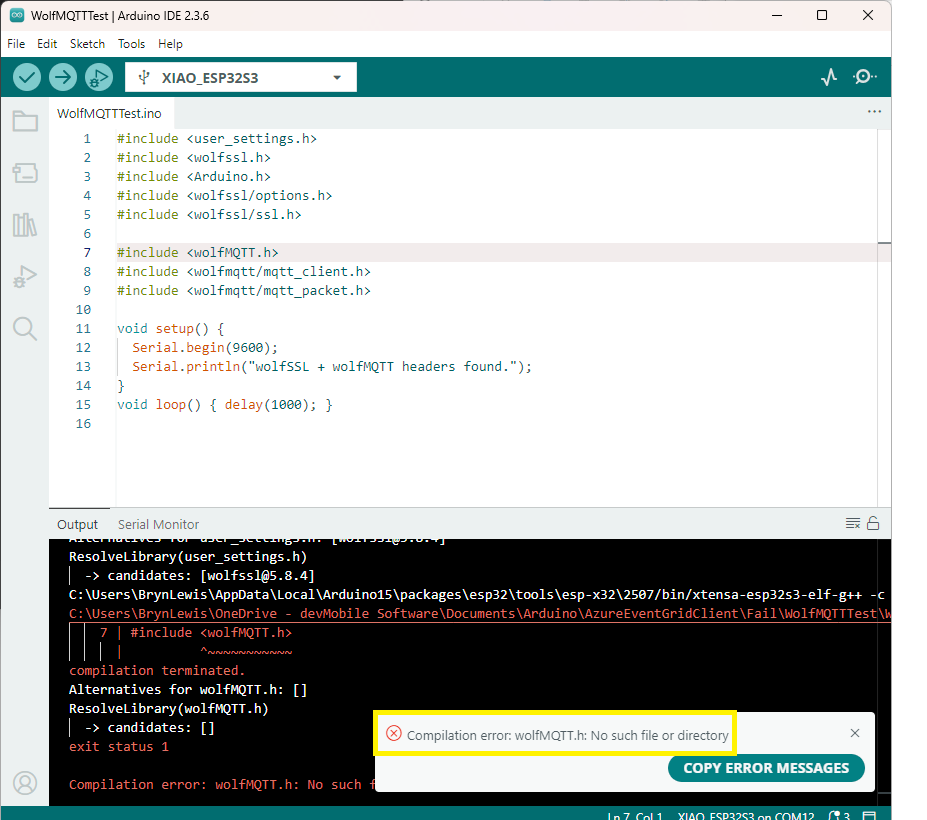
I copied the files into the specified folder tree and my compilation failed. I used a minimalist application to debug the compilation error.

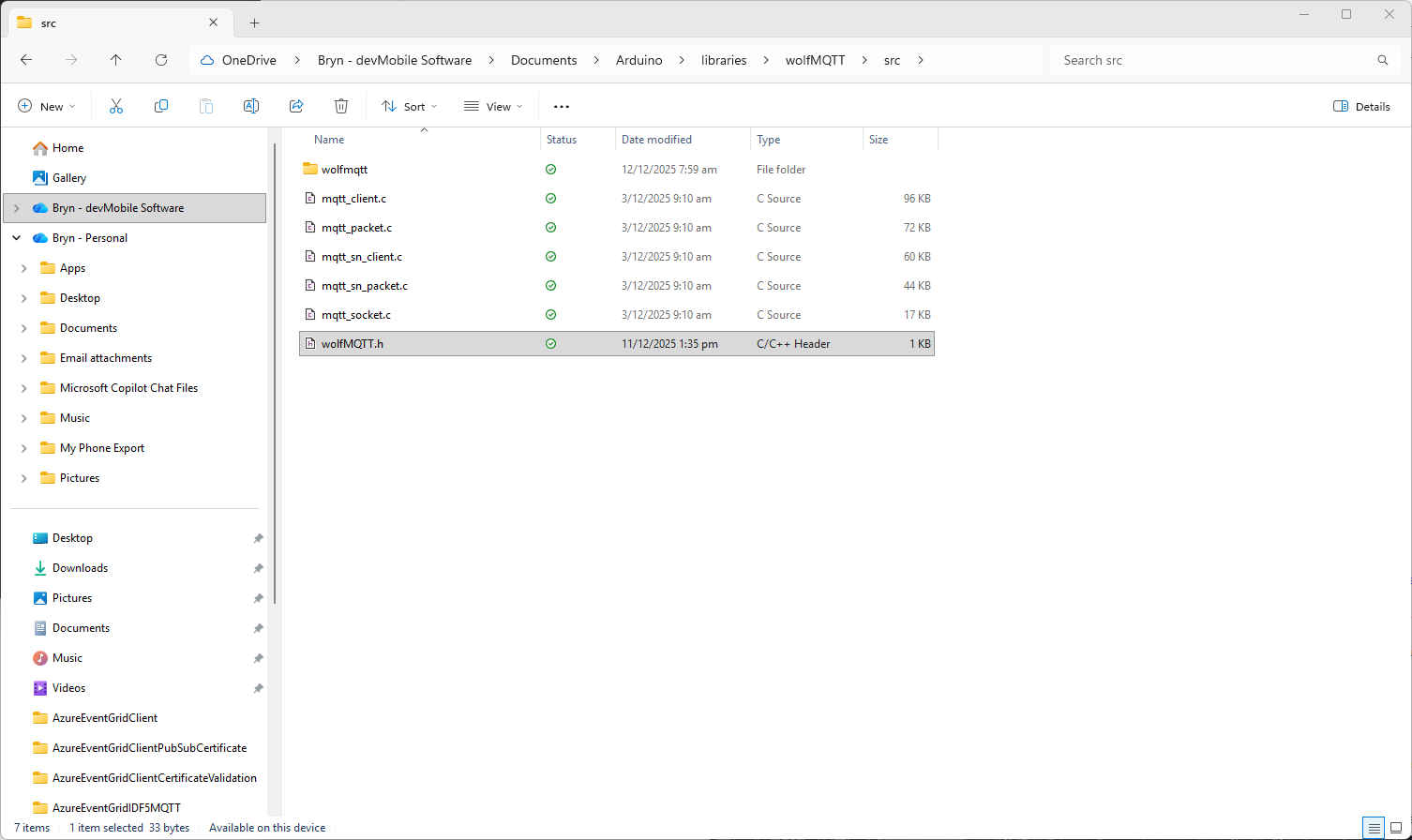
I went back to the script file and realised that has missed creating a header file

    echo "/* Generated wolfMQTT header file for Arduino */" >> ./wolfMQTT/wolfMQTT.h
    echo "#include <wolfmqtt/mqtt_client.h>" >> ./wolfMQTT/wolfMQTT.h

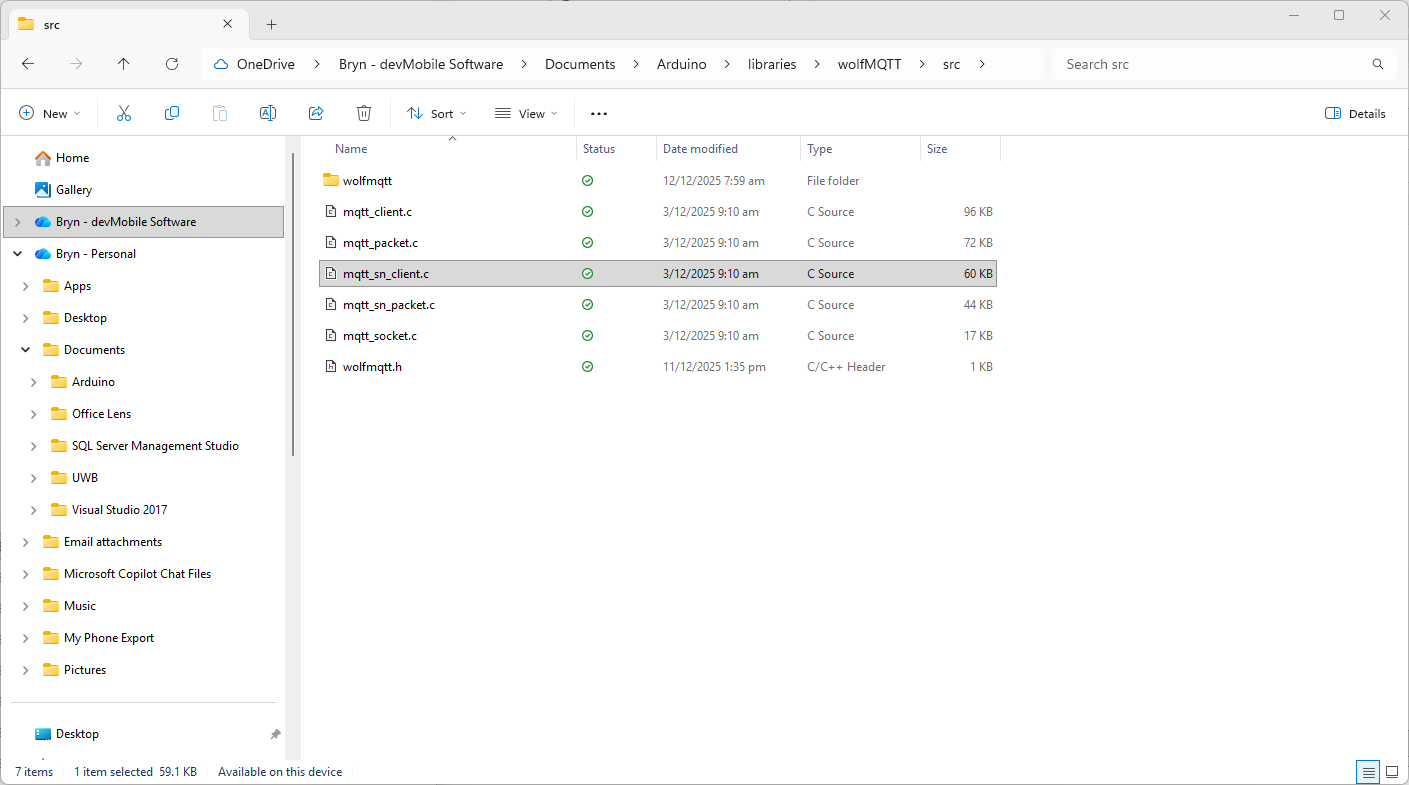
I used a text editor to create the file which I saved into the src folder

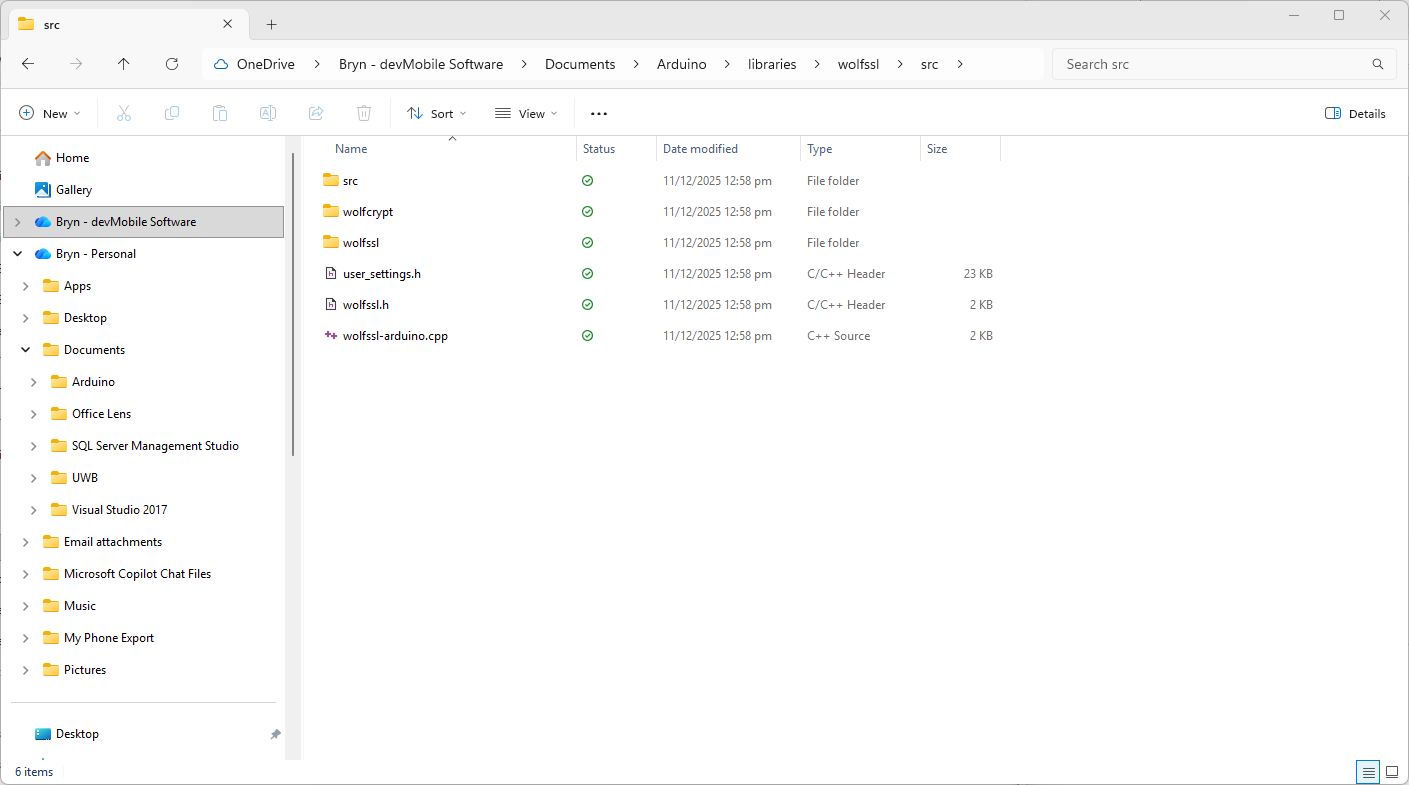
I also checked that I had the same structure as wolfssl

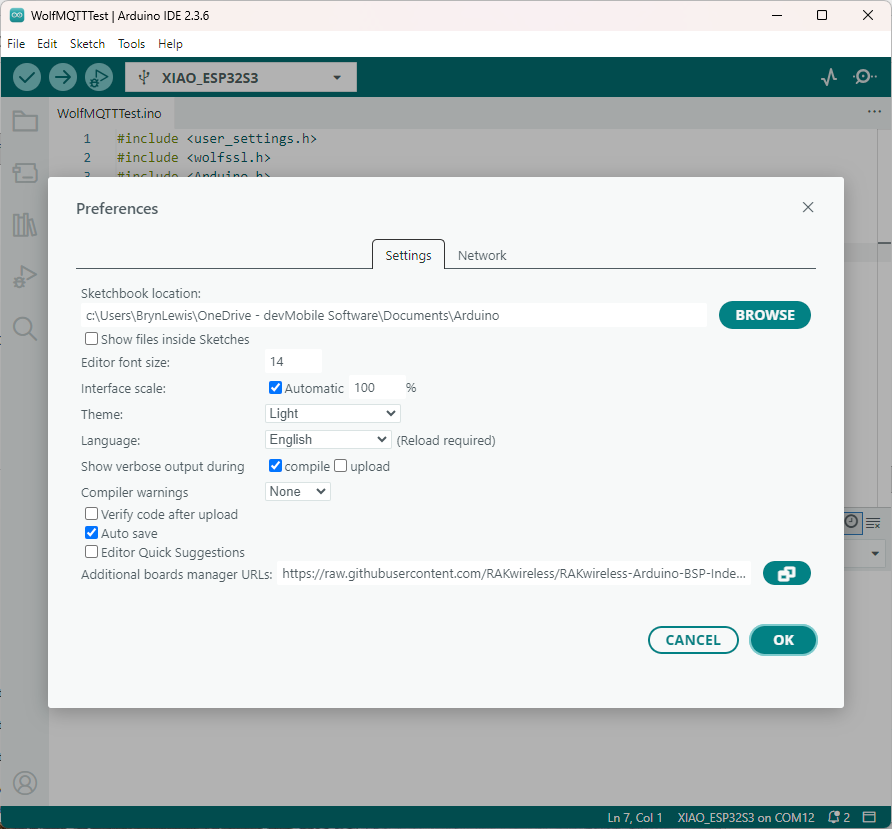
The compilation was still failing so I turned on the Arduino verbose compiler output

After compilations I went back through the compiler output look for clues.

After a couple of failed compilations I paid attention to the error message.

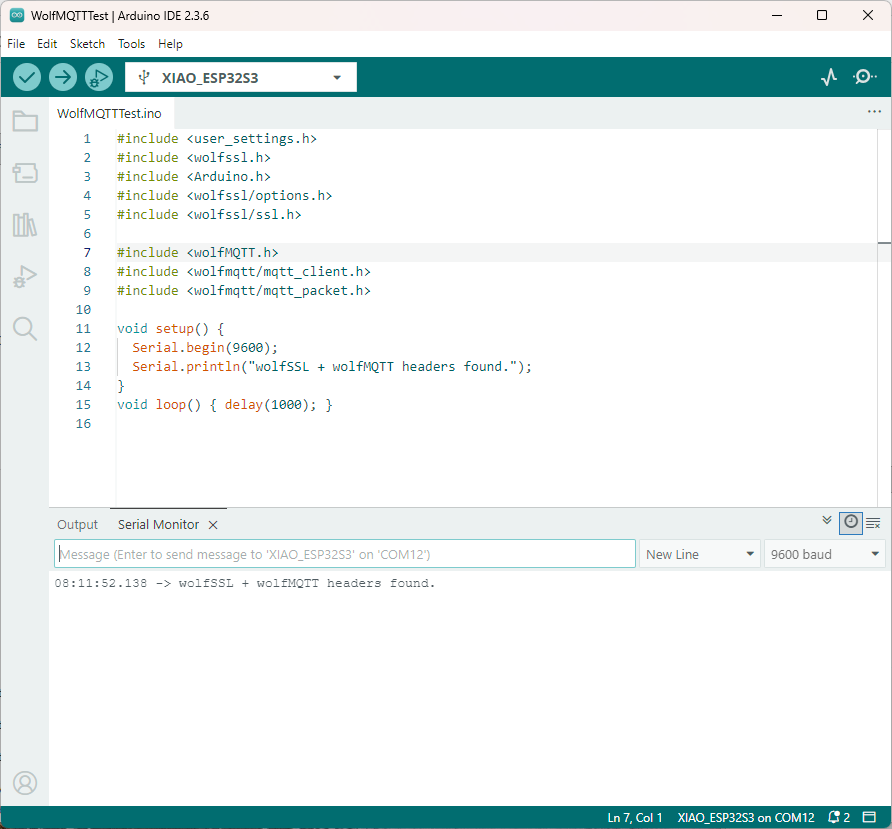
I had the “case” of the header file name wrong, so I changed it to wolfMQTT.h

The compile then worked and the code executed.

After several hours of “fail” I now understand that case is important for header file names in Arduino(maybe due to Unix origins of some of the tools used). The naming of header file is also important so the library can be discovered.

In another post I will try and build an Azure Event Grid MQTT Broker client that uses wolfMQTT.

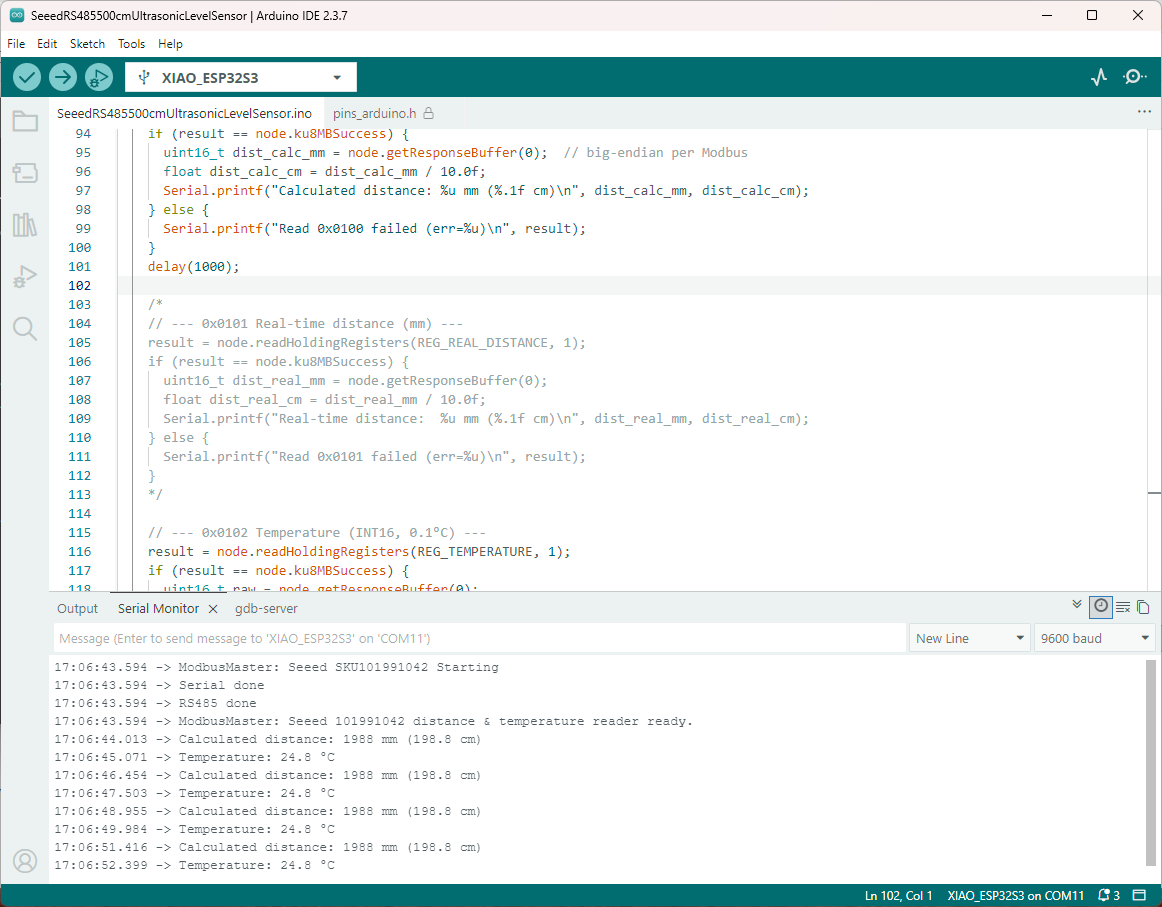
Seeedstudio XIAO ESP32 S3 RS-485 test harness(nanoFramework)

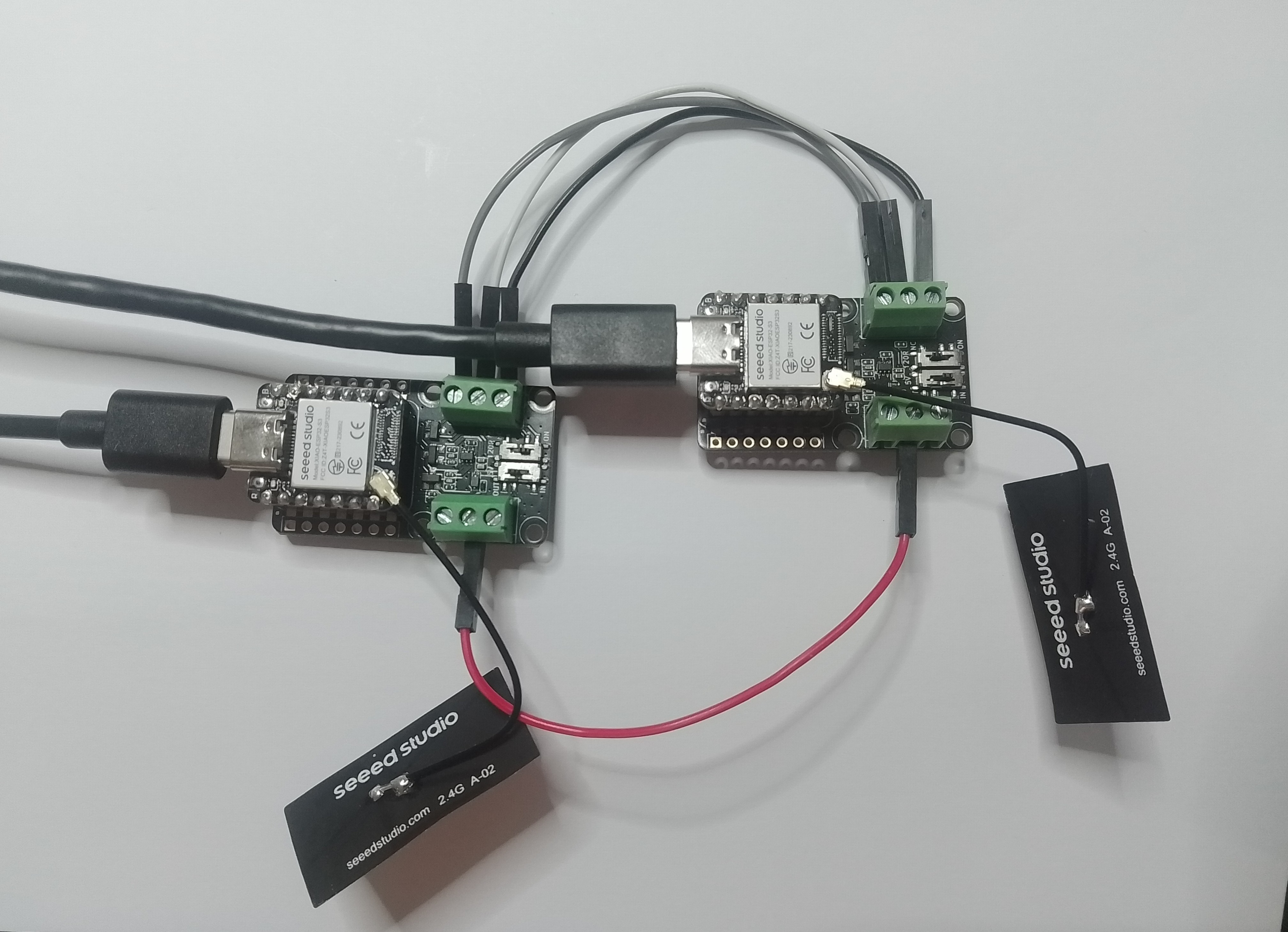
As part of a project to read values from a MODBUS RS-485 sensor using a RS-485 Breakout Board for Seeed Studio XIAO and a Seeed Studio XIAO ESP32-S3 I built a .NET nanoFramework version of the Arduino test harness described in this wiki post.

This took a bit longer than I expected mainly because running two instances of Visual Studio 2026 was a problem (running Visual Studio 2022 for one device and Visual Studio 2026 for the other, though not 100% confident this was an issue) as there were some weird interactions.

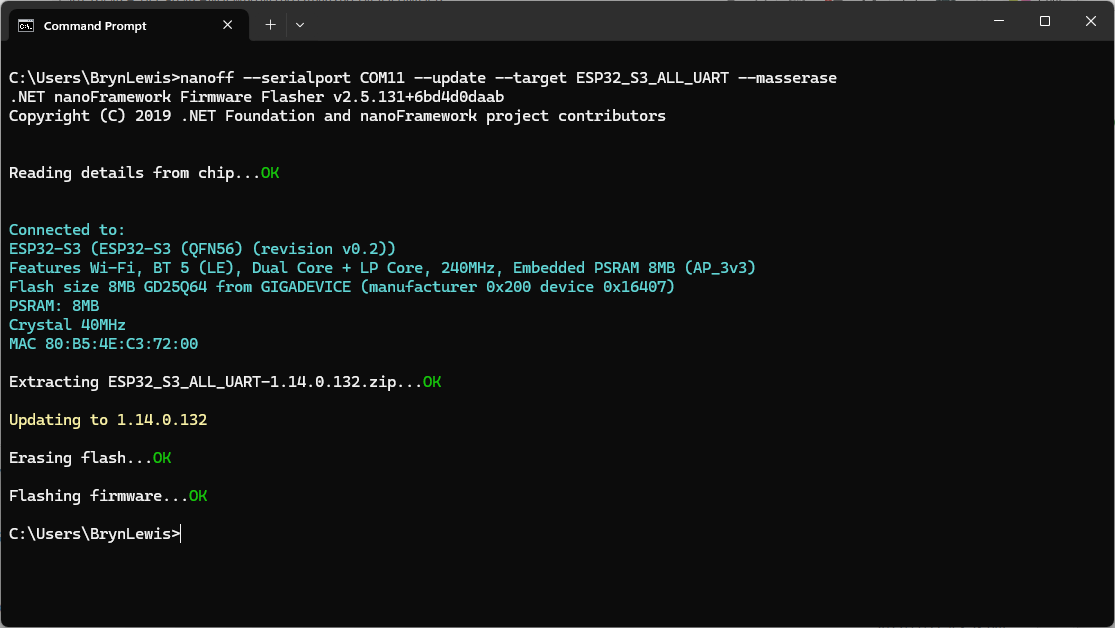
using nanoff to flash a device with the latest version of ESP32_S3_ALL_UART

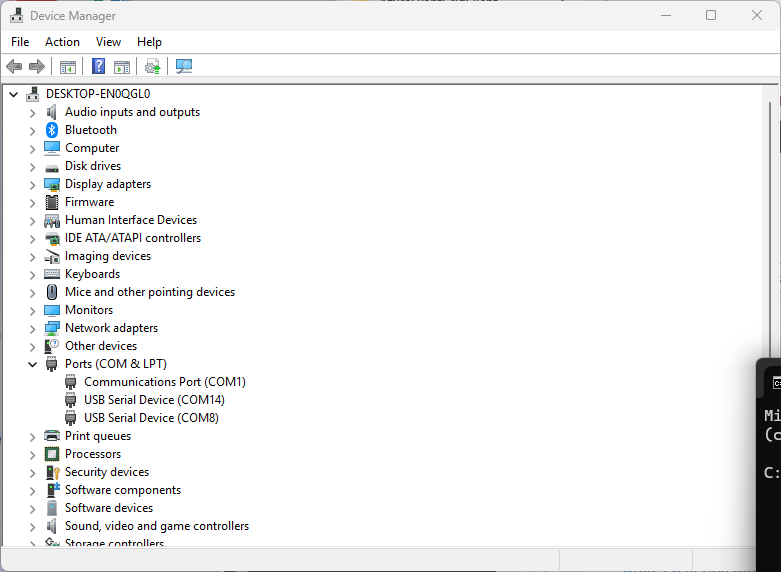
As I moved between the Arduino tooling and flashing devices with nanoff the serial port numbers would change watching the port assignments in Windows Device Manager was key.

Windows Device manager displaying the available serial ports

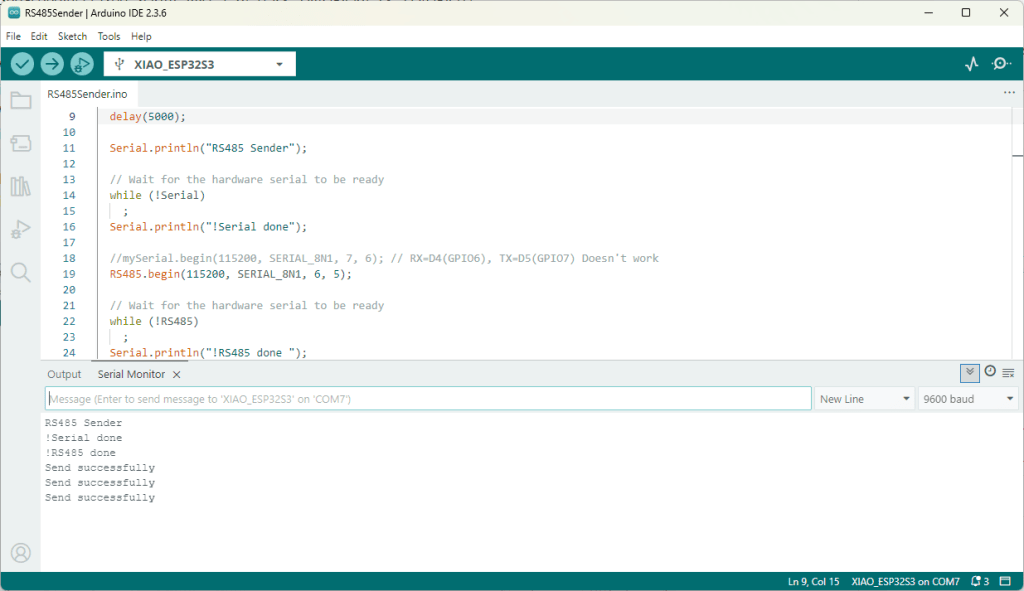
Rather than debugging both the nanoFramework RS485Sender and RS485Receiver applications simultaneously, I used the Arduino RS485Sender and RS485 Receiver application but had similar issues with the port assignments changing.

Arduino RS485 Sender application
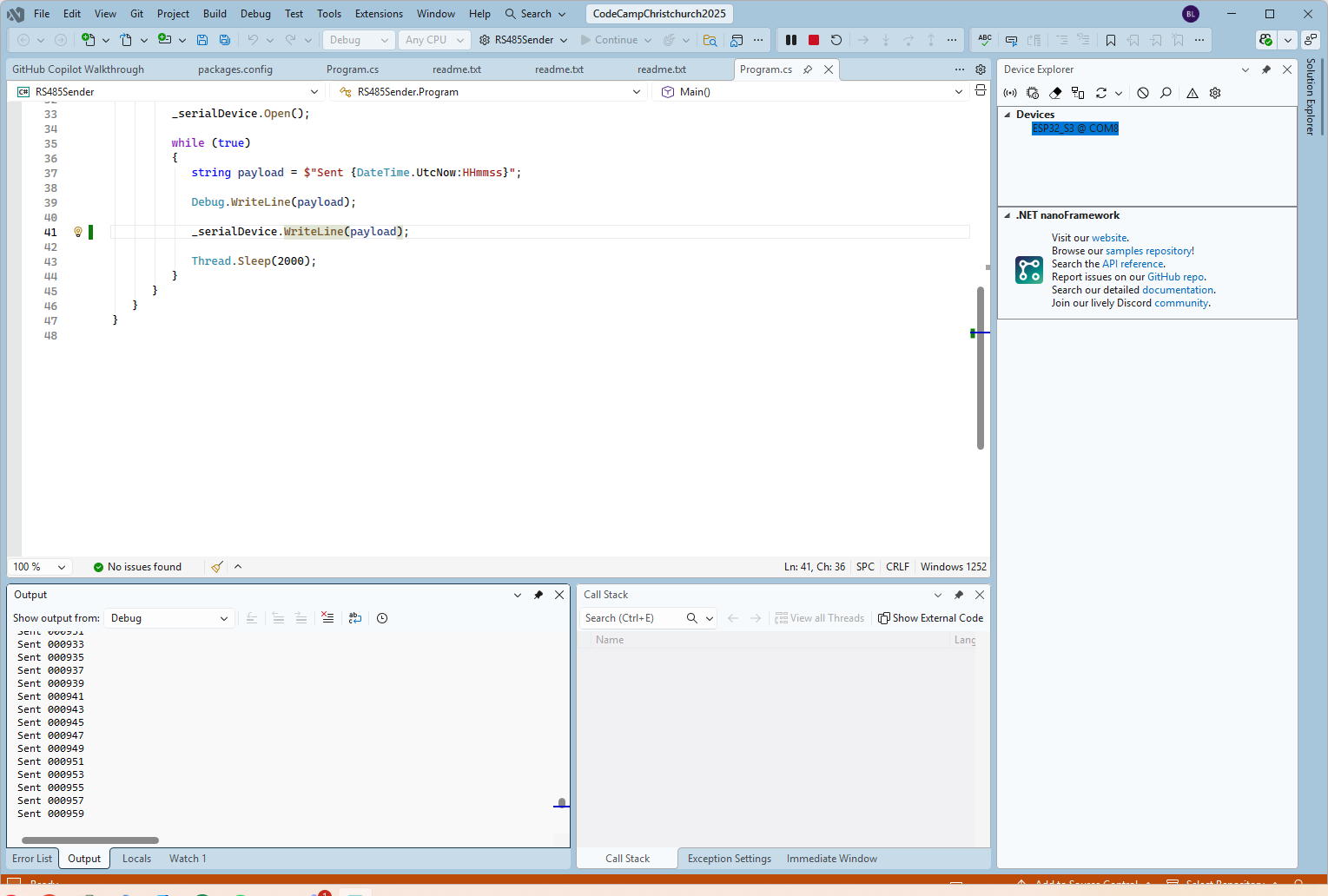
The nanoFramework sender application
public class Program
{
   static SerialPort _serialDevice;

   public static void Main()
   {
      Configuration.SetPinFunction(Gpio.IO06, DeviceFunction.COM2_RX);
      Configuration.SetPinFunction(Gpio.IO05, DeviceFunction.COM2_TX);
      Configuration.SetPinFunction(Gpio.IO02, DeviceFunction.COM2_RTS);

      Debug.WriteLine("RS485 Sender: ");

      var ports = SerialPort.GetPortNames();

      Debug.WriteLine("Available ports: ");
      foreach (string port in ports)
      {
         Debug.WriteLine($" {port}");
      }

      _serialDevice = new SerialPort("COM2");
      _serialDevice.BaudRate = 9600;
      _serialDevice.Mode = SerialMode.RS485;

      _serialDevice.Open();

      Debug.WriteLine("Sending...");
      while (true)
      {
         string payload = $"{DateTime.UtcNow:HHmmss}";

         Debug.WriteLine($"Sent:{DateTime.UtcNow:HHmmss}");

         Debug.WriteLine(payload);

         _serialDevice.WriteLine(payload);

         Thread.Sleep(2000);
      }
   }
}

if I had built the nanoFramework RS485Sender and RS485Receiver applications first debugging the Arduino RS485Sender and RS485Receiver would been similar.

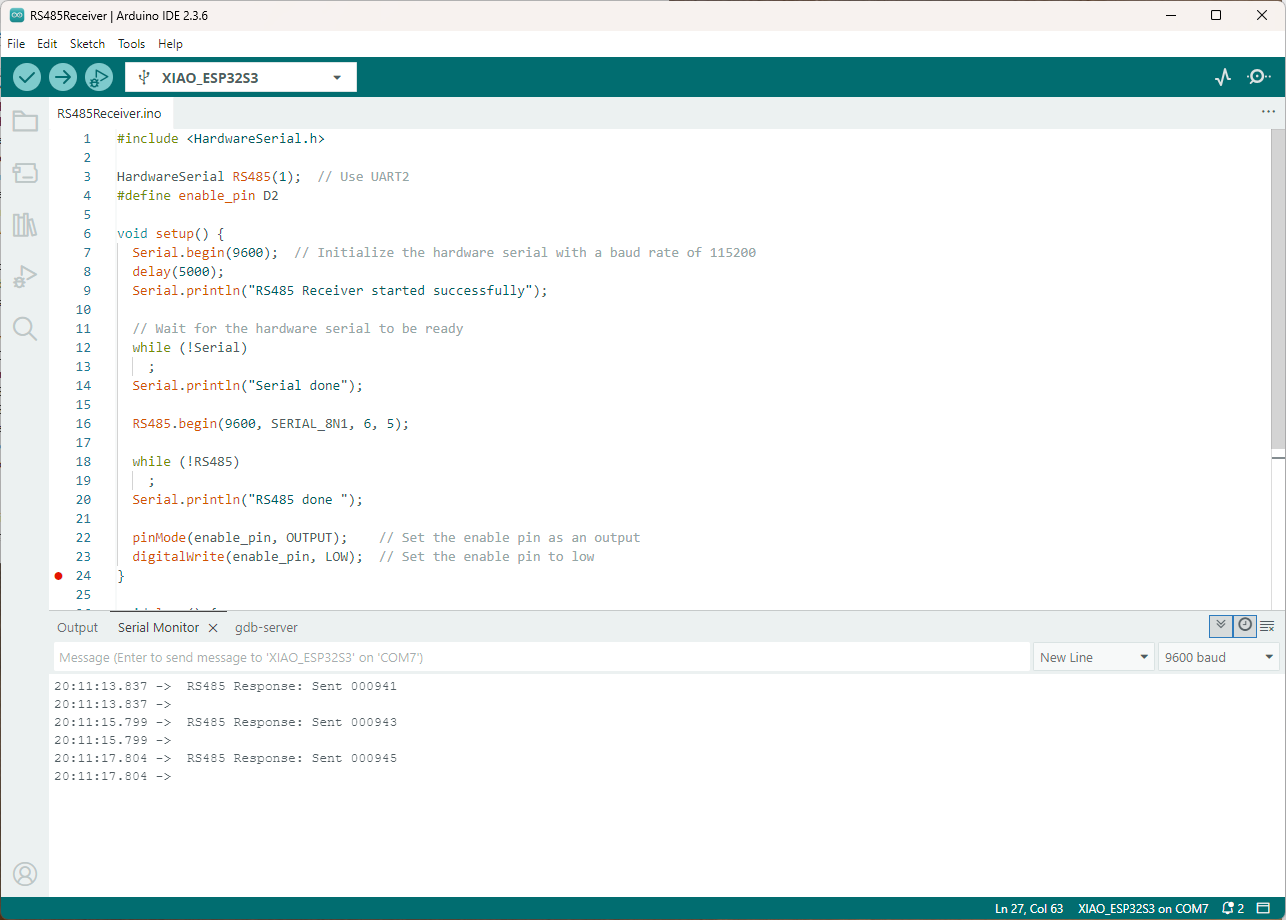
Arduino receiver application displaying messages from the nanoFramework sender application
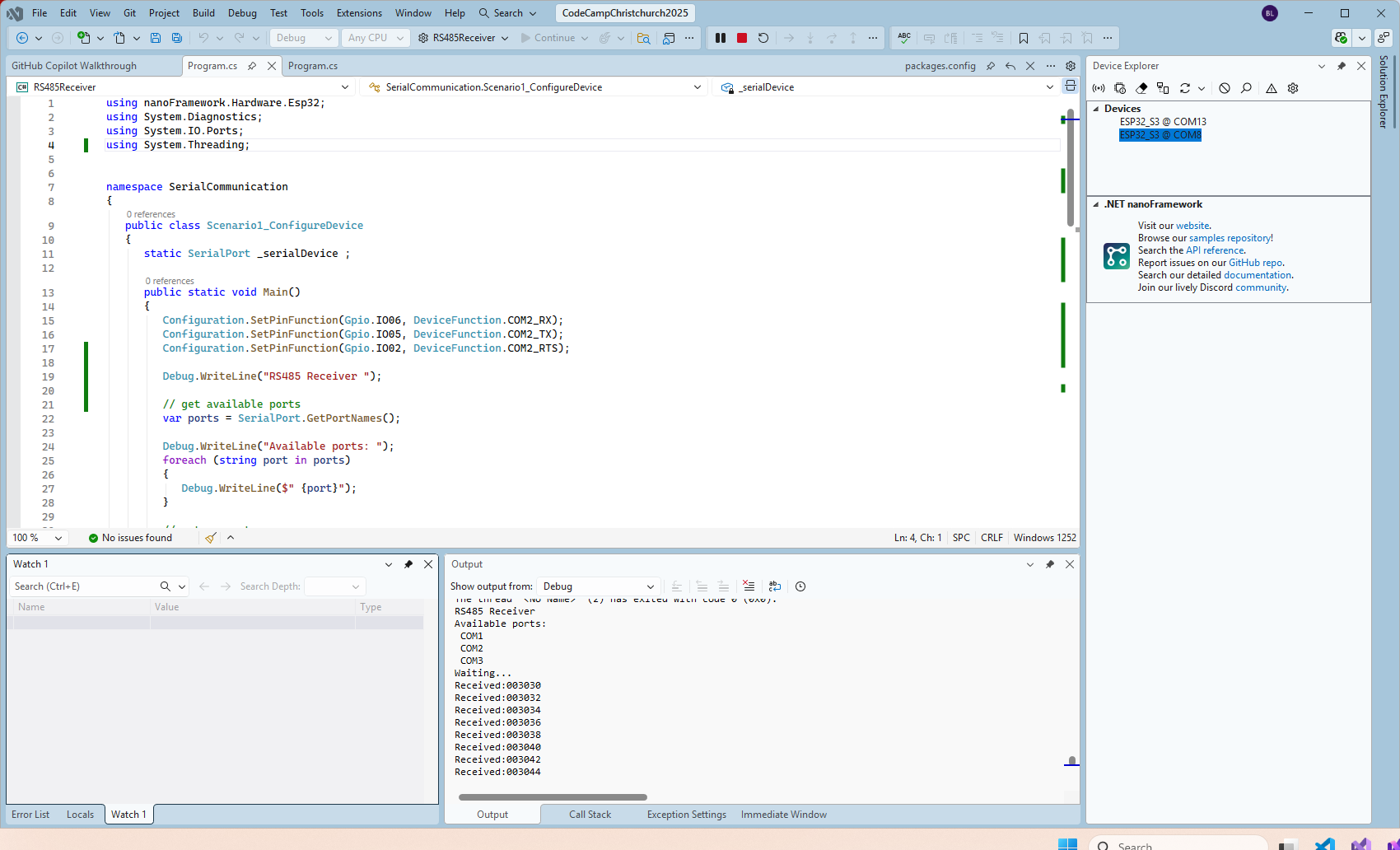
The nanoFramework Receiver receiving messages from the nanoFramework Sender
public class Program
{
   static SerialPort _serialDevice ;
 
   public static void Main()
   {
      Configuration.SetPinFunction(Gpio.IO06, DeviceFunction.COM2_RX);
      Configuration.SetPinFunction(Gpio.IO05, DeviceFunction.COM2_TX);
      Configuration.SetPinFunction(Gpio.IO02, DeviceFunction.COM2_RTS);

      Debug.WriteLine("RS485 Receiver ");

      // get available ports
      var ports = SerialPort.GetPortNames();

      Debug.WriteLine("Available ports: ");
      foreach (string port in ports)
      {
         Debug.WriteLine($" {port}");
      }

      // set parameters
      _serialDevice = new SerialPort("COM2");
      _serialDevice.BaudRate = 9600;
      _serialDevice.Mode = SerialMode.RS485;

      // set a watch char to be notified when it's available in the input stream
      _serialDevice.WatchChar = '\n';

      // setup an event handler that will fire when a char is received in the serial device input stream
      _serialDevice.DataReceived += SerialDevice_DataReceived;

      _serialDevice.Open();

      Debug.WriteLine("Waiting...");
      Thread.Sleep(Timeout.Infinite);
   }

   private static void SerialDevice_DataReceived(object sender, SerialDataReceivedEventArgs e)
   {
      SerialPort serialDevice = (SerialPort)sender;

      switch (e.EventType)
      {
         case SerialData.Chars:
         //break;

         case SerialData.WatchChar:
            string response = serialDevice.ReadExisting();
            Debug.Write($"Received:{response}");
            break;
         default:
            Debug.Assert(false, $"e.EventType {e.EventType} unknown");
            break;
      }
   }
}

The changing of serial port numbers while running different combinations of Arduino and nanoFramework environments concurrently combined with the sender and receiver applications having to be deployed to the right devices (also initially accidentally different baud rates) was a word of pain, and with the benefit of hindsight I should have used two computers.

Azure Event Grid Arduino Client – Publisher

The Arduino application for testing Azure Event Grid MQTT Broker connectivity worked on my Seeedstudio EdgeBox ESP100 and Seeedstudio Xiao ESP32S3 devices, so the next step was to modify it to publish some messages.

The first version generated the JSON payload using an snprintf which was a bit “nasty”

static uint32_t sequenceNumber = 0;

void loop() {
  mqttClient.loop();

  Serial.println("MQTT Publish start");

  char payloadBuffer[64];

  snprintf(payloadBuffer, sizeof(payloadBuffer), "{\"ClientID\":\"%s\", \"Sequence\": %i}", MQTT_CLIENTID, sequenceNumber++);

  Serial.println(payloadBuffer);

  if (!mqttClient.publish(MQTT_TOPIC_PUBLISH, payloadBuffer, strlen(payloadBuffer))) {
    Serial.print("\nMQTT publish failed:");        
    Serial.println(mqttClient.state());    
  }
  Serial.println("MQTT Publish finish");

  delay(60000);
}

I then configured my client (Edgebox100A) and updated the “secrets.h” file

Azure Event Grid MQTT Broker Clients

The application connected to the Azure Event Grid MQTT broker and started publishing the JSON payload with the incrementing sequence number.

Arduino IDE serial monitor output of JSON payload publishing

The second version generated the JSON payload using ArduinoJson library.

static uint32_t sequenceNumber = 0;

void loop() {
  mqttClient.loop();

  Serial.println("MQTT Publish start");

  // Create a static JSON document with fixed size
  StaticJsonDocument<64> doc;

  doc["Sequence"] = counter++;
  doc["ClientID"] = MQTT_CLIENTID;

  // Serialize JSON to a buffer
  char jsonBuffer[64];
  size_t n = serializeJson(doc, jsonBuffer);

  Serial.println(jsonBuffer);

  if(!mqttClient.publish(MQTT_TOPIC_PUBLISH, jsonBuffer, n))
  {
    Serial.println(mqttClient.state());    
  }

  Serial.println("MQTT Publish finish");

  delay(2000);
}

I could see the application was working in the Azure Event Grid MQTT broker metrics because the number of messages published was increasing.

Azure Event Grid MQTT Broker metrics with messages published selected

The published messages were “routed” to an Azure Storage Queue where they can be inspected with a tool like Azure Storage Explorer.

Azure Storage Explorer displaying a message’s payload

The message payload is in Base64 encoded so I used copilot convert it to text.

Microsoft copilot decoding the Base64 payload

In this post I have assumed that the reader is familiar with configuring Azure Event Grid clients, client groups, topic spaces, permission bindings and routing.

Bonus also managed to slip in a reference to copilot.

Azure Event Grid Arduino Client – The joy of certs

“Lets start at the very beginning, A very good place to start”

The Azure Event Grid MQTT Broker server X509 certificate chain can be copy ‘n’ paste from the output of the openssl command

openssl s_client -connect YourNamespace.newzealandnorth-1.ts.eventgrid.azure.net:8883 -showcerts

A self-signed X509 root certificate which can sign intermediate X509 certificates and key file can be generated with a single openssl command.

openssl req -x509 -newkey rsa:4096 -keyout rootCA.key -out rootCA.crt -days 3650 -nodes -subj "/CN=devMobile  /O=devMobile.co.nz /C=NZ" -addext "basicConstraints=critical,CA:TRUE" -addext "keyUsage=critical,keyCertSign"

For a non-trivial system there should be a number of intermediate certificates. I have tried creating intermediate certificates for a device type, geography, application, customer and combinations of these. The first couple of times got it wrong so start with a field trial so that it isn’t so painful to go back and fix. (beware the sunk cost fallacy)

openssl genrsa -out intermediate.key 4096

openssl req -new -key intermediate.key -out intermediate.csr -subj "/CN=intermediate  /O=devMobile.co.nz /C=NZ"

I found creating an intermediate certificate that could sign device certificates required a conf file for the basicConstraints and keyUsage configuration.

[ v3_intermediate_ca ]
basicConstraints = critical, CA:TRUE, pathlen:0
keyUsage = critical, keyCertSign
  • critical-The extension must be understood and processed by any application validating the certificate. If the application does not understand it, the certificate must be rejected.
  • CA:TRUE-This certificate is allowed to act as a Certificate Authority (CA), meaning it can sign other certificates.
  • pathlen:0-This CA can only issue end-entity (leaf) certificates and cannot issue further intermediate CA certificates.
  • keyCertSig- The certificate can be used to sign other certificates (i.e., it’s a CA certificate).
openssl x509 -req -in intermediate.csr  -CA rootCA.crt -CAkey rootCA.key -CAcreateserial -out intermediate.crt -days 1825 -extfile intermediate_ext.cnf -extensions v3_intermediate_ca

Creating a device certificate is similar to the process for the intermediate certificate but doesn’t need to be able to sign certificates.

openssl genrsa -out EdgeBox100A.key 4096

openssl req -new -key EdgeBox100A.key -out EdgeBox100A.csr -subj "/CN=EdgeBox100A"

openssl x509 -req -in EdgeBox100A.csr -CA intermediate.crt -CAkey intermediate.key -CAcreateserial -out EdgeBox100A.crt -days 365 

For production systems putting some thought into the Common name(CN), Organizational unit name(OU), Organization name(O), locality name(L), state or province name(S) and Country name(C)

// Minimalist ESP32 + Event Grid MQTT (mTLS) with PubSubClient
// Copyright (c) November 2025, devMobile Software
#include <PubSubClient.h>
#include <WiFi.h>
#include <WiFiClientSecure.h>

#include "constants.h"
#include "secrets.h"

// --- Wi-Fi ---
//const char* WIFI_SSID     = "";
//const char* WIFI_PASSWORD = "";

// --- Event Grid MQTT ---
//const char* MQTT_SERVER = "";
const uint16_t MQTT_PORT = 8883;

//const char* MQTT_CLIENTID = "";
//const char* MQTT_USERNAME = "";
//const char* MQTT_PASSWORD = "";
//const char* MQTT_TOPIC_PUBLISH = "devices/";
//const char* MQTT_TOPIC_SUBSCRIBE = "devices/";

/*
// The certificate that is used to authenticate the MQTT Broker
const char CA_ROOT_PEM[] PROGMEM = R"PEM(
-----BEGIN CERTIFICATE-----
      Thumbprint: 56D955C849887874AA1767810366D90ADF6C8536
      CN: CN=Microsoft Azure ECC TLS Issuing CA 03
-----END CERTIFICATE-----
-----BEGIN CERTIFICATE-----
      Thumbprint: 7E04DE896A3E666D00E687D33FFAD93BE83D349E
      CN: CN=DigiCert Global Root G3
-----END CERTIFICATE-----
)PEM";

The certificate that is used to authenticate the device
static const char CLIENT_CERT_PEM[] PROGMEM = R"PEM(
-----BEGIN CERTIFICATE-----
 CN=Self signed device certificate
-----END CERTIFICATE-----
-----BEGIN CERTIFICATE-----
 CN=Self signed Intermediate certificate
-----END CERTIFICATE-----
)PEM";

 The PEM encoded private key of device
static const char CLIENT_KEY_PEM[] PROGMEM = R"PEM(
-----BEGIN PRIVATE KEY-----
-----END PRIVATE KEY-----
)PEM";
*/

WiFiClientSecure secureClient;
PubSubClient mqttClient(secureClient);

void setup() {
  Serial.begin(9600);
  delay(5000);
  Serial.println();

  // Connect to WiFi
  Serial.println("WiFi connecting");
  WiFi.begin(WIFI_SSID, WIFI_PASSWORD);
  Serial.print("*");
  while (WiFi.status() != WL_CONNECTED) {
    delay(500);
    Serial.print("*");
  }
  Serial.println("\nWiFi connected");

  // Sync time for TLS
  Serial.println("\nTime synchronising");
  configTime(0, 0, "pool.ntp.org", "time.nist.gov");
  Serial.print("*");
  while (time(nullptr) < 100000) {
    delay(500);
    Serial.print("*");
  }
  Serial.println("\nTime synchronised");

  Serial.println("\nValidating ServerFQDN-Certificate combination");
  secureClient.setCACert(CA_ROOT_PEM);

  Serial.println("TCP connecting");
  if (secureClient.connect(MQTT_SERVER, MQTT_PORT)) {
    Serial.println("\nTCP connected");
  } else {
    Serial.println("\nTCP connection failed");
    return;
  }

  secureClient.setCertificate(CLIENT_CERT_A_PEM);
  secureClient.setPrivateKey(CLIENT_KEY_A_PEM);

  mqttClient.setServer(MQTT_SERVER, MQTT_PORT);

  Serial.println("\nMQTT connecting");
  Serial.print("*");
  while (!mqttClient.connect(MQTT_CLIENTID, MQTT_USERNAME, MQTT_PASSWORD)) {
    Serial.println(mqttClient.state());
    delay(5000);
    Serial.print("*");
  }
  Serial.println("\nMQTT connected");
}

static uint32_t sequenceNumber = 0;

void loop() {
  mqttClient.loop();

  Serial.print("'.");
  delay(10000);
}

My Arduino Xiao ESP32S3 and EdgeBox-ESP-100-Industrial Edge Controller devices could connect to the local Wi-Fi, get the time and date using the network time protocol(NTP), and validate the Azure Event Grid MQTT broker certificate. Then connect to the Azure Event Grid MQTT broker with the client name specified in the subject name of its X509 certificate.

Establishing a connection to the Azure Event Grid MQTT broker often failed which surprised me. Initially I didn’t have any retry logic which meant I wasted quite a bit of time trying to debug failed connections

Azure Event Grid Server Certificate Validation

Over the last couple of weekends I had been trying to get a repeatable process for extracting the X509 certificate information in the correct structure so my Arduino application could connect to Azure Event Grid. The first step was to get the certificate chain for my Azure Event Grid MQTT Broker with openssl

openssl s_client -connect YourNameSpaceHere.newzealandnorth-1.ts.eventgrid.azure.net:443 -showcerts

The CN: CN=DigiCert Global Root G3 and the wildcard CN=*.eventgrid.azure.net certificates were “concatenated” in the constants header file which is included in the main program file. The format of the certificate chain is described in the comments. Avoid blank lines, “rogue” spaces or other formatting as these may cause the WiFiClientSecure Mbed TLS implementation to fail.

/*
Minimalist ESP32 + Azure Event Grid MQTT Event Grid broker namespace certificate validation
copyright (c) November 2025, devMobile Software
*/
#include <WiFi.h>
#include <WiFiClientSecure.h>
#include "secrets.h"
#include "constants.h"

// --- Wi-Fi ---
//const char* WIFI_SSID     = "";
//const char* WIFI_PASSWORD = "";

//const char* MQTT_SERVER = "YourNamespace.newzealandnorth-1.ts.eventgrid.azure.net";
const uint16_t MQTT_PORT = 8883;

/*
// The certificate that is used to authenticate the MQTT Broker
const char CA_ROOT_PEM[] PROGMEM = R"PEM(
-----BEGIN CERTIFICATE-----
MIIGdTCCBfugAwIBAgITMwAC8tqK8+gk3Ll5FwAAAALy2jAKBggqhkjOPQQDAzBd
....
      Thumbprint: 56D955C849887874AA1767810366D90ADF6C8536
      CN: CN=Microsoft Azure ECC TLS Issuing CA 03
      CN=*.eventgrid.azure.net      
....
4ZWZhnNydNZmt4H/7KAd5/UaIP/IUI/xBg==
-----END CERTIFICATE-----
-----BEGIN CERTIFICATE-----
MIIDXTCCAuOgAwIBAgIQAVKe6DaPC11yukM+LY6mLTAKBggqhkjOPQQDAzBhMQsw
....
      Thumbprint: 7E04DE896A3E666D00E687D33FFAD93BE83D349E
      CN: CN=DigiCert Global Root G3
....
MGHYkSqHik6yPbKi1OaJkVl9grldr+Y+z+jgUwWIaJ6ljXXj8cPXpyFgz3UEDnip
Eg==
-----END CERTIFICATE-----
)PEM";
*/

WiFiClientSecure secureClient;

void setup() {
  Serial.begin(9600);
  delay(2000);
  Serial.println("\nServerCertificateValidationClient starting");

  struct tm timeinfo;
  if (getLocalTime(&timeinfo)) {
    Serial.printf("Startup DateTime: %04d-%02d-%02d %02d:%02d:%02d\n", timeinfo.tm_year + 1900, timeinfo.tm_mon + 1, timeinfo.tm_mday, timeinfo.tm_hour, timeinfo.tm_min, timeinfo.tm_sec);
  }

  // Connect to WiFi
  Serial.println("WiFi connecting");
  WiFi.begin(WIFI_SSID, WIFI_PASSWORD);
  Serial.print("*");
  while (WiFi.status() != WL_CONNECTED) {
    delay(500);
    Serial.print("*");
  }
  Serial.println("\nWiFi connected");

  if (getLocalTime(&timeinfo)) {
    Serial.printf("Wifi DateTime: %04d-%02d-%02d %02d:%02d:%02d\n", timeinfo.tm_year + 1900, timeinfo.tm_mon + 1, timeinfo.tm_mday, timeinfo.tm_hour, timeinfo.tm_min, timeinfo.tm_sec);
  }

  // Sync time for TLS
  Serial.println("\nTime synchronising");
  configTime(0, 0, "pool.ntp.org", "time.nist.gov");
  Serial.print("*");
  while (time(nullptr) < 100000) {
    delay(500);
    Serial.print("*");
  }
  Serial.println("\nTime synchronised");

  if (getLocalTime(&timeinfo)) {
    Serial.printf("NTP DateTime: %04d-%02d-%02d %02d:%02d:%02d\n", timeinfo.tm_year + 1900, timeinfo.tm_mon + 1, timeinfo.tm_mday, timeinfo.tm_hour, timeinfo.tm_min, timeinfo.tm_sec);
  }

  Serial.println("\nValidating ServerFQDN-Certificate combination");
  secureClient.setCACert(CA_ROOT_PEM);
  Serial.print("*");
  while (!secureClient.connect(MQTT_SERVER, MQTT_PORT)) {
    delay(500);
    Serial.print("*");
  }
  Serial.println("\nTLS Connected");
}

void loop() {
  Serial.print("x");
  delay(5000);
}

After a hard reset the WiFiClientSecure connect failed because the device time had not been initialised so the device/server time offset was too large (see rfc9325)

After a “hard” reset the Network Time Protocol(NTP) client was used to set the device time.

After a “soft” reset the Network Time Protocol(NTP) client did not have to be called.

Seeedstudio XIAO ESP32 S3 RS-485 test harness(Arduino)

As part of a project to read values from a MODBUS RS-485 sensor using a RS-485 Breakout Board for Seeed Studio XIAO and a Seeed Studio XIAO ESP32-S3 I built the test harness described in the wiki post. The test harness setup for a Seeed Studio XIAO ESP32-C3/Seeed Studio XIAO ESP32-C6 didn’t work with my Seeed Studio XIAO ESP32-S3.

I then did some digging looked at schematics and figured out the port mappings were different. This took a while so I tried Microsoft Copilot

I then updated the port assigned for my RS485Sender application

#include <HardwareSerial.h>

HardwareSerial RS485(1);

#define enable_pin D2

void setup() {
  Serial.begin(9600);  // Initialize the hardware serial with a baud rate of 115200
  delay(5000);

  Serial.println("RS485 Sender");

  // Wait for the hardware serial to be ready
  while (!Serial)
    ;
  Serial.println("!Serial done");

  //mySerial.begin(115200, SERIAL_8N1, 7, 6); // RX=D4(GPIO6), TX=D5(GPIO7) Doesn't work
  RS485.begin(115200, SERIAL_8N1, 6, 5);

  // Wait for the hardware serial to be ready
  while (!RS485)
    ;
  Serial.println("!RS485 done ");

  pinMode(enable_pin, OUTPUT);     // Set the enable pin as an output
  digitalWrite(enable_pin, HIGH);  // Set the enable pin to high
}

void loop() {
  if (Serial.available()) {
    String inputData = Serial.readStringUntil('\n');  // Read the data from the hardware serial until a newline character

    // If the received data is not empty
    if (inputData.length() > 0) {
      Serial.println("Send successfully");  // Print a success message
      RS485.println(inputData);             // Send the received data to the hardware serial
    }
  }
}

I then updated the port assigned for my RS485Receiver application

#include <HardwareSerial.h>

HardwareSerial RS485(1);  // Use UART2
#define enable_pin D2

void setup() {
  Serial.begin(9600);  // Initialize the hardware serial with a baud rate of 115200
  delay(5000);

  Serial.println("RS485 Receiver");

  // Wait for the hardware serial to be ready
  while (!Serial)
    ;
  Serial.println("!Serial done");

  // mySerial.begin(115200, SERIAL_8N1, 7, 6); // RX=D4(GPIO6), TX=D5(GPIO7) Doesn't seem to work
  RS485.begin(115200, SERIAL_8N1, 6, 5); 
  
    // Wait for the hardware serial to be ready
  while (!RS485)
    ;
  Serial.println("!RS485 done ");

  pinMode(enable_pin, OUTPUT);    // Set the enable pin as an output
  digitalWrite(enable_pin, LOW);  // Set the enable pin to low
}

void loop() {
  // Check if there is data available from the hardware serial
  int x = RS485.available();

  if (x) {
    String response = RS485.readString();

    Serial.println(" RS485 Response: " + response);
  }

  delay(1000);
}

Getting my test harness RS485Sender and RS485Receiver applications (inspired by Seeedstudio wiki) took quite a bit longer than expected. Using Copilot worked better than expected but I think that might be because after doing some research my prompts were better.

RAK811 LPWAN EVB Part3

Invalidating the warranty…

I wanted the RAK811 LPWAN Evaluation Board(EVB) -AS923 to work with selection of my Arduino and nanoFramework devices. The first decision was which of the hardware serial port (D0,D1) or the software serial port (D10,D11) should be connected to P1?

To use the EVB with my STM32F691DISCOVERY board running the nanoFramework (COM5 on the hardware serial port pins D0,D1) I removed R17&R19.

After some tinkering, I found that R8 which is connected to the RAK811 module reset had to be cut as well for the shield to work on my Arduino Uno R3 and STM32F691DISCOVERY devices.

RAK811 EVB with R17,R19 & R8 cut

I can still run the Arduino Uno R3 and RAK811 EVB in the original configuration with a couple of jumper leads

RAK811 on Arduino with Serial connected to D10,D1 a SoftwareSerial port

For devices where I needed D10,D11 for a  Serial Peripheral Interface(SPI) I could use an FTDI board and a couple of other pins (in this case D2,D3) for serial logging.

RAK811 on Arduino with Serial connected to D2,D2 a SoftwareSerial port

After debugging some code I also replaced the small jumpers on P1 with a couple of jumper leads so it was less fiddly to swap from downloading to debugging.