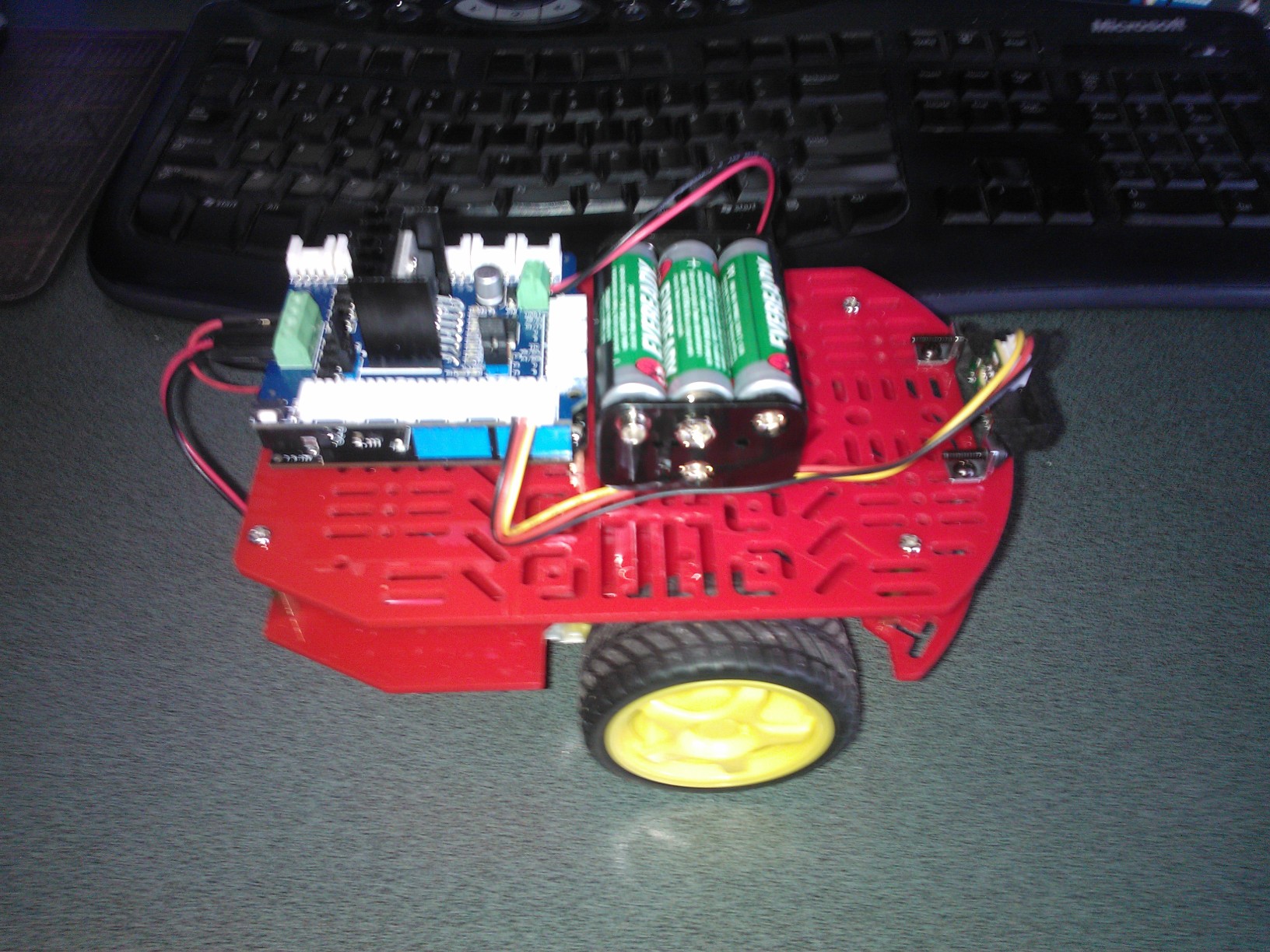
The robot is pretty hard on batteries so I figured I would get some rechargables. (Eveready NiMH from Countdown on special every so often)
Charger (includes 4 AA batteries) NZD 24.69 + Batteries AA NZD 12.99
The robot is pretty hard on batteries so I figured I would get some rechargables. (Eveready NiMH from Countdown on special every so often)
Charger (includes 4 AA batteries) NZD 24.69 + Batteries AA NZD 12.99
A few local people have asked for a BoM for my robot. This is for the entry level version with no soldering or additional tools required. (There is a screw driver included with the robot chassis kit)
2WD Robot chassis from Mindkits – NZD25
Netduino from Mindkits – NZD58
IR Distance Sensor and cable from SeeedStudio– USD 14
Motor Controller from SeeedStudio – USD 20
Mountings for IR Sensor from Mindkits – NZD 5
bracket x 2
screws x4
nuts x 2
With the Seeedstudio motor controller I use a larger battery pack –
Battery holder 6xAA NZD2.25
Battery snap NZD0.75
If you don’t mind some soldering or crimping …
Short range ID Distance sensor from Mindkits NZD 25.50
Meredith who is 8 wrote her first .Net MF program
public class Program
{
public static void Main()
{
OutputPort led = new OutputPort((Cpu.Pin)FEZ_Pin.Digital.Di9, ledState);
AnalogIn volume = new AnalogIn((AnalogIn.Pin)FEZ_Pin.AnalogIn.An1);
while (true)
{
Debug.Print("Volume = " + volume.Read().ToString());
Thread.Sleep(volume.Read());
led.Write(!led.Read());
}
}
She wants to hack the robot code next, small steps
Upgraded my devices this afternoon
Netduino
(http://forums.netduino.com/index.php?/topic/5583-netduino-firmware-v420-update-1/)
PWM greatly improved (Robot goes a lot better now)
Netduino Plus
(http://forums.netduino.com/index.php?/topic/5582-netduino-plus-firmware-v420-update-1/)
50% more RAM than previous versions so less nasty bodging to reduce code size
Spoke at TechEd this year. My topic was about the Internet of Things and Windows Azure
(http://channel9.msdn.com/Events/TechEd/NewZealand/TechEd-New-Zealand-2012/AZR302)
Presentation Abstract Ericsson CEO Hans Vestberg estimates 50 billion devices will be connected to the Web by 2020. That’s seven devices for each human on the planet. Writing embedded software which has to interface to data acquisition devices, and building scalable Internet of Things applications, has historically been hard. The .Net Micro Framework makes embedded development easy for .Net developers. Coupled with Windows Azure, developing a scalable Internet of Things application is much easier. Using Windows Azure and the .Net Micro Framework I will give a practical demonstration of how easily you can use the Microsoft stack to construct an Internet of Things application. The application will acquire data from a selection of sensors, upload it to Azure for processing, and keep users updated in close to real-time. Come and see what you can build with a GPS, an Accelerometer, a Netduino Plus, SignalR and Windows Azure.
The scenario was QuakeZure – Commodity Hardware and cloud computing for earthquake early warning.
My feedback scores out of 4
AZR302 Azure, the Platform for Internet of Things Applications 06/9/2012 16:30 Epsom Room Speaker(s): Bryn Lewis
Num. Submitted 34
Session Content 3.44
Session Presenter 3.82
Overall Session 3.59
Technical level of this session
Just Right 91.18%
Not Technical Enough 5.88%
Too Technical 2.94%