Azure Event Grid esp-mqtt-arduino Client – Success

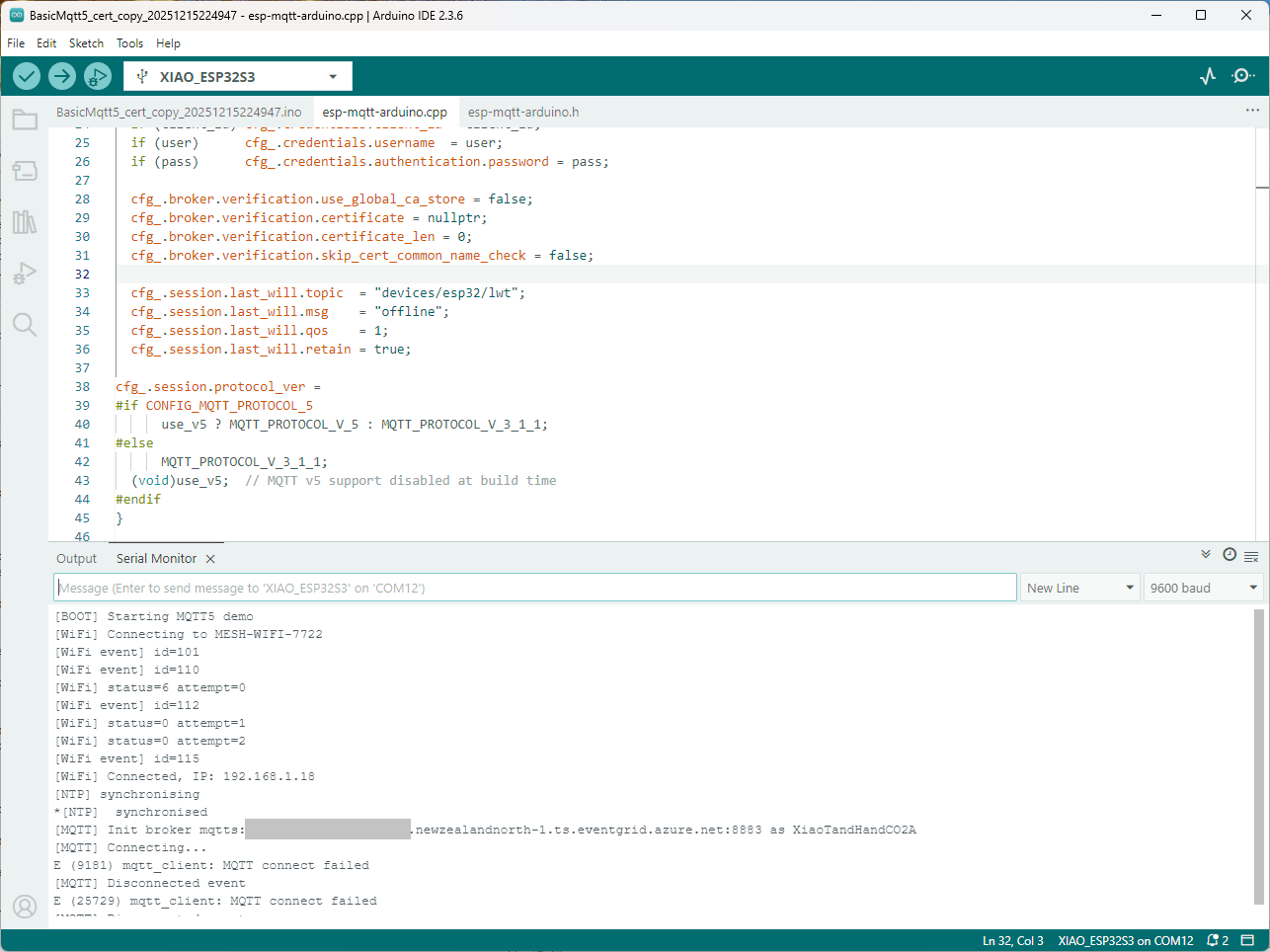
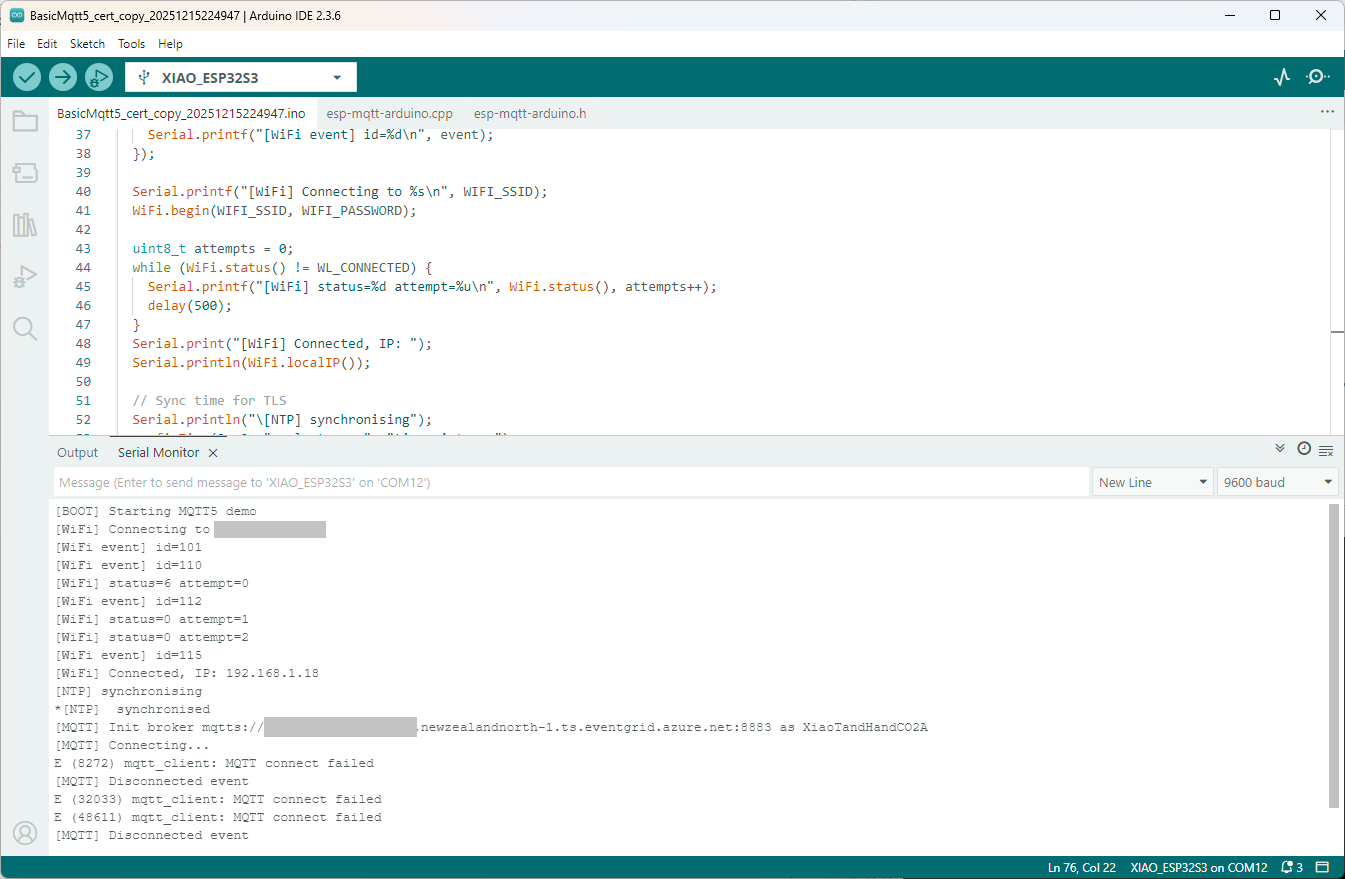
Still couldn’t figure out why my code was failing so I turned up logging to 11 and noticed a couple of messages which didn’t make sense. The device was connecting than disconnecting which indicated a another problem. As part of the Message Queue Telemetry Transport(MQTT) specification there is a “feature” Last Will and Testament(LWT) which a client can configure so that the MQTT broker sends a message to a topic if the device disconnects unexpectedly.

I was looking at the code and noticed that LWT was being used and that the topic didn’t exist in my Azure Event Grid MQTT Broker namespace. When the LWT configuration was commented out the application worked.

void Mqtt5ClientESP32::begin(const char* uri, const char* client_id, const char* user, const char* pass, bool use_v5) {
  connected_ = false;
  insecure_ = false;
  cfg_.broker.address.uri = uri;
  if (client_id) cfg_.credentials.client_id = client_id;
  if (user)      cfg_.credentials.username  = user;
  if (pass)      cfg_.credentials.authentication.password = pass;

  cfg_.broker.verification.use_global_ca_store = false;
  cfg_.broker.verification.certificate = nullptr;
  cfg_.broker.verification.certificate_len = 0;
  cfg_.broker.verification.skip_cert_common_name_check = false;
  
/*
  cfg_.session.last_will.topic  = "devices/esp32/lwt";
  cfg_.session.last_will.msg    = "offline";
  cfg_.session.last_will.qos    = 1;
  cfg_.session.last_will.retain = true;
*/

cfg_.session.protocol_ver = 
#if CONFIG_MQTT_PROTOCOL_5
      use_v5 ? MQTT_PROTOCOL_V_5 : MQTT_PROTOCOL_V_3_1_1;
#else
      MQTT_PROTOCOL_V_3_1_1;
  (void)use_v5;  // MQTT v5 support disabled at build time
#endif
}

Two methods were added so that the LWT could be configured if required

void SetLWT(const char *topic, const char *msg, int msg_len,int qos, int retain);
void Mqtt5ClientESP32::SetLWT(const char *topic, const char *msg, int msg_len,int qos, int retain){
   cfg_.session.last_will.topic  = topic;
   cfg_.session.last_will.msg    = msg;
   cfg_.session.last_will.msg_len= msg_len;
   cfg_.session.last_will.qos    = qos;
   cfg_.session.last_will.retain = retain;
}

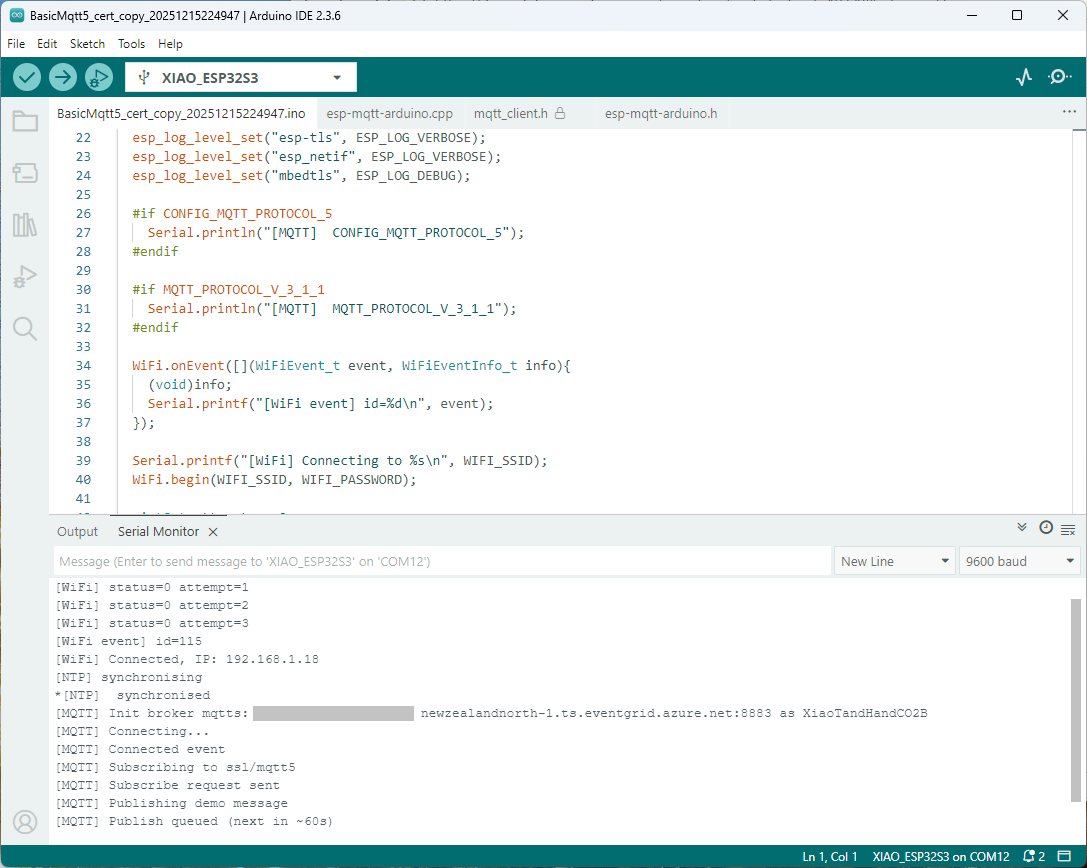
Paying close attention to the logging I noticed the “Subscribing to ssl/mqtts” followed by “Subscribe request sent”

I checked the sample application and found that if the connect was successful the application would then try and subscribe to a topic that didn’t exist.

mqtt.onConnected([]{
  Serial.println("[MQTT] Connected event");

   mqttReady = true;
/*
Serial.println("[MQTT] Subscribing to ssl/mqtt5");
if (mqtt.subscribe("ssl/mqtt5", 1, true)) {
  Serial.println("[MQTT] Subscribe request sent");
} else {
  Serial.println("[MQTT] Subscribe request failed");
}
*/

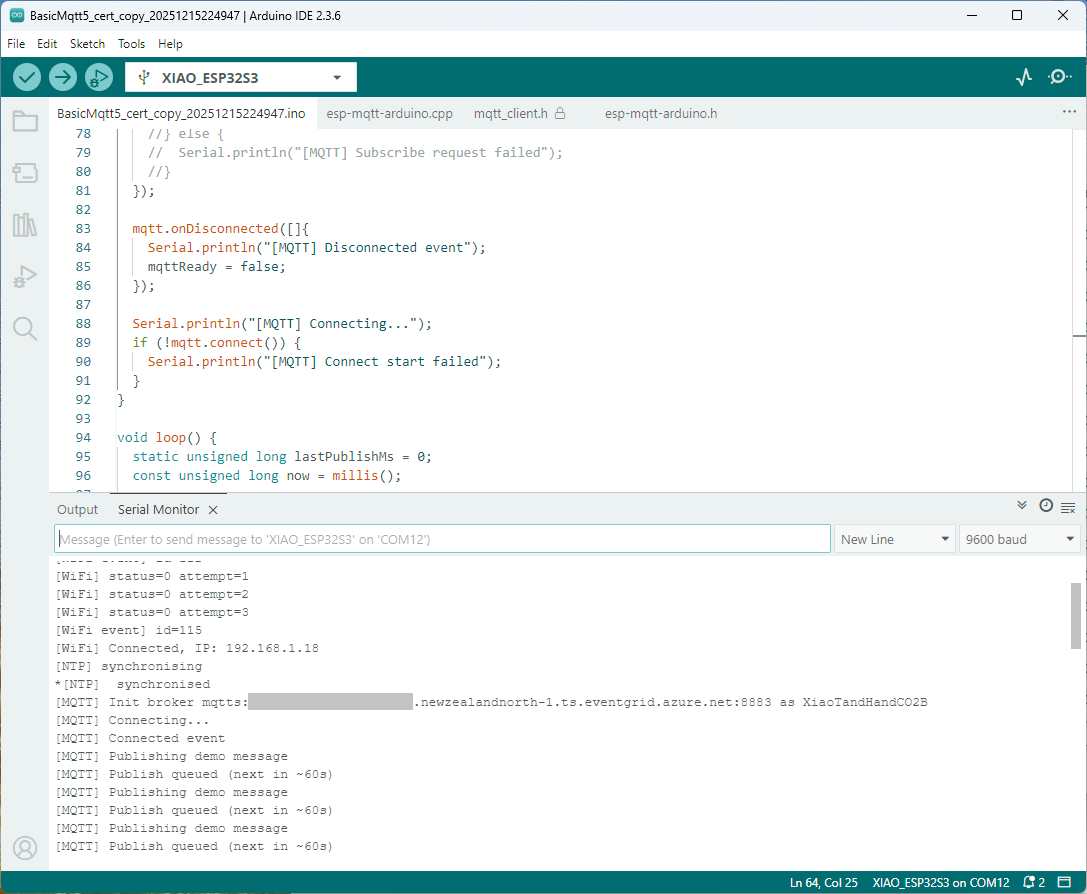
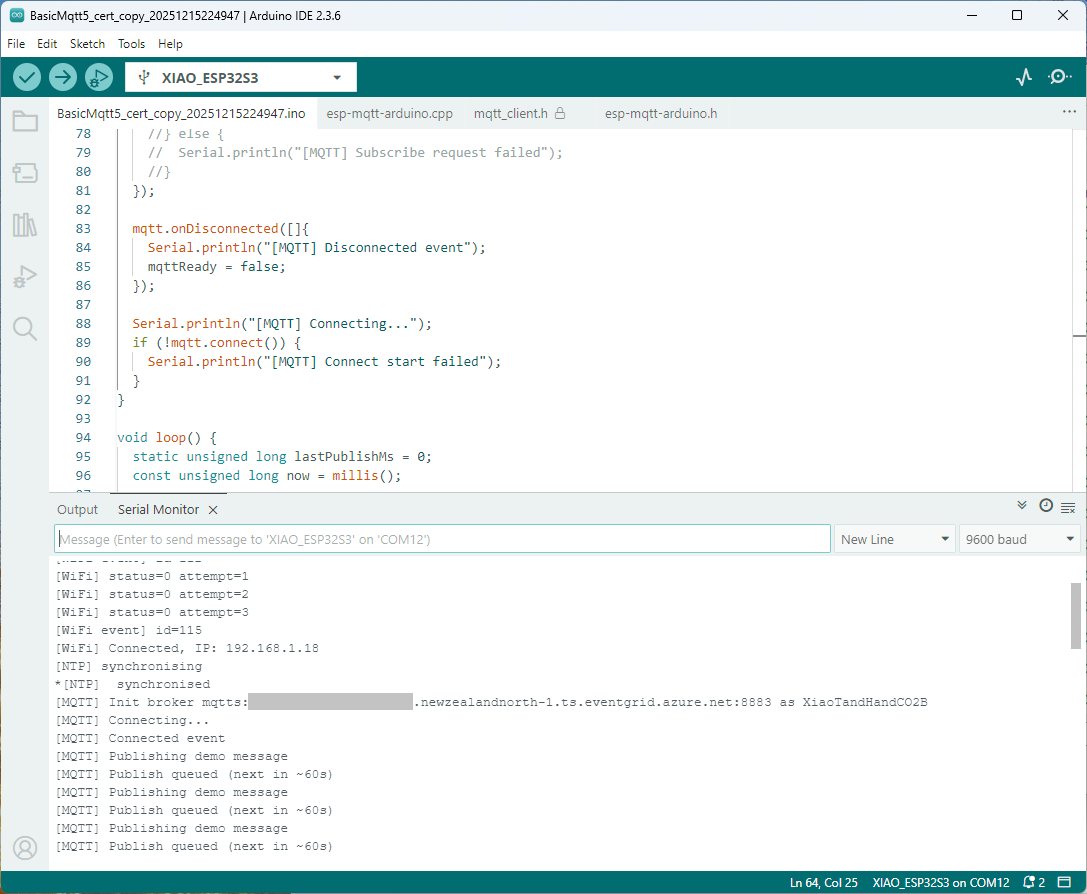
I commented out that code and the application started without any messages

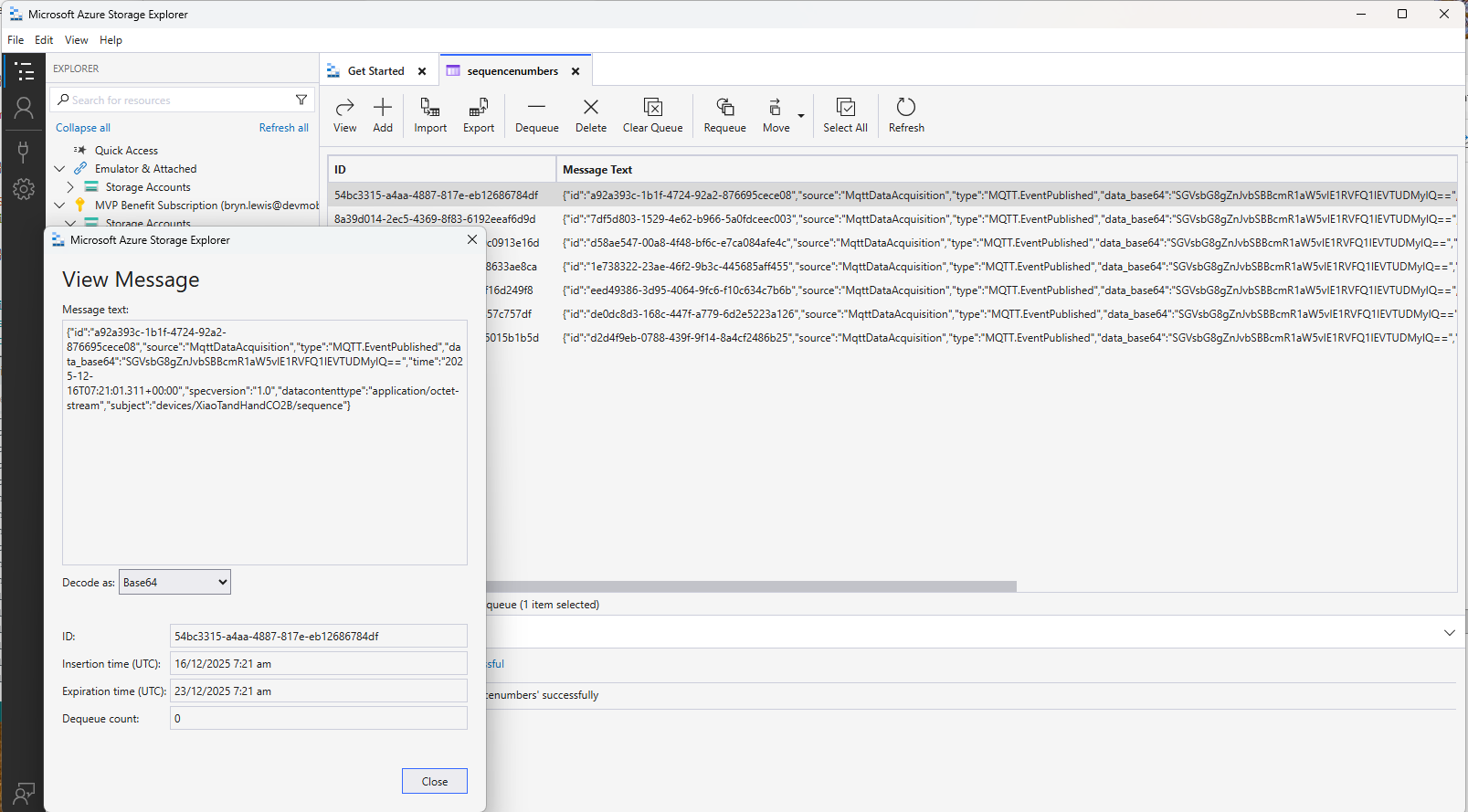
Just to make sure I checked that the message count in the Azure Storage Queue was increasing and the payload client ID matched my device

Yet again a couple of hours lost from my life which I can never get back

Azure Event Grid esp-mqtt-arduino Client – Finding fail

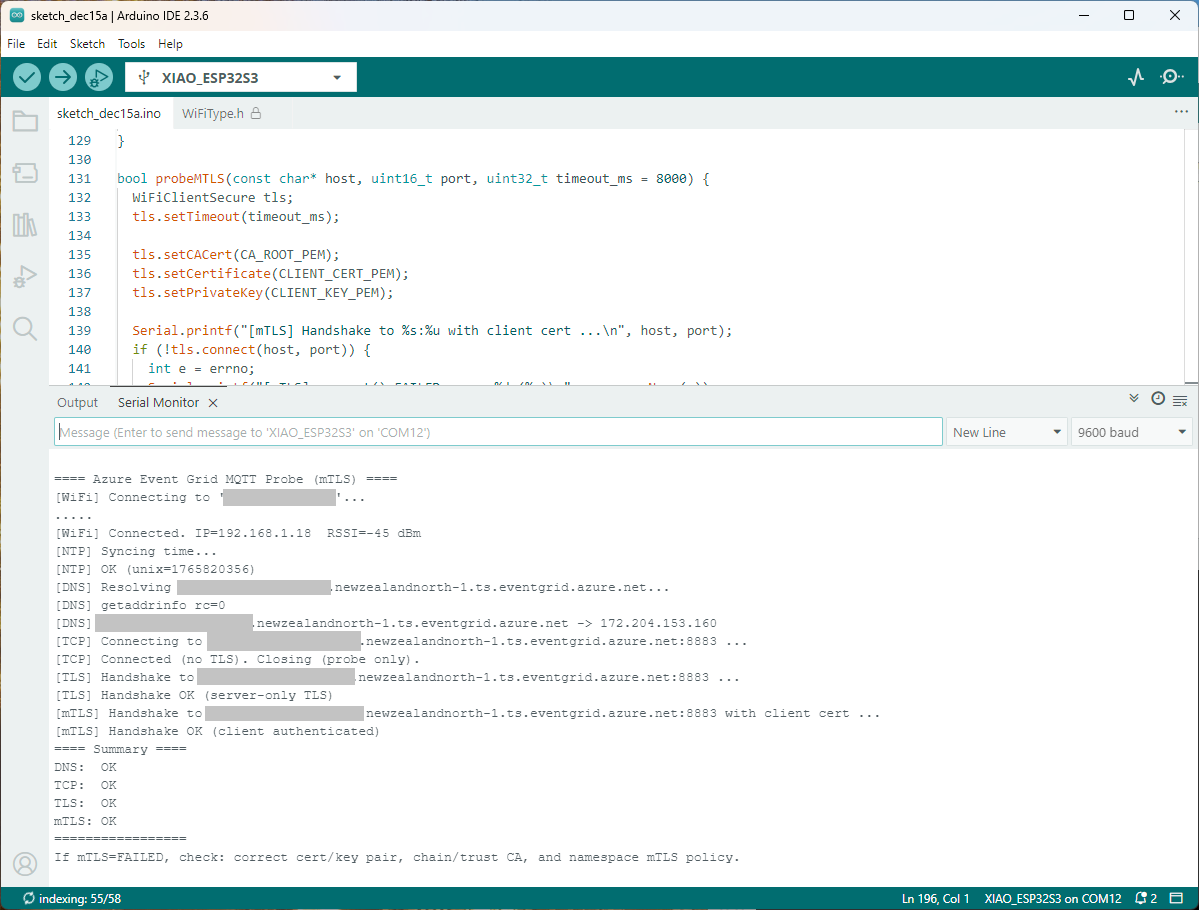
Still couldn’t figure out why my code was failing so I built a test harness which connected to the wifi, set the time with the Network Time Protocol(NTP), established a Transport Layer Security(TLS) connection with the Azure Event Grid MQTT Broker then finally Authenticated (using Client Certificate authentication). Basically, it was The joy of certs without the Arduino PubSubClient library and with authentication

/*
  Azure Event Grid MQTT Endpoint Probe with mTLS
  - Wi-Fi connect
  - SNTP time sync
  - DNS resolve
  - TCP reachability (port 8883)
  - TLS (server-only) handshake using CRT bundle (or custom CA)
  - TLS (mTLS) handshake with client certificate & private key

  Notes:
    - Client certificate must be PEM and match private key.
    - Private key must be PEM and UNENCRYPTED (no passphrase).
    - SNI uses HOSTNAME automatically; do NOT use raw IP.
*/
#include <Arduino.h>
#include <WiFi.h>
#include <WiFiClient.h>
#include <WiFiClientSecure.h>

#include <../constants.h>
#include <../secrets.h>

extern "C" {
  #include <lwip/netdb.h>
  #include <lwip/sockets.h>
  #include <lwip/inet.h>
  #include <lwip/errno.h>
  #include <time.h>
}
static const char* HOSTNAME  = "ThisIsNotTheMQTTBrokerYouAreLookingFor.newzealandnorth-1.ts.eventgrid.azure.net";
static const uint16_t PORT   = 8883;

// Time servers (for TLS validity window)
static const char* NTP_1 = "pool.ntp.org";
static const char* NTP_2 = "time.cloudflare.com";

static const char* errnoName(int e) {
  switch (e) {
    case 5:   return "EIO";
    case 101: return "ENETUNREACH";
    case 104: return "ECONNRESET";
    case 110: return "ETIMEDOUT";
    case 111: return "ECONNREFUSED";
    case 113: return "EHOSTUNREACH";
    default:  return "?";
  }
}


bool waitForWifi(uint32_t timeout_ms = 20000) {
  uint32_t start = millis();
  Serial.printf("[WiFi] Connecting to '%s'...\n", WIFI_SSID);
  WiFi.begin(WIFI_SSID, WIFI_PASSWORD);
  while (WiFi.status() != WL_CONNECTED && (millis() - start) < timeout_ms) {
    delay(250);
    Serial.print(".");
  }
  Serial.println();
  return WiFi.status() == WL_CONNECTED;
}


void syncTime() {
  configTime(0, 0, NTP_1, NTP_2);
  Serial.println("[NTP] Syncing time...");
  for (int i = 0; i < 20; ++i) {
    time_t now = time(nullptr);
    if (now > 1609459200) { // > Jan 1, 2021
      Serial.printf("[NTP] OK (unix=%ld)\n", (long)now);
      return;
    }
    delay(500);
  }
  Serial.println("[NTP] Time sync may have failed; continuing.");
}

bool probeDNS(const char* host, char outIp[16]) {
  struct addrinfo hints = {};
  hints.ai_family = AF_INET; // IPv4
  struct addrinfo* res = nullptr;

  Serial.printf("[DNS] Resolving %s...\n", host);
  int rc = getaddrinfo(host, NULL, &hints, &res);
  Serial.printf("[DNS] getaddrinfo rc=%d\n", rc);
  if (rc != 0 || !res) {
    Serial.println("[DNS] FAILED");
    return false;
  }
  struct sockaddr_in* sin = (struct sockaddr_in*)res->ai_addr;
  inet_ntop(AF_INET, &sin->sin_addr, outIp, 16);
  Serial.printf("[DNS] %s -> %s\n", host, outIp);
  freeaddrinfo(res);
  return true;
}


bool probeTCP(const char* host, uint16_t port, uint32_t timeout_ms = 5000) {
  WiFiClient cli;
  cli.setTimeout(timeout_ms);
  Serial.printf("[TCP] Connecting to %s:%u ...\n", host, port);
  if (!cli.connect(host, port)) {
    Serial.printf("[TCP] connect() FAILED\n");
    return false;
  }
  Serial.println("[TCP] Connected (no TLS). Closing (probe only).");
  cli.stop();
  return true;
}


bool probeTLS(const char* host, uint16_t port, uint32_t timeout_ms = 7000) {
  WiFiClientSecure tls;
  tls.setTimeout(timeout_ms);

  tls.setCACert(CA_ROOT_PEM);  

  Serial.printf("[TLS] Handshake to %s:%u ...\n", host, port);
  if (!tls.connect(host, port)) {
    int e = errno;
    Serial.printf("[TLS] connect() FAILED errno=%d (%s)\n", e, errnoName(e));
    return false;
  }
  Serial.println("[TLS] Handshake OK (server-only TLS)");
  tls.stop();
  return true;
}

bool probeMTLS(const char* host, uint16_t port, uint32_t timeout_ms = 8000) {
  WiFiClientSecure tls;
  tls.setTimeout(timeout_ms);

  tls.setCACert(CA_ROOT_PEM);
  tls.setCertificate(CLIENT_CERT_PEM);
  tls.setPrivateKey(CLIENT_KEY_PEM);

  Serial.printf("[mTLS] Handshake to %s:%u with client cert ...\n", host, port);
  if (!tls.connect(host, port)) {
    int e = errno;
    Serial.printf("[mTLS] connect() FAILED errno=%d (%s)\n", e, errnoName(e));
    Serial.println("[mTLS] If errno=ETIMEDOUT/ECONNRESET, server may be closing due to cert policy mismatch.");
    return false;
  }
  Serial.println("[mTLS] Handshake OK (client authenticated)");
  tls.stop();
  return true;
}

void setup() {
  Serial.begin(9600);
  delay(5000);
  Serial.println();
  Serial.println("==== Azure Event Grid MQTT Probe (mTLS) ====");

  WiFi.mode(WIFI_STA);

  if (!waitForWifi()) {
    Serial.println("[WiFi] FAILED to connect within timeout");
  } else {
    Serial.printf("[WiFi] Connected. IP=%s  RSSI=%d dBm\n",
                  WiFi.localIP().toString().c_str(), WiFi.RSSI());
  }

  // TLS sanity: time
  syncTime();

  // DNS
  char ip[16] = {0};
  bool dnsOk = probeDNS(HOSTNAME, ip);

  // TCP reachability
  bool tcpOk = probeTCP(HOSTNAME, PORT);

  // TLS (server-only)
  bool tlsOk = probeTLS(HOSTNAME, PORT);

  // TLS (mTLS with client cert/key)
  bool mtlsOk = probeMTLS(HOSTNAME, PORT);

  Serial.println("==== Summary ====");
  Serial.printf("DNS:  %s\n", dnsOk  ? "OK" : "FAILED");
  Serial.printf("TCP:  %s\n", tcpOk  ? "OK" : "FAILED");
  Serial.printf("TLS:  %s\n", tlsOk  ? "OK" : "FAILED");
  Serial.printf("mTLS: %s\n", mtlsOk ? "OK" : "FAILED");
  Serial.println("=================");

  Serial.println("If mTLS=FAILED, check: correct cert/key pair, chain/trust CA, and namespace mTLS policy.");
}

void loop() {
  delay(1000);
}

The test harness worked which meant the issue was with my “re-factoring” of the BasicMqtt5_cert example.

Azure Event Grid esp-mqtt-arduino Client – Hours of fail

I wanted to get other Arduino base clients (e.g. my SeeedStudio XiaoESP32S3) for Azure Event Grid MQTT Broker working (for MQTT 5 support) so installed the esp-mqtt-arduino library.

The library doesn’t support client authentication with certificates, so I added two methods setClientCert and setClientKey to the esp-mqtt-arduino.h and esp-mqtt-arduino.cpp files

class Mqtt5ClientESP32 {
   public:
   Mqtt5ClientESP32();
   ~Mqtt5ClientESP32();
//...
  void useCrtBundle(bool enable = true);
  void setCACert(const char* cert, size_t len = 0);
  void setClientCert(const char* cert, size_t len = 0);
  void setClientKey(const char* key, size_t len = 0);  
  void setInsecure(bool enable = true);
  void setKeepAlive(uint16_t seconds);
private:
void Mqtt5ClientESP32::setClientCert(const char* cert, size_t len)
{
  insecure_ = false;
  cfg_.credentials.authentication.certificate = cert;
  if (cert) {
    cfg_.credentials.authentication.certificate_len = len ? len : strlen(cert) + 1;
  } else {
    cfg_.credentials.authentication.certificate_len = 0;
  }  
  cfg_.broker.verification.skip_cert_common_name_check = false;  
}

void Mqtt5ClientESP32::setClientKey(const char* key, size_t len)
{
  insecure_ = false;
  cfg_.credentials.authentication.key = key;
  if (key) {
    cfg_.credentials.authentication.key_len = len ? len : strlen(key) + 1;
  } else {
    cfg_.credentials.authentication.key_len = 0;
  } 
  cfg_.broker.verification.skip_cert_common_name_check = false;  
}

I had started with the basic_mqtt5_cert example stripping it back to the bare minimum hacking out all the certificate bundle support et.c

#include <WiFi.h>
#include <esp-mqtt-arduino.h>
#include <esp_log.h>
#include "sdkconfig.h"
#include "../secrets.h"
#include "../constants.h"

Mqtt5ClientESP32 mqtt;

volatile bool mqttReady = false;
volatile bool mqttSubscribed = false;
void setup() {
  Serial.begin(9600);
  delay(5000);
  Serial.setDebugOutput(true);
  Serial.println("[BOOT] Starting MQTT5 demo");

  esp_log_level_set("*", ESP_LOG_INFO);
  esp_log_level_set("MQTT_CLIENT", ESP_LOG_VERBOSE);

  WiFi.onEvent([](WiFiEvent_t event, WiFiEventInfo_t info){
    (void)info;
    Serial.printf("[WiFi event] id=%d\n", event);
  });

  Serial.printf("[WiFi] Connecting to %s\n", WIFI_SSID);
  WiFi.begin(WIFI_SSID, WIFI_PASSWORD);

  uint8_t attempts = 0;
  while (WiFi.status() != WL_CONNECTED) {
    Serial.printf("[WiFi] status=%d attempt=%u\n", WiFi.status(), attempts++);
    delay(500);
  }
  Serial.print("[WiFi] Connected, IP: ");
  Serial.println(WiFi.localIP());

  // Sync time for TLS
  Serial.println("\[NTP] synchronising");
  configTime(0, 0, "pool.ntp.org", "time.nist.gov");
  Serial.print("*");
  while (time(nullptr) < 100000) {
    delay(500);
    Serial.print("*");
  }
  Serial.println("\[NTP]  synchronised");

  Serial.printf("[MQTT] Init broker %s as %s\n", MQTT_SERVER_URL,MQTT_CLIENTID);
  mqtt.begin(MQTT_SERVER_URL, MQTT_CLIENTID);
  mqtt.setKeepAlive(45);

  mqtt.setCACert(CA_ROOT_PEM); 
  mqtt.setClientCert(CLIENT_CERT_PEM);
  mqtt.setClientKey(CLIENT_KEY_PEM);
  mqtt.setInsecure(false);

  mqtt.onMessage([](const char* topic, size_t topic_len, const uint8_t* data, size_t len){
    Serial.printf("[MSG] %.*s => %.*s\n", (int)topic_len, topic, (int)len, (const char*)data);
  });
  mqtt.onConnected([]{
    Serial.println("[MQTT] Connected event");
    mqttReady = true;
    Serial.println("[MQTT] Subscribing to ssl/mqtt5");
    if (mqtt.subscribe("ssl/mqtt5", 1, true)) {
      Serial.println("[MQTT] Subscribe request sent");
    } else {
      Serial.println("[MQTT] Subscribe request failed");
    }
  });

  mqtt.onDisconnected([]{
    Serial.println("[MQTT] Disconnected event");
    mqttReady = false;
  });

  Serial.println("[MQTT] Connecting...");
  if (!mqtt.connect()) {
    Serial.println("[MQTT] Connect start failed");
  }
}

void loop() {
  static unsigned long lastPublishMs = 0;
  const unsigned long now = millis();

  if (mqttReady && (now - lastPublishMs) >= 60000) {
    const char* msg = "Hello from Arduino MQTT5 ESP32!";
    Serial.println("[MQTT] Publishing demo message");
    if (mqtt.publish(MQTT_TOPIC_PUBLISH, (const uint8_t*)msg, strlen(msg))) {
      Serial.println("[MQTT] Publish queued (next in ~60s)");
    } else {
      Serial.println("[MQTT] Publish failed");
    }
    lastPublishMs = now;
  }

  delay(10);
}

It was important to put the setClientCert & setClient after the mqtt.begin because it resets the configuration

void Mqtt5ClientESP32::begin(const char* uri, const char* client_id,
                             const char* user, const char* pass, bool use_v5) {
  connected_ = false;
  insecure_ = false;
  cfg_.broker.address.uri = uri;
  if (client_id) cfg_.credentials.client_id = client_id;
  if (user)      cfg_.credentials.username  = user;
  if (pass)      cfg_.credentials.authentication.password = pass;

  cfg_.broker.verification.use_global_ca_store = false;
  cfg_.broker.verification.certificate = nullptr;
  cfg_.broker.verification.certificate_len = 0;
  cfg_.broker.verification.skip_cert_common_name_check = false;
  
  cfg_.session.last_will.topic  = "devices/esp32/lwt";
  cfg_.session.last_will.msg    = "offline";
  cfg_.session.last_will.qos    = 1;
  cfg_.session.last_will.retain = true;

cfg_.session.protocol_ver = 
#if CONFIG_MQTT_PROTOCOL_5
      use_v5 ? MQTT_PROTOCOL_V_5 : MQTT_PROTOCOL_V_3_1_1;
#else
      MQTT_PROTOCOL_V_3_1_1;
  (void)use_v5;  // MQTT v5 support disabled at build time
#endif
}

I tried increasing the log levels to get more debugging information, adding delays on startup to make it easier to see what was going on, trying different options of protocol support.

After hours of trying I gave up.

Arduino MQTT V5 Side quest – Discovery withWolfMQTT

Over the last week or so I have been trying to get an Arduino application working which supports Message Queue Telemetry Transport(MQTT) properties which were added in V5. This specification was released March 2019 so I figured it would be commonly supported. In the Arduino ecosystem I was wrong and there is going to be a series of pastes about my “epic fail”.

The post is not about WolfMQTT but what I learnt about configuring it (and other) libraries for Arduino.

I wanted to set the message properties (for reasons) and in the .NET nanoFramework (and other .NET libraries) it wasn’t a problem.

 while (true)
 {
    Console.WriteLine("MQTT publish message start...");


    var payload = new MessagePayload() { ClientID = Secrets.MQTT_CLIENTID, Sequence = sequenceNumber++ };

    string jsonPayload = JsonSerializer.SerializeObject(payload);

    var result = mqttClient.Publish(topicPublish, Encoding.UTF8.GetBytes(jsonPayload), "application/json; charset=utf-8", null);

    Debug.WriteLine($"MQTT published ({result}): {jsonPayload}");

    Thread.Sleep(60000);
 }

One of the options suggested by copilot was wolfMQTT(which uses an open/closed source model) but I found there was not an Arduino library for of this product. This was not unexpected due to the target audience of their products (but I did find there is a wolfSSL prebuilt library)

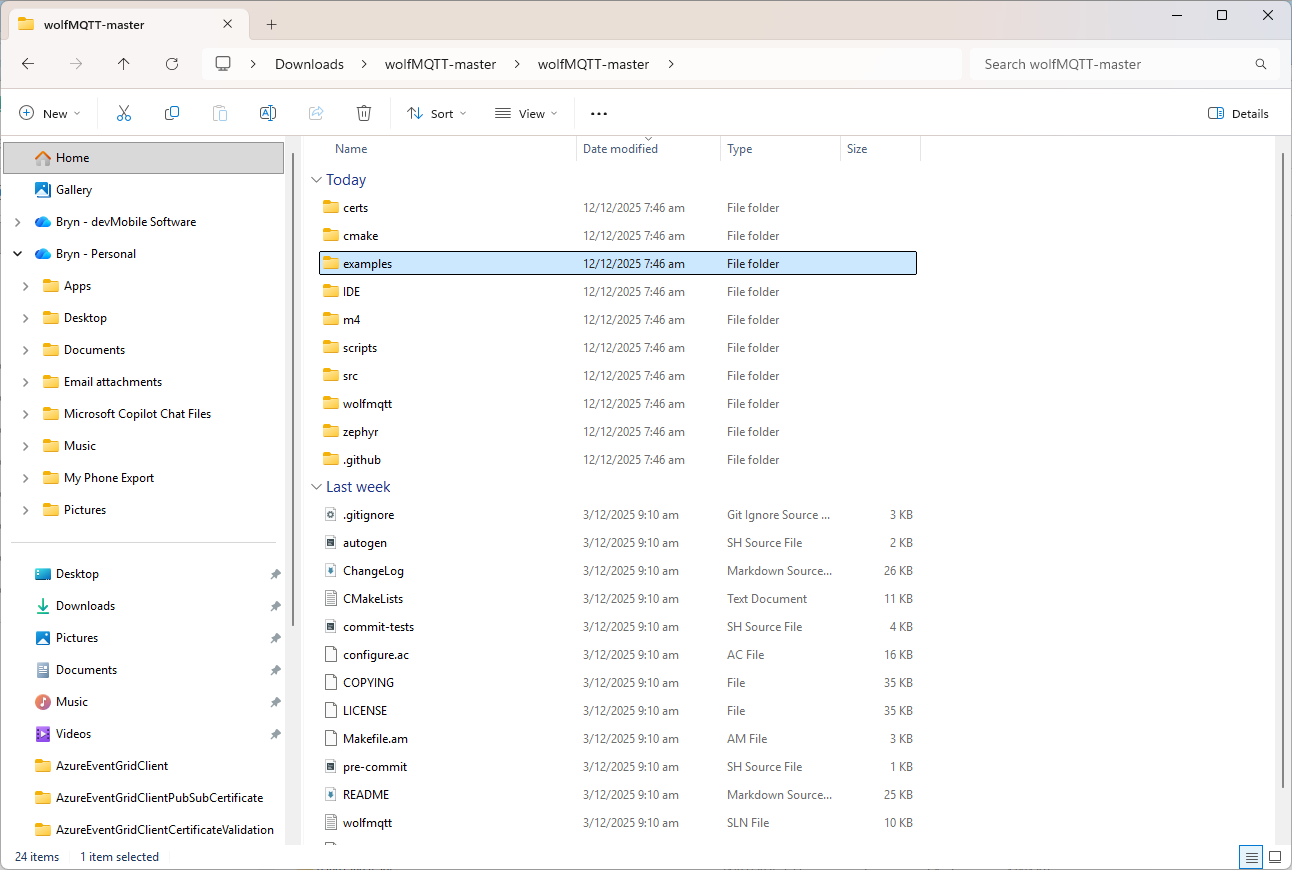
The first step was to grab a copy of the wolfMQTT library from GitHub and unpack it.

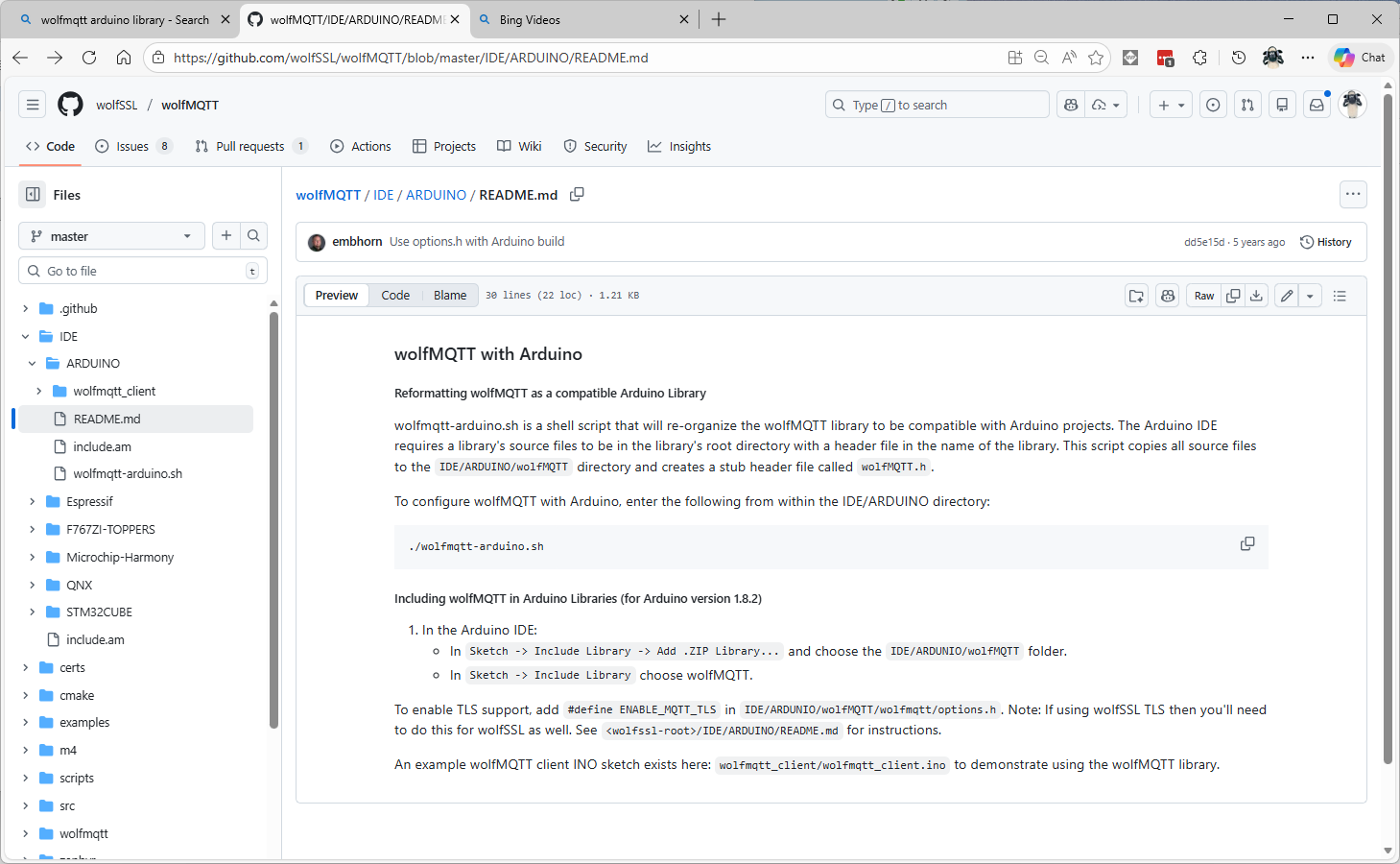
There were instructions on how to “re-organise” the source files into and Arduino friendly library

I don’t have an “easy” way of running bash on my dev box so I tried to do it manually (first of a series of mistakes).

#!/bin/sh

# this script will reformat the wolfSSL source code to be compatible with
# an Arduino project
# run as bash ./wolfssl-arduino.sh

DIR=${PWD##*/}

if [ "$DIR" = "ARDUINO" ]; then
    rm -rf wolfMQTT

    mkdir wolfMQTT
    cp ../../src/*.c ./wolfMQTT

    mkdir wolfMQTT/wolfmqtt
    cp ../../wolfmqtt/*.h ./wolfMQTT/wolfmqtt

    echo "/* Generated wolfMQTT header file for Arduino */" >> ./wolfMQTT/wolfMQTT.h
    echo "#include <wolfmqtt/mqtt_client.h>" >> ./wolfMQTT/wolfMQTT.h
else
    echo "ERROR: You must be in the IDE/ARDUINO directory to run this script"
fi

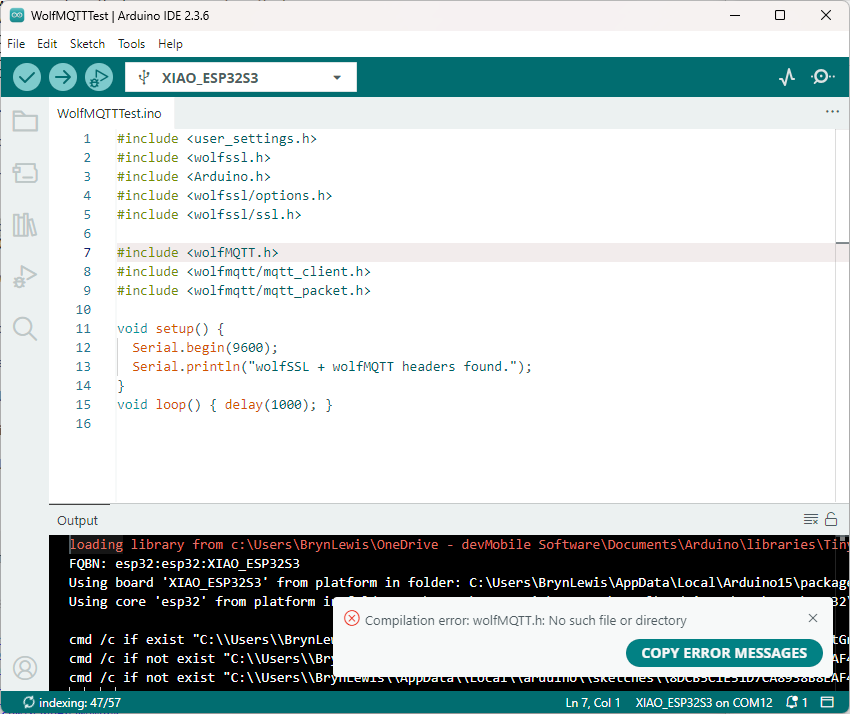
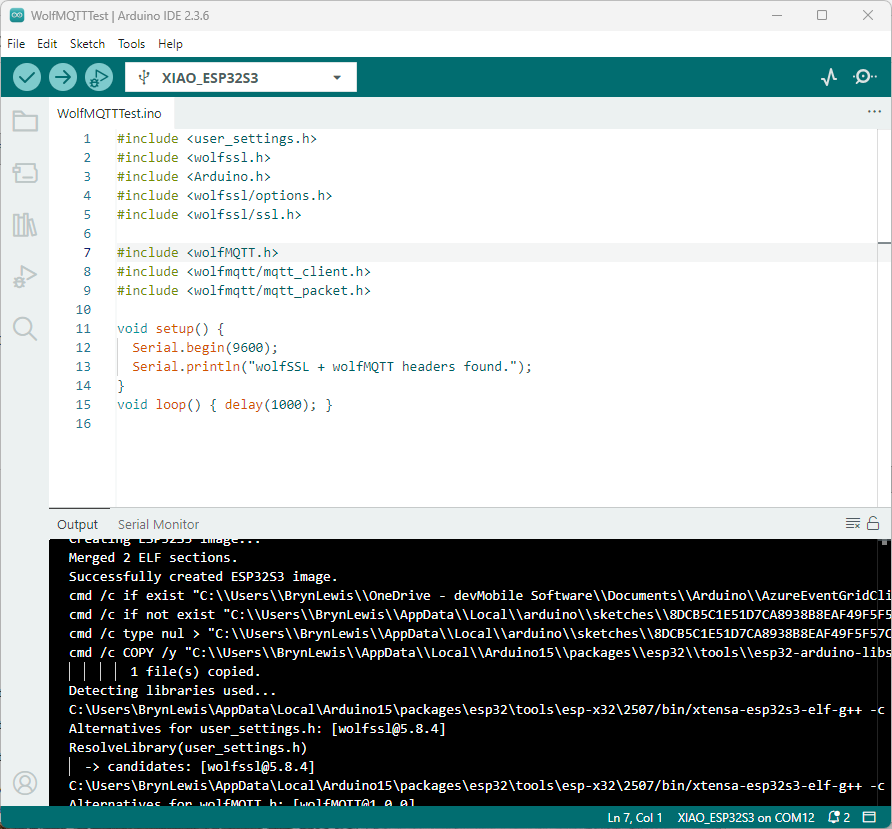
I copied the files into the specified folder tree and my compilation failed. I used a minimalist application to debug the compilation error.

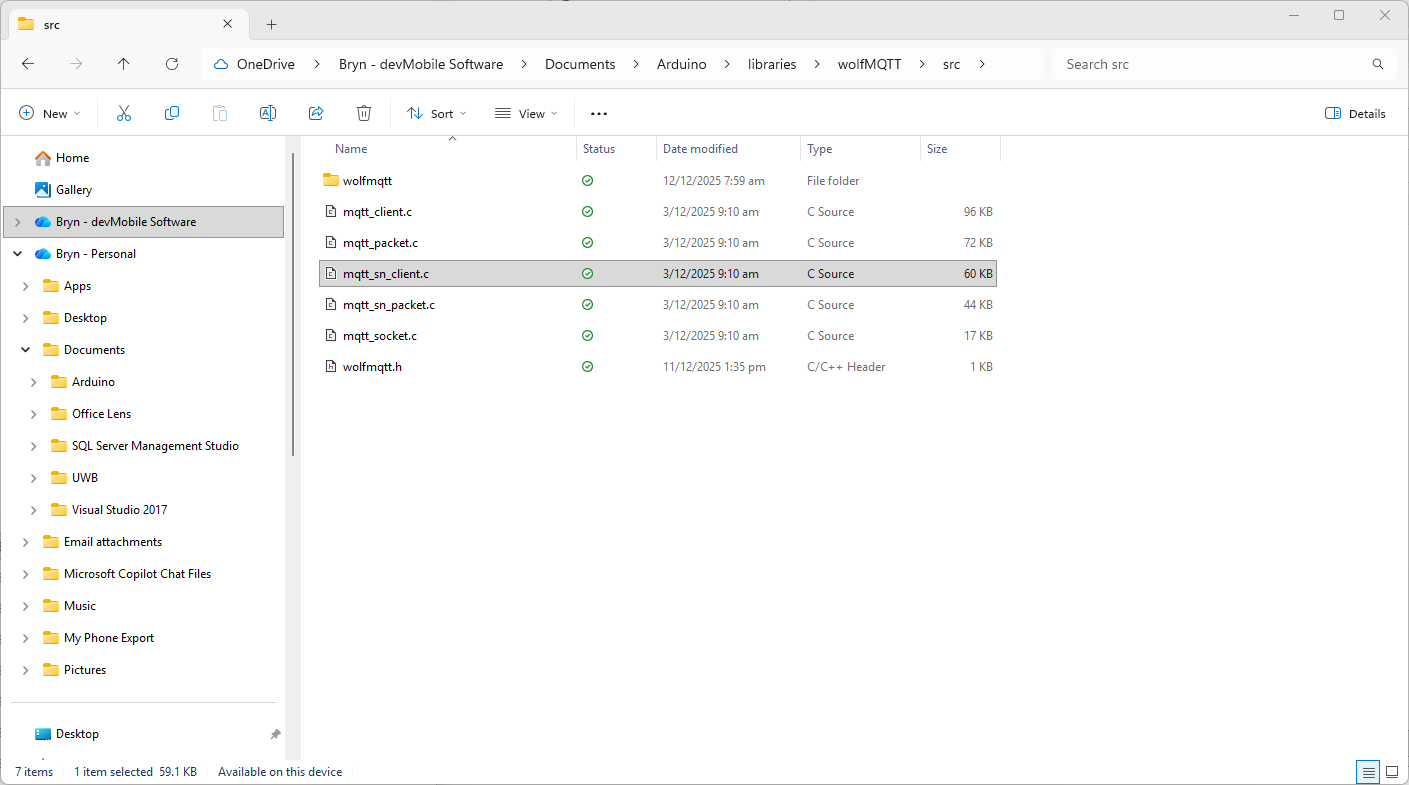
I went back to the script file and realised that has missed creating a header file

    echo "/* Generated wolfMQTT header file for Arduino */" >> ./wolfMQTT/wolfMQTT.h
    echo "#include <wolfmqtt/mqtt_client.h>" >> ./wolfMQTT/wolfMQTT.h

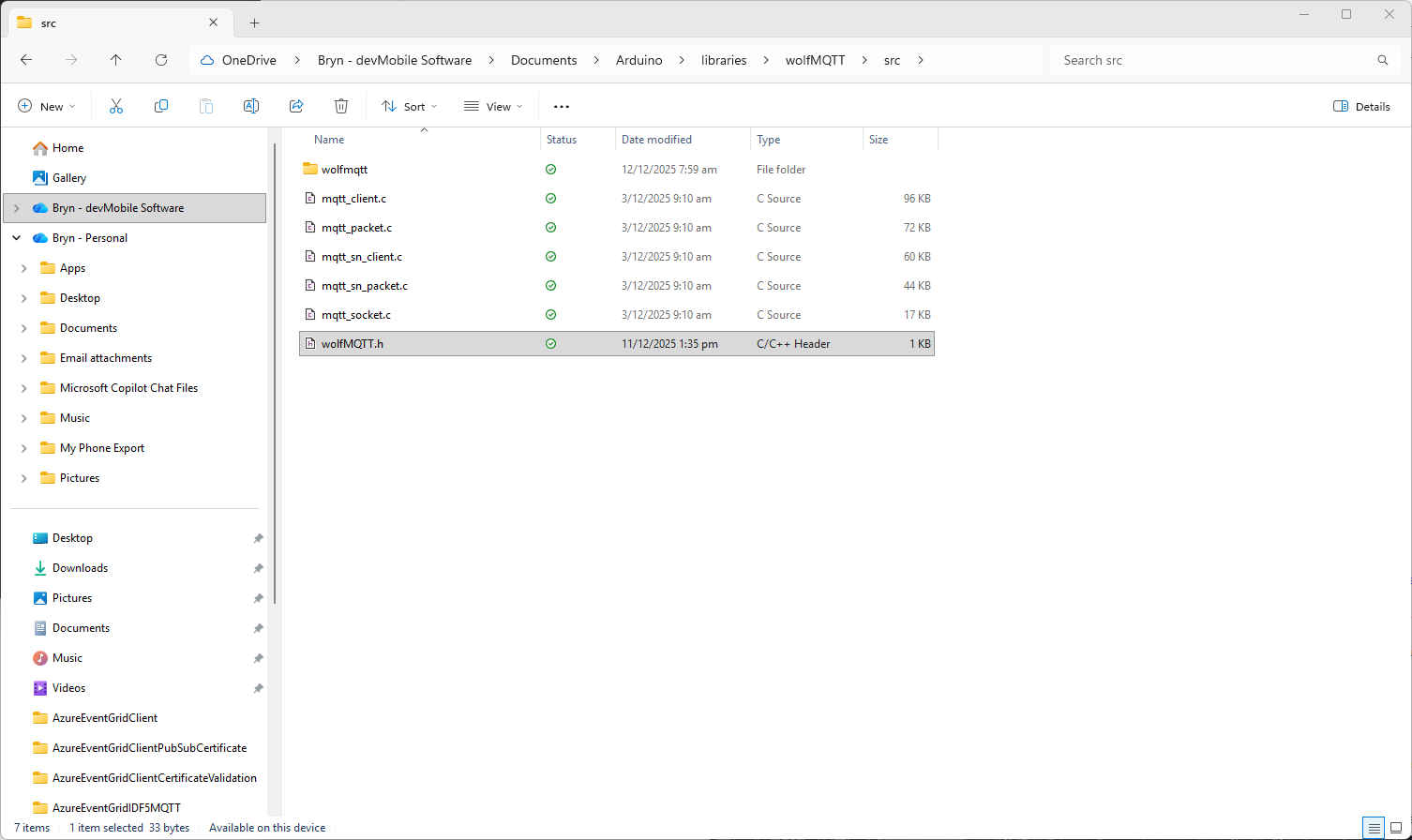
I used a text editor to create the file which I saved into the src folder

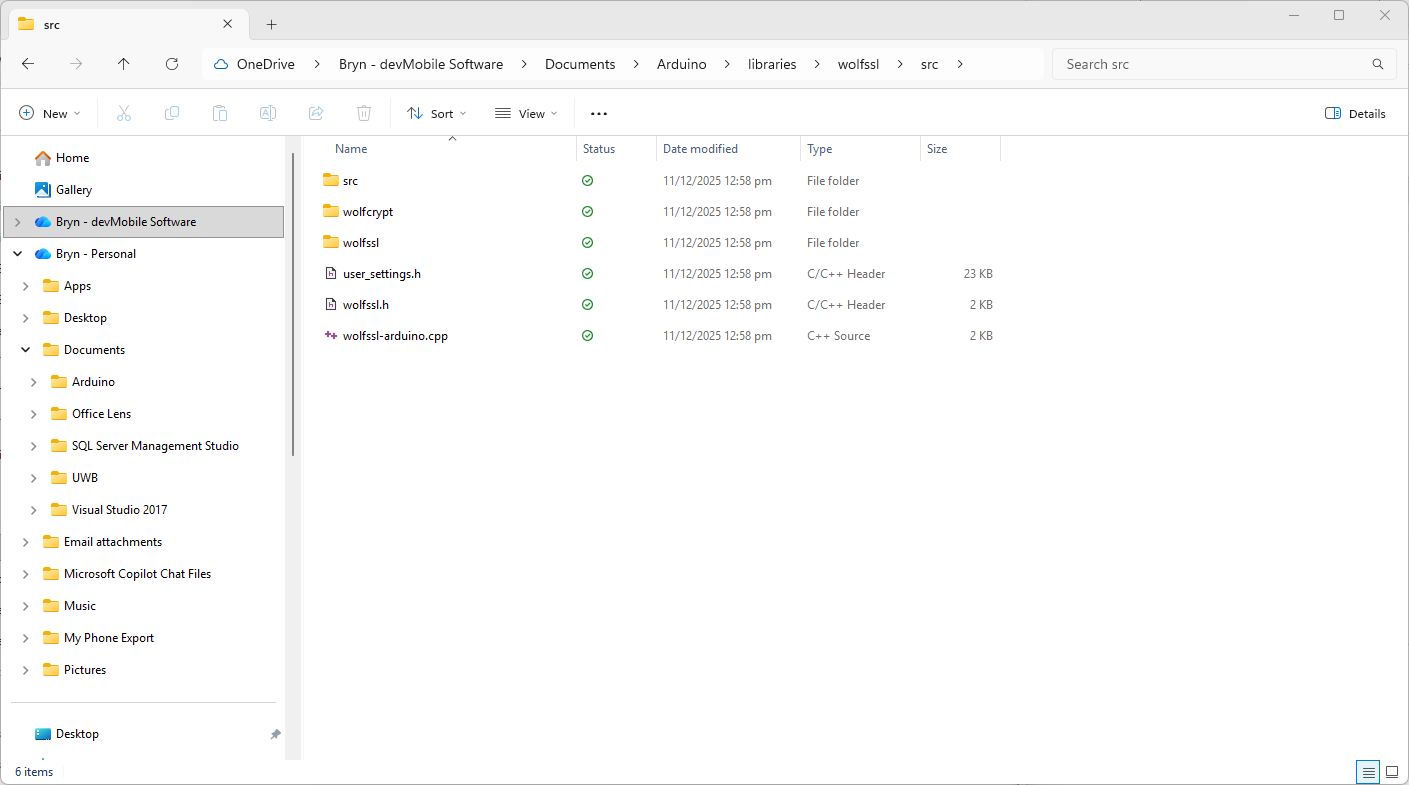
I also checked that I had the same structure as wolfssl

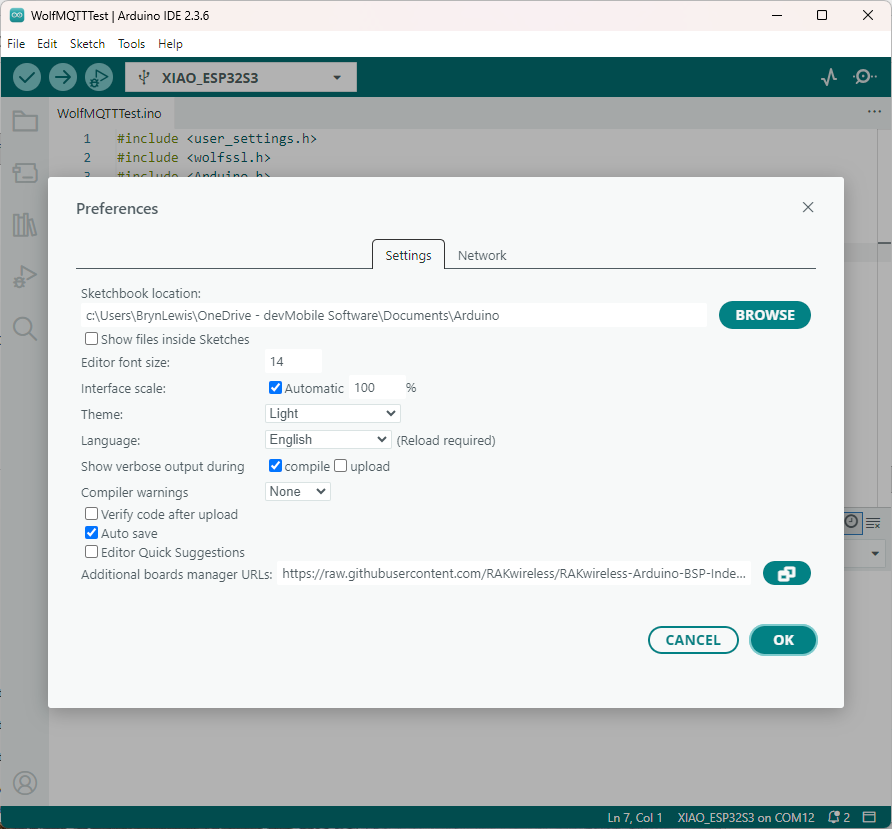
The compilation was still failing so I turned on the Arduino verbose compiler output

After compilations I went back through the compiler output look for clues.

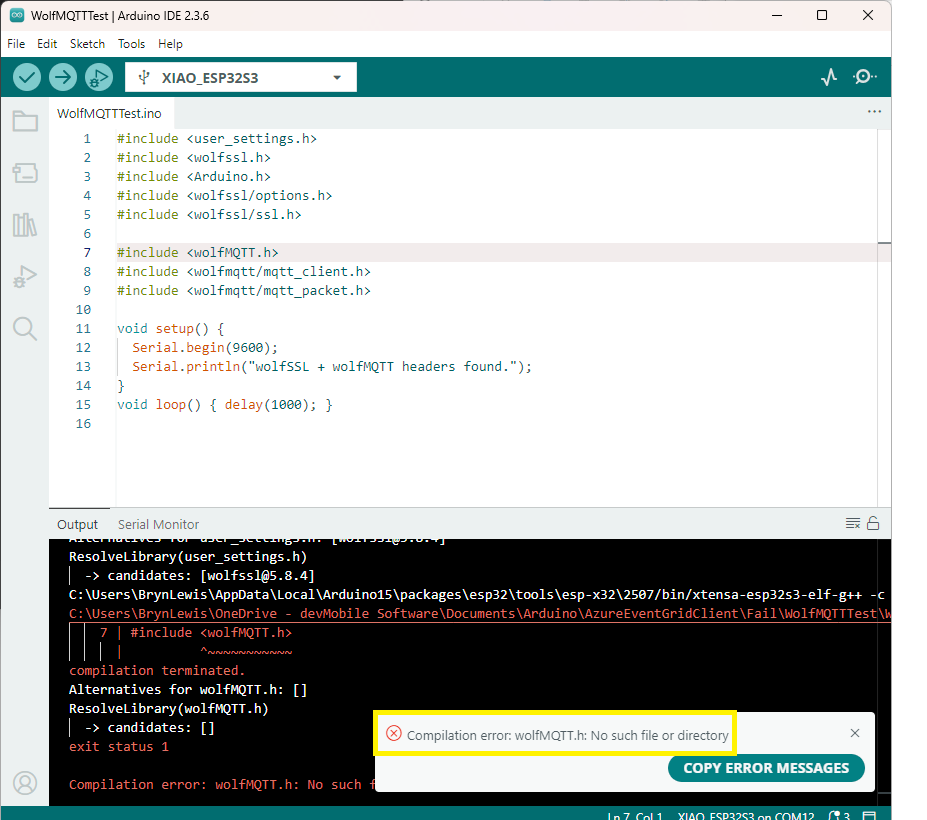
After a couple of failed compilations I paid attention to the error message.

I had the “case” of the header file name wrong, so I changed it to wolfMQTT.h

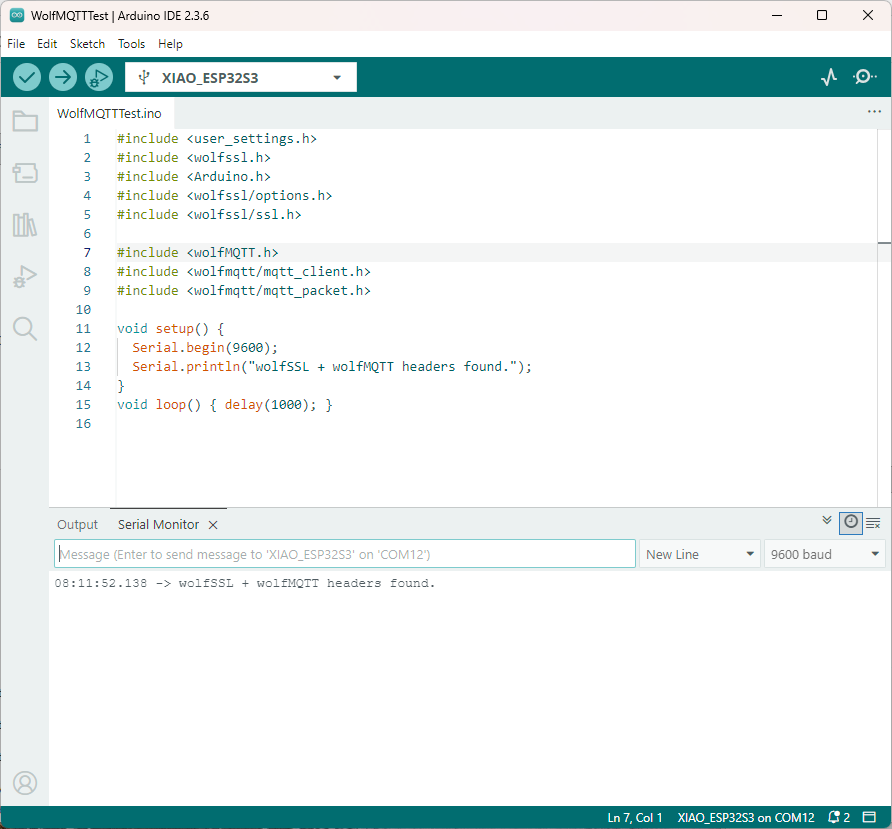
The compile then worked and the code executed.

After several hours of “fail” I now understand that case is important for header file names in Arduino(maybe due to Unix origins of some of the tools used). The naming of header file is also important so the library can be discovered.

In another post I will try and build an Azure Event Grid MQTT Broker client that uses wolfMQTT.

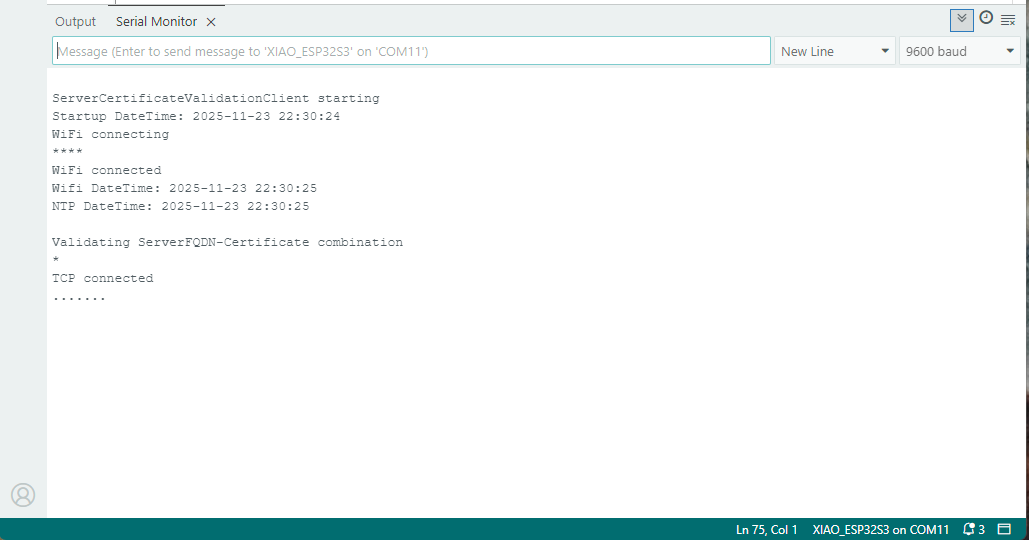
Azure Event Grid Server Certificate Validation

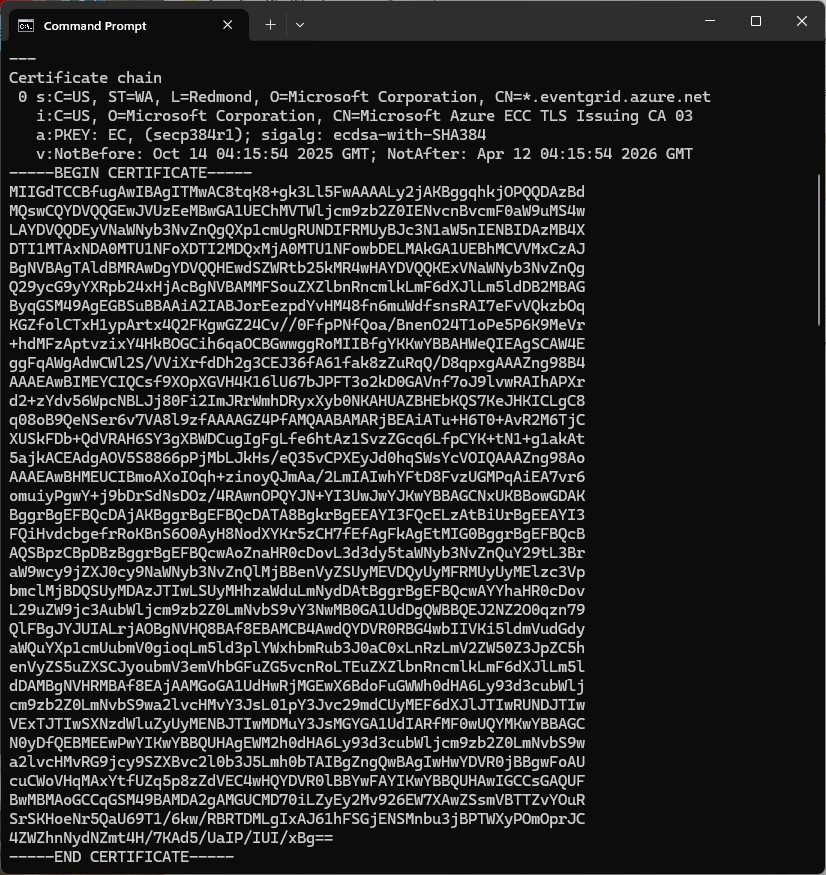
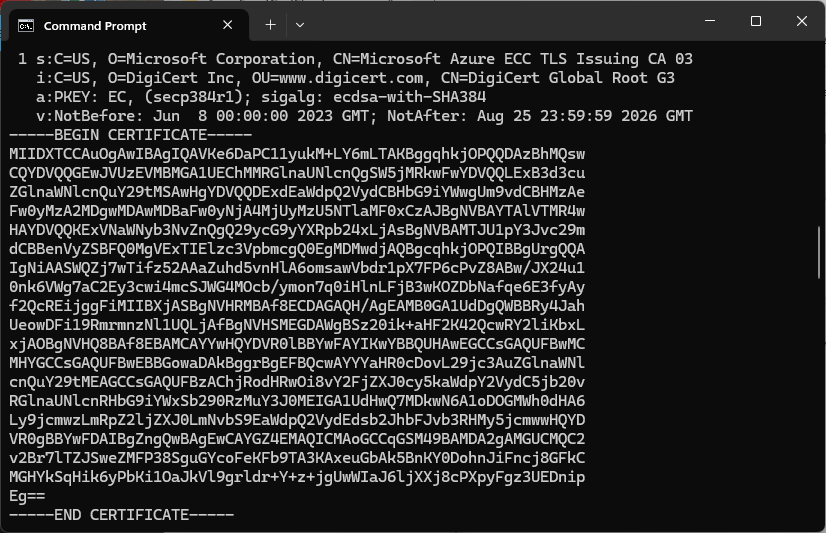
Over the last couple of weekends I had been trying to get a repeatable process for extracting the X509 certificate information in the correct structure so my Arduino application could connect to Azure Event Grid. The first step was to get the certificate chain for my Azure Event Grid MQTT Broker with openssl

openssl s_client -connect YourNameSpaceHere.newzealandnorth-1.ts.eventgrid.azure.net:443 -showcerts

The CN: CN=DigiCert Global Root G3 and the wildcard CN=*.eventgrid.azure.net certificates were “concatenated” in the constants header file which is included in the main program file. The format of the certificate chain is described in the comments. Avoid blank lines, “rogue” spaces or other formatting as these may cause the WiFiClientSecure Mbed TLS implementation to fail.

/*
Minimalist ESP32 + Azure Event Grid MQTT Event Grid broker namespace certificate validation
copyright (c) November 2025, devMobile Software
*/
#include <WiFi.h>
#include <WiFiClientSecure.h>
#include "secrets.h"
#include "constants.h"

// --- Wi-Fi ---
//const char* WIFI_SSID     = "";
//const char* WIFI_PASSWORD = "";

//const char* MQTT_SERVER = "YourNamespace.newzealandnorth-1.ts.eventgrid.azure.net";
const uint16_t MQTT_PORT = 8883;

/*
// The certificate that is used to authenticate the MQTT Broker
const char CA_ROOT_PEM[] PROGMEM = R"PEM(
-----BEGIN CERTIFICATE-----
MIIGdTCCBfugAwIBAgITMwAC8tqK8+gk3Ll5FwAAAALy2jAKBggqhkjOPQQDAzBd
....
      Thumbprint: 56D955C849887874AA1767810366D90ADF6C8536
      CN: CN=Microsoft Azure ECC TLS Issuing CA 03
      CN=*.eventgrid.azure.net      
....
4ZWZhnNydNZmt4H/7KAd5/UaIP/IUI/xBg==
-----END CERTIFICATE-----
-----BEGIN CERTIFICATE-----
MIIDXTCCAuOgAwIBAgIQAVKe6DaPC11yukM+LY6mLTAKBggqhkjOPQQDAzBhMQsw
....
      Thumbprint: 7E04DE896A3E666D00E687D33FFAD93BE83D349E
      CN: CN=DigiCert Global Root G3
....
MGHYkSqHik6yPbKi1OaJkVl9grldr+Y+z+jgUwWIaJ6ljXXj8cPXpyFgz3UEDnip
Eg==
-----END CERTIFICATE-----
)PEM";
*/

WiFiClientSecure secureClient;

void setup() {
  Serial.begin(9600);
  delay(2000);
  Serial.println("\nServerCertificateValidationClient starting");

  struct tm timeinfo;
  if (getLocalTime(&timeinfo)) {
    Serial.printf("Startup DateTime: %04d-%02d-%02d %02d:%02d:%02d\n", timeinfo.tm_year + 1900, timeinfo.tm_mon + 1, timeinfo.tm_mday, timeinfo.tm_hour, timeinfo.tm_min, timeinfo.tm_sec);
  }

  // Connect to WiFi
  Serial.println("WiFi connecting");
  WiFi.begin(WIFI_SSID, WIFI_PASSWORD);
  Serial.print("*");
  while (WiFi.status() != WL_CONNECTED) {
    delay(500);
    Serial.print("*");
  }
  Serial.println("\nWiFi connected");

  if (getLocalTime(&timeinfo)) {
    Serial.printf("Wifi DateTime: %04d-%02d-%02d %02d:%02d:%02d\n", timeinfo.tm_year + 1900, timeinfo.tm_mon + 1, timeinfo.tm_mday, timeinfo.tm_hour, timeinfo.tm_min, timeinfo.tm_sec);
  }

  // Sync time for TLS
  Serial.println("\nTime synchronising");
  configTime(0, 0, "pool.ntp.org", "time.nist.gov");
  Serial.print("*");
  while (time(nullptr) < 100000) {
    delay(500);
    Serial.print("*");
  }
  Serial.println("\nTime synchronised");

  if (getLocalTime(&timeinfo)) {
    Serial.printf("NTP DateTime: %04d-%02d-%02d %02d:%02d:%02d\n", timeinfo.tm_year + 1900, timeinfo.tm_mon + 1, timeinfo.tm_mday, timeinfo.tm_hour, timeinfo.tm_min, timeinfo.tm_sec);
  }

  Serial.println("\nValidating ServerFQDN-Certificate combination");
  secureClient.setCACert(CA_ROOT_PEM);
  Serial.print("*");
  while (!secureClient.connect(MQTT_SERVER, MQTT_PORT)) {
    delay(500);
    Serial.print("*");
  }
  Serial.println("\nTLS Connected");
}

void loop() {
  Serial.print("x");
  delay(5000);
}

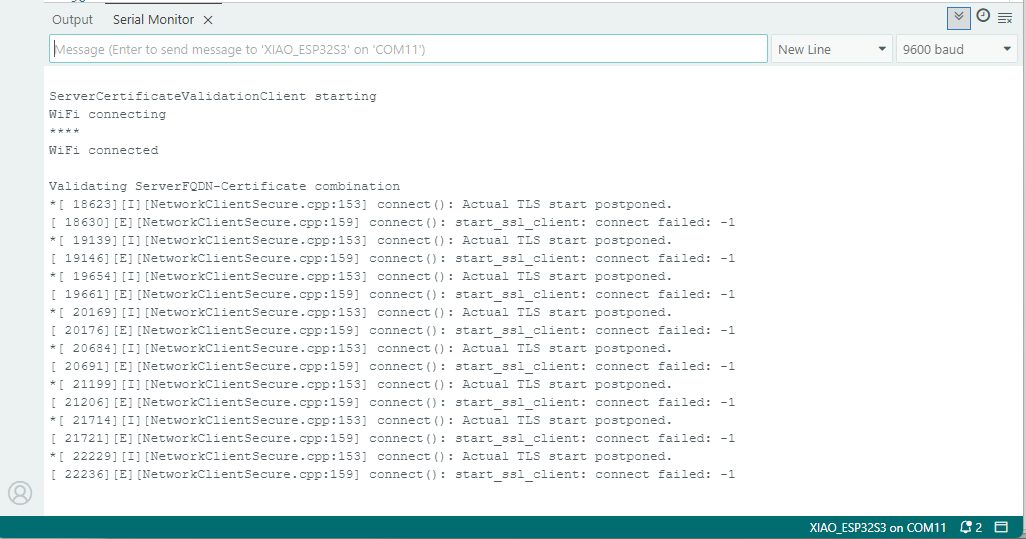
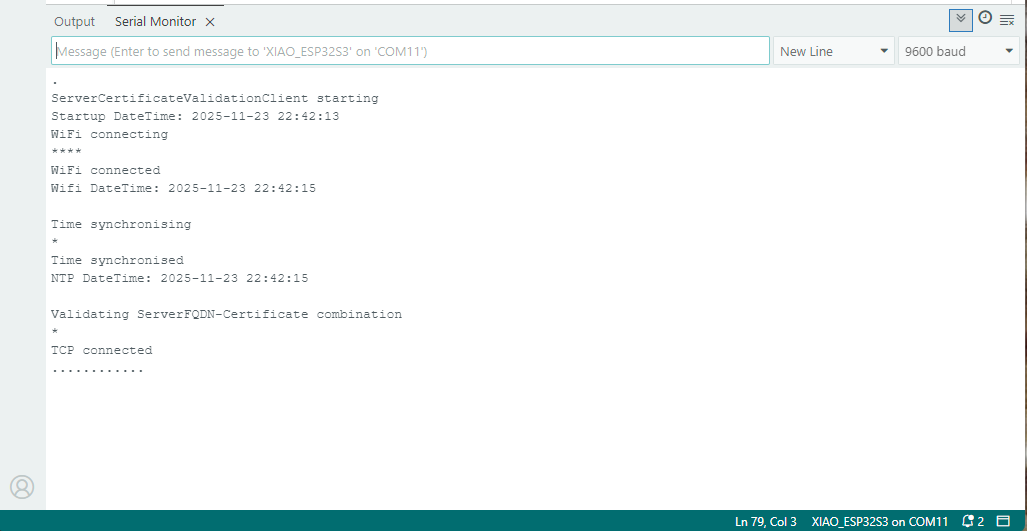
After a hard reset the WiFiClientSecure connect failed because the device time had not been initialised so the device/server time offset was too large (see rfc9325)

After a “hard” reset the Network Time Protocol(NTP) client was used to set the device time.

After a “soft” reset the Network Time Protocol(NTP) client did not have to be called.

nanoFramework LoRa library Part4B

Transmit Basic Revisited

After finding some possible SPI library issues (April 2020) with my STM32F429 Discovery + Dragino LoRa shield for Arduino test rig I wanted to trial my code on another nanoFramework platform.

I had ordered a Sparkfun LoRa Gateway 1 Channel ESP32 for a LoRaWAN research project from a local supplier and an unexpected “bonus” was that the ESP32 WROOM platform is supported by the nanoFramework.

Sparkfun LoRa Gateway 1 Channel with wire antenna

I am using this in conjunction with my Armtronix IA005 SX1276 loRa node and my STM32F429 Discovery + Dragino LoRa shield for Arduino test rig.

STM32F429 Discovery+ Dragino LoRa shield with Armtronix device

The code now works on STM32F429 Discovery and ESP32 WROOM platforms. (manual update nanoFramework.Hardware.Esp32 NuGet reference required)

Sparkfun LoRa Gateway 1 Channel schematic

One disadvantage of the SparkFun device is that the reset pin on the SX127X doesn’t appear to be connected to the ESP32 so I can’t factory reset the device in code.

//#define ST_STM32F429I_DISCOVERY       //nanoff --target ST_STM32F429I_DISCOVERY --update
#define ESP32_WROOM_32_LORA_1_CHANNEL   //nanoff --target ESP32_WROOM_32 --serialport COM4 --update
namespace devMobile.IoT.Rfm9x.TransmitBasic
{
   using System;
   using System.Text;
   using System.Threading;

   using Windows.Devices.Gpio;
   using Windows.Devices.Spi;

#if ESP32_WROOM_32_LORA_1_CHANNEL
   using nanoFramework.Hardware.Esp32;
#endif

   public sealed class Rfm9XDevice
   {
      private SpiDevice rfm9XLoraModem;
      private const byte RegisterAddressReadMask = 0X7f;
      private const byte RegisterAddressWriteMask = 0x80;

      public Rfm9XDevice(string spiPort, int chipSelectPin, int resetPin)
      {
         var settings = new SpiConnectionSettings(chipSelectPin)
         {
            ClockFrequency = 1000000,
            //DataBitLength = 8,
            Mode = SpiMode.Mode0,// From SemTech docs pg 80 CPOL=0, CPHA=0
            SharingMode = SpiSharingMode.Shared,
         };

         rfm9XLoraModem = SpiDevice.FromId(spiPort, settings);

         // Factory reset pin configuration
         GpioController gpioController = GpioController.GetDefault();
         GpioPin resetGpioPin = gpioController.OpenPin(resetPin);
         resetGpioPin.SetDriveMode(GpioPinDriveMode.Output);
         resetGpioPin.Write(GpioPinValue.Low);
         Thread.Sleep(10);
         resetGpioPin.Write(GpioPinValue.High);
         Thread.Sleep(10);
      }

      public Rfm9XDevice(string spiPort, int chipSelectPin)
      {
         var settings = new SpiConnectionSettings(chipSelectPin)
         {
            ClockFrequency = 1000000,
            Mode = SpiMode.Mode0,// From SemTech docs pg 80 CPOL=0, CPHA=0
            SharingMode = SpiSharingMode.Shared,
         };

         rfm9XLoraModem = SpiDevice.FromId(spiPort, settings);
      }

      public Byte RegisterReadByte(byte registerAddress)
      {
         byte[] writeBuffer = new byte[] { registerAddress &= RegisterAddressReadMask, 0x0 };
         byte[] readBuffer = new byte[writeBuffer.Length];

         rfm9XLoraModem.TransferFullDuplex(writeBuffer, readBuffer);

         return readBuffer[1];
      }

      public ushort RegisterReadWord(byte address)
      {
         byte[] writeBuffer = new byte[] { address &= RegisterAddressReadMask, 0x0, 0x0 };
         byte[] readBuffer = new byte[writeBuffer.Length];

         rfm9XLoraModem.TransferFullDuplex(writeBuffer, readBuffer);

         return (ushort)(readBuffer[2] + (readBuffer[1] << 8));
      }

      public byte[] RegisterRead(byte address, int length)
      {
         byte[] writeBuffer = new byte[length + 1];
         byte[] readBuffer = new byte[writeBuffer.Length];
         byte[] repyBuffer = new byte[length];

         writeBuffer[0] = address &= RegisterAddressReadMask;

         rfm9XLoraModem.TransferFullDuplex(writeBuffer, readBuffer);

         Array.Copy(readBuffer, 1, repyBuffer, 0, length);

         return repyBuffer;
      }

      public void RegisterWriteByte(byte address, byte value)
      {
         byte[] writeBuffer = new byte[] { address |= RegisterAddressWriteMask, value };
         byte[] readBuffer = new byte[writeBuffer.Length];

         rfm9XLoraModem.TransferFullDuplex(writeBuffer, readBuffer);
      }

      public void RegisterWriteWord(byte address, ushort value)
      {
         byte[] valueBytes = BitConverter.GetBytes(value);
         byte[] writeBuffer = new byte[] { address |= RegisterAddressWriteMask, valueBytes[0], valueBytes[1] };
         byte[] readBuffer = new byte[writeBuffer.Length];

         rfm9XLoraModem.TransferFullDuplex(writeBuffer,readBuffer);
      }

      public void RegisterWrite(byte address, byte[] bytes)
      {
         byte[] writeBuffer = new byte[1 + bytes.Length];
         byte[] readBuffer = new byte[writeBuffer.Length];

         Array.Copy(bytes, 0, writeBuffer, 1, bytes.Length);
         writeBuffer[0] = address |= RegisterAddressWriteMask;

         rfm9XLoraModem.TransferFullDuplex(writeBuffer, readBuffer);
      }

      public void RegisterDump()
      {
         Console.WriteLine("Register dump");
         for (byte registerIndex = 0; registerIndex <= 0x42; registerIndex++)
         {
            byte registerValue = this.RegisterReadByte(registerIndex);

            Console.WriteLine($"Register 0x{registerIndex:x2} - Value 0X{registerValue:x2}");
         }
      }
   }

   class Program
   {
#if ST_STM32F429I_DISCOVERY
      private const string SpiBusId = "SPI5";
#endif
#if ESP32_WROOM_32_LORA_1_CHANNEL
      private const string SpiBusId = "SPI1";
#endif

      static void Main()
      {
         int SendCount = 0;
#if ST_STM32F429I_DISCOVERY
         int chipSelectPinNumber = PinNumber('C', 2);
         int resetPinNumber = PinNumber('C', 3);
#endif
#if ESP32_WROOM_32_LORA_1_CHANNEL
         int chipSelectPinNumber = Gpio.IO16;
#endif
         try
         {
#if ESP32_WROOM_32_LORA_1_CHANNEL
            Configuration.SetPinFunction(Gpio.IO12, DeviceFunction.SPI1_MISO);
            Configuration.SetPinFunction(Gpio.IO13, DeviceFunction.SPI1_MOSI);
            Configuration.SetPinFunction(Gpio.IO14, DeviceFunction.SPI1_CLOCK);
            Rfm9XDevice rfm9XDevice = new Rfm9XDevice(SpiBusId, chipSelectPinNumber);
#endif
#if ST_STM32F429I_DISCOVERY
            Rfm9XDevice rfm9XDevice = new Rfm9XDevice(SpiBusId, chipSelectPinNumber, resetPinNumber);
#endif
            Thread.Sleep(500);

            // Put device into LoRa + Standby mode
            rfm9XDevice.RegisterWriteByte(0x01, 0b10000001); // RegOpMode 

            // Set the frequency to 915MHz
            byte[] frequencyWriteBytes = { 0xE4, 0xC0, 0x00 }; // RegFrMsb, RegFrMid, RegFrLsb
            rfm9XDevice.RegisterWrite(0x06, frequencyWriteBytes);

            // More power PA Boost
            rfm9XDevice.RegisterWriteByte(0x09, 0b10000000); // RegPaConfig

            rfm9XDevice.RegisterDump();

            while (true)
            {
               rfm9XDevice.RegisterWriteByte(0x0E, 0x0); // RegFifoTxBaseAddress 

               // Set the Register Fifo address pointer
               rfm9XDevice.RegisterWriteByte(0x0D, 0x0); // RegFifoAddrPtr 

               string messageText = $"Hello LoRa {SendCount += 1}!";

               // load the message into the fifo
               byte[] messageBytes = UTF8Encoding.UTF8.GetBytes(messageText);
               rfm9XDevice.RegisterWrite(0x0, messageBytes); // RegFifo

               // Set the length of the message in the fifo
               rfm9XDevice.RegisterWriteByte(0x22, (byte)messageBytes.Length); // RegPayloadLength

               Console.WriteLine($"Sending {messageBytes.Length} bytes message {messageText}");
               /// Set the mode to LoRa + Transmit
               rfm9XDevice.RegisterWriteByte(0x01, 0b10000011); // RegOpMode 

               // Wait until send done, no timeouts in PoC
               Console.WriteLine("Send-wait");
               byte IrqFlags = rfm9XDevice.RegisterReadByte(0x12); // RegIrqFlags
               while ((IrqFlags & 0b00001000) == 0)  // wait until TxDone cleared
               {
                  Thread.Sleep(10);
                  IrqFlags = rfm9XDevice.RegisterReadByte(0x12); // RegIrqFlags
                  Console.WriteLine(".");
               }
               Console.WriteLine("");
               rfm9XDevice.RegisterWriteByte(0x12, 0b00001000); // clear TxDone bit
               Console.WriteLine("Send-Done");

               Thread.Sleep(10000);
            }
         }
         catch (Exception ex)
         {
            Console.WriteLine(ex.Message);
         }
      }

#if ST_STM32F429I_DISCOVERY
      static int PinNumber(char port, byte pin)
      {
         if (port < 'A' || port > 'J')
            throw new ArgumentException();

         return ((port - 'A') * 16) + pin;
      }
#endif
   }
}

When I initially ran the application in Visual Studio 2019 the text below was displayed in the output window.

Register dump
Register 0x00 - Value 0X00
Register 0x01 - Value 0X80
Register 0x02 - Value 0X1A
Register 0x03 - Value 0X0B
Register 0x04 - Value 0X00
…
Register 0x3E - Value 0X00
Register 0x3F - Value 0X00
Register 0x40 - Value 0X00
Register 0x41 - Value 0X00
Register 0x42 - Value 0X12
Sending 13 bytes message Hello LoRa 1!
Send-wait
.
.
.
.
.
Send-Done
Sending 13 bytes message Hello LoRa 2!
Send-wait
.
.
.
.
.
Send-Done

I could the see the messages arriving at the Armtronix device in the Arduino monitor.

18:21:46.299 -> Sending HeLoRa World! 188
18:21:48.700 -> Message: p8V⸮⸮⸮⸮⸮Kg
18:21:48.700 -> Length: 13
18:21:48.734 -> FirstChar: 112
18:21:48.734 -> RSSI: -70
18:21:48.734 -> Snr: 9.50
18:21:48.769 -> 
18:21:50.193 -> Message: Hello LoRa 10!
18:21:50.193 -> Length: 14
18:21:50.226 -> FirstChar: 72
18:21:50.226 -> RSSI: -49
18:21:50.226 -> Snr: 10.00
18:21:50.260 -> 
18:21:56.652 -> Sending HeLoRa World! 190
18:21:58.765 -> Message: Hello LoRa 2!
18:21:58.765 -> Length: 13
18:21:58.798 -> FirstChar: 72
18:21:58.798 -> RSSI: -71
18:21:58.798 -> Snr: 9.75
18:21:58.832 -> 
18:22:00.268 -> Message: Hello LoRa 11!
18:22:00.268 -> Length: 14
18:22:00.302 -> FirstChar: 72
18:22:00.302 -> RSSI: -49
18:22:00.302 -> Snr: 10.00
18:22:00.336 -> 

The first message was getting corrupted (only when running in the debugger) which after some trial and error I think was most probably due to my RegOpMode register mode configuration.

SX127X RegOpMode details
// Put device into LoRa + Sleep mode
rfm9XDevice.RegisterWriteByte(0x01, 0b10000000);

// Put device into LoRa + Standby mode
rfm9XDevice.RegisterWriteByte(0x01, 0b10000001); 

After a couple of years and half a dozen platform ports still finding bugs in my samples…

TinyCLR OS V2 LoRa library Part3

Transmit and Receive Basic

I had an Armtronix IA005 SX1276 loRa node sitting on my desk so used it running a modified version of the Arduino LoRa library LoRaSetSyncWord example to send messages to and receive messages from my SC20100 device.

Armtronix and SC20100 TinyCLR V2 testrig

The SC20100 transmit application configures the SX127X, sends a message, waits until transmission is completed, then repeats every 30 seconds.

   class Program
   {
      static void Main()
      {
         Rfm9XDevice rfm9XDevice = new Rfm9XDevice(SC20100.SpiBus.Spi3, SC20100.GpioPin.PA13, SC20100.GpioPin.PA14);

         int SendCount = 0;

         // Put device into LoRa + Sleep mode
         rfm9XDevice.RegisterWriteByte(0x01, 0b10000000); // RegOpMode 

         // Set the frequency to 915MHz
         byte[] frequencyWriteBytes = { 0xE4, 0xC0, 0x00 }; // RegFrMsb, RegFrMid, RegFrLsb
         rfm9XDevice.RegisterWrite(0x06, frequencyWriteBytes);

         // More power PA Boost
         rfm9XDevice.RegisterWriteByte(0x09, 0b10000000); // RegPaConfig

         //rfm9XDevice.RegisterDump();

         while (true)
         {
            rfm9XDevice.RegisterWriteByte(0x0E, 0x0); // RegFifoTxBaseAddress 

            // Set the Register Fifo address pointer
            rfm9XDevice.RegisterWriteByte(0x0D, 0x0); // RegFifoAddrPtr 

            string messageText = $"Hello LoRa {SendCount += 1}!";
               
            // load the message into the fifo
            byte[] messageBytes = UTF8Encoding.UTF8.GetBytes(messageText);
            rfm9XDevice.RegisterWrite(0x0, messageBytes); // RegFifo

            // Set the length of the message in the fifo
            rfm9XDevice.RegisterWriteByte(0x22, (byte)messageBytes.Length); // RegPayloadLength

            Debug.WriteLine($"Sending {messageBytes.Length} bytes message {messageText}");
            /// Set the mode to LoRa + Transmit
            rfm9XDevice.RegisterWriteByte(0x01, 0b10000011); // RegOpMode 

            // Wait until send done, no timeouts in PoC
            Debug.WriteLine("Send-wait");
            byte IrqFlags = rfm9XDevice.RegisterReadByte(0x12); // RegIrqFlags
            while ((IrqFlags & 0b00001000) == 0)  // wait until TxDone cleared
            {
               Thread.Sleep(10);
               IrqFlags = rfm9XDevice.RegisterReadByte(0x12); // RegIrqFlags
               Debug.WriteLine(".");
            }
            rfm9XDevice.RegisterWriteByte(0x12, 0b00001000); // clear TxDone bit
            Debug.WriteLine("Send-Done");

            Thread.Sleep(30000);
         }
      }
   }

When I ran the SC20100 application in Visual Studio

'GHIElectronics.TinyCLR.VisualStudio.ProjectSystem.dll' (Managed): Loaded 'C:\Users\BrynLewis\source\repos\RFM9X.TinyCLR\TransmitBasic\bin\Debug\pe\..\TransmitBasic.exe', Symbols loaded.
The thread '<No Name>' (0x2) has exited with code 0 (0x0).
Sending 13 bytes message Hello LoRa 1!
Send-wait
.
.
.
.
Send-Done
Sending 13 bytes message Hello LoRa 2!
Send-wait
.
.
.
.
Send-Done

I could the see the messages arriving at the Armtronix device in the Arduino monitor.

14:13:34.722 -> Message: Hello LoRa 1!
14:13:34.722 -> Length: 13
14:13:34.756 -> FirstChar: 72
14:13:34.756 -> RSSI: -48
14:13:34.756 -> Snr: 9.75
14:13:34.790 -> 
14:13:36.658 -> Sending HeLoRa World! 24
14:13:47.105 -> Sending HeLoRa World! 26
14:13:57.740 -> Sending HeLoRa World! 28
14:14:04.745 -> Message: Hello LoRa 2!
14:14:04.745 -> Length: 13
14:14:04.779 -> FirstChar: 72
14:14:04.779 -> RSSI: -49
14:14:04.779 -> Snr: 9.50
14:14:04.847 -> 

The SC20100 receive application configures the SX127X, polls a status register to looking to see if a message has arrived, displays it as text and then goes back to waiting.

   class Program
   {
      static void Main()
      {
         Rfm9XDevice rfm9XDevice = new Rfm9XDevice(SC20100.SpiBus.Spi3, SC20100.GpioPin.PA13, SC20100.GpioPin.PA14);

         // Put device into LoRa + Sleep mode
         rfm9XDevice.RegisterWriteByte(0x01, 0b10000000); // RegOpMode 

         // Set the frequency to 915MHz
         byte[] frequencyWriteBytes = { 0xE4, 0xC0, 0x00 }; // RegFrMsb, RegFrMid, RegFrLsb
         rfm9XDevice.RegisterWrite(0x06, frequencyWriteBytes);

         rfm9XDevice.RegisterWriteByte(0x0F, 0x0); // RegFifoRxBaseAddress 

         rfm9XDevice.RegisterWriteByte(0x01, 0b10000101); // RegOpMode set LoRa & RxContinuous

         while (true)
         {
            // Wait until a packet is received, no timeouts in PoC
            Debug.WriteLine("Receive-Wait");
            byte irqFlags = rfm9XDevice.RegisterReadByte(0x12); // RegIrqFlags
            while ((irqFlags & 0b01000000) == 0)  // wait until RxDone cleared
            {
               Thread.Sleep(100);
               irqFlags = rfm9XDevice.RegisterReadByte(0x12); // RegIrqFlags
               //Debug.Write(".");
            }
            Debug.WriteLine("");
            Debug.WriteLine($"RegIrqFlags 0X{irqFlags:X2}");
            Debug.WriteLine("Receive-Message");
            byte currentFifoAddress = rfm9XDevice.RegisterReadByte(0x10); // RegFifiRxCurrent
            rfm9XDevice.RegisterWriteByte(0x0d, currentFifoAddress); // RegFifoAddrPtr

            byte numberOfBytes = rfm9XDevice.RegisterReadByte(0x13); // RegRxNbBytes

            byte[] messageBytes = rfm9XDevice.RegisterRead(0x00, numberOfBytes); // RegFifo

            rfm9XDevice.RegisterWriteByte(0x0d, 0);
            rfm9XDevice.RegisterWriteByte(0x12, 0b11111111); // RegIrqFlags clear all the bits

            string messageText = UTF8Encoding.UTF8.GetString(messageBytes);
            Debug.WriteLine($"Received {messageBytes.Length} byte message {messageText}");

            Debug.WriteLine("Receive-Done");
         }
      }
   }

When I ran the SC20100 application in Visual Studio

'GHIElectronics.TinyCLR.VisualStudio.ProjectSystem.dll' (Managed): Loaded 'C:\Users\BrynLewis\source\repos\RFM9X.TinyCLR\ReceiveBasic\bin\Debug\pe\..\ReceiveBasic.exe', Symbols loaded.
The thread '<No Name>' (0x2) has exited with code 0 (0x0).
Receive-Wait

RegIrqFlags 0X50
Receive-Message
Received 16 byte message HeLoRa World! 74
Receive-Done
Receive-Wait

RegIrqFlags 0X50
Receive-Message
Received 59 byte message  �LoRaIoT1Maduino2at 64.6,ah 66,wsa 2,wsg 3,wd 37.13,r 0.00,
Receive-Done
Receive-Wait

RegIrqFlags 0X50
Receive-Message
Received 16 byte message HeLoRa World! 76
Receive-Done
Receive-Wait

RegIrqFlags 0X50
Receive-Message
Received 16 byte message HeLoRa World! 78
Receive-Done
Receive-Wait

I could the see the messages arriving at the Armtronix device in the Arduino monitor.

14:18:02.785 -> Sending HeLoRa World! 74
14:18:09.270 -> Message: ⸮LoRaIoT1Maduino2at 64.6,ah 66,wsa 2,wsg 3,wd 37.13,r 0.00,
14:18:09.339 -> Length: 59
14:18:09.339 -> FirstChar: 136
14:18:09.407 -> RSSI: -83
14:18:09.407 -> Snr: 9.75
14:18:09.407 -> 
14:18:13.249 -> Sending HeLoRa World! 76
14:18:23.416 -> Sending HeLoRa World! 78
14:18:33.582 -> Sending HeLoRa World! 80
14:18:43.883 -> Sending HeLoRa World! 82
14:18:54.136 -> Sending HeLoRa World! 84

I’ll merge the transmit and receive on interrupt samples in the next post as a final step before porting the core library modules.

nanoFramework LoRa library Part4A

Transmit Basic

I had a couple of Armtronix IA005 SX1276 loRa nodes sitting on my desk from a recent post so I used one of them running a modified version of the Arduino LoRa library LoRaSetSyncWord example to receive messages from my STM32F429 Discovery + Dragino LoRa shield for Arduino test rig.

STM32F429 Discovery+ Dragino LoRa shield with Armtronix device
/*
  LoRa Duplex communication with Sync Word
 
  Sends a message every half second, and polls continually
  for new incoming messages. Sets the LoRa radio's Sync Word.
 
  Spreading factor is basically the radio's network ID. Radios with different
  Sync Words will not receive each other's transmissions. This is one way you
  can filter out radios you want to ignore, without making an addressing scheme.
 
  See the Semtech datasheet, http://www.semtech.com/images/datasheet/sx1276.pdf
  for more on Sync Word.
 
  created 28 April 2017
  by Tom Igoe
*/
#include <stdlib.h>
#include <LoRa.h>
const int csPin = PA4;          // LoRa radio chip select
const int resetPin = PC13;       // LoRa radio reset
const int irqPin = PA11;         // change for your board; must be a hardware interrupt pin
 
byte msgCount = 0;            // count of outgoing messages
int interval = 2000;          // interval between sends
long lastSendTime = 0;        // time of last packet send
 
void setup() {
  Serial.begin(9600);                   // initialize serial
  while (!Serial);
 
  Serial.println("LoRa Duplex - Set sync word");
 
  // override the default CS, reset, and IRQ pins (optional)
  LoRa.setPins(csPin, resetPin, irqPin);// set CS, reset, IRQ pin
 
  if (!LoRa.begin(915E6)) {             // initialize ratio at 915 MHz
    Serial.println("LoRa init failed. Check your connections.");
    while (true);                       // if failed, do nothing
  }
 
  LoRa.setSyncWord(0x12);           // ranges from 0-0xFF, default 0x34, see API docs
 
  LoRa.dumpRegisters(Serial);
  Serial.println("LoRa init succeeded.");
}
 
void loop() {
  if (millis() - lastSendTime > interval) {
    String message = "HeLoRa World! ";   // send a message
    message += msgCount;
    sendMessage(message);
    Serial.println("Sending " + message);
    lastSendTime = millis();            // timestamp the message
    interval = random(1000) + 10000;    // 10-11 seconds
    msgCount++;
  }
 
  // parse for a packet, and call onReceive with the result:
  onReceive(LoRa.parsePacket());
}
 
void sendMessage(String outgoing) {
  LoRa.beginPacket();                   // start packet
  LoRa.print(outgoing);                 // add payload
  LoRa.endPacket();                     // finish packet and send it
  msgCount++;                           // increment message ID
}
 
void onReceive(int packetSize) {
  if (packetSize == 0) return;          // if there's no packet, return
 
  // read packet header bytes:
  String incoming = "";
 
  while (LoRa.available()) {
    incoming += (char)LoRa.read();
  }
 
  Serial.println("Message: " + incoming);
  Serial.println("RSSI: " + String(LoRa.packetRssi()));
  Serial.println("Snr: " + String(LoRa.packetSnr()));
  Serial.println();
}

The STM32F429 Discovery application

namespace devMobile.IoT.Rfm9x.TransmitBasic
{
   using System;
   using System.Text;
   using System.Threading;

   using Windows.Devices.Gpio;
   using Windows.Devices.Spi;

   public sealed class Rfm9XDevice
   {
      private SpiDevice rfm9XLoraModem;
      private GpioPin chipSelectGpioPin;
      private const byte RegisterAddressReadMask = 0X7f;
      private const byte RegisterAddressWriteMask = 0x80;

      public Rfm9XDevice(string spiPort, int chipSelectPin, int resetPin)
      {
         var settings = new SpiConnectionSettings(chipSelectPin)
         {
            ClockFrequency = 500000,
//            DataBitLength = 8,
            Mode = SpiMode.Mode0,// From SemTech docs pg 80 CPOL=0, CPHA=0
            SharingMode = SpiSharingMode.Shared,
         };

         rfm9XLoraModem = SpiDevice.FromId(spiPort, settings);

         GpioController gpioController = GpioController.GetDefault();

         // Chip select pin configuration
         chipSelectGpioPin = gpioController.OpenPin(chipSelectPin);
         chipSelectGpioPin.SetDriveMode(GpioPinDriveMode.Output);

         // Factory reset pin configuration
         GpioPin resetGpioPin = gpioController.OpenPin(resetPin);
         resetGpioPin.SetDriveMode(GpioPinDriveMode.Output);
         resetGpioPin.Write(GpioPinValue.Low);
         Thread.Sleep(10);
         resetGpioPin.Write(GpioPinValue.High);
         Thread.Sleep(10);
      }

      public Byte RegisterReadByte(byte registerAddress)
      {
         byte[] writeBuffer = new byte[] { registerAddress &= RegisterAddressReadMask, 0x0 };
         byte[] readBuffer = new byte[writeBuffer.Length];

         rfm9XLoraModem.TransferFullDuplex(writeBuffer, readBuffer);

         return readBuffer[1];
      }

      public ushort RegisterReadWord(byte address)
      {
         byte[] writeBuffer = new byte[] { address &= RegisterAddressReadMask, 0x0, 0x0 };
         byte[] readBuffer = new byte[writeBuffer.Length];

         rfm9XLoraModem.TransferFullDuplex(writeBuffer, readBuffer);

         return (ushort)(readBuffer[2] + (readBuffer[1] << 8));
      }

      public byte[] RegisterRead(byte address, int length)
      {
         byte[] writeBuffer = new byte[length + 1];
         byte[] readBuffer = new byte[length + 1];
         byte[] repyBuffer = new byte[length];

         writeBuffer[0] = address &= RegisterAddressReadMask;

         rfm9XLoraModem.TransferFullDuplex(writeBuffer, readBuffer);

         Array.Copy(readBuffer, 1, repyBuffer, 0, length);

         return repyBuffer;
      }

      public void RegisterWriteByte(byte address, byte value)
      {
         byte[] writeBuffer = new byte[] { address |= RegisterAddressWriteMask, value };

         rfm9XLoraModem.Write(writeBuffer);
      }

      public void RegisterWriteWord(byte address, ushort value)
      {
         byte[] valueBytes = BitConverter.GetBytes(value);
         byte[] writeBuffer = new byte[] { address |= RegisterAddressWriteMask, valueBytes[0], valueBytes[1] };

         rfm9XLoraModem.Write(writeBuffer);
      }

      public void RegisterWrite(byte address, byte[] bytes)
      {
         byte[] writeBuffer = new byte[1 + bytes.Length];

         Array.Copy(bytes, 0, writeBuffer, 1, bytes.Length);
         writeBuffer[0] = address |= RegisterAddressWriteMask;

         rfm9XLoraModem.Write(writeBuffer);
      }

      public void RegisterDump()
      {
         Console.WriteLine("Register dump");
         for (byte registerIndex = 0; registerIndex <= 0x42; registerIndex++)
         {
            byte registerValue = this.RegisterReadByte(registerIndex);

            Console.WriteLine($"Register 0x{registerIndex:x2} - Value 0X{registerValue:x2}");
         }
      }
   }

   class Program
   {
      static void Main()
      {
         Rfm9XDevice rfm9XDevice = new Rfm9XDevice("SPI5", PinNumber('C', 2), PinNumber('C', 3));
         int SendCount = 0;

         // Put device into LoRa + Sleep mode
         rfm9XDevice.RegisterWriteByte(0x01, 0b10000000); // RegOpMode 

         // Set the frequency to 915MHz
         byte[] frequencyWriteBytes = { 0xE4, 0xC0, 0x00 }; // RegFrMsb, RegFrMid, RegFrLsb
         rfm9XDevice.RegisterWrite(0x06, frequencyWriteBytes);

         // More power PA Boost
         rfm9XDevice.RegisterWriteByte(0x09, 0b10000000); // RegPaConfig

         rfm9XDevice.RegisterDump();

         while (true)
         {
            rfm9XDevice.RegisterWriteByte(0x0E, 0x0); // RegFifoTxBaseAddress 

            // Set the Register Fifo address pointer
            rfm9XDevice.RegisterWriteByte(0x0D, 0x0); // RegFifoAddrPtr 

            string messageText = $"Hello LoRa {SendCount += 1}!";

            // load the message into the fifo
            byte[] messageBytes = UTF8Encoding.UTF8.GetBytes(messageText);
            rfm9XDevice.RegisterWrite(0x0, messageBytes); // RegFifo

            // Set the length of the message in the fifo
            rfm9XDevice.RegisterWriteByte(0x22, (byte)messageBytes.Length); // RegPayloadLength

            Console.WriteLine($"Sending {messageBytes.Length} bytes message {messageText}");
            /// Set the mode to LoRa + Transmit
            rfm9XDevice.RegisterWriteByte(0x01, 0b10000011); // RegOpMode 

            // Wait until send done, no timeouts in PoC
            Console.WriteLine("Send-wait");
            byte IrqFlags = rfm9XDevice.RegisterReadByte(0x12); // RegIrqFlags
            while ((IrqFlags & 0b00001000) == 0)  // wait until TxDone cleared
            {
               Thread.Sleep(10);
               IrqFlags = rfm9XDevice.RegisterReadByte(0x12); // RegIrqFlags
               Console.WriteLine(".");
            }
            rfm9XDevice.RegisterWriteByte(0x12, 0b00001000); // clear TxDone bit
            Console.WriteLine("Send-Done");

            Thread.Sleep(10000);
         }
      }

      static int PinNumber(char port, byte pin)
      {
         if (port < 'A' || port > 'J')
            throw new ArgumentException();

         return ((port - 'A') * 16) + pin;
      }
   }

When I ran the nanoFramework application in Visual Studio 2019 the text below was displayed in the output window.

Sending 13 bytes message Hello LoRa 1!
Send-wait
.
.
.
.
.
Send-Done
Sending 13 bytes message Hello LoRa 2!
Send-wait
.
.
.
.
.
Send-Done

I could the see the messages arriving at the Armtronix device in the Arduino monitor.

10:48:31.215 -> Sending HeLoRa World! 202
10:48:40.870 -> Message: ⸮Hello LoRa 1
10:48:40.870 -> Length: 13
10:48:40.905 -> FirstChar: 143
10:48:40.905 -> RSSI: -41
10:48:40.905 -> Snr: 9.00
10:48:40.940 -> 
10:48:41.630 -> Sending HeLoRa World! 204
10:48:50.946 -> Message: ⸮Hello LoRa 2
10:48:50.946 -> Length: 13
10:48:50.981 -> FirstChar: 143
10:48:50.981 -> RSSI: -34
10:48:50.981 -> Snr: 9.25

This nano Frameowork proof of concept (PoC) code is not working as expected. There is a single byte containing 0X8F (the ⸮) prepended to each message.

I downloaded the nanoFramework Windows.Devices.Spi project, and removed the Nerdbank.GitVersioning library. I could then build, deploy and single step through the nanoFramework SPI library.

Bytes to be sent in the Transmit Basic code
Bytes to be sent in the Windows.Devices.Spi library just before the firmware call

The extra byte prepended to the message is the write mask which is expected.

TinyCLR OS LoRa library Part5

Receive Basic

For testing this code I used the same version of the LoRaSetSyncWord example as Transmit Basic

15:01:06.073 -> LoRa init succeeded.
15:01:06.584 -> Sending HeLoRa World! 0
15:01:08.489 -> Message: ⸮LoRaIoT1Maduino2at 74.3,ah 56,wsa 2,wsg 6,wd 15.75,r 0.00,
15:01:08.593 -> RSSI: -76
15:01:08.593 -> Snr: 9.25
15:01:08.593 -> 
15:01:17.575 -> Sending HeLoRa World! 2
15:01:28.352 -> Sending HeLoRa World! 4
15:01:38.675 -> Sending HeLoRa World! 6
15:01:49.239 -> Sending HeLoRa World! 8
15:02:00.006 -> Sending HeLoRa World! 10

The TinyCLR-OS code builds on my TinyCLR-OS Transmit Basic samples.

   class Program
   {
      static void Main()
      {
         Rfm9XDevice rfm9XDevice = new Rfm9XDevice(FEZ.GpioPin.D10, FEZ.GpioPin.D9);

         // Put device into LoRa + Sleep mode
         rfm9XDevice.RegisterWriteByte(0x01, 0b10000000); // RegOpMode 

         // Set the frequency to 915MHz
         byte[] frequencyWriteBytes = { 0xE4, 0xC0, 0x00 }; // RegFrMsb, RegFrMid, RegFrLsb
         rfm9XDevice.RegisterWrite(0x06, frequencyWriteBytes);

         rfm9XDevice.RegisterWriteByte(0x0F, 0x0); // RegFifoRxBaseAddress 

         rfm9XDevice.RegisterWriteByte(0x01, 0b10000101); // RegOpMode set LoRa & RxContinuous

         while (true)
         {
            // Wait until a packet is received, no timeouts in PoC
            Debug.WriteLine("Receive-Wait");
            byte irqFlags = rfm9XDevice.RegisterReadByte(0x12); // RegIrqFlags
            while ((irqFlags & 0b01000000) == 0)  // wait until RxDone cleared
            {
               Thread.Sleep(100);
               irqFlags = rfm9XDevice.RegisterReadByte(0x12); // RegIrqFlags
               //Debug.Write(".");
            }
            Debug.WriteLine("");
            Debug.WriteLine($"RegIrqFlags 0X{irqFlags:X2}");
            Debug.WriteLine("Receive-Message");
            byte currentFifoAddress = rfm9XDevice.RegisterReadByte(0x10); // RegFifiRxCurrent
            rfm9XDevice.RegisterWriteByte(0x0d, currentFifoAddress); // RegFifoAddrPtr

            byte numberOfBytes = rfm9XDevice.RegisterReadByte(0x13); // RegRxNbBytes

            byte[] messageBytes = rfm9XDevice.RegisterRead(0x00, numberOfBytes); // RegFifo

            rfm9XDevice.RegisterWriteByte(0x0d, 0);
            rfm9XDevice.RegisterWriteByte(0x12, 0b11111111); // RegIrqFlags clear all the bits

            string messageText = UTF8Encoding.UTF8.GetString(messageBytes);
            Debug.WriteLine($"Received {messageBytes.Length} byte message {messageText}");

            Debug.WriteLine("Receive-Done");
         }
      }
   }

The receive code works reliably but has no error detection or correction capability.

RegIrqFlags 0X50
Receive-Message
Received 15 byte message HeLoRa World! 0
Receive-Done
Receive-Wait

RegIrqFlags 0X50
Receive-Message
Received 59 byte message  �LoRaIoT1Maduino2at 74.3,ah 56,wsa 2,wsg 6,wd 15.75,r 0.00,
Receive-Done
Receive-Wait

RegIrqFlags 0X50
Receive-Message
Received 15 byte message HeLoRa World! 2
Receive-Done
Receive-Wait

RegIrqFlags 0X50
Receive-Message
Received 15 byte message HeLoRa World! 4
Receive-Done
Receive-Wait

RegIrqFlags 0X50
Receive-Message
Received 15 byte message HeLoRa World! 6
Receive-Done
Receive-Wait

RegIrqFlags 0X50
Receive-Message
Received 15 byte message HeLoRa World! 8
Receive-Done
Receive-Wait

RegIrqFlags 0X50
Receive-Message
Received 16 byte message HeLoRa World! 10
Receive-Done
Receive-Wait

RegIrqFlags 0X50
Receive-Message
Received 59 byte message  �LoRaIoT1Maduino2at 74.1,ah 56,wsa 3,wsg 8,wd 46.50,r 0.00,
Receive-Done
Receive-Wait

I will look at implementing some sort of carrier-sense multiple access with collision avoidance solution to reduce the number of corrupted messages when two (or possibly more devices) transmit at the same time.

TinyCLR OS LoRa library Part4

Transmit Basic

I had a couple of Armtronix IA005 SX1276 loRa nodes sitting on my desk from a recent post so I used one of them running a modified version of the Arduino LoRa library LoRaSetSyncWord example to receive messages from my device.

Armtronix and FEZT18-N TinyCLR testrig
/*
  LoRa Duplex communication with Sync Word
 
  Sends a message every half second, and polls continually
  for new incoming messages. Sets the LoRa radio's Sync Word.
 
  Spreading factor is basically the radio's network ID. Radios with different
  Sync Words will not receive each other's transmissions. This is one way you
  can filter out radios you want to ignore, without making an addressing scheme.
 
  See the Semtech datasheet, http://www.semtech.com/images/datasheet/sx1276.pdf
  for more on Sync Word.
 
  created 28 April 2017
  by Tom Igoe
*/
#include <stdlib.h>
#include <LoRa.h>
const int csPin = PA4;          // LoRa radio chip select
const int resetPin = PC13;       // LoRa radio reset
const int irqPin = PA11;         // change for your board; must be a hardware interrupt pin
 
byte msgCount = 0;            // count of outgoing messages
int interval = 2000;          // interval between sends
long lastSendTime = 0;        // time of last packet send
 
void setup() {
  Serial.begin(9600);                   // initialize serial
  while (!Serial);
 
  Serial.println("LoRa Duplex - Set sync word");
 
  // override the default CS, reset, and IRQ pins (optional)
  LoRa.setPins(csPin, resetPin, irqPin);// set CS, reset, IRQ pin
 
  if (!LoRa.begin(915E6)) {             // initialize ratio at 915 MHz
    Serial.println("LoRa init failed. Check your connections.");
    while (true);                       // if failed, do nothing
  }
 
  LoRa.setSyncWord(0x12);           // ranges from 0-0xFF, default 0x34, see API docs
 
  LoRa.dumpRegisters(Serial);
  Serial.println("LoRa init succeeded.");
}
 
void loop() {
  if (millis() - lastSendTime > interval) {
    String message = "HeLoRa World! ";   // send a message
    message += msgCount;
    sendMessage(message);
    Serial.println("Sending " + message);
    lastSendTime = millis();            // timestamp the message
    interval = random(1000) + 10000;    // 10-11 seconds
    msgCount++;
  }
 
  // parse for a packet, and call onReceive with the result:
  onReceive(LoRa.parsePacket());
}
 
void sendMessage(String outgoing) {
  LoRa.beginPacket();                   // start packet
  LoRa.print(outgoing);                 // add payload
  LoRa.endPacket();                     // finish packet and send it
  msgCount++;                           // increment message ID
}
 
void onReceive(int packetSize) {
  if (packetSize == 0) return;          // if there's no packet, return
 
  // read packet header bytes:
  String incoming = "";
 
  while (LoRa.available()) {
    incoming += (char)LoRa.read();
  }
 
  Serial.println("Message: " + incoming);
  Serial.println("RSSI: " + String(LoRa.packetRssi()));
  Serial.println("Snr: " + String(LoRa.packetSnr()));
  Serial.println();
}

The FEZT-18N application

   class Program
   {
      static void Main()
      {
         Rfm9XDevice rfm9XDevice = new Rfm9XDevice(FEZ.GpioPin.D10, FEZ.GpioPin.D9);
         int SendCount = 0;

         // Put device into LoRa + Sleep mode
         rfm9XDevice.RegisterWriteByte(0x01, 0b10000000); // RegOpMode 

         // Set the frequency to 915MHz
         byte[] frequencyWriteBytes = { 0xE4, 0xC0, 0x00 }; // RegFrMsb, RegFrMid, RegFrLsb
         rfm9XDevice.RegisterWrite(0x06, frequencyWriteBytes);

         // More power PA Boost
         rfm9XDevice.RegisterWriteByte(0x09, 0b10000000); // RegPaConfig

         while (true)
         {
            rfm9XDevice.RegisterWriteByte(0x0E, 0x0); // RegFifoTxBaseAddress 

            // Set the Register Fifo address pointer
            rfm9XDevice.RegisterWriteByte(0x0D, 0x0); // RegFifoAddrPtr 

            string messageText = $"Hello LoRa {SendCount += 1}!";
               
            // load the message into the fifo
            byte[] messageBytes = UTF8Encoding.UTF8.GetBytes(messageText);
            rfm9XDevice.RegisterWrite(0x0, messageBytes); // RegFifo

            // Set the length of the message in the fifo
            rfm9XDevice.RegisterWriteByte(0x22, (byte)messageBytes.Length); // RegPayloadLength

            Debug.WriteLine($"Sending {messageBytes.Length} bytes message {messageText}");
            /// Set the mode to LoRa + Transmit
            rfm9XDevice.RegisterWriteByte(0x01, 0b10000011); // RegOpMode 

            // Wait until send done, no timeouts in PoC
            Debug.WriteLine("Send-wait");
            byte IrqFlags = rfm9XDevice.RegisterReadByte(0x12); // RegIrqFlags
            while ((IrqFlags & 0b00001000) == 0)  // wait until TxDone cleared
            {
               Thread.Sleep(10);
               IrqFlags = rfm9XDevice.RegisterReadByte(0x12); // RegIrqFlags
               Debug.WriteLine(".");
            }
            rfm9XDevice.RegisterWriteByte(0x12, 0b00001000); // clear TxDone bit
            Debug.WriteLine("Send-Done");

            Thread.Sleep(30000);
         }
      }

When I ran the FEZ application in Visual Studio

'GHIElectronics.TinyCLR.VisualStudio.ProjectSystem.dll' (Managed): Loaded 'C:\Users\BrynLewis\source\repos\RFM9X.TinyCLR\TransmitBasic\bin\Debug\pe\..\GHIElectronics.TinyCLR.Native.dll'
'GHIElectronics.TinyCLR.VisualStudio.ProjectSystem.dll' (Managed): Loaded 'C:\Users\BrynLewis\source\repos\RFM9X.TinyCLR\TransmitBasic\bin\Debug\pe\..\GHIElectronics.TinyCLR.Devices.Gpio.dll'
'GHIElectronics.TinyCLR.VisualStudio.ProjectSystem.dll' (Managed): Loaded 'C:\Users\BrynLewis\source\repos\RFM9X.TinyCLR\TransmitBasic\bin\Debug\pe\..\GHIElectronics.TinyCLR.Devices.Spi.dll'
'GHIElectronics.TinyCLR.VisualStudio.ProjectSystem.dll' (Managed): Loaded 'C:\Users\BrynLewis\source\repos\RFM9X.TinyCLR\TransmitBasic\bin\Debug\pe\..\TransmitBasic.exe', Symbols loaded.
The thread '<No Name>' (0x2) has exited with code 0 (0x0).
Sending 13 bytes message Hello LoRa 1!
Send-wait
.
.
.
.
Send-Done
Sending 13 bytes message Hello LoRa 2!
Send-wait
.
.
.
.
Send-Done
Sending 13 bytes message Hello LoRa 3!
Send-wait
.
.
.
.
Send-Done
Sending 13 bytes message Hello LoRa 4!
Send-wait
.
.
.
.
Send-Done
Sending 13 bytes message Hello LoRa 5!
Send-wait
.
.
.
.
Send-Done

I could the see the messages arriving at the Armtronix device in the Arduino monitor.

19:22:28.445 -> Message: Hello LoRa 1!
19:22:28.445 -> RSSI: -36
19:22:28.479 -> Snr: 9.50
19:22:28.479 ->
19:22:29.362 -> Sending HeLoRa World! 48
19:22:40.390 -> Sending HeLoRa World! 50
19:22:50.654 -> Sending HeLoRa World! 52
19:22:58.484 -> Message: Hello LoRa 2!
19:22:58.484 -> RSSI: -36
19:22:58.553 -> Snr: 9.25
19:22:58.553 ->
19:23:01.254 -> Sending HeLoRa World! 54
19:23:11.873 -> Sending HeLoRa World! 56
19:23:22.103 -> Sending HeLoRa World! 58
19:23:28.558 -> Message: Hello LoRa 3!
19:23:28.558 -> RSSI: -31
19:23:28.592 -> Snr: 9.75
19:23:28.592 ->
19:23:32.307 -> Sending HeLoRa World! 60
19:23:42.929 -> Sending HeLoRa World! 62
19:23:53.392 -> Sending HeLoRa World! 64
19:23:58.622 -> Message: Hello LoRa 4!
19:23:58.622 -> RSSI: -36
19:23:58.655 -> Snr: 9.75
19:23:58.655 ->
19:24:03.629 -> Sending HeLoRa World! 66
19:24:14.299 -> Sending HeLoRa World! 68
19:24:24.989 -> Sending HeLoRa World! 70

This PoC code is getting a bit nasty with magic numbers and no error checking. The next step is getting a basic packet receive working…