Introduction
This is an awfully long post about my experience using Copilot to write a console application that runs a validated resnet50 V2.7 Open Neural Network Exchange model(ONNX) on an image loaded from disk.
I have found that often Copilot code generation is “better” but the user interface can be limiting.


The Copilot code generated compiled after the System.Drawing.Common and Microsoft.ML.OnnxRuntime NuGet packages were added to the project.
Input
All pre-trained models expect input images normalized in the same way, i.e. mini-batches
of 3-channel RGB images of shape (N x 3 x H x W), where N is the batch size, and H and
W are expected to be at least 224. The inference was done using jpeg image.

Preprocessing
The image needs to be preprocessed before fed to the network. The first step is to
extract a 224x224 crop from the center of the image. For this, the image is first scaled
to a minimum size of 256x256, while keeping aspect ratio. That is, the shortest side
of the image is resized to 256 and the other side is scaled accordingly to maintain
the original aspect ratio.

After that, the image is normalized with mean = 255*[0.485, 0.456, 0.406] and std
= 255*[0.229, 0.224, 0.225]. Last step is to transpose it from HWC to CHW layout.
The code also had a reasonable implementation of the ResnetV5 preprocessing instructions
static void Main()
{
   string modelPath = "resnet50-v2-7.onnx"; // Path to your ONNX model
   string imagePath = "pizza.jpg"; // Path to the input image

   using var session = new InferenceSession(modelPath);
   var inputTensor = LoadAndPreprocessImage(imagePath);

   var inputs = new List<NamedOnnxValue>
   {
       NamedOnnxValue.CreateFromTensor("input", inputTensor)
   };

   using var results = session.Run(inputs);
   var output = results.First().AsTensor<float>().ToArray();

   Console.WriteLine("Predicted class index: " + Array.IndexOf(output, output.Max()));
}

static DenseTensor<float> LoadAndPreprocessImage(string imagePath)
{
   using Bitmap bitmap = new Bitmap(imagePath);
   int width = 224, height = 224; // ResNet50 expects 224x224 input
   using Bitmap resized = new Bitmap(bitmap, new Size(width, height));

   var tensor = new DenseTensor<float>(new[] { 1, 3, width, height });
   for (int y = 0; y < height; y++)
   {
      for (int x = 0; x < width; x++)
      {
         Color pixel = resized.GetPixel(x, y);
         tensor[0, 0, y, x] = pixel.R / 255f; // Normalize
         tensor[0, 1, y, x] = pixel.G / 255f;
         tensor[0, 2, y, x] = pixel.B / 255f;
      }
   }
   return tensor;
}
The program ran but failed with a Microsoft.ML.OnnxRuntime.OnnxRuntimeException Message=[ErrorCode:InvalidArgument] Input name: ‘input’ is not in the metadata
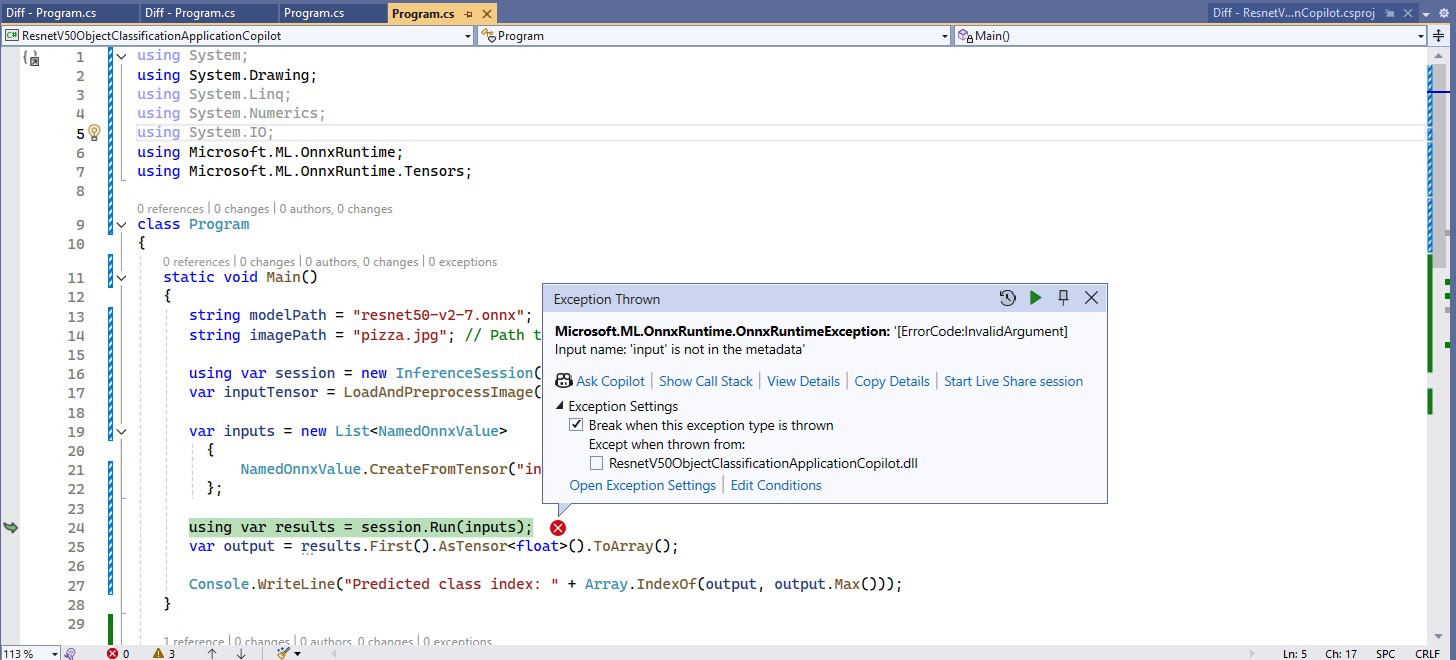
The name of the input tensor was wrong, so I used Netron to inspect the graph properties of the model.
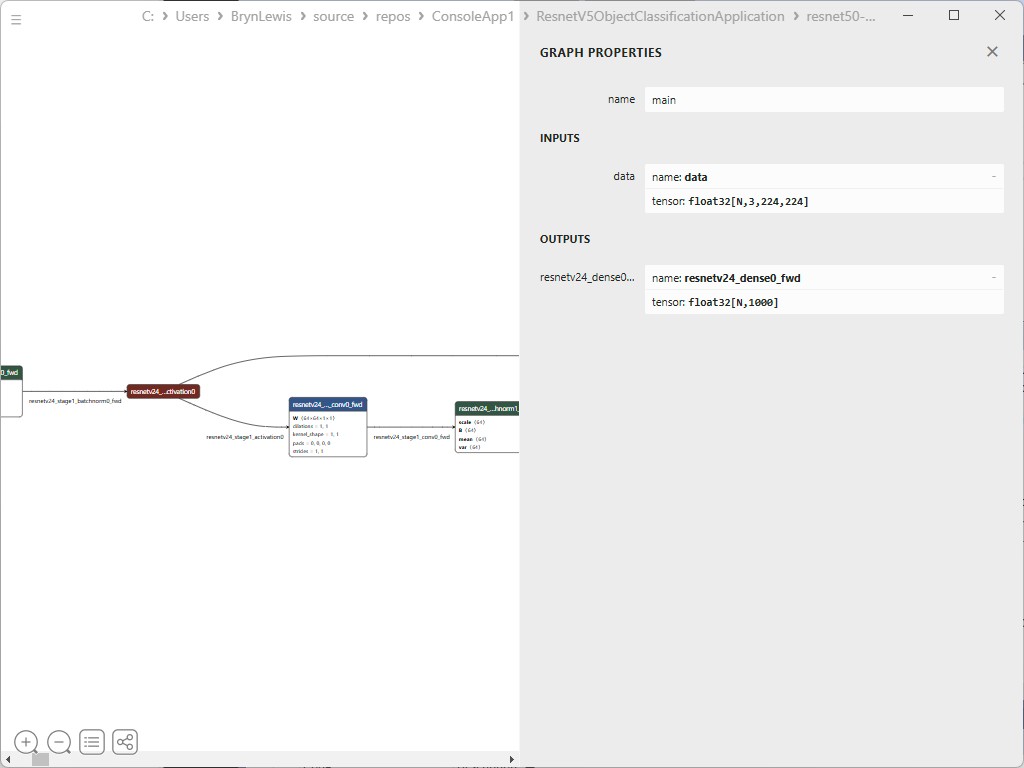

After the input tensor name was updated, the program ran
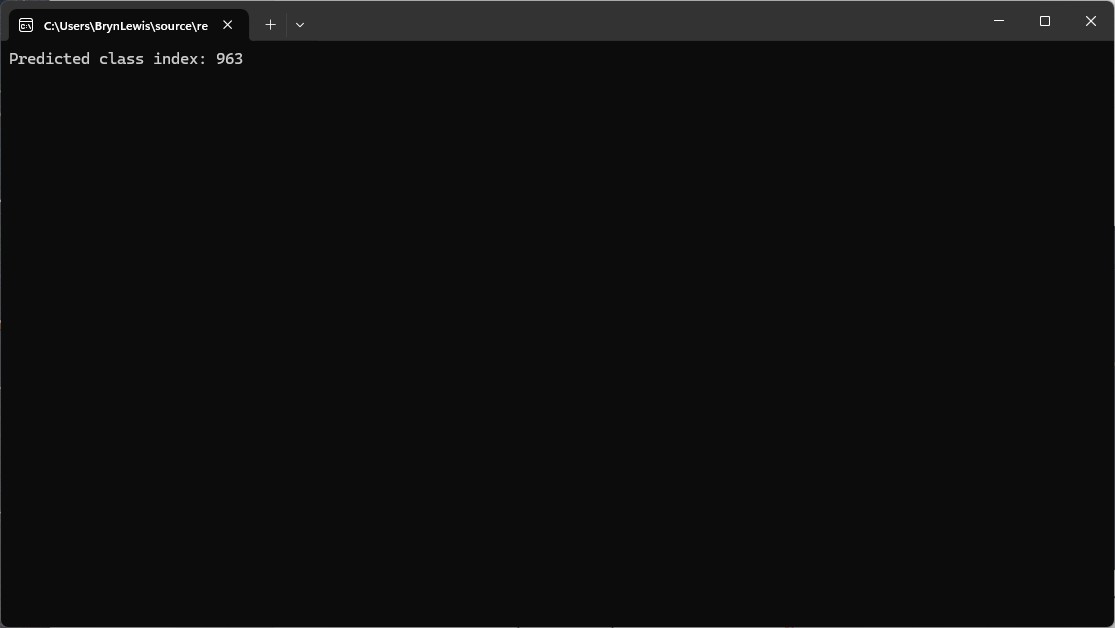
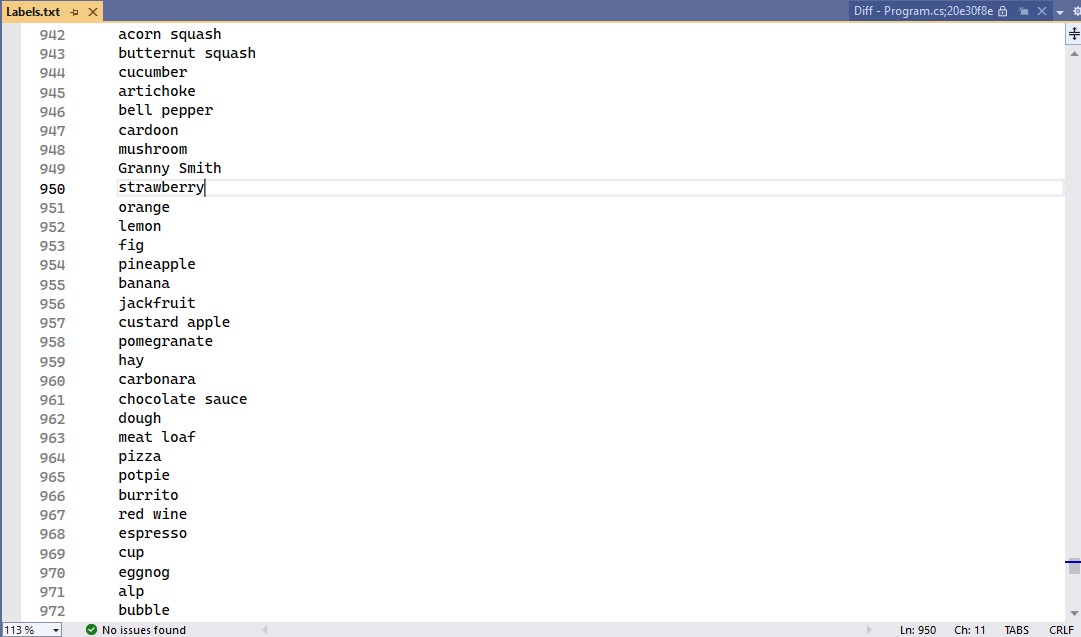
I checked the labels using the torchvison ImageNet categories and the results looked reasonable
The model and input file paths were wrong and I had been manually fixing them.

The confidence values didn’t look right so I re-read the preprocessing requirements for a ResNet model
Input
All pre-trained models expect input images normalized in the same way, i.e. mini-batches
of 3-channel RGB images of shape (N x 3 x H x W), where N is the batch size, and H and
W are expected to be at least 224. The inference was done using jpeg image.

Preprocessing
The image needs to be preprocessed before fed to the network. The first step is to
extract a 224x224 crop from the center of the image. For this, the image is first scaled
to a minimum size of 256x256, while keeping aspect ratio. That is, the shortest side
of the image is resized to 256 and the other side is scaled accordingly to maintain
the original aspect ratio.

After that, the image is normalized with mean = 255*[0.485, 0.456, 0.406] and std
= 255*[0.229, 0.224, 0.225]. Last step is to transpose it from HWC to CHW layout.

The Copilot generated code compiled and ran but the confidence values still didn’t look right, and the results tensor contained 1000 confidences values.
static void Main()
{
   string modelPath = "resnet50-v2-7.onnx"; // Updated model path
   string imagePath = "pizza.jpg"; // Updated image path

   using var session = new InferenceSession(modelPath);
   var inputTensor = LoadAndPreprocessImage(imagePath);

   var inputs = new List<NamedOnnxValue>
   {
      NamedOnnxValue.CreateFromTensor("data", inputTensor) // Using "data" as the input tensor name
   };

   using var results = session.Run(inputs);
   var output = results.First().AsTensor<float>().ToArray();

   Console.WriteLine("Predicted class index: " + Array.IndexOf(output, output.Max()));
}

static DenseTensor<float> LoadAndPreprocessImage(string imagePath)
{
   using Bitmap bitmap = new Bitmap(imagePath);
   int width = 224, height = 224; // ResNet50 expects 224x224 input
   using Bitmap resized = new Bitmap(bitmap, new Size(width, height));

   var tensor = new DenseTensor<float>(new[] { 1, 3, width, height });

   // ImageNet mean & standard deviation values
   float[] mean = { 0.485f, 0.456f, 0.406f };
   float[] stdev = { 0.229f, 0.224f, 0.225f };

   for (int y = 0; y < height; y++)
   {
      for (int x = 0; x < width; x++)
      {
         Color pixel = resized.GetPixel(x, y);

         // Normalize using mean and standard deviation
         tensor[0, 0, y, x] = (pixel.R / 255f - mean[0]) / stdev[0]; // Red channel
         tensor[0, 1, y, x] = (pixel.G / 255f - mean[1]) / stdev[1]; // Green channel
         tensor[0, 2, y, x] = (pixel.B / 255f - mean[2]) / stdev[2]; // Blue channel
      }
   }
   return tensor;
}
Because the results didn’t look right, I went back and read the ResNet50 post processing instructions
Output
The model outputs image scores for each of the 1000 classes of ImageNet.

Postprocessing
The post-processing involves calculating the softmax probability scores for each
class. You can also sort them to report the most probable classes. Check
imagenet_postprocess.py for code.
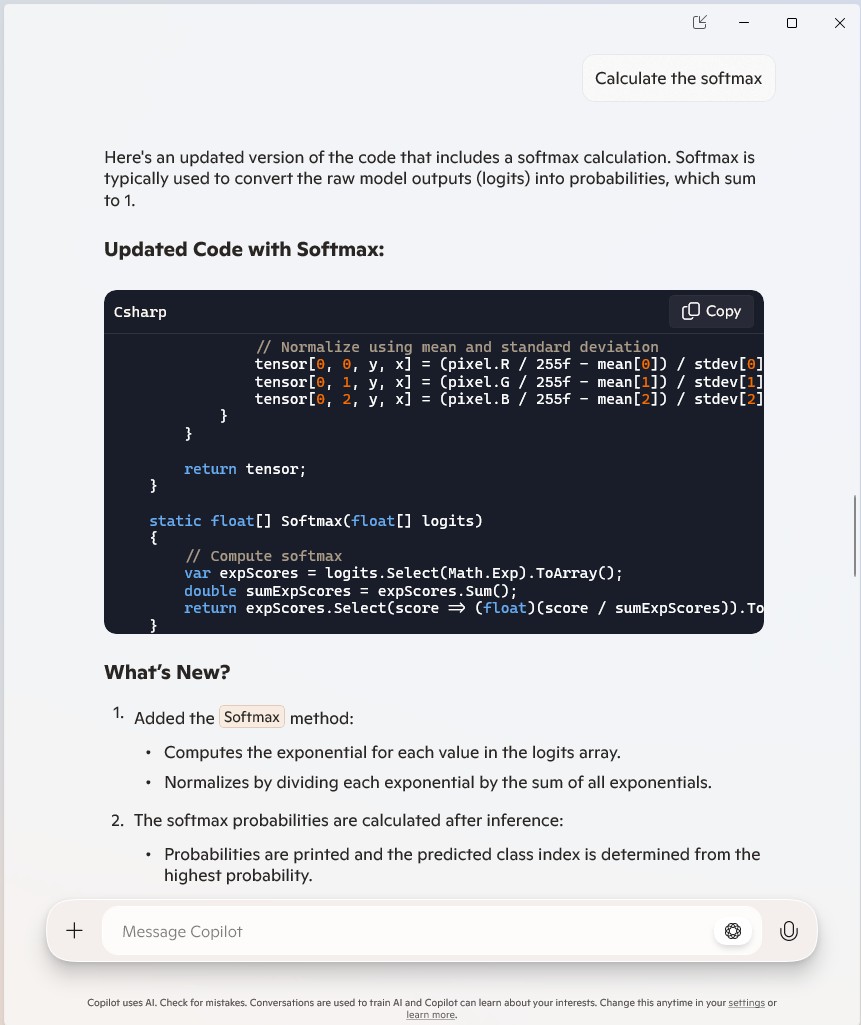
The Copilot generated code wouldn’t compile due to a syntax error.
static void Main()
{
   string modelPath = "resnet50-v2-7.onnx"; // Updated model path
   string imagePath = "pizza.jpg"; // Updated image path

   using var session = new InferenceSession(modelPath);
   var inputTensor = LoadAndPreprocessImage(imagePath);

   var inputs = new List<NamedOnnxValue>
   {
      NamedOnnxValue.CreateFromTensor("data", inputTensor) // Using "data" as the input tensor name
   };

   using var results = session.Run(inputs);
   var output = results.First().AsTensor<float>().ToArray();

   // Calculate softmax
   var probabilities = Softmax(output);

   // Get the class index with the highest probability
   int predictedClass = Array.IndexOf(probabilities, probabilities.Max());
   Console.WriteLine($"Predicted class index: {predictedClass}");
   Console.WriteLine($"Probabilities: {string.Join(", ", probabilities.Select(p => p.ToString("F4")))}");
}
...
static float[] Softmax(float[] logits)
{
   // Compute softmax
   var expScores = logits.Select(Math.Exp).ToArray();
   double sumExpScores = expScores.Sum();
   return expScores.Select(score => (float)(score / sumExpScores)).ToArray();
}

Copilot was adamant that the generated code was correct.
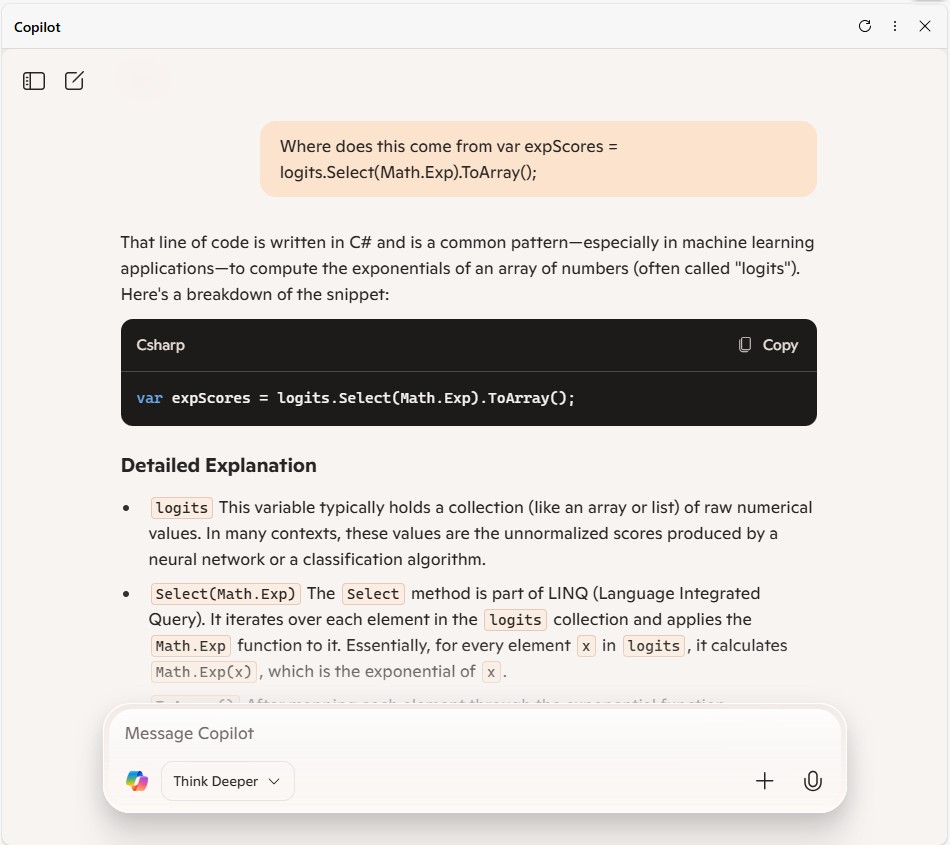
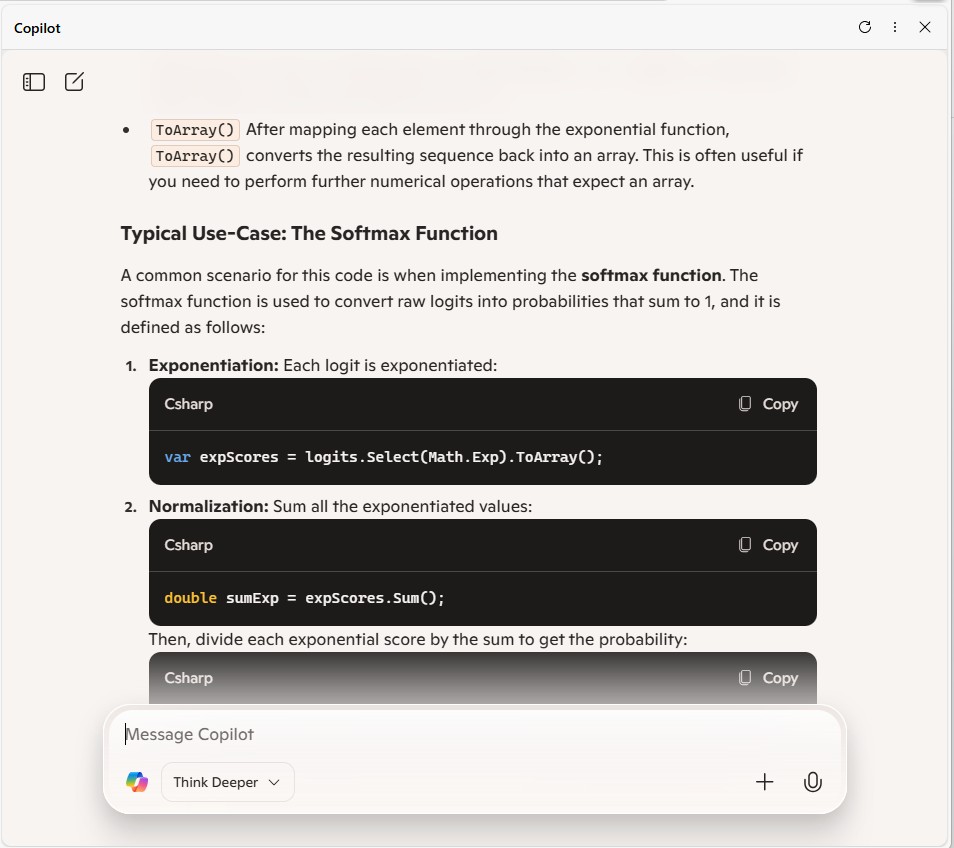
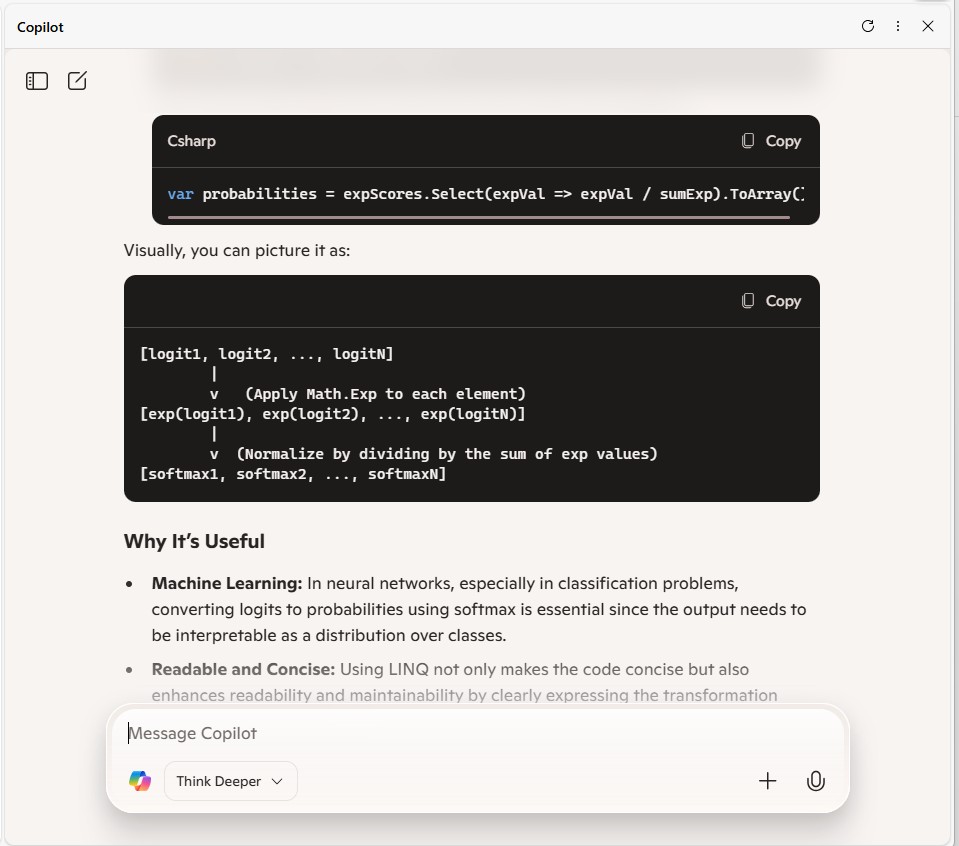
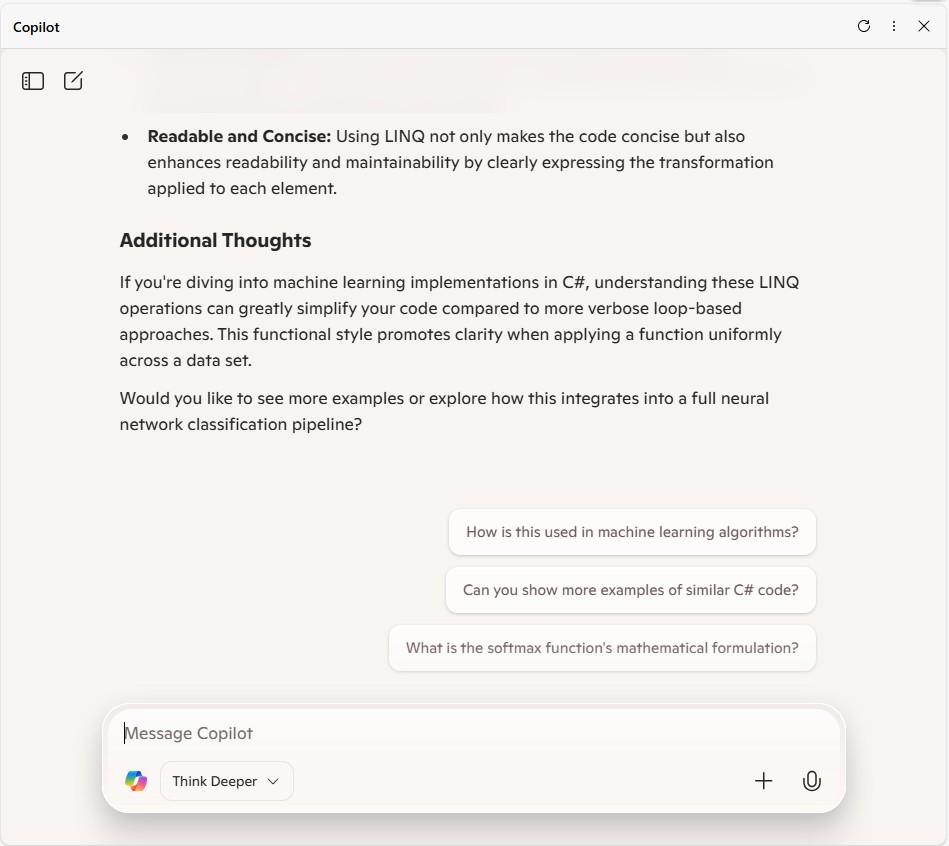
After trying different Copilot prompts the code had to be manually fixed, before it would compile

The Copilot generated code ran and the results for the top 10 confidence values looked reasonable
static void Main()
{
   string modelPath = "resnet50-v2-7.onnx"; // Updated model path
   string imagePath = "pizza.jpg"; // Updated image path
   string labelsPath = "labels.txt"; // Path to labels file

   using var session = new InferenceSession(modelPath);
   var inputTensor = LoadAndPreprocessImage(imagePath);

   var inputs = new List<NamedOnnxValue>
   {
       NamedOnnxValue.CreateFromTensor("data", inputTensor) // Using "data" as the input tensor name
   };

   using var results = session.Run(inputs);
   var output = results.First().AsTensor<float>().ToArray();

   // Calculate softmax
   var probabilities = Softmax(output);

   // Load labels
   var labels = File.ReadAllLines(labelsPath);

   // Find Top 10 labels and their confidence scores
   var top10 = probabilities
          .Select((prob, index) => new { Label = labels[index], Confidence = prob })
          .OrderByDescending(item => item.Confidence)
          .Take(10);

   Console.WriteLine("Top 10 Predictions:");
   foreach (var item in top10)
   {
      Console.WriteLine($"{item.Label}: {item.Confidence:F4}");
   }
}
...
static float[] Softmax(float[] logits)
{
   // Compute softmax
   float maxVal = logits.Max();
   var expScores = logits.Select(v => (float)Math.Exp(v - maxVal)).ToArray();
   double sumExpScores = expScores.Sum();
   return expScores.Select(score => (float)(score / sumExpScores)).ToArray();
}
The code will have to run on non-windows devices for System.Drawing.Common had to replaced with SixLabors ImageSharp a multi-platform graphics library.


The SixLabors ImageSharp update compiled and ran first time.
using Microsoft.ML.OnnxRuntime;
using Microsoft.ML.OnnxRuntime.Tensors;

using SixLabors.ImageSharp;
using SixLabors.ImageSharp.PixelFormats;
using SixLabors.ImageSharp.Processing;

namespace ResnetV5ObjectClassificationApplication
{
   class Program
   {
      static void Main()
      {
         string modelPath = "resnet50-v2-7.onnx"; // Updated model path
         string imagePath = "pizza.jpg"; // Updated image path
         string labelsPath = "labels.txt"; // Path to labels file

         using var session = new InferenceSession(modelPath);
         var inputTensor = LoadAndPreprocessImage(imagePath);

         var inputs = new List<NamedOnnxValue>
         {
            NamedOnnxValue.CreateFromTensor("data", inputTensor) // Using "data" as the input tensor name
         };

         using var results = session.Run(inputs);
         var output = results.First().AsTensor<float>().ToArray();

         // Calculate softmax
         var probabilities = Softmax(output);

         // Load labels
         var labels = File.ReadAllLines(labelsPath);

         // Find Top 10 labels and their confidence scores
         var top10 = probabilities
             .Select((prob, index) => new { Label = labels[index], Confidence = prob })
             .OrderByDescending(item => item.Confidence)
             .Take(10);

         Console.WriteLine("Top 10 Predictions:");
         foreach (var item in top10)
         {
            Console.WriteLine($"{item.Label}: {item.Confidence}");
         }

         Console.WriteLine("Press ENTER to exit");
         Console.ReadLine();
      }

      static DenseTensor<float> LoadAndPreprocessImage(string imagePath)
      {
         int width = 224, height = 224; // ResNet50 expects 224x224 input

         using var image = Image.Load<Rgb24>(imagePath);
         image.Mutate(x => x.Resize(width, height));

         var tensor = new DenseTensor<float>(new[] { 1, 3, width, height });

         // ImageNet mean & standard deviation values
         float[] mean = { 0.485f, 0.456f, 0.406f };
         float[] stdev = { 0.229f, 0.224f, 0.225f };

         for (int y = 0; y < height; y++)
         {
            for (int x = 0; x < width; x++)
            {
               var pixel = image[x, y];

               // Normalize using mean and standard deviation
               tensor[0, 0, y, x] = (pixel.R / 255f - mean[0]) / stdev[0]; // Red channel
               tensor[0, 1, y, x] = (pixel.G / 255f - mean[1]) / stdev[1]; // Green channel
               tensor[0, 2, y, x] = (pixel.B / 255f - mean[2]) / stdev[2]; // Blue channel
            }
         }

         return tensor;
      }

      static float[] Softmax(float[] logits)
      {
         // Compute softmax
         float maxVal = logits.Max();
         var expScores = logits.Select(logit => Math.Exp(logit - maxVal)).ToArray(); // Explicitly cast logit to double
         double sumExpScores = expScores.Sum();
         return expScores.Select(score => (float)(score / sumExpScores)).ToArray();
      }
   }
}
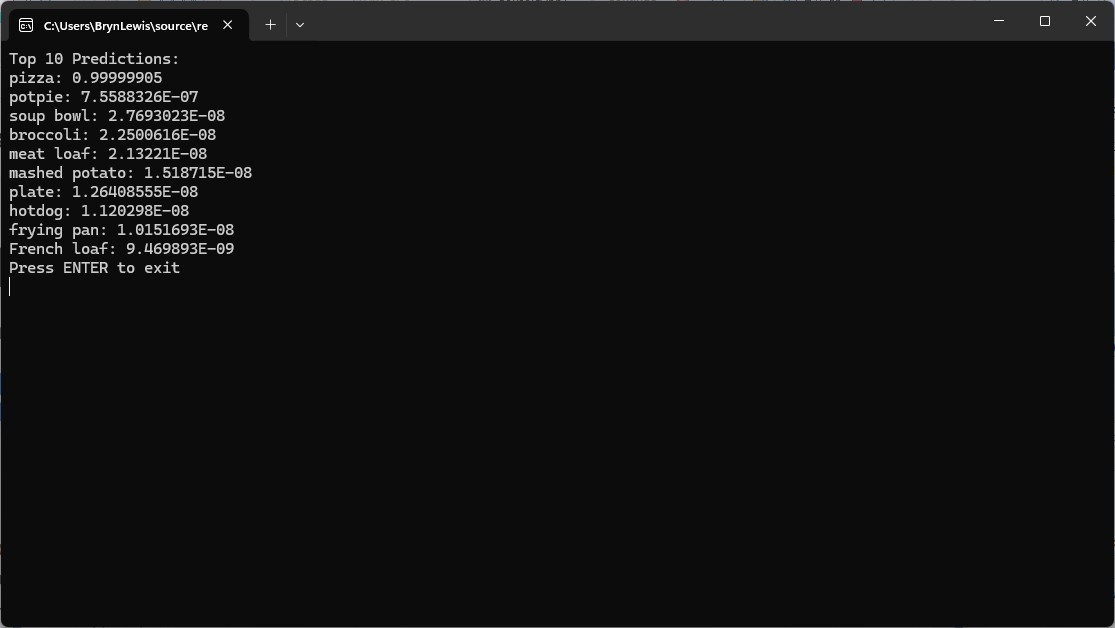
Summary
The Copilot generated code in this post in this was “inspired” by the Image recognition with ResNet50v2 in C# sample application.
The Copilot generated code in this post is not suitable for production
 devMobile's blog