Initially my Ultralytics YoloV8 based unicorn/not unicorn classification model test application would run overnight processing images retrieved from a Security Camera using an HTTP GET.


When I changed to a release build the System.Threading.Timer TimerCallback would only be called once
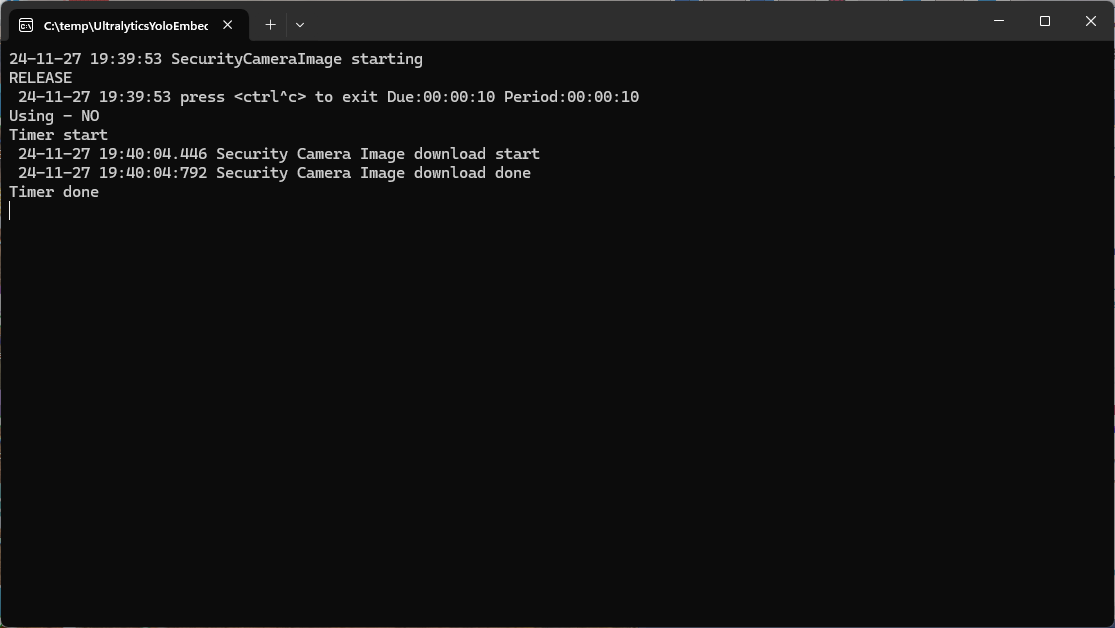
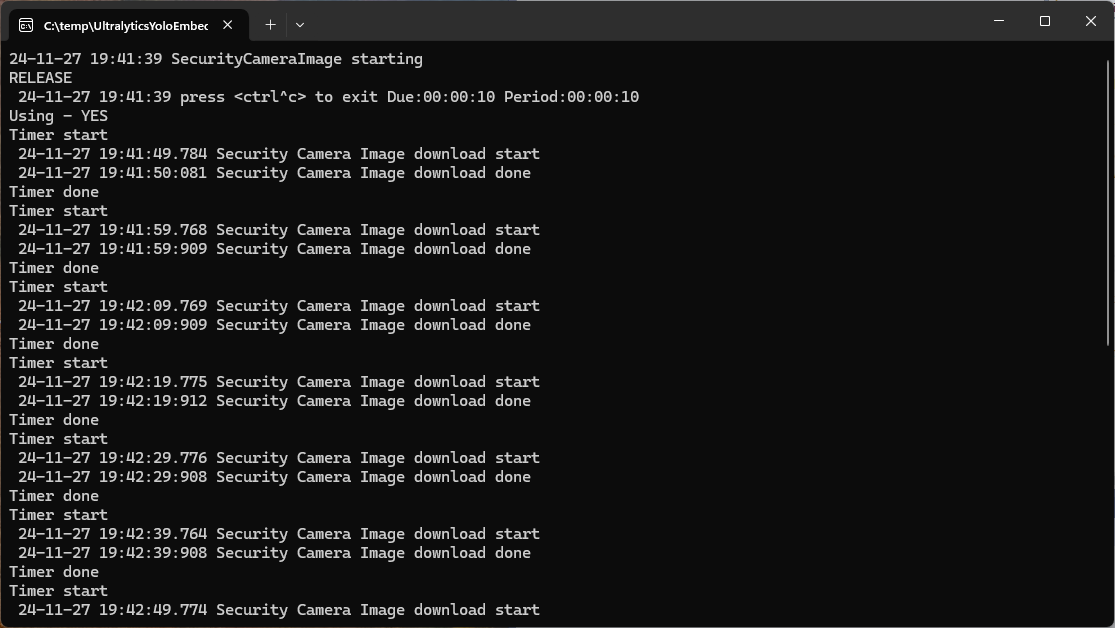
After some debugging I found that if I added a using statement the TimerCallback was called reliably.
static async Task Main()
{
   Console.WriteLine($"{DateTime.UtcNow:yy-MM-dd HH:mm:ss} SecurityCameraImage starting");
#if RELEASE
   Console.WriteLine("RELEASE");
#else
   Console.WriteLine("DEBUG");
#endif
   try
   {
      // load the app settings into configuration
      var configuration = new ConfigurationBuilder()
            .AddJsonFile("appsettings.json", false, true)
      .AddUserSecrets<Program>()
      .Build();

      _applicationSettings = configuration.GetSection("ApplicationSettings").Get<Model.ApplicationSettings>();

      Console.WriteLine($" {DateTime.UtcNow:yy-MM-dd HH:mm:ss} press <ctrl^c> to exit Due:{_applicationSettings.ImageTimerDue} Period:{_applicationSettings.ImageTimerPeriod}");

      NetworkCredential networkCredential = new(_applicationSettings.CameraUserName, _applicationSettings.CameraUserPassword);

      using (_httpClient = new HttpClient(new HttpClientHandler { PreAuthenticate = true, Credentials = networkCredential }))
      {
#if true
         Console.WriteLine("Using - NO");
         Timer imageUpdatetimer = new(ImageUpdateTimerCallback, null, _applicationSettings.ImageTimerDue, _applicationSettings.ImageTimerPeriod); // Debug only
#else
         Console.WriteLine("Using - YES");
         using Timer imageUpdatetimer = new(ImageUpdateTimerCallback,null, _applicationSettings.ImageTimerDue, _applicationSettings.ImageTimerPeriod); // Release works
#endif
         {
            try
            {
               await Task.Delay(Timeout.Infinite);
            }
            catch (TaskCanceledException)
            {
               Console.WriteLine($"{DateTime.UtcNow:yy-MM-dd HH:mm:ss} Application shutown requested");
            }
         }
      }
   }
   catch (Exception ex)
   {
      Console.WriteLine($"{DateTime.UtcNow:yy-MM-dd HH:mm:ss} Application shutown failure {ex.Message}", ex);
   }
}

private static async void ImageUpdateTimerCallback(object? state)
{
   Console.WriteLine("Timer start");

   // Just incase - stop code being called while photo already in progress
   if (_cameraBusy)
   {
      return;
   }
   _cameraBusy = true;

   try
   {
      Console.WriteLine($" {DateTime.UtcNow:yy-MM-dd HH:mm:ss.fff} Security Camera Image download start");

      using (Stream cameraStream = await _httpClient.GetStreamAsync(_applicationSettings.CameraUrl))
      using (FileStream fileStream = File.Open(_applicationSettings.ImageInputPath, FileMode.Create))
      {
         await cameraStream.CopyToAsync(fileStream);
      }

      Console.WriteLine($" {DateTime.UtcNow:yy-MM-dd HH:mm:ss:fff} Security Camera Image download done");
   }
   catch (Exception ex)
   {
      Console.WriteLine($"{DateTime.UtcNow:yy-MM-dd HH:mm:ss} Security camera image download failed {ex.Message}");
   }
   finally
   {
      _cameraBusy = false;
   }
   Console.WriteLine("Timer done");
}
I assume that in release build the code was “optimised” and the Garbage Collector(GC) was more aggressively freeing resources.
 devMobile's blog