After my first my couple of post about building camera applications for Windows 10 IoT Core I figured a pre-built time-lapse camera project which stored the images on the device’s MicroSD might be useful.
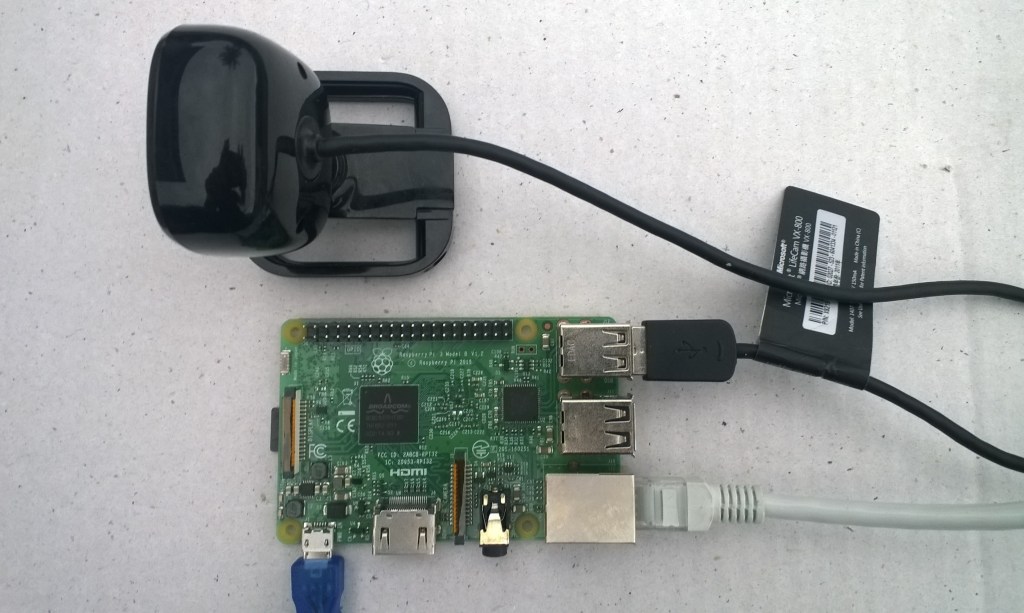
The application captures images with a configurable period after configurable start-up delay. The folder where the images are stored is configurable and the images can optionally be in monthly, daily, hourly etc. folders.
{
  "ImageFilenameFormatLatest": "Current.jpg",
  "FolderNameFormatHistory": "Historic{0:yyMMddHH}",
  "ImageFilenameFormatHistory": "{0:yyMMddHHmmss}.jpg",
  "ImageUpdateDueSeconds": 10,
  "ImageUpdatePeriodSeconds": 30
}
With the above setup I had hourly folders and the most recent image “current.jpg” in the pictures folder.
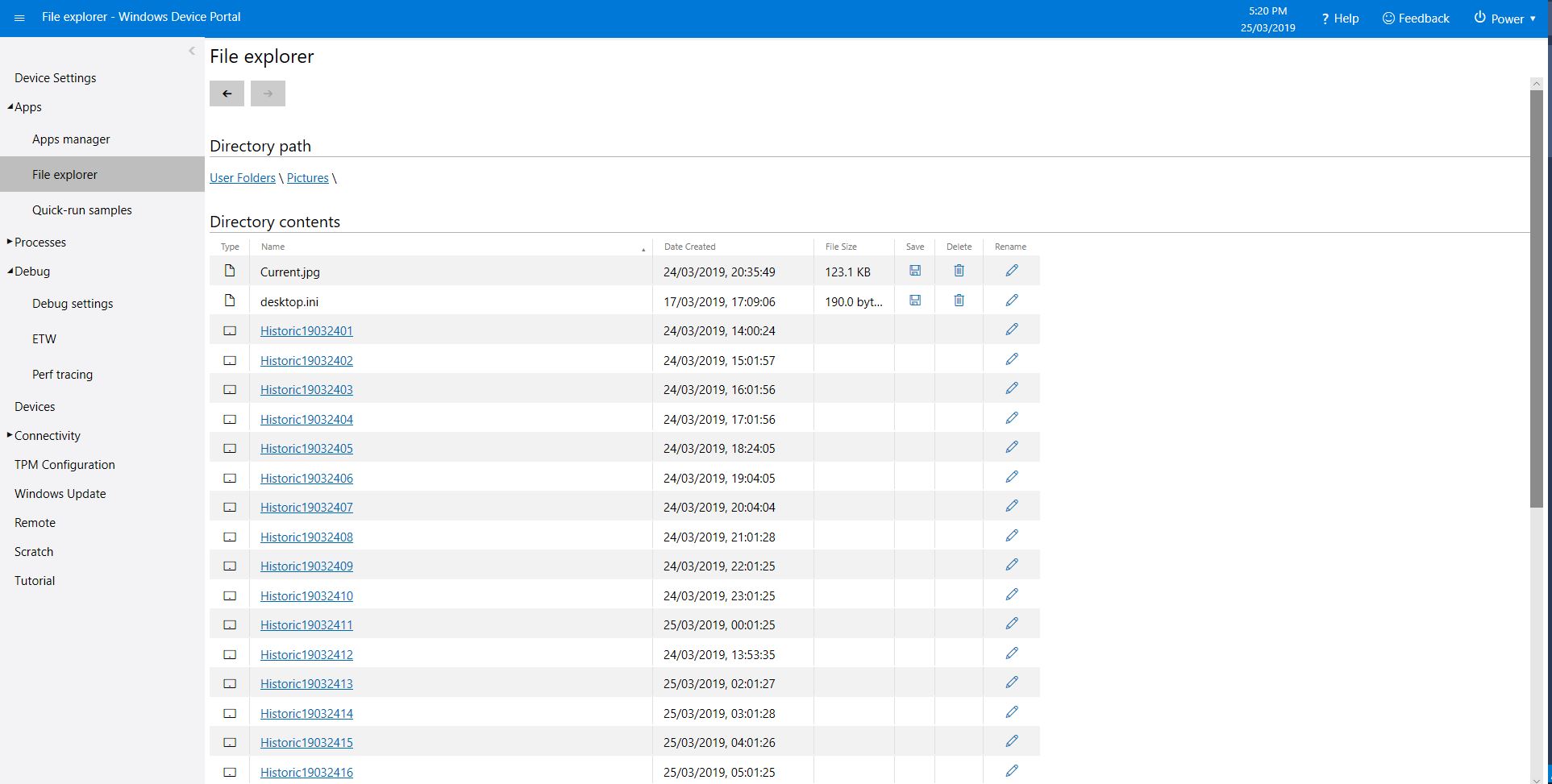
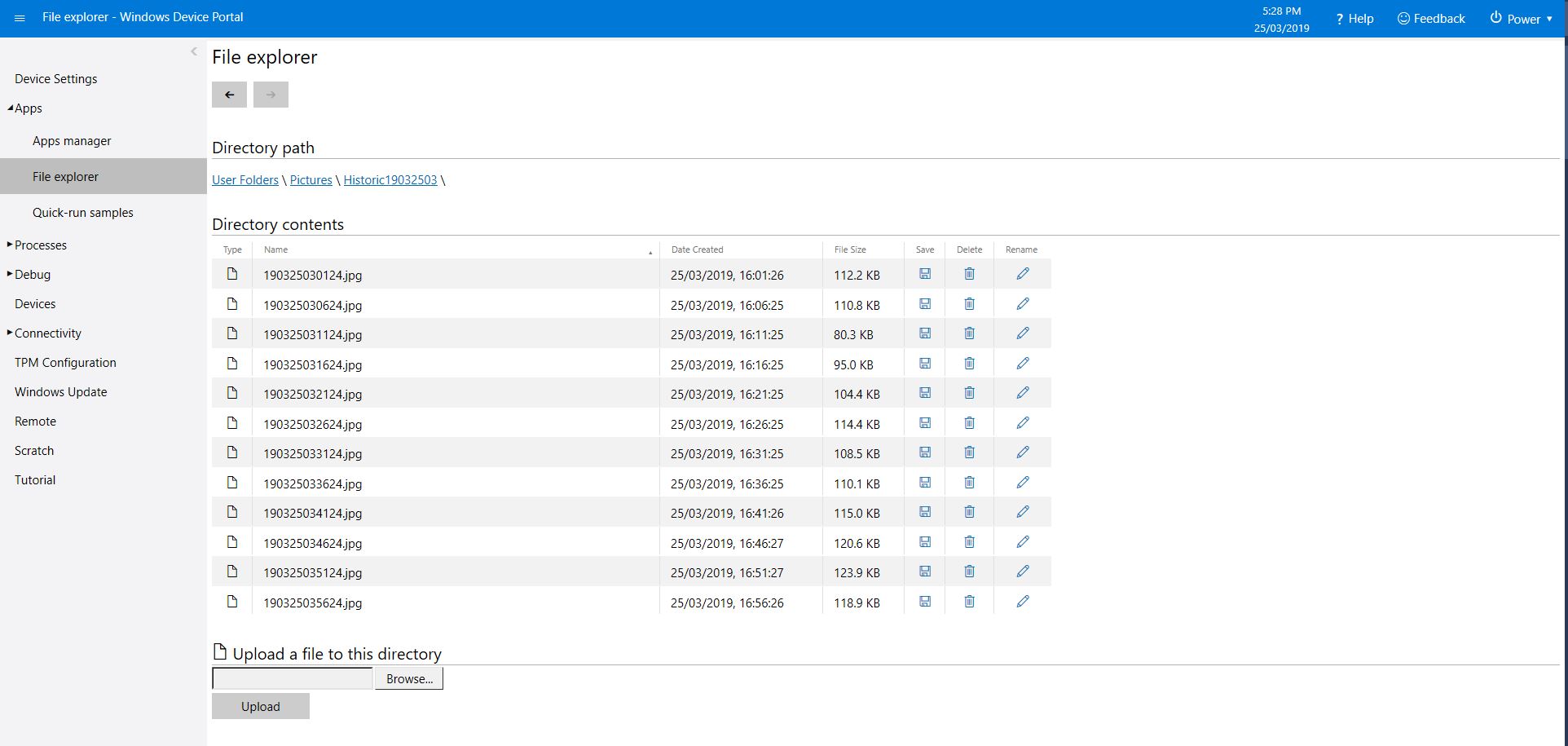
With 12 images every hour
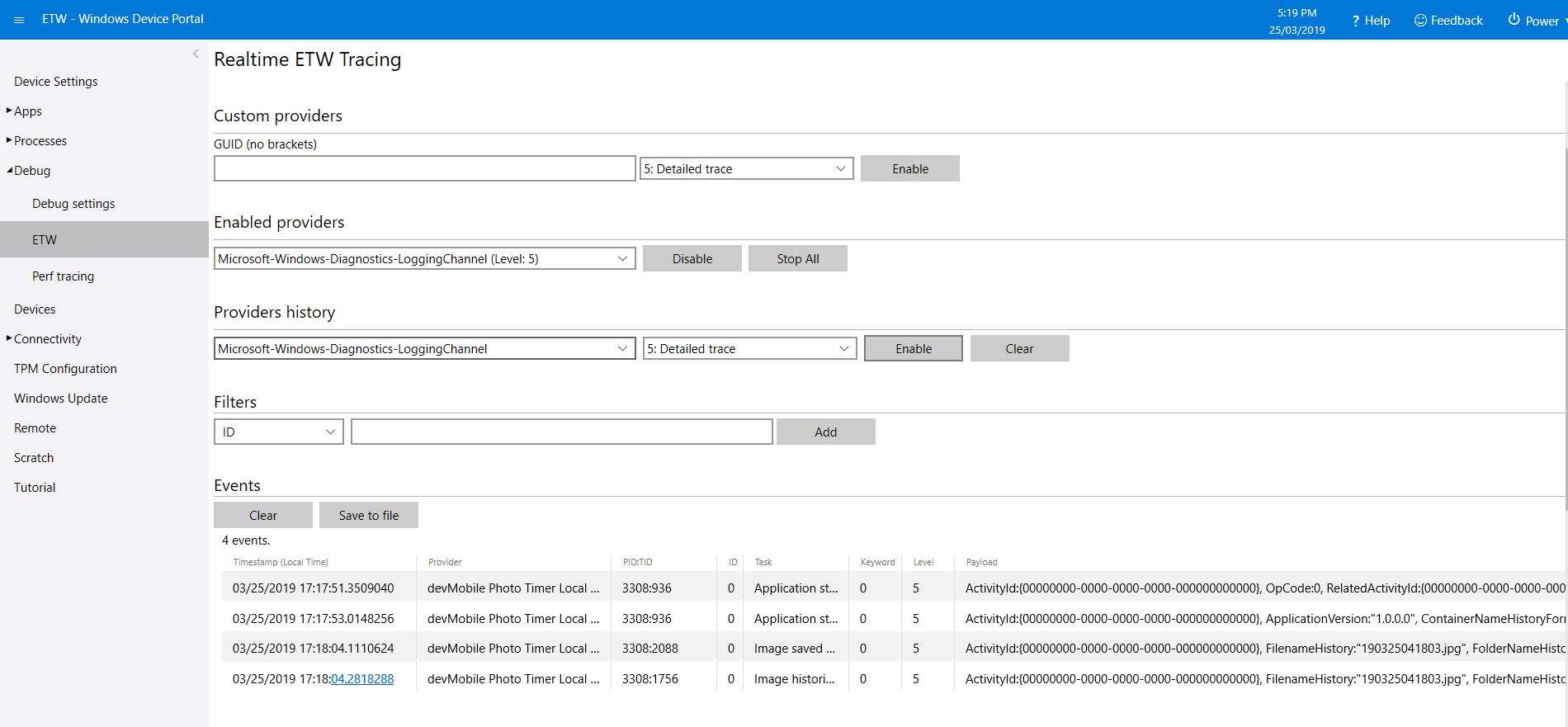
The application logs events on start-up and every time a picture is taken
After running the installer (available from GitHub) the application will create a default configuration file in
\User Folders\LocalAppData\PhotoTimerTriggerLocalStorage-uwp_1.0.0.0_arm__nmn3tag1rpsaw\LocalState\
Which can be downloaded, modified then uploaded using the portal file explorer application. If you want to make the application run on device start-up the radio button below needs to be selected.
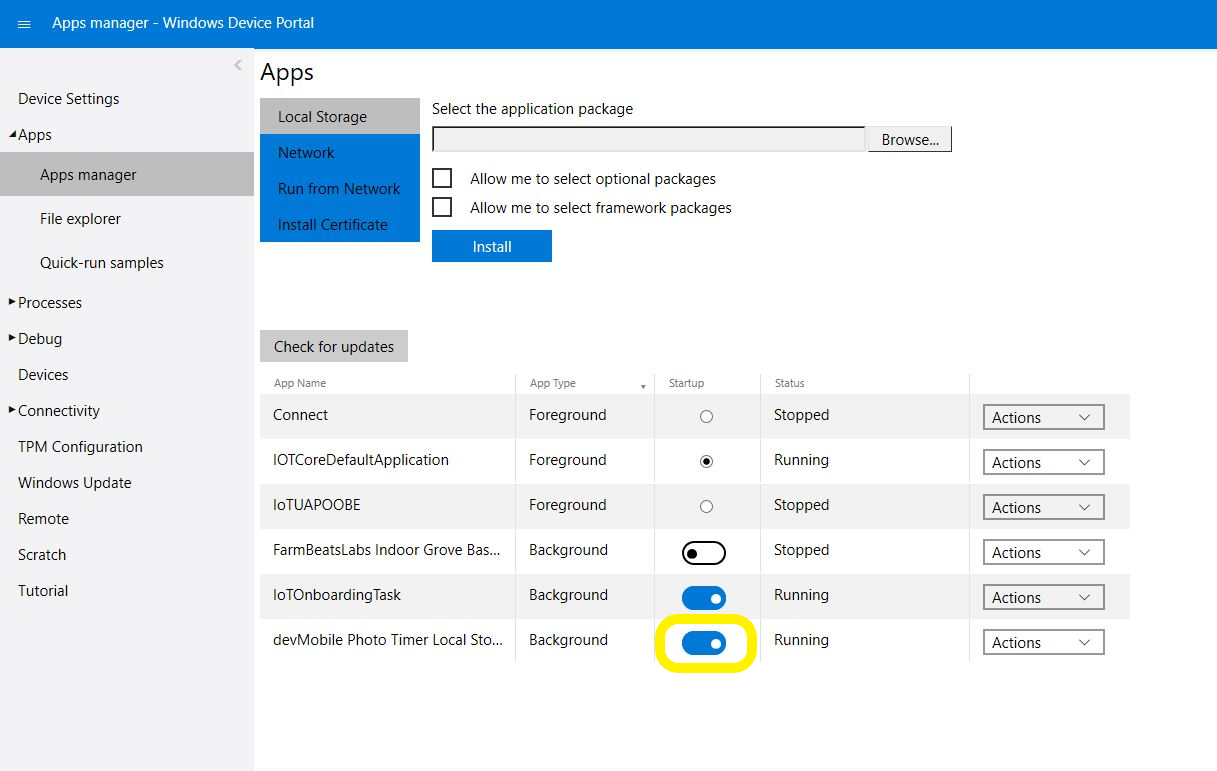
Make sure to set the Windows 10 IoT Core device timezone and connect it to a network (for ntp server access ) or use a third party real-time clock(RTC) to set the device time on restart.
/*
    Copyright ® 2019 March devMobile Software, All Rights Reserved

    MIT License

    …
*/
namespace devMobile.Windows10IotCore.IoT.PhotoTimerTriggerLocalStorage
{
	using System;
	using System.IO;
	using System.Diagnostics;
	using System.Threading;

	using Microsoft.Extensions.Configuration;

	using Windows.ApplicationModel;
	using Windows.ApplicationModel.Background;
	using Windows.Foundation.Diagnostics;
	using Windows.Media.Capture;
	using Windows.Media.MediaProperties;
	using Windows.Storage;
	using Windows.System;

	public sealed class StartupTask : IBackgroundTask
	{
		private BackgroundTaskDeferral backgroundTaskDeferral = null;
		private readonly LoggingChannel logging = new LoggingChannel("devMobile Photo Timer Local Storage", null, new Guid("4bd2826e-54a1-4ba9-bf63-92b73ea1ac4a"));
		private const string ConfigurationFilename = "appsettings.json";
		private Timer ImageUpdatetimer;
		private MediaCapture mediaCapture;
		private string localImageFilenameLatestFormat;
		private string localFolderNameHistoryFormat;
		private string localImageFilenameHistoryFormat;
		private volatile bool cameraBusy = false;

		public void Run(IBackgroundTaskInstance taskInstance)
		{
			StorageFolder localFolder = ApplicationData.Current.LocalFolder;
			int imageUpdateDueSeconds;
			int imageUpdatePeriodSeconds;

			this.logging.LogEvent("Application starting");

			// Log the Application build, OS version information etc.
			LoggingFields startupInformation = new LoggingFields();
			startupInformation.AddString("Timezone", TimeZoneSettings.CurrentTimeZoneDisplayName);
			startupInformation.AddString("OSVersion", Environment.OSVersion.VersionString);
			startupInformation.AddString("MachineName", Environment.MachineName);

			// This is from the application manifest
			Package package = Package.Current;
			PackageId packageId = package.Id;
			PackageVersion version = packageId.Version;
			startupInformation.AddString("ApplicationVersion", string.Format($"{version.Major}.{version.Minor}.{version.Build}.{version.Revision}"));

			try
			{
				// see if the configuration file is present if not copy minimal sample one from application directory
				if (localFolder.TryGetItemAsync(ConfigurationFilename).AsTask().Result == null)
				{
					StorageFile templateConfigurationfile = Package.Current.InstalledLocation.GetFileAsync(ConfigurationFilename).AsTask().Result;
					templateConfigurationfile.CopyAsync(localFolder, ConfigurationFilename).AsTask();

					this.logging.LogMessage("JSON configuration file missing, templated created", LoggingLevel.Warning);
					return;
				}

				IConfiguration configuration = new ConfigurationBuilder().AddJsonFile(Path.Combine(localFolder.Path, ConfigurationFilename), false, true).Build();

				localImageFilenameLatestFormat = configuration.GetSection("ImageFilenameFormatLatest").Value;
				startupInformation.AddString("ImageFilenameLatestFormat", localImageFilenameLatestFormat);

				localFolderNameHistoryFormat = configuration.GetSection("FolderNameFormatHistory").Value;
				startupInformation.AddString("ContainerNameHistoryFormat", localFolderNameHistoryFormat);

				localImageFilenameHistoryFormat = configuration.GetSection("ImageFilenameFormatHistory").Value;
				startupInformation.AddString("ImageFilenameHistoryFormat", localImageFilenameHistoryFormat);

				imageUpdateDueSeconds = int.Parse(configuration.GetSection("ImageUpdateDueSeconds").Value);
				startupInformation.AddInt32("ImageUpdateDueSeconds", imageUpdateDueSeconds);

				imageUpdatePeriodSeconds = int.Parse(configuration.GetSection("ImageUpdatePeriodSeconds").Value);
				startupInformation.AddInt32("ImageUpdatePeriodSeconds", imageUpdatePeriodSeconds);
			}
			catch (Exception ex)
			{
				this.logging.LogMessage("JSON configuration file load or settings retrieval failed " + ex.Message, LoggingLevel.Error);
				return;
			}

			try
			{
				mediaCapture = new MediaCapture();
				mediaCapture.InitializeAsync().AsTask().Wait();
			}
			catch (Exception ex)
			{
				this.logging.LogMessage("Camera configuration failed " + ex.Message, LoggingLevel.Error);
				return;
			}

			ImageUpdatetimer = new Timer(ImageUpdateTimerCallback, null, new TimeSpan(0, 0, imageUpdateDueSeconds), new TimeSpan(0, 0, imageUpdatePeriodSeconds));

			this.logging.LogEvent("Application started", startupInformation);

			//enable task to continue running in background
			backgroundTaskDeferral = taskInstance.GetDeferral();
		}

		private async void ImageUpdateTimerCallback(object state)
		{
			DateTime currentTime = DateTime.UtcNow;
			Debug.WriteLine($"{DateTime.UtcNow.ToLongTimeString()} Timer triggered");

			// Just incase - stop code being called while photo already in progress
			if (cameraBusy)
			{
				return;
			}
			cameraBusy = true;

			try
			{
				string localFilename = string.Format(localImageFilenameLatestFormat, currentTime);
				string folderNameHistory = string.Format(localFolderNameHistoryFormat, currentTime);
				string filenameHistory = string.Format(localImageFilenameHistoryFormat, currentTime);

				StorageFile photoFile = await KnownFolders.PicturesLibrary.CreateFileAsync(localFilename, CreationCollisionOption.ReplaceExisting);
				ImageEncodingProperties imageProperties = ImageEncodingProperties.CreateJpeg();
				await mediaCapture.CapturePhotoToStorageFileAsync(imageProperties, photoFile);

				LoggingFields imageInformation = new LoggingFields();
				imageInformation.AddDateTime("TakenAtUTC", currentTime);
				imageInformation.AddString("LocalFilename", photoFile.Path);
				imageInformation.AddString("FolderNameHistory", folderNameHistory);
				imageInformation.AddString("FilenameHistory", filenameHistory);
				this.logging.LogEvent("Image saved to local storage", imageInformation);

				// Upload the historic image to storage
				if (!string.IsNullOrWhiteSpace(folderNameHistory) && !string.IsNullOrWhiteSpace(filenameHistory))
				{
					// Check to see if historic images folder exists and if it doesn't create it
					IStorageFolder storageFolder = (IStorageFolder)await KnownFolders.PicturesLibrary.TryGetItemAsync(folderNameHistory);
					if (storageFolder == null)
					{
						storageFolder = await KnownFolders.PicturesLibrary.CreateFolderAsync(folderNameHistory);
					}
					await photoFile.CopyAsync(storageFolder, filenameHistory, NameCollisionOption.ReplaceExisting);

					this.logging.LogEvent("Image historic saved to local storage", imageInformation);
				}
			}
			catch (Exception ex)
			{
				this.logging.LogMessage("Camera photo or image save failed " + ex.Message, LoggingLevel.Error);
			}
			finally
			{
				cameraBusy = false;
			}
		}
	}
}
With a 32G or 64G MicroSD card a significant number of images (my low resolution camera was approximately 125K per image) could be stored on the Windows 10 device.
These could then be assembled into a video using a tool like Time Lapse Creator.
 devMobile's blog
Pingback: Windows 10 IoT Core Cognitive Services Custom Vision API | devMobile's blog